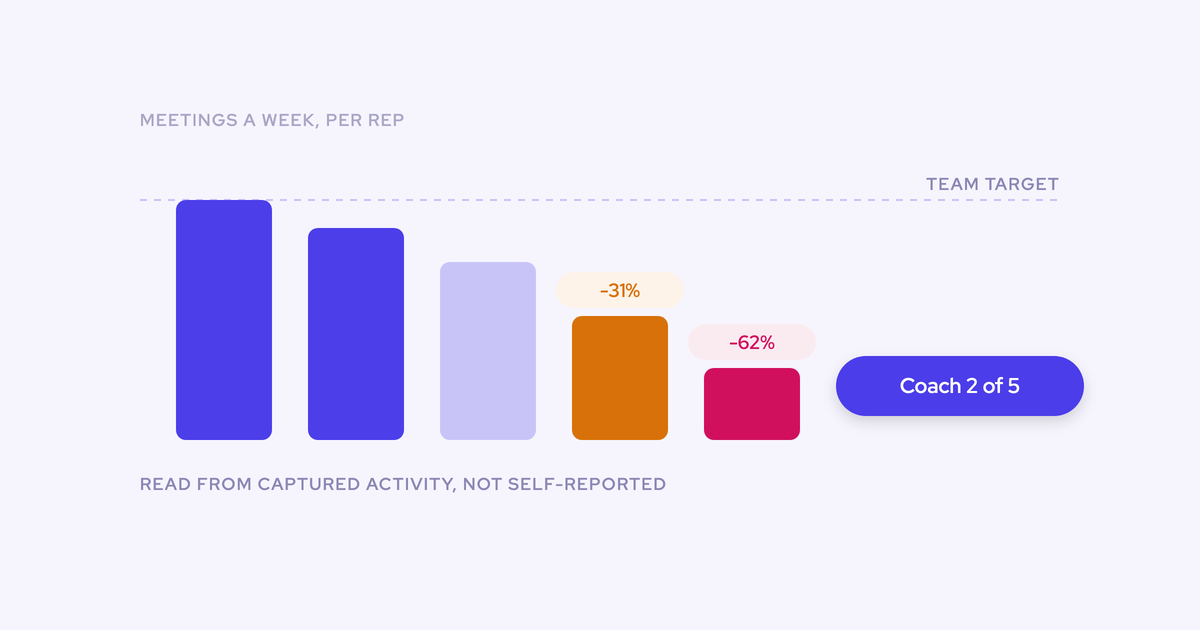

You're a few weeks or a few months into the seat. Call recording lives in one tool, forecasting in another, and a third handles activity capture (badly).
Nobody who bought them is still around to explain why, and half the renewals land at year end. That's when your stack gets re-decided, whether you plan for it or not.
Our advice: don't judge a tool by who logs in. Look at what it feeds, meaning the reports, automations and board decks that break if it disappears.
Then time every keep, fix or replace call to the renewal calendar: capture first, conversation intelligence next, and forecasting at its own renewal. Keeping a tool is a perfectly good outcome, too, even one your CEO or PE sponsor is attached to.
Weflow is the Revenue AI Orchestration platform for sales, customer success, and RevOps teams. At Weflow, we have this conversation with new RevOps leaders every week, and this guide is what we tell them.
We'll show where Weflow's AI-powered deal execution fits as one of the consolidation paths you can take, and where it isn't the right call.
Audit each inherited tool by what it feeds, not logins
Login counts can mislead you both ways. A tool nobody opens might be carrying your activity reporting, while one people open every week might only do three narrow jobs at a premium price.
So for every tool, ask one question: what breaks downstream if this switches off tomorrow?
Why a tool nobody logs into can carry every report
Capture tools run in the background, so it's normal that nobody logs in. The risk comes when the champion who bought it leaves. You inherit a line item nobody can explain, and because nobody can see what it does, it looks like an easy cut at renewal.
Here's what usually breaks when someone cuts one without tracing it first:
- Opportunities lose their activity history, so deal reviews can't answer "when did we last talk to them?"
- The rep activity dashboard leadership has started relying on suddenly shows gaps.
- Flows and alerts that fire on a logged email or meeting stop firing, and nobody notices until a follow-up is missed.
- Any AI summary, deal signal or forecast that reads activity loses its inputs.
Once you can name the reports and automations that depend on a tool, you know what you're really deciding.
Why a forecasting tool with logins may only do three jobs
The opposite holds for forecasting: busy logins don't mean the tool is worth its invoice. Twelve months in, check which of these jobs your team still uses:
- The roll-up, from rep commit to manager call to CRO call.
- A simple pipeline view, usually the waterfall or pacing.
- Deal inspection before the forecast call.
And low license usage doesn't always mean low stakes. As one RevOps leader told us:
"Our Clari license usage is at about 8%."
Yet that same tool was still the system of record in board conversations. So price the jobs that survived against what you pay, but be fair to the incumbent.
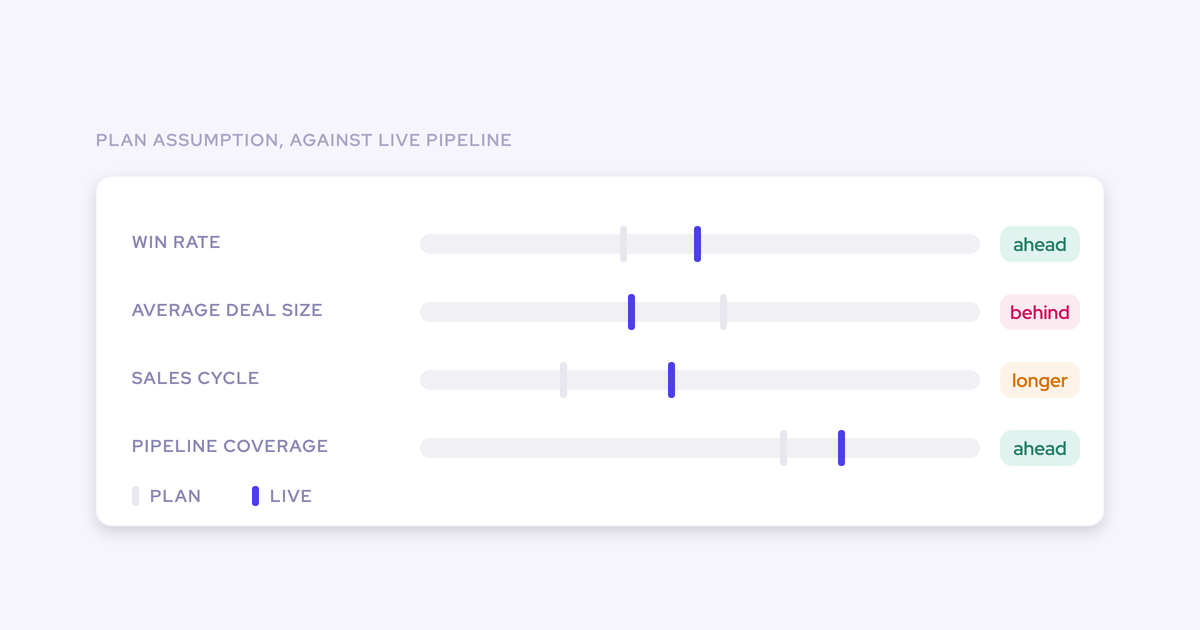
Comparing this quarter's pipeline to the same day in earlier quarters, for example, is hard to rebuild in Salesforce reports because it needs snapshots over time.
The questions that decide each tool's path at renewal
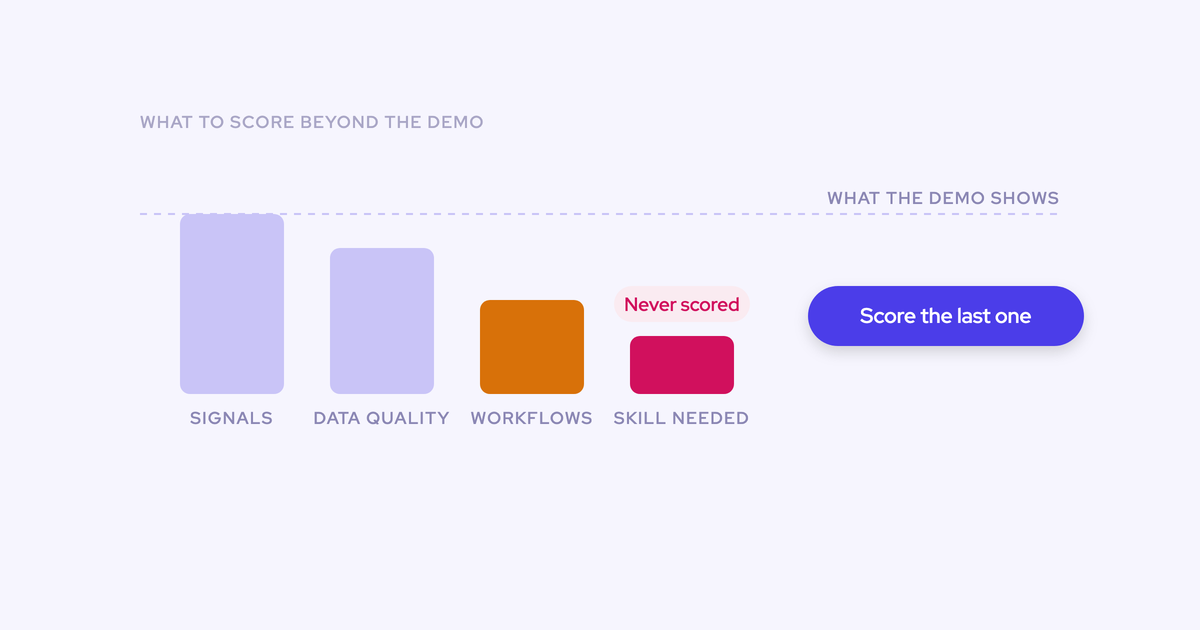
These seven questions decide each tool's path. Copy them into a sheet and fill in a row for every tool you inherited.
| Question | Where you find the answer | What the answer pushes you toward |
|---|---|---|
| What does it feed? | Report subscriptions, Flows and triggers on activity, the sources behind the board deck, AI tools reading the data | Feeds something critical: keep or fix before you cut. Feeds nothing: replace or cut. |
| Who owns it internally? | Who holds admin rights, who gets the ticket when it breaks | Right tool, no owner: keep and re-adopt. |
| When does it renew, and what's the notice period? | The contract, procurement or finance | Sets your real decision date. |
| What's real usage per module and per seat? | The vendor's admin usage reports, an account review, per-rep calendar sync status | One module unused: replace that module, not the whole tool. |
| What are you paying for as a side effect? | Seat list against people who use the core feature, such as sequencing seats used only for capture | Replace the side effect with a cheaper dedicated tool. |
| Who protects it politically? | CRO, CEO, board, PE sponsor | Coexist and feed it cleaner data. |
| Is the process it serves defined yet? | Your methodology, stage definitions and qualification criteria | Not defined: weight configurability and avoid locking in a process you haven't chosen. |
For the capture rows, start with your own Salesforce org. Weflow's Settings Health check shows whether Einstein Activity Capture, Shared Activities and Enhanced Email are turned on, so you can see what's actually configured before debating what should be.
Four paths for every tool in an inherited revenue stack
Every tool you inherited ends up on one of four paths, and the cheapest ones are often the right ones.
| Path | Change-management load | What it costs you |
|---|---|---|
| Keep the tool and re-adopt it with a named owner | Low | An owner's time and some re-enablement |
| Fix the configuration before you judge the tool | Low | Admin hours |
| Replace or consolidate the tool at its renewal date | High | Selection, implementation, history migration and an overlap period |
| Keep a protected tool and feed it cleaner data | Low for the tool, moderate for the capture underneath it | You keep paying for it |
Keep the tool and re-adopt it with a named owner
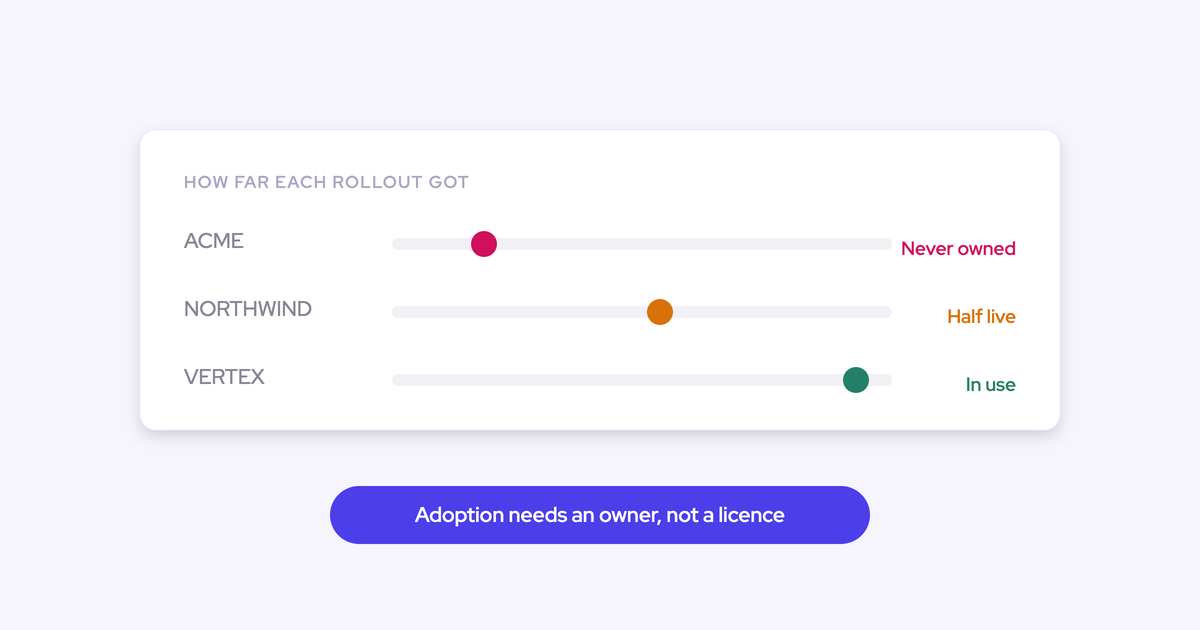
Plenty of inherited tools failed because nobody owned them, not because they couldn't do the job.
Teams also buy a platform, use one part of it and never learn the rest exists. Once the person who ran onboarding leaves, nobody re-introduces the product, and someone ends up complaining about a gap the tool already fills.
Fits when: The job is real, the tool covers it, and the only thing missing is someone who owns it.
Doesn't fit when: Overlap is the problem. Re-adopting one of two capture tools still leaves the other one writing to the same records.
Fix the configuration before you judge the tool
A broken setup can make a decent tool look worse than it is. Fix it first: it's cheap, and it gives you a baseline any replacement has to beat.
These are the configuration failures we see most often on inherited stacks:
- Reps whose calendars never synced, so meetings are missing for whole teams.
- Capture deployed to a fraction of users, with the rest never enrolled.
- Users set up incorrectly after the admin who configured capture left, so nobody can say who is being captured.
- Einstein Activity Capture's event sync left two-way while a second tool also writes meetings, producing duplicates.
- A sequencer and a capture tool both logging the same email.
The baseline matters as much as the fix, because it tells you whether the tool or the setup was the problem.
"I am a fan of before I immediately go out and try to purchase a solution to solve something, I really wanna make sure that I understand the problem the company's facing, have definitions and success metrics with all the stakeholders. And usually for me, it's a, okay, let's do some amount of manual work to figure out where we're at today and really understand where we're at."
Replace or consolidate the tool at its renewal date
Replace on the contract end date, not on the day you get frustrated. Switching is a change-management exercise, which is why stacks tend to get replaced all at once or not at all.
Consolidating onto a suite only helps if the products share data. Clari's products came through acquisitions (Wingman became Copilot, then Groove, then the Salesloft merger) and still run as separate applications, so its forecasting can't read the call data.
Move onto a suite like that, and you can end up with the same number of systems under one invoice.
Fits when: The tool fails a job that matters, the renewal window gives you time to migrate, and the replacement switches off at least one other tool.
Doesn't fit when: The contract has months to run and the CFO won't pay for two, or when the only argument is a better demo.
Keep a protected tool and feed it cleaner data
Some tools just aren't yours to replace in year one. When a PE sponsor has standardized a forecasting tool across its portfolio, the conversation tends to go like this:
"The PE firm really loves Clari. They've been using it for years. So they like the visual. I try to approach it like would you be interested in changing that? And that was kind of a non starter."
Don't spend your first-year credibility on that fight. Instead, put one clean capture tool underneath it that writes complete activity into Salesforce. The protected tool gets better data and becomes more useful, and you own what sits underneath.
The same goes for a note-taker your team likes. It's protected by habit rather than contract, so replacing it means changing how people work. Add value next to it first, and let the overlap become obvious on its own.
Sequence keep, fix and replace calls against renewal dates
Order your decisions by when each contract ends and which tools depend on which. Here's the plan at a glance:
- List every renewal date and notice period, then work back to a decision date for each.
- Fix or replace activity capture first.
- Add conversation intelligence once capture is clean.
- Re-decide forecasting at its own renewal.
- Keep your sequencing and dialing tool where it is unless it's failing at sequencing itself.
Work back from each renewal date to your decision date
Your real deadline is well before the renewal date, so count backwards:
- Renewal date: The old contract ends and the replacement has to be live.
- Overlap period: Both tools run so you can compare outputs and catch gaps.
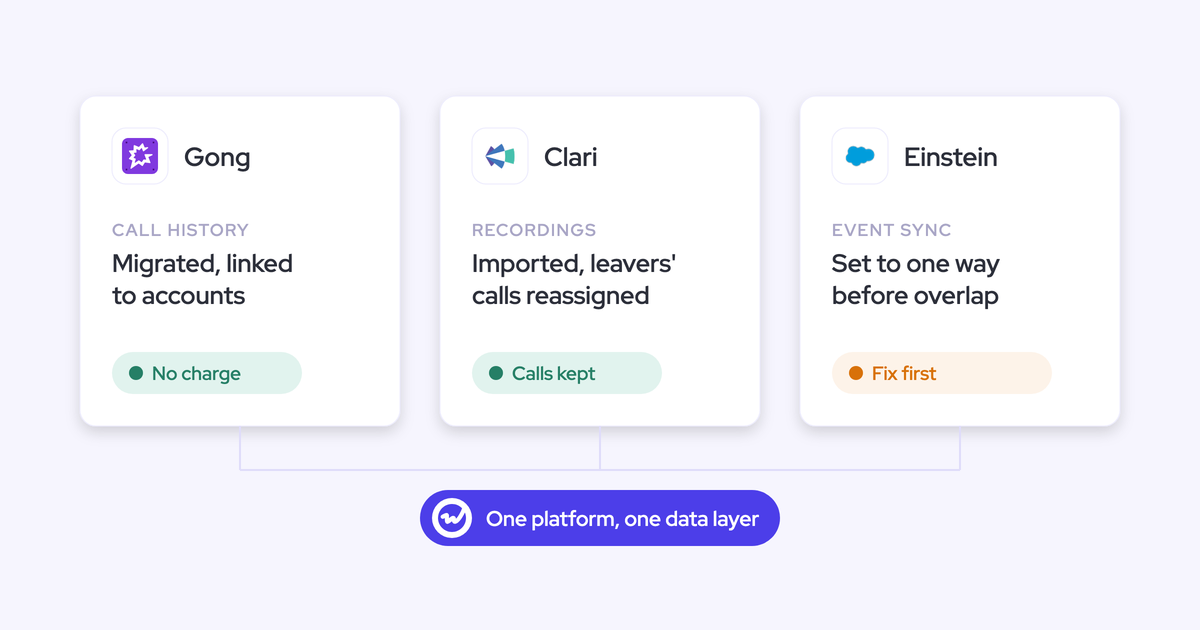
- History migration: Moving Gong calls takes about a week for around 7,000 calls and two weeks or more for 20,000, because Gong throttles its API whichever tool you move to.
- Implementation: Capture and conversation intelligence can go live in about two weeks. Forecasting takes longer.
- Selection and approval: Business case, security review, CFO sign-off.
- Notice period: Whatever your contract requires, before all of the above.
If your renewals cluster at year end, that means picking in Q3 and implementing in Q4.
Miss that window, and you're paying for another year of a tool your team already dislikes.
Fix or replace activity capture first, because every report inherits it
Start with capture. It's the cheapest move, it asks nothing of reps, and every report, forecast and AI tool downstream depends on its quality.
Advanced activity capture tools land around $20 per user per month, which is small next to CPQ or marketing automation projects.
That also makes it the easiest first spend to defend to a CFO who just met you.
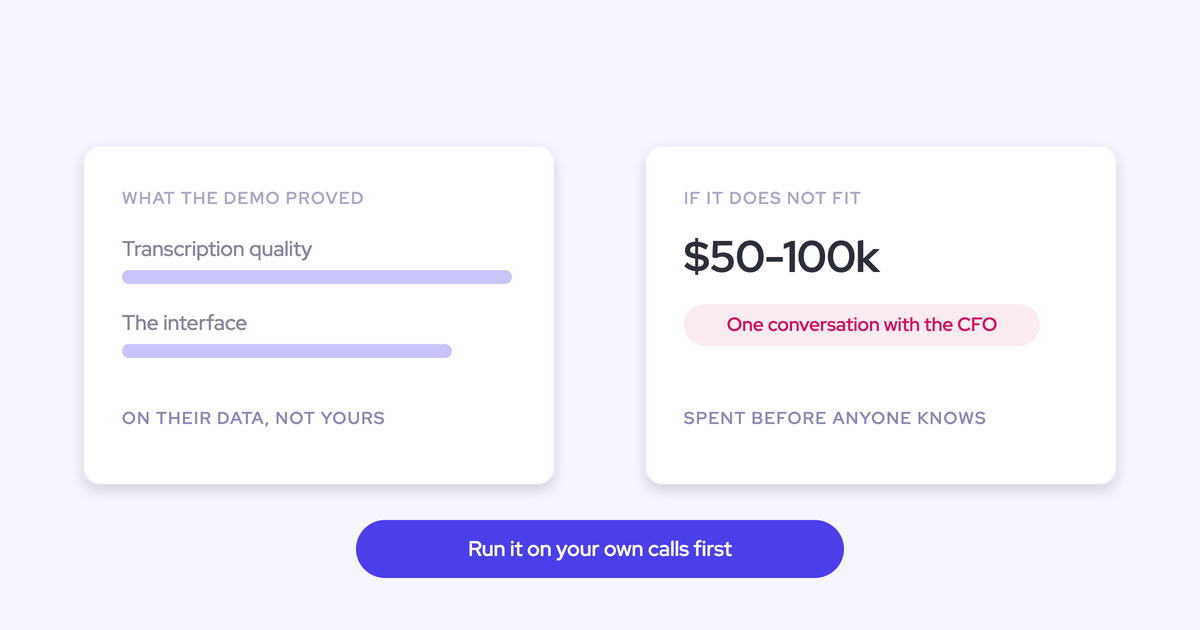
"Talking of quick wins, right, like you join an organization, you come there, and then the first thing you do is spend fifty grand or one hundred grand to just introduce CI. Maybe not the best way to introduce yourself to the CFO, but that's a different discussion."
One caveat: lots of vendors offer activity capture as a checkbox feature, but few do it well. Before you decide, run a trial on your own org and test multi-opportunity accounts, rescheduled meetings and contact creation.
Add conversation intelligence once capture is clean
Transcription is a solved problem, so judge conversation intelligence on whether its output reaches Salesforce as usable fields.
"It's all about what happens after that, the data pre-processing, the embedding, the actions you build off it."
Here's what to test in a trial:
- Does it write onto the same meeting activity in Salesforce, or create a duplicate?
- Does it relate the call to the right account and opportunity, and log it against every contact on the call?
- Does it fill structured fields such as next steps or MEDDPICC answers, not only a summary blob?
- Can your team write its own prompts and templates without filing a ticket with the vendor?
- Can you report on the output in Salesforce without opening the vendor's app?
Price it against today's market, not the incumbent's list price. By our read, that's roughly $30 per user per month for conversation intelligence alone, or $40 to $50 bundled with activity capture.
And treat adoption as a leadership decision about how the team runs, not a vote.
Re-decide forecasting at its own renewal, not mid-contract
Don't fight a forecasting contract that's still running. You'll lose, and not on product merit. Start with what sits outside the locked contract (capture and conversation intelligence), then re-decide forecasting at renewal, with clean data already flowing.
Forecasting is also the hardest swap politically. It encodes an operating cadence: who submits, how often and against which quota.
Plus, your CRO often doesn't work in Salesforce at all. They live in the forecasting view they show the board, so any replacement gets judged first on whether it can reproduce that view.
Switch tools off without losing data, history or reps
Four things tend to go wrong when you switch: overlapping capture, lost call history, stretched RevOps bandwidth and a second failed rollout. Each one has a known fix.
Overlap Einstein Activity Capture and sequencers without duplicate activity
Two capture tools (or a sequencer running next to capture) will create duplicates unless you set sync direction and deduplication before enrolling anyone. Run through this checklist first:
- For every user the new tool captures, set Einstein Activity Capture's event sync to one direction, from the calendar into Salesforce, or switch that user off in Einstein. Removing the Einstein permission doesn't stop the loop. A two-way loop writes the same meeting twice and can send your customers repeated calendar notifications.
- Clean up the duplicates already written. They won't clear themselves, which is how a rep can show 13 meetings a week in one view and eight in another.
- Decide which tool logs sequencer emails. In Weflow, compatibility mode reads the sequencer's tracking pattern and skips those messages, so only one system writes them.
- Retire the Salesforce for Outlook extension. It's a separate service, and running it next to server-side capture logs the same email twice.
- Before syncing back history from a period another tool already captured, run the earliest stretch first and check it. Weflow checks each email's message ID and event ID so it never logs its own activity twice, but matching another tool's records depends on how that tool stored them.
Move Gong and Clari call history before the contract ends
Migration takes calendar time because the source vendor's API limits how fast data moves. Start early enough to finish before the contract ends, with overlap to spare.
| What to migrate | Why it matters | What to plan for |
|---|---|---|
| Transcripts and metadata | Summaries, field updates, search and win-loss analysis are built from them | Secure these first if you're leaving on short notice |
| Call-to-account linkage | Without it, history is an unsearchable pile of recordings | Weflow migrates Gong history at no charge and restores the link to each Salesforce account |
| Calls by people who left | Deactivated owners leave recordings with nowhere to land | Name a manager or colleague for each departed user; on Clari imports, Weflow reassigns their calls to that person |
| Video files | Mainly needed for clip libraries used in onboarding | Files exported from a previous tool or Zoom can be bulk-imported with a CSV, at roughly 180 calls a day |
| Trackers | Keyword reporting on competitors and pricing shouldn't restart from zero | Carry your existing tracker set over |
| Calculated columns in forecasting | The board may rely on them | Rebuild Clari calculated columns as formula fields in Weflow |
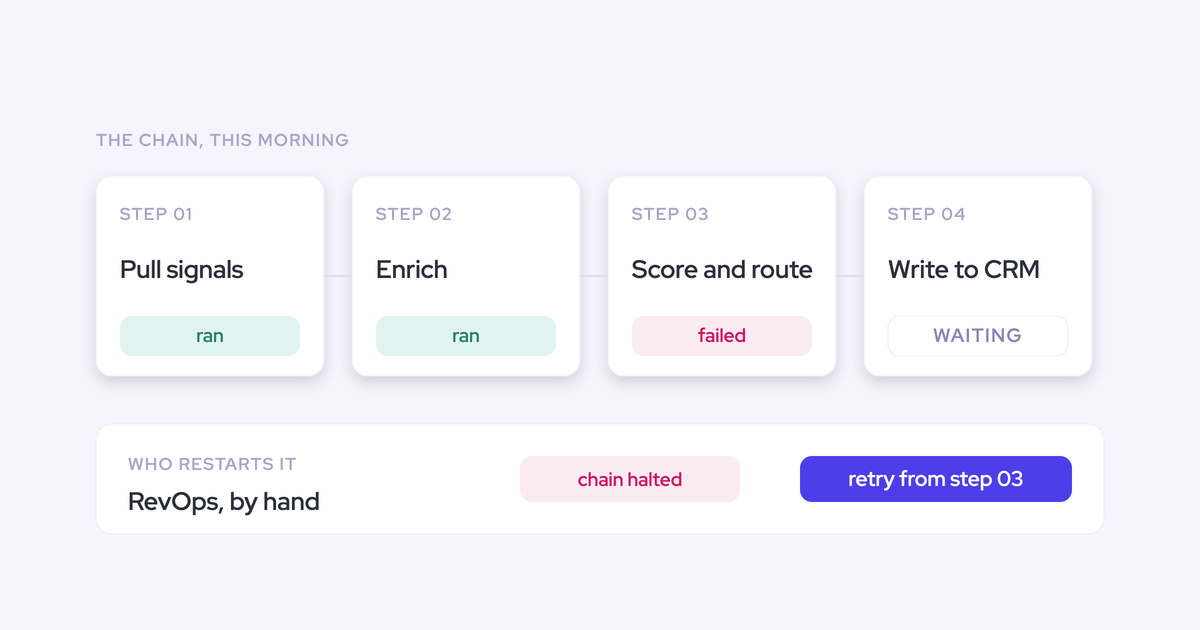
Get implementation done when RevOps is a team of three
During a tool swap, your real competition isn't the incumbent vendor. It's your own delivery backlog. So before you sign, ask any vendor for:
- A managed service option where the vendor does the heavy lifting and your team only answers questions and unlocks access.
- A fixed timeline in a mutual action plan, with named owners on both sides.
- Onboarding run by the vendor itself, not handed to a third-party partner.
- Role-based training, separate for leadership and reps.
- Prior migrations off your specific incumbent.
Roll out in waves so adoption doesn't fail twice
The last rollout probably failed because nobody owned it and too much changed at once. Here's how to sequence this one:
- Name the internal owner before the contract is signed.
- Baseline the metric you're trying to move, by hand if you have to.
- Let reps see a day-in-the-life demo before you choose, not only the buying committee.
- Start with what asks nothing of reps: activity capture.
- Add conversation intelligence as a leadership decision, backed by enablement.
- Add forecasting and deal intelligence once the cadence is agreed.
- Pay for the seats that are live in each wave, not the ones planned for next year.
And don't stack a new tool, a new process and a new methodology into the same month.
"You just can't do that to sellers. They need to be consistent. They need to be able to just go and sell."
Get buy-in from the CFO, your exec team and reps
Selling the change internally is often harder than picking the product, and each audience needs a different argument.
Show the CFO which seats you pay for a side effect
Your cheapest business case is the seats you keep paying for a by-product. Sequencing licenses bought for the BDR team, for example, often quietly turn into company-wide activity capture. To size it, run this formula on your own seat list:
- Side-effect spend = (seats licensed − seats using the core feature) × per-seat price.
- Replacement cost = those same seats × the price of a dedicated capture seat.
- The case = the difference, plus the reports that get better because capture now covers everyone.
Lead with that math. It's money the company already spends, which makes it the easiest budget to move.
Pitch the number of tools you switch off
Execs judge consolidation by how many tools disappear, so removing one tool to add two looks bad even when the numbers work.
Make sure your first move switches something off. If an incumbent bundles conversation intelligence with dialing and sequencing, split the two halves and replace the easier one first. Then open the decision meeting with the tool count before and after.
Bring a sales team that likes its current tool along
You can still cut a tool reps like, because the decision rests on price versus actual adoption, not on satisfaction. Just line up support before the decision meeting.
Brief finance, sales leadership, CS and the data team in their own terms, so your recommendation arrives with backing instead of as RevOps' opinion alone. Then co-design the rollout with frontline leaders.
"There's buy-in when we do those rollouts, and it doesn't feel like a back office just trying to, like, do spreadsheet math."
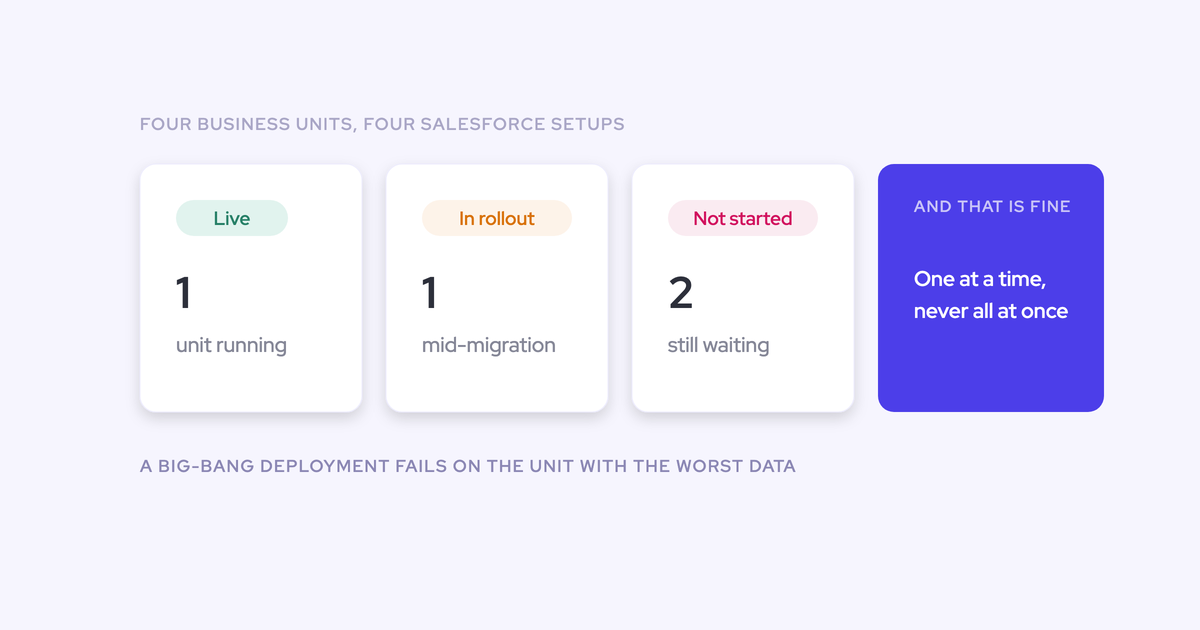
— Dan Jiao, VP RevOps at Aircall
Reps mostly want to know where they'll spend their day. If the answer is still Salesforce, you've removed their biggest objection.
How to tell real consolidation from one bigger invoice
Five questions separate real consolidation from rebranded sprawl. Ask them of every vendor on your list, including us.
| Question to ask | A good answer | A red flag |
|---|---|---|
| Which Salesforce object does each product write to, and can one filter on a field another produced? | Every product writes into your Salesforce, so the forecast can use a field the call produced | Separate apps under one brand, joined later in a BI tool or by you |
| Where does the data live? | In your Salesforce, reportable with your own reports and automations | In the vendor's cloud, which turns your history into a hostage at renewal |
| What are the exit terms? | A documented export format, destruction terms and transition help at no extra cost | A vague answer, or "we'll work it out" |
| Is AI metered on top of seats? | A flat seat price, with metering limited to open-ended workloads behind a visible meter | A company-wide credit pool that heavy users drain and that resets each contract year |
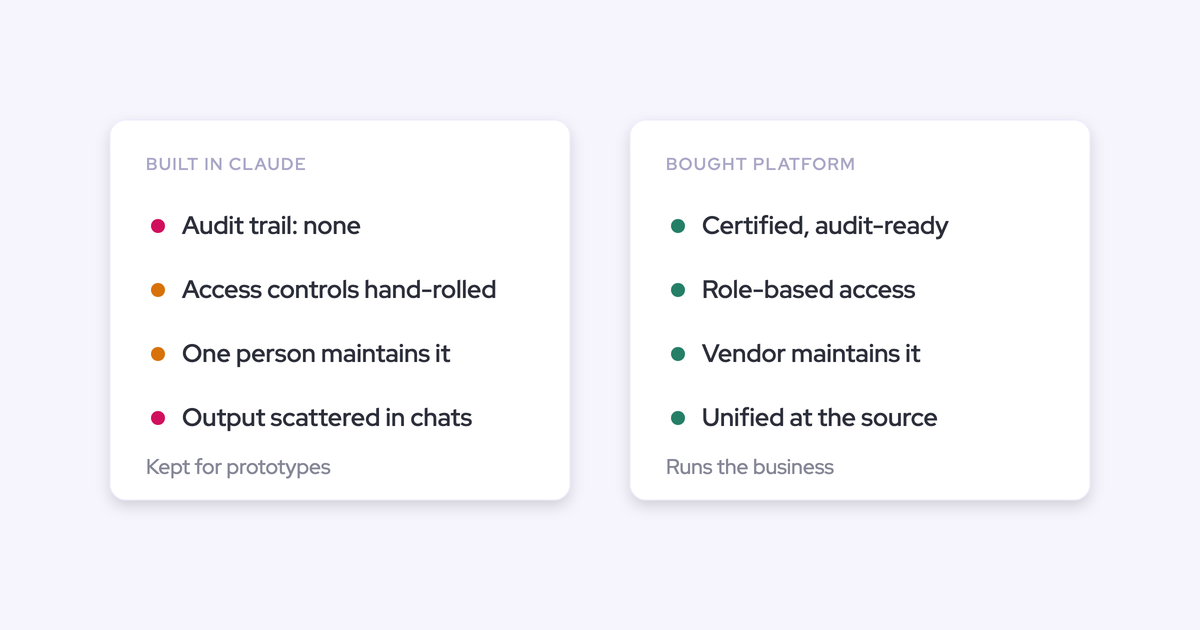
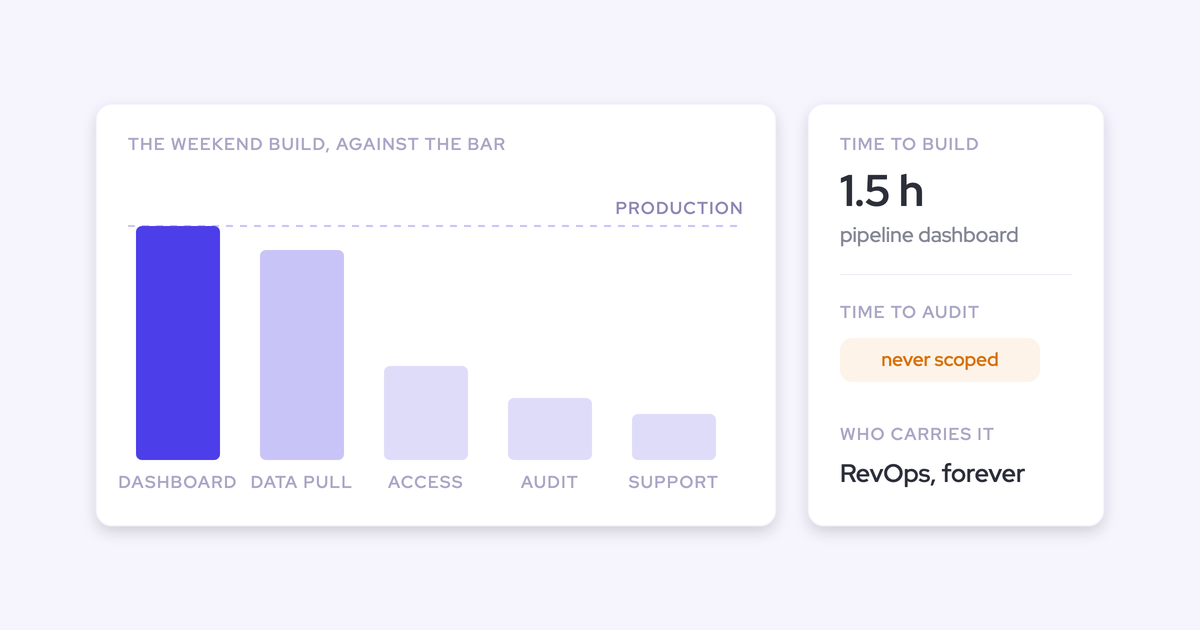
| Does it beat a weekend build? | Complete capture, reliability, security and maintenance you'd otherwise own | The pitch rests on an AI chat you could rebuild with Claude on top of Salesforce |
The metering row is worth a closer look. Gong, for example, meters AI in credits: each paid core seat adds 2,000 credits a year to a company-wide pool. When every summary draws down that balance, teams start rationing a feature they've already paid for.
Where Weflow fits as one consolidation path
Weflow fits the renewal-ordered plan above: start with capture, add conversation intelligence, and re-decide forecasting at its own renewal, with every product's output landing in your Salesforce. It has clear limits too, which we cover at the end of this section.
Weflow products you can buy and replace one at a time
You don't have to buy everything at once. Weflow is made up of modular products, and different teams in the same company can run different ones:
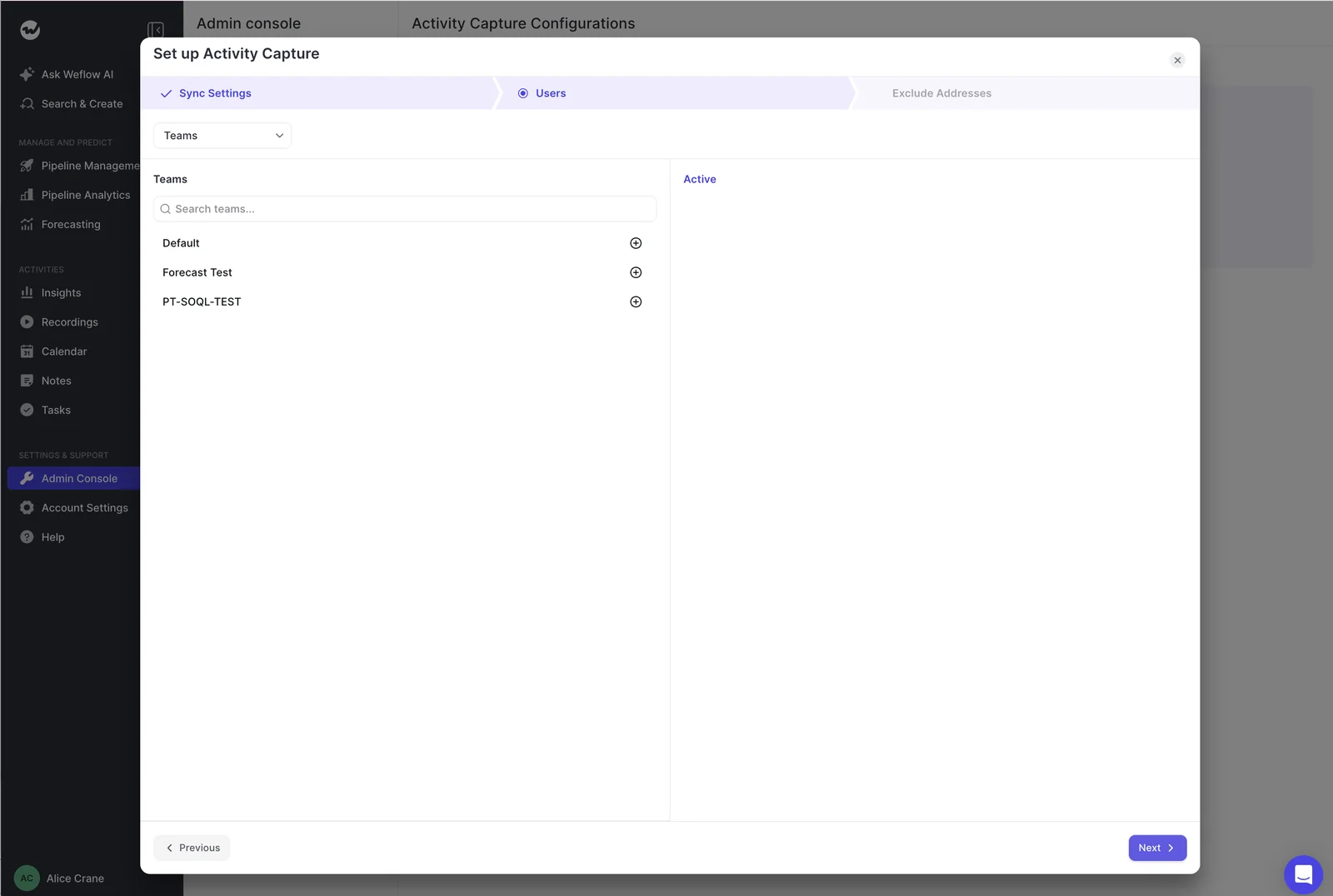
- Weflow Activity & Contact Capture replaces Einstein Activity Capture, Salesforce for Outlook, or sequencer seats kept alive only for capture.
- Weflow Conversation Intelligence replaces Gong, Clari Copilot, Einstein Conversation Insights or a standalone note-taker.
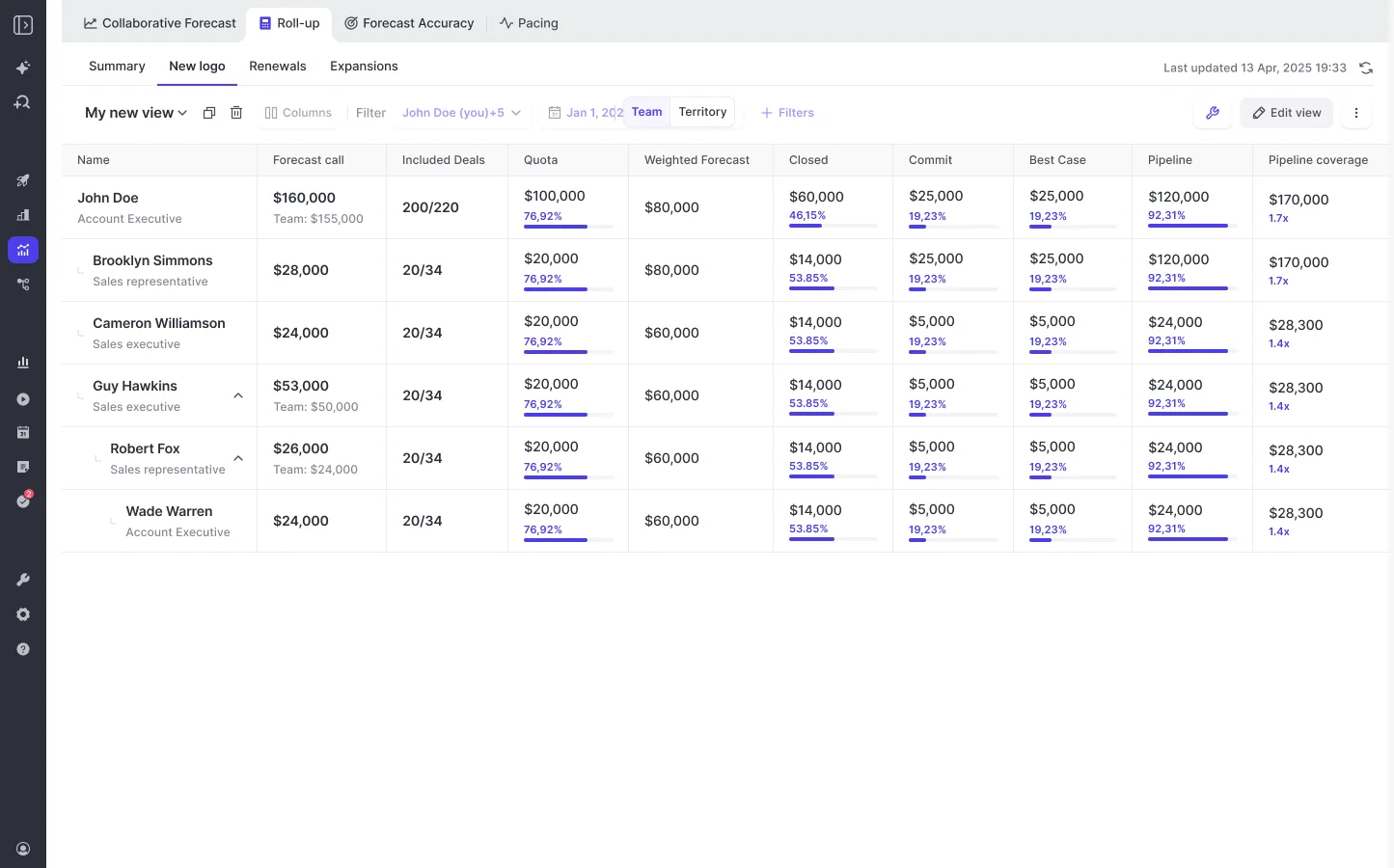
- Weflow Deal Intelligence & Forecasting replaces Clari's forecasting or the hand-built roll-up spreadsheet.
A common setup is capture for everyone, conversation intelligence for customer-facing teams, and forecasting only for the leaders who submit.
That way, you can replace an incumbent's weakest module without rebuilding the whole stack, and your admin turns capture on centrally, team by team.
How Weflow keeps every product's data in your Salesforce
We built Weflow as one platform rather than through acquisitions. Emails, meetings, contacts, call summaries and AI field updates all land in Salesforce, where your reports, Flows and your own AI can use them.
That's how Weflow passes the consolidation test above: because both products write to the same records, the forecast can read fields a call wrote.
Weflow also follows your existing Salesforce permissions, validation rules and configuration, so there's no parallel logic layer to maintain.
"I've worked with Gong before, but Weflow's simplicity and real-time sync are game-changing. Whether I update a deal in Salesforce or Weflow, it's instantly reflected everywhere."
— Bastian Stosic, Head of Media Sales Operations at HolidayCheck
How Weflow onboarding keeps your team off the project
We run onboarding ourselves, for free, using a mutual action plan with named owners on both sides. Most teams go live in two to three weeks, across three phases:
- Technical implementation: A 45 to 60 minute call with your Salesforce admin and mail admin to connect the systems.
- Configuration: Team structure and hierarchy, your sales methodology, which fields AI should fill, playbooks, deal warnings and templates.
- Role-based rollout: Separate training for leadership and reps.
If your team has no bandwidth, our managed service option means we do the heavy lifting while your team just answers questions and unlocks access.
KORE Wireless, for example, rolled out in five phases: activity capture, conversation intelligence, coaching, deal intelligence, then forecasting.
"I made a deliberate choice to let Weflow own end-to-end onboarding rather than pull my team off revenue-generating work. That's exactly the kind of partnership leverage I was looking for."
— Scott Jones, SVP of GTM Revenue Intelligence & Enablement at KORE Wireless
What Weflow costs while your forecasting contract still runs
We built our packaging around the blocked forecasting renewal. Start with Weflow Activity & Contact Capture and Conversation Intelligence, then add Deal Intelligence & Forecasting when your forecasting contract comes up for renewal.
| Option | List price per user per month, billed annually |
|---|---|
| A separate forecasting contract | $100 to $200 |
| Revenue AI Foundation (Activity & Contact Capture + Conversation Intelligence) | $49 |
| Revenue AI Business (Foundation + Deal Intelligence) | $59 |
| Revenue AI Enterprise (all products, including Forecasting) | $79 |
| Weflow Activity & Contact Capture on its own | $19 |
| Weflow Conversation Intelligence on its own | $39 |
Final pricing is quote-based, with volume discounts, a 10-user minimum and unlimited view-only licenses. There are no platform or implementation fees, and recordings, transcripts and AI processing aren't metered.
The one exception is Agent Builder: its runs consume agent actions, so a high-volume agent adds usage.
Where we'd tell you to keep another tool instead of Weflow
Weflow is the wrong call, or only part of the answer, in these cases:
- Sequencing and dialing: Keep Outreach, Salesloft or Apollo. Sequencing isn't part of Weflow and isn't on our 2026 roadmap; we run alongside them through compatibility mode.
- Pipeline dashboards: Keep Clari if your leaders live in its central dashboard. Weflow has the roll-up, pacing and waterfall, but no single central pipeline dashboard, no flow view, no funnel report and no quarter-over-quarter trend view.
- Very large roll-ups: At 1,000+ reps, Clari's enterprise roll-ups are more mature.
- Rep-level coaching overview: Gong has the deeper view of one rep's trend across every call. In Weflow, coaching scores sit per call and interaction metrics sit in Insights.
- Customer success boards: Weflow is built on opportunities, with no account-level board for CSMs of the kind Clari's account module offers.
Walk through the product yourself, no call required.
FAQs new RevOps leaders ask about inherited tech stacks
How far ahead of a renewal should I decide to switch?
Early enough to fit selection, approval, implementation, any history migration and an overlap period before the renewal date, plus the contract's notice period. For year-end renewals, that usually means choosing in Q3.
What should I do with Clari licenses nobody uses?
First, check what Clari feeds, especially the board deck, since low usage can sit right next to board reliance. If only a few leaders use it, price those jobs against the invoice.
At renewal you can re-adopt with an owner, cut seats to the people who submit, or replace it. If a PE sponsor protects it, keep it and feed it cleaner activity data.
Is it still worth investing in Einstein Activity Capture?
Einstein Activity Capture doesn't have a forward roadmap of its own, since Salesforce names Momentum as the future of activity capture and call recording.
The free Standard version covers up to 100 users and keeps six months of activity, but has no Activity Metrics. The full version sits in Sales Engagement at a $50 per user per month list price.
Since Summer '25, Sync Email as Salesforce Activity stores email as Salesforce records, but mapping still falls back to the account when an account has several opportunities.
Should I build this myself with Claude on top of Salesforce?
Connecting Claude connection to Salesforce and your meeting transcripts can get you a recognizable share of conversation intelligence for the cost of a seat you already own.
What you won't get is the complete activity record underneath, reliable capture when a meeting is rescheduled or nobody recorded it, the security posture procurement asks for, or anyone to maintain it.
If your team is already at capacity, that maintenance is usually what decides it.
Should I buy tools before our sales process is defined?
Capture is safe to buy early, since it asks nothing of reps and doesn't lock in a process.
For anything that encodes process, like forecasting or methodology scorecards, prioritize configurability over fit to today, because today's process is about to change. Baseline first, so the tool gets measured against where you actually stand.
Can I rebuild the forecast reports our board already uses?
Most of them, yes. Clari calculated columns (like Best Case plus Commit, renewals due in a period or net dollar retention) become formula fields in Weflow, and the roll-up, pacing and waterfall match.
The gap is that Weflow has no funnel report or quarter-over-quarter trend view, so comparing this quarter's pipeline with the same week last quarter means comparing snapshots by hand.
Should I pilot conversation intelligence with a few reps first?
We wouldn't. A pilot with reps who've never been recorded turns into a referendum on being recorded rather than a test of the product.
Activity capture trials much more cleanly: it asks nothing of reps, and a historical sync-back shows months of real activity from day one. Make the conversation intelligence decision as a leadership call, then back it with enablement.
How do I check a vendor can support a rollout our size?
Ask who your named owner on the vendor side is, what the support model looks like, and what happens to your account if that person changes or the vendor gets acquired.
Then ask for references at your seat count and a worked example of a phased rollout at each wave size.