
The Living Revenue Plan: Moving From Annual to Continuous Planning With Live Pipeline Data
Learn when to keep annual planning or move to continuous planning with live pipeline data in RevOps



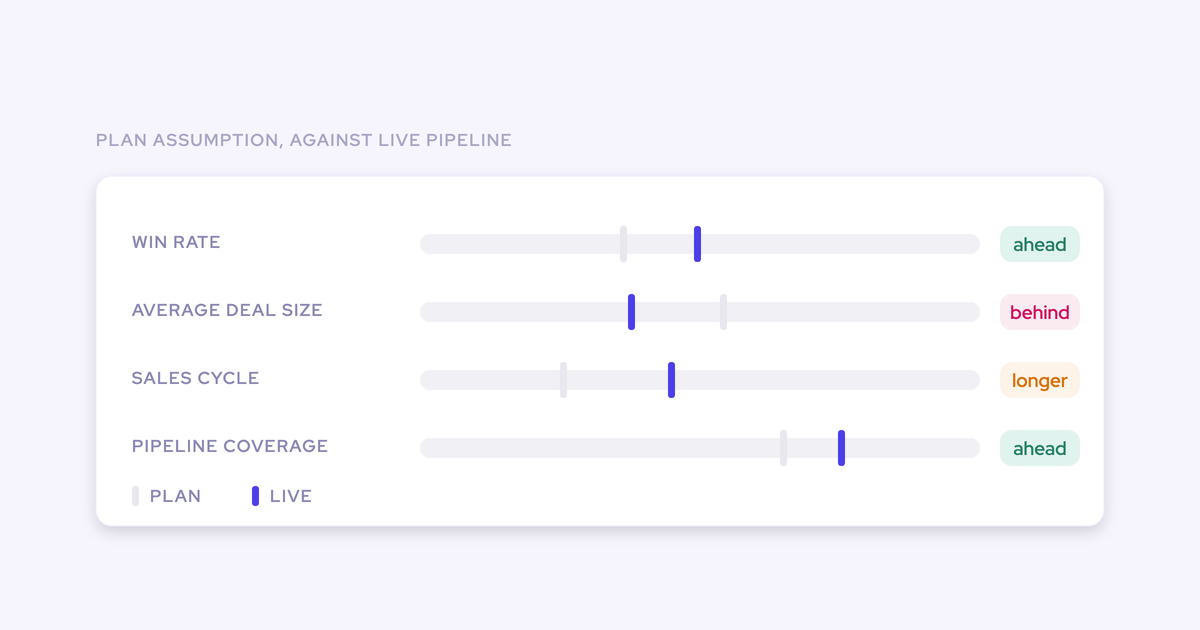

A revenue plan that lives in a slide deck and a spreadsheet has one structural flaw: it cannot tell you when it stopped being true.
The assumptions underneath it (pipeline generation, conversion, ramp, coverage) move within weeks of sign-off, and the artifact holding them has no way to raise its hand.
So staleness isn't really a planning problem. It's a detection problem. And that changes which fixes are worth your time, because most of what gets sold as "planning software" improves the artifact and leaves detection exactly where it was.
There are four honest responses: keep the annual cycle and price in the drift, add defined refinement points, buy a planning tool, or wire the plan's assumptions to live execution data so divergence surfaces on its own.
The fourth one ends in a scheduled scan you can build in Weflow Agent Builder that reads Salesforce and emails you where plan and reality have parted company. We'll get to it. The process part has to come first, and some of this isn't a tooling problem at all.
Why the revenue plan goes stale weeks after sign-off
Staleness is built in twice: once by the artifact, once by the calendar.
The artifact is static by construction. A deck and a model are a photograph of what you believed in November, and nothing in either one is connected to what pipeline did in February.
The calendar is the second half. Planning is chained to finance as a single annual event, so there's no scheduled moment where budget, programs, or headcount can move because an assumption changed. The plan reopens when the miss arrives.
Then there's the part most people discover the hard way: even if you wanted to check, the history isn't there. Salesforce doesn't history-track calculated and roll-up fields, so you can't reconstruct what coverage or stage conversion looked like in week six of the quarter. You can see today's state. You cannot see when it moved.
| What you experience | The structural cause |
|---|---|
| A conversion rate that dropped in February shows up in a May board deck | Nothing stored what conversion was in February, so the change is only visible once two full periods can be compared |
| Capacity arrives late, and the year is already short | Hiring was planned to board-approval dates rather than to a six to nine month ramp, so heads approved in December carry quota well into the following year |
| Coverage looks fine at the QBR, then a segment misses | Coverage is hand-assembled once a quarter as one blended number, so a healthy enterprise team masks a small team sitting at 1.4x |
| Everyone leaves the planning meeting aligned, and a week later there are four plans | The agreement was made in a room and never cascaded into the functional plans people actually work from |
"We're aligned for that moment. Then we go back to our own teams and the misalignment happens almost immediately."
What continuous revenue planning actually means
Continuous planning is a loop, not a higher meeting frequency. Strategic inputs (growth strategy, market conditions, customer needs, routes to market) cascade into the marketing, sales, and product plans, and execution feeds back into both the functional plans and the inputs.
Treat those three as a one-way waterfall and you get a plan that expires inside a quarter. The practical first move is to lock strategic inputs per quarter or per half-year, so the functional plans have something stable to cascade from and a defined moment where the inputs can change.
The load-bearing piece is the refinement point. A calendar invite called "planning check-in" is not one. To count, it has to:
- Be scheduled before the year starts, with a named owner and a fixed agenda
- Have real decision rights: budget, program spend, and headcount can actually move in it, not just get discussed
- Run off a data pack that arrives before the meeting rather than being rebuilt inside it
- Sit between locked strategic inputs, so what changes is deliberate
- End with a decision recorded against the plan, so the next point starts where this one finished
RevOps is the function that runs this loop. That includes releasing the downstream teams to plan before finance has finalized every number: confirm that enough of the input is known to proceed, hold back only the commitments that need final budget, like signing contracts. Every week you wait for the last 10% pushes execution further into the year.
Which plan assumptions you can track against live data
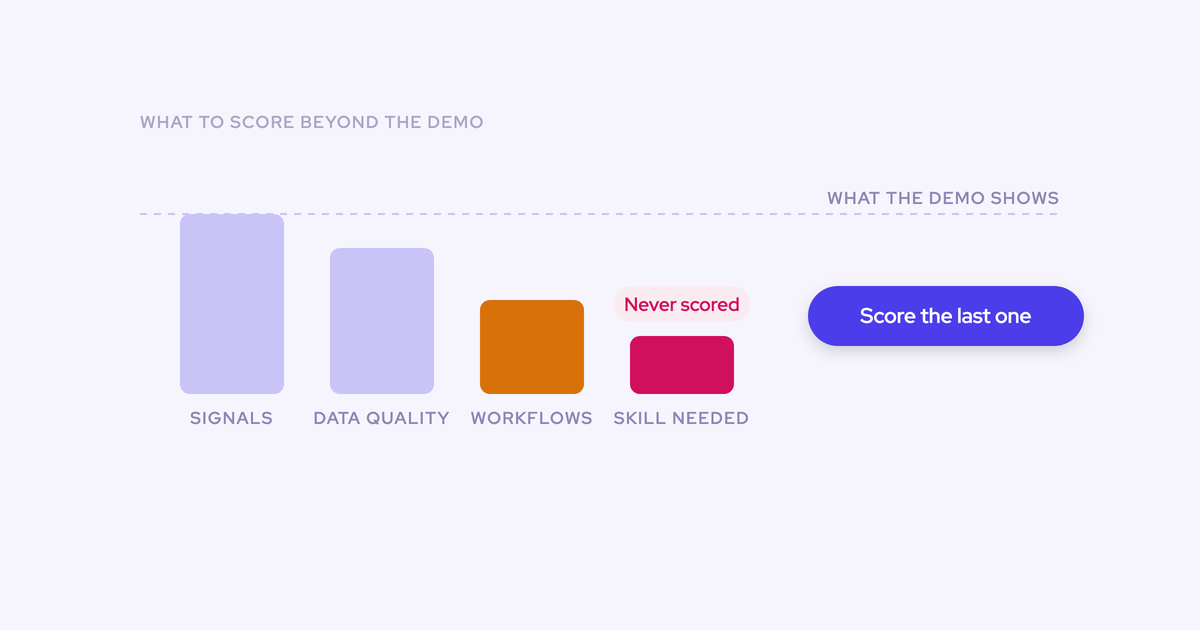
Four assumptions in a typical revenue plan map cleanly to signals that already exist in your execution data. Each of them breaks in a specific, silent way when it's only reviewed annually.
| Plan assumption | The live signal it maps to | How it breaks silently under annual review |
|---|---|---|
| Pipeline generation rate | Opportunities created by cohort (count and value), plus out-quarter pipeline filtered by target quarter, segment and stage | The gap is created two quarters before it's felt. You find out you're short for Q3 during Q3, when there's no time left to build any |
| Stage conversion | Stage conversion by month and by stage, built from pipeline snapshots | Definitions drift with whoever opened the opportunity, so you're comparing two different definitions and calling the difference performance |
| Coverage by segment and rep | Coverage ratio against quota by segment, territory and rep, read alongside deal count per rep | One blended number hides both the segment at 1.4x and the rep whose 4x is made of deals nobody can work |
| Ramp and capacity | Headcount split by hired, onboard, ramping, ramped and attrited, plus pipeline created per ramping rep | A new rep looks productive closing handed-over deals for two quarters, then finishes ramp with no self-sourced pipeline |
Be honest about the rest of the model. Market sizing, pricing strategy, program mix and the macro assumptions behind the number don't get a live counterpart. They get judged at refinement points by people, using the four rows above as evidence.
Four ways to keep the revenue plan from going stale
Each of these is legitimate somewhere, including the one that costs nothing and changes nothing.
Keep the annual cycle and accept the drift
If your assumptions genuinely hold across twelve months, the annual cycle is cheap and fine. That's a real situation, not a strawman.
It fits when:
- The sales motion is stable and the cycle is long enough that a quarter of drift doesn't compound
- Headcount changes little, so capacity is roughly what the plan assumed all year
- One or two pipeline sources you understand well produce most of the pipeline
The failure mode is specific: you don't find out your assumptions moved, you find out your number did. And by then the correction available to you is cost, not growth. The tell is simple. If the last two years each produced a mid-year reforecast that surprised somebody, the assumptions aren't stable and this path is costing you more than it looks.
Add defined refinement points to the existing process
This is the cheapest real improvement available, and it fixes the calendar problem outright at zero tooling cost.
What it takes to run:
- Lock strategic inputs per quarter or half-year, and say publicly what's locked
- Schedule two to four refinement points for the year, with budget and headcount authority in the room (CRO, CMO, finance, RevOps)
- Define the data pack once: the four assumptions above, same definitions each time
- Record what changed in the plan and what didn't, so the next point isn't a re-litigation
The ceiling is real. The review only detects drift as fast and as accurately as somebody rebuilds the numbers by hand, and that person is usually the RevOps lead who has no spare week. Miss one cycle and the process quietly reverts.
Buy a dedicated planning tool
A planning tool fixes the artifact, and it fixes one thing process alone rarely does: contributor confusion.
"It's not that they're unwilling, they're not saying I don't want to do that. They don't even know what to do or what templates to use."
Versioning, scenario modeling, capacity and quota math with many contributors, one place where everyone knows which template is theirs: that's a genuine fit, particularly if planning currently stalls for weeks because nobody knows what's expected of them.
What it doesn't do is detect. An artifact that isn't connected to execution data is static wherever it lives, so you've moved the plan and kept the blind spot. That's the instinct behind "it's a prettier spreadsheet," and on detection the instinct is correct.
Wire the plan's assumptions to live execution data
Keep the plan where it is. Give each core assumption a live counterpart, then put a scheduled check on top so divergence arrives without anyone remembering to look.
The wiring sequence:
- State the assumption as a number with a definition, for example mid-market stage 2 to stage 3 conversion at 38%
- Map it to a live signal built from your own execution data
- Set a threshold and a window: what counts as drift, sustained over how many weeks
- Schedule the check so it runs on a cadence rather than on memory
- Route the output to a named owner and into the next refinement point, where something can actually move
The catch sits in step 2. Reading conversion or coverage as a trend needs snapshot history, and Salesforce doesn't keep it for calculated and roll-up fields. So this path means a time-series data layer, built or bought.
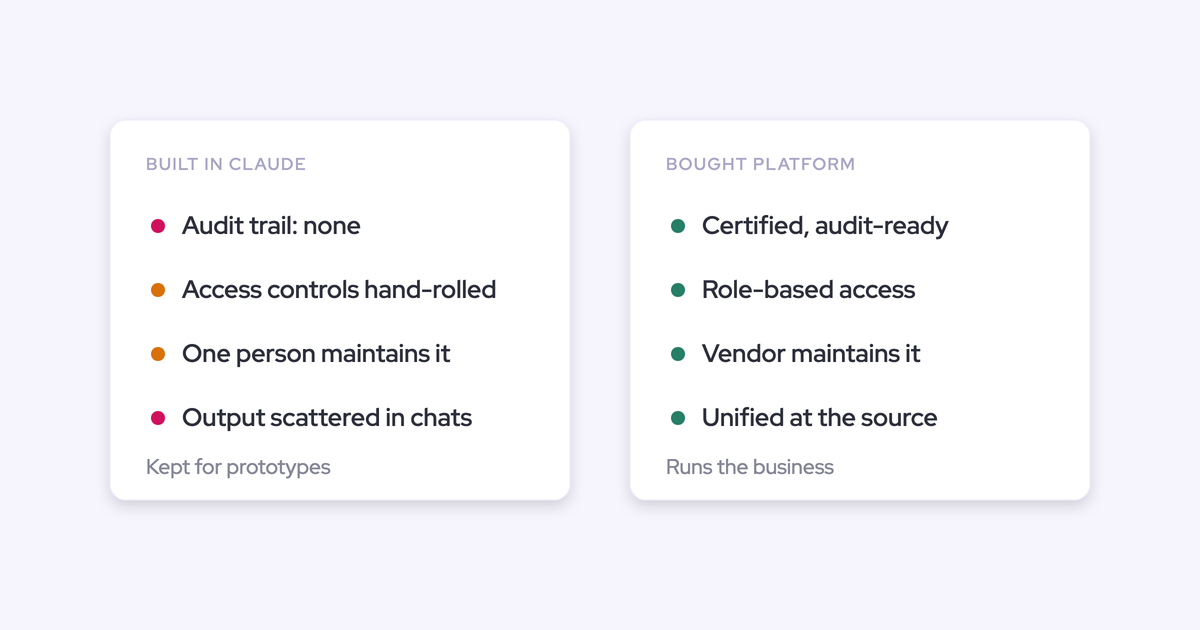
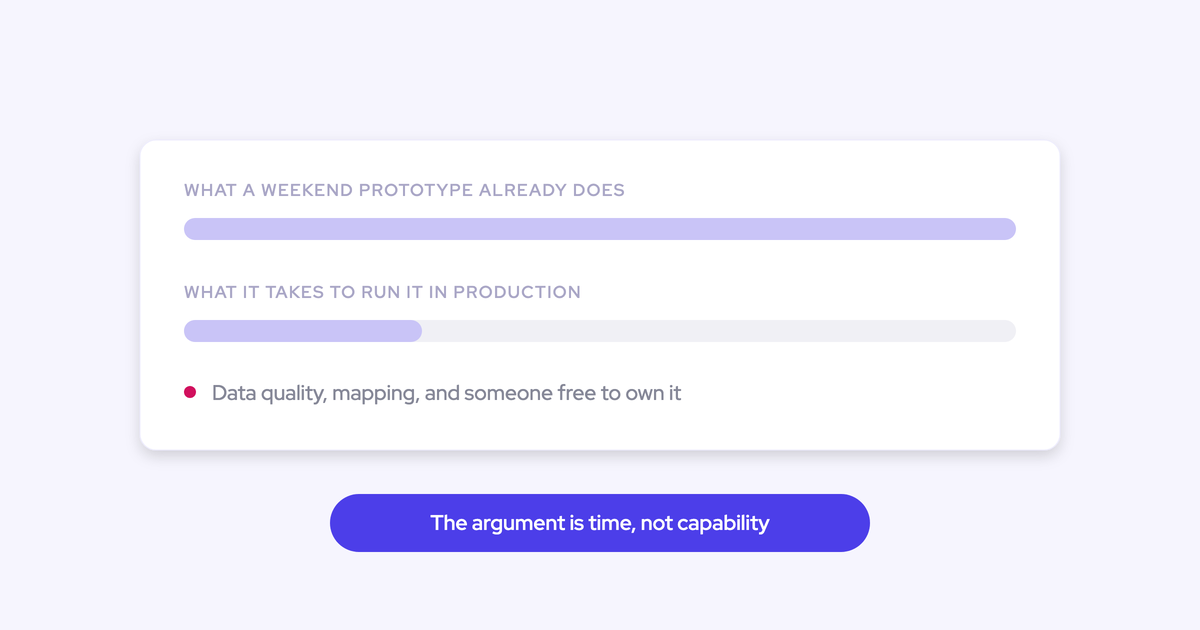
Building it is a legitimate option, and plenty of RevOps leaders have already prototyped one against a warehouse. Just price it honestly: the moment that thing sits in the path of how the company plans, you own its maintenance, its access controls and its audit story, on a team that's already at capacity.
The criteria that decide which path fits your team
The four paths separate on five things. Everything else is preference.
| Path | Time to detect a broken assumption | RevOps bandwidth to run it | Does the plan artifact move | Cost shape | What it actually fixes |
|---|---|---|---|---|---|
| Accept the drift | Two to four quarters, usually at the miss | Near zero, until the recovery plan lands on you | No | Nothing, until the year is short | Nothing. It prices the drift into the year |
| Refinement points | As fast as your review cadence, and only for numbers someone rebuilt by hand | Several days per cycle assembling the pack, plus facilitation | No | Zero tooling, real calendar and attention cost | The calendar and decision rights, not detection |
| Planning tool | Same as your review cadence: the tool stores the plan, it doesn't watch execution | Implementation, template upkeep, chasing contributors | Yes, and every contributor moves with it | New license plus implementation | The artifact and the contribution process |
| Wired to execution data | Days to weeks, on the cadence of the scheduled check | Weeks to set up, then the check runs itself; ongoing work is tuning thresholds | No, the plan stays in the spreadsheet | License for the data layer, or build cost plus maintenance forever | Detection, not the discipline to act on it |
The recommended path: refinement points plus an execution-data layer
Run both, and run the process change first. Refinement points give drift somewhere to go; the data layer makes those points fire on evidence instead of memory. Neither one works alone.
A data layer with no refinement point is a dashboard nobody opens, because there's no scheduled moment where seeing the drift changes a budget line. Refinement points with no data layer decay after two cycles, because the pack takes a week to build and the week isn't there.
Sequence it: lock the strategic inputs and put the refinement points in the calendar this quarter, then wire the four assumptions and let the scan replace the manual rebuild. That order also protects you from the classic mistake of buying detection for a process that has nowhere to put it.
Now the part no tool touches. Roughly half of RevOps professionals say planning is part of their job, and only around 28 to 29% say their success metrics are tied to getting it right. The people running the process carry the blame for a bad plan, get nothing for a good one, and sit across the table from sales leaders with commission riding on theirs.
"We can't argue with data and we can't argue with the buyer experience. If RevOps stays in that lane, we win every time."
— Laura Cross, Vice President and Principal Analyst at Forrester
That's the lane, and evidence is what makes it defensible. But evidence doesn't fix the incentive. If the outcome of the plan isn't attached to the people who run the process, continuous planning reverts to a document exercise the first time a quarter gets busy. Raise it with your CRO before you raise the tooling question.
How Weflow wires plan assumptions to live Salesforce data
Weflow is the Revenue AI Orchestration platform for sales, customer success, and RevOps teams, built for teams running on Salesforce. For the wired path it supplies the two pieces that path needs: the time-series layer that makes drift visible, and the scheduled check that puts the drift in front of somebody.
The snapshot layer that shows an assumption drifting
Weflow snapshots opportunity data every few hours and builds the pipeline waterfall, stage conversion, pacing and team benchmarks from that history rather than from current state.
That distinction is the whole point. A live pipeline report tells you where the quarter stands. Snapshot history tells you when it moved, which is the only way to answer why a quarter that opened with a strong number ended thin.
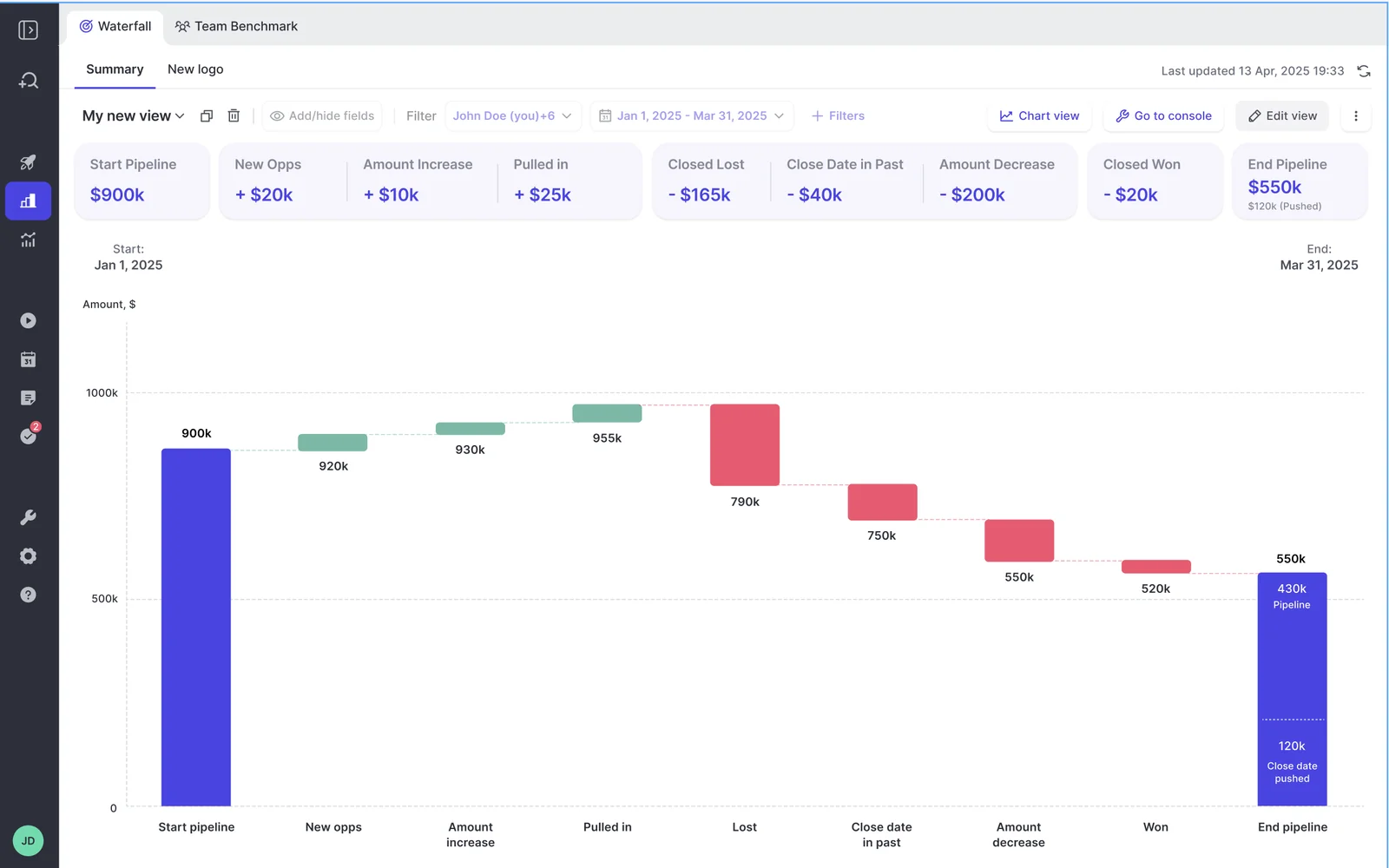
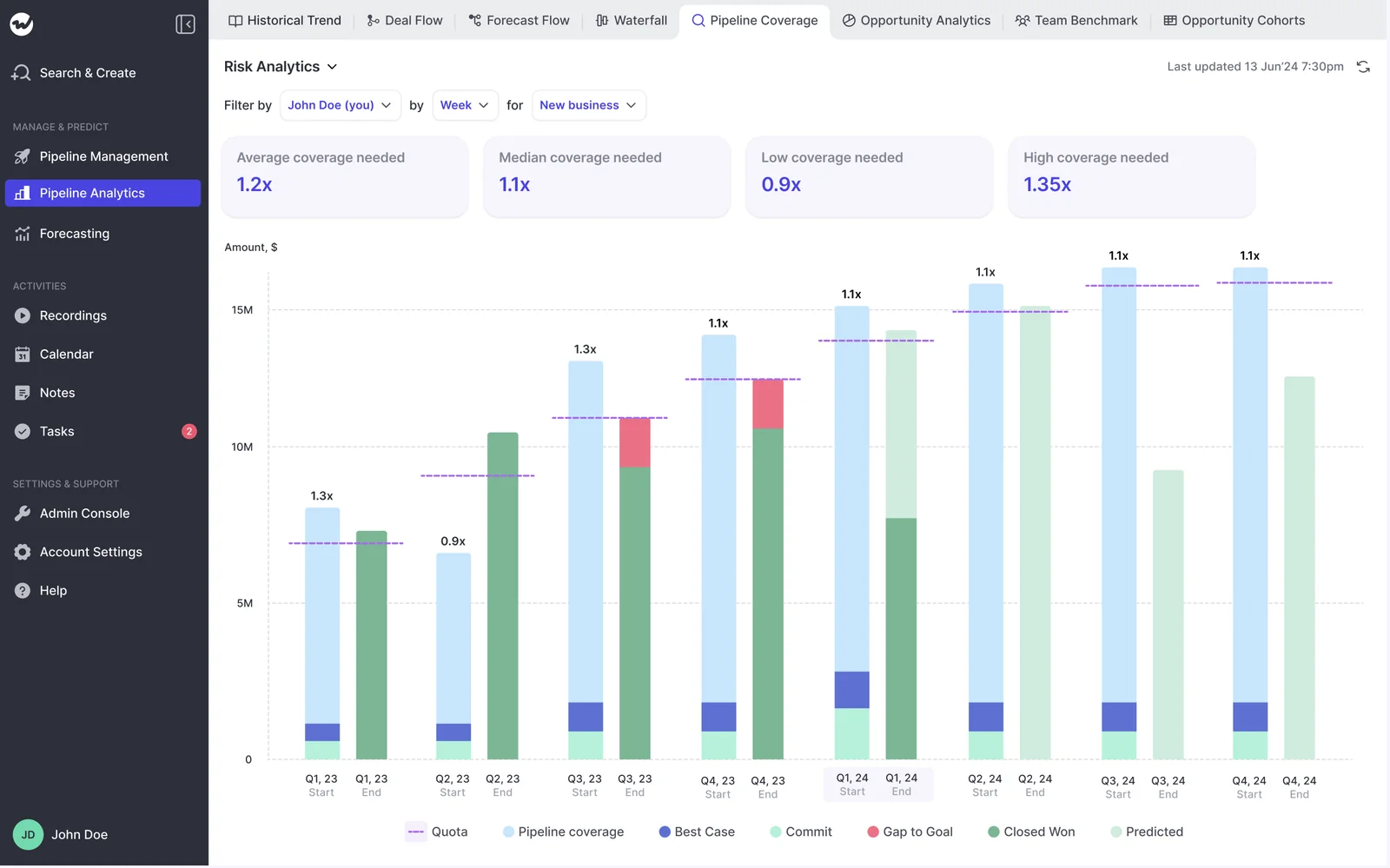
Mapping the four assumptions from earlier to the live view each one gets:
- Pipeline generation: opportunities created by count and value, plus an out-quarter view filtered by target quarter, segment and stage, so you see what's being built for Q3 while Q1 is still open
- Stage conversion: conversion by month and by stage, computed from snapshots rather than from the deals that happen to be open today
- Coverage: coverage against quota tracked continuously by segment, territory and rep, with deal count sitting next to the ratio
- Motion-level assumptions: each Salesforce opportunity record type (new business, renewal, existing business, partner) keeps its own stage path and its own roll-up, so a plan with three separate motions gets three separate live views instead of one blended number
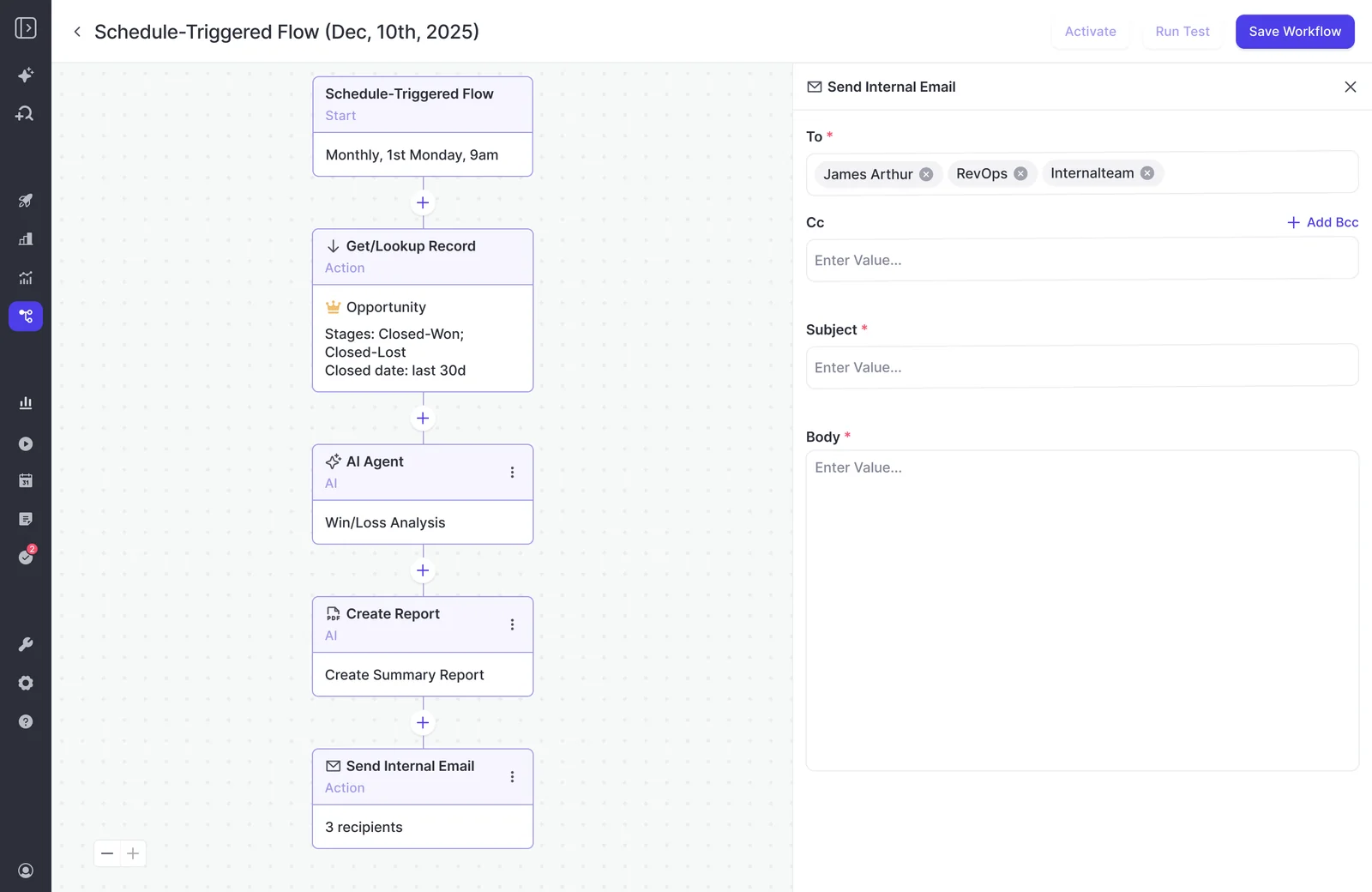
A weekly assumption-vs-actual scan built with Weflow Agent Builder
This is the mechanism that makes a broken assumption raise its hand. A scheduled agent in Weflow Agent Builder runs whether or not anyone remembers to look.
The anatomy of the flow:
- Trigger: a schedule with day, time and timezone, for example every Monday at 08:00 before the pipeline meeting
- Lookup: read Salesforce accounts, contacts, leads or opportunities with field-level filters, for example open mid-market opportunities created in the last 90 days. Lookups read Salesforce live, so a change made a minute ago is in the run
- Agent step: a free-text prompt comparing actuals against your plan's assumptions. You can upload the assumption sheet itself as grounding, so the agent is checking against your numbers rather than generic benchmarks
- Delivery: email the result to the owner, with a PDF report attached if the refinement point wants a document
What lands in the inbox is a short read: where conversion, coverage or generation has diverged from plan, by which segment, since when.
What Weflow won't do for your planning process
Before you get any of this from a sales call, here are the boundaries.
- Weflow is not a planning tool. It won't build your annual plan, your capacity model, or your top-of-funnel math. The plan stays in the spreadsheet where you built it
- Weflow doesn't do financial planning. No revenue recognition, no budgeting, no multi-entity consolidation. That stays with your FP&A stack
- The refinement-point discipline is yours to run. Weflow can tell you an assumption drifted three weeks ago. It cannot make a meeting exist where somebody moves budget because of it
- The incentive gap is your leadership's to fix. If nobody who runs planning is measured on whether the plan works, no data layer changes that
- Forecasting takes longer to stand up than activty capture. Onboarding typically runs two to four weeks, or four to six in a large org, and the forecasting piece is the slowest because it encodes an operating cadence: who submits, how often, against which quota. Weflow doesn't charge for implementation, and there's a managed onboarding option where Weflow does the heavy lifting and your team just unlocks access
- Weflow works with Salesforce only. No HubSpot, no Dynamics, no Pipedrive
If the honest read on your situation is that the process comes first, start there. Grab the free Revenue Operating Cadence Guide and use it to design the refinement points before you evaluate anything.
FAQ: continuous revenue planning
Do we have to rebuild the plan inside a tool?
No. The plan stays in your deck and your model; what changes is detection. You name the assumptions, each one gets a live counterpart built from execution data, and a scheduled check reports divergence. Nobody re-keys a capacity model into new software.
Do we need to standardize the planning process first?
You need your assumptions and definitions explicit enough to compare against. A conversion rate is only trackable if everyone agrees what a qualified opportunity is, and that one is worth fixing regardless.
A full process redesign is not a prerequisite. What contributors mostly need is clarity on who does what, in what order, on which artifact.
How much RevOps bandwidth does the data layer take to set up?
Weeks, not quarters. Capture and pipeline views are the fastest to stand up; the forecasting cadence is the longest because it encodes how your business runs rather than which switches to flip.
The realistic total is two to four weeks, four to six in a large org. If you have no slack at all, take the managed onboarding option and answer questions instead of doing the work.
How often should refinement points run?
Lock strategic inputs at least per half-year, per quarter if your motion moves quickly. The automated scan can run weekly because nobody has to prepare it.
The points where budget, programs and headcount actually move should be few and scheduled: two to four a year is plenty. More than that and they stop being decisions and start being status meetings.
Who should be accountable for whether the plan works?
Somebody whose measured outcome depends on it. Half of RevOps says planning is part of the job and under a third are measured on whether it works, and that gap is why continuous planning quietly dies in busy quarters.
Attach the plan's outcome to the people who run the process, or accept that you're building a document exercise with better data underneath it.
.webp)
