
Desktop App
Record every meeting and call without a bot joining.
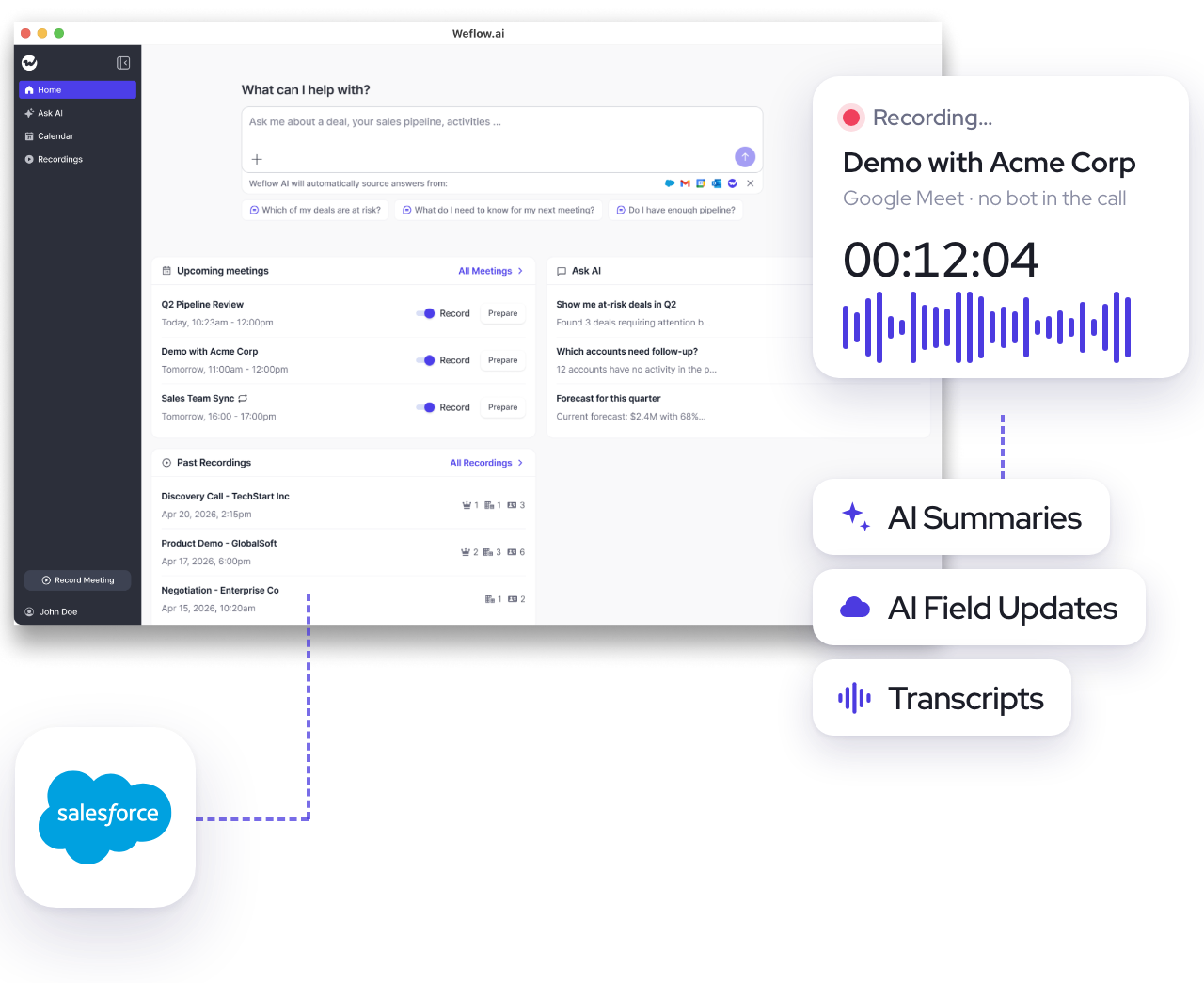
Weflow's desktop app for Windows and macOS records what happens on your machine, then syncs everything to Salesforce.
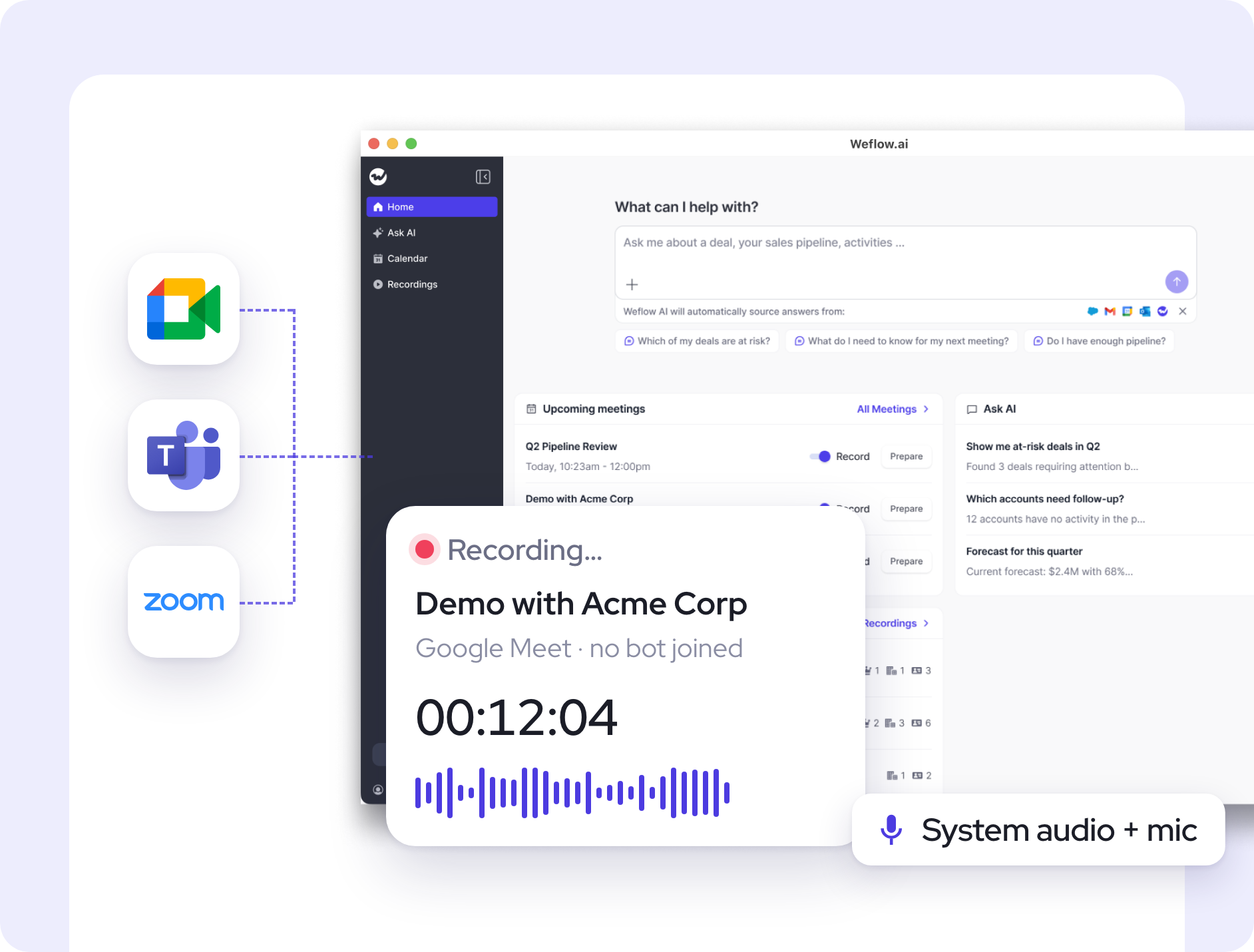
Record Zoom, Google Meet, Teams, and others without a bot
Capture phone calls made through Aircall or RingCentral
Sync summaries, transcripts, and field updates to Salesforce
Apple Silicon is M1 or newer. Sign in with your Salesforce account.


"With Weflow, we’re now capturing all relevant activities and have full transparency into the performance of each sales rep. It’s a game changer."

.svg)
%201.svg)
"Weflow gives us better visibility and predictability of our business."




"Weflow eliminated the need for our VP to ask, ‘Did you follow up with that deal?’. It tracks customer interactions automatically, creating a framework that drives accountability across the team."



"None of the other tools gave us a solution like Weflow. From the beginning, we had a really smooth process."
.webp)


"I had a first introductory call with Weflow. I think I was sold after 15 minutes. There’s no question that the people at Weflow understood the problems that we were trying to solve."


"I’ve worked with Gong before, but Weflow’s simplicity and real-time sync are game-changing."
.webp)



"We use Weflow to auto-capture activity data, run deal reviews, and analyze our pipeline to inform our forecast. Being able to spot deal risks early has improved win rates and pipeline health."


What you can do with the Desktop App:
Record meetings and calls without a notetaker in the room.
The desktop app captures your system audio, microphone, and video. Nothing is visible to the people you are talking to.
- Record Zoom, Google Meet, Teams or any other conversation
- Capture phone calls and any audio playing on your machine
- Start manually with one click or prompt

96%
of MEDDIC fields populated in Salesforce
99%
of customer interactions captured Salesforce
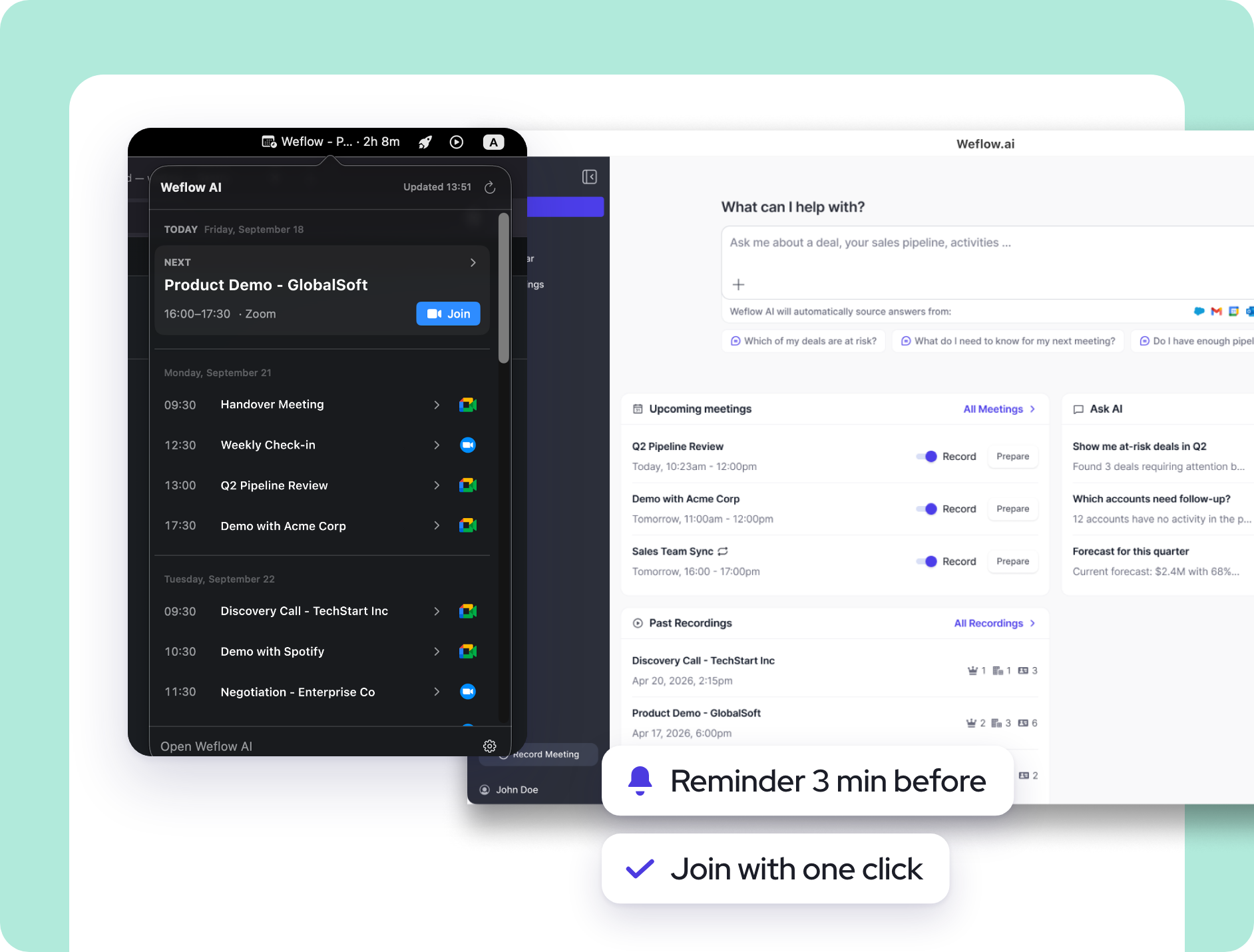
Manage your meeting day and recordings right from the desktop app.
From your next meeting to your last recording, access everything with one click.
- See upcoming meetings at a glance
- Get notified before every meeting, join with one click
- Search, view, and share previous recordings
96%
of MEDDIC fields populated in Salesforce
99%
of customer interactions captured Salesforce
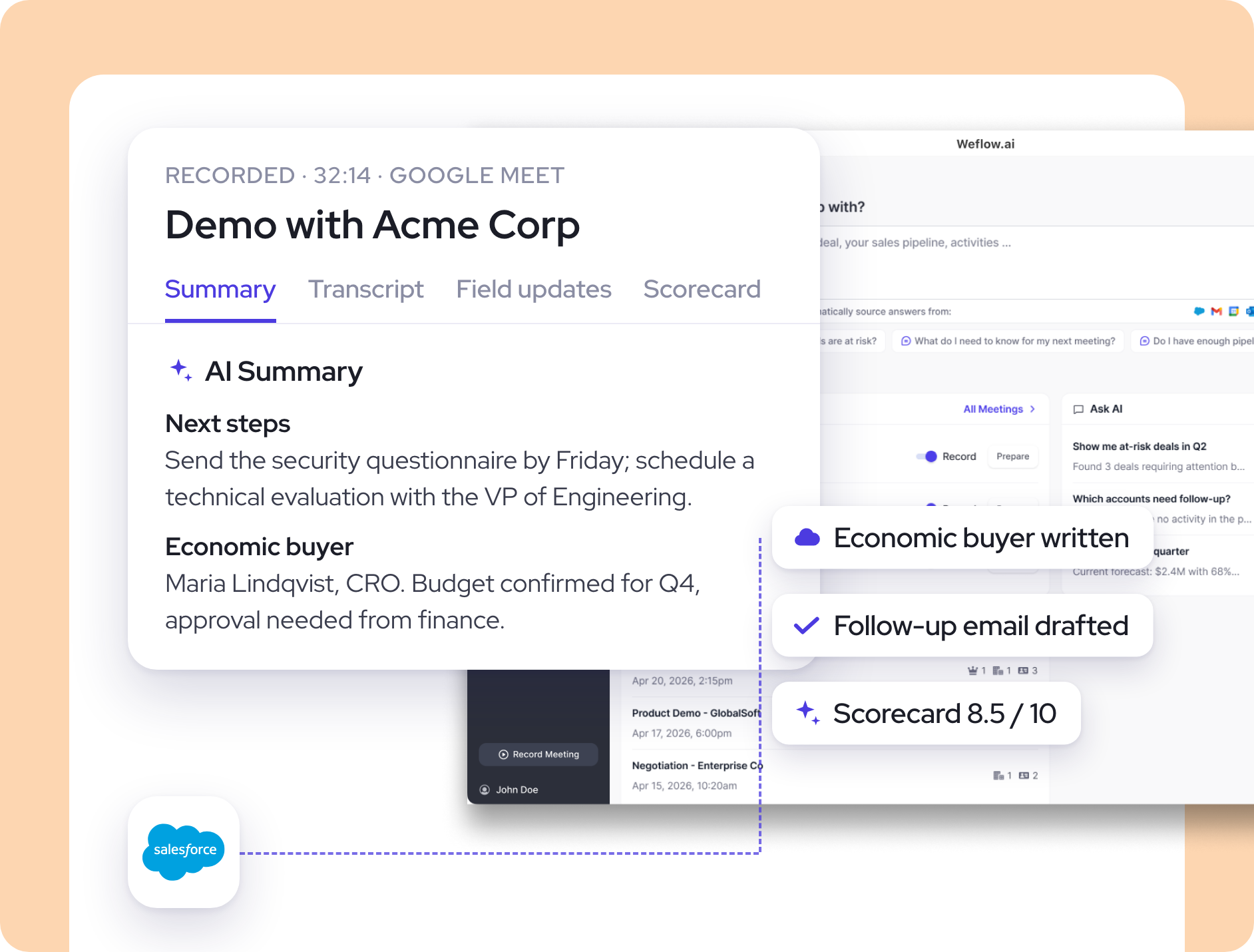
Automate Salesforce data entry with AI.
Auto-sync transcripts, AI summaries, and more to the right CRM records. Use AI to auto-update fields like MEDDIC or next steps.
- Auto-update fields with 250+ pre-built or custom AI prompts
- Auto-sync AI summaries to the Salesforce event object
- Works for all SFDC objects & field types (picklist, amount, ...)

+24%
win rate using AI deal insights
-60%
slipped deals using AI deal warnings
Use AI to automate busywork like meeting prep, follow-ups, and more.
Walk into every call prepared and leave with the follow-up already written. Less admin around every call, more time for selling.
- Get AI meeting briefs built from past emails, calls and CRM data
- Get an AI-drafted follow-up email within a minute of every call
- Ask Weflow AI about any deal, account or conversation
.avif)
93%
forecast accuracy running by combining
99%
of customer interactions captured Salesforce
.webp)


Weflow's Desktop App FAQs
What does the Weflow desktop app do that the web app does not?
The desktop app is a lightweight version of the Weflow web app built to record meetings without a notetaker joining the call. It captures the audio and video happening on your machine, so there is no bot to admit from a lobby and nothing visible to the other participants. Everything else works as in the web app: summaries and chapters, field updates, follow-up emails, scorecards, recording sharing, your calendar and Ask Weflow AI.
Which meetings and calls can the desktop app record?
Zoom, Google Meet, Microsoft Teams and WebEx meetings, including the video, and any other platform that runs through your Windows or macOS machine, such as phone calls via Aircall or RingCentral. The app records your system audio and microphone, so any conversation playing on the machine can be captured. Recordings go through the same pipeline as every other Weflow recording: transcribed in 96 languages with automatic language detection, summarised, and written to Salesforce like any other meeting.
How do I start a recording from Weflow's desktop app?
Two ways. Click Record meeting at any time and the app records whatever your system audio and microphone are picking up. Or join a Zoom or Google Meet call ad hoc and the app sends a notification asking whether you want to record. Meetings from your connected calendar also show in the app, with reminders and a choice of whether join links open in the installed Zoom or Teams app or in your browser.
Does it run on Windows and Mac?
Yes. There is a Windows build and two macOS builds, one for Apple Silicon (M1 or newer) and one for Intel Macs. On Windows most permissions are granted automatically. On macOS the app asks for three permissions on first launch: microphone, screen recording and accessibility. If you skip them, a notification icon in the app reminds you, and you can grant them later from the app or from System Settings.
How is consent handled when nothing joins the call?
With the desktop app, consent is not managed through Weflow: no notice is posted in the meeting and no pre-meeting email goes out, so you are responsible for telling participants and obtaining their consent. Weflow's calendar-scheduled notetaker works differently and supports opt-in, opt-out and manual consent flows with an in-meeting notice and an optional pre-meeting email. If you are unsure about the rules in your country, check with your legal team.
Do I still need a separate notetaker such as Fathom or Fireflies?
No. The desktop app covers the case a standalone notetaker is usually kept for, recording without a bot in the room, and the output goes where a standalone notetaker cannot put it: structured field updates, summaries and coaching scorecards written to Salesforce records. Customer-facing teams take full Conversation Intelligence seats and everyone else can use a lighter recorder licence, so one recorder serves the whole company.
Where are recordings stored, and how secure is the app?
Weflow is SOC 2 Type II, GDPR, CCPA and HIPAA compliant, with zero AI data retention: customer data is never used to train models. Data is stored in the region where your Salesforce instance sits, so a European Salesforce org keeps its Weflow data in Europe, and the region can be pinned to the EU or UK. Data is encrypted with TLS 1.2 or higher in transit and AES-256 at rest. Recordings stay available for your contract term plus 90 days.
Is the desktop app included in my plan?
Recording lives inside Weflow Conversation Intelligence, $39 per user per month billed annually, and inside every bundle that includes it. The desktop app comes with that seat; there is no separate licence. Download the app for Windows or macOS and sign in with your existing Weflow account.
Try before you buy
We get it. You want to make sure you’re getting the right tool to fit your needs. That's why you should try before you buy. Get your 14-day free trial today.
Trusted by top-performing revenue teams
