
Build vs Buy For Revenue AI: Where The Weekend Claude Build Breaks
Decide when to build vs buy revenue AI, and where weekend Claude or Cursor builds break.



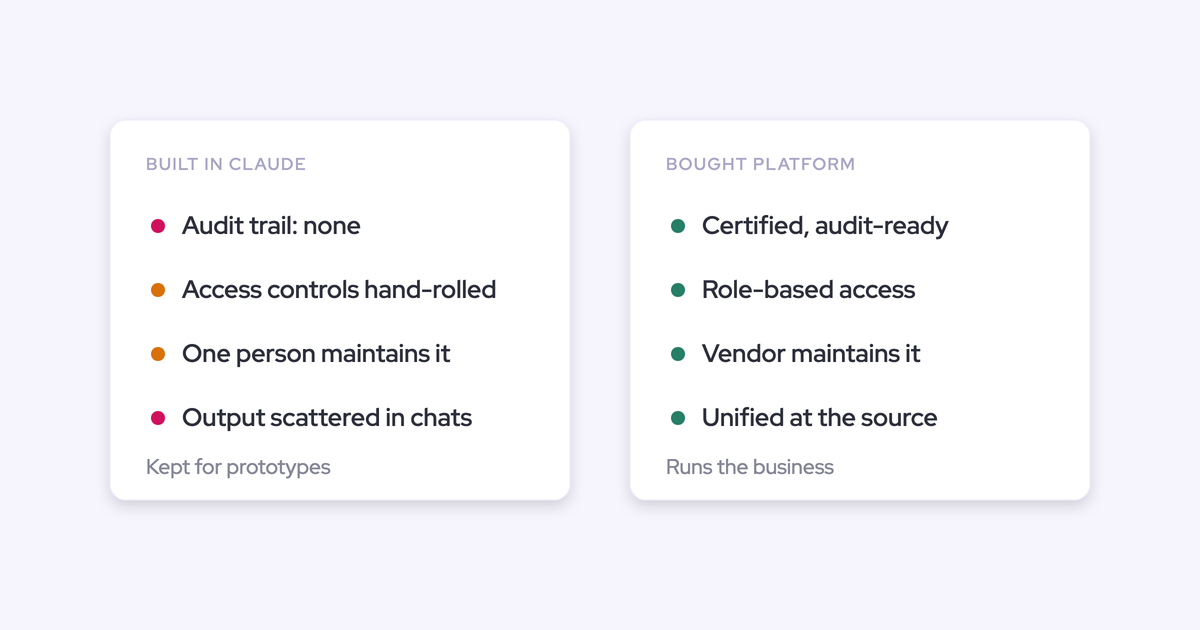

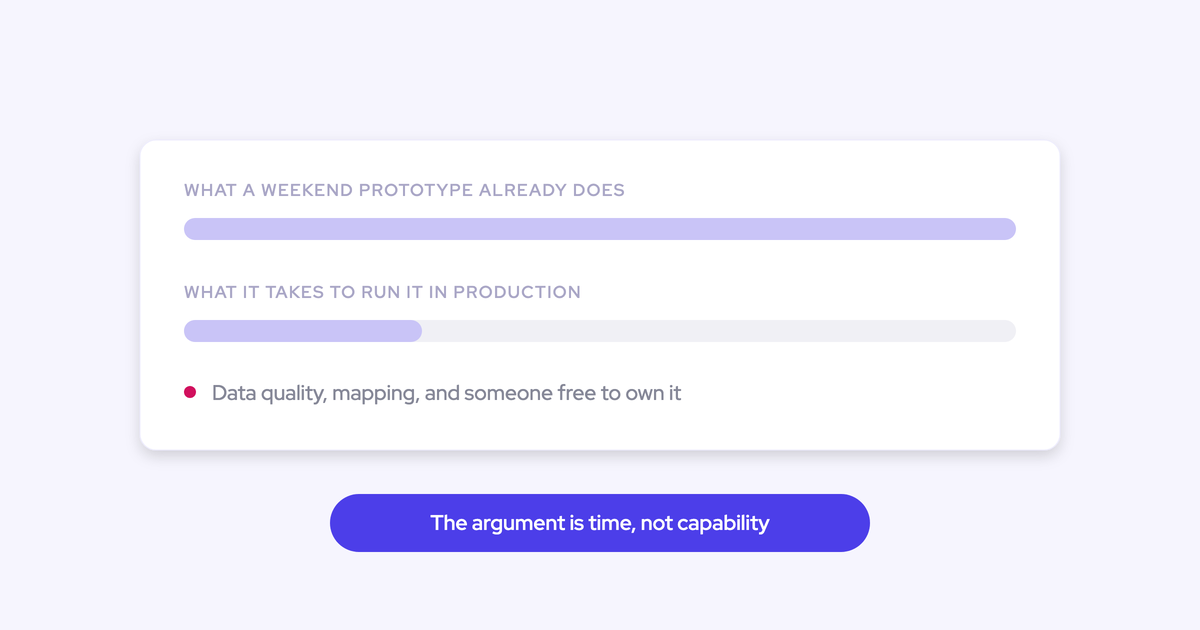
You already built it. On a plane, or over a weekend, you wired Claude to Salesforce, pulled transcripts out of the conferencing tool, and got something that looks a lot like the product you're being asked to pay for. So this piece won't argue that you can't build it. You can. You did.
The argument worth having starts after the demo works: who maintains it in month fourteen, who explains it to an auditor, and what it costs a two-person Salesforce team to keep alive while they also run the business.
We're not neutral, and we build the same way you do. Weflow is the Revenue AI Orchestration platform for sales, customer success, and RevOps teams, our founders vibe-code their own tools most weeks, and we ship Weflow Agent Builder precisely for people who'd rather build the workflow themselves. The honest answer to build versus buy isn't a verdict. It's a line, and this article draws it.
Why the weekend Claude prototype makes buying feel optional
The build option is a genuine competitor now, because the first version costs almost nothing. An assistant connected to the CRM, plus transcripts from Zoom or Google Meet, reproduces a recognizable share of a conversation intelligence product using seats you already pay for.
That changes what a vendor is being compared against. Not the incumbent's renewal. A prototype that already exists on your laptop.
On my plane ride home last week with Claude, I rebuilt Clari how I would want it in Salesforce. And so then I happened to be talking about that and I saw you guys online and I was like, looks like they went and did this already. So I'm kind of trying to figure out build versus buy.
We hear versions of that. And it's a fair position, not a bluff.
What it means practically: the vendor is no longer being asked whether its AI is good. It's being asked to justify the foundation underneath the AI, the reliability of capture, and who carries the maintenance, against an option with no procurement process and no contract.
That deserves a framework rather than a reflex in either direction.
What vibe coding genuinely wins for RevOps teams
For a large class of RevOps work, building it yourself is now the correct call, not the scrappy one. The speed is real and the output holds up.
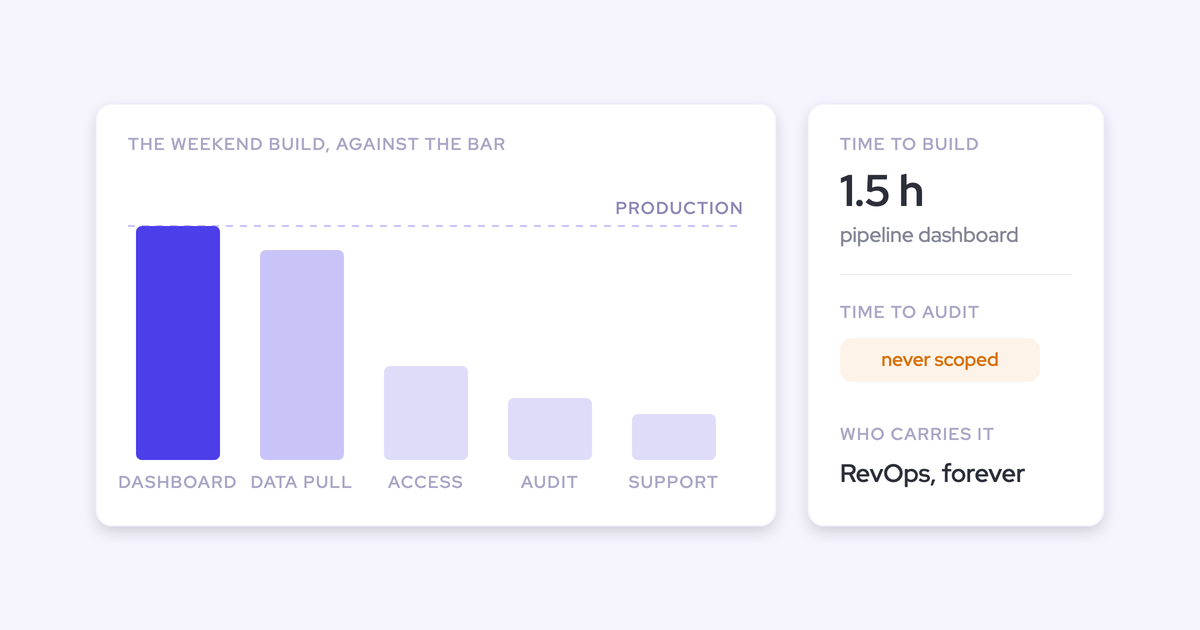
I just got one single Salesforce history report, put it in Cursor, and began writing everything I wanted out of it. Once I built out a plan doc and started prompting the agent to build, I got to essentially what you would traditionally have built into a full pipeline dashboard in a ThoughtSpot or Domo. That only took maybe an hour and a half to do something my previous company would have taken weeks to build.
— Eric Portugal Welsh, Head of RevOps at PlanetScale
Same episode, same person: his finance lead got into Cursor and hasn't built anything in a spreadsheet in three or four months. That's not a demo. That's an operating change.
The jobs where DIY wins outright:
- Personal analysis models: pipeline prediction, cohort views, a capacity model you rebuild every planning cycle.
- One-off dashboards answering a question that won't be asked again next quarter.
- Internal agents that summarize and notify: a weekly Slack post on what RevOps shipped, an executive update rewritten in the tone the CRO actually reads.
- Onboarding and enablement helpers pointed at your own docs and Slack history.
- Extensions on platforms you already run: a Salesforce flow, an Apex customization, a small app that fills a gap the vendor left.
One tip that makes the output far better, from our own CPO, who does this weekly:
Whenever I do vibe coding for myself, I first create a basic description of what I want, put it into Claude, and tell it to create an acceptance criteria document for what I'm trying to achieve. Then I take that document and put it back in and say now build this. The returns are so much better.
— Philipp Stelzer, Co-founder and CPO, Weflow
There's a trap inside the speed, though, and our CEO named it well: the model wants to build you an app for everything.
What is crazy to me about Claude is that it is so proactive in building you a custom app. Sometimes I even have to tell it stop, not another custom app for this, just give me a spreadsheet. An app brings its own problems with it. Then you need to maintain it, other people don't understand it, and so on.
— Janis Zech, Co-founder and CEO, Weflow
Every app you generate is an app somebody owns. That's where the map gets interesting.
Where the DIY revenue stack breaks in production
The prototype isn't the product, and the gap doesn't show up during the build. It shows up once the thing sits in the path of the CRM and other people depend on it.
Four places it breaks, in roughly the order teams hit them.
Activity capture is three builds, and mapping is the hardest
Building activity capture in-house isn't one problem, it's three, and teams almost never fail at the one they expect.
- A server-side connection to the mailbox and calendar. Not a browser extension, not a per-rep OAuth dance. This is the part teams get working fast, and it's what creates the confidence.
- An interface where a human can see and correct which record an activity is attached to. Deciding that this email belongs to that opportunity, at volume, across accounts with parent and grandparent hierarchies, is the actual product.
- A write path into the CRM with structured extraction on top. Fields, contacts, contact roles, all of it respecting validation rules and permissions.
Sized honestly, that's a year to eighteen months with several engineers, and then sustained forever. None of it is the work your company is funded to do.
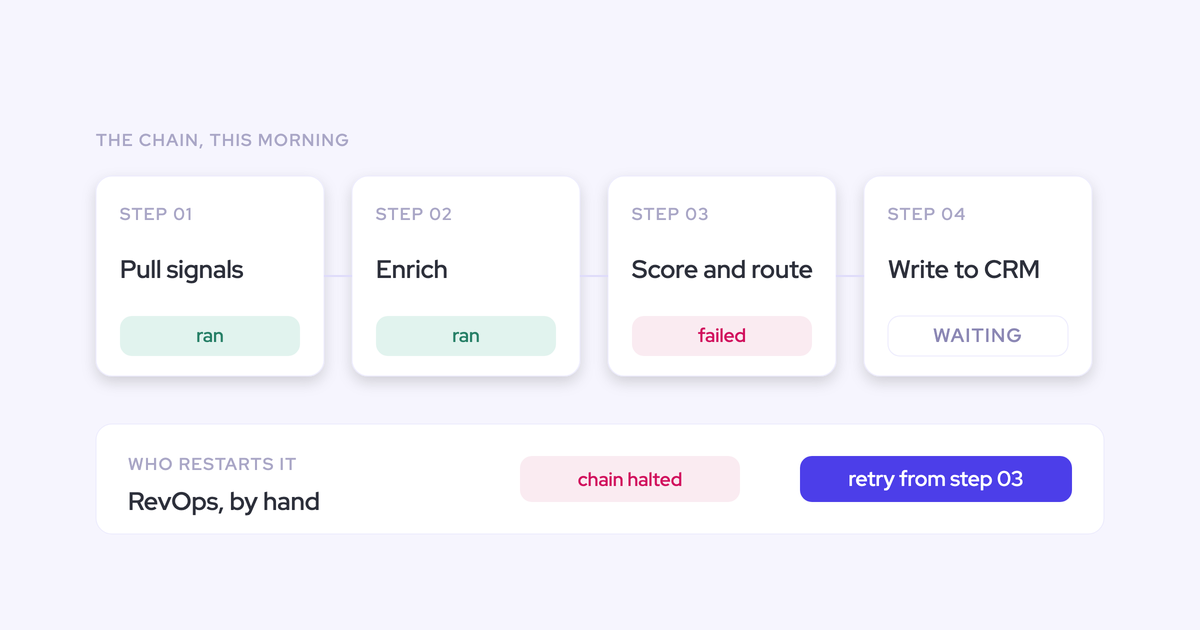
The failure mode nobody scopes is the quiet one. A model asked to fill a Salesforce picklist will happily invent a value, the write fails silently or pollutes the field, and you find out in a QBR three months later when the report doesn't reconcile.
Maintenance never ends and the roadmap gap reopens every cycle
Build cost is the number people estimate. Ownership cost is the number that decides this.
The data model, the snapshotting, the permissions, the hierarchy roll-up, the integrations: all of it has to keep working while your team also runs the business. And the roadmap gap is structural, not a one-off delay.
That gap reopens with every cycle. You ship, you're current for a quarter, and the vendor you declined has shipped four more things you now need.
Then there's capacity. The RevOps and Salesforce function is sized to keep the system running, not to build.
Two people already have a queue that never clears. A build competes directly with the work the business depends on, and the thing that gets sacrificed is usually the build, halfway through. The phrase we've heard on more than one call:
So far we haven't built anything other than we wasted a lot of time.
The audit is where hand-built CRM tooling collapses
A company running hundreds of millions in revenue cannot put a hand-built tool in the path of its CRM, its billing or its customer data and then explain the tech debt, the access controls and the governance to an auditor.
That's the ceiling, and it's why experienced operators land in the same place: build for prototypes and exploration, buy anything core to running the business.
I'm a big believer in configuring versus customizing, and I put build in the bucket of customizing. My LinkedIn feed is also littered with people who have vibe coded over the weekend and built a CRM or a governance platform or an enrichment solution. More power to you if you can figure it out and run a business and maintain that technical debt, if you can apply governance and compliance.
— Navin Persaud, VP of RevOps at 1Password
Notice he doesn't say you can't. He says you have to maintain the debt, apply the governance, and still run a business. Most two-person teams can pick two of those.
Claude pointed at Salesforce inherits broken data and answers wrong
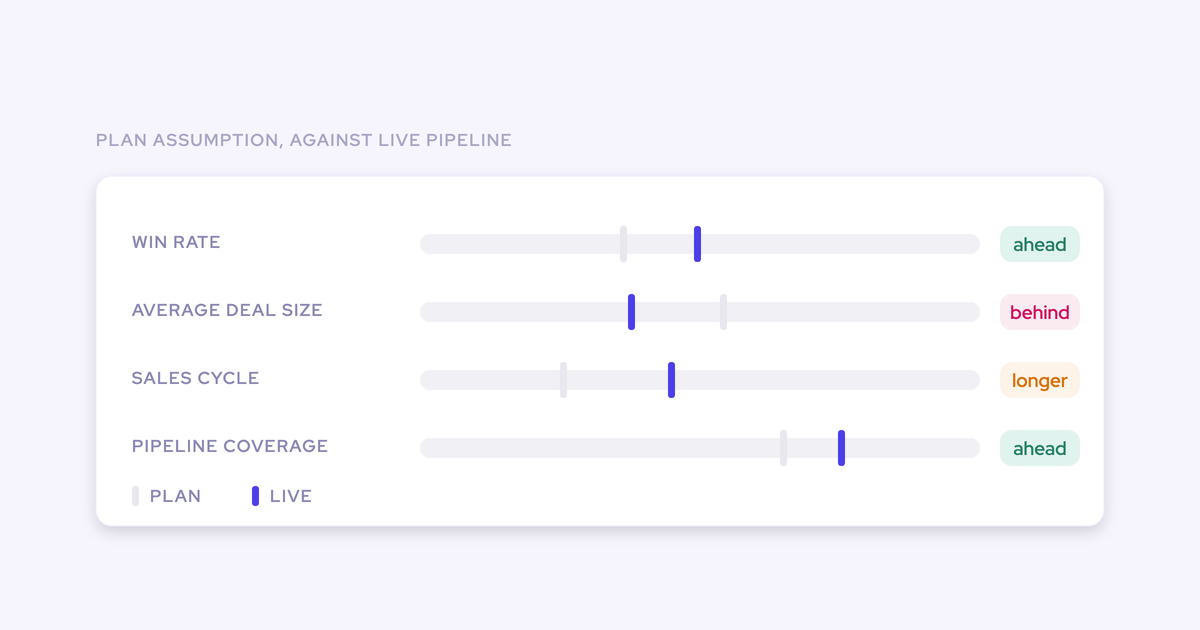
Pointing an LLM at the CRM doesn't return the truth. It returns whatever the data underneath says, with total confidence.
If you could just hook Claude into Salesforce and it gives you the truth. I mean, in theory, if it's a system of truth, it should be able to do it. But the reality is it just doesn't work. And so I think you have to be really good at the data foundation, your custom data structure, like the quality of the data, and then also the consolidation unification. That is basically the infrastructure.
— Philipp Stelzer, Co-founder and CPO, Weflow
What the agent inherits, in practice:
- Half the meetings were never logged, so engagement looks thin on deals that are actually active.
- Qualification fields are empty, or worse, filled inconsistently because every rep has their own definition of qualified.
- The same person exists three times, because several services create records automatically and nothing reconciles them.
- Activities are duplicated for the same reason, so contact coverage on an account reads better than it is.
An empty field is honestly empty. An inconsistent one invites a decision built on top of it, and the model will build that decision for you in a well-written paragraph.
This is the moment the AI project quietly becomes a data foundation project. That's the part the weekend build never scoped, and it's the part that doesn't get more fun with a better model.
Build, buy, or both: the three revenue AI paths
There are three honest paths, and they differ on who owns maintenance, governance, and roadmap, not on how clever the AI is.
| Build everything in-house | Buy the platform, stop building | Buy the foundation, keep building on top | |
| Who maintains it in year two | Your team, forever, alongside running the business | The vendor, for everything inside the platform | Vendor owns capture, writes and storage; you own your agents and extensions |
| Governance and audit | You explain tech debt, access control and data handling yourself | Vendor certifications carry the core; your surface area is small | Core sits behind vendor certifications; your builds stay out of the CRM write path |
| Roadmap position | A year behind the vendor you declined, and the gap reopens every cycle | Whatever the vendor ships, on the vendor's timing | Vendor roadmap underneath, your own speed on top |
| Time to live | A year to eighteen months for capture alone | Weeks, mostly business logic configuration | Weeks for the foundation, then same-day for anything you build |
| What your own AI can reach | Everything, if you built the access layer too | Whatever the vendor exposes, which is often only its own chat window | Revenue data via MCP and API, plus native Salesforce objects you already own |
| Where RevOps capacity goes | Into building and maintaining infrastructure | Into rollout, adoption and configuration | Into workflows, agents and the questions nobody has answered yet |
Full DIY fits when the scope really is personal or exploratory, when nothing you build touches billing or customer data, and when nobody outside your team depends on it staying up.
Buy and stop building fits teams with no technical capacity at all, where every hour of RevOps time is already committed and a new build idea is a fantasy. It's honest, and it's rarer than vendors pretend.
Buy the foundation and keep building fits the person this article is written for. You can build. You just shouldn't be the one maintaining server-side mailbox connections at two in the morning.
How to draw the line: the configure vs customize test
The line isn't capability, it's exposure. Ask these five questions about anything you're about to build:
- Does it sit in the path of the CRM, billing, or customer data?
- Would you have to explain its access controls and tech debt to an auditor?
- Does anyone outside your team depend on it being correct on a Monday morning?
- If the person who built it left next month, could someone else keep it running?
- Is maintaining it competing with work the business already depends on?
Two or more yes answers and you're not configuring anymore, you're customizing, and you've just taken on a second product to run.
So the recommendation falls out of the criteria: buy the business-critical layer, keep vibe-coding everything above it. Build extensions that plug into platforms, not the platform itself. A platform carries years of accumulated edge cases, regulatory handling and integration work that never appears in a prototype and never stops needing attention.
Everybody says now you can vibe code your platform. That's just not true. Good software needs to be built, and then you need the customers to give feedback.
— Janis Zech, Co-founder and CEO, Weflow
Applied to real work, the split looks like this:
| Vibe-code it | Buy it |
| Pipeline model, cohort analysis, a planning capacity sheet | Server-side email and calendar capture into the CRM |
| Executive Slack summary agent, board-prep briefing | Mapping activity to the right opportunity, correctably |
| A Salesforce flow or Apex extension filling a gap | Structured field writes that respect validation rules and picklists |
| Ad-hoc analysis on exported call data | Anything a security review, an auditor or a renewal will inspect |
How Weflow lets you keep pointing Claude at revenue data
Buying the foundation shouldn't cost you your own AI, and with Weflow it doesn't. That's the part most build-versus-buy conversations get wrong.
Weflow ships an official read-only MCP connector, so Claude or ChatGPT reaches Weflow data through a connector instead of hand-written REST calls. An assistant connected that way can query playbook output, call summaries, transcripts and forecast calls.
The controls sit with the admin, not with whoever pasted a URL:
- The connector is switched on per workspace from the admin console.
- A separate toggle decides whether connected assistants read full transcripts or only AI summaries.
- The console lists every connected user with their email and connection date, so nobody attaches an assistant quietly.
- A public API is there too, for teams running their own agent orchestration rather than a chat window.
That matters more than it sounds. Salesloft removed transcript retrieval from its MCP server, so an assistant connected there gets the platform's interpretation of a call rather than what was said. Gong's connector requires a paid seat on both sides. If your CRO is already pulling revenue data into Claude to answer their own questions, those limits are the difference between a system you can build on and one more screen someone has to open.
What Weflow takes off your hands is exactly the layer the weekend build underestimates:
- Server-side capture through the Google Workspace and Microsoft Entra ID apps, so emails, meetings and contacts land without a rep doing anything.
- Mapping activity to the right Salesforce record, with the interface to see and correct it.
- Field writes that don't break silently: before writing to a picklist or multi-picklist, Weflow reads the field's allowed values and matches its output against them, and it respects validation rules, field dependencies, permissions and role hierarchy.
- Storage in native Salesforce objects you already own, which is also your exit plan.
- SOC 2 Type II, GDPR compliance, and zero data retention for AI processing, so the audit question has an answer that isn't a spreadsheet of your own code.
Field extraction is configured by admins, mapping AI output to the Salesforce fields your reporting already reads.
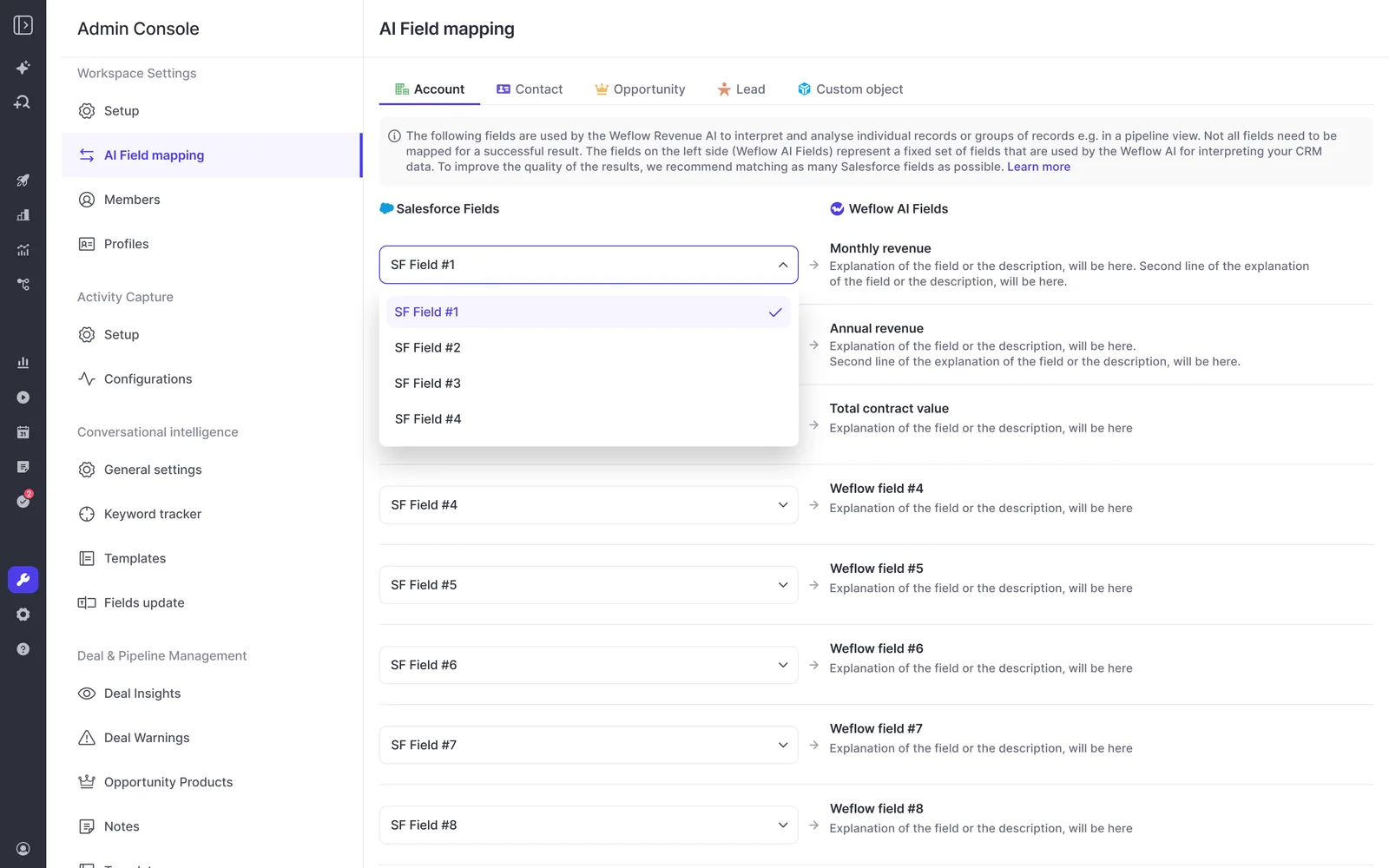
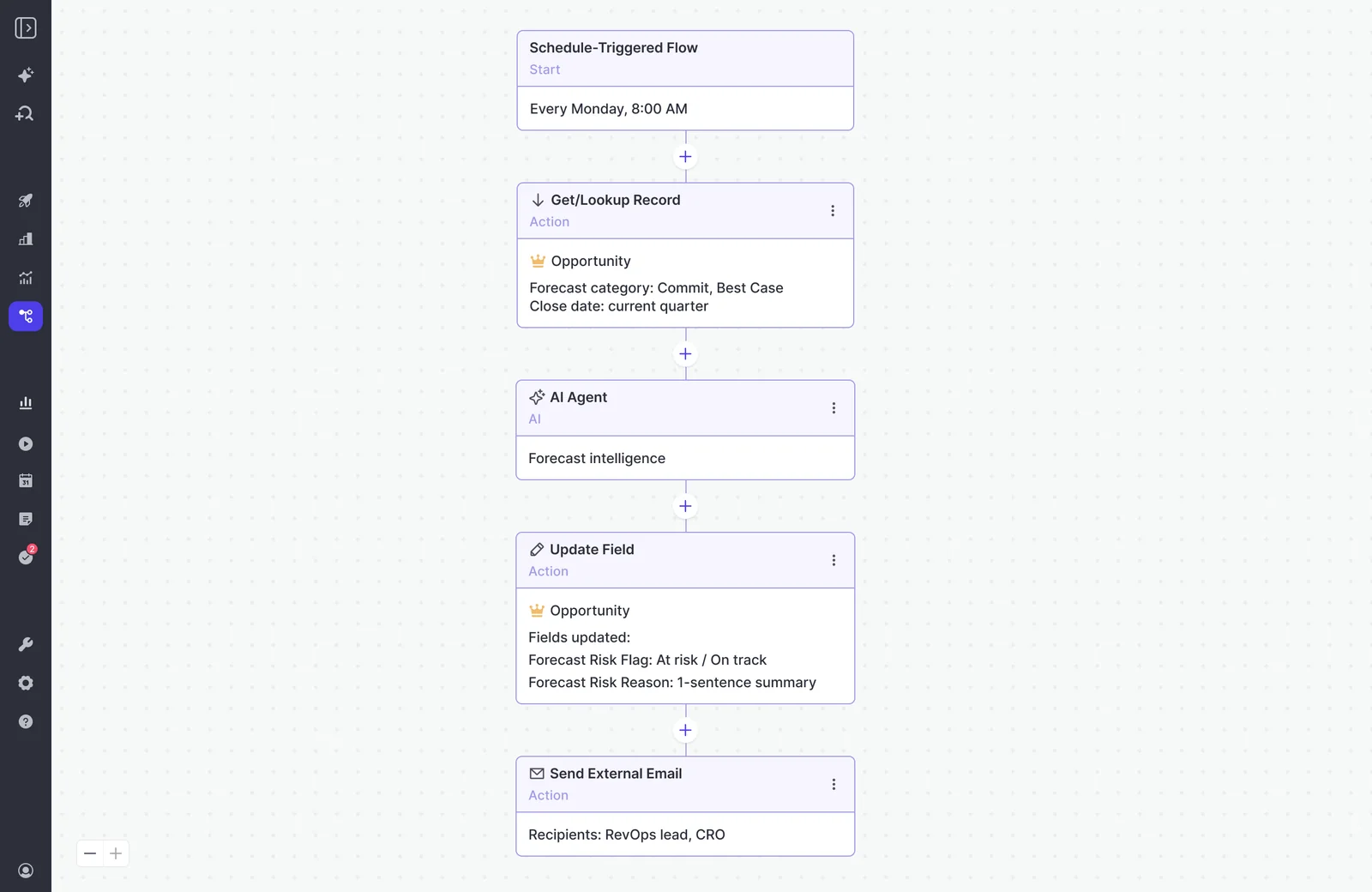
And the build instinct doesn't die, it moves up the stack. Agent Builder is where the weekend-build energy goes: scheduled flows that pull opportunities, run an AI step, write a field and notify a human.
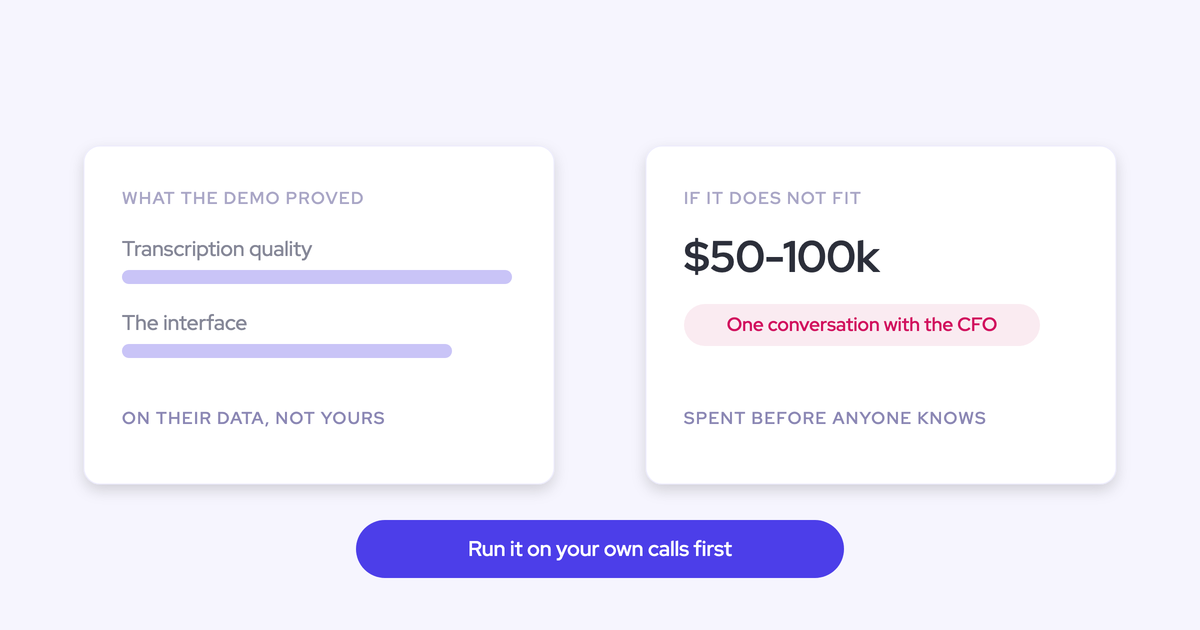
On cost, so you can run the comparison properly: Weflow's bundles start at $49 per user per month, Activity & Contact Capture standalone is $19, and there are no usage charges on recordings, transcripts or AI processing. Technical setup takes 30 to 45 minutes with a Salesforce admin, and most teams are at full value in two to three weeks. Set that against a year to eighteen months of engineering you'd sustain forever.
Where we're honest about the limits: Weflow works exclusively with Salesforce, there's no read-only administrator role yet (seeing everything means full admin), and Ask Weflow AI reads Salesforce records, captured activity and the public web, not your ticketing system or your process docs. If what you need is a personal pipeline model or a one-off dashboard, don't buy anything. Vibe-code it.
Free Claude for RevOps Cheat Sheet.
FAQ: build vs buy for revenue AI
Can Claude read full call transcripts through Weflow's MCP connector?
Yes, if an admin allows it. Two controls sit side by side in the Weflow admin console: one enables the MCP connector for the workspace, and a separate transcript toggle decides whether connected assistants read verbatim transcripts or only AI summaries. With transcript access off, Claude still sees summaries, playbook output and forecast calls.
Is Weflow's MCP connector read-only or does it write back?
It's read-only. Assistants query Weflow data through it, they don't write through it. Writes into Salesforce happen through Weflow's own field update path, which checks picklist values, validation rules, field dependencies and permissions before anything lands. That's deliberate: a connector that lets any assistant write to your CRM is the failure mode this whole article is about.
Should we still build Salesforce flows and extensions ourselves?
Yes, and you should build more of them. Flows, Apex customizations and small internal apps are configuration and extension work, which is where AI coding tools genuinely pay off. The line is the platform underneath: extensions plug into something that carries the integrations, the edge cases and the compliance load. Rebuilding that layer turns you into a software company with a second product to run.
Who should own the revenue platform internally after purchase?
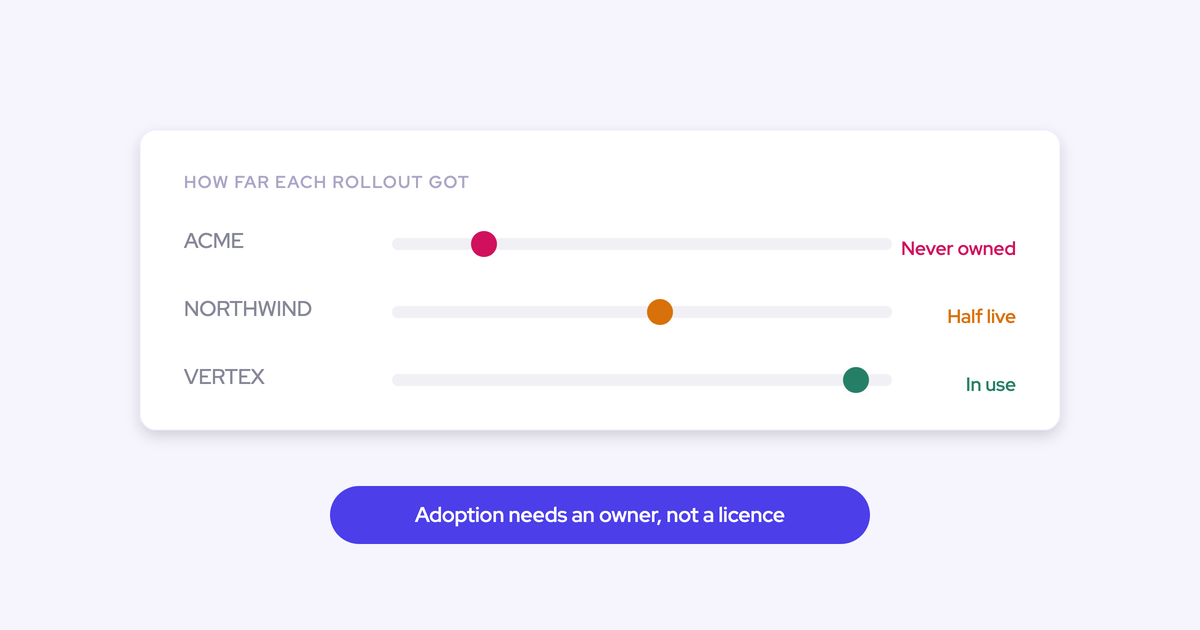
Name one business owner before you sign, not after. The most common way a bought tool dies is that nobody owned the rollout, so licences sit unused while the spend continues and the reps never learn what it could do for them. Configuration also goes stale as the business changes, so that owner needs a recurring check that templates, field mappings and warning rules still match how teams actually sell.
What happens to captured data if we leave Weflow?
The activity, contacts and field values stay, because they were written into native Salesforce objects you already own rather than held in our cloud. Emails, meetings, contact roles and AI-extracted field values are Salesforce records under your control the day after the contract ends. Recordings and transcripts live in Weflow and come out through the public API. Ask any vendor for that answer in writing before you sign, including us.

.webp)