


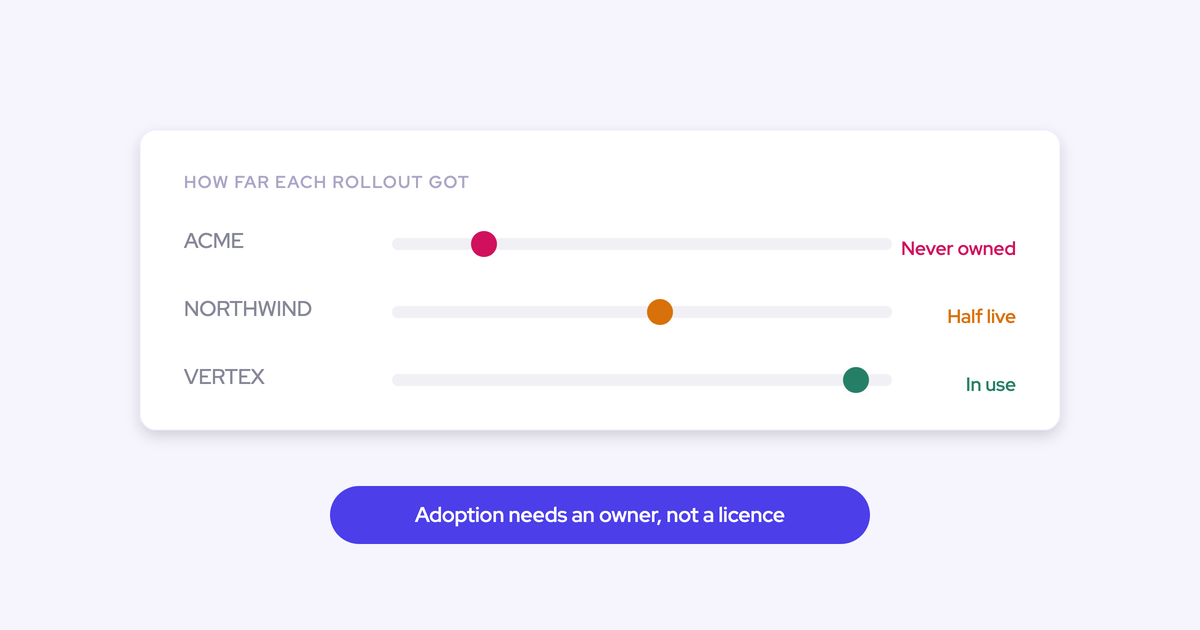

The adoption failure wasn't a discipline failure. It was a design decision made long before rollout day: the tool was built for the people who read the forecast, and the people who feed it were never given anything back.
So this isn't going to tell you to run another enablement session or tighten manager follow-up. You've run that loop. Reps who get nothing back from a tool are making a rational choice, and rational choices don't reverse under training. What changes behavior is removing work from the rep's deals before you ask them for anything.
Below: the four honest paths from where you are, the five design properties that predict whether any tool gets adopted, the rollout sequence that lands value first and the forecast last, and how to prove adoption with data instead of arguing about it.
Why reps don't use forecasting tools like Clari and Gong
Clari and Gong were built for managers, ops and executives and both are good at what they were designed for. Gong has the deepest conversation analytics in the category. Clari's roll-up mechanics at a thousand-plus reps are genuinely mature.
The problem is the direction of the trade. The value goes up the org chart; the work goes down it.
| What the tool gives leadership | What it asks of the rep |
| A roll-up number and pipeline visibility | Log in weekly and submit a number |
| Deal inspection and risk views | Keep next steps and close dates current so the views work |
| Board-grade reporting | Explain in a meeting why the number moved |
Then the second failure stacks on top. Leadership buys on the visibility story, nobody is named as the business owner, and the rollout drifts.
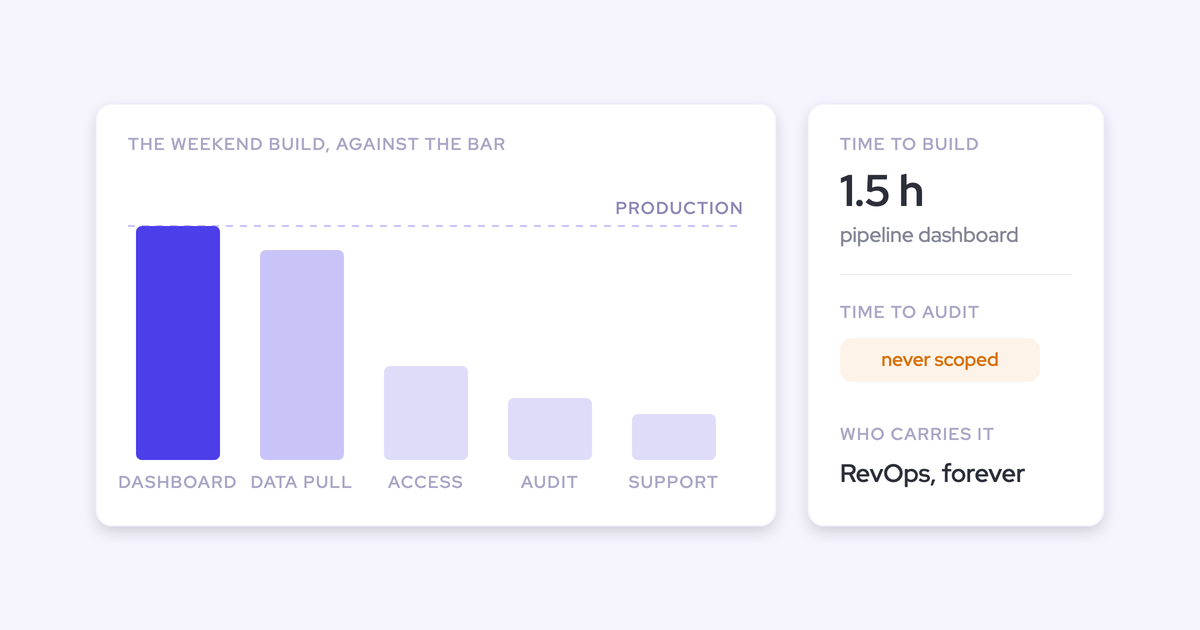
Twelve months later the pattern is always the same. Half the license holders log in only to look. RevOps has quietly rebuilt the forecast dashboard on raw Salesforce data because the tool's version isn't trusted. And someone in finance is asking why a six-figure line item produces a roll-up and little else.
None of that is a rep problem. It's a design problem with a rollout problem on top.
The four realistic paths to fixing forecasting tool adoption
There are four honest answers from here, and each one is right in some situation. Two of them cost nothing, which is exactly why they deserve a fair hearing before you start a procurement cycle.
Path 1: enforce usage with training and manager pressure
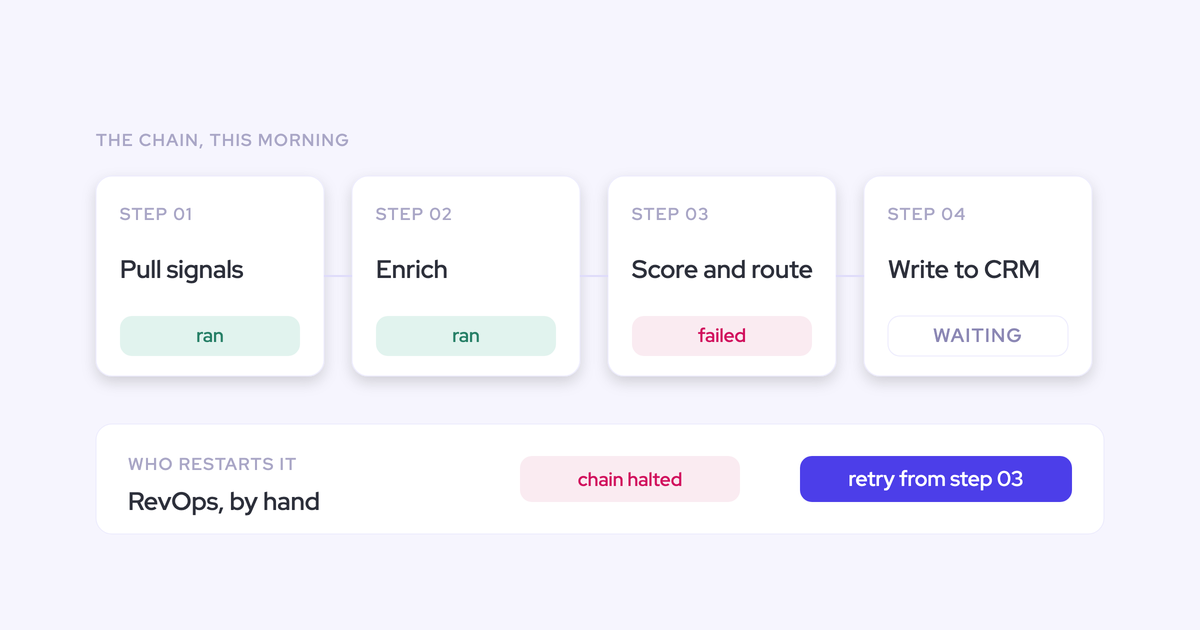
Enforcement treats a rational opt-out as a knowledge gap. Reps didn't misunderstand the tool, they priced it: effort in, nothing out. More training doesn't change that math, it just produces compliance theater in the weeks after each session.
Fits when: the gap really is awareness or a broken config, like capture that was never switched on for half the team, or a view nobody knew existed.
Fails when: you've already run this loop. If you're reading this, you have.
Path 2: relaunch the tool you already own, with an owner
Some failures are rollout failures, not tool failures. Everything got switched on at once, no owner ran the wave plan, no rep-facing capability was ever configured, and the whole platform got judged on the parts nobody was ready for.
A relaunch is the cheapest real fix available to you. It's also the one your CFO will like most.
Fits when: the tool has genuine rep value that was never turned on, and your team can configure it without filing tickets.
Fails when: every change routes through the vendor's professional services team. We hear this constantly from operators who've lived with a forecasting incumbent: a new quarterly target, a new forecast call, a change to the roll-up, all of it becomes a two-week billable request. Forecast changes are tied to a quarter that has already started, so a configuration landing three weeks late has missed the cycle it existed for. If that's your reality, a relaunch just re-runs a process you don't control.
Path 3: replace it with a platform reps get value from
If the tool's design is the problem, redesigning the rollout can't save it. A tool with nothing to give a rep has nothing to give a rep in wave two either.
Replacement is the right call when the incumbent is structurally manager-first: it reads your CRM, produces views for leadership, and never puts a minute back into a seller's day.
Carries real cost: procurement, migration, and the genuine risk of repeating the same failure with a new logo. That risk is exactly what the criteria in the next section exist to kill. Don't start a replacement until you can state, in one sentence, what the rep gets in week one.
Path 4: drop the tool and forecast on raw Salesforce data
The do-nothing path is real, and you may already be half living it. Plenty of RevOps teams pay for a forecasting platform and still assemble the number from Salesforce reports and a spreadsheet every Monday.
It works, briefly, and then it hits three walls:
- Native Salesforce can't hold quotas and forecast against them in one place.
- It keeps no pipeline history, so there's no waterfall and no way to see what slipped between the first of the month and the last.
- Rep-level submissions end up back in spreadsheets, one per rep, none of them comparable.
Fits when: you need an interim while a contract runs out, and you'd rather spend the year fixing data quality than fighting for adoption of a tool you're about to drop.
Fails as a destination. The manual week never gets shorter, and it lands on the smallest team in the building.
Five criteria that decide whether reps adopt a revenue tool
Adoption is predictable. Not from the feature grid, from five design properties. Test your relaunch or your replacement against all five before you commit to either.
| Criterion | Why it predicts adoption | How to test it |
| 1. The rep gets value before anything is asked of them | Reps adopt tools that shrink their day and ignore tools that add a place to log things. The first experience sets the verdict. | Ask the vendor: what does a rep get in week one, with zero configuration by them and zero clicks? If the answer is a dashboard, it's a manager tool. |
| 2. There is no second place to work | A second daily destination splits the team. Some reps drift to the new interface, the CRM stops being the system of record, and you've lost them twice. | Watch a demo of a rep's actual day. Where do they sit? If the answer isn't the Salesforce record, count the tool switch as a cost. |
| 3. The rep's remaining job shrinks to what only they can know | Every extra field is a field filled badly or not at all. The only durable ask is judgment: what they're selling, when it closes, how confident they are. | List every field the rep still touches after go-live. If activity logging, contacts or methodology fields are on that list, it's the same admin burden with a new logo. |
| 4. Adoption is measurable per rep | You can't run a change program on faith, and you can't defend a paid pilot with a feeling. | Ask to see the adoption reporting itself: who installed, who logged in, and how much activity was captured automatically versus logged by hand. |
| 5. A named business owner runs the rollout | The most common cause of shelfware isn't the product. It's that nobody owned the wave plan, the training slots or the objections. | Name the person before you sign. If you can't, you already know how this ends. |
The recommended path: a rep-first rollout, forecasting last
Whether you relaunch or replace, redesign the rollout the same way: land rep value first with nothing asked in return, bring the forecast last once that value has visibly stuck, and put a named owner in charge of the sequence.
Most rollouts run in reverse. Forecasting goes first because it's what leadership bought the tool for, which means the highest change-management module lands on a team that has received nothing yet. That's how tools end up unused.
"If it's just another thing on their plate, they're just gonna ignore it, and they will fight it."
Give reps something back before asking for anything
The first thing a rep experiences has to remove work. Not promise to, remove it.
Concretely, that means notes, follow-ups, contacts and CRM updates arriving without typing. The typical AE spends about a third of their time actually selling; the rest is meeting prep, follow-up and feeding the CRM. Take a slice of that back and you've bought permission for the forecast ask three months later.
The reverse is also true. Ask for the submission first and you've spent credibility you never earned.
Sequence the waves: capture, conversations, pipeline, forecasting
The data-foundation order and the adoption order are the same order, which is convenient. Each wave gets its own short training session and a follow-up slot for the questions it creates.
- Activity and contact capture. Live in roughly two weeks; it's a configuration exercise, not a behavior change. Asks nothing of the rep. They see emails, meetings and new contacts appearing on the right records without touching anything.
- Conversation intelligence. The first personal win: summaries, follow-up drafts and call notes in the format your team is measured on, written for them instead of by them.
- Pipeline and deal intelligence. Only pays off once activity is mapped to the right opportunities, because every signal is computed from that activity. Now the rep gets their own deal view: last meeting, next meeting, reply rate, what's gone quiet.
- Forecasting. Last, and not because it's hardest to configure. It's the encoding of an operating cadence, so it needs sales leadership in the room and a process to encode. By this point you also have weeks of clean data to design the forecast against.
Assign a business owner and define what they do
This is a business role, not an admin role. The admin configures; the owner runs the change program and is accountable for the cadence the tool eventually encodes.
What the owner actually does:
- Owns the wave plan and the go-live date for each wave
- Runs the training slot per wave, plus a follow-up session two weeks later
- Handles the objections personally, on the floor, not over email
- Publishes the adoption report weekly and takes it to leadership
- Owns the forecast cadence itself once wave four lands: who submits, when, and what gets discussed
Answer the surveillance and "another manual process" objections
Both objections are predictable, so prepare the answers instead of improvising them in a team meeting.
| What you'll hear on the floor | The answer that lands |
| "So management reads my emails now?" | State the logging rules out loud: business-relevant communication with customers only, internal mail never logged, inbound and outbound treated the same. Teams that have worked without capture for years read it as surveillance until someone says this explicitly. |
| "I don't want another manual process I'm doing." | Show the subtraction before the addition. Capture runs server-side with nothing to click; notes and follow-ups get drafted for them. Their remaining job is three judgments only they can make. |
| "Which one do I work in, Salesforce or the new thing?" | Salesforce, still. If your answer is anything else, fix that before rollout, not after. This is the fear that kills adoption fastest and buyers raise it in the first call. |
How to prove adoption with data instead of faith
Adoption is a reportable metric. Treat it like one, because the alternative is arguing about vibes in front of a CFO who signed the invoice.
Baseline first. Do the measurement manually once, on a spreadsheet if you have to, so you know where you actually stand before anything goes live. Experienced RevOps leaders do this instinctively; it's what lets you say "we captured 41% of customer emails in March" instead of "it feels better."
Then track these, roughly in the order they become visible:
- Week one: who has installed the extension and logged in, per user. Simple, and it flushes out the reps who never got set up at all.
- Weeks two to four: automatically captured activity versus manually logged activity, per rep. This is the line you're watching. When the automatic line overtakes the manual one, behavior has changed.
- Weeks two to six: coverage. What share of open opportunities now carry activity, and how many contacts sit on each deal versus before.
- Once conversation intelligence is live: recording rate on customer meetings, per rep.
- Once fields are being written: completeness on the specific fields your reporting depends on, not all of them.
- Last, after forecasting goes live: submission rate and on-time submission rate per rep and per manager.
The auto-versus-manual line does one more job. Double entry doesn't stop because you told people to stop; it stops when they can see capture happening. We had a CSM announce they were going to keep tracking meetings manually because they didn't believe it was really being logged. That's normal, and the report is what talks them out of it.
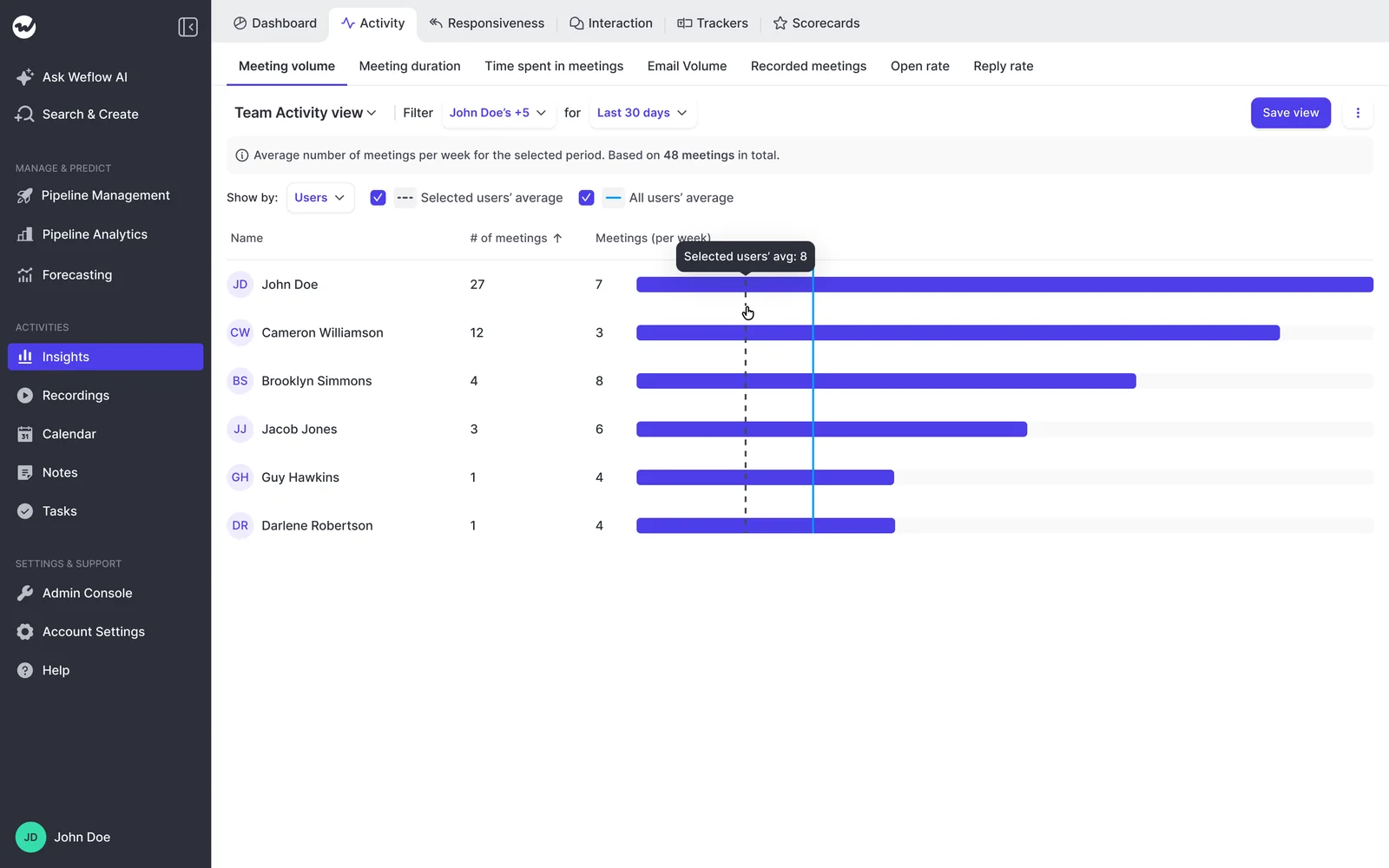
How Weflow supports a rep-first forecasting rollout
Weflow is the Revenue AI Orchestration platform for sales, customer success, and RevOps teams. We built it in the shape this article argues for, because the buyers who came to us had all lived the other shape: a forecasting layer bought for visibility, fed by reps who got nothing back.
Read this section adversarially. It's fair to ask whether we pass our own test, and there's one criterion where we don't fully.
What reps get on day one without leaving Salesforce
Weflow Activity & Contact Capture runs server-side. Emails, meetings and new contacts from Outlook or Google land on the right Salesforce account, contact and opportunity with nothing for the rep to click, and contacts get created automatically for people who appear on threads and invites.
Weflow Conversation Intelligence takes the next slice: recordings, transcripts, summaries, follow-up drafts, and AI field updates that write what was discussed into your existing Salesforce fields, including the methodology fields that sit empty in most orgs.
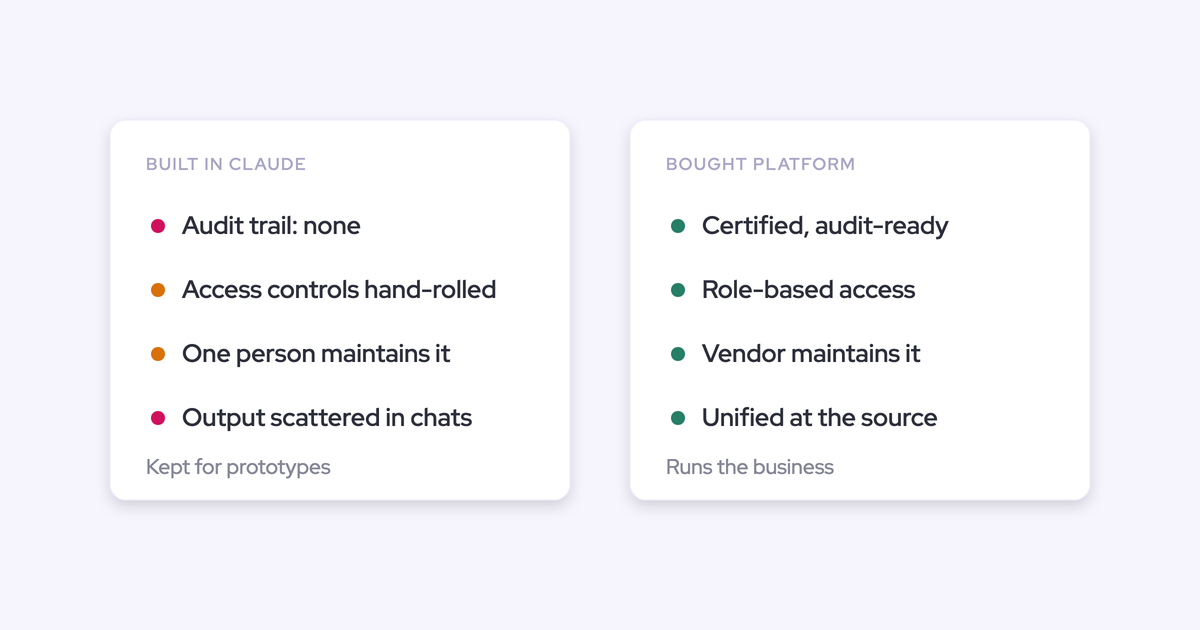
Everything the rep touches stays on the record. The Weflow Activity Timeline is a Lightning component an admin drops onto the Account, Opportunity, Contact or Lead page. Ask Weflow AI runs in the Chrome extension, so it's available on the Salesforce record page itself. There's no second daily destination to argue about.
What's left for the rep is the three things only they can know: what they're selling, when they think it closes, and how confident they are.
And adoption is inspectable. You can see who installed and logged in, and the activity reporting separates what was captured automatically from what was logged by hand, which is the line you show leadership.
Where reps still have to act: forecast roll-up submission
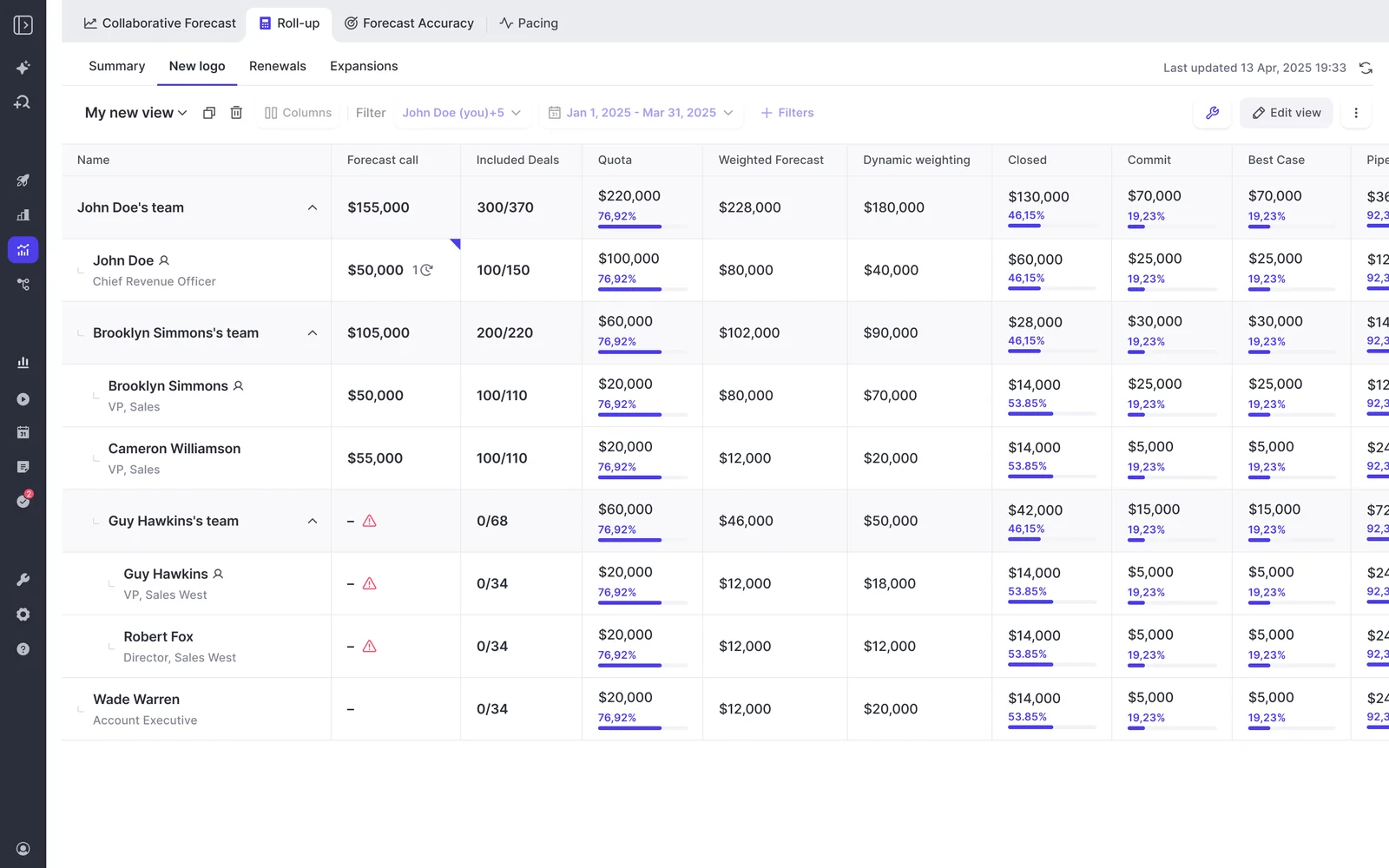
Here's the honest gap. Weflow's forecast roll-up still asks the rep to click in and submit: a baseline number, a best case, and a free-text comment, either as a total or by picking the specific opportunities behind each figure. A reminder email deep-links them straight into it, and every submission is versioned so managers can see whether a call moved during the quarter. But it's still a submission.
And that submission lives in the Weflow app, not on the Salesforce record. Every other Weflow output is written back into Salesforce objects. Forecast submissions, targets and roll-up data are the exception.
So if your bar is "reps never leave Salesforce and never submit anything," roll-up breaks it. Say that out loud in your evaluation rather than discovering it in wave four.
Two things soften it, neither of which erases it. The weighted forecast and the AI projection both run with zero rep input, straight off CRM data, so you get two of the three forecast methods without asking reps for anything. And the submission is the one place where the rep's judgment genuinely is the data.
The bigger caveat is the one no vendor should dodge: no tool fixes forecasting adoption on its own.
"If you don't run an operating cadence, the best tool in the world won't help you."
Running Weflow alongside a forecasting tool under contract
"We already pay for one" is usually the real blocker, not the product question. And it's a fair one: no CFO signs off on two forecasting solutions in the same year.
You don't have to collide with that line item. Start on the layers your incumbent doesn't own, and expand at renewal.
- Start with capture and conversation intelligence. These are capabilities your forecasting tool either doesn't have or doesn't do well, so there's no overlapping contract to justify.
- Run one capture engine, not two. This is the failure mode, not the coexistence itself. Clari reads activities from Salesforce, so it consumes the cleaner data and its own deal signals get better. If Einstein Activity Capture is running, set its event sync to one direction (calendar into Salesforce) or you'll get the same meeting written twice. For sequencers like Outreach or Salesloft, compatibility mode lets Weflow step back when the other tool has already claimed an email.
- Let the incumbent improve on your data for the rest of the term, and run your adoption reporting in parallel so you have evidence, not opinions, at renewal.
- Expand at renewal. Moving from Revenue AI Foundation ($49) to Revenue AI Business ($59) or Revenue AI Enterprise ($79) is a per-user step, not a second forecasting contract at enterprise pricing. That's deliberate: we priced the expansion against what you can actually get approved.
FAQ: forecasting tool adoption
Do reps have to leave Salesforce to use Weflow?
Day to day, no. Activity capture runs in the background, the Weflow Activity Timeline sits on the Salesforce record page, and Ask Weflow AI is available on record pages through the Chrome extension. The one exception is forecast roll-up submission, which happens in the Weflow app.
What do reps still have to enter by hand?
The judgments only they can make: what they're selling, the close date to the best of their knowledge, and their confidence or forecast category. Emails, meetings, new contacts, call summaries and methodology fields arrive from captured activity and conversations.
How long should each rollout wave take?
Activity capture is a configuration exercise and can be live in roughly two weeks; the technical setup itself is a 30 to 45 minute session with a Salesforce admin and your Google or Microsoft admin. Each later wave gets its own short training plus a follow-up slot a couple of weeks after. Forecasting waits until the earlier value has visibly stuck, and it needs sales leadership in the design, not just RevOps.
Can a forecasting tool alone fix adoption?
No. Forecasting is an operating cadence RevOps runs: who submits, when, what gets inspected, and what changed since last week. The tool encodes the cadence, gives reps a reason to feed it, and makes adoption measurable. The discipline is yours to build, and any vendor telling you otherwise is selling you the last shelfware you bought.
What does it cost to start small with Weflow?
Weflow Activity & Contact Capture is $19 per user per month, Conversation Intelligence and Deal Intelligence & Forecasting are $39 each, and bundles start at $49 with Revenue AI Foundation. Minimum 10 users, billed annually, with a 14-day trial. It's sized so the entry point doesn't need a new procurement cycle.
If you take one thing from this: fix the sequence before you fix the tool. Land value with reps first, put a name on the rollout, and measure the automatic line overtaking the manual one. Then design the forecast cadence the tool will encode.
That last part is the piece most teams skip. Get the free Revenue Operating Cadence Guide and build the cadence before you buy anything to run it on.


.webp)
