A RevOps vendor-selection checklist for Revenue AI: what to score beyond the demo
Learn how RevOps should score Revenue AI vendors beyond the demo, from capture to CRM mapping.




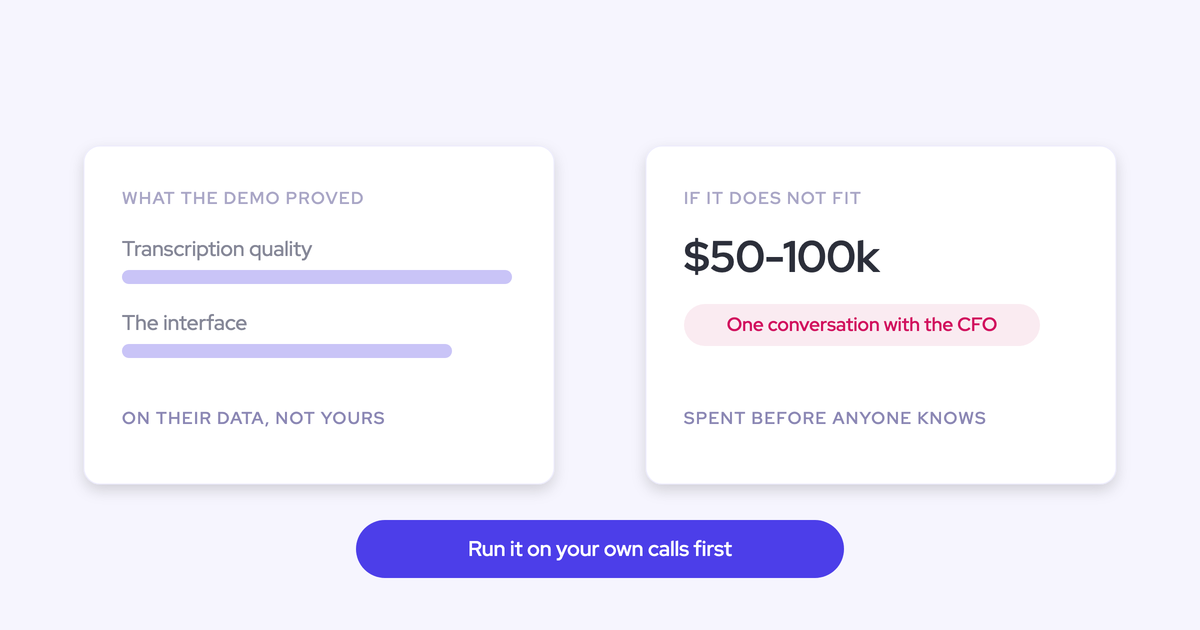
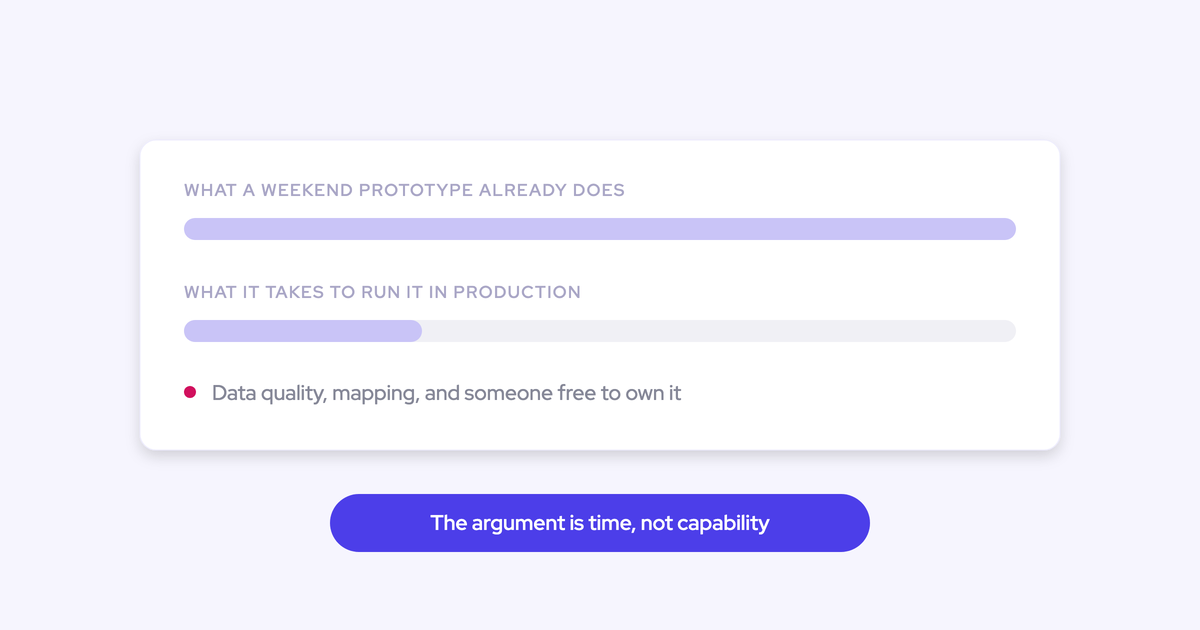
Every vendor in your evaluation is promising the same three outcomes: a more accurate forecast, more selling time, cleaner CRM data. The demo will show all three working. It always does, because the demo runs on one clean recording of one clean deal, and the thing that actually decides whether those outcomes show up in your org is what gets captured underneath them on an ordinary Tuesday.
That's the premise this checklist runs on. AI output quality is decided by data quality, and data quality is decided by capture coverage and mapping, which is exactly what a scripted demo conceals along with the rest of the deal hygiene problem you already live with.
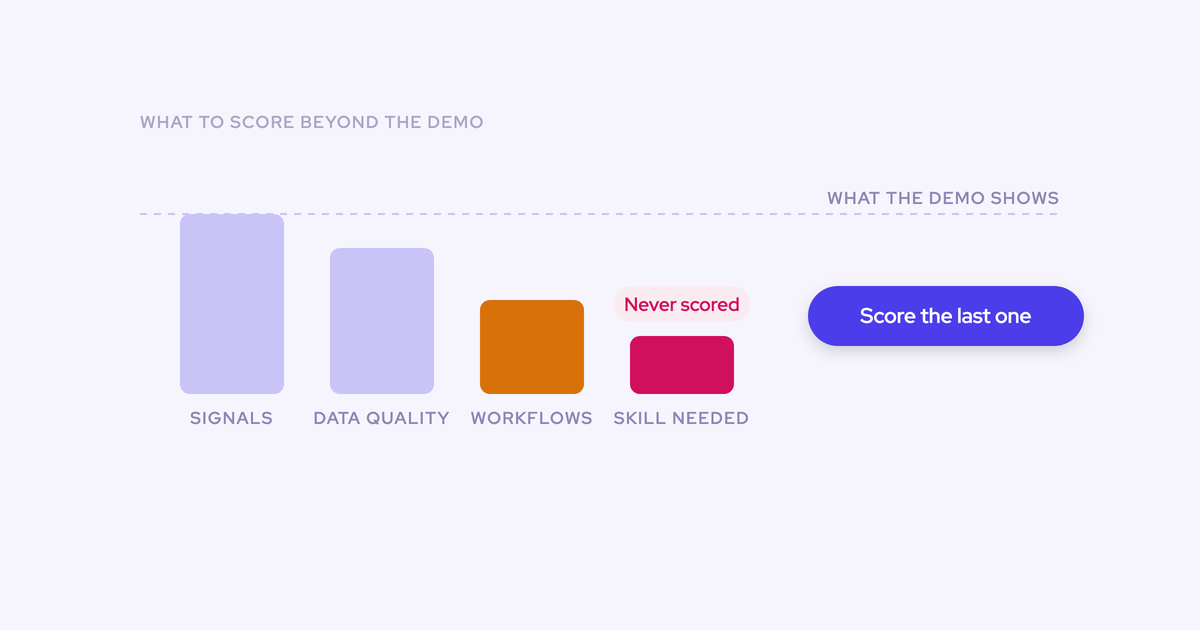
So the criteria below are the ones a demo won't answer: capture reliability, where the data lands, whether your admin can change anything without a services ticket, whether the vendor will still be shipping in two years, and whether buying beats the prototype you could build yourself. And it starts before any of that, with the problem defined and a baseline set, because a scorecard without a baseline just ranks sales decks.
Define the problem and baseline before you score anything
No vendor gets scored until the problem, the stakeholders and the success metric are written down and agreed. That's the part experienced buyers refuse to skip, and it's the part every vendor would prefer you skipped, because a tool that defines your problem for you gets graded on its own exam.
The move that makes it real: do the work manually once. Pull the numbers by hand, on a spreadsheet if that's what it takes, and find out where you actually stand today.
"I am a fan of before I immediately go out and try to purchase a solution to solve something, I really wanna make sure that I understand the problem the company's facing, have definitions and success metrics with all the stakeholders. And usually for me, it's a, okay, let's do some amount of manual work to figure out where we're at today and really understand where we're at and maybe even test or trial something with a little bit of elbow grease doing it internally before we're like, okay. We're gonna scale a solution with a new tool."
A usable baseline states four things and fits on one page:
- The problem, in a sentence a rep would recognize. Not "poor data quality." Something like "we can't tell who the economic buyer is on 40% of committed deals."
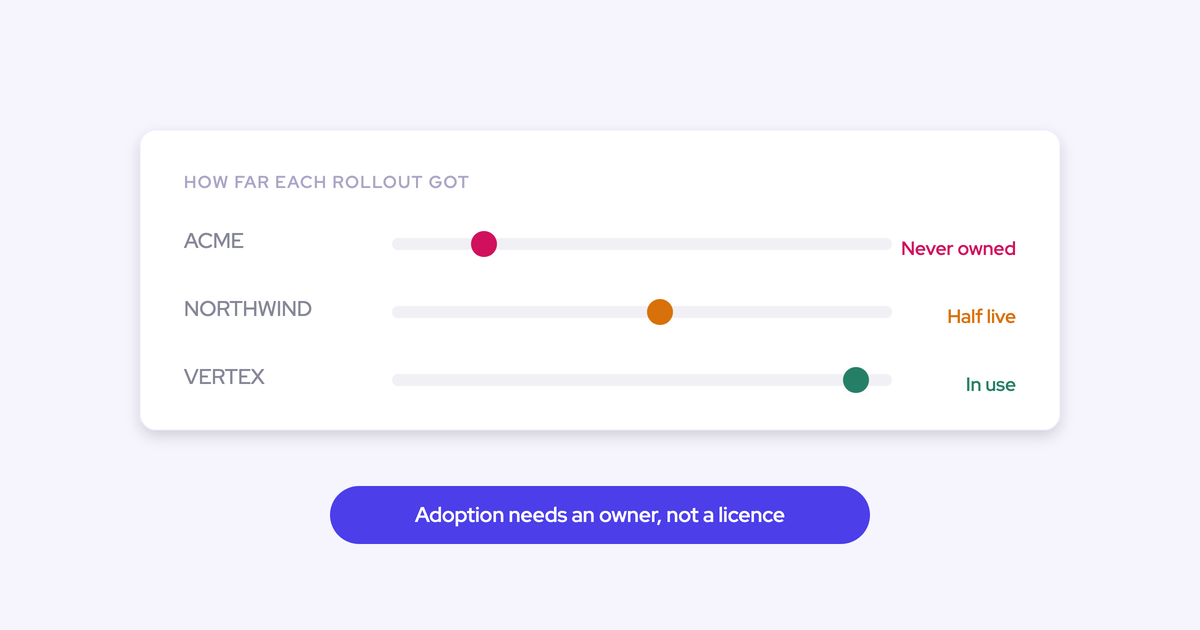
- The owner. One named person internally, not a function. The tool with no business owner is the tool nobody adopts, and that gap opens on the day of purchase, not at rollout.
- The success metric, defined once. Forecast-versus-actual variance, percentage of meetings that reach the CRM, methodology field completion, past-due opportunities. Pick one or two.
- Today's value for that metric, measured by hand. If you can't produce it, you can't tell in six months whether the tool worked or whether the quarter was just kind.
This takes a week and it changes the whole evaluation. You stop asking vendors what they do and start asking what they move.
Renew, turn on, build, or buy: your four options
Buying a new platform is one of four paths, and it's the one with the longest lead time and the most political cost. Eliminate before you evaluate.
| Path | When it fits | Where it fails |
| Renew the incumbent | The tool is adopted, still shipping, and the political cost of replacing it is higher than the gap it leaves | You renew dead software because switching feels like work, and pay six figures for a roll-up |
| Turn on AI you already own | The gap in your baseline is reachable with a toggle in a tool that's already installed and paid for | The installed AI covers the demo-friendly 20% and none of the capture problem underneath it |
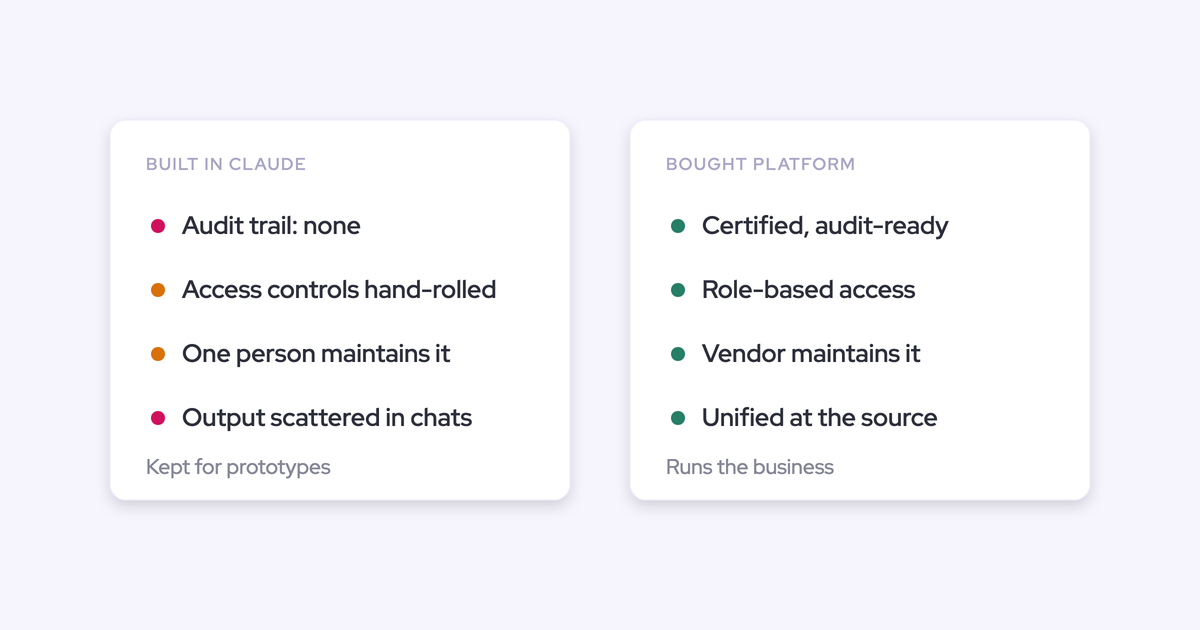
| Build it yourself | Prototypes, exploration, one-off analysis, anything you can throw away | Maintenance, permissions, snapshot history and governance land on a team of three, forever |
| Buy a new platform | The problem is baselined, the installed AI can't reach it, and owning a vendor's product costs less than owning your build | You buy against a demo instead of a baseline and add another thing to administer |
When renewing the incumbent is the right call
Renewal is the least-work path and sometimes the correct one. If Clari is where your leadership team actually makes the forecast, the pipeline waterfall and the same-day-last-quarter comparison are genuinely hard to reproduce, and that quarter-over-quarter view is the piece most replacements underestimate.
There's also the case where renewal isn't your decision. When a sponsor has standardized on a forecasting vendor across the portfolio, raising a replacement internally is a non-starter no matter what your scorecard says.
The failure mode is different, and it's common:
"Our RevOps team doesn't want to change tools because they think it's too much work so they want to renew with Copilot."
That's not a decision, it's fatigue. The test is simple: name three things the vendor shipped in the last twelve months that you turned on. If you can't, you're not renewing a product, you're renewing a line item.
When turning on the AI you already own is enough
Audit the AI you're already paying for first. Some of it is a toggle, it's free, and it needs no procurement cycle, which makes it the cheapest thing on this list by a wide margin. Where to look:
- Salesforce itself, including Einstein Activity Capture and whatever Agentforce entitlement your contract carries.
- Your engagement platform. Outreach, Salesloft and Apollo already sync activity into Salesforce, and turning their write-back on or off is a settings change.
- The notetaker your reps adopted on their own. If a year of transcripts is sitting in Fireflies, that's an asset, not a mess.
- Your existing conversation intelligence tool. Gong's trackers are configured over years and its account-level methodology summaries are real capability. Don't replace that blind.
Then be honest about what toggles won't fix. Einstein Activity Capture can't log email attachments, can't create contacts automatically, and doesn't let you choose whether an activity lands on the email message or the task object, which is what caps your reporting. Native Salesforce forecasting can't manage quotas and forecast against them in one place, and it gives you no pipeline waterfall and no history of how the pipeline moved.
So the question you put to a new vendor isn't "what does your AI do." It's: what does your AI do that the tools I already own cannot?
When building it yourself actually holds up
Build is a real option now and pretending otherwise insults the reader. We've had RevOps leaders open a call by telling us they'd already built a working version of the thing we sell.
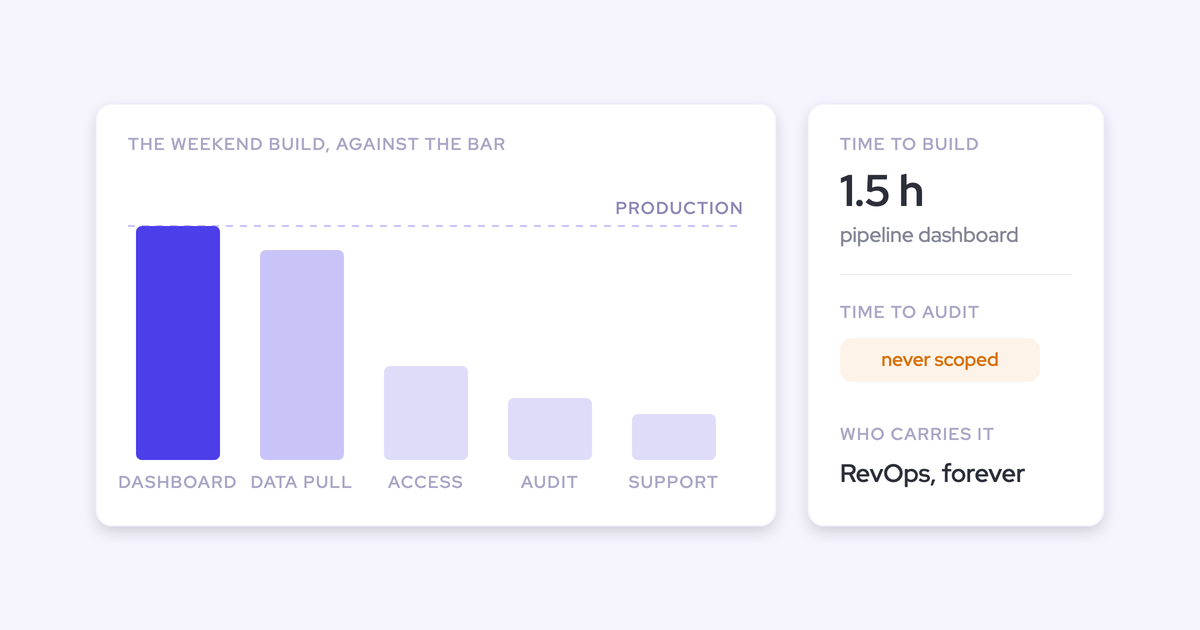
That's a fair fight and the prototype is not the hard part. Maintenance is. The data model, the permissions, the hierarchy roll-up, the integrations that break when Salesforce changes an API version, and the snapshot history, which is the one people miss: Salesforce doesn't history-track calculated or roll-up fields, so every quarter-over-quarter view you want means building and running snapshotting yourself.
Then the governance question arrives. A company doing hundreds of millions in revenue can't put a hand-built tool in the path of its CRM and its customer data and then explain the access controls and the tech debt to an auditor.
Our position: build for prototypes, exploration and anything you'd happily throw away. Buy anything that sits in the path of the CRM, billing, or an audit.
When buying a new Revenue AI platform wins
Buy when three things are true at once: the problem is baselined, the AI already installed can't reach it, and owning a vendor's product costs less than owning your own build over three years including your own team's time.
If all three hold, the question stops being whether to buy and becomes which vendor. That's what the rest of this is for.
Procurement gates to settle before you take a demo
Settle these from the vendor's trust center before anyone books a meeting. This is where evaluations die silently, especially in Europe, and a vendor who can't answer in writing is out regardless of how good the product is.
- Data residency in your region. Ask where the data physically sits and get the region named. Weflow runs on AWS and Google Cloud with selectable EU, US and APAC regions, with Frankfurt infrastructure for European customers.
- Certifications, with "in progress" treated as not achieved. Weflow holds SOC 2 Type II, HIPAA, GDPR, CCPA and CASA Tier 2. ISO 27001 is in progress, which means score it as absent if your policy mandates it. Weflow is not FedRAMP certified.
- A named subprocessor list with advance change notice. You need the ability to object before a new subprocessor takes effect, not a notification after.
- A DPA with EU Standard Contractual Clauses, and the breach-notification window in writing. Weflow commits to 48 hours.
- AI data handling. Ask two things: is there zero data retention on AI processing, and is customer data used to train models. Weflow's answers are yes and no.
- The identity model. A separate login is a separate deprovisioning problem. Weflow only signs in through your Salesforce authentication over OAuth, using whatever SSO your org already enforces, so deactivating a user in Salesforce removes their Weflow access immediately.
- Uptime commitment and a public status page. Weflow holds a 99.5%+ uptime SLA with real-time and historical availability published at status.weflow.ai.
- The CRM gate. This is the hardest pass/fail of all. Weflow works only with Salesforce. If your org runs HubSpot, Dynamics or Pipedrive, stop here, we're not a fit and no amount of product will change that.
The Revenue AI vendor scorecard: six criteria demos hide
The feature grid lies, and everyone in this category knows it. Two products can list the same row, "AI deal summaries," and produce output of completely different quality, because feature parity is not data-quality parity. The grid also says nothing about whether the vendor will still be investing in the roadmap when your second renewal comes around.
These six criteria are the ones that separate a platform you can build on from another dashboard. Each ends with the test you actually run.
Capture reliability above the 99 percent threshold
Score capture first, because every AI output downstream inherits its coverage. Activity capture is only useful above roughly 99% of emails, meetings and contacts landing in the CRM. Below near-total coverage the data can't safely carry a report, an automation or a forecast, because the activity that's missing might be the one that changes the conclusion.
Partial capture is worse than none. It produces confident-looking reports on an incomplete record, and reps stop trusting the deal page within a week.
What decides coverage is mechanics, not model quality:
- Default-on recording versus rep opt-in. Coverage collapses the moment a rep has to remember to invite a bot. Weflow's notetaker is auto-scheduled onto every external meeting from the calendar connection and joins Zoom, Teams, Google Meet and Webex as a visible participant, with the rep able to turn it off for a specific call.
- Attributable failure reporting. Demand a recording health dashboard that splits meetings recorded, recording attempts, meetings skipped and genuine platform errors, exportable per time window. Without that split, every gap looks like a product failure and nobody can fix anything.
- The touches between calls. A call-centric tool never sees the email threads, the contacts added to them, or the field meetings. Gong's capture is built around the meetings it records, and Gong doesn't create contacts in Salesforce, so multi-threading signals sit on data it never captured.
- Mapping on accounts with more than one open opportunity. This is where server-side capture quietly breaks. Clari Capture maps by email domain, which can't choose between two live deals with the same contacts. Gong has no add-in inside the mailbox where a rep can correct the record an email was attached to. Weflow runs a hybrid model: automatic capture plus a browser and Outlook extension where the rep sees and fixes the mapping, because the rep is the only one who knows the answer.
The test: ask for the coverage ratio (meetings recorded over meetings held) on a comparable customer, then ask how failures are attributed. Then check mapping yourself on your three messiest multi-opportunity accounts.

Data ownership in Salesforce objects your own systems can query
Score where the captured data lands, because that single answer decides what you can build on top of it for the next five years. Data mirrored back from a vendor's cloud is a view. Data written into your own CRM objects is a record you own.
Weflow writes captured activity, contacts, conversation outcomes and AI field updates into native Salesforce objects, permanently, respecting your validation rules, field dependencies, permissions and role hierarchy. That means your own Salesforce reports, your flows, and any AI agent with access to your Salesforce can read it without going through Weflow at all.
This is now a line on buyer matrices that didn't exist a year ago: can an external agent query the data, or is the insight trapped behind the vendor's own chat box. Score it formally even if you rank it a nice-to-have today, because you'll want it next year.
The test: pick one question from your baseline and ask the vendor to answer it with a Salesforce report you build yourself, no vendor UI involved. If that isn't possible, you're buying a dashboard.
Self-service configurability without a professional-services ticket
This is the single most predictive test of what living with the tool feels like, and it never shows up in a demo. Ask what happens when the business reorganizes, because it will, every year.
That's why the operator who lives with a tool can hate it while the CRO who bought it is still fond of it. A ten-minute change becomes a two-week billed ticket, so the forecast process ossifies around whatever got configured at implementation.
What to accept: your admin creates a forecast call, changes a roll-up, adds a column, writes a warning rule and remaps an AI field, unassisted, in the product, during the trial. What not to accept: "our services team handles that for you," offered as a benefit.
Weflow puts that configuration in the admin console. AI templates, methodology prompts, field mapping, forecast types and cadences, quotas, warning rules, pipeline views, team assignments and permissions are all admin-editable, and there are no implementation fees attached to changing them later. Configurability is also the thing customers most often underestimate before they see it live.
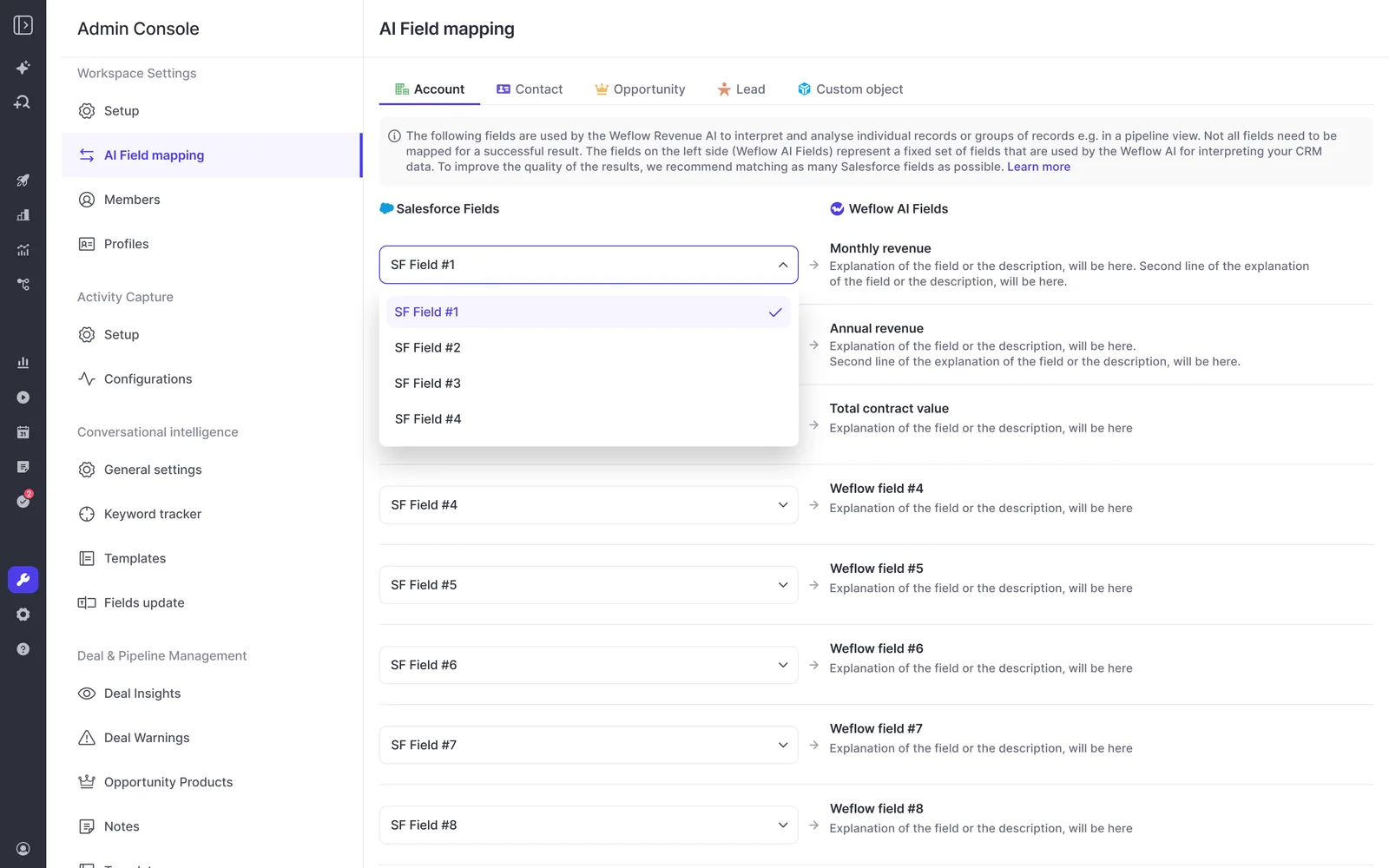
The test: make your admin do three real changes during the trial, timed, with no vendor on the call.
Vendor survivability: underwrite the company, not just the product
You've already lived through a platform going quiet, so diligence the company like a counterparty. These are the questions that separate a vendor who will still be shipping at your second renewal from one who won't:
- What was the last funding round, and what's the cash runway?
- What shipped in the last twelve months, feature by feature, with dates? Not the roadmap, the changelog.
- What share of revenue sits in the top five customers?
- Have there been contract terminations or litigation in the last two years?
- Where do we sit in your customer base by size? A category leader will take your feature request and never action it, and buyers say so unprompted about the biggest names in this space. A smaller vendor shipping your request in a quarter is a real advantage, and it's also a risk you're taking on. Price both.
A vendor who can't produce that last reference either has no failures worth discussing, which isn't credible, or won't discuss them, which tells you what support looks like when something breaks.
Pricing predictability: published, seat-based, phaseable
Score three things: is the price published, is AI usage metered, and can the rollout be phased so the first invoice stays small.
A vendor who won't publish pricing is asking you to run a comparison with one number missing. Weflow's list prices are public: Activity & Contact Capture at $19 per user per month, Conversation Intelligence at $39, Deal Intelligence & Forecasting at $39, and the bundles at $49 for Revenue AI Foundation, $59 for Revenue AI Business and $79 for Revenue AI Enterprise, billed annually with a ten-user minimum and free view-only licenses (up to one per recording license).
Recordings, transcripts, AI templates and Ask Weflow AI prompts are bundled with no metering. The one place Weflow does meter is Agent Builder, priced per workspace: a Free tier with 25 agent actions a month is in every plan, then Growth at $299 a month for 500 actions and Scale at $999 for 2,500. Worth knowing before you design a workflow that fires on every opportunity update.
Phasing matters more than the headline number when a renewal is blocking you. Gong's pricing starts from a high-priced foundation you buy before adding any module, so you can't put most seats on a cheap tier and a few on the expensive one. Weflow's packaging is built for the opposite case: land on capture and conversation intelligence, add forecasting later for roughly $10 more per user per month rather than a second six-figure contract.
The test: ask for the price list in writing and ask what the invoice looks like if usage doubles. A vendor who makes comparison easy reads as confident. One who resists it is telling you something.
Implementation load your team of three can carry
A tool that needs a project team you don't have is dead on arrival, and the renewal window makes this a hard filter rather than a preference. When several contracts land at year end, the plan is pick in Q3, implement in Q4, be live before the new fiscal year. Miss it and you're locked in for another year.
Be blunt with yourself about capacity. We hear this from RevOps and IT teams almost verbatim: zero appetite for change this year, because the backlog is already full and the Salesforce program is already late. That's a real constraint, not an objection to overcome, and it's why implementation effort belongs on the scorecard next to features.
Three things to score: install effort, who owns onboarding, and whether the vendor can carry the rollout when your team can't.
Weflow's technical setup is a 30 to 45 minute session with a Salesforce admin and a Google Workspace or Microsoft admin, then two to three weeks to full value, with most of that time spent on business logic rather than plumbing: AI templates, forecast types, cadences, quotas, warning rules, permissions. HolidayCheck installed the managed package and had data syncing in under an hour.
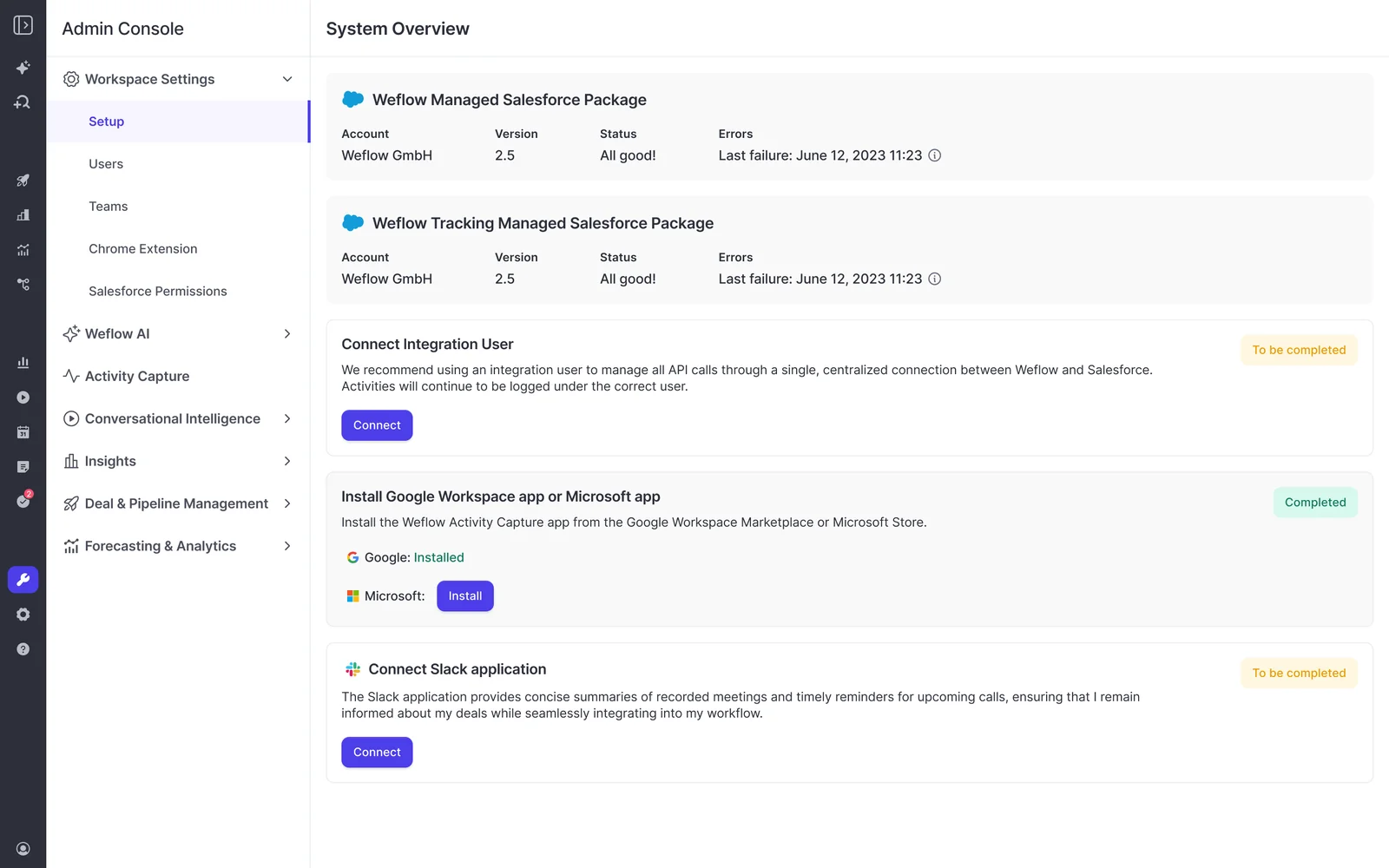
And when the team genuinely has no capacity, the vendor should carry it:
"I made a deliberate choice to let Weflow own end-to-end onboarding rather than pull my team off revenue-generating work. That's exactly the kind of partnership leverage I was looking for."
— Scott Jones, SVP of GTM Revenue Intelligence & Enablement at KORE Wireless
The test: ask for the implementation plan with named owners and dates, mapped against your renewal date. Then name your internal business owner before you sign, because the tool with no owner is the tool with no adoption.
Running a head-to-head trial on your own Salesforce data
The recommendation here isn't a vendor, it's a method: line up two or three, run the same use case through each on your own Salesforce data, and let the evidence you generate decide. Nobody in this category should be taken at their word, including us.
- Pick one use case from your baseline. One metric, one team, one date range. Not "evaluate the platform."
- Turn off the other capture engine first. Two capture tools pointed at the same inbox will compete over the same emails and produce duplicates, which reads as a product failure in both. Disable one, or run a compatibility mode, before you measure anything.
- Measure coverage by hand. Count meetings held versus meetings recorded for the trial team, and emails in the mailbox versus emails on the opportunity. This is the number that predicts every AI output you'll see later.
- Break the mapping on purpose. Use accounts with two or three open opportunities and the same contacts on both, then check where the activity landed and whether a rep can correct it.
- Have your admin make three changes unassisted. New forecast call, changed roll-up, new warning rule. Time it.
- Put it in front of reps and one frontline manager for two weeks. A day-in-the-life session with sellers before you choose, not a buying-committee demo.
- Compare AI output on the same deal. Same opportunity, same transcripts, each vendor's deal summary and methodology fields side by side. Then check whether the output cites the call or email it came from, because unsourced AI gets ignored by managers.
Then apply the decision rule, in this order. Buy only if the winner beats your measured baseline, beats the AI already installed and paid for in your stack, and beats the three-year cost of building and maintaining it yourself. If it fails any of the three, the honest answer is renew, toggle, or build.
Scoring Weflow against this checklist, including the disqualifiers
Here's Weflow run through the same six criteria, with the specifics you'd need to fill in a cell. Weflow is the Revenue AI Orchestration platform for sales, customer success and RevOps teams, built for Salesforce teams, which is both the reason it clears some of these criteria and the reason it disqualifies itself on others.
Where Weflow clears the bar, criterion by criterion
| Criterion | Weflow's answer |
| Capture reliability | Notetaker auto-scheduled onto every external meeting from the calendar connection, not rep-initiated. Recording health dashboard splitting recorded, attempted, skipped and errored, with CSV export. Hybrid mapping: automatic capture plus a browser and Outlook extension where reps correct which record an activity lands on. Lendz Financial captures virtually 100% of relevant emails in Salesforce while respecting its custom logging settings. |
| Data ownership | Activity, contacts, conversation summaries and AI field updates written permanently into native Salesforce objects (EmailMessage, Task, Event, any standard or custom field except lookup relationships), respecting validation rules, field dependencies, permissions and role hierarchy. Your own reports, flows and agents read it directly. Opportunity snapshots every few hours give you the pipeline history Salesforce doesn't track. |
| Self-service configurability | Admin console owns AI templates and prompts, AI field mapping, around thirty methodology templates including MEDDIC, MEDDPICC, SPICED and BANT plus your own framework, forecast types and cadences, quotas, warning rules, pipeline views, team assignment and permissions. No professional-services ticket to change a forecast call or a column. No implementation fees. |
| Vendor survivability | Underwrite us on the same questions. What shipped in the last twelve months is the fair test: Agent Builder, Ask Weflow AI, Mobile Copilot for in-person meetings, Slack delivery, coaching scorecards. Founded by Janis Zech and Philipp Stelzer, selling to Salesforce customers at roughly 50 to 1500 Salesforce seats. Ask us for the reference where a deployment went wrong. |
| Pricing predictability | Published seat pricing: $19, $39 and $39 standalone, $49, $59 and $79 for the bundles, annual, ten-user minimum, free view-only licenses (up to one per recording license), no platform or implementation fees, no metering on recordings, transcripts or AI prompts. Agent Builder is metered per workspace beyond 25 free actions a month. Phaseable: capture and conversation intelligence first, forecasting later for roughly $10 more per user. |
| Implementation load | Managed package install plus a 30 to 45 minute session with your Salesforce and Workspace admins; two to three weeks to full value, mostly business logic. HolidayCheck was syncing in under an hour. KORE Wireless ran a five-phase rollout with Weflow owning onboarding end to end, including live training with a real-time Portuguese translator for the Brazil team. |
Where Weflow scores itself down or out
If any of these hit your requirements, score us down or walk away. Better you find them here than in week three of a trial.
- Salesforce only. No HubSpot, Dynamics or Pipedrive. If part of your group runs another CRM, Weflow can only deploy on the Salesforce side, which caps the rollout at your Salesforce footprint.
- Not FedRAMP certified, and ISO 27001 is in progress rather than achieved. A US government contractor with a FedRAMP mandate is not a fit, and an ISO-mandating procurement team should mark that box as failed today.
- No VoIP or phone capture, and no SMS capture. If a meaningful share of your selling happens on the phone, that conversation data won't reach Salesforce through Weflow. Zoom Phone is on the roadmap, which means it isn't available now.
- The forecast can't split one opportunity's amount across quarters. The full amount lands in the single period its chosen date field falls into. If you recognize revenue on delivery schedules or campaign line items spanning quarters, the forecast view won't reproduce the split you see in Salesforce.
- Call recording sits in Conversation Intelligence, not in Activity & Contact Capture. Buy capture alone and you will not get recordings, which is exactly where expectations break in week one.
- No sales engagement, and no individual scoring on multi-rep calls. No sequences, no cadences, no dialer, and no per-seller score when two reps are on the same meeting. Weflow runs alongside Outreach, Salesloft and Apollo rather than replacing them.
If you're still in, don't take our word for any of the above. Walk through the product yourself, no call required.
FAQ: Revenue AI vendor evaluation questions
What questions should I ask a Revenue AI vendor before the demo?
Eight, and all of them answerable in writing:
- Where does our data physically sit, and can you name the region?
- Which certifications do you hold today, and which are in progress?
- Can we see the named subprocessor list and the change-notice policy?
- What's the breach-notification window in the contract?
- Is customer data used to train models, and is there zero retention on AI processing?
- What's your published price, and what is metered?
- What shipped in the last twelve months, with dates?
- Give us a reference where deployment went wrong, the root cause and the remediation.
How do I verify capture reliability during a trial?
Measure three things on your own data. First, the coverage ratio: meetings held versus meetings recorded, and emails in the mailbox versus emails on the opportunity, for one team over two weeks. Second, failure attribution: ask the vendor's health reporting to tell you which gaps were a recorder never admitted, a changed meeting link, a meeting that never happened, or a platform error. Third, mapping correctness on accounts with several open opportunities, plus whether a rep can fix a wrong mapping without raising a ticket. Anything under roughly 99% coverage means you can't safely build a report or an automation on the result.
Is building our own revenue tooling cheaper than buying?
The prototype is cheap and the maintenance isn't. Over three years you own the data model, the permissions, the hierarchy roll-up, the integrations, and the snapshot history that Salesforce won't keep for you, all while your team also runs the business. Then there's the audit line: a hand-built tool in the path of your CRM and customer data has to survive a conversation about access controls and governance. Build for prototypes and exploration. Buy anything core to running the company, and price the vendor against your own maintenance cost rather than against your incumbent's renewal.
Can Weflow coexist with a forecasting tool we have to keep?
Yes, and this is a common setup when a sponsor or leadership team is committed to an incumbent. Clari reads activities from Salesforce, so Weflow can own capture and conversation intelligence into Salesforce while Clari keeps the forecast and consumes cleaner data than it had before. Both get better. The one thing not to do is run two capture engines at the same time, because they'll fight over the same emails and create duplicate activity.
How long does implementing a Revenue AI platform take?
Plan on being live inside the quarter, because the renewal window rarely gives you more. With Weflow, the technical setup is a 30 to 45 minute session with a Salesforce admin and a Google Workspace or Microsoft admin, and full time to value is two to three weeks, most of it spent configuring AI templates, forecast cadences, quotas, warning rules and permissions rather than integrating anything.
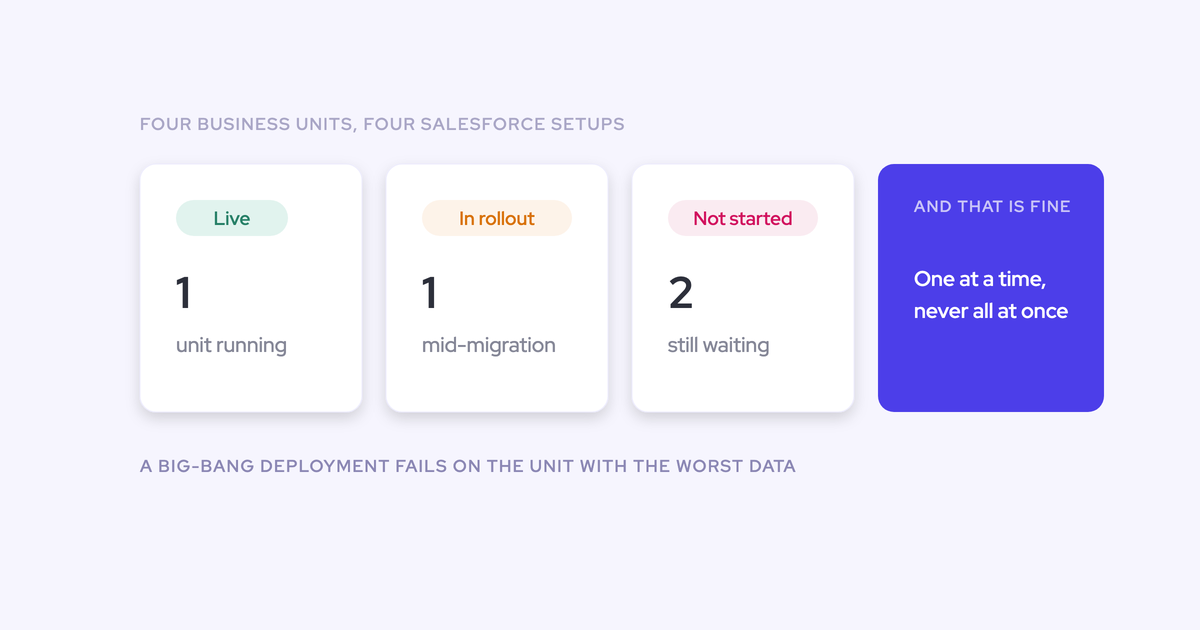
What blows the timeline is predictable: no named internal owner, no agreed success metric, and a rollout that tries to launch capture, coaching, deal intelligence and forecasting in the same week. Phase it. KORE Wireless went capture first, then conversation intelligence, then coaching, then deal intelligence, then forecasting.