


Your CEO asks what the team shipped with AI this quarter. You have a few pilots, a stack of licenses nobody connected to anything, and no way to tell whether that means you're behind or doing fine.
There's a benchmark for that moment. Tessa Whittaker, VP of Revenue Operations at ZoomInfo, built a zero-to-five maturity scale for RevOps. She scores it separately on four dimensions:
- How the RevOps team runs
- Data
- GTM execution processes and systems
- Operational rigor
Her verdict is that AI only starts at level three. For most teams, the honest next step is process work, not agents.
We agree, with one refinement: don't wait for the cleanup before you start capturing your data. You can sync emails back later. A conversation you never captured is gone. Capturing every email, meeting and call is the first step on Weflow's Revenue AI Orchestration platform, and it runs while you do the process work.
What is Tessa Whittaker's zero-to-five RevOps AI maturity scale?
Tessa Whittaker's zero-to-five RevOps AI maturity scale is a self-assessment. It places a RevOps function on six levels, from ad hoc and manual (0) to AI-first autonomous operations (5), so you can benchmark the team instead of guessing.
She built it because she couldn't baseline her own team. She described it on RevOps Lab episode 97:
"I didn't really have a way to baseline that to say whether or not we were really good or we were actually just kinda sucking. And I woke up unsure if we were doing a really great job or we were behind."
That's why the scale carries weight. It comes from a practitioner who runs RevOps at ZoomInfo and needed an answer for her own leadership. No vendor is selling it.
The six RevOps AI maturity levels, from ad hoc to autonomous
The six levels form a sequence. Levels zero to two build the operating model. Levels three to five bring AI into it.
| Level | Name | What's true of the team |
|---|---|---|
| 0 | Ad hoc and manual | No defined processes and no prioritization method. The team reacts to whatever it's asked to do. |
| 1 | Manual but defined | Work is still manual, but the team has written down how it takes in work and how it runs its sprint cadence. |
| 2 | Systematized rigor | Those processes live in a system such as a project management tool, with capacity and intake formalized. |
| 3 | AI-augmented workflows | AI enters the processes that are already defined. |
| 4 | Agentic assistance | Agents do parts of the workflow. |
| 5 | AI-first autonomous operations | Agents operate independently, with monitoring on top. |
Levels zero to two: the prerequisites you build before AI
Each step from zero to two turns tribal knowledge into something written, then into something a system runs. At zero, the process lives in people's heads. At one, it's on paper. At two, it runs in a tool you can inspect.
Tessa describes the baseline mechanics a level-two RevOps team runs:
- A single list of everything in flight.
- An agreed priority order.
- An effort or complexity estimate for each item.
- A capacity model in story points by seniority.
- A sprint schedule.
- Release notes.
- An above-the-line and below-the-line rule for what a new request displaces.
With those in place, every prioritization conversation becomes arithmetic instead of argument. If you can't answer what you're working on and what a new request costs, you're at zero, however many tools you own.
Levels three to five: where AI enters your operating model
Each AI level adds autonomy to a process that already exists. None of them creates the process.
At three, AI helps inside a documented workflow. At four, agents take on parts of that workflow. At five, agents run on their own and humans monitor them.
"AI-first" in Tessa's sense means the operating model was built first and AI was layered into it. The marketing version skips that part.
Why does AI only start at level three?
AI starts at level three because levels zero to two are prerequisites, not optional maturity. Tessa states it plainly:
"And in my opinion, introducing AI only starts at step three because there's these prerequisites that you need to do to even begin to get to a place where you can start building on AI."
We take the same line. Janis said it in the same episode:
"These things you have to do before you introduce agents. This is the table stakes you have to do and you have to do them really well."
An AI workflow can only automate a process that's written down
An AI workflow encodes a process. If the process is undocumented, the workflow has nothing to encode.
"How are you gonna build out AI workflows on top of that if you don't actually have the processes that exist today documented in the first place?"
Plenty of teams at level one know exactly how they work and have never written it down. "Everyone knows how intake works" isn't a spec an agent can run or a human can review.
Here's the good news: documentation is the cheapest work on the whole path to AI. It costs hours, not licenses.
Skip the prerequisites and your AI pilots become a pile
Pilots that skip levels don't fail on model quality. They fail because there's no process, priority order or data for them to attach to, so nothing builds on anything else.
"And if you jump ahead or jump around, it's like AI without a purpose. Right? And instead of building blocks of creating this incredible AI first operating model in an org, you're kind of just throwing blocks into a pile, and then you're not sure why it's not adding up or it's not driving impact because you're not really building anything. You're just creating a pile."
If your pilots demo well and change nothing, this is usually why. The cost goes beyond the wasted quarter. Leadership concludes that AI "doesn't work here," and the next proposal starts from a deficit.
How to score your RevOps team on AI maturity
You score the function on four dimensions independently, not as one verdict.
The four dimensions Tessa Whittaker scores separately
| Dimension | What it covers |
|---|---|
| RevOps team operations | How the RevOps team itself runs: intake, prioritization, capacity and sprint cadence. |
| Data | How mature the data is that the business and any AI would run on. |
| GTM execution processes and systems | How mature the go-to-market execution processes are, and the systems they run in. |
| Operational rigor | Whether the business rhythm exists: a defined forecast process, monthly and quarterly business reviews, account planning and big deal reviews. |
Running the self-assessment with your team
You can run this in an afternoon with your team. You'll come out with four scores, one blocking dimension, and a short list of what moves it.
- Score each dimension from 0 to 5 against the level descriptions above.
- Write down the evidence behind each score: the document, the system, or the meeting that actually happens. If you can't point to it, score lower.
- Circle the lowest score. That's your blocking dimension.
- For the blocking dimension, write what would move it up exactly one level, not three.
- Rerun the scoring next quarter against the same evidence.
Here's the worksheet we use, built on Tessa's scale:
| Dimension | Score (0–5) | Evidence for the score | What would move it up one level |
|---|---|---|---|
| RevOps team operations | |||
| Data | |||
| GTM execution processes and systems | |||
| Operational rigor | |||
| Lowest score (your AI ceiling) |
Why your lowest-scoring dimension caps what AI can do
Yes, you can be at level two on team operations and at zero on data. Tessa says a team can be systematized internally and still sit at zero on data, and that the low dimension caps what AI can do.
Each weak dimension blocks AI in its own way:
| If this dimension is low | What AI can't do |
|---|---|
| RevOps team operations | Find a documented process to automate, or a priority order telling it which work matters. |
| Data | Reason over complete records. It answers confidently from empty fields and missing activity. |
| GTM execution processes and systems | Act inside a sales or customer success motion that isn't defined or doesn't run in a system. |
| Operational rigor | Feed a forecast call, business review or deal review that doesn't happen on a fixed rhythm. |
That's why one blended score misleads you. A "2.5 overall" can hide a zero that will sink every pilot you run.
What to tell a CEO who wants AI agents this quarter
The scale is most useful in the conversation upstairs. Your scores turn "we're not ready" from an excuse into a plan with a sequence and a timeline.
We hear the tension on sales calls in almost these words:
"Obviously look, bad data. We're not ready for the AI layer, however, very interested in speaking to people because my CEO sure as hell wants the AI layer."
Both halves of that are true. The scale lets you say both in the same meeting.
Turn "we're not ready" into a funded prerequisite
Benchmarking makes the gap explicit. The prerequisite work becomes something leadership funds up front instead of something you discover halfway through a rollout.
Bring four things into the room:
- Your score on each of the four dimensions, with the evidence behind it.
- The blocking dimension, and why it caps every AI initiative on the list.
- What the next level requires on that dimension, and who owns the work.
- A ranked list of every task your RevOps team performs, with the hours each one takes. That list is your future AI backlog, ranked by time saved rather than by how easy each task is to automate.
Tessa has one rule for that last list. Agree on what you'd automate before anyone argues about tooling:
"I don't wanna talk about the how yet. Let's just talk about the vision. We'll get to the how later. What is the vision if anything was possible?"
How long levels zero to two take at your company size
Small teams can define their processes in weeks. Companies above a billion in ARR face years of rearchitecture across intake, prioritization, sprint discipline and the tech stack before an agent fits anywhere useful.
That's why AI in large RevOps orgs looks slow from the outside. If your CEO is benchmarking you against a startup's demo, this is the context they're missing.
Why we start capturing data before your CRM cleanup ends
We agree with Tessa that process maturity can't be skipped. The clean-first rule (fix everything underneath, then add anything on top) is right for process work.
Applied to data capture, it carries a cost nobody raises: every month you wait is conversation history you'll never have.
The instinct is reasonable. It just treats every kind of data as if you can recover it later.
You can backfill emails after a cleanup, but not conversations
Email and calendar activity can be synced back after a cleanup. A call that nobody captured can't be recreated by any later refactor.
| Data | Can you get it back after a cleanup? |
|---|---|
| Emails in reps' mailboxes | Yes. Historical sync-back writes them into Salesforce later. |
| Calendar meetings | Yes. Sync-back recovers the events. |
| Calls that were recorded | Yes, if the recording and transcript exist somewhere you can reach. |
| Calls that were never recorded | No. What the buyer said is gone. |
| Objections, commitments and competitor mentions from those calls | No. They never existed as data. |
Lendz Financial shows the recoverable side. Weflow backfilled several months of their historical email, which gave them a full picture of past activity and training input for their internal AI models.
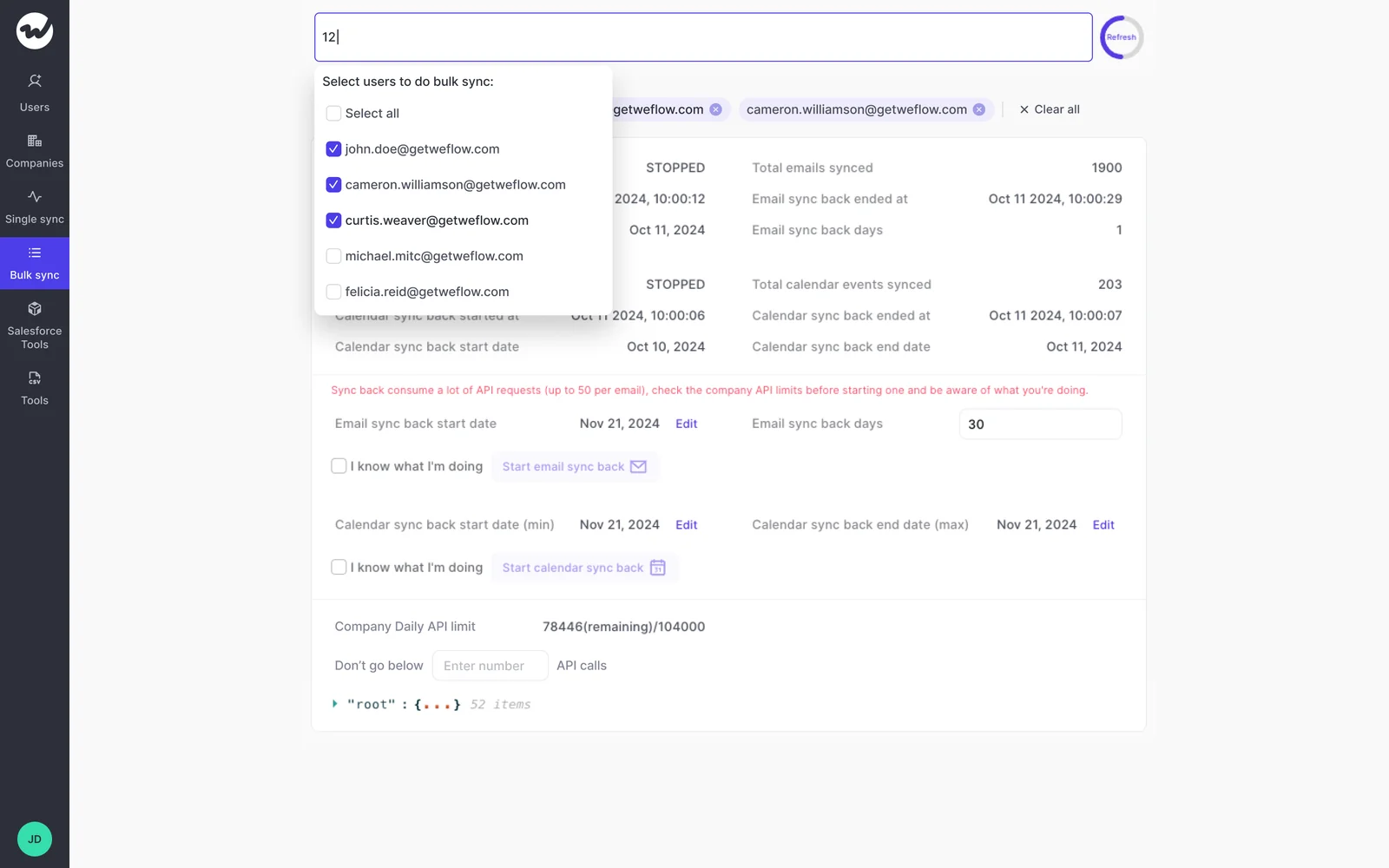
Nothing does the same for a quarter of discovery calls nobody recorded. That's the asymmetry. Emails can wait for your cleanup. Conversations can't.
Capture asks nothing of reps, so it runs beside process work
Automated capture is a configuration exercise. Reps don't change how they work, and nobody on your team stops documenting intake to babysit it.
That matters because your team is small and already full. Philipp put it bluntly on RevOps Lab:
"There's efficient growth. RevOps teams are fairly small compared to the company size. Now AI comes on top. It's really stressful. So for everybody who is stressed out, you're not alone out there."
Capture moves your data score while levels zero to two progress on the other dimensions. The two don't compete for the same hours. By the time your processes are documented, you have months of complete activity and conversations ready for the first level-three workflow.
We learned this by shipping an AI forecast too early
We made this mistake ourselves. We shipped an AI forecast prediction early, and it didn't work well.
No model can tell whether a deal is stalling or slipping without the activity and conversation data underneath it. So we rebuilt around capture and mapping. Today that's where most of our engineering effort goes, even though we sell forecasting.
It's Tessa's thesis, learned the expensive way. We put the visible part first and paid for it.
How Weflow lifts your data score during the process work
Weflow is the Revenue AI Orchestration platform for sales, customer success, and RevOps teams. It's built for Salesforce teams, and everything it captures stays in your Salesforce, where your own reports, automations and AI can use it.
Here's what moves your data score without a project team.
Weflow Activity & Contact Capture logs emails, meetings and contacts into Salesforce
Weflow Activity & Contact Capture writes emails, meetings and contacts from Outlook and Google into the right Salesforce records, with no rep input. It creates missing contacts, sets opportunity contact roles, and stores the activity permanently in standard Salesforce records you can report on.
Reps don't even need to sign in. A user starts capturing as soon as an admin adds them to a capture configuration.
Reporting is where teams on Salesforce Einstein Activity Capture hit the wall. Lendz made the switch for exactly that reason:
"Einstein Activity Capture just doesn't have the reporting functionality we needed. We wanted to do more - especially with AI playing a bigger role."
Erick Mahle, Vice President of Revenue Operations & Digital Transformation at Lendz Financial
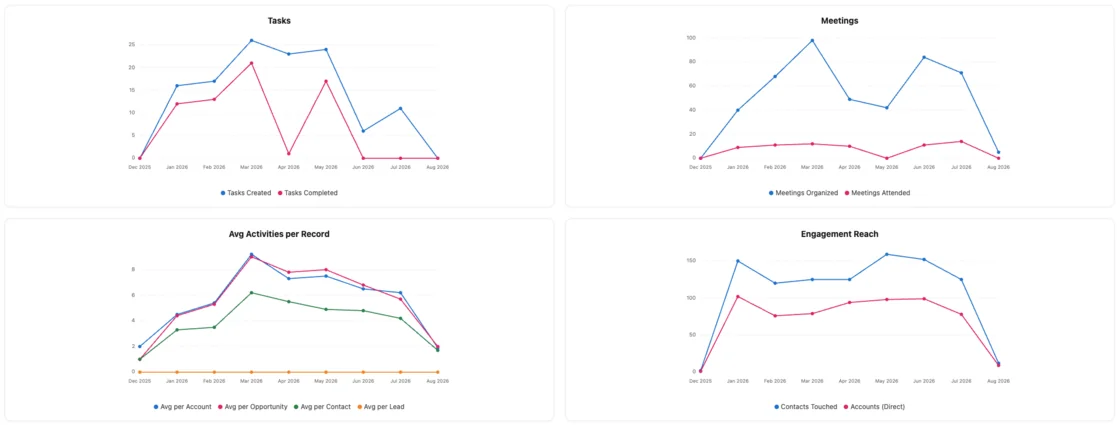
Weflow Conversation Intelligence + AI Field Updates fills deal fields with sources
Weflow Conversation Intelligence + AI Field Updates records and transcribes your calls, then writes what was said into Salesforce fields. Your methodology fields, next steps and deal details stop depending on reps typing them in.
You control how much the AI writes on its own:
- Each value comes from a specific recorded conversation, so you know which call it traces back to.
- Reviewers see the AI-suggested value next to the current Salesforce value before anything changes, or you switch a field to fully automatic.
- Writes respect your validation rules, field dependencies, permissions and role hierarchy.
- Over 250 pre-built prompts cover MEDDIC, MEDDPICC, SPICED, BANT, Challenger, SPIN and Command of the Message, and your admin can rewrite any of them.

Ask Weflow AI works the same way. Every answer lists the opportunities, contacts, emails, meetings and recordings it drew on, so you can open the source and check.
Your captured data reaches your warehouse, BI tools and AI assistants
Your data doesn't stay locked in a vendor screen. Because it lives in your Salesforce, it reaches everywhere your Salesforce data already goes, and Weflow adds direct routes on top:
- A REST API with scheduled or on-demand bulk export of transcripts, metadata, scores and signals as JSON or CSV.
- BI connections such as Tableau and Looker.
- API and MCP access for AI assistants such as Claude and ChatGPT.
- An exportable audit log of field write-backs and configuration changes.
Weflow has no native Snowflake, Databricks or BigQuery connector. Teams that centralize go-to-market data in a warehouse use the API, alongside the Salesforce sync they already run. The data arrives already mapped to the right accounts, contacts and opportunities.
Lendz feeds its internal AI models with exactly this data:
"If we're training models to follow up or assist reps, there's no better method than using real conversations - emails, transcripts, everything."
Erick Mahle, Vice President of Revenue Operations & Digital Transformation at Lendz Financial
Weflow goes live in about two weeks without a project team
Weflow Activity & Contact Capture and Weflow Conversation Intelligence go from implementation to rollout in about two weeks. We run onboarding ourselves and don't charge for it.
- Technical implementation. A call of under an hour with your Salesforce admin and mail admin to connect the systems.
- Configuration. Team structure, your sales methodology, which custom fields AI should populate, and your prompt templates. Most of the time goes here.
- Role-based rollout. Separate training for leadership and reps.
If your team has no bandwidth at all, our managed service option has Weflow do the heavy lifting. Your RevOps team answers questions and grants access.
What level three looks like with Weflow Revenue AI Orchestration
Revenue AI Orchestration becomes possible once you have captured data and a documented process to run it against. Before that, there's nothing to orchestrate.
From system of truth to system of action, with autonomy your call
Weflow is built as three layers, and each one depends on the one below it.
| Layer | What it does and what it depends on |
|---|---|
| System of truth | Activity, contact and conversation capture into Salesforce. Depends only on configuration, so you can start it at any level. |
| System of intelligence | Deal intelligence and conversation intelligence turn captured data into signals and summaries. Depends on capture being complete. |
| System of action | Agent workflows and field writes act on that intelligence. Depends on a documented process, which means level three. |
Whether an agent or a human takes the action stays your governance decision, not a product default. If you buy intelligence on top of data you never captured, it has nothing to stand on. That's the maturity scale expressed as product architecture.
Level three means scheduled agent workflows, not autonomous agents
The agents revenue teams actually run are scheduled multi-step workflows against a defined question. The agent that takes a goal and pursues it for days isn't what deployments look like.
Here's one example from Weflow Agent Builder. A monthly closed-lost analysis starts on a schedule. It looks up every lost opportunity in Salesforce, reads the transcripts and emails attached to each one, and emails a report on which competitors appeared and which objections kept coming up. It answers from what buyers said, not from the lost-reason field a rep picked in a hurry.
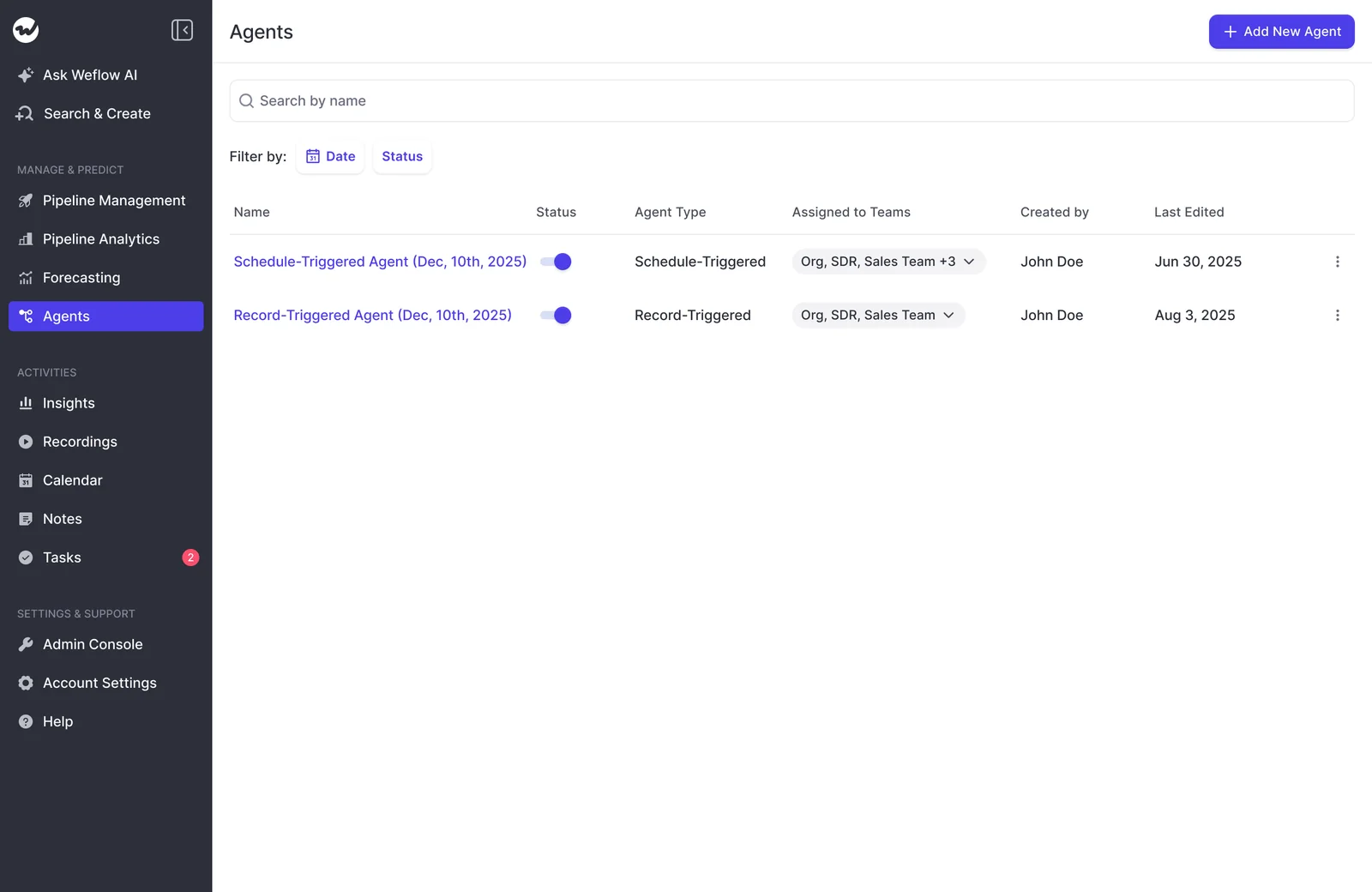
Set expectations this way when you plan. A team that budgets for autonomous agents and then buys a workflow builder ends up judging it against the wrong thing.
Agent Builder is also our newest product. It's rolling out to existing customers and is less mature than capture, conversation intelligence, deal intelligence and forecasting.
What Weflow can't move for you on the maturity scale
Weflow moves your data score. Two of the four dimensions are your own work, and a few other limits are worth knowing upfront:
- No tool moves your RevOps team operations or operational rigor scores. Documenting intake, setting a priority order and running a forecast and review cadence is work your team does.
- Agent Builder is less mature than Weflow Activity & Contact Capture, Weflow Conversation Intelligence and Weflow Deal Intelligence & Forecasting.
- Weflow isn't a general-purpose agent platform. Its agents reason over customer-facing data mapped to Salesforce and don't reach ERP or finance systems.
- Weflow has no native Snowflake, Databricks or BigQuery connector. Warehouse teams use the API.
- Weflow works only with Salesforce.
Common mistakes RevOps teams make when assessing AI readiness
These are the ways teams misuse the scale, and each one costs a quarter:
- Teams collapse four dimensions into one score, which hides the zero that blocks every pilot.
- Teams jump to agents before level three and end up with a pile of pilots that never add up.
- Teams use "clean first" as a reason to delay capture, and lose conversation history no cleanup can recover.
- Teams measure AI by adoption instead of return, then have nothing to show when leadership asks what the spend changed.
- Teams don't name an internal configuration owner, so prompts and field mappings go stale and nobody trusts the output.
- Teams accept AI-written fields without seeing the call or email each value came from.
Tessa's framework came out of a RevOps Lab conversation, and there are more where it came from. Janis and Philipp talk RevOps, forecasting, and AI with operators who run it daily. Listen to RevOps Lab.
FAQ: RevOps AI readiness and the maturity scale
Does the maturity scale come with a scoring rubric for each dimension?
No. Tessa Whittaker's scale defines the six levels in general terms and names four dimensions. It doesn't give a separate description for every level of every dimension. You score each dimension against the general level descriptions, and the worksheet in this article is ours, built on her scale.
Is there anything worth doing with AI at level one or two?
Yes, the preparation that gets you to level three. List every task your RevOps team performs with the hours each one takes, and agree what you'd automate before discussing how. Start automated data capture so complete activity and conversations exist when your first level-three workflow goes live.
How do I show ROI on AI once adoption stops counting?
Move from individual use to shared, governed workflows. Leadership has shifted from "use it" to "what's the return," and ungoverned individual use can't answer that, because each person's results depend on their own prompts and data. A shared workflow with fixed data sources and a known cost is something you can measure.
Who on my team should own AI configuration so outputs don't degrade?
Name one person inside your team before rollout. Capture largely runs itself. Conversation intelligence with per-team prompts, scorecards and field mappings doesn't, and without an owner, templates go stale until people stop trusting the output.
Should we route activity capture through our data warehouse first?
No. Activity captured into Salesforce already flows to your warehouse through the CRM sync you run today. Routing capture through the warehouse first adds months and no data, and the warehouse is only as complete as what reached Salesforce.
Can activity capture pass security review before we turn AI on?
Yes. Many buyers stage it this way: get Weflow Activity & Contact Capture approved first, then run a separate review to turn AI on. Ask Weflow AI has an org-level toggle and team-level access settings in the admin console. Weflow is SOC 2 Type II certified and GDPR compliant, runs AI processing with zero data retention, and never uses customer data to train AI models.
Does Weflow work with CRMs other than Salesforce?
No. Weflow is built for Salesforce teams and works exclusively with Salesforce. It's built for mid-market B2B revenue teams and scales to enterprise.
What does Weflow cost to implement?
Weflow doesn't charge for implementation. Weflow Activity & Contact Capture starts at $19 per user per month, and Revenue AI Foundation (Weflow Activity & Contact Capture plus Weflow Conversation Intelligence) is $49 per user per month. Both are list prices billed annually, with a 10-user minimum.


.webp)