How to Consolidate Your Revenue Stack Around Renewals (Without Paying for Two of Everything)
Learn how to sequence revenue stack consolidation around renewals without paying for duplicate tools.


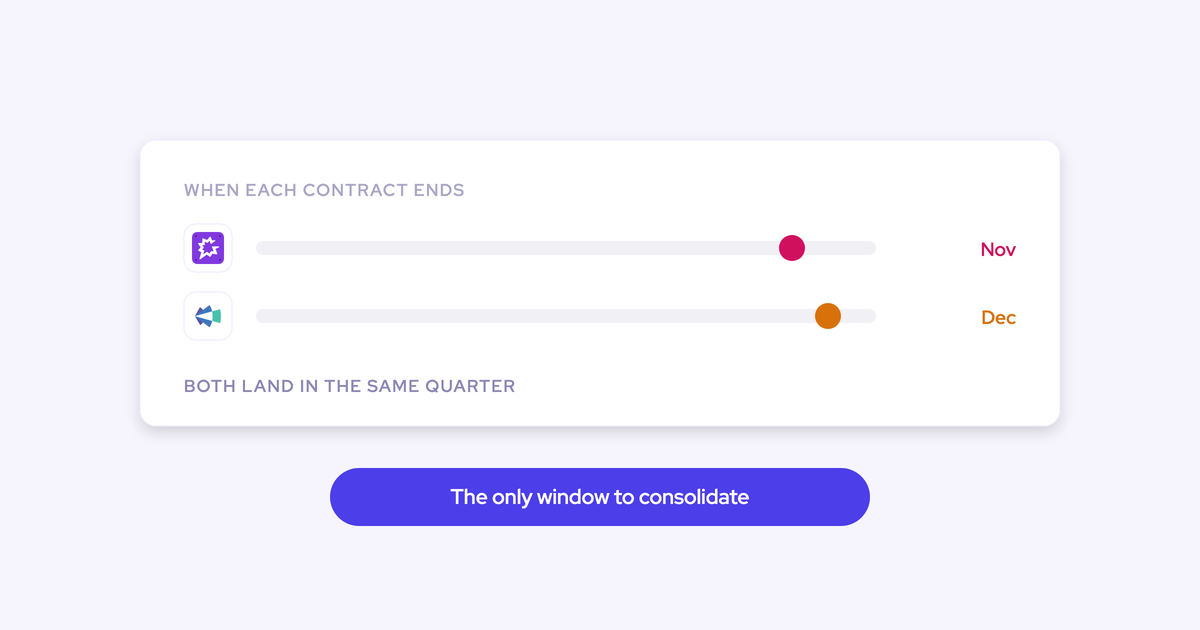

Four contracts, one window. Clari at the end of the year, the recorder not far behind, Apollo or Salesloft in the same month, and the Salesforce renewal sitting on top of all of it. Leadership has told you to justify every tool. You've already decided consolidation is the direction. Then you hit the wall everyone hits: the CFO will not sign for two forecasting tools, so the one contract you most want to kill is the one contract you can't touch for another eleven months.
That isn't the reason your plan is stuck. It's the plan.
Renewal dates, not product quality, decide when each piece of the stack can move. So you sequence around them: land on the capability that doesn't collide with a live line item, run alongside the incumbent while its clock runs out, and fold in the expensive piece at its contract end date. Below is that sequence wave by wave, with the coexistence mechanics, the commercial structure and the timeline, so you can map it onto your own dates and be live before the new fiscal year.
Weflow is the Revenue AI Orchestration platform for sales, customer success, and RevOps teams, and it's built to be adopted exactly this way: modular products, per-team pricing, and everything landing in Salesforce objects you own. Wave one's payoff is a Salesforce data foundation you can actually trust, which is what every later wave runs on.
Why the renewal window is the consolidation plan
Contract dates govern the sequence. Not the evaluation, not the feature grid, not how much you dislike the incumbent.
We hear the same sentence on calls almost word for word:
Three constraints shape everything that follows:
- The CFO block. A second forecasting contract is a duplicate line item, and duplicate line items don't get signed in an efficiency year. Whatever you buy first has to be a capability you don't already own.
- Big-bang risk. A rip-and-replace across capture, conversation intelligence and forecasting in one quarter is more work than renewing, so the incumbent renews by default. That's not laziness, it's arithmetic on a team of two.
- The fiscal-year deadline. Select in Q3, implement in Q4, live before the new year starts. Miss it and the consolidation waits twelve months while you pay for the stack you already decided against.
The third one is why "let's revisit next year" is the most expensive sentence in the process. And the second one is what actually kills most evaluations:
A sequence beats a switch because it asks for one small decision now instead of one large decision you can't get approved.
The consolidation sequence: which wave moves at which renewal
The sequence maps capabilities onto contract dates. You enter on what you don't already own, and expand into what you do at its renewal.
| Wave | What goes live | Live contract it collides with | What starts it |
| Wave one | Activity & Contact Capture, then Weflow Conversation Intelligence and coaching | Nothing you're paying for as forecasting. It overlaps only with your recorder and your sequencer, and both coexist | Signature now. Technical setup is one 45 to 60 minute session |
| Wave two | Weflow Deal Intelligence & Forecasting | Clari, or whatever owns the forecast today | The incumbent's contract end date |
Two waves, two commercial events. That's the whole idea.
Wave one: activity capture and conversation intelligence first
Land on capture and conversation intelligence, because neither one collides with a forecasting line item. Procurement has nothing to compare them against, which is exactly what makes them approvable this quarter.
It's also the wave your reps will tolerate. Buyers ask for this sequence unprompted:
Wave one asks nothing of a rep. Capture runs server-side from the mail app installed once in Microsoft Entra or Google Workspace, so nobody grants anything and nobody can opt out. Emails, meetings and contacts land on the right Salesforce records, contacts get created against accounts that already exist, and opportunity contact roles get set.
Conversation intelligence then turns calls into structured Salesforce data. Within 30 to 60 seconds of a meeting ending the rep gets the recording, an AI summary in your format, a drafted follow-up email and proposed Salesforce field updates. The summary writes back onto the Salesforce Event with a link to the recording.
Enable it team by team, not org-wide, and the wave becomes a series of small rollouts instead of one launch.

There's a second reason capture goes first, and it's the one that pays off in wave two. Deal signals, engagement scores and any AI projection are only as good as the activity underneath them. Getting that right early means the forecasting wave arrives on a data layer that's already been running for a quarter.
Wave two: forecasting at the Clari renewal
By the time the incumbent's renewal lands, wave two is an activation rather than an implementation. The platform is already live, already holds the activity history, already snapshots your opportunity data every few hours.
Credit where it's due: the Clari views teams actually live in are the pipeline waterfall, the pacing view and the quarter-on-quarter comparison. Everything else in the interface tends to go unused. Weflow builds the waterfall and the pacing view from its own opportunity snapshots, which matters because Salesforce doesn't history-track calculated or roll-up fields, so you can't produce any of it from CRM reporting alone.
What you switch on at the renewal date:
- Three forecast methods running side by side: a weighted forecast from historic stage close rates, a rep and manager roll-up, and an AI projection built on more than 50 deal-level signals and up to two years of history that returns a landing range rather than one number.
- Deal warnings you author yourself against any Salesforce field or Weflow computed field, surfaced inside the forecast submission screen at the moment a rep chooses which deals to commit.
- Separate forecast setups per motion, each with its own amount field, date field, stages, cadence and quota, so new business and renewals stop hiding each other.
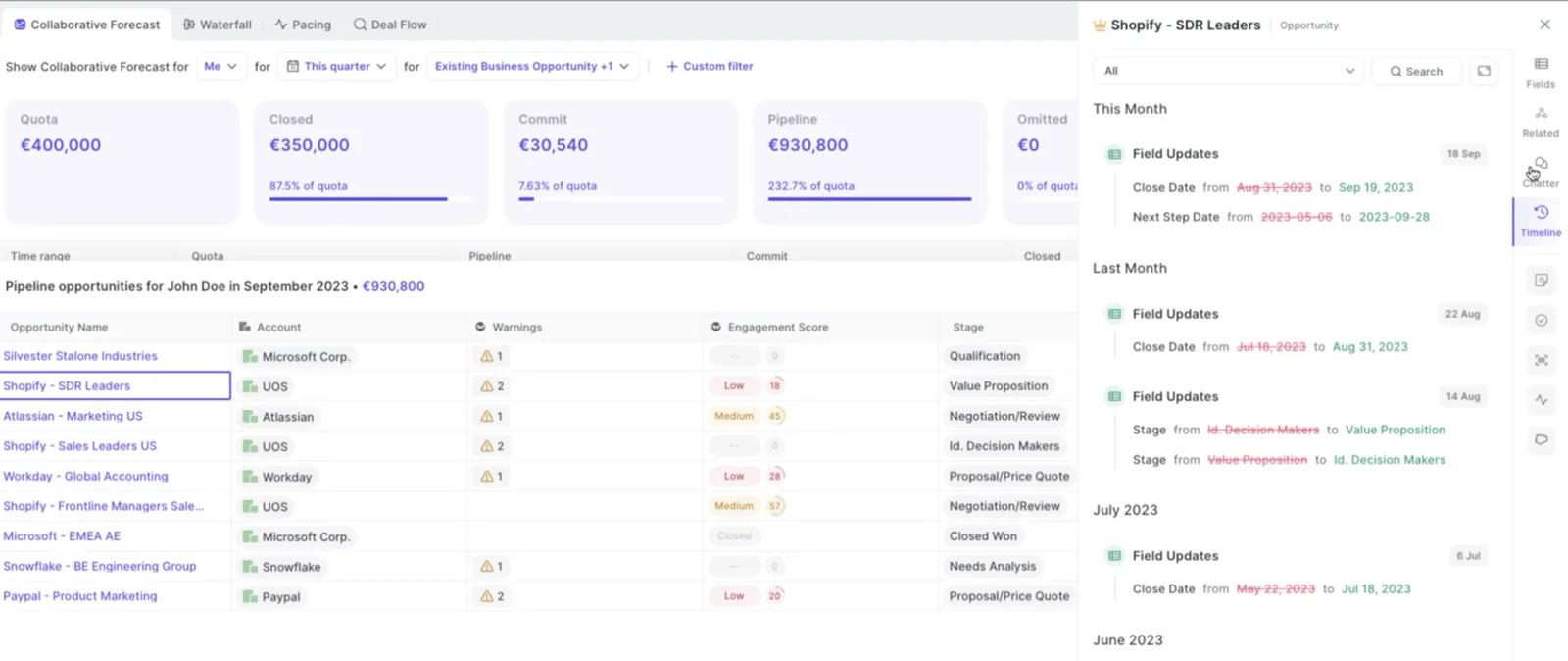
That last point is worth pausing on. Renewals are the motion nobody ever gets around to implementing, so the largest part of revenue in most businesses is the part with no forecasting process behind it. Wave two is your chance to fix that, because you're configuring from scratch anyway.
Per-team pricing that steps with each wave
Each wave is paid for when it activates, per product and per team, so the commercial structure follows the rollout instead of front-running it.
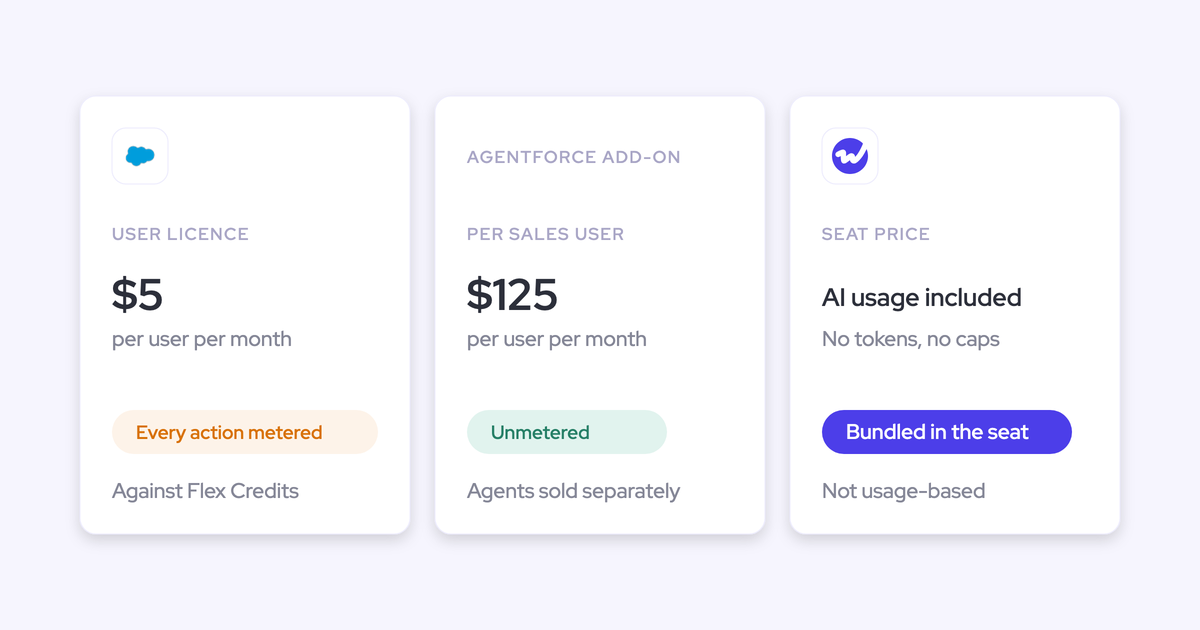
- Wave one: Weflow Activity & Contact Capture at $19 per user per month, Weflow Conversation Intelligence at $39, or Revenue AI Foundation at $49 for both plus Mobile Copilot, Ask Weflow AI and Agent Builder.
- Wave two: Weflow Deal Intelligence & Forecasting at $39 per user per month standalone, or step the live teams up to Revenue AI Business at $59, or Revenue AI Enterprise at $79 with forecasting included.
- Across both: view-only licenses (up to one per recording license) at no cost, a 10-user minimum, annual billing, and no platform fee, no implementation fee and no usage charges on recordings, transcripts or AI processing.
The per-product split is what keeps a large deployment honest. Only your managers and leadership group need forecasting, so you don't buy the top bundle for 260 seats to get a roll-up for 30. Compare that to a high-priced foundation tier you have to buy for everyone before any module can be added on top.
One practical note: a rep on capture only never signs in to Weflow at all. An admin adds them to a capture configuration and their activity starts flowing. Teams are built dynamically from Salesforce by manager, role or field condition, so when someone moves team in Salesforce they move in Weflow, and joiners and leavers stop being a weekly admin task.
How Weflow runs alongside Clari, Gong, and your sequencer
During the overlap, one capture layer owns each record. That's a configured setting per neighbor, not a hope.
Get it wrong and you get the failure everyone has seen: two versions of the same meeting, activity counts that don't reconcile, and reps concluding the new tool is broken. As Janis puts it:
If you record a meeting, it's not another meeting. It's the same meeting.
Janis Zech, co-founder and CEO of Weflow
Compatibility mode with Outreach, Salesloft, and Apollo
Compatibility mode makes Weflow step back from any email the sequencer already claimed. Sequencers send through the same mail tenant Weflow reads, so without it the same message gets written to Salesforce twice and every activity metric built on top is wrong.
How the check runs:
- You name the other tool's sending domain. Outreach, Salesloft and Apollo ship as presets.
- Weflow delays its own sync by roughly ten seconds.
- It inspects the message for the other tool's tracking pattern.
- If it finds one, it skips the email. The sequencer owns that record.
Compatibility mode is transitional by design. It's only needed while a second capture tool is live, and switching the old one off is the cleaner end state.
There's a reason you eventually want capture owned in one place. Sales engagement platforms log activity to the Salesforce Task object, which discards the from and to information, so reply rate cannot be calculated at all. Fine for volume reporting. Useless in a deal review, which is the exact moment you want to know whether the buyer is answering.
Keeping Clari forecasting live on cleaner Salesforce activity
Clari reads activities from Salesforce, so wave one improves the forecast you're still paying Clari to produce. Keeping the incumbent live through its contract term isn't a compromise, it's a free upgrade to the number the CFO is currently reading.
The rule is one capture infrastructure feeding Salesforce. Running two capture engines in parallel is the failure mode, not the coexistence.
And there's a real gap you'll close while you wait. Clari Capture maps activity server-side on the email domain, so it misses emails where a contact isn't mapped to the right account, and it misattributes activity the moment an account carries several open opportunities. Which is most accounts: new business, renewal and upsell all sitting under one parent, with the same contacts on each. Domain matching can't choose between them, so activity lands on the account and your opportunity-level engagement view stays empty in exactly the deals that matter.
Setting Einstein Activity Capture event sync to one-way
Set Einstein's event sync to one direction, from the mail and calendar system into Salesforce, before you turn on a second capture tool. One setting. That's the whole fix.
Leave it bidirectional and you get a loop: the event is logged to Salesforce, pushed back out to the calendar, and logged again. Removing the Einstein permission from users doesn't stop it.
| Symptom | Cause | Fix |
| Every meeting appears twice; a rep shows thirteen meetings in one view and eight in another | Einstein event sync running in both directions while a second capture tool writes to Salesforce | Set Einstein event sync to one direction only, calendar into Salesforce |
With the setting corrected, Weflow adds call summaries and codings onto the events Einstein already creates. You don't have to switch Einstein off to adopt Weflow, which matters if your reporting was built on it.
One honest warning: duplicates already written aren't cleaned up automatically and keep distorting activity metrics until someone deals with them. The setting prevents new ones, it doesn't undo old ones.
Consolidating onto Salesforce you own, not another vendor cloud
Consolidating onto Weflow means consolidating onto the CRM you already own. That's the difference between removing sprawl and renting a nicer silo.
This is the part experienced buyers probe hardest, and they're right to. We've heard the second-time-around version of this often enough that it's basically a filter now:
Activity and call data lands in native Salesforce objects
Weflow writes activity, transcripts, summaries and AI field updates into native Salesforce objects: EmailMessage, Event, Task, and any standard or custom object and field you point it at, respecting your validation rules, field dependencies and permissions.

| Vendor-cloud model | Weflow | |
| Where activity lives | Mapped into the vendor's own data structure, mirrored at best | Native Salesforce records in your org |
| What your Salesforce flows can read | Nothing. An activity that isn't a record can't trigger or be read inside a flow | Every captured email and meeting, so lead status, inactivity tasks and alerts can be automated |
| What your own AI agents can reach | The CRM minus the conversation and activity layer | The full record, because it's all in the CRM |
| What you keep at exit | Years of relationship history you walk away from | Everything already written to your objects |
One deliberate exception: video files aren't stored in Salesforce, because CRM storage is expensive and heavy. Recordings export through the public API to your own cloud storage, and Weflow links out to them. The transcripts and the structured outputs stay native.
Test it the way you'd test any ownership claim. Ask what happens to the data if you leave. If the answer involves an export request, you're buying a silo.
One data layer, not modules stitched together by acquisition
Consolidation only removes sprawl if the modules read the same data layer. A vendor with six integrated products and a vendor with six acquired products look identical on a feature grid and behave completely differently in production, and you find out after signature.
The clearest example in this category: Clari's forecasting product and its conversation intelligence product don't talk to each other, so call content doesn't inform the forecast. Customers who own both end up piping transcripts into a separate AI workspace to extract structured insight and feeding it back to the CRM by hand. That's the exact fragmentation the bundle was supposed to remove, now inside one contract.
So use three questions on any suite, including ours:
- Which Salesforce object does each product write to?
- Can one product filter, report or trigger on a field the other product produced?
- If you switched one module off tomorrow, what would the other one lose?
Weflow's answer to the second question is the thing to make them show you live. Deal warnings built on captured activity appear inside the forecast submission screen, at the moment a rep picks which deals to commit. AI playbooks read every email, meeting, transcript and CRM field on an opportunity and write the result back to your methodology fields, so a deal forecast to close this month can be flagged as having no identified economic buyer. Neither of those is possible unless capture, conversation intelligence and forecasting sit on one layer.
What the migration costs your team before the fiscal year
Weflow owns onboarding end to end, including a managed-service option where your RevOps team only answers questions and unlocks access. That exists because the blocker in displacement deals is almost never product fit, it's your bandwidth.
Onboarding in three phases, live in two to three weeks
Onboarding runs as a project against a mutual action plan with named owners on both sides:
- Technical implementation, 45 to 60 minutes. Two Salesforce managed packages, one integration user with a dedicated permission set, and the mail app installed centrally in Microsoft Entra or Google Workspace. No code deployment. You need a Salesforce admin and a mail or IT admin in the room.
- Configuration. Where the real time goes: team structure and hierarchy, your methodology, which custom fields AI should populate, playbooks, deal warnings, prompt templates.
- Role-based rollout. Separate leadership and rep training, wave by wave, running to fifteen or more sessions in a large org.
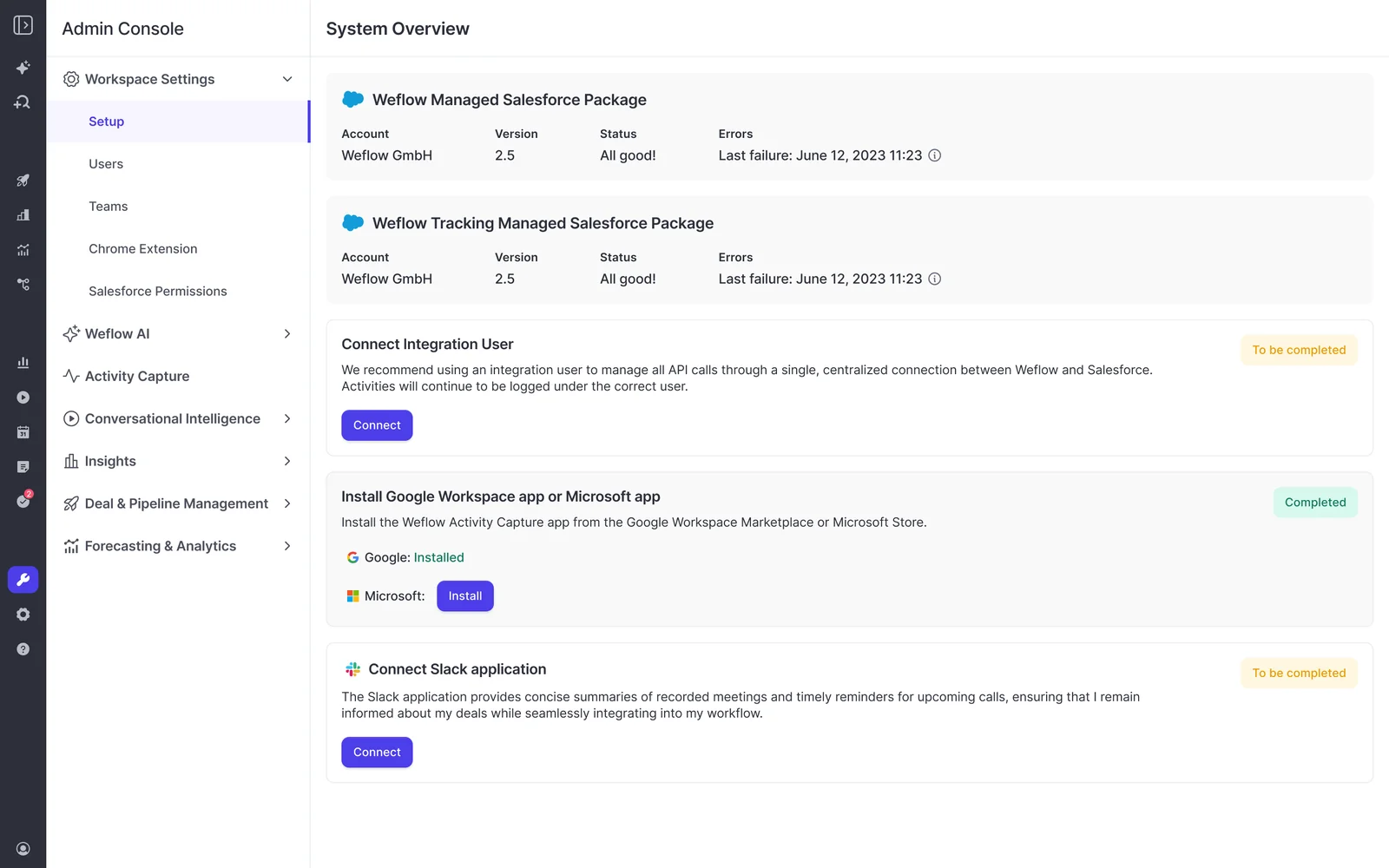
Typical time to live is two to three weeks, and Weflow doesn't charge for implementation. Capture and conversation intelligence go from implementation to rollout in two to three weeks.
Forecasting takes longer, and it's worth being blunt about why. Forecasting isn't a tool topic, it's the encoding of an operating cadence: who submits, how often, at deal or manager level, against which quota and which budget. That's a process decision you make with your CRO, not a configuration screen. Which is a third reason it belongs in wave two rather than wave one.
Wave one fits comfortably inside select-in-Q3, implement-in-Q4, live-before-fiscal-year. Forecasting then lands on the incumbent's renewal date with the configuration conversation already had.
Backfilling up to two years of historical activity
Your history isn't hostage to the outgoing tool, because it never lived there. Emails and meetings sit in your own Microsoft or Google tenant, so Weflow can backfill up to two years of them into Salesforce.
Practically, that means you can turn the old capture off in the morning, turn Weflow on the same day, and have the gap filled in. It also means a trial can start from a past date and show months of real activity immediately rather than an empty timeline.
Two things to plan for:
- Backfill is opt-in and gets spread over days or weeks, because pulling that much history is heavy on the Salesforce API allowance every integration in your org shares.
- Teams that already ran another capture tool often skip it, since the historical record is already in the CRM.
And if something fails to map during rollout, it's recoverable. Support inspects why the match failed, corrects the rule and backfills the record, whether the miss was a week or a month ago. That's what makes enabling teams in waves safe rather than a gamble on a permanent hole in your activity history.
How KORE Wireless ran a five-phase consolidation onto Weflow
KORE Wireless evaluated Gong and chose Weflow instead, on the grounds that Gong's value didn't justify its price by comparison. Then they ran the wave sequence in production, across regions, in five phases: activity capture, conversation intelligence, coaching, deal intelligence, forecasting. They also use Ask Weflow AI across their calls and pipeline.
Weflow owned onboarding end to end, including live training delivered with a real-time Portuguese translator for the Brazil team.
They started with a beta in a Salesforce sandbox before production:
The feedback was immediate and unambiguous. Within days the beta users were asking when it was coming back and pushing to get it into production.
Scott Jones, SVP of GTM Revenue Intelligence & Enablement, KORE Wireless
That's the tell worth noting. In a phased consolidation the field usually pushes back on wave two. Here they pulled it forward, which is what happens when wave one made their day easier instead of adding another form to fill in.
Where this sequence is not the right play
Three boundaries, stated before you find them yourself.
- Where a private equity sponsor has standardized on Clari across the portfolio, replacing it is politically dead, whatever your evaluation says. We've had RevOps leaders tell us they raised it internally and it was a non-starter. The honest play there is to coexist: run Weflow for capture and conversation intelligence, let Clari consume the cleaner Salesforce activity, and wait for the political window rather than spending your credibility on it.
- Where your team mandates that reps live only in Salesforce, know that forecast roll-up submission happens in the Weflow app. Everything else writes back to Salesforce, and opportunity edits made in Weflow sync straight to the CRM, but the roll-up, targets and submissions sit in Weflow rather than as Salesforce fields. The weighted forecast and the AI projection still work for you, because both run off CRM data with no rep input. If you snapshot forecasts into a BI tool, you pull the roll-up through the public API.
- Weflow works only with Salesforce, so on any other CRM this sequence doesn't apply at all. If some operating companies in your group run Salesforce and others don't, Weflow can only cover the Salesforce footprint.
Frequently asked questions about consolidating at renewal
Do reps have to work in a second system with Weflow?
No, with one exception. Call summaries land on the Salesforce Event and appear on the opportunity activity timeline, AI field updates write into your existing Salesforce fields, and edits sync both ways in real time, so a rep can work the deal entirely in Salesforce. The exception is forecast roll-up submission, which happens in the Weflow app. Reps also sign in through Salesforce authentication and whatever SSO your org already enforces, so there's no second password and no separate identity to deprovision.
Can we keep our Gong keyword trackers after switching?
Yes. An existing tracker set can be carried over when you replace another recorder, so keyword, competitor-mention and objection reporting doesn't restart from zero. Trackers then roll up by rep, team and region across every recorded call, and a historical crawl applies a new tracker retroactively to past recordings.
Does compatibility mode clean up duplicates already in Salesforce?
No. Compatibility mode and one-way event sync prevent new duplicates. Records already written stay there and keep distorting activity metrics until you address them, which is why we recommend fixing the sync direction before a second capture tool goes live rather than after.
Can Weflow support a rollout across hundreds of seats?
Yes, and Weflow runs the rollout itself rather than handing it to an implementation partner. That means role-based enablement, separate leadership and rep training, and fifteen or more sessions in a large org. KORE Wireless is the proof at scale: a multi-region, five-phase rollout with Weflow owning onboarding end to end, including live training with a real-time Portuguese translator for the Brazil team. Weflow sells to Salesforce customers running roughly 50 to 1,500 Salesforce seats.
Does this sequence work on HubSpot or another CRM?
No. Weflow is built entirely on the Salesforce API and works only with Salesforce. That depth is what makes the native write-back real, with no field-mapping step at setup and your custom objects, field dependencies, validation rules and permission sets respected as they are. The trade is deliberate and the boundary is hard.
See how Weflow captures activity, updates Salesforce fields from calls, and rolls up your forecast. Book a 30-minute demo.