How to forecast accounts with multiple open opportunities (where Clari falls short)
Learn how to forecast accounts with multiple open opportunities when Clari falls short.


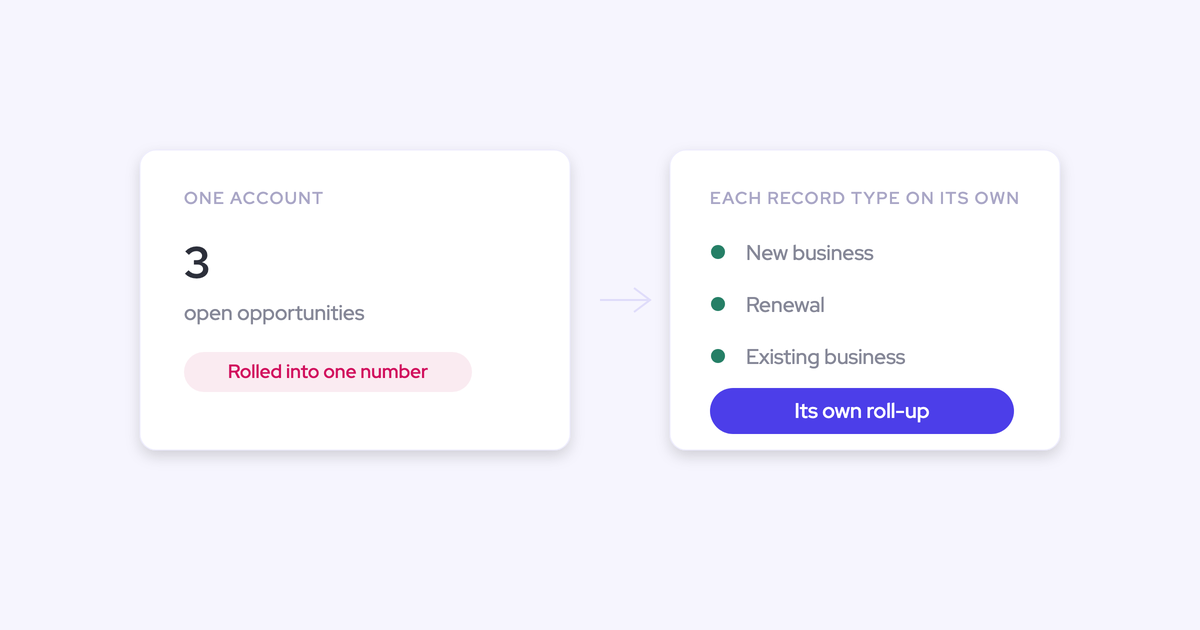

When one account carries four open opportunities, the activity on that account stops belonging to any single one of them. That's the multi-opportunity mapping problem: server-side capture can tell which account an email thread belongs to, but it has no way to tell which of several open deals on that account it belongs to, so the activity falls back to the account level and every signal built on top of it inherits the error.
This is why your forecast goes wrong on your biggest accounts and you can't explain why. It isn't the roll-up. Clari's roll-up forecasting is genuinely strong and flexible, and most RevOps leaders we talk to say so unprompted. The layer underneath it is what fails, and it fails hardest on the accounts carrying the most revenue.
So before you go shopping for a better forecast screen, fix the mapping. Everything else, deal health, slippage detection, an accurate forecast roll-up across a multi-motion pipeline, is downstream of it.
Why deal activity lands on the account, not the opportunity
Because the matching runs on the email domain, and the email domain identifies a company, not a deal.
Clari Capture maps activity server side using the email domain. That works fine until the same contacts appear on more than one open opportunity, which is exactly what happens on a parent account running new business, a renewal, and an expansion at the same time.
| What the account looks like | What server-side matching can resolve |
| One open opportunity | The account and, by elimination, the opportunity. Mapping holds. |
| Four open opportunities, same contacts on three of them | The account only. There's no one-to-one link to follow, so activity stops at the account. |
This is a structural limit, not a config mistake you can fix in a Tuesday admin session.
Fully automated capture with no rep-facing surface has no source of truth for the choice it's being asked to make. Einstein Activity Capture fails the same way: it leans on opportunity contact roles to decide which opportunity an activity belongs to, and where contact roles aren't maintained (which is most orgs), it can't attribute activity to any opportunity at all. There's also nowhere for a rep to see or correct it, because Einstein runs as background logging with no interface.
How misattributed activity poisons deal health and the forecast
Every signal downstream of the mapping inherits the mapping's error, and none of them look broken while it's happening. The engagement timeline renders. The score has a number in it. The underlying attribution is wrong.
Here's what quietly stops being true on a multi-opportunity account:
- The engagement picture per deal. You can't answer how much communication this deal has had, or whether the buyer is replying on it, because the emails sit on the parent account.
- Deal-health scores. A renewal with no real conversation in six weeks reads healthy, because it's borrowing the expansion deal's activity.
- Slippage detection. Clari is weak at deal-by-deal health and at identifying deals that are being pushed, and without activity on the opportunity there's nothing for it to read.
- The roll-up conversation itself. Commit gets defended with an engagement number nobody can trace back to a thread.
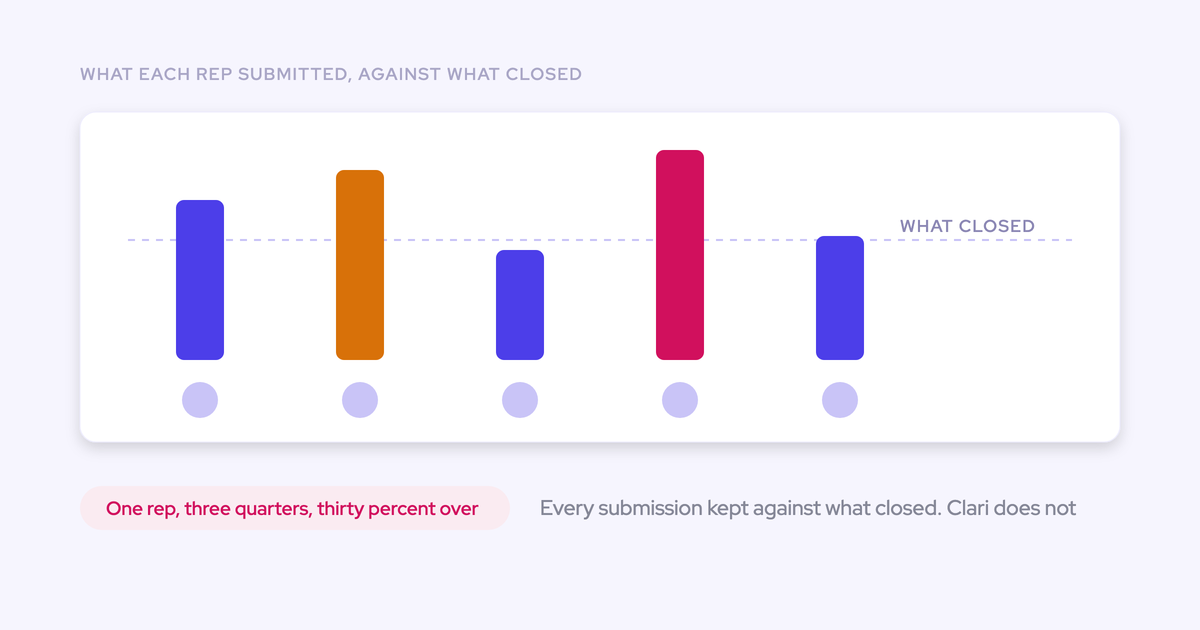
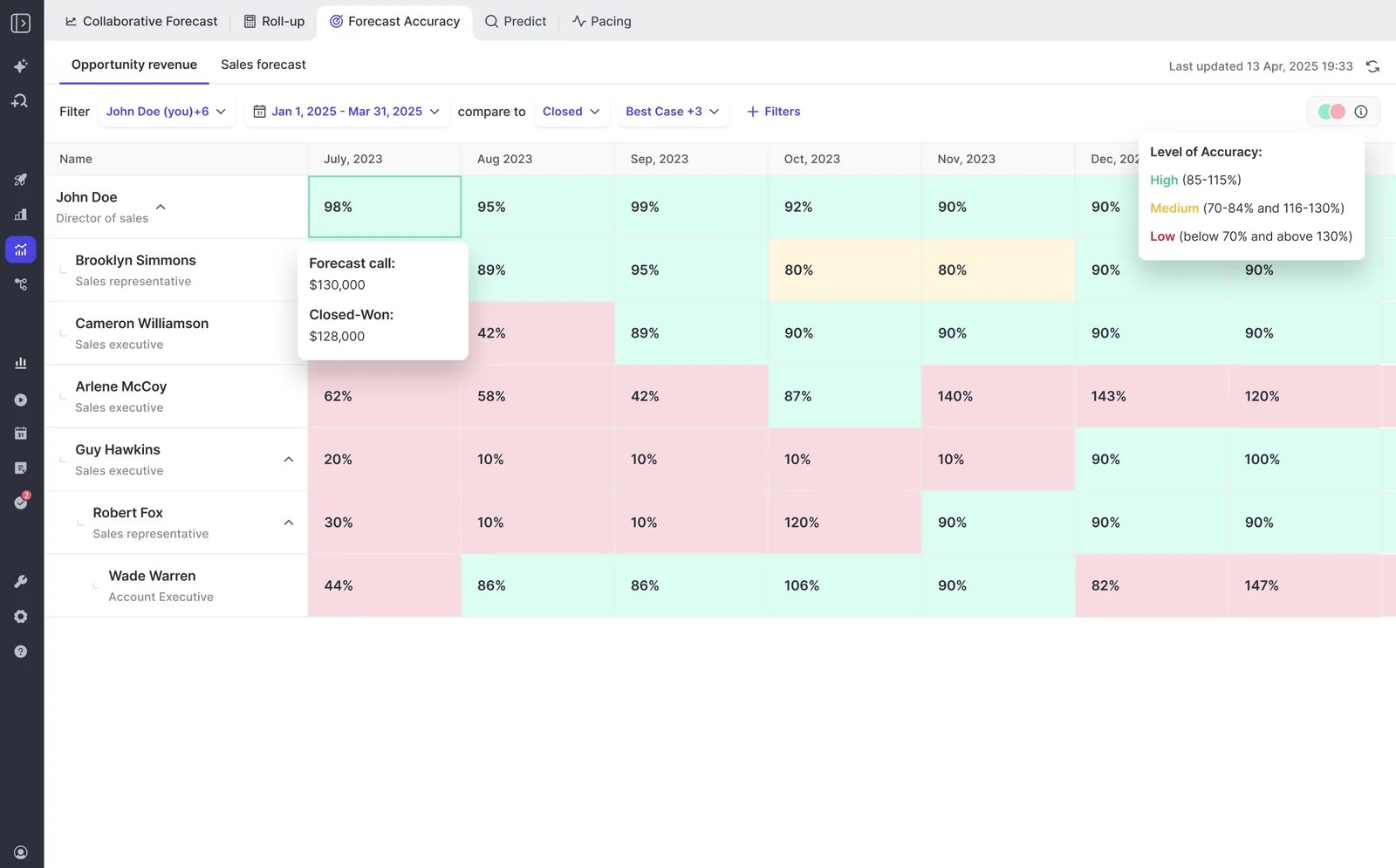
- Forecast accuracy. Clari doesn't measure forecast-versus-actual variance, so after several years a team still can't say per rep how close its calls were.
The workaround is the tell.
That's not a process problem you fix with better hygiene reminders. The forecast has become a well-organized opinion on precisely the accounts that carry the most revenue.
Why multi-motion teams need parallel forecasts, not one number
Clean mapping gets you trustworthy inputs. It doesn't get you a trustworthy forecast, because a multi-motion book of business isn't one forecast. It's several, and they behave differently.
One blended roll-up hides the motion that is failing
New logo, expansion, and renewal convert at different rates, run on different cycle lengths, and are owned by different people. Blend them into a single number and the number can be right while the business underneath it is off.
We see this on forecast calls constantly: the quarter lands, and only in the following quarter does anyone notice renewals quietly carried a new-business miss. At a billion in ARR, five points of renewal are a very large number to discover late.
Separate motions need separate setups: their own revenue field, their own targets, their own cadence, their own forecast call. Reps and managers can still carry one combined quota on top. What they can't do is diagnose a blended number.
Clari's roll-up is locked to the Salesforce hierarchy
Clari's roll-up mechanics are the real thing. Quick Submit updating every month and week of a quarter in one action, the inspect view, the pacing and waterfall views: these are the benchmark, and buyers tell us so.
The constraint is that the roll-up follows the Salesforce role hierarchy, so if your org chart doesn't match the forecast you want to run, you can't build it.
Neither is an exotic requirement. Both are blocked.
What a correct multi-opportunity forecasting setup requires
Write these down before you take a single vendor call, then test each one in a two-week pilot rather than in a demo:
- Activity mapped to the opportunity, not just the account. Ask specifically how the tool decides between two open opps with the same contacts. "We capture activity" is not an answer to that question.
- A rep-visible way to correct a mapping. Automated matching will be wrong sometimes. If there's no surface where a wrong mapping can be seen and fixed, it stays wrong forever and the correction never feeds anything.
- Parallel forecast setups per motion or record type. Each with its own stage path, forecast-category mapping, revenue field, and targets, so you can read new business, renewal, and expansion separately and combined.
- A roll-up hierarchy you can define independently of the Salesforce role hierarchy. Otherwise your forecast structure is hostage to your org chart.
- Captured data landing in native Salesforce objects you own. If the activity, contacts, and call content live in a vendor cloud, your own reporting, flows, and BI can't read them, and the exit costs you years of history.
How Weflow forecasts accounts with multiple open opportunities
Weflow is the Revenue AI Orchestration platform for sales, customer success, and RevOps teams, built for revenue teams that run on Salesforce. On this problem specifically, it does three things that map onto the requirements above.
Hybrid capture: automated mapping reps can see and correct
Capture stays automatic. Emails, meetings, and contacts sync from Outlook or Google into Salesforce in the background, with contacts created automatically and opportunity contact roles set, so nobody is clicking a log button.
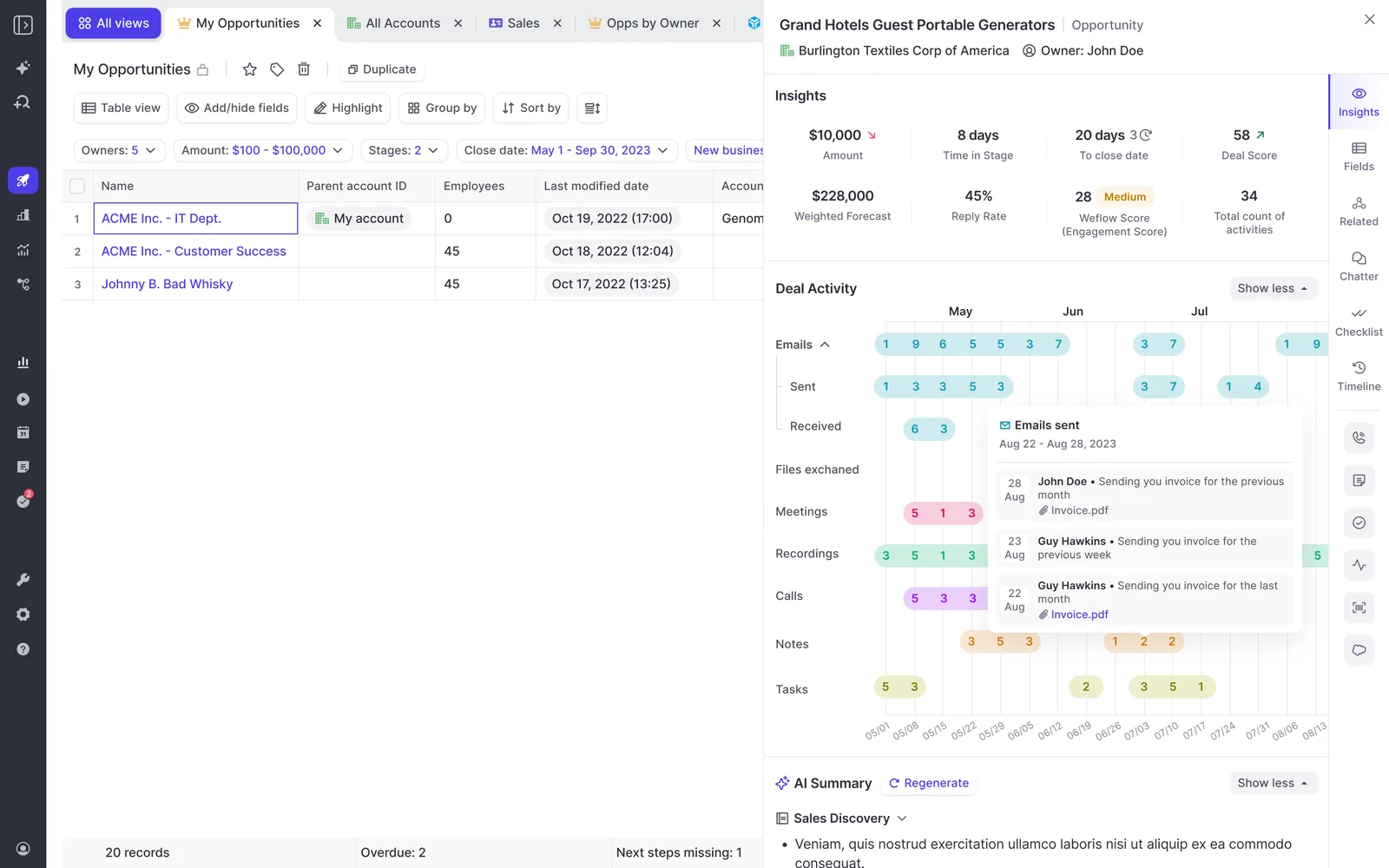
The difference is the second half. Weflow's browser and Outlook extension shows the rep which Salesforce record an activity was mapped to, and lets them change it. When a contact sits on two open deals, the rep who was on the call supplies the one piece of information server-side matching can never infer.
Two fears worth answering directly, because this reader has both:
- It isn't a new logging tax. Reps don't log anything. The correction is a glance, not a workflow, and it only comes up on accounts with more than one open deal.
- It isn't another tool making the CRM messier. Weflow writes to native Salesforce objects and respects the validation rules, field dependencies, permissions, and role hierarchy already in the org.
Once activity sits on the right opportunity, the deal signals stop being decorative: activity velocity, reply rate, days inactive, days in stage, and push count are all computed from captured data rather than typed by a rep, which is also why they can't be gamed.
Independent roll-ups per Salesforce opportunity record type
Weflow supports multiple Salesforce opportunity record types, and each one keeps its own configuration rather than being forced into one pipeline shape.
| Record type | What it keeps of its own |
| New Business | Stage path, forecast-category mapping, targets, independent roll-up |
| Renewal | Stage path, forecast-category mapping, targets, independent roll-up |
| Existing Business | Stage path, forecast-category mapping, targets, independent roll-up |
| Partner | Stage path, forecast-category mapping, targets, independent roll-up |
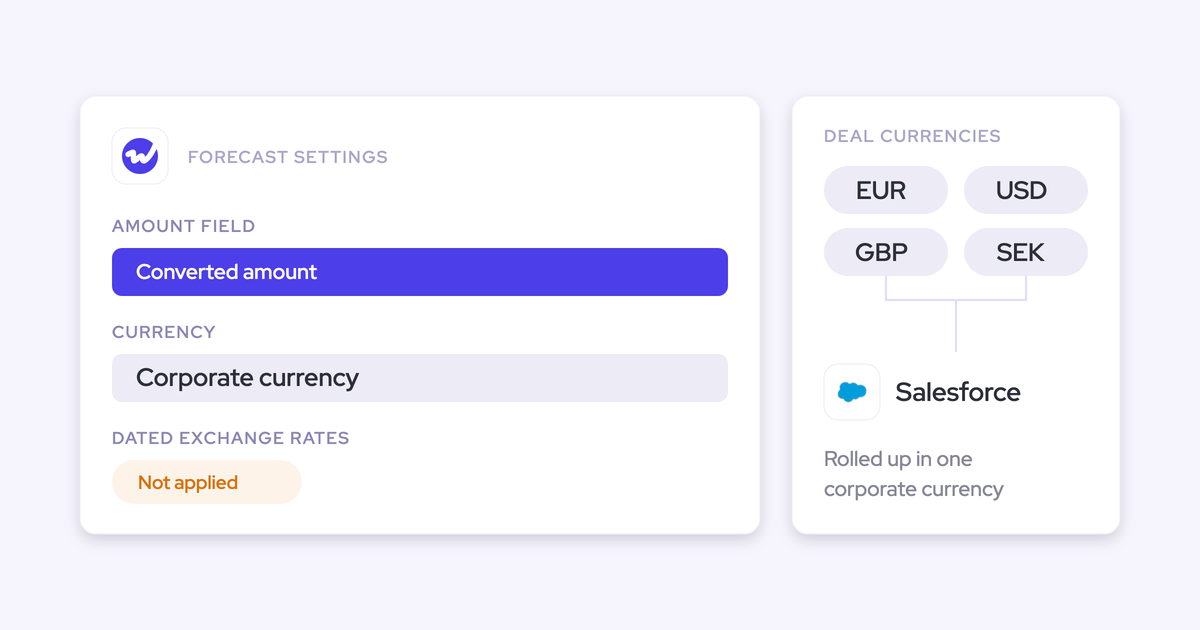
Each forecast setup is built on one chosen Salesforce amount field indexed on one chosen date field, so a team forecasting incremental ARR and a team forecasting a calculated revenue field run as two setups, not one compromise. Roll-up shows as a tab per deal type plus a combined view, and reps can carry a single combined quota while separate targets per motion are tracked alongside it.

A forecast hierarchy abstracted from the Salesforce hierarchy
Weflow lets you define the forecast hierarchy separately from the Salesforce role hierarchy. So the leader running three products across three teams gets their own roll-up, and you can line up every enterprise rep globally in one view without asking an admin to redraw the org chart in Salesforce first.
Keeping Clari for roll-ups while fixing the capture layer
You don't have to rip out your forecasting tool to fix the data underneath it. Clari reads activities from Salesforce, so if Weflow is the capture layer feeding Salesforce, Clari consumes cleaner, opportunity-mapped activity and both get better.
That's the pattern we recommend when leadership or a private equity sponsor is committed to Clari, and it happens more than you'd think. One RevOps leader told us the sponsor had loved Clari for years across the portfolio, so raising a replacement internally was a non-starter.
The order matters:
- Turn off the competing capture engine, so only one tool is writing activity from the same inboxes.
- Let Weflow capture emails, meetings, and contacts into native Salesforce objects, mapped to the opportunity.
- Leave Clari where it is, reading the cleaner Salesforce activity for the roll-up you already trust.
One capture engine is the rule. Two capture engines against the same mailbox is the duplicate-creating failure mode, and it gets blamed on the new tool every time.
FAQ: forecasting accounts with multiple open opportunities
Does running Weflow alongside Clari create duplicate activities?
Not in the coexistence pattern. Duplicates come from running two capture engines against the same inbox, not from running Weflow and Clari together. Keep one capture layer feeding Salesforce and Clari reads what's there. If Einstein Activity Capture is also in play, set its event sync to one direction, from the calendar into Salesforce, or the loop writes every meeting twice.
Does Einstein Activity Capture have the same multi-opportunity problem?
Yes, and slightly worse. Einstein Activity Capture maps activity to an opportunity reliably only when an account has exactly one open opportunity, and it depends on opportunity contact roles, one of the least maintained objects in any CRM. There's also no rep-facing surface to correct a wrong mapping, because it runs as background logging and the Salesforce Outlook and Gmail add-in is a separate service that doesn't feed it.
Does Weflow's forecast data live in Salesforce?
Partly, and this is the honest limit. Activity, transcripts, summaries, and AI field updates land in native Salesforce objects, and opportunity edits made in Weflow write straight back. Forecast submissions, targets, and roll-up data live in the Weflow app and are not written into Salesforce. If your team mandates that reps work only in Salesforce, you lose roll-up submission. The weighted forecast and the AI projection still work, because both run off CRM data with no rep input, and teams that snapshot forecasts into BI pull the roll-up through the public API.
What do reps have to do to keep mappings correct?
Nothing to log. Capture is automatic from Outlook or Google, contacts are created, and opportunity contact roles get set. The extension makes the mapping visible and correctable when a contact sits on more than one open deal. It's a review, not an admin workflow, which matters because anything that depends on rep discipline doesn't happen.
How does Weflow pricing compare with Clari?
Clari runs somewhere around $120 to $180 per user per month by our read, plus $15,000 to $50,000 in professional services to implement, quote-only with no self-serve trial. Weflow publishes its pricing: Activity & Contact Capture at $19, Conversation Intelligence at $39, Deal Intelligence & Forecasting at $39, and the bundles at $49 (Revenue AI Foundation), $59 (Revenue AI Business), and $79 (Revenue AI Enterprise) per user per month, billed annually with a ten-user minimum and no implementation fees.
Is Weflow's forecasting a full product or a capture add-on?
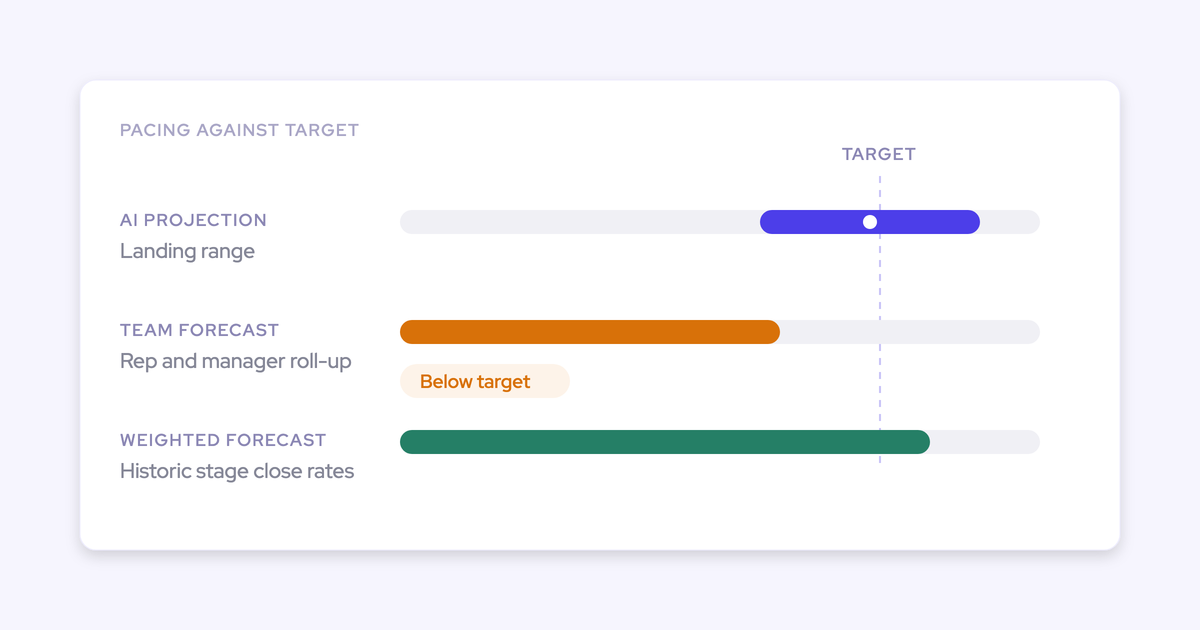
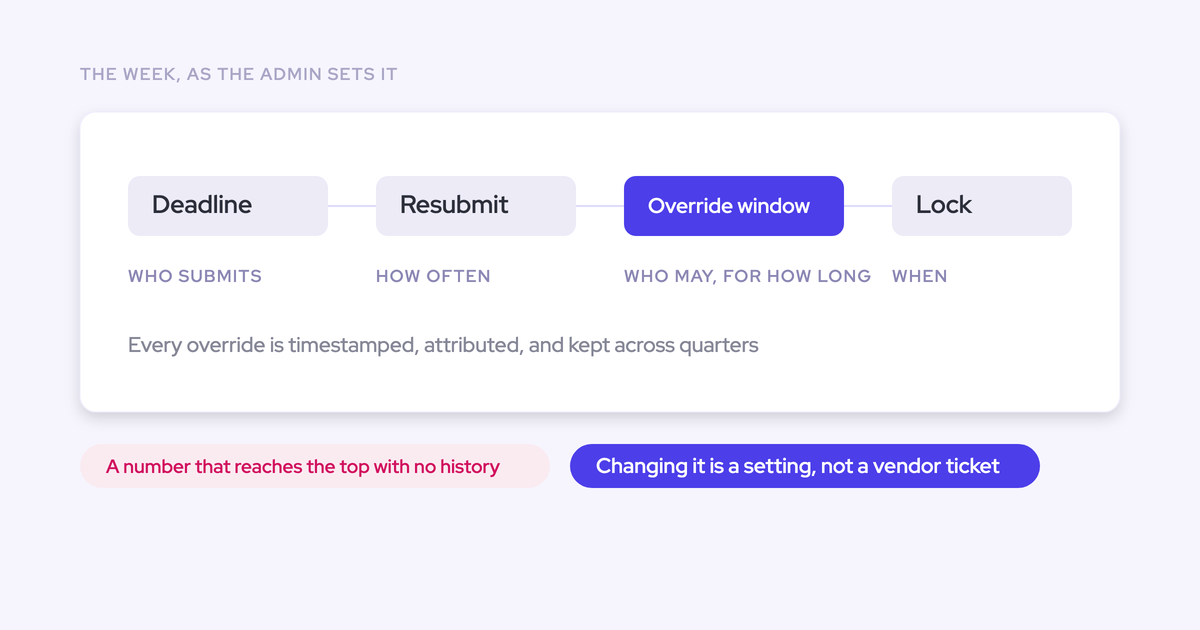
A full forecasting product. Three methods run side by side: a weighted forecast from recent stage conversion rates, a rep and manager roll-up, and an AI projection built on more than fifty deal-level signals and up to two years of history that returns a landing range rather than one number. Quotas and targets are managed in the admin console and shown against the same pipeline as gap-to-target and gap-to-forecast. Every submission is stored against the final closed amount, so forecast accuracy becomes variance per rep, per manager, and by segment over consecutive quarters instead of an argument.
See how Weflow captures activity, updates Salesforce fields from calls, and rolls up your forecast. Book a 30-minute demo, and bring one of your ugliest multi-opportunity accounts to test the mapping on.