How to Track Every Forecast Category Change Without Losing the Original Commit
Learn how to track every forecast category change and keep the original Commit in Salesforce.


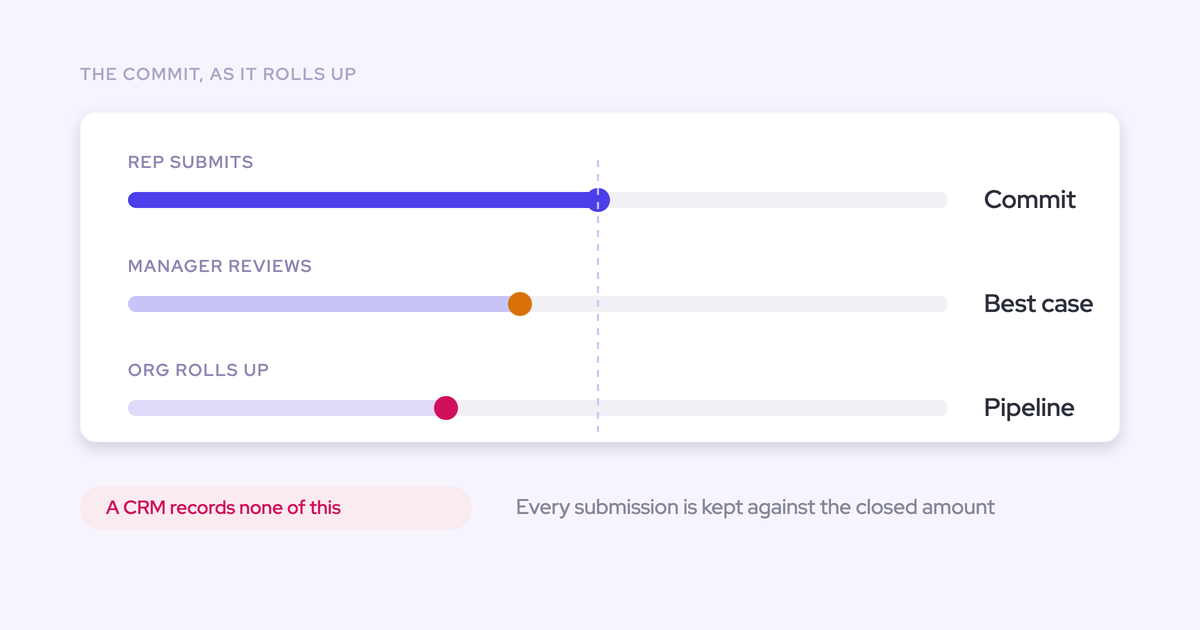

The reason you can't answer "this was Commit last week, where is it now, and why did it move" isn't a discipline problem. It's a recording problem. Salesforce shows you the pipeline as it stands right now, it doesn't version roll-up or calculated fields, and the moment a rep's Commit gets softened to Best Case in a forecast call, the reasoning leaves the room with the people who were in it.
That history is buildable. It takes four records kept on purpose: categories that mean the same thing everywhere, every rep submission versioned and retained, every override attributed, and pipeline state snapshotted so you can reconstruct any past date.
This guide walks through establishing each one, then shows how Weflow keeps the trail without anyone assembling it.
The outcome you're aiming at: every change since last week visible, attributed and explainable deal by deal, so your weekly deal review is spent on why a number moved instead of proving that it did.
Why Salesforce can't show you last week's pipeline
Salesforce stores current state. It doesn't history-track roll-up or formula fields, so the point-in-time pipeline is gone the second those values change, and native forecasting gives you no waterfall and no record of how the pipeline moved.
Reproducing a quarter-over-quarter or same-day-last-quarter comparison means snapshotting pipeline state over time, which Salesforce reporting can't do on its own. That's the first gap. There are two more, and they're process gaps, not platform ones:
- The override happens in a meeting with nowhere to land. A manager says "I'm not carrying that one as Commit," everyone nods, the number changes, and no field records who decided or why.
- Rep-level forecasts live outside the CRM. Salesforce holds a regional roll-up while the number each rep actually commits arrives in a spreadsheet or an email. Ten reps, ten sheets, nothing comparable, nothing retained.
What this costs you is not elegance. It's the ability to answer a question from your CRO in the meeting rather than the day after.
"It becomes really hard to explain why that deal is missing. I tell them okay let me investigate what's going on in sfdc, and I hope and pray that they forget it by the next day."
What a complete forecast change trail contains
An auditable forecast is four records kept over time. Miss one and the trail breaks at that point, no matter how good the other three are.
| The record | The question it answers | What happens without it |
| Comparable categories | Does Commit mean the same thing in every team? | The roll-up adds unlike numbers, and a category change is a vocabulary difference rather than an event |
| Versioned submissions | What did this rep call last week, and the week before? | The original commit is overwritten, so nobody can prove the number moved |
| Attributed overrides | Who changed it, when, and on what reasoning? | Commit becomes Best Case up the chain with no owner and no rationale |
| Point-in-time snapshots | What did the pipeline look like on that date? | Slippage and sandbagging stay invisible, because a live report only shows the pipeline that survived |
Get all four and the weekly call changes shape. You stop establishing what happened and start discussing why.
What you need before tracking forecast changes
A cadence has to exist before you can version it. Versioning a process that doesn't run captures nothing, and this is the part vendors skip.
- Fixed days. Reps clean their pipeline by a set day, submit by a set deadline, and the forecast call happens on the same day every week. Fixed days are what make two submissions comparable, because both reflect the same freshness of data.
- A roll-up path that matches how the business actually reports. Overlays, pods and dotted lines rarely match the Salesforce user hierarchy. If your tooling can only follow that hierarchy, you end up maintaining a placeholder structure purely so the roll-up resolves.
- Agreement on who submits and who may override. Both roles, written down, before you start logging changes against them.
- A decision on where the history will live and how it reaches your BI tool. Decide this first, not after two quarters of data has accumulated somewhere awkward.
"Forecasting is really like a muscle you need to train and the number in the end, that's sort of the outcome of a long, long training cycle, exercise cycle that you went through before."
— Janis Zech, Co-founder and CEO of Weflow
Step 1: write one commit definition every team uses
Give Commit, Best Case and Pipeline one written definition each, expressing increasing uncertainty about closing in this period. That's the whole test. Not stage progress, not how much the rep likes the deal.
Home-grown categories drift for a predictable reason: they get defined loosely, then each team fills the gap with its own habit. Sales ops re-explains the split every quarter and leadership quietly stops trusting it.
A working set looks like this:
| Category | Definition | What has to be true |
| Commit | I will close this in the period and I'm accountable for it | Economic buyer engaged, paper path known, close date confirmed by the customer, no open blocker the rep can't name |
| Best Case | Closes in the period if timing goes my way | Real deal, real champion, one dependency outside the rep's control |
| Pipeline | Live, but not expected to land in this period | Qualified, active, no committed date from the customer |
Two things to get right while you write them. Every criterion has to be falsifiable, so "what would have to be untrue for this to leave Commit" has an answer.
And if you forecast several motions, give each one its own mapping: renewal commit criteria and new-logo commit criteria are not the same sentence, and forcing them into one taxonomy is how the drift starts again.
Step 2: loosen the link between stage and forecast category
Stage and category should be loosely aligned, never hard-linked. A stage move must not silently flip the category, and a rep has to be able to move a deal backwards when the risk is real.
The reason is the audit trail. If the category follows the stage automatically, your change log records pipeline mechanics rather than anybody's judgment, and "moved to Best Case" tells you nothing except that a picklist fired.
| Setup | What the change trail tells you |
| Category hard-linked to stage | That a stage changed. The forecast call is a restatement of the CRM, and nobody's opinion is in it |
| Stage and category loosely coupled | That a person changed their call on a deal, when, and against which criteria. That's an auditable event |
Keep exit criteria doing the work on stages, and let the category carry the human call. Reps will also stop trusting the system the moment they can't downgrade a deal they know is dying, and a rep who can't tell you the truth in the tool will tell you in the meeting instead.
Step 3: collect versioned weekly submissions, baseline and best case
Get the rep's number out of the spreadsheet and into a system, as two figures tied to named opportunities, with every version retained.
The weekly motion that works:
- Reps update their pipeline by a fixed day, so the data underneath the call is current.
- Managers run deal reviews with their pod against that pipeline.
- Reps submit a baseline and a best case by the deadline, selecting the specific opportunities behind each figure, plus a one-line comment.
- Managers review and adjust, and the roll-up climbs the hierarchy.
- The forecast call happens on the same day, every week.
Two numbers rather than one, because the baseline is what the business plans on and the gap between the two is the coverage a manager coaches into. A single committed number collapses that and hides where the risk sits.
Retention is the part most teams get wrong. If this week's submission overwrites last week's, you've built a current-state system again, just outside Salesforce. Keep every revision and the version history becomes a record of judgment over time: you can see whether a rep's call moved during the quarter, or never moved at all.
Step 4: log every override with owner, timestamp, and rationale
An override is legitimate management judgment. Softening a rep's Commit to Best Case is often the right call. The problem is that it happens verbally, so the rule to enforce is simple: a number may change, but never silently.
Every logged override carries four things:
- Who made it, attributed to a person, not a team.
- When it was made, timestamped against the submission it changed.
- What level it applies to, the individual deal or the total.
- Why, in one sentence the manager writes themselves.
Keep the rep's original submission intact alongside the override instead of editing over it. That pairing is the whole answer to "this was Commit last week," and it's also what makes the next conversation fair: the rep's call and the manager's call both survive, and the outcome tells you which one was closer.
One warning on where the rationale goes. Salesforce long text fields aren't queryable through the API, so a reason typed into one can't be reported on or read by anything downstream. If you want to analyze override patterns later, that text has to sit somewhere a query can reach.
Step 5: snapshot opportunity data to keep point-in-time pipeline
This is the step discipline alone can't cover. Salesforce state is overwritten the moment values change, so reconstructing a past date requires captured history, not tighter process.
Snapshot the fields your roll-up actually reads: amount, close date, stage, forecast category, owner, and whatever custom field the number depends on. With a time series behind you, you can build the waterfall that reconciles starting pipeline to ending pipeline:
- Newly created
- Increased
- Moved into the period
- Moved out of the period
- Lost
- Decreased
- Won
That's what answers why a quarter that opened with a strong number ends thin. Deals pushed out mid-quarter, not deals that never existed. And because it reads from snapshots rather than current state, it exposes chronic slippage and sandbagging that a live pipeline report hides by design.
You have two realistic paths. Build the history tracking yourself into a warehouse, which means nightly extracts, your own schema, and a standing job to maintain. Or use a layer that snapshots for you. Either way, the thing to test before you commit is whether the history is a record of what was true then, or a trend recomputed from today's structure.
Step 6: lock submissions and score them against closed outcomes
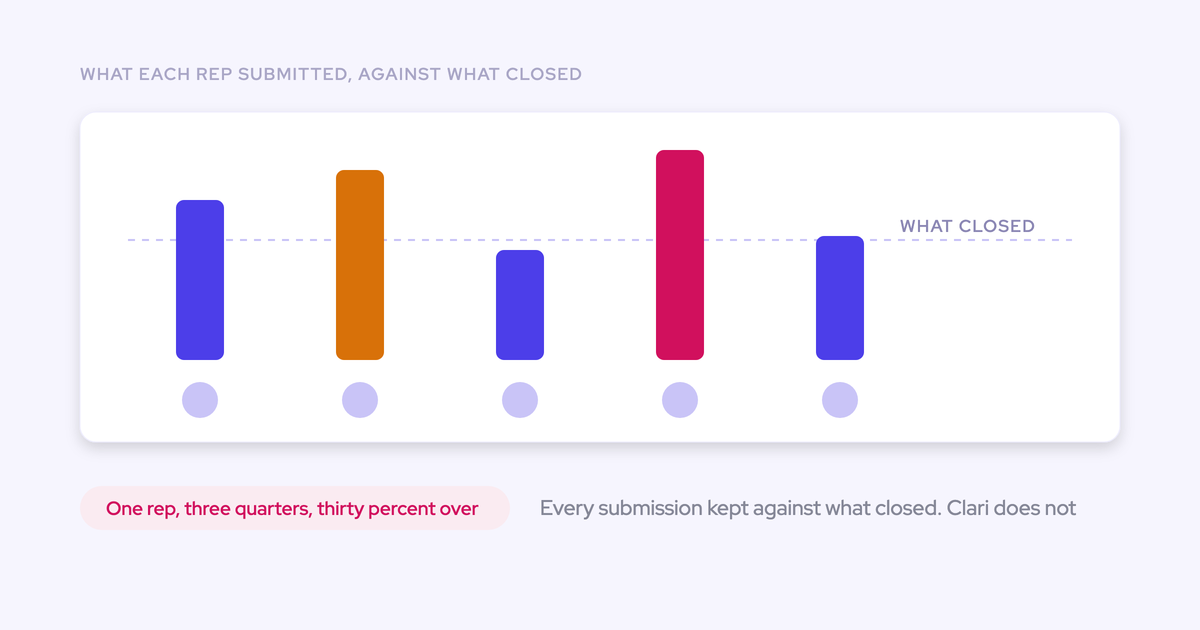
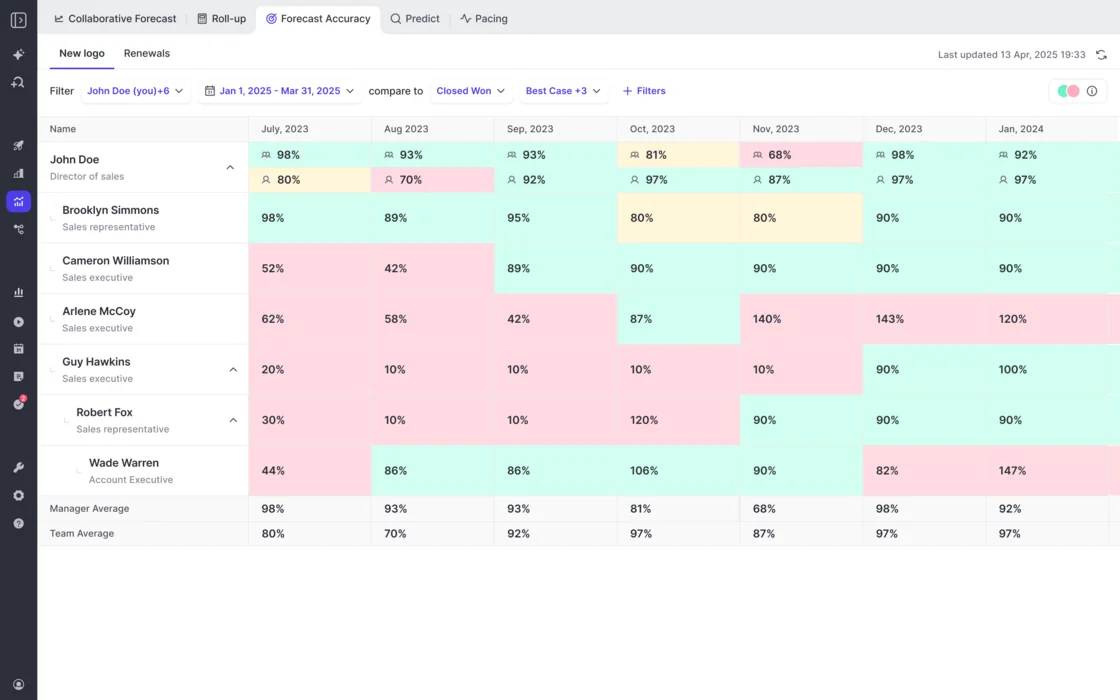
Locking is what makes accuracy measurable. Once a submission is fixed at a deadline it can be compared with what actually closed, and variance becomes a number per rep, per manager and per segment across consecutive quarters.
Decide which field you're scoring against, usually closed-won revenue, and keep it stable. Then the read is per person, per month: one seller lands inside a few points every month, another comes in consistently well under their own call. The second one isn't a weak forecaster. They're sandbagging, and it's now a figure in a coaching conversation instead of a suspicion in a hallway.
Run it for two or three quarters and you'll also learn something about your managers, which is usually the more useful half. A manager whose overrides land closer than their reps' submissions is earning their judgment. One whose overrides land further away is adding noise to the roll-up.
Pitfalls that quietly erase your forecast history
- Hard-linking category to stage. Your change log fills with stage mechanics and you lose the one thing worth auditing, which is who changed their mind.
- Overwriting submissions instead of versioning them. The original commit disappears, and with it the only evidence that the number moved at all.
- Trend dashboards that recompute from today's structure. Rename a category or restructure the hierarchy and last quarter's history changes underneath you. Run that test deliberately before you trust the reporting.
- Relying on Salesforce field history for the forecast fields. Roll-up and formula fields aren't history-tracked, so the fields your number depends on are the exact ones with no trail.
- One committed number per rep. It reads cleanly and hides where the risk sits, which is the gap between what they'd bet on and what they're hoping for.
- Rolling out tooling before the cadence exists. A forecasting motion imposed on a team that has no submission day and no forecast call records an empty process very precisely.
- Burying the rationale where it can't be queried. Reasons that live in unqueryable text or in a meeting recording are reasons you'll never analyze.
How Weflow keeps the full forecast change trail
Weflow is the Revenue AI Orchestration platform for sales, customer success, and RevOps teams. On forecasting, the discipline above is still yours to run.
What Weflow does is make it self-recording, so the trail accrues as a byproduct of the week rather than as a reporting project.
What Weflow versions and snapshots automatically
| The step | What Weflow records | How it's kept |
| Comparable categories | Your own categories and commit criteria, mirroring the config you already run, per opportunity record type | Each record type keeps its own stage path, category mapping and independent roll-up |
| Versioned submissions | Baseline and best case per rep, as a total or against named opportunities, with a free-text comment | Every submission is versioned and retained, quarter over quarter |
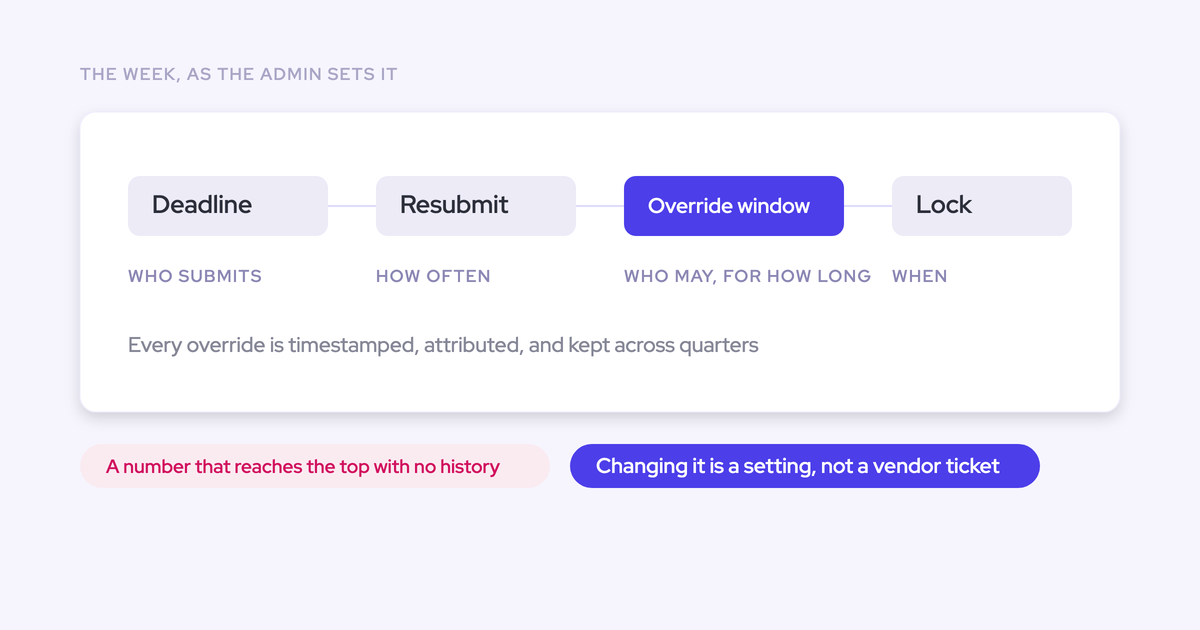
| Attributed overrides | Manager overrides at deal or total level, with rationale | Timestamped, attributed to the person, retained across quarters |
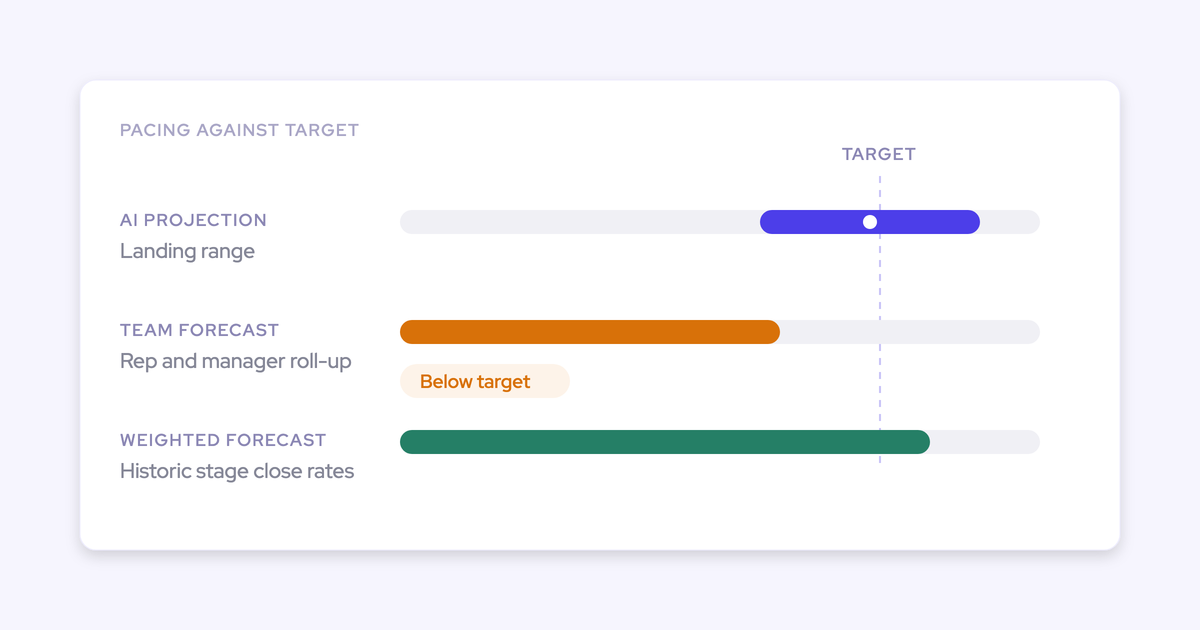
| Point-in-time pipeline | Opportunity data snapshotted every few hours | Time series behind the pipeline waterfall, pacing view, stage conversion and benchmarks |
| Accuracy scoring | Each submission against the closed amount, per rep, manager, team and segment | Locked at the deadline you configure, reported per period |
Because the waterfall is built from snapshots rather than current state, each bucket drills through to the actual opportunities behind it, with whatever fields you care about. Same for the field-level movement on a deal: close date, next step, stage changes, in sequence.
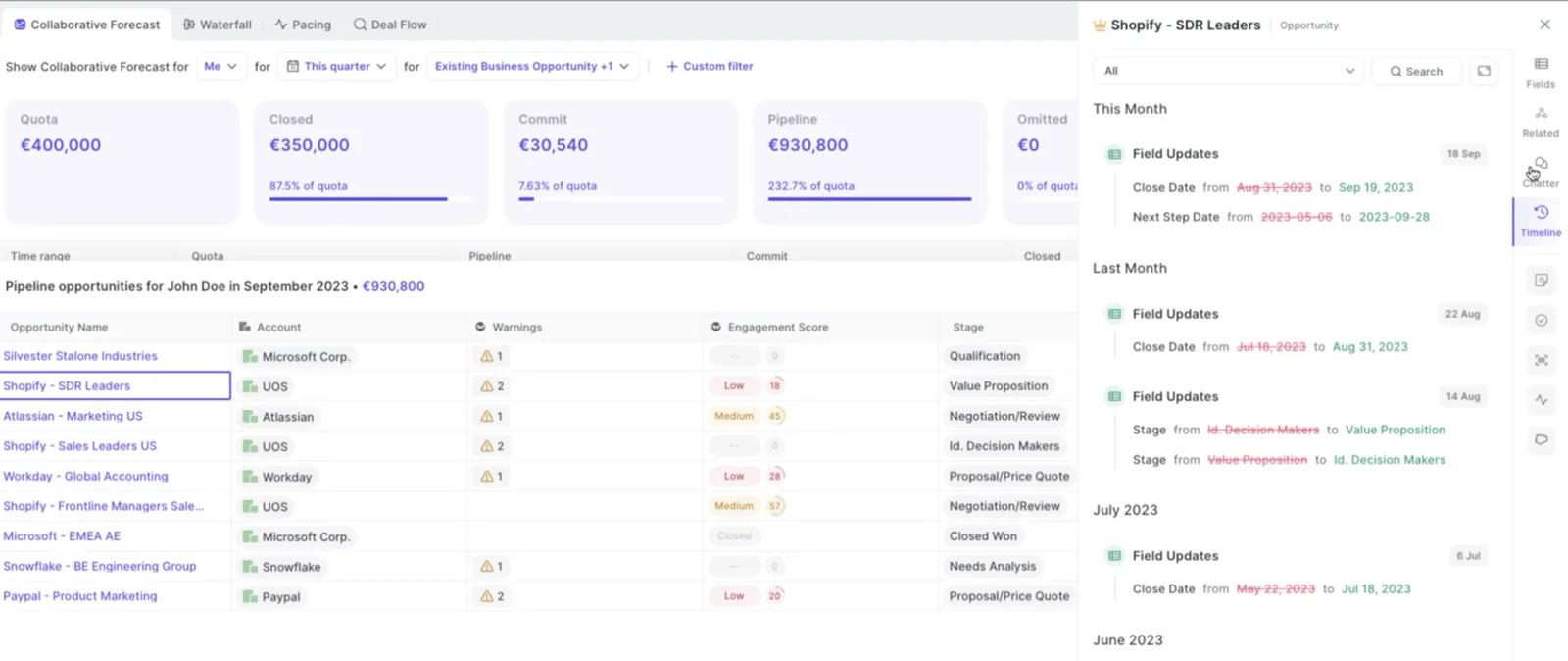
The cadence itself is configuration, not a ticket: submission deadlines, how often reps resubmit, who may submit, who may override, how long an override stays open, when the forecast locks.
Accuracy tracking comes with the forecasting module without being switched on, and an admin picks the field it measures against. It reports per period across manager, team and individual, with manager and team averages on their own rows so a manager's call can be read against their team's.
One honest gap inside the analytics: stage conversion is available by month and by stage, and it isn't yet drillable the way the waterfall is.
Where forecast history lives, and how to pull it into BI
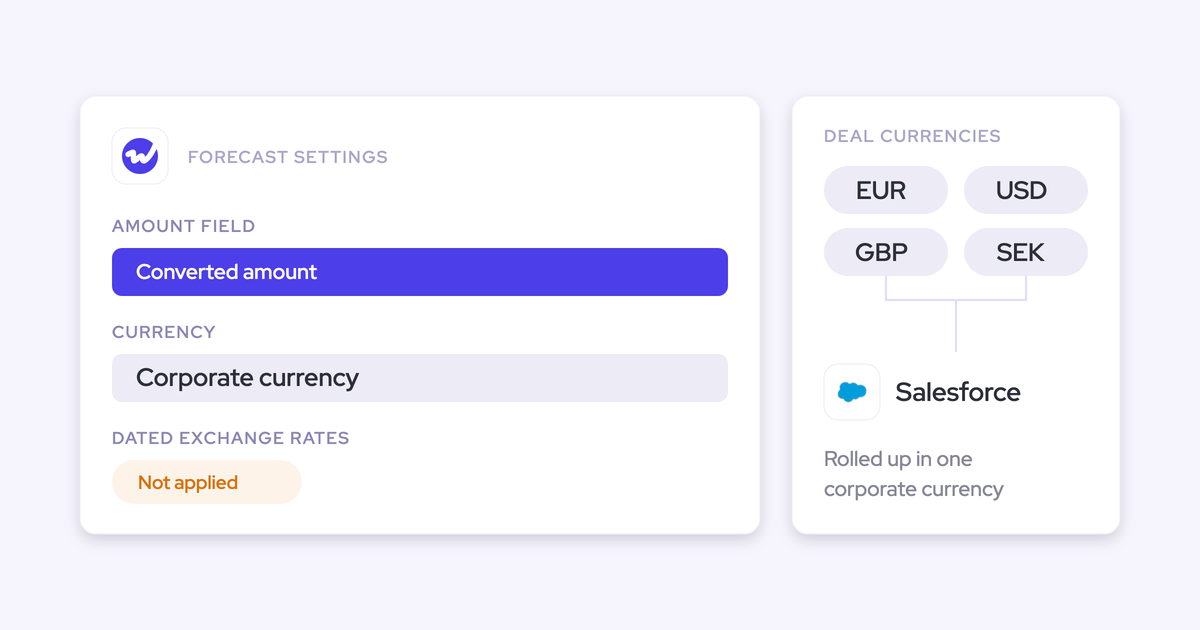
Forecast submissions, targets and the roll-up live in the Weflow application. They're not written back into Salesforce objects, and that's the exception to how the rest of the platform works.
Two consequences, both worth knowing before a demo rather than after:
- If your rule is that reps live only in Salesforce, rep submission won't fit. The weighted forecast and the AI projection still work for you, because both run off CRM data with no rep input, but the roll-up submission breaks that rule.
- A BI team pulls the roll-up through the public API rather than reading it from Salesforce. There's also an MCP server, so an assistant can query the forecast in the categories your org actually configured. Salesforce's own connector can't see any of it, because it isn't stored there.
Everything else Weflow captures does land in native Salesforce objects: activity, transcripts, summaries, AI field updates. Opportunity edits made in Weflow write straight back, so the Salesforce record stays the source of truth for the deal itself. The forecast layer sits on top of the pipeline instead of adding forecast fields to your CRM.
Free Guide: Getting started with Bottom-up Forecasting
FAQ: tracking forecast category changes
Do reps submit their forecast in Salesforce or in Weflow?
In Weflow. Submissions aren't Salesforce objects, so a team that mandates reps work only in Salesforce won't fit for rep submission. In practice the submission arrives via a reminder email that deep links the rep straight into their forecast, which is a shorter path than opening a CRM tab and finding the right view.
Does forecast history survive category or hierarchy changes?
Snapshots and retained submissions are records of what was true at the time they were taken, not trends recomputed from today's configuration. So a snapshot from six weeks ago still shows the category and amount that were on the opportunity six weeks ago, and a locked submission still shows the number the rep called. If you rename a category going forward, historical snapshots keep the value they captured.
Can we pull the forecast roll-up into Looker or another BI tool?
Yes, through the public API, and through the MCP server for AI assistants. It can't be read out of Salesforce, because it isn't stored there. If your board pack is assembled in BI, plan the API pull as part of the rollout rather than after it.
What does the Weflow forecasting module cost?
Weflow Deal Intelligence & Forecasting is $39 per user per month, billed annually, and it's also in the Revenue AI Enterprise bundle at $79 per user per month with everything else. Minimum 10 users, pricing published openly on our website. You can buy it standalone without the capture layer. It's worth saying why we don't recommend that: our own AI forecast shipped early and wasn't accurate, and the conclusion we drew was that no model can tell whether a deal is stalling without the activity and conversation data underneath it.
How long before forecast change tracking is actually usable?
The trail starts accruing from your first versioned submission and your first snapshot, so within days. The accuracy loop needs full cycles, because you can't score a call until the deals it covered have closed. Be sceptical of a two-week proof of concept here: two weeks proves capture and conversation intelligence, it can't prove forecasting, because forecasting is a change to how a team runs its week. Start with an alignment session on the process, with whoever owns the number in the room.