How to Build Forecasts Outside the Salesforce Role Hierarchy (a Clari Limitation)
Learn how to build multi-motion forecasts outside the Salesforce role hierarchy, despite Clari limits.


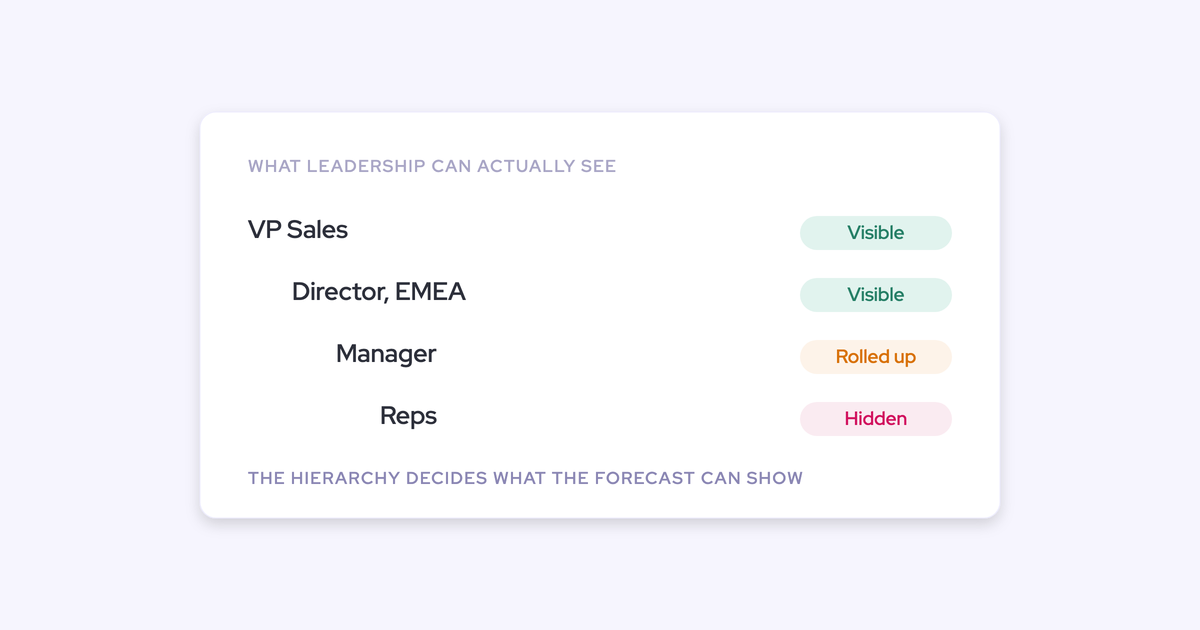

Your forecast rolls up along the Salesforce role hierarchy because that's the only path your forecasting tool knows. Clari and Salesforce native forecasting both bind the roll-up to the org chart, and the org chart was built for record access and management, not for revenue analysis.
So one leader who owns three products gets one number. A request to compare every enterprise rep globally comes back sliced by manager. Renewals either get blended into new business or never get a forecasting process at all.
That lock is breakable. This guide walks through building parallel forecast roll-ups, per product, per motion, per cohort, on a hierarchy defined independently of the role tree: how each one is defined, who submits, who reviews, and the two places the model won't bend.
Why your forecast roll-up is locked to the Salesforce hierarchy
The lock is architectural, not a configuration mistake you made. The Salesforce role hierarchy is a record-access and management tree, and Clari and Salesforce native forecasting both adopt it as the single roll-up path. One hierarchy, one roll-up.
Which means a second, independent forecast isn't a feature request. It's structurally impossible inside a tool built that way.
Credit where it's due: Clari's roll-up forecasting is strong and flexible, and its Quick Submit and inspect views are the usability bar most teams measure a replacement against. The problem isn't sloppiness. It's that the roll-up path and the org chart are the same object.
Forecast views the Salesforce role hierarchy can't express
A multi-motion business needs several orthogonal views of the same pipeline, and a single tree can express exactly one of them. Here's what teams actually ask for, and why the org chart can't carry it.
| The view you need | Who's asking for it | Why the role hierarchy can't carry it |
| A separate forecast per product line | One sales leader running several products with different teams | That leader is one node in the tree, so they get one consolidated number |
| New logo, renewal, and expansion as three forecasts | RevOps, because the three motions run on different cadences and different owners | All three sit under the same managers, so they roll into the same branch |
| A cross-cutting cohort, like all enterprise reps globally | Leadership comparing like-for-like performance | The cohort spans managers, regions, and branches by definition |
| Retention split by horizon and owner | First-line managers on the current quarter, CSMs on later quarters | Two owners forecasting the same revenue at different horizons need two paths |
| Licenses separate from professional services | Finance, because the two are judged on different revenue fields | Same reps, same branch, different number |
The renewal row is the one that quietly costs the most. We hear the same thing repeatedly: new business runs in the forecasting tool, and the renewals team still forecasts straight out of Salesforce because implementing it was always next on the list.
Why spreadsheets and restructuring Salesforce don't fix it
You have three realistic workarounds before you consider changing tools. Each fails for a specific reason.
- Rebuild the roll-up in a spreadsheet or BI tool. This works, and it costs you the manual week the tool was bought to remove. RevOps business partners end up rebuilding forecast dashboards off Salesforce data, or copy-pasting screens out of the forecasting tool into Google Sheets because it's quicker.
- Restructure the Salesforce role hierarchy to match how you want to see revenue. You'd be breaking the record access the hierarchy exists to control, and you'd still have exactly one tree. Reshaping it to serve the product view breaks the manager view.
- Live with one blended number. The cheapest option and the most expensive one. A blended forecast hides the motion that's actually failing, which is usually renewals, and by the time it surfaces you're three weeks from the contract end date.
What's needed isn't a better spreadsheet. It's a roll-up path defined independently of the role tree, so the org chart can stay exactly as it is.
What you need before building a second forecast
A second forecast is a second operating cadence, not a second report. Before you configure anything, have these settled:
- One definition per motion of what enters the forecast. Entry and exit criteria per stage, written down. Without them you're comparing two different definitions across periods.
- The amount field each motion is actually judged on. Incremental ARR, a calculated revenue field, standard Amount. Confirm it exists on the opportunity today.
- Record types that already separate the motions. Most Salesforce orgs have New Business, Renewal, Existing Business, and Partner sitting there unused for forecasting.
- A named owner and submission chain per motion. Who submits, who reviews, who signs the number.
- Quotas per period, per motion. A rep quota and a manager target are usually different numbers.
- Fixed days. Pipeline updated by a set day, deal reviews, submissions, then the forecast call on the same day every week.
"forecasting is really like a muscle you need to train and the number in the end, that's sort of the outcome of a long, long training cycle, exercise cycle that you went through before."
If you don't have the cadence, a second forecast setup gives you a second place to be wrong on time.
How to set up parallel forecast roll-ups in Weflow
Weflow is the Revenue AI Orchestration platform for sales, customer success, and RevOps teams. Its forecasting runs independently of your Salesforce forecasting configuration, and it supports its own roll-up hierarchy, abstracted away from the Salesforce role hierarchy.
That's the mechanism every step below uses: multiple forecast setups, running in parallel, each with its own stages, cadence, targets, and forecast calls.
1. Split each revenue motion into its own forecast setup
Start here, because everything else hangs off this decision. One setup per revenue motion, or per orthogonal view that needs its own number.
For a two-product, three-motion org, the setup list usually looks like this:
- New business, Product A
- New business, Product B
- Renewals, all products
- Expansion, all products
Now the leader who owns both products sees each one forecast separately, and still sees the consolidated number. One caution: don't create a setup per manager. Setups exist for views that need their own quota, their own cadence, and their own call. Anything else just adds submissions.
2. Choose the foundation field and date field per setup
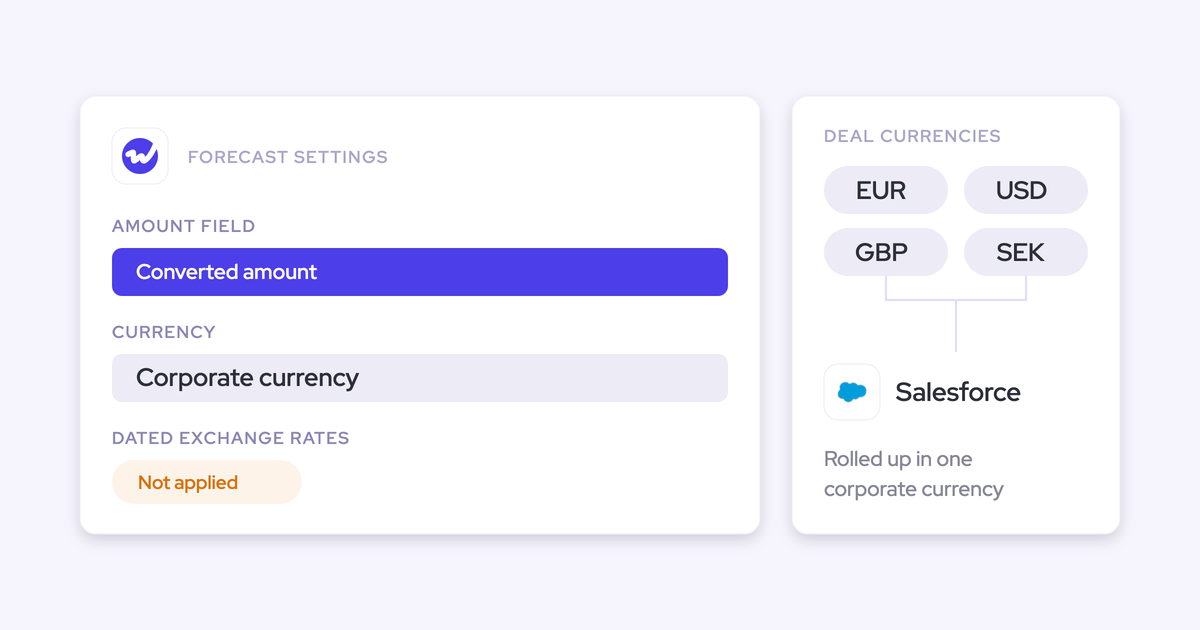
Each forecast setup is built on one chosen Salesforce amount field, indexed on one chosen date field. The foundation field applies to everyone in that setup, which is precisely why separate motions need separate setups.
The revenue field can be any opportunity currency field, standard, custom, or a formula field, and multi-currency is handled. Typical pairings:
- New business: incremental ARR, indexed on close date
- Renewals: contract value, indexed on the contract end date
- Expansion: incremental ARR, indexed on close date
- Professional services: a calculated revenue field, indexed on the delivery date
A team forecasting on incremental ARR and a team forecasting on a calculated revenue field can't share one setup. That's not a workaround, it's the design.
3. Give each record type its own stage path and roll-up
Motion separation goes all the way down to the opportunity. Each Salesforce opportunity record type keeps its own stage path, its own forecast-category mapping, and its own independent roll-up.
| Record type | Stage path | Rolls up into |
| New Business | Full new-logo path, discovery through negotiation | The new business forecast for that product |
| Renewal | Shorter renewal path, kickoff through commercials | The renewal forecast, its own cadence and owner |
| Existing Business | Expansion path | The expansion forecast |
| Partner | Partner-sourced path | New business, or its own setup if partner revenue carries a separate target |
This is what stops a renewal being forced through a seven-stage new-logo funnel so the pipeline report looks tidy.

4. Define the roll-up hierarchy independent of the role tree
This is the part that answers the real question: how does a roll-up work at all if it isn't the org chart?
Weflow supports its own roll-up hierarchy, defined in Weflow and abstracted from the Salesforce role hierarchy. Where the org chart is the right shape, use it. Where it isn't, you define the forecast hierarchy you need and leave Salesforce untouched.
Same team, two shapes:
- The org chart: VP EMEA, then three managers, then their reps. Every number rolls to the VP as one total.
- The forecast hierarchy: a Product A node and a Product B node, each drawing reps from all three managers, each with its own submission chain, both visible to the same leader.
The roll-up motion itself stays exactly as your team knows it. Reps submit their forecast call deal by deal, managers review and adjust, the call rolls up automatically, and changes to the call are tracked over time so you can see who moved what and when.
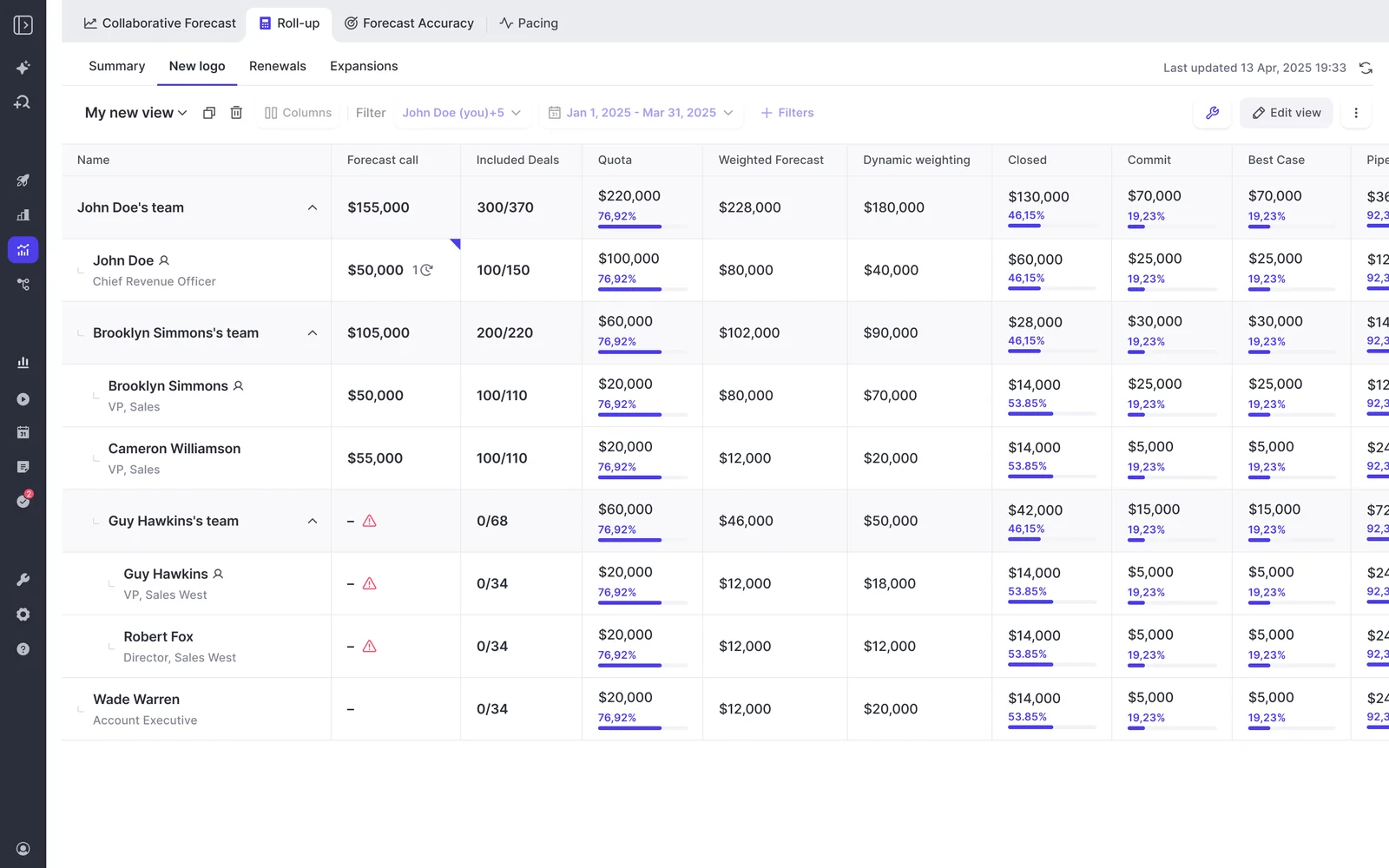
The cohort problem falls out of the same abstraction. A group like every enterprise rep globally is a roll-up group in Weflow, not a branch of the org chart, so you can look at the cohort instead of reading team success by manager.
5. Set cadence, quotas, and submission rights per setup
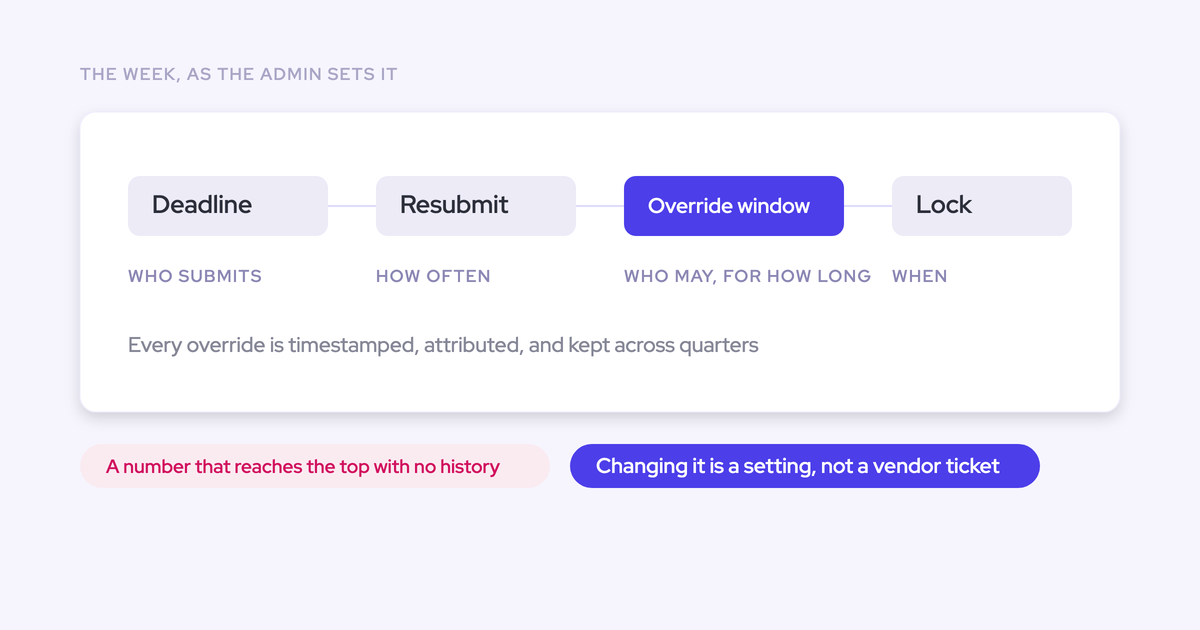
A forecast that isn't operationally real is just another view. Each setup carries its own cadence and its own forecast calls, so renewals can run on a different rhythm and different owners than new business.
The settings that matter:
- Quotas. Set per Salesforce user for a year in the admin console, broken down automatically into quarters and months, each period still editable by hand.
- Manager targets. Where the sum of rep quotas doesn't reach the team target, the remainder sits on the manager, so the gap is visible rather than hidden.
- Columns. Quota, gap to target, and gap to forecast layer onto the forecast page next to the deals themselves.
- Visibility and rights. Who can see targets is a setting, and forecast submission and adjustment can be restricted to managers.
- Reminders. Forecast-call reminders go out in Slack, which is what actually holds the cadence together.
6. Check the roll-up against the weighted and AI forecasts
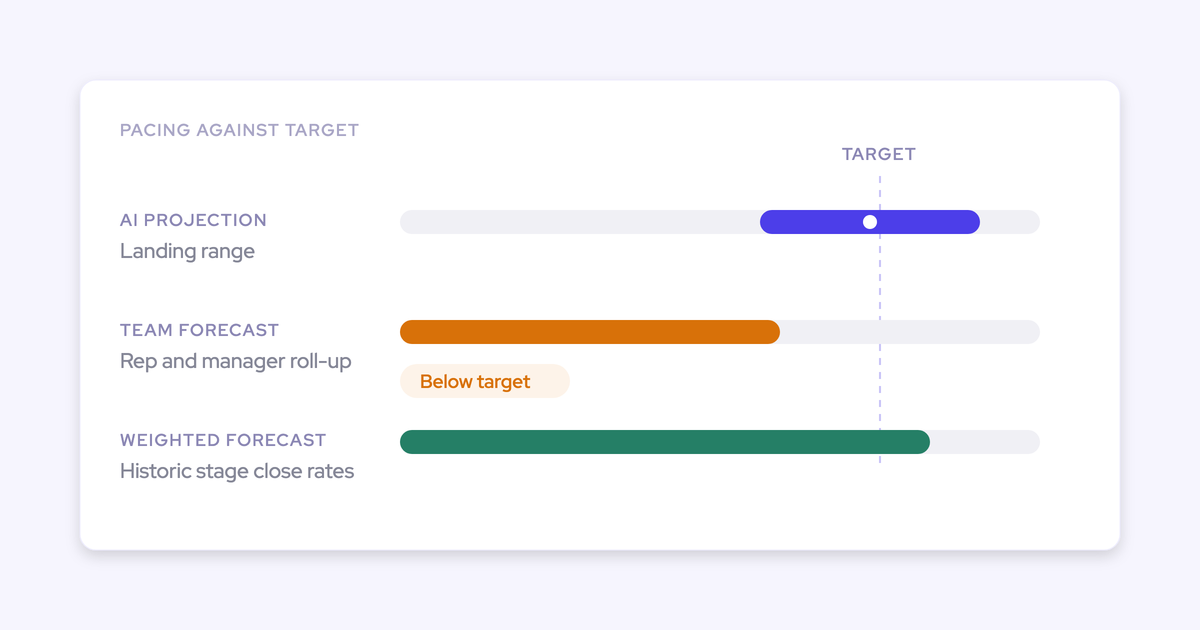
Each setup's roll-up doesn't sit on its own. Weflow runs three forecast methods side by side: the rep and manager roll-up, a weighted forecast derived from your historic stage close rates, and an AI projection built on more than fifty deal-level signals and up to two years of history that returns a landing range rather than a single number.
Neither the weighted forecast nor the AI projection needs a single rep input. Both run off CRM data.
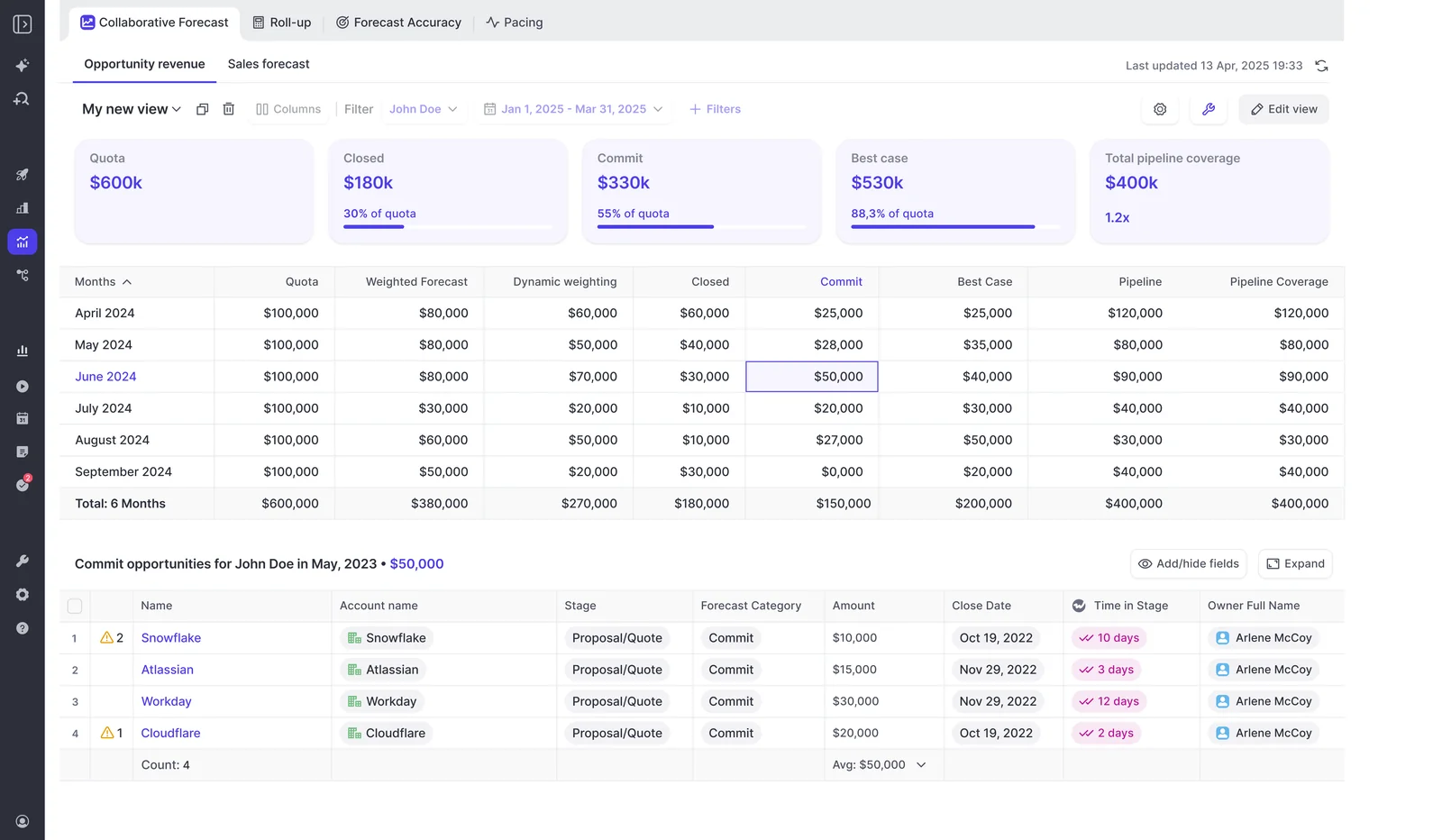
The gap between what the team says, what the pipeline mathematically supports, and what history predicts is the agenda for that motion's forecast call. Run it per setup and you find out which motion is optimistic, instead of averaging the optimism away.
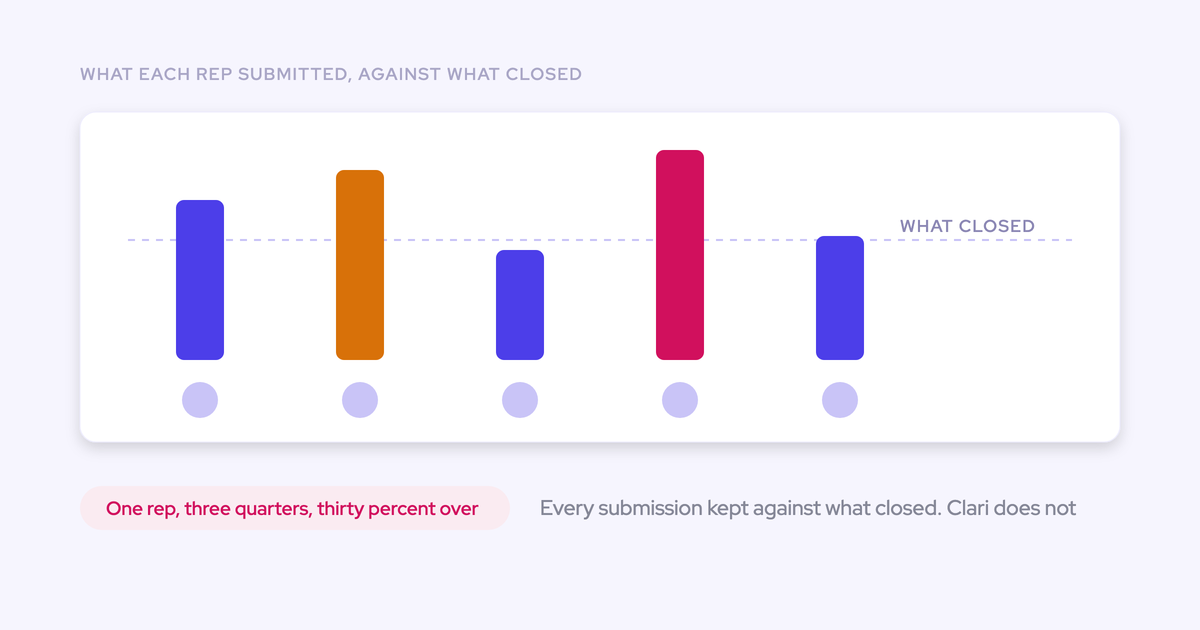
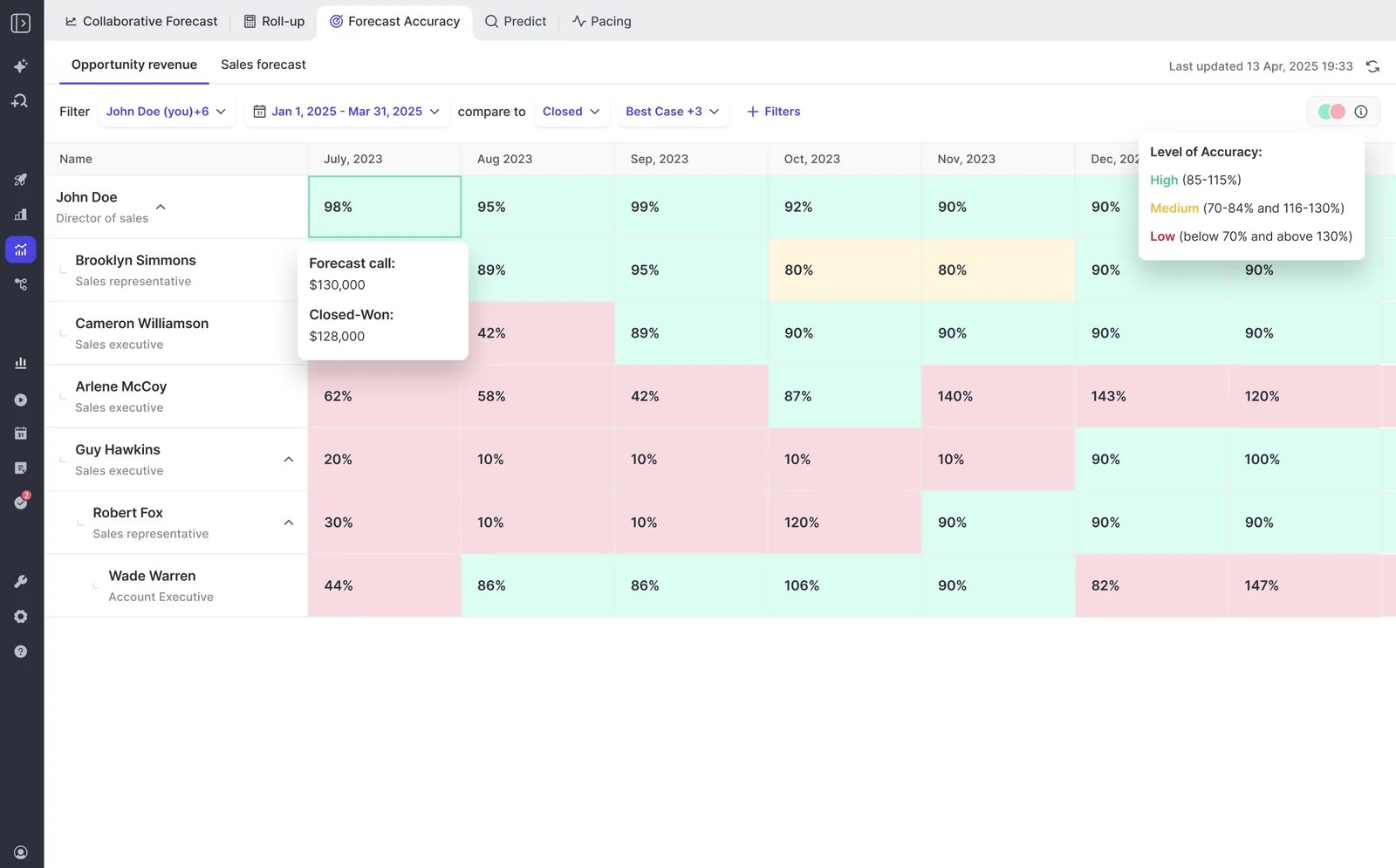
Then track it. Weflow records each forecast submission against the final closed amount, so variance is reportable per rep, per manager, and by segment across consecutive quarters.
Common pitfalls when running multiple forecast setups
Multi-forecast fails on process choices, not on mechanics. These are the ones we see:
- Cramming two motions onto one foundation field because a second setup felt like overhead. Six weeks later you're exporting to a sheet to separate them again. Split them at build time.
- Leaving renewals forecasting out of Salesforce reports because they were next on the list. They've been next on the list for years. Build the renewal setup in the same rollout as new business, or it won't happen.
- Setting a quota outside the active forecast period and concluding quotas are broken. A target set outside the period won't surface. Check the period before you file a ticket.
- Copying one stage path across every record type. A renewal funnel and a new-logo funnel are different shapes, and forcing them to match makes both stage conversion rates meaningless.
- Creating a setup per manager. Setups are for views that need their own number, not for people. One per manager multiplies the submission burden and tells you nothing new.
- Launching a second forecast without a fixed day. No cadence, no discipline, and you've added a dashboard rather than a forecast.
Where Weflow's multi-forecast model doesn't bend
Two real limits, and you should know both before you test anything.
The first is where the forecast lives. Activity, transcripts, summaries, and AI field updates all land in native Salesforce objects, and opportunity edits made in Weflow write straight back. Forecasting is the exception: submissions, targets, and roll-up data live in the Weflow application and are not surfaced as Salesforce fields.
The second is period splitting. A forecast setup places the full opportunity amount into the single period its chosen date field falls into. The date field is configurable, so you can index on a delivery or end date instead of close date, but you can't recognize part of a deal in one quarter and the rest in the next.
| Limit | Who it stops | What still works |
| Forecast submissions and roll-up live in the Weflow app, not in Salesforce fields | Teams that mandate reps work end to end inside Salesforce only | The weighted forecast and the AI projection run with zero rep input, and BI teams pull the roll-up through the public API |
| One opportunity's amount can't be split across quarters | Businesses recognizing revenue on delivery schedules or campaign line items spanning quarters | Indexing the setup on a delivery or end date, and keeping the period split in Salesforce where finance already reads it |
If either of those is a dealbreaker in your org, better to find out here than in week three of an evaluation.
FAQ: forecasting outside the Salesforce role hierarchy
Do reps submit their forecast in Salesforce or in Weflow?
In Weflow. The forecast layer sits on top of the pipeline rather than adding forecast fields to Salesforce, so reps submit deal by deal in Weflow and managers review and adjust there. Forecast-call reminders arrive in Slack to carry the cadence. Every other Weflow output, including opportunity edits, writes back to Salesforce objects.
Does this replace my Salesforce forecasting configuration?
No, and nothing carries over either. Weflow forecasting runs independently of your Salesforce forecasting configuration, so setups are defined fresh in Weflow on the fields you already have. Your existing Salesforce forecast config stays where it is and stops being the constraint.
Can Weflow run alongside Clari during a migration?
Yes, and there's a pattern that works. Land Weflow on activity capture and conversation intelligence first while Clari keeps forecasting. Clari reads activities from Salesforce, so it gets cleaner data as a side effect, and you move forecasting at the Clari renewal window when you actually have leverage.
The failure mode isn't the coexistence, it's running two capture engines against the same inbox at once. That produces duplicate activities. One capture infrastructure feeding Salesforce, always.
Do I need new custom fields to forecast per motion?
Generally no. Setups build on the record types you already have and any existing opportunity currency field, standard, custom, or formula. No package of new forecast fields, no extra page-layout clutter, no fresh CRM tech debt for an admin to inherit.
Can I report the roll-up to the board without Tableau?
Mostly. Quota, gap to target, gap to forecast, and the deals behind the call sit on one page, and the pipeline waterfall, pacing view, and stage conversion are built from opportunity snapshots taken every few hours, so quarter-over-quarter comparison exists without a warehouse.
Being straight about it: Weflow isn't a general-purpose BI tool. Teams that snapshot forecasts into their own BI stack pull the roll-up out through the public API, and finance will still export for FP&A work.
What does adding Weflow forecasting cost?
Weflow Deal Intelligence & Forecasting is $39 per user per month standalone, billed annually with a 10-user minimum. The bundles run $49 for Revenue AI Foundation, $59 for Revenue AI Business, and $79 for Revenue AI Enterprise, which is the one that includes forecasting.
If you're already on Weflow capture and conversation intelligence, moving from Revenue AI Business to Revenue AI Enterprise adds forecasting for $20 per user per month. There are no implementation fees. For comparison, Clari is reported at $120 to $180 per user per month plus $15,000 to $50,000 in professional services.
The thing worth testing isn't the price. It's whether the abstraction is real: build one second setup on a hierarchy that isn't your org chart, submit against it for a cycle, and see whether the spreadsheet still gets opened on Monday.