Can Weflow email a scheduled sales forecast PDF to your CFO?
Learn if Weflow can email a scheduled sales forecast PDF to your CFO without a login or paid seat.


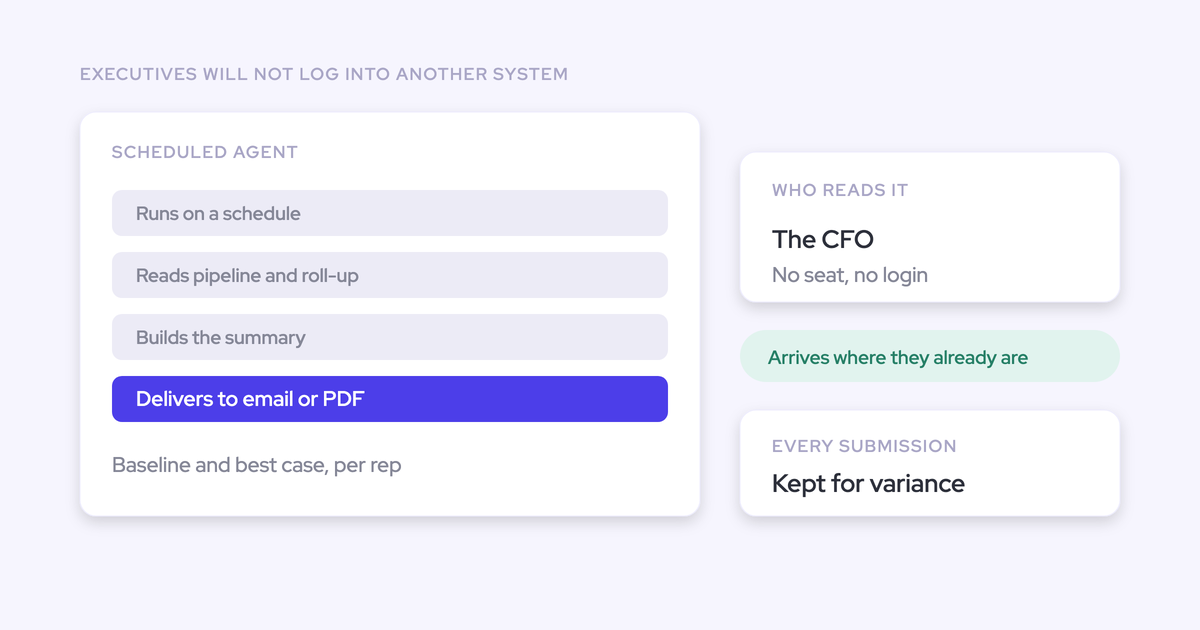

Yes. Weflow can schedule forecast output for email delivery as a PDF, and an email-only CFO recipient doesn't need a Weflow login or paid seat.
That removes the recurring export-and-format handoff. It doesn't fix unreliable forecast inputs or replace a finance report that combines bookings with revenue recognition, ERP data, and provisions.
You still own the number.
Finance still needs to know which period it covers, which submissions it reflects, and why it changed. Automating delivery only pays off when the document answers those questions without sending you back to a spreadsheet.
Weflow is the Revenue AI Orchestration platform for sales, customer success, and RevOps teams. Built for Salesforce teams, it connects the operational work in Weflow deal reviews with forecast submissions, roll-ups, and scheduled executive delivery.
What does the CFO receive from Weflow?
The CFO receives scheduled forecast output by email, including a PDF, rather than an instruction to open another dashboard. The exact PDF packaging and layout need confirmation before rollout.
| Part of the experience | What it means |
|---|---|
| What arrives | Forecast output delivered by email as a PDF. |
| What the CFO does | Reads the report without signing in to Weflow. |
| What RevOps stops doing | Rebuilding the same export and executive email every cycle. |
| What RevOps still owns | Forecast definitions, source accuracy, recipient approval, and report acceptance. |
A scheduled PDF is a point-in-time document. Once it reaches the inbox, it won't change with the pipeline. Agree on the reporting cutoff so finance knows what the number represents.
How does Weflow automate the forecast handoff?
Weflow connects a repeatable forecast process to a scheduled agent that generates outbound reporting. Treat the workflow as four stages, with a test delivery before executives join the recipient list.
- Complete submissions and the management roll-up.
- Configure the scheduled forecast agent.
- Deliver the PDF to approved email recipients.
- Reconcile the output before executive use.
Complete the forecast submission and roll-up
Start from an agreed forecast state, with managers accountable for the number before the report runs.
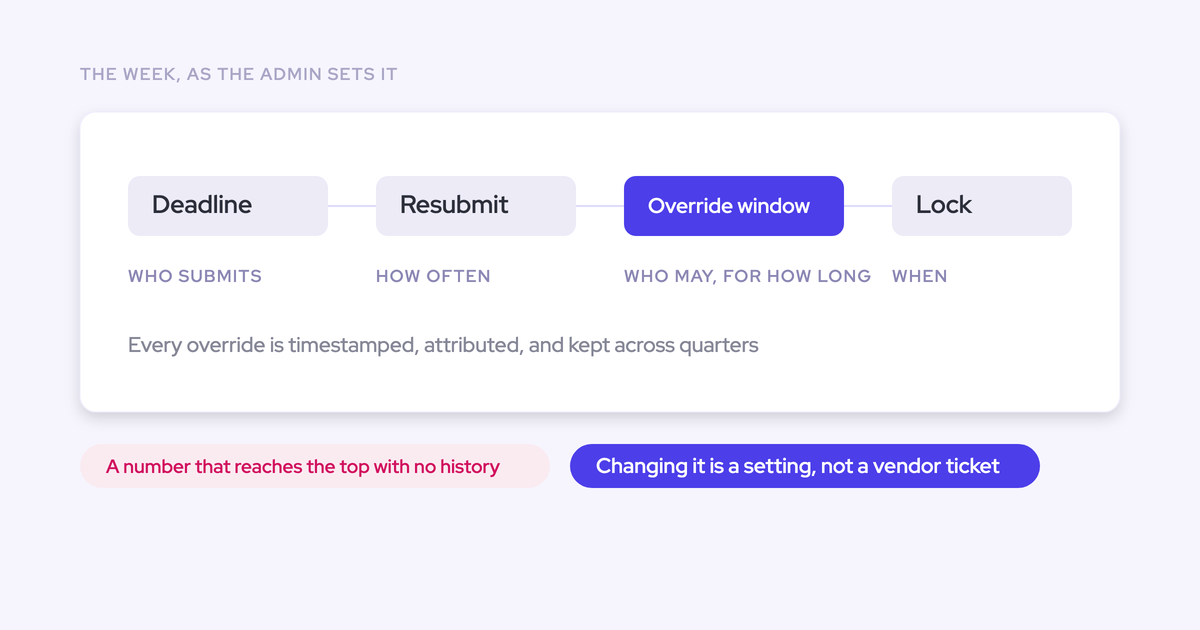
Weflow supports baseline and best-case submissions as totals or selections of named opportunities, with comments. It retains submission versions and supports manager overrides, deadlines, and forecast locks.
Use those mechanics to preserve the reasoning behind the executive number. A total without its deal list or override context leaves you answering the same questions by email.
Configure the Weflow scheduled forecast agent
The scheduled agent handles report generation and outbound delivery. RevOps defines the reporting requirement and confirms that the configured workflow meets it.
- Input: Specify the forecast scope, period, and source state the report must reflect.
- Action: Configure the agent to produce the required forecast output on a schedule.
- Output: Deliver the report by email, including the PDF.
Weflow supports scheduled forecast delivery. Exact scheduling controls, PDF configuration, and access to particular forecast views need an in-product check, not assumptions based on the interactive dashboard.
Deliver the PDF to configured email recipients
Weflow separates receiving a forecast report from operating the forecasting application. An email-only recipient doesn't need an executive seat just to read the output.
Before adding the CFO, confirm:
- The approved destination address and successful test delivery.
- Whether the PDF arrives as an attachment or through a link.
- Whether the recipient can read the required content without application access.
- How your email security controls handle the message and PDF.
Reconcile the output before executive use
The delivered Weflow report must reconcile with the forecast it represents. Readable prose doesn't compensate for an incorrect total.
- Compare each reported total with the same forecast scope, currency, period, and source state.
- Check named opportunities against the deals behind the submission.
- Account for manager overrides rather than assuming the deal sum always equals the final call.
- Trace risk statements to source evidence before accepting them.
What must RevOps configure before delivery?
RevOps must settle the report's source, timing, audience, and acceptance criteria before scheduling executive delivery. Forecasting capabilities don't automatically establish what a PDF can contain.
| Configuration decision | What to confirm before go-live |
|---|---|
| Source contract | Finance and sales use the same amount definitions and reporting cutoff. |
| Delivery contract | The schedule and recipient experience match the executive reporting cadence. |
| Release gate | A named owner approves reconciliation, presentation, and sensitive-data handling. |
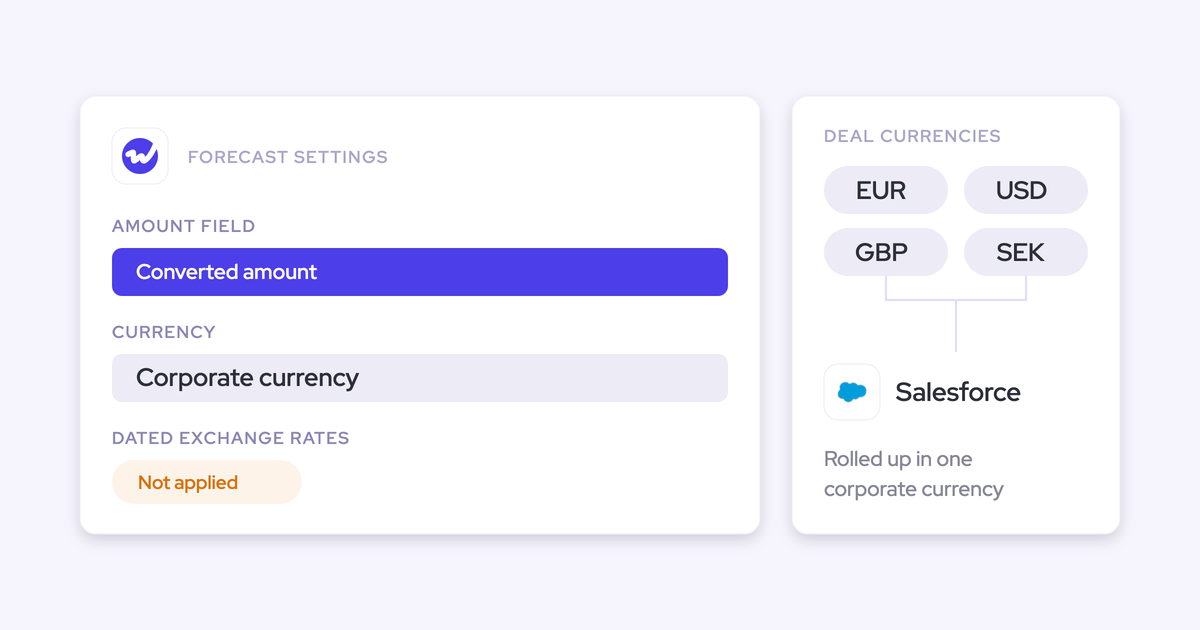
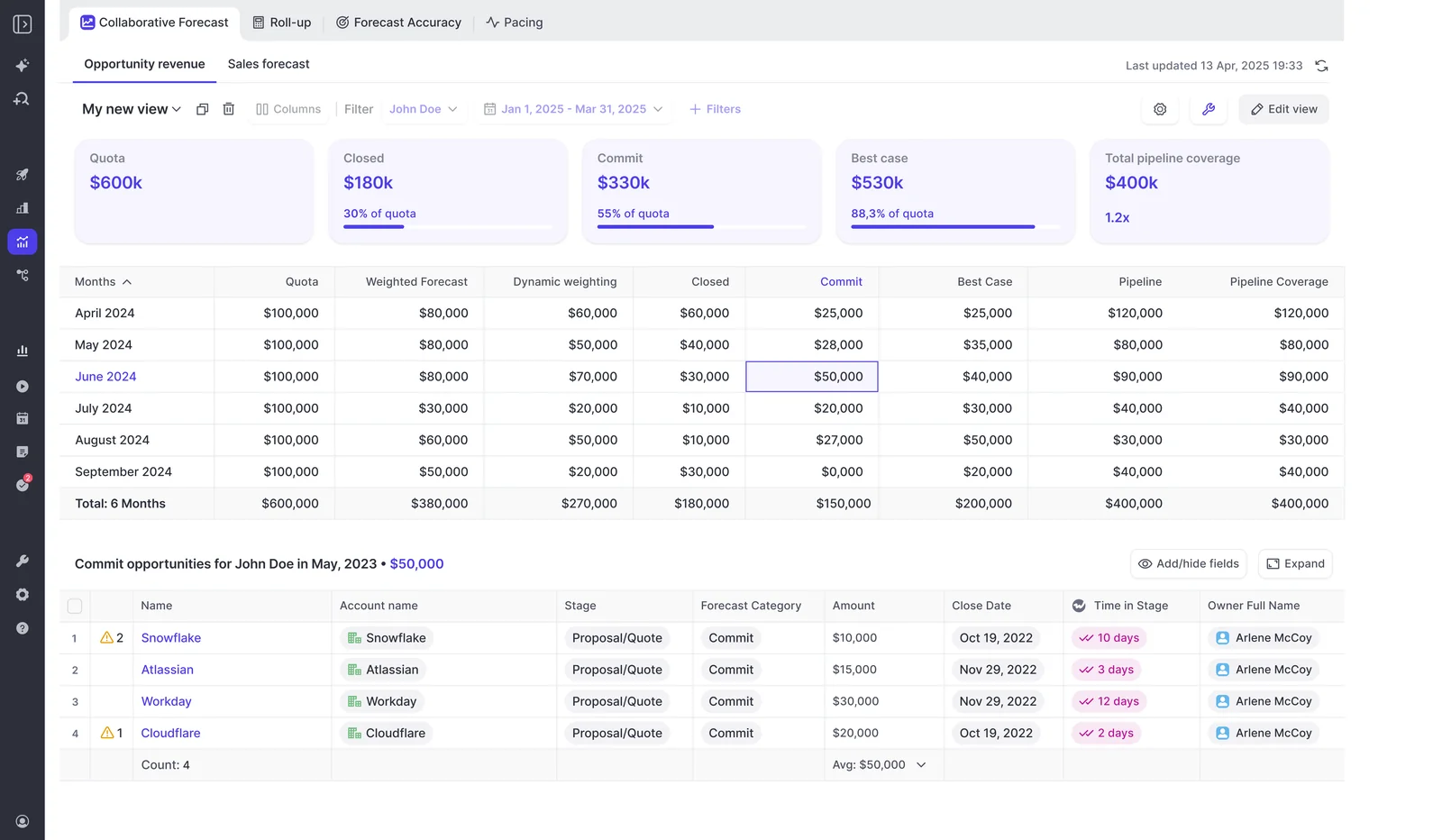
Forecast scope, hierarchy, currency, and period
Define the executive report's scope before choosing its layout. A correct total for the wrong organizational slice still fails the finance review.
- Revenue motion: New business, expansion, renewals, or an agreed combination.
- Hierarchy: The teams and management levels the report should include.
- Amount: The Salesforce field and business definition behind the forecast.
- Currency: The reporting currency and conversion treatment.
- Period: The month, quarter, or other required horizon.
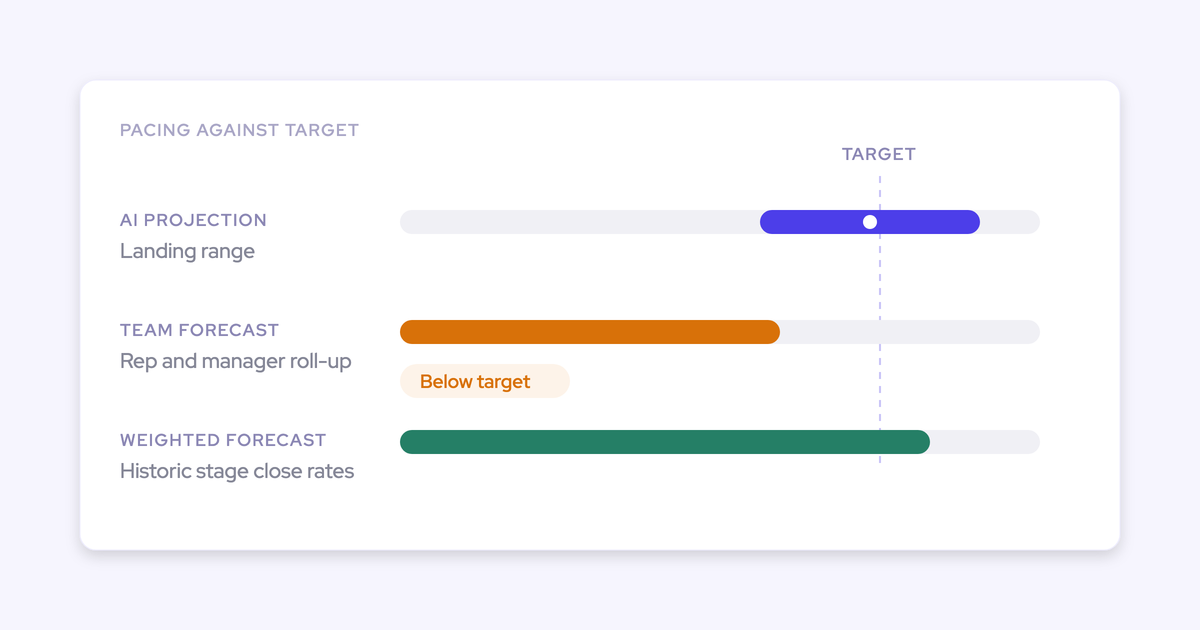
- Measures: Whether the PDF must show baseline, best case, weighted forecast, AI projection, and closed actuals together.
Weflow's interactive forecast supports monthly views, forecast measures, and opportunity drill-down. Confirm which of those dimensions the scheduled output can reproduce.
Schedule, timezone, and recipient list
Set delivery after the forecast process has produced the number finance expects. Scheduling the email before managers finish overrides just automates an incomplete handoff.
- Confirm support for your weekly, monthly, or custom cadence.
- Verify the timezone and daylight-saving behavior.
- Allow time between the submission deadline, management review, and delivery.
- Test the intended recipient list and any distribution address.
- Assign an owner to check failed or missing deliveries.
Weflow supports scheduled agents, but don't promise a particular recurrence or timezone behavior until you test the configuration.
Live forecast versus locked submission
Choose whether finance should receive the latest operational view or the formally agreed forecast. Weflow supports forecast locks; the scheduled agent's source-selection behavior still needs confirmation.
| Reporting policy | Implication for finance |
|---|---|
| Live forecast | The report reflects current information, which may differ from the number discussed on the forecast call. |
| Locked submission | The report represents an agreed call at a defined point in time, even if deals change afterward. |
We recommend a locked number for the formal weekly handoff, with subsequent changes identified separately where the report supports them. Verify that behavior before committing to it.
PDF detail, branding, and sensitive data
Approve what leaves Weflow, not just who can see the source inside Weflow. Email delivery creates a separate distribution decision.
- Content: Define required totals, named deals, comments, and evidence behind warnings.
- Presentation: Verify layout, branding, page breaks, and any board-format requirements.
- Access: Confirm the agent's execution permissions and recipient controls.
- Sensitive information: Check whether deal notes or customer details belong in an emailed document.
Weflow inherits Salesforce permission sets, field-level security, and role hierarchy. That doesn't establish recipient-specific filtering for an outbound PDF. Test that separately.
Setup ownership and rollout timing
RevOps should own the report's meaning and acceptance. Administrative setup and finance approval need named owners too.
| Role | Decision |
|---|---|
| RevOps | Defines scope, cadence, reconciliation checks, and exception handling. |
| Sales leadership | Owns submissions, overrides, and the final forecast call. |
| Weflow and Salesforce administrators | Confirm configuration access, source permissions, and delivery controls. |
| Finance | Approves definitions, presentation, and recipient experience. |
Don't set a launch date from a generic technical setup estimate. Weflow forecast delivery is ready when the test report passes, not when someone finishes configuring the agent.
Does the CFO need a Weflow seat?
No. A CFO who only receives the scheduled Weflow report by email doesn't need a paid Weflow seat, Weflow account, or Salesforce access simply to receive it.
| Role | Access and licensing |
|---|---|
| Email-only recipient | No Weflow login or paid seat for report receipt. |
| Interactive viewer | Weflow includes free view-only licenses. Application access uses Salesforce authentication. |
| Forecast operator | Needs the appropriate product license and permissions to submit, manage, or configure forecasts. |
Weflow doesn't support a separate email-and-password login. If the CFO later wants to inspect information inside the application, evaluate that access separately from inbox delivery.
What does scheduled Weflow forecast delivery cost?
Budget for operating seats and workspace-level agent capacity. Don't multiply the forecasting seat price by the report's recipient count.
| Cost component | Price | Billing basis |
|---|---|---|
| Weflow Deal Intelligence & Forecasting | $39 per user per month | Annual billing, 10-user minimum. |
| Revenue AI Enterprise | $79 per user per month | Annual billing, 10-user minimum; includes all Weflow products and forecasting. |
| Email-only CFO recipient | No paid recipient seat | Agent usage remains a separate consideration. |
Deal Intelligence and Forecasting seat pricing
Weflow Deal Intelligence & Forecasting costs $39 per user per month, billed annually. It includes Agent Builder's Free tier and Ask Weflow AI Pro.
Choose the standalone product if forecasting and deal intelligence cover your requirement. Revenue AI Enterprise also includes Weflow Activity & Contact Capture and Weflow Conversation Intelligence. Revenue AI Business doesn't include forecasting.
Agent Builder tiers and monthly actions
Weflow prices Agent Builder per workspace, not per recipient or operating user. The included allowance is 25 agent actions per month.
| Agent Builder tier | Monthly price per workspace | Monthly actions | Fit |
|---|---|---|---|
| Free | Included | 25 | Workflows whose verified usage fits the allowance. |
| Growth | $299 | 500 | More scheduled workflows or higher action volume. |
| Scale | $999 | 2,500 | Larger workspace-wide automation volume. |
| Enterprise | Custom | Custom package | Requirements beyond the listed tiers. |
Weflow publishes pricing openly. Agent Builder is the usage allowance to inspect here, even though other included AI capabilities don't use this action budget.
Estimate usage before setting the schedule
Measure a complete scheduled report run before deciding which Agent Builder tier you need. One report doesn't necessarily equal one agent action.
Monthly reporting actions = scheduled runs × verified actions per run, summed across workflows, plus tests and reruns.
Then add the workspace's other agents. Confirm whether recipient count changes action consumption and how failed runs or retries count. Without that check, you can't establish whether the Free tier covers the workflow.
How should RevOps test the executive report?
Test Weflow's delivered output against a known forecast before adding the executive audience. Use finance's acceptance criteria, not the fact that an email arrived.
- Send to a test recipient. Use the intended delivery path and check the experience without a Weflow login.
- Reconcile totals. Compare the PDF with the source forecast using identical filters, currency, period, and amount definitions.
- Sample named deals. Check names, amounts, categories, and close dates. Trace each sampled risk claim to its evidence.
- Validate forecast state. Confirm how the report handles locks, later opportunity changes, and manager overrides.
- Review presentation. Open the PDF on the devices finance uses. Check tables, page breaks, and reporting dates.
- Review sensitive data. Inspect the entire output for information the audience shouldn't receive.
- Test exceptions and usage. Include a missed submission, confirm who handles delivery problems, and record agent consumption.
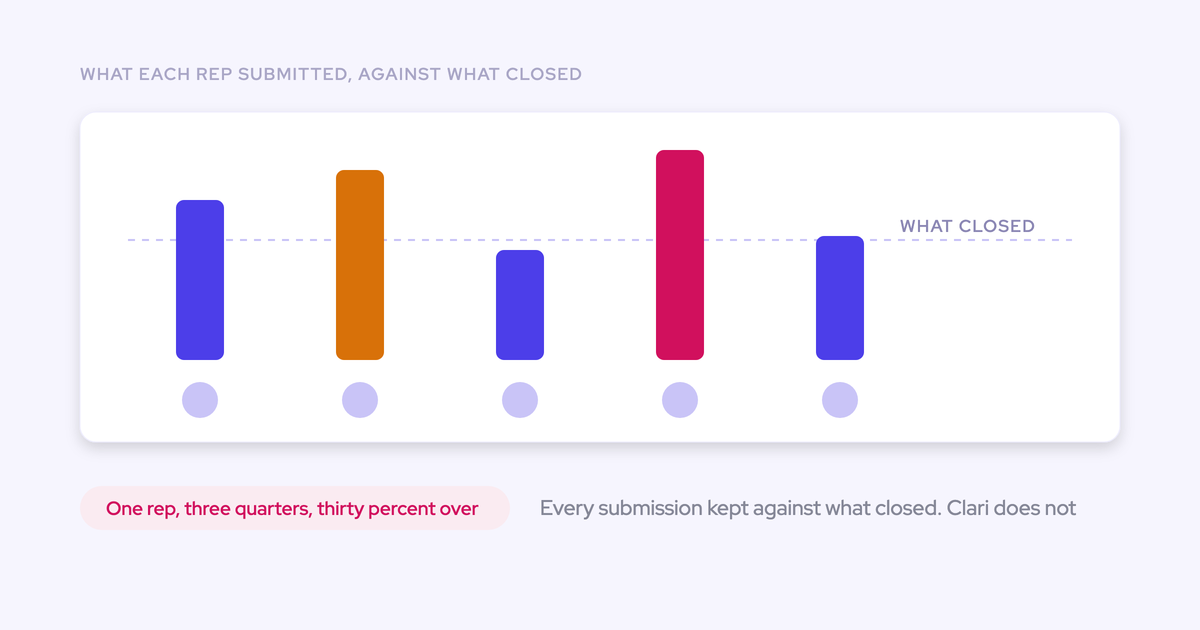
A successful delivery test proves the handoff works. It doesn't prove forecast accuracy, which requires repeated submissions and comparison with closed results over time.
When is Weflow not the right reporting layer?
Weflow fits scheduled delivery of an operational sales forecast. Keep the final report elsewhere when finance needs cross-system calculations or a different data architecture.
| Requirement | Weflow fit | Appropriate system |
|---|---|---|
| Email an operational forecast | Fits, subject to output validation. | Weflow for forecast workflow and delivery. |
| Combine bookings, recognized revenue, and provisions | Not a general-purpose reporting fit. | Finance systems and BI. |
| Write agent conclusions into CRM fields | Outbound agents don't do this automatically. | Salesforce, through a separate update process. |
| Read forecast submissions directly from Salesforce | Submissions don't live in Salesforce objects. | Weflow, with an outward access path where needed. |
Finance and ERP data need a BI layer
Weflow isn't a general-purpose agent platform for arbitrary finance and ERP systems. Its agents work with customer-facing data and Salesforce-mapped context.
Use Weflow when finance needs the operational bookings forecast. Use BI or the finance stack when the document must calculate revenue recognition, run rate, provisions, or cross-system financial totals.
Weflow's public API or MCP can provide revenue data to an external reporting or assistant workflow. Confirm the required data coverage before designing that integration.
Agent conclusions stay outside Salesforce fields
Weflow's outbound agents don't automatically write their conclusions into Salesforce fields. A risk statement in the CFO report doesn't change the underlying Opportunity record.
| Mechanism | What happens |
|---|---|
| Agent report output | Weflow delivers conclusions through outbound channels such as email and Slack. |
| AI Field Updates and AI playbooks | Separate Weflow mechanisms update configured Salesforce fields after calls or on a schedule. |
If finance expects a report conclusion to trigger a Salesforce workflow, define the field-update process separately.
Forecast submissions remain in Weflow
Weflow keeps forecast submissions, targets, and roll-up data in its application rather than surfacing them as Salesforce records. Salesforce remains the source for the underlying opportunity data.
| System | Data | Portability consideration |
|---|---|---|
| Salesforce | Opportunity records and edits, captured activity, transcripts, summaries, and AI field updates written there. | Your Salesforce reporting and automations can use the stored records. |
| Weflow | Forecast submissions, targets, and roll-up data. | BI access requires an outward path such as the public API, not a Salesforce-only query. |
This distinction matters if your internal assistant already connects to Salesforce. That connection alone won't expose the Weflow forecast layer.
How should RevOps justify this workflow to finance?
Build the case around recurring work removed and controls preserved. A prettier PDF isn't a purchase case.
| Business-case item | What to measure or document |
|---|---|
| Reporting labor avoided | Time currently spent exporting, formatting, checking, and sending each report, less the review work that remains. |
| Passive-seat cost avoided | Only seats you would otherwise buy for recipients who need no interactive access. |
| Delivery consistency gained | An agreed schedule, reporting scope, cutoff, and responsible owner. |
| Forecast control retained | Versioned submissions, named deals, comments, overrides, and locks behind the number. |
| Costs and limits retained | Operating seats, workspace agent usage, report review, and any finance or BI workflow still required. |
Zeotap forecasts the quarter within 7% using Weflow. Its underlying work includes better pipeline data and a repeatable review cadence. That result supports the forecasting discipline, not a claim that Zeotap uses scheduled PDF delivery.
Bring your current executive report to the evaluation. Ask us to reproduce the required output, reconcile it with the forecast, and verify delivery and action consumption before you approve the workflow.
See how Weflow captures activity, updates Salesforce fields from calls, and rolls up your forecast. Book a 30-minute demo.
FAQ about Weflow scheduled forecast delivery
Weflow supports scheduled forecast output by email, including PDF delivery. Verify the details below against your required recipient experience before launch.
Is the PDF attached or delivered through a link?
Weflow's PDF delivery capability doesn't establish whether your configured report arrives as an attachment or a hosted link. Confirm the packaging in a test email, including whether opening it requires any authentication.
Can Weflow email distribution lists and multiple recipients?
Weflow sends agent output to configured email recipients. Confirm support for your exact multi-recipient setup and distribution lists before relying on one workflow for the full audience. Include recipient behavior in the action-consumption test.
Can Weflow deliver the forecast to Slack?
Yes. Weflow supports Slack as an outbound destination for agent output. Confirm the forecast content and file format for Slack separately; email PDF support doesn't establish identical PDF behavior in Slack.
Can Weflow deliver the forecast as CSV?
We haven't confirmed scheduled CSV forecast delivery. Weflow's email, PDF, and Slack output support doesn't establish CSV support. If finance requires a machine-readable file, verify that requirement before purchase.
What happens when a manager misses the deadline?
Weflow supports submission deadlines, override windows, and forecast locks. Those controls don't establish an automatic fallback for a missing manager submission.
Test whether the scheduled report uses an older submission, omits the missing input, or needs intervention. Agree on the exception policy before the CFO receives the first report.
What happens if Weflow is later removed?
- Delivery workflow: Weflow's scheduled reporting won't continue without Weflow. Rebuild delivery in the replacement system.
- Forecast data: Export or integrate the Weflow-resident submissions, targets, and roll-up history you need before removal. Confirm the available coverage.
- Salesforce data: Data Weflow has written into Salesforce remains your data. Plan any package removal separately so you preserve the records you need.