How to Explain a Week-Over-Week Sales Forecast Change, Deal by Deal
Learn to explain a week-over-week sales forecast change, deal by deal, with snapshots and call cadence.


Explain a forecast change by reconciling two fixed points in time, then showing the deals behind the difference. Your VP needs the starting number, the ending number, and a defensible explanation of what moved.
Reconstructing that explanation from rep memory during the call leaves you arguing about the evidence instead of making decisions.
The deliverable is a one-page pre-read: a movement bridge, a short list of material deals, and a reason, supporting evidence, and next action for each exception.
Keep opportunity changes separate from changes in the number your reps and managers submitted. Those changes often overlap, but they don’t measure the same thing.
We use this distinction in evidence-backed Weflow deal reviews. Weflow is the Revenue AI Orchestration platform for sales, customer success, and RevOps teams.
The workflow below applies whether you keep your history in Salesforce, a spreadsheet, a warehouse, or Weflow.
What should a forecast change pre-read show?
A forecast change pre-read should reconcile last week’s total to this week’s total and identify the deal decisions behind the difference. A dashboard showing only the current pipeline can’t do that job.
Use the following layout. The running example is an illustrative renewal whose opportunity amount falls from $2 million to $1 million, with no other pipeline movement. It isn’t a customer result.
| Pre-read component | What leadership sees | What it establishes |
|---|---|---|
| Comparison header | Same renewal period, team, currency, and weekly cutoff | Both totals describe the same scope. |
| Opportunity bridge | $2 million starting open pipeline − $1 million amount decrease = $1 million ending open pipeline | The underlying deal value changed. |
| Submission comparison | Prior and current submitted baseline and best case, shown separately | Whether the owner changed their forecast judgment too. |
| Exception list | The renewal opportunity, its prior and current values, explanation, and evidence | Which deal accounts for the movement and whether the explanation holds. |
| Decision queue | Confirm the expected renewal value and assign the customer follow-up | What the manager needs to settle. |
The exception row should look like this before the call:
| Deal | Movement | Reason and evidence | Action and decision |
|---|---|---|---|
| Renewal opportunity | Amount: $2 million → $1 million | Owner supplies the reason and links the customer communication supporting the reduction. | Owner records a dated follow-up. Manager confirms whether the submitted forecast should change. |
A field change proves that someone changed the record. It doesn’t prove why the customer’s expected spend changed. Keep that distinction visible.
What data and access do you need first?
You need retained opportunity states, retained forecast submissions, and a shared weekly cutoff before you can produce a reliable forecast change report.
Ask RevOps or your Salesforce administrator to confirm these prerequisites:
- Data: Two historical opportunity datasets with stable opportunity IDs, timestamps, and the fields your forecast uses. Retain records that leave the reporting scope, too.
- Submission history: Prior and current rep submissions, selected opportunities where available, and manager adjustments with their rationale.
- Permissions: Access to the opportunities, relevant fields, reporting history, and supporting customer communication. A hidden record mustn’t look like a lost deal.
- Definitions: One amount measure, period field, currency treatment, forecast scope, and movement taxonomy.
- Process ownership: A manager owns decisions, reps own explanations, and RevOps owns the comparison logic.
- Reporting tools: A repeatable way to retain history, compare records by ID, and drill from totals into opportunities.
If last week’s state doesn’t exist, start preserving it now. Label any reconstruction as partial rather than presenting a remembered number as a snapshot.
How to build a week-over-week forecast change report
Build the report by comparing opportunity states first, reconciling submitted forecasts separately, and joining both at the deal level. That order keeps a rep’s explanation from becoming the calculation.
1. Fix the two forecast comparison points
Compare the same point in your weekly cadence, using a fixed reporting period rather than a moving “current quarter” filter.
- Choose a cutoff after pipeline updates and forecast submissions are due.
- Record the timestamp and time zone for both comparison points.
- Keep the team, revenue motion, period, and currency definitions consistent.
- Show updates after the cutoff as late changes. Don’t silently rewrite the pre-read.
For the renewal example, compare the previous Friday’s submission deadline with this Friday’s deadline. Both snapshots cover the same renewal period. Record the actual timestamps in the report header.
If your system snapshots every few hours, show the snapshot timestamp you actually used. Don’t label it as an exact deadline snapshot unless it is one.
2. Snapshot the fields that explain deal movement
Snapshot the fields needed to reproduce the total and explain why an opportunity entered, left, or changed within it.
| Field group | Question answered | Where it belongs |
|---|---|---|
| Opportunity ID, name, account, snapshot timestamp | Which record are we comparing, and when? | ID joins the datasets; name appears in the exception list. |
| Amount measure and currency | Did the value change? | Summary bridge and drill-down. |
| Close date or chosen period field | Did the deal move into or out of the period? | Summary classification and drill-down. |
| Stage and open, won, or lost status | Did the sales process or outcome change? | Movement classification and exception context. |
| Forecast category | Did confidence change, even if the deal value didn’t? | Category comparison and exception list. |
| Owner, team, revenue motion | Did the deal move between reporting scopes? | Scope controls and drill-down. |
| Next step and relevant qualification fields | Does the current closing plan support the call? | Diagnostic detail. |
| Submitted baseline, best case, included deals, overrides | What did the rep and manager actually call? | Separate submission history. |
For the renewal example, retain both amount values even if Salesforce now shows only $1 million. Keep the prior contract value separate from the opportunity’s expected renewal amount.
Otherwise, a contract baseline can quietly become a forecast measure, and your bridge starts comparing different things.
3. Separate pipeline movement from forecast submission changes
Opportunity movement describes changes in deal records; submission movement describes changes in human judgment. Preserve both histories.
| Opportunity-state comparison | Forecast-submission comparison |
|---|---|
| Compares amount, date, stage, category, and reporting scope. | Compares the baseline and best case each person submitted. |
| Explains changes in pipeline totals and category membership. | Explains changes in the called number, including manager overrides. |
| Can change without a new submission. | Can change while opportunity fields stay unchanged. |
In the renewal example, the opportunity amount falls by $1 million. Check whether the renewal owner also reduced their submission. If the submission stayed unchanged, flag the mismatch rather than assuming the pipeline reduction automatically changed the forecast.
Use selected opportunities to explain submission changes wherever possible. Keep any total-level manager adjustment as an explicit judgment line with an owner and rationale.
4. Reconcile the total with explicit movement categories
Every dollar of movement must belong to a defined category, and the categories must add back to the ending total.
Start with an open-pipeline bridge. Our renewal example produces the following reconciliation:
| Category | Amount in the example | Changed deals | Drill-down destination |
|---|---|---|---|
| Starting open pipeline | $2 million | Baseline population | All open opportunities in scope at the first cutoff. |
| Newly created | No movement | None | New opportunities entering the period. |
| Increased | No movement | None | Continuing opportunities with higher amounts. |
| Pulled in | No movement | None | Existing opportunities moving into the period. |
| Pushed out | No movement | None | Open opportunities moving outside the period. |
| Lost | No movement | None | Previously open opportunities that closed lost. |
| Decreased | −$1 million | The renewal opportunity | Prior and current amounts on the affected deal. |
| Won | No movement | None | Previously open opportunities that closed won. |
| Ending open pipeline | $1 million | Current population | All open opportunities in scope at the second cutoff. |
For an endpoint comparison, apply a consistent classification order:
- For deals that leave open pipeline, classify the exit as won, lost, pushed out, or another explicit scope change. Remove the prior contribution.
- For deals that enter open pipeline, classify the entry as newly created, pulled in, or another scope change. Add the current contribution.
- For deals open and in scope at both cutoffs, assign the amount difference to increased or decreased.
- Retain other field changes as context rather than counting the same dollars again.
A deal that both shrinks and pushes out shouldn’t subtract its full prior amount twice. Preserve both changes in the detail, but apply your agreed financial attribution rule.
Stage and forecast-category changes don’t change total unweighted open pipeline by themselves. They do change a stage-filtered, category-filtered, or weighted measure. Name the measure before building its bridge.
Keep an explicit line for ownership transfers, deletions, currency effects, or other scope changes when they occur. Never hide an unexplained difference inside “decreased.”
5. Filter the bridge to material deal changes
Apply materiality to the discussion list, not to the underlying reconciliation. The full bridge still needs every movement.
Agree the thresholds with leadership before the call:
- Absolute value: Include movements above your agreed dollar threshold.
- Relative impact: Include changes that materially affect the team’s submitted forecast or the deal’s own value.
- Confidence: Include material Commit downgrades, even when amount and date remain unchanged.
- Timing: Include important pushes and pull-ins that change the period’s landing position.
- Strategic importance: Include named exceptions where customer or commercial risk warrants a decision.
Don’t choose a universal percentage because it looks tidy. The right threshold depends on deal concentration and the decisions leadership can make.
| Example exception | Why it belongs | Question for the manager |
|---|---|---|
| Renewal amount decreased by $1 million | The deal explains the entire movement in this example. | Does customer evidence support the reduction, and does the submission reflect it? |
Sort by impact on the called number and urgency. A long list of changed fields is still a discovery exercise.
6. Add reasons, evidence, and next actions
Give each material movement an accountable explanation, a source, and a dated action. The system detects the change; the rep explains it; the manager tests the conclusion.
For the renewal example, the amount difference alone doesn’t establish whether the cause was reduced scope, pricing, or a correction. Don’t guess.
| Required detail | Renewal example | Owner |
|---|---|---|
| Prior state | $2 million opportunity amount at the baseline cutoff. | Reporting system. |
| Current state | $1 million opportunity amount at the current cutoff. | Reporting system. |
| Reason | The specific commercial change. Mark it unverified until the owner explains it. | Renewal owner. |
| Evidence | The dated customer email, call passage, or revised commercial document supporting the explanation. | Renewal owner supplies it; manager checks it. |
| Next action | The step required to confirm or recover value, with a named owner, customer stakeholder, and due date. | Renewal owner. |
| Decision needed | Accept the lower forecast, retain a supported upside case, or request further verification. | Manager. |
Activity volume helps test momentum, but sent emails don’t prove buyer engagement. Look for replies and customer commitments that support the amount and timing.
If an AI summary explains the movement, check the underlying communication. A fluent answer doesn’t replace a source.
7. Assemble the one-page forecast call pre-read
Order the pre-read around the questions leadership asks: what changed, why, and what needs a decision?
- Header: Reporting period, team, revenue motion, measure, currency, and both cutoff timestamps.
- Called-number change: Prior and current submitted forecast, including explicit manager adjustments.
- Opportunity bridge: Starting pipeline, movement categories, and ending pipeline.
- Material exceptions: Deal names, prior and current values, reasons, evidence, and next actions.
- Decision queue: Unresolved judgments, accountable owners, and deadlines.
Keep the full reconciliation and supporting records behind the page. The pre-read should summarize evidence without forcing leadership to read every opportunity.
For the renewal example, the page isn’t ready just because the amount bridge balances. It also needs the owner’s submission status and the manager’s decision on the expected renewal value.
How should managers run the call from the pre-read?
Use the forecast call to settle material exceptions and lock the called number. Move detailed deal coaching into a separate working session.
- Confirm the comparison. RevOps brings the cutoffs, scope, and reconciliation. The output is agreement that everyone is discussing the same number.
- Review material changes. The manager asks owners about the exception list. Each answer must explain the commercial change, not repeat the field change.
- Test disputed explanations. A second reviewer checks the supporting record while the manager runs the conversation. Unsupported claims become verification tasks.
- Decide the forecast treatment. The manager confirms included deals and adjustments, retaining the rationale for any override.
- Close with ownership. Record actions, due dates, and the final submission version. Route deeper strategy questions to deal reviews.
The manager still owns judgment. The pre-read gives that judgment something concrete to work against.
Which system should preserve forecast comparison history?
Use the simplest system that reliably preserves both opportunity states and submitted judgments. Evaluate the operating work around it, not just the chart it produces.
Can Salesforce field history show last week’s forecast?
Salesforce field history can show changes to supported fields when an administrator enabled tracking in advance. It isn’t automatically a complete snapshot of last week’s forecast.
| Requirement | Where field history fits | Boundary to check |
|---|---|---|
| Explain an individual field change | Inspect recorded prior and current values. | Tracking must already cover that field. |
| Track a focused field set | Standard field history tracking supports up to 20 fields per object. | Confirm your org’s configuration and any additional history capabilities. |
| Preserve calculated values | History on source fields may provide partial context. | Formula and roll-up summary fields don’t support standard field history tracking. |
| Recreate a fixed pipeline population | History can contribute to reconstruction. | You still need consistent scope, complete records, and a method for reproducing the cutoff state. |
| Compare submitted forecasts | Use whatever forecast history your setup retains. | Opportunity field history doesn’t preserve a submission stored elsewhere. |
Ask your administrator to demonstrate the report on your actual fields and two actual cutoffs. If reconstruction leaves gaps, schedule snapshots rather than stretching field history beyond what it retained.
Can spreadsheets or a warehouse recreate the bridge?
Yes. A spreadsheet or warehouse can produce the bridge if it retains complete comparison states and joins opportunities by stable ID.
| Spreadsheet approach | Warehouse approach |
|---|---|
| Save timestamped exports and preserve them unchanged. | Schedule snapshots and retain historical states. |
| Join both exports by opportunity ID, including records present in only one. | Build repeatable comparison logic across both populations. |
| Retain submissions and manager adjustments in separate versioned records. | Ingest submission history as a separate dataset. |
| Protect formulas and assign an owner for each weekly refresh. | Assign ownership for ingestion, schema changes, reconciliation tests, and access controls. |
| Fits a manageable process with reliable manual ownership. | Fits teams with established data infrastructure and custom reporting needs. |
A spreadsheet that preserves history is a legitimate starting point. The failure is overwriting last week’s file, not using a spreadsheet.
When is a forecasting platform worth the change?
Evaluate a forecasting platform when preserving history and coordinating submissions have become recurring operational work that your current setup can’t reliably absorb.
- Stay with your current setup if the bridge reconciles, managers trust the drill-down, submission history persists, and preparation stays manageable.
- Fix the cadence first if the functionality exists but people miss deadlines or arrive without explanations.
- Evaluate a platform if exports, fragmented submissions, missing history, and manual roll-ups keep delaying the answer.
- Test configuration before switching if you depend on custom hierarchies, multiple date rules, or revenue splits.
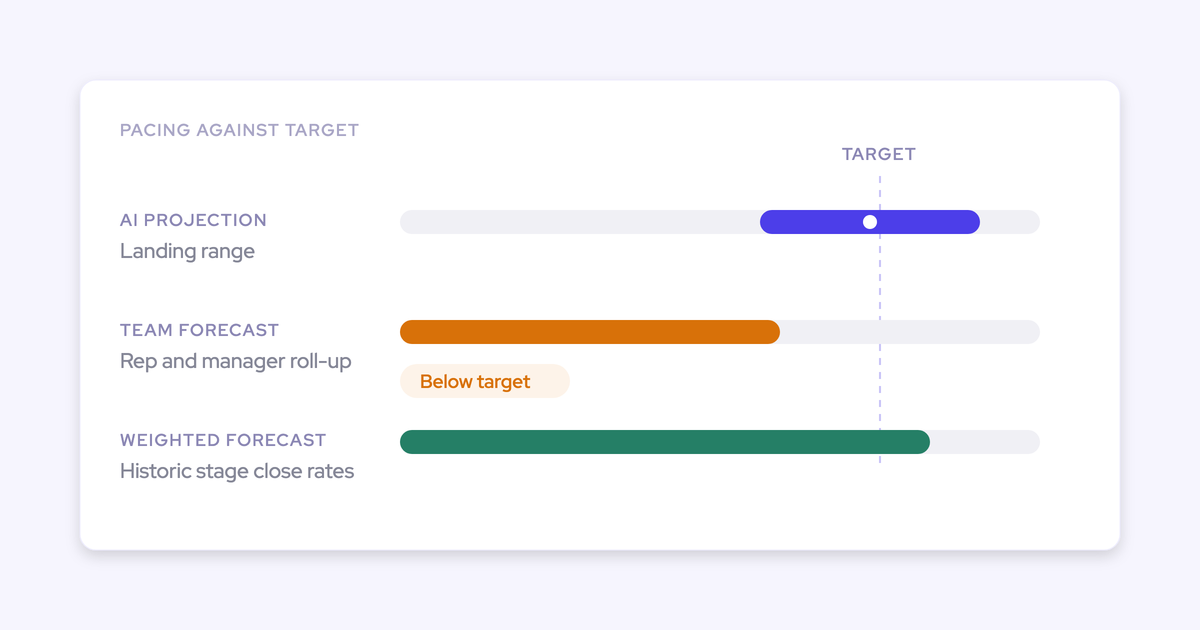
Clari’s waterfall, pacing, and historical quarter comparisons are useful capabilities. If Clari already gives your managers a trusted, drillable bridge and forecast history, switching for snapshots alone is unnecessary.
| Approach | Historical coverage | Auditability and drill-down | Maintenance | Cadence support |
|---|---|---|---|---|
| Salesforce configuration | Depends on enabled history and snapshot design. | Validate against the fields and submissions you use. | Salesforce administrator owns it. | Depends on your configured process. |
| Spreadsheet | Begins with retained exports. | Requires protected versions and stable IDs. | Recurring refresh and reconciliation work. | People enforce deadlines and locks. |
| Warehouse | Depends on scheduled ingestion and retention. | Custom logic can preserve a traceable comparison. | Data team maintains the model. | Requires a submission workflow alongside reporting. |
| Forecasting platform | Verify snapshot coverage and import limits. | Test deal drill-down, submission versions, and overrides. | RevOps still owns definitions and configuration. | Evaluate deadlines, override windows, and forecast locks. |
How Weflow creates a deal-level forecast change bridge
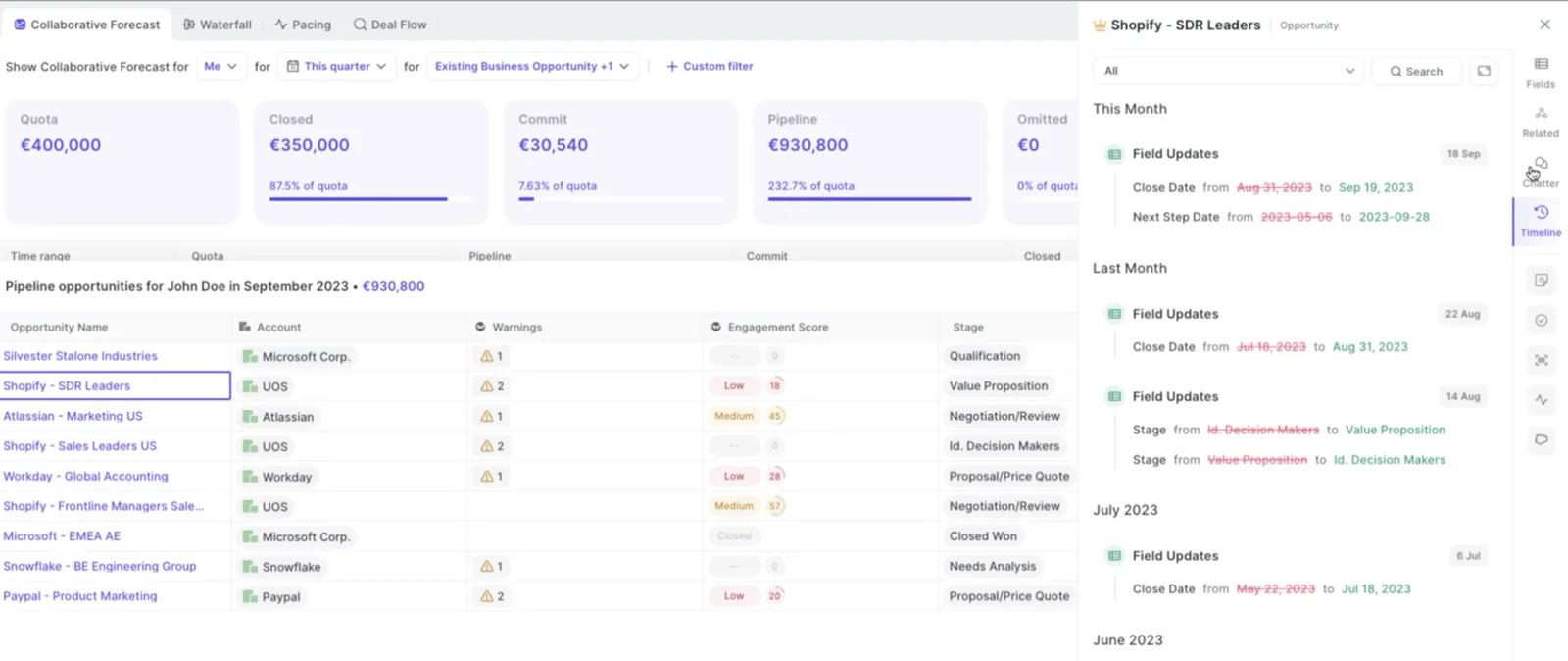
Weflow snapshots opportunity data every few hours and uses that history to build a clickable pipeline waterfall. Each movement category drills into the opportunities behind the change.
You can inspect tracked field changes alongside the deal, so an updated close date doesn’t erase the comparison you need.
| Workflow requirement | Weflow handling | Manager responsibility and boundary |
|---|---|---|
| Retain opportunity states | Snapshots opportunity data every few hours. | Choose valid comparison points. Don’t assume missing historical states can backfill. |
| Explain pipeline movement | Waterfall categories cover newly created, increased, pulled in, pushed out, lost, decreased, and won opportunities. | Confirm the reporting measure and inspect material movements. |
| Preserve submitted judgment | Reps submit baseline and best case as totals or selected opportunities. Weflow versions each submission. | Use named opportunities when you need a deal-level explanation. |
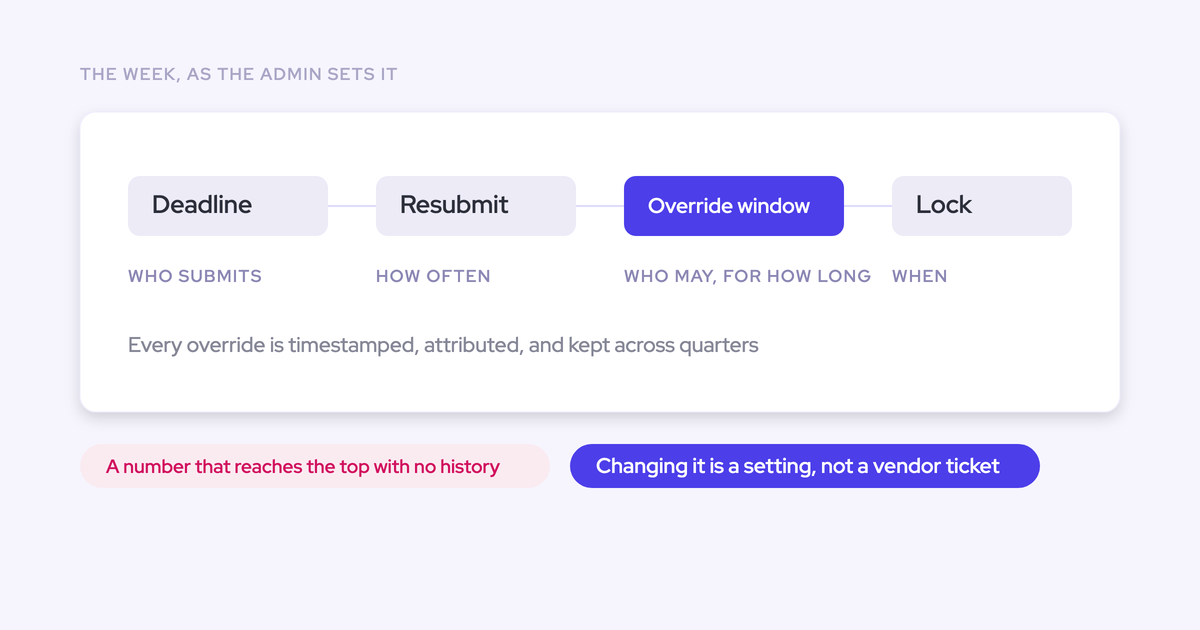
| Record manager adjustments | Overrides retain timestamps, attribution, rationale, and history. | Explain the judgment behind the adjustment. |
| Enforce comparison boundaries | Configurable deadlines, resubmission frequency, override windows, and forecast locks. | Agree and run the weekly cadence. |
| Verify deal context | Deal summaries, communication velocity, and activity context support inspection. | Check capture coverage and source evidence. An AI summary doesn’t certify the explanation. |
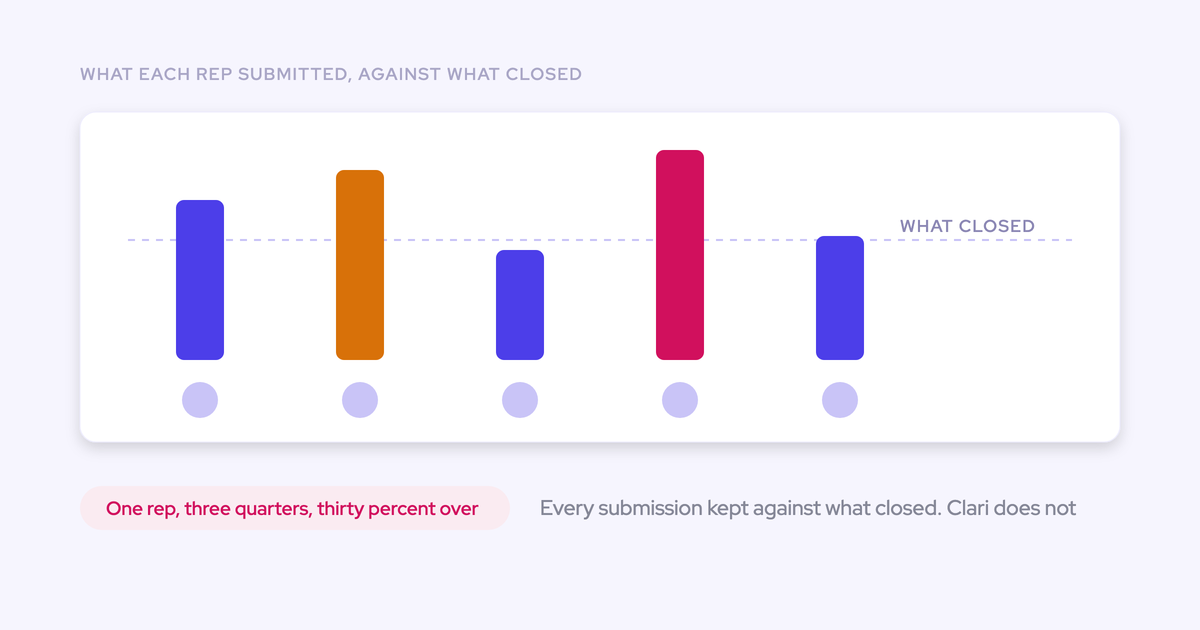
Weflow also retains forecast-call history in the roll-up, so you can compare the number someone submitted with their previous call.
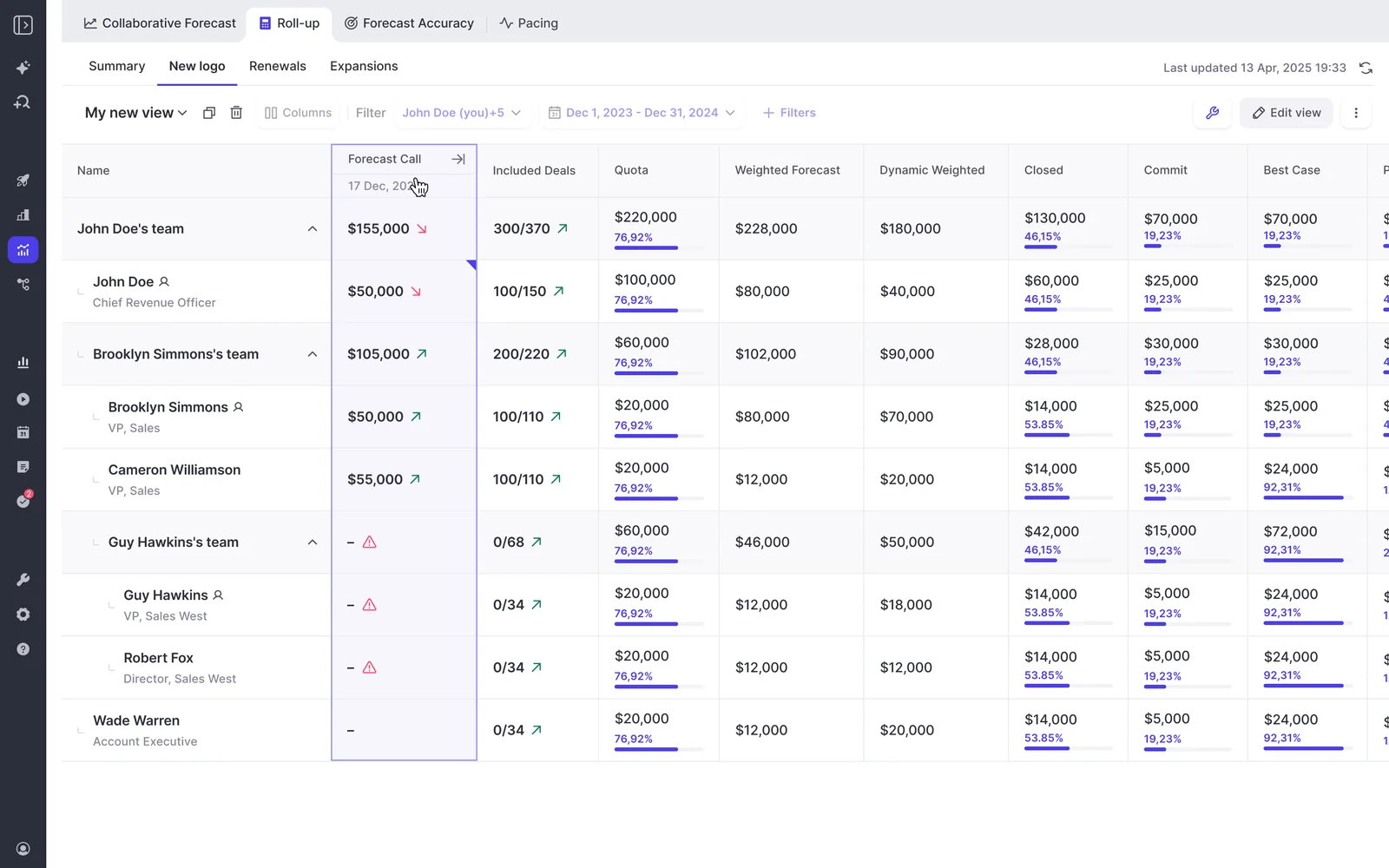
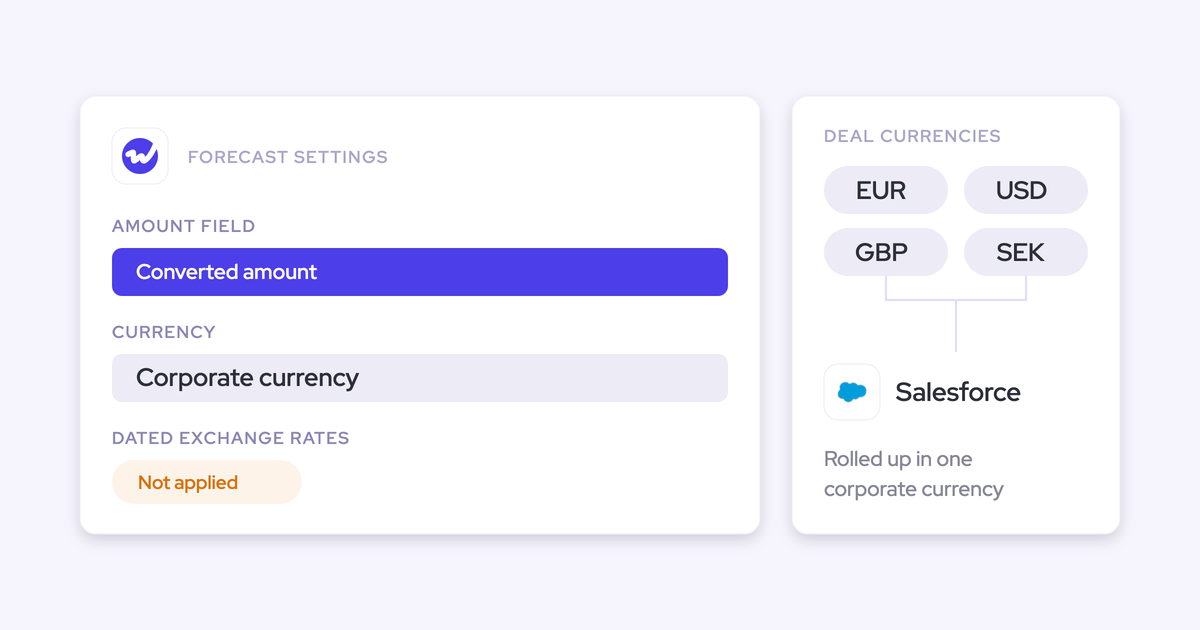
There’s an architectural boundary to account for: Weflow’s forecast submissions, targets, and roll-up data live in Weflow, not Salesforce forecast objects. Opportunity edits sync back to Salesforce.
If you keep Clari for forecasting, Weflow can supply activity capture into Salesforce while Clari reads that activity. Assign one capture system to write each activity so the rollout doesn’t create duplicates.
Why do forecast change reports fail after setup?
Forecast change reports lose trust when teams change the comparison rules or stop completing the operating work around them.
| Failure mode | Consequence | Control |
|---|---|---|
| Inconsistent cutoffs | The report compares different levels of freshness. | Publish timestamps and preserve the cutoff versions. |
| Overlapping movement categories | The same dollars appear twice. | Define attribution precedence and test that the bridge balances. |
| Changing field definitions | Last week’s total measures something different. | Version the report definition and disclose any restatement. |
| Missing records or access changes | Invisible deals look like pipeline exits. | Check scope and permissions before assigning a commercial reason. |
| Unsupported explanations | Rep memory becomes the accepted account. | Require a dated source or mark the reason unverified. |
| Stale submissions | The called forecast no longer reflects the deal state. | Flag submission age and enforce resubmission deadlines. |
| Too many exceptions | The call becomes a full pipeline walkthrough. | Apply materiality to the agenda while retaining the complete bridge. |
| Duplicate preparation | Reps maintain the same explanation in several places. | Keep one authoritative movement record and reuse it. |
We see teams maintain separate waterfalls for sales, RevOps, and finance. Consolidating the screen won’t fix different amount definitions underneath it. Agree the measure with finance before automating the report.
Frequently asked questions about forecast change reports
Settle history, field configuration, storage, and evaluation boundaries before rollout. Those choices determine whether the report remains reproducible.
Which opportunity fields should be snapshotted?
Snapshot the fields that reproduce the financial total, reporting scope, and material deal changes.
- Core reconciliation: Opportunity ID, snapshot timestamp, amount measure, currency, period date, stage, and open or closed status.
- Scope and judgment: Owner, team, revenue motion, and forecast category.
- Diagnostic context: Next step, next-step date, and relevant qualification fields.
Preserve forecast submissions and manager overrides separately. They aren’t substitutes for opportunity snapshots.
Should closed-won deals stay in the forecast bridge?
Closed-won treatment depends on the measure you’re reconciling. In an open-pipeline bridge, a win removes the opportunity’s prior open value and appears as an outflow.
In a closed-plus-open view, winning transfers value from open pipeline into closed bookings. Don’t count the same amount as both retained pipeline and added bookings. Any value or period change still needs its own reconciliation.
How should pushed deals differ from lost deals?
A pushed deal remains open but moves outside the reporting period. A lost deal ends without a win.
- Pushed: Remove the deal from the period’s open pipeline and verify the new timing and closing plan.
- Lost: Remove the deal from open pipeline and record the outcome and loss reason.
Use your classification precedence when both date and status change. Don’t classify a loss as a push just because someone also edited the close date.
Can forecast movement be created retroactively?
Only retained historical records can support a defensible retroactive comparison. Existing exports, field history, or prior platform records may support partial reconstruction.
Enabling history today doesn’t recover overwritten values. Weflow’s activity backfill is also distinct from historical opportunity snapshots and forecast submissions.
Before migration, inventory the available history and confirm import support. Don’t assume spreadsheet or Clari history will automatically become usable Weflow comparison data.
How should custom amount and date fields be handled?
Choose one explicit amount measure and one period field for each report, then validate their historical values.
- Document whether the measure represents bookings, ARR, renewal value, or another defined amount.
- Snapshot evaluated values when formulas or roll-ups drive the total.
- Fix currency treatment across both comparison points.
- Test date changes and any requirement to allocate value across periods.
Weflow’s forecast date field is configurable, but Weflow places an opportunity’s full configured amount into one period. It doesn’t split that amount across quarters.
Can one report cover new-logo, expansion, and renewals?
Use a shared reconciliation method with separate views when revenue motions have different owners, timing, or risk. Combine them only after each view reconciles.
| Motion | Keep visible |
|---|---|
| New-logo | New pipeline, buying-process progress, and close-date movement. |
| Expansion | Incremental scope and value, separate from the existing contract. |
| Renewals | Renewal timing, expected retained value, and contraction or churn exposure. |
Weflow supports multiple forecast types. Validate each type’s ownership and roll-up path rather than assuming one hierarchy fits every motion.
How long until useful forecast history exists?
A week-over-week comparison becomes useful once you’ve preserved two comparable weekly cutoffs. Longer-term analysis needs more history.
- First comparison: Identify changes and test whether the bridge balances.
- Repeated weekly cycles: Identify recurring pushes, stale submissions, and changing judgment.
- Completed forecast periods: Compare prior submissions with outcomes.
- Multiple comparable periods: Evaluate pacing and patterns across quarters.
Does Weflow store forecast submissions in Salesforce?
No. Weflow stores forecast submissions, targets, and roll-up data in Weflow rather than Salesforce forecast objects.
Salesforce remains the deal record: opportunity edits sync back, and Weflow writes captured activity, transcripts, summaries, and AI field updates into Salesforce. Weflow uses its snapshot history for historical pipeline analysis.
For downstream reporting on submissions and roll-ups, use Weflow’s public API rather than expecting a Salesforce forecast report to contain them.
What does Weflow Deal Intelligence & Forecasting cost?
Weflow Deal Intelligence & Forecasting costs $39 per user per month, billed annually, with a 10-user minimum.
| Option | Price and scope |
|---|---|
| Weflow Deal Intelligence & Forecasting | $39 per user per month, billed annually. |
| Revenue AI Enterprise | $79 per user per month, billed annually. Includes Weflow Activity & Contact Capture, Weflow Conversation Intelligence, and Weflow Deal Intelligence & Forecasting. |
| View-only access | Free view-only licenses (up to one per recording license) included. |
| Platform and implementation fees | No platform or implementation fees. |
Weflow includes Agent Builder’s Free tier with 25 agent actions per month. Higher Agent Builder tiers carry separate workspace pricing. Choose packaging based on the data foundation you already have, not forecasting screens alone.
Can a short proof of concept validate forecasting?
A short proof of concept can validate the mechanics of a forecast change report. It can’t establish sustained adoption or improved forecast accuracy.
| Can validate | Cannot yet validate |
|---|---|
| Field configuration, permissions, and reporting scope. | Accuracy across completed forecast periods. |
| Snapshot comparison and deal-level drill-down. | Historical comparisons for states that never existed. |
| Submission versioning and manager overrides. | Consistent participation across repeated weekly cycles. |
| Whether managers can verify material changes from source evidence. | Long-term reductions in preparation work or forecast bias. |
Start with a process alignment session that includes sales leadership, RevOps, and finance. Then test one forecast motion against two fixed cutoffs and require the bridge to reconcile.
Use the free guide to getting started with bottom-up forecasting to define submission ownership and cadence before your next comparison.