How to set up renewal forecasting in Salesforce alongside new-business forecasting
Learn to set up renewal and new-business forecasting in Salesforce with parallel forecasts in Weflow



Renewals can run as a first-class forecast motion: their own Salesforce record type, indexed on renewal date instead of close date, with their own target, their own cadence, and their own roll-up that still lands in the one number leadership reads. This is the guide for standing that up next to the new-business forecast you already run.
Almost nobody has it. Not because RevOps disagrees with the idea, but because renewals were always the next thing on the list, and something more urgent came first for years.
Meanwhile account managers and CSMs outnumber new-logo reps several times over. So the largest slice of revenue runs with no forecast process behind it, no milestone firing before the contract end date, and no accuracy history anyone can point at.
Below is the build sequence plus the operating decisions around it: what has to exist in Salesforce first, how two setups run in parallel, how a combined quota and per-motion targets coexist, and who owns the renewal number when the forecast roll-up has to cross from sales into customer success. The configuration is the easy half. Ownership and cadence decide whether it's still running in six months.
How a renewal forecast differs from a new-business forecast
The two motions differ on five load-bearing dimensions, and a setup that can't express all five is one pipeline with a label on it, whatever the reports say.
| Dimension | New business | Renewal |
| Date the forecast indexes on | Close date: when the deal is expected to sign | Renewal or contract end date: what's due in the period, regardless of close date |
| What starts the deal | A qualified opportunity a rep creates | A contract end date getting close, and a milestone that fires ahead of it |
| Stage path | Stages that describe a buying process | Stages that describe a retention decision: risk assessed, commercials agreed, paper signed |
| Target | New ARR quota per rep | Retention against the ARR up for renewal in that period, plus expansion on top |
| Roll-up path | Rep, manager, sales leader | Account owner or CSM, CS or AM manager, revenue leader |
Notice the target row. A new-business number is a sum; a renewal number is a percentage of a known base. That's why a renewal forecast can be honest early in the quarter and a new-business forecast usually can't: you already know the denominator.
Before you build: record types, date fields, and owners
The renewal motion has to be structurally separable in Salesforce before any forecast layer reads it. Run this checklist against your org first, because every step after this assumes it's true.
- A Renewal opportunity record type exists, separate from New Business and Existing Business.
- A renewal or contract end date field is populated on every renewal opportunity, and you know who keeps it accurate.
- One amount field is chosen for the renewal motion: the ARR actually up for renewal, not a blended opportunity amount.
- The renewal stage path has entry and exit criteria written down and visible to the people who have to follow them.
- One person owns the renewal number. Named, before anything gets configured.
- You've decided which legacy fields die. The new forecast should read a small set of fields you can name out loud.
On record type versus a deal-type picklist: the picklist tells a report which motion a deal belongs to and nothing else. It doesn't give renewals their own stage path, their own required fields, or their own forecast-category mapping. Record types do, which is why new logo, expansion and renewal are worth modelling as separate record types rather than as three values in one column.
The field decision matters more than it looks. Teams inherit a forecast built on formula fields stacked on formula fields, several of them reading columns that got deprecated in a migration nobody finished.
Two practical consequences. Salesforce can't enable field history tracking on calculated or roll-up fields, so if you forecast on one, your pipeline movement history has to come from something that snapshots opportunities on a schedule. And every extra field you add is maintenance somebody inherits.
So don't add, like, ten currency fields on top of the amount fields. No one's winning because of this, and your sales motion is not necessarily going to become better.
Philipp Stelzer, CPO and Co-founder of Weflow, on RevOps Lab
Setting up parallel renewal and new-business forecasts in Weflow
Weflow is the Revenue AI Orchestration platform for sales, customer success, and RevOps teams, and Weflow Deal Intelligence & Forecasting is the product these steps run in.
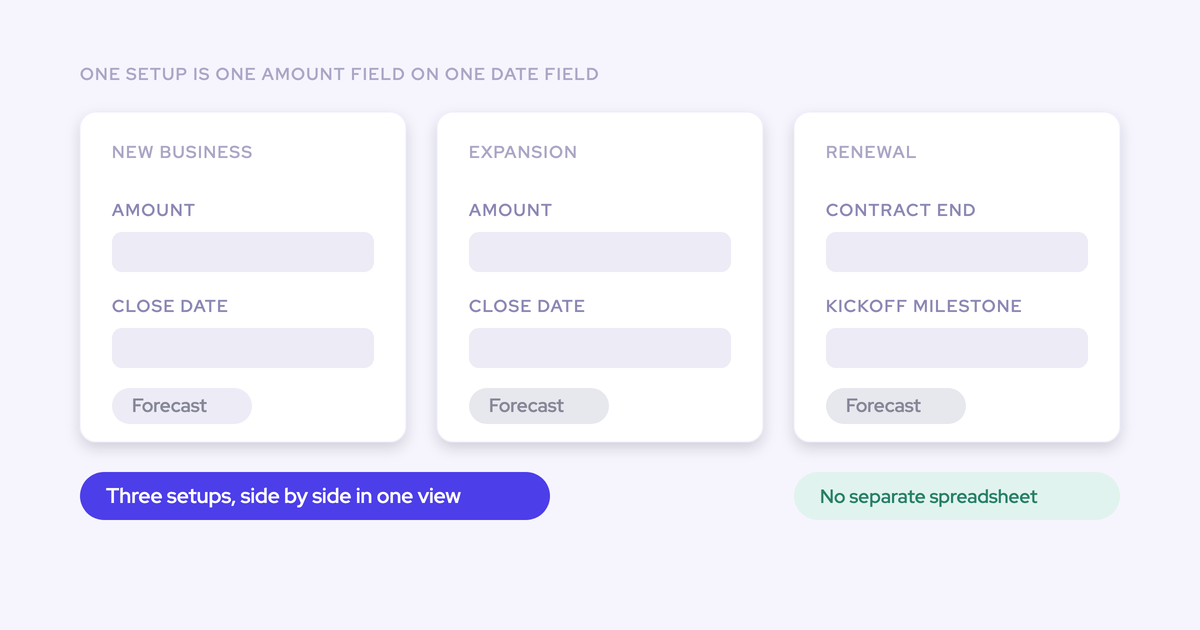
The mechanic that makes the parallel motion possible is simple: a forecast setup in Weflow is one chosen Salesforce amount field indexed on one chosen date field, and an org can run several setups at the same time, each with its own stages, cadence, targets and forecast calls.
So the renewal forecast isn't a bent version of the new-business forecast. It's a second setup.
Step 1: give renewals their own Salesforce record type and stage path
Weflow supports multiple Salesforce opportunity record types (New Business, Renewal, Existing Business, Partner), each carrying its own stage path, forecast-category mapping, and independent roll-up.
Configure three things per record type:
- The stage path, with stages that mean something for a renewal rather than new-business stages with renamed labels.
- The forecast-category mapping, which is where renewals diverge most. A renewal with signed commercials sitting in a paperwork stage belongs in commit; an in-quarter renewal with an unresolved risk belongs nowhere near it, even if the stage looks advanced.
- The entry and exit criteria, so a renewal can't jump to a late stage before anyone has confirmed the customer intends to stay.
Renaming stages is cosmetic. Adding criteria a deal has to satisfy before it moves is the change that makes the stage readable.
Step 2: build the renewal forecast setup on renewal date
This is the direct fix. The renewal setup indexes its amount field on the renewal or contract end date, so the question it answers is which renewals are due this quarter and how you're tracking against them.
When I'm doing the renewal forecast, I don't care what my close date is. What I want to track is renewals that are due in this quarter and how we are doing against those. That's my main focus for the current quarter when it comes to renewals.
Mechanically you pick two fields per setup:
- The amount field. Any opportunity currency field works, standard, custom or formula, so a calculated ARR-up-for-renewal field is fine.
- The date field the amount is indexed on. Contract end date for renewals, close date for new business.
The foundation field applies to everyone inside that setup, which is exactly why this is two setups and not one. A renewal team forecasting on renewal ARR and a new-business team forecasting on incremental ARR can't share a foundation. Your existing new-business setup stays untouched.
Step 3: set the combined quota and per-motion targets
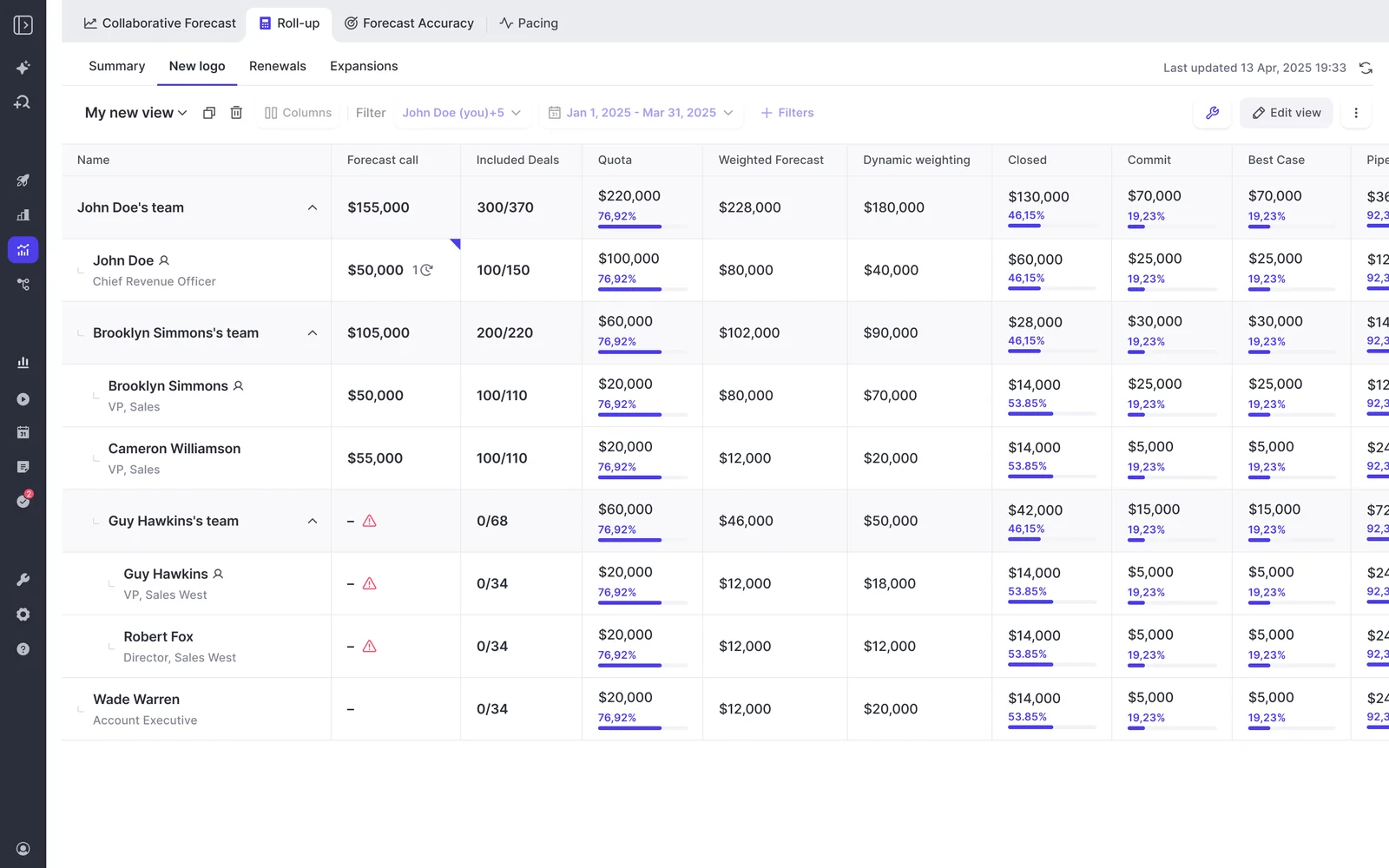
Weflow supports a single combined quota across all deal types and separate targets per deal type at the same time, with roll-up shown in a tab per deal type plus a combined view.
That's the answer to the question multi-motion teams keep asking:
A worked structure for an account manager: one combined number they're compensated against, and inside it a retention target expressed against the ARR up for renewal in the period plus an expansion target in new ARR. Leadership reads the combined view. When the quarter misses, the tabs say which motion missed.
No double counting, because each setup sums a different amount field on a different set of records.

Step 4: configure the roll-up and submission cadence per motion
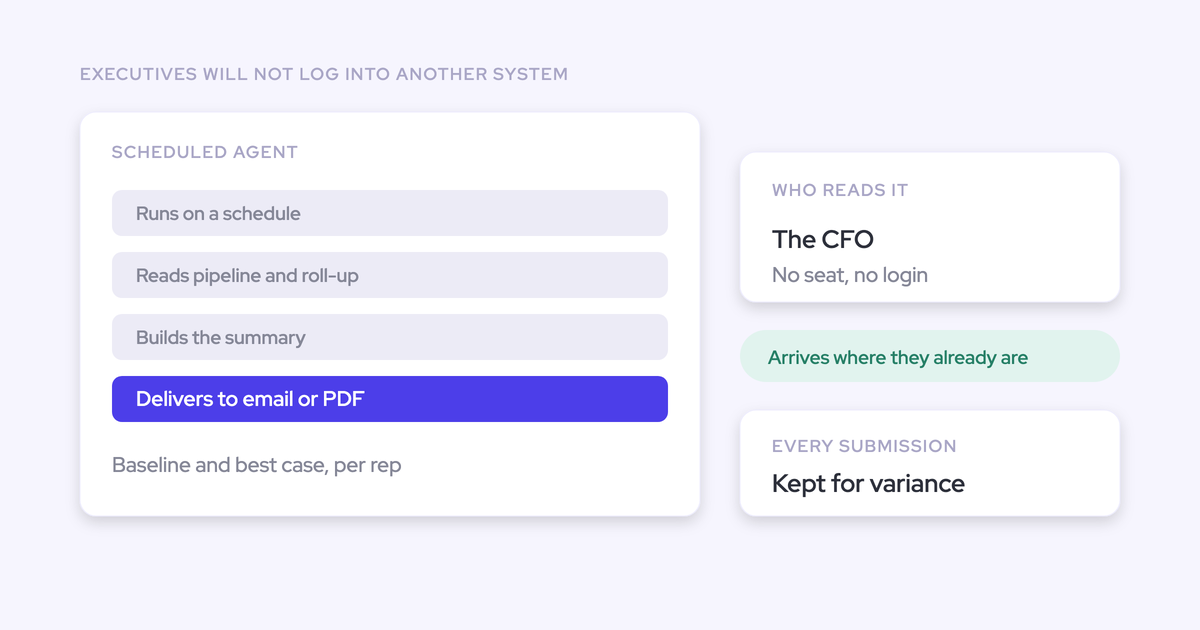
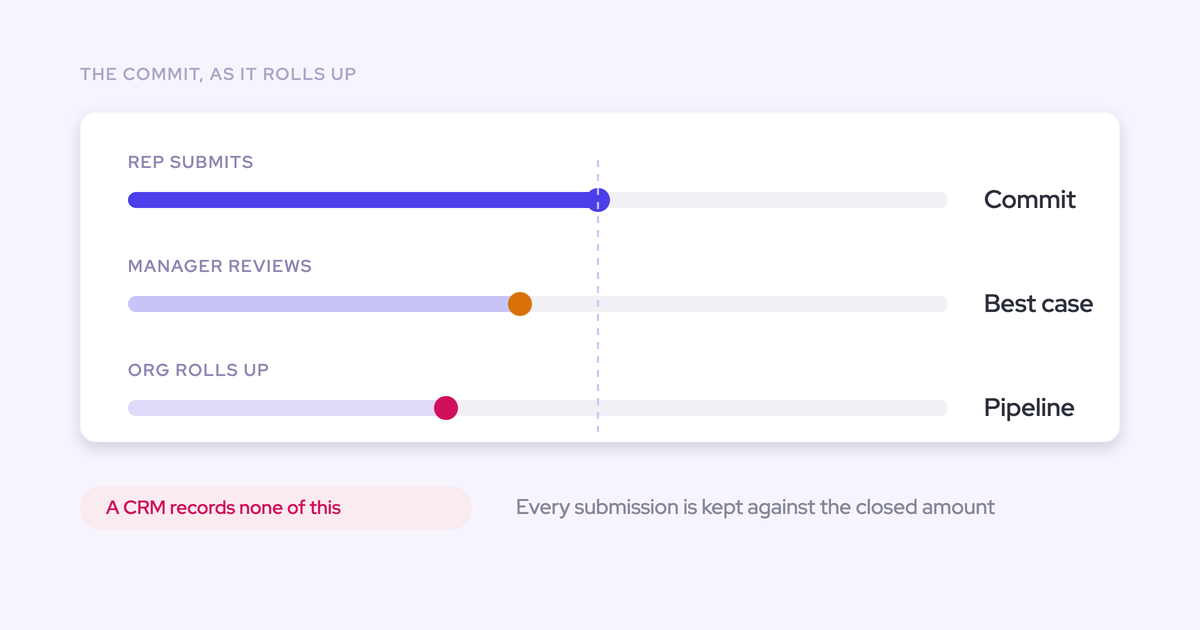
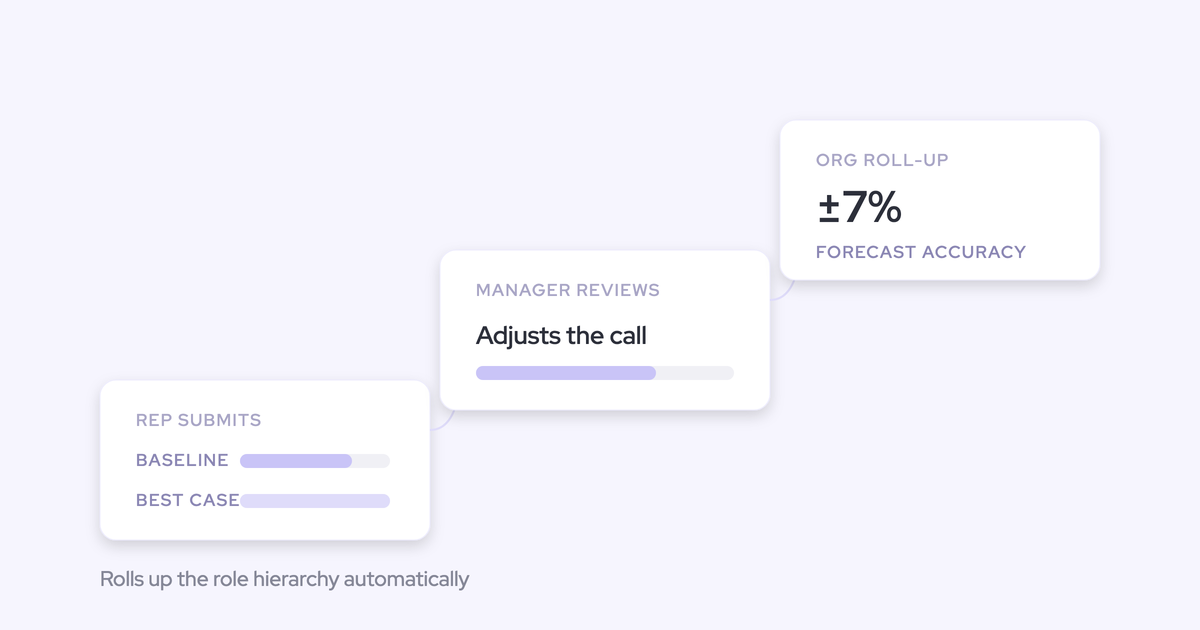
A view nobody submits into isn't a forecast. Each setup in Weflow carries its own submission cadence and its own forecast calls, so the renewals forecast runs as a separate weekly cycle from the sales forecast, with different deals and different people in the room.
The weekly renewal cycle looks like this:
- Submitters enter their number for the renewals dated in the period, deal by deal.
- Managers review and adjust, and the adjustment is recorded rather than argued into existence.
- The call rolls up the hierarchy you configured.
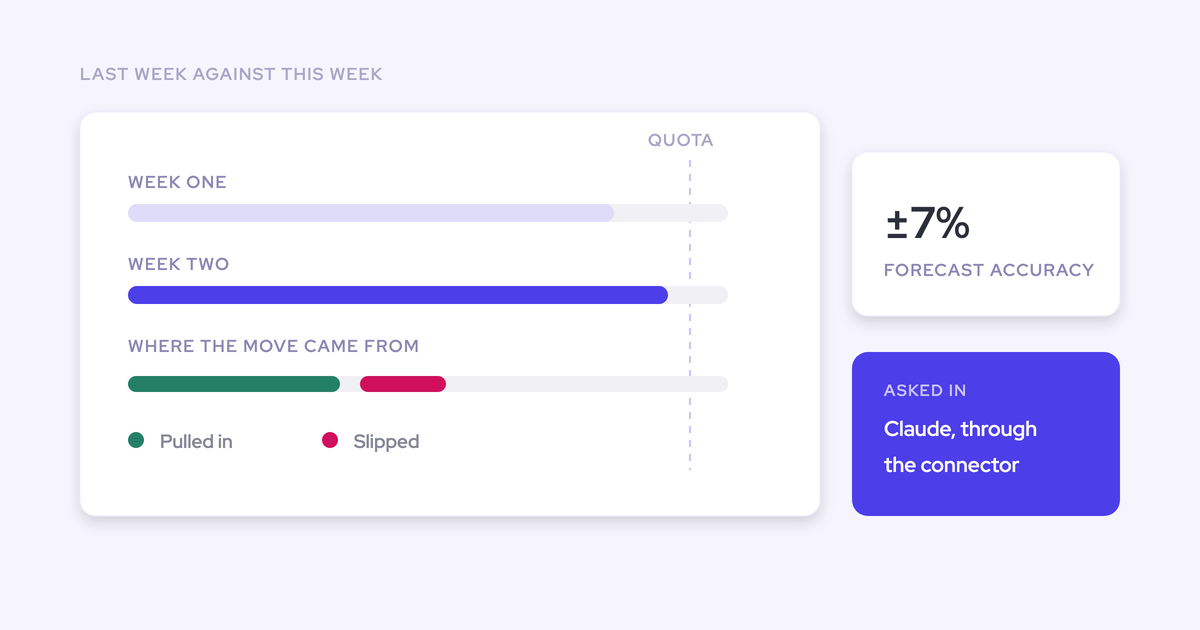
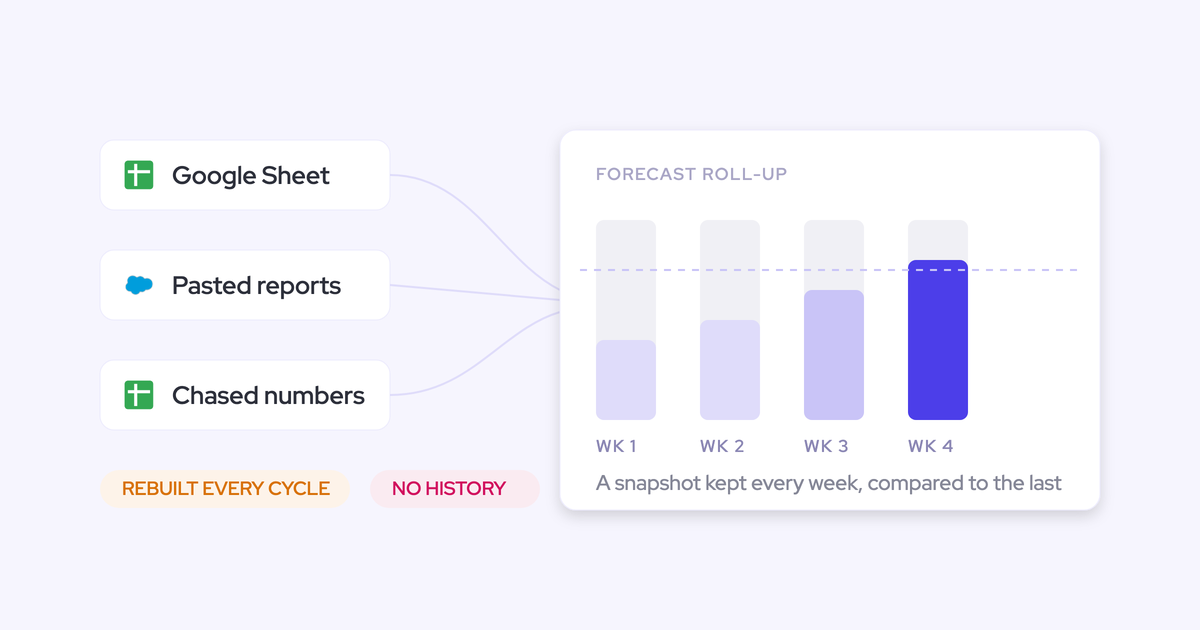
- Next week, the change since last week is the agenda: this was committed, where is it now, why did it move.
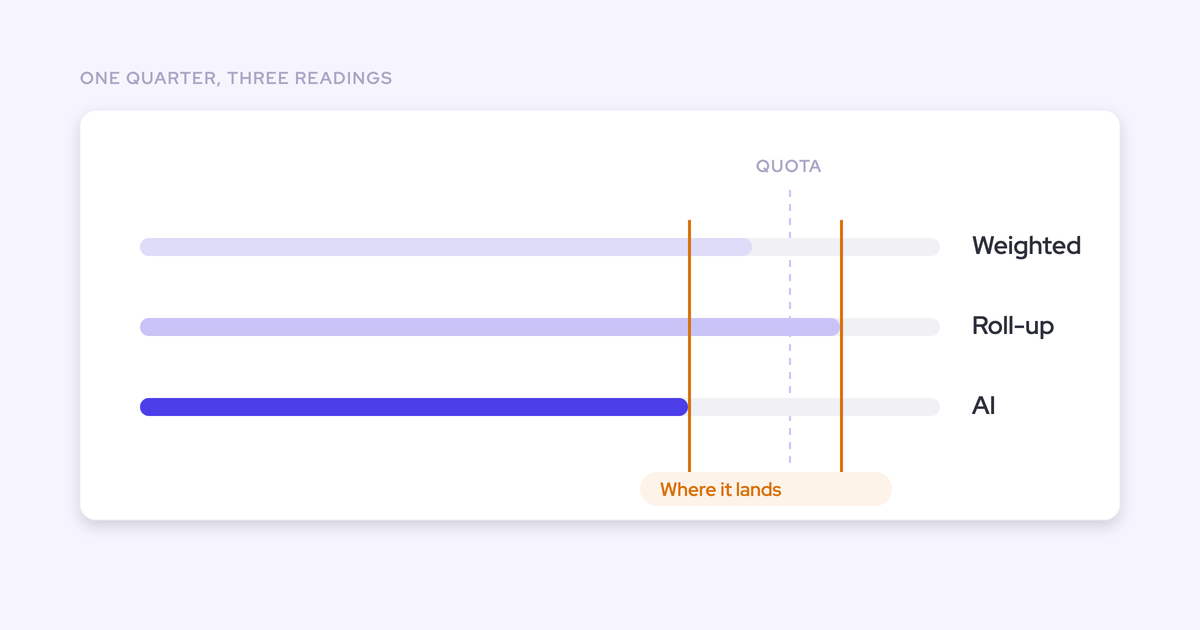
One honest mechanic to plan around: the roll-up sums the chosen amount field and doesn't apply stage-probability weighting unless the weighted value is itself the foundation field. For renewals that's usually what you want, because a renewal mostly resolves to one or zero. If you think in probability terms, forecast on a weighted field or use the separate weighted pipeline view and AI projection, which do model likelihood.
Step 5: set the renewal-kickoff milestone ahead of contract expiry
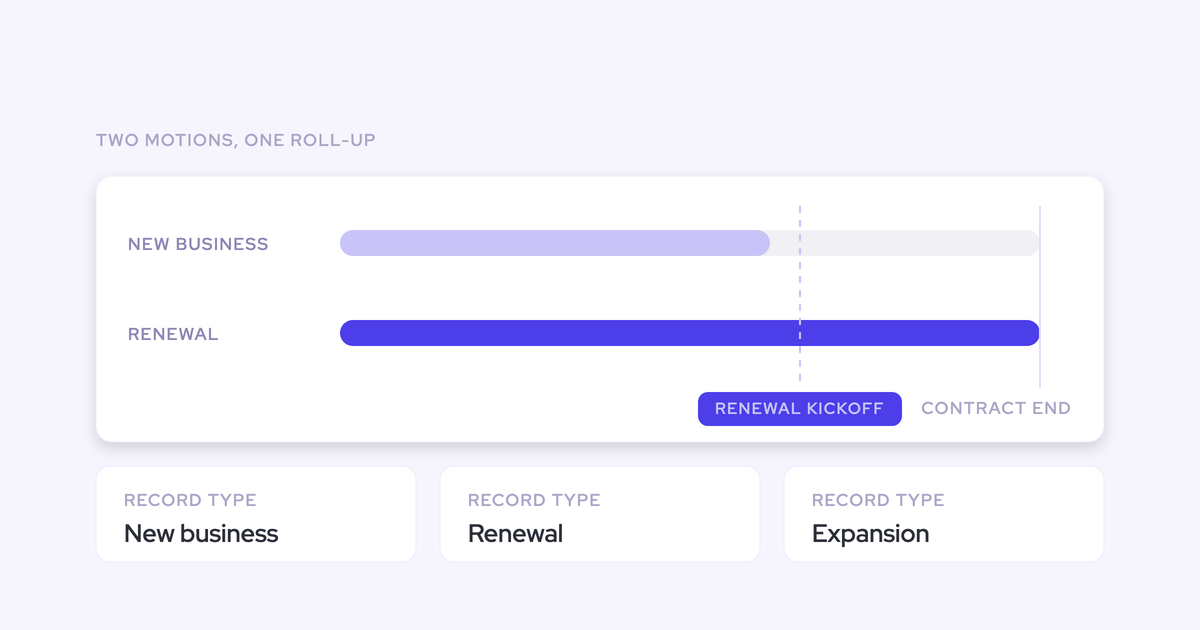
Weflow's dedicated renewal view tracks contract end dates and fires a configurable renewal-kickoff milestone ahead of expiry, so the renewal enters the forecast as a worked deal instead of a discovered one.
The lead time is a decision, not a default. Set it from how long your renewal actually takes end to end: the health review, the commercial conversation, the customer's own procurement cycle, and the buffer you need if the answer is no. An enterprise multi-year renewal needs a much longer runway than a mid-market annual one, and running one lead time for both is how the enterprise renewals become the surprises.
Make the milestone a trigger, and be explicit about what it triggers:
- The renewal opportunity exists with an owner assigned.
- An account health read happens, and its outcome is recorded somewhere the forecast can see.
- The renewal appears in the weekly renewal call from that date, not from the quarter it expires in.
Get this right and "somebody's problem three weeks out" stops being a category of deal.
Step 6: store every submission to build a renewal accuracy baseline
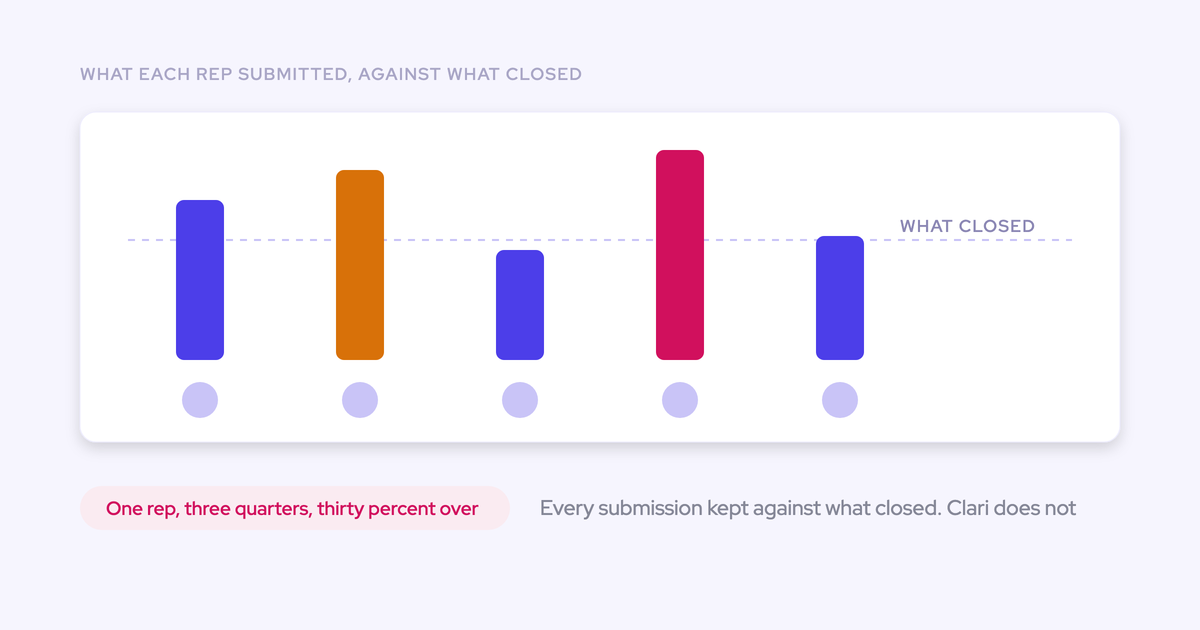
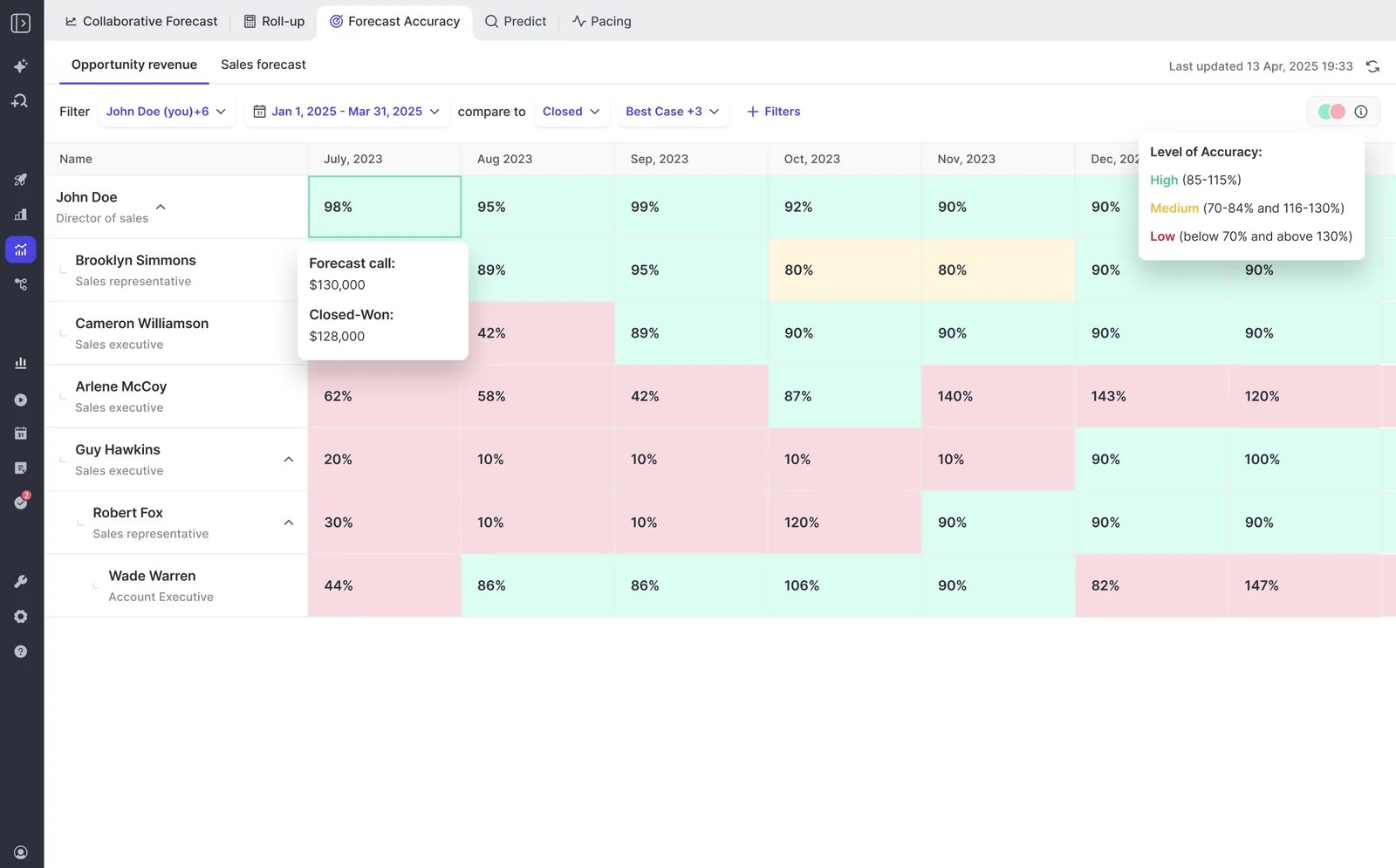
Weflow records every forecast submission against the final closed amount, which produces variance reporting per rep, per manager and by segment across consecutive quarters. Run it on the renewal setup and you get the thing you've never had: an answer to how good the renewal number has ever been.
The baseline starts on the first cycle, so the sooner the motion runs, the sooner accuracy is a coached metric rather than an anecdote. After two or three quarters you can usually see which failure mode you have, and renewal misses tend to look different from new-business misses: the value was right and the timing slipped past quarter end, or one large renewal carried the whole variance.
For reference on where a mature process lands, Zeotap forecasts within ±7% using this cadence.
Who owns the renewal forecast: sales, CS, and the roll-up
Ownership splits by horizon, not by org chart politics. The pattern that holds up in large revenue orgs runs growth and retention as parallel forecasts with different owners at different horizons, and one leader submitting both.
| Horizon | Owner | What they submit |
| Retention, current quarter | First-line sales or AM manager | The renewal call for renewals dated in the quarter |
| Growth, current and next quarter | First-line sales manager | New business and expansion |
| Retention, later quarters | CSM or account owner | A risk-adjusted read on renewals two to four quarters out |
| Everything | Revenue leader | Both numbers, separately, to the board |
The reason to design it this way is the failure it prevents. In most multi-motion companies the AEs live in Salesforce and the CSMs live in a CS platform, and the only thing that crosses between them is a single risk field somebody remembers to update.
Renewal risk that never reaches the forecast is the whole problem. So the roll-up has to cross that line on purpose. In Weflow the forecast hierarchy is part of configuration rather than something you inherit unchanged, so a CS lead can sit in the renewal roll-up without anyone reparenting the Salesforce role hierarchy to make a tool work.
Decide the ownership table before the build, not after. A configured forecast with no named owner is the exact thing that got bought last time and abandoned.
Pitfalls that blend renewals back into the new-business number
The setup doesn't fail loudly. It decays through five predictable mistakes.
| Pitfall | What it costs, and the fix |
| Running only the combined quota because per-motion targets felt like extra work | The miss stops being attributable and three teams point at each other. Set the combined quota and the per-motion targets at the same time; you get both views for the same effort. |
| Treating the kickoff milestone as a report someone checks | Nobody checks it, and the renewal shows up three weeks out anyway. The milestone has to create an owned opportunity and put the deal into the weekly call. |
| Letting renewals inherit new-business stage semantics | A renewal in "negotiation" means nothing, so the forecast category means nothing, so commit is noise. Write renewal-specific entry and exit criteria. |
| Skipping accuracy capture "for now" until the process settles | You lose the only quarters that would have given you a baseline, and the process never settles without one. Turn it on with the first cycle. |
| Building the renewal forecast on stacked formula fields | Nobody can explain the number, so nobody defends it, and RevOps quietly rebuilds it in a spreadsheet. Pick a small set of named fields and retire the rest. |
One more that isn't a configuration mistake: running one forecast call for both motions. It collapses into a new-business meeting with renewals mentioned at the end, every time.
What renewal forecasting alone won't solve
Two boundaries here are design facts rather than fine print. Plan around both.
Forecast roll-up submissions live in Weflow, not in Salesforce
Forecast submissions, targets and roll-up data live in the Weflow application and are not surfaced inside Salesforce, even though every other Weflow output is written back into Salesforce objects. Activity, transcripts, summaries and AI field updates all land in the CRM, and opportunity edits made in Weflow write straight back, so the Salesforce record stays the source of truth for the deal itself.
What that means in practice:
- If you've mandated that reps work only in Salesforce, roll-up submission breaks that rule. Say so up front rather than discovering it in week three.
- The weighted forecast and the AI projection still work for those teams, because both run off CRM data with no rep input.
- If you snapshot forecasts into a BI tool, you pull the roll-up through the public API instead of reading it from Salesforce.
Early renewal risk appears years before the forecast horizon
Customers on multi-year contracts signal their intent to leave one to two years before the renewal, long before the deal shows up in any forecast. Renewal forecasting is a one-to-four-quarter instrument. Account health runs on a seven-to-ten-quarter horizon.
So a renewal forecast will not catch the churn that was decided eighteen months ago. Treating early risk as a forecasting problem misses it entirely, because by the time the renewal enters the forecast the customer has made up their mind.
The signals that carry that far out are engagement and conversation signals, not pipeline fields. That's a separate job with separate instrumentation: capture on post-sale conversations, and AI templates configured for CS and onboarding rather than reused from the sales team, writing to the objects your health view actually reads.
FAQ: setting up renewal forecasting alongside new business
Does your existing Salesforce forecast configuration carry over?
No. Weflow forecasting runs independently of Salesforce forecasting, so you set it up fresh, reading any standard, custom or formula field, with multi-currency and automatic field-change storage. That sounds like extra work and is usually a relief: it's the one moment when deciding which legacy fields die is a natural part of the project rather than a fight nobody has time for.
How long does renewal forecasting take to stand up?
Two to four weeks for most orgs, four to six for a large one. The technical implementation is a 45 to 60 minute call with a Salesforce admin and a mail admin present, and Weflow doesn't charge for implementation.
The rest of the time goes into configuration, and forecasting takes longer than capture or conversation intelligence for a reason: you're not installing a tool, you're encoding an operating cadence. Who submits, how often, at deal or manager level, against which quota. Settle the ownership table before that call and the configuration phase gets short.
Do new business, renewal, and expansion need three separate setups?
You need one setup per motion wherever the amount field or the date basis differs, and setups run in parallel. New business on close date and Amount, renewal on contract end date and renewal ARR, expansion on close date and incremental ARR is three setups. Record types like Existing Business each keep their own stage path, forecast-category mapping and independent roll-up inside that.
What does forecasting cost on top of what you already run?
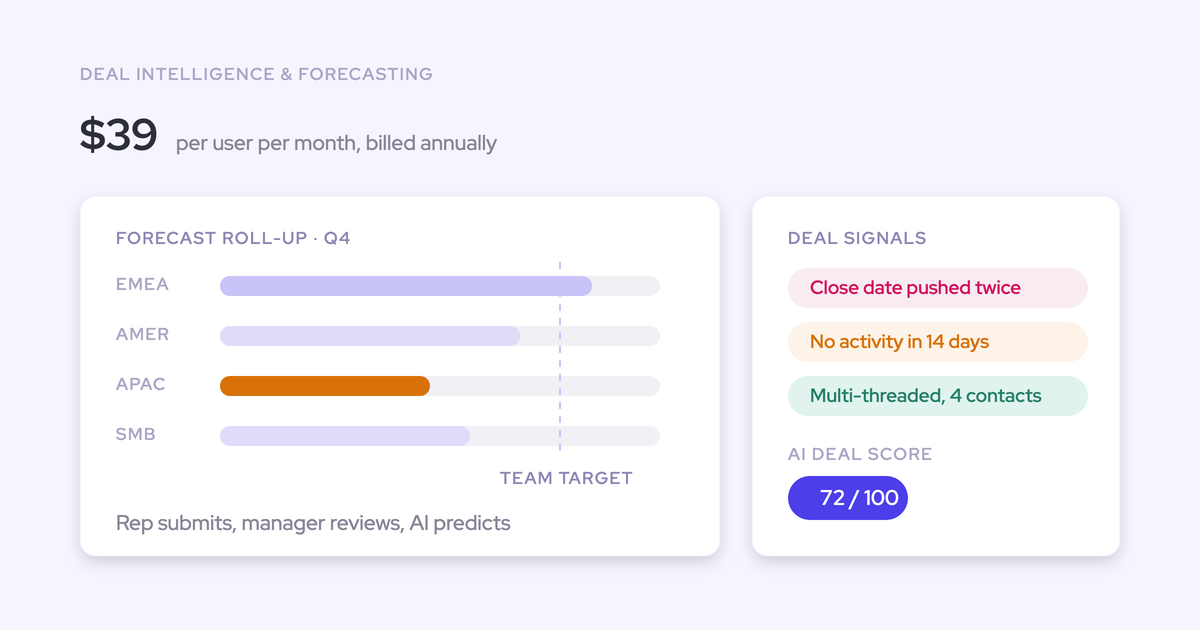
Weflow Deal Intelligence & Forecasting is $39 per user per month standalone, billed annually with a 10-user minimum. The bundles are Revenue AI Foundation at $49, Revenue AI Business at $59, and Revenue AI Enterprise at $79, which is the one that includes forecasting.
If you already run Weflow for capture and conversation intelligence, adding forecasting is roughly $10 more per user per month. That's the number that matters when a CFO has already signed a separate forecasting renewal at $100 to $200 per user per month and won't approve a second one.
Can you prove the motion works before committing long-term?
Not in two weeks. A 14-day trial can show you capture and conversation intelligence, but a forecast motion has to be configured and then run for at least one roll-up cycle before anyone can judge it.
That's what the three-month paid pilot is for: contractually the first three months of a multi-year agreement, with an opt-out at the end. You get a real exit and a small bill, and procurement tends to prefer it to an unpaid proof of concept nobody is committed to.
If you want to start this week, start with the two decisions that block everything else: which date field the renewal forecast indexes on, and who submits the renewal number. Both are answerable in an afternoon, and neither needs a vendor in the room.