How to Forecast a Quarter That Depends on a Few Large Deals: Baseline, Best Case, and Deal-Level Commit Criteria
Learn how to set baseline, best case, and commit criteria when a quarter hinges on large deals.


When a few large deals decide your quarter, build the forecast around the conditions under which each deal lands. Put deals with buyer-backed timing evidence into baseline. Add named, conditional upside to best case. Then review what changed every week and retain the original calls.
You’ll get a planning range you can explain through opportunities, approvals, and deadlines. Baseline isn’t a guaranteed minimum. It’s the scenario your team can defend with the evidence available today.
We’ll walk through the process using one quarter, including what happens when its largest committed deal slips. You can run this in a spreadsheet or use forecast submissions and roll-ups with Weflow to manage the recurring work. Weflow is the Revenue AI Orchestration platform for sales, customer success, and RevOps teams. It’s built for Salesforce teams.
Gather the inputs for a named-deal quarterly forecast
Start with one agreed revenue basis, a current opportunity list, and a place to retain weekly submissions. You don’t need forecasting software to establish the discipline.
Essential workflow inputs:
- Forecast basis: Choose bookings, ARR, or another finance-approved opportunity currency field. Define the currency treatment and the date that assigns a deal to a quarter.
- Period and scope: Set the fiscal-quarter boundaries and the revenue motion you’re forecasting.
- Opportunity records: Include a unique ID, name, owner, amount, stage, forecast category, close date, and next step.
- Buyer evidence: Bring the approval path, procurement requirements, legal and security status, and signature dependencies.
- Access and ownership: Give reps access to maintain their deals. Name the managers who review calls and the RevOps owner who reconciles the roll-up.
- Submission history: Retain the deal list, amounts, comments, submission time, and management adjustments for each weekly call.
- Closed bookings: Use the same revenue basis for actuals and forecast submissions.
Optional modeling inputs:
- Historical stage conversion for comparable deals.
- Opportunity history covering amount, stage, and close-date changes.
- Activity and conversation data for assessing deal progress.
- An AI projection, if you have one.
We’ll work through a Q3 bookings forecast with $400,000 already closed. Four open opportunities remain: Atlas, Beacon, Cedar, and Delta. Atlas carries the largest amount and the timing risk we’ll follow.
1. Define baseline, commit, best case, and pipeline
Use commit for the deal-level judgment and baseline for the submitted scenario total. That distinction prevents a category label from becoming an unexplained number.
For this process, use these definitions consistently:
| Term | Role in the forecast | Inclusion rule | Counting treatment |
|---|---|---|---|
| Commit | Judgment about an open deal | The deal meets your buyer-backed criteria for closing this quarter. | Include its full chosen amount in baseline. |
| Baseline | Quarterly planning scenario | Closed bookings plus open deals that meet commit criteria. | Count each opportunity once. |
| Best case | Quarterly upside scenario | Baseline plus named deals with a credible in-quarter path and explicit remaining conditions. | Show the total including baseline, not just incremental upside. |
| Pipeline | Open opportunities outside the submitted scenarios | The deal lacks enough timing evidence for baseline or best case. | Exclude it from both scenario totals. |
Here, “pipeline” means the forecast bucket, not every open opportunity in Salesforce. Likewise, a deal’s Best Case category identifies conditional upside; the submitted best-case total includes baseline.
Keep opportunity stages aligned with your selling process. A later stage can prompt a commit review, but it shouldn’t automatically satisfy timing criteria.
In this hypothetical first review, assume Beacon qualifies for commit. Atlas still needs a buyer-confirmed approval schedule, so it stays in conditional upside alongside Cedar. Delta has no dated decision path and remains pipeline.
2. Set buyer-backed timing criteria for large-deal commit
A large deal enters baseline when the buyer’s remaining work supports an in-quarter signature. Qualification establishes whether the deal is real; timing evidence establishes whether it belongs in this quarter’s call.
For Atlas, the rep wants to call $600,000 for Q3 with an August 28 signature. At the week-four review, the team records the following evidence:
| Condition | Observable evidence | Owner | Deadline | Consequence if unmet |
|---|---|---|---|---|
| Budget and executive approval | Assume the buyer’s budget owner confirms approval for the agreed scope. | Buyer executive sponsor | July 24 | Keep Atlas outside baseline. |
| Procurement path | Procurement confirms the vendor setup requirements and purchase-order schedule. | Buyer procurement lead | August 21 | Reassess whether the remaining steps still fit Q3. |
| Legal review | Assume both legal teams agree to return redlines July 31 and resolve open terms by August 14. | Buyer and seller counsel | August 14 | Remove Atlas from baseline if no credible replacement schedule exists. |
| Security review | The buyer’s security team confirms completion with no open approval dependency. | Buyer security lead | July 24 | Keep Atlas outside baseline until the dependency has a supported resolution path. |
| Signature authority | Assume the buyer identifies the authorized signer and confirms availability for the planned signature. | Buyer sponsor and signer | August 28 | Reassess the close date if availability changes. |
| Sequence of remaining work | The buyer confirms that legal approval precedes the purchase order, which precedes signature. | Rep coordinating with buyer owners | Each weekly review | Reclassify the deal when a dependency breaks the schedule. |
Under these hypothetical assumptions, Atlas now enters baseline. The remaining work hasn’t disappeared, but each dependency has an owner and a buyer-supported date.
Vary the evidence requirements by deal type. An expansion under an existing agreement may not need new vendor onboarding. A new enterprise contract may require several separate approvals.
Use the same standard: require evidence for every material dependency. Record an explicit “not applicable” where the buyer’s process doesn’t require a step.
- Error: Admit Atlas because it’s in negotiation and the rep feels confident.
- Correction: Admit Atlas because the buyer confirms an approval sequence that supports an August 28 signature.
At week five, legal returns the redlines on schedule and keeps the August 14 completion date. Atlas remains in baseline. Keeping a deal committed should require a current review, not silence from the rep.
3. Build baseline and best case from named deals
Build both scenario totals from explicit deal membership, then show how much the quarter depends on each large opportunity.
Here’s the week-four forecast after Atlas meets the timing criteria:
| Opportunity or actuals | Bookings | Baseline | Best-case total | Supporting condition |
|---|---|---|---|---|
| Closed Q3 bookings | $400,000 | Included | Included | Already closed. |
| Atlas | $600,000 | Included | Included | Buyer-backed approval schedule supports August 28 signature. |
| Beacon | $300,000 | Included | Included | Assume commercial and legal terms are complete and the buyer confirms September signature. |
| Cedar | $500,000 | Excluded | Included | Assume September close depends on budget approval and completion of the agreed legal schedule. |
| Delta | $400,000 | Excluded | Excluded | No buyer-confirmed decision date. |
- Baseline: $400,000 closed + $600,000 Atlas + $300,000 Beacon = $1.3 million.
- Incremental upside: $500,000 Cedar in this hypothetical example.
- Best-case total: In this hypothetical example, $1.3 million baseline + $500,000 Cedar = $1.8 million.
Don’t add baseline to the best-case total. The $1.8 million already includes it. When a selected deal closes, move its contribution from open commit to closed bookings without counting it twice.
This example uses full deal values. Weflow’s selected-deal roll-up also sums the chosen amount field; it doesn’t apply stage probabilities unless you choose a weighted field as the forecast basis.
At week six, Atlas’s buyer introduces an additional approval committee scheduled for October. The buyer now expects a December signature. Atlas remains a live opportunity, but it leaves both Q3 scenarios.
| Scenario | Before Atlas slips | After Atlas slips | Change |
|---|---|---|---|
| Baseline | $1.3 million | $700,000 | −$600,000 |
| Hypothetical best-case total | $1.8 million | $1.2 million | −$600,000 |
| Conditional upside | $500,000 | $500,000 | No change |
In this hypothetical example, Atlas accounts for $600,000 of the $900,000 in open baseline bookings. That’s the concentration your board needs to see. Aggregate coverage won’t explain it.
4. Test deal calls against weighted and AI forecasts
Use the weighted forecast and AI projection to challenge the named-deal call. Don’t average the outputs or adjust them just to make them agree.
| Method | Question answered | Input basis | Limitation | Review action |
|---|---|---|---|---|
| Team roll-up | Which deals do our people expect to close? | Rep submissions, selected opportunities, and manager judgment. | Can carry optimism, sandbagging, or outdated buyer assumptions. | Inspect the evidence behind material inclusions and exclusions. |
| Weighted forecast | What does historical stage conversion imply? | Opportunity amounts multiplied by historical stage close rates. | A portfolio average doesn’t establish which large deal signs this quarter. | Inspect stage quality, comparable history, and the largest contributions. |
| AI projection | What landing range do deal behavior and history support? | Deal signals and historical outcomes. | Missing or poorly mapped data weakens the projection. | Investigate deal evidence and data gaps when the range disagrees with the team. |
For our week-five comparison, apply example historical stage rates to the open opportunities:
- Atlas: $600,000 × 60% = $360,000.
- Beacon: $300,000 × 80% = $240,000.
- Cedar: $500,000 × 40% = $200,000.
- Delta: $400,000 × 10% = $40,000.
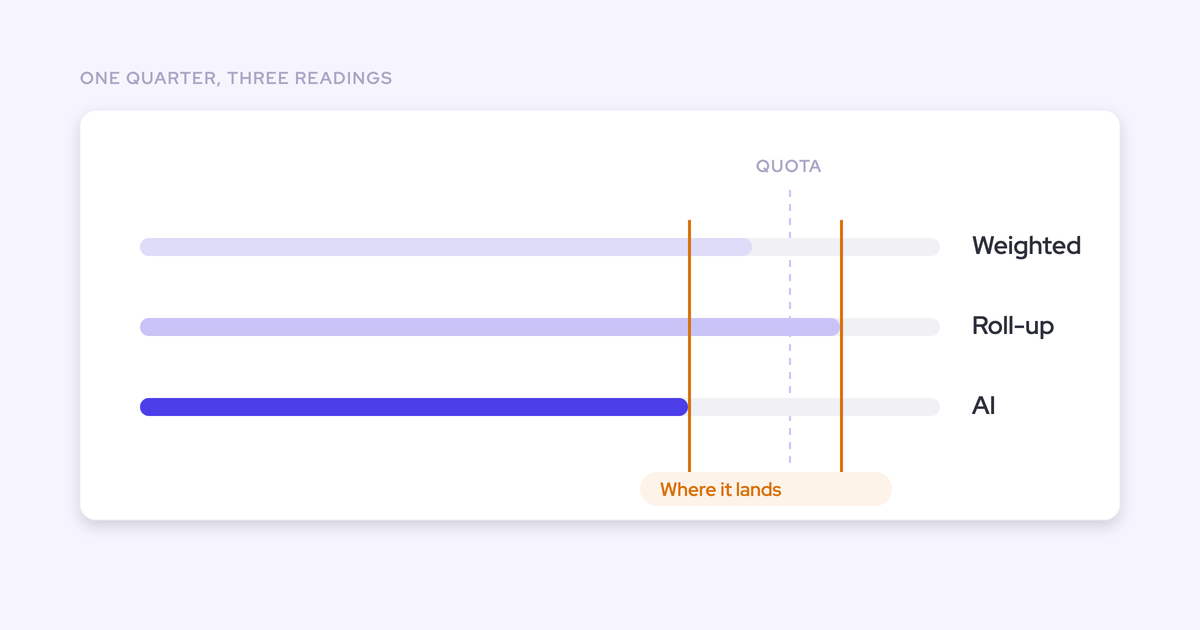
Add $400,000 in closed bookings, and the weighted forecast totals $1.24 million. That sits close to the $1.3 million baseline, but the agreement hides different assumptions.
The baseline depends on Atlas closing and excludes Cedar. The weighted calculation includes partial contributions from both. Similar totals don’t mean the methods support the same outcome.
Make Atlas the review priority. In week five, its legal timetable still supports the call. In week six, the new October approval dependency overturns that evidence, even if Atlas’s stage and historical conversion rate haven’t changed.
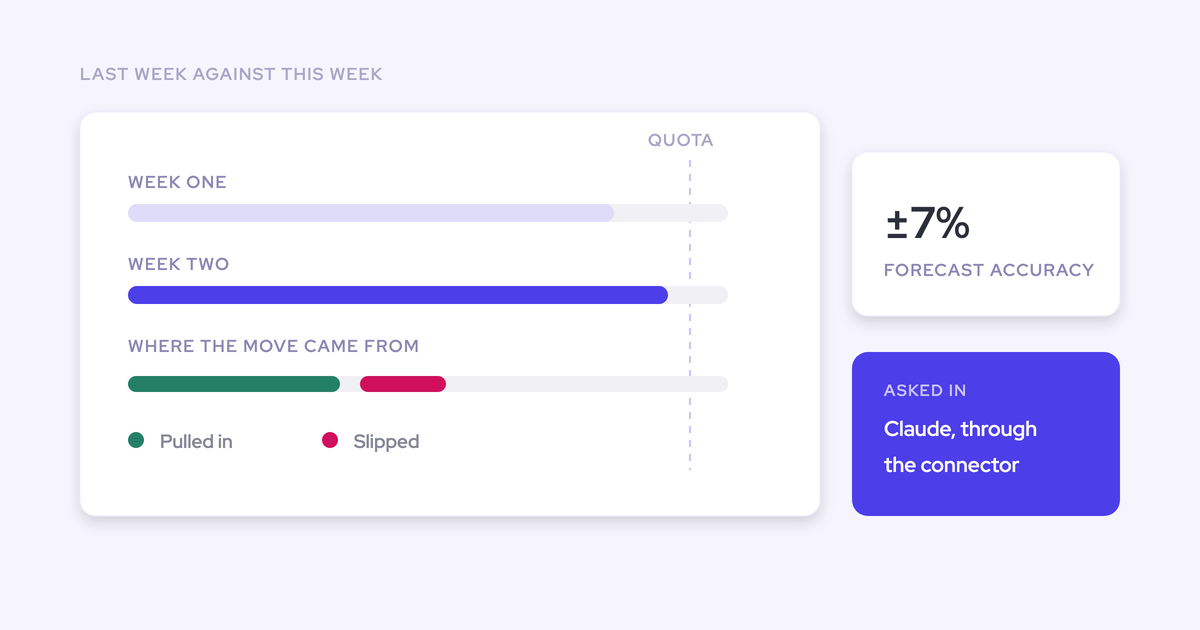
Weflow shows the team roll-up, weighted forecast, and AI projection side by side. The AI projection uses more than 50 deal-level signals and up to two years of history to return a landing range.
If the AI range sits below your baseline, inspect the largest committed deals and their underlying records. A missing buyer meeting and a buyer who stopped responding require different actions.
Without an AI projection, run the same review against the weighted forecast and a deal-risk checklist. You can still challenge timing, stale stages, and unsupported close dates.
5. Run weekly reviews that retain deal-level forecast changes
Give every weekly forecast a fixed submission point and an opportunity-level explanation of what changed. Otherwise, the team ends up reconstructing its judgment after the quarter.
- Prepare, owned by reps: Update deal amounts, dates, buyer dependencies, and supporting evidence. Output: current opportunity records.
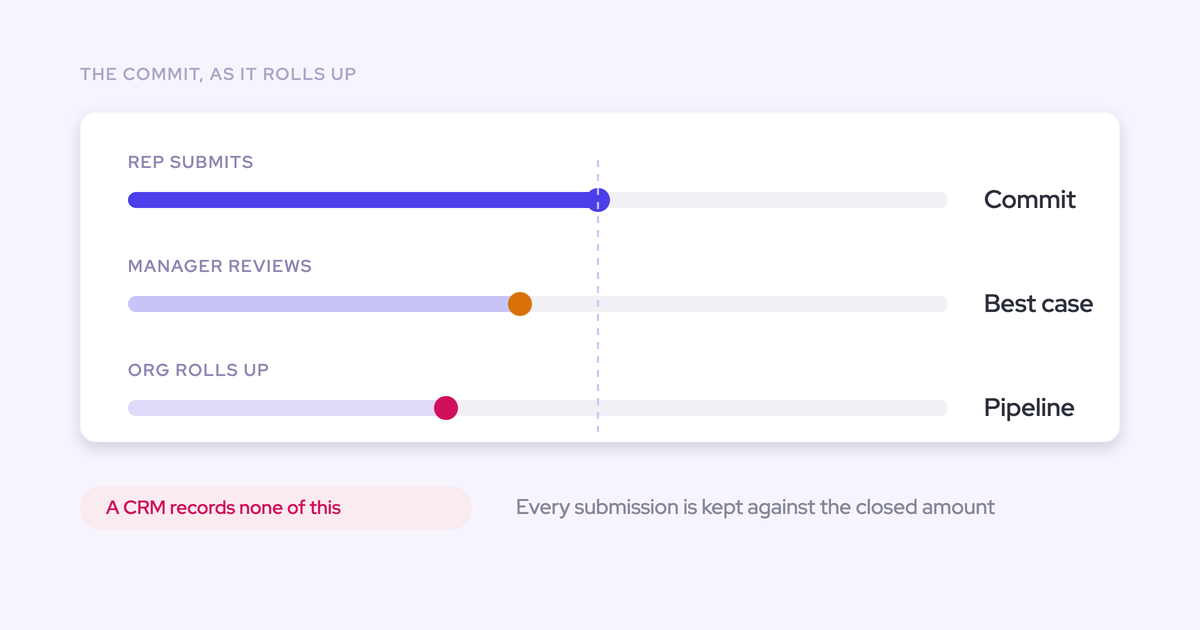
- Submit, owned by reps: Select baseline and best-case deals and explain changes from the previous call. Output: a dated submission with comments.
- Challenge, owned by frontline managers: Review material movements and disagreements with the weighted or AI forecast. Output: deal decisions and actions with owners.
- Review the roll-up, owned by sales leadership: Reconcile team calls, concentration, and adjustments. Output: the leadership baseline and best-case range.
- Lock, owned by RevOps: Preserve the final call at the agreed deadline. Output: a fixed version for executive reporting and later accuracy measurement.
For Atlas, the retained record should explain all three decisions:
| Review | Atlas decision | Reason | Quarter baseline |
|---|---|---|---|
| Week four | Enters baseline | Buyer confirms approval owners and schedule. | $1.3 million |
| Week five | Remains in baseline | Legal returns redlines and retains the completion date. | $1.3 million |
| Week six | Leaves both Q3 scenarios | New October approval dependency moves expected signature to December. | $700,000 |
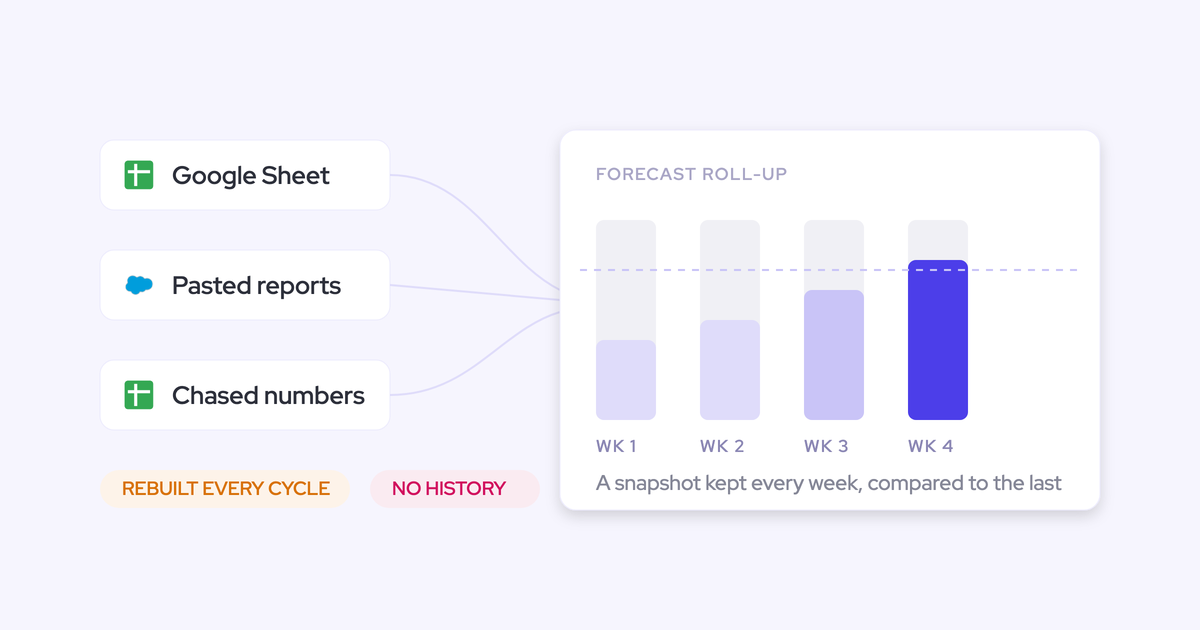
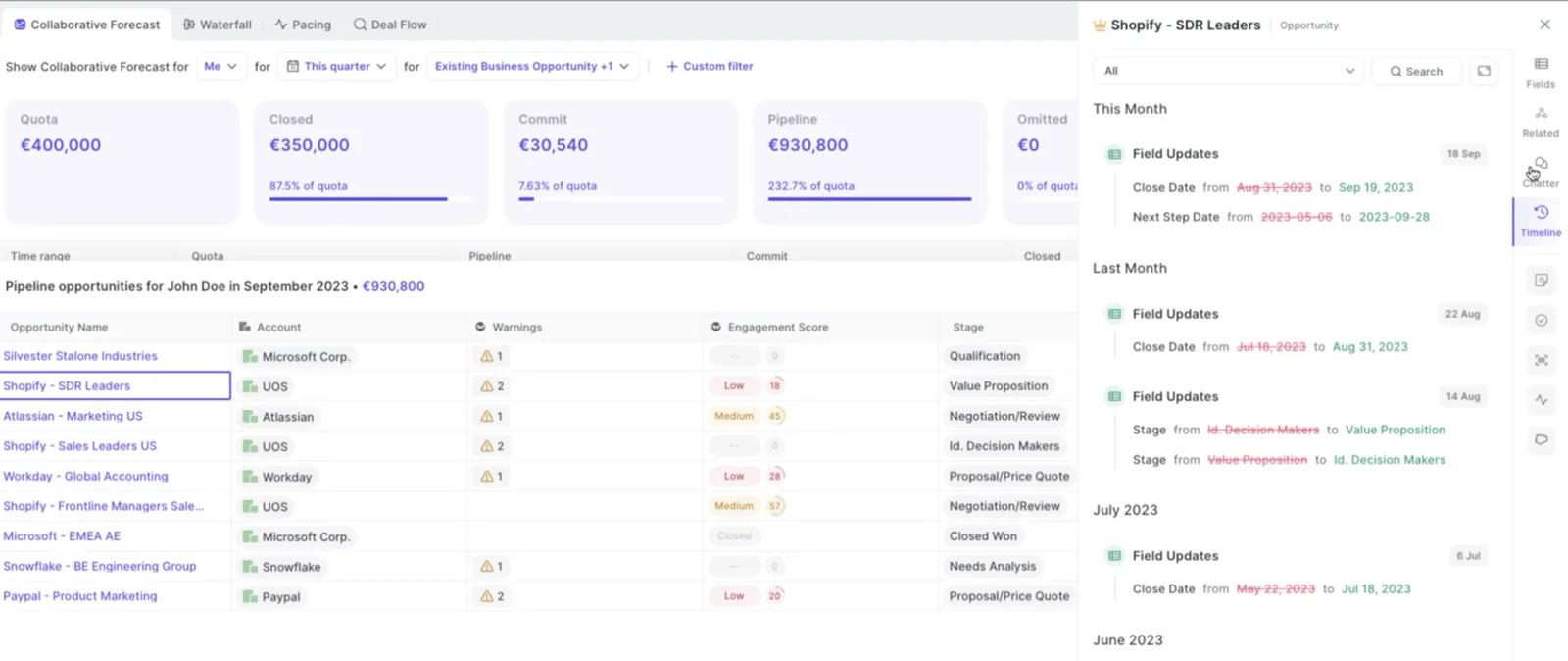
Keep opportunity changes alongside submission history. Weflow retains opportunity snapshots for inspecting pushed close dates and amount movements, so you can distinguish a changed deal record from a changed forecast judgment.
Retain rep forecast submissions when managers override them
A manager’s override should sit beside the rep’s original call, with its own reason and date. Erasing the original removes the judgment you need to coach.
Suppose Atlas’s rep keeps the deal in the week-six submission, believing the sponsor can bypass the new committee. The manager excludes it because the buyer hasn’t approved that exception.
| Record | Quarter baseline | Atlas treatment | Rationale | Review date |
|---|---|---|---|---|
| Hypothetical original rep submission | $1.3 million | Include $600,000 | Rep expects the sponsor to secure an approval exception. | Week six, before review |
| Hypothetical manager decision | $700,000 | Exclude from Q3 baseline and best case | Confirmed committee date falls outside Q3; no approved exception exists. | Week six, at lock |
Keep the rep’s next action separate from the forecast decision. The rep can pursue an exception while leadership plans without Atlas.
Weflow versions forecast submissions and supports manager overrides, preserving the rep’s original judgment as the call rolls up.
Explain the locked forecast range to the board
Show the board the current range, its named dependencies, and the effect of another material slip. A total without those dependencies conceals the decision leadership needs to make.
| Board view | Q3 bookings | Named dependency |
|---|---|---|
| Locked baseline | $700,000 | $400,000 closed plus Beacon’s $300,000 September signature. |
| Conditional upside | +$500,000 | Cedar receives budget approval and completes legal review in time. |
| Best-case total | $1.2 million | Beacon and Cedar both close in Q3. |
| Movement since prior call | −$600,000 from both scenarios | Atlas moves to December after the buyer adds an October approval step. |
| Hypothetical exposure if Beacon also slips | $400,000 without Cedar | Only the already-closed bookings remain from baseline. |
The executive explanation is short: we’re planning on $700,000, with a path to $1.2 million if Cedar clears its remaining approvals. Atlas no longer contributes to Q3. Beacon remains the open dependency in baseline.
This is a planning range, not a guaranteed floor or a statistical confidence interval. Use the downside scenario when discussing spending decisions that depend on Beacon landing.
Measure forecast accuracy against the locked submission
Compare actual bookings with the forecast you locked at a consistent point in the quarter. Keep baseline and best-case results separate so you can see what each call got right.
Suppose the quarter ends with Beacon and Cedar closed. Atlas stays open for December, and Q3 bookings total $1.2 million.
| Locked call | Submitted | Q3 actual | Actual minus submitted |
|---|---|---|---|
| Hypothetical week-four baseline | $1.3 million | $1.2 million | −$100,000 |
| Hypothetical week-four best case | $1.8 million | $1.2 million | −$600,000 |
| Hypothetical week-six baseline | $700,000 | $1.2 million | +$500,000 |
| Hypothetical week-six best case | $1.2 million | $1.2 million | $0 |
In this hypothetical outcome, the week-four baseline missed by only $100,000, but Atlas’s $600,000 slip and Cedar’s $500,000 close largely offset each other. The total alone would overstate the quality of the original deal calls.
Review these questions after each quarter:
- Which misses came from timing, losses, or amount changes?
- When did the team first have evidence that contradicted its call?
- Did management adjustments improve the forecast?
- Did offsetting deals hide weak judgment?
- Which entry criterion needs to change for the next quarter?
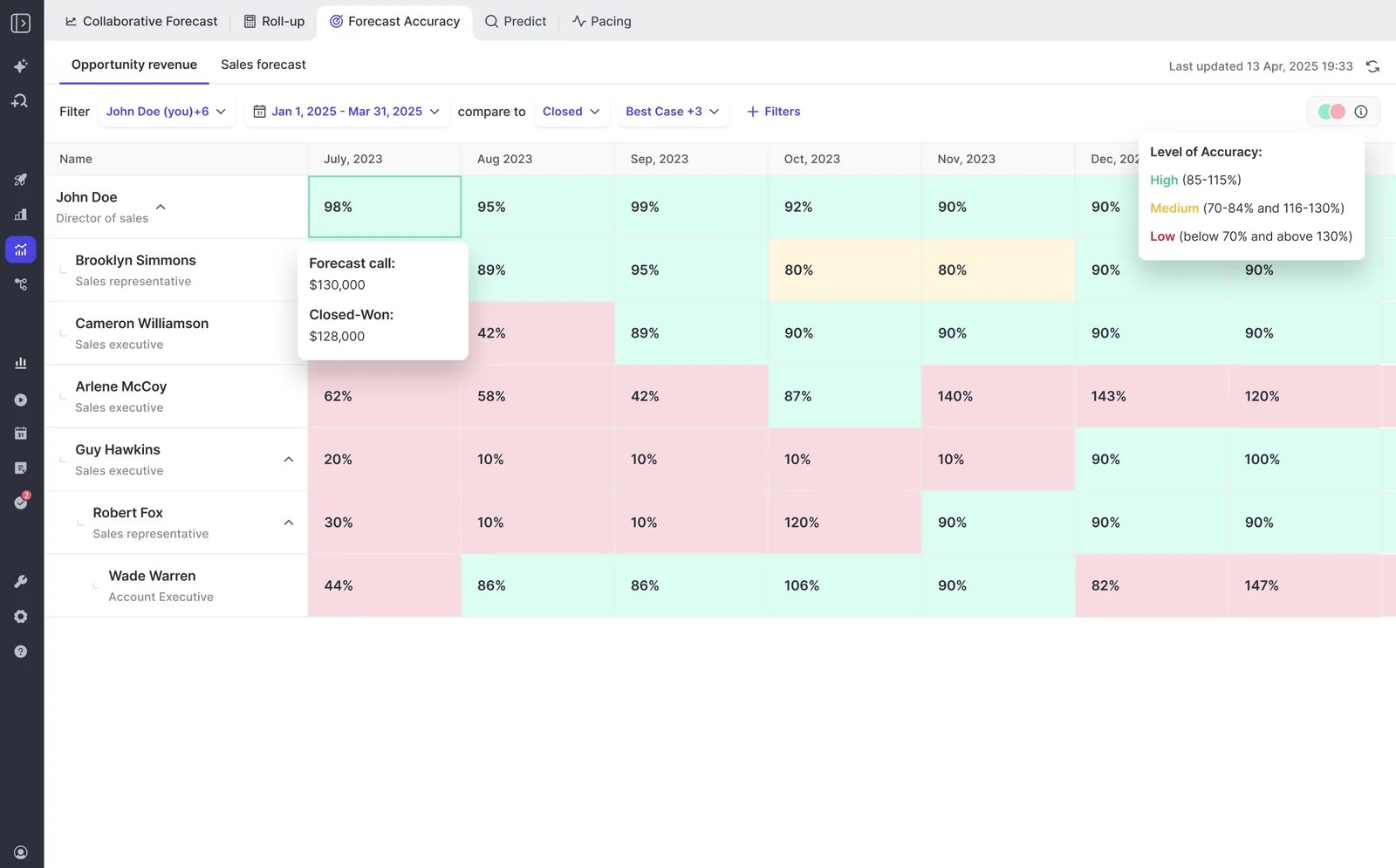
Weflow compares submissions with final closed amounts by rep, manager, and segment across quarters. Use that history to coach recurring patterns rather than judge a rep on one concentrated quarter.
Run named-deal forecasts with Weflow Deal Intelligence & Forecasting
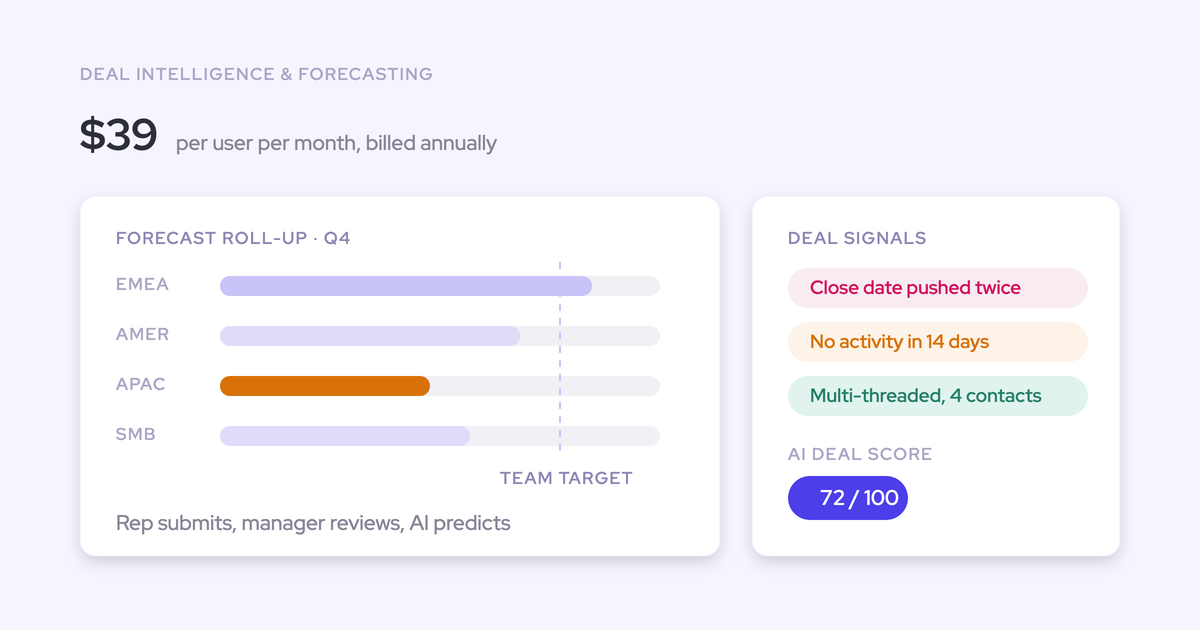
Weflow Deal Intelligence & Forecasting manages submissions, roll-ups, forecast comparisons, and retained changes. Your leaders still decide which buyer evidence earns a place in baseline.
| Your workflow | What Weflow does | What your team owns |
|---|---|---|
| Submit the quarter | Lets reps submit baseline and best case as totals or selected opportunities, with written comments. | Choose named deals and explain their timing dependencies. |
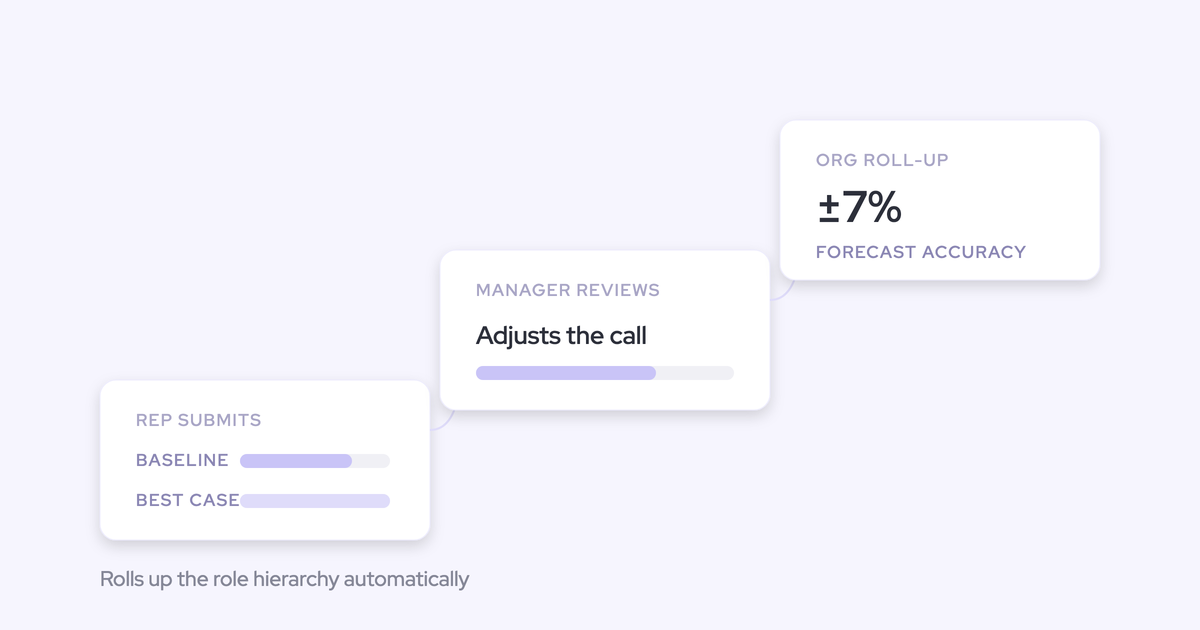
| Roll up the calls | Automatically aggregates submissions through the management hierarchy. | Review concentration and reconcile leadership judgment with the deal list. |
| Retain management decisions | Versions submissions and supports overrides, submission deadlines, and forecast locks. | Set the review cadence and explain adjustments. |
| Challenge assumptions | Shows team, weighted, and AI forecasts together. | Investigate disagreement rather than force matching totals. |
| Inspect movement | Retains opportunity snapshots for pipeline-change analysis. | Connect each material change to buyer evidence and an action. |
| Learn from results | Tracks submitted versus actual amounts across reps, managers, and segments. | Improve criteria and coach repeated timing errors. |
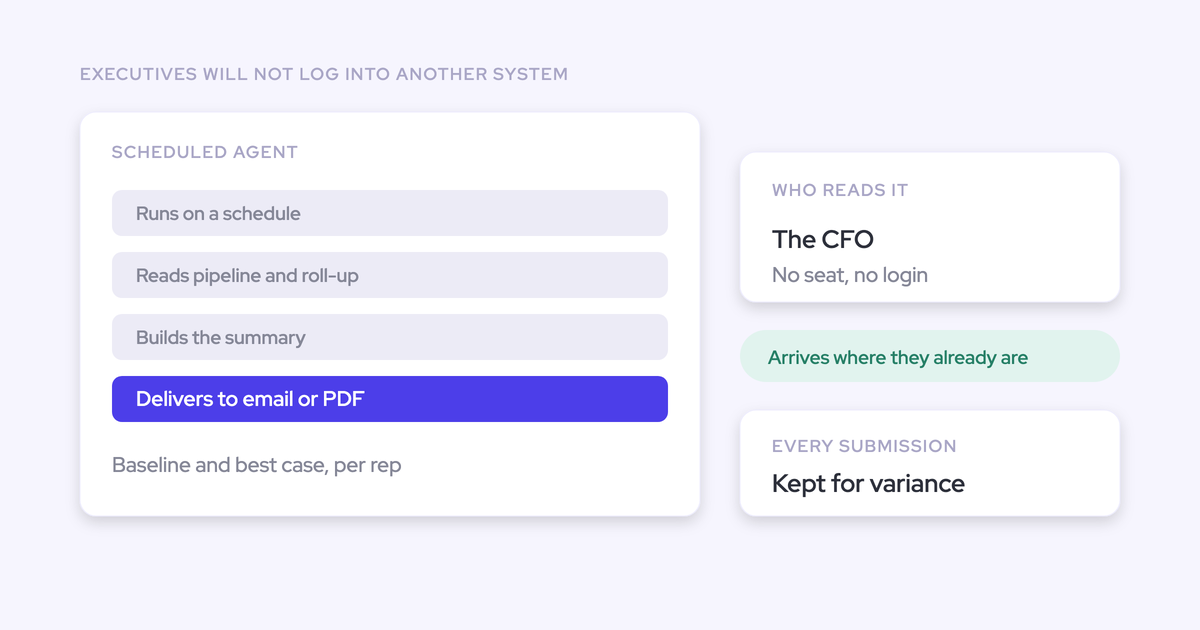
For Atlas, the rep submits the original call, the manager records the adjustment, and the revised number rolls up without RevOps rebuilding a spreadsheet. The close-date history remains available for the next review.
Forecast submissions, targets, and roll-up data live in Weflow, not in Salesforce fields. Opportunity edits made in Weflow sync back to Salesforce.
Deal-level roll-up isn’t unique to Weflow. Clari is strong at roll-up forecasting. Our approach brings the submission process, deal signals, and forecast comparisons together so your weekly review can examine the evidence behind the number.
Start with the largest opportunities in your next forecast call. Write down what must happen for each to close, assign owners and dates, and retain the resulting submission.
Free Guide: Getting started with Bottom-up Forecasting
FAQ: How do you adapt named-deal forecasting?
Can we forecast ARR instead of Salesforce Amount?
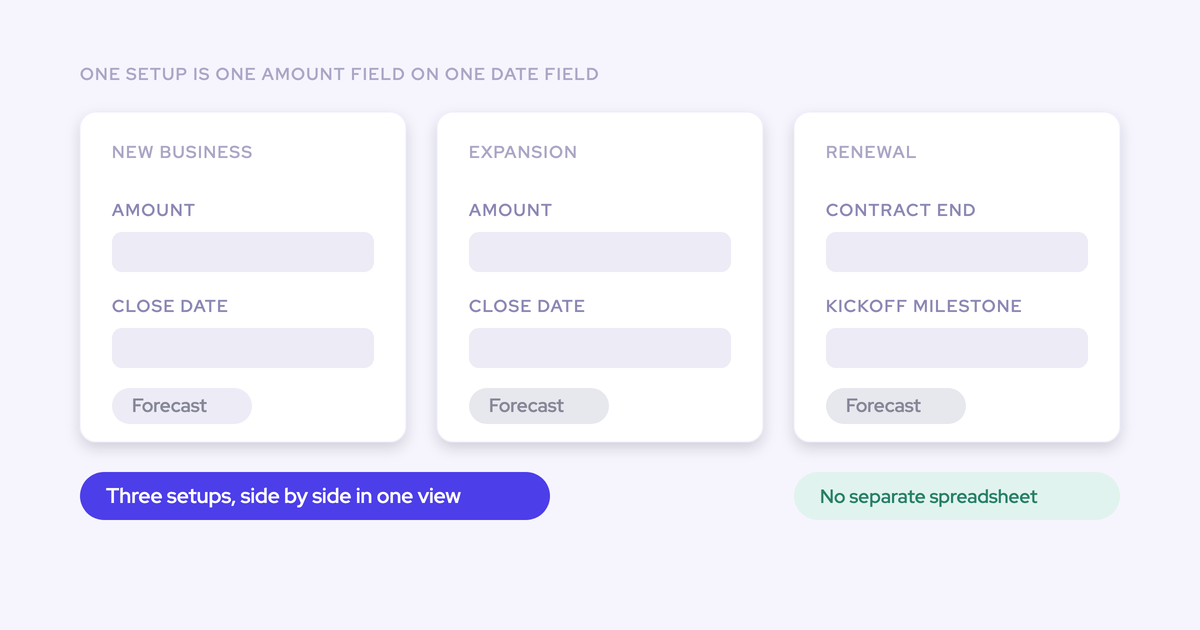
Yes. Weflow supports any opportunity currency field as the forecast amount, including a custom ARR field. Each forecast setup uses one chosen amount field and one chosen date field.
- Use the same ARR definition for targets, submissions, and actuals.
- Keep currency conversion consistent with finance’s reporting basis.
- Create separate setups when teams need different amount fields.
Can we forecast new business and renewals separately?
Yes. Weflow supports parallel forecast setups with their own stages, cadences, targets, and forecast calls. Separate motions when their buyer processes or period definitions differ.
- New business: Assess purchase approvals and expected signature timing.
- Expansion: Account for existing agreements and any new commercial dependencies.
- Renewals: Forecast the renewal cohort against the relevant due-date field and its retention risks.
Keep the executive totals reconcilable. Don’t add unlike metrics, such as total renewal value and incremental new ARR, without defining what the combined number means.
How should we forecast contracts spanning multiple quarters?
Forecast the booking in the period defined by your booking policy. Keep revenue recognition separate when delivery or recognition spans quarters.
| Forecasting task | Period treatment |
|---|---|
| Contract bookings | Assign the chosen opportunity amount to the period containing the chosen date. |
| Revenue recognition | Allocate revenue across the delivery or recognition schedule in your finance process. |
Weflow assigns the full chosen opportunity amount to one period; it doesn’t split an opportunity across quarters. Weflow also doesn’t support consumption forecasting.
How much history do weighted and AI forecasts need?
Useful history needs comparable outcomes and consistent inputs. There isn’t a universal minimum that makes a projection trustworthy, and Weflow’s use of up to two years of history isn’t a two-year prerequisite.
Assess the history on these dimensions:
- Do stage definitions mean the same thing across the period?
- Do records include resolved won and lost opportunities?
- Do prior deals resemble the current segment, size, and revenue motion?
- Does activity data describe the right opportunities?
- Can you distinguish unavailable history from a genuine lack of buyer activity?
If the history is thin, keep the named-deal review as your operating process. Give model outputs more weight as you accumulate comparable outcomes and test their judgment against results.
Can we keep named-deal forecasting in a spreadsheet?
Yes. A spreadsheet can support this process if you retain the evidence and submission history. Software becomes useful when maintaining those controls consumes too much of the week.
- Use opportunity IDs to prevent duplicates.
- Maintain explicit baseline and upside membership.
- Keep rep submissions separate from manager adjustments.
- Preserve dated, locked versions rather than overwrite the prior call.
- Reconcile closed bookings with Salesforce each cycle.
- Link each material movement to its reason and owner.
If your team structure is still changing, establish a process you can explain before automating it. Track the time spent collecting calls, reconciling versions, and reconstructing deal movement.
What can a forecasting proof of concept actually prove?
A forecasting proof of concept can demonstrate workflow fit. Sustained accuracy improvement requires repeated submissions, management reviews, and closed outcomes.
| An evaluation can validate | Repeated operating cycles establish |
|---|---|
| Your chosen amount and date fields produce the intended forecast scope. | Your timing criteria separate reliable commit from conditional upside. |
| Reps can submit named deals and managers can retain adjustments. | Reps and managers consistently use the process. |
| The hierarchy, deadlines, and locks match your review cadence. | Leadership catches material movement earlier. |
| You can inspect changes and compare forecasting methods. | The comparisons improve judgment across quarters. |
Bring sales leadership, RevOps, and finance together around one current-quarter deal list. Agree on the counting basis and commit criteria, then run an actual submission and override through the process.
The first test is whether you can explain why a large deal belongs in the call today and what evidence would move it out next week.