How to review Weflow forecast and pipeline data in Claude with MCP
Learn to review Weflow forecast and pipeline data in Claude with MCP and build a forecast-call agenda.


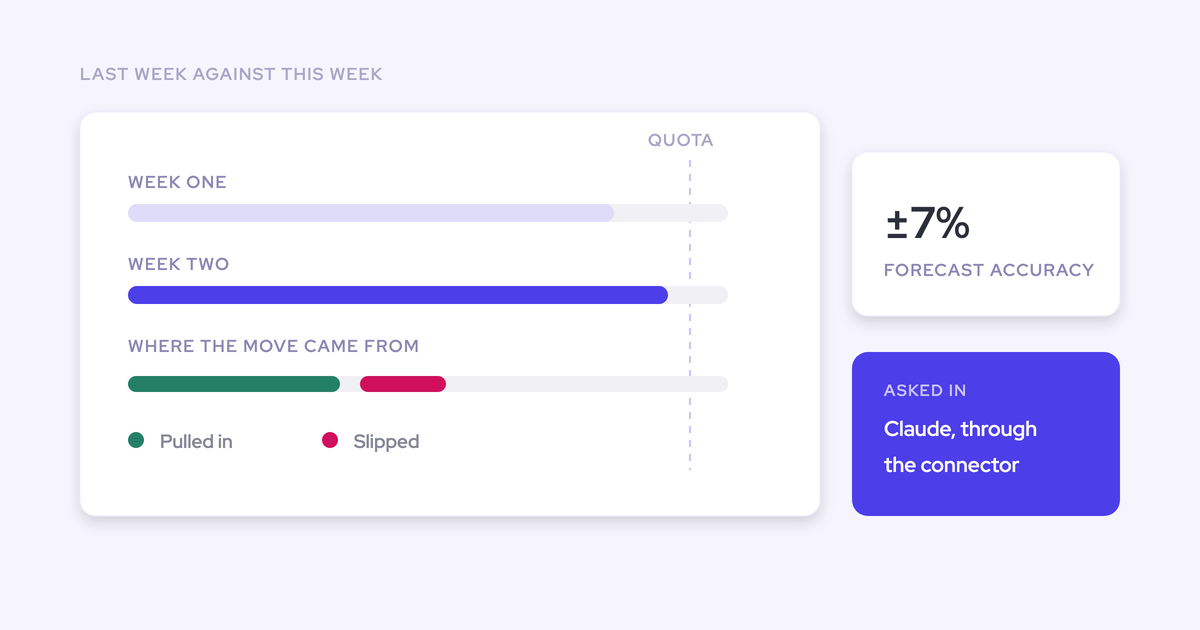

Use Claude to find exceptions in your current Weflow forecast, then turn those exceptions into questions for the forecast call. Keep the team’s forecast intact. Claude’s job is to identify where you need to inspect the evidence, with opportunity IDs behind every deal-level conclusion.
You already know how a rep-by-rep review goes. Someone reads their number, you ask which deals support it, and the meeting becomes a search for context. A useful Claude review does that preparation before the call, so you can spend the conversation testing judgment.
This guide covers current forecast and pipeline data. It doesn’t promise a comparison between two dated submissions: Weflow versions submissions internally, but we haven’t confirmed retrieval of selected historical versions through MCP.
Weflow is the Revenue AI Orchestration platform for sales, customer success, and RevOps teams. Built for Salesforce teams, Weflow supplies the structured forecast context for this workflow. The output is a focused deal review agenda, with evidence to inspect and questions to ask.
What this Weflow-Claude review produces
You’ll finish with a prioritized forecast-call agenda showing which reps need discussion, which opportunities need inspection, and what remains unexplained.
Weflow MCP returns rep-level forecast and pipeline metrics with underlying opportunity IDs. Claude can organize that information into a review queue. A low coverage figure earns a question; it doesn’t prove that a rep will miss.
| Output field | What it must contain |
|---|---|
| Owner and scope | The rep, forecast period, and deal type under review. |
| Exception | A specific observation that meets your review criteria. |
| Supporting metric | A retrieved Weflow value, or a calculation with its inputs and formula. |
| Opportunity evidence | Underlying opportunity IDs and available record details. |
| Manager question | The question that tests the forecast position without assuming the answer. |
| Unresolved information | Missing records, unclear definitions, or explanations that still need verification. |
What you need before starting
You need an approved Weflow connection in Claude and an explicit forecast scope. Let RevOps or Sales Ops confirm access; your job is to define the review.
| Sales Manager provides | RevOps or Sales Ops confirms |
|---|---|
| The team and reps to include. | The connection can retrieve the intended team’s data, with appropriate visibility. |
| The forecast period and its exact dates. | How the connector identifies that period and handles date boundaries. |
| The deal type, such as new business or renewal. | Whether the available output can isolate that deal type. |
| The organization’s forecast-category names. | The configured categories and metric definitions. |
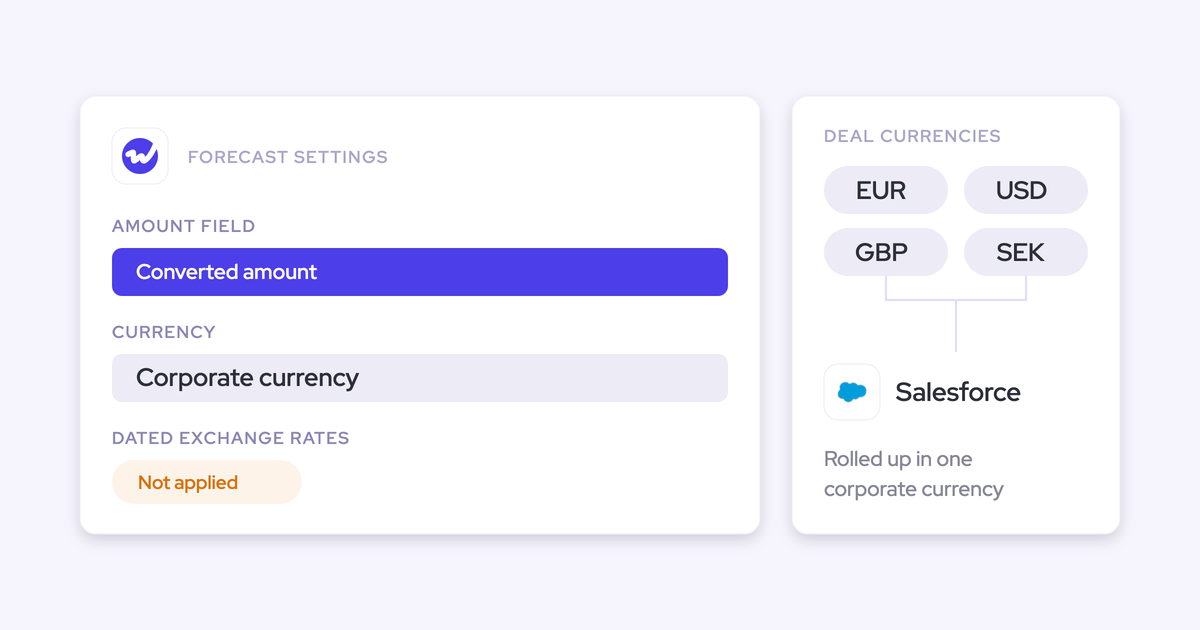
| The reporting currency and materiality criteria. | The currency basis and any conversion assumptions. |
| The intended use of Claude for this review. | Claude access requirements, Weflow MCP availability, and company approval for sending revenue data to Anthropic. |
| The record details needed for deal inspection. | Whether an approved Salesforce connection can retrieve those fields. |
Weflow’s illustrated authorization screen requests read-only access to recordings, forecast, and playbook data. Inspect the authorization you receive rather than assuming that another connector has the same scope.
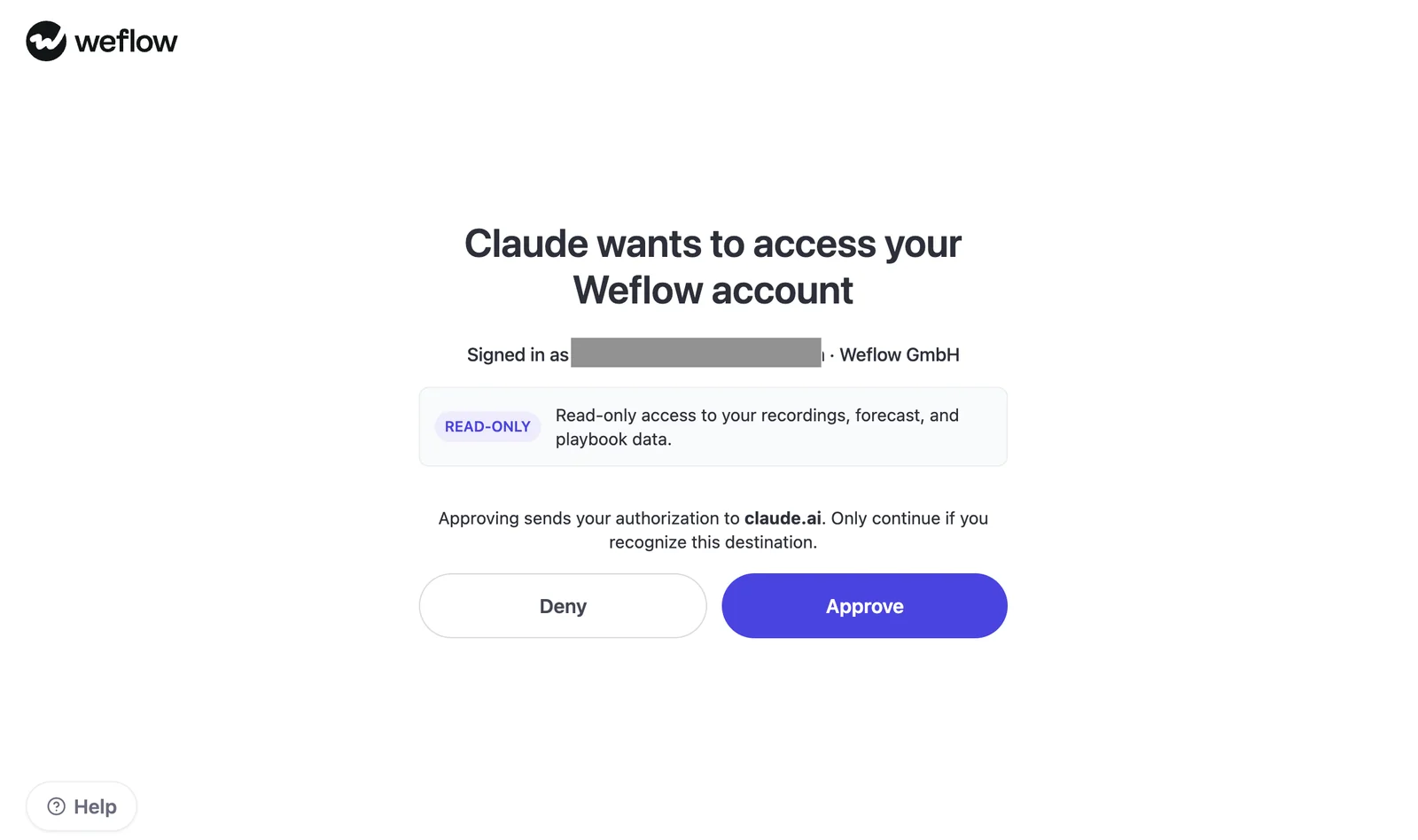
Keep this workflow limited to analysis and agenda preparation. Don’t assume it can write review decisions back, or that Weflow’s AI processing terms describe Anthropic’s terms.
Why use Weflow and Salesforce MCP together?
Use Weflow MCP for the forecast context and Salesforce MCP for available opportunity-record details. The opportunity ID connects the two.
Weflow forecast submissions, targets, and roll-up data live in Weflow, not in Salesforce objects. A Salesforce-only connection misses that forecast layer, even when it can read the underlying opportunities.
| Source | Question it answers | Data it contributes | How it joins |
|---|---|---|---|
| Weflow MCP | Where does this rep’s current forecast position need inspection? | Weflow-computed pipeline, closed-won, coverage, gap-to-forecast, and performance metrics, using the organization’s forecast categories. | Returns underlying opportunity IDs alongside aggregates. |
| Salesforce MCP | What does the underlying opportunity record say? | Available record fields, subject to the connection’s capabilities and approved access. | Retrieves records using the opportunity IDs from Weflow. |
Start with Weflow. Add Salesforce record detail where the exception requires it, rather than pulling every field from every opportunity into the conversation.
If your company requires forecast submissions themselves to live in Salesforce, Weflow isn’t the right roll-up layer. MCP makes that data queryable; it doesn’t relocate the submissions.
How to review Weflow forecasts in Claude
Run the review in five passes: confirm scope, retrieve metrics, rank exceptions, inspect records, and build the agenda.
The prompts below request output formats, not fixed connector commands. If Claude can’t retrieve a required input, it should expose the gap and stop the affected analysis.
The filled examples illustrate the format using supplied Weflow screen details where available. They aren’t live Claude results. They deliberately leave missing values and opportunity IDs unresolved rather than inventing a complete response.
1. Set one forecast scope
Make Claude restate the scope before it analyzes anything. A Weflow forecast review needs one consistent team, period, deal type, and category mapping.
Required inputs: Team or rep list, period dates, deal type, currency basis, category names, and your materiality criteria.
Review current Weflow forecast and pipeline data for:

Team or reps: [TEAM OR REP LIST]
Forecast period: [PERIOD NAME AND EXACT DATES]
Deal type: [DEAL TYPE]
Reporting currency: [CURRENCY AND BASIS]
Forecast categories: [EXACT CONFIGURED NAMES]
Materiality criteria: [YOUR REVIEW THRESHOLDS]

Before analyzing, restate this scope and identify anything
you can't verify from the connected sources.

Preserve the configured category names. Don't infer a
filter or parameter that the connector doesn't support.
Stop if you can't isolate the requested scope.

Don't compare historical submissions or generate a new forecast.
Expected output: A scope confirmation with unresolved dimensions visible.
| Filled scope example | Required confirmation |
|---|---|
| New business only. | Expansion and renewal records stay outside the review. |
| The selected forecast period. | Claude restates exact start and end dates before analysis. |
| The organization’s configured forecast categories. | Claude preserves the returned names rather than replacing them with generic labels. |
| Manager-defined materiality criteria. | Claude asks for missing thresholds instead of choosing its own. |
- Confirm that Claude includes the right reps.
- Check the period dates and currency basis.
- Resolve any unsupported deal-type filter before continuing.
2. Pull the rep-level forecast table
Retrieve the team’s factual base before asking Claude for a narrative. Weflow MCP supplies the metrics; Claude should preserve their definitions.
Required input: The confirmed scope from step one.
Using the confirmed scope, retrieve current Weflow metrics
for every rep in scope.

Return a table containing:
- Weighted and unweighted pipeline value
- Closed-won amount and count
- Coverage ratio
- Gap to forecast
- Underlying opportunity IDs

Preserve Weflow's metric names and category breakdowns.
Report any available definitions, especially the coverage
denominator and gap-to-forecast calculation.

Use "Not returned" for missing values. Don't substitute zero.
List reps whose data you couldn't retrieve.
Don't analyze risk yet.
Expected output: A rep-level table and an explicit list of missing inputs.
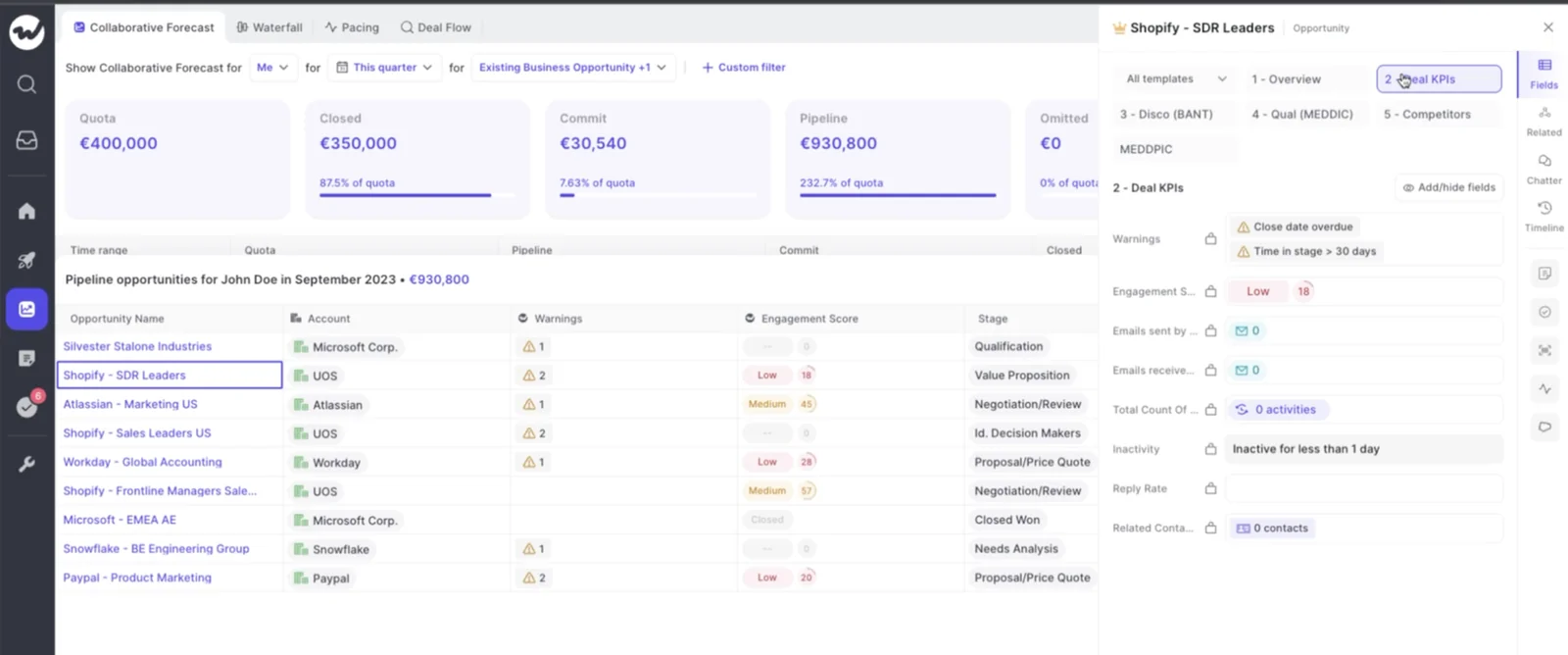
For example, Weflow’s illustrated pipeline table shows John Doe with EUR930,800 in pipeline. That value alone doesn’t establish coverage, the forecast gap, or which deals deserve scrutiny.
| Rep | Pipeline shown | Weighted pipeline | Gap to forecast | Opportunity IDs |
|---|---|---|---|---|
| John Doe | EUR930,800 | Not returned in this example | Not returned in this example | Not returned in this example |
Keep an incomplete row incomplete. Filling it with plausible values would make every later step harder to trust.
3. Rank the material forecast exceptions
Ask Claude to rank the positions that meet your criteria, with data-quality blockers in a separate queue. Missing information and forecast risk need different follow-up.
Required inputs: The retrieved rep table and your materiality criteria.
Review the retrieved Weflow table against my materiality criteria.

Rank only exceptions that the returned metrics support.
For each, show:
rank, owner, exception, supporting metric, why it matters,
and required follow-up.

Put missing data and unclear definitions in a separate
validation queue. Don't rank unknown values as business risk.

Don't label anyone optimistic or sandbagging from a
current-state snapshot. Don't treat a gap as proof of a miss.
Expected output: A ranked business-review queue, plus validation work that must happen before Claude can assess other rows.
| Rank | Owner | Exception | Supporting metric | Required follow-up |
|---|---|---|---|---|
| Validation first | John Doe | The available pipeline value doesn’t establish the forecast position. | EUR930,800 pipeline; gap to forecast not returned. | Retrieve the forecast gap and its definition before judging whether pipeline supports the call. |
This example hasn’t earned a business-risk ranking yet. That’s a useful answer: it tells you what’s missing without turning a large pipeline total into a story.
4. Trace exceptions to opportunity IDs
Require Claude to identify the opportunities behind each exception before explaining it. Weflow MCP returns underlying opportunity IDs, but an ID’s presence doesn’t prove why a deal is risky.
Required input: The exception queue and the opportunity IDs associated with its supporting metrics.
For each forecast exception, retrieve the underlying
opportunity IDs from Weflow.

Where an approved Salesforce connection can retrieve the
records, add available name, owner, amount, stage, forecast
category, close date, and relevant evidence fields.

Join on opportunity ID, not name.

Explain which records support which observation.
Don't imply that all returned opportunities caused the exception.
Don't infer that a rep selected a deal in a submission.

Mark missing IDs, inaccessible records, and unexplained
aggregate differences as unresolved. Don't invent links.
Expected output: An evidence table separating record observations from explanations that still need checking.
| Observation | Opportunity | Opportunity ID | Available evidence | Status |
|---|---|---|---|---|
| Close timing needs inspection. | Shopify - SDR Leaders | Not available in the illustrated screen details. | Weflow shows an overdue close-date warning and time in stage greater than 30 days. | Retrieve the ID and current record before using this observation in the review. |
Weflow’s opportunity sidebar shows those deal warnings beside the pipeline table. The screen supports the observation; it doesn’t establish whether the buyer has delayed the purchase.
5. Build the forecast-call agenda
Turn verified exceptions into questions that test the rep’s judgment. Keep unresolved evidence out of the conclusions.
Required input: The ranked exceptions and completed evidence table.
Build a forecast-call agenda from the validated exceptions.

For each item, show:
priority, owner, observation, opportunity IDs, supporting
evidence, manager question, and decision needed.

Keep observations separate from coaching questions.
Put incomplete evidence in a validation queue with a named
follow-up owner.

Don't generate a replacement forecast, diagnose a rep's
behavior, or claim that a deal changed since last week.
Return the agenda here without writing to another system.
Expected output: A short agenda you can use in the call, with validation tasks clearly separated.
| Priority | Owner | Observation | Evidence | Manager question |
|---|---|---|---|---|
| Validate before discussion | Sales Manager | The illustrated Shopify - SDR Leaders record has an overdue close-date warning. | Historical screen detail; current opportunity ID and record still required. | Once verified: What buyer-confirmed milestone supports the expected close date? |
A verified overdue date earns that question. It doesn’t earn “the buyer has gone quiet” unless the communication evidence supports it.
How to validate Claude’s forecast review
Validate scope, calculations, and record evidence before taking Claude’s review into the forecast call. A fluent explanation doesn’t compensate for a mismatched period.
Keep period, category, and deal type aligned
Every Weflow metric and Salesforce opportunity used in a conclusion must belong to the intended review scope.
| Item to verify | Mismatch symptom | Correction |
|---|---|---|
| Period | A monthly amount appears beside a quarterly forecast position. | Restate exact period dates and retrieve the affected rows again. |
| Team | The result omits a rep or mixes rep rows with manager aggregates. | Reconcile the returned owners against your intended rep list. |
| Category | Claude renames a configured category or treats a submission’s best case as a pipeline bucket. | Preserve source labels and verify what each value represents. |
| Deal type | Renewal pipeline supports a new-business conclusion. | Isolate the motion or stop if the output can’t distinguish it. |
| Currency | Claude sums amounts without a confirmed currency basis. | Keep currencies separate until the conversion basis is clear. |
| Metric definition | Claude interprets coverage without knowing its denominator. | Confirm the definition before applying your review threshold. |
Separate Weflow data from Claude inference
Label retrieved values, calculations, and interpretations separately. Weflow supplies structured metrics; Claude’s explanation remains an interpretation.
| Output type | How to recognize it | Correction if unclear |
|---|---|---|
| Source data | A Weflow metric or Salesforce field with its source and scope. | Ask Claude to identify where the value came from. |
| Derived calculation | A formula with visible inputs and units. | Require the formula and check that its inputs share the same scope. |
| Claude interpretation | A proposed explanation or a question for the manager. | Label it as interpretation and identify the evidence needed to confirm it. |
Add this instruction to any follow-up prompt:
Label every statement as source data, derived calculation,
or interpretation. If an explanation lacks evidence,
turn it into a question rather than a conclusion.
Reject conclusions without opportunity evidence
Reject deal-level explanations that can’t trace back to the underlying opportunity. A rep-level metric can justify investigation without proving a cause.
- Every deal-level conclusion must include a returned opportunity ID.
- The cited record must support the specific observation, not merely belong to the same rep.
- Claude must expose inaccessible records and unexplained differences.
- A current-state review must not claim that a deal slipped, changed category, or left a submission without historical evidence.
- Claude must not diagnose habitual optimism or sandbagging from one snapshot.
A corrected output should follow this pattern:
Observed: [Retrieved metric or field value]
Record: [Returned opportunity ID]
Interpretation: [What the observation suggests]
Unconfirmed: [What the available evidence doesn't establish]
Manager question: [What to verify with the rep]
Choose Claude, Ask Weflow AI, or Weflow history
Use Claude when your review benefits from multiple connected sources. Stay in Weflow when the question already has the context it needs there.
| Surface | Best-fit question | Grounding source | When not to use it |
|---|---|---|---|
| Claude with approved connectors | Which current forecast exceptions need investigation, and what do connected records add? | Returned Weflow metrics and available data from other approved connections. | When required scope or evidence can’t be retrieved, or the question needs unconfirmed historical submission access. |
| Ask Weflow AI | Which deals in this pipeline view need attention, and what does their context show? | Selected pipeline views, recordings, records, and related context. | When the analysis requires business systems outside its available sources. |
| Weflow history | How did a rep’s submitted call develop over time? | Weflow’s versioned forecast submissions. | When you need Claude to combine multiple external sources in one conversation. |
Ask Weflow AI can use the current pipeline view as a source. If you’re already inspecting that view, opening Claude adds a connection and validation step. Make that extra step earn its place.
Frequently asked questions
The main boundary is historical access: this workflow reviews current Weflow data, while selected dated submission retrieval remains unconfirmed.
Does this workflow compare dated forecast submissions?
No. Weflow versions submissions internally, but we haven’t confirmed that Weflow MCP retrieves two selected dated versions and their detailed contents. This workflow reviews current forecast and pipeline data.
Can Salesforce MCP access Weflow forecast data?
A Salesforce-only connection can’t retrieve Weflow forecast submissions and targets because they live in Weflow. Use Salesforce for available opportunity-record details and Weflow MCP for the forecast context.
Can Claude identify the opportunities behind exceptions?
Yes. Weflow MCP returns underlying opportunity IDs alongside rep-level metrics.
- Ask Claude to identify the IDs associated with the relevant metric.
- Use an approved Salesforce connection to retrieve additional record details where available.
Require separate evidence for any claim about why an opportunity is risky.
How should Claude handle custom forecast categories?
Weflow MCP reflects the organization’s configured forecast categories. Claude should preserve those names and verify their meanings before comparing values.
Use the forecast-category names exactly as Weflow returns
them. Don't translate them into a generic taxonomy or
equate them with rep submission fields.
Can the review separate different deal types?
Weflow supports separate forecast configurations and targets for different deal types, including new business, expansion, and renewal. Confirm how your MCP output identifies or filters those types before relying on separate Claude reviews.
Run one motion at a time. If Claude can’t isolate it, use the configured Weflow view rather than accept a mixed result.
Does Weflow support consumption-based forecasting?
No. Weflow’s forecasting methods model deal-based revenue. Usage-driven consumption forecasting requires a different method, and this Claude workflow doesn’t add that capability.
Before your next forecast call, agree on the scope and evidence standard with Sales Ops. If the submission cadence itself needs work, use the Free Guide: Getting started with Bottom-up Forecasting to define the process Claude will help you inspect.