How to Handle Deals That Slip Into Next Quarter in the Sales Forecast
Learn how to spot deals that slip into next quarter and improve Salesforce forecast accuracy.


The quarter closed short, and the deals in it didn't die. They moved. Now leadership wants to know what happened, and someone has asked for a slipped deal tracker. The problem is that a slipped deal is one your CRM has already forgotten slipped. Salesforce overwrote the close date, so that deal now sits in next quarter's pipeline looking like fresh pipeline.
Handling slippage takes three moves:
- Make the slip visible. Lock a point-in-time forecast, using locked forecast submissions or your own frozen copy, then compare it with what's still open after the quarter ends.
- Decide what happens to the amount. Nothing carries forward. A slipped deal re-earns its forecast category in the new quarter, and its push count gates whether it can be committed.
- Measure slip rate per rep as its own metric, quarter over quarter.
Each step below starts with the process change, then what it costs to build yourself, then what a forecasting tool does, including where ours stops.
Why Salesforce forgets which deals slipped last quarter
Salesforce stores the current state of an opportunity, not its history. When a rep moves a close date from September 28 to October 15, the September date is gone. Calculated and roll-up fields aren't history-tracked at all. So when you try to pull a report of what slipped, the evidence you need no longer exists.
That's why a Q3 deal turns into a Q4 deal with no marker. Next quarter's pipeline inherits it as if it were new, and coverage looks healthy until the same deals stall again.
"We've all lived through this reality where your pipeline coverage looks pretty good, and then in week five, six, seven, it starts to slip and stall. And suddenly, your pipeline coverage evaporates."
Janis Zech, CEO and Co-founder of Weflow
The same gap is behind the Monday scramble when commit drops.
| What you see | What's happening in the data |
|---|---|
| You can't rebuild last quarter's forecast | The close date, amount and stage were overwritten, and nothing stored the old values |
| A slipped deal looks like a new next-quarter deal | The record carries no marker that it was ever forecast in a prior period |
| A commit drop means clicking deal by deal | There's no stored version of last week's commit to compare against |
| You have no accuracy baseline | "Update your pipeline by Friday" never recorded what the forecast said at that moment |
Concentration makes all of this worse. When a handful of large deals carry the quarter, one of them moving from August to December rewrites the number. That's a separate forecasting problem; this article stays on what to do once the slip has happened.
What you need before you build a slipped deal tracker
You need four decisions and one data source in place before any report will work. Most of these you can settle or assign this week.
- A fixed lock date and cadence. Without a date the forecast freezes on, there's no baseline to compare the end of the quarter against.
- The forecast field the business runs on. If finance closes on ARR or a converted USD amount, a tracker built on Amount reports a slip number nobody manages by.
- Commit and best-case criteria in writing. A slipped deal can only re-earn commit if commit means the same thing in every team.
- A source of point-in-time history. That means field history tracking on close date, amount and stage at minimum, or a snapshot source that stores the opportunity on a schedule. No downstream analysis recovers history that nobody captured.
- A named owner for the slip review. If nobody owns the quarterly review, the tracker gets built once and read once.
Step 1: Lock a point-in-time forecast by week four
Freeze the forecast in week three or four of the quarter. That's early enough that the number is still a judgment, and late enough that reps have worked their pipeline. A commit given in the final days of the quarter is a report of what already happened, so it proves nothing about slippage.
Here's the process:
- Set the date. Pick one lock week and keep it the same every quarter, so slip rates compare across periods.
- Require deal-level selection. Reps commit named opportunities, not a typed total. A total tells you how much slipped; named deals tell you which ones.
- Freeze it. After the deadline, the submission can't be edited. Later changes go into a new version, not over the old one.
- Store it. Keep the deal list, amounts, categories and opportunity IDs exactly as submitted.
The DIY version is a spreadsheet or a report export you save every cycle. It works for a quarter or two. Then someone forgets the export, a filename becomes the version history, and the comparison depends on one person remembering where the files live.
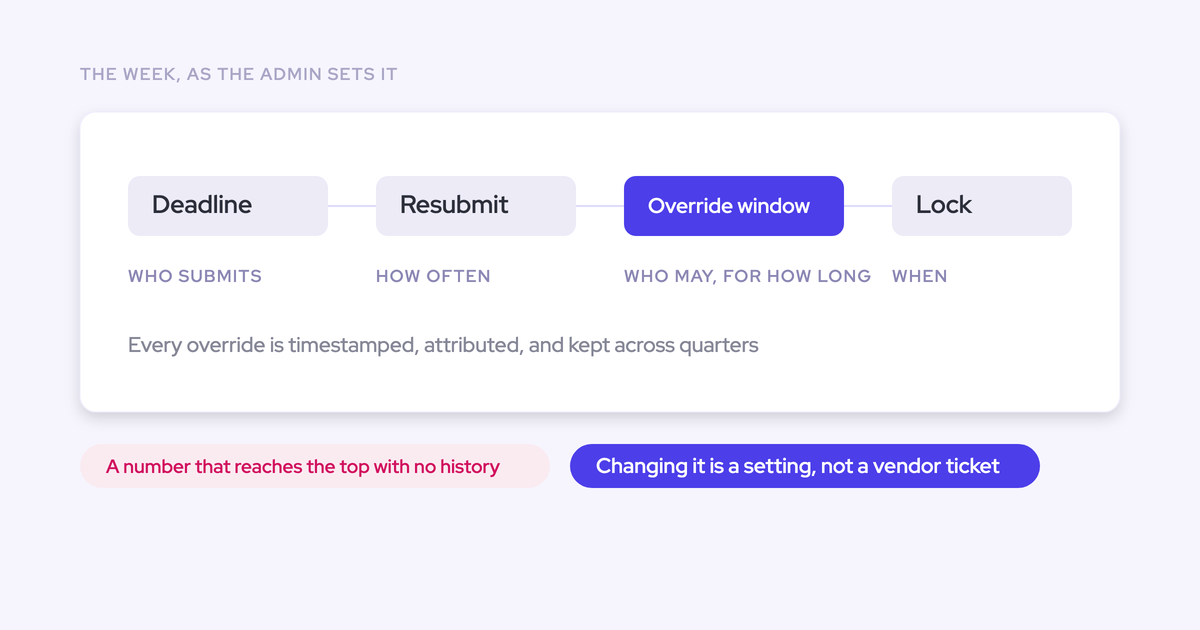
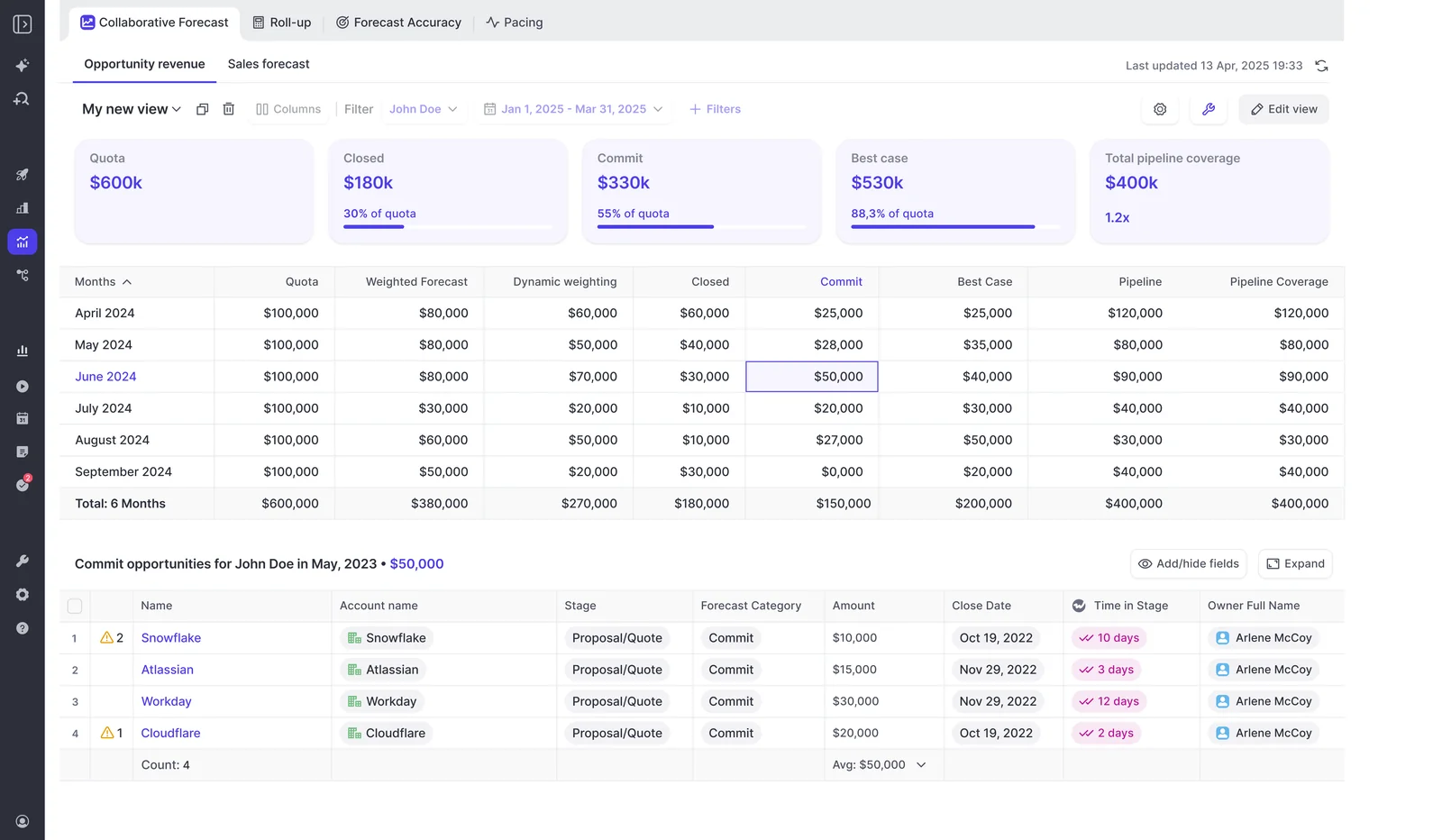
Weflow is the Revenue AI Orchestration platform for sales, customer success, and RevOps teams. In Weflow Deal Intelligence & Forecasting, each rep submits a baseline and a best case, either as a total or by selecting the opportunities behind each figure, with a free-text comment. Every submission is versioned, managers can override, and deadlines lock the field.
You configure the cadence yourself: submission deadlines, how often reps resubmit, who submits, who overrides, how long an override stays open, and when the forecast locks. Submissions roll up to manager, VP and executive automatically.
One limit to know now: locked submissions live in Weflow, not on a Salesforce field. We cover what that means for your reporting further down.
Step 2: Compare the locked forecast with next quarter's open deals
A slipped deal is an opportunity that was in the locked forecast for a quarter and is still open after that quarter closes. That one comparison, with opportunity IDs, is the slipped deal tracker leadership asked for.
Keep "moved out of the period" separate from "lost." When you net them together, a quarter where three deals slipped and three were lost looks like a qualification problem, and you fix the wrong thing. Slipped deals are still alive and will show up in next quarter's number. Lost deals won't.
The DIY path runs through a warehouse:
- Snapshot the opportunity table on a schedule, daily at minimum.
- Join the locked deal list to the post-quarter snapshot on opportunity ID.
- Classify each deal as won, lost, still open with a later close date, or still open and overdue.
It works, and plenty of teams run it. But the history only starts on the day the snapshots start, so last quarter's slips are gone if nobody snapshotted them.
Weflow snapshots every opportunity every few hours and builds a pipeline waterfall from those snapshots. The waterfall reconciles starting pipeline to ending pipeline through newly created, increased, moved into the period, moved out, lost, decreased and won. Each bar drills through to the actual opportunities, with whatever fields you want to see.
So the moved-out bar between your lock date and quarter end is your slip list. The versioned submission tells you which of those deals were in the committed call. At install, Weflow imports 12 months of Salesforce opportunity history by default, so you're not starting from zero.
Slip waterfalls aren't unique to us, and you should know what else is out there:
- Gong Forecast's Changes report has a "pushed out (slipped)" bucket and drills to the deals behind each bar. It compares each deal's stage, close date and amount at the start and end of the period, so a deal that moved and came back within the period doesn't appear.
- Outreach's Pipeline Movement report rewinds the pipeline to any window in the last three years and shows which deals were won, lost, moved, slipped or sat idle.
- Clari Inspect, sold by Salesloft, shows week over week what was added and what slipped.
| Question | Salesforce report on current state | Warehouse snapshot | Snapshot-based forecasting tool |
|---|---|---|---|
| Can it show last quarter's forecast? | No, the old values are overwritten | Yes, from the day snapshots started | Yes, from snapshots plus any imported history |
| Does it separate slipped from lost? | No | Yes, if you write the classification logic | Yes, as separate buckets |
| Does it give opportunity IDs? | Only for the current state | Yes | Yes, by drilling into each bucket |
| Does it have history on day one? | No | No, it starts empty | Weflow imports 12 months of history at install |
| Effort to maintain | Low, but it can't answer the question | Ongoing pipeline, logic and an owner | Configuration, then the vendor maintains it |
Step 3: Make every slipped deal re-earn its forecast category
Nothing carries forward. A deal that slipped out of Q3 enters Q4 needing to re-earn commit against your written criteria, exactly like any other deal. Its push count decides whether it can be committed without review.
Don't haircut the amount either. Cutting 30% off a slipped deal treats the symptom and keeps the bad pipeline in the number, which is why the same miss shows up again next quarter. Categorize the deal honestly instead.
| What happens | Carry it forward | Re-earn it |
|---|---|---|
| Category on day one of the new quarter | Stays in commit | Resets and has to qualify again |
| Effect on the commit number | Inflated by deals that already missed once | Only includes deals that meet the criteria today |
| What the forecast call discusses | Why the deal will land this time, on the rep's word | Whether the deal meets commit criteria, on evidence |
| What happens to a chronic slipper | Re-enters commit every quarter | Gets flagged by push count before it re-enters |
The rule set you can paste into your forecast process:
- Reset the category. Every slipped deal starts the new quarter outside commit.
- Check the push count. A deal pushed past your threshold can't go into commit without a manager review. Set the threshold from your own cycle length: "pushed more than twice" is a common trigger, but a team with a 60-day cycle and a team with a 12-month cycle shouldn't share one number.
- Re-qualify against the written criteria. The deal earns commit the same way a new deal does.
- Note the reason. Record why it slipped, so the quarterly review reads causes, not just counts.
The DIY version needs a custom push-count field, a flow that increments it on every close-date change, and a days-in-stage field with its own automation. That's the CRM tech debt most RevOps teams are trying to avoid. And the check still happens in a report after the number is set, not while the rep is choosing deals.
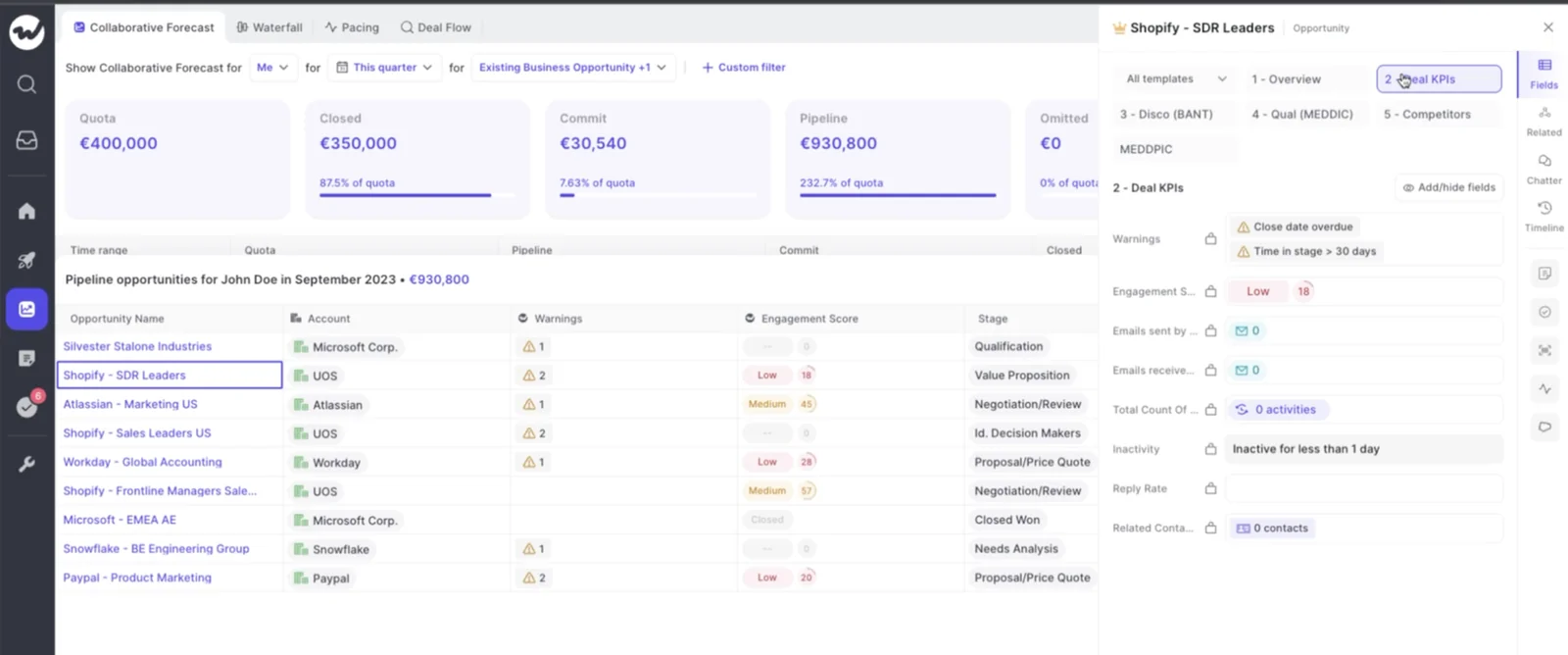
Weflow tracks push count and days in stage on every opportunity automatically, with no custom fields to build. You build warnings on them with AND/OR rules, on any opportunity field except text fields or on Weflow's computed fields, such as "close date pushed more than twice" or "no activity in 14 days."
The warnings show inside the forecast submission screen, at the moment the rep picks which deals to commit. A chronic slipper is flagged before it re-enters the commit, not in a report after the number is already wrong.
Step 4: Track slip rate per rep as its own metric
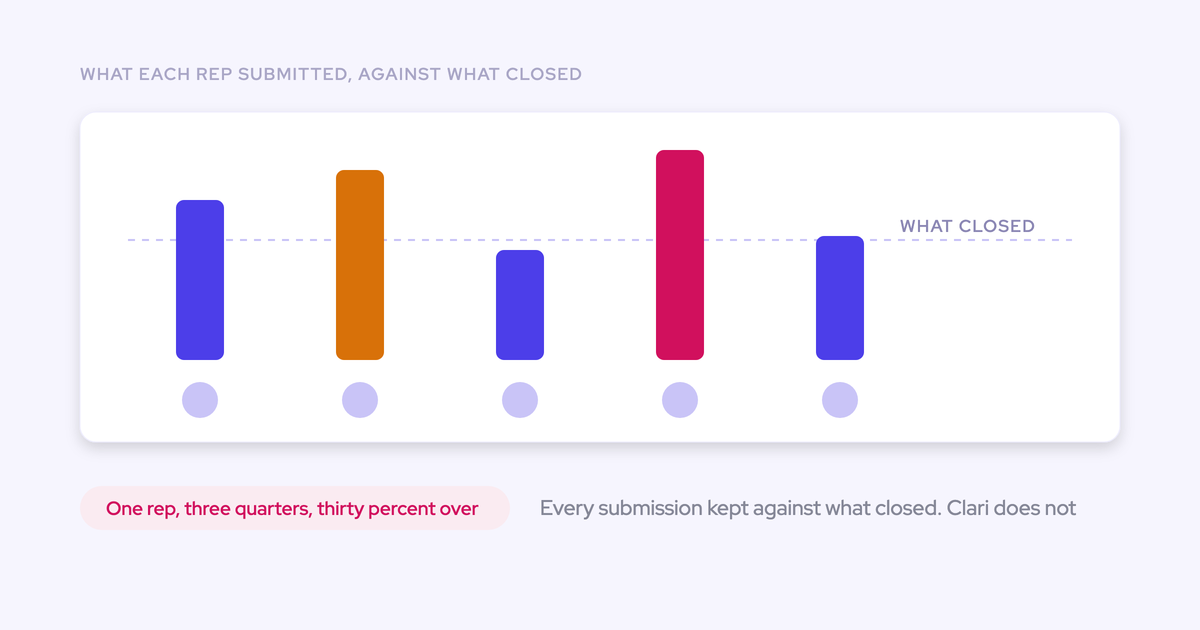
Slip rate is the value of a rep's locked forecast that moved out of the quarter, divided by the total value of that locked forecast, tracked quarter over quarter. One quarter of slip is an anecdote. Four quarters is a track record you can coach.
Read slip rate beside forecast accuracy, not instead of it. A rep can hit 95% accuracy by pulling in surprise deals while half their committed deals slip, and only the two numbers together show that.
| Metric | What it answers | What it compares |
|---|---|---|
| Slip rate | How much of what this rep committed moved to a later quarter? | Locked forecast deals against deals still open after quarter end |
| Forecast accuracy | How close was this rep's call to what closed? | The locked number against the closed amount |
| Commit accuracy | How much of the commit category closed? | Committed deals only against what closed from them |
| Push count | Is this specific deal a chronic slipper? | Every close-date change on one opportunity |
Commit accuracy usually reads higher than forecast accuracy because it measures a narrower set of deals. Score accuracy in both directions too, so sandbagging costs a rep as much as optimism does.
Run it without starting a blame war. Robert Gimbel described how his team did it:
"we would take the fourth forecast of a quarter, like week four, everyone got logged in, we put it onto a Confluence page, and towards the end, we wouldn't punish publicly the people who got it wrong. There's multiple reasons for that, right? But we would celebrate the teams and people who got it right."
Public punishment teaches reps to protect themselves rather than forecast honestly. Keep the misses for 1:1s, and celebrate accuracy where the team can see it.
The DIY path is a quarterly join: your locked spreadsheet against the end-of-quarter snapshot, grouped by owner. It's maintainable as long as Steps 1 and 2 never miss a cycle.
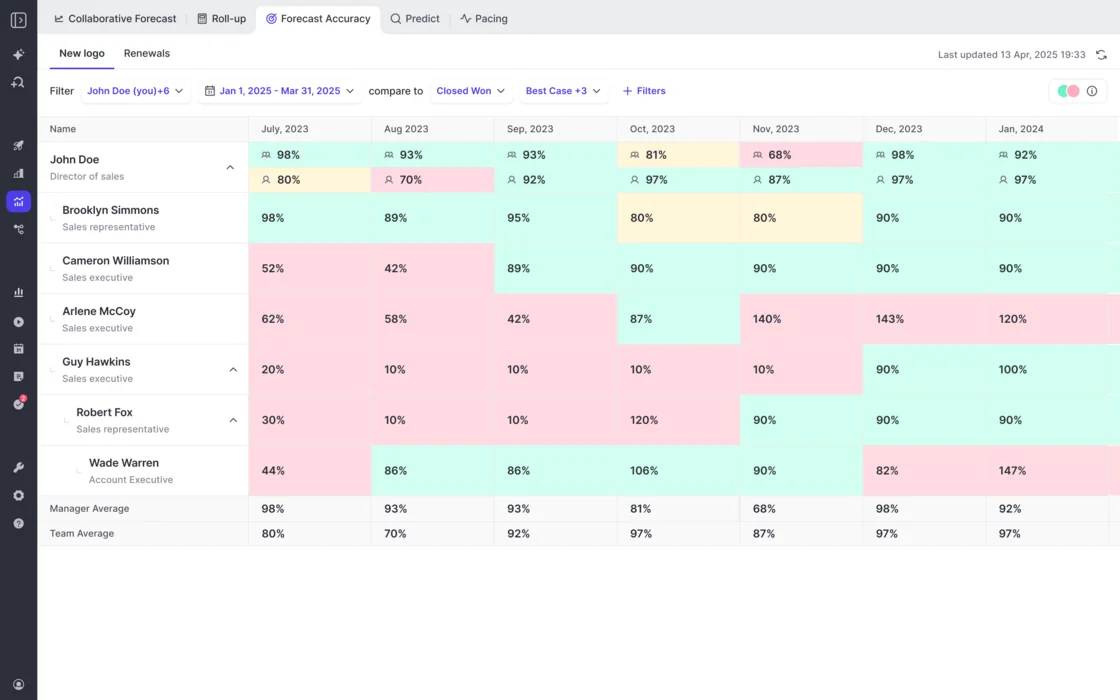
Weflow tracks forecast accuracy for every Forecasting customer without anything to switch on. Accuracy is reported per period for each rep, manager and team, against a field the admin picks, such as Closed Won. We don't ship a report named "slip rate." You assemble it from the waterfall: filter it to a rep's deals for the quarter, or drill the moved-out bar and read the owner on each opportunity, then divide by that rep's locked submission.
Mistakes that bring the same slipped deals back next quarter
Most teams fix slippage once and see it again because they treated the symptom and left the bad pipeline in place.
- Haircutting the number instead of cleaning the pipeline. A discount on the forecast leaves every stalled deal in the roll-up. Work the stalled deals or close them lost, and keep them out of commit.
- Letting reps push dates instead of closing lost. Dead deals with moving close dates inflate the pipeline and stretch your average sales cycle, which poisons the benchmark you use to judge whether a live deal is late. Gate pushes past your threshold with a manager review.
- Skipping stages with no exit criteria. If a rep can drag a deal from first stage to late stage in one click, stage history stays empty and every stage-based number is wrong. Write exit criteria per stage and hold to them.
- Measuring a last-week commit. A forecast locked in week twelve is a report, so it hides slippage. Lock in week three or four.
- Letting slipped deals relabel as fresh pipeline. Without a marker, next quarter's coverage counts deals that already missed once. Tag every slipped deal at quarter start and make it re-earn its category.
Do you need a forecasting tool to track slipped deals?
Not always. The case for a tool grows with the number of deals, managers and roll-up layers you're tracking, not with how much the number matters to the board.
When about ten deals carry the quarter, stay in Salesforce
When roughly ten material deals carry the quarter, the forecast is a deal-by-deal judgment. There's nothing to aggregate or reconcile. Native Salesforce, field history tracking on the key fields, a saved lock-week export and a disciplined deal review will carry it.
The signals that change that:
- Many reps, each holding ten or more open deals a quarter.
- Multi-level roll-ups, with managers and VPs adjusting the call.
- Many large deals open at once, so you can't review each one every week.
- Separate new business, renewal and expansion forecasts on different cadences.
What a warehouse snapshot build costs you to maintain
The build is quick, especially now that AI writes most of the SQL. The maintenance is the cost.
- You run a snapshot pipeline that has to succeed every day, because a missed day is a gap in history you can't recover.
- You maintain the classification logic for won, lost, slipped and pulled-in, and update it every time stages, categories or forecast fields change.
- You still need the lock step, the push-count fields and the automation behind them in Salesforce.
- You need a permanent owner. When that person leaves, the tracker usually goes with them.
- At renewal, the question becomes what maintaining it costs against buying it, and nobody priced that when the build started.
If you already have a warehouse and a half-built Salesforce forecast, the delta a tool gives you is the lock, the warnings at submission and the accuracy tracking. The snapshot table alone doesn't do those.
What Weflow Deal Intelligence & Forecasting does with slipped deals
Gong, Outreach and Clari all show you slipped deals, so a waterfall alone isn't the reason to pick us. Our case is the combination: automatic snapshots, push-count warnings inside the submission screen, and accuracy tracked against locked submissions, all in one place.
| Move | Weflow capability | What it removes from the DIY build |
|---|---|---|
| Lock the forecast | Versioned, deal-level submissions with deadlines that lock the field | The saved export every cycle and the version-by-filename habit |
| Make the slip visible | Snapshots every few hours, a waterfall with a moved-out bucket, 12 months of imported history | The snapshot pipeline and the classification logic |
| Decide the amount | Push count and days in stage on every deal, warnings shown at submission | Custom push-count fields, the flows behind them, and after-the-fact reports |
| Measure slip rate | Accuracy per rep, manager and team by default, plus the moved-out bucket by owner | The quarterly spreadsheet join |
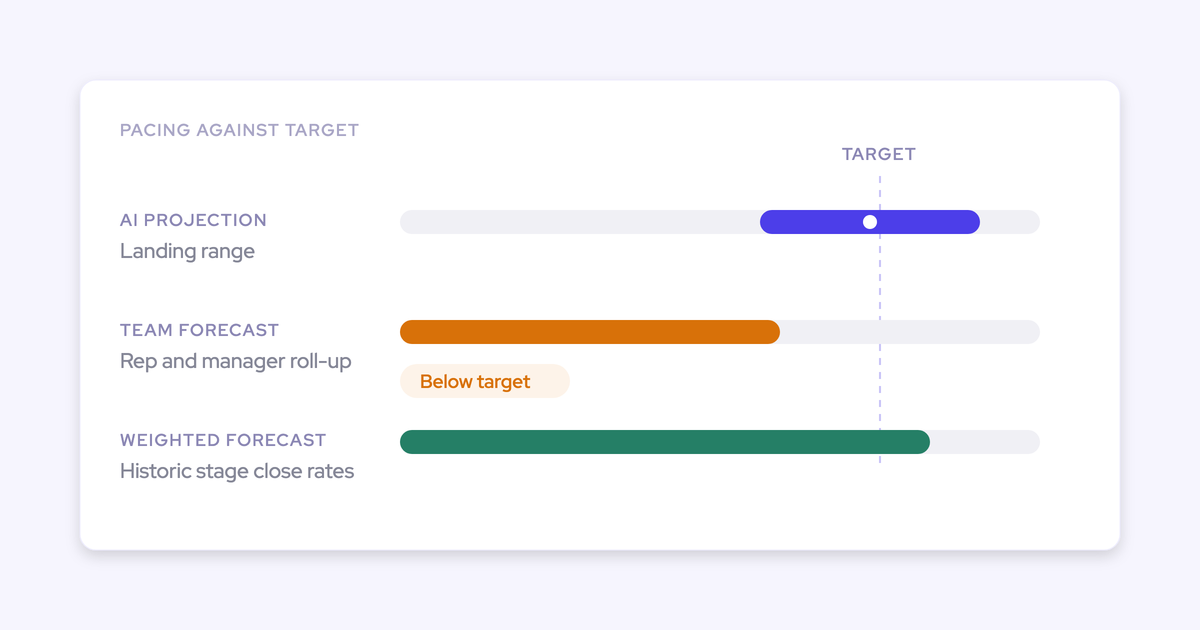
Weflow also runs three forecast methods side by side: a weighted forecast that recomputes stage win rates from a rolling window of recent history, the rep and manager roll-up, and an AI projection that returns a low, middle and high range. A large deal that's being poorly worked gets projected down. The spread between the three is the agenda for your forecast call.
What our customers have moved:
- IDnow reduced slipped deals by 60% using AI deal warnings.
- HolidayCheck reduced past-due opportunities by about 75%.
- Blockaid's managers use automatic opportunity snapshots to track amount changes and close-date pushes.
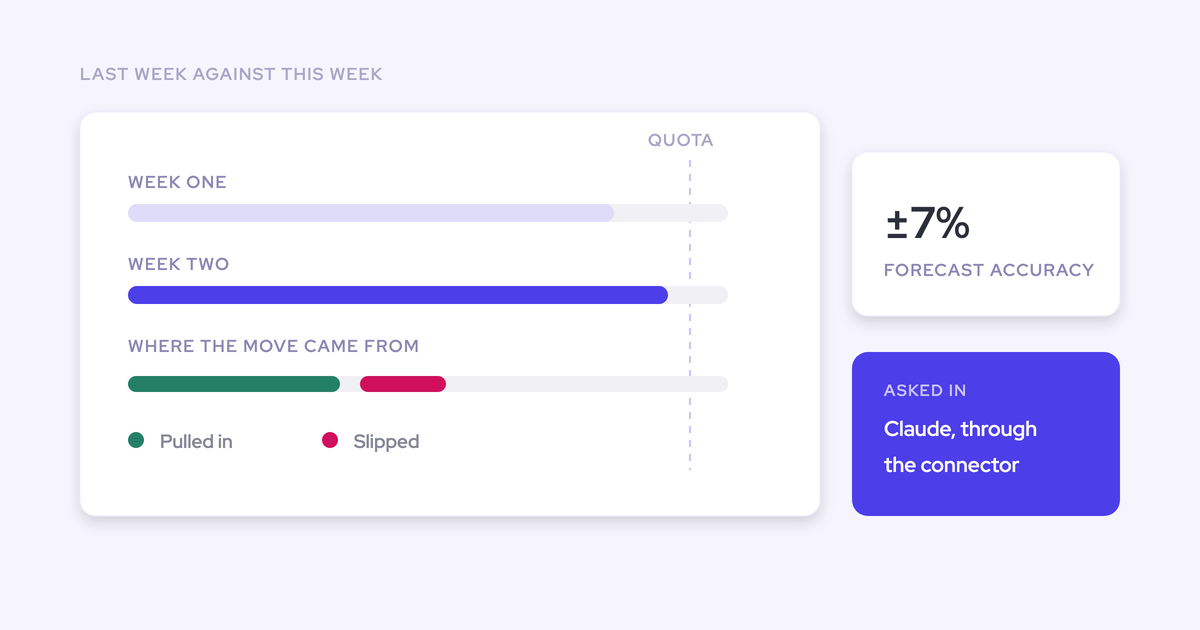
"With Weflow, we forecast within 7% by week 4 of the quarter."
Where Weflow Deal Intelligence & Forecasting falls short on slips
- A forecast on the opportunity puts the full amount in one period. It can't split one deal across two quarters. If your delivery schedule lives on opportunity product line items, you can configure the forecast on line items instead, so each line falls in its own period.
- Snapshots, submissions and warnings live in Weflow, not in Salesforce fields. Activity and conversation data lands in Salesforce; pipeline history and forecast calls don't. You read submitted forecasts over our MCP connector today, and the API is planned.
- Warnings can't be reported on in Salesforce or your BI tool. The workaround is an Agent Builder agent that writes the assessment into a Salesforce field you create.
- Migrated orgs see migrated deals as new. The waterfall dates new pipeline from the Salesforce Created Date, which resets on migration. The workarounds are in the FAQ below.
What Weflow Deal Intelligence & Forecasting costs, and which bundle includes it
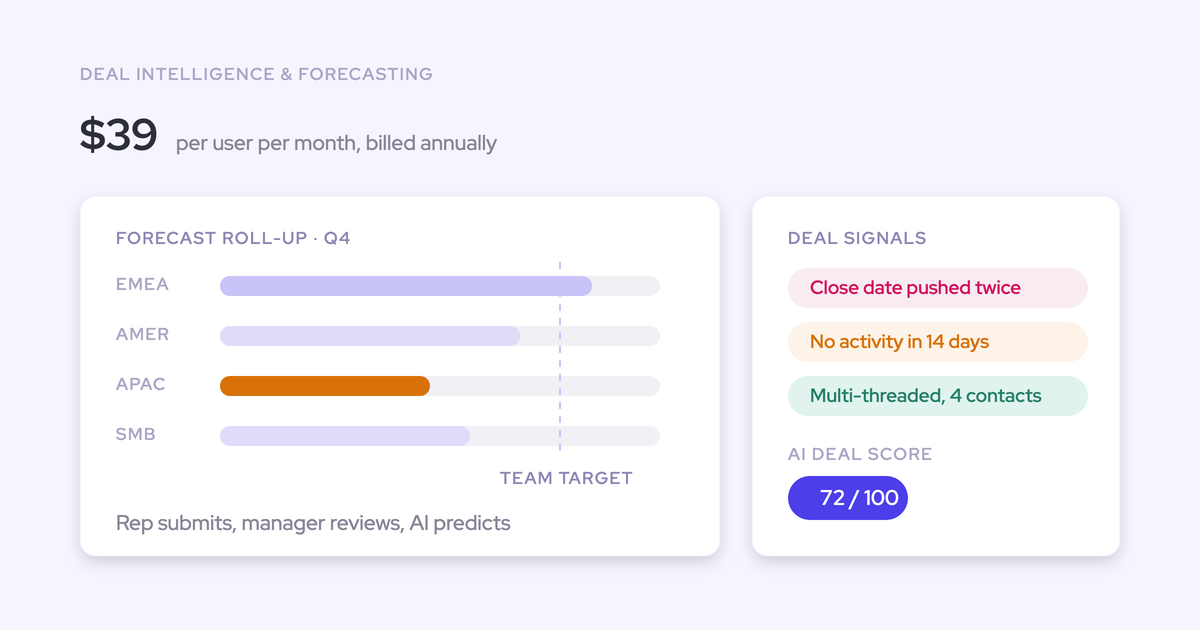
Weflow Deal Intelligence & Forecasting lists at $39 per user per month, billed annually. Packaging is where teams get caught, so here's what includes slipped-deal tracking and what doesn't.
| Option | What it includes for slipped deals | List price per user per month |
|---|---|---|
| Weflow Deal Intelligence & Forecasting | Snapshots, waterfall, warnings, submissions, accuracy tracking | $39 |
| Revenue AI Foundation | Activity & Contact Capture and Conversation Intelligence, no forecasting | $49 |
| Revenue AI Business | Adds Deal Intelligence (deal views, scoring, warnings), but no pipeline analytics or forecasting | $59 |
| Revenue AI Enterprise | All Weflow products, including the full forecasting layer | $79 |
Three things to know before you budget:
- Pipeline Analytics, which holds the waterfall, comes only with Forecasting.
- Weflow Pipeline Management is a separate product and doesn't include analytics or forecasting.
- If you start on Weflow Activity & Contact Capture and Weflow Conversation Intelligence, you expand into forecasting on the same platform rather than signing a separate forecasting contract.
All plans bill annually with a 10-user minimum, and view-only seats for leaders and finance are free.
If you're still weighing process against DIY against a tool, grab our Free Sales Forecasting Cheat Sheet. It covers the cadence and criteria decisions you need to make whichever route you take.
FAQ: handling slipped deals in the sales forecast
Can I see last quarter's slipped deals if nothing was snapshotted?
Yes, for the fields Salesforce kept history on. Weflow imports 12 months of opportunity history at install by default, so the waterfall shows last quarter's moved-out deals from day one. Custom fields only have history if field history tracking was on. What you can't recover is a locked submission that never existed, so last quarter shows what moved, not what reps committed.
Will deals migrated from another CRM show up as new pipeline?
Yes. The waterfall counts a deal as new from its Salesforce Created Date, which Salesforce sets at insert and won't let you change. We can overwrite the created date in Weflow's copy of the data from a file you supply. You can also filter the view to qualified stages, and for 7- or 14-day windows the problem disappears because the snapshot itself becomes the starting pipeline.
Can I split one deal that delivers across two quarters?
Not on the opportunity: a forecast on the opportunity puts the full amount in the period its date field falls into. If your delivery schedule sits on opportunity product line items, a line-item forecast configuration places each line in its own period. Setups where the schedule lives on a non-standard object are the ones we test during the trial.
Does slipped-deal history land in Salesforce or our BI tool?
No. Snapshots, submissions and warnings stay in Weflow. You can pull submitted forecasts through our MCP connector today, with the API planned, and warnings reach Salesforce only if an agent writes them into a field you create. Weflow fields carry a W in the interface, so you can see at a glance what will reach a report.
Can the forecast read our ARR or converted amount field instead of Amount?
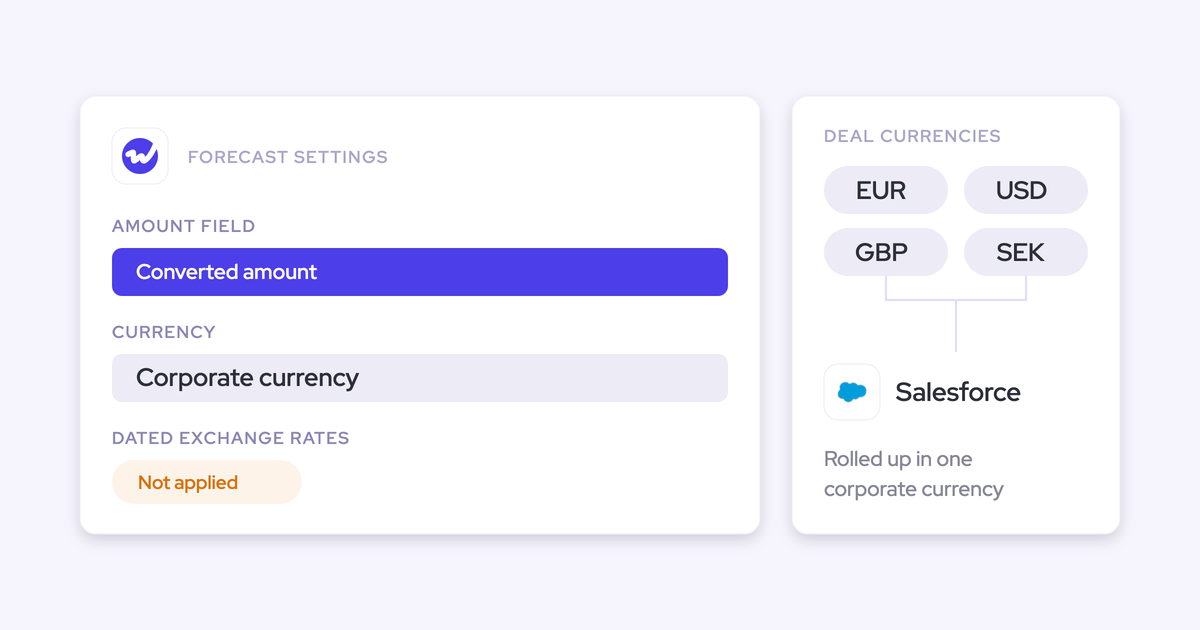
Yes. Weflow forecasts on any standard, custom or formula field, including an ARR or converted-amount field. Weflow reads the standard Salesforce currency field and doesn't apply dated exchange rates, so multi-currency teams that need dated conversion point the forecast at their own converted amount field.
Does our existing Salesforce forecast configuration carry over?
No. Weflow forecasting runs independently of Salesforce forecasting, so we set it up with you during onboarding. We don't charge for implementation. The setup that takes time is deciding who submits, how often, at deal or manager level, and against which quota.
How long does a forecasting tool take to prove itself on slipped deals?
The visibility shows up fast: with 12 months of imported history, a trial shows last quarter's slips on your own data. Accuracy takes longer, because forecasting only proves itself across enough cycles to compare predicted with actual, closer to three months. That's why we offer a three-month paid pilot that's the first three months of a multi-year agreement, with an opt-out at the end, alongside the 14-day trial.
How do I justify a slipped-deal tool to the CFO?
Lead with a defensible number: slip rate and accuracy per rep, with opportunity IDs, instead of a story about what happened. Then price the DIY build honestly, including the snapshot pipeline and the permanent owner. If you already run capture and conversation intelligence with us, forecasting is an expansion on the same platform, not a new vendor. Don't promise a win-rate lift; forecast accuracy is the claim you can back.