Deal-by-Deal Forecast Submissions vs Number-Only Roll-Ups: Which Forecast Structure to Run
Learn why to run both deal-by-deal submissions and number-only roll-ups in forecasting.


Run both. At every level of the hierarchy, each forecaster should submit a typed baseline and best case, tied to the named deals behind them. A typed total on its own hides the deals. A sum of ticked deals on its own hides the judgement. If leadership asks which deals the commit rests on and the only answer is a manager-by-rep walkthrough, the structure is the problem.
The gap between what a forecaster types and what their deals add up to is the forecast conversation. That gap only teaches you something when three things are in place:
- a locked submission event;
- managers submitting their own independent call;
- overrides that sit beside the original number instead of replacing it.
Below, we lay out what each structure records and why each pure version breaks. Then we walk through how spreadsheets, native Salesforce, Gong and forecast submissions and roll-ups in Weflow handle the hybrid. We'll also tell you when about ten deals carry your quarter and Salesforce is enough.
Number-only, deal-only or both: what each forecast structure records
Judge each structure on five things:
- what the forecaster submits;
- whether a manager can open the commit and see the deals;
- whether it keeps the hedge and the unfunded gap;
- whether it shows where judgement and deal maths disagree;
- where it breaks.
| Criterion | Number-only roll-up | Deal-only (sum of selected deals) | Both (typed call plus named deals) |
|---|---|---|---|
| What the forecaster submits | A typed total per category, sometimes with notes | A set of ticked opportunities. The number is their sum | A typed baseline and best case, plus the opportunities behind each |
| Can a manager open the commit and see the deals? | No. The deals live in a notes field or in someone's head | Yes | Yes |
| Keeps the hedge and the unfunded gap? | Yes, but nobody can see where they sit | No. The sum overwrites both | Yes, as the visible difference between the call and the deal sum |
| Shows where judgement and deal maths disagree? | No. There's only the judgement | No. There's only the maths | Yes, at every level |
| Where it breaks | The forecast call becomes an argument about a total | Five deals at 20% sum to a best case nobody defends, and pipeline not yet created has nowhere to go | Without a submission event, a lock and independent manager calls, it's just two numbers nobody compares |
None of the three structures scores accuracy on its own. Accuracy needs a call frozen at a point in time, and that comes from a lock, not from the structure.
Why a typed total or a deal sum fails on its own
Both pure structures exist for good reasons. Each one also fails for a specific reason.
A typed forecast total can't be opened to the deals behind it
The typed number is the easiest thing to build and the easiest thing to collect. Every spreadsheet, every first-generation forecasting tool and most Salesforce setups model the call as a number per category, with notes on the side. Even in Clari, the deals behind a call end up typed into the notes field.
The trouble is what a typed number can't do:
- nothing ties it to deals;
- nothing freezes it at a point in time;
- an override replaces it instead of sitting next to it.
So the forecast call turns into a negotiation between two opinions. The rep gives an account of the quarter, the manager adjusts for what they know about that rep, and nobody can check anything in the room.
Commit drifts too. It ends up meaning whatever each manager decides it means.
"Now you talk to a sales leader, what's your commit? They'll tell you, well, it's ninety percent, eighty percent. And then you find out that only fifty or sixty percent of those deals won. Okay. Well, something's wrong with your commit process then."
When commit carries no information, finance stops believing it and builds a shadow number from exported pipeline. Now you're running two forecasts, and the sales one has lost its authority.
A sum of ticked deals strips out the hedge and the gap
Going deal-only feels like the fix. It isn't, because the typed number exists to disagree with the deal maths on purpose.
A forecaster's judgement departs from the deal sum in two directions:
- A hedge held back. The rep calls below their deal roll-up because they know two of those deals are shakier than the stage suggests.
- A gap to fill. The rep calls above their deal roll-up because they expect pipeline that doesn't exist yet in Salesforce.
Remove the typed number and both disappear. You keep the evidence and lose the judgement.
Probability-minded reps feel this first. A best case built from five deals at 20% raw-sums to five deals of value, when the rep knows roughly one will land.
That rep won't defend the number, and the roll-up built on it overstates the quarter before it reaches a manager.
Run both: a typed baseline and best case tied to named deals
The recommendation follows from the table above. At every level of the hierarchy, keep three numbers visible side by side. The gaps between them are the agenda for the forecast call.
| Number | The question it answers |
|---|---|
| The person's own typed call | What does the forecaster believe, with everything they know? |
| The roll-up of the calls below them | What do the people closest to the deals believe, added up? |
| The sum of deal amounts in the forecast category | What does the pipeline support today? |
Show only the deal roll-up and you lose the judgement. Show only the call and you lose the evidence.
Collect two calls, not one. A baseline is what the forecaster is confident closes, and it's what the business plans on. A best case is what closes if timing goes their way. The gap between the two is the coverage a manager coaches into. A single commit collapses that range and hides where the risk sits.
Make the unfunded portion explicit. Early in a quarter, the commit funded by named deals is usually smaller than the call. That's normal. The forecaster should say where the rest comes from:
- pipeline already visible that will move forward;
- pipeline not yet created.
A call that records only the rolled-up deals hides how much of the number is unfunded. A call that records the number, the deals behind the funded part and a note on the gap tells you exactly what to watch.
Here's how that looks with multiple levels. Say a VP of sales calls $15k for their team, and the CRO thinks it's actually $20k.
Say the reps under that VP roll up to $17k and the deals in Commit sum to $14k. Each gap now asks a different question:
- $17k reps vs $14k deals: where do the reps expect the extra $3k to come from?
- $15k VP vs $17k reps: which rep's optimism is the VP discounting, and why?
- $20k CRO vs $15k VP: what does the CRO see that the VP doesn't?
That's a forecast call about deals and judgement, not about a total.
What a deal-backed forecast needs before it teaches you anything
The structure is necessary, not sufficient. These five conditions are what turn three numbers into a track record.
Set a weekly submission event instead of "update by Friday"
A pipeline-update deadline is not a submission. If nothing captures the call, there's no record to compare against what closed.
The weekly rhythm that works runs in a fixed order:
- Reps update their pipeline by a set day.
- Managers run deal reviews.
- Reps submit their baseline and best case.
- Managers review and adjust.
- The forecast call happens on the same day every week.
Fixing the days means every number reflects the same freshness of data. That's what makes the roll-up comparable.
"The best companies forecast on a weekly basis for the current month and the next upcoming two months. They let their reps make a forecast call, and then they let their managers make an independent forecast call that is not just a roll up of the reps who report into them, but a separate estimate of what they think their team can achieve, with their own justification. A good tool then lets you handpick the individual deals that number is made up of."
If you forecast by quarter, ask for a monthly breakdown inside the quarterly call. A quarter split against something like 25, 25, 50 shows you in month one that a rep is back-loading, instead of surprising you in month three.
Split renewals out from new business and expansion too. A predictable stream shouldn't mask a volatile one.
Lock the week-four call so you can score accuracy
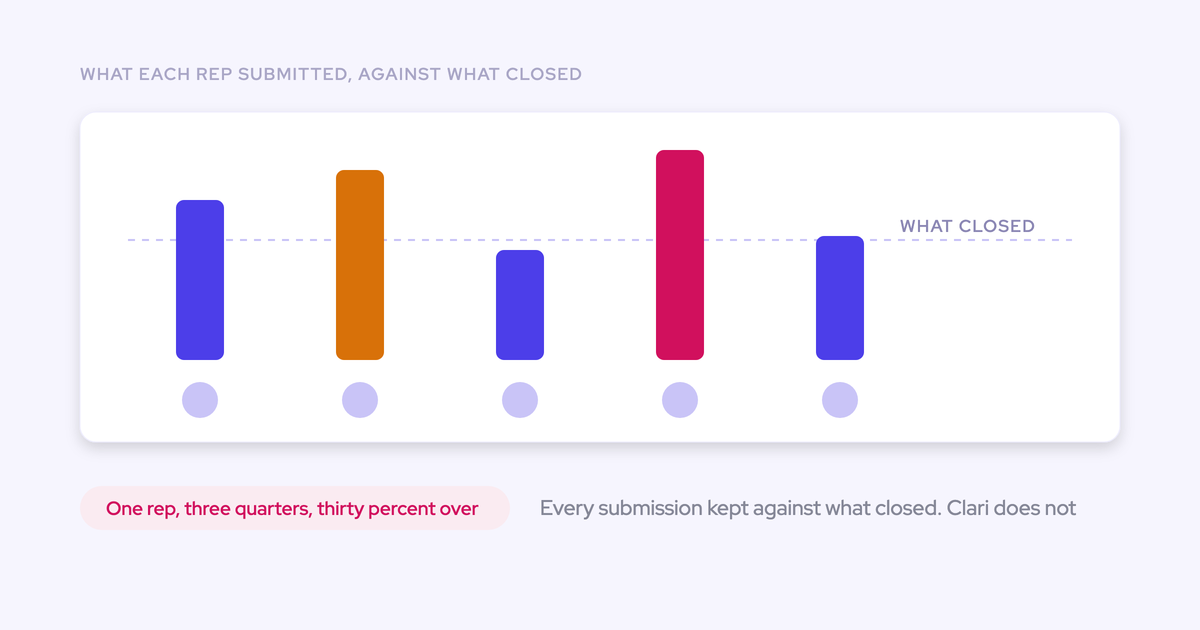
Lock a call early enough that it's still a judgement. A commit given in the final days of a quarter is a report, not a prediction. A snapshot fixed in week three or four can be compared with the closed number, rep by rep and quarter by quarter.
That's when sandbaggers and optimists become visible. The rep who misses by thirty percent three quarters in a row finally shows up somewhere a manager can act on it.
"So we had a clearly defined process for forecast accuracy. Like, we would take the fourth forecast of a quarter, like week four, everyone got logged in, we put it onto a Confluence page, and towards the end, we wouldn't punish publicly the people who got it wrong. There's multiple reasons for that, right? But we would celebrate the teams and people who got it right."
Don't punish misses in public. If you do, people learn to protect themselves instead of forecasting honestly.
Be clear about what you're measuring. Forecast accuracy scores the whole call. Commit accuracy scores only what a rep committed, so it produces a higher number and answers a narrower question.
Let managers submit their own call beside their reps'
A manager's own number is usually lower than the sum of their reps' calls, because the manager discounts optimism. That discount is information. It belongs next to the rep roll-up, with its own justification, not folded into it.
This is the "buffer" RevOps leaders keep asking for. Not every rep will hit quota, and the manager needs a visible gap between the team roll-up and their own number for the team.
When the manager's call is independent, you can score it on its own. After a few quarters, you know whether the manager's discount is calibrated or just habit.
Keep every override next to the original number
An override that replaces the rep's number destroys accountability. After a miss, nobody can say whose judgement was wrong. The rep who always calls 120% keeps calling 120%, and the manager who trimmed it correctly gets no credit.
| After a missed quarter, can you tell... | Override replaces the call | Override sits beside the call |
|---|---|---|
| What the rep originally called? | No, it's overwritten | Yes |
| Who changed the number, and when? | No | Yes, with a timestamp and a name |
| Why it changed? | Only if someone remembers | Yes, from the logged rationale |
| Whether the rep or the manager was closer? | No | Yes, both are scored against the outcome |
| Which reps a manager consistently corrects? | No | Yes, across quarters |
Get deal records trustworthy before you ask for deal-backed calls
If deal records are stale, any structure only re-sums fiction. A blank next step, a close date pushed four times and a last logged activity from six weeks ago will produce a confident-looking roll-up of nothing.
"We have so many customers that come to us and say, oh, we need to improve our forecasting. We need to improve our forecast accuracy. And, you know, then you peel back the onion and you see that data is missing, visibility is missing, understanding of what's going on is missing. And so it's not about then creating a roll up forecast or something. It's really fixing the root cause from a first principles perspective."
You already suspect a tool doesn't fix forecasting, and you're right. Forecasting is a leadership motion. Reps adopt the tools that save them time, like activity capture and conversation intelligence. They don't adopt forecasting on their own.
That sets the rollout order. Trust the capture layer first, so emails, meetings and call outcomes land on the opportunity without a rep typing them. Then start the forecast motion. Ask reps to submit calls on data they know is wrong and you've lost them before the first lock.
How spreadsheets, Salesforce and Gong handle deal-backed calls
Several forecasting tools now attach deals to a submission, Avoma among them. So the useful question isn't whether a path supports deal selection. It's how each path handles the full structure: the typed call, the named deals, independent manager calls, overrides kept beside originals, and a lock.
Spreadsheets handle deal-by-deal calls until about fifty reps
A well-built spreadsheet can carry deal-by-deal calls. We see versions like this on calls all the time, and the good ones are thoughtful:
"I had a spreadsheet that pulled in the account, the opportunity, activity against it. And then the sales reps would go and put a forecast. They have three different commentary boxes, they submit it, and every week when they go back to that spreadsheet they see what they submitted last week."
That's a real submission event with history. If you built it, you've solved more than most teams.
It breaks at scale:
- Ten reps means ten sheets that don't roll up.
- Someone in RevOps screenshots the forecast every Monday to see what moved.
- One structural change and the formulas break.
- There's no inspection context, so you can't see which deals are slipping.
"What you miss in a spreadsheet is three main things. Typically reps do not go into a spreadsheet and report their numbers, so it is only a manager forecast. You cannot do a deal by deal forecast call because with fifty reps each holding ten to fifty deals a quarter it is just too complicated. And you cannot inspect which deals are slipping or stalling because a lot of context is missing."
Past that point, the spreadsheet collapses back into a manager-only total, which is the number-only structure you were trying to leave.
Native Salesforce is enough when about ten deals carry the quarter
If about ten material opportunities carry your quarter, stay in Salesforce. With ten deals, the forecast call is whether each one lands. There's nothing to aggregate or reconcile, and native forecasting plus deal inspection can carry it.
The case for a dedicated tool grows with the number of deals, managers and roll-up layers, not with how much the number matters.
At scale, here's where native Salesforce stops for the teams we talk to:
- Rep-level calls end up outside Salesforce. The region roll-up lives in the CRM, and each rep's commit lives in a file.
- There's no history of how the pipeline moved. Salesforce shows pipeline as it stands now, so when the number drops, a manager has to ask reps which deals slipped.
- Quota and forecast aren't managed in one place. Quota tracking happens somewhere else.
Some RevOps leaders hold "Salesforce is the single source of truth for forecasting" as an OKR. It's a sound goal. Hold every tool you evaluate to it, including ours, because the answer differs by tool.
Gong Forecast collects a number per category, with notes
In Gong Forecast, reps submit a number per forecast category with notes. There's no deal-by-deal submission, so the call itself isn't tied to named opportunities.
Gong does several things in this area well:
- a forecast accuracy report per person, comparing a chosen week's submission with actual sales;
- forecast submission from the mobile app, which matters for travelling managers on lock day;
- separate forecast boards per motion, such as new business and renewals;
- a manager's forecast line on the trend chart, beside the team's forecast and target.
Gong Forecast rolls each team's commit and most likely numbers up the management hierarchy:
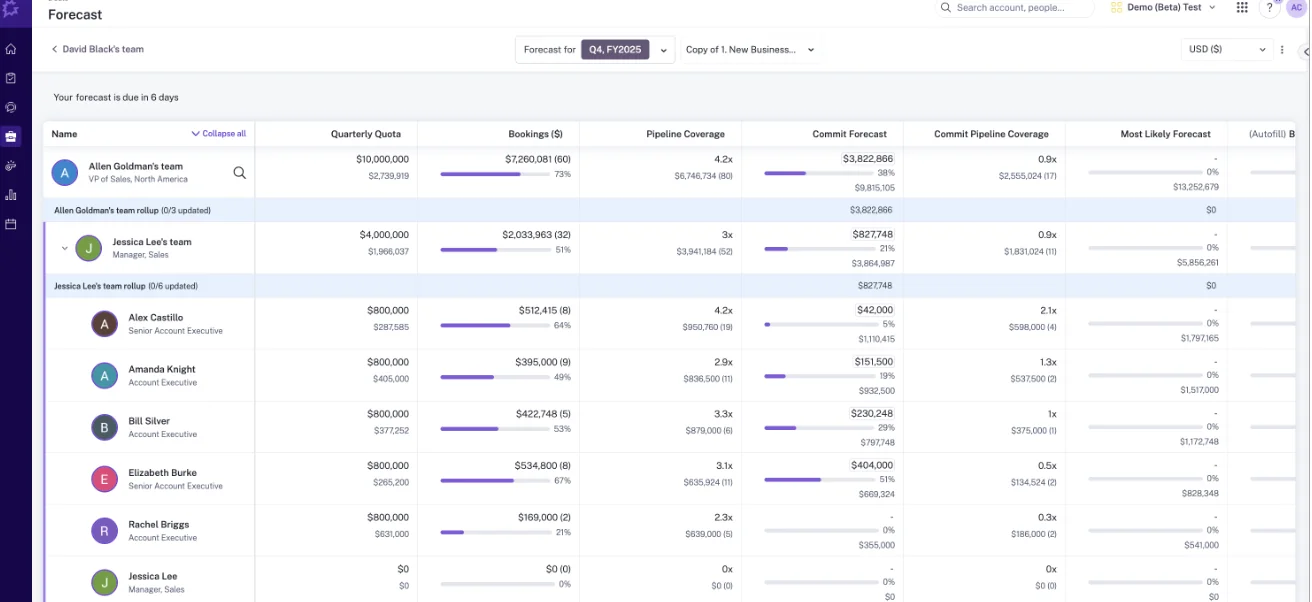
The structural gaps sit around that roll-up:
- No deal-by-deal submission. The typed number and the deals behind it stay separate.
- The roll-up follows the Salesforce hierarchy. If your reporting lines differ from the CRM manager field, you build a placeholder structure to make the forecast resolve.
- Multi-team setups get rebuilt in spreadsheets. When one module has to forecast enterprise, commercial and post-sale at once, RevOps teams tell us they end up back in spreadsheets.
How Weflow Deal Intelligence & Forecasting runs both structures
Weflow is the Revenue AI Orchestration platform for sales, customer success, and RevOps teams. It's built for Salesforce teams, and Weflow Deal Intelligence & Forecasting implements the hybrid described above: typed calls, named deals, independent manager calls and logged overrides.
Reps and managers pick the opportunities behind each call
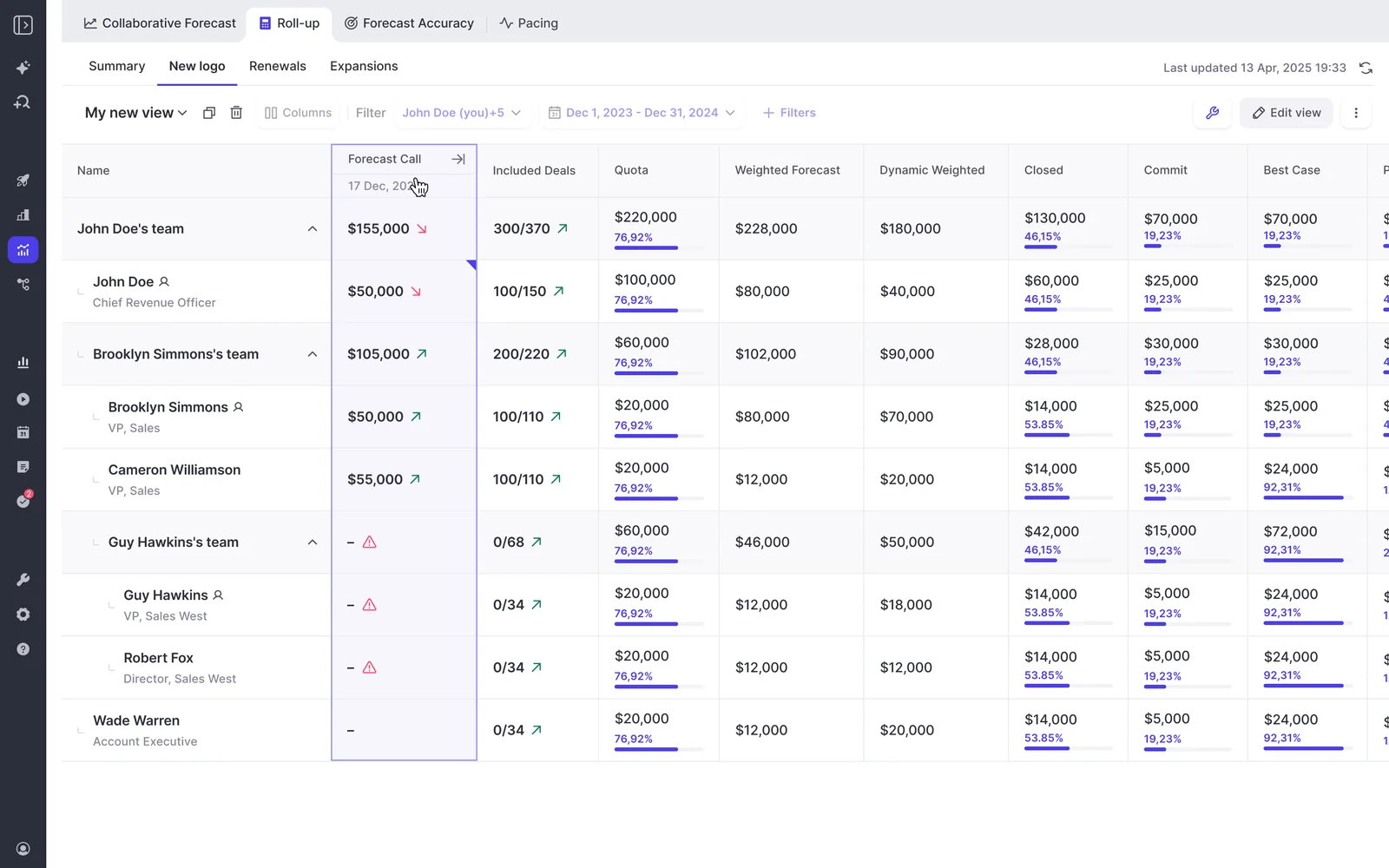
Each forecaster submits a baseline and a best case, either as a total or by selecting the opportunities behind each figure, plus a free-text comment. The flow takes a minute:
- A reminder email deep-links the forecaster straight into the submission.
- They select the deals behind each call, or enter a total.
- They add a comment and submit.
Because the call is tied to named opportunities, you can run the forecast review deal by deal instead of arguing about a total.
Managers submit their own team call, independent of their reps'. When they build it, they can pick deals owned by any rep on the team, not only their own. Both numbers sit side by side in the roll-up.
Whether a manager can also change a rep's call is a separate permission. A manager without adjust rights still submits a manager forecast. With adjust rights, they can override a rep's call, for example while the rep is on leave.
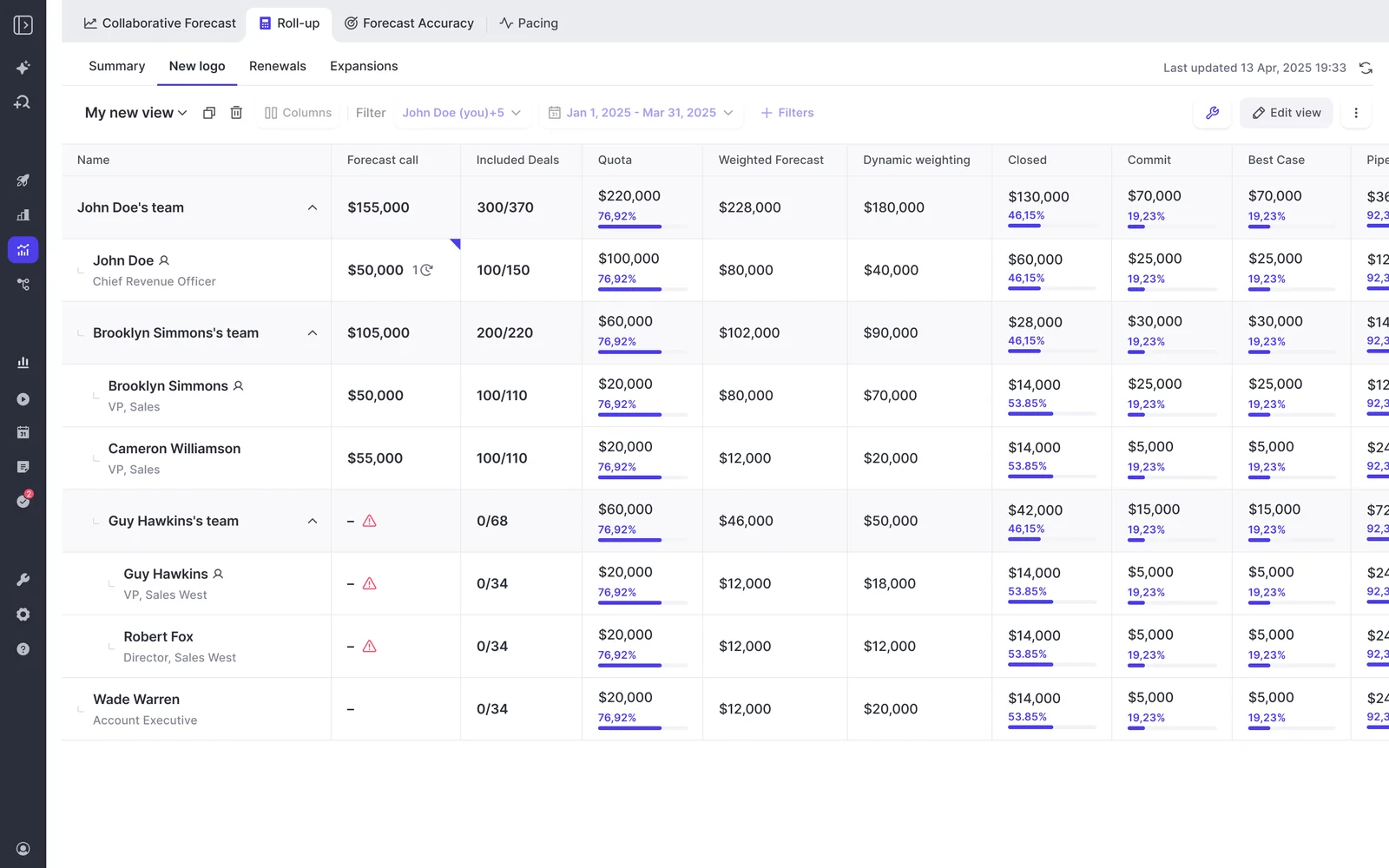
The roll-up follows the Salesforce role hierarchy by default. If that doesn't match how you forecast, your admin can switch on a custom hierarchy in Weflow and arrange teams by drag and drop. One person can belong to several teams, which covers the customer success manager carrying both an expansion and a renewal number.
Overrides, versions and deadline locks keep every call on record
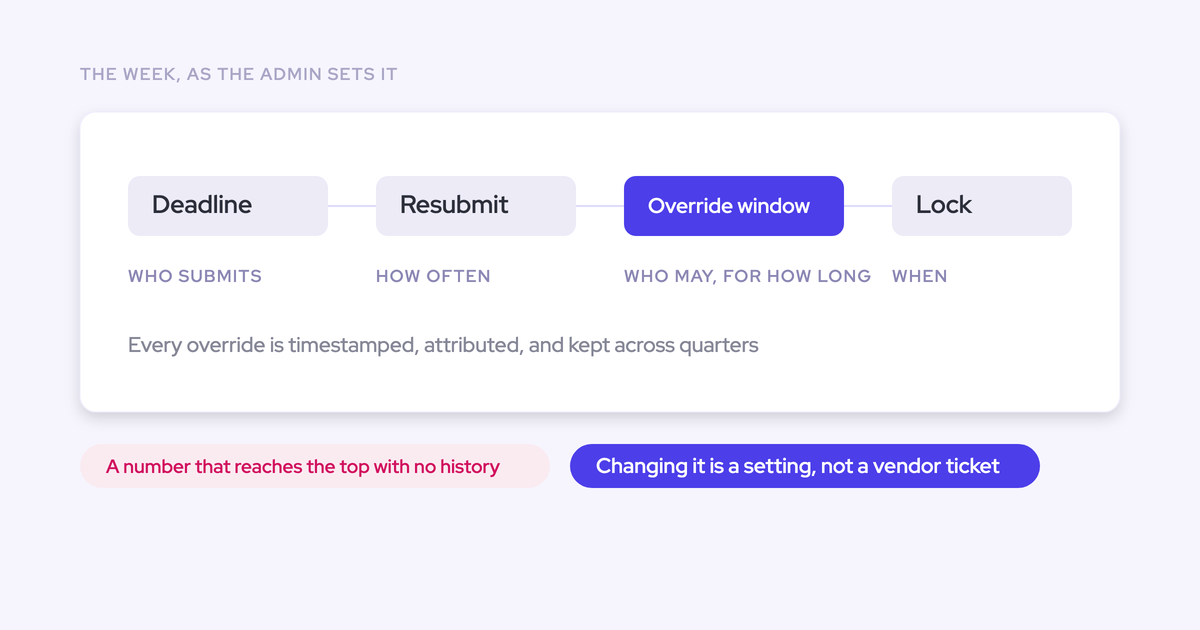
Managers can override at the deal or total level. Every override is timestamped, attributed to whoever made it, logged with a rationale and kept across quarters. The rep's original number stays visible.
Every submission is versioned, so a manager can see whether a rep's call moved during the quarter or never moved at all. Your admin configures the cadence itself:
- submission deadlines and how often forecasters resubmit;
- who submits and who may override;
- how long the override window stays open;
- when the forecast locks.
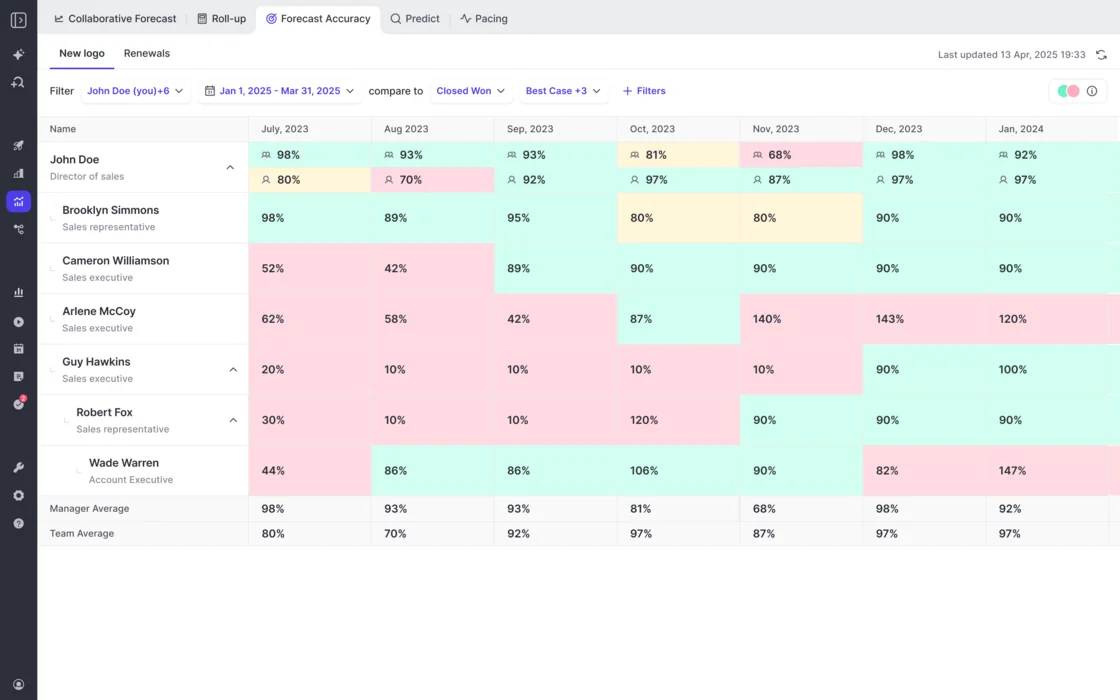
The lock is what makes accuracy measurable. Weflow tracks forecast accuracy per rep, manager and team against a field your admin chooses, such as Closed Won. It's on for every Forecasting customer with no setup. Manager and team averages sit on their own rows, so you can read a manager's own call against the team's.
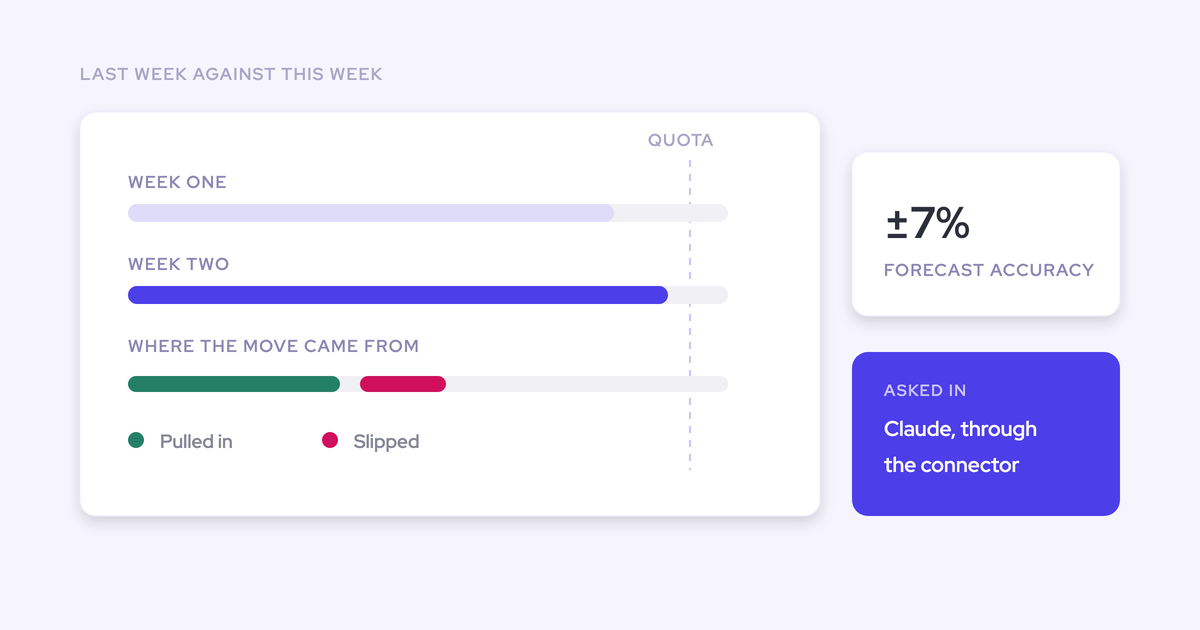
"With Weflow, we forecast within 7% by week 4 of the quarter."
A weighted forecast and AI projection sit beside the submitted call
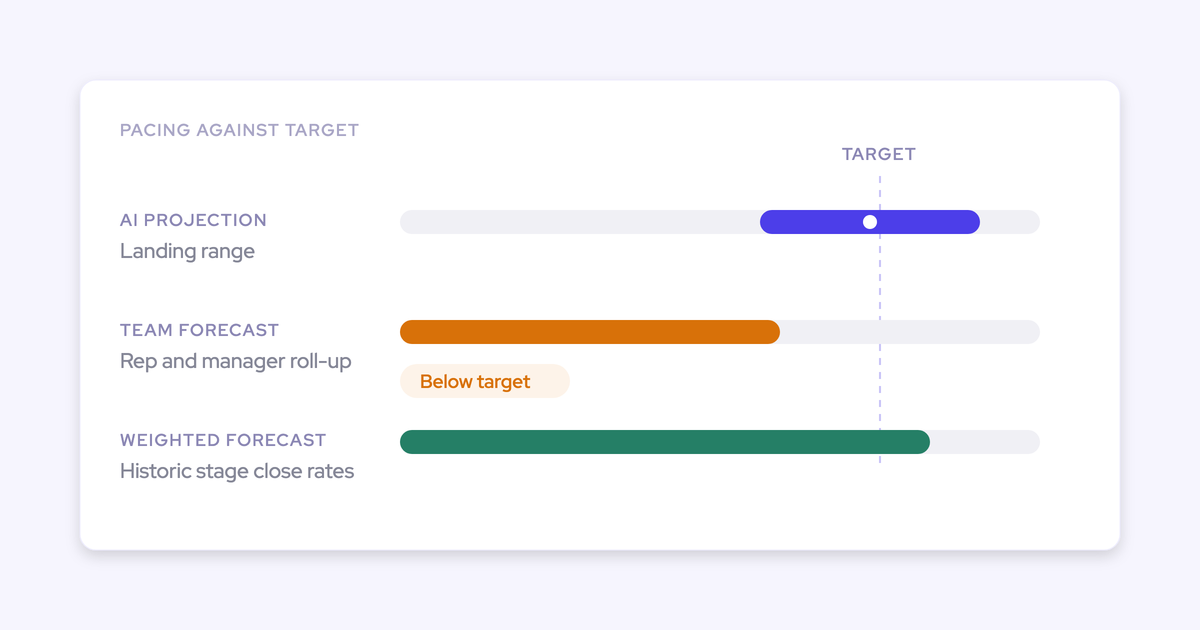
The submitted call is the judgement. Weflow runs two independent second opinions beside it, so the gap between what the team says and what the data supports becomes the agenda.
| Method | The question it answers |
|---|---|
| Team roll-up (submitted calls) | What do the people closest to the deals believe? |
| Weighted forecast | What does the pipeline mathematically imply from recent stage conversion? |
| AI projection | Where does history and deal behaviour say the team will land, as a low, mid and high range? |
The weighted forecast recalculates each stage's win rate from a rolling window of recent history, such as the last 90 or 180 days, per rep and team. It doesn't rely on the probability someone typed into the Salesforce stage years ago.
The AI projection reads deal behaviour, including whether a next meeting is booked and how the deal scores against your methodology. It needs at least six months of opportunity history. When it isn't confident in a range, it shows none and says why.
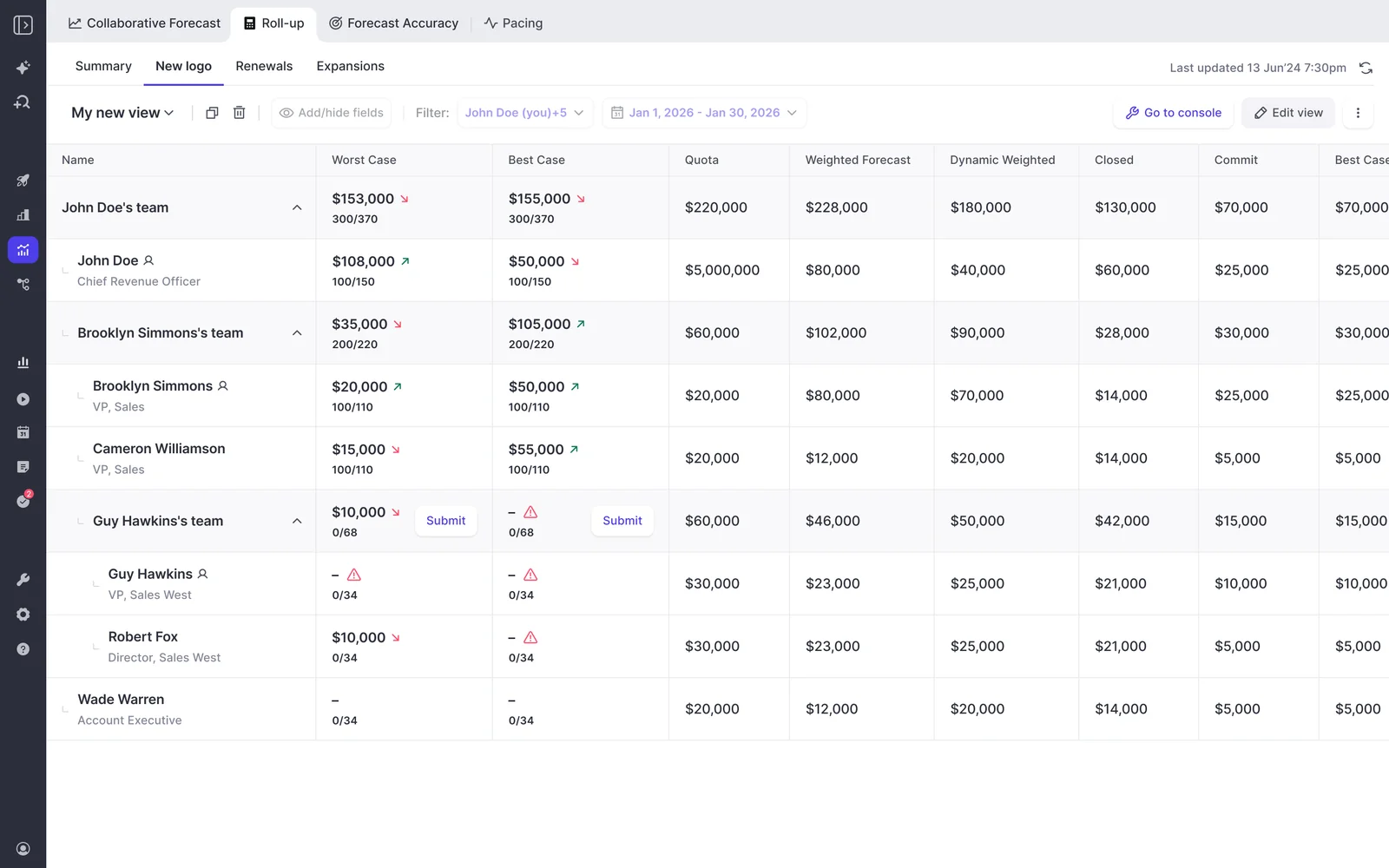
Read the three as a corridor. Where they converge, you have a credible range. Where a rep's call sits far above the weighted number, that's the conversation worth having.
Where the Weflow roll-up stops today
Here's where we stop, so you can plan around it or rule us out:
- Submissions stay in Weflow. Forecast calls, targets and roll-up data aren't written to any Salesforce field. Every other Weflow output lands in Salesforce objects, and forecasting is the exception. You can read submitted calls over our MCP connector, and teams that snapshot forecasts into BI pull roll-up data through the public API. If your OKR says Salesforce is the single source of truth for forecasting, roll-up submission breaks that rule. The weighted forecast and AI projection still work for you, because neither needs rep input.
- No phone submission. Weflow emails a reminder and flags a missing submission, but the submission happens in the web app. Travelling first-line managers feel this most.
- No opportunity splits. A split deal counts in full for its owner, and overlay forecasting isn't available.
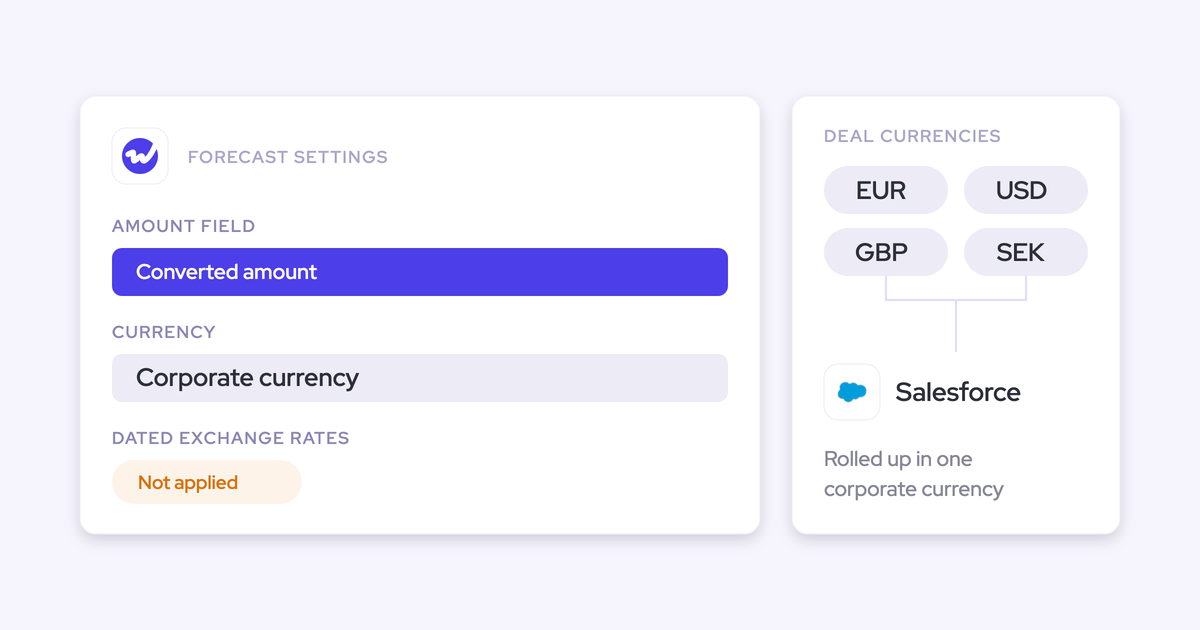
- The roll-up raw-sums the amount field. It doesn't apply stage weighting. You can forecast on a weighted Salesforce field as the foundation field, or treat the raw sum as the best case and use the baseline for conviction.
- Monthly split and call history live in the edit dialog. The collaborative forecast shows only the latest value of each call, so checking a rep's monthly pacing means opening the dialog.
- No consumption forecasting. Weflow forecasting fits booking-based revenue. Usage-based revenue isn't supported.
What Weflow Deal Intelligence & Forecasting costs
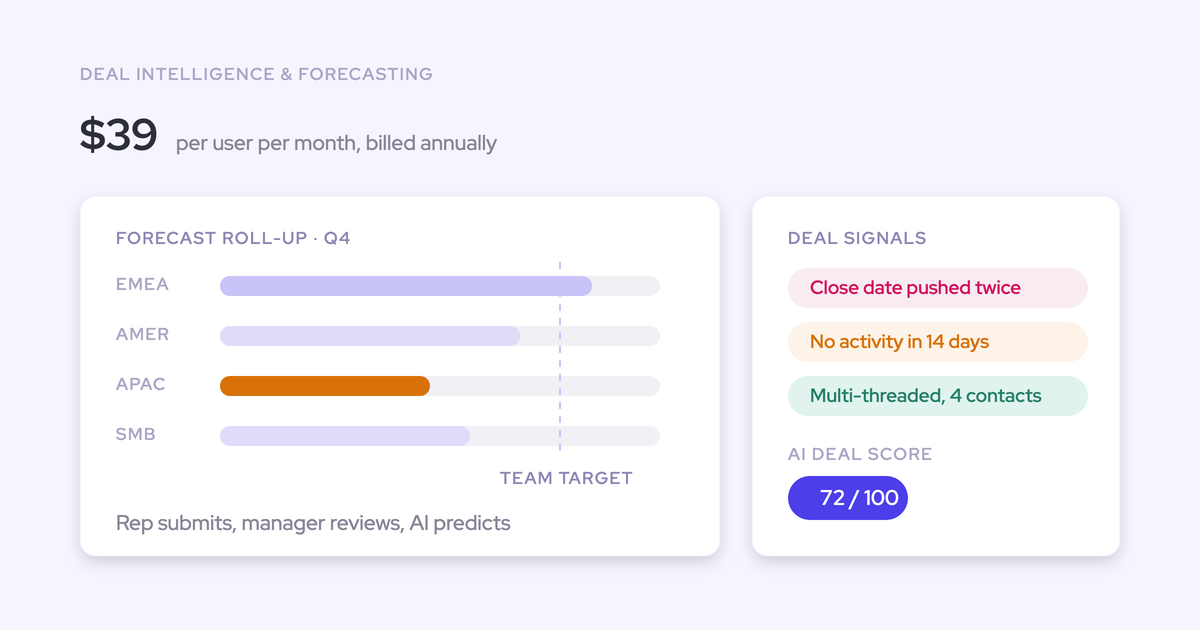
We publish our prices. All prices are list, per user per month, billed annually.
| Package | Forecasting included | Price |
|---|---|---|
| Weflow Deal Intelligence & Forecasting | Full forecasting: submissions, roll-ups, AI projection, accuracy tracking, pipeline analytics | $39 |
| Revenue AI Foundation | None (Activity & Contact Capture plus Conversation Intelligence) | $49 |
| Revenue AI Business | None. Adds Deal Intelligence without pipeline analytics or forecasting | $59 |
| Revenue AI Enterprise | The full forecasting layer on top of everything in Business | $79 |
Viewer and analytics seats are free, so leaders who only read the forecast don't take a paid seat. There are no platform fees, and every plan has a 10-user minimum.
Final pricing is quote-based. If you start with Weflow Activity & Contact Capture and Weflow Conversation Intelligence, we price the expansion into forecasting at roughly $10 more per user per month, so it doesn't need a separate contract. Gong publishes no prices and quotes every buyer through a custom proposal.
If you're designing the bottom-up motion now, start with the structure before the software: Free Guide: Getting started with Bottom-up Forecasting.
Deal-by-deal forecast submissions: questions RevOps leaders ask
Does selecting deals add work for reps?
It doesn't have to. Drive commit and best case from the Salesforce forecast category field reps already maintain, so the deal selection follows their categories and they adjust instead of hand-picking from scratch. In Weflow, a reminder email deep-links the rep straight into the submission.
Is a best case of selected deals weighted or a raw sum?
In a roll-up, it's a raw sum. Weflow's roll-up adds the amount field on the selected deals. Weighting lives in the separate weighted forecast and AI projection, or you can make a weighted Salesforce field your foundation field.
How does a manager show a buffer below the team roll-up?
With an independent manager call that sits beside the roll-up of their reps. The difference between the two is the buffer, visible and scored. In Weflow, the manager submits their own team call with a comment explaining it.
Where does the unfunded part of a commit show up?
As the gap between the typed call and the sum of the named deals behind it. The forecaster's comment should say whether the gap comes from visible pipeline moving forward or from pipeline not yet created. Watch that gap shrink week by week.
Can I report on forecast submissions in Salesforce or a BI tool?
Not in Salesforce. Weflow doesn't write forecast submissions to Salesforce fields. Our MCP connector returns the latest submitted call alongside the live pipeline total and the delta between them, and teams pull roll-up data into BI through the public API.
How many periods ahead should reps forecast each week?
The current month plus the next two, every week. If you forecast by quarter, ask for a monthly split inside the quarterly call so back-loading shows up early. In Weflow, the monthly split sits in the edit dialog.
Can I forecast renewals separately from new business?
Yes, and you should. Weflow runs parallel forecast setups, each with its own amount field, date field, stages, cadence and targets, so renewals and new business roll up independently. It doesn't support consumption forecasting or opportunity splits.
Can managers submit a forecast from their phone?
Not in Weflow. We send email reminders and flag missing submissions, and the submission itself happens in the web app. Gong allows forecast submission from its mobile app.