Weflow Forecast Cadence Settings: Submission Deadlines, Manager Overrides, and Locks
Decide Weflow forecast cadence: submission deadlines, manager overrides, and locks.


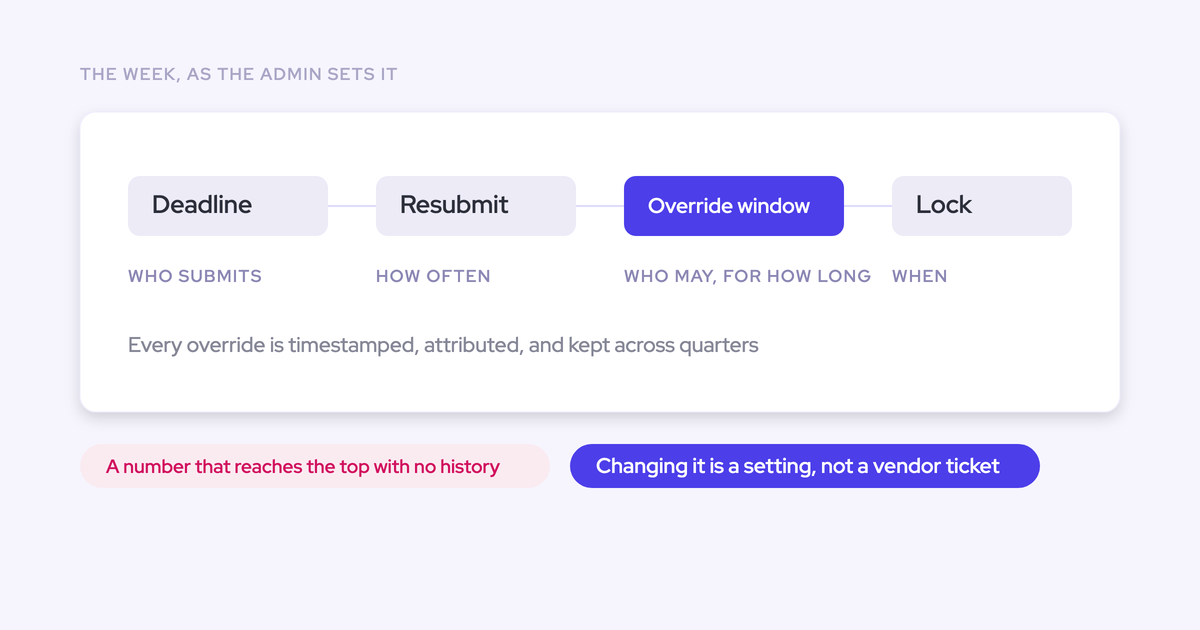

Define your forecast week before you open a single setting. Decide who submits, by when, who can change the number, and when it freezes. The settings only write down decisions you've already made.
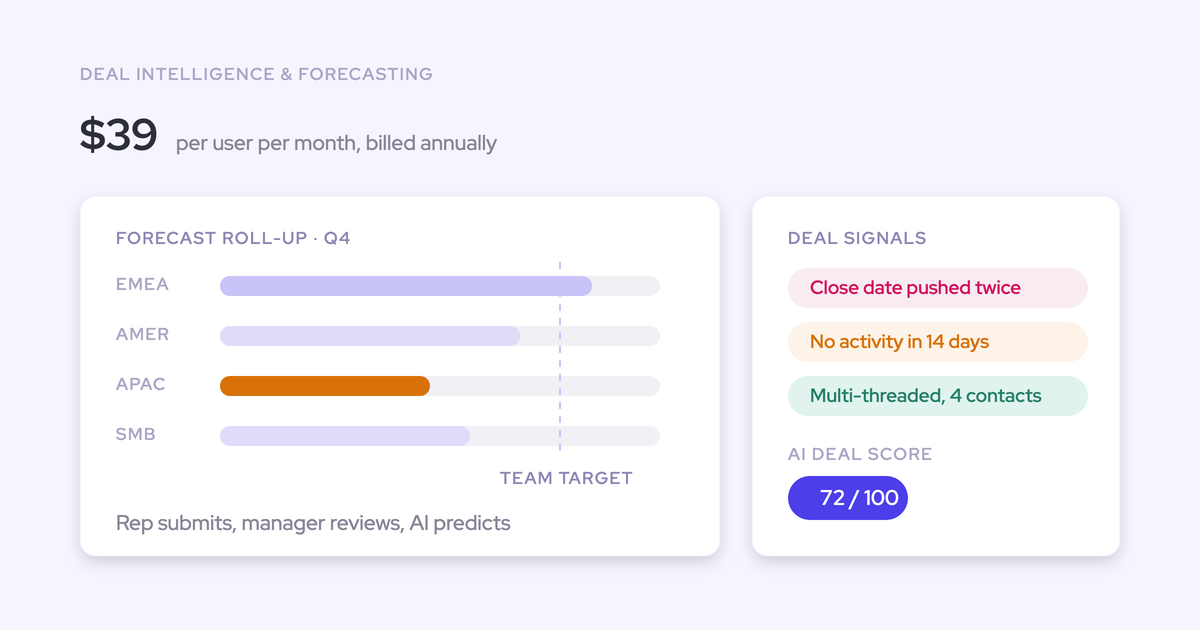
Weflow is the Revenue AI Orchestration platform for sales, customer success, and RevOps teams. In Weflow Deal Intelligence & Forecasting ($39 per user per month, billed annually), an admin configures the forecast cadence as six decisions:
- Who submits
- The submission deadline
- How often reps resubmit
- Who can override
- How long an override stays open
- When the forecast locks
The lock matters most. It turns weekly submissions into a per-rep track record you can score.
This guide walks through one forecast week, setting by setting, and names the failure each setting prevents. It also states the limits plainly: you submit in the web app only, and submitted forecasts aren't written to a Salesforce field. For the capability overview, see Weflow forecast submissions and roll-ups.
What Weflow forecast cadence settings let you decide
Weflow lets an admin configure the forecast cadence itself, not just the forecast view. Each setting records one decision about how your forecast week runs, and each one closes a gap that a spreadsheet or an optional submission leaves open.
| Setting | The decision you're writing down | What goes wrong without it |
|---|---|---|
| Submission deadline | The day and time every rep's number has to reflect | Numbers arrive at different levels of freshness, so the roll-up adds up calls made on different days |
| Resubmission frequency | How often the call gets restated, for example weekly across the quarter | One call per quarter, and no pattern of judgement to coach against |
| Who submits | Which levels state a number (reps, managers, or both), and whether submission rights sit only with managers | The forecast defaults to whatever the pipeline says, and nobody owns the call |
| Who can override | Which managers can adjust a submitted number | Adjustments happen in side conversations, or by typing over the rep's figure |
| How long an override stays open | The window managers have to adjust before the number is final | Changes trickle in right up to the call, and nobody knows which version is the real one |
| When the forecast locks | The point where submissions freeze | You have no fixed record to compare against the outcome, so you can't measure accuracy |
The three forecast failures these settings are built to stop
Without a written-down cadence, a forecast breaks in three predictable ways. You've probably lived at least two of them.
A manager's override quietly replaces the rep's number
A manager trims a rep's commit, and the rep's original disappears. After a missed quarter, nobody can say whose judgement was wrong.
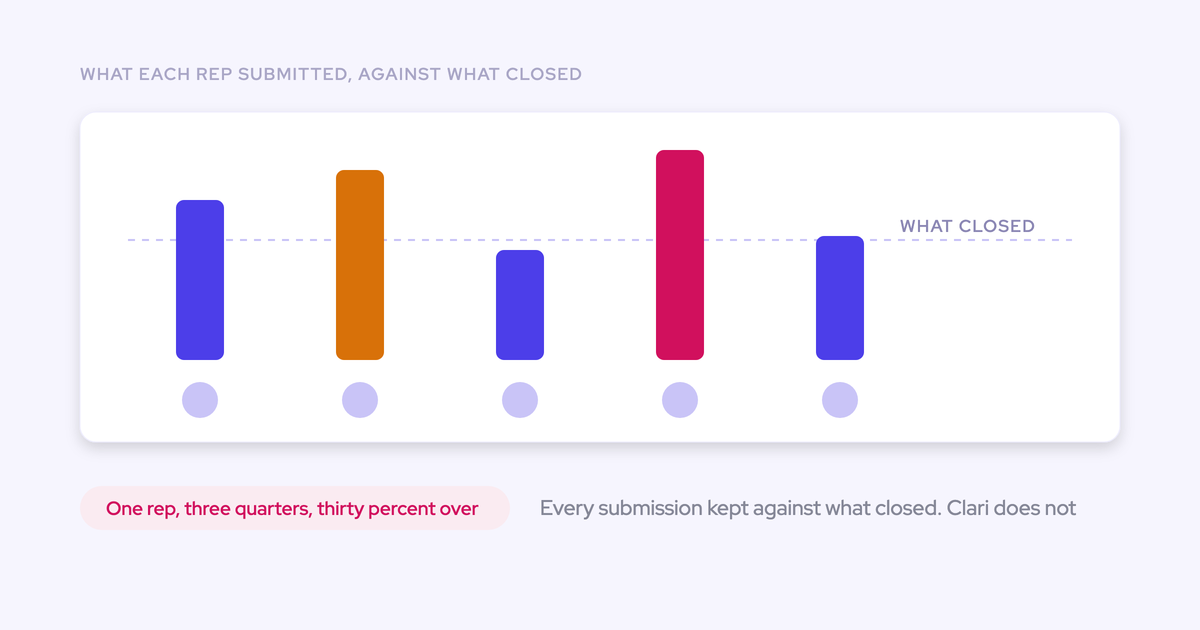
The rep who always calls 120% keeps calling 120%. The manager who trimmed it correctly gets no credit for it.
Most RevOps leaders we talk to don't want to stop managers overriding. Manager judgement is the point. They want the override to sit next to the rep's original instead of erasing it. That's what the override rights and override window settings are for.
The commit drops and nobody can say which deals moved
The commit falls week over week, and leadership asks why.
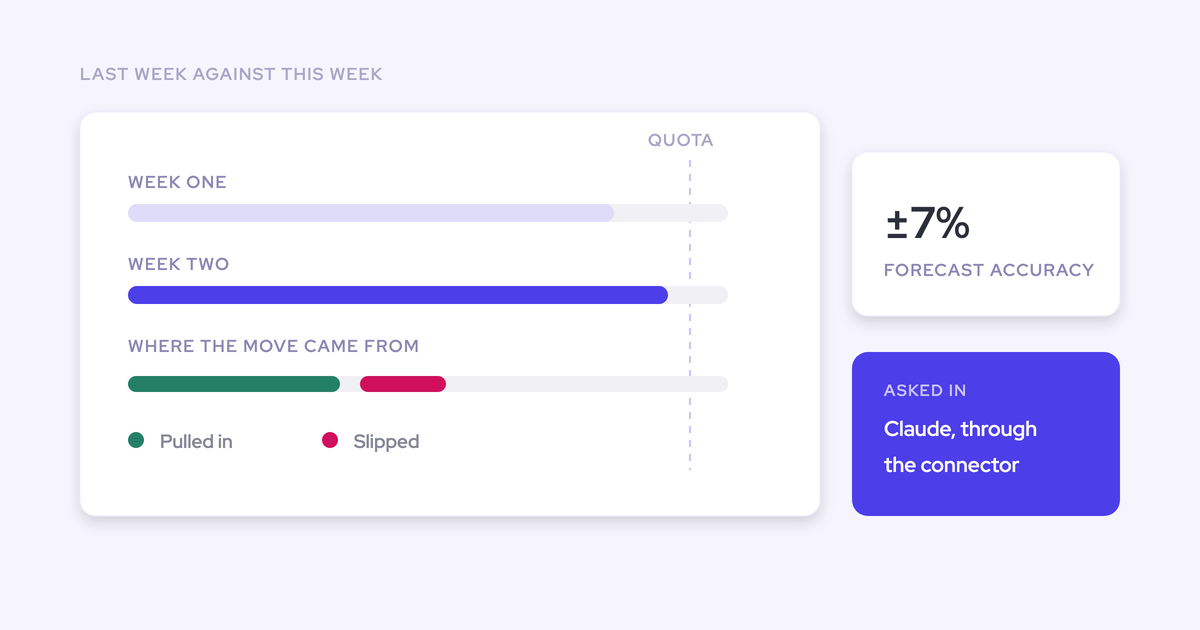
You can only read a drop between two fixed points. If last week's number was never frozen, you're comparing today's pipeline against a memory. The deadline and the lock give you those two points.
Nobody can score a forecast that was never locked
"Keep your pipeline updated by Friday" is a hygiene rule. It doesn't create a submission event.
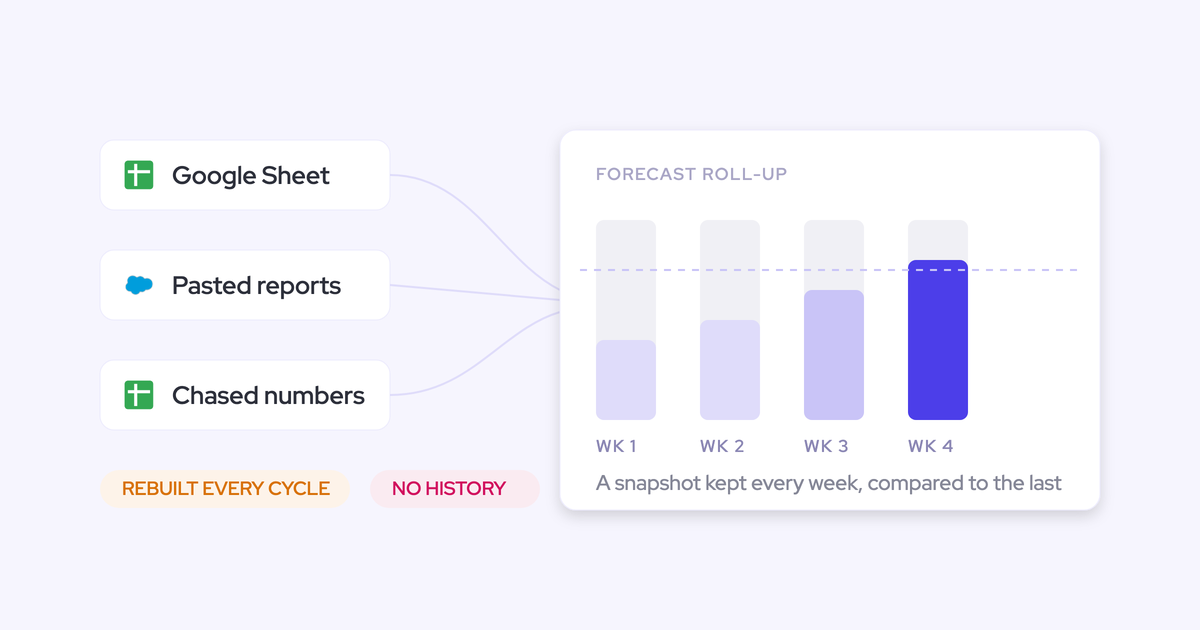
Spreadsheets have the same gap, because they keep no snapshot. With no point-in-time record, you get no variance and no per-rep accuracy. The lock setting creates that record.
Write your forecast week down before you touch the settings
Every cadence setting encodes a decision about your week, so make those decisions on paper first. We ask every team the same question before we show them a single setting: how do you forecast today?
"If you don't run an operating cadence, the best tool in the world won't help you"
— Philipp Stelzer, Co-founder and CPO, Weflow
Here's one week built from the shapes we see working in practice:
- Thursday: reps submit a baseline and a best case.
- Friday: managers review, adjust where their judgement differs, and submit their own team call. The forecast locks at the end of the day.
- Monday: RevOps builds the pre-read from the locked numbers and sends out the questions worth asking.
- Tuesday: the forecast call runs on judgement, because the data cleanup happened before the lock.
- Wednesday: the recap goes out with actions for the following week.
The Friday lock comes from Jeff Ignacio, who runs it ahead of a Tuesday call:
"If you don't get your updates in by Friday at four pm, we're not going to talk about it."
— Jeff Ignacio, Head of GTM Operations at Keystone AI
Answer these questions before you open the settings:
- Which day does the forecast call happen, and which day does the number have to be final?
- Does each manager state their own team call, or only review what reps submit?
- How many hours or days do managers need between the rep deadline and the lock?
- Do reps restate the call every week of the quarter, or less often?
- Does renewals run on the same rhythm as new business?
Keep the deal review in its own meeting, before the submission deadline. When the forecast call doubles as a deal review, it turns into an argument about whether the data is right.
Configure Weflow cadence settings in the order your week runs
Each setting maps to one moment in the week. Configure them in the order that week unfolds.
Decide who submits: reps, managers, and each level's own call
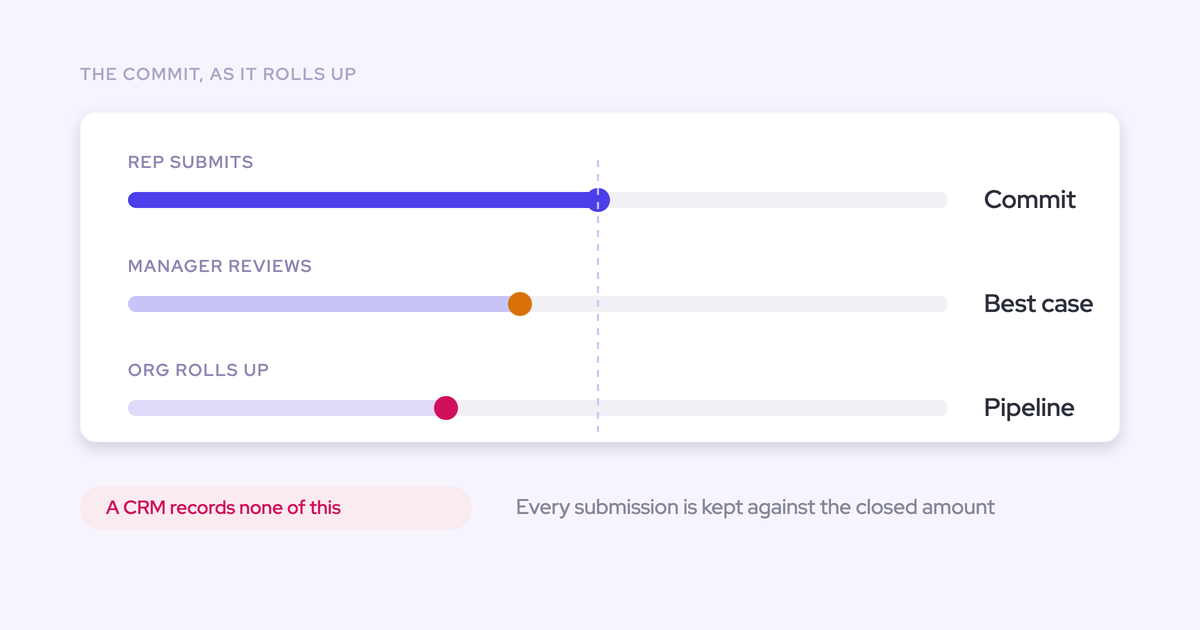
In Weflow, each rep submits two numbers. The baseline is what they're confident closes. The best case is what closes if timing goes their way. Two numbers force a range, so the rep can't hide behind a single figure.
A rep's submission holds:
- a baseline and a best case
- either a typed total, or the specific opportunities picked behind each figure
- a free-text comment explaining the call
Managers can submit their own independent team call. While doing that, the manager sees the team's numbers and picks the individual deals behind the call, whoever owns them. Weflow builds the team call deal by deal, the same way it builds a rep's call.
That matters because a manager's number usually differs from the sum of their reps' commits. Managers discount optimism, or hold a buffer because not everyone hits quota. That gap is the forecast conversation, so give each level its own number instead of a pure sum of the level below.
Submissions roll up to manager, VP and executive automatically. If you want a manager-led motion first, you can restrict submission and adjustment rights to managers.
Set the submission deadline and how often reps resubmit
The deadline fixes the day every number reflects. When every rep submits against the same cutoff, the roll-up adds up calls made on the same freshness of data. When the deadline passes, the field locks.
Resubmission frequency sets how often the call gets restated. The shape we see work best is weekly across the quarter, which means up to fourteen submissions per quarter. The same person gets judged against the same deals over and over, and that's what turns an opinion into a track record.
Pick the deadline from your call day backwards. Leave managers enough time between the rep deadline and the lock to review and adjust.
Choose who can override and how long overrides stay open
Override rights decide which managers can adjust a submitted number. The "how long an override stays open" setting defines their window.
Managers can override at deal level or at total level. Weflow timestamps each override, attributes it to whoever made it, and logs it with a rationale. It keeps that history across quarters.
That's the answer to the silently rewritten number. The manager's adjustment and the rep's original both stay on record. After a miss, you can see which judgement was off.
Set the window so it closes before the lock. Overrides should be final by the time RevOps starts the pre-read.
Set the lock, the setting that makes accuracy measurable
The lock freezes submissions at a fixed point in time. We'd configure it before anything else, because two things follow from it.
First, it moves pipeline cleanup onto the team before the call. Reps know an update after the lock doesn't count, so the updates happen on time. The call gets spent on judgement instead of data entry.
Second, it creates the fixed record that accuracy gets measured against. A submission frozen at a point in time can be compared with the outcome. That comparison shows who consistently sandbags and who is consistently optimistic.
Weflow locks submissions at the deadline you set. Everything in the accuracy section below depends on this one setting being in place.
How Weflow cuts the chasing between deadline and lock
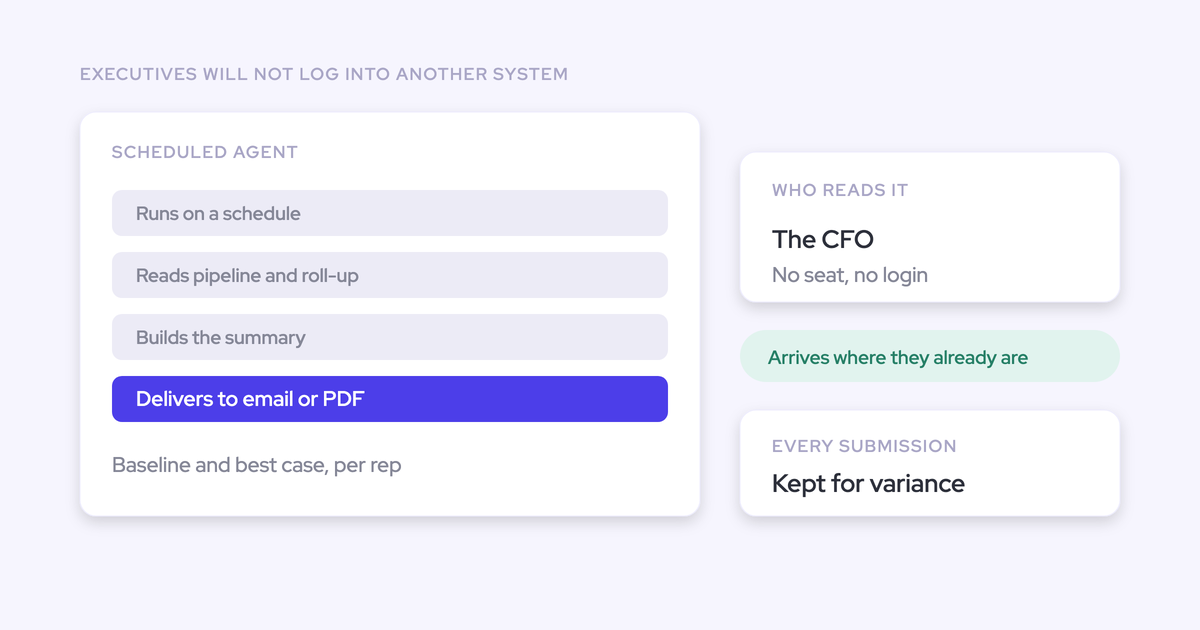
The forecast call is one hour in the calendar and roughly four days of work around it: the lock, the chasing, the pre-read, the recap. Chasing submissions is the part that wears RevOps down, so Weflow does the reminding and flagging:
- A reminder email deep-links the rep straight into their submission, so there's no hunting for the right screen.
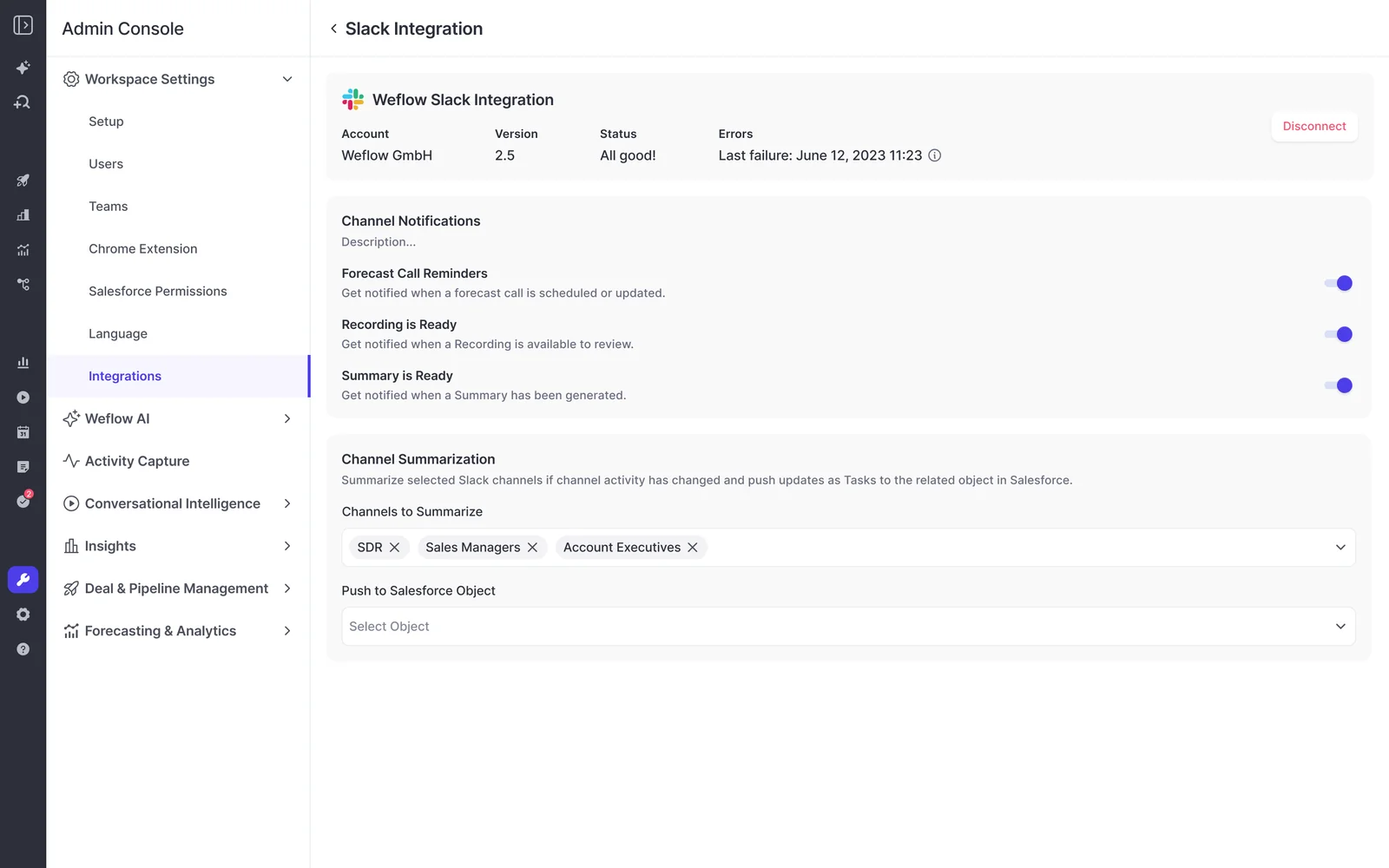
- The Weflow Slack app posts to a channel when a forecast call is due, which puts the reminder where the team already works.
- Weflow flags a missing submission as a warning, so you see who hasn't submitted without building a report.
- Deal warnings show inside the submission screen, at the moment the rep picks deals for commit. A deal with a pushed close date or no recent activity gets flagged before it enters the number, not after.
What locked Weflow submissions show you after a few weeks
Once the cadence has run a few cycles, locked submissions become a track record: accuracy by person, and a readable history of how each call moved.
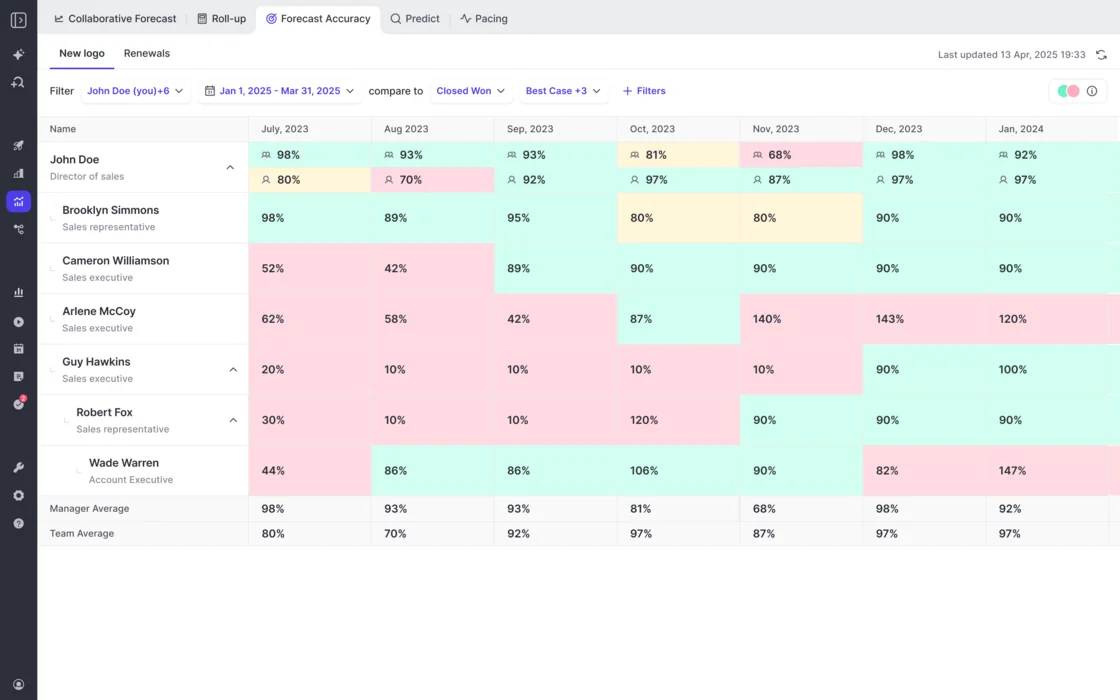
Weflow scores each rep, manager and team against locked calls
Weflow forecast accuracy tracking reads locked submissions against the outcome, per rep, per manager and per team. You don't build the report. Accuracy tracking is on for every customer with forecasting, with no switch to turn on.
An admin picks the field accuracy is measured against, for example Closed Won. If you forecast on something other than closed-won revenue, you can still measure yourself.
Weflow reports accuracy per period. Manager and team averages sit on their own rows beneath the people, so you can read a manager's own call against their team's. Across consecutive quarters, that becomes a coached metric instead of an anecdote.
Zeotap is one team running this cadence in Weflow. This is their result, not a guarantee:
"With Weflow, we forecast within 7% by week 4 of the quarter."
— Tibor Stefán, Chief Revenue Officer, Zeotap
Version history shows whose call moved and when
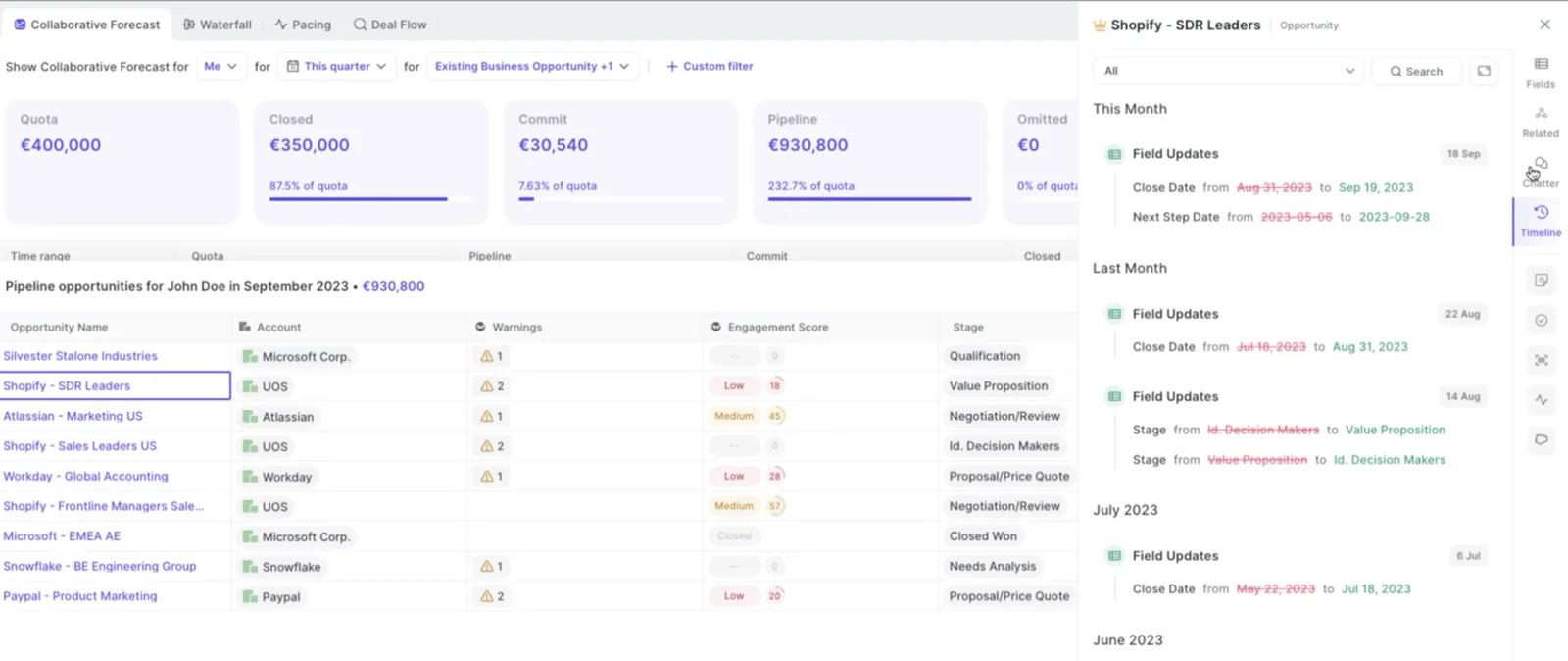
Weflow keeps every version of every submission. A manager can see whether a rep's call moved during the quarter or never moved at all. Over time, the version history becomes a record of each person's judgement.
To explain a commit drop, look at the pipeline underneath. Weflow snapshots opportunity data every few hours and builds a pipeline waterfall from those snapshots. The waterfall reconciles starting pipeline to ending pipeline through these buckets:
- newly created
- increased or decreased
- moved into or out of the period
- lost
- won
Each bucket drills through to the actual opportunities. So when commit falls from 100k to 80k, you see the deals that pushed out without clicking deal by deal.
Run separate Weflow cadences for new business and renewals
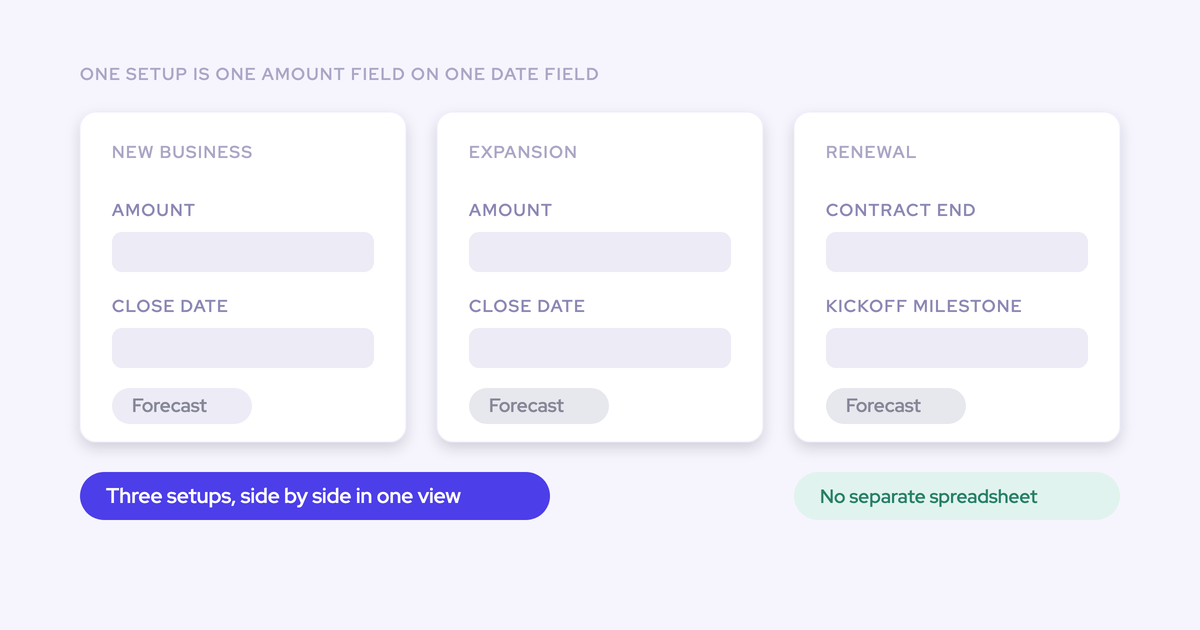
Weflow runs parallel forecast setups. Each setup carries its own cadence, stages, targets and forecast calls, so renewals can run on a different rhythm from new business.
We push teams to do this, because renewals are the motion that never gets set up. We hear the same story on sales calls again and again. New business runs in the forecasting tool, and the renewals team still forecasts straight out of Salesforce. In businesses where CSMs and account managers outnumber new logo reps, the biggest share of revenue ends up with no forecasting process behind it.
Splitting renewals out also stops a predictable stream from masking a volatile one. Each setup is built on one chosen amount field, and that field applies to everyone in the setup. If renewals forecast on a different revenue field than new business, that's another reason to run two setups.
What changes when your forecast moves into Weflow
The cadence settings record what your current setup can't: a fixed submission event, the history behind it, and who changed what.
Moving from spreadsheets and Salesforce reports
Spreadsheet forecasts usually fail in the same three ways:
- Reps rarely enter their own numbers, so you end up with a manager forecast only.
- Ten reps means ten sheets that can't be rolled up.
- Someone in RevOps screenshots a Monday snapshot just to see what moved.
Underneath all three, a sheet keeps no history you can compare against last week.
The deadline gives reps one standard place and time to submit. The lock gives you the snapshot you used to take by hand. And the roll-up happens without anyone assembling it.
Moving from Salesforce Collaborative Forecasting
Salesforce Collaborative Forecasting doesn't require anyone to submit. In many orgs, the numbers fill in from opportunity data and nobody states a call, so there's no committed number to hold a rep to.
In Weflow, three settings together create the submission event Collaborative Forecasting lacks:
- deadlines
- missing-submission warnings
- the lock
Moving from Clari, and what Clari does well
Clari does three things well:
- Call history: Clari Forecast keeps a week-by-week history of every forecast call and quota next to the CRM totals.
- Mobile: Clari Mobile lets reps submit from a phone.
- Quick Submit: it updates all months and weeks of a quarter in one action. Buyers leaving Clari use it as the bar a replacement has to meet.
The friction we hear about sits in the roll-up. Clari's multi-level forecast shows what each direct report submitted, not what the reps underneath them said. It's also tied to the Salesforce hierarchy.
In Weflow, an override gets recorded against the rep's original with a rationale. A manager's team call gets built from the reps' named deals.
Many teams reach us with a Clari instance where nobody actually forecasts. Reps can't move a deal into commit, and managers can't record a disagreement. The cadence settings fix that part: a place for the rep to state a position and for the manager to disagree with it, every week.
Where Weflow forecast cadence falls short today
These are the four limits you'll run into after you commit, who feels each one, and what to do about it today.
| Limit | Who feels it | What to do today |
|---|---|---|
| You can submit and override only in the web app, not from a phone or chat tool | Travelling first-line managers on lock day | Plan lock timing around travel. Reminders still arrive by email and Slack |
| Weflow doesn't write submissions to any Salesforce field | "Salesforce only" teams, and anyone snapshotting forecasts into BI | Read submitted calls over the MCP connector, and pull the roll-up into BI through the API |
| The roll-up is an unweighted sum unless the foundation field is weighted | Teams that think in probability terms | Forecast on a weighted field, or treat the sum as best case and use the baseline for conviction |
| Weflow has no consumption forecasting | Usage-based revenue businesses | Weflow doesn't support this today |
Start with the deadline and lock, then layer the rest
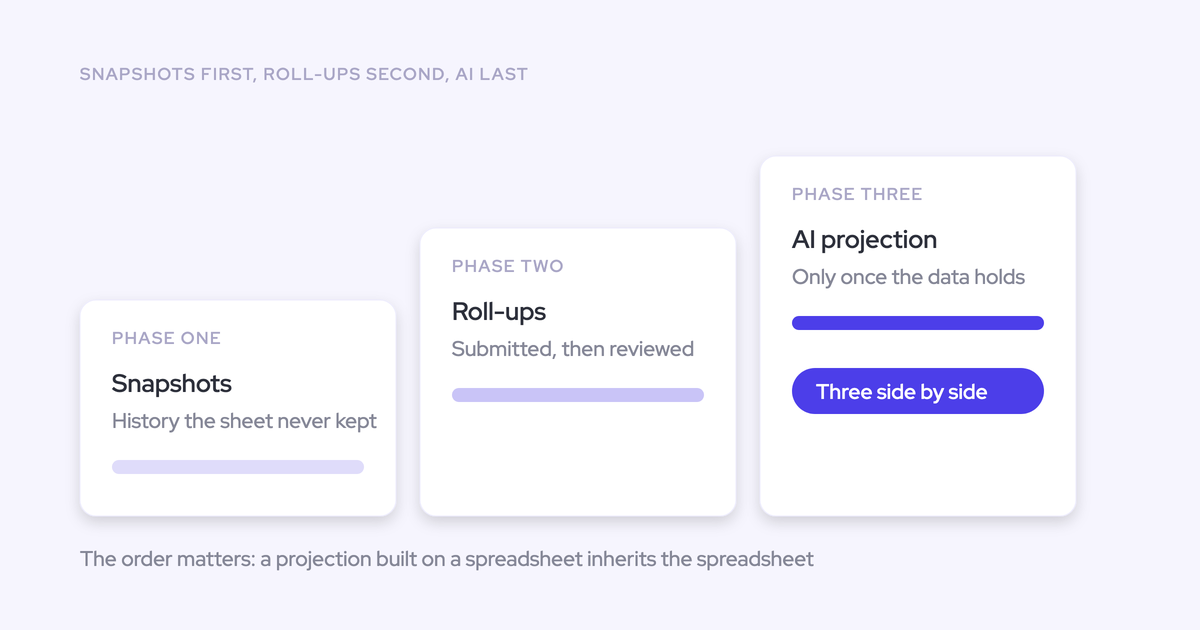
Forecasting is a leadership motion. Reps don't adopt forecasting tools; managers and RevOps do. So the first rollout should ask little of reps and give managers the most to look at. Roll out in this order:
- Set the rep deadline and the lock. Your track record starts in week one, and every later week gets scored against it.
- Add manager team calls and override rights with a window. Managers get their own number, and their adjustments stay visible next to the rep's.
- Set resubmission frequency. Once the weekly rhythm holds, restating the call each week builds the pattern you coach against.
- Add a second setup for renewals once the first one runs. Proving the cadence on one motion first keeps the rollout small enough to actually get run.
If you're writing the week down before you configure it, start with our Free Guide: Getting started with Bottom-up Forecasting.
What Weflow Deal Intelligence & Forecasting costs
Weflow Deal Intelligence & Forecasting is $39 per user per month, billed annually. It includes Ask Weflow AI and Agent Builder.
If you start with Weflow Activity & Contact Capture and Weflow Conversation Intelligence, you can expand into forecasting for roughly $10 more per user per month. That's small enough to clear internally without a new procurement cycle.
| Package | Forecasting included |
|---|---|
| Weflow Deal Intelligence & Forecasting ($39 per user per month) | Yes: cadence settings, roll-up submissions, overrides, locks and accuracy tracking |
| Weflow Revenue AI Business ($59 per user per month) | No. It includes Deal Intelligence (pipeline views, deal scoring, warnings) but not pipeline analytics or forecasting |
| Weflow Revenue AI Enterprise ($79 per user per month) | Yes, the full forecasting layer on top of Activity & Contact Capture, Conversation Intelligence and Deal Intelligence |
Weflow forecast cadence FAQ
Can a manager submit or override a forecast from their phone?
No. You submit and override Weflow forecasts in the web app only. Reminders arrive by email and Slack wherever you are, but the submission itself happens at a browser.
The Weflow mobile app records in-person meetings. It doesn't handle forecast submission.
Does the submitted forecast get written to Salesforce or our BI tool?
No. Weflow keeps forecast submissions in the Weflow application and doesn't write them to a Salesforce field. There are two routes out:
- The Weflow MCP connector returns the latest submitted call next to the live pipeline, plus the delta between them.
- For BI snapshots, you pull the roll-up through the API.
Is the submitted forecast weighted or a raw sum of deals?
It's a raw sum of the chosen amount field on the selected deals, unless the foundation field is itself a weighted value. Weflow's separate weighted pipeline view and AI projection do model likelihood, just not inside the roll-up.
What happens when a rep misses the submission deadline?
Weflow flags the missing submission as a warning, and the deadline locks the field. You see who missed it before the call starts.
Can a manager submit the forecast for a rep who is out?
A manager submitting the team call can include opportunities owned by any rep on the team, not only their own deals. So an absent rep's deals still make it into the team number, picked deal by deal.
How much extra work is forecast submission for reps?
Weflow keeps rep effort low in four ways:
- The reminder email deep-links the rep straight into their submission.
- Reps pick the named deals behind each figure instead of rebuilding a total.
- Deal warnings show on the same screen, so there's no separate check.
- You design the cadence around managers, and you can keep submission rights with managers entirely while reps get used to it.
How long does forecast cadence configuration take in Weflow?
Forecasting takes longer than activity capture, because the configuration encodes your operating cadence: who submits, how often, and against which targets. Capture and conversation intelligence typically go live in about two weeks. Typical time to live across onboarding is two to four weeks.
Can we prove Weflow forecasting in a 14-day trial?
No. Forecasting proves itself across enough cycles to compare predicted against actual, and that needs closer to three months.
For that, we offer a three-month paid pilot. Contractually, it's the first three months of a multi-year agreement, with an opt-out at the end.