How to Forecast New Business, Expansion, and Renewals in One View (Without Separate Spreadsheets)
Learn how to forecast new business, expansion, and renewals in one view, not separate spreadsheets


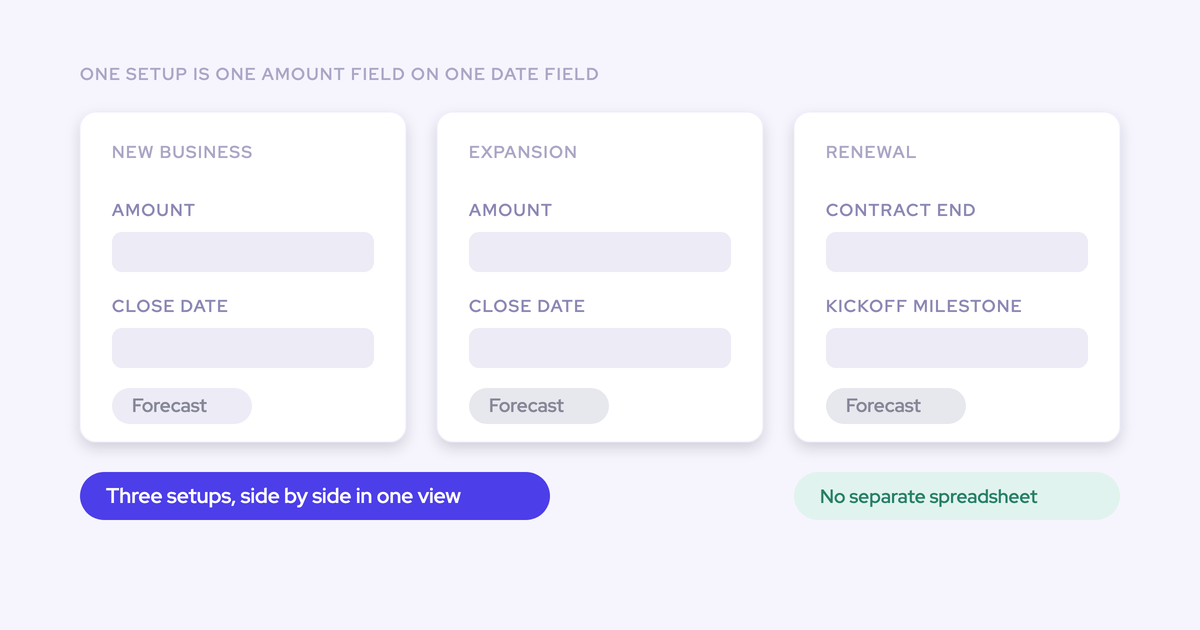

You can run new logo, expansion, and renewal as three separate forecasts that sum to one number, and the mechanism behind it is smaller than most demos make it look: a forecast is one amount field indexed on one date field.
Change the date field and you change the question the forecast asks.
That's why renewals can index on renewal date while new business stays on close date, and why the two can live side by side instead of in two spreadsheets.
You already know a blended quota hides the motion that's missing. What you want is the configuration: which record types, which date fields, which targets, how the roll-up sums, and where the combined view actually lives.
Weflow is the Revenue AI Orchestration platform for sales, customer success, and RevOps teams, and the steps below run inside it against your Salesforce record types and fields.
Each motion ends up with its own cadence and its own forecast call, which is where your deal reviews stop being a debate about whose number is right.
Two things get stated plainly along the way, because you'd find them out in a demo anyway: where the forecast roll-up is stored, and what a single setup can't do with a deal that spans quarters.
What you get: three motion forecasts, one combined roll-up
The end state is one system with a tab per deal type. New Business, Expansion, and Renewal each carry their own stage path, their own date logic, and their own target, and a combined view sums them against a combined quota.
Every submission is retained, so week four of this quarter is comparable to week four of last quarter without anyone screenshotting anything.
That last part is usually the real pain we hear very often from our prospects:
It all lives in Excel and not in the system of record, which is also a huge pain.
| Spreadsheet per motion | Parallel forecast setups | |
| Roll-up | Manual. Someone reconciles three sheets on Monday. | Reps submit deal by deal, managers adjust, the call rolls up the role hierarchy. |
| History | Last week's version, if someone saved a copy. | Every submission stored against the final closed amount. |
| Quota visibility | One blended number. The motion is invisible. | One combined quota plus separate targets per deal type, at the same time. |
| Renewal timing | Close date, because that's the column the sheet had. | Renewal date, because that's the question you're actually asking. |
| Attributing a miss | Three teams pointing at each other. | Read the motion tab that's behind. |
Native Salesforce forecasting doesn't get you here, and it's worth being specific about why: it can't manage quotas and forecast against them in one place, and it keeps no history of how the pipeline moved, so there's no snapshot to compare against.
That gap is what pushes teams either into a third-party layer or into the spreadsheet.
A forecast is one amount field on one date field
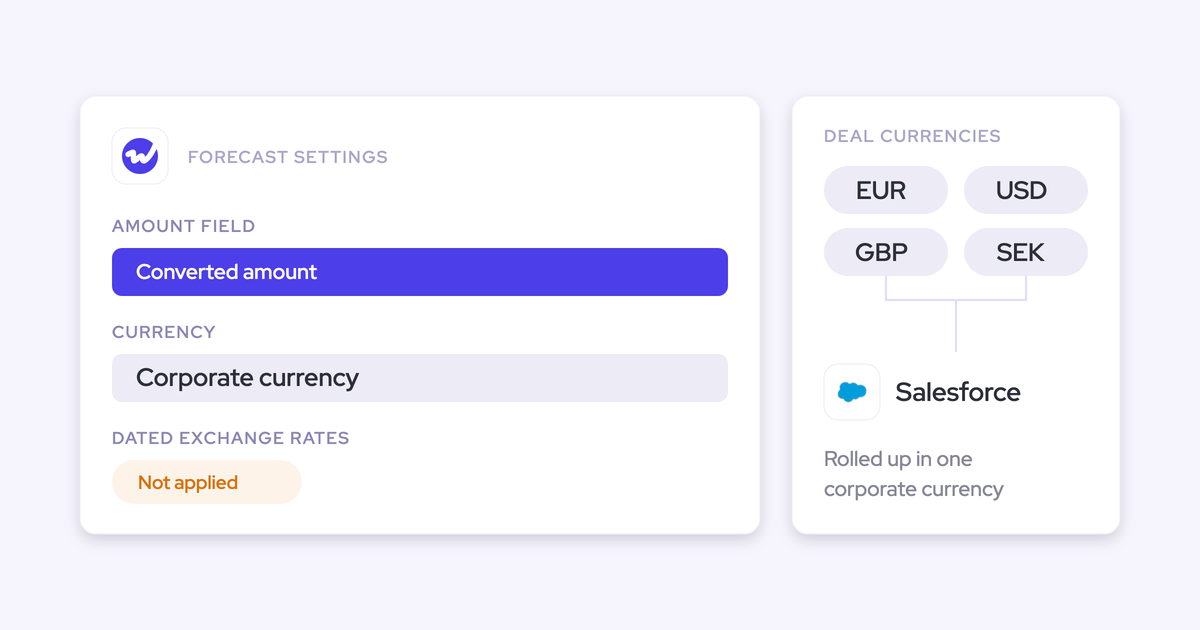
A forecast setup in Weflow is built on one chosen Salesforce amount field indexed on one chosen date field. That's the whole primitive. The amount field can be any opportunity currency field, standard or custom or a formula, not just Amount. The date field is equally free.
Because the foundation field applies to everyone inside a setup, separating motions isn't a toggle you flip. It's running several setups in parallel, each with its own stages, cadence, targets, and forecast call.
A team forecasting on incremental ARR and a team forecasting on a calculated revenue field need two setups, not one.
This is also the reason a blended forecast is fiction rather than just imprecise. New logo, expansion, and renewal have genuinely different conversion rates, and renewal indexes on a different date entirely. Averaging three mechanics into one weighted number produces something that is wrong in a different way each quarter.
| Motion | Amount field | Date field | Stage path | Target |
| New logo | Amount, or your new-ARR field | Close date | New Business record type stages | New logo target |
| Expansion | Incremental ARR or expansion amount field | Close date | Expansion record type stages | Expansion target |
| Renewal | Contract value up for renewal | Renewal or contract end date | Renewal record type stages | Renewal target |
Buyers describe the gap in almost identical words on nearly every call:
We don't have a way to differentiate expansion versus volume sales versus new logo sales versus renewal sales in Salesforce.
What to prepare in Salesforce before you build anything
The setups are only as clean as the Salesforce data underneath them. Get these in place first:
- Opportunity record types that separate the motions. Weflow supports multiple opportunity record types (New Business, Renewal, Existing Business, Partner and so on), each with its own stage path, forecast-category mapping, and independent roll-up. If everything is one record type today, this is the prerequisite that has to be fixed before anything else works.
- A populated contract end or renewal date field. The renewal setup indexes on it. A field that exists but is blank on 40% of renewal opportunities produces a renewal forecast that is quietly missing 40% of the quarter.
- A decided amount field per motion. Any currency field on the opportunity qualifies, including formula fields. Decide whether expansion forecasts on total contract value or on incremental ARR before you build, because the field applies to everyone in that setup.
- A role hierarchy that matches how the forecast actually rolls up. The submission path follows it, so pods, overlays, and dotted lines need to be reflected there or reproduced in the setup.
- An agreed cadence, with the finance owner in the room. Who submits, when, and what "commit" means. Multi-motion forecasting is a discipline before it is a configuration, and this is the part no tool decides for you.
- The activity and conversation layer underneath, if you want the AI projection to be worth anything. Forecasting on partially maintained fields gives you a well-formatted version of the same guess.
One more thing to know before you start: existing Salesforce forecast configuration does not carry over. You set forecasting up fresh in Weflow.
How to set up parallel motion forecasts in Weflow
Order matters here. Build the easy motion first so the pattern is learned on familiar ground, then change one variable at a time.
Step 1: Create the new business forecast on close date
Start with the standard case. Create the setup, scope it to the New Business record type, choose your amount field, and index it on Close Date.
Then set the parts that belong to this setup alone:
- The stage path for new business, and how each stage maps to a forecast category.
- The new logo target, at org, team, and individual level.
- The forecast call and cadence for this motion.
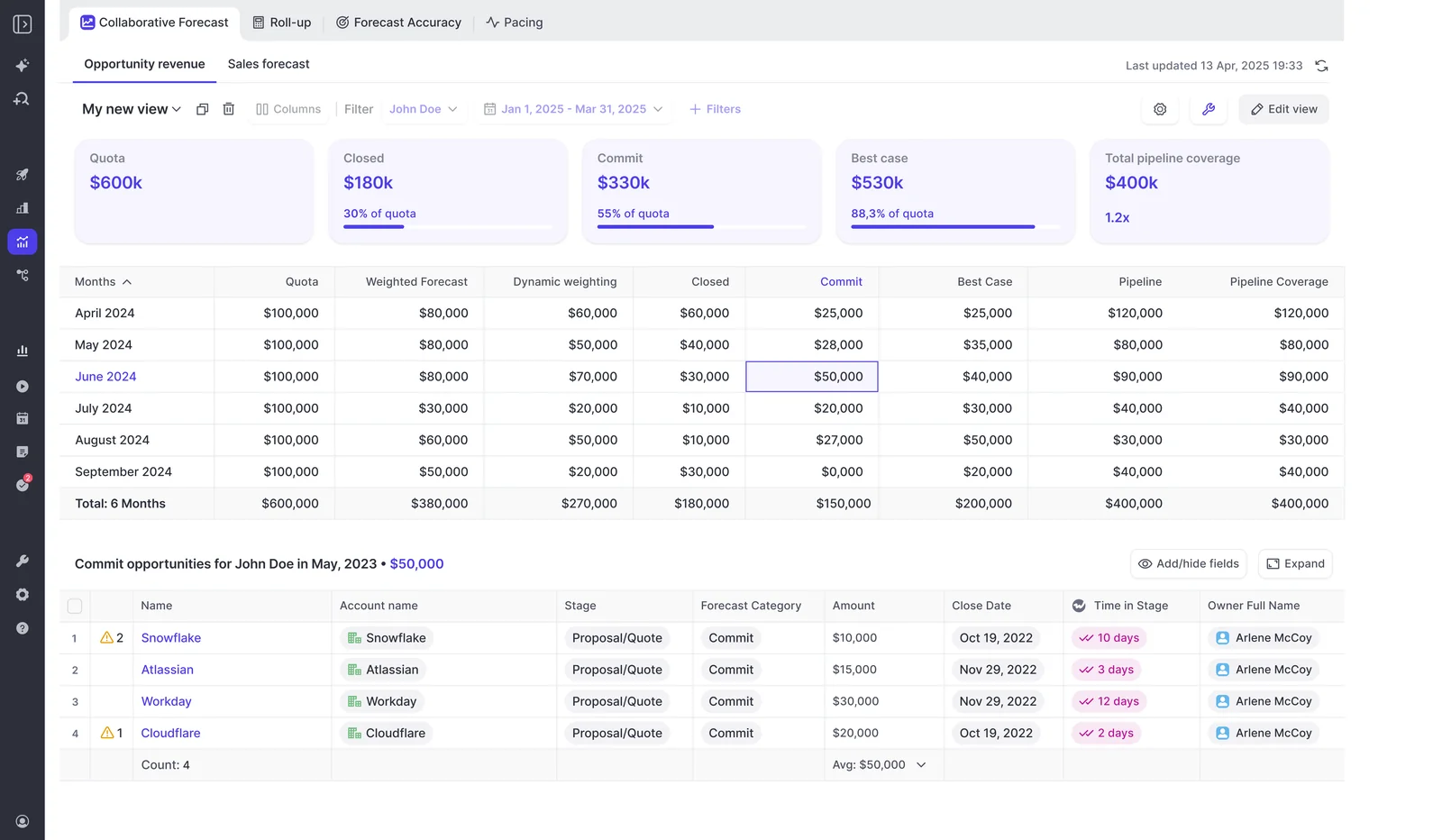
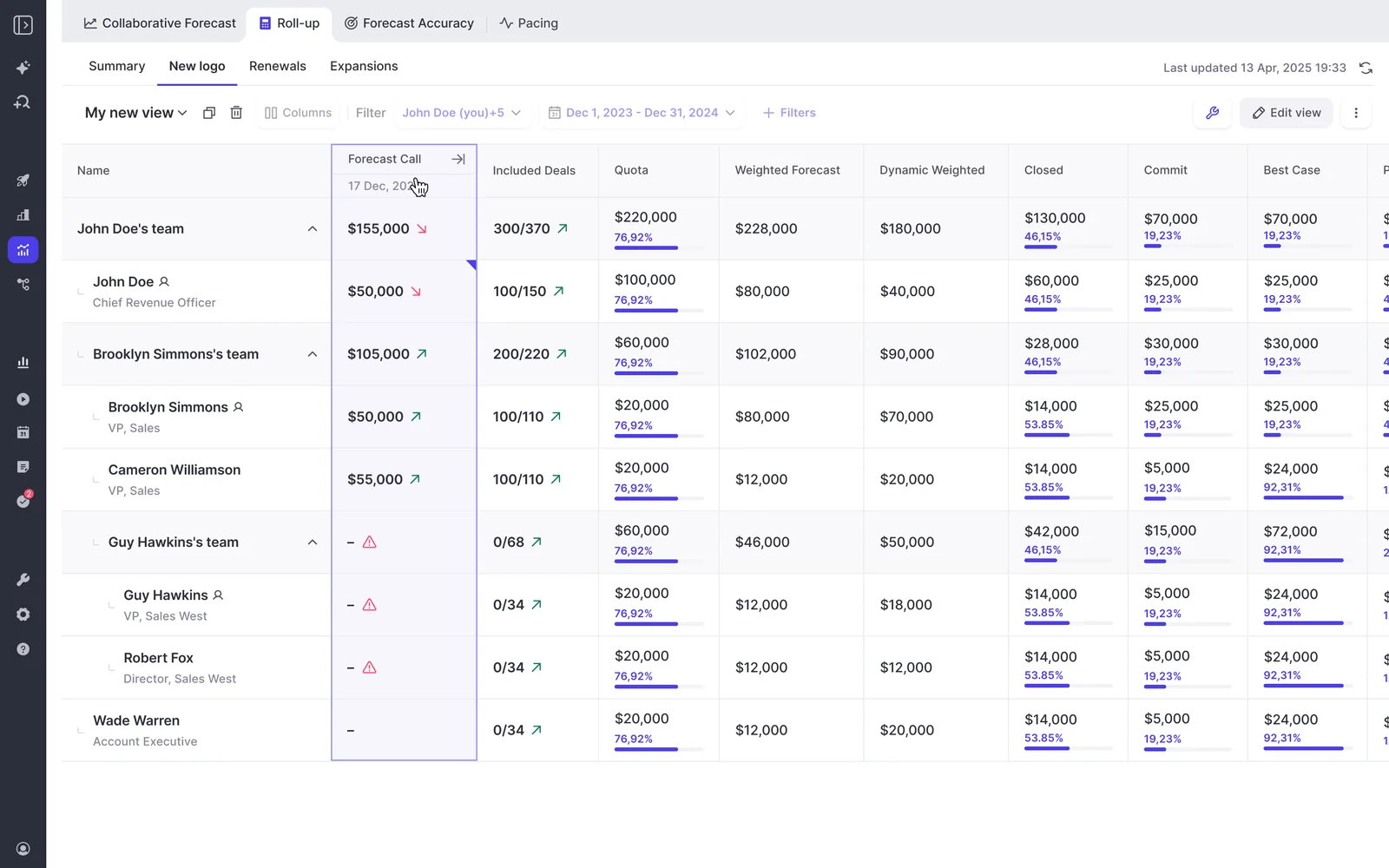
What you get is the view leadership actually reads: quota, closed, commit, best case, and pipeline coverage for this motion only, with a monthly roll-up beneath it.
Step 2: Index the renewal forecast on renewal date
Now change the one variable that matters. Create a second setup, scope it to the Renewal record type, and index it on the renewal or contract end date instead of Close Date.
That single change rewrites the question the forecast asks. Instead of "which deals will close this quarter," it asks "which renewals are due this quarter and how are we doing against them." Which is exactly how renewal teams already talk:
When I'm doing the renewal forecast, I don't care what my close date is. What I want to track is renewals that are due in this quarter and how we are doing against those.
Give the setup its own stage path (renewal stages are usually shorter and shaped nothing like new business), its own forecast-category mapping, and its own target. It rolls up on its own, in its own pipeline view.
The second half of this step is the part that stops renewals from being a fire drill.
Weflow's renewal forecasting tracks contract end dates and fires a configurable renewal-kickoff milestone ahead of expiry, so the renewal enters someone's week on a date you chose rather than three weeks before the customer has already decided.
Set that milestone against your real cycle length, not a default.
For multi-year contracts, the intent to leave is usually visible a year or more out, which is an account-health conversation rather than a forecast one, but the kickoff is what gets a human looking.
Step 3: Give expansion its own stage path and roll-up
Expansion is the motion most teams tag onto new business and then can't explain. Same pattern as Step 1: its own record type, its own stage path and forecast-category mapping, its own target, its own roll-up.
Do it because the conversion mechanics match neither neighbor. Expansion converts faster and smaller than new logo and behaves nothing like a renewal, so folding it into either one means a quarter carried by expansion looks identical to a quarter carried by new business. Same total, completely different business.
Step 4: Set the combined quota and per-motion targets
Weflow supports a single combined quota across all deal types and separate targets per deal type at the same time, with the roll-up displayed in a tab per deal type plus a combined view.
So a rep carrying one number still shows up in three places:
| Level | What it answers |
| Combined quota | Is the rep, the team, and the company on the number. |
| Per-motion target | Which motion is carrying it and which is behind. |
| Combined view | What leadership takes to the board, with the split intact underneath. |
The payoff is attribution. When the quarter misses, you point at the tab rather than opening an investigation.
Step 5: Configure each motion's cadence and submission rules
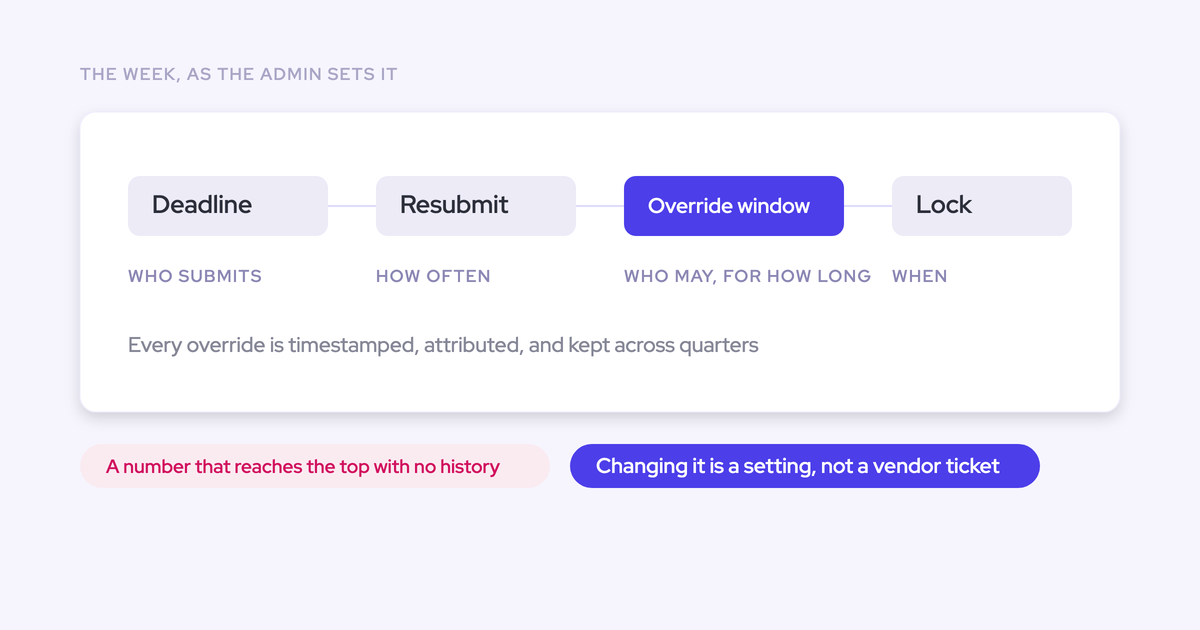
Three setups only become three processes once each has its own cadence. In Weflow the cadence itself is configurable per setup:
- Submission deadlines, and how often reps resubmit.
- Who may submit, and who may override.
- How long an override stays open.
- When the forecast locks.
Renewals and new business rarely want the same rhythm. Weekly deal-by-deal submission makes sense for new logo; renewals often run on a monthly submission with the kickoff milestone doing the early work.
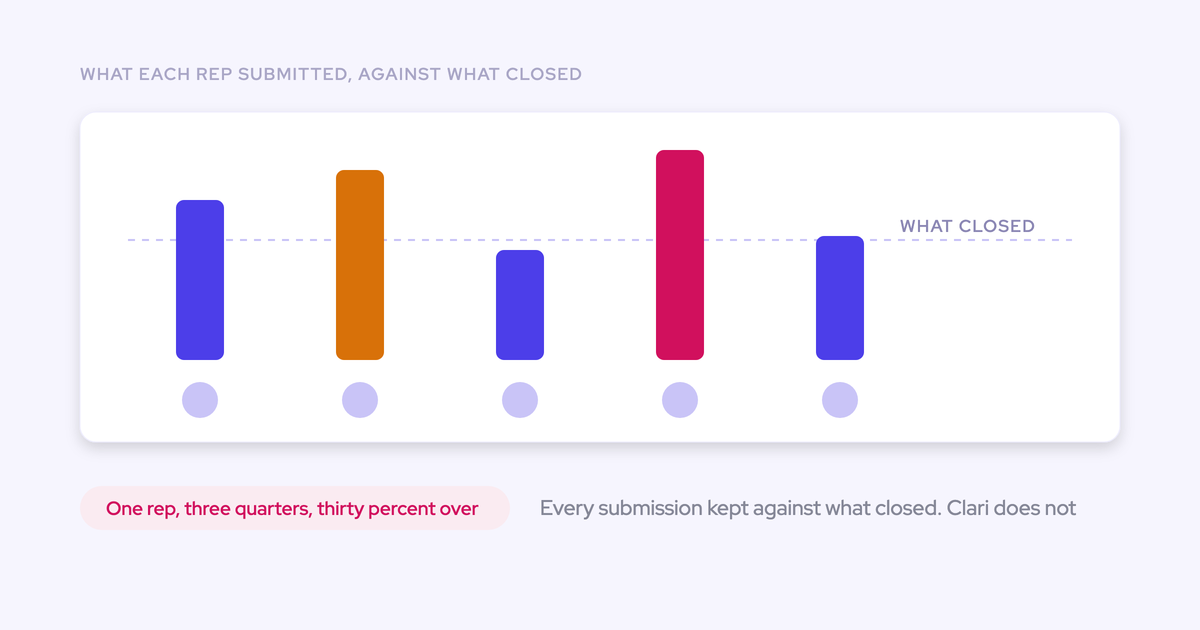
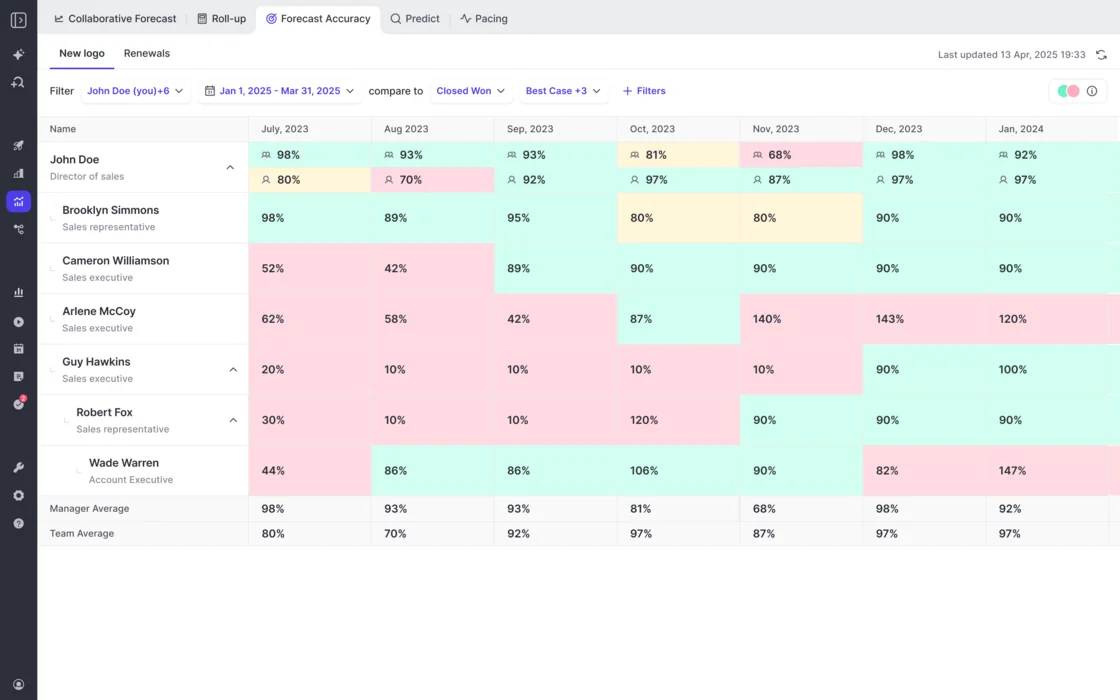
Locking is the step people skip, and it's the one that makes accuracy measurable. Once a submission is fixed at a point in time, Weflow can record it against the final closed amount and produce variance per rep, per manager, and by segment across consecutive quarters.
That's how you find out who sandbags and who is consistently optimistic, per motion.
Step 6: Run weighted, roll-up, and AI corridor side by side
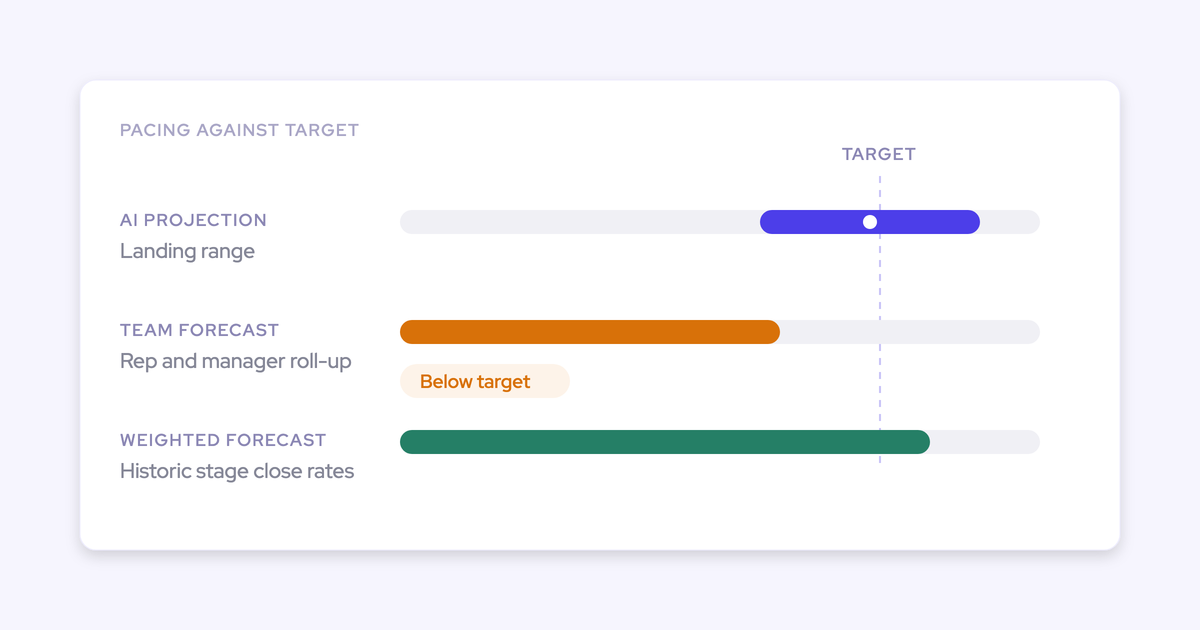
Inside each setup, three methods run in parallel:
| Method | Built from | What it tells you |
| Weighted forecast | Historic stage close rates, including the last three, six, and twelve months of conversion | What this pipeline mathematically supports |
| Roll-up forecast | Rep submissions, adjusted by managers up the hierarchy | What the team says |
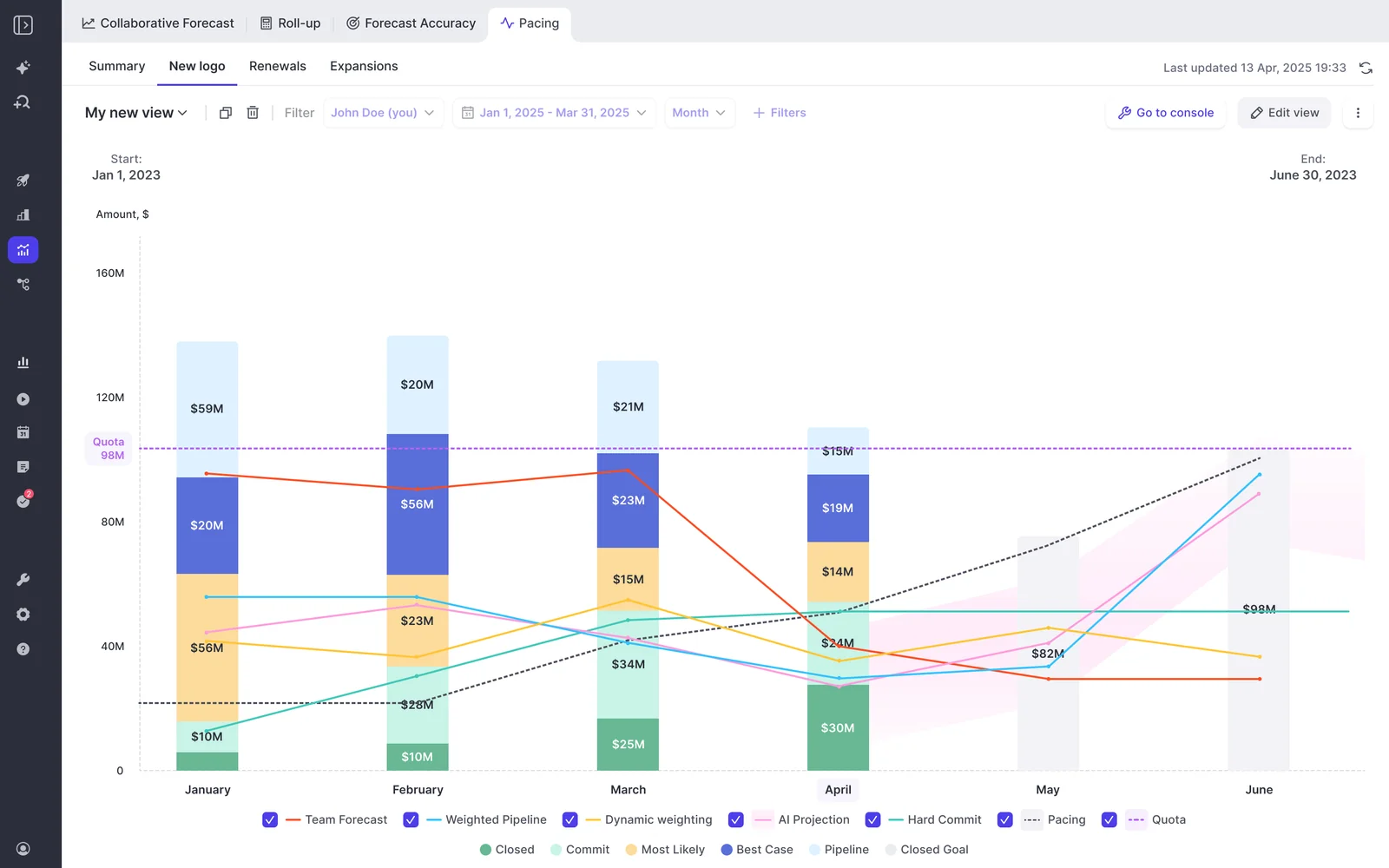
| AI projection | 50+ deal-level signals and up to two years of history | A landing range: base, mid, and high, not a single number |
The AI projection isn't stage probability wearing a hat. It reads deal behavior: seasonality, rep performance, conversion rates, communication cadence, whether a next meeting is booked, whether the deal is healthy against the methodology. A large deal that is being worked badly gets projected down.
The gap between the three methods is the agenda for that motion's forecast call. When the team is 20% above the weighted number on expansion and dead-on for new logo, you know which conversation to have.
Step 7: Verify the tabs and the combined view
The finished state is checkable in about two minutes. Walk it:
- A tab per deal type, each showing its own quota, closed, commit, best case, and coverage.
- The renewal tab returning renewals due in the period, not deals with a close date in the period. If it looks like the new business tab, the date field is wrong.
- A combined view whose total equals the three tabs summed.
- Forecast calls appearing in the roll-up with a history you can navigate, from the first cycle onward.
That last point is the one that quietly changes your week. The roll-up and the submission history accrue on their own, so nobody is taking a manual snapshot on Monday to see what moved.
Where does the forecast roll-up live: Salesforce or Weflow?
In Weflow. Forecast submissions, targets, and roll-up data live in the Weflow application and are not written back into Salesforce objects. That makes forecasting the exception in the platform: activity, transcripts, summaries, and AI field updates all land in native Salesforce objects, and opportunity edits made in Weflow write straight back to the CRM, so the Salesforce record stays the source of truth for the deal itself. The forecast layer sits on top of the pipeline rather than adding forecast fields to Salesforce.
What that means, depending on your setup:
- If you've made a rule that reps live in Salesforce and nowhere else, roll-up submission breaks that rule. Be honest with yourself about it before you buy. The weighted forecast and the AI projection still work for you, because both run off CRM data with no rep input, but the deal-by-deal submission asks reps to open Weflow.
- If you snapshot forecasts into a BI tool, you pull the roll-up through Weflow's public API, not out of Salesforce reporting.
- If your reps already work in a pipeline view outside the CRM, this is a non-issue, and it's the reality for most teams whose current answer is a spreadsheet.
Common pitfalls when splitting the forecast by motion
- Indexing renewals on close date out of habit. It's the default choice in every forecasting tool and it recreates the problem you're trying to solve. Set the renewal setup on the renewal or contract end date, then verify that the tab returns the renewals actually due in the quarter.
- Expecting one opportunity's amount to split across quarters. A setup places the full opportunity amount into the single period its chosen date field falls into. It cannot recognize part of a deal in one quarter and the rest in the next. If you run consumption revenue or professional services on delivery schedules, Salesforce will show a period split that the forecast view won't reproduce. Salesloft's account-based forecasting was built specifically for that consumption shape, and if that's the majority of your revenue, say so early. For most teams it's a slice, and the honest answer is to keep that slice modeled outside the setup.
- Assuming your Salesforce forecast configuration carries over. It doesn't. Budget a session to rebuild categories, quotas, and hierarchy in Weflow rather than discovering it mid-rollout.
- Building a setup for every idea. Every setup is a cadence somebody has to run: a submission deadline, a call, a lock. Three motions is a process. Nine setups covering every sales play is a second job for you.
- Expecting the config to fix a cadence that doesn't exist. If nobody currently submits a number and there is no forecast call, splitting the forecast into three views gives you three views of the same silence. Start with the process conversation, with finance in the room.
So I think this whole ending up with a number, right, I think most of our listeners will notice, we talked about this a few times, but forecasting is really like a muscle you need to train and the number in the end, that's sort of the outcome of a long, long training cycle, exercise cycle that you went through before.
— Janis Zech, Co-founder and CEO, Weflow
FAQ: multi-motion forecasting in Salesforce with Weflow
Does Weflow forecasting replace or run alongside Salesforce forecasting?
It runs independently of Salesforce forecasting. Weflow forecasts on any standard, custom, or formula field, stores field changes automatically, and handles multi-currency. Existing Salesforce forecast configuration doesn't carry over, so you set forecasting up fresh. In practice most teams stop using the native module, because it can't manage quotas and forecast against them in one place and keeps no history of how the pipeline moved.
Can churn be forecast as best, middle, and worst case?
Yes. The AI projection returns a base, mid, and high corridor per setup rather than a single number, so the renewal range is produced instead of rebuilt by hand each week, and it sits next to the weighted number and the team roll-up in the same view.
Where to stay honest: the setup rolls up opportunities. "If this one opportunity churns, do we lose the whole logo" is an account-level judgement, not something the forecast setup computes for you. You read it in the renewal view and on the account, not off the corridor.
How long does a multi-motion forecast setup take?
Technical setup is a 30 to 45 minute session with a Salesforce admin. Full time-to-value is typically two to three weeks, and almost all of that is business logic: record types, forecast types, cadences, quotas, warning rules, pipeline views, permissions.
The realistic constraint isn't configuration. A two-week proof of concept can prove activity capture and conversation intelligence, because both produce visible output within a day. It cannot prove forecasting, because forecasting changes how a team runs its week. Start with an alignment session on the process, with the finance owner present, and configure after that.
What signals feed the AI forecast projection?
More than fifty deal-level signals and up to two years of history. It reads seasonality, rep performance, stage conversion rates, communication cadence, whether a next meeting is booked, and whether the deal is healthy against your sales methodology, then returns a range rather than a point estimate.
One dependency worth naming: the projection is only as good as the activity and conversation data underneath it. Forecasting standalone, without capture in place, produces a weaker prediction, because the model has nothing to read except the fields reps didn't maintain.
What does Weflow Deal Intelligence & Forecasting cost?
Weflow Deal Intelligence & Forecasting is $39 per user per month, billed annually, with Ask Weflow AI Pro and the Agent Builder free tier included. Revenue AI Enterprise, which adds Activity & Contact Capture and Conversation Intelligence underneath the forecast, is $79 per user per month. Minimum ten users, and the pricing is published on our website rather than gated behind a call.
If you're still assembling the forecasting approach before you touch any configuration, take the reference: Free: The Ultimate Sales Forecasting Guide.