The Weflow MCP Connector: Analyze Conversation Data From Claude Without Exporting It
Learn how Weflow's MCP connector lets Claude analyze conversation data without exports or API work


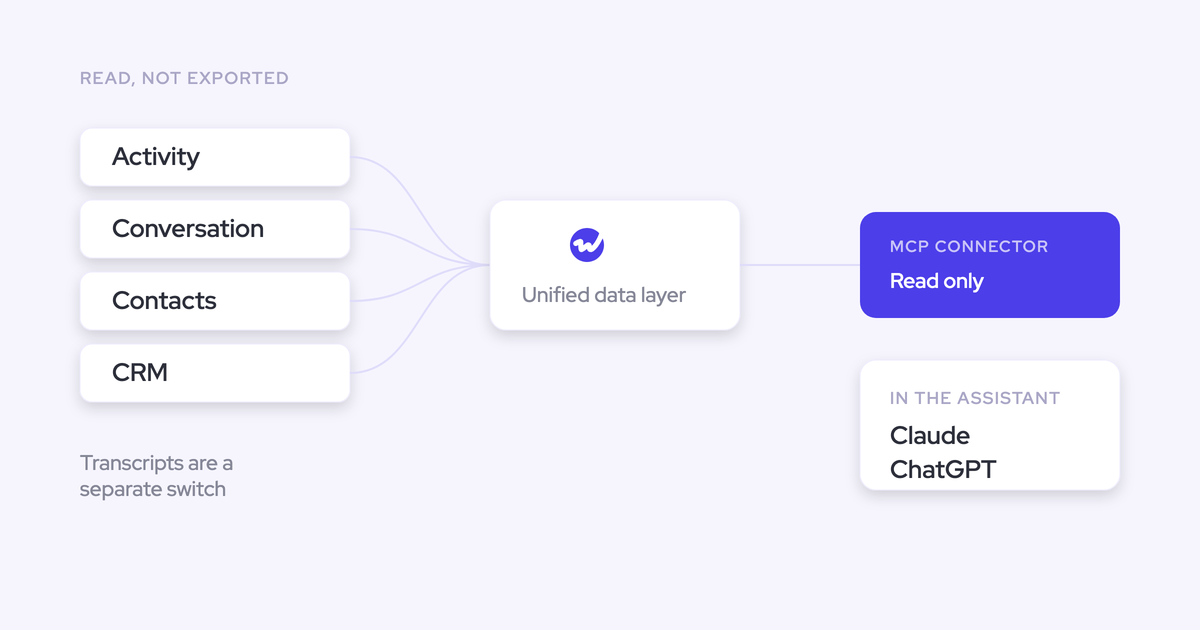

Yes, Weflow has an official MCP connector. Claude, ChatGPT, or your own agent framework can now query your Weflow revenue data directly, with no export, no CSV, and no engineer wiring up the REST API first.
Two things before you scroll, because they're the two things you'll actually be asked in a security review. The connector is read-only. And an admin governs it per workspace, including a separate decision about whether connected assistants read full call transcripts or only AI summaries.
Weflow is the Revenue AI Orchestration platform for sales, customer success, and RevOps teams. The connector is a second read path onto the same unified data layer that Ask Weflow AI reads inside the platform, opened up to the assistant your team already lives in.
Why we built an MCP connector for Claude and ChatGPT
Companies standardized their AI layer faster than revenue tools opened themselves up to it. One corporate assistant licence, one chat window, and that window is where people work now.
It comes up on sales calls in almost the same words every time:
"Do you guys have an MCP with Claude as well? Because a lot of our team uses that."
"Everyone wants to live in Claude. So we're going to have our signals tool and HubSpot and Salesforce connected into Claude and they can just, through MCP, live in there and ask all the questions. Is Weflow connected into Claude?"
The pressure isn't coming from RevOps alone. Execs got technical enough to self-serve, and the question they have this week is never on a dashboard.
Building a view for each of those questions would eat the whole RevOps roadmap. So the exec routes around the dashboard, and reps do their own version of it: pull a transcript, paste it into whatever general AI tool they like, drop the output in a chat channel. Three people redo the same analysis and none of it reaches the CRM.
Weflow already had the REST API answer for that. The connector replaces "here's an API, go build" with "paste a URL."
What connected assistants can read: playbooks, summaries, transcripts, forecast calls
Through the Weflow MCP connector, an assistant such as Claude or ChatGPT reaches four things: Weflow playbooks, call summaries, transcripts, and forecast calls. That set is wider than call search and narrower than everything Weflow holds, and it's the boundary worth pasting straight into a vendor matrix.
| What the assistant reads | The kind of question it answers |
| AI Playbooks output | Which deals in this quarter have no evidenced economic buyer, and which methodology criteria are missing across the team |
| Call summaries | What happened on every meeting on this account in the last six weeks, and what the agreed next steps were |
| Transcripts (when the admin allows it) | Exactly how a pricing objection was worded, which competitor was named, what the buyer actually said before they went quiet |
| Forecast calls | What was committed, by whom, and how that changed between submissions |
Playbooks and forecast calls being reachable is what makes this a revenue question rather than a call-search question. An assistant that can only find recordings tells you where to look. One that can read playbook output and forecast calls tells you which deals are thin and which commits aren't supported by anything anyone said out loud.
Two things it gets used for immediately, from what we see:
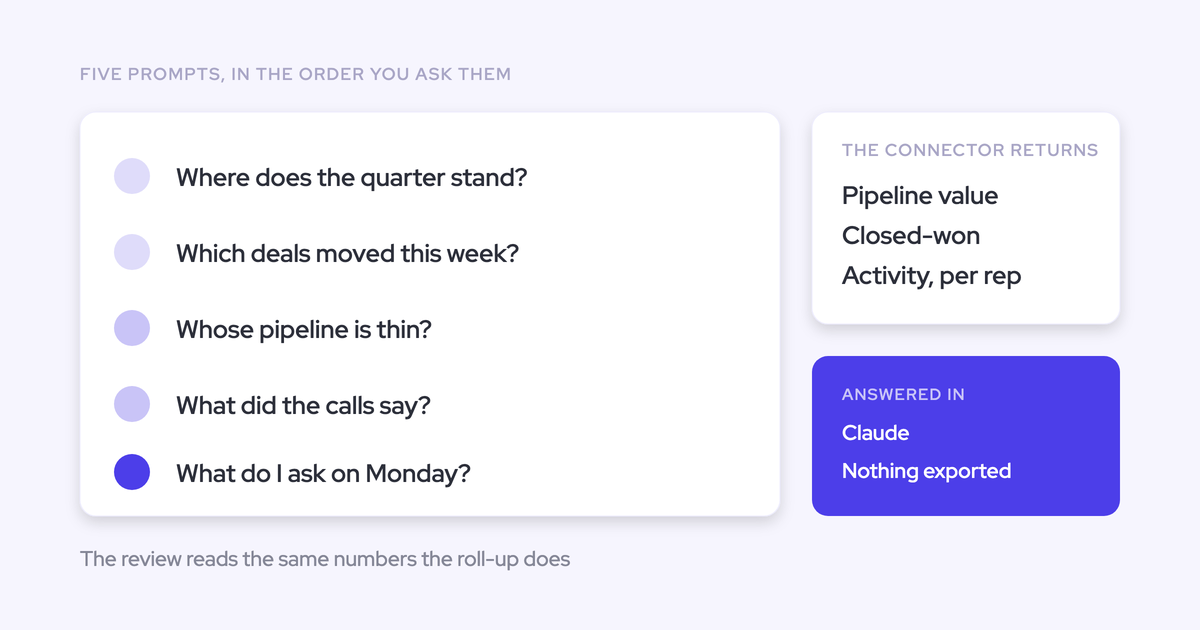
- Board prep. An exec asks their assistant why the enterprise segment slipped, and gets an answer read from summaries and forecast calls instead of waiting three days for a report.
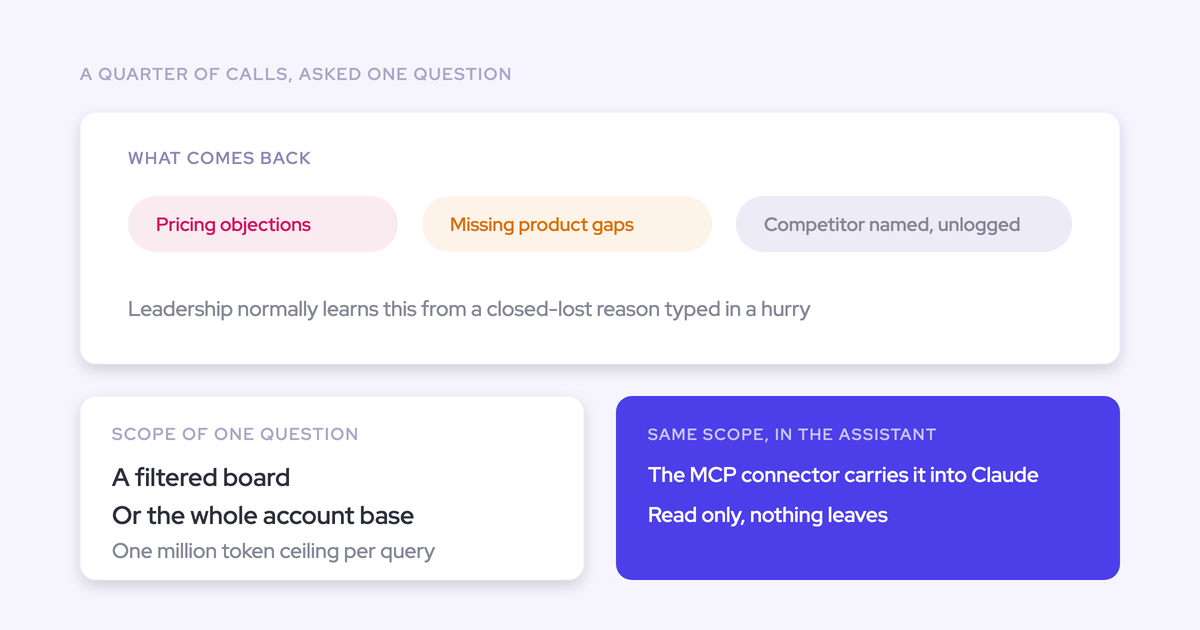
- Competitive and objection analysis at book-of-business scale. Ask which objections recur across a quarter of calls, and the answer comes from the conversations rather than from a manager's impression.
What the Weflow MCP connector won't do
You read the boundary before the feature. So here it is, before you find it yourself.
The connector is read-only, with no Salesforce write-back
An assistant connected through the Weflow MCP connector can read. It cannot write, and there is no write-back path to Salesforce through the connector today.
Field writes still happen where they always have: inside Weflow, through AI field updates, playbooks, and agents that write into native Salesforce objects with validation rules and permissions respected. An external assistant asks questions of that data. It doesn't change it.
It supplies revenue context, not your other knowledge systems
The connector reaches Weflow's revenue context and stops there. Your process documentation, product guides, and ticketing system sit outside it.
That's deliberate. Weflow supplies the revenue context a general assistant lacks; it doesn't try to become the assistant. If your team has already standardized on Claude, the point is to meet them there, not to pull them into another chat box.
How admins govern access: workspace enable and transcript control
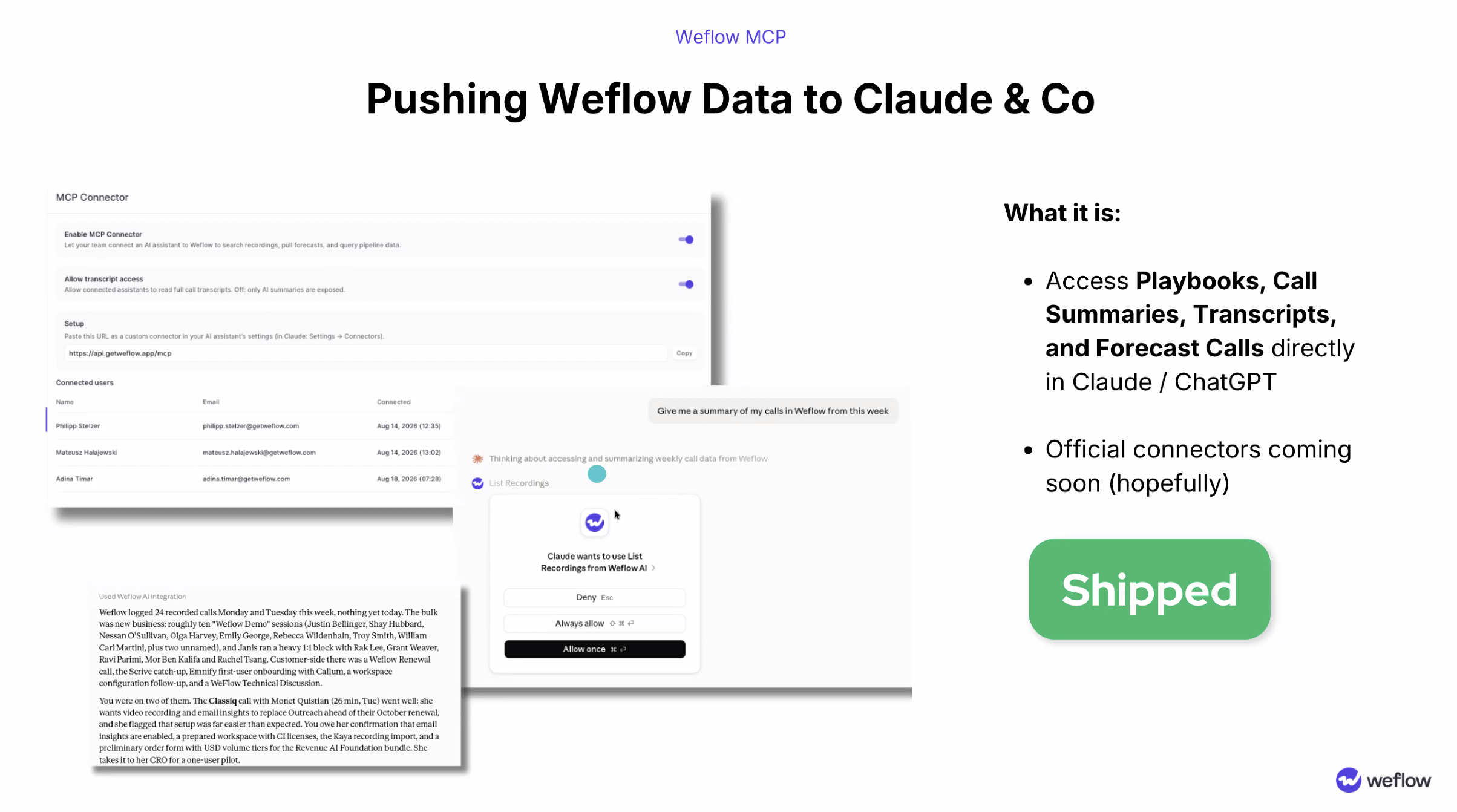
Two controls sit side by side in the Weflow admin console, and they answer separate questions. Enable MCP Connector turns the endpoint on for the workspace. Allow transcript access decides how deep it reaches.
The transcript toggle: full transcripts or AI summaries only
This is the control a security reviewer is looking for, and it's a single toggle rather than a support ticket.
| Allow transcript access | What a connected assistant can read |
| On | AI summaries, playbook output, forecast calls, and the full verbatim transcript of recorded calls |
| Off | AI summaries, playbook output, and forecast calls. The assistant never sees the verbatim transcript |
With the toggle off, your team still gets deal-level answers. They just get them from Weflow's structured output rather than from raw customer speech, which is usually the line legal cares about when recorded conversations leave the platform.
Seeing every connected user in the admin console
The console lists every connected user with their email address and the date they connected. You see who has attached an assistant instead of finding out later.
That list is the audit answer. It's also the practical one: when someone leaves, you know whether their assistant was ever connected in the first place.
How to turn on the Weflow MCP connector
Two roles, and a handful of steps. Nobody writes code.
- The admin opens the Weflow admin console and switches on Enable MCP Connector for the workspace.
- The admin decides Allow transcript access: on for full transcripts, off for AI summaries only.
- The user copies the Weflow connector URL and adds it in their assistant as a custom connector. In Claude and ChatGPT this is the custom connector setting, and it's a paste.
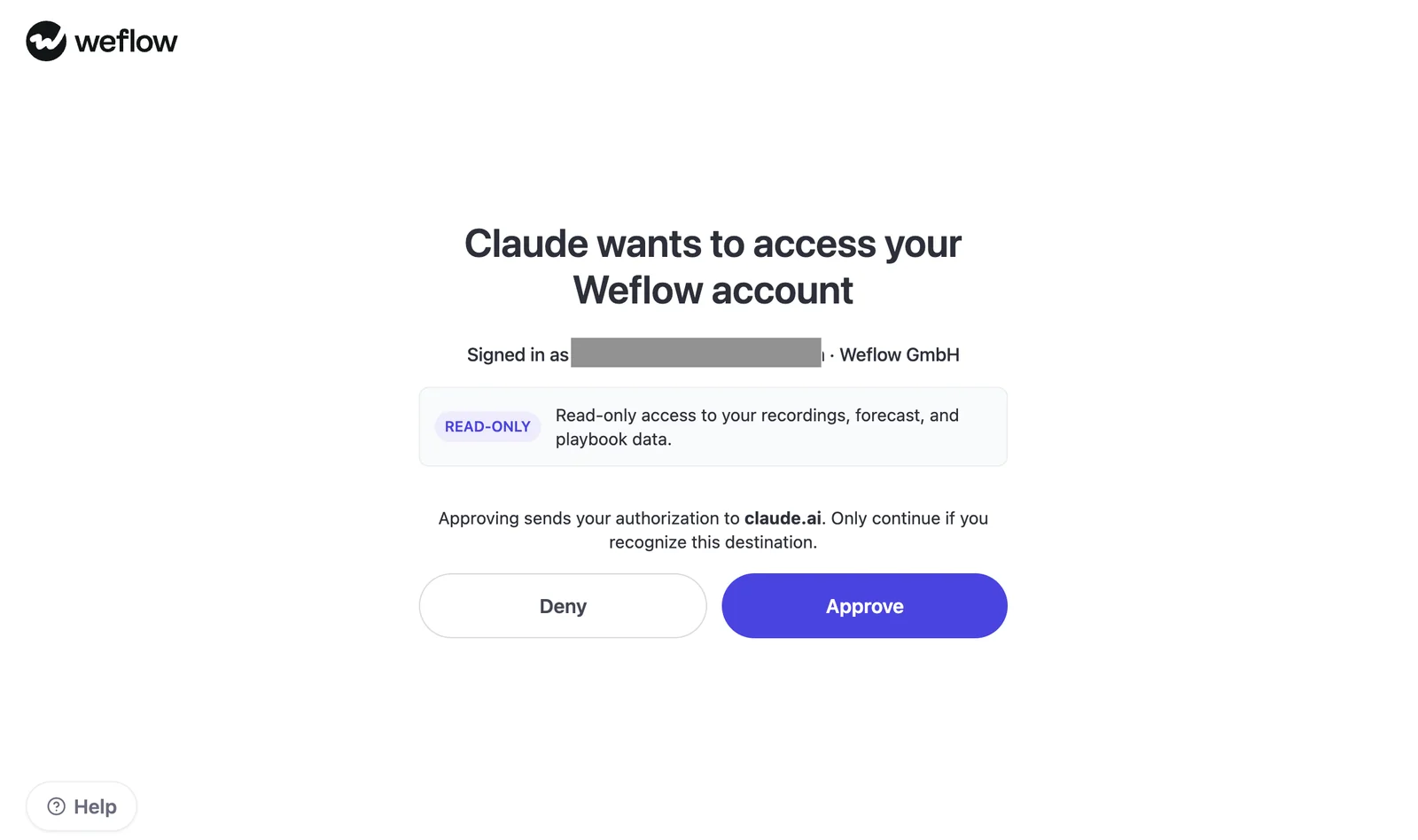
- The user approves the Weflow OAuth consent screen, which names the read-only scope before anything connects.
- The connection appears in the admin console's connected-user list, with the email and the date.
Why this is different: the data already lives in your Salesforce
MCP on its own is table stakes. Gong ships an MCP endpoint, Fireflies ships an MCP server for Claude, OpenAI and ChatGPT, and both are real. Jiminny doesn't, which leaves a REST API or a Zapier bridge. So the protocol isn't the argument.
The argument is what sits underneath it. Weflow writes conversation data into two native Salesforce objects in your org: a recording object holding the summary and the full transcript, and an indexing object. The connector is a second read path onto data that was already yours.
| Weflow | An MCP over a vendor cloud | |
| Where the conversation data lives | Native Salesforce objects in your org, including the full transcript text | The vendor's own cloud. Gong pushes an AI summary and a document into Salesforce rather than the raw transcript text |
| What happens at the end of the subscription | The records stay in your Salesforce | Access to the data in the vendor's cloud goes with the subscription |
| What the connector is | A second read path onto data you own and can already report on | A read path into someone else's system |
"We use the native objects in Salesforce. If you ever stop using Weflow, the data persists. It is your data. That is very, very important in everything we do." — Janis Zech, co-founder and CEO of Weflow
That's also why the raw transcript matters and a summary doesn't substitute for it. A summary is somebody else's interpretation. Text you own is a corpus you can query, embed, or feed to your own model.
And the API route hasn't gone anywhere. Weflow's REST API supports record-level access plus bulk export of transcripts, metadata, scores and signals as JSON or CSV, which is what engineers who want their own pipeline into a warehouse or BI tool will keep using. The connector is the no-code path onto the same data.
"I'm setting up Claude as our sales terminal. That's how I want our users to be interacting with our systems. I also have engineering people who want to retrieve transcripts through API directly."
Both of those people are served, and neither has to build a bridge for the other.
Weflow MCP connector vs Ask Weflow AI: which surface to use
Buyers ask this one word for word: what are we going to get in Claude that we can't get in Ask Weflow AI?
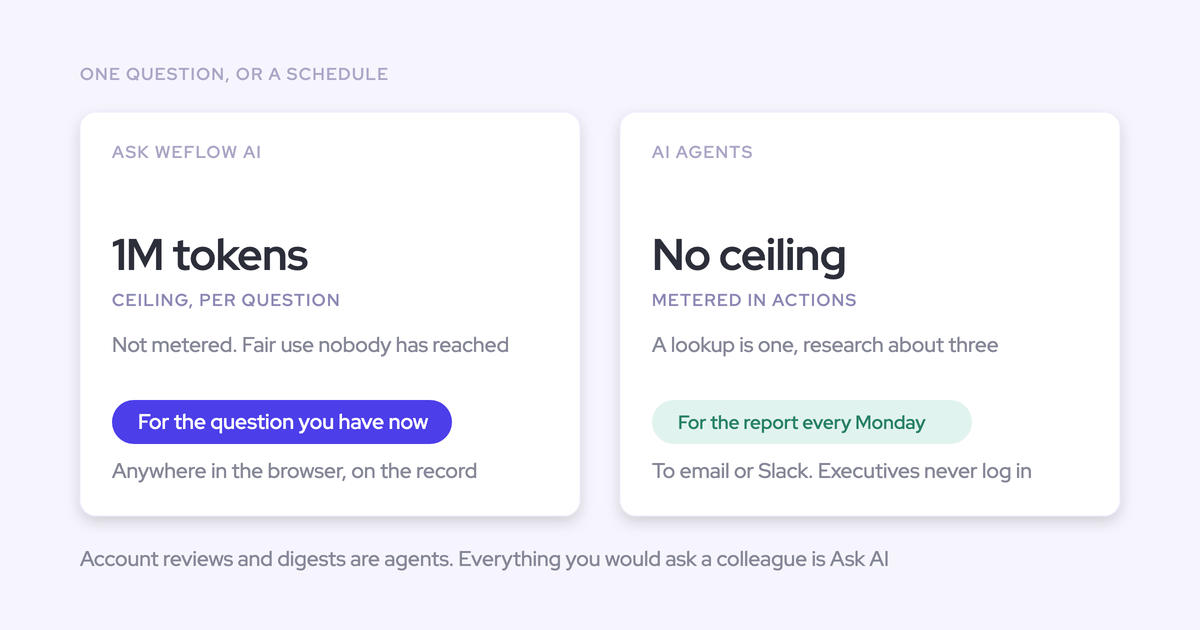
They're two surfaces onto the same unified data layer, and the choice is about where the person already works.
| Ask Weflow AI | Weflow MCP connector | |
| Where it runs | Inside Weflow and in the browser via the Chrome extension, including on Salesforce record pages | Inside Claude, ChatGPT, or your own agent framework |
| What it reads | Salesforce records, captured emails and meetings, conversation data, and the public web, authenticated with the user's Salesforce token so it inherits Salesforce permissions | Weflow playbooks, call summaries, forecast calls, and transcripts when the admin allows it |
| Extra context it carries | Auto-loaded sources from the record you're on: the transcript, linked Salesforce fields, related activity | Whatever else your assistant already holds, plus your own prompts, projects, and agent chains |
| Who it's for | Reps and managers working a deal in Weflow or in the CRM | Execs, analysts, and teams who live in the assistant and won't open another login |
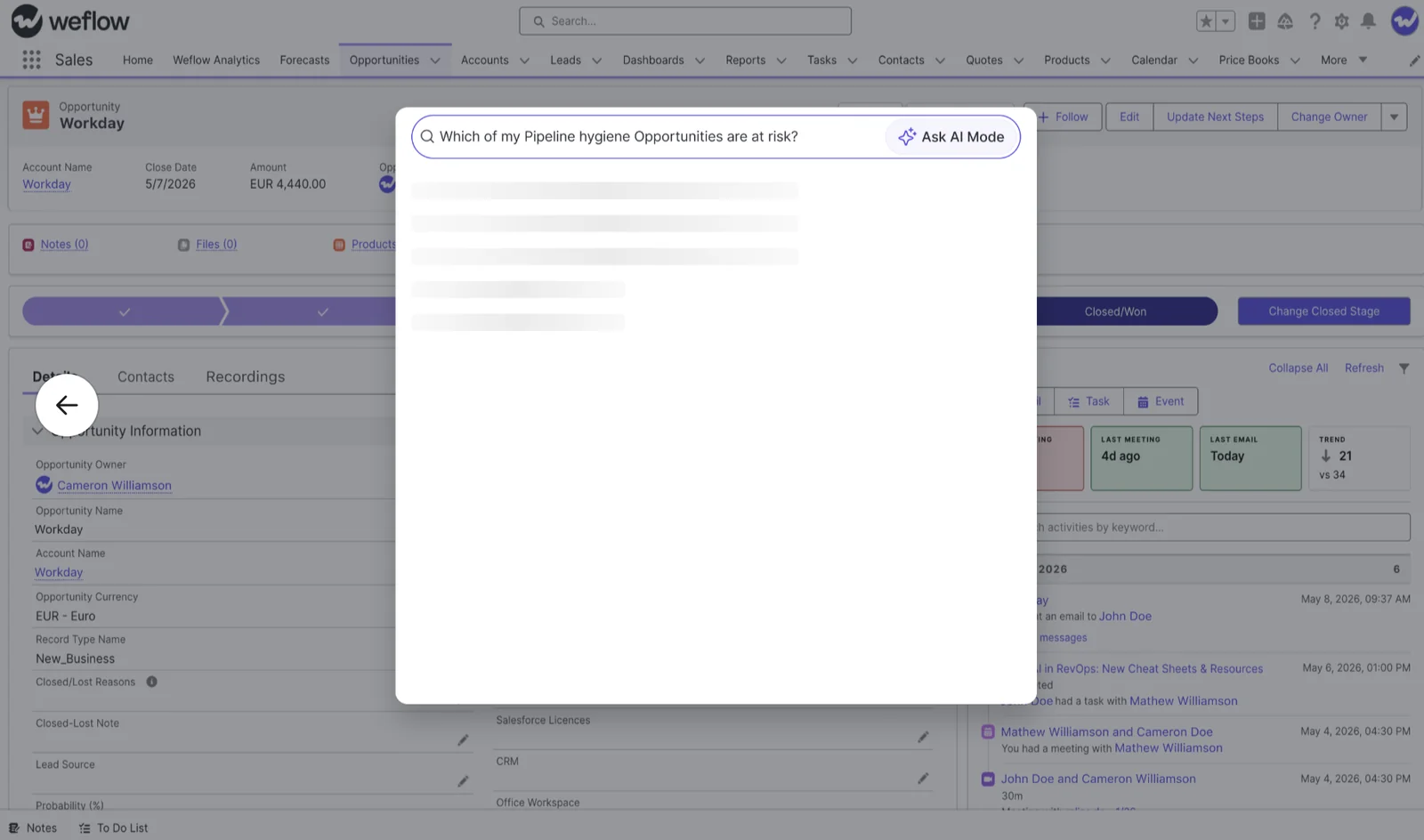
The decision rule we'd give a team: if the question is about the deal in front of you, ask it where the deal is. If the question spans your own frameworks, your own prompt library, and revenue data at once, ask it in your assistant.
Weflow MCP connector FAQ
Which AI assistants does the Weflow MCP connector support?
Claude, ChatGPT, and any other LLM or agent framework that accepts a custom MCP connector. There's no per-assistant integration to wait for, because the mechanism is a URL pasted as a custom connector. If your team built its own agent orchestration layer, it connects the same way.
Can a connected assistant write to Salesforce through the connector?
No. The Weflow MCP connector is read-only today, and there's no write-back to Salesforce through it. Automated field writes happen inside Weflow, where AI field updates and agents write into native Salesforce objects and respect validation rules, field dependencies, and permissions.
Does connecting an assistant change Weflow's security and compliance posture?
No. Weflow is SOC 2 Type II certified, GDPR, HIPAA and CCPA compliant, operates Zero Data Retention for AI processing, and never uses customer data to train models. ISO 27001 is in progress with a target of December 2026, and Weflow is not FedRAMP certified.
Data residency doesn't move either. Weflow stores customer data in the region where the customer's Salesforce instance sits, so a European Salesforce org keeps its Weflow data in Europe.
One honest caveat: what your assistant vendor does with an answer once it's in their product is governed by your agreement with them, not by ours. The consent screen says so plainly before anyone approves it, and the admin controls, workspace enable plus the transcript toggle, are how you set the limit on your side.
Is the MCP connector priced separately from Weflow plans?
There's no consumption meter on connector queries. Weflow prices per seat with AI usage included, and Agent Builder is the only consumption-priced product in the platform.
That's a deliberate split. Buyers have learned to read AI pricing for the second number, the one that makes an invoice move with adoption, and nobody should be rationing questions. All Weflow pricing is published on weflow.ai.
Why use the connector instead of wiring Claude to Salesforce directly?
Be fair to the build option: it gets you a recognizable share of the outcome for the cost of seats you already own. An assistant connected to Salesforce, plus transcripts from your conferencing tool, answers real questions. We hear the plan on calls constantly, and it isn't a bad one.
What it doesn't give you is the layer underneath.
- The complete activity record. Emails, meetings, and contacts captured server-side, mapped to the right opportunity, without a rep clicking anything.
- Capture reliability. Meetings get rescheduled, connections drop, and nobody notices a silent gap until a manager asks why a live deal shows no activity.
- Structured revenue output. Playbook scores, methodology answers, and forecast calls, rather than raw CRM fields the model has to interpret from scratch.
- Governance and someone to maintain it. A workspace toggle, a transcript control, an audit list, and a security posture a procurement team will accept.
"If you could just hook Claude into Salesforce and it gives you the truth. I mean, in theory, if it's a system of truth, it should be able to do it. But the reality is it just doesn't work. And so I think you have to be really good at the data foundation, your custom data structure, like the quality of the data, and then also the consolidation unification. That is basically the infrastructure." — Philipp Stelzer, co-founder and CPO of Weflow
Point your assistant at a thin CRM and it reasons over stage and amount. Point it at a complete one and it reasons over what was actually said. The connector is the second case.