Weflow AI Agents vs Ask Weflow AI: When to Schedule an Agent and When to Ask a Question
Learn when to use Ask Weflow AI vs Weflow AI Agents, and when to schedule a workflow or ask a question


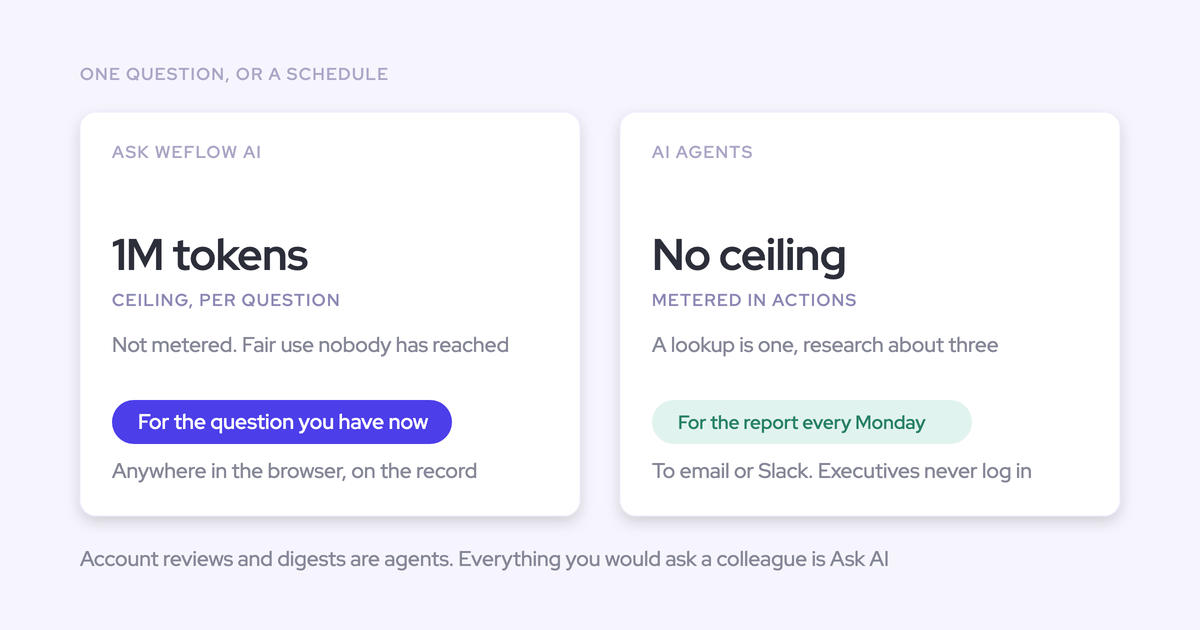

Ask first, automate second. Start with Ask Weflow AI when you’re investigating a question. Use Weflow AI Agents when a proven analysis needs to recur, cover more data, or reach people by email or Slack. For Salesforce field maintenance, use AI Field Updates or AI Playbooks.
The test is how much work you save after reviewing the output. A scheduled pipeline digest earns its place when it helps a manager decide what to do. If you spend longer correcting it than preparing the analysis yourself, keep working on the question before adding recipients.
Weflow is the Revenue AI Orchestration platform for sales, customer success, and RevOps teams. These capabilities work together: RevOps manages recurring workflows, while revenue users ask follow-up questions about the same underlying data.
Choose between Ask Weflow AI and Weflow AI Agents
Keep a request in Ask Weflow AI while the question is changing. Move it into Weflow Agent Builder when you know the scope, the useful output, and who needs it.
Recurrence isn’t the only reason to use an agent. A broad analysis across a region or historical period can also need more processing capacity than an interactive query allows.
| Requirement | Ask Weflow AI | Weflow AI Agents |
|---|---|---|
| Interaction | You ask a question, inspect the answer, and refine it through conversation. | You define a workflow with a trigger, record lookup, instructions, and delivery. |
| Analysis scope | Investigate selected records, recordings, or pipeline views within a single-query ceiling. | Process broader analyses without the equivalent per-run ceiling. |
| Scheduling | You initiate the investigation. | Set the day, time, and timezone for recurring analysis. |
| Delivery | Read the answer in the chat. | Send results through email or Slack. Email delivery can include a PDF report. |
| Follow-up investigation | Ask another question in the conversation. | Open the result’s link into Ask Weflow AI to investigate the same underlying data. |
Weflow AI Agents currently deliver analysis without writing their conclusions directly into Salesforce fields. Choose the field-maintenance mechanism according to the evidence the field should reflect.
| What the Salesforce field needs | Use | How it works |
|---|---|---|
| An answer from a particular call | Weflow AI Field Updates | Extract an answer after the call and write it to the configured Salesforce field. |
| The current answer across the relationship | Weflow AI Playbooks | Run on a schedule across related emails, meetings, transcripts, records, and fields on an opportunity or account. |
For a cumulative qualification field, we recommend an AI Playbook. The latest call to mention a champion doesn’t necessarily contain the strongest evidence about who your champion is.
Check which revenue data Weflow can use
Start with the records and interactions your question needs. Weflow’s AI can connect conversation content with CRM fields and activity history, but missing conversations still leave gaps in the answer.
Confirm which revenue sources Weflow can read
Ask Weflow AI uses selected sources for an investigation; Weflow AI Agents use the records and related context your workflow retrieves. Scope those inputs around the decision you want to make.
| Source | Ask Weflow AI | Weflow AI Agents | Boundary |
|---|---|---|---|
| Salesforce records and fields | Reads individual records and records in selected pipeline views. | Looks up live accounts, contacts, leads, or opportunities using field-level filters. | Admins configure readable objects and context. Access depends on permissions. |
| Emails and meetings | Reads captured activities related to the selected records. | Reasons over activities attached to the retrieved records. | The activity must exist and link to the relevant record. |
| Calls and transcripts | Uses recordings as sources alongside linked CRM records and activities. | Reads calls and transcripts related to the lookup results. | An unrecorded conversation contributes no transcript evidence. |
| Public web | Can use public web information. | Can search the web when you enable it in the agent step. | Public research doesn’t replace first-party deal evidence. |
| Uploaded files | Accepts file attachments in the conversation. | Accepts an uploaded document, such as a methodology guide, as grounding. | An uploaded document isn’t a connection to its source system. |
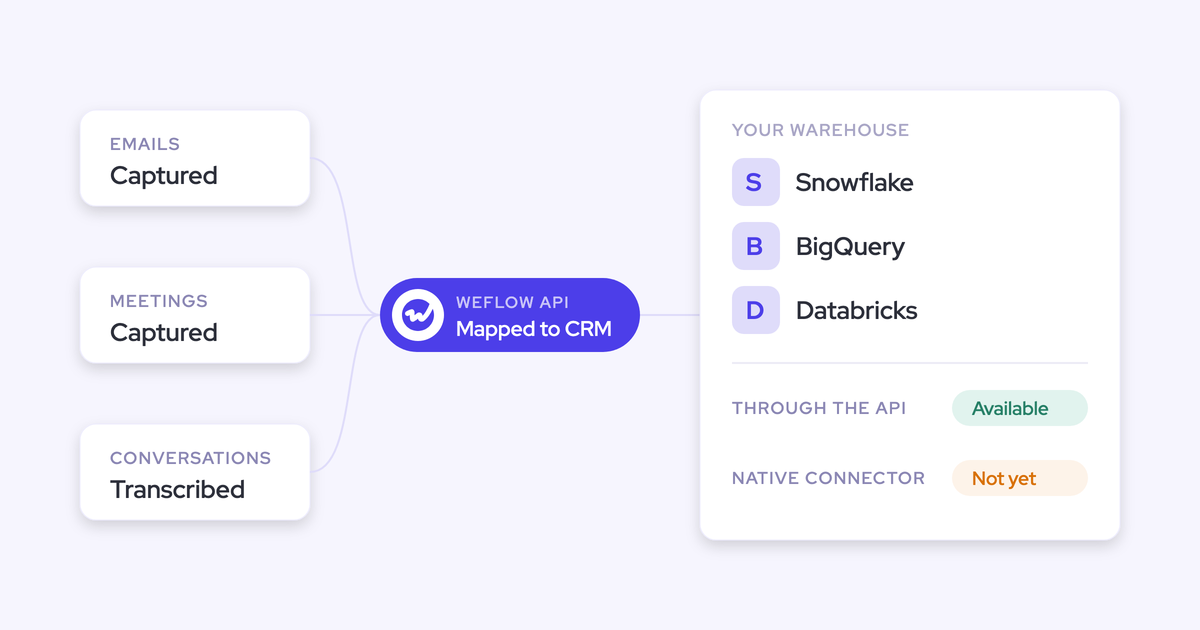
| Finance, ERP, ticketing, and internal knowledge systems | Doesn’t directly search these company systems. | Isn’t a general-purpose integration platform for these systems. | Use external orchestration through Weflow’s API or MCP server when the analysis needs those sources. |
For a pipeline-risk digest, start with Salesforce opportunities and their related activity and conversation history. Leave web research off unless the question needs an external signal. More sources won’t fix an unclear question.
Add company context to Weflow’s AI answers
Define what your data means before asking Weflow to interpret it. Correct extraction can still produce generic advice when the AI lacks your company’s vocabulary.
Our admin console brings the relevant settings together under its AI section. Use them to establish shared definitions:
- Context and Sources: Choose which Salesforce objects Weflow AI can read.
- Object Context: Explain what an object represents in your business.
- Field Context: Define fields whose business meaning goes beyond their labels.
- Company context: Explain your terminology, sales motion, and competitors.
- Prompt Templates: Give users shared instructions for recurring questions.
A useful definition includes an interpretation rule. For a company with a long enterprise sales cycle, an entry might read:
Our enterprise sales cycle typically lasts twelve months. Time in stage alone doesn’t establish deal risk. Assess whether the buyer has missed an agreed milestone, whether a next step exists, and whether recent communication supports the close date.
Carry the relevant definitions into the agent’s instructions or attach the methodology guide. Don’t leave a scheduled digest to infer your operating rules from field names.
Check Salesforce permissions before distributing agent results
Weflow inherits Salesforce permission sets, field-level security, and role hierarchy. Salesforce list-view restrictions and Lightning component visibility aren’t part of that inherited permission model.
Separate source access from report distribution in your rollout review:
- Source visibility: Review which records and fields the workflow needs, including sensitive conversation content.
- Salesforce interface restrictions: Identify any segregation that relies on hidden views or components rather than record permissions.
- Lookup scope: Restrict the workflow to the team, stages, and close-date window the report serves.
- Recipients: Review the actual email or Slack destination and everyone who can read it.
- Delivered content: Inspect names, deal details, and quoted conversation content before widening distribution.
A narrowly scoped lookup also makes this review easier. You can assess a digest for one team without first auditing a report across the entire business.
Pilot a pipeline digest in Weflow Agent Builder
Start with one team’s open opportunities closing this quarter, then deliver the digest privately before adding leadership. That gives you a real output to judge without making executives your test audience.
Before building, establish:
- The team and opportunities the digest should cover.
- The activity and transcript evidence available for those deals.
- The business definitions the analysis needs.
- A RevOps reviewer and a private delivery destination.
Agent Builder is our newest product and is less mature than our capture, conversation intelligence, deal intelligence, and forecasting products. We recommend a bounded first workflow rather than a company-wide rollout.
Prove the pipeline question in Ask Weflow AI
Use Ask Weflow AI to establish what a useful pipeline digest should say before you schedule it.
- Select the source. Open a pipeline view for the team’s open opportunities closing this quarter. Ask Weflow AI pre-links the current view as a source.
- Ask for a decision-oriented answer. Request the deals needing attention, the evidence behind each risk, and the next action.
- Interrogate weak conclusions. Ask which email, call, or field supports a risk. Separate missing evidence from evidence that a deal is in trouble.
- Refine the instructions. Keep the definitions and output structure that produce useful answers. You’ll use those instructions when building the agent.
Ask Weflow AI also opens from Salesforce opportunity records, so you can investigate an individual deal while working through the broader question.
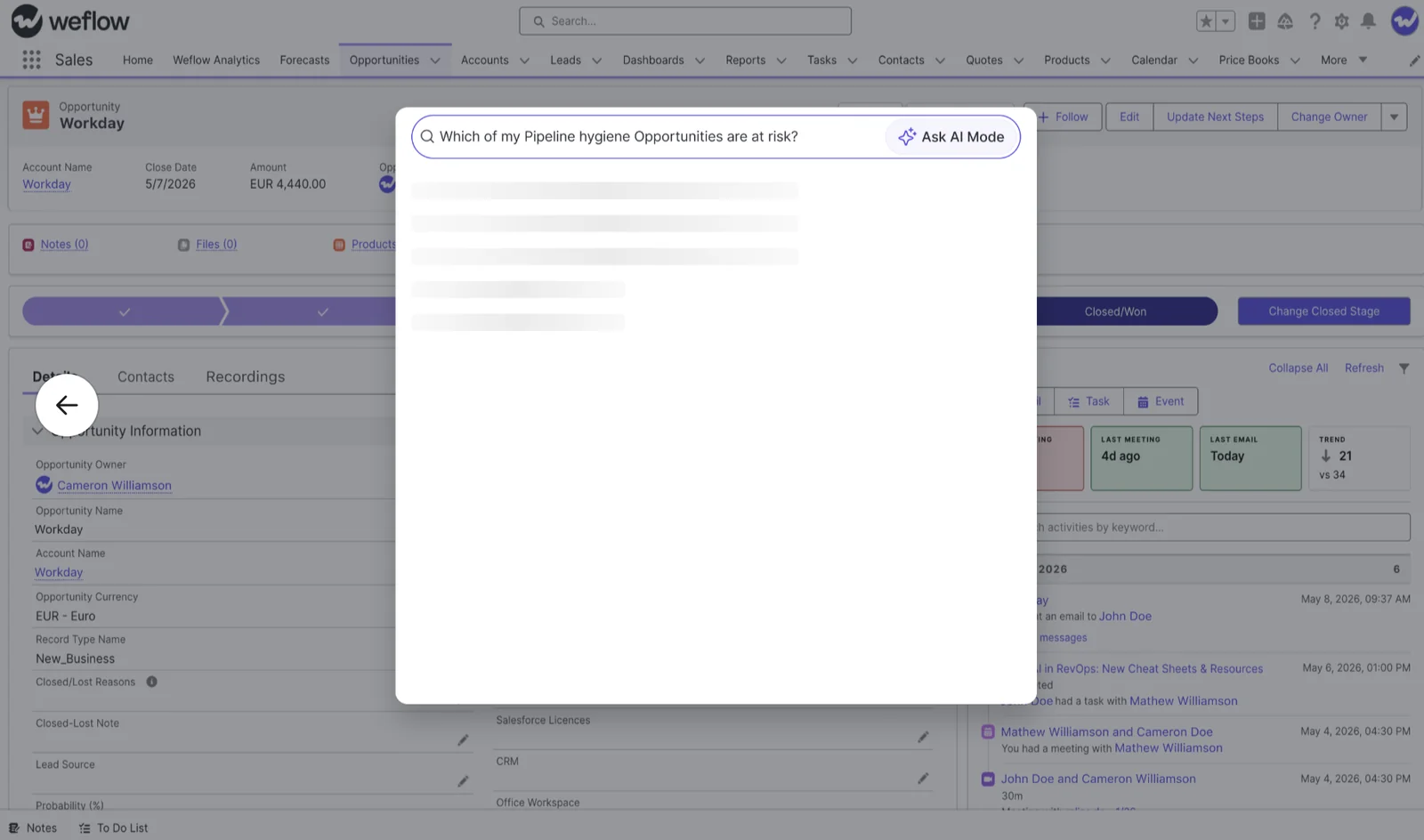
For the pilot, use a question with a defined scope and output:
Review this team’s open opportunities closing this quarter. Identify the deals that need action before the forecast meeting. For each deal, include the owner, the risk, supporting evidence, and a recommended next step. Distinguish missing information from confirmed risk.
If the source set is too large for an interactive query, test the reasoning on a smaller subset. The goal is to prove the question and output structure, not to force the full production workload into chat.
A useful answer should pass three tests:
- You can trace its conclusions to the underlying records and interactions.
- It applies your company’s definitions rather than generic sales advice.
- The owner can tell what to do next.
Configure a private digest in Weflow Agent Builder
Build the digest as a scheduled trigger, a filtered Salesforce lookup, an agent step, and a delivery step.
- Set the trigger. Choose the day, time, and timezone. For a Monday pipeline review, schedule the digest for Monday at 8 a.m. in the reviewer’s timezone.
- Define the record lookup. Select Opportunity, exclude Closed Won and Closed Lost, restrict the close date to the current quarter, and select the pilot team’s owners.
Weflow Agent Builder reads Salesforce live. Your lookup uses the current record state rather than a stored pipeline snapshot.
- Write the agent instructions. Use the question you proved in Ask Weflow AI. Specify the evidence to consider and request a short table with deal, owner, risk, evidence, and next action.
Attach your methodology guide if the analysis needs it. Ask the agent to state when the available evidence doesn’t support a conclusion.
- Configure private delivery. Send the result only to the RevOps reviewer by email. Use a recognizable subject, such as “Weekly pipeline review: current-quarter deal risks.”
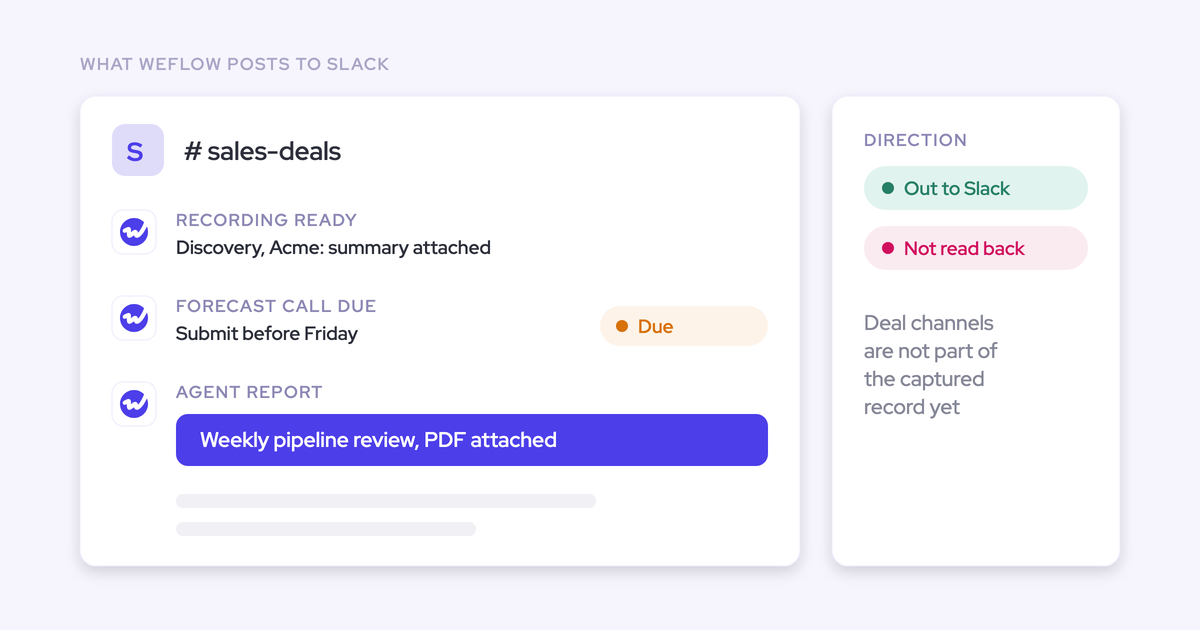
Weflow AI Agents also support Slack delivery. For a Slack-based pilot, choose a reviewer-only destination rather than the leadership channel.
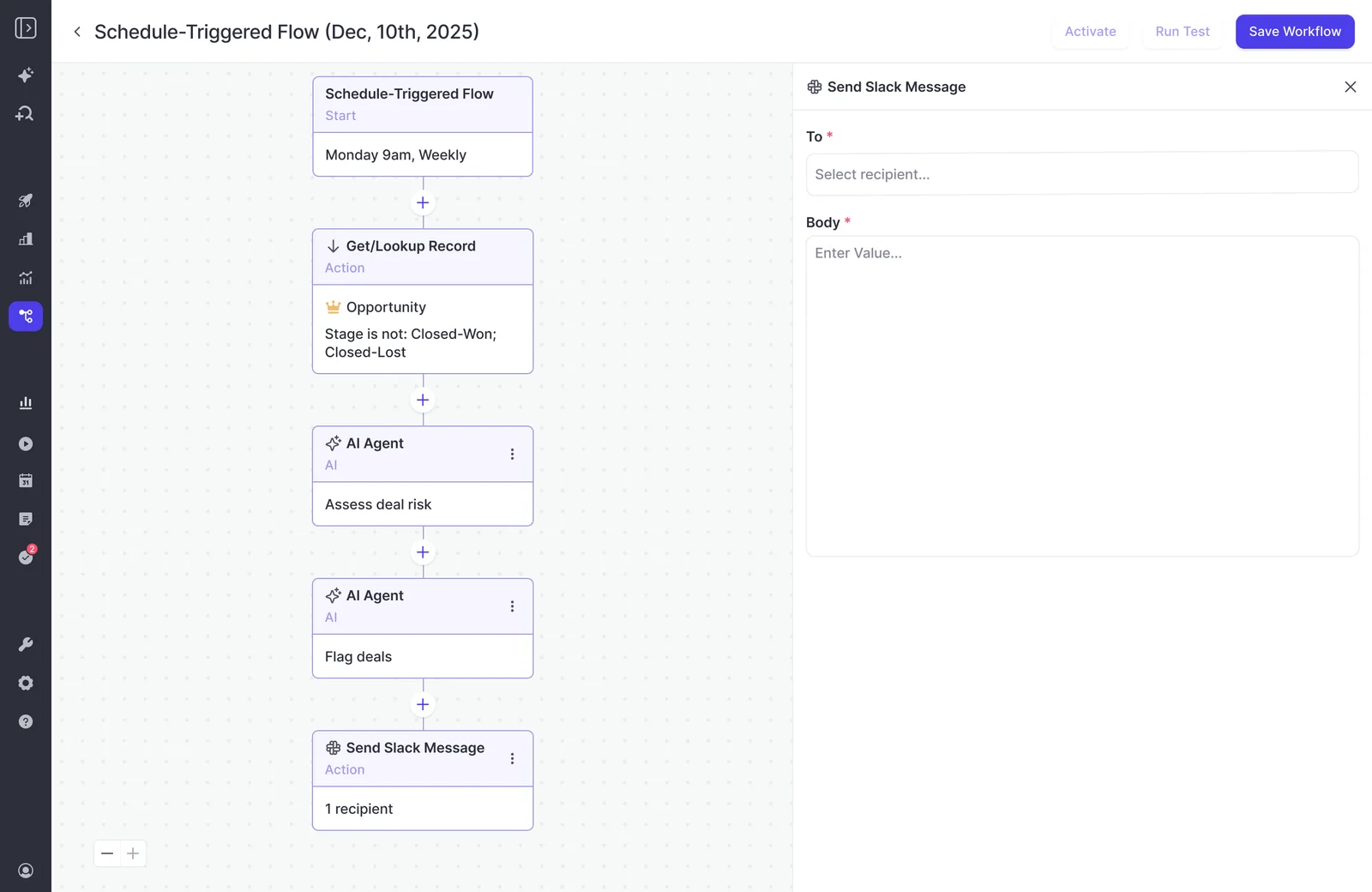
Filter records in the lookup before asking the agent to reason over them. A narrower lookup reduces unnecessary processing and gives the agent a more focused question.
Review the pipeline digest before adding executives
Judge the delivered digest, not just the answer you liked in chat. The scheduled workflow has its own scope, instructions, and presentation.
- Factual accuracy: Match names, owners, amounts, stages, and dates against the source records.
- Interpretation: Look for your sales-cycle rules and qualification definitions in the reasoning.
- Actionability: Each flagged deal should have a concrete next step, not a generic instruction to follow up.
- Readability: A manager should find the priority deals without reading a long narrative.
- Follow-up investigation: Open the link into Ask Weflow AI and ask a question about a flagged deal.
- Recipient access: Review the destination’s audience and the data included in the message.
- Review effort: Record the time you spend correcting and preparing the digest for use.
We hear this concern directly from admins: the first executive-facing result needs to be something they’ve already reviewed. A weak first delivery can settle leadership’s opinion before the workflow gets a second chance.
Add executives when the digest passes the review. If you still need to rewrite its conclusions, revise the context, lookup, or instructions and keep delivery private.
Budget for Weflow Agent Builder actions
Budget for the work your agents perform, not the number of agents you create. Weflow Agent Builder meters actions according to workflow complexity.
Standard meeting preparation, summaries, AI field updates, and coaching scorecards don’t consume the agent allowance. Keep that distinction visible in your budget so routine AI adoption doesn’t get confused with scheduled workflow consumption.
Compare Ask Weflow AI and Weflow Agent Builder pricing
Ask Weflow AI is included with every Weflow plan and doesn’t use agent actions. Weflow Agent Builder is consumption-priced per workspace, with a Free tier included in every plan and bundle.
| Offering | Billing basis | Price | Monthly allowance | Practical fit |
|---|---|---|---|---|
| Ask Weflow AI | Included with your Weflow plan | No separate charge | No agent-action metering | Interactive investigation and prompt development |
| Weflow Agent Builder Free | Per workspace | Included | 25 agent actions | A bounded workflow pilot |
| Weflow Agent Builder Growth | Per workspace | $299/month | 500 agent actions | Recurring workflows whose measured usage fits this allowance |
| Weflow Agent Builder Scale | Per workspace | $999/month | 2,500 agent actions | More frequent or more complex recurring analysis |
| Weflow Agent Builder Enterprise | Custom package | Custom pricing | Custom allowance | Workloads requiring a custom package |
Keep the billing terms separate:
- Agent: The workflow you define.
- Run: One execution of that workflow.
- Action: The unit Weflow meters for the work performed.
One run can consume multiple actions. The included 25 actions aren’t 25 agents or a promise of 25 completed reports.
Estimate action usage for your pipeline digest
Include private tests and revisions in your action budget, then replace your estimate with observed consumption from Agent Usage.
For the pipeline digest, start with a planning estimate of five actions per complete run. Actual consumption depends on the workflow’s steps and reasoning complexity.
| Budget item | Runs | Estimated actions per run | Estimated total |
|---|---|---|---|
| Initial private tests | 2 | 5 | 10 |
| Run after revising instructions | 1 | 5 | 5 |
| Weekly delivery in a four-run month | 4 | 5 | 20 |
| Total | 7 | 35 |
At that estimate, the Free tier supports five runs. You could spend three on testing and revisions, leaving two for recurring delivery. It wouldn’t cover the entire worksheet.
The included allowance can establish whether one bounded digest produces useful output and reaches the right destination. It won’t establish the operating cost of a broad rollout with many workflows.
Use this calculation for each workflow:
Monthly action estimate = actions per run × scheduled runs, plus testing and revision runs.
Recalculate after changing the lookup scope or adding reasoning steps. A weekly scan of one team’s current-quarter deals is a different workload from an analysis of every conversation across the pipeline.
Decide which Weflow AI Agents to keep running
Keep an agent running while recipients use its conclusions and it saves time after review. A scheduled report doesn’t earn a permanent place just because the pilot worked.
| Decision | What you’re seeing | What to do |
|---|---|---|
| Keep | Recipients act on the digest, corrections stay limited, and consumption fits the budget. | Maintain the scope and review its usefulness on a regular cadence. |
| Refine | The question matters, but the report includes too many deals, generic reasoning, or repeated warnings. | Narrow the lookup, improve context, or reduce frequency. |
| Retire | Recipients ignore it, another workflow duplicates it, or review and maintenance exceed the work saved. | Stop recurring delivery. Keep the question available for ad hoc investigation if it still has occasional value. |
We recommend keeping agent ownership with RevOps rather than asking every rep to maintain a workflow. Consumption, shared definitions, and distribution all need an accountable owner.
- Name the owner: Someone owns the prompt, scope, recipients, and budget.
- Review the first deliveries: Catch interpretation and distribution problems early.
- Set a recurring review date: Ask recipients what decisions the digest changed.
- Revisit after business changes: New stages, territories, or methodology definitions can make old instructions misleading.
Start with one question your team already asks repeatedly. Prove the answer, review a private delivery, and expand only when the workflow gives time back.
FAQs about Weflow AI Agents and Ask Weflow AI
Separate the analysis you need from how people receive it. Query size, follow-up access, and external systems can change which route fits the work.
What happens when Ask Weflow AI reaches its query limit?
Ask Weflow AI has a one-million-token ceiling for a single query. An investigation larger than that needs a narrower source set or a Weflow AI Agent, which has no equivalent per-run ceiling.
- Narrow the team, date range, or selected records when you’re testing a question.
- Use an agent when the analysis needs the broader dataset to answer the question properly.
Do agent recipients need a Weflow login?
Recipients can read the delivered analysis in email or Slack without opening Weflow. Interactive follow-up happens in Ask Weflow AI through the link in the result.
Weflow uses Salesforce authentication for sign-in. Receiving a report and accessing the underlying data through an interactive session are separate activities.
Can Weflow AI Agents deliver PDF reports?
Yes. Weflow Agent Builder can attach a PDF report to an email delivery. Use that format when the recipient needs a document to distribute or retain; use the message body for a digest they should scan immediately.
When should I use Weflow’s API or MCP server?
Use Weflow’s API or MCP server when an external assistant or workflow needs Weflow’s revenue context alongside data from other systems.
Weflow’s MCP server also exposes context a Salesforce connection alone doesn’t reach, including forecast submissions, calls, targets, and tracker hits. That matters when your question spans both the CRM record and the forecast process.
If the job depends on finance, ERP, ticketing, or internal knowledge systems, build that orchestration externally and bring Weflow’s revenue data into it.