How to Tell Weflow AI What Your Salesforce Objects and Fields Actually Mean
Learn how to define Salesforce object and field context in Weflow so Ask Weflow AI answers correctly


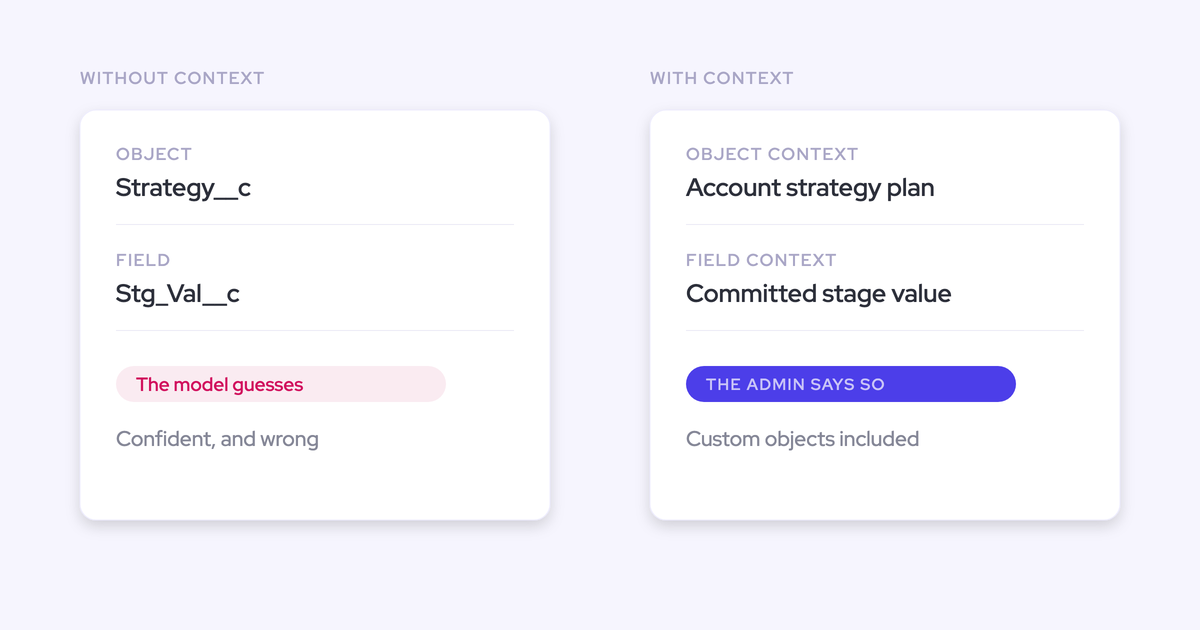

Two companies buy the same AI, point it at a similar Salesforce org, and get completely different answers. One gets useful pipeline analysis. The other gets confident nonsense about a custom object nobody ever defined. The difference is almost never the model.
It's whether someone told the AI what the data means. That's a setting, and it belongs to you.
This guide walks through configuring object and field context in Weflow's admin console, so Ask Weflow AI reasons correctly over your custom objects and your cryptically named fields instead of guessing from an API name. You'll finish with a curated read surface, stated definitions on the objects and fields your revenue motion runs on, and a test question that tells you whether it worked. It won't clean your data, and we'll be specific about that later.
Why AI gives wrong answers about your Salesforce data
A model doesn't read the field label your reps see. It reads the API name and the values underneath it, and on custom data it has never seen a definition for, it infers meaning and infers wrong.
| What your team reads | What the model sees with no context |
| Deal Type | Opp_Type__c, a picklist of 1, 2, 3 |
| Renewal Risk | X2__c, a number between 0 and 100 |
| Site Survey | Site_Survey__c, a custom object with 40 fields on it |
Your team knows a 3 in Opp_Type__c means renewal. The model doesn't. It sees an ordinal, treats it as a rank or a score, and builds an answer on top of that assumption without ever telling you it made one.
This isn't a knock on the models. Point Claude or ChatGPT at a clean, well-labeled org and it reasons well. The problem is that most orgs aren't that, and most tools leave the inference in place: there's no declaration layer, so answer quality becomes a lottery of how legible your schema happens to be.
That's the real reason the same product looks brilliant at one company and useless at another. Nobody can point at why, because the thing that varies is invisible.
The lever that closes the gap is a place to state meaning, and the reason it matters is that it's the one variable in AI answer quality a RevOps leader can actually operate.
What Object Context and Field Context do in Weflow
Weflow is the Revenue AI Orchestration platform for sales, customer success, and RevOps teams, built for Salesforce teams. Its admin console has a dedicated AI section, and inside it, Context and Sources is where an admin declares what the data means instead of leaving the AI to guess.
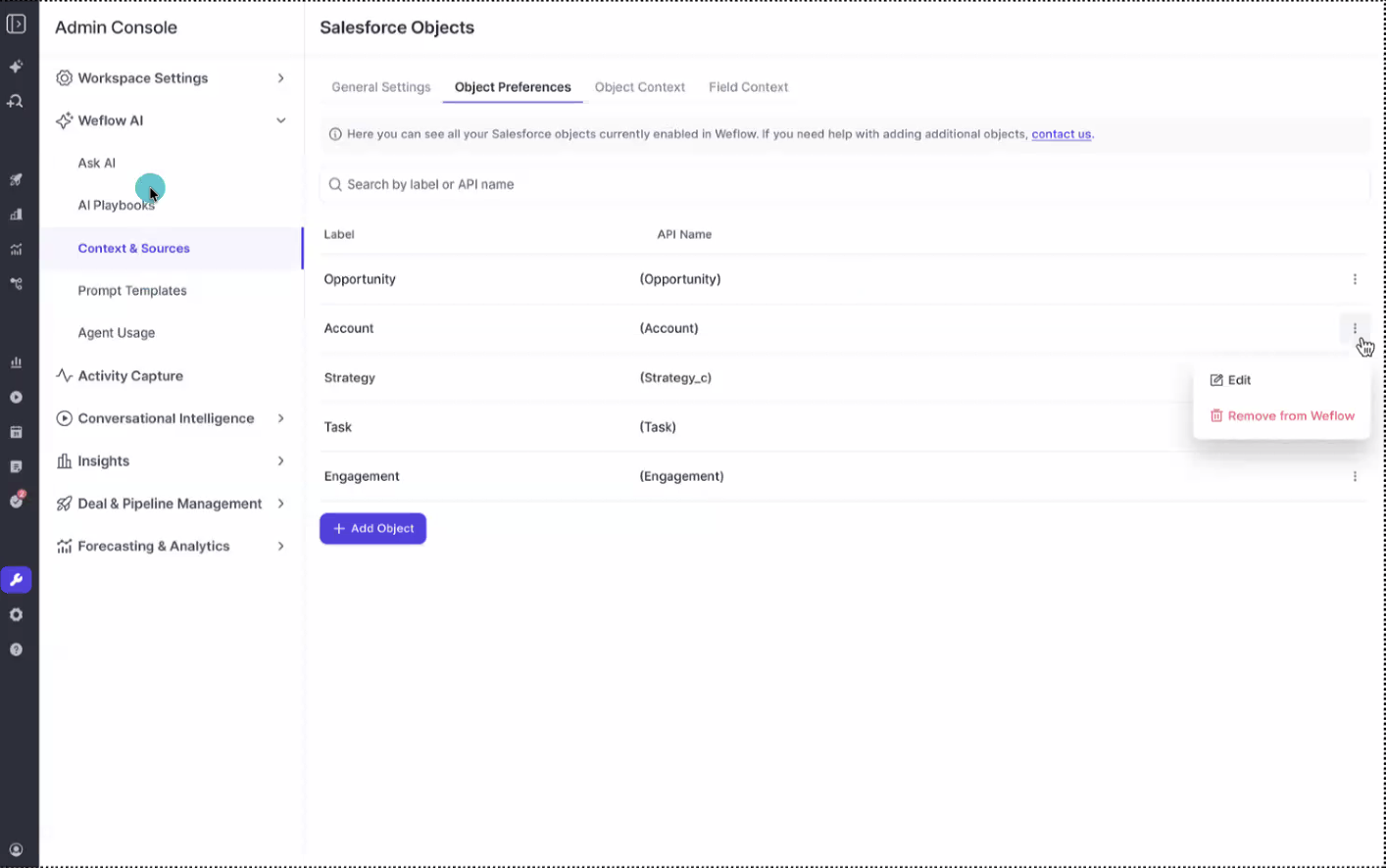
What sits in that section:
- Object Preferences decides which Salesforce objects Weflow AI is allowed to read at all.
- Object Context is where you write what an object actually is in your business.
- Field Context is where you explain a field, its values, and how your team uses it.
- Prompt Templates holds the shared prompt library the AI runs from.
- Agent Usage shows the consumption those prompts and agents generate.
To the question you're actually asking: yes, this reaches custom objects. Weflow lists every object by label and API name, standard and custom alike, and each one can be given context, edited, or removed from what the AI reads. A custom object isn't a second-class citizen here, which matters because custom objects are exactly where inference fails worst.
Company-level context sits alongside the object and field layers, so the AI knows who you are and what you sell before it starts interpreting a picklist.
What you need before configuring Weflow AI context
This is admin work, not a project. The preconditions are short:
- Admin access to the Weflow admin console. Weflow signs in only through your Salesforce authentication, so there's no separate identity to create and no second password to manage.
- A list of the objects and fields your revenue motion genuinely runs on. Not all 400 fields in the org, the ones a forecast, a deal review or a QBR actually reads.
- A decision about which objects the AI should be able to read at all. Curation is part of the setup, not an afterthought.
- Someone who knows the schema well enough to say what a field means and which values are dead. Usually that's you.
For scale: configuring a Weflow workspace runs about an hour in total, and context is one part of that. What stretches it isn't the tool, it's deciding what your own fields mean when two people give two answers.
How to configure object and field context in Weflow
The whole configuration is one ordered pass through a single admin surface. Each step below is performable as written, and the last one is how you check the work.
Step 1: Open Context and Sources in the admin console
Go to Settings, then Ask Weflow AI, then Context and Sources. Everything in this guide lives there, not scattered across the product.
While you're on that screen, decide the rollout shape. Ask Weflow AI can be enabled org-wide or per team, so you can configure and test with a small group before anyone else has it.
Start with company context if it's empty. One paragraph on what you sell, to whom, and how the motion works gives every later answer a frame. It takes five minutes and it's the highest-leverage text on the page.
Step 2: Choose which Salesforce objects Ask Weflow AI can read
Scope comes before meaning. In Object Preferences, every object is listed by label and API name, and you remove the ones that would only add noise.
Objects that earn a place:
- The ones your revenue motion runs on: Opportunity, Account, Contact, Lead, plus the custom objects your deals genuinely depend on.
- Custom objects that carry a gate, a survey, a subscription or a site record the deal can't close without.
- Objects your reporting already reads, because those are the ones people will ask questions about.
Objects worth cutting:
- Anything deprecated in a migration nobody finished. If a legacy object still holds records but no longer means anything, reading it makes answers worse, not richer.
- Duplicated objects left over from a merged instance where two teams modeled the same thing twice.
- Objects nobody in the business trusts. If you wouldn't quote it in a board deck, don't let the AI quote it either.
One thing worth being clear on, because it's the fear that stops most of these projects: this step controls reading, not writing. Ask Weflow AI queries your data and answers. Field writes are a separate surface, where AI Field Updates arrive as suggestions the user accepts, edits or rejects before anything syncs, and required fields stay locked. Turning the AI loose on more objects doesn't turn it loose on your records.
Step 3: Declare what each custom object means in Object Context
For each object you kept, write what it actually is. This is the step that replaces inference with a stated definition, and custom objects are where it pays.
Before, with nothing declared, the model sees Site_Survey__c and guesses from the API name and a handful of field names. It will produce something plausible. It will also be wrong about when the record matters.
After, the declaration reads something like this:
Site Survey is the pre-installation technical assessment our field engineers complete at a customer location. One record per site, linked to the Opportunity. A deal cannot move past Contracting without at least one completed Site Survey, so an opportunity with no linked record is not implementation-ready no matter what stage it shows.
Good object context answers four things: what the record is, who creates it and when, how it relates to the opportunity or account, and what it means when there isn't one. That last one carries more weight than people expect, because absence is where AI guesses hardest.
Write it the way you'd brief a new RevOps hire in their first week. That register is right.
Step 4: Explain cryptic API field names in Field Context
Same move, one level down. Field Context is where Opp_Type__c stops being a mystery integer.
A declaration that works:
Opp_Type__c is the deal motion. 1 is new logo, 2 is expansion, 3 is renewal. Renewals are created automatically 120 days before contract end, so a value of 3 with a recent create date is a scheduled renewal, not new pipeline. Value 4 was retired in 2023 and any record still carrying it is legacy data.
The pattern for a field: plain-language name, what each value signifies, which values are dead, how the team uses it, and whether you'd trust it. Say so if you wouldn't. Telling the AI a field is unreliable is context too, and it stops answers being built on a column your team abandoned two years ago.
This is the part experienced admins underrate, and it's the part that decides output quality.
Prompt quality plays a big role, right, if you have multi pick lists and you don't incorporate that into the prompts. It just doesn't really work. But if you do the right prompt engineering and you have the right setup and tool, it's really powerful.
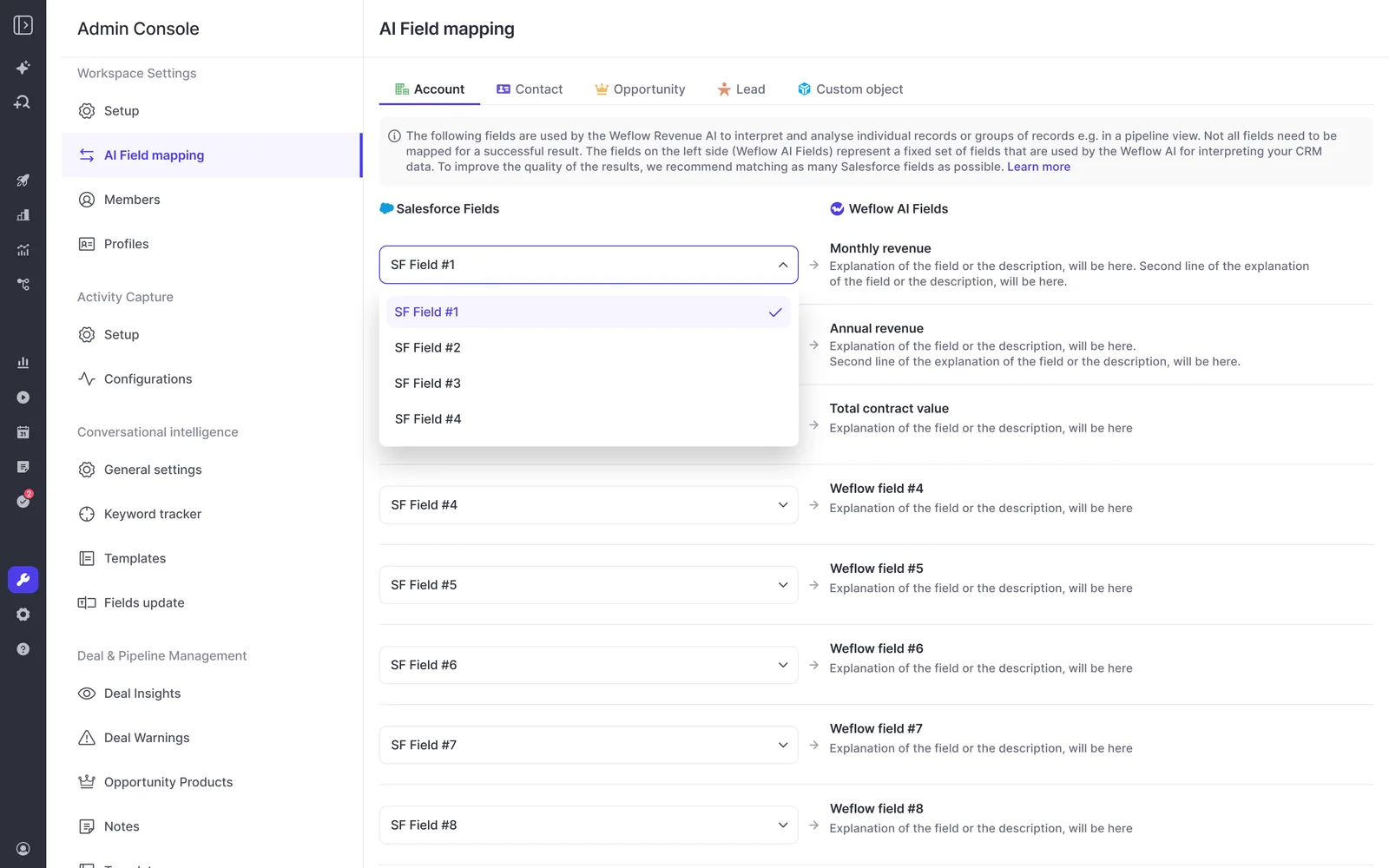
The same admin section also pairs your Salesforce fields with Weflow's own AI fields, with a tab per object including custom objects, so a concept like annual revenue or total contract value resolves to the field your org actually uses rather than the one a vendor assumed you'd have.
Step 5: Test the context with a scoped Ask Weflow AI question
Verification is the whole point, and it's cheap. Ask a question that can only be answered correctly if the object and field you just declared are understood, and scope it to one record you already know the truth about.
- Open Ask Weflow AI and point it at a single deal or account rather than the whole system.
- Ask something that depends on your declaration. For example: "Does this opportunity have a completed Site Survey, and what deal motion is it?"
- Check the answer against what you know is true on that record.
- If it's wrong, the fix is usually a sentence in Object Context or Field Context, not a different tool.
- Repeat on one more object and one more field. One at a time is the right speed.

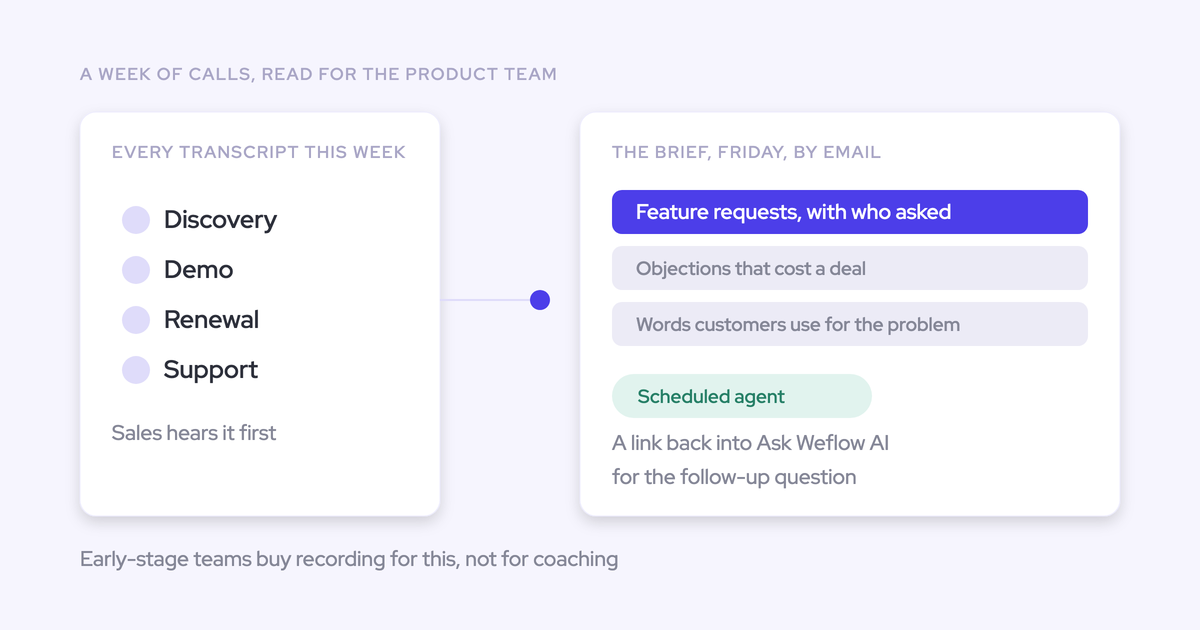
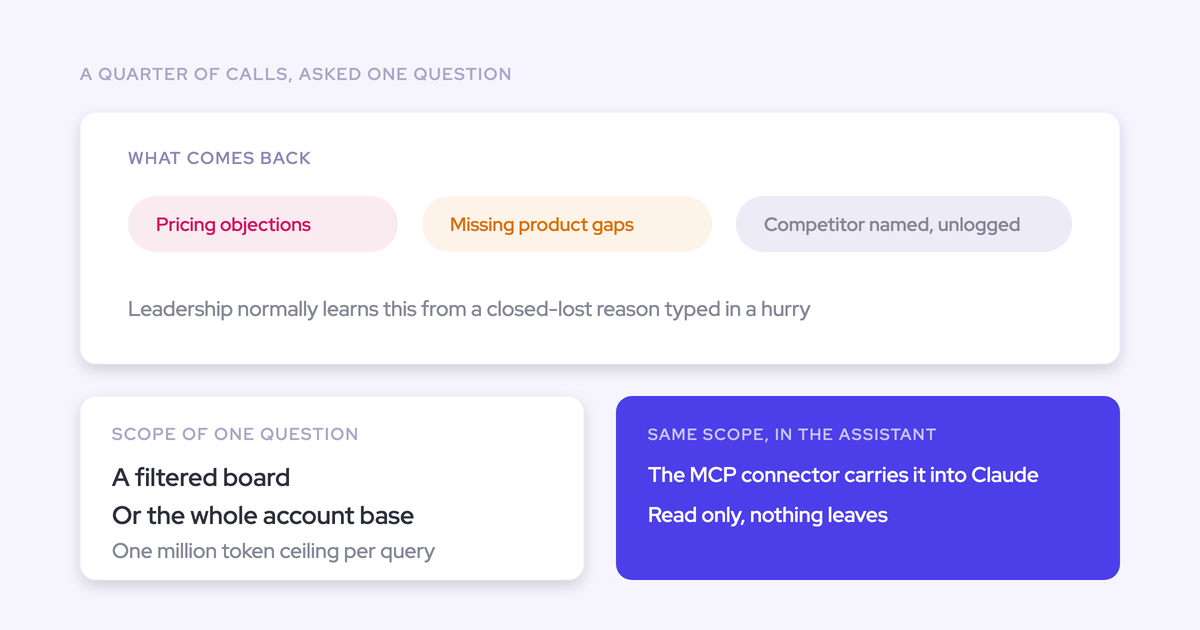
Two things to know as you widen the test. Ask Weflow AI can be pointed at a single call, a deal, a filtered pipeline view, an account, or the whole system, and it answers across Salesforce records, captured emails, meetings and transcripts.
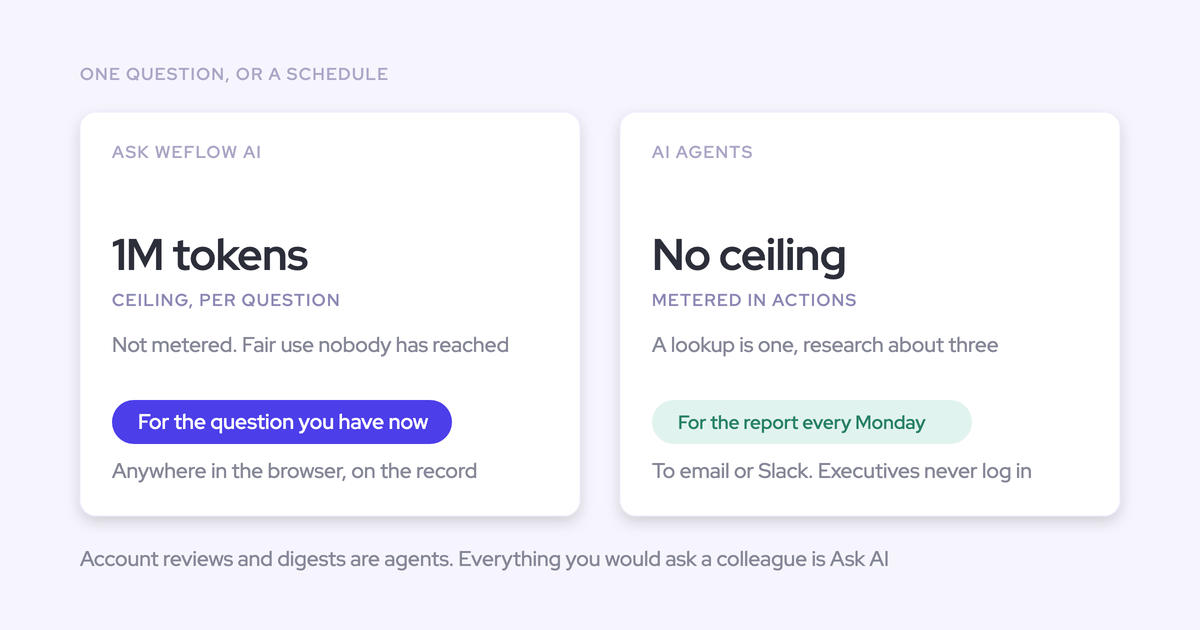
But a single query has a ceiling of one million tokens, so a question that sweeps every account in a region belongs in an agent rather than in the chat.
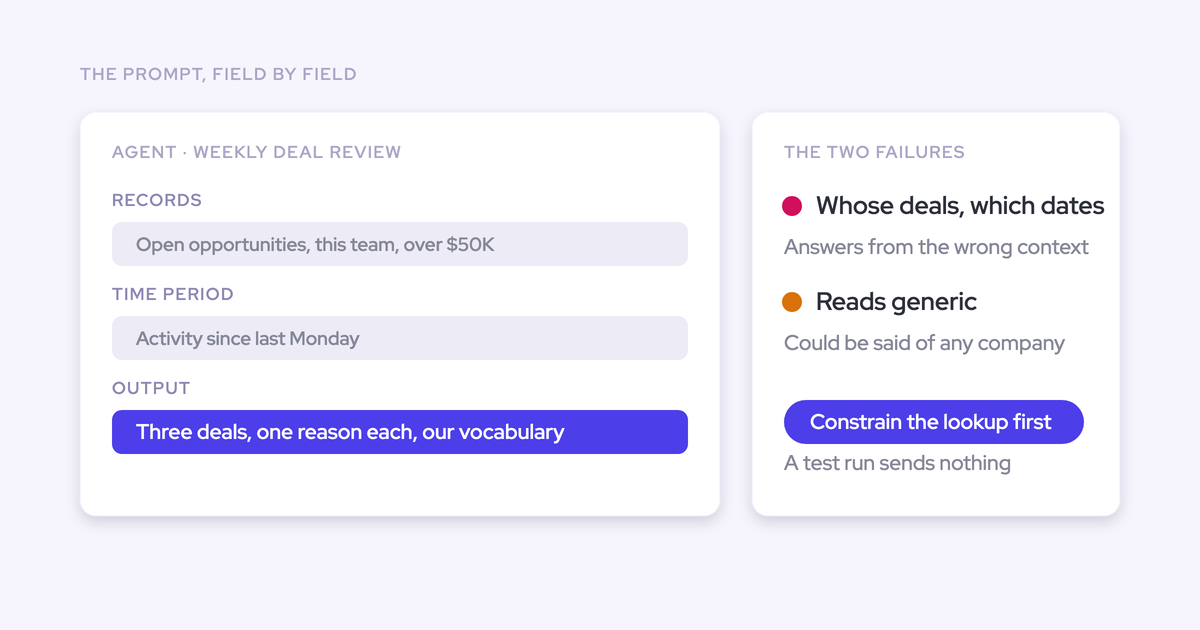
And be specific in the question itself. A prompt that doesn't name whose deals, which period and what to exclude will answer from the wrong context, and you'll blame the context layer for a prompt problem.
What declaring context won't fix in a messy CRM
Context tells the AI what your data means. It does not make your data true.
Declare Opp_Type__c perfectly and the AI will read it perfectly on a duplicate account you never merged. It will read the blank field as blank. It will read the half-finished record from the merged instance as a half-finished record, and it will answer accordingly.
What stays out of scope:
- Duplicates. Two accounts for the same company stay two accounts until someone merges them.
- Empty fields. Context explains a field's meaning; it can't invent a value nobody captured.
- Your other systems. Weflow reads Salesforce records, captured emails and meetings, and the public web. Process documentation, product guides and your ticketing system sit outside it.
That last one is worth stating plainly: Weflow sharpens revenue answers. It isn't a company-wide knowledge base, and a rep asking how your renewal process works won't get it from here.
Where Weflow does help on hygiene is diagnosis. Activity Capture Health is an Analytics view inside Salesforce that flags duplicate accounts, duplicate contacts, non-converted leads and accounts sharing the same website domain. It shows you the damage and where it sits. Fixing it is still your job.
The useful reframe: context and cleanup are separate workstreams, and context is the one you can finish this week. Do it first, because it also tells you which of your answers are wrong because of meaning and which are wrong because of records.
How to govern Ask Weflow AI after context is set
Declaring meaning doesn't loosen control. Access and oversight live in the same console as the configuration.
Ask Weflow AI only returns what the user can see in Salesforce
No. Giving the AI context on more objects does not give reps access to them.
Ask Weflow AI authenticates with the user's own Salesforce token, so it returns only what that user's role hierarchy and permission sets already allow. Weflow inherits the Salesforce setup as it stands: standard and custom objects and fields, field dependencies, validation rules, permission sets and role hierarchy.
The joiner and leaver process is a non-event too. Sign-in runs through Salesforce authentication with whatever SSO your org enforces, so deactivating a user in Salesforce removes their Weflow access immediately.
Prompt Templates and Agent Usage sit beside context settings
The prompts the AI runs and the consumption they generate are managed in the same admin section as the context you just wrote.
That's deliberate, and it's the answer to "another tool with another set of switches." One place holds what the AI can read, what your objects and fields mean, which prompts your teams run from the shared library, and what the agents are consuming. When an answer looks wrong six weeks from now, there's one surface to inspect rather than four.
FAQ: object and field context for Ask Weflow AI
What happens to context when we rename or restructure fields?
The context stays as you wrote it, so a rename means updating the declaration. Object Context and Field Context are editable per object and per field in the same tabs, and objects can be edited or removed at any time.
Practically: add "update Weflow context" to whatever change checklist you already run for schema changes.
Can sales and CS teams carry different context and prompts?
Yes. Ask Weflow AI can be enabled org-wide or per team, and prompt templates run per team.
The same split applies further down the platform: Weflow supports different AI summary and field-update templates per team, so sales, onboarding and customer success can run their own qualification structure and write output to different Salesforce objects. Reusing the sales template on an onboarding call fills the wrong fields, which is exactly why the per-team split exists.
Why is this better than connecting Claude to Salesforce myself?
It's a fair question.
A general assistant wired to Salesforce is genuinely capable, and it costs you a seat you already own. What it doesn't have is a declaration layer: there's nowhere to state that X2__c is renewal risk and value 4 is dead, so it infers, every session, from the same API names. It also has no curated read surface, and no access to the captured emails, meetings and call transcripts that make a deal answer worth reading. Those are the difference, not the model.
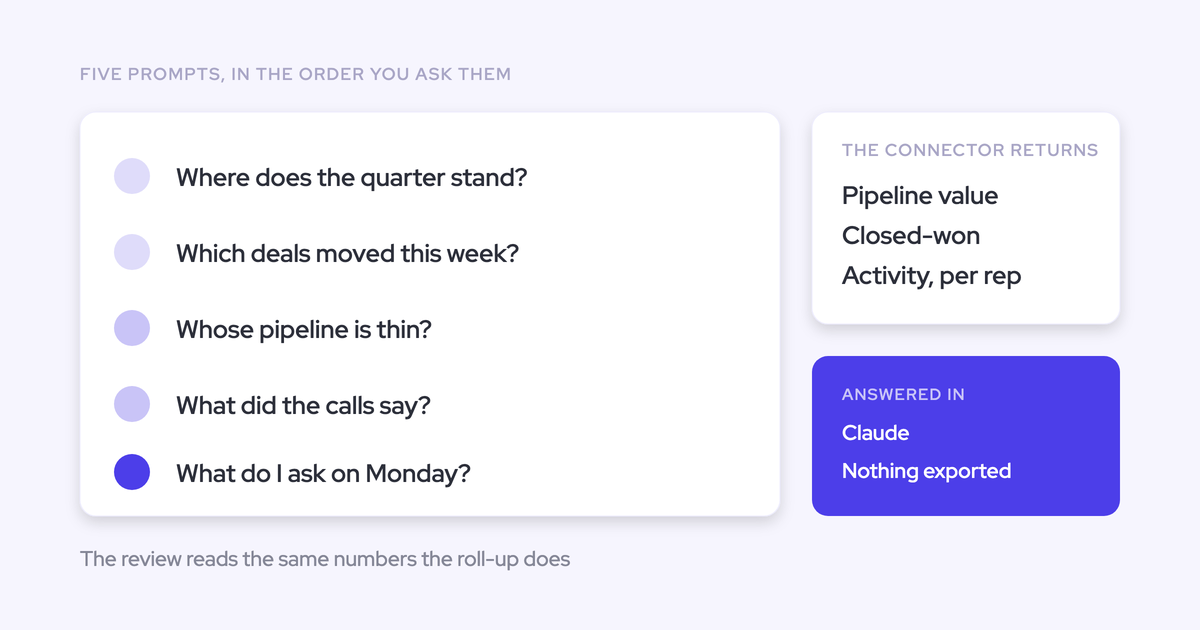
And you don't have to choose. Weflow has an official MCP connector, read-only, switched on per workspace by an admin, with a separate toggle deciding whether connected assistants can reach full transcripts or only AI summaries. Through it, Claude or ChatGPT can query Weflow playbooks, call summaries, transcripts and forecast calls. Weflow supplies the revenue context a general assistant lacks rather than replacing the assistant.
Is Ask Weflow AI metered or priced by usage?
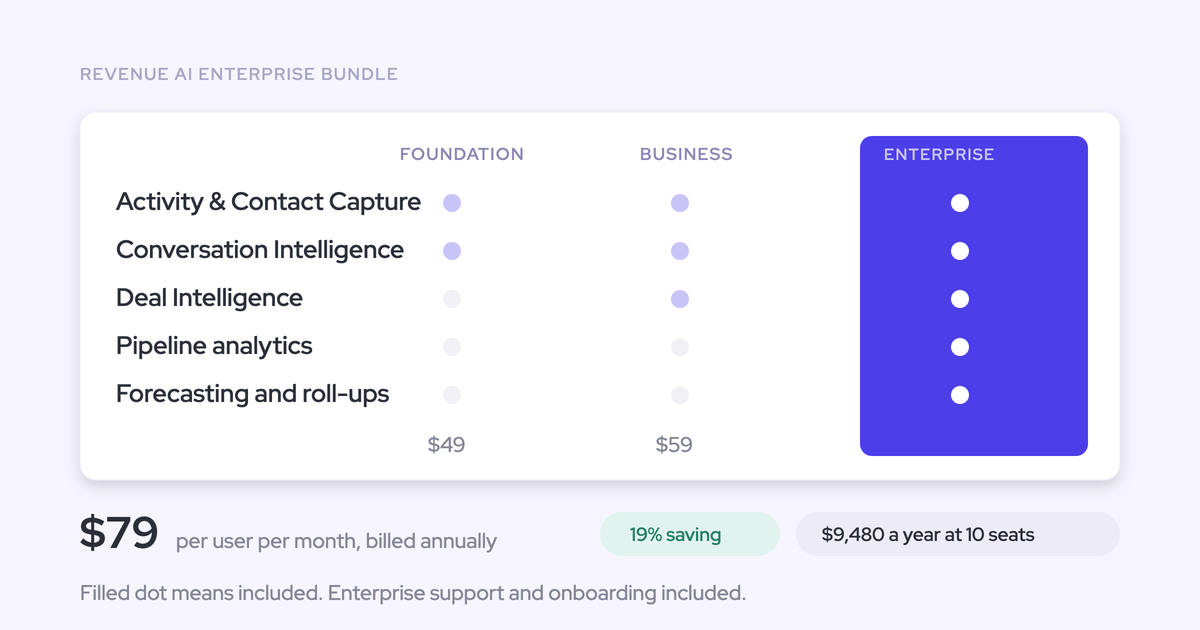
No. Ask Weflow AI is included with every Weflow product and bundle, with no metering and no separate line item. Usage sits under a fair use policy that no customer has reached.
That's deliberate, because a per-question cost turns into rationing, and rationing kills the habit you're trying to build. Agent Builder is the one consumption-priced product, with a free tier of 25 agent actions a month included in every plan, so the variable cost is confined to the component that genuinely consumes tokens at scale.
Who should write the object and field context, and where do you start?
The admin who knows the schema, which is usually the person reading this. It isn't a data science task and it doesn't need a project plan.
Start narrow. Take the three or four objects your forecast and your deal reviews actually read, and the handful of fields with names nobody outside the team could decode. Write context for one object, test it with a scoped question, then move to the next. You'll quickly see whether this changes your answers, and which sentence did it.
Want to see the admin console before you commit to anything? Walk through the product yourself, no call required.