How to Build a Weekly Renewal Risk Brief With Weflow Agent Builder
Build a weekly renewal risk brief in Weflow Agent Builder, then test email and Slack delivery.




Build your weekly renewal brief around one question: which upcoming renewals need attention, and what should the CSM do next? Use a scheduled Salesforce lookup, your own risk criteria, and a concise output that separates evidence from interpretation. Test the brief in your inbox before sending it to Slack.
Keep the workflow read-first. The agent prepares the account review; your team decides what to do. That gives you a useful weekly deliverable without treating an AI assessment as an autonomous churn prediction.
Weflow is the Revenue AI Orchestration platform for sales, customer success, and RevOps teams. Built for Salesforce teams, Weflow Agent Builder reads live records and their attached customer context to produce recurring briefs.
Check your renewal briefing prerequisites
Start with a renewal cohort whose customer history you can actually inspect. An available agent and a populated renewal date aren’t enough if the conversations behind account health sit elsewhere.
Check your access to Weflow Agent Builder
Agent Builder Free comes with every Weflow plan and bundle. The customer context available to your workflow depends on what your team captures and connects.
- Sign in through Salesforce. Weflow uses your Salesforce authentication, including the SSO or two-factor requirements your org enforces.
- Open the Agents page. You’ll create the workflow through Add New Agent.
- Identify your email and meeting coverage. Weflow Activity & Contact Capture captures activity from enrolled users. Installing the integration alone doesn’t start mailbox capture.
- Identify your transcript coverage. Recording customer conversations requires Weflow Conversation Intelligence. Weflow can also read existing transcripts that other systems sync into Salesforce in a structured form.
- Choose the pilot recipient. Start with your own email address. Keep the shared Slack audience out of the initial delivery.
Weflow applies Salesforce permission sets, field-level security, and role hierarchy. Salesforce list-view restrictions and Lightning component visibility aren’t record-access controls that Weflow inherits.
Check which renewal signals Weflow Agent Builder can read
Weflow Agent Builder reasons over customer-facing data mapped to Salesforce. Build the brief around that available evidence, rather than the full list of signals your CS team wishes it had.
| Signal | Availability | Record association | What to inspect before the pilot |
|---|---|---|---|
| Renewal date, owner, stage, and value | Salesforce fields available through the lookup | Your selected Account or Opportunity | Whether the fields represent the renewal you intend to review |
| Emails and meetings | Captured activity attached to the selected records | Account or Opportunity activity history | CSM coverage, recent customer replies, and mapping accuracy |
| Calls and transcripts | Accessible conversation records attached to the selected records | The records associated with each conversation | Whether substantive renewal conversations appear, not just calendar events |
| Sales-to-CS handoff context | Accessible historical conversations, emails, and related records | The relevant customer record and its related history | Whether the original purchase goals and commitments appear in the available context |
| Usage, support, billing, and implementation signals | Available only where accessible customer-facing Salesforce data contains them | The fields or related records carrying those signals | Source freshness and whether the agent’s input actually includes the relevant information |
Weflow isn’t a general-purpose integration platform for pulling arbitrary finance, ERP, product, or support data. Keep your existing CS data workflow where those systems hold the decisive renewal signals.
Proceed with the pilot when:
- Your selected records identify the right upcoming renewals.
- The available activity includes enough customer context to assess your chosen risk criteria.
- You can name the missing sources and keep them visible in the output.
If coverage varies, narrow the pilot to one team with usable history. Missing activity should produce an information gap, not a confident risk judgment.
Build your renewal brief with Weflow Agent Builder
Build one workflow for one renewal cohort and one destination. Weflow Agent Builder connects a scheduled trigger, a live Salesforce lookup, an AI prompt, and report delivery.
For this setup, use open renewal Opportunities due within the next 90 days, scoped to one CS owner. Run the brief on Monday at 9 a.m., test it by email, then move delivery to the team’s renewal-review Slack channel.
1. Set the weekly trigger in Weflow Agent Builder
Create a schedule-triggered agent that runs before your weekly renewal review. Leave enough time to read the brief and assign follow-ups before the meeting.
- Open Agents and select Add New Agent.
- Choose a schedule-triggered workflow.
- Set the weekly day, time, and timezone.
- Name the workflow so its scope is recognizable, such as Weekly renewal brief: pilot book.
For the example, set Monday at 9 a.m. in your team’s timezone. Keep the initial delivery addressed only to you when you add that step.
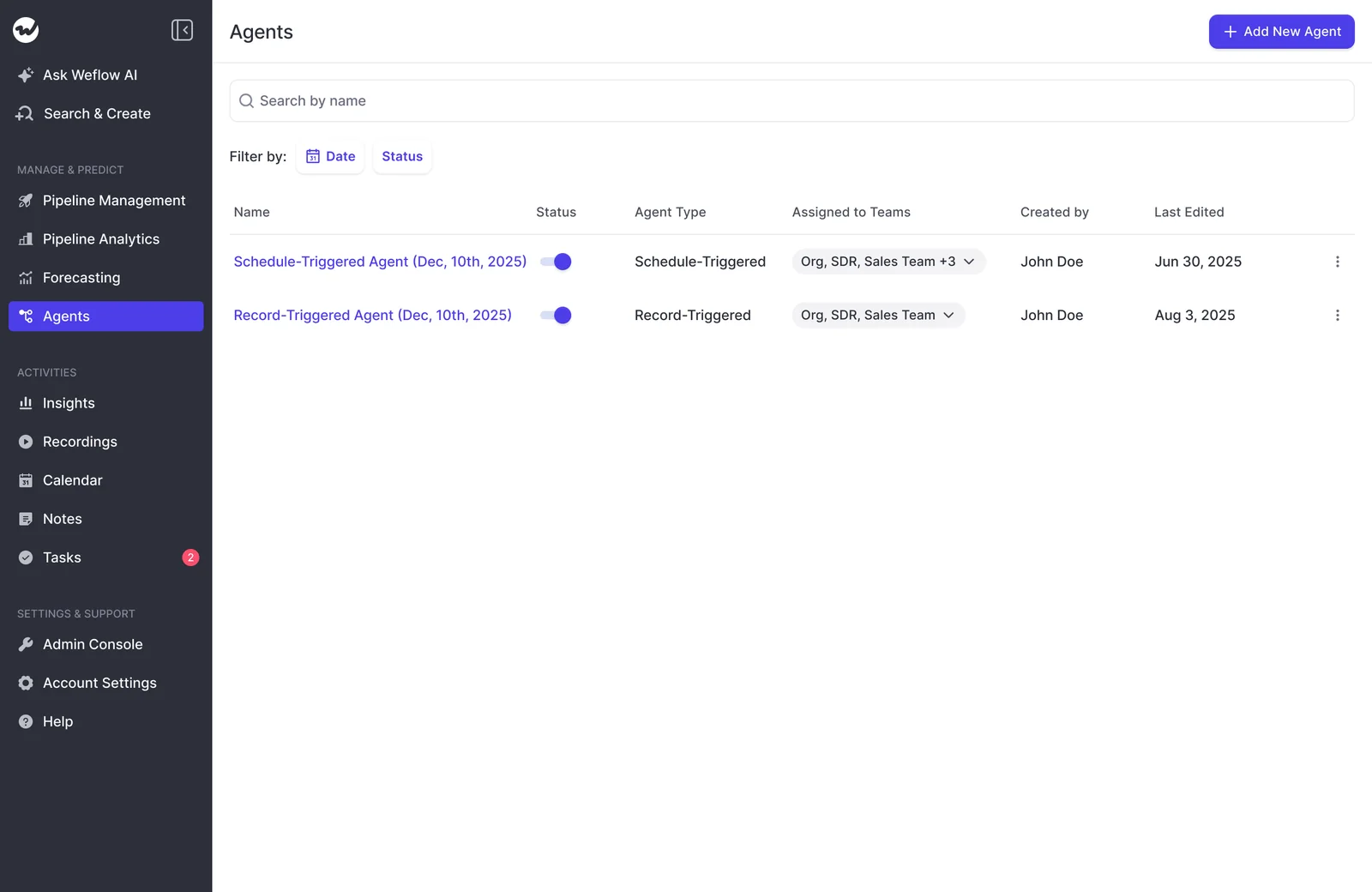
Before moving on, your configuration should have:
- A weekly schedule rather than a record-change trigger.
- An explicit timezone.
- A name that identifies the pilot’s purpose and scope.
2. Filter Salesforce records to your renewal window
Choose the Salesforce object that carries your renewal date and ownership. Don’t choose Opportunities simply because your sales team uses them.
| Driving object | Use it when | Watch for |
|---|---|---|
| Account | Your team manages renewal dates, CSM ownership, and health at the account level | One account may contain several contracts with different renewal dates |
| Renewal Opportunity | Each renewal has its own date, owner, stage, and commercial value | Relevant customer activity may sit on the Account rather than the individual renewal |
Weflow Agent Builder lookups read Salesforce live, so record changes don’t have to wait for a historical snapshot. That freshness doesn’t repair an incorrect renewal date or activity attached to the wrong record.
Add a lookup using this configuration:
- Object: Opportunity.
- Renewal filter: your org’s renewal record type or motion field.
- Date filter: the field your team uses for renewal timing, covering today through the next 90 days.
- Status filter: exclude the closed stages used by that renewal motion.
- Owner filter: the CS owner whose book you’re piloting.
Use Close Date only if your team uses it as the renewal date. If Contract End Date drives the renewal process, filter on that field instead.
Compare the returned cohort with your existing renewal list. Look for missing renewals, new-business records, and multiple Opportunities for the same contract.
Activity mapping deserves attention here. Weflow uses Opportunity Contact Roles to help associate activity with a deal; unresolved activity falls back to the Account. An Opportunity with little activity may have a busy Account behind it.
3. Define renewal risk in the agent prompt
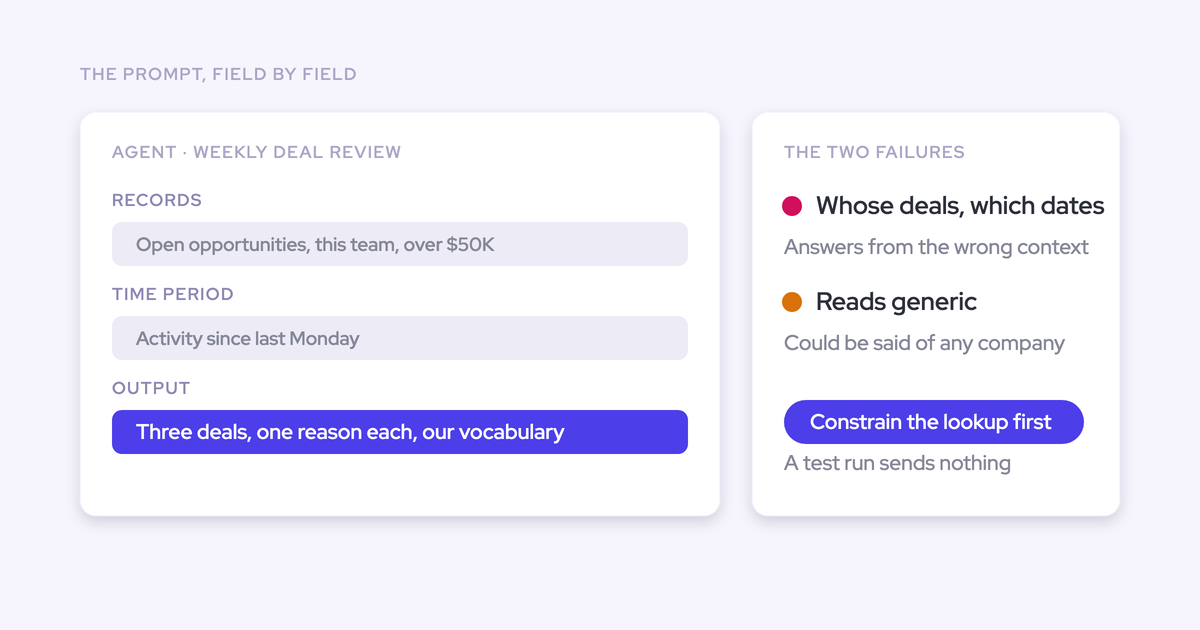
Give the agent your company’s risk definitions, including what doesn’t count as risk. Generic instructions such as “find unhealthy accounts” leave too much interpretation to the model.
Weflow Agent Builder accepts a free-text prompt and an uploaded methodology document. Use your existing renewal framework or CS glossary to explain the vocabulary and criteria your team already trusts.
Adapt this prompt:
Prepare a weekly renewal risk brief for the Salesforce records returned by this lookup.
Business context: We review this book every Monday. Our renewal date field is [field]. Our CSM owner field is [field]. Our expected customer engagement cadence is [cadence]. Use the attached renewal framework for company terminology and risk definitions.
Risk criteria: Evaluate explicit cancellation or downsell intent, unresolved barriers to the customer’s purchase goals, loss of a sponsor without a replacement, and missed customer commitments. Add or replace these criteria with our approved framework.
Priority: Give explicit customer statements more weight than activity volume. Evaluate engagement gaps against our expected cadence and any agreed pause. Don’t treat a lack of captured activity as proof that the customer stopped engaging.
Evidence: Use accessible Salesforce fields, related records, emails, meetings, calls, and transcripts. Preserve exact account names, owners, dates, and values. Distinguish recorded facts from your interpretation.
Uncertainty: Describe conflicting evidence and missing sources. Don’t infer product usage, billing status, or support resolution when the available data doesn’t establish them.
Recommendations: Recommend a specific next action for each account needing attention. Keep recommendations separate from actions already completed or agreed with the customer.
The AI Agent configuration includes the prompt and file attachment controls. Keep the company framework beside the instructions so the agent has both the criteria and their meaning.
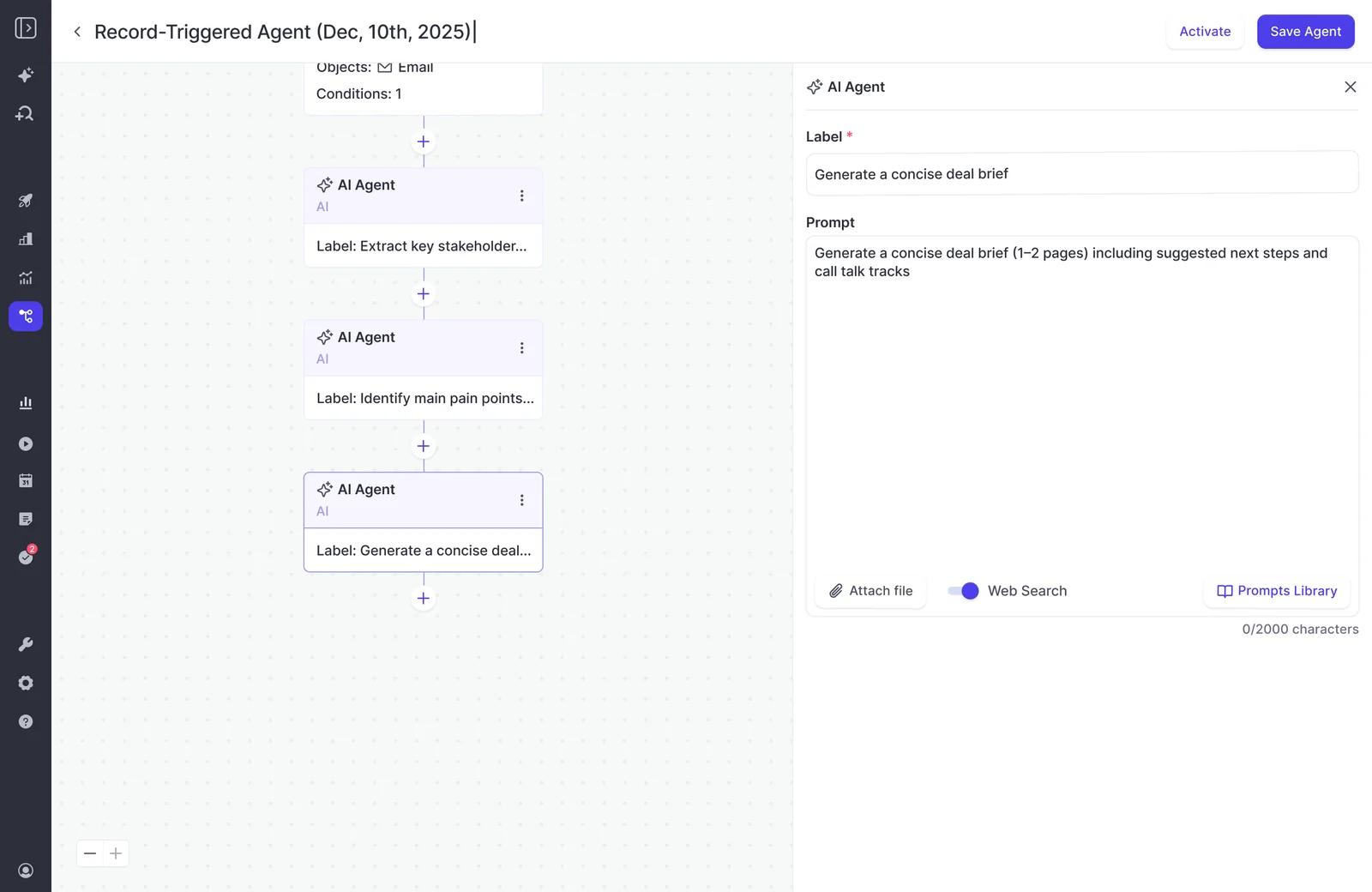
For example, a customer who agreed to resume discussions next month shouldn’t trigger the same concern as a customer who missed an agreed renewal decision. Put that distinction in the prompt.
4. Specify the renewal brief’s evidence and next actions
Require a consistent account entry that a CSM can inspect without reopening the entire relationship history. Weflow Agent Builder can generate the brief; your output instructions determine whether it reads like an action list or another long summary.
| Output field | Instruction |
|---|---|
| Account and renewal | Include the exact account name, renewal record, date, owner, and commercial value where available |
| Priority | Use your team’s labels and explain which criterion triggered the assessment |
| Recorded evidence | State what the customer said or what the record shows, with dates |
| Interpretation | Explain why the evidence matters for this renewal |
| Missing information | Name the unresolved question or unavailable source |
| Next action | Recommend an owner, action, and timing; identify proposed timing as a recommendation |
| Source references | Include source titles, dates, record identifiers, and available links. Never invent a URL |
Ask for urgent accounts first, followed by accounts needing more information. Keep healthy accounts to a short closing count or list so they don’t bury the work.
An account entry should read like this:
Account: [Exact account name]
Renewal: [Date] · [CSM owner] · [Renewal value]Priority: Needs attention. The customer hasn’t resolved a barrier to its original purchase goal.
Recorded evidence: In [meeting title, date], the customer said the implementation milestone remained incomplete. A later email requested a revised completion plan.
Interpretation: The customer still lacks an agreed path to the outcome it bought. That creates renewal risk; neither source establishes cancellation intent.
Missing information: The available records don’t show whether implementation has since completed.
Recommended next action: The CSM should obtain the current milestone status and agree on a recovery plan before the next renewal review.
Sources: [Meeting reference] and [email reference].
Source traceability is part of the output test. A polished explanation without an identifiable source still leaves you reconstructing the account by hand.
5. Test the renewal brief in your own inbox
Test an actual delivery before adding managers or executives. A prompt that looks sound in the builder can still produce wrong names, weak reasoning, or a brief that takes too long to review.
- Add an email delivery step after the AI Agent step.
- Address it to your own inbox, without shared groups or additional recipients.
- Use a recognizable subject, such as Renewal brief: private pilot.
- Let the scheduled workflow deliver the report.
- Compare the output with the Salesforce cohort and the underlying customer evidence.
- Revise the lookup or prompt, then test another private delivery.
The brief passes when:
- Account details match. Names, owners, dates, and values agree with the source records.
- Risk claims have evidence. You can find the conversation or field behind each material claim.
- Interpretation stays separate. Recommendations don’t appear as customer commitments or completed work.
- Missing context stays visible. The brief doesn’t turn an unavailable signal into a favorable or unfavorable judgment.
- References work for the intended audience. Recipients can access the underlying material they need to inspect.
- Review saves time. Reading and correcting the brief takes less work than assembling the readout yourself.
Suppose the agent flags an account for silence, but the customer agreed to pause until its next implementation milestone. Add an instruction to evaluate the latest agreed next step before treating an engagement gap as risk.
Fix the rule that caused the error. Editing the email alone leaves next week’s brief with the same problem.
6. Deliver the tested renewal brief to Slack
Weflow Agent Builder can send agent reports to a chosen Slack channel. Move the tested brief to the channel where your team already reviews renewals.
- Connect Slack through the Weflow Admin Console’s System Overview.
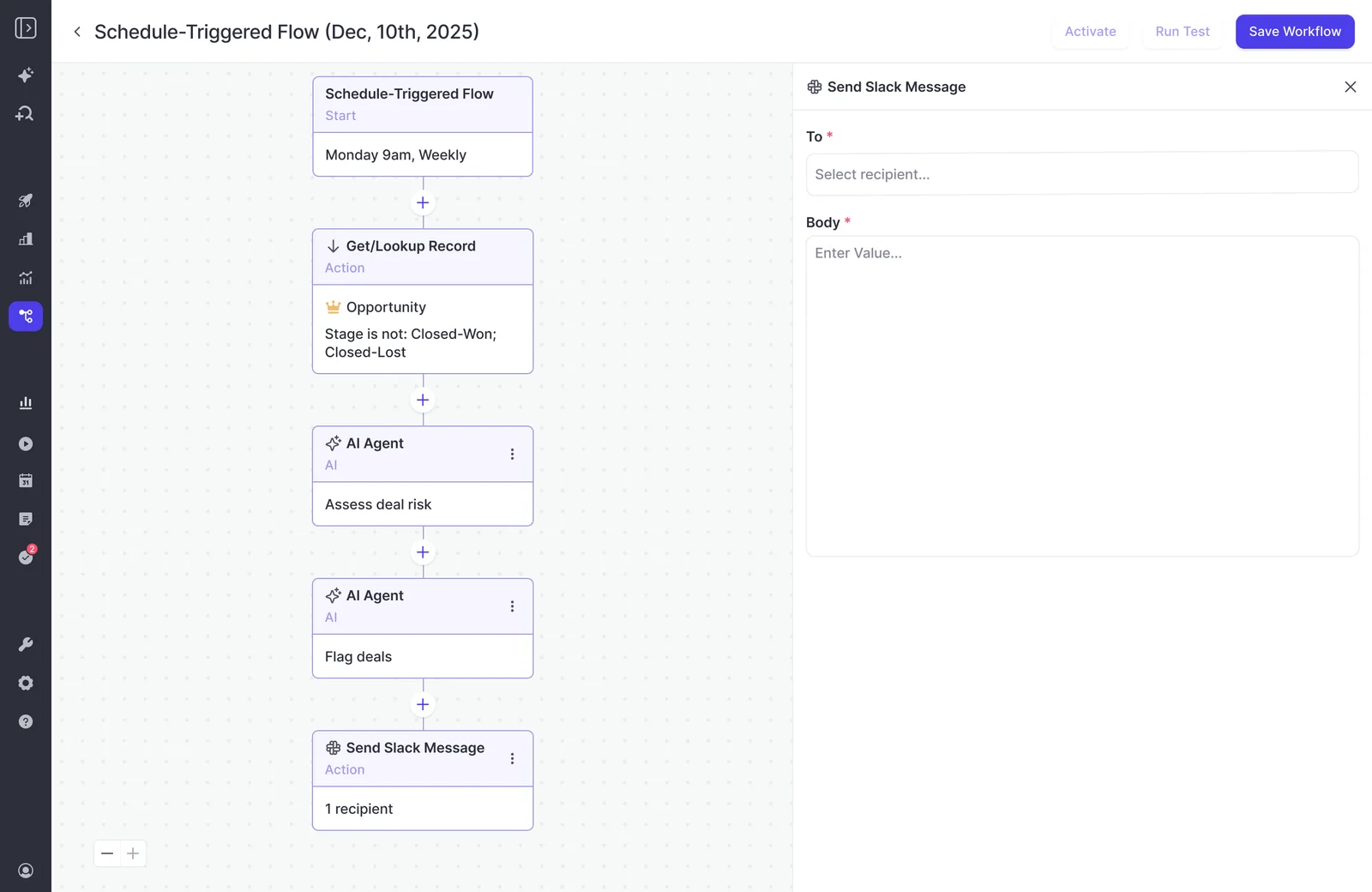
- Add a Send Slack Message action to the workflow.
- Select the approved renewal-review channel in the destination field.
- Configure the message body to deliver the agent’s brief.
- Review the workflow’s recipients and retain the intended weekly schedule.
For this setup, use one renewal-review channel and the same pilot owner filter. Expanding the audience doesn’t require expanding the book at the same time.
The Send Slack Message action provides destination and body fields, as shown in this weekly deal-risk workflow.
Review the first shared delivery for:
- The intended channel, schedule, and timezone.
- The correct renewal cohort.
- A readable message with urgent actions near the top.
- Channel membership appropriate for the account information in the brief.
Treat the posted brief as a disclosure to the channel’s audience. Salesforce access controls don’t replace your decision about who should receive the report.
Troubleshoot your weekly renewal risk brief
Diagnose scope and source coverage before making the prompt longer. A better instruction won’t recover a missing conversation or remove a new-business Opportunity from a poorly filtered lookup.
| Symptom | What to inspect | Correction |
|---|---|---|
| The brief includes irrelevant accounts | Renewal motion, date field, closed-stage exclusions, and owner filters | Narrow the Salesforce lookup before changing the risk criteria |
| A known risk never appears | Whether the record entered the cohort and whether its supporting conversation reached the agent | Correct the lookup or activity association; add missing criteria only when the evidence was available |
| Quiet accounts all appear unhealthy | Capture coverage, expected cadence, and agreed customer pauses | Separate insufficient evidence from engagement risk |
| The assessment sounds generic | Company definitions, renewal vocabulary, and priority rules | Add the specific framework and examples of what counts as risk |
| The brief invents account history | The source behind each disputed statement | Require traceable facts, explicit uncertainty, and no inferred history |
| The report takes too long to review | Cohort size, entry length, and irrelevant output | Reduce scope and require a shorter evidence-and-action format |
| The Slack brief reaches the wrong audience | Destination settings and channel membership | Correct the destination and review who can read the posted content |
Keep a short quality log during the weekly review:
- False positives: Which flags did the CSM dismiss, and why?
- Missed risks: Which known concerns didn’t appear, and was their evidence available?
- Review effort: How much preparation time remained after the brief arrived?
Expand the cohort only after the brief consistently helps your team choose the next action. More accounts multiply weak rules as readily as useful ones.
See how Weflow captures activity, updates Salesforce fields from calls, and rolls up your forecast. Book a 30-minute demo.
Weflow Agent Builder renewal briefing FAQ
Keep record scope, delivery, and action consumption explicit as you expand the renewal workflow. Each affects how much configuration and review your team takes on.
Can Weflow Agent Builder update Salesforce renewal risk fields?
No. This Agent Builder briefing workflow can’t write its resulting risk score back to Salesforce.
Weflow’s separate AI Field Updates and scheduled AI playbooks maintain Salesforce fields from customer context. Those are distinct configurations, not an automatic consequence of generating the brief.
Can Weflow Agent Builder read customer Slack conversations?
Weflow’s agent context can include connected Slack channels mapped to Salesforce. Sending a report to Slack is a separate function from reading Slack as a source.
For customer-channel evidence, the source needs:
- A connected channel.
- Accessible conversation content.
- An association with the relevant Salesforce customer record.
Can each CS manager receive a team-specific renewal brief?
Yes. Scope the Salesforce lookup to the relevant record owners and configure the intended recipient or channel separately.
For each manager’s brief, define:
- Book of business: the owner, region, or other field-level filters.
- Renewal motion: the applicable date field and stage exclusions.
- Destination: the email recipient or Slack channel.
Keep the risk framework consistent across teams unless their renewal processes differ. That makes disagreements about risk easier to diagnose.
Can Weflow Agent Builder send renewal briefs to Microsoft Teams?
Use email delivery for a team that works in Microsoft Teams. Weflow Agent Builder can email the brief and attach a PDF report.
Start with your own inbox, then direct the tested report to the intended recipients. The renewal workflow doesn’t depend on Slack delivery.
How do I budget for Weflow Agent Builder?
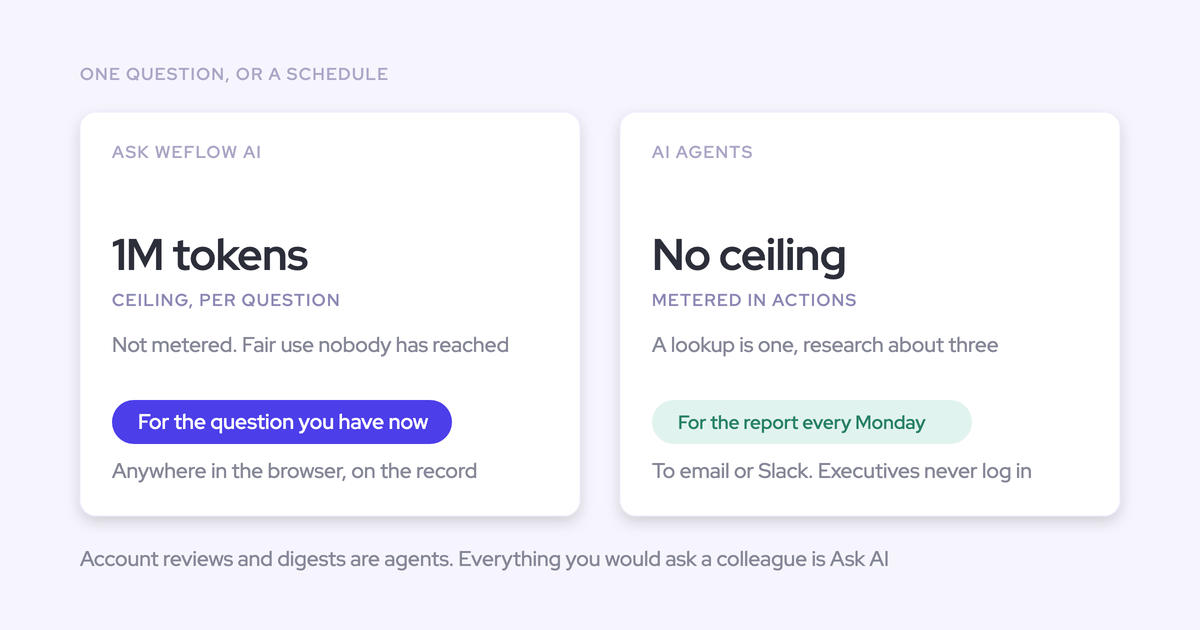
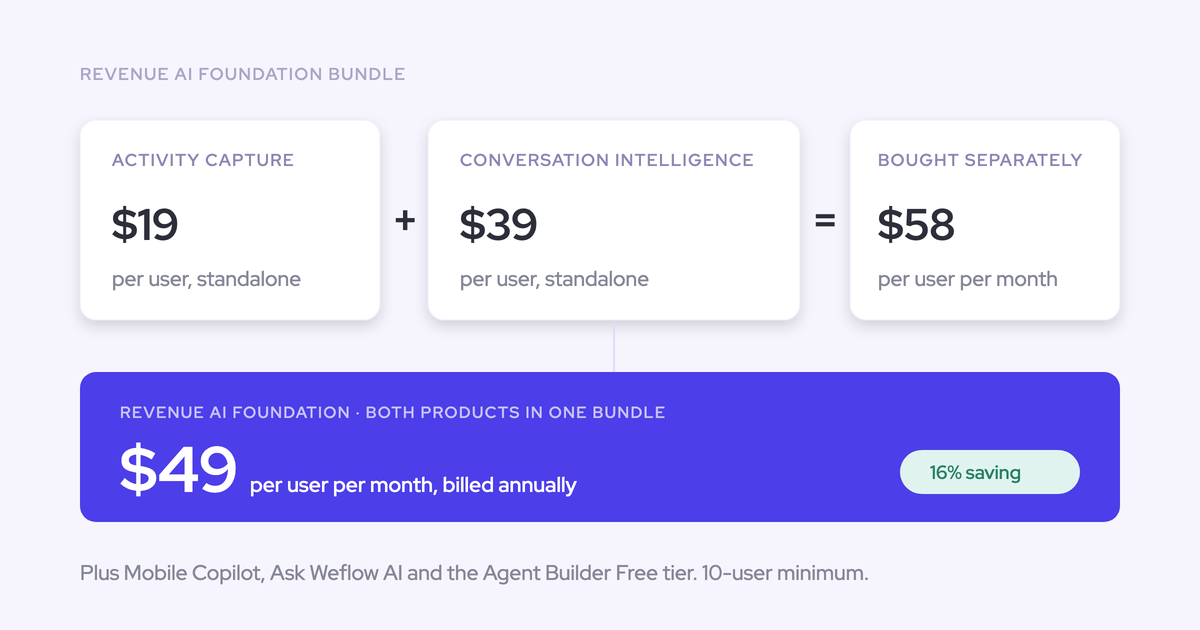
Weflow prices Agent Builder per workspace, with monthly agent-action allowances. Agent Builder Free comes with every Weflow plan and bundle.
| Agent Builder tier | Workspace price | Monthly agent actions |
|---|---|---|
| Free | Included with every Weflow plan and bundle | 25 |
| Growth | $299/month | 500 |
| Scale | $999/month | 2,500 |
| Enterprise | Custom | Custom |
Budget from the pilot’s actual action consumption rather than counting each weekly run as one action. Include:
- Scheduled production runs.
- Private tests and prompt revisions.
- Additional team-specific workflows.
- Other agents using the same workspace allowance.
Start with one renewal cohort and one private recipient. Use the delivered brief to judge output quality, review effort, and action consumption before expanding the workflow.