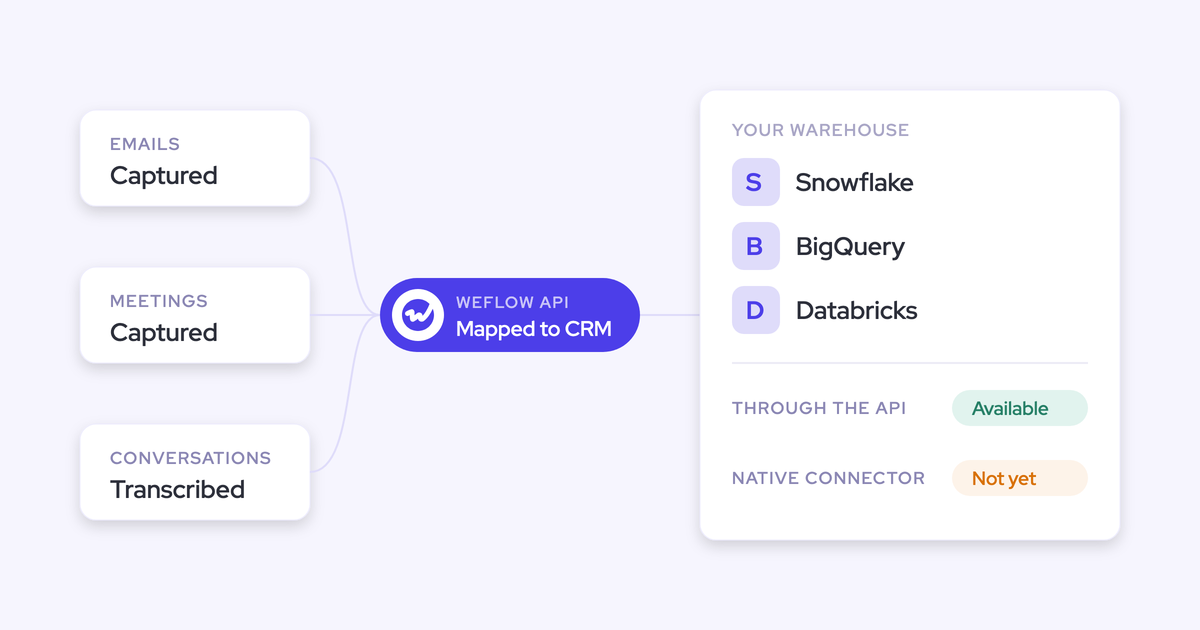
Weflow Slack Integration: Deal Alerts, Recording Notifications and Agent Output
Learn what Weflow posts to Slack: deal alerts, recording notices, agent briefs, limits and setup.


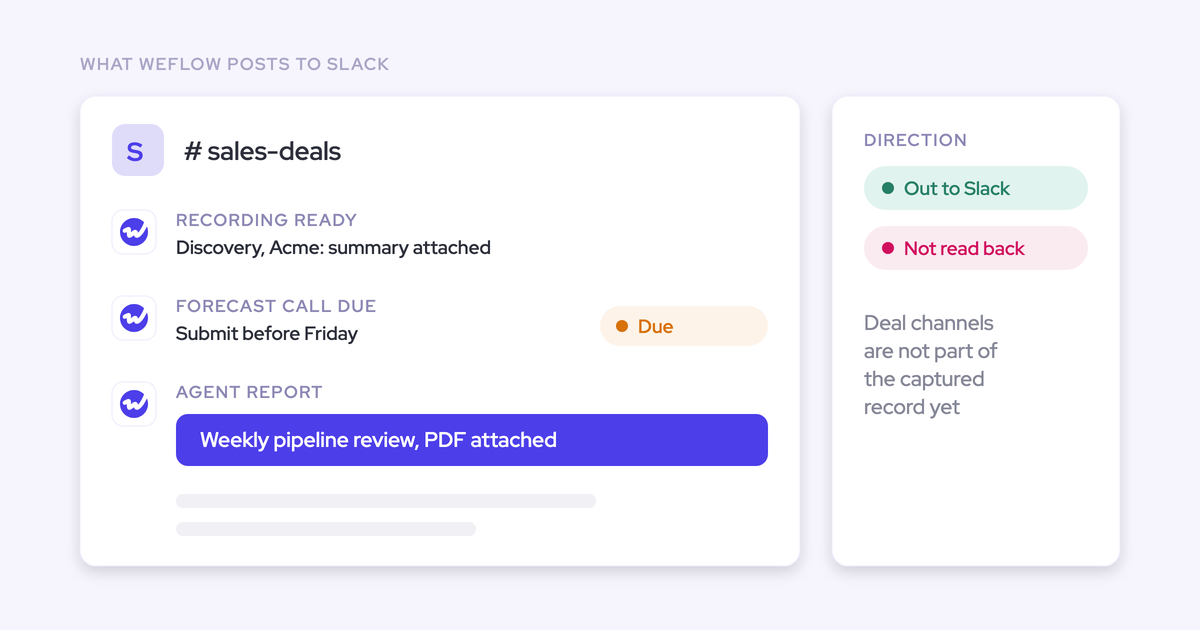

Weflow posts three things into your Slack:
- A reminder when a forecast call is due.
- A notice when a call recording and its summary are ready.
- Scheduled agent briefs on your deals. Each one carries a link back into Ask Weflow AI, so you can ask the follow-up question.
It doesn't read your Slack channels. It doesn't post into Microsoft Teams chat yet. Agent conclusions don't write back into Salesforce fields.
If you run the forecast cadence, you're probably applying one test before anything else. Does the insight come to me in the channel I already live in, and does it stay small enough to act on?
This article is the map: what lands, what doesn't, what it costs, and exactly what to ask your admin to switch on.
What Weflow posts to Slack, and what it doesn't
Weflow is the Revenue AI Orchestration platform for sales, customer success, and RevOps teams. The Slack integration is the delivery end of that platform. Our agents work on your unified revenue data, then push their conclusions into the channel your team already uses.
The integration runs one way. Weflow writes into Slack, and nothing comes back out.
One definition before the table. When we say "deal alerts" in this article, we mean deal-risk briefs that a scheduled Weflow agent delivers. That includes a weekly risk scan or a deal risk PDF, landing on a cadence you set. We don't mean a ping every time a deal changes.
That design choice sits at the center of how we approach deal execution: a few outputs, each pointed at something you should do this week.
| What | Status today | Detail |
|---|---|---|
| Forecast-call reminders | Lands in Slack | Weflow posts when a forecast call is due |
| Recording-ready notices | Lands in Slack | Sent to a channel or a person, with the summary and a link to the recording |
| Agent briefs on your deals | Lands in Slack | Scheduled reports in a chosen channel, with optional PDF or CSV and an Ask Weflow AI link |
| Reading Slack deal channels or DMs | Doesn't happen today | Slack isn't a capture source or an agent input; it's on our roadmap |
| Posting into Microsoft Teams chat | Doesn't happen today | Teams meetings are recorded fully; Teams chat delivery is in development |
| Writing agent conclusions into Salesforce | Doesn't happen today | What an agent concludes stays in the brief until a person enters it |
Why we push deal insight into Slack instead of dashboards
Running a forecast cadence costs you two things every week:
- The time you spend chasing reps to submit, one message and one one-on-one at a time.
- The insight that already exists about your deals but sits in a dashboard you don't open.
Delivery into your team's channel removes both. That only holds if what arrives is a conclusion pointed at an action, not a link to a chart.
Most managers we talk to work the same way. They scan a summary in a minute, then click into the one item that matters.
Everything Weflow posts to Slack is built to that shape: short, scheduled, with a way into the detail.
Forecast-call reminders and recording notifications Weflow sends automatically
Two kinds of post arrive without anyone building an agent or writing a prompt. Your admin connects Slack and switches them on.
Forecast-call reminders stop you chasing submissions rep by rep
Weflow posts in Slack when a forecast call is due. The nudge reaches the whole team in its own channel, so you're not writing the same DM to every rep before the call.
The reminder sends reps to the Weflow forecast submission screen. Weflow's deal warnings also show up on that screen, at the moment a rep chooses which deals to commit. So the reminder does two jobs: it gets the submission in, and it puts the warning in front of the rep before an unhealthy deal enters the number.
Recording-ready notifications bring the call summary to a channel or person
When a recording and its summary are ready, Weflow posts a notice to the channel or person your admin chose. You get the value of the call from the message itself, and you only click through when you want the full call.
Each recording notice contains:
- A notification that the recording and its summary are ready.
- The call summary, so you can read what happened without leaving Slack.
- A link to the completed recording when you need the full conversation.
Deal alerts in Slack come from scheduled Weflow agents
Deal-risk output reaches Slack as a Weflow Agent Builder brief. Agent Builder is our tool for building agents that run on your revenue data. The brief is a short report on a cadence you set, such as weekly before the forecast call. It's not a stream of per-event pings, and that's deliberate: a scheduled brief can't turn into a firehose.
One honest note. Agent Builder is Weflow's newest product. It has been rolling out to existing customers, and it isn't yet as mature as Weflow Activity & Contact Capture, Weflow Conversation Intelligence or Weflow Deal Intelligence & Forecasting.
The agents customers build first are the plain, recurring ones: a deal-review agent that flags at-risk deals and how to mitigate them, and a closed-lost agent that reads why deals were lost.
What a Weflow agent reads before it posts to Slack
A Weflow agent starts with a lookup. The lookup reads live Salesforce accounts, contacts, leads or opportunities, filtered by fields. Because the read is live, a change a rep made a minute ago is in the run.
The agent then reasons over everything attached to those records:
- Activities and emails.
- Calls and their transcripts.
- Optionally, a web search or an uploaded document such as your methodology guide.
The brief is built on what happened with the buyer, not only on what reps typed into fields. A prompt that reads only CRM fields hands you back the data you already didn't trust.
What lands in the channel: the brief, plus PDF or CSV
The agent delivers its result to the Slack channel your admin chose. A post contains:
- The brief itself, the agent's written conclusion.
- An optional PDF or CSV attachment, for when someone wants the full list or the report to forward.
- A link back into Ask Weflow AI, which we cover in the next section.
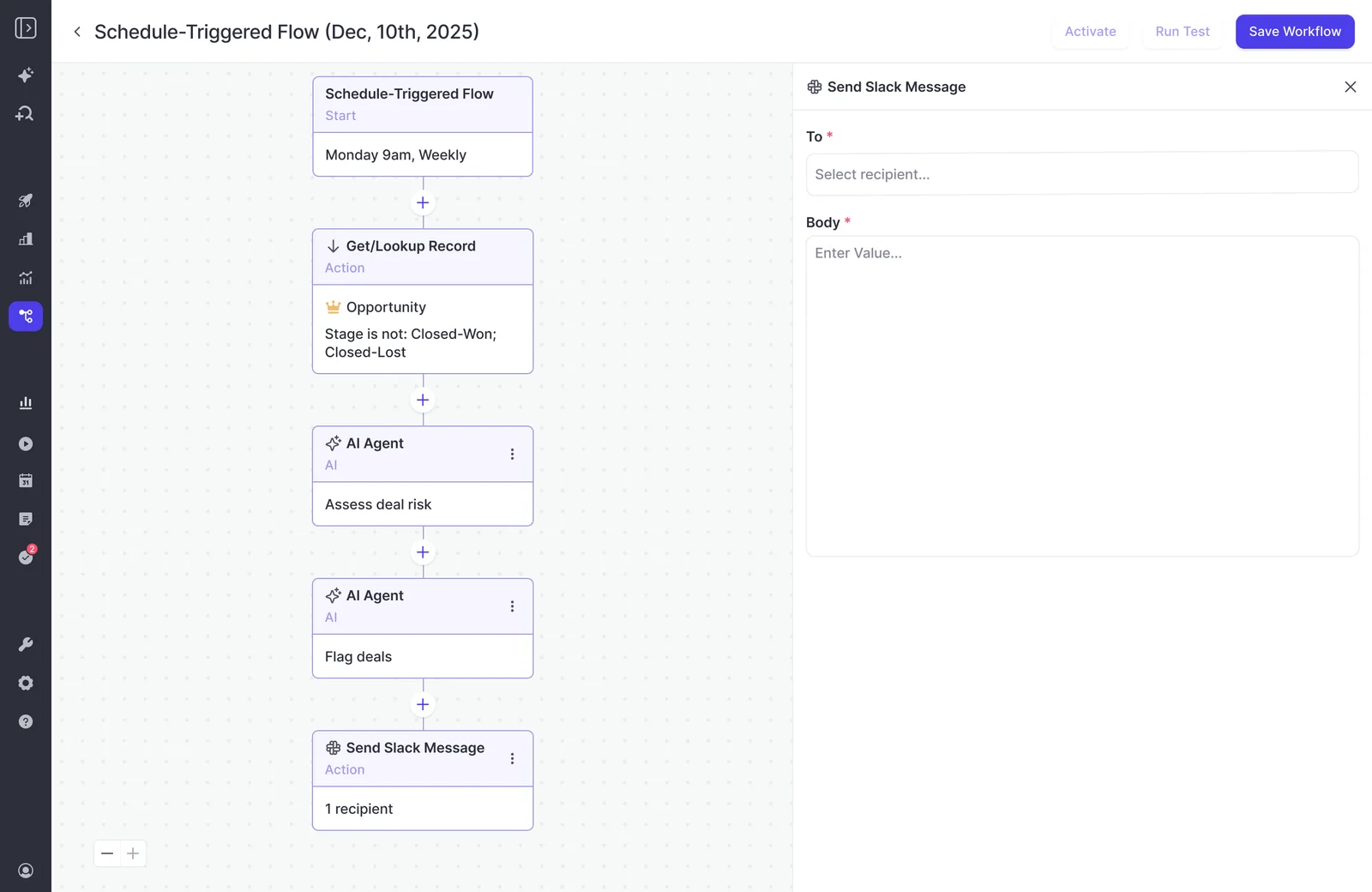
The Monday pipeline pass and the pre-forecast risk scan
Two plays fit inside the rhythm you already run. A third is worth adding once the first two earn their place.
| Play | When it runs and what it tells you to do |
|---|---|
| Monday pipeline pass | Monday morning. It names the deals that need action this week and pre-writes the follow-up. |
| Weekly risk scan | Before the forecast call. It flags which deals carry risk, so you walk into the call knowing where to push. |
| Closed-lost analysis | Monthly. It reads every lost opportunity to surface which competitors appeared and which objections recurred. |
Your admin doesn't start from a blank canvas. Agent Builder ships three templates:
- A pipeline snapshot.
- A meeting recap bundle.
- A deal risk PDF.
Their prompts are deliberately basic and meant to be rewritten for your team. Starting from a template also puts the constrained lookup in by default. That lookup step is the biggest single factor in whether the brief is useful.
Ask your follow-up question in Ask Weflow AI from Slack
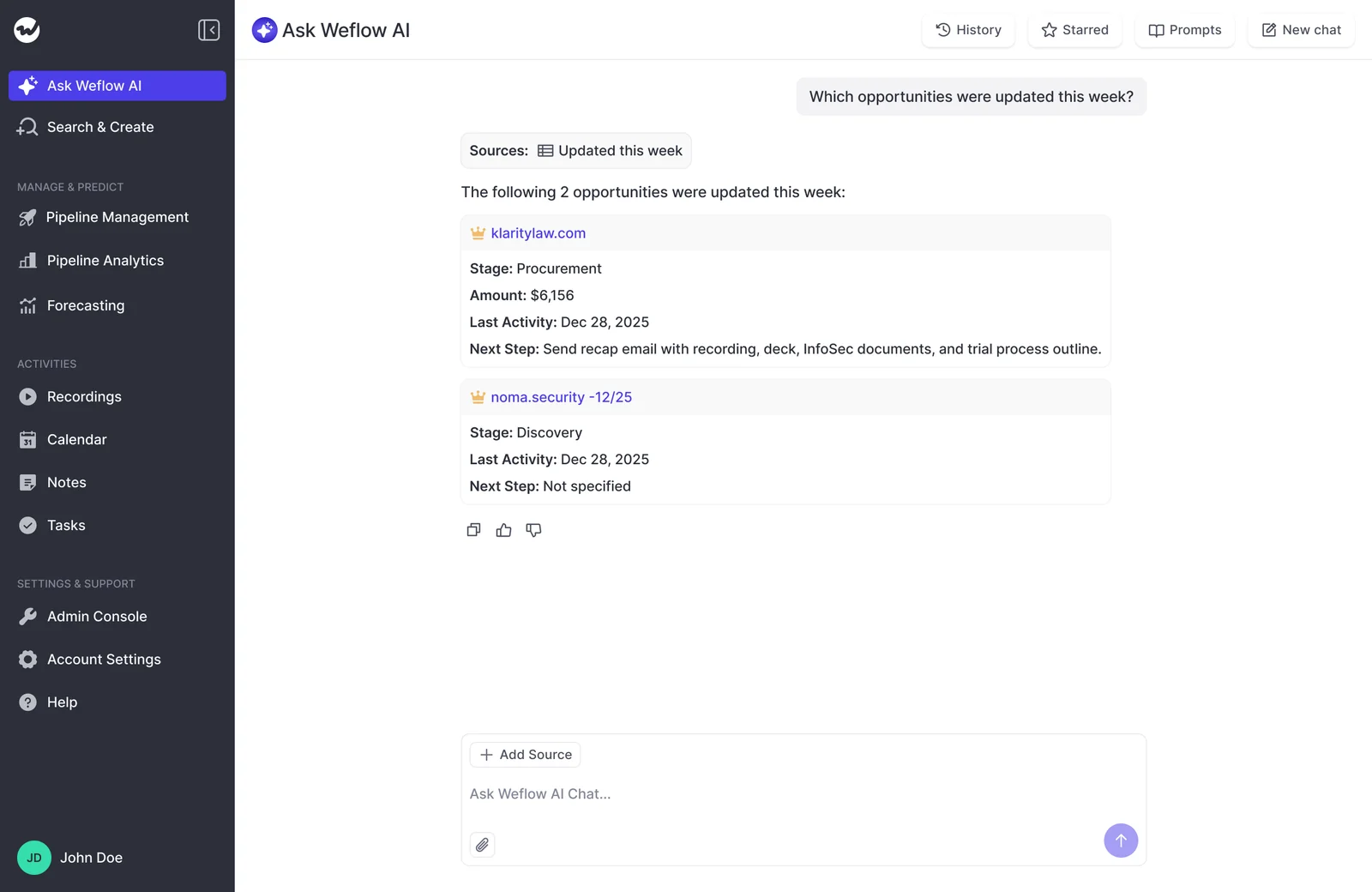
Every Weflow agent result carries a link back into Ask Weflow AI, so you can ask the second question against the same data. This is the real gap between an agent brief and a report someone pasted into the channel.
You know the moment. A list of five at-risk deals lands, and you immediately want to know why the third one is on it. A static PDF can't answer that, so you end up pinging the rep or waiting for the pipeline review.
With the link, you open Ask Weflow AI and ask directly. For example: "What did the buyer say about timing on the last call for this deal?" Ask Weflow AI answers across Salesforce records, captured emails, meetings and call transcripts. Your answer comes from what was said, not from what someone remembered to log.
There's a practical split between the two tools:
- Ask Weflow AI answers within a ceiling of one million tokens per query. That's plenty for the follow-up on a handful of deals.
- Agents have no equivalent per-run ceiling. Anything that sweeps your whole book belongs in a scheduled agent.
How Weflow keeps Slack output small enough to act on
This is the question most managers ask us before they ask about capability:
"I'm just wondering if it would be way too much Noise for a person to receive a lot of, a lot of messages in Slack or would it get sent to people who want to subscribe?"
The test we'd hold every post to: does it point at an action worth taking this week? Weflow keeps the output small in three ways:
- Deal briefs run on a schedule, not per event.
- Your admin decides what goes out and where.
- Nothing reaches leadership until it has been tested privately.
Our advice on top of the product: review your briefs every month or so. Retire any brief nobody acted on. Every stale post teaches your team that the channel can be ignored, and you pay for that the day something urgent arrives.
Your admin decides which briefs go out, and where
Only admins configure agents in the current Weflow release. Every brief in your channel is a deliberate choice of content, cadence and destination. A rep can't wire up an agent that posts into the team channel on their own.
We restrict this on purpose, because an agent can reach a lot of data and do a lot at once. The trade-off is real: every agent idea in your team queues behind whoever holds admin. Giving individual non-admins that permission is coming, but it isn't available today.
Retiring a brief is just as controlled. The Agents list shows every agent in the workspace with its trigger type and status, so switching one off is a toggle your admin flips.
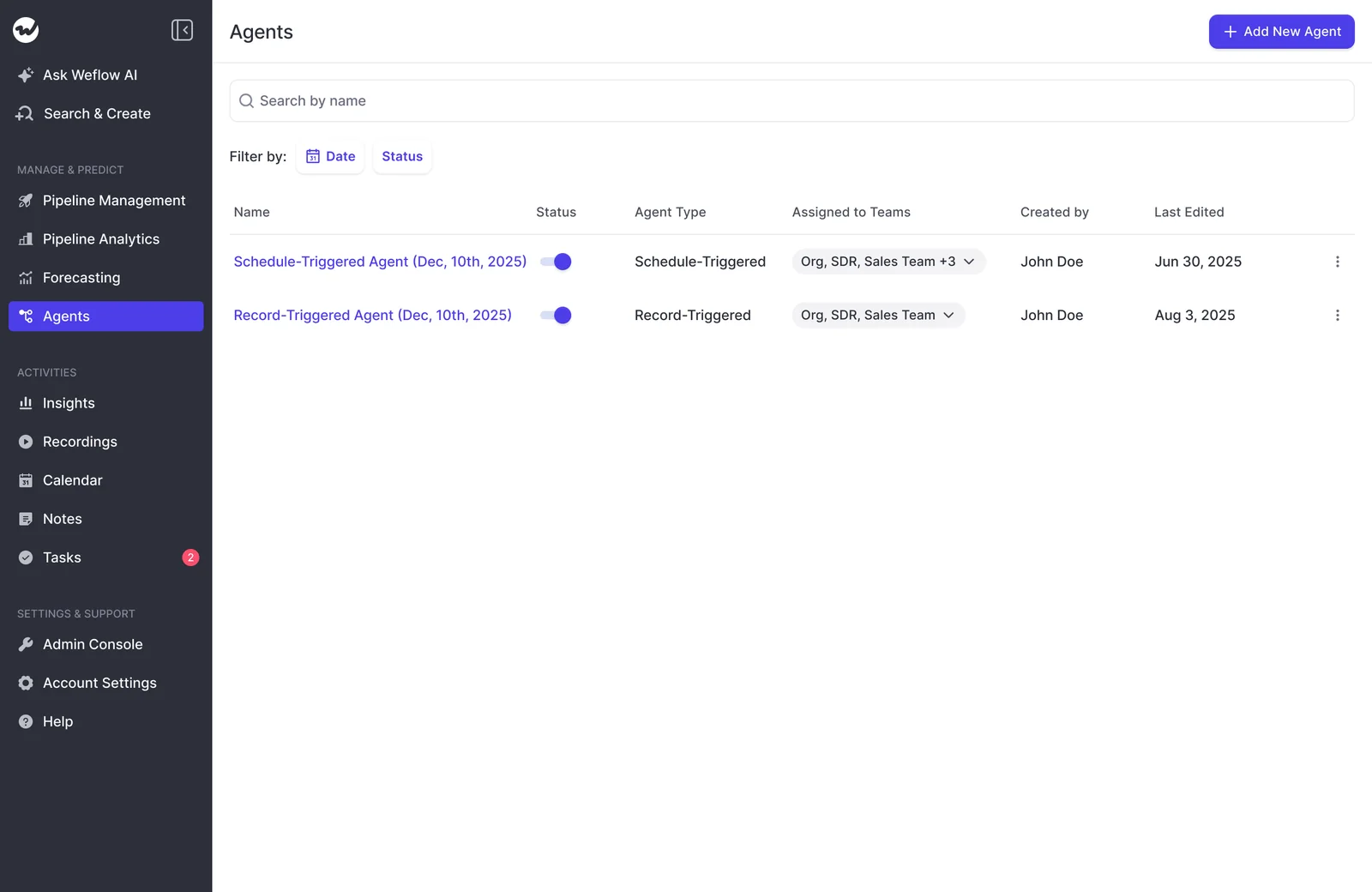
Test runs stay inside Weflow until the brief is ready
A test run of a Weflow agent shows the result in the app and doesn't deliver it. Delivery only happens on the live schedule. Your admin can tune the prompt as many times as needed before your VP or CEO is on the recipient list.
We built it this way after earlier builds sent a message on every test and customers complained about the volume. The cost: you see the exact message a recipient gets only once a scheduled run fires.
The clean way around it is to put yourself as the only recipient for the first cycle. Then add leadership once you like what arrives.
What Weflow's Slack integration doesn't do yet
The integration is one-way, out of Weflow. Two limits are worth stating plainly.
Weflow doesn't read Slack deal channels or DMs today
Conversations in your internal deal channels, shared customer channels and Slack DMs aren't part of Weflow's captured record. They also aren't inputs to Weflow agents. Weflow captures from:
- Your mailbox.
- Your calendar.
- Video meetings.
- The mobile app.
A Slack channel attached to a deal isn't among those sources. Reading channel context is on our roadmap, and we're not putting a date on it.
If a Slack deal room is the core of how your team sells, two other tools are worth weighing:
- Momentum runs a Slack channel per opportunity. Files posted there upload to Salesforce, emoji-marked messages become Chatter comments, and the deal can be updated from the channel.
- Attention works with Slack in both directions. People tag @Attention in Slack to get answers from its agents.
Agent conclusions don't write back into Salesforce fields
What a Weflow agent concludes stays in the brief until a person enters it in Salesforce. If the risk scan says a close date looks wrong, Salesforce doesn't change on its own.
Weflow does write to Salesforce through two other routes, both of which set fields directly:
- AI field updates after every recorded call.
- AI Playbooks, which score the deal against your methodology on a schedule.
What you get from Weflow if you run Microsoft Teams
Weflow treats Teams as two different things. As a meeting platform, Teams is fully supported. As a chat surface, it isn't yet.
| Capability | For a Teams company today |
|---|---|
| Recording Teams meetings | Yes, alongside Zoom, Google Meet and Webex |
| Transcripts, summaries and AI field updates from Teams calls | Yes, the same as any other meeting platform |
| Recording-ready notices in Teams chat | No |
| Forecast-call reminders in Teams chat | No |
| Agent briefs in Teams chat | No; agent output goes to email or Slack |
| Teams chat delivery | In development, no date |
A company split between Slack and Teams should plan on Slack for the Slack side and email for the Teams side. For now, the Teams side gets agent briefs by email rather than in chat.
What Weflow Slack notifications and Agent Builder briefs cost
Notifications sit inside your seat. Everything in Weflow is priced per seat except Weflow Agent Builder, which is the one product metered by usage. That keeps the variable cost confined to the agents.
Agent Builder is priced per workspace, not per user:
- Agent Builder Free: 25 actions a month, included with every Weflow plan.
- Growth: $299 a month for 500 actions.
- Scale: $999 a month for 2,500 actions.
- Enterprise: a custom package.
Runs are metered in actions, and the action count depends on what the agent does:
| Agent work | Approx. actions | What it suits |
|---|---|---|
| Simple lookup | About 1 | A daily digest of deals that changed stage |
| Research step | About 3 | A brief that pulls in outside context |
| Reasoning across transcripts and activity | About 5 | The weekly risk scan before the forecast call |
| Standard workflows | Not metered | Meeting prep, summaries, field updates and coaching scorecards |
A weekly risk scan at roughly 5 actions a run comes to about 20 to 25 actions a month. That sits around the free allowance. Add the Monday pipeline pass on top and you'll want Growth.
A sweep of every conversation in the pipeline is a different matter. It's not something to schedule casually.
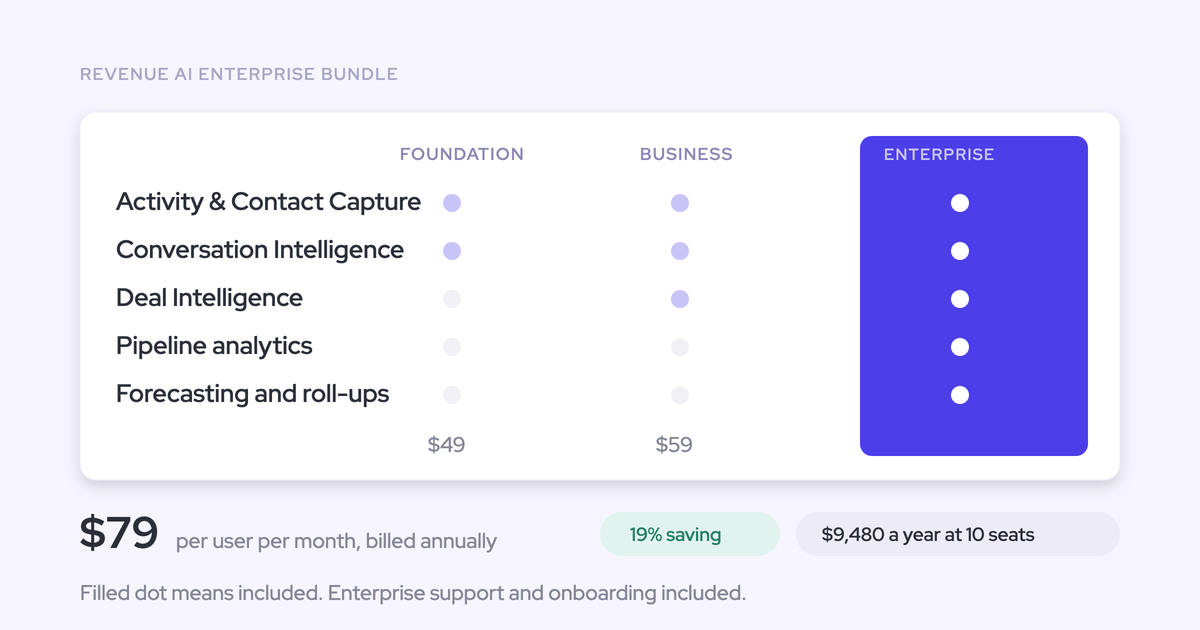
The seat itself comes from your Weflow plan. The standalone products are Weflow Activity & Contact Capture at $19, Weflow Conversation Intelligence at $39 and Weflow Deal Intelligence & Forecasting at $39. The bundles are Revenue AI Foundation at $49, Revenue AI Business at $59 and Revenue AI Enterprise at $79. All prices are per user per month, billed annually.
How your admin sets up Weflow's Slack integration
Setup is admin work, and it's short. Here's what to ask your admin to build:
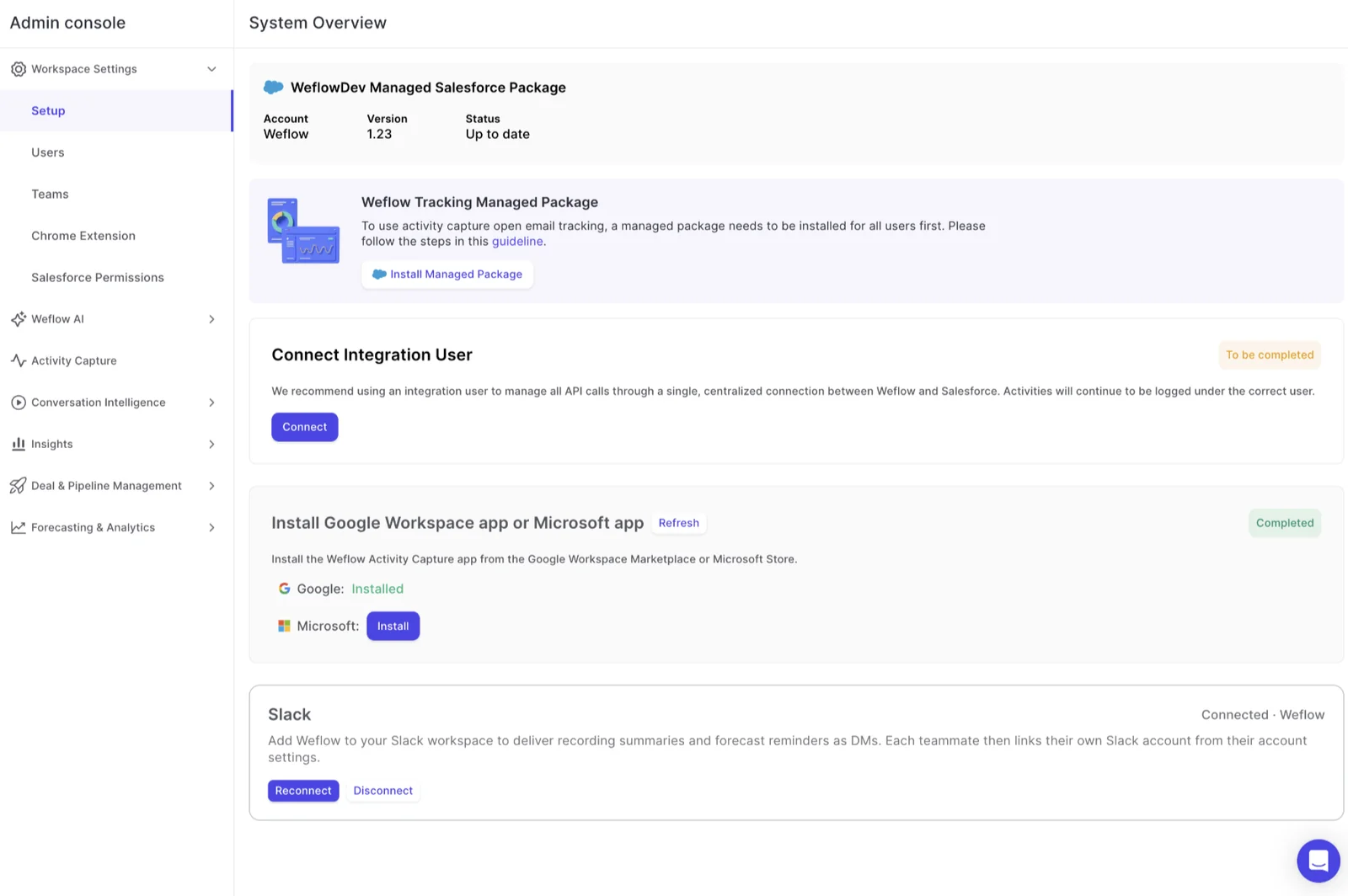
- Connect the Weflow Slack app from the Admin Console.
- Choose the channel or person for recording-ready notices and forecast-call reminders.
- Create an agent, starting from a template such as the deal risk PDF.
- Set the scheduled trigger: day, time and timezone.
- Add a lookup narrowed by object, stage and date window, for example open opportunities closing this quarter.
- Write a prompt that names whose deals and which dates it covers. A prompt that leaves those out answers from the wrong context.
- Set delivery to a Slack channel, with an optional PDF or CSV attached.
- Test-run the agent in the app and tune the prompt until the result is right.
- Go live on the schedule.
The detailed click-path lives in Weflow's help center.
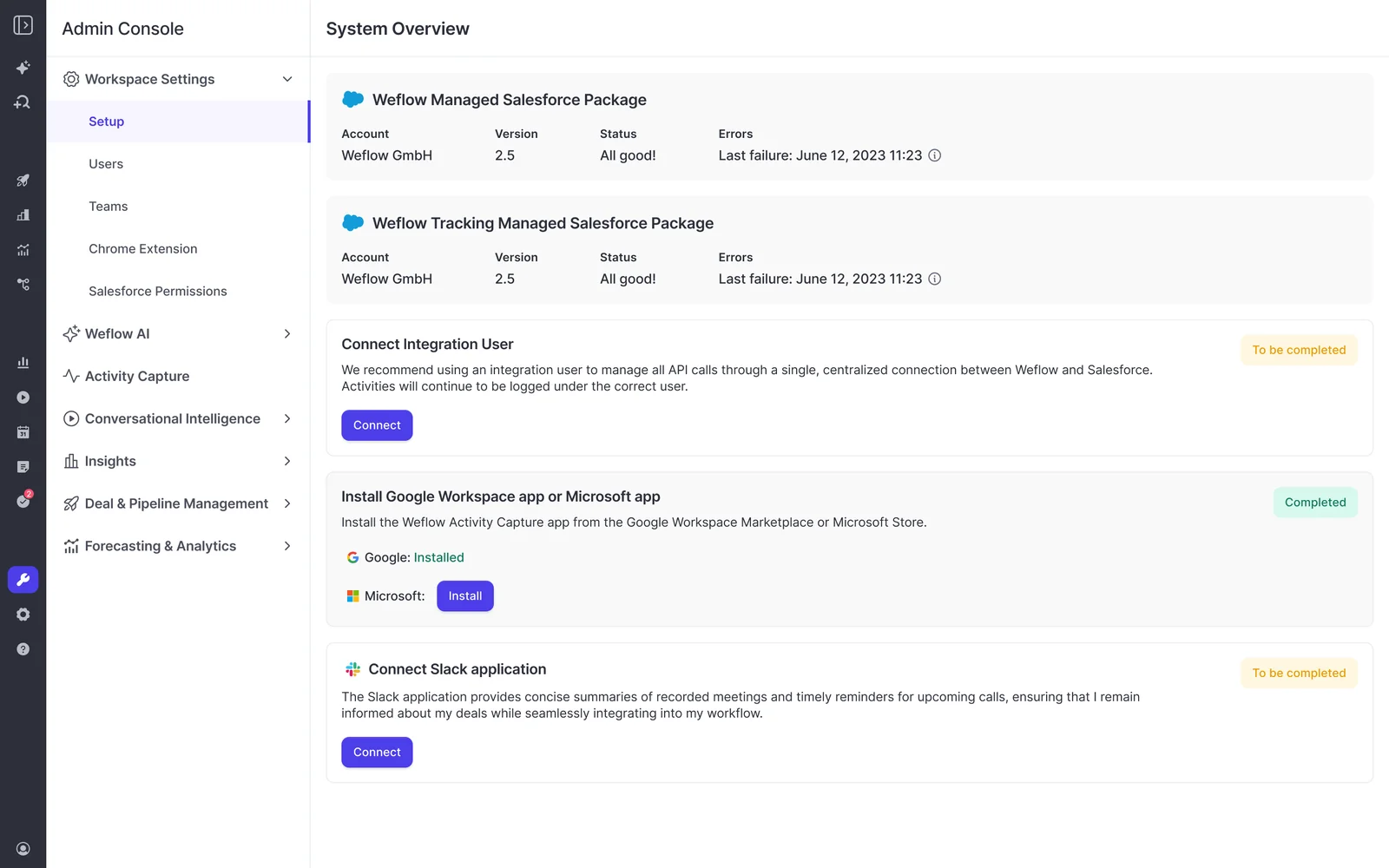
Which Weflow Slack outputs to switch on first
Start with the fewest outputs that each point at an action, in this order:
- The forecast-call reminder. It replaces the weekly chase straight away and needs no prompt.
- Recording-ready notices to the team channel. Your team sees what happened on calls without opening another tool.
- One weekly risk brief before the forecast call, tested on yourself first. It's the first deal alert worth having, and a cycle as its only recipient tells you whether it earns a wider audience.
Add more only when someone acts on what's already there. If you want to see what lands before your admin builds anything, take a product tour.
Weflow Slack integration FAQ
Who can connect Slack and configure agents in Weflow?
Admins do. In the current Weflow release, only admins can configure agents and their delivery. Giving individual non-admins that permission is coming but isn't available yet.
Can Weflow send Slack notifications to a person instead of a channel?
Yes, for recordings. Weflow sends recording notices and their summaries to a chosen Slack channel or a chosen person. Weflow agent reports go to a chosen Slack channel.
Can reps or managers subscribe to Weflow Slack messages themselves?
Recipients and channels are set by the admin who configures delivery. That's also the right way to start: a few recipients who will act on what they get. Widen the list once a brief proves useful.
Does Weflow capture deal conversations from Slack channels?
No, not today. Weflow captures from your mailbox, calendar, video meetings and the mobile app, and Slack channels aren't a source. Reading Slack channel context is on Weflow's roadmap, with no date.
Can I update Salesforce from Slack with Weflow?
No. Weflow's Slack integration is outbound only. Weflow agent conclusions don't write to Salesforce fields; a person enters them. Salesforce fields update through Weflow's AI field updates after calls and through AI Playbooks on a schedule.
Do Weflow deal warnings post to Slack as they fire?
Weflow deal warnings surface on Weflow deal boards and in the forecast submission screen. Deal-risk output reaches Slack through scheduled Weflow Agent Builder briefs, such as a weekly risk scan.
Does Weflow post notifications into Microsoft Teams chat?
Not today. Weflow records and analyzes Microsoft Teams meetings fully, while notifications and agent output go to Slack and email. Teams chat delivery is in development, with no date.
How many Agent Builder actions does a weekly Slack brief use?
It depends on the work: about 1 action for a simple lookup, 3 for research, and 5 for reasoning across transcripts and activity. Every Weflow workspace gets 25 Agent Builder actions a month free. Growth adds 500 actions for $299 a month, and Scale adds 2,500 for $999.