How to Bring Weflow Activity and Conversation Data Into Snowflake, BigQuery or Databricks
Learn how Weflow data gets into Snowflake, BigQuery, or Databricks via Salesforce sync or API.


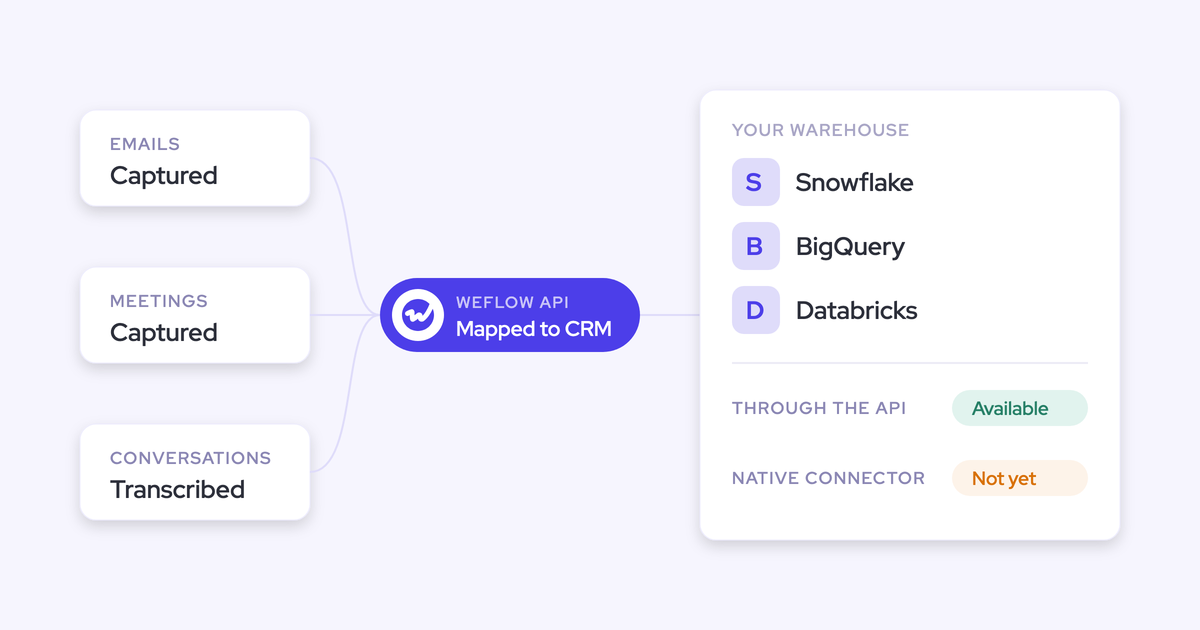

Weflow doesn't have a native Snowflake, BigQuery or Databricks connector. Your Weflow data still reaches all three warehouses by two routes: the Salesforce-to-warehouse sync you already run, and the Weflow REST API.
Weflow is the Revenue AI Orchestration platform for sales, customer success, and RevOps teams. We built it for Salesforce teams, so most of what it produces lands in native and custom Salesforce objects. That covers emails, meetings, transcripts, summaries, and the AI Field Updates and methodology fields that Weflow deal execution writes to the opportunity. That data travels your existing sync and arrives keyed to the account, contact and opportunity records your warehouse already holds.
The REST API carries what never touches Salesforce: deal warnings, AI Playbook scores, forecast roll-ups and video. One setting decides whether the API route is open for activity, and that setting is whether Weflow keeps a short-lived copy. Below you'll find what lands where, the steps for each route, and the gaps, so your data team can make its call on the facts.
Does Weflow have a native Snowflake, BigQuery or Databricks connector?
No. Weflow has no native Snowflake, BigQuery or Databricks connector. Weflow data gets into all three in one of two ways:
- Route 1, your Salesforce sync. Activity, transcripts, summaries and field updates sit in Salesforce objects, and your existing sync tool carries them to the warehouse with the rest of your CRM.
- Route 2, the Weflow REST API. Scores, warnings, forecast data, video and the audit log come out as bulk JSON or CSV exports.
Data teams usually want to know whether the data turns into a dead end. It doesn't. You end up with a Unified Data Layer. In plain words, that means your activity, emails, meetings and transcripts are all mapped to the same Salesforce records, and you can move them into your own warehouse.
If another vendor tells you they have a "Snowflake connection", ask one question. Does the data go straight from their system into Snowflake, or does it land in Salesforce first and ride your CRM sync? Plenty of activity tools reach the warehouse the same way Weflow does, through Salesforce. That's a sound architecture, but it isn't a connector, and your engineer should know which one they're getting.
Which Weflow data lands in Salesforce and which needs the API
Every Weflow data type has one home and one route to the warehouse. Most of it travels through Salesforce. A few types travel only through the API, and saved views have no route at all.
| Weflow data | Where it lives | Salesforce object or field | Route to the warehouse | Keyed to Salesforce records? |
|---|---|---|---|---|
| Emails | Salesforce | Task or EmailMessage, depending on what your admin chose | Route 1: Salesforce sync | Yes, they're native records |
| Meetings | Salesforce | Event | Route 1: Salesforce sync | Yes, they're native records |
| Transcripts and summaries | Salesforce | Weflow_Recording__c plus an indexing object. The summary also writes to the related Event | Route 1. The API also exports transcripts | Yes |
| AI Field Updates and methodology field values | Salesforce | Your own opportunity fields | Route 1: Salesforce sync | Yes, they sit on the opportunity |
| AI Playbook scores | Weflow | None. It's a Weflow field | Route 2: REST API | Yes, tied to the Salesforce object it was matched to |
| Deal warnings | Weflow | None. It's a Weflow field | Route 2: REST API | Yes, tied to the Salesforce object it was matched to |
| Forecast submissions, targets and roll-up | Weflow | None | Route 2: REST API | Yes, tied to the Salesforce object it was matched to |
| Video recordings | Weflow | None. Salesforce holds the transcript and summary | Route 2: API export to your own cloud storage | Paired with the recording record in Salesforce |
| Audit log of field write-backs and configuration changes | Weflow | None | Route 2: API export | Covers write-backs to Salesforce records |
| Saved views and deal boards | Weflow | None | No route | Not applicable. Rebuild the filters from the raw records |
Here's a quick way to tell what will reach a Salesforce-synced warehouse. Weflow fields carry a W marker in the interface. If you see the W, the value lives in Weflow and needs the API.
There's one distinction your data model needs to get right. When an AI Playbook writes methodology values into Salesforce fields, such as an identified economic buyer, those values travel Route 1. The playbook score itself is a Weflow field, so it travels Route 2. You're dealing with two different columns that arrive by two different routes.
How Weflow's storage setting decides which route your data takes
Direct delivery through the API or the MCP connector runs from Weflow's own data store. That means Weflow holds a copy of your activity, and that copy can be short-lived, a day or two.
You can tell Weflow to hold nothing and write only to Salesforce. In that case your activity reaches the warehouse through Route 1 only, and direct delivery of that activity is off the table.
| Weflow holds a short-lived copy | Weflow writes only to Salesforce | |
|---|---|---|
| Routes available for activity | Route 1 and Route 2 | Route 1 only |
| What reaches the warehouse | Everything in Salesforce through your sync, plus direct API exports | Emails, meetings, transcripts, summaries and field updates through your Salesforce sync |
| Agents in Claude, ChatGPT or the warehouse | Can read activity over the API and MCP | Read activity from your warehouse or Salesforce instead |
| What you give up | Weflow holds activity for a day or two | Direct API and warehouse delivery of that activity |
Residency follows your CRM. Weflow stores customer data in the region of your Salesforce org, so a Salesforce org hosted in Europe keeps its Weflow data in Europe.
Video is the exception. Weflow holds video recordings, and you export them through the API to your own cloud storage.
What you need before connecting Weflow data to your warehouse
Route 1 needs your existing sync plus the right objects and permissions. Route 2 adds API access and somewhere for JSON or CSV to land. Hand this list to your Salesforce admin and your data engineer:
- You already run a Salesforce-to-warehouse sync into Snowflake, BigQuery or Databricks.
- The Salesforce REST API is enabled. Weflow logging requires it, and Weflow users need write access to the recording object.
- Your admin has decided whether emails land on Task or EmailMessage, and the data engineer knows which one.
- The sync tool's user has read access to
Weflow_Recording__cand the indexing object. - Your team has Weflow API access set up for the Route 2 data.
- You have a target location for JSON or CSV exports, and a cloud storage bucket for video.
- Ownership is agreed. Data engineering owns the warehouse and the pipeline. RevOps owns what flows into it: the objects, the fields and the storage setting.
How to sync Weflow activity and transcripts through Salesforce
You add Weflow's objects and fields to the sync you already run, and every row arrives keyed to the account, contact and opportunity. You don't need a new pipeline for this layer.
- Confirm where emails land. If your admin chose EmailMessage, your warehouse model reads the EmailMessage table, not Task. Lendz, for example, stores Weflow emails on the standard email message objects.
- Add the Weflow objects to the sync tool's object list. Include Event,
Weflow_Recording__cand the indexing object alongside the account, contact and opportunity tables you already sync. - Include the opportunity fields that AI Field Updates and methodology playbooks write to. These are your own standard or custom fields. AI Field Updates can write to any field type except lookups, so they're already part of the opportunity schema your sync knows.
- Grant the sync user read access to the Weflow objects. Without it, the recording tables arrive empty and look like a capture problem when they aren't.
- Run the sync and test the join. Take one transcript row from
Weflow_Recording__cand join it to its opportunity on the Salesforce record ID it's linked to. If the account and opportunity line up, Route 1 works.
How to pull scores, warnings and forecasts with the Weflow API
The Weflow REST API bulk-exports transcripts, metadata, scores and signals as JSON or CSV, on a schedule or on demand. Each record comes tied to the Salesforce object it was matched to, so it joins to the Salesforce tables you already sync.
- List your Route 2 data. From the map, these are AI Playbook scores, deal warnings, forecast submissions, targets and roll-up, video and the audit log.
- Pick the format and the cadence. Choose JSON or CSV, and scheduled or on-demand export, to match how your pipeline loads everything else.
- Join each record to your synced Salesforce tables. Use the Salesforce object each record carries, so a playbook score sits beside the opportunity it scores.
- Feed your BI tool from the same export. The API supports BI tools such as Tableau and Looker, which matters most for forecast snapshots, because roll-ups aren't in Salesforce.
- Export video to your own cloud storage. The transcript and summary stay in Salesforce, and the media file goes to your bucket.
- Export the audit log for compliance review. It records field write-backs and configuration changes, which is what a reviewer asks for when AI is writing to the CRM.
Weflow REST API or MCP connector: which one for what
The REST API is for bulk loads into the warehouse and BI. The MCP connector is for Claude or ChatGPT querying conversation records directly. We see the second use case grow fast, usually starting at the top of the company.
Reps do their own version of this by pasting transcripts into Gemini and other personal AI tools. The analysis then lives in chat threads and never reaches the CRM or the warehouse. Giving each group its own route ends the improvising:
| Weflow REST API | Weflow MCP connector | |
|---|---|---|
| Best for | Bulk loads into Snowflake, BigQuery, Databricks and BI tools | Claude or ChatGPT answering questions over conversation records |
| What it returns | Transcripts, metadata, scores and signals as JSON or CSV, plus video and audit log exports | Recordings, transcripts, summaries, tracker hits and AI Playbook output, each tied to its Salesforce object |
| What it doesn't return | Saved views and deal boards | Captured email content, Salesforce field values, and saved views |
| Who typically uses it | Data engineering and analytics | The CRO, the CEO, RevOps and reps working in an AI assistant |
| Weflow agent actions used | None | None |
Sometimes a team needs the saved view itself, such as a filtered deal board. For that, use Ask Weflow AI inside Weflow. It takes a deal board, a deal or a meeting as its context directly.
Common mistakes when moving Weflow data into a warehouse
Most failed Weflow-to-warehouse builds come from expecting data on the wrong route. These are the traps to catch before your data engineer finds them in production:
- Expecting deal warnings or AI Playbook scores in the Salesforce sync. They're Weflow fields, so they never arrive through Route 1. Pull them through the API.
- Expecting saved views or deal boards from the API or MCP. Neither route exposes them. Rebuild the filter in the warehouse from the raw records.
- Switching off Weflow storage and still expecting direct API delivery of activity. Writing only to Salesforce closes that route. Model activity from your Salesforce sync instead.
- Modeling Task when your admin chose EmailMessage, or the other way round. The email table comes out empty. Settle the choice before anyone writes a dbt model.
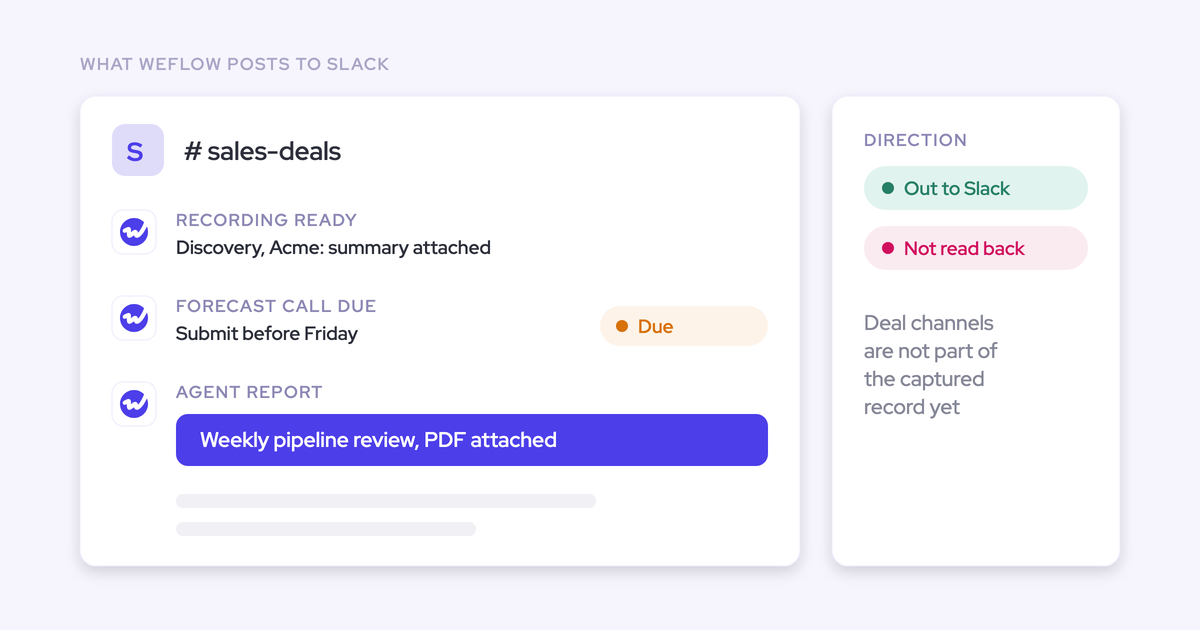
- Expecting Weflow Agent Builder outputs in Salesforce fields. Agent Builder delivers to email, Slack and PDF, and it doesn't write conclusions back to Salesforce. If you need that output in the warehouse, build the agent on API data in the warehouse, where it consumes no Weflow agent actions.
- Looking for video in Salesforce. We keep video out of Salesforce on purpose. Export it through the API to your own cloud storage.
- Expecting forecast roll-ups in Salesforce. Submissions, targets and roll-ups live in Weflow, so you pull them through the API to snapshot them in BI. The weighted forecast and the AI projection run off CRM data.
When Salesforce reporting or a native connector fits better
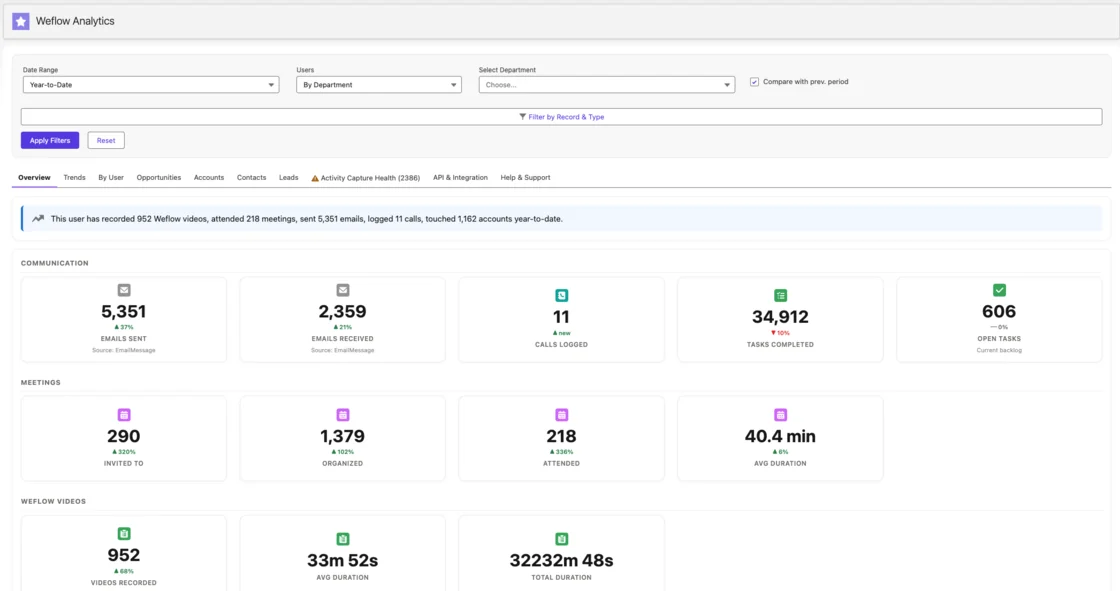
If all you need is activity reporting, you may not need the warehouse at all. The Weflow Analytics package gives you activity reports inside Salesforce and uses no Salesforce API calls. That means it doesn't compete with your other integrations for the daily API limit. Your admin turns it on from the Weflow admin console, and it shows up as a Salesforce app.
You may want delivery straight into the warehouse with zero engineering. With Weflow, your data engineer connects the sync and the API. If a native share is a hard requirement, look for a vendor that offers one.
What teams build once Weflow data reaches the warehouse
Once transcripts sit next to email, product usage, opportunity and support data, analysis in the warehouse beats any single tool's built-in AI. The in-tool AI sees the calls. Your warehouse sees the calls plus everything else you know about the customer.
Here's what teams have built on it:
- Historical backfill for internal models. Weflow backfilled several months of Lendz's historical email, and that history feeds Lendz's internal AI models.
- A weekly objection sweep. An AI system on the Weflow API reads every call transcript from the past week and surfaces the objections buyers raised. For one advertising customer, the main objection wasn't price. It was budget management, specifically how the buyer's accounting team handled advertising budgets, which is a blocker the company could actually fix.
- Board and management reporting from joined data. Teams that used to download Salesforce data and massage it into a board pack every cycle build that pack from joined warehouse tables, so the numbers leadership reads match the CRM.
KORE Wireless described what they were really buying:
We weren't buying conversation intelligence. We were buying a unified data layer that the entire go-to-market motion could run on, and a partner who understood that distinction.
Scott Jones, SVP of GTM Revenue Intelligence & Enablement, KORE Wireless
See how Weflow captures activity, updates Salesforce fields from calls, and rolls up your forecast. Book a 30-minute demo.
FAQ: what data teams ask about Weflow warehouse exports
Does the Weflow API cost extra, and do warehouse agents use agent actions?
No. The Weflow API costs nothing extra. Agents you build in your warehouse, Claude or ChatGPT on Weflow data consume no Weflow agent actions.
Only actions run inside Weflow Agent Builder are metered. Every plan includes 25 of those per workspace per month.
Do exported Weflow records carry Salesforce account, contact and opportunity IDs?
Yes, on both routes. Route 1 rows are native Salesforce records, so they carry Salesforce IDs by definition. Route 2 records from the Weflow REST API come tied to the Salesforce object they were matched to.
Will storing Weflow transcripts in Salesforce raise our storage and sync volume?
Transcripts and summaries do live in Salesforce, in Weflow_Recording__c, so they travel your sync like any other object. We keep video out of Salesforce on purpose, because Salesforce storage is expensive and video files are heavy. You export video through the API to your own cloud storage instead.
Where does Weflow store our data, and where does video go?
Weflow stores your data in the region of your Salesforce org. Video is the one exception: Weflow holds the recordings, and you export them through the API to your own cloud storage.
Does Weflow export respect our Salesforce permissions?
Weflow inherits your Salesforce permission sets, field-level security and role hierarchy. It doesn't inherit restrictions you enforce through list views or Lightning component visibility.
Export from a Weflow view runs on a feature flag, not on inherited permissions. If you segregate access through views, your admin rebuilds that by assigning views centrally per team and switching off users' ability to build their own.
Which security certifications does Weflow hold for a data review?
Weflow is SOC 2 Type II certified and GDPR compliant. It applies Zero Data Retention to AI processing, and never uses customer data to train AI models.
ISO 27001 is a target for December 2026, and Weflow doesn't hold it yet.
Can we backfill historical Weflow activity before we start loading?
Yes. Weflow backfilled several months of email for Lendz. For Blacklane, Weflow synced four months of historical emails and meetings, batched over one week to stay within daily Salesforce API limits. Once that history is in Salesforce, your sync carries it to the warehouse.
Who should own the Weflow-to-warehouse pipeline, RevOps or data engineering?
Data engineering owns the warehouse and the pipeline. RevOps owns what flows into it: which objects and fields Weflow writes, the Task or EmailMessage choice, and the storage setting that decides whether the API route is open for activity.