Why pointing an LLM at Salesforce fails: the unified data layer prerequisite
Learn why LLMs fail on Salesforce data and what a unified data layer must include first.




You wired the model into Salesforce, asked it a real question about the pipeline, and got back a clean, confident paragraph that was wrong. Not obviously wrong. Wrong in a way nobody in the room could point at, which is worse, because somebody repeated it in a meeting.
The model wasn't the problem. It answered honestly from what it could see, and what it could see was a CRM missing half the meetings, with empty fields and the same account sitting in there three times. The thing your AI project actually needs has a name: a unified data layer for go-to-market is activity, conversation, contact, and CRM data captured completely, mapped to the right records, and joined on the same objects inside the Salesforce org you own. That's the precondition almost every revenue AI mandate skipped.
This article does three things: explains the mechanism behind the confident wrong answer, names exactly what has to be true before any agent works on your CRM, and gives you the honest timeline for getting there. We build this layer for a living. Weflow is the Revenue AI Orchestration platform for sales, customer success, and RevOps teams, so we have a position here, and we'll be specific about where it ends.
Why an LLM pointed at Salesforce answers confidently and wrong
An LLM cannot see absence. That's the whole mechanism.
It reads what's on the record and reasons over that. If the opportunity holds a stage, an amount, a close date, and a next-step field somebody typed three weeks ago, then that's the deal as far as the model is concerned. It has no signal telling it that four meetings happened, that the champion went quiet, or that the real conversation is on the other open opportunity under the same account.
And a model doesn't return "insufficient data." It returns the most plausible completion of the pattern it was given. So the failure never announces itself.
| What the agent reads on the opportunity | What's actually true of the deal |
| Stage: Negotiation. Amount unchanged. Close date this quarter. | Close date has been pushed three times and the last push wasn't logged as anything. |
| One contact, one contact role, last activity 40 days ago. | Five people are on the email thread, including a security reviewer nobody has created as a contact. |
| Next step: "send revised proposal." | The buyer said on the last call to come back after their fiscal year starts. That call was recorded in a tool that doesn't write to Salesforce. |
| No activity on the deal for six weeks. | Plenty of activity, all of it filed at account level because the account carries three open opportunities. |
Every row there produces a fluent answer. Three of the four produce a wrong one, and none of them produce a warning.
"If you could just hook Claude into Salesforce and it gives you the truth. I mean, in theory, if it's a system of truth, it should be able to do it. But the reality is it just doesn't work. And so I think you have to be really good at the data foundation, your custom data structure, like the quality of the data, and then also the consolidation unification. That is basically the infrastructure."
This is the part to take upstairs when leadership asks why the agent can't be trusted yet. Partial data is more dangerous than no data, because partial data still renders a chart and the chart still gets acted on.
"And if I've learned one thing over the past, I don't know, ten years is that it's worse to have basically incomplete, inconsistent, or inaccurate data than to have no data at all because then you have this illusion of like, oh, I have data and I can trust the data, but then if the data is wrong, that actually is worse than, yeah, not having the data and basically just, you know, like, making wrong decisions is, yeah, very unfortunate."
What the AI agent inherits from your Salesforce data
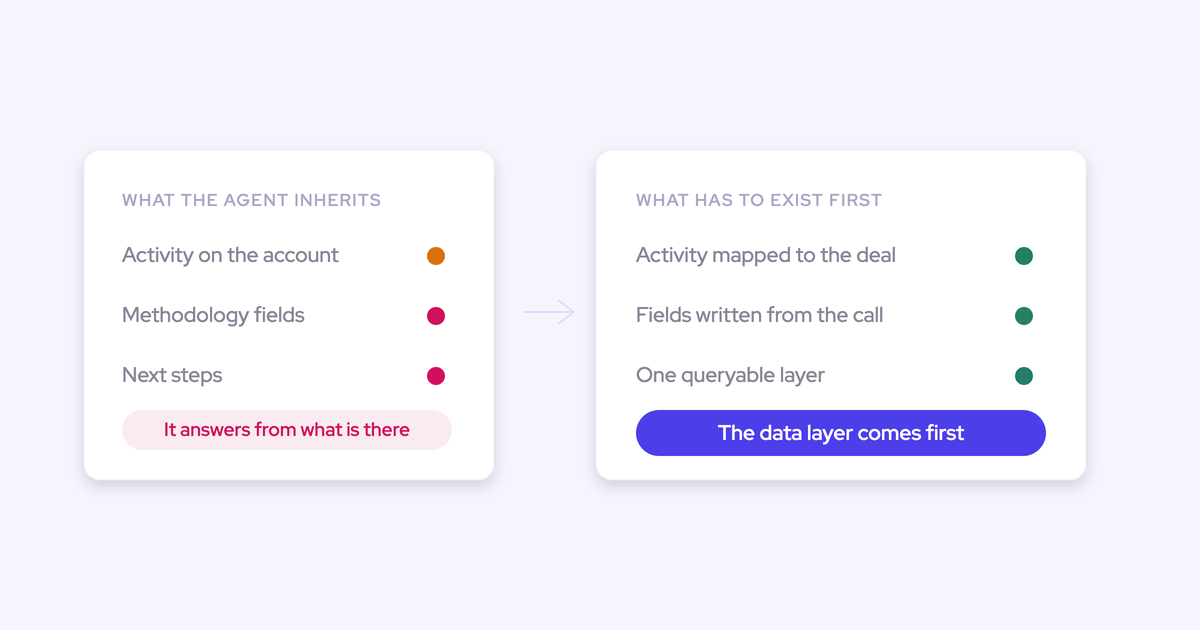
"Bad data" is too vague to fix. In practice the agent inherits three specific defects, and each one bends the answer in a different direction.
We see all three in nearly every org we look at, in the same combination, whether the CRM is eight years old or was assembled last year out of four acquisitions.
Missing activity: the meetings and emails that never reached Salesforce
Capture has always depended on rep goodwill, and goodwill runs out on the busiest weeks.
Teams relying on the Salesforce Outlook add-in or Gmail extension for logging capture somewhere between 24% and 52% of their activities. So up to three quarters of the interactions never reach the CRM at all. The add-in connection is also per user and breaks silently, which means coverage degrades one rep at a time with no central signal that it happened.
The gaps aren't random either. They sit exactly where the deal got hard, because that's the week nobody had time to log anything.
Your best sellers have your emptiest records. Point an agent at that pipeline and it will rate your top rep's deals as your coldest.
Siloed data: conversations and activity living outside the CRM
The second defect is that the layers were never assembled anywhere an agent could reach them.
"We've seen probably now hundreds of Salesforce setups, and I think the reality is the data is very siloed. Right? You have the activity data somewhere. You have the conversation data somewhere. You have the CRM data. You might have some web data. You have some contact data somewhere else."
The specific ways it fragments:
- Conversation data in a vendor cloud. Gong's conversation intelligence is genuinely strong, and it maps captured emails and meetings into its own data structure rather than writing that activity back into your Salesforce. Any agent you build on Salesforce is missing the conversation layer entirely.
- Products that don't talk to each other. Clari's forecasting and its conversation intelligence don't feed each other, so call content never informs the forecast. Teams that own both end up piping transcripts into a separate AI workspace and hand-carrying the output back.
- Activity stored outside native objects. Einstein Activity Capture streams activity into the timeline rather than storing it as records, so you can't query it, can't use it in flows, and can't export it. It also doesn't update the standard Last Activity Date field, which quietly breaks the reports built on that field.
- Five tools writing the same thing differently. The router, the sequencer, the revenue intelligence platform, and the CS platform each sync the same email. One logs a task, another an email message, another an event. Meeting counts inflate and reporting stops reconciling.
Sales engagement platforms deserve their own note here, because they look like capture and aren't. They log to the Task object, which discards the from and to information, so reply rate becomes impossible to calculate. Full sequencing coverage, and you still can't answer whether the buyer wrote back.
Wrong mapping: activity landing on the account, not the deal
Captured activity that lands on the wrong record is worse than uncaptured activity, because it looks like coverage.
The moment an account carries more than one open opportunity, and most do (new business, renewal, upsell, often as separate record types), nothing in the raw data says which deal a conversation belongs to. Einstein Activity Capture follows opportunity contact roles to decide, and contact roles are one of the least maintained objects in any CRM. Clari Capture maps server-side on the email domain, which can tell you the company and never the deal.
So the activity falls back to the account. Now your agent sees accounts humming with engagement and the deals underneath them looking dead, and it will happily explain the discrepancy to you with an answer it invented.
There's a second version of this that hits harder in franchise, partner, and multi-entity businesses: one contact legitimately sits across several accounts. Once activity is filed against the wrong one, the history is fiction, and the rep who opens the pipeline and can't find their own work decides the tool is broken.
What is a unified data layer for GTM?
A unified data layer for go-to-market is the four kinds of revenue data captured completely, mapped to the right records, and joined on the same objects in the Salesforce org you own, so a single system can answer a question about a deal without a person assembling the answer first.
It's what everyone assumed the CRM already was. It never was, because the CRM only ever held what somebody remembered to type.
The four components, and the defect each one closes:
- Activity data. Every email, meeting, and contact, captured server-side into native Salesforce objects, at a coverage rate high enough to report on. This closes the missing-activity gap and gives you the earliest deal signal there is, because engagement moves before the stage does.
- Conversation data. What was actually said, turned into structured fields on the record rather than a transcript in a second portal. Leadership can count calls today; the substance of them lives in reps' heads.
- Contact data. The real buying committee, including the people a champion forwards a thread to, attached to the account and the opportunity with contact roles set. Reps almost never add a new participant by hand, so without automatic creation the CRM shows one stakeholder on a five-person deal.
- CRM fields and history. The stage, the amount field the business actually manages by, and the tracked history of how both moved. Without snapshots there's nothing to compare, and no downstream analysis recovers a history nobody stored.
Joined is the load-bearing word. Four complete layers sitting in four systems is not a unified data layer, it's four silos with better coverage.
Four things that must be true before revenue AI works
These are ordered, and you can't skip one. Any AI initiative that starts downstream of a gap inherits the gap and hides it behind fluent output.
- Capture is complete and doesn't depend on a human. The bar is not "we have a sync." The bar is 99% or more of emails, meetings, and contacts stored in the CRM, running server-side with nothing for a rep to click, and monitored so a silent failure shows up as an alert rather than as a quiet rep.
"Number one for me, and this is always what we try to solve first for our customers, is activity data. So making sure that you capture every email, every meeting, every contact that your reps are in touch with, and making sure that there is transparency and that this gets captured reliably. And reliably, I really mean, you know, you wanna have, like, ninety nine percent or more of those activities stored in your CRM so you can run reports on it, automations, flows, and so on. It's really fundamental, data that you need to have for both tactical and strategic decisions."
- Mapping resolves to the opportunity, not just the account. "Correct" means an activity lands on the deal it belongs to, that ambiguity gets resolved by someone who knows the answer instead of guessed by a domain match, and that a wrong mapping can be corrected once and stay corrected. If you can't answer how many touches a specific deal has had, your capture project delivered volume and not truth.
- The layers are joined on the same record. The call content, the email thread, the contacts, and the fields have to hang off the same opportunity. And conversation content has to arrive as structured fields, because Salesforce long text fields aren't queryable through the API. Drop your richest deal context into a long text field and it sits there where no flow, report, BI model, or agent can read it.
- You own the layer and your own tools can reach it. Data in native Salesforce objects is queryable by your flows, your reports, your warehouse, and your agents on day one. Data mirrored in a vendor's cloud is reachable from that vendor's UI and nowhere else, which you feel twice: while you're paying for it, and again at renewal when leaving means losing the history.
Read that list back and it stops looking like a chore. It's the deliverable. The AI project was never a model selection exercise.
Where the unified data layer sits in Revenue AI Orchestration
Revenue AI runs as three layers, and the unified data layer is the first one.
"The killer use case is taking unstructured data, structuring it, and just basically bringing different context data together so that you have a system of truth, a system of intelligence, and a system of action. And whether the action is then taken by an agent or by a human is a decision that you need to make."
| Layer | What it holds | What breaks without the layer below |
| System of truth | Activity, conversation, contact, and CRM data, captured, mapped, and joined in your own Salesforce objects | Nothing below it. This is the floor. |
| System of intelligence | Deal health, methodology coverage, risk signals, forecast projections | Scores and predictions computed on a record that's missing the last three conversations. They look precise and they're arbitrary. |
| System of action | Field writes, nudges, follow-ups, agent workflows | Automation that acts on the wrong conclusion, at speed, in front of customers. |
Most AI mandates get bought at the top of that table and land at the bottom. The board asked for agents, so the project started at the exciting use case, and the truth layer got assumed.
There's a governance point buried in the third layer too. Once the truth layer exists, how much autonomy you give an agent becomes a decision you make deliberately, per workflow. Before it exists, autonomy isn't a choice, it's a gamble.
How Weflow builds the unified data layer inside Salesforce
Weflow's architecture is that prerequisite chain, in order. That's the honest reason we lead with capture rather than with agents: the AI outputs are only as good as the completeness of the data feeding them, and capture quality is the part competitors can't copy from a feature grid.
| Prerequisite | How Weflow delivers it |
| Complete capture | Server-side capture through a Google Workspace or Microsoft Entra app installed once by an admin, so nothing depends on a rep clicking and no user can opt out. Emails, meetings, and contacts land in native Salesforce objects, permanently, where flows and reports read them. |
| Correct mapping | Activity is matched to the contact or lead on the email address, then related to an open opportunity in preference to the account, and never to a closed one. Where it's genuinely ambiguous, the rep resolves it once in the Outlook add-in or Chrome extension and Weflow applies that choice to the rest of the thread. |
| Joined layers | Call summaries write onto the Salesforce Event so they appear on the opportunity timeline. AI extracts structured values into your existing fields, including your methodology fields, rather than into a scorecard of its own. Contacts get created against existing accounts and attached as contact roles. |
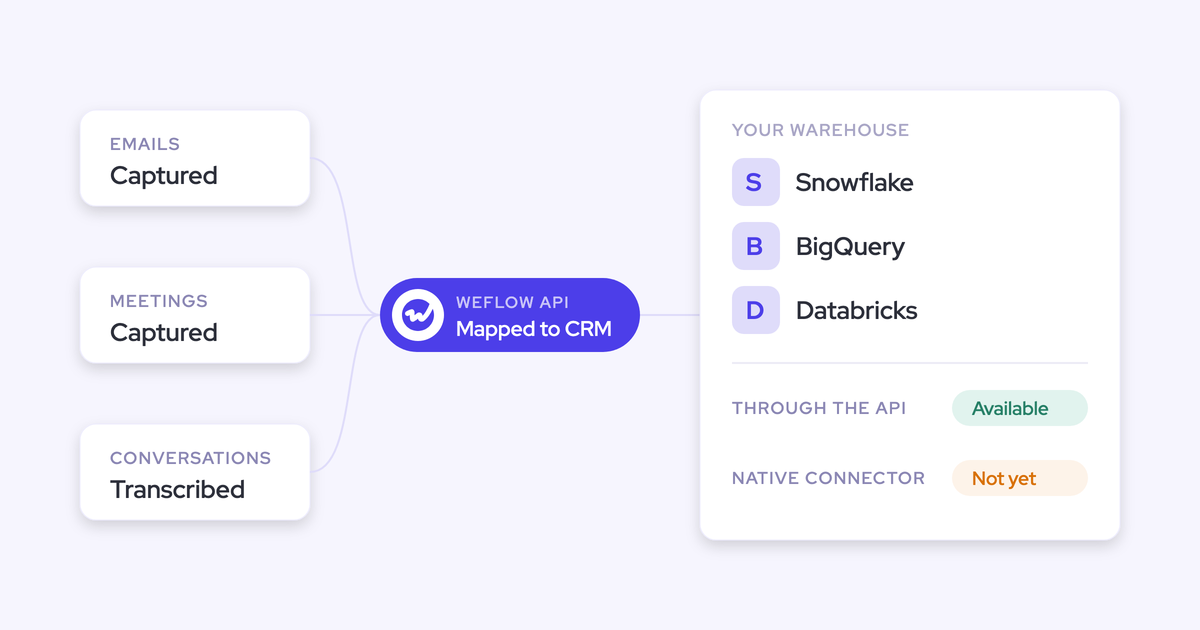
| Ownership and reach | Everything lands in your objects and custom fields, inside your permission model. Your BI tool, your flows, and your own agents read it as Salesforce data, because that's what it is. |
The mapping decision is the one worth dwelling on. Server-side capture alone genuinely cannot tell a renewal from an expansion when the same contact sits on both, and any vendor claiming otherwise is guessing on your behalf. Letting the rep settle it once, in the mailbox they're already in, fixes the ambiguity at the only moment the answer is actually known.
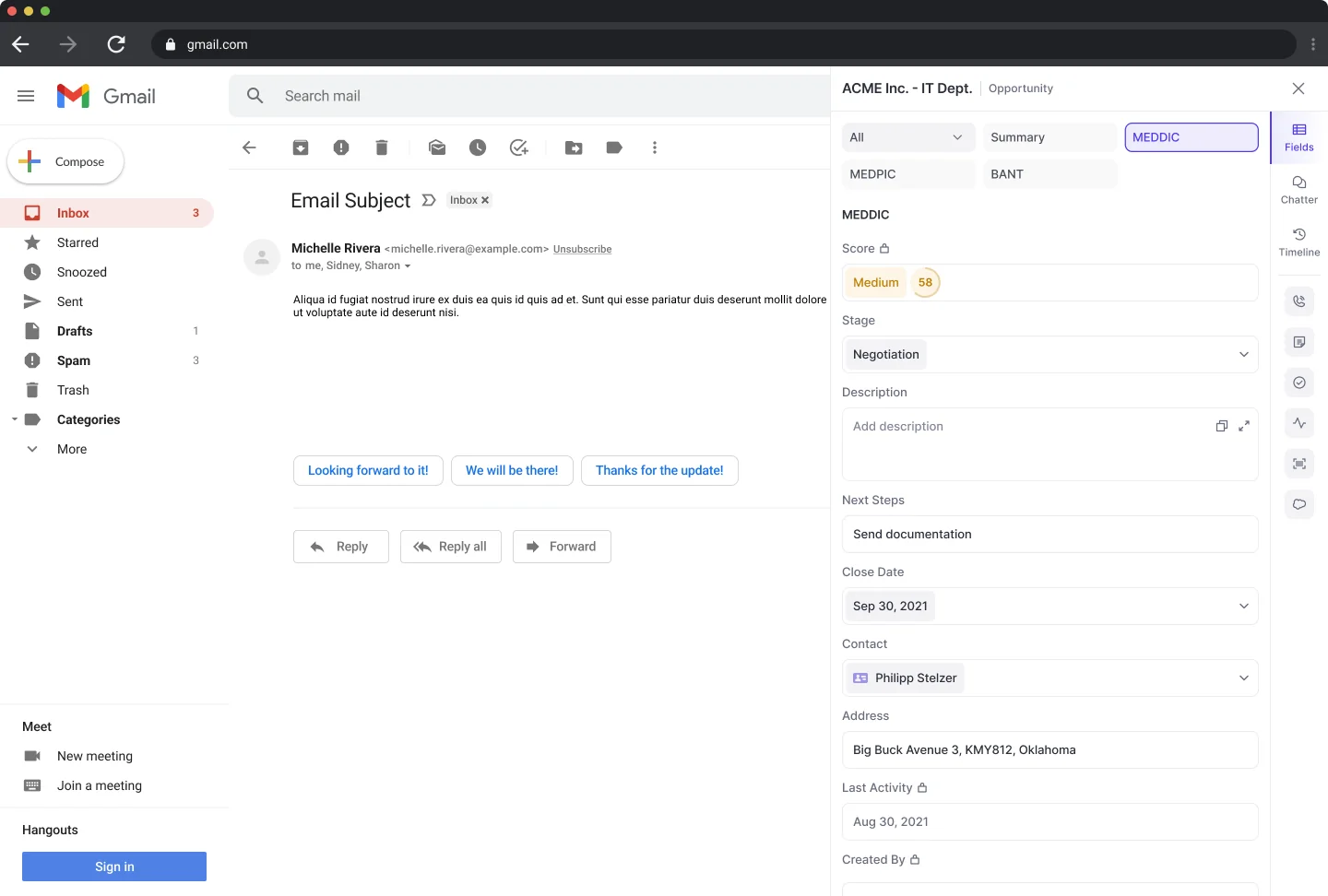
On the conversation side, admins map which Salesforce fields the AI is allowed to write, and the prompts behind every output are editable rather than fixed. That matters because methodology fields already exist in most orgs, and a score living in a vendor's UI leaves those fields exactly as empty as they were.
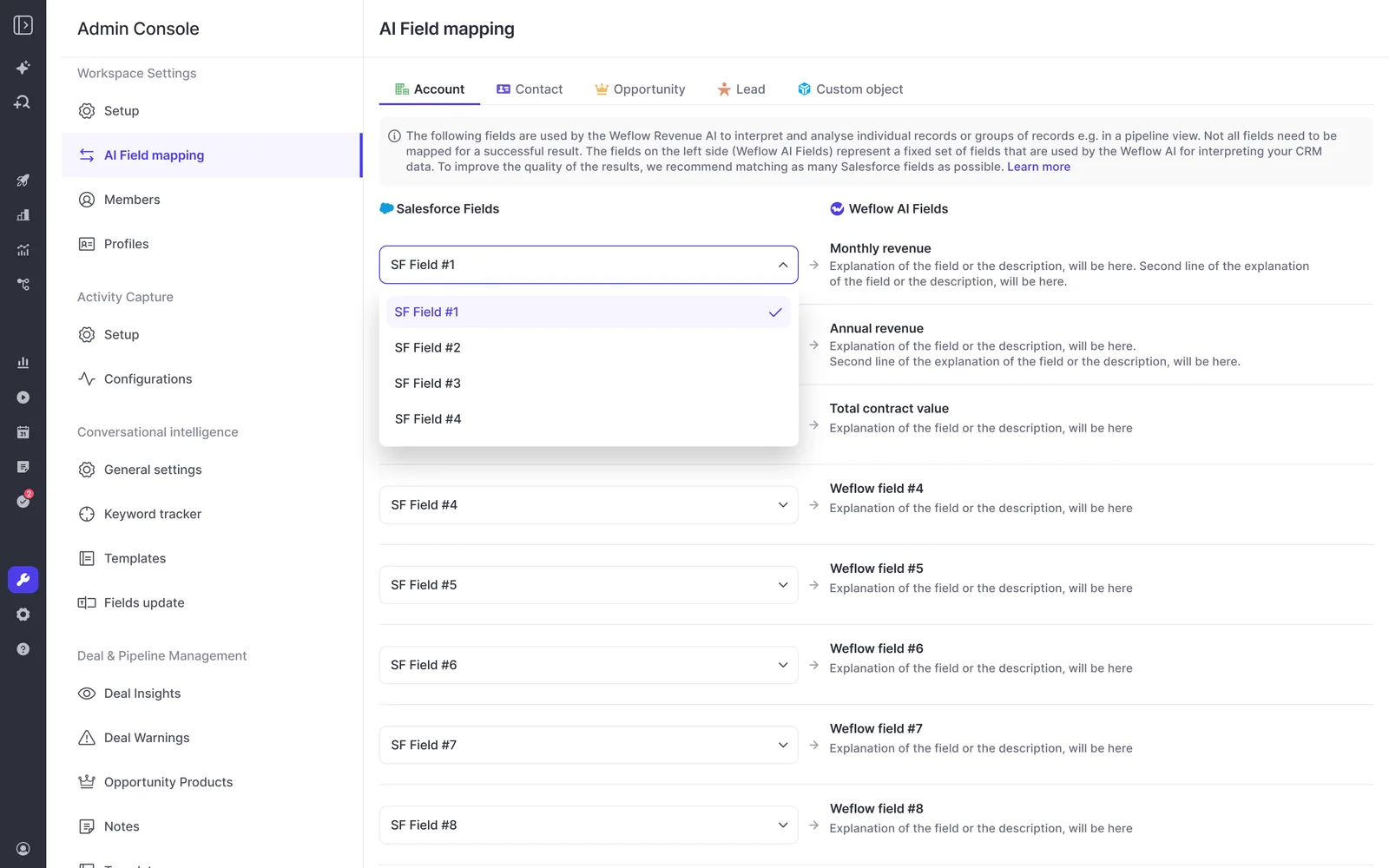
Once the layers are joined, questions that used to span four systems become one query, because the transcript, the CRM fields, and the activity history are attached to the same record.

"We weren't buying conversation intelligence. We were buying a unified data layer that the entire go-to-market motion could run on, and a partner who understood that distinction."
— Scott Jones, SVP of GTM Revenue Intelligence & Enablement at KORE Wireless
How long building the data foundation actually takes
Weeks, not quarters. That's the answer, and it's the reason "do the data work first" isn't the career-stalling advice it sounds like.
The technical install is one admin session of roughly 45 to 60 minutes with a Salesforce admin and a mail or IT admin in the room: two managed packages, one integration user with a dedicated permission set, one mail app installed centrally, no code deployment. HolidayCheck put it plainly:
"It took less than an hour to install the managed package and start syncing data. Everything was live immediately."
— Bastian Stosic, Head of Media Sales Operations at HolidayCheck
From there, time to live is typically two to three weeks. Capture and Conversation Intelligence can go from install to rollout in two to three weeks. Most of that time isn't technical, it's configuration: team structure, which fields the AI may populate, warning rules, playbooks. Weflow runs onboarding itself and doesn't charge for implementation.
History is recoverable to a point. Weflow can backfill up to two years of emails and meetings from your mail server into Salesforce, so in-flight deals don't look artificially dead on day one. Backfill is opt-in and spread over days or weeks, because pulling that much history is heavy on the Salesforce API.
Now the limits, stated plainly, because this is where vendor demos usually go quiet.
- Duplicate accounts stay yours. Weflow creates contacts against accounts that already exist. It never creates accounts, leads, or opportunities, which means it also won't merge the three versions of the same customer your PE roll-up left behind.
- Definitions are a human job. If two leaders disagree on what a qualified opportunity is, a data layer industrializes the disagreement. Align on ICP and segmentation before you point anything at the result.
- History that was never recorded can't be invented. Backfill reads your mail tenant. A hallway conversation at a conference two years ago left no trace anywhere, and no platform recovers it. Going forward, the mobile app closes that gap for in-person meetings.
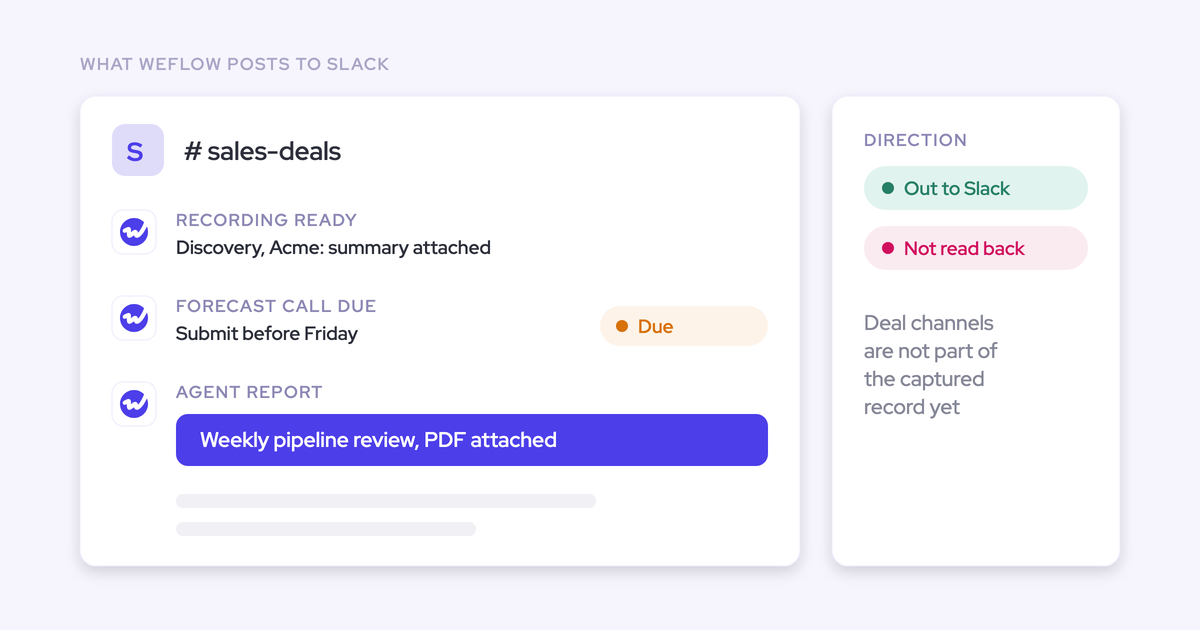
- Forecast submissions live in the Weflow app, not in Salesforce. Every other output writes back to native objects; roll-ups are the exception, and teams that snapshot forecasts into BI pull them through the public API.
- Not on Salesforce? Not a fit. Weflow is built entirely on the Salesforce API. If your operating companies run different CRMs, we can only cover the Salesforce side.
We'd rather you hear that now than discover it in week three. The pattern in most engagements is the same: we look at your data first, and in most cases we suggest doing a little homework together before anyone builds the big automation.
See how Weflow captures activity, updates Salesforce fields from calls, and rolls up your forecast. Book a 30-minute demo.
FAQ: unified data layers, Salesforce data, and AI agents
How does capture decide which opportunity an email belongs to?
Weflow matches the email to the contact or lead on the address, then relates the activity to an open opportunity in preference to the account. It attaches to an opportunity when the contact holds a contact role on exactly one open deal, or when a single open opportunity sits under the parent account. Closed opportunities are never written to. Where a contact sits on several open deals, or holds no contact role at all, the activity falls back to the account until the rep picks the right deal in the Outlook add-in or Chrome extension, and that choice then applies to the whole thread.
Can Claude, MCP clients, or our own agents read the data?
Yes, because the data is Salesforce data. Activity, contacts, transcripts, summaries, and AI field writes land in native Salesforce objects inside your org, so anything that already reads your Salesforce (your own agents, a Salesforce connector in your assistant of choice, your BI tool, your flows) reads them with no extra integration. That's the practical difference from a vendor cloud: data mirrored somewhere else is reachable from that vendor's UI, not from the chat window your team has standardized on. The one exception is forecast roll-up data, which lives in the Weflow app and comes out through the public API.
Does a unified data layer fix historical Salesforce data?
Partly. Weflow backfills up to two years of emails and meetings from your mail server into Salesforce, which is enough history for deal signals, engagement trends, and benchmarks to mean something on day one. Any activity that failed to sync can also be recovered and pushed in later once the mapping rule is corrected, so a rollout gap doesn't become a permanent hole. What it can't do is invent records for conversations that were never written down anywhere, or merge duplicate accounts.
What does automated capture do to Salesforce API limits?
Your Salesforce org has a daily API allowance shared by every connected system, so when one integration eats it, unrelated tools fail in unrelated ways on the same afternoon. Steady-state capture is not the heavy operation here; historical backfill is, which is why Weflow spreads it over days or weeks rather than pulling two years of mail in one pass. If you're diagnosing an allowance problem, look at consumption per integration user rather than per vendor, because the tool that breaks loudest is rarely the one spending the budget.
Does the layer respect field-level security and validation rules?
Yes, and this is a hard requirement rather than a nice-to-have, because an overlay that walks through your permission model is a data leak with a dashboard on it. Weflow respects validation rules, field dependencies, permissions, and role hierarchy, and writes into your standard and custom objects and fields rather than imposing its own record types. Lookup relationship fields are the one field type it can't update. Sign-in runs only through your Salesforce authentication, using OAuth and whatever SSO your org already enforces, so deactivating a user in Salesforce removes their Weflow access immediately and there's no second password to phish.
Is this another tool my reps have to live in?
No, and it shouldn't be, because a second daily destination is how teams lose the CRM. Capture runs server-side, so there's nothing for a rep to click. Call summaries write onto the Salesforce Event and show up on the opportunity timeline, so the record a manager reads is the record a rep already sees. The Outlook add-in and Chrome extension exist for the moments a human genuinely has to decide something, like re-mapping a thread, not as a place to work. Forecast submission is the one workflow that happens in the Weflow app, which is worth knowing upfront if your rule is that reps open Salesforce and nothing else.