5 Weflow MCP Prompts to Draft a Board Forecast Update in Claude
Learn 5 Weflow MCP prompts to draft a board forecast update in Claude with verified forecast data.


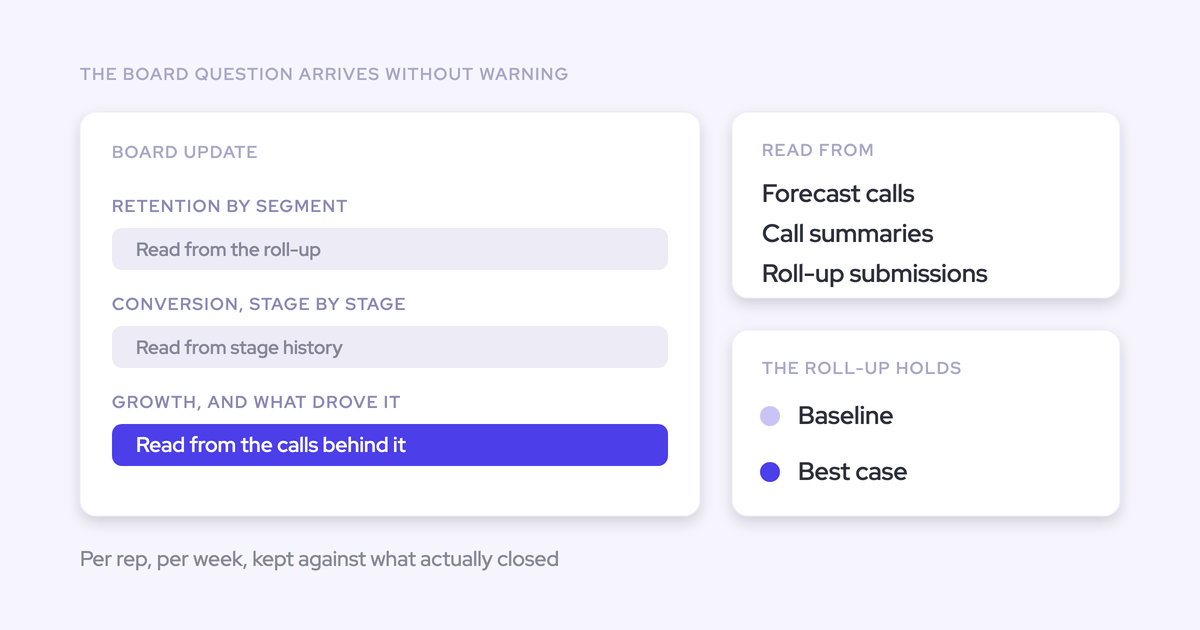

Your board forecast update needs to explain why the number moved, which deals matter, and what leadership should do about the gap. A current pipeline dashboard answers only part of that question.
You may already paste exports into Claude, add notes from the forecast call, and ask for something you can send to your CEO. The writing takes less work than assembling the evidence. You still have to reconcile the period, check the owners, and find the opportunities behind each conclusion.
Keep that verification step. Remove the manual joining where the connector can supply the context, and treat the result as a draft of the revenue forecast section, not the entire board pack.
What Weflow MCP gives Claude for board forecasts
Weflow MCP gives Claude access to forecast data and conversation context in the same reporting workflow. That lets you investigate changing executive questions without building another dashboard.
Weflow is the Revenue AI Orchestration platform for sales, customer success, and RevOps teams. Built for Salesforce teams, Weflow connects the forecast narrative to the opportunity-level inspection you use in Weflow deal reviews.
The distinction from a Salesforce-only query matters: Weflow forecast calls, submissions, and targets live in Weflow, not in Salesforce objects. A Salesforce connector alone can't retrieve that forecast layer.
| Available revenue context | Role in the forecast draft |
|---|---|
| Forecast data for a chosen close-date period | Establishes the reporting period and current position for your own opportunities or your team hierarchy. |
| Weflow forecast calls, submissions, and targets | Supplies the forecast context that a Salesforce-only query misses. |
| Per-rep metrics and configured forecast categories | Shows coverage, pipeline, results, and gaps using your organization's forecast structure. |
| Call summaries and playbooks | Provides recorded context for explaining deal progress and qualification gaps. |
| Full transcripts, when an admin enables access | Supports inspection of what someone actually said, beyond an AI summary. |
| Underlying opportunity IDs | Gives RevOps a path from an aggregate or narrative claim back to the deal record. |
Access doesn't make every explanation true. Claude still needs instructions to separate a measured change from a recorded explanation and an inference.
Set up Weflow MCP in Claude first
A Weflow admin must enable MCP for the workspace before you connect Claude. Transcript access requires a separate decision.
- Confirm access and commercial terms. Check your workspace's MCP entitlement, any applicable Weflow charges, and whether your Claude plan and organization settings allow custom connectors. Don't infer MCP terms from general AI pricing.
- Enable the workspace endpoint. In the Weflow admin console, turn on Enable MCP Connector.
- Choose conversation access depth. Use Allow transcript access to decide whether external assistants can read full transcripts. With that setting off, Claude can use AI summaries but can't retrieve verbatim transcripts through Weflow MCP.
- Add Weflow as a custom connector in Claude. Paste the Weflow MCP endpoint URL into the custom connector setup and complete authorization. The Weflow console lists connected users, their email addresses, and connection dates.
- Verify access with the intended reporting user. Weflow inherits Salesforce permissions and role hierarchy, but Salesforce list-view restrictions and Lightning component visibility aren't permission controls that Weflow inherits. Test the actual connector results before querying sensitive revenue data.
- Check the reporting hierarchy. Requests use
meorteamscope. Confirm who belongs in the result, especially when an admin runs the query. - Choose a private test period. Set explicit close-date start and end dates, a currency, and the forecast calls you'll compare. Review your company's rules for sending data to Claude, including external retention settings.
Weflow's AI processing commitments don't establish Claude's retention policy. Review the external assistant separately.
Five Claude prompts for a board forecast update
Run these five prompts in order in one Claude thread with Weflow MCP enabled. Verify each result before letting Claude use it in the next step.
Replace every bracketed placeholder. Keep the close-date period, reporting scope, currency, and forecast configuration consistent throughout the thread.
- Close-date period: the opportunities you're forecasting.
- Comparison points: the current and prior Weflow forecast calls, not two different opportunity periods.
- Evidence window: the conversation dates that should inform the analysis.
These prompts request sources; they don't guarantee that every source or historical value exists. A useful answer names the missing evidence instead of filling the gap.
Prompt 1: Establish the current forecast position
Start with a factual baseline that you can reconcile in Weflow. Don't ask Claude to explain the number before you know it has the right number.
- Run in: a new Claude thread with Weflow MCP enabled.
- Inputs: close-date period, scope, expected owners, and currency.
- Expected output: a current-position table and a source register.
- Customize: prioritize the metrics your board uses, but retain Weflow's category names.
Use Weflow MCP to establish our current forecast position.

Close-date start: [START DATE]
Close-date end: [END DATE]
Scope: [me OR team]
Expected owners: [OWNER LIST]
Reporting currency: [CURRENCY]

First confirm the returned scope and owners.
Flag unexpected owners or incomplete owner detail.
Don't imply full per-owner coverage beyond the 25-owner cap.

Use the organization's configured forecast categories.
Retrieve available targets, forecast submissions, pipeline,
closed-won results, coverage, and gap to forecast.

Return a table:
Metric | Value | Period/scope | Source | Definition or caveat

Separate Weflow-returned metrics from your own calculations.
For calculations, show the formula and source inputs.
Don't invent definitions for returned metrics.

List the underlying opportunity IDs by owner where available.
Record retrieval time and source timestamps when available.
Don't describe retrieval time as proof of data freshness.

Mark missing data as unavailable, not zero.
Keep this baseline factual. Don't explain movement yet.
Finish with the figures and sources I need to verify.
Verify before continuing: compare the target, submitted forecast, and closed-won figures with Weflow for the same period and scope. Resolve any mismatch before approving the baseline.
Prompt 2: Compare current and prior Weflow forecast calls
Compare two named Weflow forecast calls while holding the opportunity period constant. A current record doesn't prove what that record looked like last week.
- Run in: the same Claude thread after approving Prompt 1.
- Inputs: current and prior forecast-call references, plus the unchanged reporting scope.
- Expected output: a side-by-side movement table with separate explanations.
- Customize: compare the calls relevant to your reporting cadence rather than assuming “last week” identifies the right submissions.
Use Weflow MCP to compare these forecast calls.

Current forecast call: [NAME/ID AND DATE]
Prior forecast call: [NAME/ID AND DATE]
Close-date period: [START DATE] through [END DATE]
Scope: [me OR team]
Expected owners: [OWNER LIST]

Use the verified baseline from this thread.
Confirm both calls cover comparable periods and owners.
Keep the organization's configured category names.

Return a movement table:
Metric/category | Prior | Current | Change |
Recorded explanation | Source reference

Calculate changes only when both values are available.
Separate numerical movement from the explanation recorded
in submissions, comments, or available conversation sources.

Label your own interpretation as inference.
A conversation mentioning a problem doesn't, by itself,
prove that the problem caused a forecast change.

Don't reconstruct historical opportunity values from
today's Salesforce fields.
If a historical value isn't accessible, identify the gap
and ask for an approved prior report or snapshot.

Keep manually supplied evidence separate from MCP results.
Finish with unresolved differences and sources to inspect.
Verify before continuing: open both forecast calls and check the largest changes. If Claude can't retrieve a historical value, keep the comparison incomplete until you supply a valid source.
Prompt 3: Find deals creating the forecast gap
Turn the forecast gap into an opportunity inspection list. Deal value alone doesn't tell you how much a deal contributes to a shortfall or whether it will close.
- Run in: the same Claude thread after checking the movement analysis.
- Inputs: verified gap, reporting scope, conversation window, and desired list length.
- Expected output: a ranked opportunity table and follow-up checklist.
- Customize: set the materiality threshold to match your board's reporting needs.
Use Weflow MCP to investigate the verified forecast gap.

Close-date period: [START DATE] through [END DATE]
Scope: [me OR team]
Expected owners: [OWNER LIST]
Conversation window: [START DATE] through [END DATE]
Verified gap and definition: [VALUE AND BASIS]
Materiality threshold: [AMOUNT]
Maximum deals to inspect: [COUNT]

Use the opportunity IDs behind the forecast metrics.
Retrieve available deal-related summaries and playbooks.
Use transcripts only if access permits.

Separate:
1. Deals with evidence of contributing to the shortfall.
2. Open deals that warrant inspection as potential upside.

Rank each group by supported financial relevance.
Don't treat opportunity value as certain gap reduction.
Don't add upside already included in the forecast again.

Return:
Opportunity ID/name | Owner | Amount | Category |
Gap relevance | Recorded evidence | Source/date |
Uncertainty | Follow-up needed

If opportunity fields aren't available through this connector,
list the missing fields rather than inventing them.

Don't claim a complete gap reconciliation unless the
opportunity-level evidence supports one.
Finish with owner questions needed to validate the list.
Verify before continuing: check the highest-value opportunities and confirm whether the forecast already includes them. Ask the owner to validate any claimed recovery path.
Prompt 4: Locate forecast risk by owner and category
Group risk by owner and configured category so leadership can see where exposure concentrates. A large share of pipeline signals concentration, not necessarily poor deal health.
- Run in: the same Claude thread after validating the opportunity list.
- Inputs: reporting scope, evidence window, and your risk criteria.
- Expected output: an owner-and-category risk matrix with source references.
- Customize: define risk using your forecast process, such as an unresolved decision process or an unsupported close date.
Use Weflow MCP to locate forecast risk.

Close-date period: [START DATE] through [END DATE]
Scope: [me OR team]
Expected owners: [OWNER LIST]
Conversation window: [START DATE] through [END DATE]
Our risk criteria: [CRITERIA]

Use the verified baseline and opportunity inspection.
Preserve Weflow's configured forecast category names.
Confirm owner coverage and flag the 25-owner breakdown limit.

Return a matrix:
Owner | Category | Pipeline/exposure value |
Share of comparable total | Evidence-backed risks |
Opportunity IDs | Source references | Evidence gaps

Separate concentration from deal-level risk.
Don't label an owner risky solely because they hold
a large share of pipeline.

Distinguish:
- A source explicitly reporting a risk.
- Your inference from available evidence.
- Missing evidence that needs investigation.

Don't interpret an absent summary as no buyer activity.
Show denominators for percentages.
Don't sum overlapping categories or count a deal twice.

Finish with the exposures requiring manager review.
Keep suggested actions separate from recorded commitments.
Verify before continuing: inspect the denominator behind each concentration claim and the sources behind each risk. Missing conversation evidence should trigger a question, not an automatic downgrade.
Prompt 5: Draft the board narrative and likely questions
Use only the findings you've approved to draft the revenue forecast section. Claude can organize the argument, but RevOps owns the number and the recommendation.
- Run in: the same Claude thread after approving Prompts 1 through 4.
- Inputs: approved findings, reporting scope, audience, format, and length.
- Expected output: a concise board narrative, executive Q&A, and verification appendix.
- Customize: choose email, slide outline, or memo formatting without changing the analysis.
Draft only the revenue forecast section of our board update.

Audience: [BOARD/CRO/CEO]
Reporting period: [START DATE] through [END DATE]
Scope and owners: [APPROVED SCOPE]
Currency: [CURRENCY]
Format: [EMAIL/SLIDE OUTLINE/MEMO]
Length: [WORD LIMIT]
Approved findings: [IDENTIFY VERIFIED OUTPUTS]
Known unresolved issues: [ISSUES]

Use only the approved findings from this thread.
Don't silently refresh data or introduce new calculations.
Exclude unresolved claims from the factual narrative.

Organize the update:
1. Current position against target.
2. Movement since the prior forecast call.
3. Deals explaining the gap and potential upside.
4. Risk concentration and recommended actions.
5. Decisions or confirmations needed from leadership.

Separate facts, recorded explanations, and recommendations.
Preserve the organization's forecast terminology.
Don't turn suggested actions into owner commitments.

Add likely executive questions with evidence-backed answers.
Where evidence is missing, write "Needs confirmation"
and identify who should answer.

Attach a verification appendix mapping each material claim
to its metric, owner, opportunity ID, and available source.
Use only source references that actually exist.

Don't add cash, recognized revenue, or retention metrics
without separately approved inputs.
Keep the result marked as a draft pending final review.
Verify before sharing: check that the narrative preserves every qualification from the analysis. “Potential upside” mustn't become “expected to close” during editing.
How to review Claude’s forecast draft before sharing
Review the forecast draft privately before any executive receives it. A polished sentence can hide a scope error as easily as a factual one.
We hear this concern from admins preparing AI reports for leadership: they want to see the actual output themselves before adding the CEO. That's the right sequence.
- Check scope first. Confirm close-date period, owners, currency, forecast type, and comparison points. Look for incomplete owner breakdowns.
- Reconcile headline figures. Match the draft's target, forecast, closed-won total, and gap to the verified baseline.
- Inspect calculations. Check subtraction, denominators, and rounding. Don't average rep-level win rates, coverage ratios, or averages without the required weights and inputs.
- Preserve definitions. Keep weighted pipeline separate from submitted forecast. Don't relabel bookings as recognized revenue or substitute your own category meanings.
- Trace material claims. Open the cited opportunities and available conversation sources. Confirm that the source supports the sentence, not merely the topic.
- Challenge explanations. Remove unsupported causal claims. Separate an owner's stated reason from Claude's interpretation.
- Check timing and coverage. Record source dates where available. A newly retrieved answer may still rely on an older submission or an unprocessed conversation.
- Read the executive version last. Ensure formatting hasn't removed uncertainty, changed recommendations into commitments, or hidden an unresolved question.
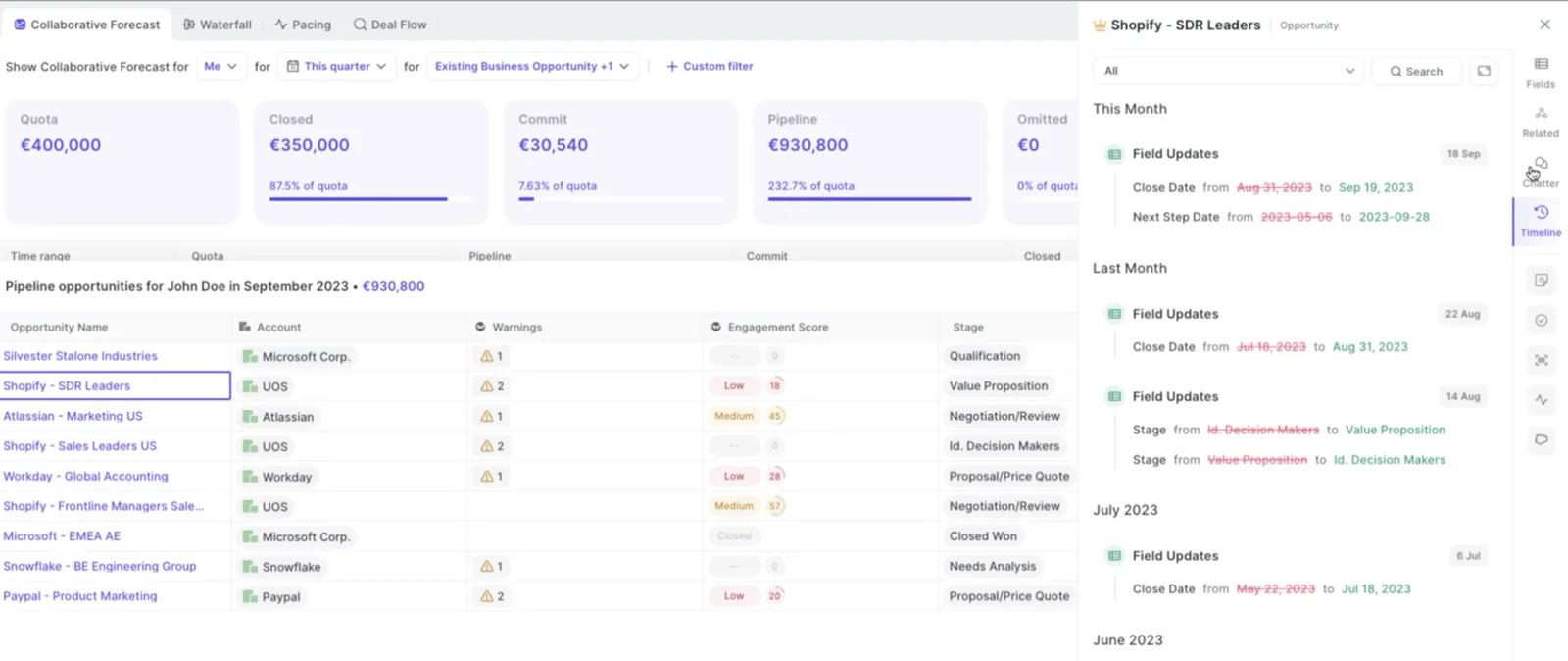
Weflow's opportunity timeline shows tracked field changes during deal inspection. Use that history to check a claim about a changed close date or stage; don't assume Claude retrieved the same history through MCP.
Where Weflow MCP fits, and where it doesn't
Weflow MCP fits revenue forecast analysis in Claude. It should supplement, not replace, a governed board-reporting process that spans finance, cash, product, and operations.
| Path | Use when | Doesn't cover | Recommended role |
|---|---|---|---|
| Weflow MCP in Claude | You need forecast metrics and available conversation context for a defined period and hierarchy. | A complete finance or ERP reporting workflow; unlimited per-owner breakdowns. | Draft and investigate the revenue forecast section. |
| Weflow MCP plus a Salesforce connector | You also need CRM record details to inspect the opportunities behind the forecast. | Historical reconstruction without historical sources; automatic reconciliation of different forecast definitions. | Join forecast context to CRM inspection using opportunity IDs. |
| Governed BI and finance workflow, supplemented by Weflow | Your board pack combines revenue with financial and operational reporting. | Weflow isn't the source for arbitrary finance, ERP, or product data. | Keep governed totals in the existing process and add revenue explanations. |
The workflow here is user-run. Connecting MCP doesn't, by itself, schedule the update or deliver it to executives. Treat scheduling and distribution as a separate implementation with its own review gate.
Weflow MCP board forecast FAQ
Weflow MCP's scope, source access, and metric definitions determine what you can safely include in a board forecast draft. Resolve those boundaries before treating the workflow as repeatable.
What can Claude access when transcripts are disabled?
Claude can access AI call summaries through Weflow MCP when full transcript access is disabled. Weflow MCP also exposes playbooks and forecast calls.
The transcript toggle controls access to verbatim conversation text. Ask Claude to cite the summary it used, and don't present a summary-derived statement as an exact customer quote.
How does team scope follow Weflow’s reporting hierarchy?
Weflow MCP's team scope follows the configured reporting hierarchy. The request also uses a chosen close-date start and end date.
Have your admin verify the hierarchy, then compare the returned owners with the team you intended to report on. A team name in a prompt doesn't prove the endpoint applied that scope.
What happens when no reporting hierarchy is configured?
When an admin has no reporting hierarchy configured, Weflow MCP's team scope resolves to every active user in the company.
Check that behavior before running a board-reporting query. Don't assume “my team” means a narrow group for an admin account.
How should large teams handle Weflow’s owner limit?
Weflow MCP caps per-rep breakdowns at 25 owners. Larger scopes can return aggregates, but you shouldn't treat them as a complete owner-level inspection.
- Work with your admin to establish supported hierarchy slices that fit the limit.
- Run each slice with identical dates, currency, and forecast definitions.
- Check for overlapping owners and opportunity IDs before consolidating.
- Reconcile the combined result against the broader aggregate.
Don't simply average the ratios or averages from separate slices. Recalculate from the required underlying inputs, or keep the results separate.
Which forecast metrics does Weflow calculate?
Weflow calculates the per-rep forecast metrics returned through MCP using Weflow's forecast configuration, rather than reading them from a Salesforce report.
- Pipeline: weighted and unweighted pipeline value, plus total opportunity count.
- Closed results: closed-won amount and count, total closed count, and win rate.
- Deal economics and timing: average deal size, average contract value, and average sales-cycle length in days.
- Forecast position: coverage ratio and gap to forecast.
Weflow returns underlying opportunity IDs alongside those metrics. Label any extra calculation Claude performs separately, and verify its formula rather than assuming it matches Weflow's definition.
Can Claude use Weflow and Salesforce connectors together?
Yes. Claude can use Weflow and Salesforce connectors in the same analysis, with each supplying a different part of the evidence.
| Connector | Role in the analysis |
|---|---|
| Weflow MCP | Forecast calls, submissions, targets, calculated forecast metrics, and available conversation context. |
| Salesforce connector | CRM record inspection, including accessible opportunity fields associated with the returned opportunity IDs. |
Use Weflow to establish the forecast gap, then inspect the relevant Salesforce Opportunity records. Keep source labels intact when the two systems return different definitions or values.
How should finance and retention data be added?
Add finance and retention figures as separate, approved inputs from their governing systems. Weflow isn't a general-purpose finance or ERP agent platform.
- Obtain the figures through an approved connector or report.
- Confirm the owner, period, currency, and metric definition.
- Give Claude the approved input with an explicit source label and instructions not to substitute forecast metrics for it.
A renewal opportunity forecast doesn't establish net revenue retention or recognized revenue. Keep those definitions separate.
Can Claude format the update for email or slides?
Yes. Claude can reshape the verified forecast analysis into email text, a slide outline, or a board memo without rerunning the underlying queries.
Specify:
- The audience and length.
- The required headings or slide count.
- The currency and rounding convention.
- Where source references and unresolved questions should appear.
Instruct Claude to preserve the approved figures and qualifications. Formatting isn't permission to revise the forecast.
How can forecast claims be traced to source records?
Weflow MCP returns underlying opportunity IDs with per-rep forecast metrics. Use those IDs and available conversation references to build a verification path for each material claim.
- Identify the sentence's metric, period, scope, and source.
- Locate the relevant owner and underlying opportunity IDs.
- Open the opportunity records and reconcile the values.
- Inspect the cited forecast submission, summary, playbook, or permitted transcript where available.
- Remove or qualify any statement whose source doesn't support it.
Start with one period and one verified team scope. Share the forecast narrative only after you can defend its material claims from the underlying records.