The AI sales agent RevOps actually wants: a daily deal-risk briefing you can build
Learn to build a daily deal-risk briefing AI sales agent in Agent Builder, not Clari dashboards.


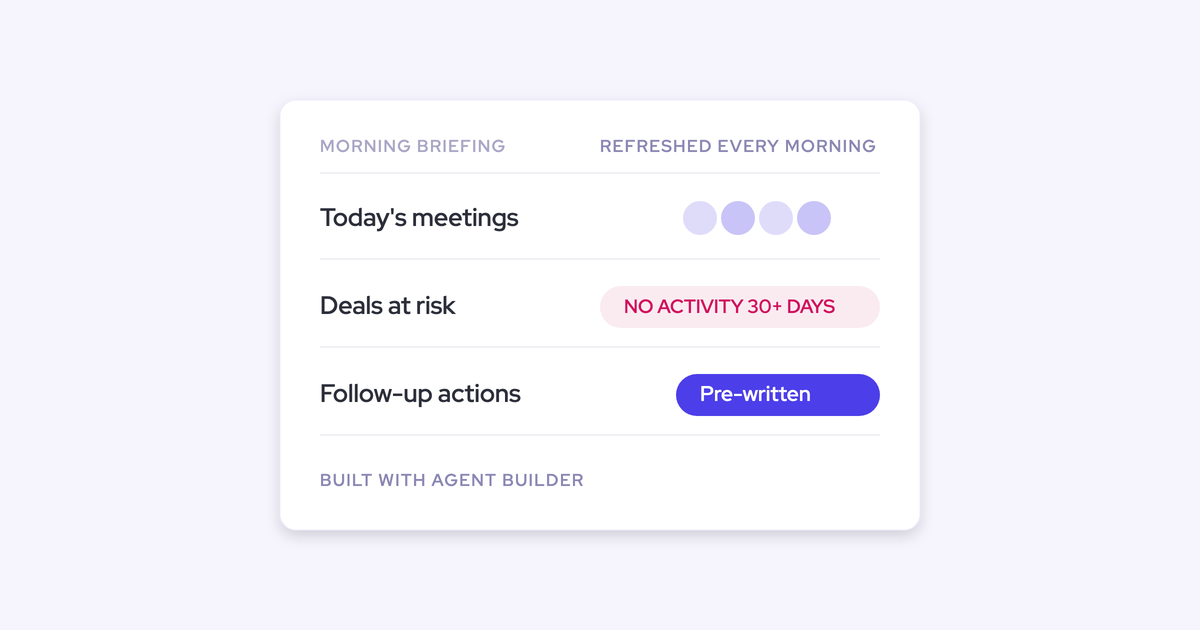

You've described this agent to at least two vendors already. One email every morning: today's meetings, the deals that went quiet, what to do about them. Nobody shipped it. Your forecasting tool surfaces the signal and stops at the dashboard, so the digging still happens deal by deal before every call.
This page shows the actual build. The trigger, the lookup, the prompt, the delivery, what it costs to run each month, and the four places it still breaks.
Weflow is the Revenue AI Orchestration platform for sales, customer success, and RevOps teams, and this briefing is a flow you configure in the admin console.
It's written against your real bar: empty when everything is fine, net time saved after you've checked it, and vetted privately before anyone senior is on the recipient list.
How to build the morning briefing in Weflow Agent Builder
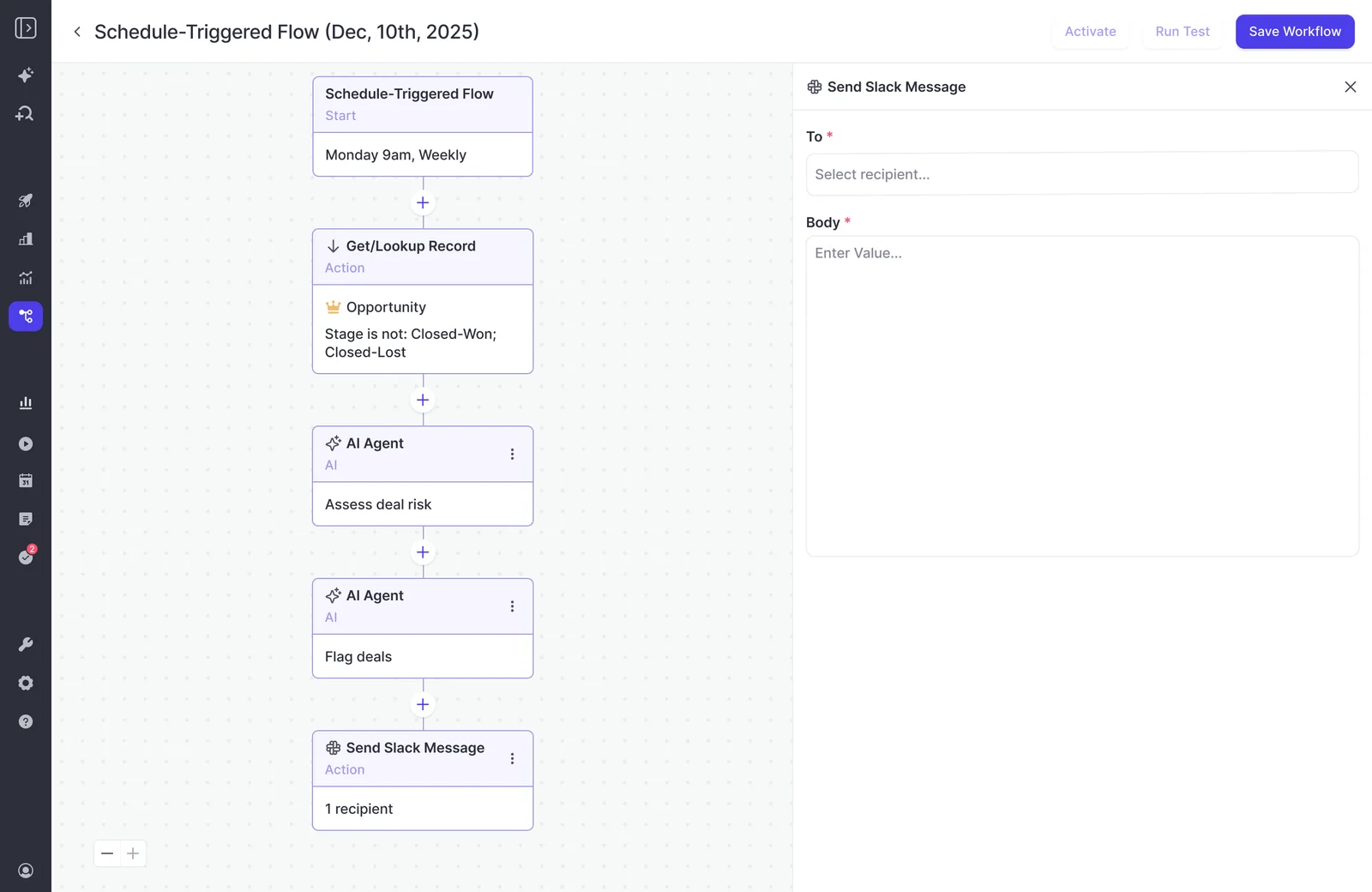
The briefing is four configurable steps in Weflow Agent Builder: a scheduled trigger, a Salesforce lookup, an agent step with your prompt, and a delivery step. No developer, no professional services ticket.
Three starting templates ship, so nobody begins from a blank canvas: a pipeline snapshot, a meeting recap bundle, and a deal risk PDF. Start from one of those and rewrite it, for a reason I'll get to in the prompt section.
Set the scheduled trigger: day, time, and timezone
The trigger is a schedule you own: day, time, timezone. Weekday mornings at 7:30 in your own timezone, or Monday only if you'd rather start with a weekly pass before committing to daily.
This is the difference between a ritual and a notification stream. It fires when you decided it fires, not when a record changes.
Scope the Salesforce lookup before the AI step
The lookup runs before any AI does, and it reads Salesforce live rather than a snapshot, so a change made a minute ago is in this morning's run.
You set the filters at field level. The thresholds are yours:
- Opportunities where last activity is older than 30 days (or 21, or 14, whatever your cycle justifies).
- Stage is not Closed-Won or Closed-Lost, close date inside the current quarter.
- Meetings on today's calendar, and the accounts and opportunities attached to them.
- Amount above a floor, so a $4k deal doesn't take a line in a CRO's email.
Skip this step and the whole thing collapses. We see it on onboarding calls: the same prompt that returns a strong answer in a chat window returns an empty or unusable report from an agent, because nothing told the model which records it was allowed to look at. Narrowing the set first is what makes the output specific, and it cuts what the run consumes.
Write the agent prompt that reads calls and emails
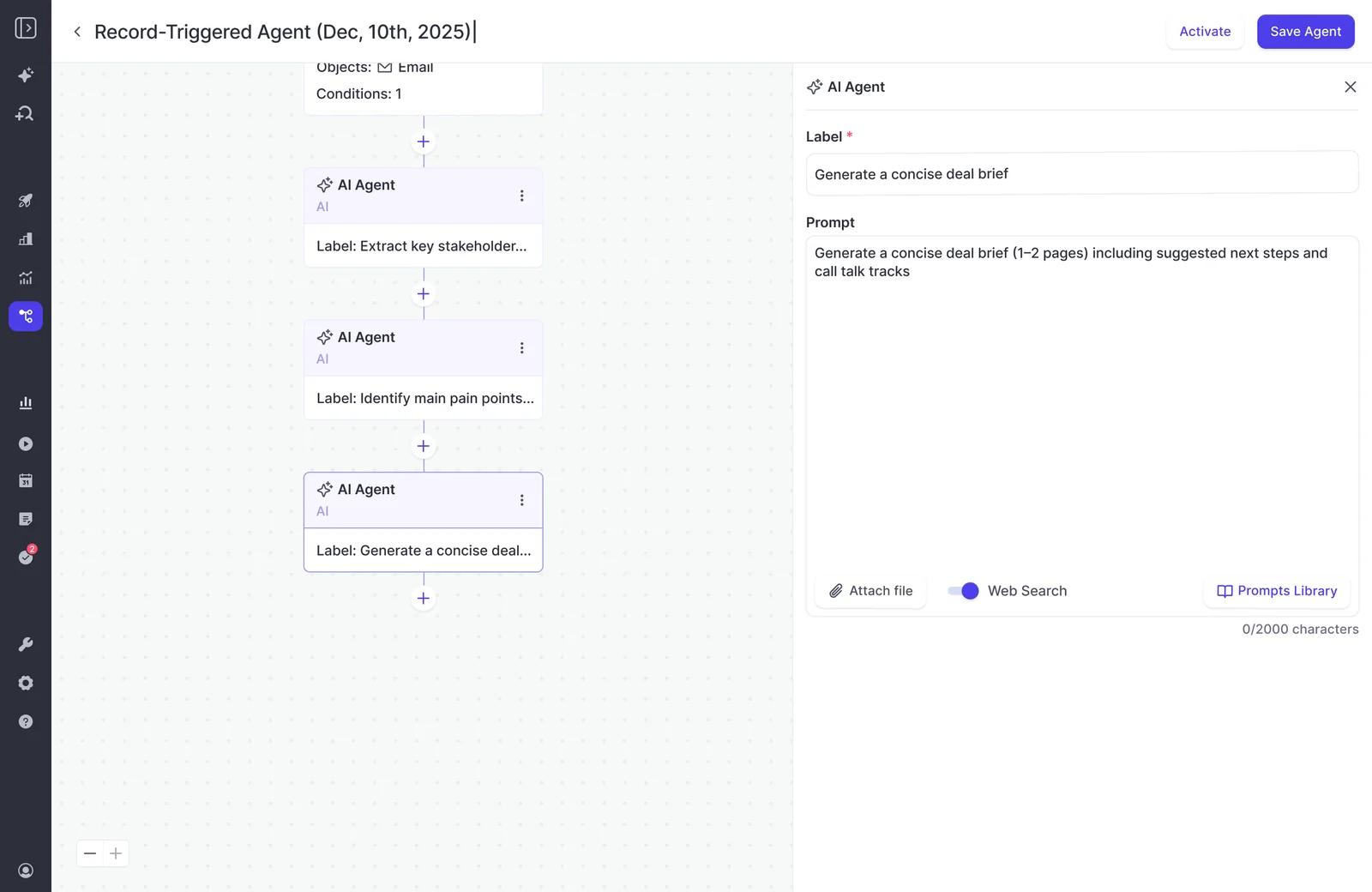
The agent step is a free-text prompt, and it reasons over the activities, emails, calls and transcripts attached to the records the lookup pulled. It can search the web and take an uploaded document, a methodology guide for instance, as grounding.
That's the part that makes "at risk" mean something. The read comes from when the buyer last responded and what they actually said, not from a next-step field a rep left blank in March.
The prompts that work are long. Name the entity, the period, the constraints, and what to leave out. A prompt that doesn't say whose deals, which dates and which exclusions will answer from the wrong context and sound confident doing it.
| Vague prompt | Scoped prompt |
| "Summarize the deals at risk." | "For each opportunity in this set, state the last inbound response from the buyer and the date. Flag as at risk only where the buyer has not responded in 30 days or the last call raised an unresolved objection. Name the objection. Exclude deals where a meeting is already booked in the next 7 days. One line per deal, then one suggested next action." |
The template prompts are deliberately basic. They're there to put the structure in place, not to be shipped as written.
Choose delivery: email, Slack, or a PDF report
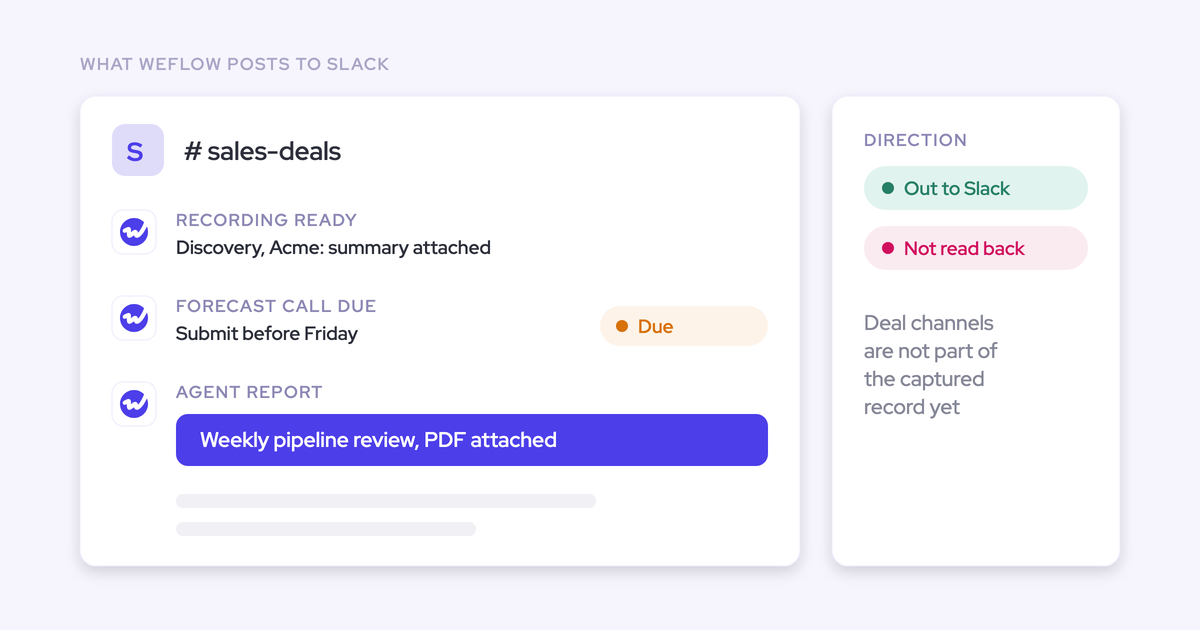
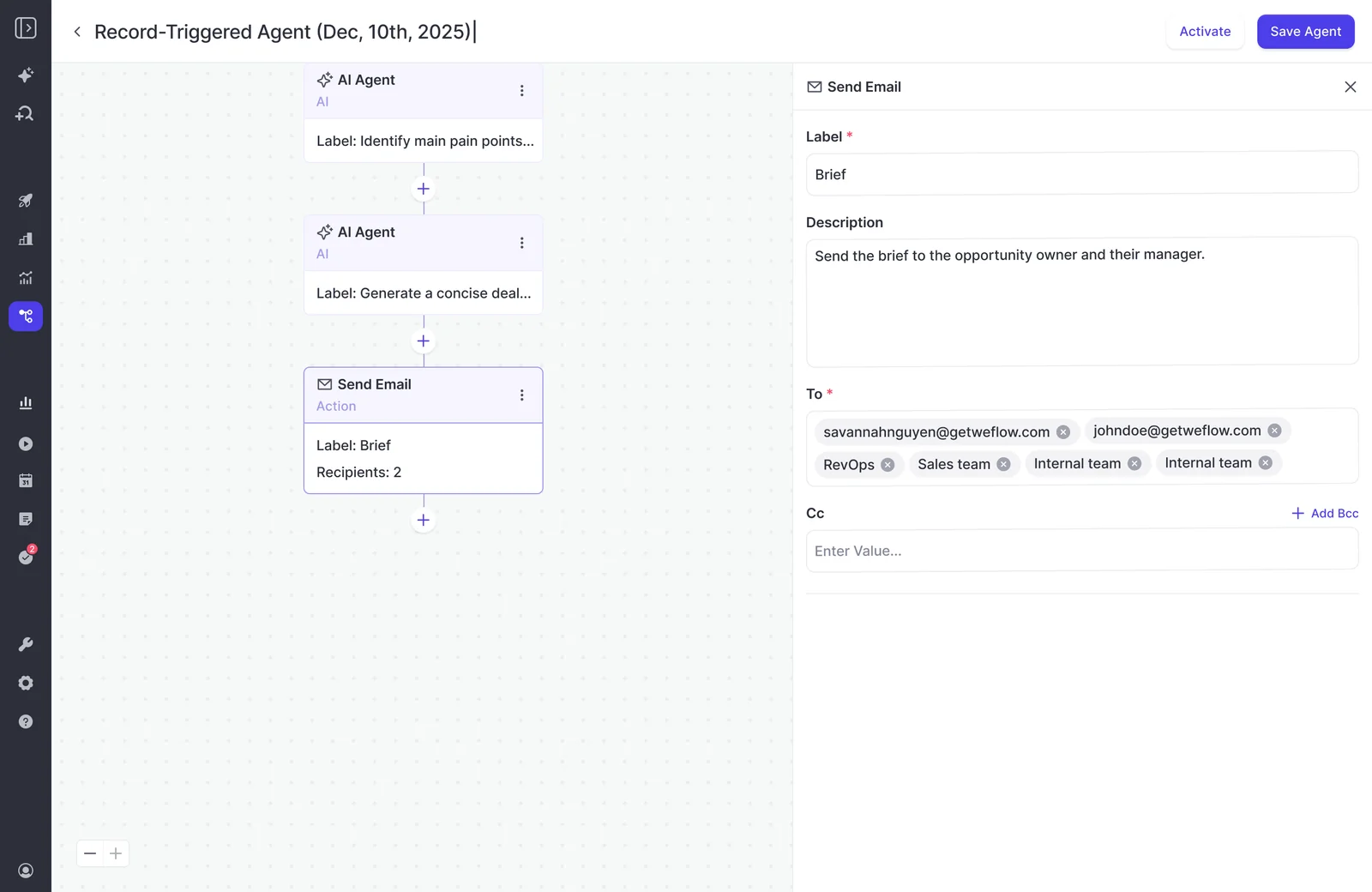
Delivery lands where you asked: an email, a Slack message, or an email with a PDF report attached. Microsoft Teams is in development.
You control the recipient list on the step itself, individual addresses or team chips. That's the control that makes private vetting possible, and it's the same control you use later to add one person at a time.
What data feeds the briefing, and who owns it
The briefing is only as good as the record underneath it. An agent reasoning over empty CRM fields is fluent guessing, and the failure is quiet: the answer looks plausible and nobody can tell which deals it silently knew nothing about.
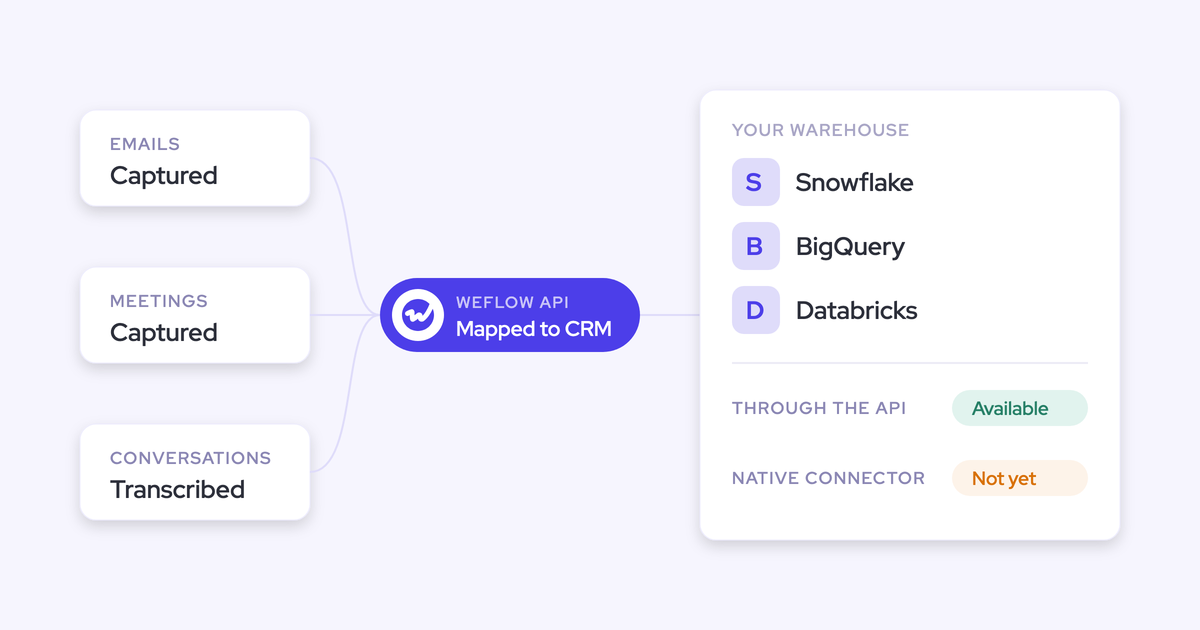
So the foundation matters more than the agent does. Weflow Activity & Contact Capture syncs emails, meetings and contacts to the right Salesforce records automatically, and Weflow Conversation Intelligence turns the calls into transcripts and structured fields. That's the corpus the agent step reads.
Those signals land in native Salesforce objects you own. They're queryable by your own reporting and automations, and Weflow exposes a public API you can point Claude or ChatGPT at, so the insight isn't trapped behind another vendor's chat box. If you're running your own agent orchestration layer, this data is reachable from it.
How to keep the daily briefing from becoming noise
The way this dies isn't inaccuracy. It's volume. Reps already ignore emails and tasks, and a system that emails, opens a task and updates a dashboard for every risk gets tuned out inside a week. One buyer put the target better than any spec we've written:
The design rules that keep it alive:
- Scope it so the empty state is normal. If the briefing has fifteen deals on it every morning, the filter is wrong, not the pipeline.
- Send it to people who can act. Two or three recipients beats a distribution list every time.
- Run it on yourself for a cycle first. Read what actually arrives for a week, tune the prompt, then add anyone else.
- Pick one channel. Email or Slack, not both plus a task plus a dashboard tile.
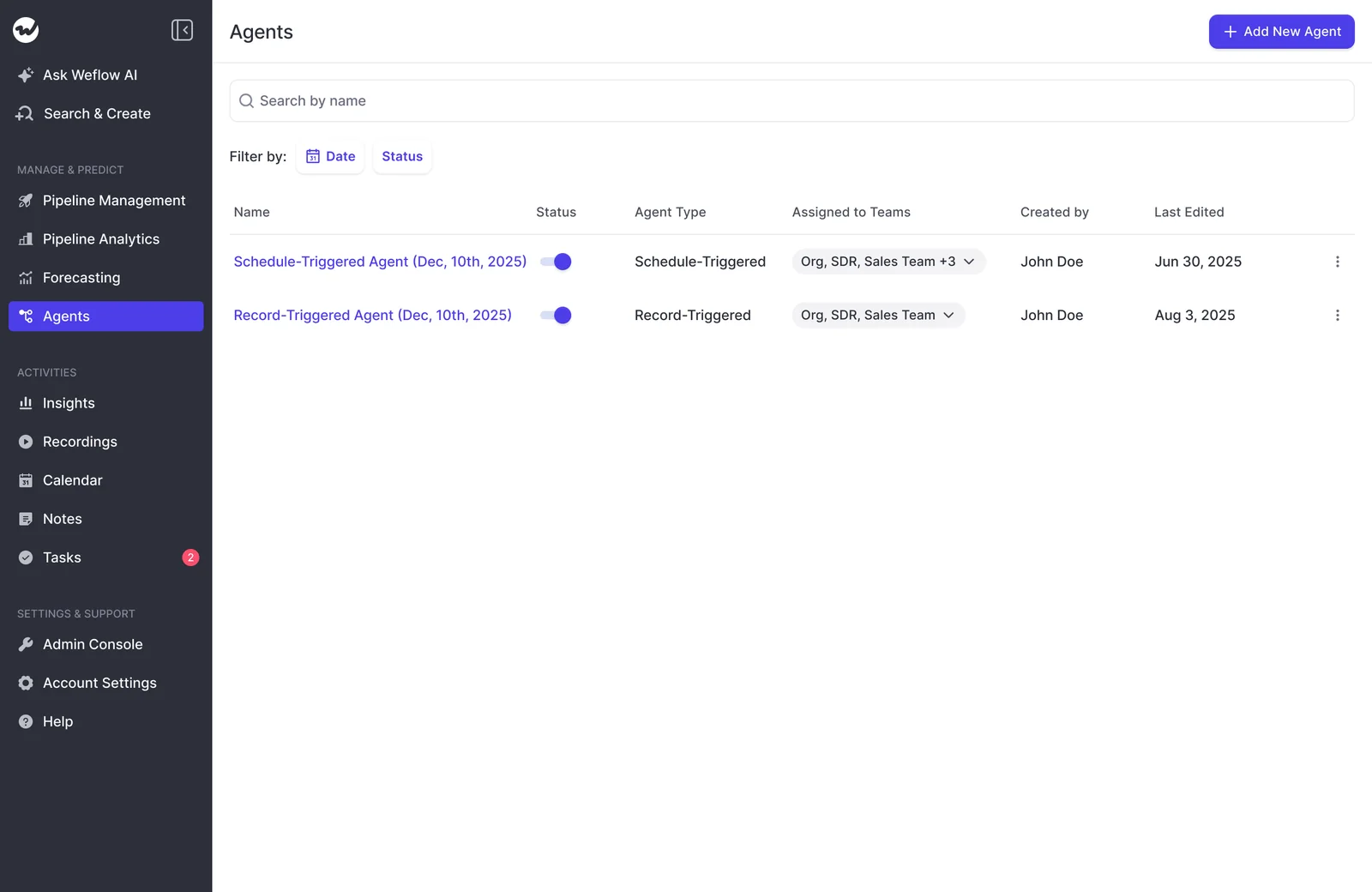
- Prune on a schedule. Toggle off any agent nobody has opened in a month. Weflow's Agents list makes that a switch, not a project.
The vetting rule is not optional if this is ever going to your CEO. One admin told us plainly why they were holding a report back:
That's the right instinct. The first send to an executive settles whether the tool is any good, and there's no second attempt.
"The orchestration layer will continue to be RevOps and the interaction layer will be chat, whether that's in Slack, in a tool, or in email." — Janis Zech, Co-founder and CEO, Weflow
Where Agent Builder still falls short on daily briefings
Four limits you'll hit, stated as they are.
| Limit | What it means in practice |
| Agents can't write their conclusions back into Salesforce fields | The briefing delivers to email or Slack. If you want the risk read on the record, a person still enters it. Weflow's AI field updates after a call and AI playbooks on a schedule do write to fields; the agent doesn't. |
| No true proactive AI, from us or anyone | Scheduled triggers plus criteria-based scans get pretty close. They are not an agent noticing something on its own and deciding to tell you. |
| Per-owner personalization across a large hierarchy | A briefing personalized for each of 150 account managers can mean one workflow per person today. Two ops people will never build that. Team-level and leader-level briefings are what's practical now. |
| Test runs show output in-app but don't send | Delivery only happens on the live schedule. It's deliberate, because earlier builds emailed on every test and customers complained about the volume. The cost is that you can't see exactly what the recipient gets without waiting for a scheduled run, which slows tuning on the prompts that need it most. |
Agent Builder is Weflow's newest product and it's less mature than activity capture, conversation intelligence and forecasting. Data-driven action orchestration isn't fully solved by anyone yet, and a vendor telling you otherwise is selling you the version of this that never shipped last time.
What a daily briefing agent costs per month
Agent Builder is the only consumption-priced product at Weflow, and it's priced per workspace, not per user.
| Tier | Price | Agent actions per month |
| Free (included in every plan and bundle) | $0 | 25 |
| Growth | $299/month | 500 |
| Scale | $999/month | 2,500 |
| Enterprise | Custom | Custom |
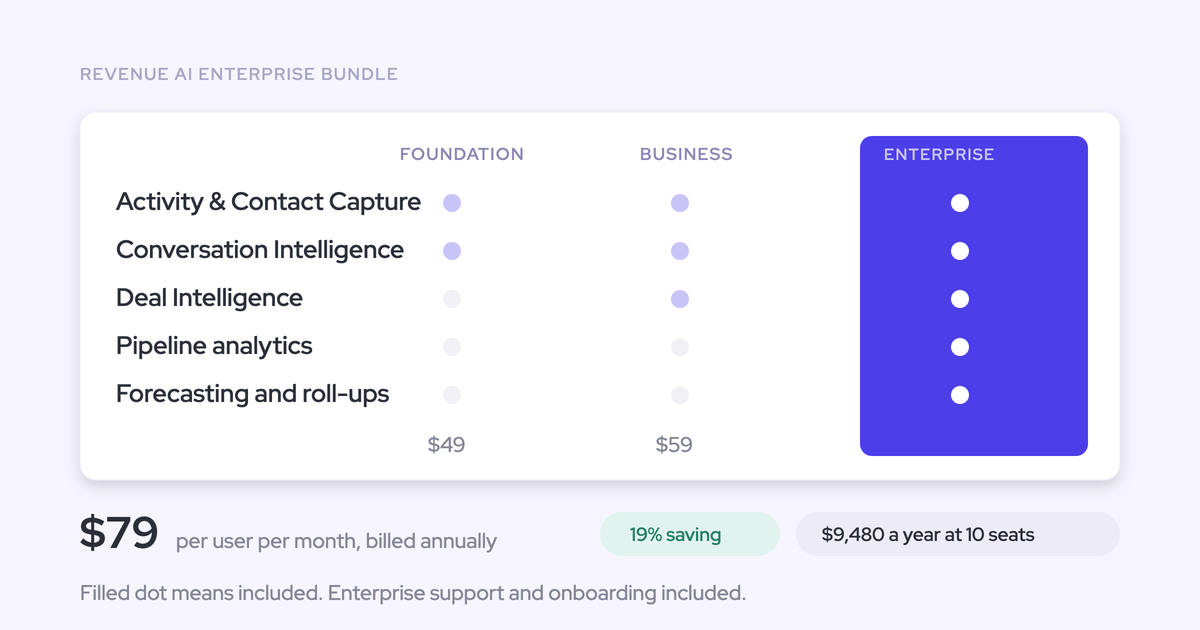
Everything feeding the briefing sits in the seat price: Weflow Activity & Contact Capture at $19 per user per month, Weflow Conversation Intelligence at $39, Weflow Deal Intelligence & Forecasting at $39, or the Revenue AI bundles from $49 to $79. Ask Weflow AI and AI field updates are included, unmetered.
The split is deliberate. Metering only the agent builder confines the variable cost to the one product that genuinely consumes at scale, and it means nobody has to ration the AI features people use daily.
You can size a daily briefing before you build it, because you set the schedule. Multiply your runs per month by the steps in the flow. The free tier is enough to build and tune one briefing; a daily agent plus a few weekly ones sits inside Growth. No token bill that moves with adoption, which is the objection that kills most AI rollouts.
How KORE Wireless starts the morning by asking Weflow
KORE Wireless runs the pull version of this same job. Scott Jones, their SVP of GTM Revenue Intelligence & Enablement, goes to Weflow Ask AI first each morning for the answers he'd otherwise get by interrupting sellers.
"The first thing I do is I go to Weflow and ask the question and see if I can get the intelligence out of Weflow to answer my question. I try to avoid interacting with the sellers during the day for that type of information because they should be giving every minute possible to getting the next customer."
— Scott Jones, SVP of GTM Revenue Intelligence & Enablement, KORE Wireless
KORE evaluated Gong and chose Weflow, then rolled out across four regions, Europe, Americas, Brazil and APAC, with zero adoption friction. When the tool was pulled from the sandbox beta for two weeks, the beta users asked for it back within days.
That's Revenue AI Orchestration doing its actual job: captured data becoming the daily answer, instead of a dashboard nobody opens. The scheduled briefing is the same thing, pushed instead of pulled.
Walk through the product yourself, no call required.
FAQ: building a daily AI sales briefing
Does the briefing need Conversation Intelligence, or does Activity Capture feed it?
Weflow Activity & Contact Capture alone gives you the activity-based signals: last touch, who responded, meeting cadence, silence. That's enough for a workable risk briefing. Weflow Conversation Intelligence adds what was said, transcripts and call context, which is what turns "no reply in 30 days" into "no reply since procurement raised the security review." Recording lives in Conversation Intelligence, not in capture.
Do I need a developer to build an agent in Weflow?
No. You build it in the admin console from one of the three shipped templates, and every step is configured in a panel: trigger, lookup filters, prompt, delivery. The skill it takes is scope and prompt discipline, not code. Admin configurability is the thing customers most often underestimate before they see the workspace live.
Can one briefing personalize per rep across the whole team?
Not cleanly across a large hierarchy today. Workflows are scoped to a record set, so a briefing personalized per owner across 150 account managers can mean one workflow per person, which is impractical for a two-person team. Team-level and manager-level briefings are what works now, and it's a gap we're honest about in deals.
How do I switch off a briefing that stopped being useful?
You own the schedule and the recipients, so pausing or deleting an agent is a toggle on the Agents list, not a support ticket. Treat pruning as part of the operating discipline: anything nobody has opened in a month comes off.
Can my own Claude or ChatGPT query the same data?
Yes. The activity, contact and conversation data Weflow captures lands in native Salesforce objects you own, and Weflow exposes a public API you can query from an external assistant. If your team already runs its own agent layer, the revenue data is reachable from there rather than only from our interface.