How to Define What Your Best Sellers Do Differently Using MCP Prompts on Call and Pipeline Data
Learn to define what top sellers do differently using MCP prompts on call and pipeline data.


You have one or two reps who clearly outsell the rest. When someone asks why, the honest answer is "she's just good," and you can't coach to that.
You hear three to five calls a week. Whatever you believe about the gap comes from a handful of calls you happened to catch.
The fix is to reverse the order you usually work in:
- First, define "best" by who actually wins: win rate, deal size and cycle length.
- Then explain the gap with what those reps do across their deals and calls.
You can run that as five prompt steps in the Claude or ChatGPT your company already pays for.
Weflow is the Revenue AI Orchestration platform for sales, customer success, and RevOps teams. We built it for Salesforce teams, and its MCP connector gives your assistant both halves of the answer in one chat:
- the per-rep pipeline numbers;
- the playbooks, call summaries and transcripts that Weflow Conversation Intelligence + AI Field Updates produces from your team's conversations.
What comes out is a team gold standard you can teach and certify against. It isn't a verdict on any individual rep, and the sequence below is built to keep it that way.
Start from win rate before you listen to a single call
Start with outcomes, because a best practice that isn't tied to who actually wins is a style guide, not a standard.
The tempting shortcut is to paste a few of your top rep's transcripts into Claude and ask what she does differently. You'll get a confident answer. You won't know whether any of it is the reason she wins, because a general assistant reading transcripts has no idea who closed, at what size, or how fast.
Listening more won't close that gap either. A manager of ten reps who each spend three or four hours a day on calls would need to get through more than a hundred hours of conversation every day. Sampling is the only option a human has, and samples skew toward the calls you remember.
Per-call methodology scores make it worse in long cycles.
Averaged across a rep, those call scores mostly measure which stage that rep's deals happen to be in. They don't measure how well the rep qualifies.
So flip it. Let results pick the reps worth learning from, then use the conversations to explain the results. The goal is a description of what we want everyone doing, not a list of what's wrong with the people below the top.
| Question | Start from behavior | Start from outcomes |
|---|---|---|
| Who counts as "best" | Whoever sounds best on the calls you heard | Whoever wins more, bigger, or faster over a set period |
| What the AI reads first | A handful of transcripts | Per-rep win rate, deal size and cycle length, with the deals behind them |
| What you get | A list of nice habits with no proof they matter | Behaviors traced to the deals that closed |
| How methodology gets judged | Per call, skewed by deal stage | Per opportunity, across the whole deal |
| How reps hear it | "Why don't you sound like her?" | "Here's what winning deals on this team have in common" |
How one RevOps team built a 15-page sales gold standard
A customer's RevOps leader already ran this method over Weflow data, and the result now drives their enablement plan and a certification program.
He made four moves:
- He ran a refined prompt against each seller's conversations that separated sales skill, such as identifying the economic buyer and mapping the decision process, from technical competence.
- He ran the same analysis across the whole team with the top-selling executive excluded, so one person wouldn't set the bar for everyone else.
- He merged the per-seller reports and the team-wide pass into a 15-page gold standard. That document now feeds the enablement plan and a certification program.
- He kept the per-seller reports with leadership only, out of MBO scoring and away from the sellers, because AI assessments vary between runs.
The five steps below follow the same path:
- Steps 1 and 2 add the outcome ranking he started from.
- Step 3 is his per-seller pass.
- Step 4 is his outlier-free team pass and merge.
- Step 5 handles the run-to-run variance he designed around.
What Claude or ChatGPT can see through the Weflow MCP connector
The Weflow MCP connector returns both the per-rep pipeline outcomes and the conversation evidence to Claude or ChatGPT in one chat. That combination is what lets a prompt define "best" by results and then explain it.
| What the connector returns | Side | Used in |
|---|---|---|
| Win rate per rep | Pipeline | Step 1 |
| Average deal size and average contract value | Pipeline | Step 1 |
| Average sales cycle length in days | Pipeline | Step 1 |
| Closed-won amount and count, total closed count | Pipeline | Steps 1 and 2 |
| Coverage ratio | Pipeline | Optional context in Step 1 |
| Opportunity IDs behind every number | Pipeline | Every step, for tracing claims back to deals |
| AI Playbook output | Conversation | Steps 2 and 4 |
| Call summaries | Conversation | Steps 3, 4 and 5 |
| Call transcripts | Conversation | Steps 3 and 5 |
| Forecast calls | Pipeline | Not needed here |
The opportunity IDs matter more than they look. They let every later claim point back to a specific deal, which is how you catch an assistant that's pattern-matching on nothing.
Weflow computes the pipeline metrics itself, so they reflect your Weflow forecast configuration rather than your Salesforce report setup.
The connector is read-only. Your assistant can query the data, but it can't change anything in Weflow.
If you've already connected Claude to Salesforce, keep it. That connector answers questions about the record. Forecast data and parts of the conversation layer live in Weflow rather than in Salesforce objects, so only Weflow's connector reaches them. Running both gives you the whole picture in one chat.
Check these Weflow settings before you run the first prompt
Five settings decide whether your gold standard reflects the whole team or just the slice of it that happened to be visible:
- Connector and transcript access (admin). An admin switches on the MCP connector per workspace. A separate toggle decides whether assistants read full transcripts or only AI summaries. Step 3 needs transcripts, so with that toggle off, the behavior analysis runs on summaries and loses the exact wording reps use.
- Reporting hierarchy (admin). "Team" scope follows the configured hierarchy. Without one, it resolves to every active user in the company, and your comparison quietly includes people you don't manage.
- The 25-owner cap (manager). Per-rep breakdowns cap at 25 owners per request. Narrow each run to one team, or a large org gets aggregates instead of a rep-by-rep view.
- Playbooks on older deals (admin). AI Playbooks only fill in for opportunities created or changed after setup. Older deals stay empty until someone selects them and runs Generate AI Playbooks in bulk. A historical analysis needs this step first, or Step 2 runs on half your closed deals.
- Recording coverage (admin and manager). Calls that were never recorded can't be recovered. A rep with a license who has never signed in to Weflow gets no notetaker on their meetings. The notetaker also only joins meetings with at least one attendee outside your internal domains. Any gap tilts the standard toward the reps who were recorded.
Write every prompt with the rep, period, scope and scale
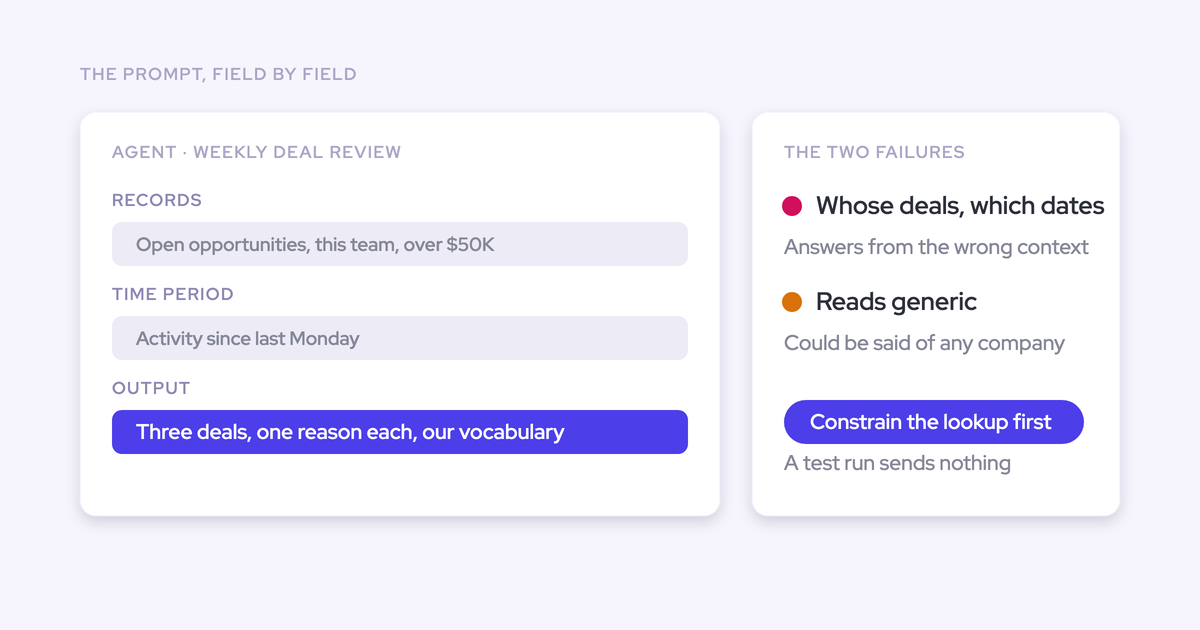
Every prompt below names whose deals it means, which dates, which team, and what to leave out. That's your main defense against invented patterns.
An assistant prompt that doesn't pin down the entity and the period answers from the wrong context. It sounds right, and it's about the wrong deals.
Fill these slots before you paste:
| Slot | What to fill in | Example |
|---|---|---|
| [TEAM] | One team from your hierarchy, 25 reps or fewer | Mid-Market AEs |
| [FROM DATE] and [TO DATE] | The close-date range to analyze | Last two full quarters |
| [METHODOLOGY] | The framework your AI Playbooks run | MEDDPICC |
| [MIN CLOSED DEALS] | Your own threshold for a fair comparison | Set from your deal volume |
| [EXCLUDE REP] | The outlier flagged in Prompt 2 | Rep A |
| [REP NAME] | One seller per run in Step 3 | Rep B |
| [YOUR STAGES] | Your opportunity stages, in order | Discovery, Evaluation, Proposal, Negotiation |
Each slot blocks a specific failure:
- Team and dates stop the assistant from mixing in reps you don't manage or deals from a different market.
- A stated scale stops the output from drifting, for example a 1 to 10 score in one answer and 1 to 5 in the next.
- The neutral rule stops a rep from losing points on an element that simply wasn't relevant yet. Every methodology prompt below treats "never discussed" as neutral, not low.
Step 1: rank your reps by win rate, deal size and cycle
Results decide who counts as "best," and the ranking keeps the opportunity IDs so every later claim traces back to a real deal. Look at the metrics together: a rep with a high win rate on small, fast deals and a rep with a lower win rate on large ones can both be worth learning from.
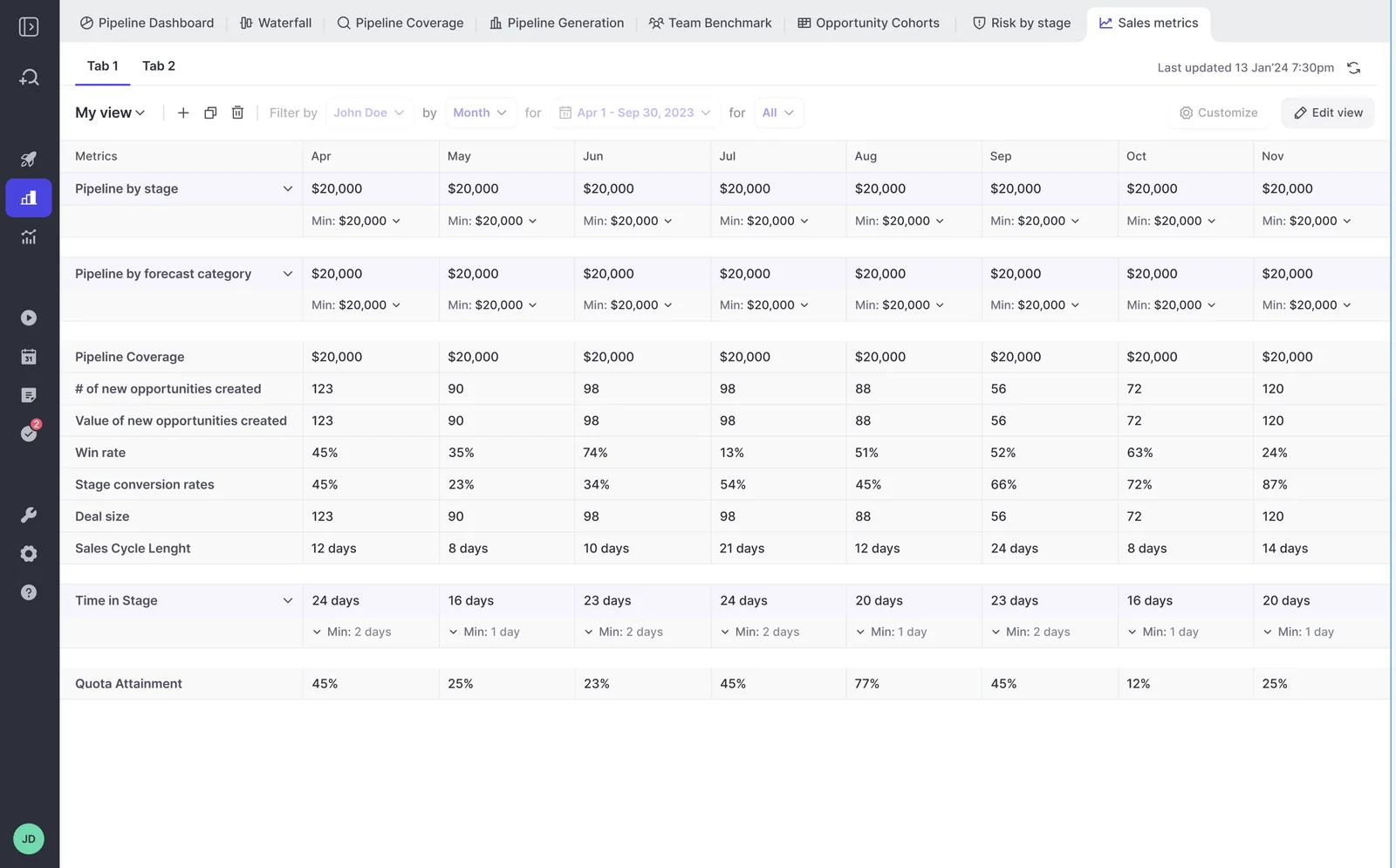
If you want to see the trend before you prompt, Weflow's sales metrics view tracks win rate, deal size and cycle length month by month.
Prompt 1: pull per-rep outcomes for one team and period
Purpose: get one row per rep with the outcome numbers and the deals behind them.
Using the Weflow connector, pull forecast data with team scope for close dates from [FROM DATE] to [TO DATE], broken down by rep. Only include reps in [TEAM]. If the team has more than 25 reps, tell me and stop.

For each rep, return one row with: win rate, closed-won count, closed-won amount, total closed count, average deal size, average contract value, average sales cycle length in days, and the opportunity IDs behind the closed deals.

Don't estimate or fill gaps. If a value is missing for a rep, write "no data". Don't include anyone outside [TEAM].- Inputs: per-rep pipeline metrics and opportunity IDs.
- Output: a rep-by-metric table.
- Run it in: Claude or ChatGPT over the Weflow MCP connector.
- Example output: rows for Rep A, Rep B and Rep C. Columns run Win rate, Closed-won count, Closed-won amount, Avg deal size, Avg contract value, Cycle length (days), Opportunity IDs.
Prompt 2: flag the outlier and reps with too few closed deals
Purpose: mark the one rep to leave out later, and the reps whose numbers are too thin to compare.
Take the table above. Rank the reps by win rate, then by closed-won amount.

Flag two things, each with a one-line reason:
1. EXCLUDE: the single rep whose results sit so far above the rest that using them as the bar would set a standard nobody else can reach. Name one rep at most, or none.
2. LOW SAMPLE: any rep with fewer than [MIN CLOSED DEALS] closed deals in the period. Don't draw conclusions about these reps in later steps.

Then split the remaining reps into a top group and a middle group, and show the cut-off you used. Don't use the words "weak" or "bottom".- Inputs: the Prompt 1 table.
- Output: the ranked list with an EXCLUDE flag, LOW SAMPLE flags, and a top/middle split, each with a reason.
- Run it in: the same Claude or ChatGPT chat.
- Example output: "1. Rep A, EXCLUDE: [reason]. 2. Rep B, top group. 3. Rep C, top group … 7. Rep G, LOW SAMPLE: [count] closed deals. Cut-off: [rule used]."
You set the threshold, not the assistant. You know your deal volume and cycle length better than it does.
Step 2: profile each rep's methodology strength across whole deals
This step measures qualification at the deal level, which is where long-cycle reps get judged fairly.
Weflow's AI Playbooks score each opportunity against your methodology by reading every email, meeting, transcript and CRM field on the deal. A champion named only in an email still counts.
The playbook also judges text a rep typed. A methodology field filled with filler to get past a validation rule comes back as not assessed, not as complete.
Prompt 3: build a methodology profile per rep from AI Playbooks
Purpose: turn deal-level playbook results into a profile for each rep.
For the opportunity IDs in the top and middle groups above, pull the Weflow AI Playbook output for [METHODOLOGY].

Build one row per rep and one column per [METHODOLOGY] element. In each cell, count that rep's opportunities where the element is fully established, partially established, or never discussed, written as F / P / N.

Rules:
- Use the playbook result for the whole opportunity, never a single call.
- Scale: fully established, partially established, never discussed. Treat never discussed as neutral, not as a low score.
- Count any element marked not assessed as its own state. Don't fold it into established.
- Exclude [EXCLUDE REP] and the low-sample reps.- Inputs: AI Playbook output for the opportunity IDs from Step 1.
- Output: a rep-by-element table of F / P / N counts.
- Run it in: Claude or ChatGPT over the Weflow MCP connector.
- Example output: rows for Rep B, Rep C and Rep D. Columns for each element, such as Metrics, Economic Buyer and Decision Process, with cells like "[x] / [y] / [z]".
Prompt 4: compare element scores between top and middle performers
Purpose: find where winning deals diverge, before asking why.
Using the table from the last step, compare the top group with the middle group on each [METHODOLOGY] element.

For each element, give the share of opportunities where it's fully established in each group, and the gap between the two. Rank the elements by gap, largest first.

Scale: fully established, partially established, never discussed. Never discussed is neutral and stays out of the share.

For the top three elements, list two opportunity IDs from each group that show the difference. Don't explain why the gap exists yet. Just show where it is.- Inputs: the Prompt 3 table and the playbook output behind it.
- Output: a ranked list of elements by gap, with opportunity IDs for the top three.
- Run it in: the same chat.
- Example output: "1. [Element]: top [x]%, middle [y]%, gap [z] points. Top examples: [ID], [ID]. Middle examples: [ID], [ID]."
Step 3: mine call transcripts for the behaviors behind the gap
Steps 1 and 2 tell you where winners differ. The transcripts tell you how, in words a rep can copy on their next call.
This is where you finally answer the question you started with: what does my top rep do in her demos that the others don't? Read the transcripts for selling behavior separately from product knowledge, or a rep who wins on deep technical credibility will look like a selling model the rest of the team can't follow.
Prompt 5: separate selling skill from product expertise per seller
Purpose: describe one seller's selling behavior apart from their technical knowledge. Run it once per rep in the top group.
Focus on one rep: [REP NAME]. Pull the call summaries and transcripts linked to their opportunity IDs, with close dates from [FROM DATE] to [TO DATE].

Sort what you find into two columns:
- Selling skill: how they identify the economic buyer, map the decision process, uncover and quantify pain, and set next steps.
- Product expertise: how they explain the product, answer technical questions, and run the technical parts of a demo.

For every item, cite the call (title and date) and quote the line that shows it. If you can't find a quote, leave the item out. Don't rate the rep. Describe what they do.- Inputs: call summaries and transcripts linked to that rep's opportunities.
- Output: a two-column list per seller, each item with a call reference and a quote.
- Run it in: Claude or ChatGPT over the Weflow MCP connector. Ask Weflow AI is an alternative here, since one question can cover many recordings at once.
- Example output: "Selling skill: asks who signs off before the demo starts ([call title, date]: '[quote]'). Product expertise: walks through [topic] without handing off ([call title, date]: '[quote]')."
Prompt 6: contrast how top and middle reps run discovery and demos
Purpose: compare specific call moments across the two groups.
Compare how the top group and the middle group run discovery calls and demo calls, using the transcripts linked to the opportunity IDs from Step 1. Exclude [EXCLUDE REP] and the low-sample reps.

Return a table with one row per behavior and three columns: what the top group does, what the middle group does, and two call references for each group (title and date).

Focus on observable moments: the first question asked, how pain gets quantified, when the economic buyer comes up, how the demo ties back to the pain, and how the call ends. Only list a behavior if it shows up in more than one top-group call.- Inputs: transcripts and summaries on the Step 1 opportunities.
- Output: a behavior-by-group table with call references on every row.
- Run it in: the same chat.
- Example output: "Row: How pain gets quantified. Top group: [behavior], [call], [call]. Middle group: [behavior], [call], [call]."
Step 4: merge the findings into one team gold standard
The asset you're building is a standard for everyone, not a ranking of people. Run the team-wide pass without the outlier, then merge everything into one document enablement can teach from.
Prompt 7: run a team-wide pass that leaves out your top seller
Purpose: find what winning deals share across the team, without one person setting the bar.
Run a team-wide pass across every rep in [TEAM] except [EXCLUDE REP] and the low-sample reps. Use closed-won opportunities with close dates from [FROM DATE] to [TO DATE] only.

Using the playbook output, call summaries and transcripts on those deals, list the patterns that show up across winning deals regardless of who ran them. For each pattern, give the number of deals it appears in, the [METHODOLOGY] element it supports, and two cited calls (title and date).

[EXCLUDE REP] is left out on purpose so one person doesn't set the bar. Don't mention them in the output.- Inputs: playbook output, summaries and transcripts on closed-won deals.
- Output: a list of team-level patterns with deal counts, methodology elements and cited calls.
- Run it in: Claude or ChatGPT over the Weflow MCP connector.
- Example output: "Pattern: [behavior]. Appears in [x] of [y] closed-won deals. Supports: [element]. Calls: [title, date], [title, date]."
Prompt 8: draft the gold standard for enablement and certification
Purpose: merge the per-seller and team findings into one teachable document.
Merge the outputs from Prompts 5, 6 and 7 into one document called "[TEAM] sales gold standard".

Structure it by deal stage: [YOUR STAGES]. For each stage, list the behaviors we want everyone doing. Each behavior gets:
- the [METHODOLOGY] element it serves
- what good looks like, written as something a manager could observe on a call
- one or two source calls (title and date)

Keep selling skills and product expertise in separate sections. Write it as a standard for the whole team. Don't name individual reps and don't rank anyone. End with a list of behaviors that could become certification checks.- Inputs: outputs of Prompts 5, 6 and 7.
- Output: a stage-by-stage document ready for an enablement plan and a certification.
- Run it in: the same chat.
- Example output: "Discovery. Behavior: [behavior]. Element: [element]. What good looks like: [observable action]. Sources: [call], [call]. … Certification checks: 1. [check] 2. [check]."
Step 5: verify every claim against the calls and deals cited
Nothing enters the standard unless it traces back to a cited call or opportunity, and only findings that hold across runs survive. That's how you answer the fear that the AI made it up.
AI assessments vary between runs. The customer above designed around that, and so should you.
If you'd rather run the check inside Weflow, Ask Weflow AI lists every source behind an answer, so you can open the call or email it drew on.

Prompt 9: check each pattern against the calls the assistant cited
Purpose: make the assistant prove each line of the draft.
Go through the gold standard draft line by line. For every behavior, reopen the call or opportunity you cited and return a table with four columns: claim, cited call or opportunity, the exact excerpt that supports it, and a verdict.

The verdict is one of:
- supported: the excerpt clearly shows the behavior
- weak: it's there but thin, or only in one call
- not found: you can't find it in the source

Don't soften a verdict. Remove anything marked not found from the draft.- Inputs: the Prompt 8 draft, plus the transcripts and playbook output it cites.
- Output: a claim-by-claim table with a verdict on every row.
- Run it in: the same chat, with transcript access on.
- Example output: "Claim: [behavior]. Source: [call, date]. Excerpt: '[quote]'. Verdict: supported."
Then open two or three of the cited calls yourself. It takes ten minutes, and it's the moment you stop taking the assistant's word for it.
Prompt 10: rerun the analysis and keep only the stable findings
Purpose: keep only what survives a second run.
Run Prompts 7 and 8 again with exactly the same [TEAM], dates, exclusions and [METHODOLOGY]. The first draft is pasted at the end of this message.

Compare the two drafts side by side. For every behavior, mark it stable (it appears in both runs, in substance) or dropped (it appears in only one). Return the stable list as the final gold standard, and the dropped list separately with a note on what differed.

[PASTE FIRST DRAFT]- Inputs: a fresh run of Prompts 7 and 8, plus the first draft.
- Output: a side-by-side comparison with each finding marked stable or dropped.
- Run it in: a new Claude or ChatGPT chat over the Weflow MCP connector, so the first run doesn't shape the second.
- Example output: "Stable: [behavior], [behavior]. Dropped: [behavior], appeared in run 1 only because [difference]."
Keep per-rep reports with leadership and away from comp
Per-seller output stays with leadership, out of MBOs and away from reps. Run-to-run variance makes a single AI rating unsafe to argue over or pay against.
Picture a rep who sees a rating that shifts on the next run. That rep has a fair grievance, and if the rating touched their pay, you've damaged trust in the whole program. The team standard is different. It's built from stable findings across many deals, and it describes what we want everyone doing.
| Output | Who sees it | Why |
|---|---|---|
| The verified team gold standard | The whole team | It describes behaviors, not people, and only stable findings made it in |
| Certification checks | The whole team | Reps need to know what they're certified against |
| Per-seller selling and product profiles | Leadership only | A single run can be wrong about one person |
| The outcome ranking and outlier flag | Leadership only | Its job is to pick whose deals to study, not to label reps |
| Any of the above in MBOs or comp | Nobody | AI assessments vary between runs, and pay can't |
Push the gold standard into one-on-ones instead of a shared drive
A standard changes behavior when it shows up in the meetings you already run. Coaching that needs its own calendar slot gets cancelled the week the quarter tightens.
So push the conclusion to the person, in this order:
- Standard. The verified gold standard from Step 5.
- Focus area per rep. One or two behaviors from the standard each rep should work on next, based on their open deals.
- One-on-one agenda. Those behaviors, tied to live opportunities, as ten minutes inside the one-on-one you already hold.
- Scheduled email. The agenda lands in your inbox before the meeting, without you opening anything.
A one-on-one agenda can be this short:
- Rep: [REP NAME]
- This week's behavior: [behavior from the gold standard], stage [stage]
- Where it applies: [opportunity name], [opportunity name]
- What good looks like: [observable action from the standard]
- Example to listen to: [source call from the standard]
- Next step we agree on: [blank, filled in the meeting]
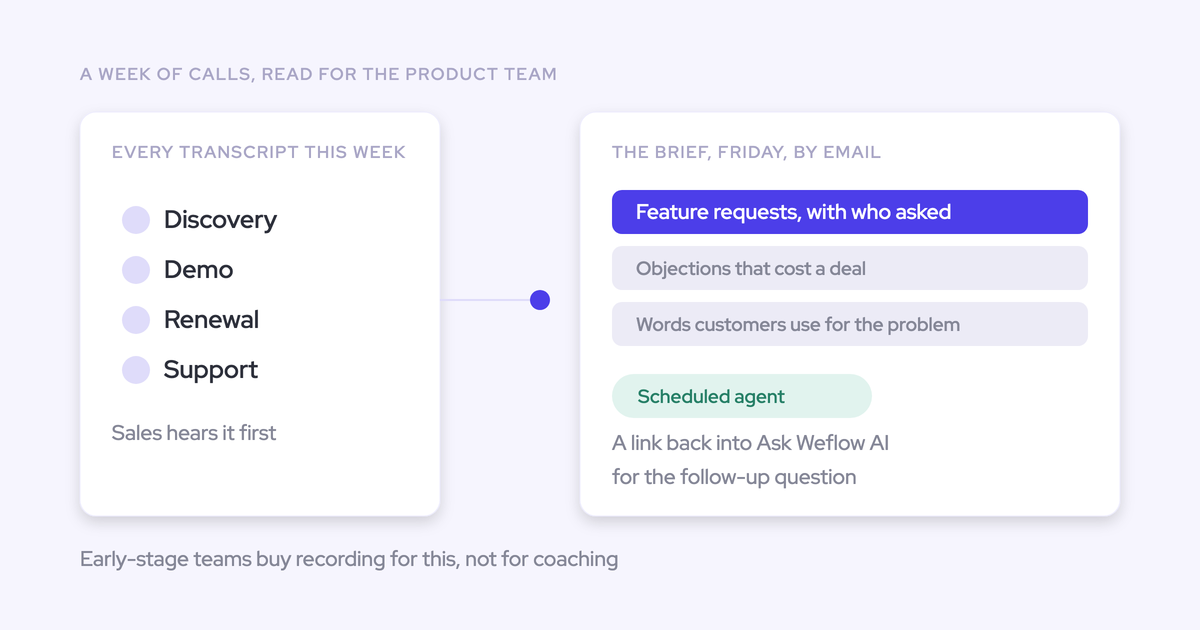
Weflow Agent Builder can send that email for you on a schedule:
- A scheduled trigger sets the day, time and timezone.
- A lookup reads each rep's open opportunities from Salesforce, live.
- An agent step reads the emails, calls and transcripts on those deals, using your gold standard as an uploaded grounding document.
- A delivery step emails the agenda, with an optional PDF.
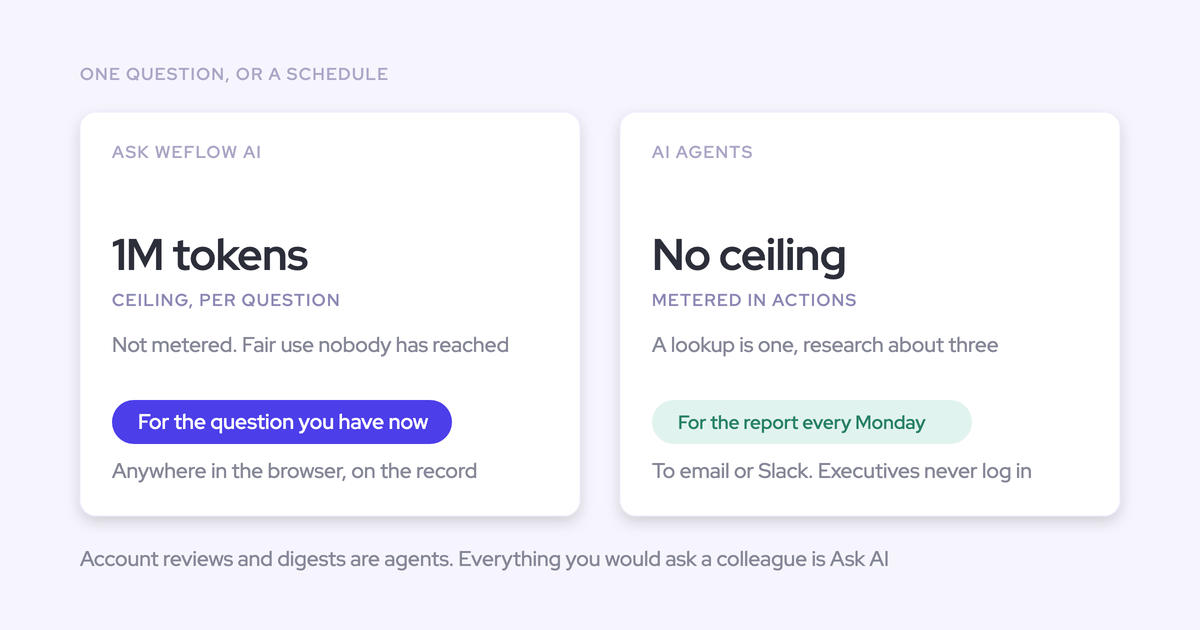
Runs inside Agent Builder use agent actions, which is the one place in this workflow that's metered.
If you're turning the standard into a full enablement plan, our free Sales Enablement Cheat Sheet gives you the structure to build it on.
FAQ: running sales coaching prompts over Weflow data
Can Claude or ChatGPT read full transcripts, or only summaries?
Your Weflow admin decides with two toggles in the admin console: one switches the MCP connector on, and a separate one allows transcript access. With transcript access off, the assistant sees AI summaries but never the verbatim transcript. The console also lists every user who has connected an assistant, with their email and the date they connected.
Do I need RevOps to switch the Weflow MCP connector on?
An admin enables the connector once per workspace. After that, you paste the connector URL into Claude or ChatGPT as a custom connector and run the prompts yourself. The reporting hierarchy and playbook regeneration on older deals usually sit with whoever administers Weflow.
Does this work the same in Claude and in ChatGPT?
The Weflow MCP connector works with both Claude and ChatGPT. We wrote every prompt in this article to run in either assistant without changes.
Where does call data go once it's in my assistant?
On Weflow's side, your data sits under SOC 2 Type II and GDPR compliance, with Zero Data Retention for AI processing, and we never use customer data to train AI models. Once a transcript or summary is in your Claude or ChatGPT workspace, that assistant's plan terms govern it. The transcript toggle lets your admin limit what leaves Weflow to summaries only.
How many reps and closed deals do I need for this to mean anything?
There's no fixed number. A rep's profile builds from the deals that rep runs, so a rep with a handful of closed deals tells you little. Narrow each run to one team because of the 25-owner cap, set your own minimum in Prompt 2, and keep low-sample reps out of the conclusions.
What if my top seller wins on product expertise, not selling skill?
Prompt 5 separates the two for every seller, so technical strength lands in its own column instead of being read as a selling model. Prompt 7 then excludes your top seller from the team-wide pass, the same move the customer above used so one person doesn't set an impossible bar.
Can the assistant change my Weflow scorecard templates?
No. The Weflow MCP connector is read-only, and the prompts inside summary, field update and scorecard templates are edited only in the Weflow admin console.
How does this compare with coaching dashboards in Gong or Chorus?
Gong and Chorus both do coaching well in their own way. Buyers credit Gong as strong at the aggregated level, and Chorus runs scorecards as dated coaching programs with leaderboards. If your team already uses one of them well, stay where you are.
What this approach adds is outcomes and conversations together in your own assistant. On cost, Gong meters MCP requests, and Gong Collaborators get no MCP access at all.
Does running these prompts cost extra on top of Weflow Conversation Intelligence + AI Field Updates?
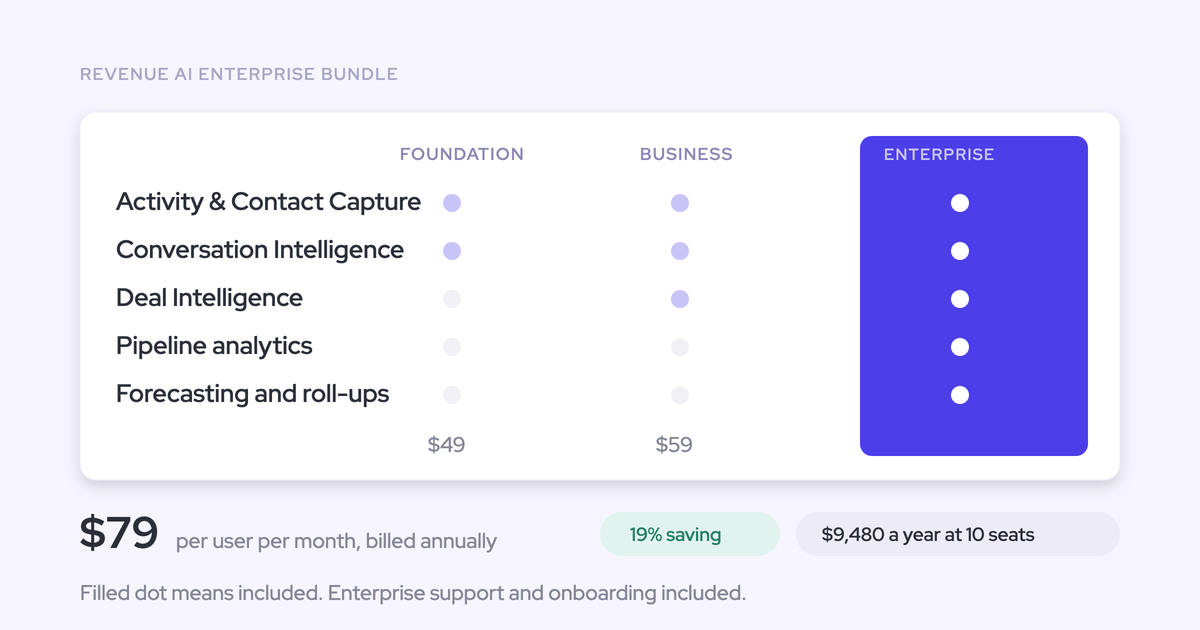
No. Building in Claude or ChatGPT on the Weflow MCP connector or API doesn't consume agent actions. Weflow Conversation Intelligence + AI Field Updates is $39 per user per month, billed annually, and includes Ask Weflow AI Pro and Weflow Agent Builder Free with 25 agent actions per month. Only scheduled runs inside Agent Builder use those actions.