How to Write a Weflow Agent Prompt: Records, Time Period, Output Format, and the Mistakes That Make Agents Generic
Learn how to write a Weflow agent prompt: records, time period, output format, and common mistakes


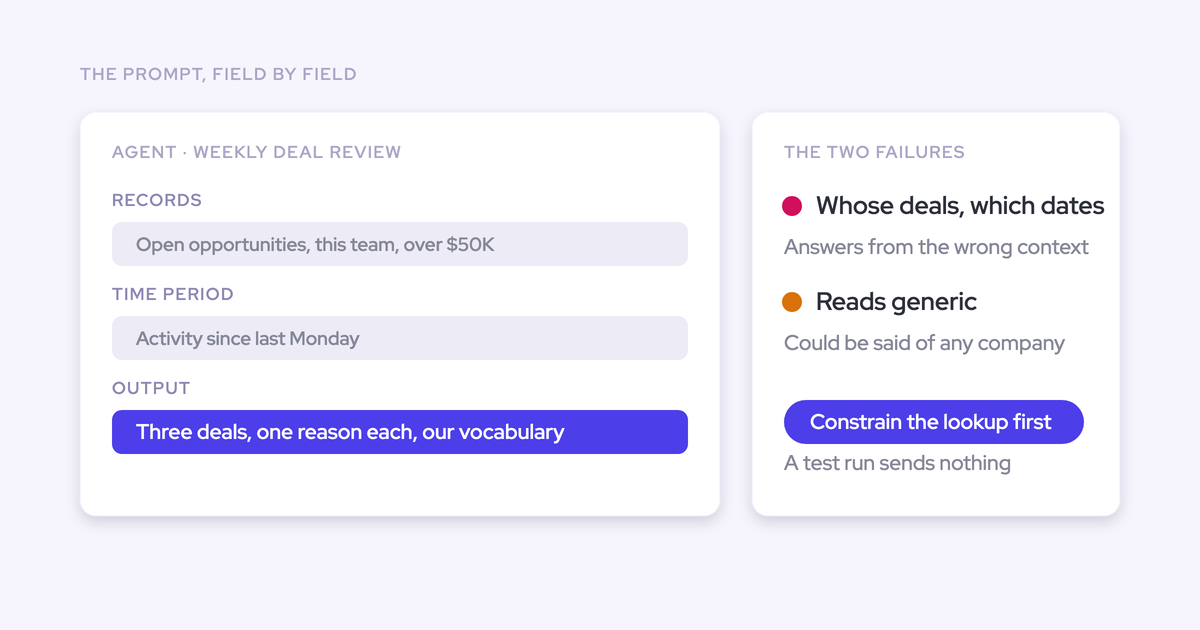

Write your Weflow agent prompt as a report specification: select the records, define the reporting period, explain your business’s risk criteria, and specify the output. Then send the actual briefing to yourself before adding executives.
A prompt can’t rescue an unconstrained lookup or an incomplete Salesforce record. If the agent retrieves the right opportunities but gives generic advice, give it the definitions your managers already use. We’ll build one weekly pipeline-risk briefing, from record selection through private testing and scheduled delivery.
Weflow is the Revenue AI Orchestration platform for sales, customer success, and RevOps teams. Built for Salesforce teams, Weflow Agent Builder separates the trigger, live record lookup, reasoning, and delivery. That separation gives you a clear place to fix each problem.
Gather the inputs for your weekly pipeline-risk briefing
Prepare the briefing’s scope, business definitions, and acceptance criteria before editing the prompt. You need a report you can judge against familiar deals.
- Access to Weflow Agent Builder and the workflow you’ll configure.
- A defined opportunity cohort, including the owners, stages, geography, and close-date window.
- Known deals with supporting emails, meetings, and transcripts, including a deal with incomplete evidence.
- Your stage criteria, competitor list, methodology, and definitions of risk.
- A private email destination for the first delivery.
Weflow Agent Builder keeps record selection separate from interpretation. Put each instruction where it belongs:
| Configuration | What belongs here | Weekly briefing example |
|---|---|---|
| Trigger | Execution day, time, and timezone | Monday at 9 a.m., America/New_York |
| Salesforce lookup | Records eligible for analysis | Selected owners’ open opportunities in the quarter |
| Shared context | Object meanings, field definitions, and company vocabulary | What your qualification fields and competitor names mean |
| Agent prompt | Judgment rules, evidence requirements, and report structure | Prioritize supported close-date risks and separate unknowns |
| Delivery | Recipients and destination | Your email first, leadership recipients after review |
1. Scope the Salesforce lookup before writing your prompt
Use the lookup to define which opportunities the briefing analyzes. Asking the agent to find “my pipeline” leaves ownership and eligibility buried in prose.
Weflow Agent Builder reads Salesforce live, so the lookup uses current records rather than a stored snapshot.
- Select Opportunity as the lookup object.
- Add field-level filters for the report’s population.
- Compare the selected population with your expected opportunity list before refining the analysis.
Filter opportunities by owner, team, stage, and geography
Replace “my pipeline” with explicit owners and field values. For our example, we’ll use a North America sales team’s late-stage opportunities.
| Scope | Example filter specification | Why it matters |
|---|---|---|
| Owner | The explicit Salesforce owners belonging to the selected sales team | Makes responsibility inspectable |
| Team | The owner list maintained by RevOps for this briefing | Keeps the report aligned with the intended management group |
| Stage | Proposal or Negotiation, using your actual stage values | Compares deals with similar expectations |
| Geography | North America, using the field your reporting relies on | Prevents mixing sales motions from different regions |
| Close date | July 1 through September 30, 2026 | Defines the quarter’s opportunity population |
In this example, an opportunity owned by someone on the selected team, in Negotiation, in North America, closing September 30 belongs in the report. The same opportunity with an October 1 close date doesn’t.
Use that inclusion test before judging the writing. Weflow Agent Builder’s lookup determines the analysis population; the prompt determines how the agent evaluates it.
Separate opportunity close dates from the activity review period
Define the close-date window, evidence period, and execution time separately. An opportunity closing this quarter may need attention because of something the buyer said last week.
| Time setting | Example definition | Purpose |
|---|---|---|
| Opportunity eligibility | Close date from July 1 through September 30, 2026, inclusive | Select the calendar-quarter cohort |
| Weekly evidence period | July 6, 2026, at 00:00 through July 13, 2026, at 00:00, excluding the ending boundary | Define the completed week |
| Older context | Use earlier evidence to explain unresolved commitments; identify its date | Avoid treating old information as a new development |
| Execution | Monday, July 13, 2026, at 9 a.m. | Deliver before the pipeline review |
| Timezone | America/New_York | Give timestamp boundaries one meaning |
| Calendar convention | Calendar quarters; Monday–Sunday reporting weeks | Remove ambiguity around “quarter” and “week” |
A Sunday evening email belongs to this review period. A Monday morning email doesn’t, even though the live lookup runs later that morning.
The opportunity fields reflect the live record at execution. The activity window controls which developments the briefing describes as happening during the week. Keep both meanings visible in the report.
2. Define how Weflow Agent Builder should judge risk
Give the agent your business’s judgment criteria before asking it to rank deals. “Analyze carefully” doesn’t explain what your managers consider a problem.
Our starting templates deliberately use basic prompts. You supply the company context that turns a general pipeline summary into a useful operating report.
- Describe object and field meanings in Context and Sources.
- Attach a business glossary or methodology guide to the agent step.
- Write report-specific risk and evidence rules in the prompt.
Explain what pipeline risk means in your business
Define risk as an observable condition with a consequence for the deal. A competitor mention alone says little; a buyer stating that a rival meets a requirement you can’t meet says much more.
Weflow’s Context and Sources includes Object Preferences, Object Context, and Field Context. You can explain what Salesforce objects and fields mean rather than leaving the model to infer your schema.
| Business term | Example definition to supply |
|---|---|
| Competitor | Use the company’s approved rival list and aliases. Separate competitors from partners and tools the buyer already uses. |
| Normal sales cycle | Use the expected cycle for this segment. In a twelve-month motion, deal age alone doesn’t establish a stall. |
| Close-date risk | A buyer’s stated approval, procurement, or implementation dependency extends beyond the recorded close date. |
| Missed commitment | An agreed milestone has passed, and the available evidence shows it remains unresolved. |
| Qualification gap | The record lacks evidence required by the company’s current stage criteria. |
Keep definitions reusable. The weekly briefing shouldn’t become the sole place where your company explains its sales process.
| Keep in shared context or an attached guide | Keep in this briefing’s prompt |
|---|---|
| Competitor names and aliases | When competitive evidence deserves executive attention |
| Methodology and stage definitions | Which gaps to surface in this late-stage cohort |
| Custom object and field meanings | How to display conflicting values |
| Segment-specific sales-cycle norms | How to prioritize this week’s findings |
Require evidence and flag missing, stale, or conflicting data
Require the briefing to distinguish supported risk from missing information. An empty field doesn’t prove the buyer lacks a champion, budget, or decision process.
Weflow Agent Builder can reason across activities, emails, calls, and transcripts attached to the selected records. Your prompt should tell it how to use that evidence.
| Evidence condition | Prompt rule |
|---|---|
| Supported finding | Name the opportunity, source type, source date, and evidence supporting the conclusion. |
| Missing information | Write “Unknown” and name what’s missing. Don’t convert absence into a negative claim. |
| Older evidence | Show the date and explain whether the issue remains unresolved. Don’t present it as a weekly change. |
| Conflicting information | State both versions with their dates. Recommend reconciliation rather than silently choosing one. |
| No captured activity | Describe the capture gap. Don’t claim that no customer interaction occurred. |
| Source reference | Include an available record or source link. Never invent a URL, quotation, or timestamp. |
For example, the Salesforce close date says September 30, but a buyer email says procurement won’t finish until October. The useful finding names the conflict and asks the owner to reconcile the close plan.
A blank procurement field needs a different response: “Procurement timing unknown.” Those two findings shouldn’t receive the same risk label.
3. Write your weekly pipeline-risk prompt and output specification
Combine the task, judgment rules, evidence standard, and output structure in one prompt. Keep record selection in the lookup, then restate the intended scope so the report explains what it covers.
The Weflow Agent Builder prompt editor includes file attachments and an optional Web Search control. For this internal briefing, leave web search off and attach your business glossary or methodology guide.
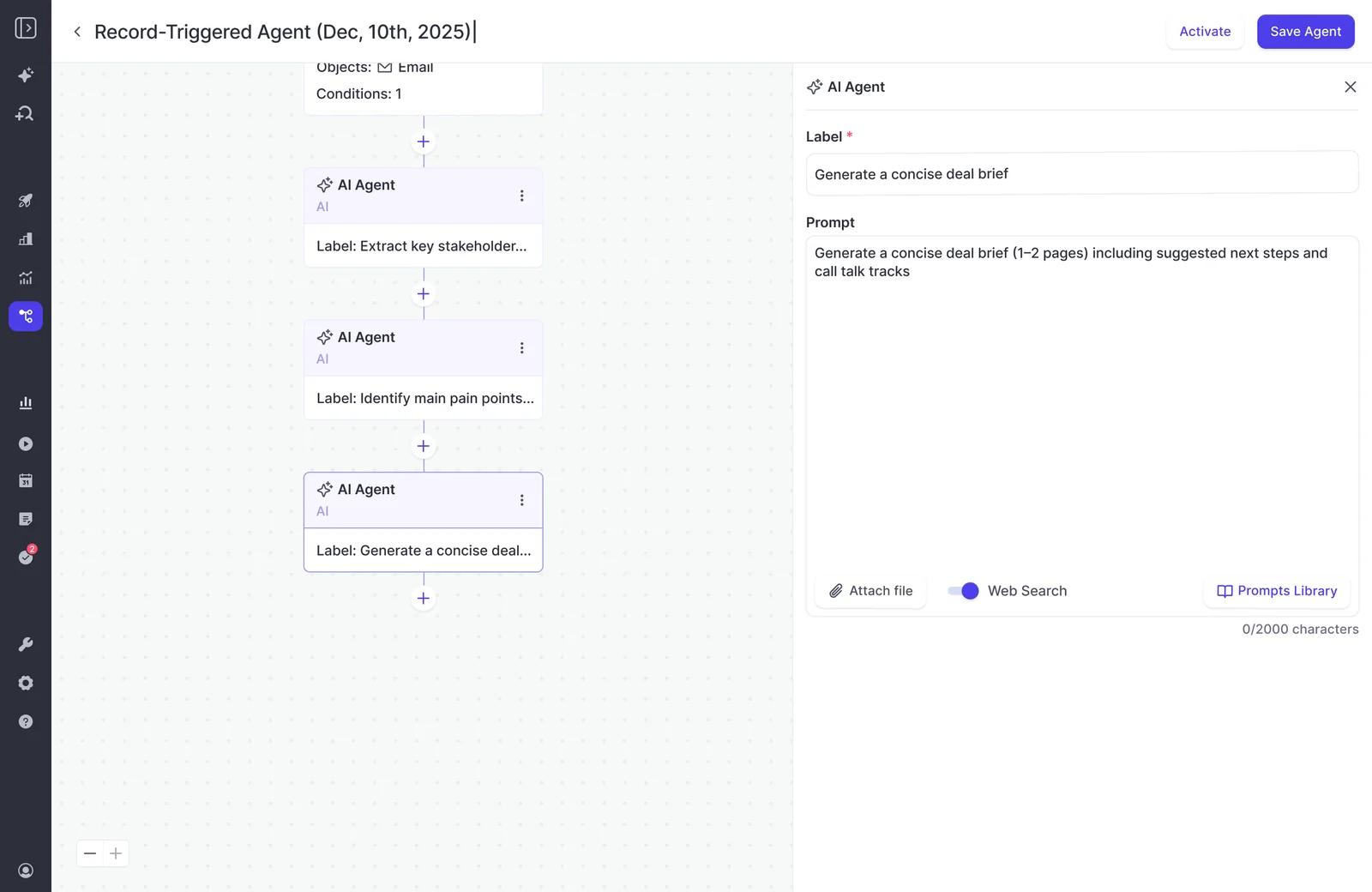
Use this prompt for the first private test. Replace the bracketed inputs and align the dates with your lookup.
Produce a weekly pipeline-risk briefing for [sales leader].

SCOPE
Analyze only the opportunities supplied by the lookup.
Expected cohort: [team and explicit owners], North America,
Proposal or Negotiation, closing July 1–September 30, 2026.
Assess each opportunity separately before summarizing.

TIME
Use America/New_York.
Review activity from July 6, 2026, 00:00 through
July 13, 2026, 00:00, excluding the ending boundary.
Opportunity fields reflect the live lookup at execution.
Use older evidence for unresolved issues, showing its date.
Don't describe older evidence as a new weekly development.

BUSINESS CONTEXT
Use the attached [business glossary and methodology guide].
Apply our stage criteria, competitor list, and cycle norms.
Don't substitute general industry assumptions.

RISK RULES
Prioritize:
- Buyer-stated dependencies extending beyond the close date.
- Agreed milestones that evidence shows remain unresolved.
- Competitive blockers tied to a buyer's decision criteria.

Treat missing qualification evidence as Unknown.
Don't treat a competitor mention or deal age alone as risk.
Don't call a deal healthy merely because evidence is missing.

EVIDENCE
For each finding, name its source type and date.
Include available record or source links.
Never invent links, quotations, dates, or account history.
Separate observed facts from your interpretation.
Show conflicting CRM and buyer evidence side by side.
If activity is missing, describe the gap rather than
claiming the customer hasn't engaged.

OUTPUT
Keep the briefing under 300 words.

1. Scope: cohort, close-date window, and review period.
2. Headline: the most important supported finding.
3. Priority deals: up to three, ordered by close-date urgency.
   For each, include:
   - Opportunity and Salesforce owner.
   - Risk and why it matters.
   - Supporting evidence, source type, and date.
   - Recommended next action for the owner.
4. Unknowns: missing or conflicting evidence requiring review.

Use short bullets. Don't fill unused slots with weak findings.
If no supported risks emerge, say so and list evidence gaps.
Recommendations are proposed actions, not completed actions.
The output should read like this:
Scope: North America, selected team owners, Proposal and Negotiation. Close dates: July 1–September 30. Activity review: July 6–12, America/New_York.
Headline: Procurement timing conflicts with one opportunity’s quarter-end close date.
- [Opportunity A] · [Salesforce owner]: Close-date risk. A July 9 buyer email places procurement completion in October; Salesforce shows September 30. Recommended action: reconcile the close plan with the buyer before the pipeline review.
Unknowns: [Opportunity B] has no captured evidence of procurement timing. Ask the owner to establish the approval path; don’t classify the deal as lost or healthy.
Keep the analysis consistent across destinations. Change the presentation to suit where your leader reads it.
| Destination | Presentation |
|---|---|
| A short headline, deal bullets, and an unknowns section | |
| Slack | Compact bullets without wide tables |
| A short executive summary followed by a structured evidence section |
4. Test the pipeline briefing before adding executive recipients
Approve the delivered briefing before adding leadership. A prompt that reads well in the editor can still produce a report with the wrong scope, weak reasoning, or an unusable layout.
We hear this concern directly from admins preparing executive reports: they want to see the real output privately before the CEO forms an opinion. Make private delivery part of the release process.
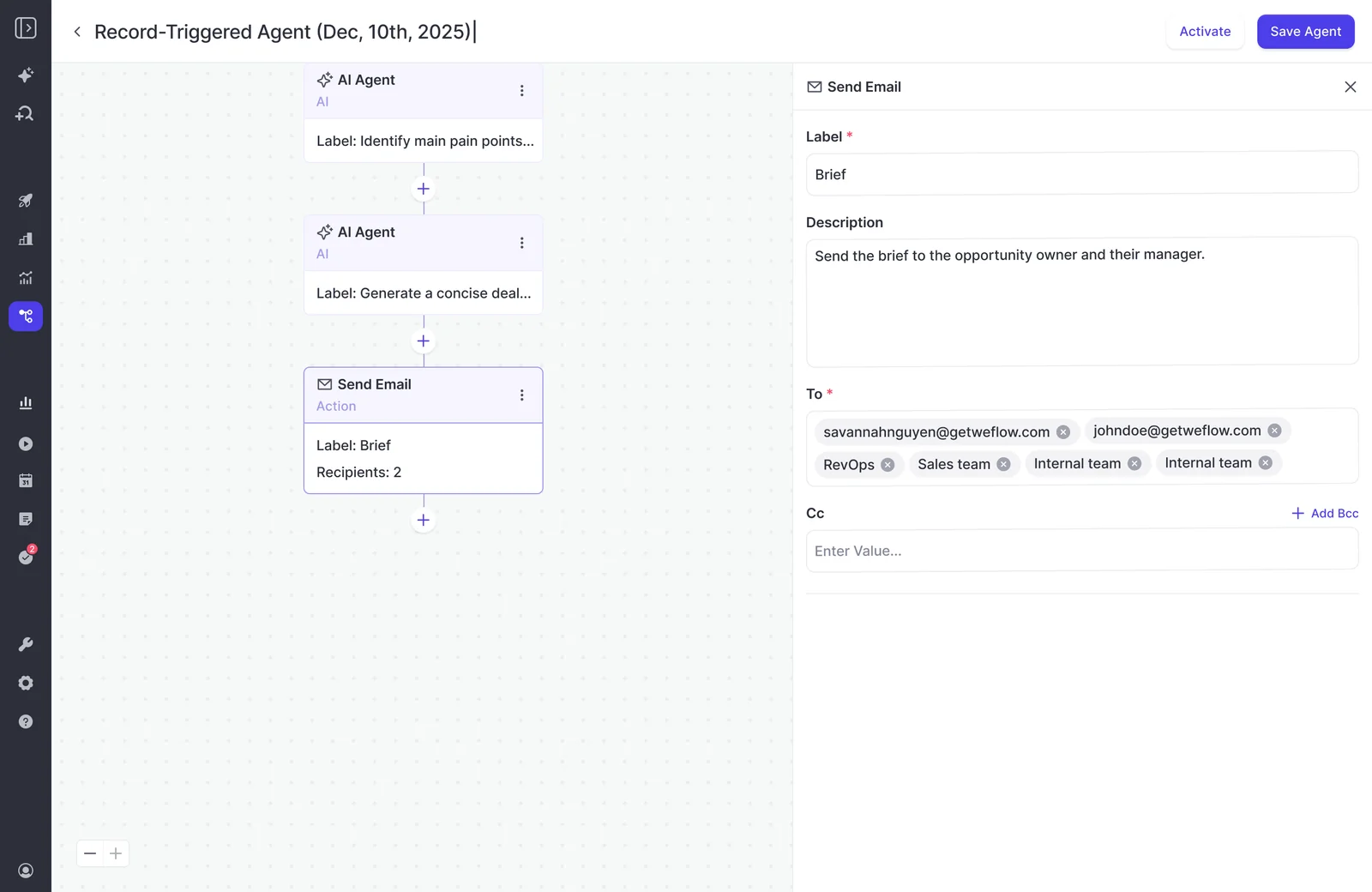
- Set the email delivery step to your address only. Remove shared recipient groups, Cc, and Bcc recipients.
- Schedule a private execution using the test scope and dates.
- Read the delivered email and any attached report.
- Record failures, change the responsible configuration, and repeat privately.
- Add executive recipients after the briefing meets your acceptance criteria.
Weflow Agent Builder’s email action separates recipient configuration from the agent prompt, so private testing uses the same delivery workflow you’ll later release.
Check the briefing against deals you already know
Use familiar opportunities to test scope, interpretation, and evidence. You’ll catch an invented account detail faster on a deal you’ve already reviewed.
| Acceptance test | Expected result | Record from the delivered briefing |
|---|---|---|
| Population | Only the selected owners, stages, geography, and close dates appear | Any unexpected or missing opportunity |
| Time boundaries | Sunday evidence belongs to the completed week; Monday evidence doesn’t | Dates the report assigns to weekly developments |
| Basic facts | Names, owners, stages, and close dates match the retrieved records | Any incorrect field or identity |
| Risk interpretation | Opportunity A’s procurement conflict receives attention | The finding and recommended owner action |
| Missing evidence | Opportunity B’s procurement timing remains unknown | Any unsupported positive or negative conclusion |
| Evidence inspection | You can locate the support for each priority finding | The source references you followed |
| Delivery | The email or Slack message stays readable without editing | Formatting problems or unnecessary detail |
| Review effort | Reviewing and correcting the briefing takes less work than preparing it manually | Time spent and corrections required |
Weflow agent results sent by email or chat include a link into Ask Weflow AI, where recipients can ask follow-up questions against the same data. Include that route in your private test.
Ask why the agent flagged Opportunity A. The answer should lead you back to the procurement conflict, not introduce a new explanation.
Fix the mistakes that make Weflow Agent Builder reports generic
Fix the layer causing the failure before rewriting the whole prompt. Better wording won’t restore a missing transcript or remove an opportunity the lookup shouldn’t have selected.
| Symptom | Configuration or data check | Correction | Retest |
|---|---|---|---|
| The report covers unrelated deals | Lookup population | Narrow owners, stages, geography, and close dates | Compare included and excluded opportunities |
| The agent misunderstands your competitors | Business glossary | Add approved rivals, aliases, and partner distinctions | Review the same competitive finding |
| Every older deal looks stalled | Sales-cycle definitions | Supply segment norms and require evidence of a missed commitment | Use a known long-cycle deal |
| Missing activity becomes “no engagement” | Capture coverage and evidence rules | Repair capture or mapping gaps; require an unknown label | Inspect a deal with known customer contact |
| The report mixes weeks | Activity boundaries and timezone | Specify start, end, and boundary inclusion | Use evidence near the week boundary |
| The output reads like an essay | Output specification | Set a word limit, finding limit, and required fields | Read the delivered message on the intended channel |
| The advice ignores a custom field | Field Context | Explain the field’s business meaning and its role in judgment | Inspect the same opportunity’s conclusion |
Suppose the briefing calls Opportunity B disengaged because it finds no recent opportunity activity. You know the buyer replied.
Inspect the mapping first. Weflow’s activity mapping can fall back to the account when it can’t resolve the opportunity. Repair the record association, then rerun the briefing. A more forceful prompt won’t move that email onto the right deal.
5. Schedule executive delivery after your briefing passes review
Release the briefing with a defined cadence, recipient list, and maintenance owner. Executive delivery should follow a successful private run of the same workflow.
- Replace the fixed test week with the recurring rule: the previous complete Monday–Sunday in America/New_York.
- Keep the quarter’s close-date boundaries explicit and update them when the reporting quarter changes.
- Schedule delivery before the meeting where leaders will act on the findings.
- Add the intended recipients and retain the RevOps owner on delivery.
- Record the approved prompt, lookup, context documents, and action consumption.
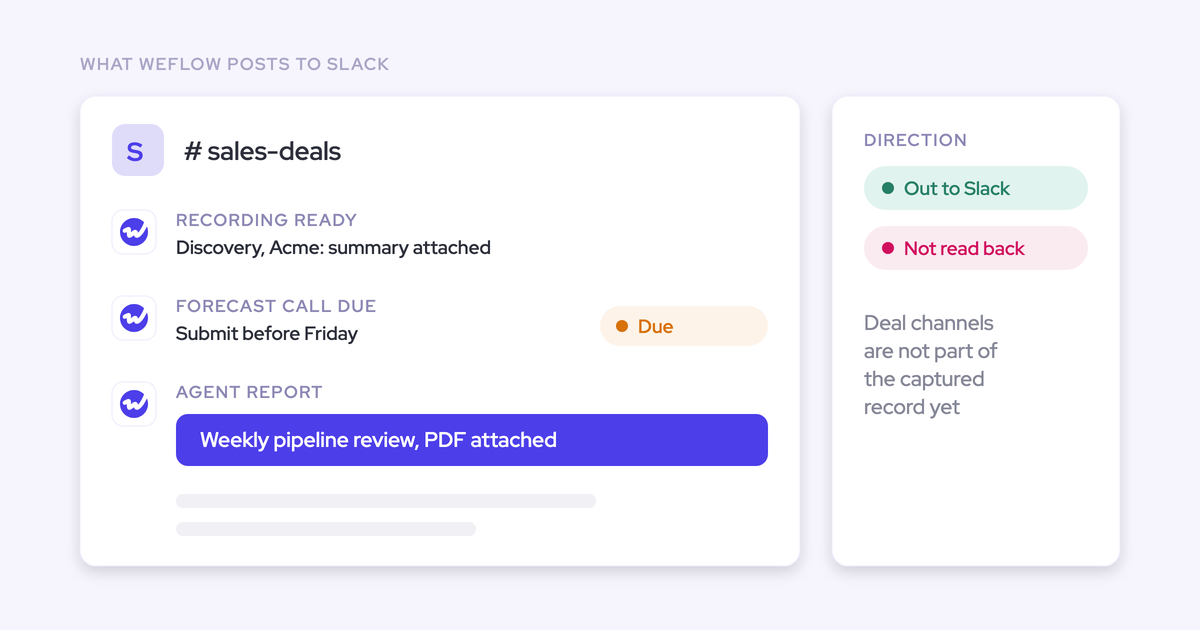
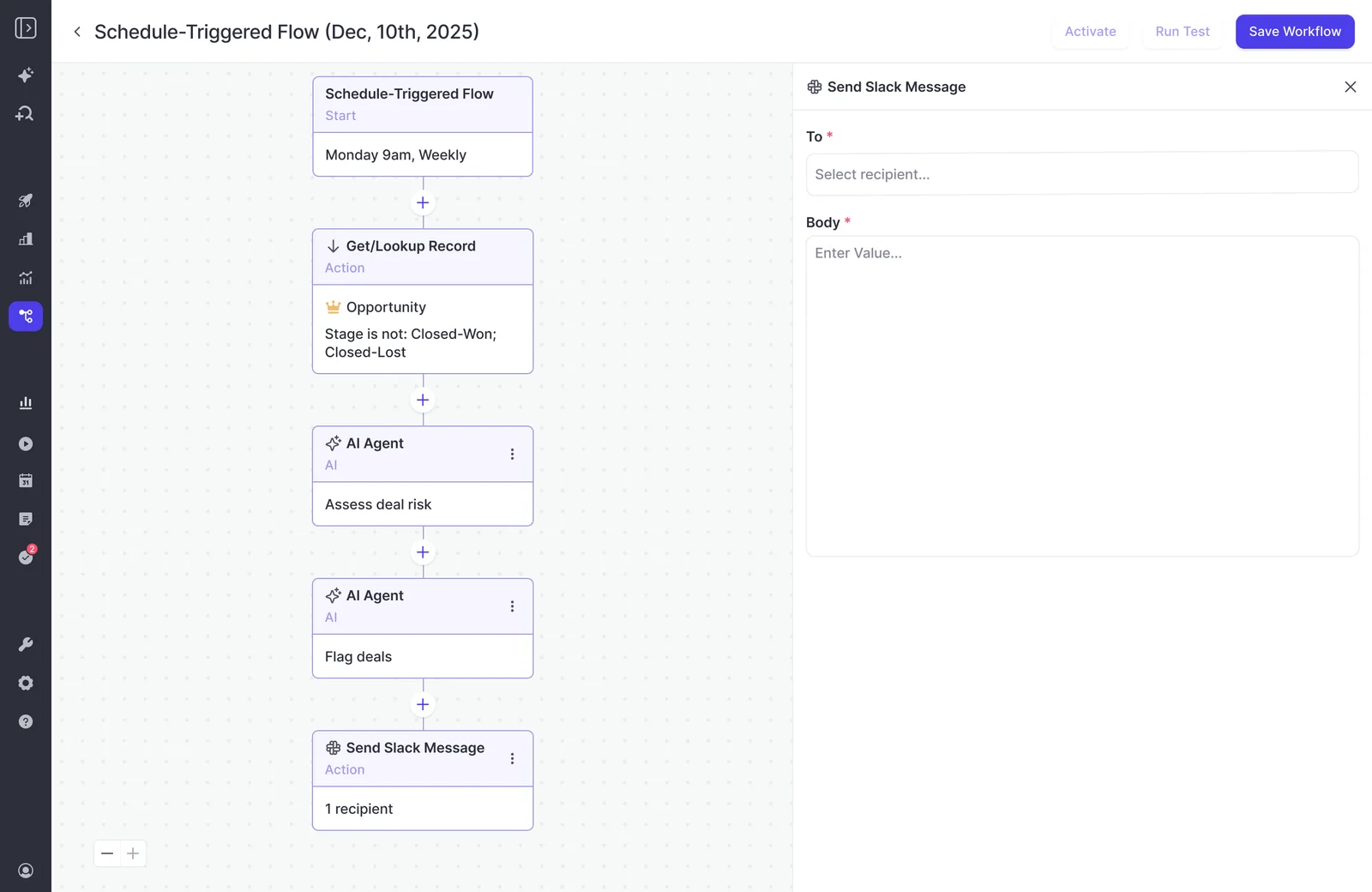
Weflow Agent Builder supports scheduled delivery through email and Slack, with PDF reports available for document-based briefings.
Match the briefing cadence to your agent action budget
Run the briefing at the cadence of the decision it supports. A weekly pipeline meeting usually needs a weekly briefing, not repeated analysis throughout the day.
Weflow Agent Builder meters actions, not runs. Consumption depends on what the workflow does, and Agent Usage makes that consumption visible in the admin console.
- Measure the actions consumed by your tested workflow.
- Multiply that consumption by the scheduled executions in the month.
- Add capacity for private tests, reruns, and other workspace agents.
- Remeasure after expanding the lookup or adding reasoning steps.
For example, if your test consumes five actions, four scheduled executions consume 20. One additional test brings the total to 25. That calculation uses the measured workflow cost, not a fixed price for every pipeline briefing.
Narrowing the lookup also reduces unnecessary processing. Don’t spend actions analyzing opportunities the recipient won’t discuss.
Review the prompt when your sales process changes
Maintain the prompt alongside its lookup and business context. A good briefing can become misleading after a stage change even if nobody edits the agent.
- Revisit scope when ownership, team membership, or territories change.
- Update context when fields, stage criteria, competitors, or methodology definitions change.
- Review recipients when leadership responsibilities change.
- Repeat private testing after a material change.
- Keep a backup admin able to explain and maintain the workflow.
Use a handoff record like this in your team’s operating documentation:
| Entry | What to record |
|---|---|
| Owner | Primary RevOps admin and backup |
| Scope | Owner list, stage values, geography field, and close-date boundaries |
| Definitions | Glossary and methodology document versions |
| Delivery | Monday schedule, timezone, channel, and recipients |
| Change | What changed and why, such as a revised procurement exit criterion |
| Last successful test | Date, reviewed opportunities, corrections, and action consumption |
Give the next admin enough context to maintain the briefing without reconstructing your reasoning. Use the Free AI Agent Ops Cheatsheet for RevOps to document the operating routine.
FAQs about Weflow Agent Builder prompts
Keep data access, report delivery, and Salesforce field updates separate when configuring Weflow Agent Builder. Each serves a different part of the workflow.
Can Weflow Agent Builder read custom Salesforce objects?
Weflow’s Context and Sources supports standard and custom Salesforce objects, including object and field descriptions. The Agent Builder lookup supports accounts, contacts, leads, and opportunities.
Use shared context to explain custom Salesforce structure. Adding an object definition and selecting that object in a workflow lookup are separate configurations.
Can Weflow Agent Builder send separate reports to each manager?
You can configure manager-specific briefings by scoping each workflow to the relevant opportunity owners and setting its delivery recipients.
The email action supports multiple individual and team recipients. Adding recipients distributes the configured briefing; it doesn’t define a different opportunity population for each person.
Which permissions govern Weflow Agent Builder access?
Weflow uses Salesforce authentication and applies Salesforce permission sets, field-level security, and role hierarchy across the platform. Salesforce list-view restrictions and Lightning component visibility aren’t part of that inherited permission model.
Keep these access decisions separate in your rollout:
- Who authors and maintains the workflow.
- Which source records and fields belong in the analysis.
- Who receives the report in email or Slack.
A recipient list is a distribution decision. Keep sensitive account and conversation details out of broadly shared briefings.
Can Weflow Agent Builder update Salesforce fields?
No. Weflow Agent Builder delivers its conclusions through email, Slack, or PDF; it doesn’t write those conclusions into Salesforce fields.
For field-writing workflows, Weflow offers two separate mechanisms:
- AI Field Updates: Write information from a processed call into Salesforce fields.
- AI Playbooks: Run on a schedule across related emails, meetings, transcripts, records, and fields to maintain a current answer.
What does Weflow Agent Builder include for free?
Weflow includes 25 agent actions per workspace per month with every plan and bundle. Paid Agent Builder capacity also uses workspace pricing, not per-user pricing.
| Agent Builder tier | Monthly workspace price | Monthly agent actions |
|---|---|---|
| Free | Included with every Weflow plan and bundle | 25 |
| Growth | $299 | 500 |
| Scale | $999 | 2,500 |
| Enterprise | Custom | Custom volume |
The allowance counts actions, not agents or report deliveries. Measure your private briefing’s consumption, then budget for its scheduled executions and the tests you’ll need to maintain it.