What Ask Weflow AI Can and Cannot See: Scope, Record Limits and the Token Ceiling
Learn what Ask Weflow AI can and cannot see, plus its scope, record limits, and token ceiling.



Ask Weflow AI is the AI assitant you cna use inside Weflow or Salesforce through our Chrome Extension. Here is what it reads, whose permissions it obeys, exactly where the ceilings sit, and which questions belong in an Agent or in your general assistant instead.
Weflow is the Revenue AI Orchestration platform for sales, customer success, and RevOps teams, built for Salesforce teams. Ask Weflow AI is the chat surface across it: natural-language questions over conversation, activity, contact and CRM data.
And if you've already stood up a corporate Claude licence or a read-only MCP into Salesforce, that comparison is further down, stated both ways. The short version is that they're complements with different reach, and neither one covers the other's ground.
What Ask Weflow AI reads: Salesforce records, emails, meetings, transcripts
Ask Weflow AI queries data collected by Weflow from Activity Capture, Conversation Intelligence and CRM fields. That's the whole difference. Ask it which open deals are missing methodology information and it answers from what was actually said on the calls, not from what a rep remembered to type into a picklist.
The sources behind an answer:
- Salesforce records: standard and custom objects, the fields on them, and the records linked to them (contact, account, opportunity).
- Captured emails and meetings, including the full activity history attached to the records in scope.
- Call and meeting transcripts from Weflow Conversation Intelligence.
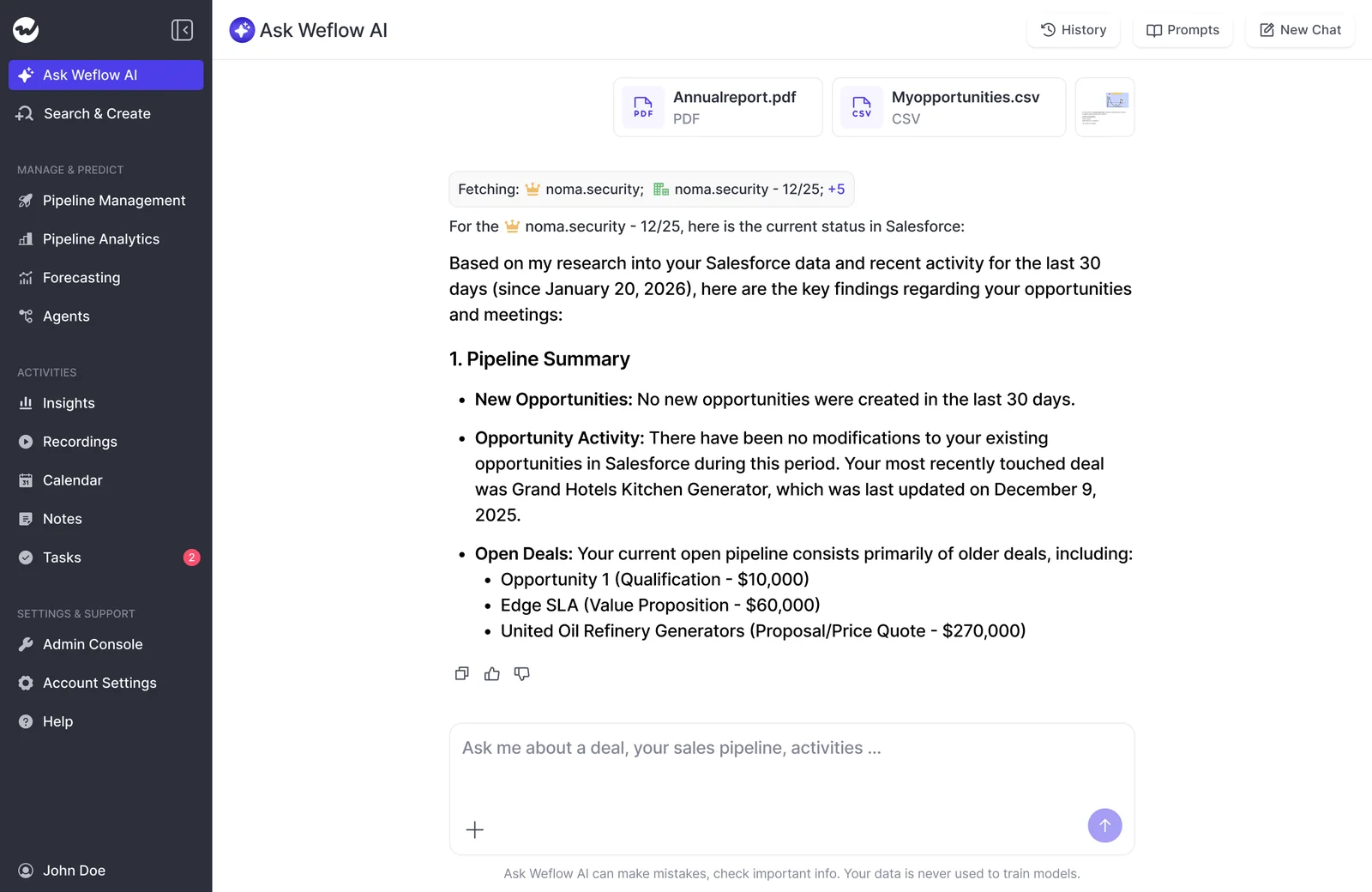
- Documents you attach to the chat.
- The public web, when the question needs it.
When you open a chat on a recording page, Weflow loads the sources for you: the transcript, every field on the linked Salesforce records, and the emails and meetings tied to those records. Every answer shows what it drew on, so you can click straight through to the sentence it's referencing.

Where Ask Weflow AI runs: the Weflow app and Salesforce record pages
It isn't a second destination. Ask Weflow AI runs inside Weflow and inside the Weflow Chrome extension, which makes it reachable anywhere in the browser, including directly on a Salesforce record page.
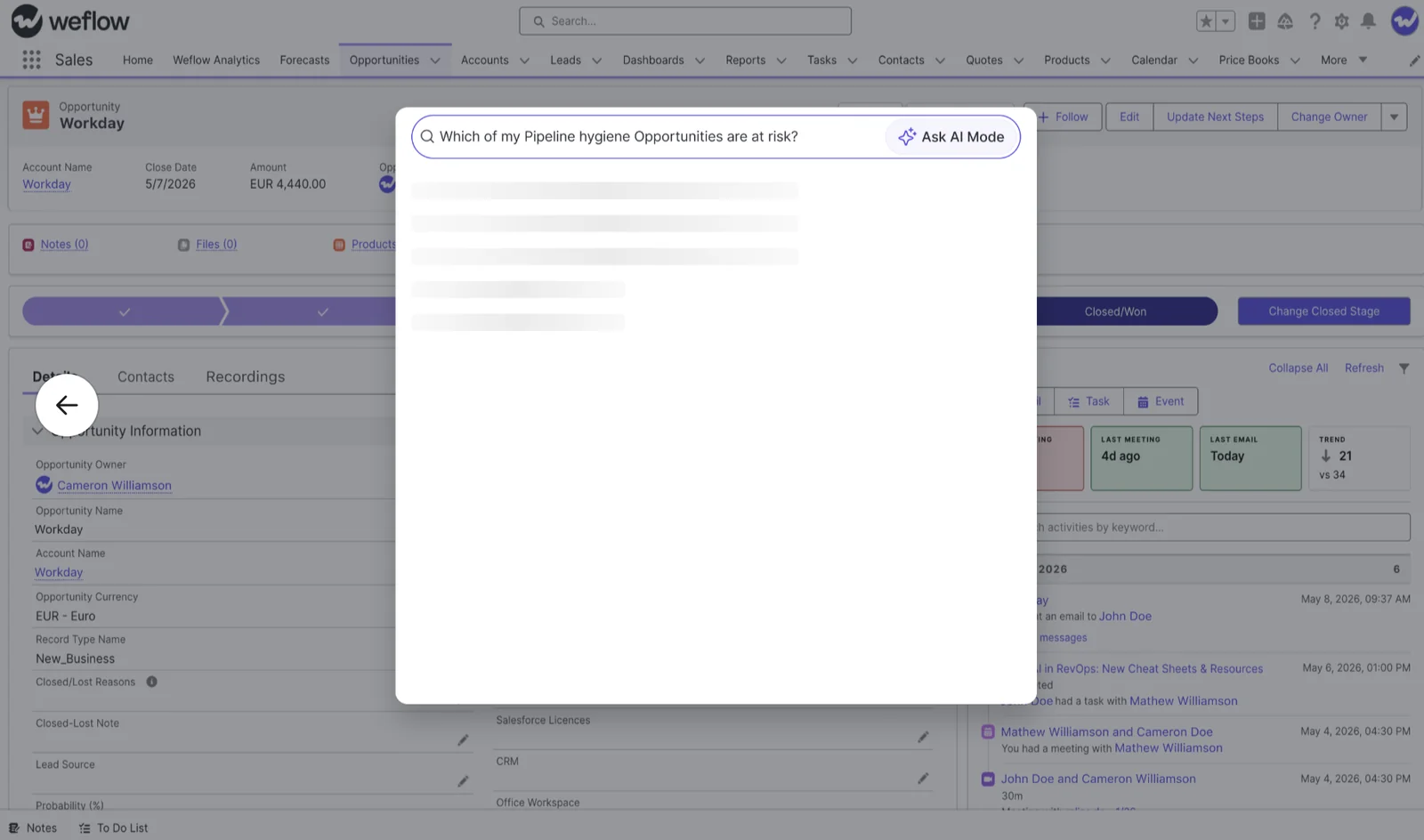
A rep working the opportunity in Salesforce asks the question on the opportunity. The extension even detects when what you typed is a question rather than a note, and routes it to Ask Weflow AI instead of saving it.
We labor this point because it's the objection we hear most on calls, and it has nothing to do with features:
Scoping Ask Weflow AI: one call to the entire system
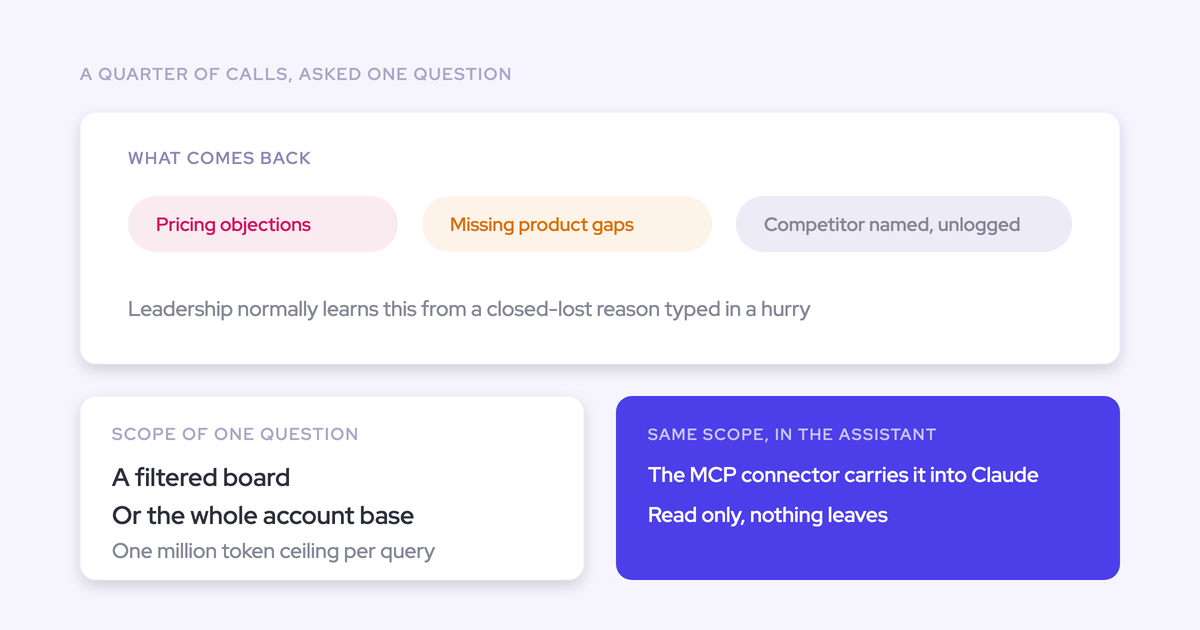
Scope is the mechanism, not the constraint. You point Ask Weflow AI at something, and narrowing what it looks at is exactly what makes a broad question return a precise answer.
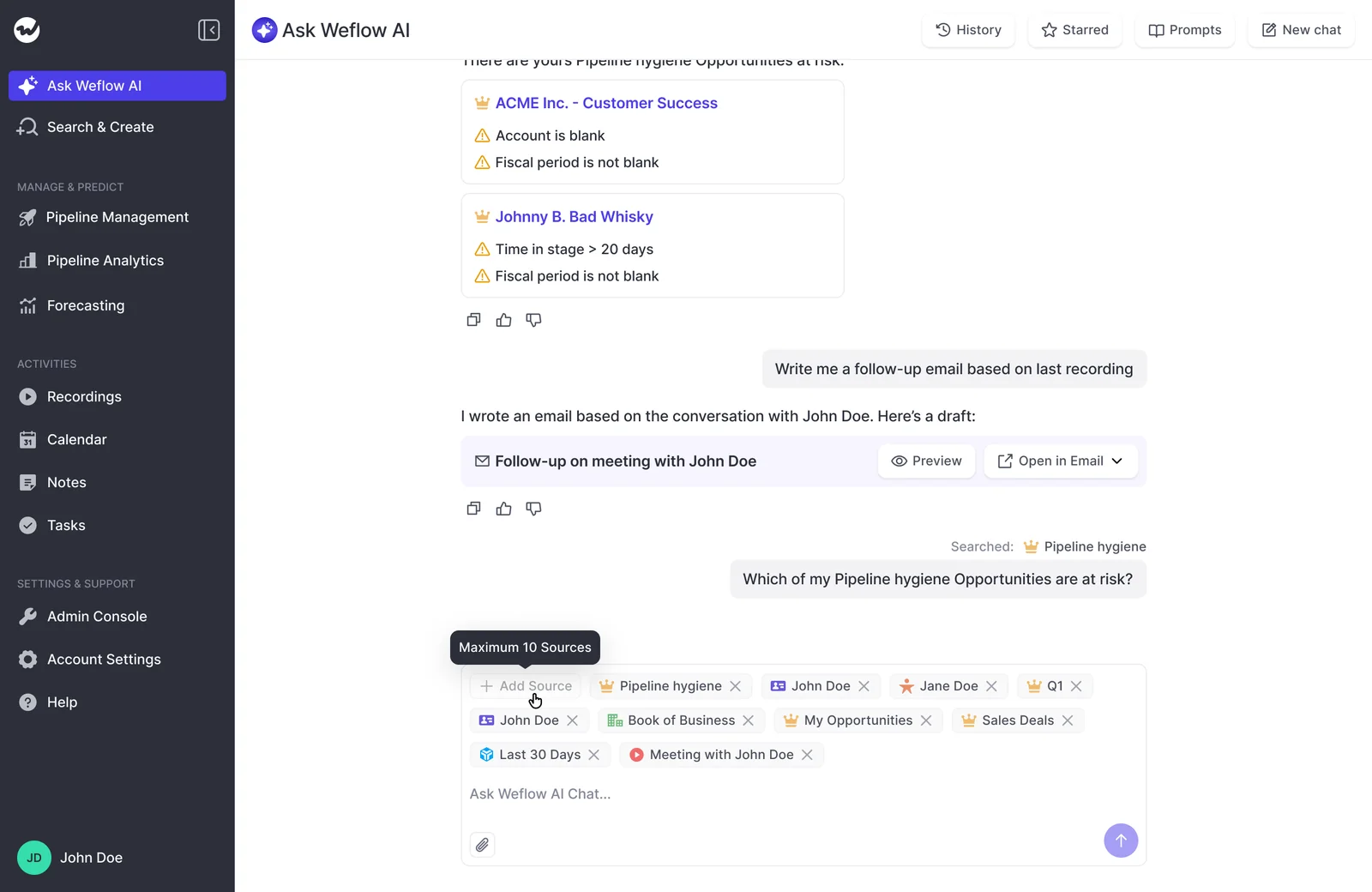
Three source types can be added to a chat: pipeline views, recordings, and single records. That gives you five practical levels to aim at.
| Point it at | What it answers well |
| A single call recording | "What did they push back on, and what exactly did we commit to?" The transcript and the linked CRM records load automatically. |
| A single opportunity | "Which decision criteria have we never actually heard confirmed on a call?" The answer comes from the conversations, not the fields. |
| A filtered pipeline view | "Which of these deals are blocked, and why?" applies to exactly the deals in view, nothing else. |
| An account | "Which of these contacts is the real decision maker?" across years of email, meetings and transcripts on that account. |
| The whole system | "Which competitors came up in the last six months, and what happened when they did?" This is the level where the ceilings start to matter. |
A shared prompt library ships with it, covering handover briefs, case study prep and quick metric checks. One of the more interesting uses we've seen was an intern running methodology adherence analysis for a capstone project: which sellers are applying MEDDIC, on which deals. That question used to need someone who could write the query, which is why nobody asked it more than once a year.
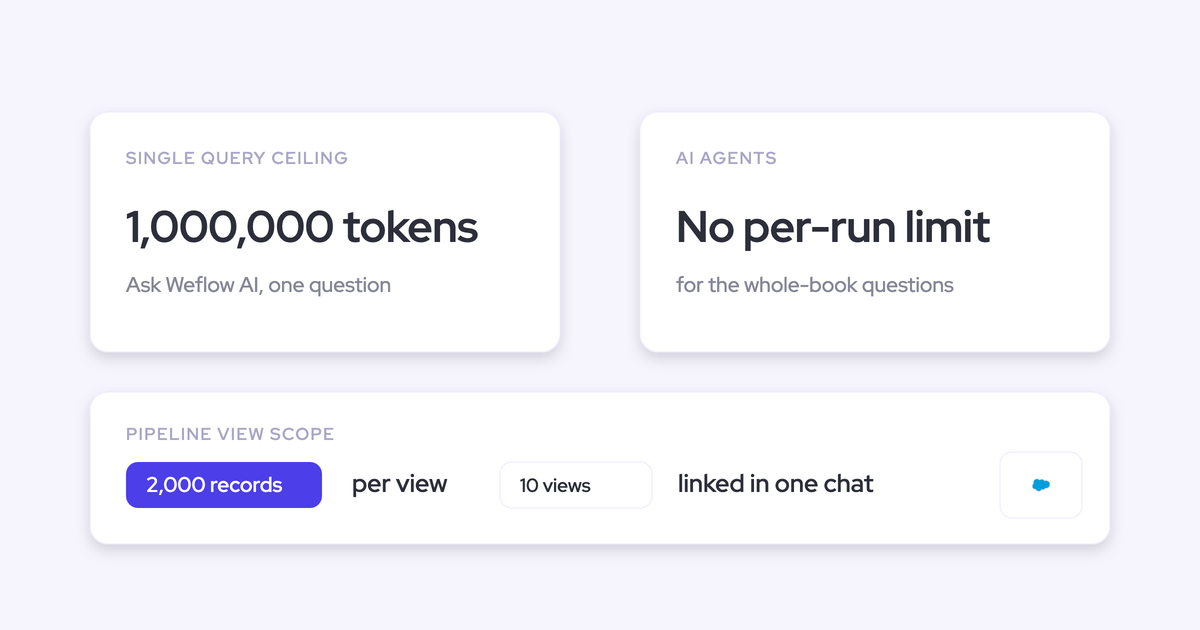
Ask Weflow AI limits: one million tokens, 2,000 records, ten views
Three ceilings, and they're knowable rather than mysterious.
| Ceiling | What it applies to | What to do at the edge |
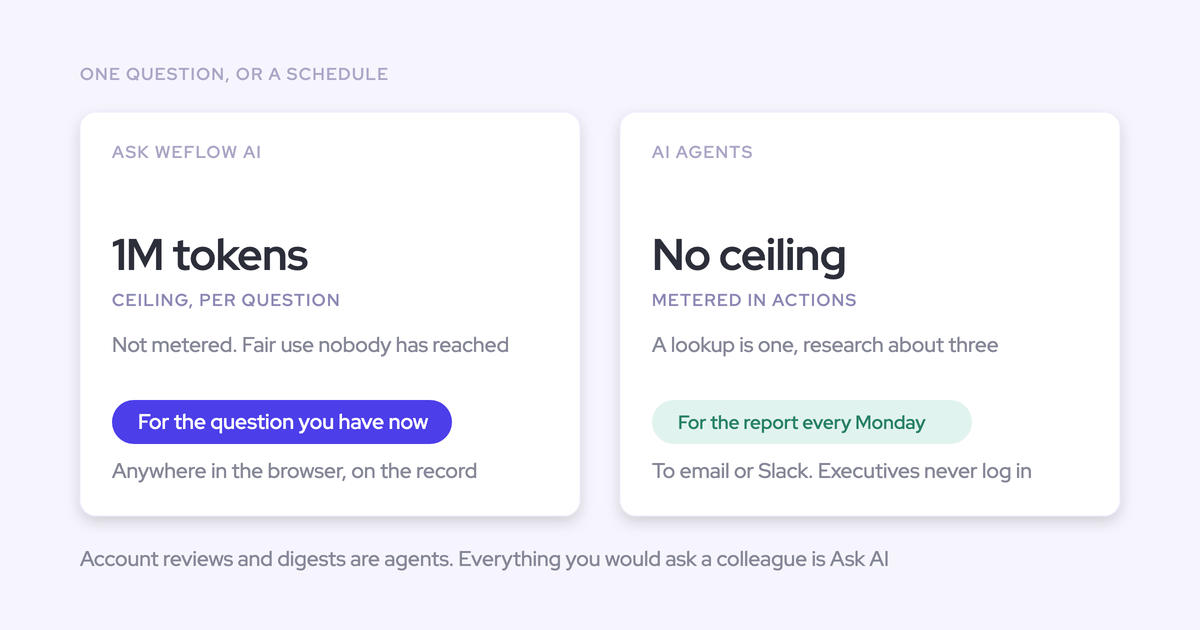
| ~1 million tokens | A single query, across every source loaded into it | Narrow the scope, or move the question to an Agent |
| 2,000 records | One pipeline view used as a source | Filter the view tighter, by owner, stage or close date window, so the deals you care about sit inside it |
| 10 views | Pipeline views linked in one chat | Split the question, or move it to an Agent |
Ten views combined in one chat is roughly the equivalent of 1,200 pages of deal data, so most real questions never come near the edge.
The ones that do are the sweeping ones leaders actually ask: every account in the region, every closed-lost deal this year. That's the rule worth writing down.
Anything that spans the whole book of business belongs in an Agent, not in the chat.
When a question belongs in an Agent, not the chat
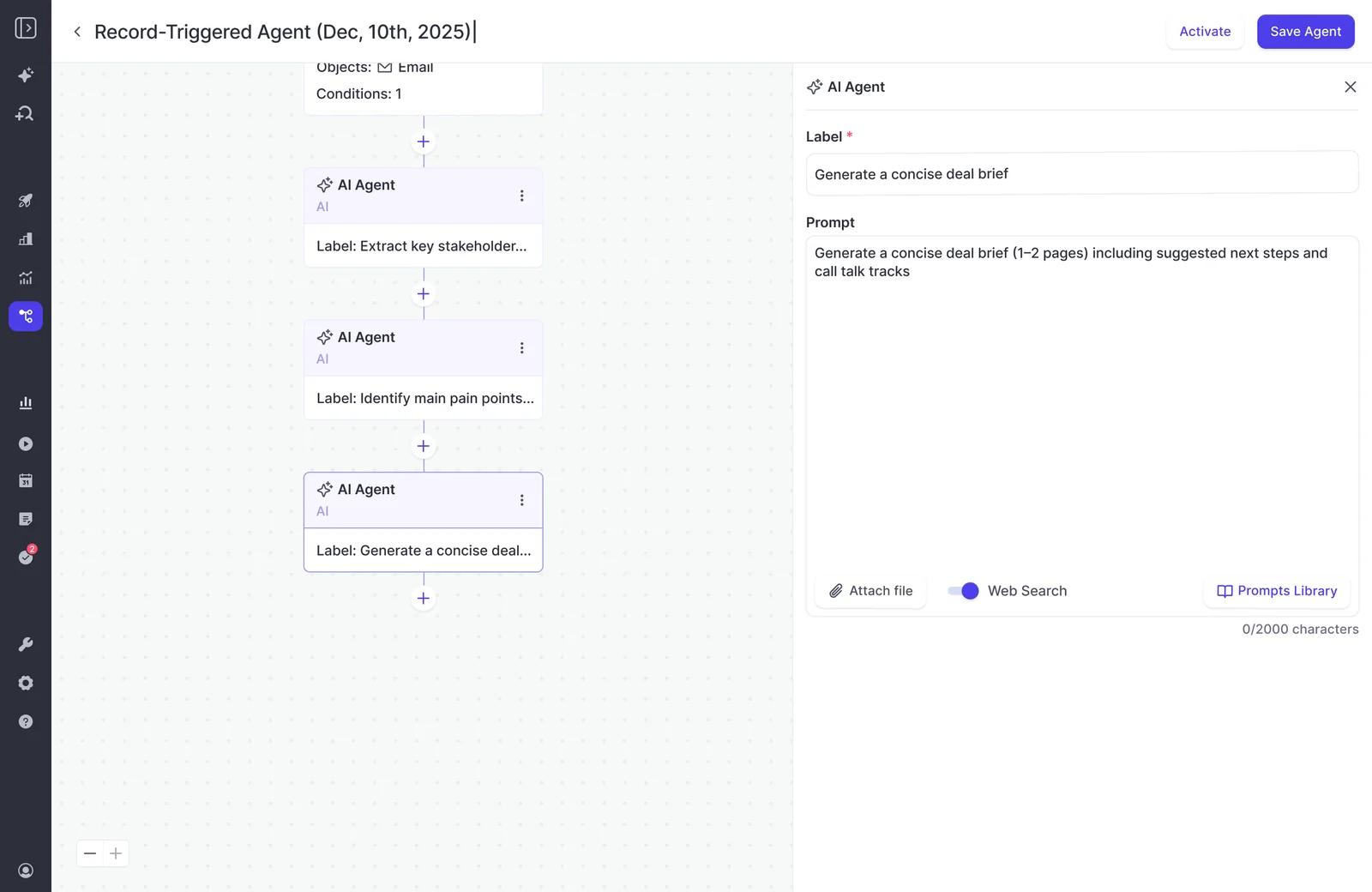
Agents have no per-run ceiling. That's the line. Weflow Agent Builder can process far more than a single chat query, which makes it the right home for anything recurring or anything that has to cover everything.
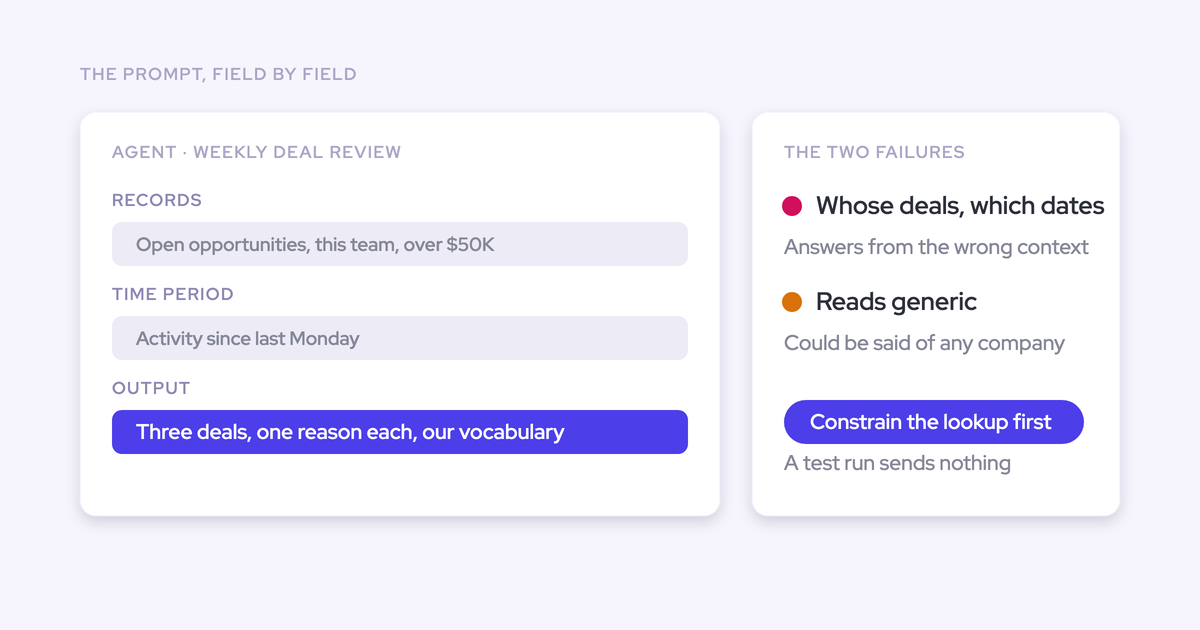
But an agent won't rescue a vague question. The pattern that produces good output is a constrained lookup before the prompt: name the object, the stage and the date window, then prompt.
We've watched the same prompt that returns a strong answer in the chat return an empty, unusable report from an agent, purely because the lookup step was missing. The lookup is what tells the model what it's allowed to look at. Starting from a Weflow template rather than a blank agent puts that step in by default.
The prompt itself has to be specific too. A prompt that doesn't name whose competitors, whose deals and which dates it means will answer from the wrong context. Good agent prompts are long: the entity, the period, the constraints, and what to exclude.
- Belongs in the chat: a question about this call, this deal, this account, or the deals in one filtered view. Ad hoc, answered now, while you're looking at the record.
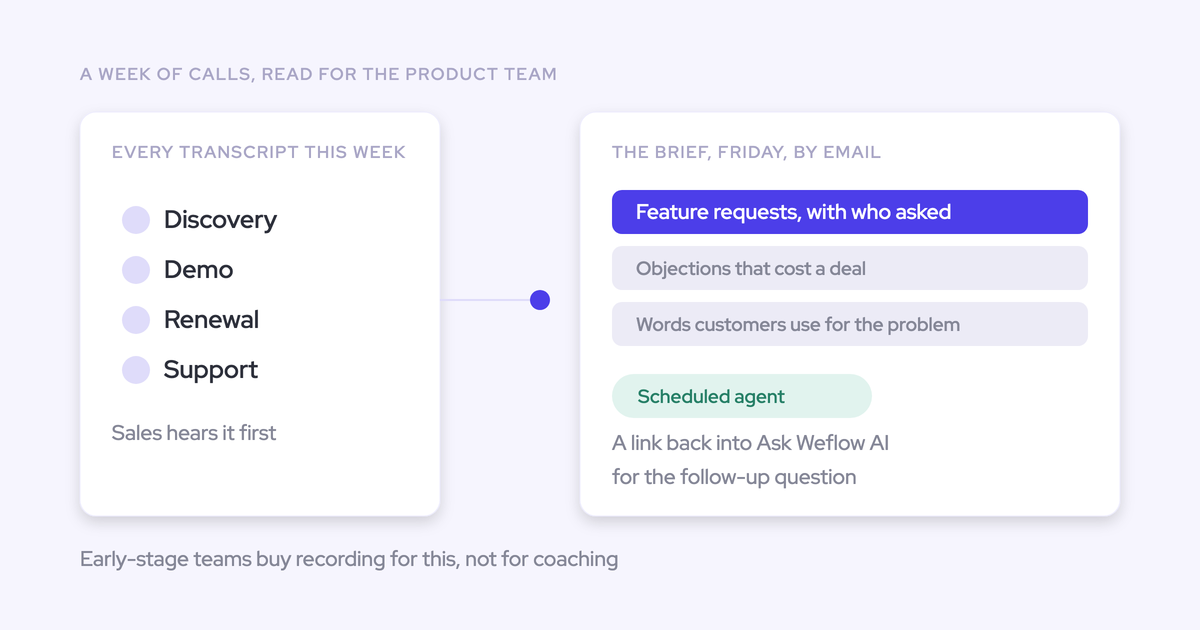
- Belongs in an Agent: the whole book of business, every closed-lost deal in a year, or the same report every Monday morning for every manager.
Whose permissions Ask Weflow AI obeys inside Salesforce
Ask Weflow AI never shows a user data they couldn't already see in Salesforce, and admins decide who gets it and what it knows about your data model. That's the two-sentence version for your security review.
How Salesforce permission inheritance works in Ask Weflow AI
Ask Weflow AI authenticates with the user's own Salesforce token and inherits the existing setup. There's no service-account overlay reading on everyone's behalf, and no separate Weflow identity: Salesforce authentication is the only way to sign in, through OAuth and whatever SSO or two-factor the org already enforces. Email and password login doesn't exist.
What it inherits:
- Standard and custom objects and fields, exactly as you've built them.
- Permission sets and field-level access.
- Role hierarchy.
- Validation rules and field dependencies.
The practical rule is simpler than the list: if a user couldn't open the record in Salesforce, it isn't in their answer. And deactivating that user in Salesforce removes their Weflow access immediately, so joiners and leavers stay a Salesforce process.
What admins control: org-wide vs per-team rollout and context
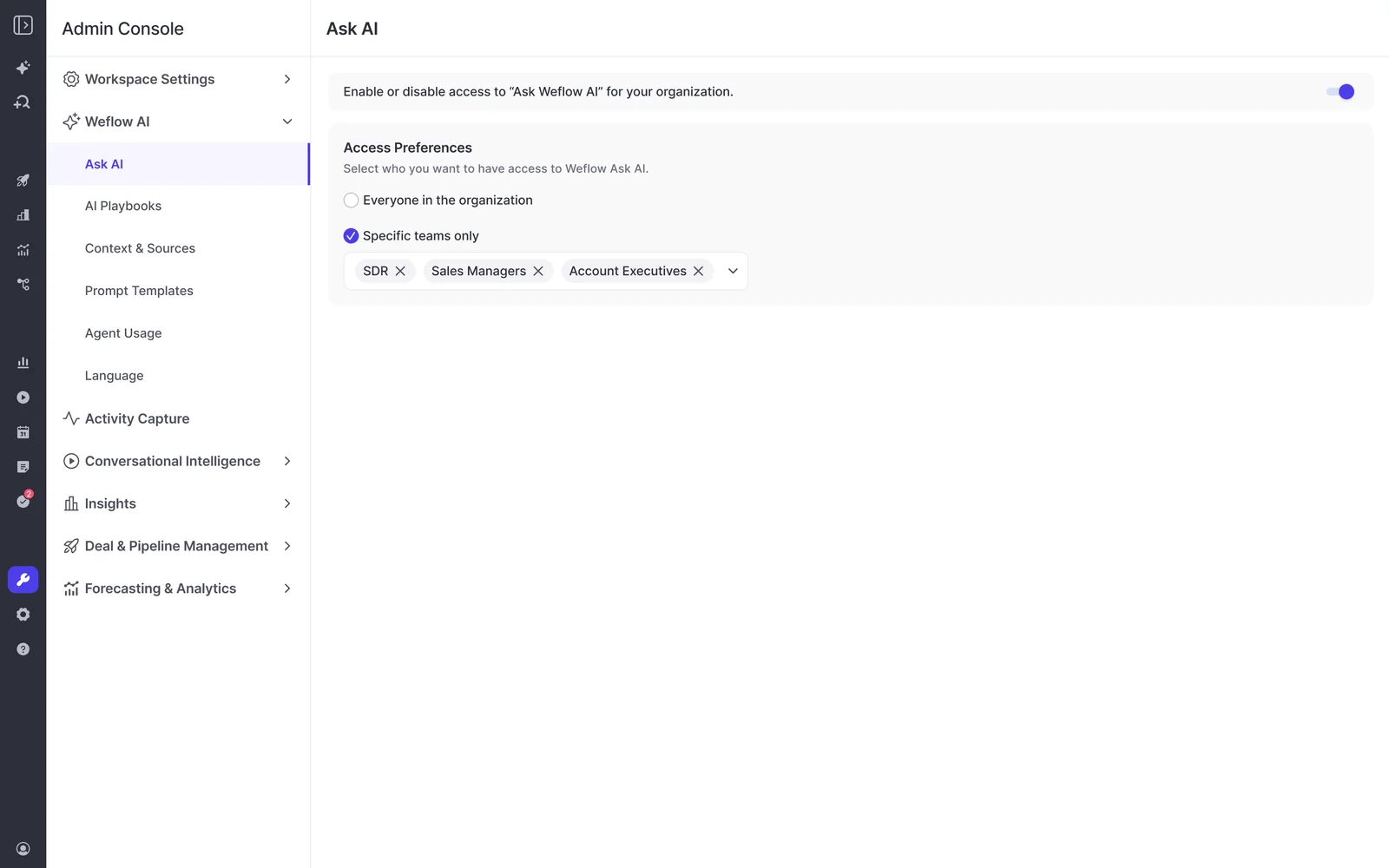
You enable Ask Weflow AI org-wide or for specific teams only, from the Weflow Admin Console under Settings. So a pilot with the account executives before the SDRs is a toggle, not a project.
Admins also train it: company context, object and field context, plus the shared prompt library everyone draws on. That's what makes it answer in your data model instead of a generic one.
What Ask Weflow AI cannot see: process docs, product guides, ticketing
Ask Weflow AI reads Salesforce, your captured communications, attached documents and the public web. It does not reach your other knowledge systems.
Your process documentation, your product guides, your ticketing system: all outside it. Ask it how your renewal approval process works and it has nothing to answer from.
So Weflow is the place a seller goes for anything about a deal, and it is not the place they go for how the company does something. Ask Weflow AI supplies the revenue context a general assistant lacks. It doesn't replace the general assistant, and we'd rather say that plainly than let you find out in week three.
Ask Weflow AI vs a Claude MCP to Salesforce
This is the question technical evaluators arrive with, usually in these words:
It's the classic build versus buy, right? What can we build ourselves particularly using Claude. So we've got Claude MCP with Salesforce that's currently read only but we're scoping that as a write back feature as well.
A read-only MCP into Salesforce is genuinely useful, and if you already have one, keep it. It reads your CRM fields, and it sits next to every other system your assistant can reach. Where it stops is the layer underneath the fields.
| The question you're asking | Where it's answered best |
| "Pull stage, amount and close date for these 40 opportunities" | Either. A read-only MCP does this fine, and so does Ask Weflow AI. |
| "What did the customer actually say about pricing across the last three calls?" | Ask Weflow AI. It reads the transcripts, emails and meetings, not just the fields a rep filled in. |
| "Which open deals have decision criteria we've never heard confirmed?" | Ask Weflow AI. This is a gap analysis against the evidence, which is only possible if the evidence is in scope. |
| "Does the answer respect each rep's own Salesforce access?" | Ask Weflow AI. It authenticates with the user's Salesforce token and inherits permission sets and role hierarchy. |
| "How does our procurement process work, and what's in the open ticket for this account?" | Your general assistant. Ask Weflow AI doesn't reach process docs or ticketing. |
| A question a seller asks while looking at the Salesforce record | Ask Weflow AI, through the Chrome extension, on the record page itself. |
| Every closed-lost deal this year, or the same report every Monday | Neither chat. Build it in Weflow Agent Builder, where there's no per-run ceiling. |
The other half of the comparison is the one nobody puts in a table, and we hear this a lot in our prospect calls:
We could probably do it with Claude, but I'm just trying to think from a seller perspective. I want to give them as few UIs as possible.
That's the real decision. Ops people are happy in a chat window. Sellers go where the deal is.
Ask Weflow AI pricing: included in every plan, not metered
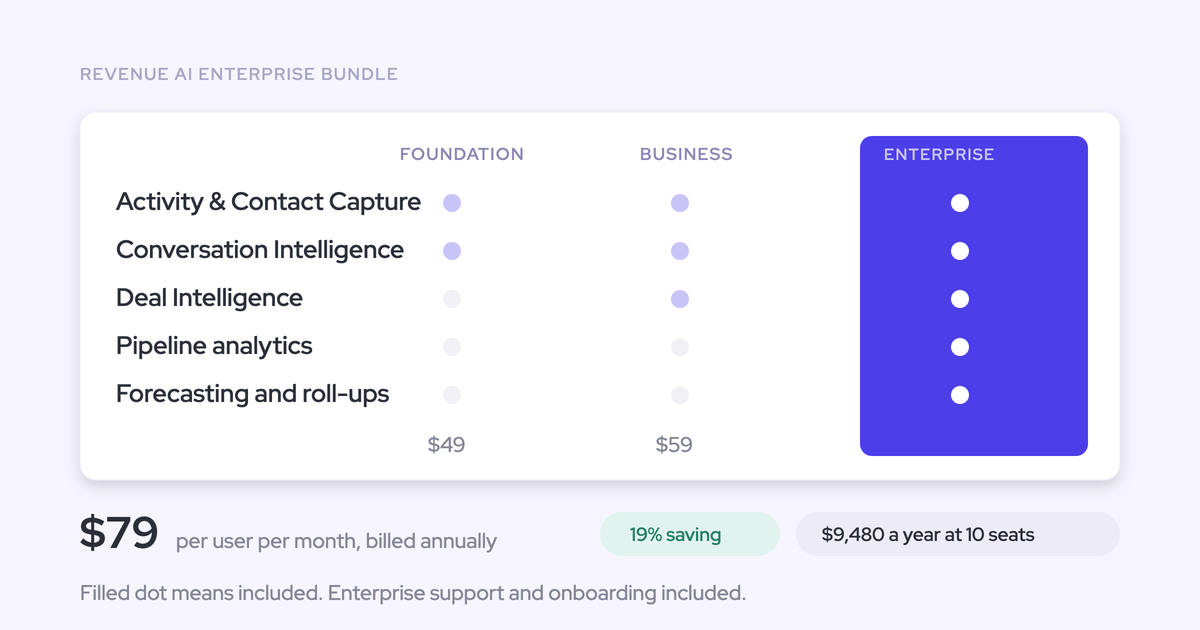
Ask Weflow AI Pro is included with every Weflow plan: all three standalone products and all three Revenue AI bundles. It isn't priced separately and it isn't metered. Usage is governed by a fair-use policy that no customer has reached.
Everything at Weflow is priced per seat except Agent Builder, which is the only consumption-priced product. Every plan includes the Free tier with 25 agent actions per month, and paid tiers start at $299 per month for 500 actions.
The split is deliberate. The AI surface people use every day is the one nobody has to ration, and the variable cost is confined to the one product that genuinely consumes tokens at scale. That's the objection that stalls most AI rollouts: an invoice that moves with adoption.
How KORE Wireless answers pipeline questions with Ask Weflow AI
KORE Wireless evaluated Gong and chose Weflow instead, then rolled out in five phases: activity capture, conversation intelligence, coaching, deal intelligence, forecasting. Ask Weflow AI runs across all of it.
What matters for this article is how their GTM leader actually uses it day to day.
The first thing I do is I go to Weflow and ask the question and see if I can get the intelligence out of Weflow to answer my question. I try to avoid interacting with the sellers during the day for that type of information because they should be giving every minute possible to getting the next customer.
— Scott Jones, SVP of GTM Revenue Intelligence & Enablement, KORE Wireless
And the verifiability half, which is why the answers get trusted:
I love being able to go right to the call, transcript or email and see where something was said that the AI is referencing.
— Scott Jones, SVP of GTM Revenue Intelligence & Enablement, KORE Wireless
Ask Weflow AI scope and limits: frequently asked questions
Does Ask Weflow AI write to Salesforce or only read from it?
Ask Weflow AI reads. It answers questions and drafts output, including follow-up emails you review and send yourself.
Writing structured values into Salesforce fields is a different job, done by Weflow AI Field Updates and by agent workflows. AI Field Updates writes picklists, numbers, dates and multi-select fields on standard and custom objects, with the rep able to accept, edit or reject each suggested value.
What happens when a pipeline view has more than 2,000 records?
A single pipeline view is capped at 2,000 records as a source, so a wider view doesn't give the chat more to read.
Two fixes. Filter the view tighter, by owner, stage or close date, so the deals you care about are inside the cap. Or link several narrower views, up to ten in one chat. If the question genuinely needs everything, build it as an Agent, where there's no per-run ceiling.
Where is Ask Weflow AI data stored?
Weflow stores customer data in the region where that customer's Salesforce instance sits, so a Salesforce org hosted in Europe keeps its Weflow data in Europe. Video recordings are the exception: Weflow holds them and streams them back, because Salesforce is a poor place for large files.
Weflow is SOC 2 Type II certified and GDPR compliant, runs Zero Data Retention for AI processing, and never uses customer data to train AI models.
Is Ask Weflow AI included with every Weflow plan?
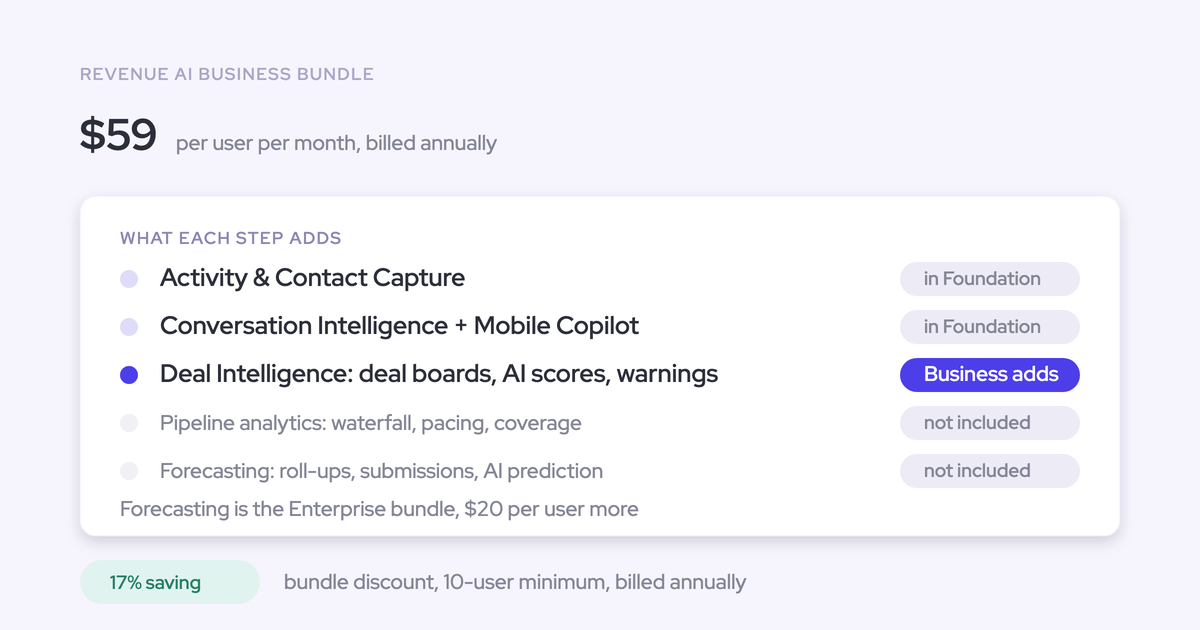
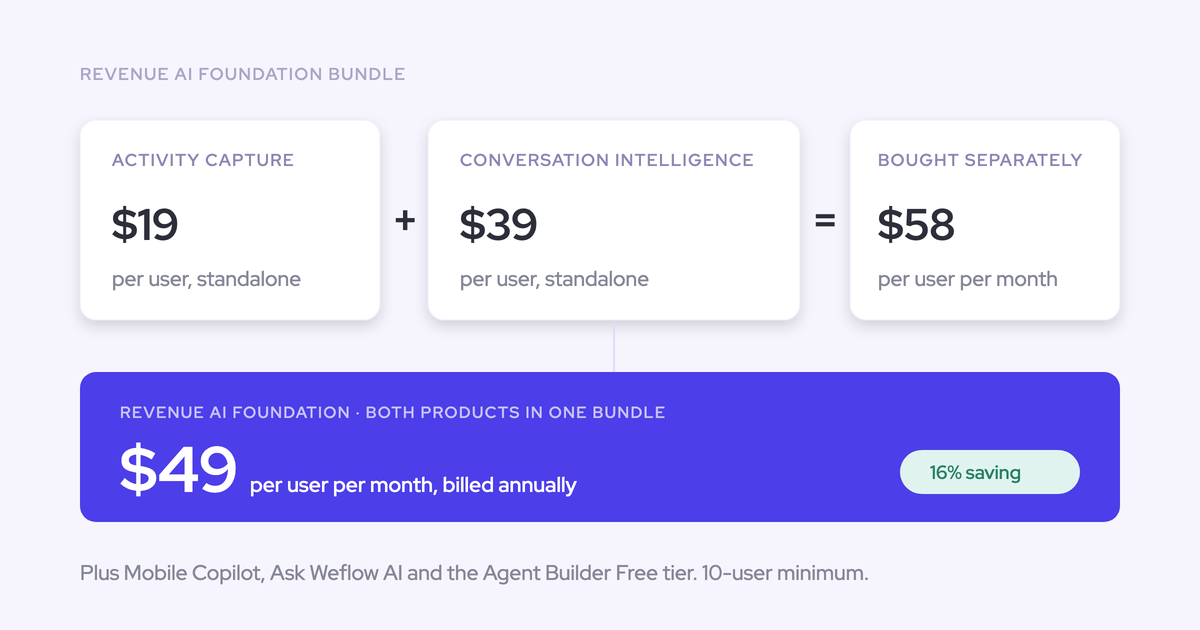
Yes. Ask Weflow AI Pro is listed under Includes on every plan: Weflow Activity & Contact Capture at $19 per user per month, Weflow Conversation Intelligence at $39, Weflow Deal Intelligence & Forecasting at $39, and the Revenue AI Foundation, Business and Enterprise bundles at $49, $59 and $79.
Can Ask Weflow AI read attached documents or search the web?
Both. Attach a document to the chat, such as an annual report or a CSV export, and it reads it alongside your Salesforce and conversation data. It can also search the public web when the question calls for outside context.