What Weflow Agent Builder Does, What It Costs, and What It Cannot Do (Yet)
Learn what Weflow Agent Builder does, costs, and can't do yet with Salesforce and Slack.



Weflow Agent Builder is live. You build a multi-step agent that fires on a schedule or on a record change, reads live Salesforce records plus the emails, calls and transcripts attached to them, and delivers the result to Slack, email, or a PDF. Weflow is the Revenue AI Orchestration platform for sales, customer success, and RevOps teams, and Agent Builder is the piece that turns captured revenue data into something that actually arrives in front of a person.
If you've seen it in a demo, you don't need convincing. You can already name the two agents you'd build: closed-lost analysis, and the at-risk deal sweep before the forecast call. That second one is the AI-driven deal review job most teams automate first.
What the demo doesn't settle is the part you have to defend. What does it cost when adoption grows, what can't it do yet, and how do you keep the first report from embarrassing you in front of your CEO. That's what this page is for: the published price and why only this product is metered, four real ceilings, and the one design habit that separates a useful agent from noise.
What is Weflow Agent Builder and how does it work
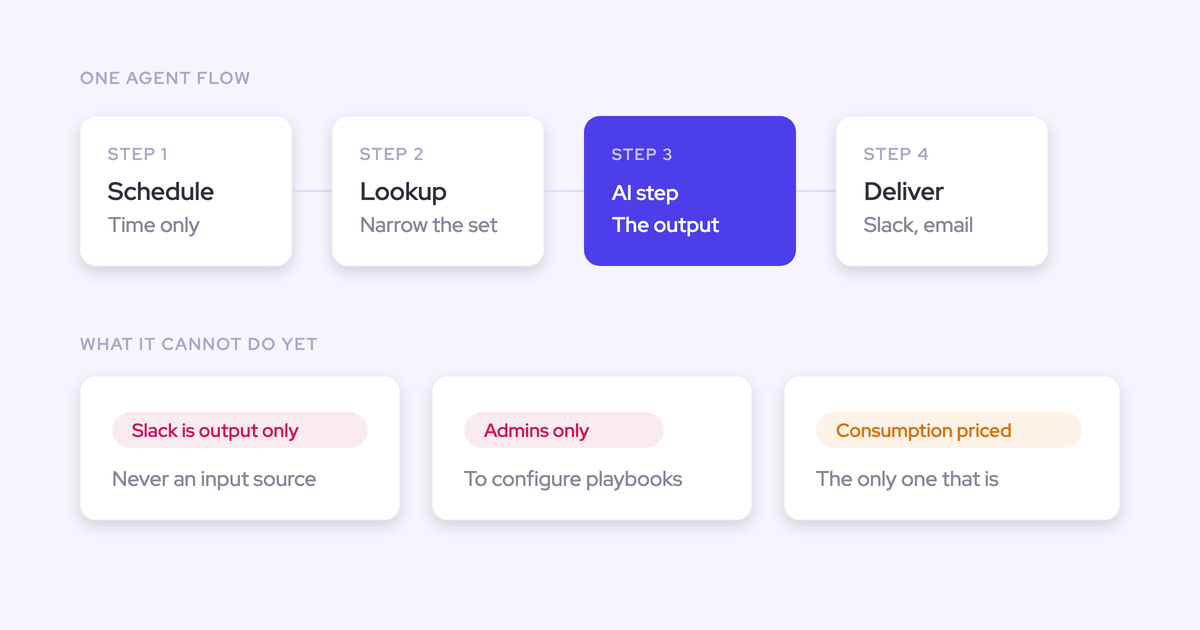
Weflow Agent Builder is a flow builder for AI agents that run over Salesforce records and the conversation data attached to them. An agent is four parts, in order.
- A trigger. Either a schedule (day, time, timezone) or a record change, so the agent runs on Monday at 9am or when an opportunity moves.
- A lookup. Reads Salesforce accounts, contacts, leads or opportunities with field-level filters: stage, close date, forecast category, amount. Lookups read Salesforce live, not from a snapshot, so a change made a minute ago is in the run.
- An AI step. A free-text prompt over whatever the lookup pulled. You can chain several.
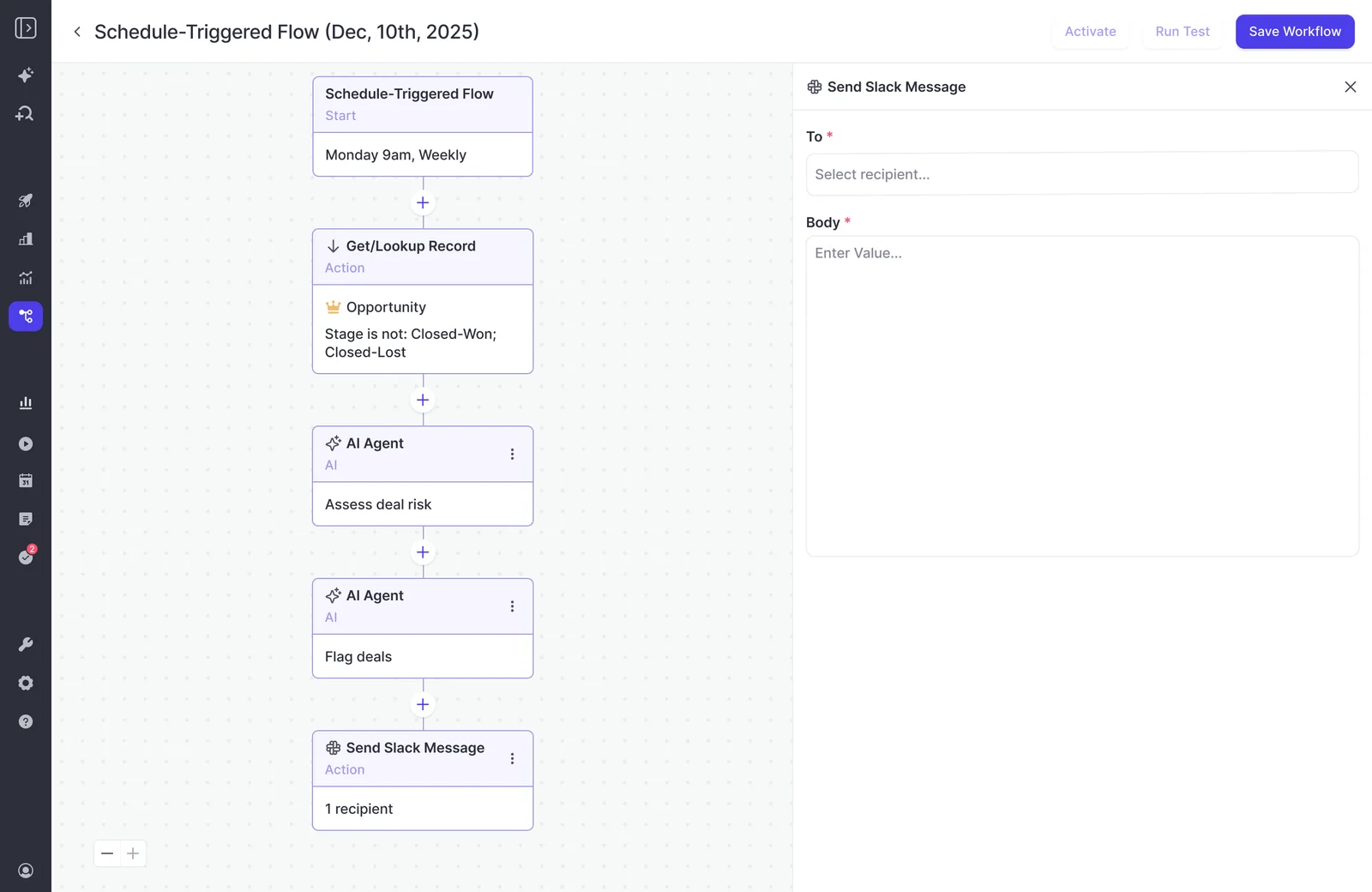
- A delivery step. Slack message, email, an attached PDF report, or a field update back into Salesforce.
The part that matters most is what the AI step can see. It doesn't just read CRM fields.
It reads the activities, emails, calls and transcripts attached to the records the lookup pulled. You can add a web search, and you can upload a document, a methodology guide for example, as grounding. So a prompt asking why deals were lost answers from what was said on the calls, not from the reason code somebody picked off a dropdown.
Why we built it: reports that arrive, not dashboards
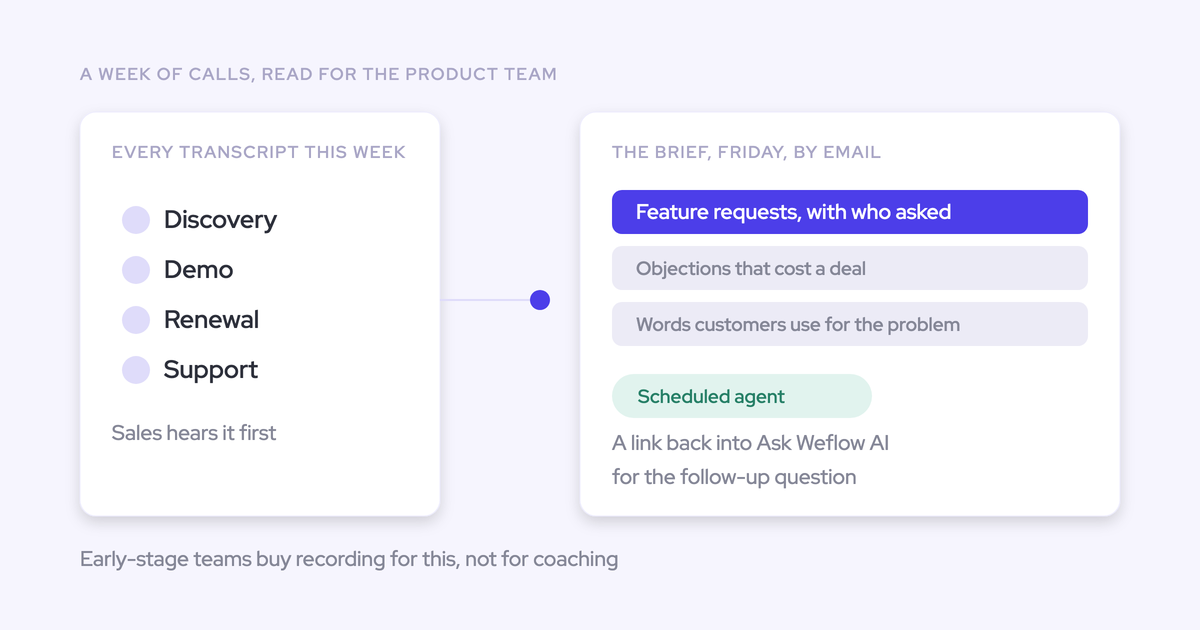
Executives don't open dashboards. They read what lands in front of them.
We hear a version of this on nearly every call with a RevOps leader who has built beautiful leadership reporting and watched it go unopened:
The other half is who's expected to build it. RevOps already owns the data, the tools and the process, so the agent mandate landed there by default, usually on a team of one to three people with no extra headcount.
"I think every company in the world has an AI transformation mandate. And suddenly, there are AI workflow and agent builders out there, and which tools should be better positioned or are better positioned than RevOps to take those and actually make them work." — Philipp Stelzer, Co-founder and CPO, Weflow
That's the job Agent Builder is built for: RevOps designs the agent once, and the conclusion gets pushed to the person who needs it on a schedule they didn't have to remember.
Weflow Agent Builder pricing: the only metered Weflow product
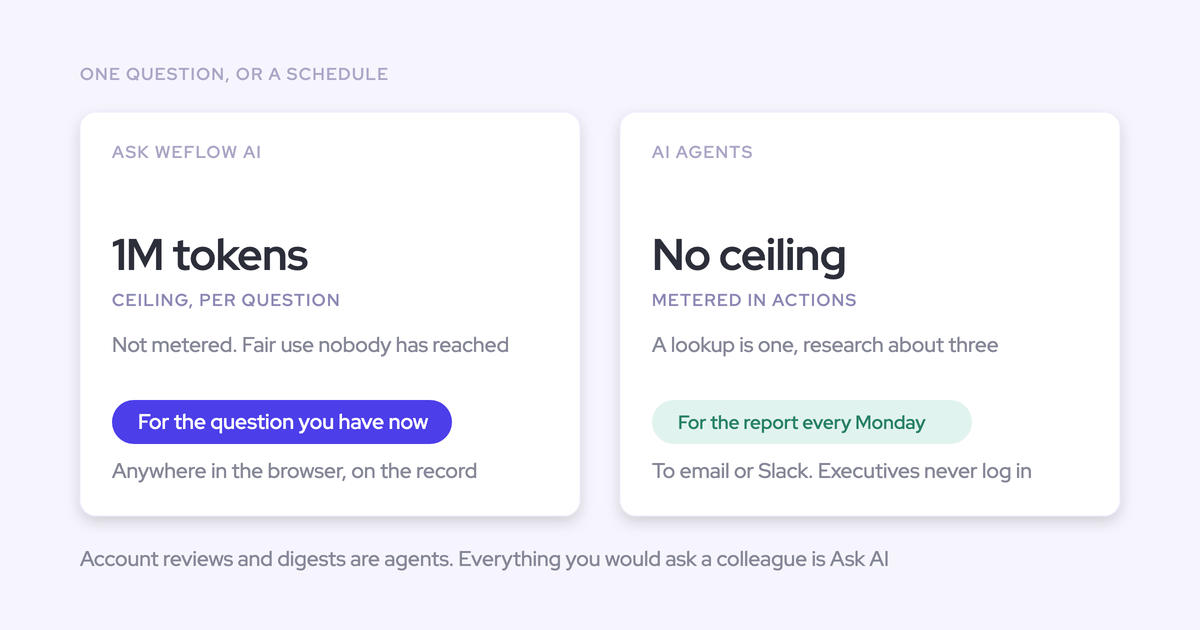
Weflow is priced per seat with AI included, and Agent Builder is the single deliberate exception. Its consumption is bounded, published on the website, and priced per workspace rather than per user.
Why only Agent Builder is consumption-priced
Ask Weflow AI, AI summaries and AI field updates are included in the seat with no metering and no caps. Agent Builder is the one component that genuinely burns tokens at scale, so that's the only place the variable cost sits.
We drew the line there for a specific reason. Buyers have been trained to read AI pricing for the second number, the consumption charge on top of the seat, because that's the one that makes an invoice impossible to defend:
"I can't have explosive token usage. We can't afford to say, oh, it cost 200 grand, I spent 400 grand."
A vendor that meters everything is a vendor whose bill rises the more your team adopts the product, which is an argument against using it. Confining the meter to one product is what keeps the daily-use AI rationing-free and keeps the rest of the invoice a flat number your CFO can approve once.
Agent Builder pricing tiers, per workspace
The free tier ships in every Weflow plan and bundle, so there's nothing to buy before you build your first agent.
| Tier | Monthly price (per workspace) | Agent actions included |
| Free | Included in every Weflow plan and bundle | 25 per month |
| Growth | $299 | 500 per month |
| Scale | $999 | 2,500 per month |
| Enterprise | Custom | Custom volume |
Per workspace, not per user, is the part worth carrying into the budget conversation. Adding twenty people to Weflow doesn't change your Agent Builder line, so the cost tracks how much your agents run, not how many colleagues you roll it out to.
Where agent usage and spend are tracked
Agent Usage and Prompt Templates sit together in the AI section of the Weflow admin console, next to Ask AI, AI Playbooks, and Context and Sources. The prompts your agents run and the consumption those prompts generate are visible in the same place, before either becomes an invoice.
That's the answer to the governance fear one prospect put plainly:
"With teams you have a natural cap. With enterprise you can consume as crazy until the admin will switch you off. So that's on the AI. I would appreciate some sort of zoom in because we need to like we need to be adventurous and bold and use it. It's the backbone of your solution. But then this has to be done in a controllable manner."
Published tiers plus visible usage is how we answer that today. If you want a hard spend ceiling enforced by the product rather than by an admin watching the number, that's a fair ask and it's not what the tiers do.
What Weflow Agent Builder cannot do yet
Agent Builder is the newest Weflow product and the least mature. Activity & Contact Capture, Conversation Intelligence, and Deal Intelligence & Forecasting are established; the orchestration layer that turns context into an action is the part still being built.
The honest position we take in deals is that data-driven action orchestration isn't fully solved by anyone yet. Here are the four walls you'll hit.
Slack is a delivery destination, not a data source
Agents post reports and notifications into a chosen Slack channel, with PDF or CSV attached if you want. They cannot read Slack messages as input.
Agent reasoning runs over Salesforce records and the activities, emails, calls and transcripts attached to them. If the deal context your team actually argues about lives in a Slack channel, an agent can't see it. That's roadmap, not shipped.
Only admins can configure agents today
Predefined agent playbook configuration is admin-only in the current release. Granting an individual non-admin the permission is coming, and it isn't available.
The restriction is deliberate, because an agent can reach a lot of data and do a lot at once in a single run. The cost is real though: every agent idea in the business queues behind whoever holds admin, which on a three-person RevOps team is one person's calendar.
Worth naming, since it's the same complaint teams have about deploying Agentforce, where every change waits on the internal Salesforce admin backlog. We're not immune to that shape of problem, we've just put a smaller surface behind it.
Test runs show the output but never send it
A test run renders the result in the app. It does not send the email or post to Slack. Delivery only happens on the live schedule.
That's deliberate too, after earlier builds emailed recipients on every test and customers told us the volume was unacceptable. The cost is a slower tuning loop on exactly the prompts that need the most tuning.
The fear behind this question is always the same one, and it's legitimate:
The workaround that works: schedule the agent live with yourself as the only recipient, let it run for a cycle, tune the prompt, then add the people whose first impression decides whether anyone trusts the thing.
Agent scores reach Salesforce reports only via write-back
Deal warnings and AI Playbook scores are Weflow fields, marked with a W in the interface, not Salesforce fields. They don't appear in Salesforce dashboards or in Power BI.
So a deal flagged at risk inside Weflow won't show up in the report your board reads, unless an agent writes the assessment into a Salesforce field you've created. That route works, and it has to be built. If your executive reporting runs out of Salesforce or a BI tool, plan the write-back step as part of the agent rather than discovering the gap afterwards.
The two agents that work on day one
Customers build novel things eventually. The first two that actually stick are boring, recurring, and answer a question somebody already asks every month.
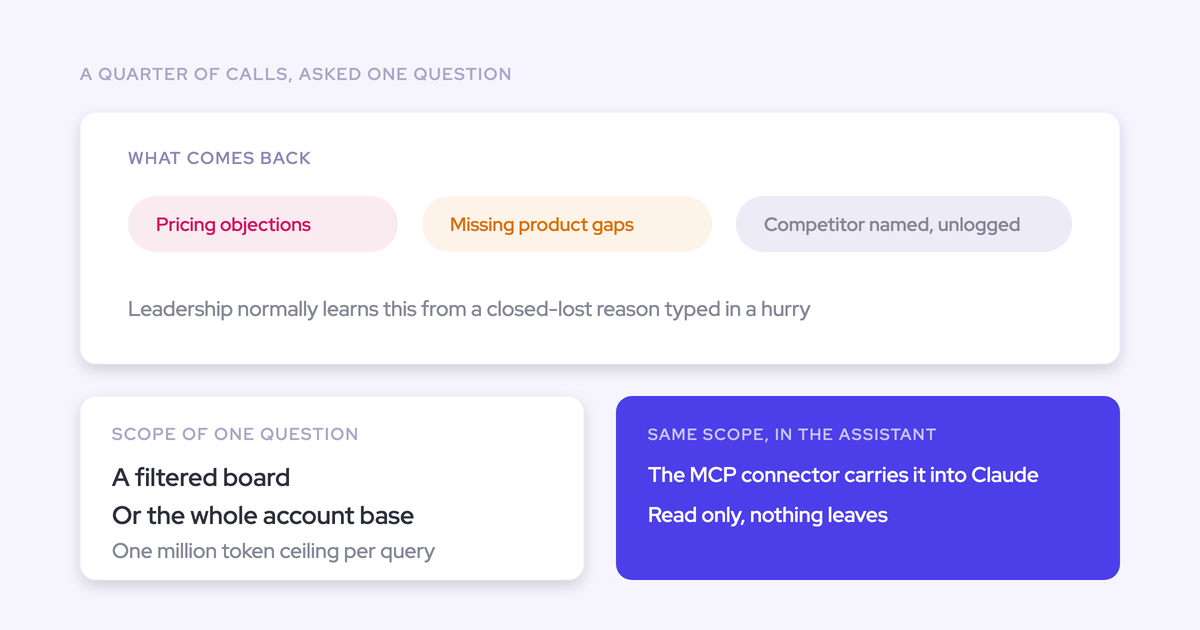
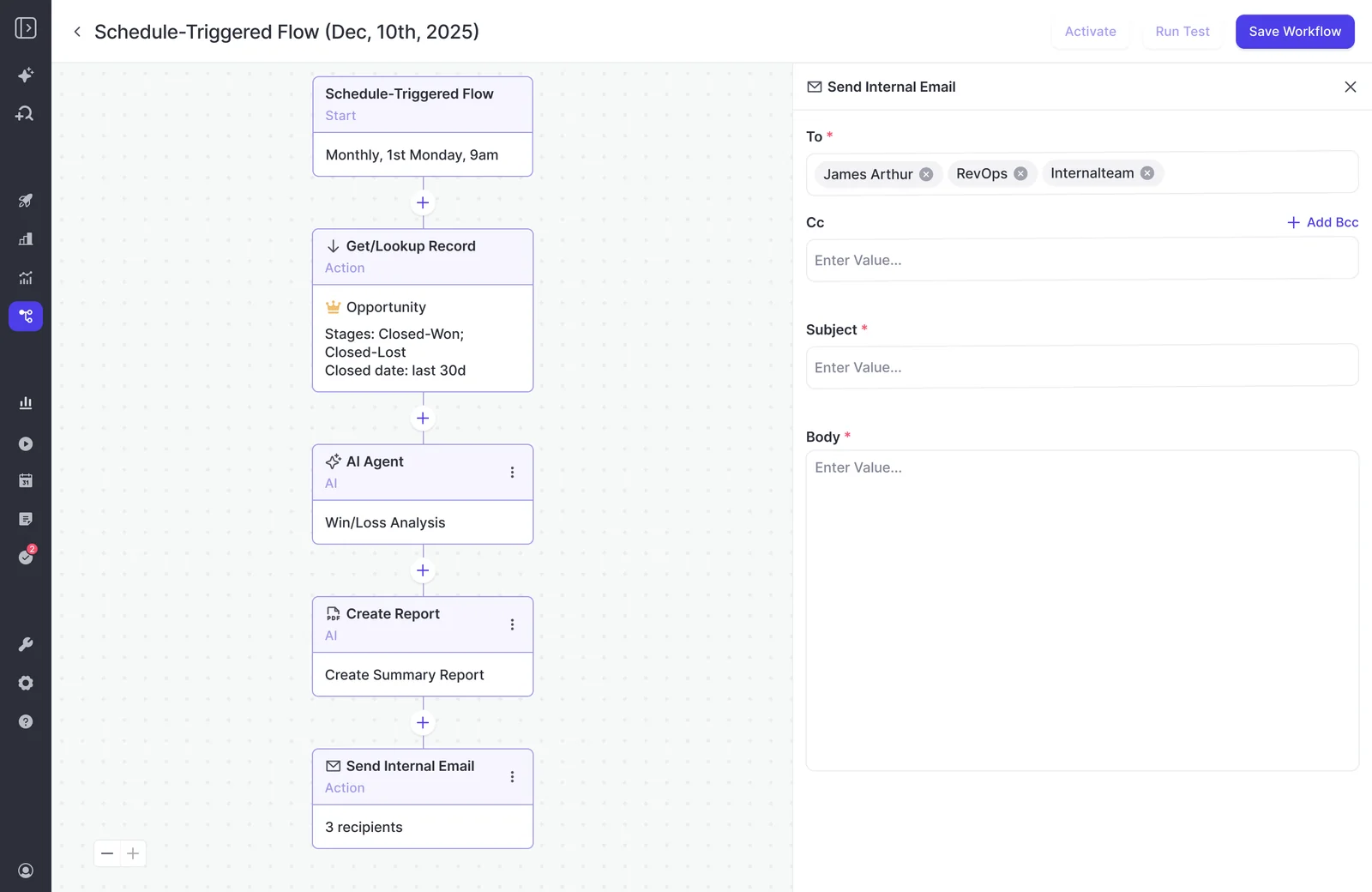
The closed-lost agent. Monthly trigger, a lookup for opportunities closed in the last thirty days, and a prompt that reads every lost deal's conversations to surface which competitors appeared and which objections recurred. It works because it reads what was said on the calls instead of the reason code a rep picked from a dropdown, which is usually a different answer.
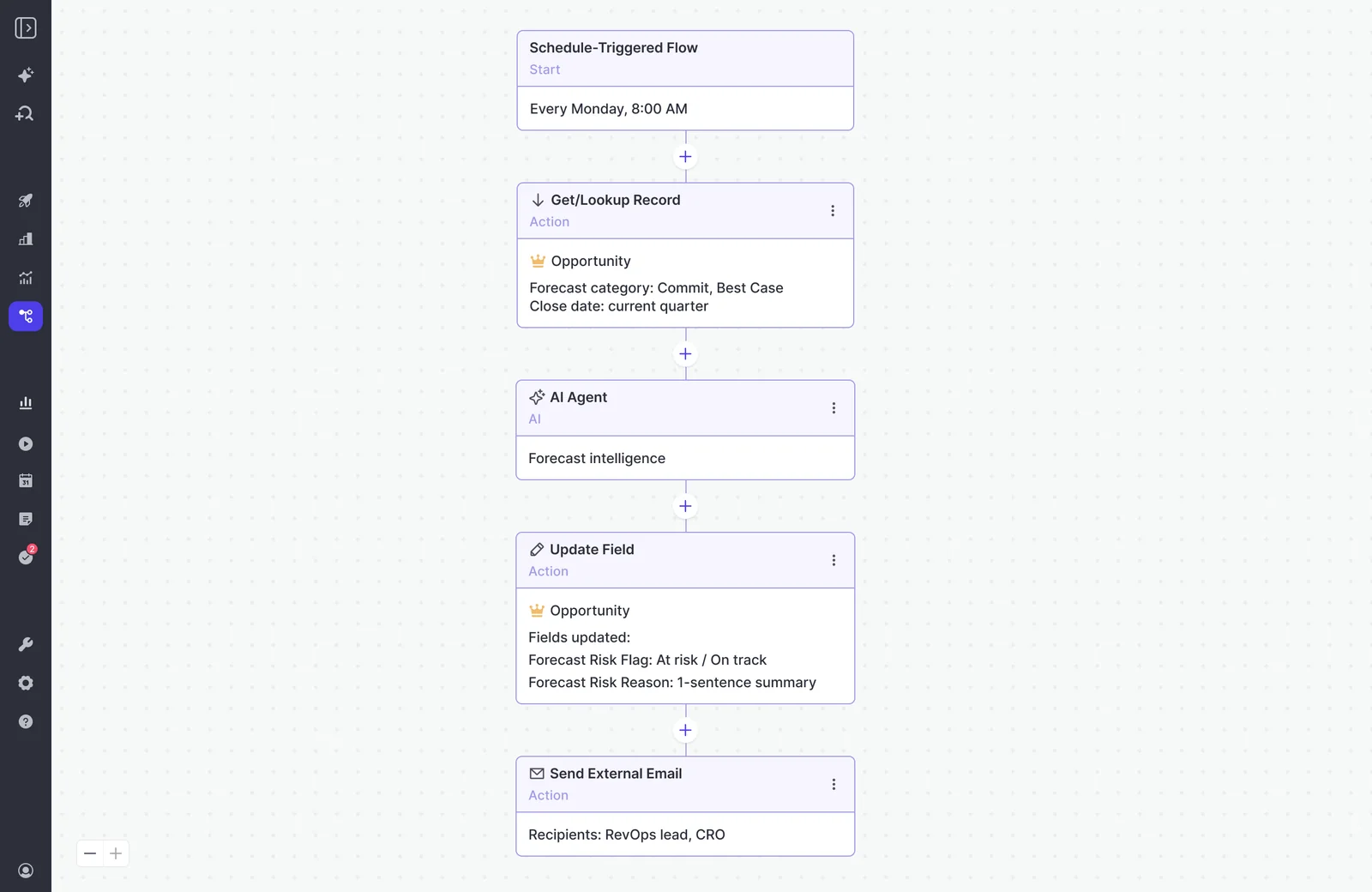
The deal-review agent. Weekly trigger before the forecast call, a lookup for open opportunities in the current quarter, and a prompt that names which deals are at risk and what would mitigate each one. Delivered as a short brief, not a dashboard.
Three starting templates ship with the product: a pipeline snapshot, a meeting recap bundle, and a deal risk PDF. Their prompts are deliberately basic and they're meant to be rewritten. Use them for the structure, not the wording.
Constrain the record set before the AI step
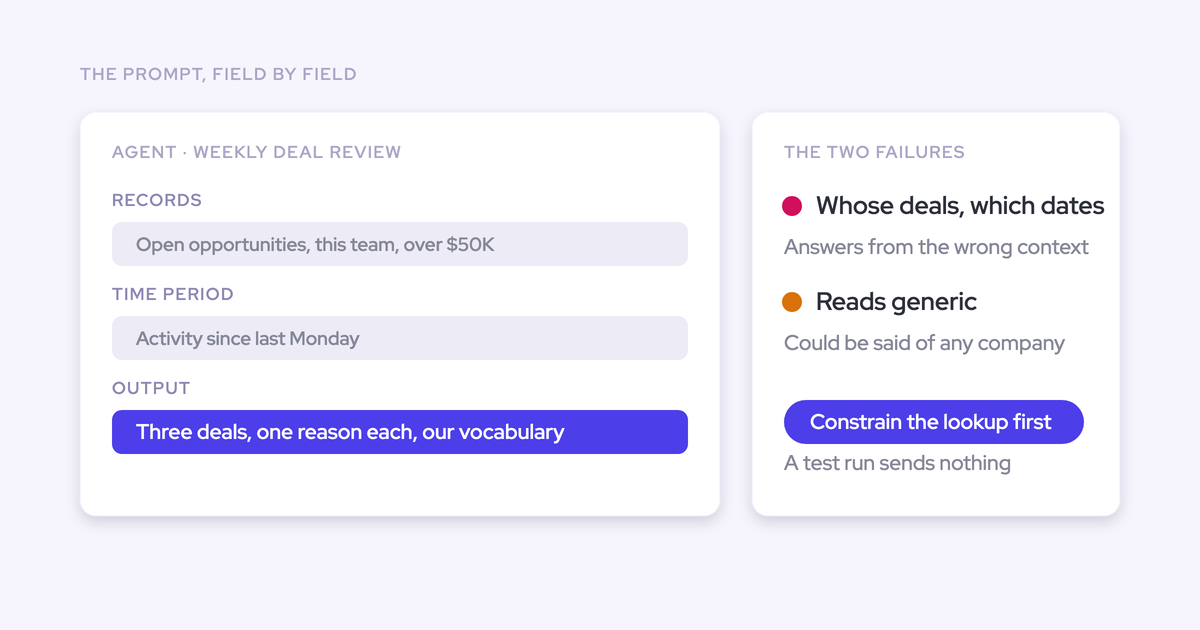
An agent whose lookup names the object, the stage and the date window produces materially better output than the same prompt run without one. This is the single biggest lever on quality, and it's the design step teams skip on their first build.
Here's the failure mode. You write a prompt in Ask Weflow AI, it returns something sharp, you paste it into an agent with no lookup constraints, and the agent returns an empty or unusable report. Nothing is broken. The lookup is what tells the model which records it's allowed to look at, and without it the agent is being asked to reason over everything at once.
| What the lookup says | What comes back |
| Nothing. One-sentence prompt: "summarize deal risk" | An empty or unusable report, even though the same prompt works in chat |
| Opportunity, stage not Closed Won or Closed Lost, close date this quarter, forecast category Commit or Best Case | A short brief naming specific deals, with evidence pulled from the calls and emails on those records |
Two things follow from that.
Narrowing the record set cuts consumption as well as improving the answer, so scope control is the cost lever and the quality lever at the same time. And starting from a Weflow template rather than a blank agent puts the lookup in by default, which is the main reason to start there.
Then do the same work on the prompt. A prompt that doesn't name whose deals, which dates, and what to exclude will answer from the wrong context.
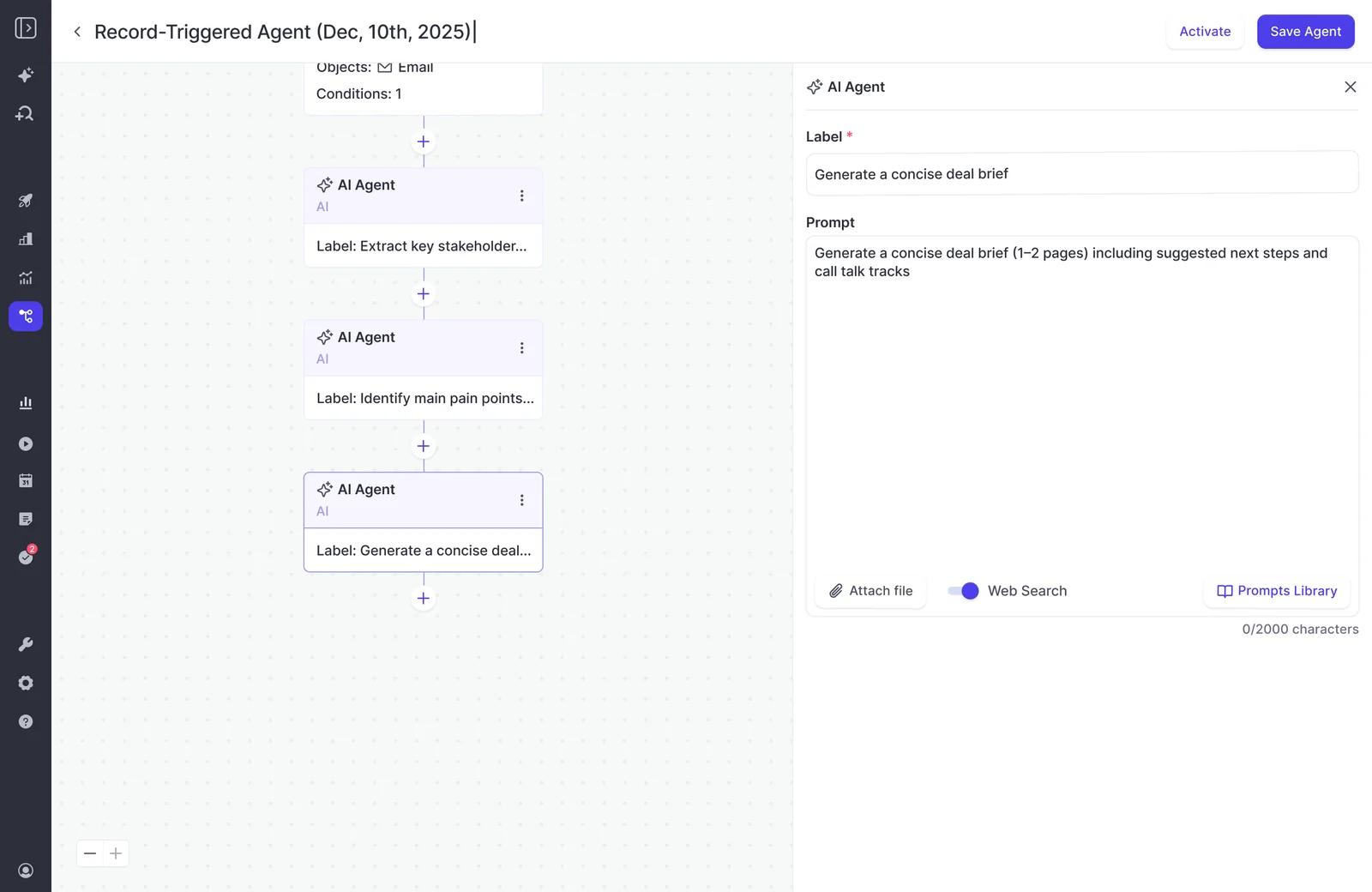
Good agent prompts are long and specific: the entity, the period, the constraints, what not to include. A sentence somebody types is not a prompt, it's a wish.
How to turn on Weflow Agent Builder
The free tier of 25 agent actions per month is already in your plan, whichever bundle you're on. There's nothing to buy to start, which means the sensible rollout is the cautious one.
- Start from a template rather than a blank agent, so the lookup step is there by default.
- Constrain the lookup: name the object, the stage, and the date window before you touch the prompt.
- Rewrite the template prompt. Name whose deals, which period, and what to leave out.
- Schedule delivery to yourself only, and let it run live for one cycle.
- Tune the prompt against what actually arrived, not against the in-app test render.
- Widen the recipient list, one group at a time, starting with the people who'll tell you it's wrong.
- Upgrade the tier from the admin console when Agent Usage shows real consumption, not before.
If you want the governance side written down before you start, we put the operating rules we use with customers into a free reference: the AI Agent Ops Cheatsheet for RevOps.
Weflow Agent Builder FAQ
Is the Agent Builder free tier included in every Weflow plan?
Yes. Every Weflow plan and bundle includes 25 agent actions per month per workspace. Recordings, transcripts, AI templates, view-only licenses and Ask Weflow AI prompts carry no usage caps within a bundle, so Agent Builder is the only place a cap exists.
How is Weflow Agent Builder priced compared to Salesforce Agentforce?
Agentforce is token-priced and stores its data on an AWS instance outside your CRM. Weflow confines metering to one product, publishes the tiers on the website instead of behind a demo, prices per workspace rather than per user, and everything the agents produce can land in your own Salesforce.
Credit where it's due: Agentforce ships a wide set of out-of-the-box agents across the whole cycle, and if you've already standardized on the Salesforce AI roadmap that breadth is real. The complaint we hear from teams who bought it is deployment, not ambition. Every change queues behind an internal admin team that was already the bottleneck.
Why not just connect Claude to Salesforce instead?
You can get a recognizable share of the outcome that way, and it's a fair thing to weigh. This comes up on calls constantly:
"It's the classic build versus buy, right? What can we build ourselves particularly using Claude. So we've got Claude MCP with Salesforce that's currently read only but we're scoping that as a write back feature as well."
The honest answer isn't about the AI. Claude is excellent and we're not going to pretend otherwise.
It's about the foundation underneath. An agent inherits the quality of the data it reads, and pointing a model at a CRM whose activity is missing and whose fields are half-filled gets you a confident answer built on a thin slice of reality. Weflow's agents read the captured activity, email and transcript record attached to live Salesforce records, which is the layer a DIY connector consumes but doesn't produce or maintain.
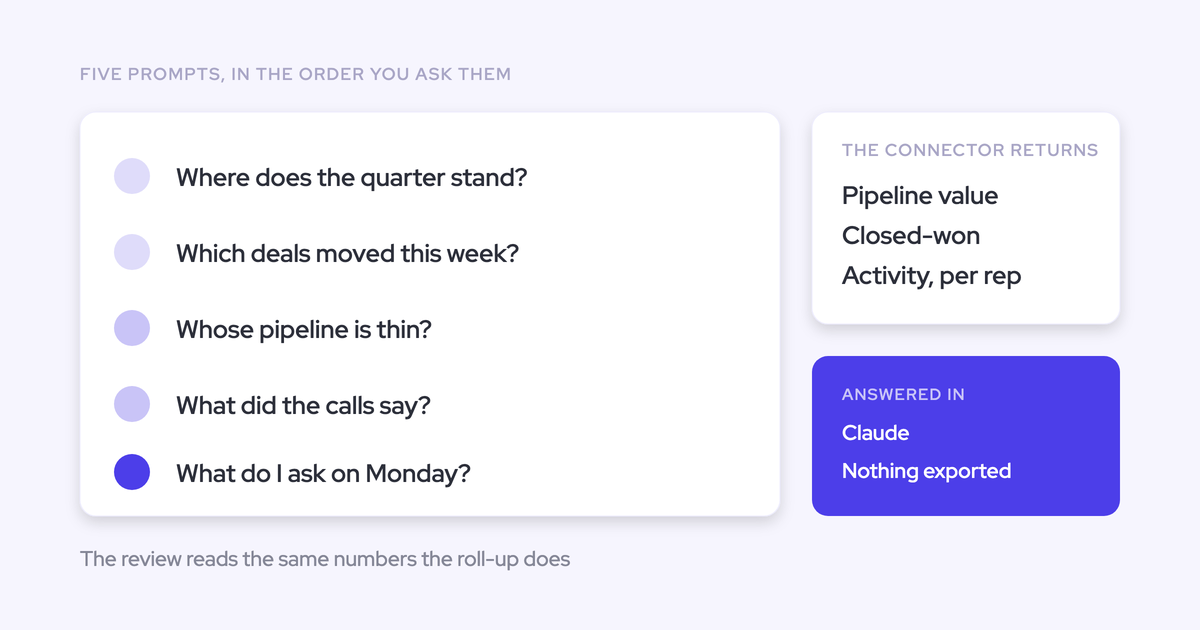
And if you'd rather run agents from your own assistant, Weflow has an official read-only MCP connector that reaches playbooks, call summaries, transcripts and forecast calls from Claude or ChatGPT. Those two options aren't in conflict.
Can an agent write its assessment into a Salesforce field?
Yes. An agent can update a Salesforce field as a delivery step, for example writing a forecast risk flag plus a one-sentence justification onto the opportunity. That write-back is also the current route for getting deal warnings and playbook scores into Salesforce reporting and BI, since those live as Weflow fields by default.
How do I keep agent reports from becoming Slack noise?
Delivery is scheduled to a channel or a chosen recipient list, not fired per event. That's the difference between a Monday brief people read and a feed people mute in a week.
The other half of noise control is scope. An agent constrained to commit-and-best-case deals closing this quarter produces a short brief; the same prompt over the whole pipeline produces a wall. If the output is too long to scan in a minute, tighten the lookup before you touch the prompt.
When will non-admins be able to build agents?
Admin-only today, by design. Per-user permission granting is coming and we don't have a committed date, so plan your first quarter of agents around admin capacity rather than around a change that hasn't shipped.