
How to Capture Closed-Lost Reasons From Sales Calls
Learn how to capture closed-lost reasons from sales calls in Salesforce, without rep input.


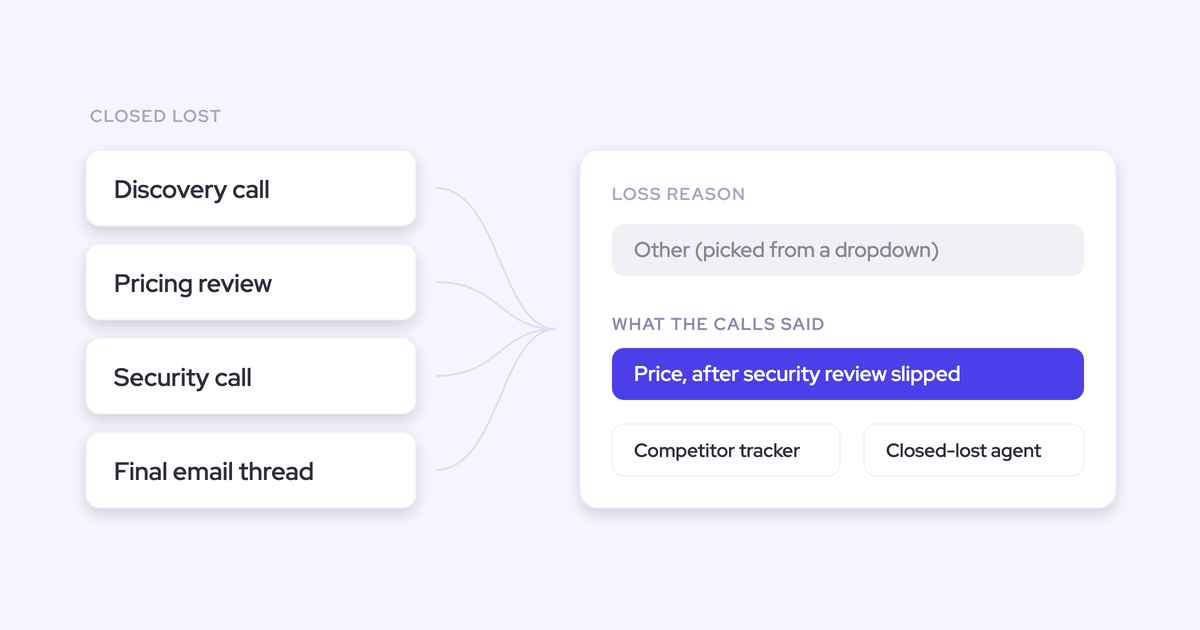

The closed-lost reason is the least reliable field in your CRM, and it isn't because your reps are lazy. It's because the person filling it in is the person who just lost the deal, in a hurry, on the way out. That's the worst-positioned human in the company to say why it died.
Which means every fix that starts with "let's make the field mandatory" is already beaten. You get a higher completion rate and the same unusable data. The fix that holds is to read the conversations instead: reason codes pressure-tested against the transcript, competitor mentions counted instead of remembered, objections detected instead of recalled.
This guide walks the build. By the end you'll have structured, reportable loss fields in Salesforce that populate without a rep typing anything, plus a way to run the same read back over the two quarters of losses sitting unanalysed.
Weflow is the Revenue AI Orchestration platform for sales, customer success, and RevOps teams, and the mechanism inside these steps is Conversation Intelligence + AI Field Updates.
Why rep-picked closed-lost reasons can't be trusted
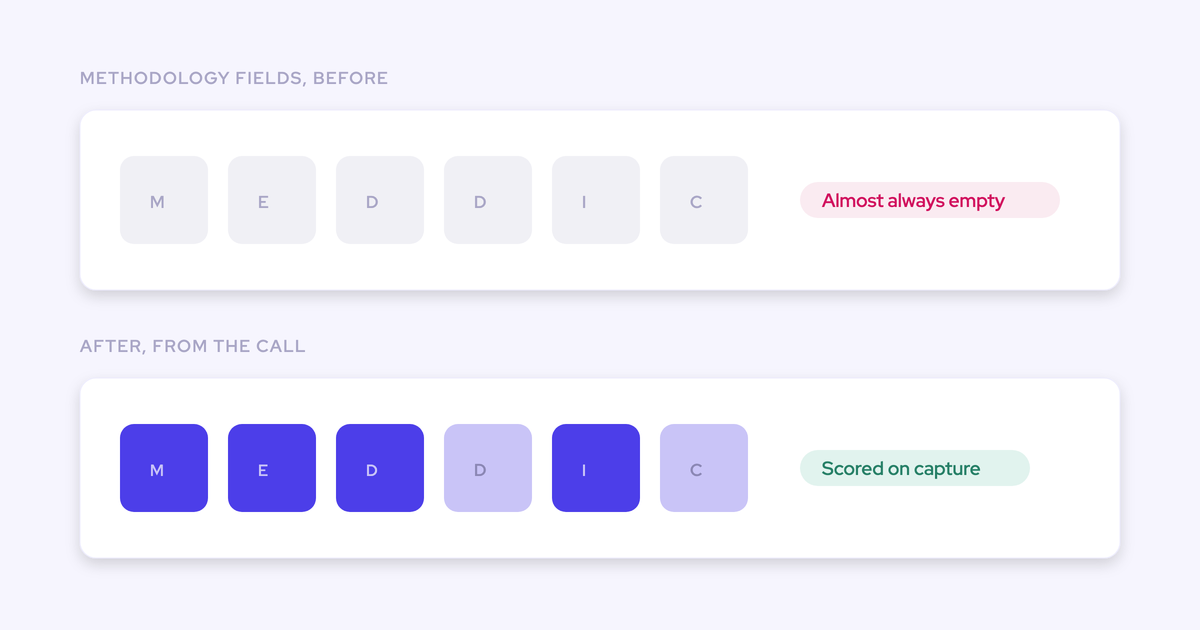
The loss reason fails at the source, not at the reporting layer. It's a required picklist, filled by someone with no incentive to be accurate and every incentive to pick the option that reflects least on them. "Price" is the safest click in most orgs.
So enforcement doesn't help. Mandatory fields, validation rules and Monday reminders lift the completion rate and leave the content exactly where it was, because reps fill the field with whatever clears the rule.
The gap is visible the moment you put the two things side by side:
| What the closed-lost field records | What the deal record actually contains |
| One picklist value, chosen once, after the outcome was known. | Every call, every email, every objection raised and how it was handled. |
| Whichever competitor the rep remembered naming. | Each competitor actually named, by whom, and how often it came up. |
| A reason with no evidence attached to it. | The sentence where the buyer said the real blocker out loud. |
| Nothing about when the deal was actually lost. | The point where engagement stopped and who stopped answering. |
This is the specific complaint we hear from RevOps leaders who own the "why are we losing?" question:
Interviewing sellers is anecdotal by construction. The answer changes depending who you ask, which is exactly why it can't go to the board or to product as evidence. Take the rep out of the loop and the reason becomes something you can count.
What this setup requires: recorded calls in Salesforce
Everything below reads from captured conversations, so the precondition is that the conversations exist and land in Salesforce. Before you build anything, get these in place:
- Conversation Intelligence recording your customer calls, with the notetaker auto-scheduled from the calendar rather than invited by hand. Recording coverage collapses the moment it depends on a rep remembering.
- A consent mode agreed with legal before rollout, not after the first guest objects. Opt-out keeps coverage near-complete; opt-in produces cleaner consent and materially thinner data.
- Transcripts and structured call output landing in native Salesforce objects. Weflow keeps the video file out of the CRM and exports it to your own cloud storage, so the analysable text is what sits on the record.
- Admin access to create fields on the Opportunity, and a Salesforce admin who can review what gets written where.
- Your own loss taxonomy and competitor list, written down. Nobody else can define these for you.
Now the honest boundary. This approach reads conversations, so it produces nothing on deals that had none.
Email-only opportunities, deals worked entirely over the phone on personal mobiles, and anything lost before capture was switched on will stay blank. If your old recordings sit in another recorder, they can be imported and made readable, which is Step 5. If they were never recorded at all, no tool gets them back and you should scope your analysis to the cohort you can actually read.
How to capture closed-lost reasons from your sales calls
The forward-looking build is four steps, and none of them ask a rep to do anything new. This is a configuration exercise: define the fields, map each one to a prompt that reads the transcript, count what gets mentioned, then put an agent over the whole cohort.
Step 1: Create structured loss fields, not free-text notes
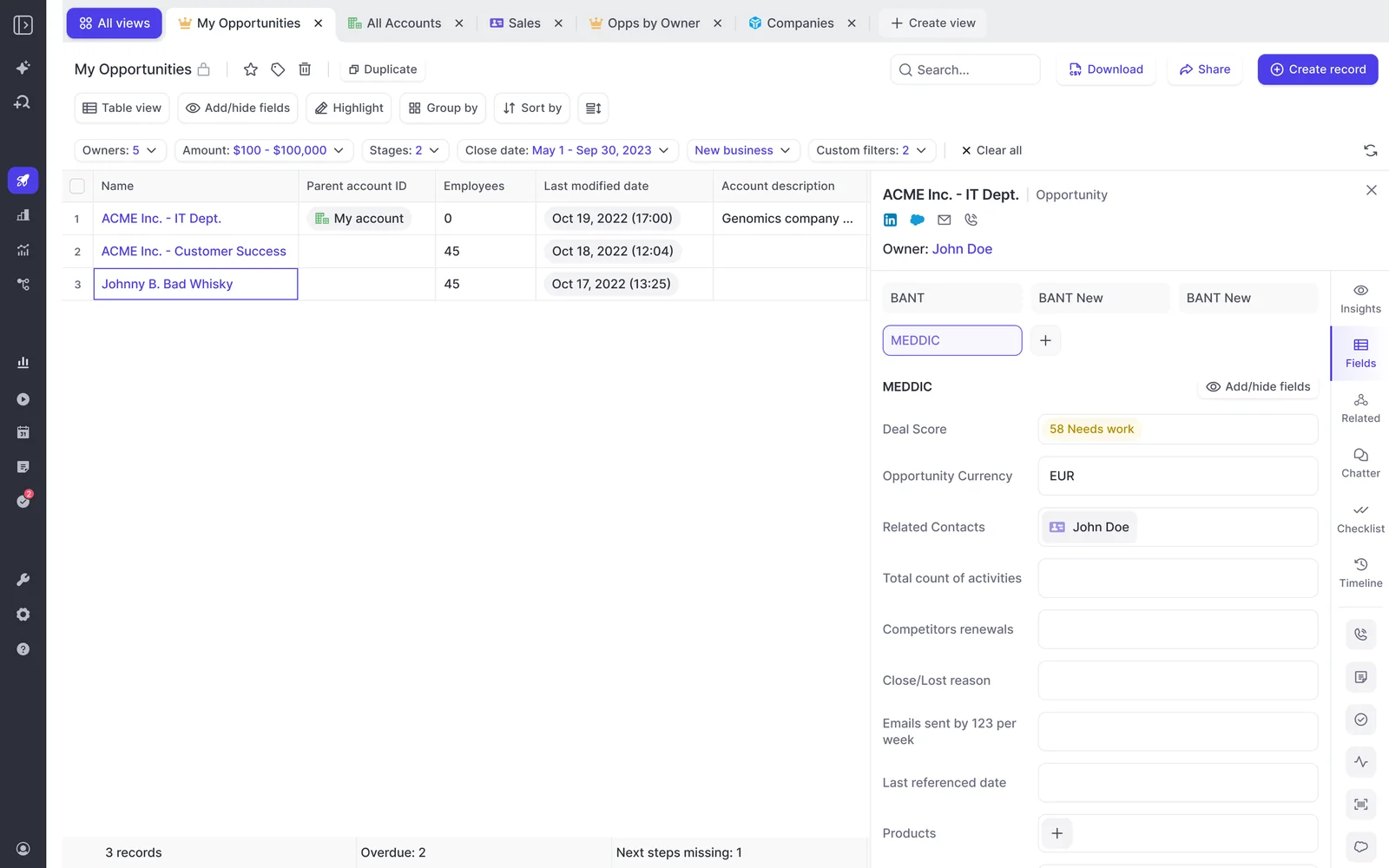
Define the loss taxonomy as structured Salesforce field types, because a narrative in a long text field can't be grouped, filtered or trended. A picklist value can.
Weflow AI Field Updates write to picklists, multi-select fields, number fields and date fields, on standard and custom objects, so you're not limited to dropping prose into a notes box. Design the fields for the report you want first, then work backwards.
| Field | Type | What it lets you report |
| Derived loss reason | Picklist | Loss reasons grouped and trended, next to the rep-picked value so you can see where the two disagree. |
| Competitors in the deal | Multi-select picklist | Share of lost deals each competitor appeared in, by segment and region. |
| Primary objection | Picklist | Which objection recurs on losses versus wins, which is what enablement and product can act on. |
| Date of last decision-maker conversation | Date | How long a deal ran after the buyer stopped engaging, which is usually longer than anyone thinks. |
Keep your existing rep-filled reason field. You want both, because the divergence between them is the finding.
Step 2: Map each field to a Weflow AI Field Updates prompt
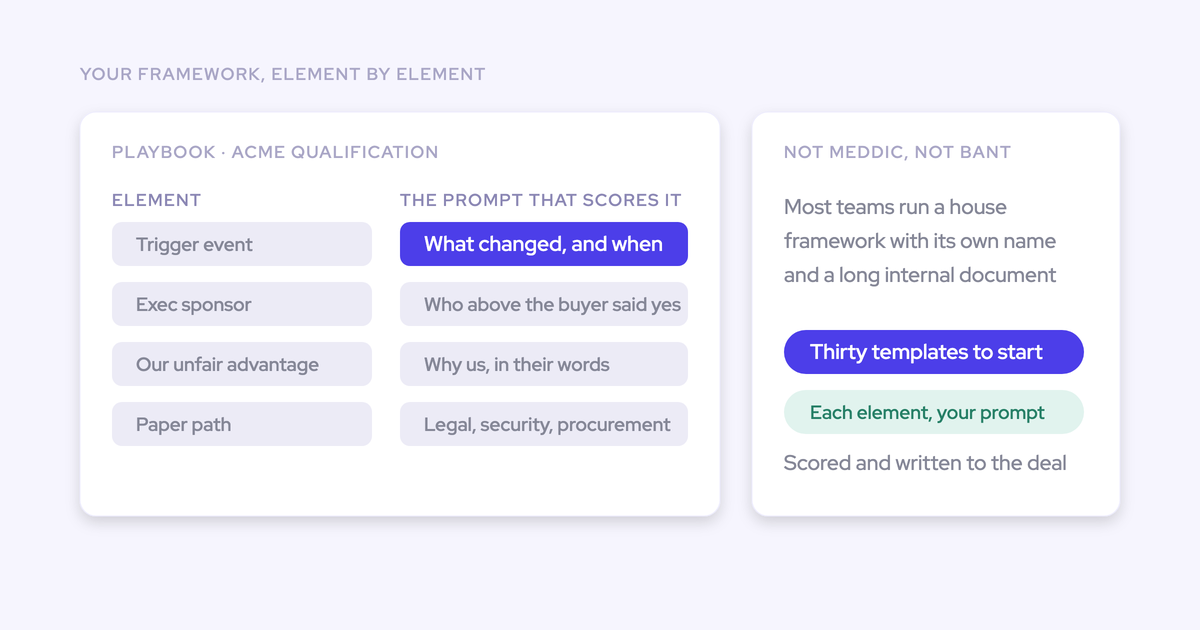
Weflow AI Field Updates map each Salesforce field to its own prompt that extracts that value from the conversation, then write the result to the field. One field, one prompt. That's the mechanism that turns a transcript into a reportable column.
The output quality lives almost entirely in the prompt design, not the model. A few rules that decide whether this works:
- Engineer the allowed values into the prompt. A generic instruction against a multi-select returns values the field can't store. List your competitor names and your reason codes verbatim and tell the model to choose only from them.
- Say what counts as evidence. "Competitor named by the buyer or by us on a recorded call" is a rule. "Competitors involved" is a guess.
- Tell it to leave the field blank when the transcript doesn't support a value. A confidently wrong picklist value is worse than an empty one, because it reads as fact in the report.
- Use derived values where they help. A model can compute a number from what was discussed, like seat count multiplied by the price on the table, so numeric fields reps never fill can be populated from the call.
On the trust question, keep reps in a review loop to start. Weflow shows the current field value beside the suggested value so the rep accepts, edits or rejects each one and writes them back in a click. Once you've watched a few weeks of suggestions and they're right, you can switch specific fields to fully automatic.
Step 3: Set competitor and objection trackers across every call
Trackers count defined keywords across every recorded call and roll the counts up by rep, team, region and over time. That's how "I heard we're losing to them" becomes a number somebody can act on.
The field from Step 2 gives you one derived value per deal. The tracker gives you the mention count across the whole corpus, including calls on deals that never became opportunities, which is a different and often earlier signal.
Start with a small set and expand:
- Every competitor name you care about, plus the obvious misspellings and how reps actually say them out loud.
- Pricing and discount language, so you can see where the commercial conversation goes sideways.
- Your top five objections in the words buyers use, not the words your battlecard uses.
- Risk phrases: budget freeze, reorg, new VP, procurement review.
- Product gaps and feature requests, so product gets the count rather than a story from one manager.
The list is yours to maintain, and if you're replacing another recorder you can carry your existing tracker set across instead of rebuilding years of configuration. Trackers also crawl your historical recordings, so a tracker you create today applies retroactively to past calls.
Step 4: Build a closed-lost agent in Agent Builder
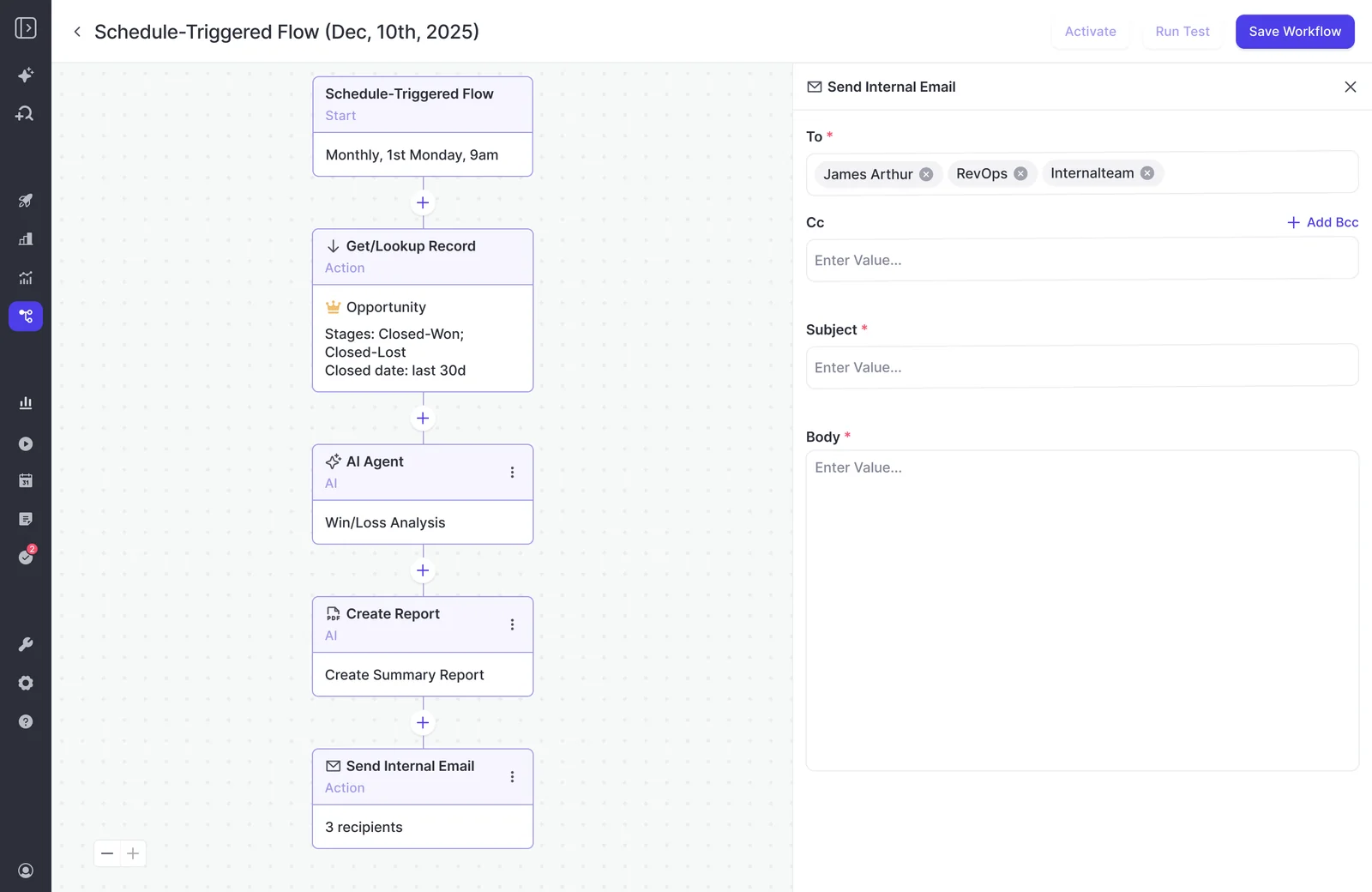
A closed-lost agent that reads lost deals end to end is one of the first things Weflow customers actually build, alongside a deal-review agent. It reads every call, email and field on the opportunity and returns why the deal died, and the answer it gives is usually different from the dropdown.
Build it in this order:
- Lookup first. Retrieve a constrained record set: Opportunity, stage equals Closed Lost, close date in a named window, one team or one segment. This is the step people skip and it's the one that decides the output.
- Then the prompt. Long and specific. Name whose competitors you mean, which period, what evidence to use, and what to exclude. A prompt that only reads CRM fields returns what the rep typed, which is the thing you didn't trust in the first place, so tell it to read the conversation data and the fields together.
- Then the destination. A report, a Slack message to a named owner, an email to the leadership list, or a write back to the fields from Step 1. Pick one owner per output.
Scope discipline is not a nicety. The same prompt that returns a strong answer in the chat interface returns an empty or unusable report from an unscoped agent, because the lookup is what tells the model what it's allowed to look at. Narrowing also cuts what each run costs you.
How to backfill loss reasons across historical lost deals
Yes, this works on deals that already closed. The answer was always in the transcripts and never in a column, so you create the field now and populate it from conversations that happened months ago.
But a backfill does not happen by itself, and the gap is invisible at rollout. Here's the honest version.
Step 5: Make the historical transcripts readable first
The backfill can only read conversations that are in reach. If two quarters of your losses were recorded in Gong, Fathom or a similar tool, Weflow imports those recordings and transcripts through that platform's API, at no extra cost, in roughly one to two weeks depending on volume.
That import is what makes the history queryable rather than a folder nobody opens, because the transcripts land in your own CRM where the AI can read them.
We hear the same line from teams mid-migration: they know the recordings exist, they just haven't got round to pulling them out. Do it before you build the analysis, not after.
Deals with no captured conversation at all stay blank. Say that out loud when you present the numbers, and report the coverage rate alongside them.
Step 6: Run the backfill across past conversations
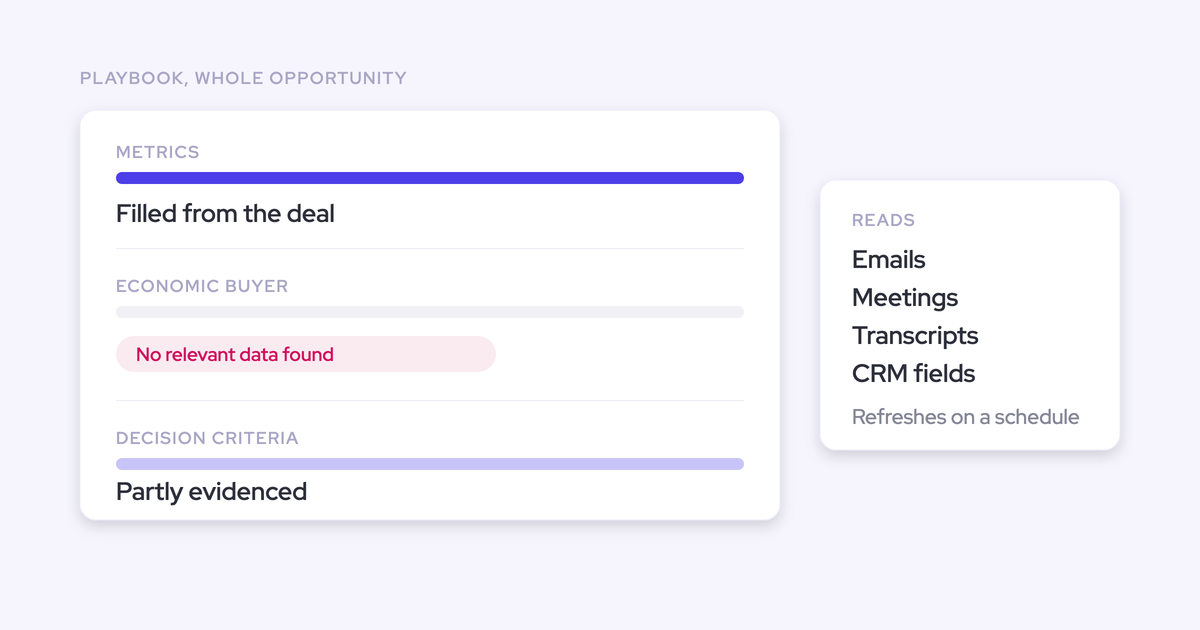
This is the mechanic nobody tells you about. Weflow's predefined AI Playbooks re-evaluate every three hours, but only for opportunities created or changed after the playbook was configured. Opportunities that predate it stay empty.
So the new board fills up beautifully for this month's deals while the closed pipeline you actually wanted scored sits blank, and you find out three weeks later.
Clearing it means one of two things:
- Regenerate record by record, which is fine for a cohort of thirty or fifty deals and painful beyond that.
- Ask Weflow to run a batch in the backend across the cohort you name. Neither option is offered in the setup flow, so plan it explicitly.
Scope the batch the way you'd scope the agent: one stage, one date window, one segment. Trackers behave differently and do crawl your historical recordings on their own, which is why the mention counts often land before the derived fields do.
Step 7: Test the derived reasons against win rate
Once the fields are populated across historical deals, you have something you've never had: a loss dataset you can run cohort analysis on without a data project and without a rep typing anything.
The first four analyses worth running:
- Derived reason versus rep-picked reason. Where the two disagree, and how often. This is the finding leadership has never seen.
- Competitor presence against win rate. Which competitors you beat when they show up, and which ones you don't.
- Objection type against win rate. The objection that correlates with losing is rarely the one everyone talks about. One team's sweep across a week of transcripts found the dominant objection wasn't price or access to power at all, it was how the buyer's accounting team handled budgets, which is a blocker a company can actually go and fix.
- Time between last decision-maker conversation and close date. This is your slippage number, and it tells you how long dead deals stay in the forecast.
Then hand each finding to one owner with one action. A count with no owner becomes a dashboard, and you already know what happens to those.
Pitfalls that turn loss analysis back into anecdote
| Pitfall | How to avoid it |
| Writing the derived reason into a long text field because it's easier to set up. | Use picklists and multi-selects for anything you intend to group, chart or trend. Keep free text for the evidence quote only. |
| Switching on automatic writes over fields reps already maintain, and blanking someone's note. | Start every field in review mode, where the current value sits beside the suggested one, and only automate fields once you've watched the suggestions be right. |
| Assuming closed deals get scored the moment the playbook goes live. | Regenerate the cohort record by record, or request a backend batch. Check a sample of pre-configuration opportunities before you report anything. |
| Sweeping a full year of closed-lost deals in the chat interface. | Ask Weflow AI answers within a one-million-token ceiling per query, so anything spanning the whole book belongs in an agent. |
| Writing an agent prompt that doesn't name whose deals, which competitors or which dates. | Put a constrained lookup in front of the prompt every time: object, stage, date window, team. Then write a long, specific prompt. |
| Shipping the counts as a new dashboard and calling the project done. | Wire each count to a named owner and a decision, in pricing, messaging, enablement or product. Kill any output nobody has acted on in a quarter. |
FAQ: capturing closed-lost reasons from sales calls
What happens on lost deals with no recorded calls?
They stay blank, and no tool can change that. Email-only opportunities, deals worked on personal phones, and anything lost before recording was switched on give the model nothing to read.
Partial coverage is still useful as long as you report it honestly: run the analysis on the deals you can read, publish the coverage rate next to the findings, and use the recording health dashboard to see whether gaps come from a recorder that was never admitted, a meeting that never happened, or a genuine error.
Will AI Field Updates overwrite what the rep typed?
Not unless you configure it to. Weflow shows the rep the current Salesforce value beside the suggested new value, and they accept, edit or reject each one before anything is written. Admins can move specific fields to fully automatic once the output has earned it.
Keep the rep-typed loss reason as its own field either way. You want both values on the record, because comparing them is the whole point.
Can I keep my own loss-reason taxonomy and competitor list?
Yes, and you should. The fields, the picklist values, the prompts behind each field and the tracker keyword list are all yours to define and maintain. Weflow ships prompt templates to start from, but a loss taxonomy that came out of a vendor's library won't match how your deals die.
If you're switching recorders, bring your existing tracker set across rather than rebuilding it.
Should a whole-year closed-lost sweep run in Ask AI or an agent?
An agent. Ask Weflow AI answers within a ceiling of one million tokens for a single query, and a year of closed-lost conversations blows past that. AI agents have no equivalent per-run ceiling.
Use Ask Weflow AI for the narrow questions: one deal, one account, one week. Use an agent for anything that sweeps the book. Watch your agent action allowance too, since every plan includes the Agent Builder free tier at 25 agent actions per month and a large backfill will need more.
What do reps have to do differently?
Nothing. No new field to fill, no new tool to open, no post-mortem form. The data derives from conversations that were already happening, and the only rep-side habit that matters is letting the notetaker join, which is handled by auto-scheduling it from the calendar.
That's deliberate. Every version of this fix that depended on rep discipline has already failed once in your org, and it would fail again.
Does this need Conversation Intelligence deployed first, and what does it cost?
Yes. Call recording lives inside Weflow Conversation Intelligence, and capturing the conversations is the precondition for everything in this guide.
Weflow Conversation Intelligence is $39 per user per month billed annually, with a ten-user minimum. That includes Ask Weflow AI Pro, the Agent Builder free tier and Mobile Copilot for in-person meetings, with no usage metering on recordings, transcripts or AI processing. Migration of your existing recordings and transcripts is included, and Weflow doesn't charge for implementation.
-p-1600.png)

.png)
-p-1600.png)
-p-1600.png)
-p-1600.png)