

How to Run MEDDIC for Enterprise and BANT for SMB in the Same Weflow Workspace
Learn how to run MEDDIC for enterprise and BANT for SMB in one Weflow workspace with Salesforce writes.


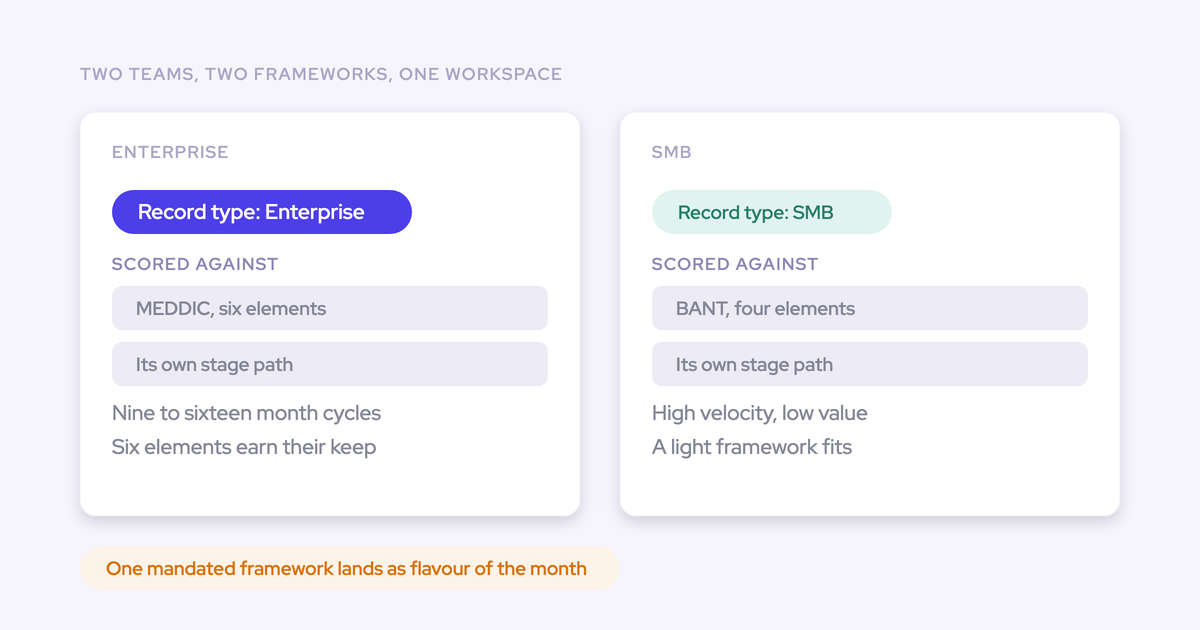

You don't have to pick one framework. In Weflow, your enterprise segment and your SMB segment become two Weflow teams, and each team gets its own AI Playbook: MEDDIC for enterprise, BANT or your house framework for SMB. Both playbooks read every call, email and meeting on a deal and write the results into the methodology fields you already have in Salesforce.
Neither framework is failing you. The fields are, because both frameworks depend on reps typing them. Once those fields fill from real conversations, both teams' deals become inspectable in the same deal reviews, in the Salesforce fields leadership already reads.
This guide walks the setup step by step. It also covers the places the setup breaks:
- Your existing pipeline doesn't fill on its own.
- Playbook scores don't reach Salesforce reports.
- Filler text gets flagged instead of counted.
What your workspace looks like with MEDDIC and BANT side by side
Weflow is the Revenue AI Orchestration platform for sales, customer success, and RevOps teams. We built it for Salesforce teams, so everything it produces lands in your own org.
When the setup is finished, your two segments are two Weflow teams. Each team carries its own configuration and writes into its own fields:
| Setting | Enterprise team | SMB team |
|---|---|---|
| Framework | MEDDIC | BANT, or your house framework |
| AI Playbook | MEDDIC playbook scoring the whole opportunity across a long cycle | BANT playbook with the same mechanics and fewer elements |
| Coaching template | MEDDIC scorecard, one block per element | BANT scorecard, lighter setup |
| Field-update template | Enterprise summary and field prompts | SMB summary and field prompts |
| Salesforce fields written | Metrics, Economic Buyer, Decision Criteria, Decision Process, Identify Pain, Champion | Budget, Authority, Need, Timeline, or your own elements |
| Products | The product mix the enterprise motion needs | Its own product mix, which doesn't have to match enterprise |
The boundary sits at the team level, not the deal level. A rep's team decides which framework runs on their deals.
What you need in Salesforce and Weflow before you start
Most setups that stall mid-way stall on one of these. Get them true first:
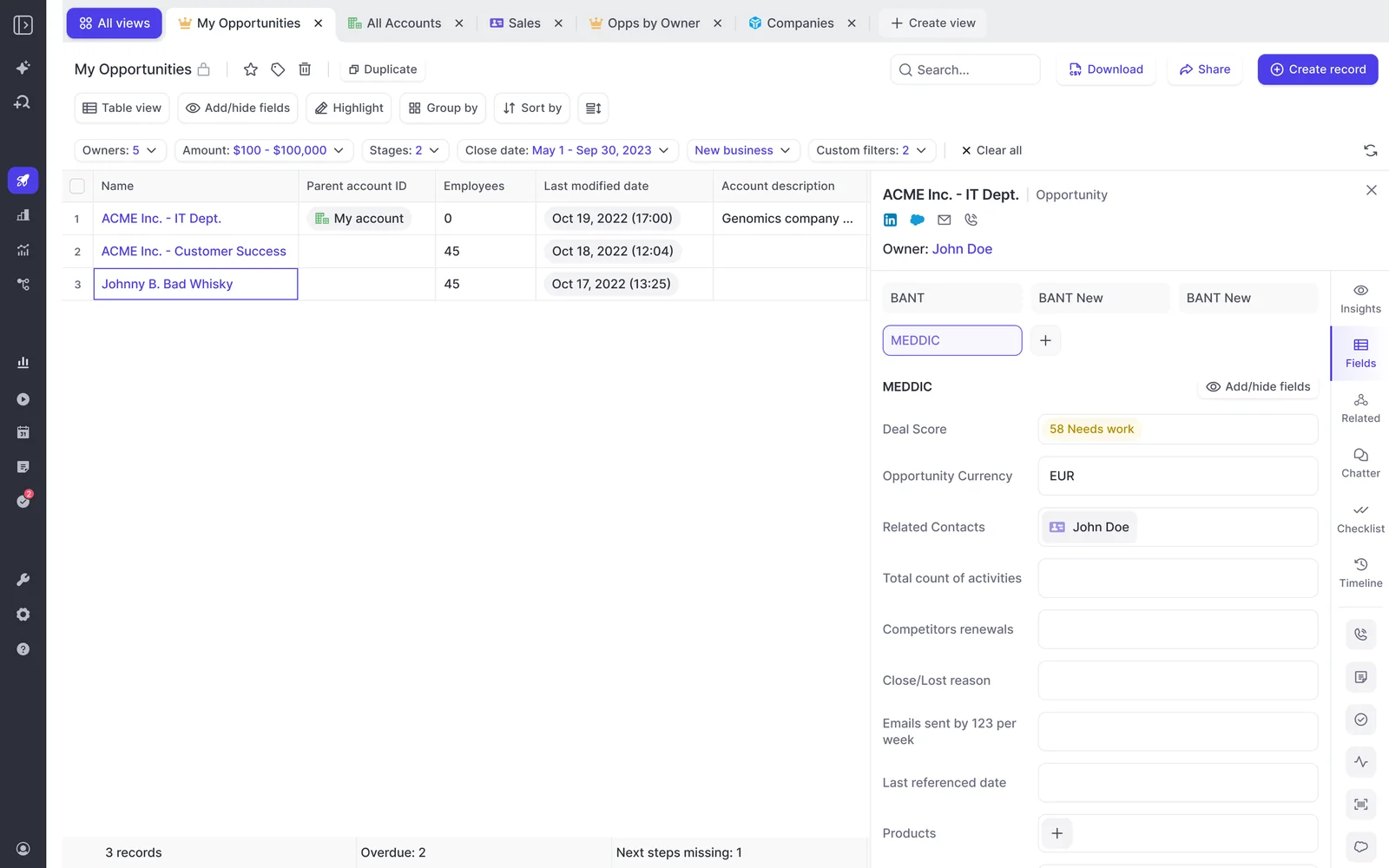
- The methodology fields already exist for each framework. The usual pattern is a text field per element with a checkbox beside it. Weflow writes to any standard or custom field except lookup relationships.
- Your users split cleanly by segment. You'll turn each segment into a Weflow team, so you need to know who sits where before you build anything.
- The Salesforce REST API is enabled, and users have write access to the objects you map. Without write access, the writes fail.
- The workspace runs on one mail tenant. Weflow Conversation Intelligence setup accepts a single tenant. If your enterprise and SMB teams sit in different legal entities on different mail domains, this "one workspace" setup doesn't hold as written.
- A sandbox is available. You'll test every write there before reps see anything (Step 6).
- Someone owns the definitions. A person who can write down what each element means, including what doesn't count as evidence.
Step 1: Turn your enterprise and SMB segments into Weflow teams
Start with the teams, because everything else hangs off them. AI Playbooks, coaching templates, and summary and field-update templates are all assigned per team.
- List every rep and manager, and mark which segment they sell into.
- Create one Weflow team for enterprise and one for SMB.
- Add each user to their team.
- Add the teams to Weflow Conversation Intelligence so their meetings get recorded.
- Decide the product mix per team. Different teams inside one company can sit on different Weflow products, so the SMB team doesn't carry the enterprise stack.

Assignment is team-based, so team membership is your framework decision. Reps who sell into both segments are covered in the FAQ below.
Step 2: Assign a MEDDIC and a BANT AI Playbook
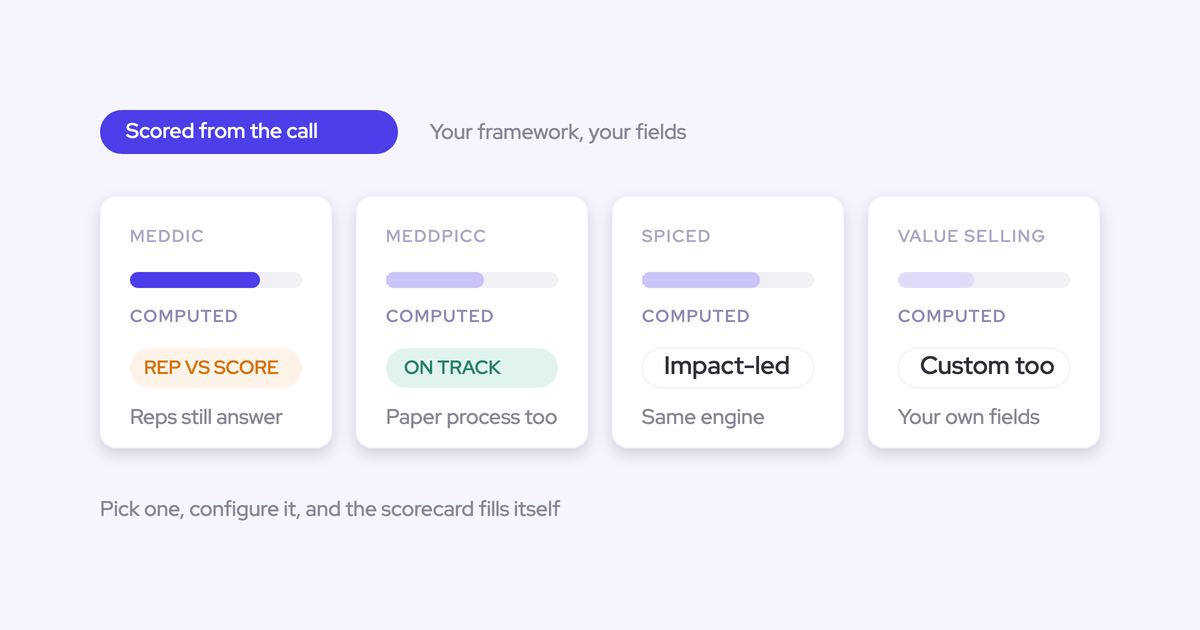
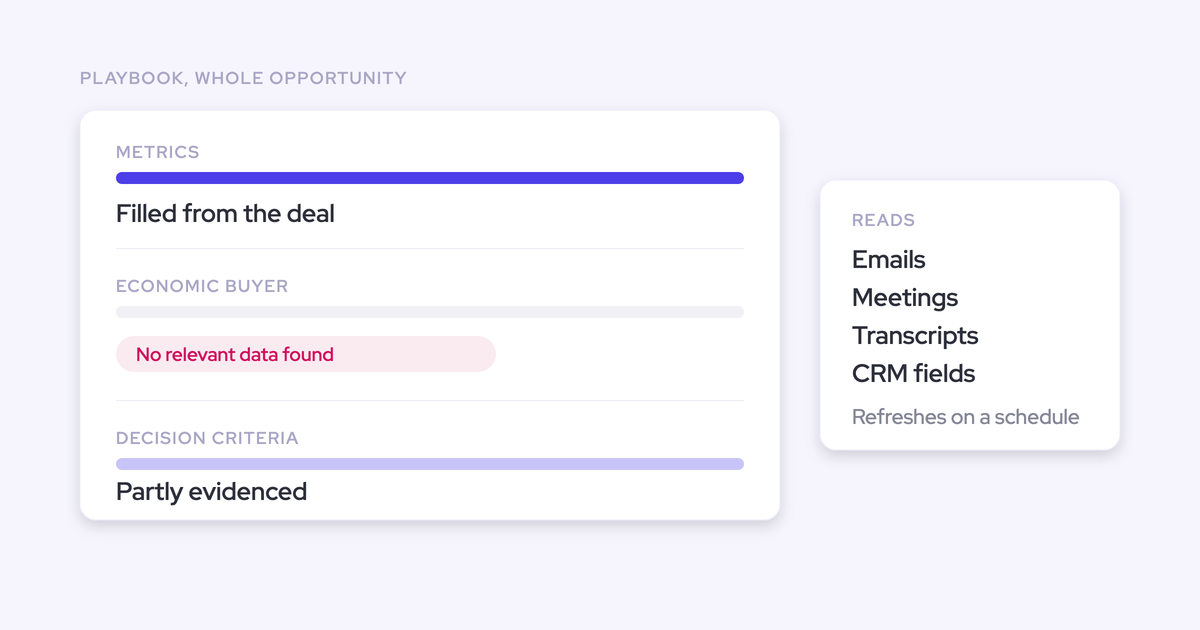
Each team gets a playbook from our catalog of about thirty methodology templates. The playbook scores the whole opportunity, across every email, meeting, transcript and CRM field on the deal. It doesn't score one call at a time.
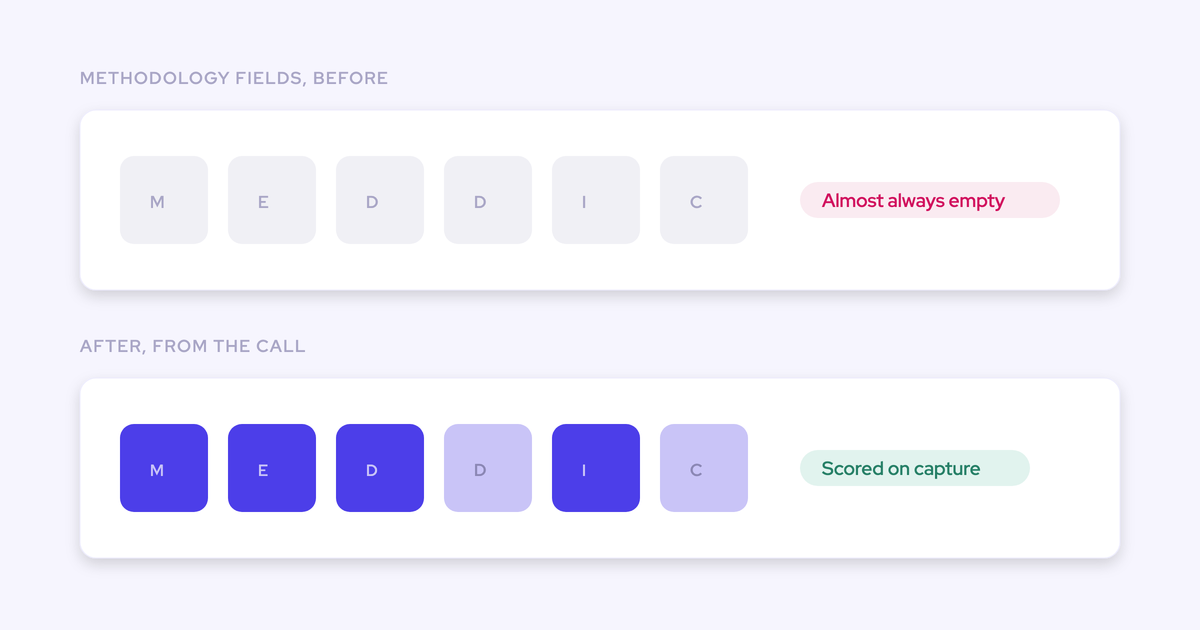
That matters most in enterprise. A deal can look qualified on the last call and be hollow overall. The playbook writes each element's result into that team's Salesforce fields. At Blacklane, 96% of MEDDIC fields are now populated in Salesforce.
Map each MEDDIC element to your enterprise Salesforce fields
- Pick the MEDDIC template from the playbook catalog.
- Map each element to the field you already track it in: Metrics to your Metrics field, Economic Buyer to yours, and so on through Champion.
- Edit each prompt so it reflects how your team defines the element.
- Assign the playbook to the enterprise team.
The MEDDIC playbook reads email as well as calls. On long cycles, email is often where the champion and the decision maker show up.
Map BANT, or your own house framework, to the SMB fields
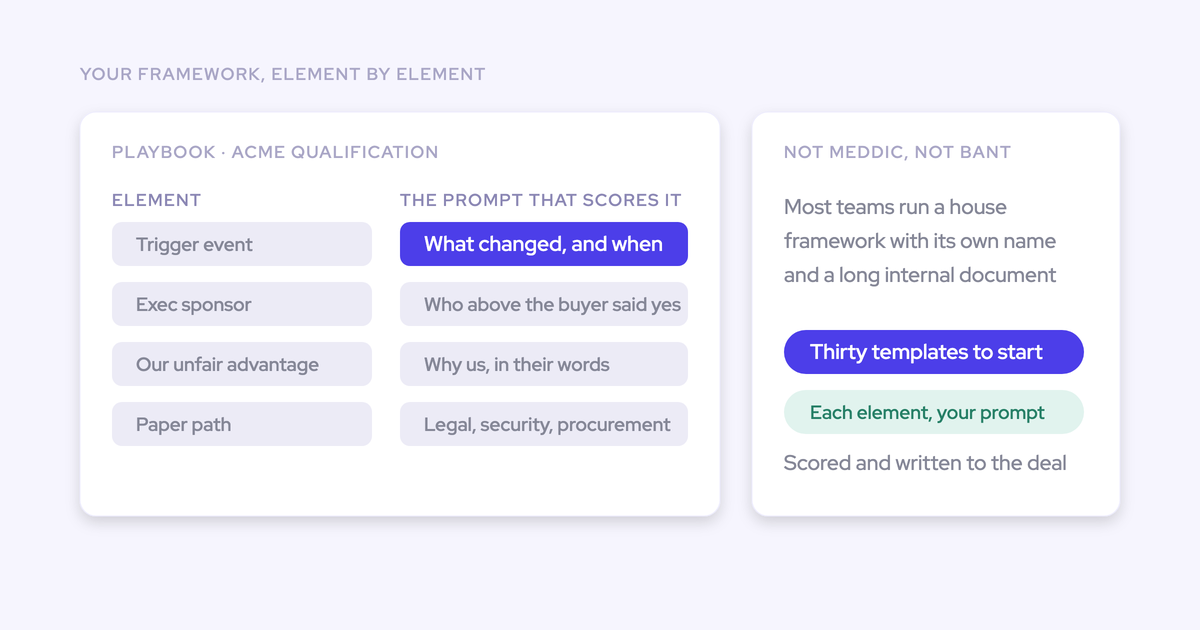
In Weflow, a framework is a set of prompts against fields. It isn't a hardcoded model. BANT ships as a template, and a proprietary framework works the same way: you name the fields and write the prompts.
- Pick the BANT template, or start a new playbook for your house framework.
- Name the Salesforce field each element writes to.
- Write the prompt for each element, including what counts as evidence.
- Assign the playbook to the SMB team.
Plenty of teams run BANT alongside something of their own.
Step 3: Tell Weflow AI what each methodology field means
A methodology field fills with something plausible and wrong unless the AI knows what doesn't count. You set that in Object and Field Context, in the AI section of the Weflow admin console.
- Open the admin console and go to the AI section.
- Open Context and Sources.
- Select the Opportunity object, or whichever object holds your methodology fields.
- In the Field Context tab, write a definition for each methodology field.
- Add the exclusions: what looks like an answer but isn't one.
These are the two cases we see most often:
| What happens | Champion field | Metrics field |
|---|---|---|
| What the AI returns without context | A name, and it turns out to be the customer's own employee, not a champion for you | The customer's headcount |
| Why it passes | It's a real person on the deal | It's a number, so it satisfies the validation |
| What goes into Field Context | "Champion is not an internal employee." | "A metric is a measure of the value the customer expects, not a company size figure." |
A buyer described the metrics case on a call:
"If the metrics comes back and says they have 50,000 staff, that is a metric, but it's not relevant to what we're looking at in our sales process."
Expect this step to take longer than the configuration itself. Most teams have never written their methodology down at this level, so rolling out automated capture turns partly into a project to define what MEDDIC and BANT actually mean in your business.
Step 4: Choose which fields update automatically and which reps confirm
Run cumulative methodology fields automatically, and keep single-value commercial fields under rep review.
The logic is about what one wrong extraction costs. When AI Field Updates write to a methodology field that already has content, they add to the text instead of replacing it. Early qualification survives. Stage, close date, next step and amount hold one value, so one misheard sentence overwrites them and moves the forecast.
| Field | Route | Why |
|---|---|---|
| MEDDIC element fields | Automatic | Text accumulates across the deal, and there's no single call to check it against |
| BANT or house framework fields | Automatic | Same amend behavior, and SMB reps have even less time to type |
| Qualification fields a validation rule depends on | Automatic | The gate gets satisfied by what was said, not by a form after the call |
| Stage | Rep confirms | A wrong stage change has direct forecast consequences |
| Close date | Rep confirms | Single value that moves the number |
| Next step | Rep confirms | Single value, overwritten by each call |
| Amount | Rep confirms | Single value that can only be overwritten |
Weflow respects your validation rules, field dependencies and permissions when it writes. Stage-gate fields fill the same way as any other field, so moving a deal forward stops being a paperwork exercise.
That removes the reason reps park deals in early stages.
One more thing to watch: both routes can write to the same field. Decide up front which route owns each field, so they don't overwrite each other.

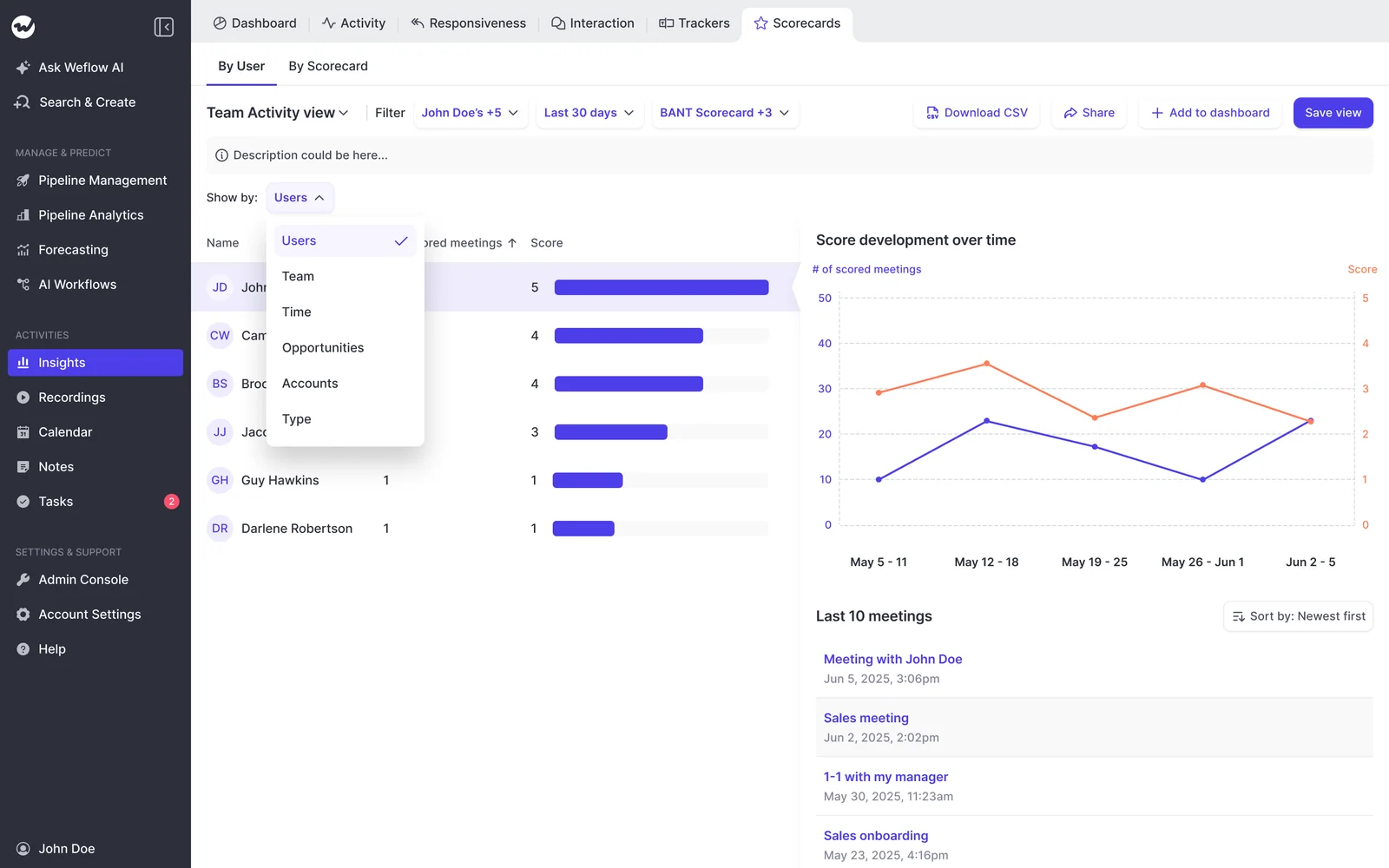
Step 5: Give each team its own coaching scorecard
Playbooks score the deal. Coaching scorecards score the conversation.
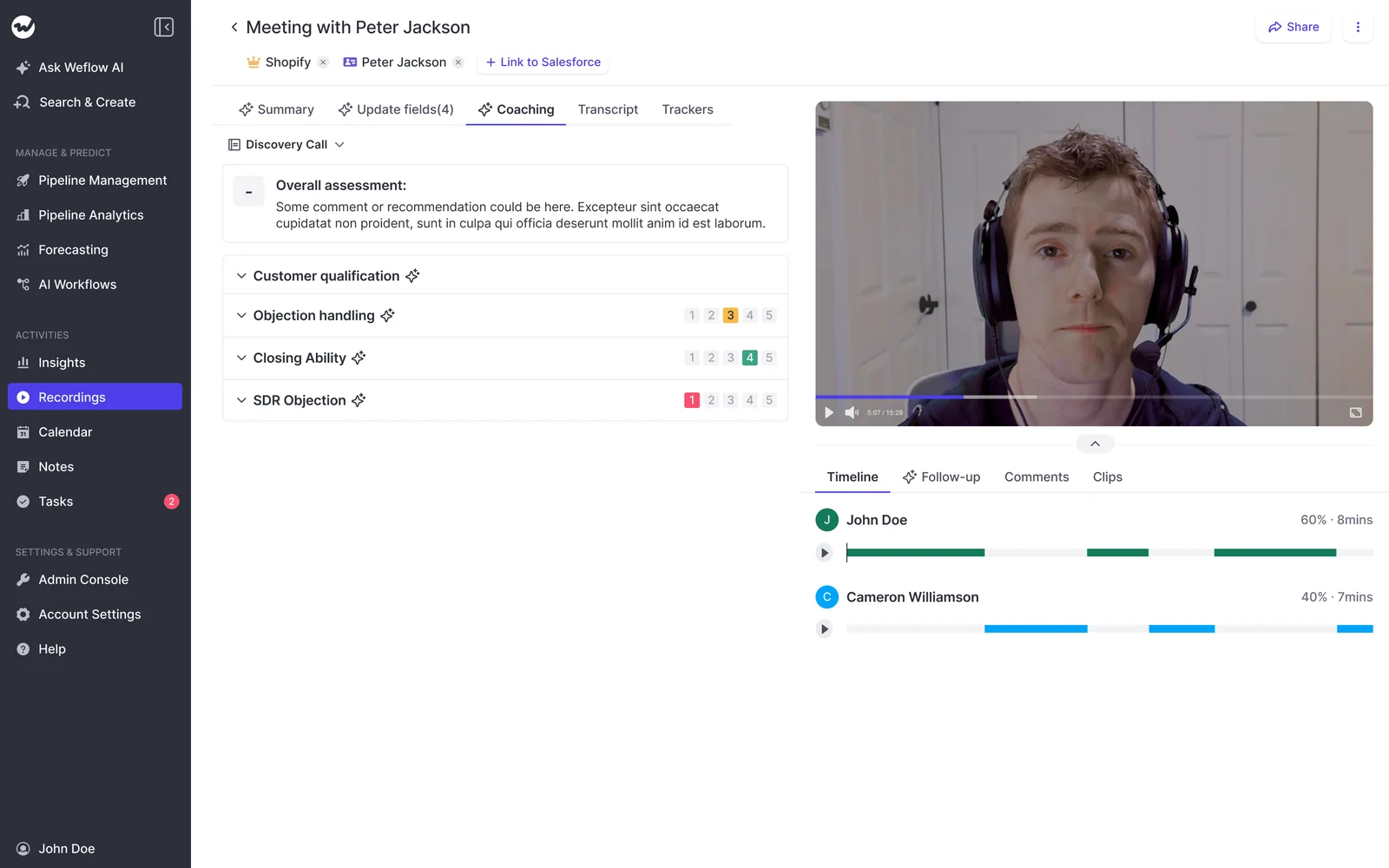
Coaching templates are assigned per team. Weflow scores every recorded call against the team's template, and a manager can override the score.
Scoring runs at three levels:
- A single call
- A whole opportunity
- A rep across every deal they've worked over months
The rep level is what makes adherence comparable between managers. Managers read the same framework differently, and a trend per rep gives them something shared to coach against.
Design the scorecards so the scores hold up:
- Use one block per element. A single free-form block for all of MEDDIC gives one judgement nobody can act on.
- Rate each element 1 to 5 with a reason. The reason is what a manager coaches from.
- Score "not discussed" as neutral, not low. A discovery call that never reached the paper process didn't fail on it.
- State the scale in every prompt that reports it. Otherwise an agent summarizing scores can switch to a 1 to 10 scale in an email while the app shows 1 to 5.
- Keep the SMB scorecard light. Four BANT blocks on a short call is plenty.
Step 6: Test every Salesforce write in a sandbox first
A failed write of an AI summary or field update can't be replayed. The update fires once, when the call ends. If a permission is wrong, the write fails silently, and whatever it would have written stays lost unless someone copies it across by hand.
That's why you test against every object and field each team maps to, not just one:
- Confirm the REST API is enabled in the sandbox and the test users have write access to every mapped object.
- Run a test call for an enterprise user and one for an SMB user.
- Check every mapped field on the opportunity for each team.
- Check the summary on the related Event.
- Move a test deal through a validation-rule gate and confirm the fields satisfy it.
- Only then turn the configuration on for reps in production.
If something does slip through, the content still lives in the Weflow recording object, so you can recover it from there.
Step 7: Backfill the open pipeline in both segments
On day one, your existing pipeline stays blank. Predefined playbooks only fill opportunities created or changed after you set them up.
The board fills in for new deals while the deals you actually want scored sit empty. For older opportunities, you have two options:
- Regenerate them record by record.
- Ask us to run a batch in the backend.
Neither option sits in the setup flow, so plan for it before go-live:
- Pull the list of open opportunities per team.
- Choose record-by-record regeneration for a small pipeline, or ask us for a backend batch for a large one.
- Make regeneration part of your deal review ritual, so the board stays as current as the last review.
How to read MEDDIC and BANT results on the deal board
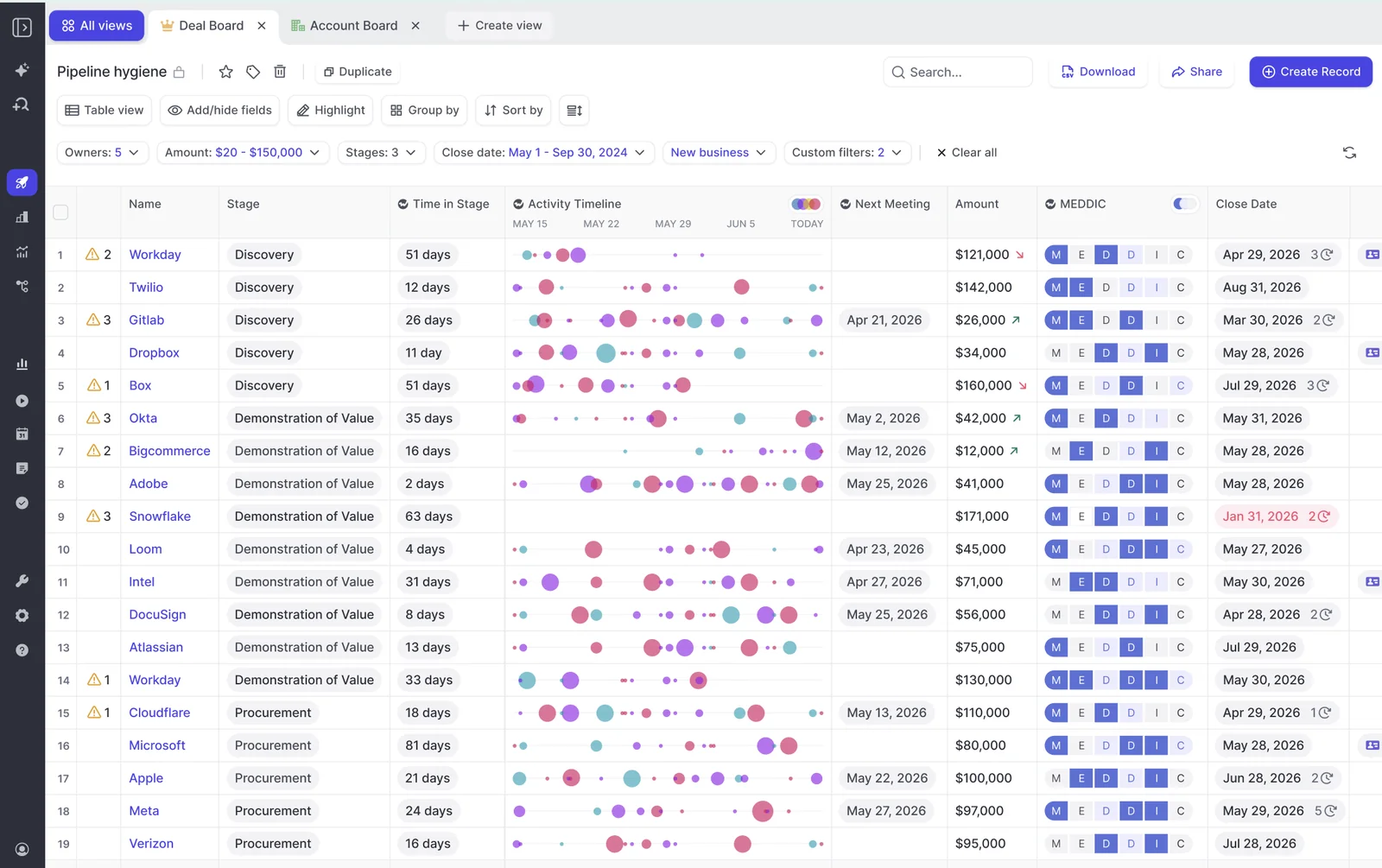
Every element on the playbook panel shows how well it's established, not just whether a field has text in it:
| State | What it means | What the manager does |
|---|---|---|
| Fully established | The deal's evidence supports the element | Move on to the gaps |
| Partially established | Some evidence, with a note on what's missing, for example metrics named but not quantified | Coach to the missing piece |
| Never discussed | No relevant data found on the deal | Ask whether it's too early or a real gap |
| Not assessed | A rep typed text that doesn't establish anything | Treat the element as open |
That last row matters most. The real failure mode of a methodology field is rarely an empty box. It's a box someone filled in to get past a validation rule.
A Weflow AI Playbook runs two algorithms. The first fills in each element from the deal's evidence. The second judges how well each element is established, and that includes text reps typed themselves. Filler gets marked "not assessed", not complete.
Reps can still override any field, and Weflow checks the override for plausibility against the deal. A rep who says the champion is solid gets their claim tested against what the calls and emails show.
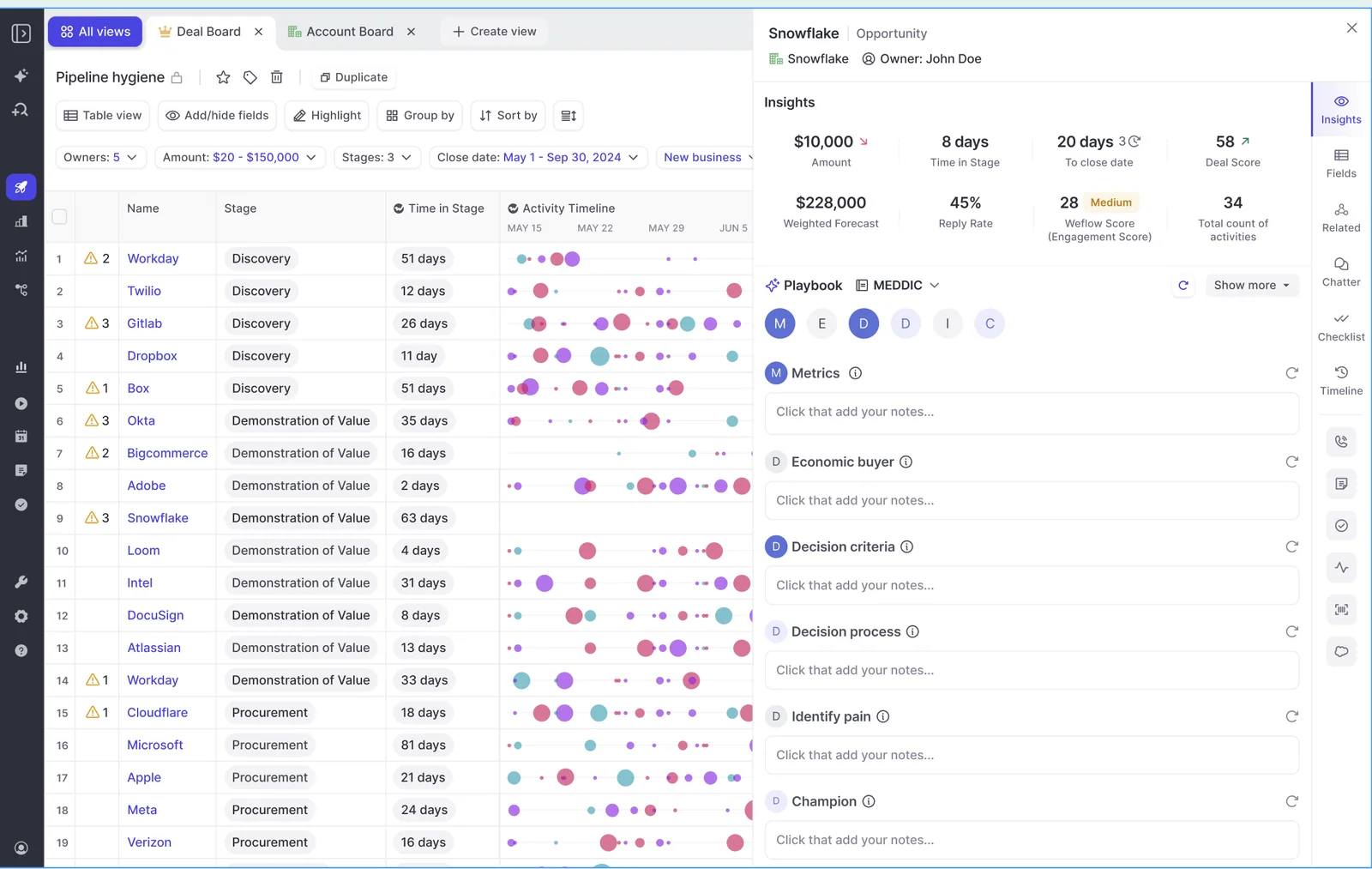
Playbooks evaluate one record at a time. To get a team view, you generate each record and read across the board.
Which playbook results reach your Salesforce reports, and which don't
Element text reaches your Salesforce fields and your reports. Playbook scores and deal warnings stay in Weflow.
This is the question behind "two versions of the truth", and it's a fair one.
Here's where every output lands:
| Output | Where it lands | In Salesforce reports and BI? |
|---|---|---|
| Playbook element text | Your mapped Salesforce fields | Yes |
| AI Field Update values | Your mapped Salesforce fields | Yes |
| Call summaries and transcripts | Weflow recording object, with the summary also on the Event | Yes |
| Coaching scores | Salesforce, if you set up the corresponding fields | Yes, with the fields in place |
| Playbook scores | Weflow fields | No |
| Deal warnings | Weflow fields | No |
| Agent outputs | Email and Slack | No |
Weflow marks its own fields with a W in the interface. That's the fastest way to see what will and won't reach a report.
Build your leadership dashboards on the element fields and the checkbox beside each one. AI Field Updates write to any Salesforce field type except lookups, so a field-update prompt can set that checkbox from the call. Keep the playbook score for deal reviews inside Weflow.
Where this setup gets harder for an SMB team
Two SMB patterns cut down what the playbook has to work with. Neither breaks the setup, but both change what you should expect from BANT.
When SMB deals are high-volume with one contact each
If your down-market motion looks close to B2C, most of the playbook's value doesn't apply. Weflow assumes B2B deals: a buying committee, multi-threading as a health signal, contacts created to show who else joined.
A single-contact, high-volume deal has none of that. The part that still pays off is automatic field updates from the call, so BANT fills without the rep typing it.
When SMB reps sell by phone and send templated emails
Pre-approved email templates say the same thing on every deal, so they add activity counts and almost no deal signal. The BANT evidence has to come from conversations.
Weflow records Zoom, Microsoft Teams and Google Meet meetings. We don't capture VoIP phone calls today. If your SMB team closes mostly on the phone, BANT fills only as far as your recorded meetings reach.
If you want to see your own two-team setup before you commit, we'll walk through it live with your frameworks and your fields. See how Weflow captures activity, updates Salesforce fields from calls, and rolls up your forecast. Book a 30-minute demo.
FAQ about running MEDDIC and BANT in one Weflow workspace
Can a rep who sells both enterprise and SMB deals use both playbooks?
Playbooks are assigned per team, so a rep's team decides which framework runs on their deals. Put a mixed-segment rep in the team where most of their pipeline sits.
What happens when an SMB deal grows into an enterprise deal?
The playbook follows the team, not the deal size, so the framework doesn't switch on its own. Any BANT text already written stays in the Salesforce fields it went to.
The handover to an enterprise rep is the natural moment to regenerate the deal.
Do we need separate Salesforce fields for MEDDIC and BANT?
Yes. Each team's playbook writes to its own mapped fields. Keep custom fields to the minimum each methodology needs, because every extra field adds tech debt for your admins and makes the next change harder.
Can we run our own house framework instead of BANT?
Yes. Weflow encodes a house framework as prompts against fields, exactly like a shipped template. You name the fields, write a prompt per element, and assign the playbook to the team.
Can customer success run a third structure for renewals?
Yes. Weflow supports different summary and field-update templates per team, and they can write to different Salesforce objects. Renewal calls need their own questions.
How do we compare methodology adherence across two different frameworks?
Compare adoption, not raw scores. A MEDDIC score and a BANT score don't measure the same thing.
- Track per-rep and per-manager trends within each framework.
- Use the same scale and the same neutral rule on both scorecards, so a trend means the same thing on each side.
- Ask Weflow AI which reps are and aren't applying the framework, and on which deals.
Should we run a win, slip and loss analysis before setup?
Yes, if you can. Julien Cerutti, VP of Global Revenue Strategy at Meltwater, described his sequence on our RevOps Lab podcast:
- Collect a sample of won, slipped and lost deals.
- Have the reps who ran them answer a structured question set.
- Derive a weighted score from the analysis.
- Only then build it into the CRM.
You get two things out of it: weightings that reflect how your deals actually behave, and a story reps recognize as their own data.
What does Weflow cost for an enterprise team and an SMB team?
Weflow Conversation Intelligence is $39 per user per month, billed annually. It includes Ask Weflow AI Pro, the Agent Builder free tier with 25 agent actions per month, and Weflow Mobile Copilot.
Our bundles run $49 (Revenue AI Foundation), $59 (Revenue AI Business) and $79 (Revenue AI Enterprise) per user per month. Different teams can sit on different products, so you don't pay for the enterprise stack on SMB seats.
Do other conversation intelligence tools support several frameworks per team?
Yes. Multi-framework support alone won't settle your decision:
- Gong AI Deal Reviewer ships seven playbooks, including MEDDICC and BANT, with two-way sync to the opportunity. AI suggests the notes, the rep reviews them, and a manager validates.
- Avoma supports custom methodologies per team, region or motion, drawing on meetings and email. It backfills evidence for the past 90 days, which is more than our playbooks do out of the box.
Here's what Weflow does differently:
- It scores the whole deal across every email, meeting, transcript and CRM field.
- It judges the text reps type and marks filler as "not assessed".
- It writes element results into your own Salesforce fields, adding to what's there instead of overwriting it.
-p-1600.png)

.png)
-p-1600.png)
-p-1600.png)
-p-1600.png)