
MEDDIC auto-fill: let AI write the scorecard from the call
Learn how AI auto-fills MEDDIC scorecards from call transcripts, with rep review before Salesforce updates.


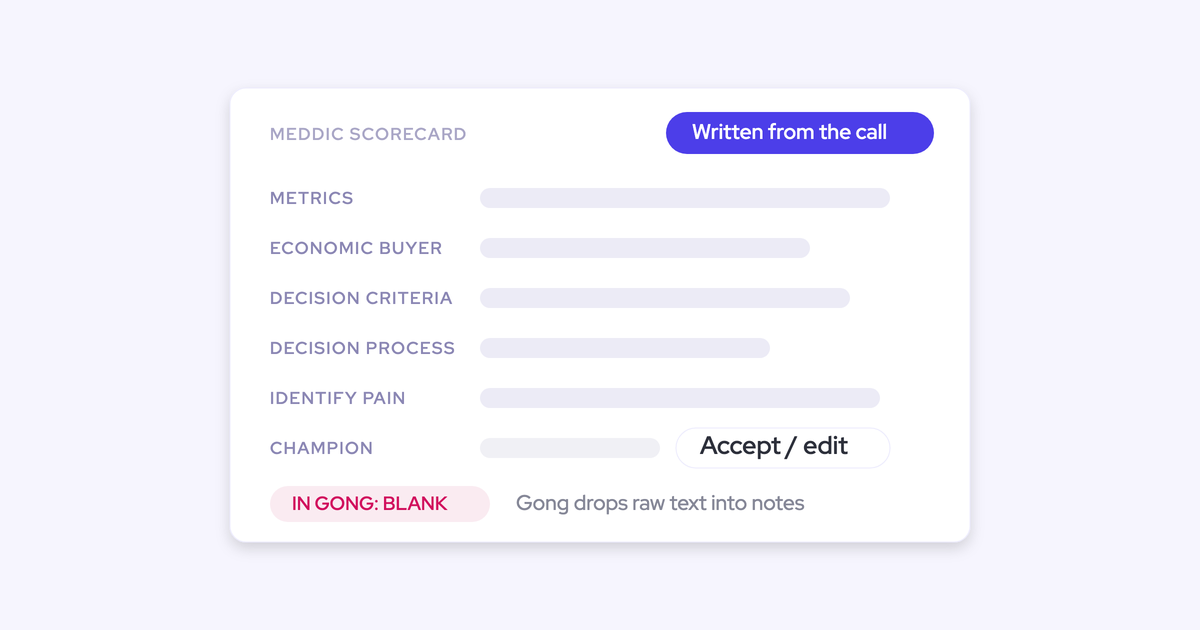

You know MEDDIC. You ran it this morning: you asked who signs off, what the problem is costing them, what else they're looking at. Then Tuesday night arrives, the forecast call is Wednesday, and you're staring at six empty fields trying to remember which of the day's five calls mentioned the budget cycle.
That's the real problem, and it isn't the qualifying. It's the retyping. MEDDIC is a framework for checking whether a deal is real, and every answer it asks for was already said out loud on a call you had. It's sitting in a transcript instead of in a field.
Getting what was said on a call into Salesforce without manual entry is now a solved problem, and the version that matters to you works like this: AI drafts the scorecard from the conversation, you review it, and nothing lands in Salesforce until you approve it.
What each MEDDIC letter is actually asking
The field labels are the worst part of MEDDIC. Nobody opens a call by asking about "Metrics." You ask what the problem is costing them. The framework word is just an awkward name for a question you already ask.
Here's the translation, letter by letter.
| Letter | Field label | What it's really asking | What the answer sounds like on a call |
| M | Metrics | What does fixing this get them, in numbers they'd defend to their own boss? | "We're burning about two days a week on this, and it broke twice last quarter." |
| E | Economic Buyer | Who can say yes and release the money without asking anyone else? | "I'd have to take this to Sandra, she owns the budget line." |
| D | Decision Criteria | What are they comparing you on, and who wrote that list? | "It has to work with our Salesforce setup, and security needs SOC 2." |
| D | Decision Process | What has to happen between yes and a signature, and how long does each step take? | "Legal takes about three weeks, and anything over that number goes to the board." |
| I | Identify Pain | What's broken today, and what happens to them if they do nothing? | "Right now it's a spreadsheet, and if it slips again we miss the audit." |
| C | Champion | Who is selling this internally when you're not in the room, and what do they get out of it? | "Send me something I can put in front of the leadership team." |
One thing worth flagging on the E: naming a decision maker is not the same as having access to one. A field with a name in it and no meeting behind it looks qualified and isn't. Access to authority is the thing that predicts the deal, and it moves through the cycle.
Why the MEDDIC fields in Salesforce stay empty
Empty methodology fields are a documentation problem, not a discipline problem. That distinction matters because reminders, mandates, and validation rules only fix discipline problems. Add a validation rule and reps fill the field with whatever clears the rule.
Three structural reasons the fields stay blank:
- A rep selling well spends the day talking to customers and writing to them, so the CRM is what gets left. The fields a leader designed to give themselves context are the last thing on your list at 7pm.
- The evidence for each letter is scattered. Budget lands in an email, the champion shows up on a call, the compelling event gets mentioned in a meeting note, and none of it reaches a field.
- The labels are written in framework language nobody says out loud. You never ask a buyer to describe their "Need" or announce the metrics portion of discovery, so the question that would fill the field never gets asked in those words.
This is close to universal. Across the Salesforce orgs we connect to, the methodology fields are almost always empty before anything is automated.
"We, for example, automatically update Salesforce fields from our AI notetaker solution. And what we typically hear in prospect calls is that their sales methodology fields in Salesforce, they're almost always empty even when they're using tools to capture the details."
Then comes the part that actually stings. Because the fields are empty, leadership concludes the methodology isn't being followed, and you get coached for skipping a process you ran. One RevOps leader put it plainly to us: the team says they're doing MEDDIC, and they are, it's documented in the emails and the calls. It's just not in Salesforce.
Your call already contains every MEDDIC answer
A thirty-minute conversation is over a thousand words. The note that represents it is fifty, written three days later from memory, after four other calls happened on top of it.
Nothing in that gap is qualification. It's evaporation, as prospects put it:
"When I have five back to back meetings, each of these, like, thirty to forty five minutes long, and I speak to basically ten different people, then, yeah, it's just no chance I can remember everything."
Look at what survives.
| What was said on the call | What reaches the field on Tuesday night |
| "Anything over that number needs board sign-off, and the board meets monthly." | Decision Process: empty |
| "We lose about two days a week to the manual version, and the audit is in March." | Metrics: "efficiency gains" |
| "I'd take it to Sandra, but she's out until the 20th." | Economic Buyer: "Sandra" (no note that you've never met her) |
The raw material was complete. What was missing was extraction, and that's a machine's job, not yours.
How Weflow AI Field Updates write the MEDDIC scorecard
Weflow is the Revenue AI Orchestration platform for sales, customer success, and RevOps teams. The piece that matters here is AI Field Updates: the transcript goes in, drafted values for your MEDDIC fields come out, and they land in Salesforce where you already work rather than in a separate recording portal you'd have to remember to open.
Within about a minute of the meeting ending you get the recording, the summary, a drafted follow-up email, and the proposed field updates sitting there waiting. Four things make that useful rather than just another tool that adds work.
Structured values land in the real Salesforce fields
Not a summary blob dropped into one long text box. The actual fields your team tracks against, in whatever shape they were built:
- Picklists, including multi-select
- Number and date fields
- Free text and long text
- Custom objects as well as standard ones
Before writing to a picklist, Weflow reads the field's allowed values and matches its output against them, so it never tries to write a value the field won't accept. That sounds like plumbing until you've watched a homegrown version invent a picklist value and fail silently.
This is the difference between recording and reporting.
A narrative in a text field can't be grouped or charted. A qualification score written as a picklist can, which is why a customer like Blacklane ends up with 96% of their MEDDIC fields populated in Salesforce rather than a folder of transcripts.
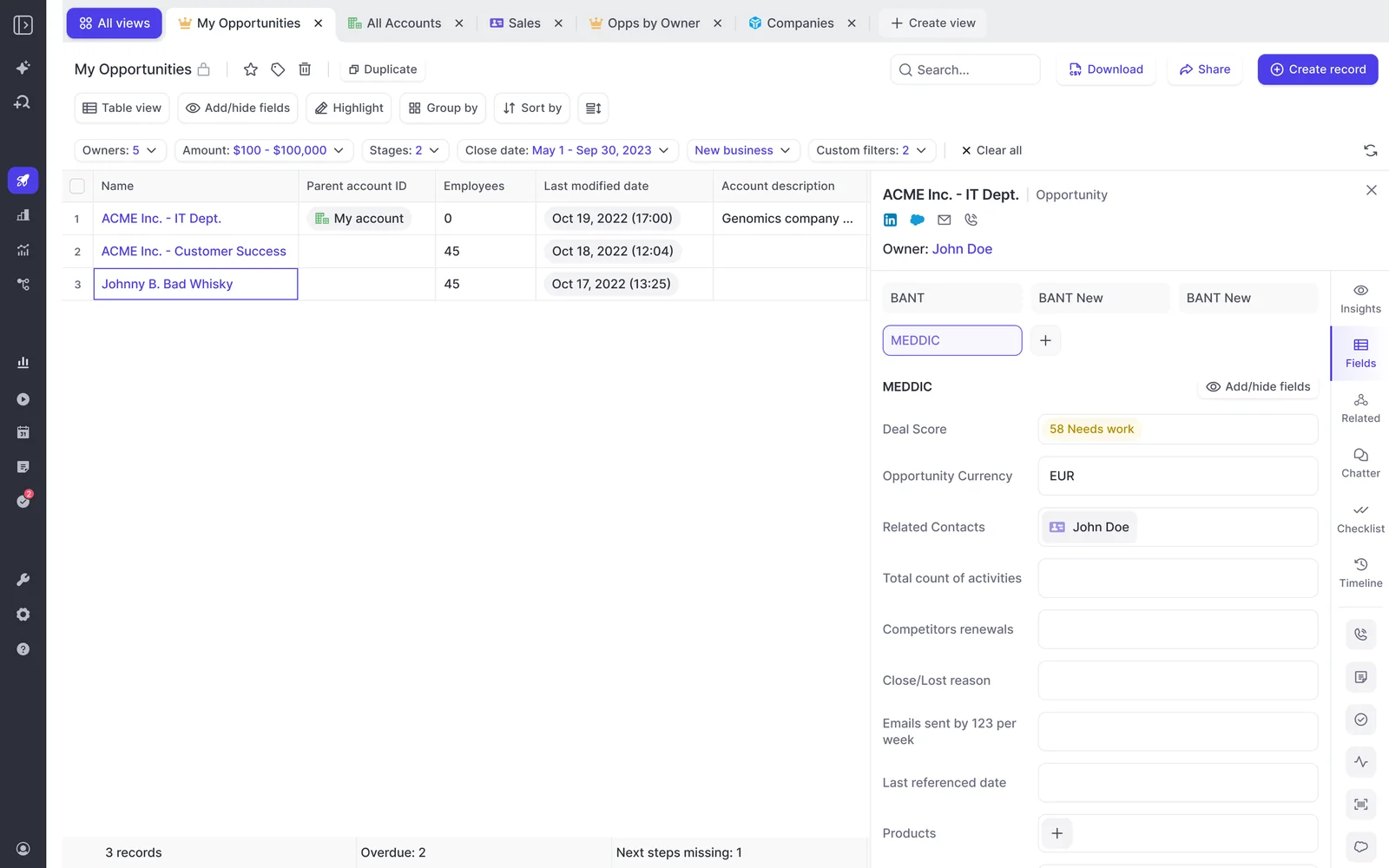
You review every suggested value before it syncs
Nothing changes in Salesforce without your confirmation. The review shows the current value beside the suggested one, and you accept, edit, or reject each field individually before anything writes back. Required fields stay locked.
If the call got linked to the wrong opportunity, you reassign it and the analysis runs again against the right deal.
So the job changes shape. You're not authoring six paragraphs from memory, you're reading six drafted answers and fixing the one that's off. That takes a minute or two, not an evening.
Your own notes are not overwritten
This is the fear that kills adoption, and it's a reasonable one. Once a rep watches their hand-written champion note get blanked by a machine, they stop maintaining that field forever, and the team ends up with an automated field nobody corrects and nobody believes.
Whether a field writes automatically or waits for a person is set per field, not per team and not per workspace. That's the control that matters:
- Unambiguous fields (a website, an address, a stage) can write themselves. There's no judgment in them and nobody types into them by hand.
- Interpretive fields (Champion, Identify Pain, Decision Criteria) stay on review, so you see the proposed change next to what's already there before it replaces anything.
Our advice to teams rolling this out is boring and it holds: put everything interpretive on review first, and only automate a field once you've watched its output for a few weeks and it's earned it.
Works with MEDDPICC, SPICED, BANT, or a house framework
Most teams don't run vanilla MEDDIC. They run MEDDPICC, or SPICED, or BANT because a parent company mandated it, or a framework with its own internal name and a twelve-page definition document.
All of it works the same way, because the methodology is prompts mapped to your fields rather than a hardcoded model. Weflow ships around thirty methodology templates and more than 250 pre-built prompts covering MEDDIC, MEDDPICC, SPICED, BANT, Challenger, SPIN and Command of the Message, and a team can write its own prompt per element instead of picking from a list.
That also means one org can run BANT on transactional deals and MEDDIC on enterprise, assigned to different teams, without anyone choosing between them.
Where the AI fills a MEDDIC field confidently wrong
The failure mode isn't a blank field. It's a plausible one.
A Metrics field comes back with the customer's headcount. Fifty thousand staff. That's a number, it passes validation, it looks filled in, and it tells you nothing about whether this deal is qualified. We've seen a Champion field name the customer's own internal employee until the prompt was told to exclude internal people.
Neither is really a model failure. It's an unstated requirement. The prompt has to carry the definition your team actually uses, including what doesn't count, and that definition is usually tacit knowledge nobody has written down. Rolling out automated methodology capture is partly a project to articulate the methodology.

Two honest limits worth knowing before you trust the draft:
- Accuracy depends on prompt quality. The pre-built prompts are a strong starting point and the real corrections come from whoever reads the output every day, usually a sentence added or a few words cut. Most of that tuning happens at onboarding.
- The comparison view shows what changed, not where it came from. A field-update prompt can be allowed to search the web when the answer wasn't in the call, and the value isn't tagged as call-sourced or web-sourced, so if a field should only ever come from the conversation, that restriction gets written into its prompt.
Which is the whole case for keeping the review step. Trust the draft, glance at the judgment calls.
What you still have to fill in yourself
The machine can't invent judgment. Three things stay yours:
- What you're actually selling, meaning the line items and therefore the amount
- When you think it closes
- How confident you are, meaning the forecast category
That's the honest split. Everything else on the record is either an observable event or something a buyer said out loud, and both are now cheaper to generate than to type.
It kind of puts the trust back in the rep's hands to say, I trust you to tell me if you're gonna win this or not and let the robots take care of everything else."
One more thing, and it's the part worth defending. The point of the MEDDIC questions was never the typing. It was making you sit with what you don't know about the deal. A drafted scorecard should sharpen that, not replace it, and the most useful two minutes in the whole flow is reading a filled-in Decision Process field and realizing you still can't name who signs after the board meets.
FAQ: MEDDIC auto-fill from calls
Does it record in-person and phone meetings, or only video calls?
Video calls on Zoom, Microsoft Teams and Google Meet are covered by the notetaker. For in-person meetings, the Weflow mobile app records the conversation from your phone on the table, and if recording wasn't appropriate you can dictate a voice note afterwards from the car. The voice note is processed exactly like a call recording, so it produces the same field updates and summary. VoIP phone call capture isn't supported today.
Does auto-fill work in the language my calls happen in?
Yes. Weflow transcribes 96 languages and detects the spoken language automatically, with no manual selection. The output follows the destination: your follow-up email is written in the language the meeting was held in, and the summary written back to Salesforce is written in your workspace language, so a German call gives you a German email and an English CRM record.
Is the auto-filled scorecard used to grade me?
The field updates describe the deal, not you. Coaching scorecards are a separate thing in Weflow, and yes, your manager can see those, so it's fair to know they exist. But a populated MEDDIC field is what stops you being coached for "not following the methodology" when you did follow it and just never documented it.
Do I have to review every field, or does it write automatically?
That's set per field, not for everything at once. An unambiguous field can update itself while an interpretive field like Champion or Identify Pain waits for you, inside the same configuration and for the same rep. Most teams start with everything on review and automate individual fields once the output has proven itself.
How soon after the call are the field updates ready?
Within roughly 30 to 60 seconds of the meeting ending you get the processed recording, the AI summary, a drafted follow-up email, and the proposed Salesforce field updates. That speed is the point: you review while the conversation is still fresh instead of reconstructing it on Tuesday night.
What's the difference between per-call field updates and deal-level playbooks?
A field update runs after a single call and reflects that call. An AI Playbook runs on a schedule across every email, meeting, related record, transcript and field on the opportunity, and keeps the field at the current best answer rather than the most recent one. For anything cumulative, a metric or a champion discussed differently across five calls, the playbook is the better fit, and where nothing supports a criterion it says so instead of guessing.
If your team runs MEDDIC and the fields are still empty, start by writing down what actually counts for each letter, especially what doesn't. That definition is what a prompt needs, and it's the work no tool can do for you.


