Meeting Notes vs Conversation Intelligence: The Transcript Is the Cheap Part
Learn why meeting notes vs conversation intelligence comes down to Salesforce field writes, not transcripts.


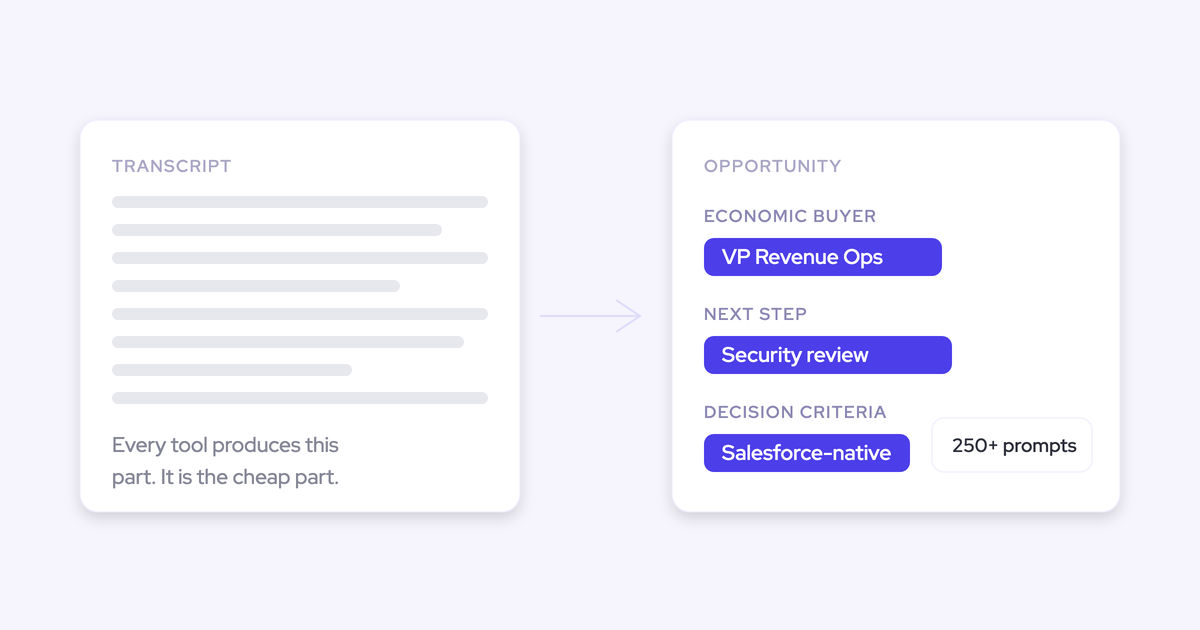

Conversation intelligence isn't defined by recording or transcribing. Every tool does that well now. It's defined by what happens after the transcript: whether the call becomes structured, approved data on the right Salesforce record, or stays a document in a second portal.
Your suspicion is correct, by the way. On the recording screen, a free notetaker and a $39-a-seat conversation intelligence tool look the same. Both join the call, both transcribe it, both produce a tidy summary. And every vendor deck says "AI insights from your calls," which tells you nothing.
So the line exists, but it's drawn in the CRM, not in the transcript. This article draws it in mechanics you can test in a trial, before you shortlist anyone, so you can tell whether the price difference is real or repackaging. It's the line Weflow Conversation Intelligence + AI Field Updates is built on.
Why notetakers and conversation intelligence tools look identical
They look identical because the expensive part got cheap and nobody redrew the category.
The first generation of conversation intelligence was built before generative AI, when the mandate was "never lose a call." So the product was a searchable video archive. That's what taught buyers the category means recording.
An archive on its own produces almost nothing, because nobody has the hours. A manager of ten reps, each on three or four hours of calls a day, would need to get through more than a hundred hours of conversation a day to actually use it.
Then Fireflies, Otter and Fathom made recording, transcription and a summary nearly free. The visible difference collapsed overnight.
What keeps the confusion alive is that plenty of tools sold as conversation intelligence still stop where the notetaker stops:
- Clari Copilot is the rebranded Wingman, acquired in 2022 rather than built, and it doesn't write to Salesforce fields or score a call against a methodology.
- Gong's AI sends a summary and a document to Salesforce rather than the raw transcript text, writes back only to standard objects, and leaves MEDDIC field updates to whoever reviews the call afterwards.
- Fireflies only recently added structured writes to Salesforce, and the syncing typically isn't granular.
If you're paying category prices and getting notetaker output, you're not confused. You're describing the market accurately.
Conversation intelligence starts where the transcript ends
The transcript is the input, not the product. Conversation intelligence is the layer that turns the conversation into structured, reportable data in the system of record; a notetaker leaves a document somewhere else and calls it done.
It's great if you have those recordings, but, like, the real challenge is to make sure that, you know, the next steps that are discussed in that meeting, like, the discussion points that would have an impact on the projected amount, the stage that the opportunity is currently in, the happiness of the account that you're talking to, and so on. So I think it's, you know, part one, capture that conversation. Part two, turn that transcript data that you're able to create from that into actual updates and information that is, you know, structured in your CRM so you can retrieve it and again, use it for reporting automations, flows, tactical reviews, strategic reviews.
Philipp Stelzer, CPO and Co-founder of Weflow
Everything worth evaluating lives in that after-the-transcript layer. Five dimensions are where the two paths genuinely diverge:
| Dimension | Meeting notes path | Conversation intelligence path |
|---|---|---|
| Where the output lands | The notetaker's own portal, plus a summary emailed or pasted somewhere | Native Salesforce objects on the account, opportunity and meeting |
| What shape it takes | Narrative prose in one field, or a document link | Values in picklists, number, date and multi-select fields, standard and custom |
| Reportable? | No. You can read it, you can't group or chart it | Yes. Group, filter, chart, feed it to a forecast |
| What happens to the meeting record | A second meeting is created for the recording | The summary writes onto the one meeting activity that already existed |
| Who owns it at cutover | The vendor. Cancel and the library goes dark | You. It's a Salesforce record with your permissions on it |
Structured Salesforce field writes, not a summary blob
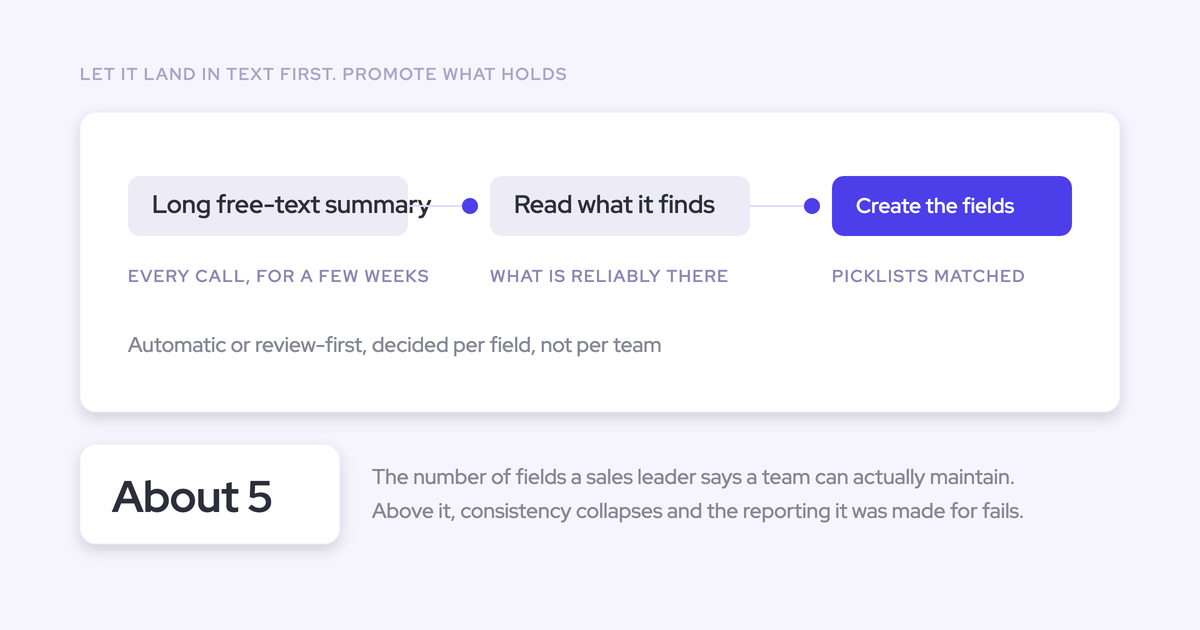
This is the defining mechanic. A conversation intelligence tool extracts values from the transcript and writes them into the specific fields your reporting already reads.
Field types matter more than the word "insights" ever will. A paragraph in a text field cannot be grouped or charted. A picklist value can.
Take qualification strength. Written as a paragraph, it's something a manager reads one deal at a time. Written as a 0-to-3 picklist, it's a column you can sort your pipeline by, chart by rep, and set a warning on.
Same with competitors named on the call. As prose, it's a sentence. As a multi-select, it's a trend you can show your CMO.
So the test isn't "does it push data to Salesforce." It's: does it reach a custom object, and does it populate non-text field types individually, or does it drop one summary and let you sort it out?
One Salesforce meeting record, never a duplicate
A recorded meeting is not a second meeting. Stack a notetaker on top of an activity capture tool and Salesforce gets the same customer meeting twice, as two separate events, because the notetaker treats its recording as its own meeting.
Now meetings per rep and meetings per closed opportunity are both inflated. That's the exact reporting you bought both tools to produce.
So you might have an activity capture provider that writes the meeting back into Salesforce. And then you have a conversation intelligence or an AI notetaker provider that also writes the meeting. But those are actually two separate meetings. So suddenly, you have duplication of meetings. So if you now wanna report on how many meetings per rep or how many meetings per opportunity closed, you actually have duplicated data. And, yeah, this is actually a big problem. And then, ideally, you have, obviously, the AI summary being written into Salesforce into the same meeting, into the one unique meeting activity that actually happened. Because, obviously, if you record a meeting, it's not another meeting. It's the same meeting.
Janis Zech, CEO and Co-founder of Weflow
Most teams living with this don't know it's the cause of their inflated activity numbers. Check your own timeline on one recorded call before you believe any vendor about it.
The rep approves every field before it syncs
Automatic writing is only worth having if a human confirms it. The reason is trust, not accuracy.
Reps already type into the qualification fields. The first time a rep watches the machine overwrite what they wrote after a call, they stop maintaining that field, and you're left with an automated field nobody corrects and nobody believes.
The review flow that holds up looks like this:
- The current CRM value is shown beside the suggested value, field by field.
- The rep accepts, edits, or rejects each one.
- Required fields stay locked so a machine can't blank something the process depends on.
- Everything writes back on one click, so review is seconds rather than a chore.
That's the difference between "automatic" and "unsupervised."
Transcripts stored in Salesforce objects you own
Where the transcript lives decides who owns the asset.
Stored in native Salesforce objects, the summary and full transcript are queryable, permissioned alongside everything else in the CRM, and still there when the subscription isn't. You can point your own agent at what was actually said.
Stored in a vendor cloud with a link back into Salesforce, you have a bookmark. It works right up until cutover, and a summary is somebody else's interpretation of the call rather than the text itself.
One honest caveat: video files are heavy and Salesforce storage is expensive, so nobody sensible puts the recording itself in the CRM. Transcripts and structured outputs are what should land natively.
What structured field writes change for Sales Ops
The reporting you already designed starts working. Not because anyone got more disciplined, but because the fields stop depending on a rep typing them.
- The methodology fields fill in. Blacklane runs at 96% of MEDDIC fields populated in Salesforce, from conversations rather than from reminders.
- Dashboards can group and chart conversation content, because the values arrive as picklists and multi-selects instead of prose.
- Managers stop chasing reps for call context, since the summary sits on the meeting activity on the opportunity timeline instead of in a second tool.
- Reps stop keeping notes in three places. The note lands in the format your company mandates, ready to review, which is the daily tax nobody line-items.
- You can test a hypothesis in days. Create the field, backfill it across historical conversations, then compare win rates by cohort. The answer was always in the transcripts and never in a column.
That last one is the payoff Sales Ops tends not to expect. Once conversation content is a field, "do deals with a quantified compelling event close more often?" becomes a report instead of a data project.
When a meeting notetaker is the right answer
Sometimes it is, and paying category prices would be a waste.
- You don't run on Salesforce. Weflow works exclusively with Salesforce teams, so if your CRM is HubSpot or Dynamics, this whole argument doesn't apply to you and a notetaker is the correct buy.
- You only need internal meeting notes. No CRM reporting requirement means no reason to pay for a write-back layer.
- A visible bot won't clear your works council. We've seen German teams choose transcript-only tools specifically because nothing joins the call as a participant. That's a real constraint, and it's not one you should reopen lightly.
And credit where it's due: transcription is a solved commodity, and Weflow doesn't win there. Gong has genuinely advanced conversation intelligence with broad language support, and its account-level methodology view across every call on a deal is something a lot of teams miss when they move.
Recording isn't bad. Recording alone just isn't the category.
How Weflow turns call transcripts into Salesforce field writes
Weflow is the Revenue AI Orchestration platform for sales, customer success, and RevOps teams. Its conversation intelligence differentiates on the layer after the transcript, not on the transcript.
Mapped against the four mechanics:
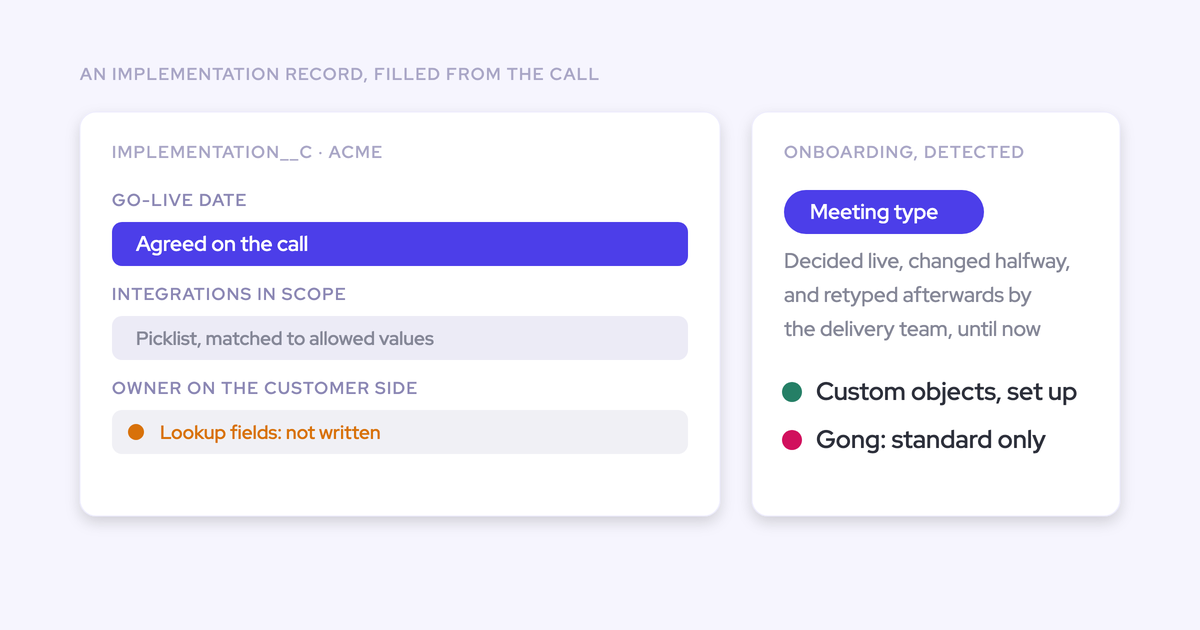
- Structured field writes. AI Field Updates write extracted values into picklists, number, date and multi-select fields, on custom objects as well as standard ones. Every Salesforce field type is in scope except lookup relationships.
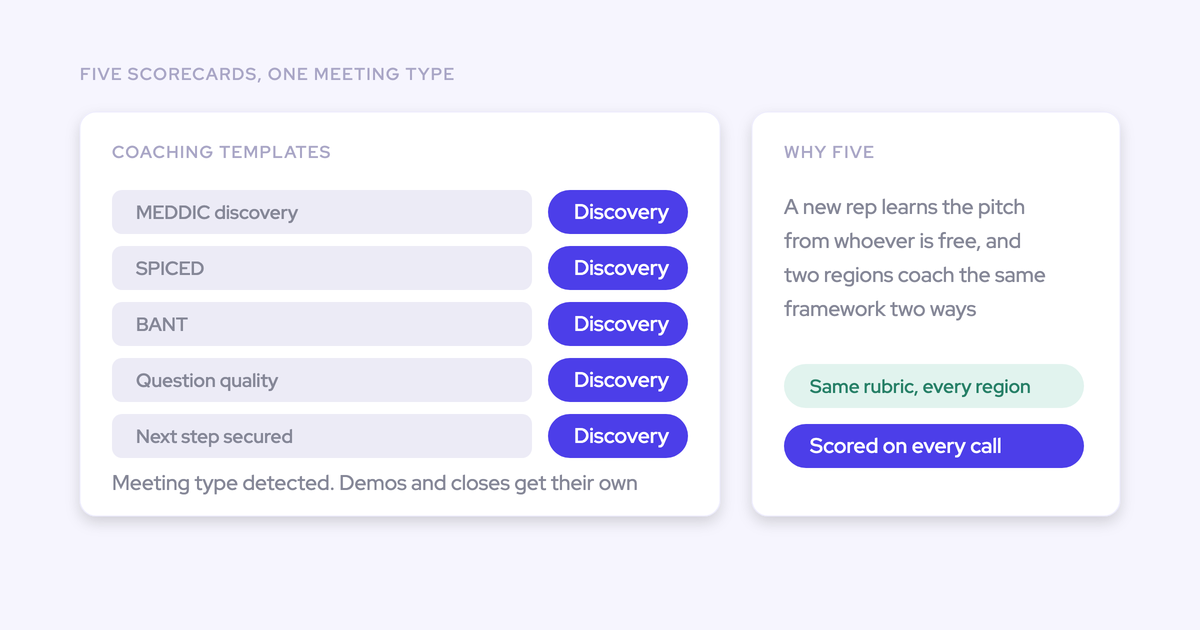
- A prompt library instead of blank prompts. More than 250 pre-built prompts cover MEDDIC, MEDDPICC, SPICED, BANT and custom frameworks, and admins can map their own prompt to their own field. Accuracy tracks prompt quality, which is why configuration is where onboarding time actually goes.
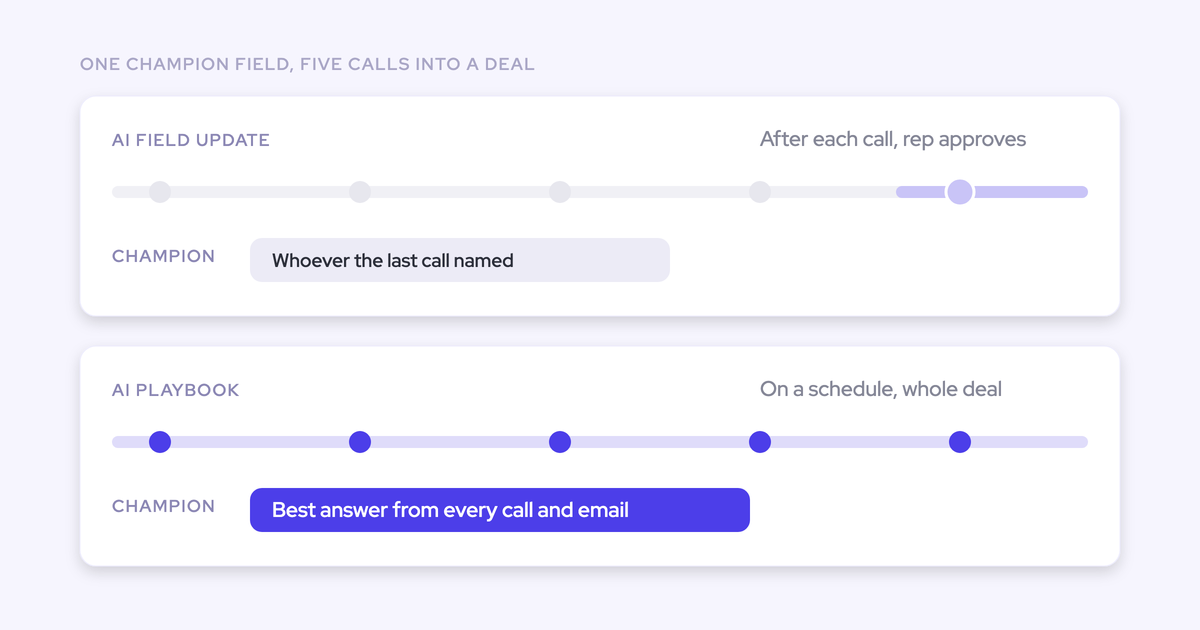
- Rep approval before sync. Current value beside suggested value, accept, edit or reject, required fields locked, one click to write it all back. Reps get the recording, the summary, a drafted follow-up email and the proposed field updates within 30 to 60 seconds of the call ending.
- The right record, once. The summary writes back onto the existing Salesforce Event, so it shows on the opportunity activity timeline without creating a second meeting. The transcript and summary land in a Salesforce object added by the managed package, which is yours.
The notetaker is auto-scheduled from the calendar onto external meetings rather than invited per call, which is the single biggest lever on recording coverage. Reps can turn it off for a given meeting.

One limit worth knowing before you plan a rollout: predefined AI Playbooks re-evaluate every three hours, but only for opportunities created or changed after the playbook was configured.
So new deals fill in and your existing pipeline, which is the pipeline you actually wanted scored, stays blank until someone regenerates it record by record or asks us to run a batch. That gap isn't visible in the setup flow, and it should be on your rollout plan rather than discovered in week three.
Frequently asked questions about conversation intelligence
Is conversation intelligence just an expensive notetaker?
It depends entirely on what happens after the transcript. If the tool writes structured, approved values into your CRM fields and objects, it's a different category and the price gap is real. If it stops at a transcript and a summary in its own portal, then functionally yes, you're paying a premium for something a free notetaker already does.
Does conversation intelligence write to custom Salesforce objects and fields?
Genuine conversation intelligence does, and this is the fastest way to separate the market. Weflow's AI Field Updates reach custom objects and non-text field types, while Gong's AI writes back only to standard Salesforce objects and Clari Copilot doesn't do field updates at all. Ask for it on a custom object in the trial, with your own field, not a demo org's.
What happens when a rep has already filled in the field?
Nothing gets replaced without someone approving it. In Weflow, the review screen shows the current CRM value beside the suggested one, the rep accepts, edits or rejects it, and required fields stay locked.
Ask every vendor this directly, because the failure mode is silent. Once a rep watches their own note vanish, they stop maintaining the field and the automation has cost you more than it saved.
Will a notetaker plus a capture tool double-count my meetings?
Yes, unless the notetaker writes its summary onto the meeting activity that already exists. Two tools, two records, one real meeting, and every meetings-per-rep number is wrong.
Checking takes two minutes: open the activity timeline on an account where a call was recorded and count the events for that call. If there are two, your activity reporting is inflated today.
Can I keep my current recorder and still get field writes?
Sometimes. Weflow reads Salesforce through the API, so if your existing tool already syncs transcripts into Salesforce in a structured form, Weflow can work on top of that history rather than requiring you to have recorded the call.
The honest constraints: recording lives inside Weflow Conversation Intelligence, not in Activity & Contact Capture, and Weflow's notetaker is scheduled from the calendar connection. If your recorder only keeps transcripts in its own cloud, there's nothing in Salesforce to work from. When teams do switch, Weflow imports and reprocesses the existing recording library through the incumbent's API, typically in one to two weeks depending on volume.
What should conversation intelligence cost per seat?
Around $30 per user per month for conversation intelligence on its own with a proper feature set and a deep Salesforce integration, and roughly $40 to $50 combined with activity capture. Weflow Conversation Intelligence is $39 per user per month, and Revenue AI Foundation, which adds Activity & Contact Capture, is $49.
Compare that to legacy platform pricing. Gong charges a $5,000 per year platform access fee on top of per-seat licenses that start around $1,600 per seat per year, with coaching and forecasting as paid add-ons.
This is like a technology that I think is not easy to build still, so there's a lot of like details to it, but it's also not a technology as it was like ten years ago, so I think, you know, if someone is trying to sell this to you and they charge you like five thousand dollars as a platform fee and then, you know, one hundred, two hundred dollars per user per month, that's, I think, nowadays not acceptable anymore.
Philipp Stelzer, CPO and Co-founder of Weflow
This is why the pricing page belongs in your shortlist decision rather than at the end of it. A new RevOps hire spending fifty or a hundred thousand on conversation intelligence in month one has a hard conversation with the CFO about a capability the market now prices at a fraction of that.
How does recording consent work for conversation intelligence?
Three flows are workable, and the choice is a compliance decision you make with legal before rollout, not after the first guest objects.
- Opt-out: the meeting records by default, a notice with a stop link is posted in the meeting chat, and any participant can decline. Most teams pick this because coverage stays high.
- Opt-in: every participant accepts first. Cleaner consent, materially thinner data, and it breaks down in larger groups where one person forgetting kills the recording.
- Manual: the seller decides in the room.
In Weflow, the consent message and its language are customizable, an optional pre-meeting email lets a guest decline in advance, and if someone opts out the notetaker leaves and the recording, transcript and notes are destroyed. Weflow is SOC 2 Type II certified and GDPR compliant, with Zero Data Retention for AI processing and customer data never used to train models.
How long does conversation intelligence setup take?
The technical part is a 30 to 45 minute call with your Salesforce admin and your mail admin present, which just connects the systems. Time to live is typically two to four weeks, or four to six for a large org, and Weflow doesn't charge for implementation.
The time goes into configuration, not connection: team structure, the methodology, which fields AI should populate, the prompt templates. That's also where accuracy is decided, so it's worth your admin's attention rather than a delegated afternoon.
If you're shortlisting, the advice we'd give even if you don't end up with us is this: trial the Salesforce integration, not the transcript. Every tool transcribes well. Only some of them write properly into your CRM, and that's the part most vendors treat as an afterthought.
Get the free Conversation Intelligence & AI Cheat Sheet to run those tests against any vendor on your list.