
Getting Fathom insights into Salesforce: the limits of a notetaker and when to move on
Learn where Fathom stops in Salesforce and when to switch from AI call summaries to Salesforce-native fields.


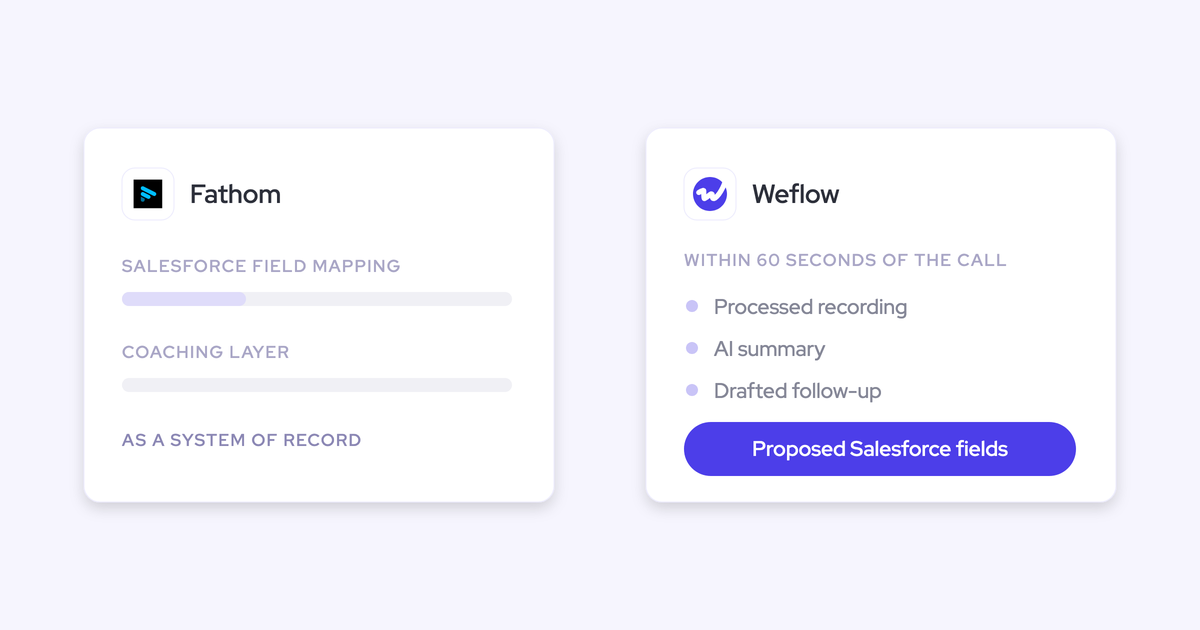

Fathom records your calls, writes a clean summary, and nobody on the team complains about it. Then you open Salesforce to prep a deal review and there's almost nothing from those calls in there.
That gap isn't a Fathom flaw. It's a product-class boundary. Recording and summarizing a meeting is one job. Turning what was said into structured Salesforce fields a manager can report and coach on is a different job, and a notetaker was never built for it.
This piece shows exactly what changes in your CRM if you move, and where staying on free Fathom is genuinely the right call. Where Weflow comes in: Weflow is the Revenue AI Orchestration platform for sales, customer success, and RevOps teams, and Weflow Conversation Intelligence with AI Field Updates is the part that does this specific job.
Your calls are in Fathom, but Salesforce is empty
The moment you try to run a deal review off the CRM and find nothing there is the moment the notetaker stopped serving your revenue team.
We hear a version of this on sales calls almost every week:
The symptoms are always the same shape:
- Deal reviews run on rep memory and optimism, because the CRM has a stage, an amount, and a close date and not much else.
- The MEDDIC, SPICED, or BANT fields you built are empty, so nobody can say which deals are actually qualified.
- You can't report on conversations at all: no methodology data, no next steps, no risk signal from what buyers said.
- Someone still retypes call notes into Salesforce in the format leadership wants, which is the admin work the free tool was supposed to remove.
- If another tool already syncs meetings, the notetaker may be writing its own meeting record on top, quietly inflating meetings per rep.
None of that means the recording was wasted. It means the recording is where the value stopped.
Why Fathom summaries don't become Salesforce fields
Fathom writes summaries into Salesforce. It doesn't map a transcript onto the structured opportunity fields a Salesforce deal review reads. That difference comes from where the product was designed to land.
On HubSpot, Fathom does the structured thing well. You instruct it to produce a custom sectioned summary, and once the call ends each section is written back into its own field on the deal. That works because HubSpot's deal model is flat and single-buyer.
Salesforce isn't that. The same write-back has to reason about opportunity contact roles, several open opportunities under one account, custom objects and record types, validation rules, and field-level permissions. Even Salesforce's own Einstein Activity Capture struggles here: it leans on contact roles to pick an opportunity, and where an account carries more than one open deal the activity falls back to the account.
So a Salesforce team on Fathom gets recordings, summaries, a deal view, and a summary written back. What it doesn't get is qualification detail as individual fields.
| What a notetaker writes back | What your deal review actually reads |
| A call summary, often as prose in one field | Metrics, economic buyer, decision criteria, decision process, pain, champion, each in its own field |
| A recording link in a portal | Next step and next step date on the opportunity |
| Its own meeting record | The one meeting activity, related to the right account and the right opportunity |
| Action items, sometimes | Stage validity, projected amount impact, account sentiment, reportable per rep and per team |
A summary pushed to Salesforce isn't structured data
Transcription is commoditized. Every tool in this category transcribes well now, at almost any price point, so the transcript is the wrong thing to evaluate.
"It's great if you have those recordings, but, like, the real challenge is to make sure that, you know, the next steps that are discussed in that meeting, sort of, like, the the discussion points that would have an impact on the projected amount, the stage that the opportunity is currently in, the happiness of the account that you're talking to, and so on. So I think it's, you know, part one, capture that conversation. Part two, turn that transcript data that you're able to create from that into actual updates and information that is, you know, structured in your CRM so you can retrieve it and again, use it for reporting automations, flows, tactical reviews, strategic reviews."
— Philipp Stelzer, CPO and Co-founder of Weflow
Buyers who have been through one of these purchases already know this, which is why they now trial the Salesforce write-back before they watch a single summary. Most conversation intelligence vendors treat the CRM integration as an afterthought, and it shows the day you try to report.
Run this test on any vendor, us included:
- Does it write onto the meeting activity that already exists, or does it create a second one?
- Does it link every participant to the right contacts and leads, and set opportunity contact roles?
- Does it relate the activity to the correct opportunity when the account has three open deals?
- Does it populate individual fields, including picklists and numeric fields, or drop a summary blob into one text box?
- Can it write to your custom objects and respect your validation rules?
- Who chooses which fields get written: an admin in a console, or each rep?
How Weflow AI Field Updates turn calls into Salesforce fields
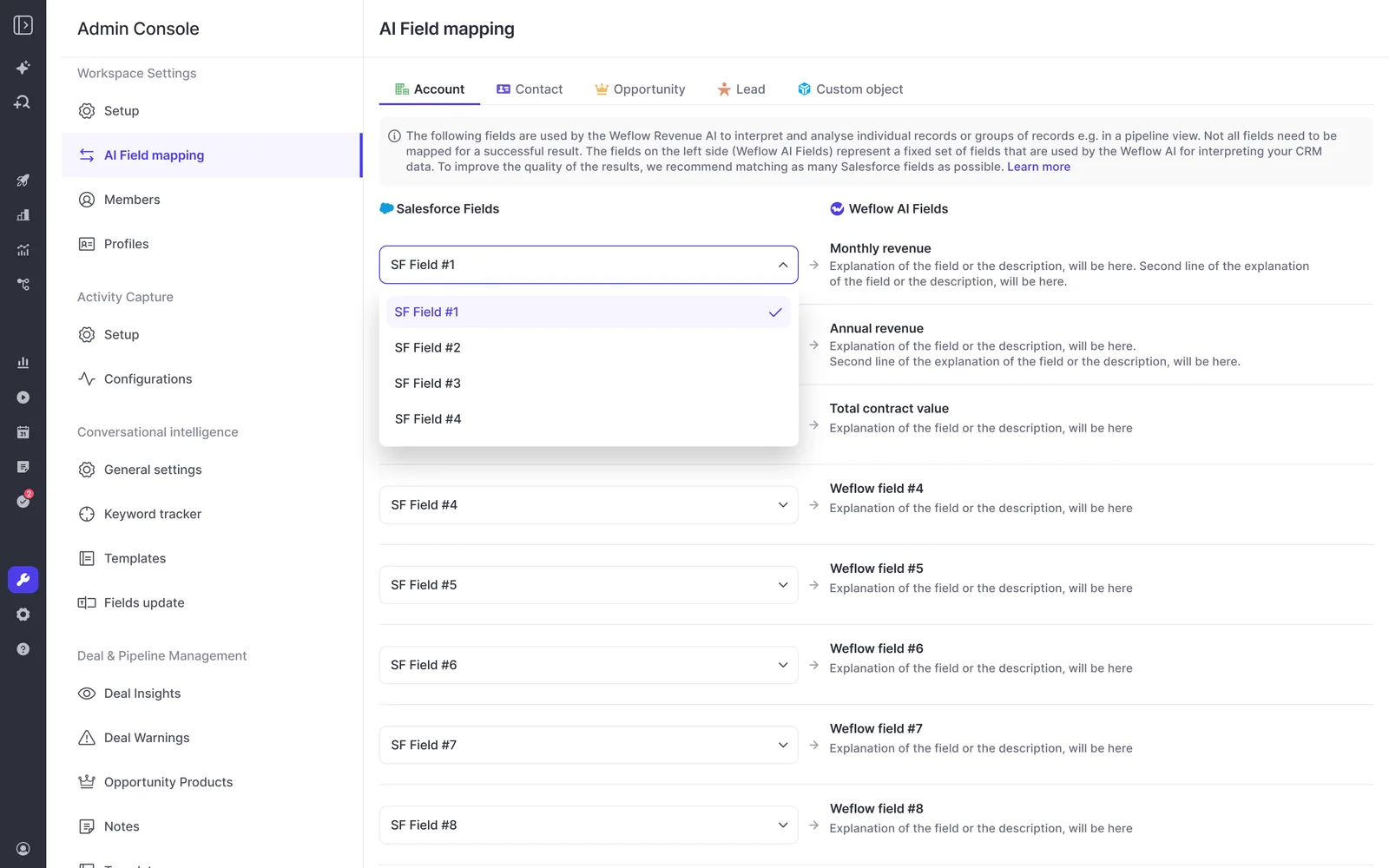
Weflow AI Field Updates extract structured data from the transcript and write it to specific Salesforce fields you nominate. That's the capability the notetaker class doesn't have, and it's the whole reason a Salesforce team outgrows a free recorder.
MEDDIC, SPICED, or BANT fields written from the transcript
Weflow writes qualification detail field by field: metrics, economic buyer, decision criteria, next steps, projected amount impact, stage validity, account sentiment. Each field gets its own prompt, so the output fits the field instead of filling a note.
This is the gap methodology rollouts never close on their own.
"We, for example, automatically update Salesforce fields from our AI notetaker solution. And what we typically see is that the sales methodology fields in Salesforce, they're almost always empty. So even the data capture doesn't work."
— Janis Zech, Co-founder and CEO of Weflow
Practical detail that matters when you configure it:
- Around thirty methodology templates ship in the box, plus more than 250 pre-built prompts, and you can encode a proprietary framework by naming the fields and writing the prompts.
- Templates are assigned per team, so enterprise can run MEDDIC while the transactional team runs BANT.
- Picklists and multi-picklists work when the allowed values are written into the prompt, and the model can derive a value, like calculating an amount from the seat count and seat price discussed on the call.
- Standard objects (Account, Contact, Opportunity, Lead) are supported out of the box; custom objects need a setup step with Weflow support.
- Field selection lives in the admin console, invisible to reps, so nobody adds fields to your opportunity page again.
Accuracy tracks prompt quality here, which is why configuration during onboarding is where the value is won.
One meeting record, so activity reporting stays clean
Weflow writes the summary onto the meeting activity that already exists rather than creating a second record. Recording a meeting doesn't create another meeting.
Stack a notetaker on top of whatever already syncs and you get the failure mode a buyer described to us like this:
"So suddenly, you have duplication of meetings. So if you now wanna report on how many meetings per rep or how many meetings per opportunity closed, you actually have duplicated data."
That's the exact reporting you deployed the tools to get, so it's worth checking before anything else.
Reps review and approve every field before it syncs
Nothing changes in Salesforce silently. Weflow shows the current value beside the suggested value, and the rep accepts, edits, or reassigns the call to a different deal, in which case the AI re-analyzes against that deal. Required fields stay locked, and validation rules, field dependencies and permissions are respected as they are.
This also decides adoption. Tell reps to fill in more fields and they hear enforcement. Show up with the fields already written from their own conversation and they feel the time come back first, which is when they start reading the tool as help.
The data lands in Salesforce objects you own
Everything Weflow captures writes to native Salesforce objects: Event, Task, EmailMessage, Contact, plus your standard and custom fields. It's your data, in your CRM, so your reports, flows, dashboards and your own AI can all read it.
Fathom's insights live in Fathom. That's fine while the recording is the product. It stops being fine the moment your stack looks like this:
"We are trying to move to a more AI-native internal stack. We are connecting AI into Salesforce, and this direction makes things standing outside the sales stack even a bigger issue than it has been historically."
The manager layer: coaching and deal views across every call
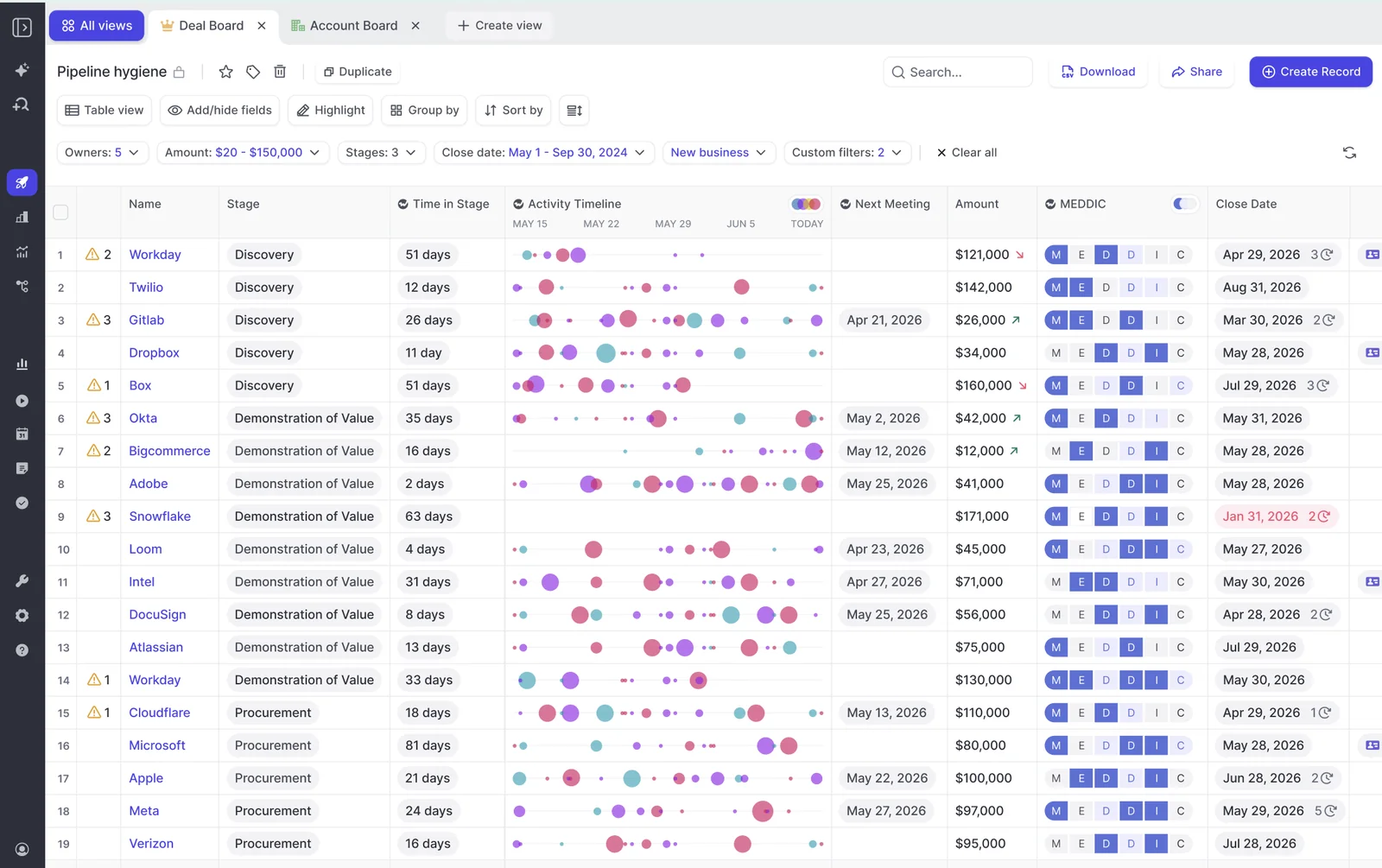
Once conversations are structured data, you get views no per-call summary can produce. This is the part that makes it a platform decision rather than a notetaker upgrade.
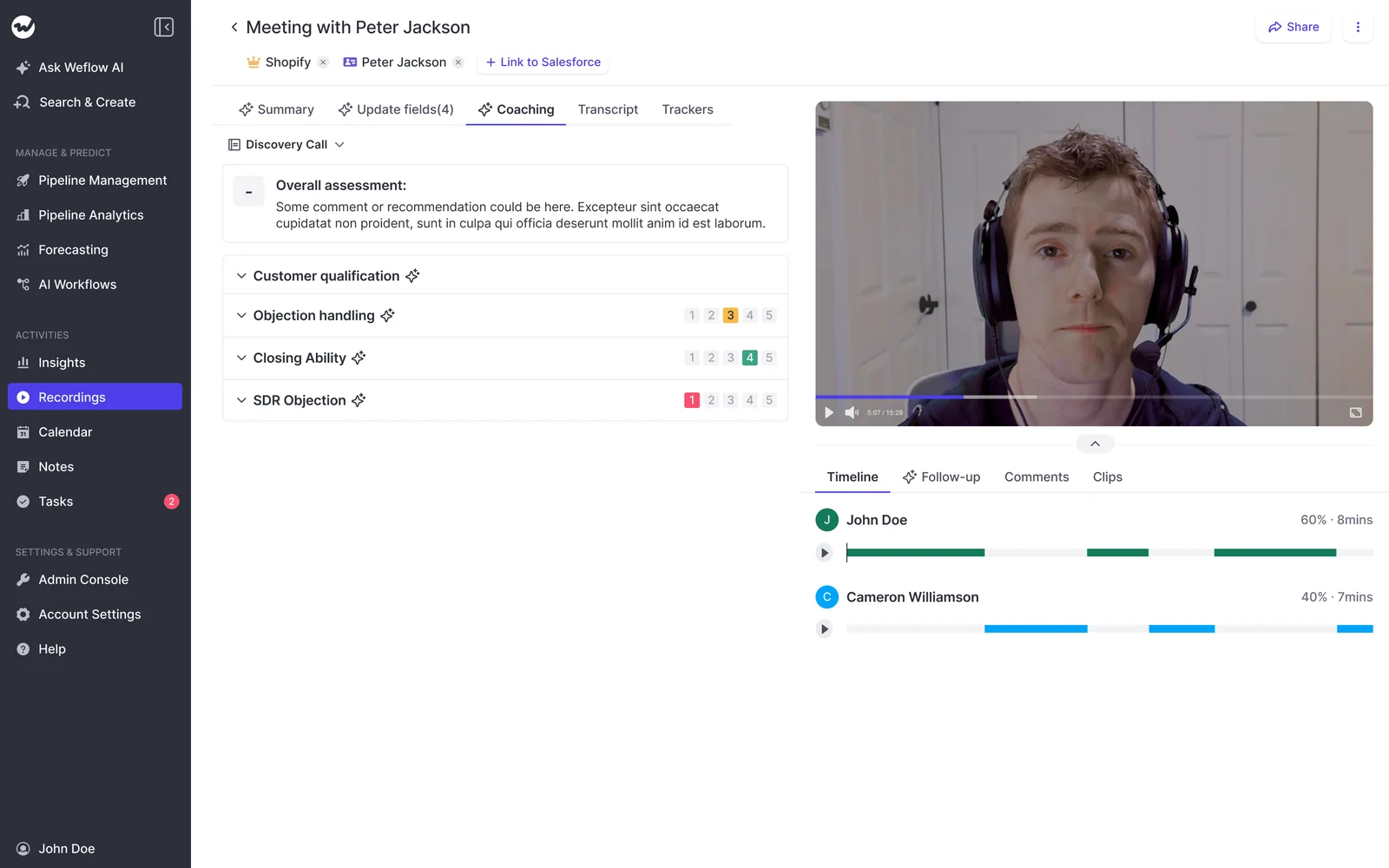
AI coaching scorecards on every recorded call
Weflow scores every recorded meeting against the methodology your team is configured on, so adherence becomes a trend per rep instead of anecdotes from the three calls you had time to listen to. You can watch how one rep's economic buyer identification has moved over months, then open the specific calls behind the score. Managers can override a score, and coaching templates are assigned per team.
AI Playbooks score the whole deal, not single calls
A per-call summary only ever sees one conversation, so a deal can look qualified on the last call and be hollow overall.
Weflow AI Playbooks read every email, meeting, transcript and CRM field on the opportunity, refresh on a schedule, write the result back to the matching Salesforce fields, and return a next step recommendation. The budget signal in an email, the champion on a call, the compelling event in a meeting note: the playbook reads all of it together, so a rep can't pass a methodology check by filling in a field.
That's what turns the score into a forecast signal. A deal forecast to close this quarter with no identified economic buyer is a specific risk you can act on this week.
Ask Weflow AI answers questions across an account
Ask Weflow AI answers natural-language questions across Salesforce records, captured emails, meetings and call transcripts, and it inherits Salesforce permissions. You point it at a single call, one deal, a filtered deal board, an account, or the whole workspace.
The questions managers actually ask:
- Which competitors came up in the last six months, and what happened when they did?
- Which of my open deals are missing methodology information?
- Who is actually the decision maker on this account, across three years of email?
It answers from evidence rather than from what a rep remembered to type, and it cites the call, transcript or email the answer came from.

What lands in Salesforce 60 seconds after a call ends
Here's one call's journey, end to end. Within 30 to 60 seconds of the meeting ending:
- The recording is processed and transcribed, with the spoken language detected automatically across 96 languages.
- The summary is generated in your configured template, not a generic one, and written back onto the existing Salesforce Event with a link to the recording, so it shows on the opportunity activity timeline.
- A follow-up email is drafted from the transcript in the language the meeting was held in, ready for the rep to review and send while the conversation is still accurate.
- Proposed field updates appear side by side with the current Salesforce values: next steps, qualification detail, projected amount impact, stage validity, sentiment.
- The rep accepts, edits, or reassigns, then writes them all back with one click.
- The call is scored against the team's methodology scorecard, and the deal-level playbook picks the new evidence up on its next refresh.
Meanwhile the summary the rep would otherwise have retyped that evening is already in the format leadership asked for.

When to stay on Fathom and when to move on
Fathom is a good product. It sets up in minutes, it records reliably, and at the free and low paid tiers it costs almost nothing. Plenty of teams should keep it.
| Stay on Fathom if | Move to Weflow if |
| You run on HubSpot, or on any CRM that isn't Salesforce | You run on Salesforce and the deal review reads Salesforce fields |
| You need recordings, transcripts and summaries, and nothing downstream of them | You need qualification detail as individual fields you can report, filter and coach on |
| The team is small and nobody is trying to report on calls | You manage a team and can't listen to enough calls to coach fairly |
| Budget is the hard constraint and the CRM gap is tolerable | Someone is still retyping notes, or your meeting counts are double-logged |
On price, be honest with yourself about what you're comparing. Fathom has a free tier and paid plans in the range of roughly $19 to $34 per user per month. Weflow Conversation Intelligence is $39 per user per month billed annually, with a 10-user minimum, unlimited recordings and transcripts, no usage-based charges, free view-only licenses (up to one per recording license), and Mobile Copilot, Ask Weflow AI and Agent Builder included.
So the question isn't free versus paid. It's whether structured CRM data is worth the delta, and it only is if you'd actually use it.
HolidayCheck made that call for the same reason, choosing Weflow over Gong and running automatic activity capture, conversation intelligence and automated Salesforce field updates:
"Weflow ticked all the boxes: GDPR-compliant, tightly integrated with Salesforce, simple to use - and without the heavy price tag of U.S. vendors."
— Bastian Stosic, Head of Media Sales Operations at HolidayCheck
Rolling out Weflow on a team that already uses Fathom
Setup is a managed-package install in one admin session, not a middleware hop. Anything that reaches Salesforce through a sync service breaks quietly, and admins who have babysat one connector don't sign up for a second.
What the install involves:
- Two Salesforce managed packages, with no code deployment.
- One integration user with a dedicated permission set.
- One mail app installed centrally in Microsoft Entra or Google Workspace, scopeable to a single org unit so only licensed users are captured.
- Relaxing IP restrictions on the connected app for the install.
- About 45 minutes with a Salesforce admin and a mail or IT admin in the room.
Coverage is automatic after that. The notetaker is scheduled onto external meetings from the calendar connection rather than started by the rep, joining Zoom, Microsoft Teams, Google Meet and Webex as a visible participant. Reps can turn it off for a specific meeting, but the default state is recorded, and that's the whole reason the data is reliable instead of anecdotal.
Consent is a configuration decision, not an afterthought: opt-out, opt-in, or manual, with a customizable notice in the meeting chat and an optional pre-meeting email.
On sequence, don't switch everything on at once. Roll capture and conversation intelligence first, because those make the rep's day easier without asking anything of them. Bring the manager views, scorecards and pipeline analytics in a second wave with their own short training session. Put rep-level metrics like talk ratio in front of the whole team on day one and the deployment gets read as monitoring.
FAQ: moving from Fathom to Weflow for Salesforce teams
Can we keep our existing Fathom recordings and history?
Yes. Your existing library stays where it is, and Weflow doesn't need to have recorded a call to work with it: Weflow reads Salesforce through the API, so historical transcripts that are already synced into Salesforce in structured form remain usable. Existing keyword trackers can be carried over so your reporting doesn't restart from zero.
Will Weflow double-log meetings against tools that already sync?
Weflow writes to the one meeting activity that already exists rather than creating a duplicate record, so meetings per rep and meetings per closed opportunity stay accurate. The rule for a clean rollout is one capture layer per data type: turn off the other tool's Salesforce meeting sync before Weflow starts writing. Running two capture engines against the same inbox is what produces duplicates, not the coexistence itself.
Is Weflow compliant, and is call data used to train models?
Weflow is SOC 2 Type II certified, GDPR compliant with Frankfurt data center infrastructure for European customers, HIPAA compliant with a BAA available, and CCPA compliant. Weflow runs Zero Data Retention for AI processing and never uses customer data to train models, including through sub-processed LLM providers. ISO 27001 is in progress, not certified, and Weflow is not FedRAMP certified, so US government contractors requiring FedRAMP aren't a fit.
What consent options do recorded meeting participants get?
Three flows: opt-out, opt-in, and manual. Most teams choose opt-out, where the meeting records by default, a notice is posted in the meeting chat with a link any participant can use to stop it, and an optional pre-meeting email lets a guest decline in advance. If a participant opts out, the notetaker leaves and the recording, transcript and notes are destroyed. The host can also remove the notetaker mid-call and everything up to that point is kept.
Can post-sale and CS teams use Weflow field updates?
Yes, and they should use their own templates. A renewal conversation isn't a discovery conversation, so pointing the sales prompt library at an onboarding call returns fields nobody reads. Weflow supports different summary and field-update templates per team, writing to different Salesforce objects, so onboarding can capture what was actually configured on the call and CS can qualify on its own criteria.
Does Weflow work if part of our company runs HubSpot?
No. Weflow is built entirely on the Salesforce API and works only with Salesforce, which is what lets it respect custom objects, field dependencies, validation rules and permission sets without a generic mapping step. A group where some operating companies run Salesforce and others run HubSpot can deploy Weflow on the Salesforce side only. If your whole revenue team is on HubSpot, stay on Fathom.
Want to check the field write-back yourself before you talk to anyone? Walk through the product yourself, no call required.







