Fireflies Pricing for Sales Teams: Plans, Seats and the Fireflies for Sales Bundle (2026)
Learn Fireflies pricing for sales teams in 2026: seat costs, AI credits, and bundle limits.


A Salesforce sales team on Fireflies pays at least $19 per seat, not the $10 on the Pro sticker. Autofill CRM and Deal Intelligence, the two features that touch your pipeline, start on Fireflies Business at $19 per seat billed annually or $29 monthly.
On top of the seat sits a second number: a shared AI credit pool that Autofill draws down by one credit per meeting. Two more things don't show on the price page:
- Salesforce fields change only after a rep reviews each meeting and clicks send.
- Fireflies doesn't log email to Salesforce at all.
We'll price Fireflies the way a sales team actually runs it, then set it against one Weflow seat with the AI included. Weflow is the Revenue AI Orchestration platform for sales, customer success, and RevOps teams. It's built for Salesforce teams, and Weflow Conversation Intelligence is the product you'd compare with Fireflies Business.
You'll get a worked 12-rep example and one opportunity's Salesforce record after a call, in each tool. The short verdict: Fireflies Business wins on per-seat price. Weflow wins on what lands in Salesforce without you chasing anyone.
Fireflies pricing plans and what each tier costs in 2026
Fireflies sells four plans and publishes the price of each one. For a sales team, the plan to compare against isn't the headline one.
| Free | Pro | Business | Enterprise | |
|---|---|---|---|---|
| Price per seat, billed annually | $0 | $10 | $19 | $39 |
| Price per seat, billed monthly | $0 | $18 | $29 | Annual contracts only |
| One-time AI credit pool, shared by the team | 20 credits | 20 credits | 30 credits | 50 credits |
| Recording storage | 400 minutes per team | 8,000 minutes per seat | Unlimited | Unlimited |
| AI summaries | Limited | Unlimited | Unlimited | Unlimited |
| Autofill CRM and Deal Intelligence | Not included | Not included | Included | Included |
| Headline additions | Recording and transcription with limited summaries | Video recording, downloads, AI Skills, Email and Personal Assistants, unlimited integrations | Conversation intelligence analytics, team analytics, multi-language mode, user groups | SSO, SCIM, rules engine, private storage, custom retention, HIPAA |
The sales features start at Business, so Business is the price that matters for your team.
Which Fireflies plan your sales team actually needs
Business is the floor for a Salesforce sales team. Enterprise earns its $39 only if you need SSO, control over which meetings Autofill runs on, EU storage or HIPAA.
Why Fireflies Pro at $10 leaves out the sales features
Fireflies Pro covers transcripts, summaries, AskFred and personal productivity features. It doesn't include Autofill CRM or Deal Intelligence.
So when you compare Fireflies with a revenue platform, you're really comparing Fireflies Business plus AI credits.
What the Fireflies for Sales bundle adds on Business
The Fireflies for Sales bundle is Fireflies' name for a set of features on the Business and Enterprise plans. It isn't a separate plan with its own price. Fireflies pitches it as an AI platform for everything after the call:
- Autofill CRM drafts updates to your configured Contact, Account and Opportunity fields, which a rep reviews and sends.
- Deal Intelligence lists the Salesforce deals that have Fireflies meetings, with stage, owner, budget, close date, an AI Close Probability and a health state of On Track, At Risk or Slipping.
- Sales Assist gives reps real-time help while the call is running.
- Sales AI Skills run templates after each call, such as a BANT, MEDDIC or SPICED scorecard.
- Meeting prep gets the rep ready before the call.
After a call, Fireflies also writes a follow-up email, scores the deal and flags at-risk opportunities.
Deal Intelligence shows only deals linked to meetings recorded in Fireflies. A deal that never had a recorded call doesn't show up on the board.
Fireflies' own pages disagree on where Sales Assist and the sales AI Skills sit. The Fireflies for Sales guide lists them under Business, while other Fireflies pages offer them on lower plans.
The bundle has no forecasting module. There are no forecast submissions, roll-ups or forecast categories. Deal Intelligence shows each deal's current state, not a forecast.
What you only get on Fireflies Enterprise
Fireflies Enterprise costs $39 per seat on annual contracts only. It adds these on top of Business:
- SSO and SCIM provisioning, plus a super admin role.
- The rules engine, which limits which meetings Autofill runs on by title, host, participants or duration.
- Private storage and custom data retention.
- Bring-your-own storage in your own AWS or Google Cloud bucket, which can keep data in the EU while processing stays in the US.
- HIPAA and FERPA support.
- 50 one-time AI credits instead of 30.
Teams that genuinely need Enterprise usually have one of three triggers: IT mandates SSO and SCIM, you want Autofill kept off certain meetings, or a buyer needs EU storage or HIPAA. Without one of those, Business is the plan.
What Fireflies charges on top of the seat price
Fireflies runs its sales AI on a shared credit meter, and that meter scales with meeting volume, not headcount. Credits pay for:
- Autofill CRM and Sales Assist.
- AskFred questions and the Slack Assistant.
- AI Skills, Meeting Prep and Daily Digest.
- Automatic soundbites, custom summary sections and Voice Agents.
Transcription and standard summaries don't use credits. Most of the features above are priced per query by complexity, so you don't know what a question costs until someone asks it.
We hear the same objection on almost every pricing call:
"There's a lot of companies right now that take AI and then basically have a per seat license fee and then put a consumption fee on top of it, which makes it really unreliable when you price it."
Your Fireflies AI credit pool doesn't grow with seats
Fireflies gives each plan a one-time credit pool: 20 credits on Free and Pro, 30 on Business and 50 on Enterprise. The whole team shares it. After that, you buy credits as a monthly add-on, on a published ladder that runs from $5 for 50 credits to $600 for 10,000.
| Fireflies credit rule | What it means for a 12-rep team on Business |
|---|---|
| The pool is a one-time 30 credits | It covers 30 Autofill meetings in total, for the whole team, once. |
| The pool doesn't grow with seats | Twelve reps share the same 30 credits that three reps would. |
| Upgrading replaces the pool | Moving to Enterprise gives you 50 credits, not 80. |
| Purchased credits don't roll over | Credits left over after a quiet month are gone. |
| Add-on packages run from $5 for 50 to $600 for 10,000 | Ongoing AI use becomes a second recurring line on the invoice. |
| Annual credit packages cost 20% less than monthly | You save money by sizing your credit volume a year ahead. |
Fireflies Autofill CRM spends one credit per meeting
Each Autofill extraction costs one credit, however many fields it fills. Reviewing, editing and sending the values costs nothing more.
On Business, Autofill runs on external meetings by default. Limiting it to certain meetings takes the Enterprise rules engine.
The result: your credit draw tracks your team's external call volume. Hire two reps or run a busy quarter, and the meter moves with it.
What happens when your team runs out of Fireflies credits
When a paying Fireflies team runs out of credits before the cycle ends, Fireflies moves it to the next higher credit package and charges for it automatically. On an annual credit plan, the extra charge is prorated across the cycle. Free users hit a paywall instead.
You can cap this. If you'd rather hit a stop than a bigger invoice, have your Fireflies admin switch auto-upgrade off before the team ramps up.
Fireflies meters dialer minutes as a second line
Fireflies meters dialer minutes as well. On Pro and Business, each seat includes 3,000 dialer minutes a month, and every minute after that costs 1 cent. The team's included minutes top out at 150,000 a month, and the same 1-cent rate applies beyond that.
Fireflies doesn't record those calls itself. It pulls recordings from Aircall, JustCall, Outreach, Quo, RingCentral, Salesloft and Zoom Phone, then transcribes and summarizes them.
Weflow vs Fireflies at a glance for Salesforce sales teams
Sales Managers compare these two because Fireflies is usually already the company notetaker. The open question is whether the Fireflies sales tier or a Weflow seat gets your calls into Salesforce.
| Capability | Weflow | Fireflies |
|---|---|---|
| Recording video meetings | The notetaker is scheduled onto every external meeting on Zoom, Teams, Google Meet and Webex. Webex is switched on per workspace, and Zoom needs local recording enabled. | Records Zoom, Google Meet, Teams, Webex, GoToMeeting, Lifesize and Jitsi, plus Dialpad calls. Joins from each rep's own connected calendar. |
| CRM field updates from conversations | Writes every Salesforce field type except lookups, including picklist, number, date and multi-select. Each field writes automatically or waits for review. Custom objects need setup by Weflow support. | Autofill CRM fills configured standard or custom fields on Contact, Account and Opportunity after a rep reviews and sends each meeting. Business plan and above. |
| Automatic email capture | Server-side capture through a central Google Workspace or Microsoft 365 app, with no rep action. Logs mail that matches a Salesforce record. Part of Weflow Activity & Contact Capture. | Not offered. Email Assistant labels mail and drafts replies, and nothing is written to the CRM. |
| Ask AI chat | Ask Weflow AI answers across Salesforce records, emails, meetings and transcripts. It inherits Salesforce permissions and isn't metered. | AskFred answers across meetings, connected apps and the web. Access follows Fireflies sharing, and queries use AI credits. |
| Integrations with other tools | Salesforce, Gmail, Google Calendar, Outlook, Zoom, Teams, Meet, Slack and the Outreach dialer. Salesforce only, with no app catalogue. | 100+ apps across conferencing, dialers, CRMs including HubSpot, project tools, storage and Zapier. |
| Access from AI assistants (MCP) | A read-only connector gives Claude and ChatGPT playbooks, summaries, transcripts, forecast calls and per-rep pipeline metrics. An admin switches it on. | A remote MCP server, listed in Claude's directory and usable from ChatGPT, covers transcripts, summaries, analytics and soundbites. No deal or CRM data. |
| Raw data access outside the tool | A REST API bulk-exports transcripts, metadata, scores and signals as JSON or CSV. No native Snowflake, Databricks or BigQuery connector. | A GraphQL API on every plan, webhooks and Snowflake delivery with ready-made views. Autofill and Deal Intelligence data aren't in the documented API. |
| Pricing | Public. Weflow Conversation Intelligence at $39 and Revenue AI Foundation at $49 per user per month, annual, 10-user minimum. AI is included in the seat. | Public. Business at $19 annual or $29 monthly, plus a shared AI credit pool and add-on packages from $5 to $600. |
What Fireflies Business gives your sales team in Salesforce
Fireflies records broadly and connects broadly. What lands in Salesforce depends on reps reviewing each meeting, and email never lands at all.
Fireflies records seven meeting platforms, one rep calendar at a time
Fireflies has the wider platform list. The notetaker joins and transcribes Zoom, Google Meet, Microsoft Teams, Webex, GoToMeeting, Lifesize and Jitsi, and it captures Dialpad calls. If your buyers host on Lifesize or Jitsi, that matters.
Coverage runs one rep at a time. Each user connects one calendar, from the account they signed up with, and the notetaker joins based on that user's auto-join settings. Whether a rep's calls get recorded depends on how that rep set things up.
Buyers who have run a notetaker at scale tell us exactly where this breaks:
"if you're 100 reps, right, how many will not authenticate or the authentication token breaks, and then you don't know that and then the meetings don't get recorded."
Reps like Fireflies' Add to Live, which drops the notetaker into a call that's already running. It's a genuinely handy start. There's a catch, though: meetings captured through Add to Live or the Chrome extension log in Salesforce under a [email protected] placeholder record, not on the customer's Contact.
Fireflies Autofill CRM writes fields only after a rep clicks send
Fireflies Autofill CRM extracts values into the Contact, Account and Opportunity fields your admin configures, standard or custom. Each field gets its own extraction prompt and an append or overwrite setting. The setup is solid.
The write path is the problem. Autofill never writes to Salesforce on its own:
- A rep opens the meeting in Fireflies.
- The rep reviews and edits the extracted values, one record type at a time: Contacts, then Accounts, then Opportunities.
- The rep picks which open opportunities to update.
- The rep clicks Autofill to send.
A meeting nobody reviews leaves Salesforce unchanged. Writes also reach standard objects only, so custom objects are out.
Fireflies' automatic Salesforce sync does run without a rep, but it writes a summary note to Notes & Attachments, with optional Events and Tasks. It doesn't write to fields. AI Skills can also push output such as a BANT scorecard to Salesforce after a call. That output is a written evaluation, not values in your reportable fields.
Buyers already suspect this before they see it:
"Have you built something customized with Fireflies to do that? Because usually the syncing to Salesforce is not that granular from what I've understood so far."
This is the point where the manager is still chasing reps for updates. The fields fill in only for the meetings a rep sat down and reviewed.
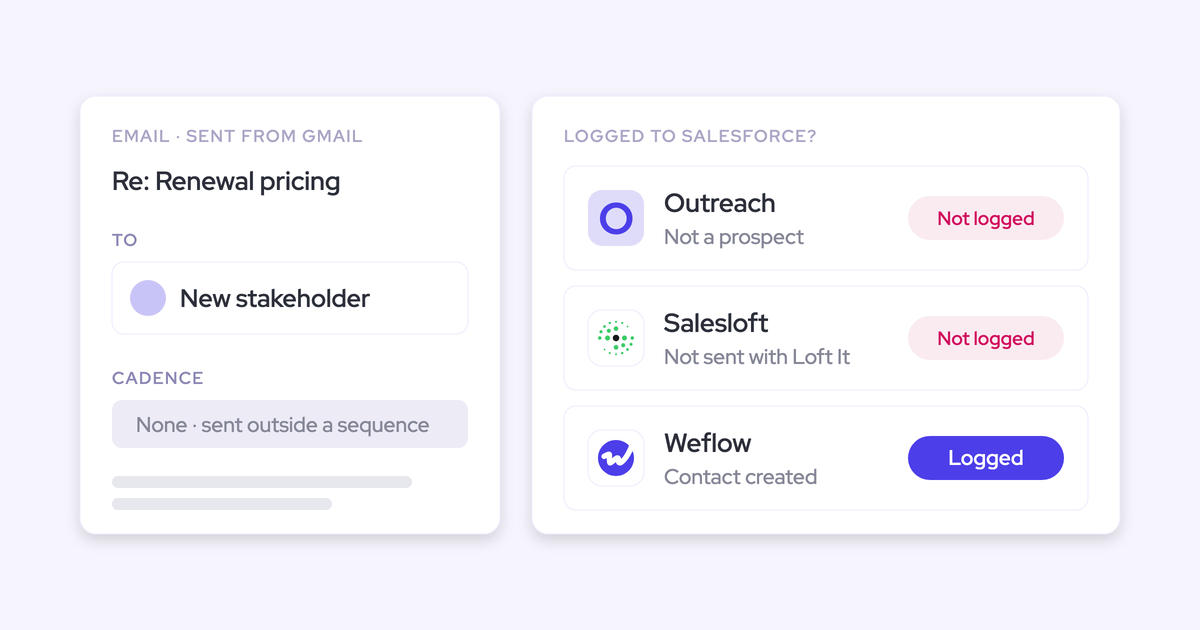
Fireflies doesn't log email to Salesforce
Fireflies doesn't log email to Salesforce or to any other CRM. Its Gmail and Outlook connection powers Email Assistant, which labels new mail and saves draft replies. Nothing it reads is written to the CRM.
There's no inbox add-in for logging either. The Chrome extension records Google Meet calls in Chrome and does nothing for email.
The consequence is a deal record that's half a picture. If you want your email history on the opportunity, you need a second tool next to Fireflies.
Fireflies AskFred follows Fireflies sharing, not Salesforce permissions
AskFred is a capable chat. It answers across a user's past meetings, connected apps such as Gmail, Slack and HubSpot, and the web. Users can pick the model from Anthropic, OpenAI or Google.
Access is governed by Fireflies, not by Salesforce:
- Once a CRM is connected, every workspace member can see Deal Intelligence by default, until an admin restricts it by hand with Manage Access.
- Nothing in the setup maps Fireflies access to a user's Salesforce record permissions.
- Questions in AskFred and the Slack Assistant use AI credits.
Fireflies connects to 100+ apps, including HubSpot
Integration breadth is a real Fireflies strength. It lists more than 100 apps across video conferencing, dialers, CRMs including HubSpot, applicant tracking, project management, collaboration, storage and Zapier.
If your company runs several CRMs, or the notetaker serves recruiting and product as well as sales, that catalogue earns its keep.
Fireflies' MCP server reaches transcripts, not deal data
Fireflies runs its own remote MCP server, listed in Claude's connector directory and usable from ChatGPT. Through it, an assistant can search and fetch transcripts and summaries, read team analytics, create soundbites and share or move meetings.
The server stops at the conversation layer:
- Deal intelligence and CRM data aren't among its tools.
- Each user connects with their own login or API key, which reaches only that user's meetings.
- Fireflies' zero data retention doesn't cover meeting data passed to ChatGPT, Claude or other assistants. Those platforms apply their own terms.
Fireflies opens its API on every plan and delivers to Snowflake
Fireflies is generous with raw data. Its GraphQL API runs on every plan, with limits of 50 requests a day on Free, 500 a day on Pro and 60 a minute on Business and Enterprise. Webhooks cover meeting events.
Fireflies also delivers each completed meeting to your own Snowflake account, with ready-made views for meetings, transcript sentences and summary sections. Transcript syncing needs Business or Enterprise.
The limit: Autofill CRM and Deal Intelligence data aren't among the documented API queries.
How Weflow Conversation Intelligence handles the same sales jobs
Weflow Conversation Intelligence takes the same seven jobs and defaults the other way. Meetings are recorded unless someone opts out, fields write unless you've set them to wait, and email lands in Salesforce through the same platform. In exchange, you give up Fireflies' integration breadth.
Weflow schedules the notetaker onto every external meeting automatically
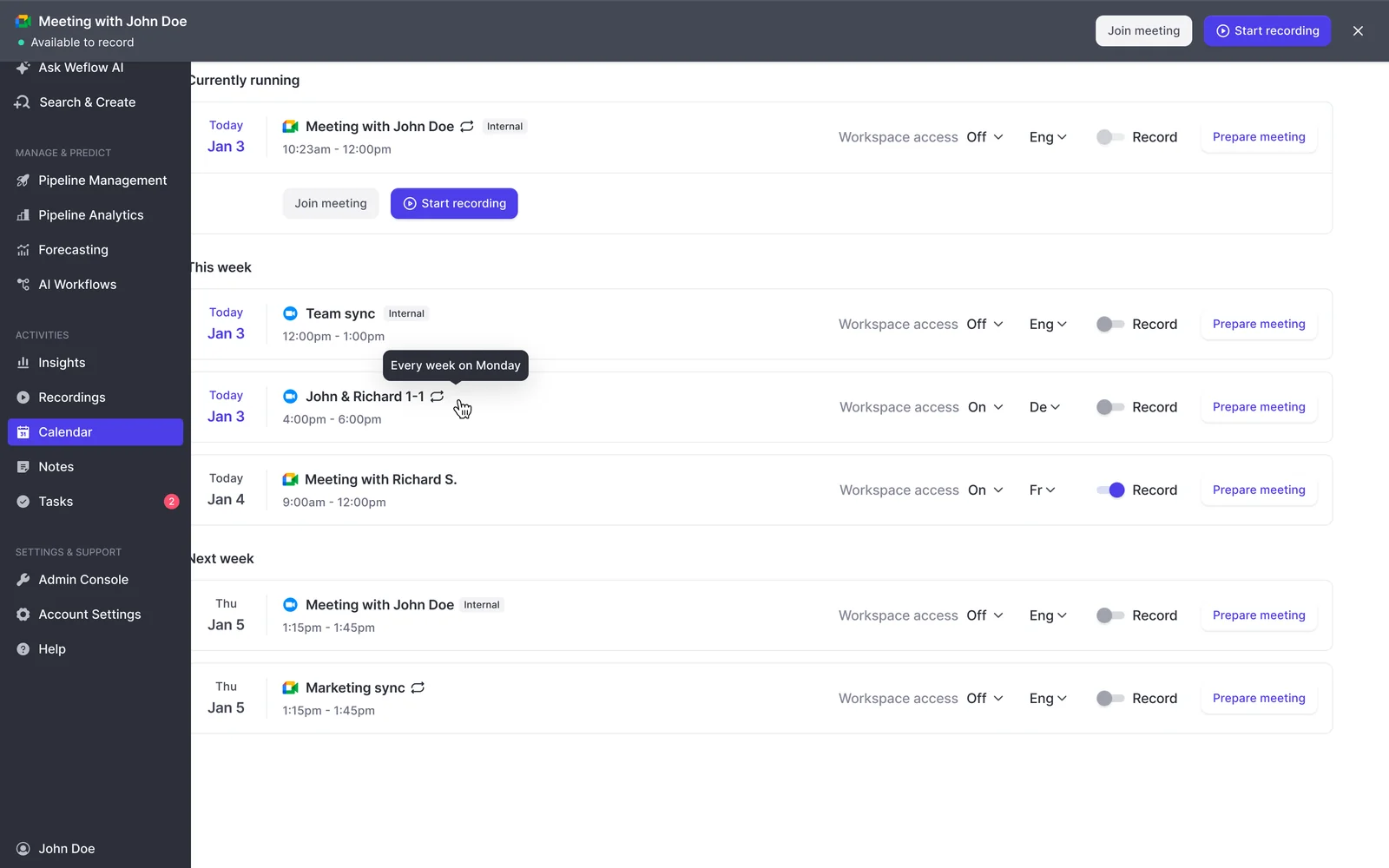
Weflow schedules the notetaker from the calendar onto every external meeting on Zoom, Microsoft Teams, Google Meet and Webex. Nobody invites it and nobody has to remember to start it. A rep can switch it off for a specific meeting, or add it to an internal one, but the default state is recorded.
That's the answer to the first question sales leaders ask us about any recorder:
"Are the individual reps deciding when this is turned on or off, or is it automatically overlaid into the conversation? One thing we want to avoid is the ability to not use the system."
The seat also includes two other clients:
- The desktop app records a meeting without a notetaker joining.
- Weflow Mobile Copilot records in-person conversations.
Both feed the same pipeline: summaries, field updates, follow-ups and scorecards.
There are a few setup limits:
- A licensed user has to sign in to Weflow once before the notetaker joins their meetings.
- The bot has to be admitted from the lobby. If it's left waiting, a rep can send it back in from the Weflow calendar mid-call.
- Webex is switched on per workspace.
- Zoom needs local recording enabled by your Zoom admin.
Weflow AI Field Updates write Salesforce fields without a rep click
Weflow AI Field Updates take values from the call and write them into Salesforce fields, and you set each field to write automatically or wait for review. Unambiguous fields write themselves. Interpretive ones, such as champion, pain or stage, can wait for a rep to approve, inside the same template.

Field type is what makes the output reportable. Weflow writes to picklist, number, date and multi-select fields, and to every field type except relationship lookups. A zero-to-three qualification picklist or a multi-select of competitors gives you something a dashboard can group. A paragraph in a text field can't do that.
Weflow ships 250+ pre-built prompts covering MEDDIC, MEDDPICC, SPICED and BANT, so you don't author every prompt from scratch. Validation rules still apply. Custom objects need setup by Weflow support.
One nuance on methodology fields. In automatic mode, a field update reflects the latest call. For fields that should build up across a deal, AI playbooks read every email, meeting, transcript and field on the opportunity and keep the field at the current best answer.
Weflow Activity & Contact Capture logs customer email to Salesforce
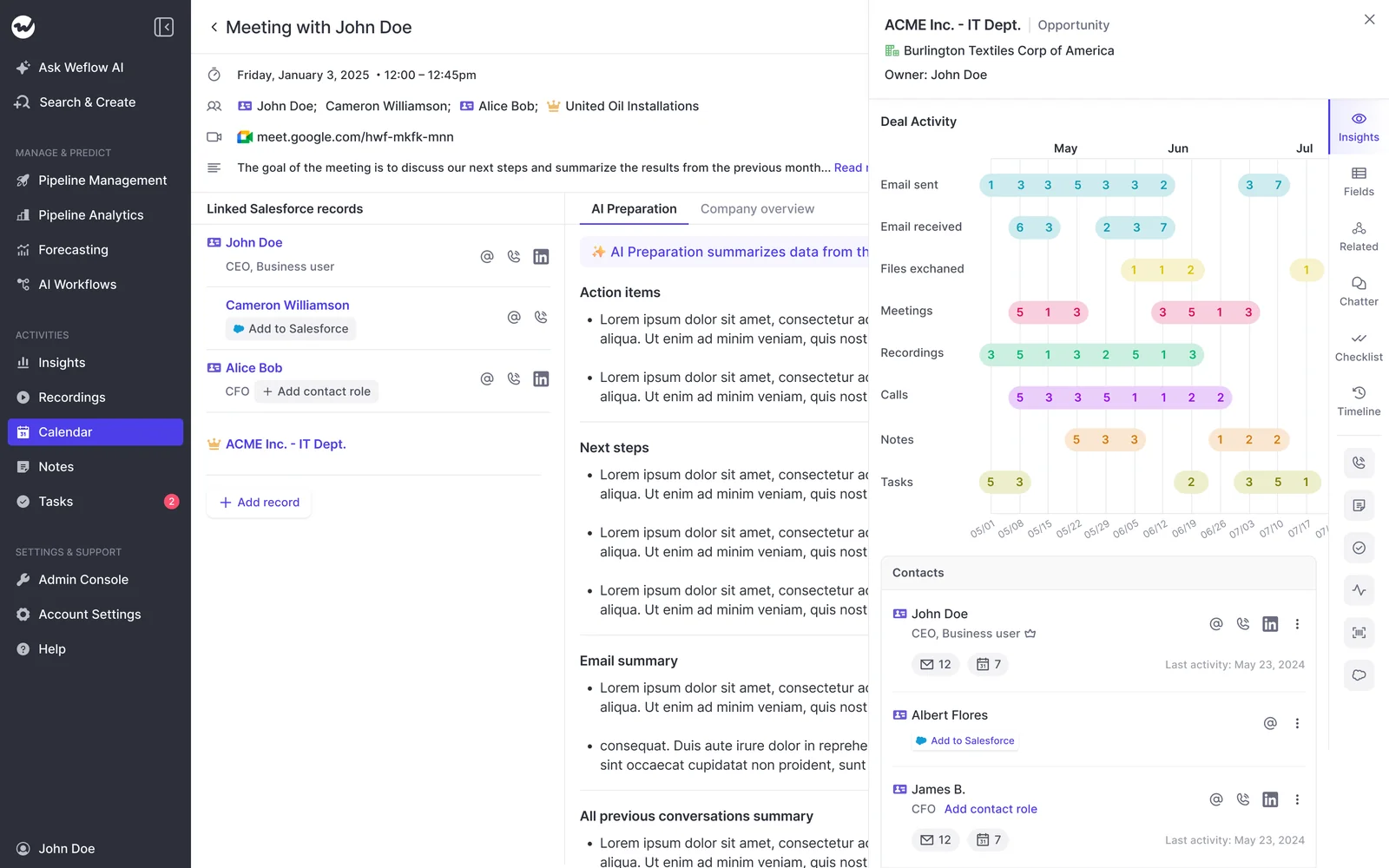
Weflow Activity & Contact Capture logs email to Salesforce server side, through a central app installed in Google Workspace or Microsoft 365. It runs for every enrolled user, on any device, with no rep action. Inbound and outbound mail are treated the same way.
Weflow logs only mail it can match to a Salesforce record, and internal-only threads are never logged. Email capture sits in Weflow Activity & Contact Capture, not in Weflow Conversation Intelligence alone, which is why the two are bundled.
Two gaps remain. Personal email accounts aren't captured, and neither is mail sent from a separate deliverability subdomain.
Ask Weflow AI inherits your Salesforce permissions
Ask Weflow AI answers plain-language questions across Salesforce records, captured emails, meetings and transcripts. You can point it at a single call, a deal, a filtered deal board, an account or the whole system. It also runs in the Weflow Chrome extension, so a rep can ask from the Salesforce record page.

Ask Weflow AI uses the user's Salesforce permissions as a floor, then adds its own guardrails. A rep sees only what they could already reach in Salesforce, and sometimes less. It isn't metered, so nobody has to ration who asks questions.
The limits: it doesn't reach your other knowledge systems, such as process docs or a ticketing tool. A single query also has a one-million-token ceiling, so whole-book questions belong in an agent.
Weflow covers the core sales stack, not a 100-app catalogue
Weflow integrates natively with Salesforce, Gmail, Google Calendar, Outlook, Zoom, Microsoft Teams, Google Meet, Slack and the Outreach dialer. Calls made through Outreach arrive as recordings with a transcript, a summary and coaching.
Weflow isn't an integration platform. It also works only with Salesforce, so there's no HubSpot support. If you need a long connector list, Fireflies is ahead here.
Weflow's MCP connector reaches forecast and pipeline data
Weflow's official MCP connector is read-only. It gives Claude, ChatGPT and other assistants your playbook output, call summaries, transcripts and forecast calls. It also returns per-rep pipeline metrics such as win rate, average deal size, cycle length and coverage, with the opportunity IDs behind them.
An admin switches the connector on per workspace. A separate toggle decides whether assistants can read full transcripts or only summaries.
Per-rep breakdowns are capped at 25 owners. The connector also doesn't return captured email content or Salesforce field values. Those live in Salesforce, where a Salesforce connector reads them.
Weflow's API moves data to your warehouse without a native connector
Weflow's REST API bulk-exports transcripts, metadata, scores and signals as JSON or CSV. That data feeds warehouses and BI tools such as Tableau and Looker, and recordings export to your own storage.
There's no native Snowflake, Databricks or BigQuery connector, so you move warehouse data through the API. This is where Fireflies' Snowflake delivery is ahead.
What one opportunity looks like in Salesforce after a call
Take one discovery call on an open opportunity. With Fireflies, the opportunity changes only if the rep reviews and sends. With Weflow, the fields and the email thread are already there.
| On the opportunity | Fireflies Business, rep doesn't review | Fireflies Business, rep reviews and sends | Weflow |
|---|---|---|---|
| Meeting summary | A summary note in Notes & Attachments | The same summary note | The AI summary and transcript on the meeting record in Salesforce |
| Opportunity fields | Unchanged | Configured Contact, Account and Opportunity fields filled with the reviewed values | Automatic fields written, with interpretive fields waiting for review |
| Reportable picklist and number values | None | Only in the fields the admin configured and the rep sent | Picklist, number, date and multi-select values written per field setting |
| The email thread with the buyer | Not logged | Not logged | Logged with Weflow Activity & Contact Capture, part of Revenue AI Foundation |
| Which record the meeting lands on | Contacts matched by email. Add to Live and Chrome extension meetings land on the [email protected] placeholder | The opportunity the rep picks during review | Mapped to the matching opportunity, account and contacts |
| Custom objects | Not supported | Not supported | Supported after setup by Weflow support |
| What the manager has to chase | The rep, to open the meeting and send, plus email from another tool | Email from another tool | Only the fields you chose to keep under review |
For reps, the difference is one less screen after every call. With Weflow, review is the exception you configure, not a step on every meeting.
What Weflow costs compared with Fireflies Business
Fireflies Business costs less per seat. Weflow puts the AI your team uses after every call inside the seat, so the bill doesn't move with meeting volume.
Weflow pricing puts AI inside the seat
Weflow publishes its prices. The two options for a sales team comparing against Fireflies Business are:
- Weflow Conversation Intelligence at $39 per user per month, billed annually. The seat includes Ask Weflow AI Pro, the desktop app and Weflow Mobile Copilot.
- Revenue AI Foundation at $49 per user per month, billed annually. It pairs Weflow Conversation Intelligence with Weflow Activity & Contact Capture, which puts email in Salesforce.
Here's what's included and what meters:
- Included in the seat, with no metering: AI field updates, summaries, Ask Weflow AI, follow-up emails and coaching scorecards.
- Metered: Weflow Agent Builder only, priced per workspace. Every plan includes a free tier of 25 agent actions a month. Paid tiers are Growth at $299 for 500 actions, Scale at $999 for 2,500, and a custom Enterprise package.
- Free: agents you build on Weflow's API or MCP connector in Claude or ChatGPT. They don't use agent actions.
- Free view-only licenses for managers who watch recordings and dashboards, capped at the number of recording licenses.
Terms are a 10-user minimum and a 12-month annual contract.
We built the pricing this way on purpose:
"We want to make sure that you have predictable pricing, and it is very, very hard to achieve in the age of AI."
Philipp Stelzer, Co-founder and Chief Product Officer of Weflow
Fireflies and Weflow pricing models side by side
Both vendors publish their prices, so this comparison runs on list numbers on both sides.
| Fireflies Business | Weflow | |
|---|---|---|
| Seat price, billed annually | $19 per seat per month | $39 for Weflow Conversation Intelligence, $49 for Revenue AI Foundation |
| Monthly billing | $29 per seat | Not offered. Annual only |
| How AI is charged | One-time shared pool of 30 credits, then add-on credit packages | Included in the seat. Agent Builder is metered per workspace |
| What meters | Autofill CRM, AskFred, Sales Assist, AI Skills, Meeting Prep, Slack Assistant and more | Agent Builder actions beyond the free 25 a month |
| When usage runs over | Auto-upgrade to the next credit package unless an admin switches it off | Agent Builder moves to a paid tier you choose: $299 or $999 a month |
| Email capture to Salesforce | Not offered | Included in Revenue AI Foundation |
| Contract terms | Annual or monthly on Business. Enterprise is annual only | 12 months, 10-user minimum, no mid-term seat reduction |
Fireflies Business vs Weflow for a 12-rep sales team
Here's the math for a typical team, with every assumption stated up front:
- 12 reps on Salesforce.
- Annual billing on both sides.
- 10 external calls per rep per week. That's our assumption, so swap in your own number.
- Autofill CRM on, running on external meetings as it does by default.
On Fireflies Business:
- Seats: 12 × $19 = $228 a month, or $2,736 a year.
- Autofill draw: 12 reps × 10 calls = 120 extractions a week, or about 520 a month.
- The one-time 30-credit pool covers the first 30 extractions, which is less than two days of calls.
- After that, you buy about 520 credits a month for Autofill alone, before any AskFred questions, Sales Assist or AI Skills. That's well past the $5 entry package of 50 credits, on a ladder that tops out at $600 for 10,000.
- Email: add whatever you pay for a separate email capture tool.
On Weflow:
- Weflow Conversation Intelligence: 12 × $39 = $468 a month, or $5,616 a year.
- Revenue AI Foundation, with email capture: 12 × $49 = $588 a month, or $7,056 a year.
- Credit draw for field updates, summaries and Ask Weflow AI: none. Agent Builder's 25 free actions a month come on top.
| 12-rep team, annual billing | Fireflies Business | Weflow Conversation Intelligence | Revenue AI Foundation |
|---|---|---|---|
| Seat price per rep per month | $19 | $39 | $49 |
| Annual seat total | $2,736 | $5,616 | $7,056 |
| AI used after every call | Credits: about 520 a month for Autofill at our assumption | Included | Included |
| Email in Salesforce | A separate tool | Not included | Included |
| Salesforce field writes | After a rep reviews each meeting | Automatic or reviewed, set per field | Automatic or reviewed, set per field |
| What moves with call volume | Credit packages | Only Agent Builder use beyond 25 actions | Only Agent Builder use beyond 25 actions |
Fireflies Business is cheaper per seat. Weflow costs more per seat, and that number stays put when your team takes more calls.
Keeping Fireflies for the company while sales moves to Weflow
You don't have to take Fireflies away from the rest of the company, and sales doesn't lose its call history. We hear this from buyers whose Fireflies rollout has become a habit:
"It is less about the contract and more that it has been standardised and it is what the company is comfortable with. It is not something I see us leaving."
Most teams split the job, so each tool does what it's for:
- Move your Salesforce sales reps to Weflow first. Everyone else keeps Fireflies as their notetaker.
- Keep the history. A year of Fireflies recordings stays in Fireflies, and where those transcripts are synced into Salesforce in structured form, Weflow works on top of them.
- Decide later about everyone else. Weflow sells a lightweight conversation intelligence license for people who aren't Salesforce users and want only the notetaker.
You pay twice only for seats that sit on both tools. If a sales rep is on Weflow, they don't need a Fireflies sales seat.
When both tools end up in one meeting, only one Weflow notetaker joins for your company, however many Weflow users attend. Fireflies is a separate participant, and the host admits or declines it.
Should your sales team stay on Fireflies Business or switch?
Fireflies Business wins on per-seat price, platform coverage, integrations and raw data delivery. Weflow wins on what lands in Salesforce without chasing anyone: fields, email and a recording on every external meeting. Weflow is also Salesforce-only, needs 10 users, and sells 12-month annual terms with no mid-term seat reduction. It isn't built for teams outside revenue.
Stay on Fireflies Business if your team looks like this
- You run HubSpot, not Salesforce.
- Your sales team has fewer than 10 users.
- You need monthly billing.
- You want one notetaker for the whole company, across every function.
- You're fine with a rep reviewing each call before Salesforce changes.
- Your buyers meet on GoToMeeting, Lifesize or Jitsi.
- You need native Snowflake delivery.
Move sales to Weflow if your team looks like this
- You run Salesforce.
- Your sales team has 10 or more users.
- You want fields and email written to Salesforce without chasing reps.
- You want the AI your team uses daily inside a predictable seat price.
- You want the whole team's external meetings recorded by default.
- You want deal access governed by Salesforce permissions.
Walk through the product yourself, no call required.
Fireflies pricing for sales teams: FAQ
Is the Fireflies for Sales bundle a separate plan you can buy?
No. The Fireflies for Sales bundle is a set of features on the Business and Enterprise plans, not a separately priced plan. It includes Autofill CRM, Deal Intelligence, Sales Assist, sales AI Skills and meeting prep. Fireflies' pages place Sales Assist and the sales AI Skills inconsistently: the sales guide lists them under Business, while other pages offer them on lower plans.
How many Fireflies AI credits does Autofill CRM use?
Fireflies Autofill CRM uses one AI credit per meeting extraction, however many fields it fills. Reviewing, editing and sending the values costs no further credits. On Business, Autofill runs on external meetings by default, so the credit draw follows your team's call volume.
Can you turn off Fireflies credit auto-upgrade?
Yes. A Fireflies admin can switch auto-upgrade off. If it stays on, a paying team that runs out of credits moves automatically to the next higher credit package and pays for it, prorated on an annual credit plan.
Do sales managers need a paid seat to see deals and dashboards?
On Weflow, no. View-only licenses are free for managers and leaders who watch recordings and dashboards, capped at the number of recording licenses. On Fireflies, team analytics need Business or Enterprise. Admins see every teammate's meetings there, and other users see only their own.
What contract terms do Fireflies and Weflow require?
Fireflies bills Pro and Business annually or monthly, and sells Enterprise on annual contracts only. Weflow sells 12-month annual terms with a 10-user minimum. Seats can't be reduced mid-term, but you can reassign them when someone leaves.
Can a rep switch the Weflow notetaker off for one meeting?
Yes. A rep can switch the Weflow notetaker off for any single meeting. The default is recorded on every external meeting, so your coverage doesn't depend on reps opting in.
Does Fireflies keep EU customer data in the EU?
Only through bring-your-own storage on Fireflies Enterprise, and processing still stays in the US. By default, Fireflies stores and processes data in the United States. Weflow spins up your instance in the region where your Salesforce is hosted, and can keep data in the EU or UK.
How can you see Weflow's Salesforce field updates before buying?
Weflow's self-guided product tour lets you walk through the product on your own, with no sales call.