Weflow Conversation Intelligence Pricing (2026): Features, Seats, and Fees
Learn Weflow Conversation Intelligence pricing: seat costs, features, fees, and Agent Builder usage.


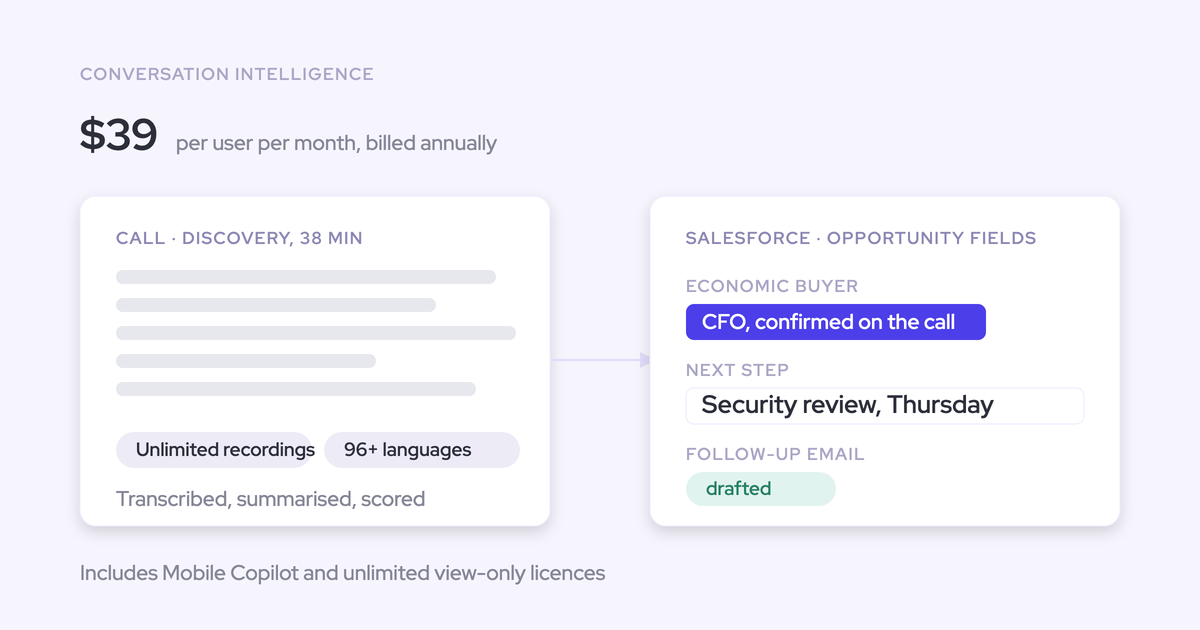

Weflow Conversation Intelligence costs $39 per user per month, billed annually, with a 10-user minimum and a minimum 12-month commitment. That’s $468 per paid user annually. Implementation is free, and your first-year budget also needs to account for any applicable platform fee.
If you also need email, meeting, and contact capture, Revenue AI Foundation costs $49 per user per month. You don’t have to buy forecasting to get either package.
Before taking a number to finance, separate the annual subscription from first-year charges. Below, we show the seat calculations, fee thresholds, included capabilities, and terms your quote needs to settle.
What can you do with Weflow Conversation Intelligence?
Weflow Conversation Intelligence turns customer conversations into summaries, coaching feedback, and structured Salesforce field updates. You can configure the output around the fields your team actually reviews, rather than ask reps to copy a summary into Salesforce.
Weflow is the Revenue AI Orchestration platform for sales, customer success, and RevOps teams. We build for Salesforce teams and sell Conversation Intelligence separately, so you can introduce it without replacing your whole revenue stack.
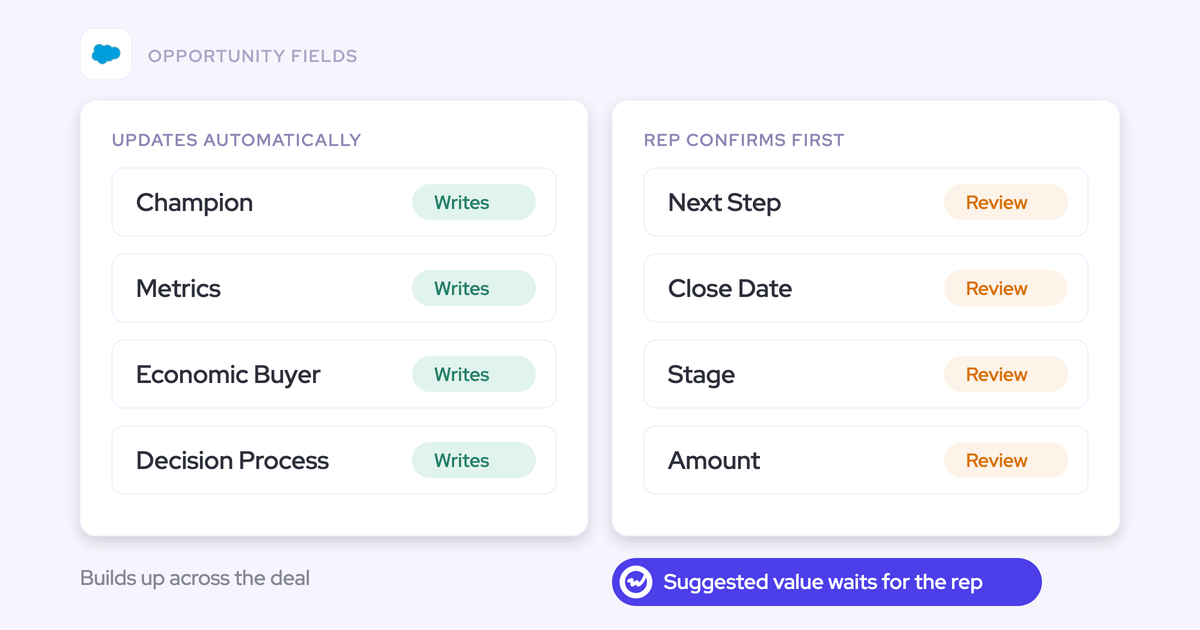
The workflow starts with a recording. Weflow transcribes the conversation, applies your AI templates, and produces the summaries and field updates you’ve configured. You can review suggested values before writing them or enable automatic updates.

| Capability | Practical output | Coverage | Boundary |
|---|---|---|---|
| Meeting recording | Recordings and transcripts for review and extraction | Zoom, Microsoft Teams, and Google Meet; Windows and macOS desktop recording | The notetaker needs admission where a meeting uses a lobby. Desktop recording requires a separate consent process. |
| Phone and in-person recording | Transcripts, summaries, and post-call analysis | Outreach dialer recordings, computer-based phone calls through the desktop app, and in-person meetings through Mobile Copilot | Reps start desktop phone recordings themselves. Weflow doesn’t supply a dialer. |
| AI summaries and field updates | Next steps, qualification answers, and other structured Salesforce values | Configurable prompts and mappings to supported Salesforce fields | Lookup relationship updates aren’t supported. Permissions and validation rules still apply. |
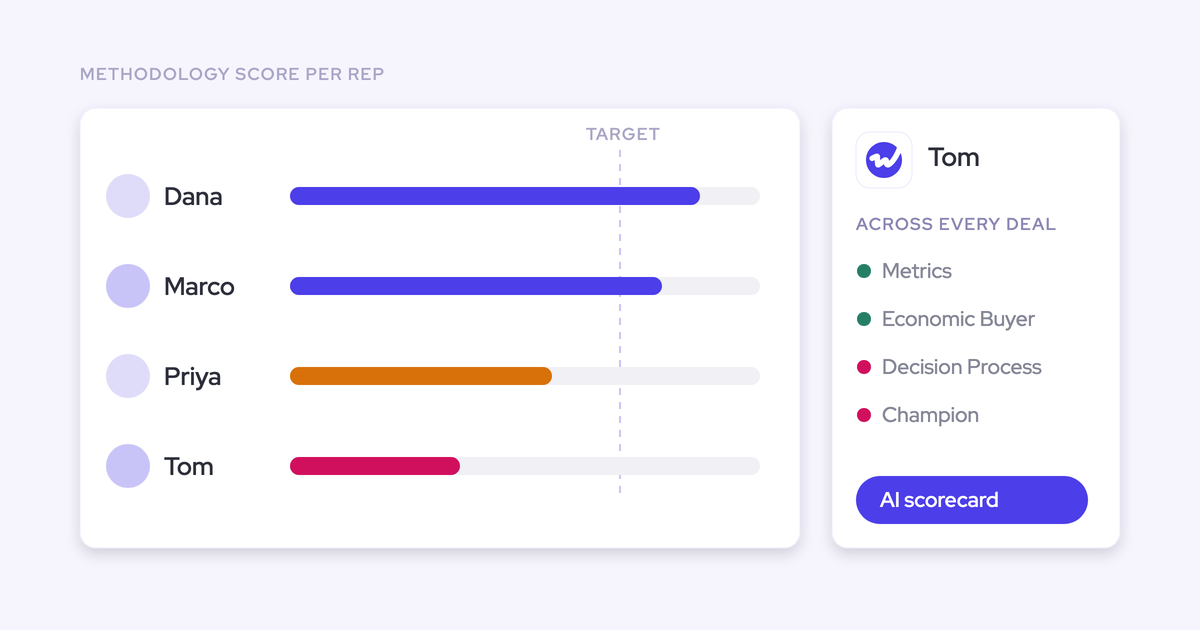
| Coaching and scorecards | Call feedback and methodology-aligned scores | Configurable coaching criteria, including MEDDIC, MEDDPICC, and SPICED | Coaching happens after processing, not during the call. |
| Ask Weflow AI | Answers about conversations using linked CRM context | Recording transcripts, linked Salesforce records, and available activity history | Fair use applies. Missing source data remains a limitation. |
| Topics, trackers, clips, and playlists | Recurring objection analysis and examples for enablement | Recorded conversations, including historical tracker analysis | These features analyze the conversations available in Weflow. |
Conversation Intelligence doesn’t include the separate Weflow Activity & Contact Capture product. If you need automatic email, calendar, and contact capture too, compare Revenue AI Foundation before buying both products separately.
How much does Weflow Conversation Intelligence cost?
Weflow Conversation Intelligence has an annual seat subscription of $468 per paid user. The minimum 10-user subscription is $4,680 annually, before applicable fees.
- List price: $39 per user per month.
- Billing cadence: annually.
- Minimum contract duration: 12 months.
- Minimum purchase: 10 users.
- Additional cost inputs: applicable platform fees and optional paid Agent Builder usage.
The monthly figure is an annualized rate. Don’t present it internally as a month-to-month purchase.
Who needs a paid Weflow Conversation Intelligence license?
Buy paid Weflow Conversation Intelligence seats for people who need recording and active Conversation Intelligence capabilities. You don’t need a paid seat for every executive who only reads a dashboard.
| Seat type | Intended user and access | Charging treatment | Minimum-seat treatment |
|---|---|---|---|
| Full | Reps and other users who need recording and active capabilities within the products you purchase | $39 per user per month for standalone Conversation Intelligence | Use 10 paid users as your budgeting baseline. |
| View-only | Stakeholders consuming dashboards and other permitted read-only content | Free; view-only licenses are included, up to the number of paid recording licenses you hold | Don’t use free viewers to reduce the paid-seat budget. |
| Lightweight | Non-Salesforce users who need the AI notetaker without the Salesforce-connected workflows | $19 per user per month | Confirm eligibility before counting these licenses toward the minimum. |
A full seat doesn’t grant every Weflow product. Buying Conversation Intelligence alone doesn’t include forecasting, regardless of the user’s role.
For managers who need more than dashboard access, list the actions they’ll perform. Have us confirm the required license rather than infer it from their job title.
When does Weflow charge platform and implementation fees?
Weflow’s platform fee applies only below $10,000 in contract value. Implementation is free for contracts above $20,000 a year; below that, a $5,000 implementation package applies.
Those thresholds don’t establish the entire calculation. Your quote needs to specify how we measure contract value and apply discounts.
| Fee | Trigger | Calculation and frequency | Waiver or clarification |
|---|---|---|---|
| Platform fee | Contract value below $10,000 | The amount, formula, and charge frequency require quote confirmation. | No platform fee at or above the threshold, using the agreed contract-value basis. |
Ask whether each threshold uses annual subscription value, total multi-year contract value, or another basis. A longer commitment shouldn’t make your spreadsheet look cheaper through an assumption the contract doesn’t support.
What do 10–100 Weflow Conversation Intelligence users cost?
At list price, Weflow Conversation Intelligence seat subscriptions range from $4,680 annually for 10 users to $46,800 for 100 users.
The examples below assume annual seat spend determines fee eligibility and no discounts apply. They exclude taxes, optional Agent Builder upgrades, and your internal rollout costs.
| Paid users | Annual seat subtotal | Platform fee | First-year budget | Subsequent annual baseline |
|---|---|---|---|---|
| 10 | $4,680 | P, amount to confirm | $4,680 + P | $4,680 + any recurring platform fee |
| 25 | $11,700 | $0 | $11,700 | $11,700 |
| 50 | $23,400 | $0 | $23,400 | $23,400 |
| 100 | $46,800 | $0 | $46,800 | $46,800 |
P is the quoted platform fee, not a calculated estimate. Until you have that amount and its frequency, the 10-user row isn’t a final invoice total.
For 25 users, the calculation is 25 × $39 × 12 = $11,700 in annual seats.
Does Weflow offer volume or multi-year discounts?
Weflow offers volume and multi-year discounts. Budget at list price first, then compare the written offer against the commitment it requires.
| Discount route | Qualifying condition | Commitment | Commercial treatment |
|---|---|---|---|
| Volume | Larger team or contract | Agreed paid-seat count and scope | Quote-based; don’t assume a fixed percentage or seat breakpoint. |
| Two-year | Two-year agreement | Two years | 10% discount; confirm its application to your quote. |
| Three-year | Three-year agreement | Three years | 20% discount; confirm its application to your quote. |
Don’t assume discounts stack. Ask us to recalculate fee eligibility after discounting, especially if your annual subscription sits near the platform-fee threshold.
Does Weflow charge extra for AI usage?
Weflow includes AI summaries, AI field updates, and Ask Weflow AI in the seat price. Agent Builder is the consumption-priced exception, with a free allowance and paid workspace tiers.
| Capability | Included allowance | Limit or policy | Separate-charge trigger |
|---|---|---|---|
| Recordings and transcripts | Unlimited recordings and transcripts | Confirm storage, retention, and deletion terms separately. | No recording or transcription usage charge |
| AI templates, summaries, and field updates | Included in the seat | No usage-based pricing | No separate consumption charge |
| Ask Weflow AI | Included, without prompt metering | Fair-use policy; request the applicable terms. | No separate prompt-based charge |
| Mobile Copilot | Included with Conversation Intelligence | Confirm your recording and consent requirements. | No separate Mobile Copilot subscription |
| Agent Builder | 25 agent actions per month per workspace | Workspace-level allowance, not an allowance per seat | A paid usage tier beyond the included package |
Weflow Agent Builder prices apply to the workspace. A 25-user team doesn’t receive 25 separate free action allowances.
| Agent Builder tier | Monthly price per workspace | Monthly agent actions |
|---|---|---|
| Free | Included | 25 |
| Growth | $299 | 500 |
| Scale | $999 | 2,500 |
| Enterprise | Custom | Custom |
Keep unlimited usage and retention separate in your review. Unlimited transcription doesn’t tell legal how long we retain a recording or how your team handles a deletion request.
When should you choose Weflow Revenue AI Foundation?
Choose Revenue AI Foundation when you need Weflow Activity & Contact Capture alongside Conversation Intelligence. Keep standalone Conversation Intelligence if your existing capture setup already meets your requirements.
| Buying consideration | Standalone Conversation Intelligence | Revenue AI Foundation |
|---|---|---|
| Conversation capabilities | Recording, transcription, summaries, AI field updates, and coaching | The same Conversation Intelligence capabilities |
| Email, meeting, and contact capture | Separate product purchase | Weflow Activity & Contact Capture included |
| Included AI and mobile access | Ask Weflow AI, Mobile Copilot, and Agent Builder Free | The same included access |
| Monthly list rate, billed annually | $39 per user | $49 per user |
| Annual subscription per user | $468 | $588 |
| 25-user annual subscription | $11,700 | $14,700 |
| Existing-stack fit | Keep your capture provider after validating event ownership. | Use Weflow for capture and conversations; keep forecasting elsewhere if needed. |
| Reason not to choose it | You’d still need a separate answer for missing activity and contact data. | You’d pay for capture you don’t intend to use or replace. |
The first-year examples use the same fee assumptions as the earlier cost table.
Buying Weflow Activity & Contact Capture and Weflow Conversation Intelligence separately costs $58 per user per month. Revenue AI Foundation costs $49, saving $108 per user annually against those two standalone subscriptions.
For 25 users, moving from standalone Conversation Intelligence to Revenue AI Foundation adds $3,000 in annual subscription spend. Compare that increment with the capture contract you’d replace and the coverage you still lack.
You can leave Clari or another forecasting system in place. Neither purchase requires a forecasting migration.
What should you check before buying Weflow Conversation Intelligence?
Before signing, verify that Weflow can record your intended meetings, update the right Salesforce records, and meet your access and consent requirements. Those checks determine whether the package you priced will work in your environment.
Name an internal owner for prompts, field mappings, and rollout. Implementation support doesn’t remove the need for someone on your team to decide what good output looks like.
How can Weflow coexist without duplicating Salesforce meetings?
Weflow can coexist with existing systems when you assign clear ownership of activity creation. The goal is one Salesforce Event for one meeting, with conversation updates attached to that activity.
| Retained system | Ownership boundary | Configuration to verify | Failure condition |
|---|---|---|---|
| Outreach or Salesloft | Keep engagement activity with the system that owns it; define what Weflow captures. | Compatibility mode and exclusions for overlapping activity | Both systems log the same interaction. |
| Salesforce Einstein Activity Capture (EAC) | EAC creates events; Weflow adds conversation output to those events. | Set EAC event sync one-way, from email/calendar into Salesforce. | Bidirectional sync creates a loop. Existing duplicates need separate cleanup. |
| Clari forecasting | One capture system feeds Salesforce; Clari reads the activity data. | Disable overlapping capture for the same users and activity. | Two capture engines inflate activity counts. |
| Existing notetaker | Agree which system records, creates events, and writes summaries. | Test the exact integration and transcript format. | Assuming both systems coordinate their Salesforce writes automatically |
A Salesforce Event and a Weflow recording are different records. The Event has one related account or opportunity; the recording can link to several records.
Changing a recording’s links inside Weflow doesn’t move the Event. If both mappings need correction, use the Outlook or Chrome add-in and verify the activity timeline afterward.
Set up Weflow Conversation Intelligence for a useful pilot
A useful Weflow Conversation Intelligence pilot follows a conversation all the way into Salesforce. A good-looking summary alone doesn’t prove the workflow.
Before recording, have these owners and decisions in place:
- A Salesforce admin and Google Workspace or Microsoft admin for integration setup.
- A RevOps owner for templates, mappings, and acceptance criteria.
- Legal approval for recording, processing, access, retention, and deletion.
- A defined pilot group and an agreed owner for Salesforce meeting creation.
- Salesforce admin: install and permission the integration. Connect the integration user and required managed package. Check recording-object access because it contains transcripts and summaries. Test visibility with the profiles your team will use.
- Workspace admin: configure users and recording rules. Set the mail tenant, internal domains, and recording preferences. If your organization uses multiple tenants, validate that setup with us before enrolling the whole group.
- Each pilot user: sign in once. Weflow uses Salesforce authentication. Assigning a license alone doesn’t activate the notetaker for someone who has never signed in.
- RevOps: map a small set of useful outputs. Start with next steps and a qualification field your managers already review. Check suggested values against the transcript before enabling automatic writes.
- Salesforce admin: test every intended write path. Verify Event, Account, and Opportunity updates, including records the integration user doesn’t own. With Private org-wide defaults, review Weflow’s Modify All Records requirements with security.
- Pilot lead: inspect the complete result. Confirm that the recording exists, one meeting Event appears, the mapping is correct, and the configured fields contain the expected output.
Weflow lets you assign teams in the Conversation Intelligence configuration. Enrollment still needs the user’s first sign-in before the notetaker starts joining their meetings.

Test write permissions before broad rollout. Weflow doesn’t replay failed post-call summary or field writes automatically; recovering those outputs requires manual copying from the recording.
For first use, choose a recurring customer-meeting workflow with clear expected outputs. A short pilot can validate recording and write-back, but it won’t establish lasting adoption or forecast accuracy.
See how Weflow captures activity, updates Salesforce fields from calls, and rolls up your forecast. Book a 30-minute demo.
Weflow Conversation Intelligence pricing FAQ
Your Weflow quote should settle currency, license changes, implementation scope, and evaluation terms before you commit. Here’s how to handle the remaining purchasing questions.
Can I pay for Weflow Conversation Intelligence in euros?
Yes. Weflow offers pricing in EUR as well as USD. Ask us for the EUR quote rather than converting the $39 rate yourself or assuming currency parity.
Can I reassign Weflow Conversation Intelligence licenses?
Weflow supports quarterly reallocation between full and viewer seat types. Confirm your reassignment process in the agreement.
Reallocating access isn’t the same as reducing your contracted paid-seat commitment.
What does Weflow’s implementation include?
Implementation is free. Weflow’s customer success team runs the technical session with your Salesforce and mail admins, configures the workspace with your team, and leads role-based rollout and training. Most teams are live in two to three weeks.
- Integration and permission setup
- AI templates and Salesforce field mappings
- Historical migration, if required
- Training, rollout support, and acceptance criteria
Confirm which of those services the package covers and which your team owns. Your internal owner still needs to approve business logic and coordinate legal and security review.
What does adding Weflow Deal Intelligence & Forecasting cost?
Weflow Deal Intelligence & Forecasting costs $39 per user per month as a standalone product, billed annually.
If you already buy Revenue AI Foundation, compare these bundle paths:
- Revenue AI Business: $59 per user per month, adding Deal Intelligence for $10 more than Revenue AI Foundation. It doesn’t include forecasting.
- Revenue AI Enterprise: $79 per user per month, including forecasting for $30 more than Revenue AI Foundation.
All figures use annual billing. Time the forecasting purchase around your current contract and operating readiness rather than paying for overlapping systems before you can switch.
Can I migrate recordings into Weflow Conversation Intelligence?
Weflow can migrate an existing recording library during onboarding. Before including migration in your plan, confirm the source export, available recordings and transcripts, mapping requirements, and service scope with us.
Historical activity backfill is different. Weflow Activity & Contact Capture can backfill up to 24 months of emails and meetings, but it can’t recover conversations nobody recorded.
How do I manage consent across Weflow recording methods?
Weflow’s consent behavior depends on the recording method. Don’t approve one workflow and assume it covers every route.
- Notetaker: configurable consent settings, an in-meeting notice and stop-recording link, and an optional pre-meeting email.
- Desktop app: Weflow doesn’t run the notetaker’s automated consent flow. The rep must obtain participant consent under your approved policy.
- Mobile Copilot: confirm the in-person consent procedure and product behavior with us before rollout.
Have legal review recording and subsequent AI processing. Avoid treating the absence of a visible bot as permission to record.
What data can I keep after leaving Weflow Conversation Intelligence?
Weflow writes structured field updates into Salesforce and stores transcripts and summaries on the Weflow recording object in Salesforce. Weflow hosts the video recordings separately.
Before cancellation, confirm these exit requirements:
- How to export hosted recordings and the deadline for doing so
- How long hosted data remains accessible
- What managed-package removal does to transcript and summary records
- How deletion applies across Weflow and Salesforce
Don’t treat Salesforce field ownership as a guarantee of continued access to Weflow-hosted video.
Can I try Weflow Conversation Intelligence before signing?
Weflow offers a 14-day free trial with guided onboarding. Agree on your evaluation scope and data-handling terms before recording customer conversations.
Use the trial to test capture, mapping, summary quality, and field writes. If your legal team requires specific deletion terms for pilot data, settle those before the first recording.
When should I rule out Weflow Conversation Intelligence?
Rule out Weflow if you don’t use Salesforce or can’t commit to the 10-user minimum. A lower seat price won’t resolve an unsupported requirement.
Check these boundaries before replacing an incumbent:
- Weflow doesn’t provide sales engagement, sequencing, or a dialer.
- Weflow provides post-call coaching, not live in-meeting assistance or real-time battlecards.
- If language coverage determines your choice, validate your required languages rather than assume parity with Gong.
- A botless desktop recorder still needs an approved consent process.
Bring us your paid-user count, retained systems, and required Salesforce outputs. Ask for an itemized quote and a pilot that proves those exact writes before taking the recommendation to finance.