
You got quoted two options: recording only, or recording plus forecasting. Then someone mentioned there are separate modules underneath, and now you're staring at a number that might be buying half your team things they will never open.
That confusion isn't yours to own. Weflow is the Revenue AI Orchestration platform for sales, customer success, and RevOps teams, and it sells as three modular products and three bundles, which is more granular than the two-bucket way deals usually get quoted. The granularity is the good part. You can put most of your reps on a cheaper tier and only the group that runs the forecast on the full platform, all on one contract.
By the end of this you'll have each user group assigned to a bundle, the bundles sequenced to your rollout waves, and one line you can hand to finance without them having to reassemble modules.
What's inside Revenue AI Foundation, Business, and Enterprise
The three bundles are a clean stack. Foundation is the capture and conversation layer, Business adds deal-level intelligence, Enterprise adds pipeline analytics and forecasting on top.
Nothing gets removed as you go up. Every tier includes everything below it, which is what makes mixing tiers across groups workable instead of messy.
Which Weflow products each bundle includes
| Revenue AI Foundation $49 per user/month | Revenue AI Business $59 per user/month | Revenue AI Enterprise $79 per user/month | |
| Activity & Contact Capture | Emails, meetings and contacts auto-synced into native Salesforce objects | Included, same scope as Foundation | Included, same scope as Foundation |
| Conversation Intelligence | Recording, transcription, AI field updates into Salesforce, coaching scorecards, topics and trackers | Included, same scope as Foundation | Included, same scope as Foundation |
| Mobile Copilot | Records in-person meetings and syncs them to Salesforce | Included | Included |
| Deal Intelligence | Not included | Table and Kanban deal views, AI deal and account scoring, configurable warnings, buying committee intelligence | Included, same scope as Business |
| Pipeline Analytics | Not included | Not included | Waterfall, pacing, coverage, generation and team benchmarks |
| Forecasting | Not included | Not included | Automated roll-ups, deal-by-deal submissions, AI prediction, quota management, forecast accuracy tracking |
| Ask Weflow AI Pro | Included, no prompt caps | Included, no prompt caps | Included, no prompt caps |
| Agent Builder | Free tier, 25 agent actions per month per workspace | Free tier, 25 agent actions per month per workspace | Free tier, 25 agent actions per month per workspace |
| View-only licenses | Unlimited, no seat cost | Unlimited, no seat cost | Unlimited, no seat cost |
The same three products are also sold standalone: Activity & Contact Capture at $19, Conversation Intelligence at $39, and Deal Intelligence & Forecasting at $39, all per user per month billed annually. The bundles save 16%, 17%, and 19% against buying the pieces separately.
One quirk worth knowing before you build the quote: the standalone Deal Intelligence & Forecasting product includes forecasting, but the Deal Intelligence slice inside Revenue AI Business does not. If forecasting is the thing you want, Enterprise is the bundle, or the standalone product is the workaround.
Deal Intelligence in Business vs full forecasting in Enterprise
This is the $20 per user per month question, and it's the one most people get wrong on the first pass.
Business gives a manager everything they need to work deals. Enterprise gives leadership everything they need to run a forecast process. Those are different jobs.
| What Deal Intelligence covers in Revenue AI Business | What the forecasting layer adds in Revenue AI Enterprise |
| Editable table and Kanban deal views with two-way Salesforce sync | Pipeline analytics: waterfall, pacing, coverage, pipeline generation, team benchmarks |
| AI deal and account scoring across 50+ deal signals | Automated forecast roll-ups across the Salesforce role hierarchy |
| Configurable warnings and alerts by team and stage | Deal-by-deal and rep-by-rep forecast submissions with tracked changes |
| Buying committee intelligence on the account | AI forecast prediction to compare against what the team submitted |
| No analytics tab, no forecast tab | Quota settings at org, team and individual level, plus forecast accuracy tracking against actuals |
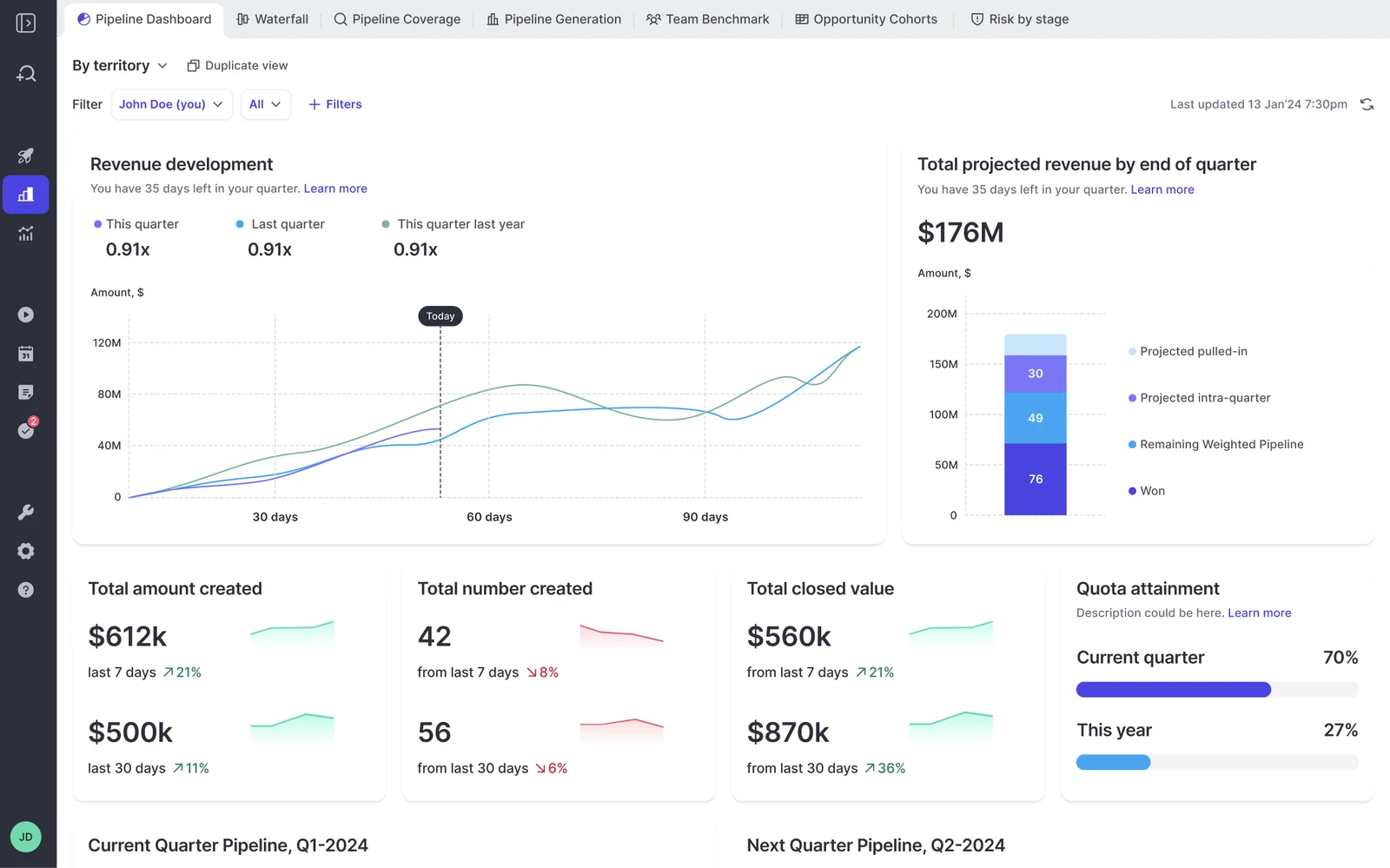
So the honest answer to "what does a group give up by staying on Business" is: they give up the analytics and the forecast submission process. They keep every deal-level signal.
Ask AI Pro and Agent Builder Free come with every bundle
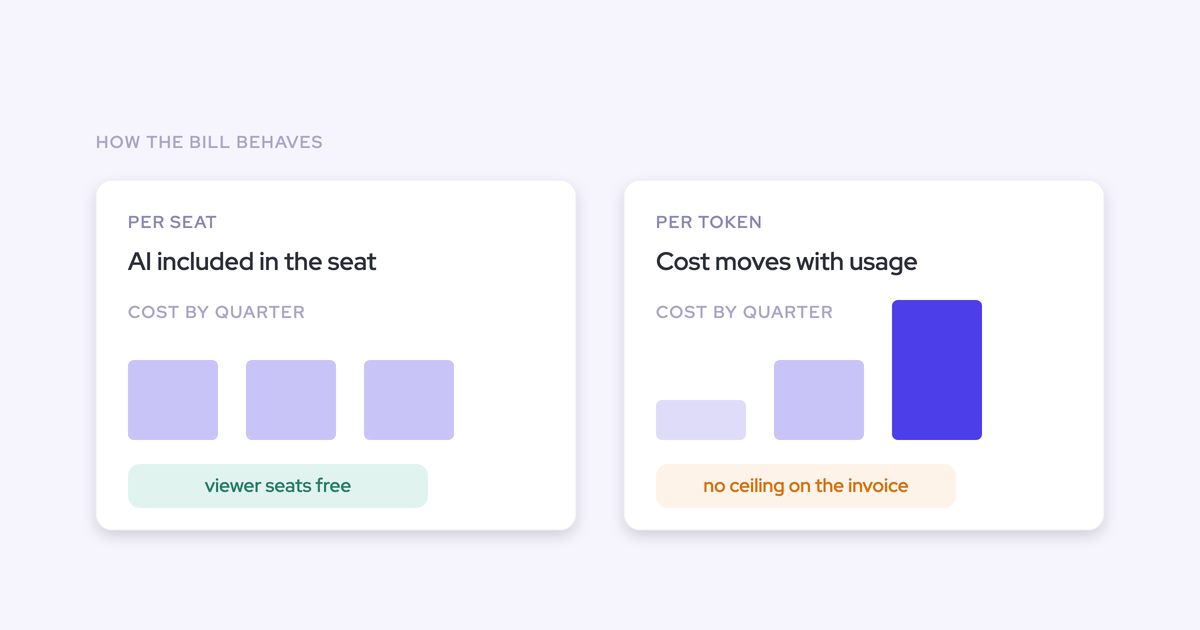
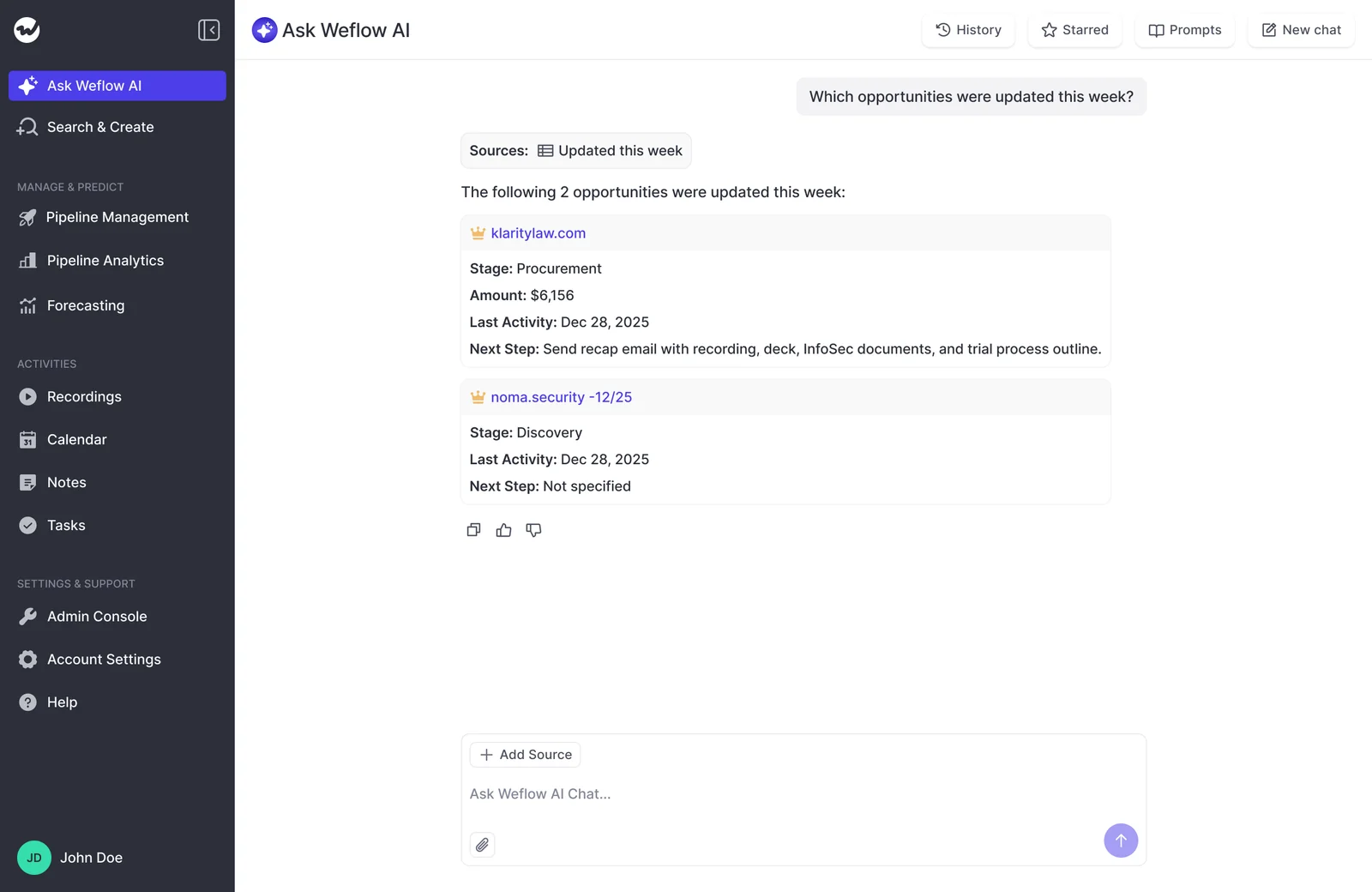
The AI layer is bundled into seat price at every tier. It isn't metered, and there's no token consumption line.
Here's the full answer for a Weflow bundle.
- No caps: recordings, transcripts, AI templates, Ask Weflow AI prompts, and view-only licenses. None of them meter.
- Ask Weflow AI Pro: included in every product and every bundle, at every tier.
- Agent Builder: the free tier is included with every plan and capped at 25 agent actions per month per workspace. That's the one cap in the packaging.
- If you outgrow the cap: Agent Builder is priced per workspace, not per user. Growth is $299 per month for 500 actions, Scale is $999 per month for 2,500, and there's a custom volume tier above that.
- No platform fee and no implementation fee. Weflow runs onboarding itself and doesn't charge for it.
How to match Weflow bundles to your rollout, step by step
Bundle selection and rollout sequencing are the same decision. You're not picking a tier for the company, you're picking a tier per group, and the order those groups go live in is what decides whether you're paying for a capability before anyone is ready to use it.
Six steps. You can run this in an afternoon with your seat list open.
Step 1: Split your seats into groups by what they'll use
The buying unit is the user group, not the company. Pretending everyone needs the same thing is exactly how shelfware happens.
Three inputs before you start:
- Your seat count broken out by role, not by department. An SDR and an AE sit in the same org chart box and need different things.
- An honest read of who actually does what. Who submits a forecast? Who runs deal reviews? Who just needs their calls captured?
- Your intended rollout sequence, even if it's rough. Which team goes first, and roughly when the next wave lands.
The cuts that hold up in most mid-market orgs:
- SDRs and CSMs: conversations happen, deals mostly don't get forecast by them.
- Account executives: they work deals and they need deal-level signals, but they don't run a roll-up.
- Frontline managers, revenue leadership and RevOps: the group that submits, rolls up, and reports the number.
- Everyone else who just wants to watch: product, enablement, exec observers. They don't need a paid seat at all, view-only licenses are free, up to one per recording license.
Step 2: Assign Foundation, Business, or Enterprise to each group
Assign by what the group will actually open on a Tuesday, not by what looks generous. Mixing bundles across groups on a single contract is not a workaround, it's how the packaging is meant to be bought.
| User group | Typical bundle | The capability that justifies it |
| SDRs, CSMs, onboarding and support teams | Revenue AI Foundation, $49 | Calls recorded and transcribed, Salesforce fields updated from the conversation, activity and contacts captured without them touching a field. Per-team AI templates mean CS can run its own qualification structure and write to different objects than sales. |
| Account executives | Revenue AI Business, $59 | Everything in Foundation plus editable deal views, AI deal scoring, warnings, and buying committee intelligence on the accounts they own. |
| Frontline managers, VPs, revenue leadership, RevOps | Revenue AI Enterprise, $79 | The forecasting layer: roll-ups, submissions, AI prediction against the team call, quota management, pipeline analytics, and forecast accuracy tracking. |
| Exec observers, product, enablement | View-only license, no cost | They can review recordings, summaries, transcripts, pipeline views and analytics without consuming a paid seat. |
If a group sits awkwardly between two tiers, put them on the lower one. Moving a group up mid-contract adds to the deal, which is the easy direction to travel. Coming down is the hard one.
Step 3: Sequence the bundles to your rollout waves
The bundle stack happens to mirror the adoption-safe rollout order, which is the part nobody connects for you at quote time.
The sequence that works, and roughly what each wave takes to prove out:
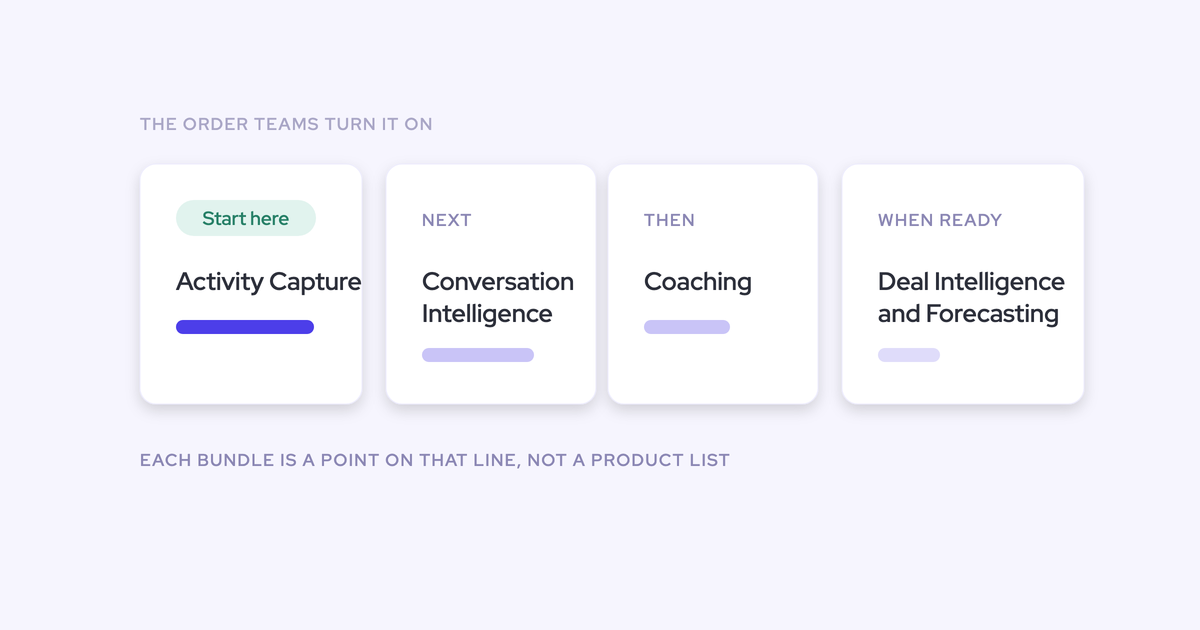
- Wave 1, Activity & Contact Capture. An admin switches it on centrally. Reps install nothing and change nothing. Live in two to three weeks from the technical call, and the value is visible immediately because a sync-back can show months of real history on day one.
- Wave 2, Conversation Intelligence. Recording, transcription, AI field updates. Also live in two to three weeks, but this is the wave that needs the change management, because a team that has never been recorded will treat it as a referendum on being tracked unless you frame it first.
- Wave 3, coaching and Deal Intelligence. Scorecards for the managers, deal scoring and warnings for the AEs. This is where the Business tier earns its extra $10.
- Wave 4, forecasting. The Enterprise layer, and the slowest one, because forecasting isn't a tool topic. It's the encoding of an operating cadence: who submits, how often, at deal or manager level, against which quota and which budget. Give it a quarter.
KORE Wireless rolled out in exactly this shape across four regions: activity capture, then conversation intelligence, then coaching, then deal intelligence, then forecasting. Sandbox beta users asked for the tool back within days when it was pulled for two weeks.
Step 4: Run the mixed-plan math on your seat count
Here's a worked example on 62 seats, which is roughly where mid-market deals land.
| Group | Seats | Bundle | Annual cost |
| SDRs and CSMs | 14 | Revenue AI Foundation, $49 | $8,232 |
| Account executives | 38 | Revenue AI Business, $59 | $26,904 |
| Managers, leadership, RevOps | 10 | Revenue AI Enterprise, $79 | $9,480 |
| Mixed total | 62 | $44,616 |
Now the two comparisons finance will ask for:
- All 62 seats on Revenue AI Enterprise: $58,776 per year. About $14,000 more, and 52 of those people never open a forecast tab.
- All 62 seats on Revenue AI Foundation: $36,456 per year. Cheaper, but nobody gets deal scoring and nobody can run a roll-up.
To substitute your own numbers: seats multiplied by $588 for Foundation, $708 for Business, $948 for Enterprise. That's it, that's the whole model. Volume discounts move the final quote down from list at larger seat counts.
Step 5: Check whether everyone needs Enterprise from day one
Sometimes the mixed-plan saving is the wrong answer, and it's worth saying so before you take the cheaper number to your CFO.
If your whole team genuinely forecasts, Enterprise-for-everyone is the right, higher number. Undersizing to shrink the first invoice doesn't remove the cost, it moves it into a mid-year renegotiation and a rollout that stalls because half the people in the forecast call can't see the board.
Signals that everyone-needs-forecasting is actually true:
- Reps submit their own commit deal by deal, rather than a manager submitting on their behalf.
- Every AE carries an individual quota that's tracked weekly, not just a team target.
- You run separate forecasts for new business, expansion and renewal, and the same people work across more than one of them.
- Your forecast call is the operating cadence of the business, and the pipeline analytics are what the reps prepare against.
If three of those four are true, stop optimizing the mix. Buy Enterprise across the board and spend your energy on the rollout instead.
Step 6: Turn the mix into one line finance can sign
The person signing shouldn't have to reassemble modules to understand what they're approving. Compress the whole exercise into one sentence: seats, tiers, annual total, what's included, minimum and term.
Two sentences to keep in your back pocket when someone asks why it isn't one flat tier: most of the team doesn't forecast, so most of the team doesn't pay for forecasting. Full platform for all 62 would be $58,776.
Why Weflow prices per team, not per platform foundation
Weflow prices each product separately and bundles them per group, so a seat only carries the tier that seat uses. That's a structural difference from suite pricing, not a discount.
Gong is the fair comparison here, and it's genuinely strong on conversation intelligence, transcription breadth, and it has a sales engagement product Weflow doesn't build. But the pricing shape is different in a way that matters to your seat list.
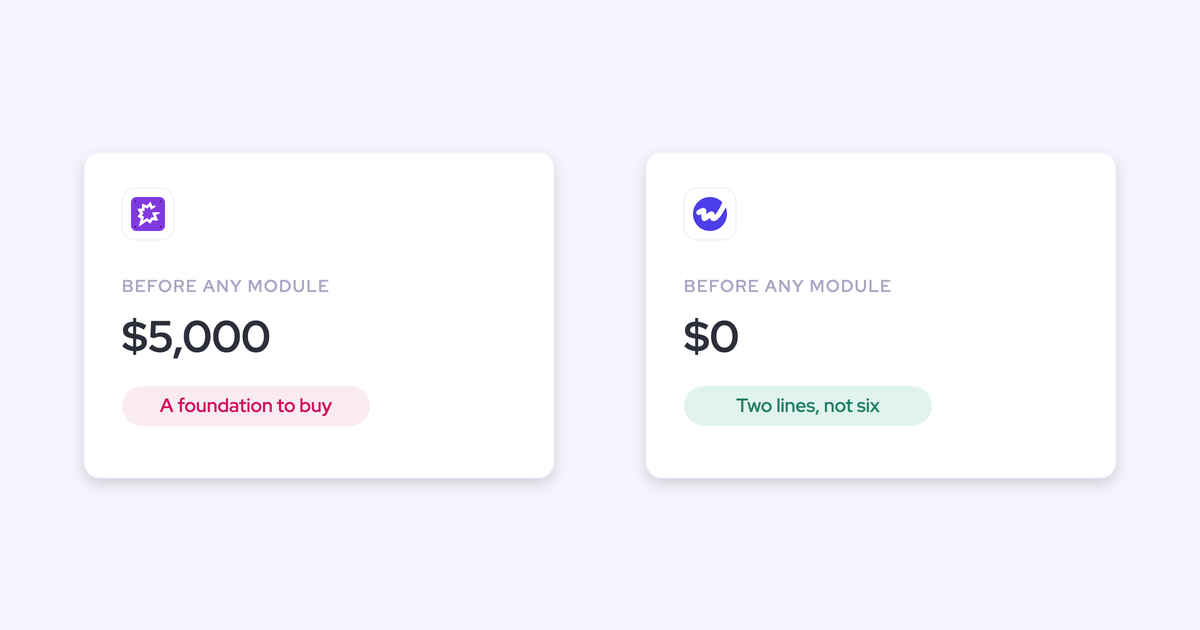
- Foundation-first per-seat pricing: Gong's base per-seat license starts at $1,600 per seat per year, with a $5,000 annual platform access fee before any module is added. Coaching and forecasting sit on top as paid add-ons, roughly $300 per seat per year each at the Essentials level and about $800 per seat per year for the fuller tiers.
- What that does to a mixed org: every seat clears the expensive floor first. You can't park your SDRs and CSMs on a cheap capture tier, because there isn't one underneath the platform.
- Per-team bundling: your 14 SDRs and CSMs sit at $49, your 38 AEs at $59, and only the 10 people who run the number pay $79.
The reason it holds at renewal is that list pricing is published. You arrive knowing the tiers, the quote reflects them, and the conversation is about seats and term rather than about who negotiated harder.
Common pitfalls when sizing a Weflow bundle deal
Every one of these is cheap to avoid at sizing time and expensive to discover in rollout week one.
Call recording lives in Conversation Intelligence, not Activity Capture
Recording is not a capture feature. Activity & Contact Capture syncs emails, meetings and contacts into Salesforce, and that's where it stops.
If a group needs meeting recordings, transcripts, or AI-written Salesforce fields from calls, they need Conversation Intelligence. This is precisely why Revenue AI Foundation pairs the two products rather than selling capture alone.
Pipeline Analytics requires Forecasting, not Pipeline Management
The two names sound alike and they aren't the same thing. Pipeline Analytics is generated out of the forecast configuration a team builds, so it can't be licensed without the forecasting layer.
A team holding Pipeline Management plus capture plus conversation intelligence still has no analytics tab. The analytics upsell shows in the app even when the license isn't there, which is how this one usually gets discovered.
Putting reps on Enterprise capabilities they will never open
Over-tiering reps doesn't buy headroom, it buys the low-adoption invoice you've probably already explained to someone once.
Reps adopt what removes work. That's meeting prep, follow-up, CRM updates, account research, all of which sit in the Foundation layer and ask nothing of them. A forecast tab a rep never submits into is a line item you defend for a year.
Judging forecasting inside a 14-day trial
Capture and conversation intelligence prove out cleanly in a two-week trial, because they act on the meetings and emails already happening. Weflow's implementation team does the setup during the trial, on your own Salesforce, so you're testing real history rather than a demo org.
Forecasting can't be judged that way. It only proves itself across enough forecast cycles to compare predicted against actual, which is closer to three months.
One more trial note: conversation intelligence tests less cleanly than capture if the pilot group has never been recorded. Pick a group that's willing, or you'll get a verdict on surveillance instead of a verdict on the product.
FAQ: Weflow bundles, contracts, and pricing
What is the minimum seat count and contract term for Weflow bundles?
Weflow requires a minimum of 10 users per product or bundle, billed annually, on a standard 12-month term. No shorter term is offered.
Because list pricing is published, the quote should land on the tiers you already saw. If you want to test with one or two people first, use the 14-day trial rather than buying a small number of seats.
Can I reduce Weflow seats mid-contract?
No. There's no contractual right to reduce seat count mid-term, though seats are reassignable when someone leaves.
Buyers coming out of a headcount reduction often ask for a clause letting them drop up to 30% of licenses. That doesn't exist. What has been offered as a negotiated concession is an early opt-out after three months, which answers the same fear: if the product doesn't land, you can leave.
What could cost extra beyond the per-seat bundle price?
Very little, and the list is short enough to put in the business case.
- No extra cost: recordings, transcripts, AI templates, Ask Weflow AI prompts, view-only licenses. None of them carry usage caps inside a bundle.
- No platform fee, no implementation fee.
- Agent Builder above the free tier: the included tier covers 25 agent actions per month per workspace. Growth is $299 per month for 500 actions, Scale is $999 per month for 2,500.
- Historical activity backfill: syncing up to 24 months of past activity is an add-on to Activity & Contact Capture.
Do I pay for Enterprise before the forecasting wave goes live?
No. That's the whole point of mixing tiers: each group sits on the bundle its wave needs, and you expand a group upward when the wave arrives rather than on signature day.
Practically, that means your leadership group can start on Enterprise while the forecast process gets configured, and your AEs move from Foundation to Business when coaching and deal reviews go live. Moving a group up adds to the contract, which is the direction that's easy to do mid-term.
What discounts apply to Weflow bundles?
Three layers stack: the bundle discount, a volume discount, and a multi-year discount.
The bundle discount is already in list price, at 16% for Foundation, 17% for Business, and 19% for Enterprise against buying the products separately. Volume applies at larger seat counts. Multi-year runs at 10% for a two-year term and 20% for three.
One thing to know before you get creative with the term: a two-year deal with a break clause at twelve months gets treated commercially as a one-year deal and priced that way. The discount follows the real commitment, not the stated one.
See how Weflow captures activity, updates Salesforce fields from calls, and rolls up your forecast. Book a 30-minute demo.