
How Field Account Managers Log Customer Visits by Voice Note With Weflow Mobile Copilot
Learn how field account managers log customer visits by voice note with Weflow Mobile Copilot in Salesforce


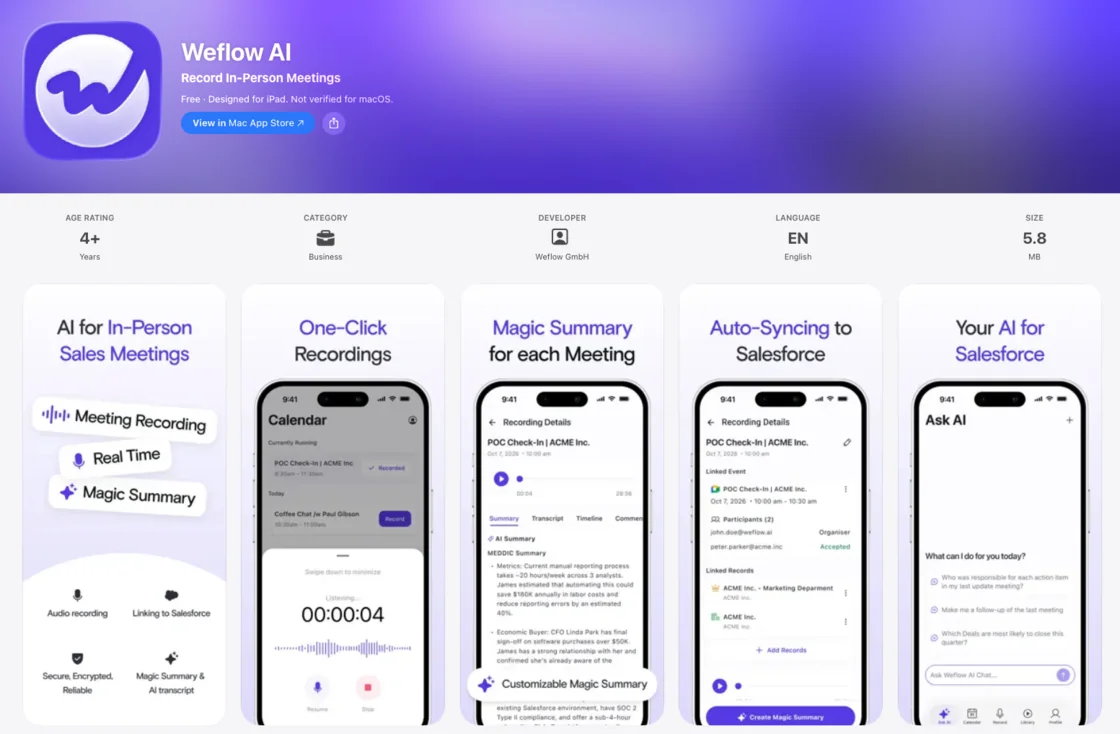
Weflow is the Revenue AI Orchestration platform for sales, customer success, and RevOps teams. Weflow Mobile Copilot is the part of it you take to customer visits. You walk out, sit in the car, and talk into your phone for a minute. Weflow turns what you said into a logged visit, a summary, filled Salesforce fields and a drafted follow-up email.
Here's what that means for you on the road:
- Weflow processes your voice note exactly like a recorded call.
- The output arrives within 30 to 60 seconds.
- It writes structured fields such as picklists, dates and amounts, not a block of text.
- Mobile Copilot comes with the Weflow Conversation Intelligence seat, so there's no extra device and no recorder on the customer's table.
It runs on the same Conversation Intelligence + AI Field Updates engine as your video calls. You're probably being asked to log every face-to-face visit by hand right now, usually that night at the hotel, from memory.
There's one honest limit. A voice note holds what you remember, and the app won't prompt you while you talk. So this guide gives you what to say.
Why notetakers and desktop capture miss your customer visits
Your visits go missing because every capture tool you've been handed was built for the desk and the video call. A field visit has no meeting link and often no recording, so it ends up back on you, typed in later.
Take a visit to a regional distributor with an open expansion opportunity. You spent an hour with the buyer and the ops manager. You heard the budget, the date they need stock moving, and which competitor quoted them last month.
In Salesforce, the opportunity shows none of it:
- Next Step is blank.
- The close date is the one you guessed in March.
- Tonight's notes will be three lines, because it's 9pm and you have two more visits tomorrow.
Here's where each workaround breaks:
| What you do today | Why it breaks on the road |
|---|---|
| Rely on a notetaker on your calendar | A notetaker joins a meeting link. A visit at the customer's warehouse has none, so nothing joins. |
| Put a recorder on the table | Recording a customer face to face is often awkward or refused, so most visits leave no record at all. |
| Record when the customer allows it | The useful part often happens after you press stop, when the owner walks in. |
| Lean on desktop capture or Einstein Activity Capture | Desktop capture is built for the screen. Emails and events captured by Einstein Activity Capture can't even be seen in the Salesforce mobile app. |
| Buy a dedicated recording device | Field teams tell us these cost around $200 per rep per month, which is out of reach if you visit customers every day. |
| Type it in later | Hours later, from memory, thin. Your manager chases you for updates anyway. |
That third row comes up on our calls more than you'd think:
"I was at a customer and I was using Fireflies to record our meeting, then I turned off Fireflies, but then the owner came in of the company and you just start talking about stuff and business, but you're not recording it anymore."
A field sales prospect on a call with Weflow
How one customer visit lands in Salesforce with Weflow Mobile Copilot
You dictate once after the visit, and Weflow processes the voice note exactly like a recorded call. That covers the summary, the field updates, the coaching scorecard and the follow-up draft.
From the parking lot to Salesforce, step by step
Here's the whole routine, start to finish:
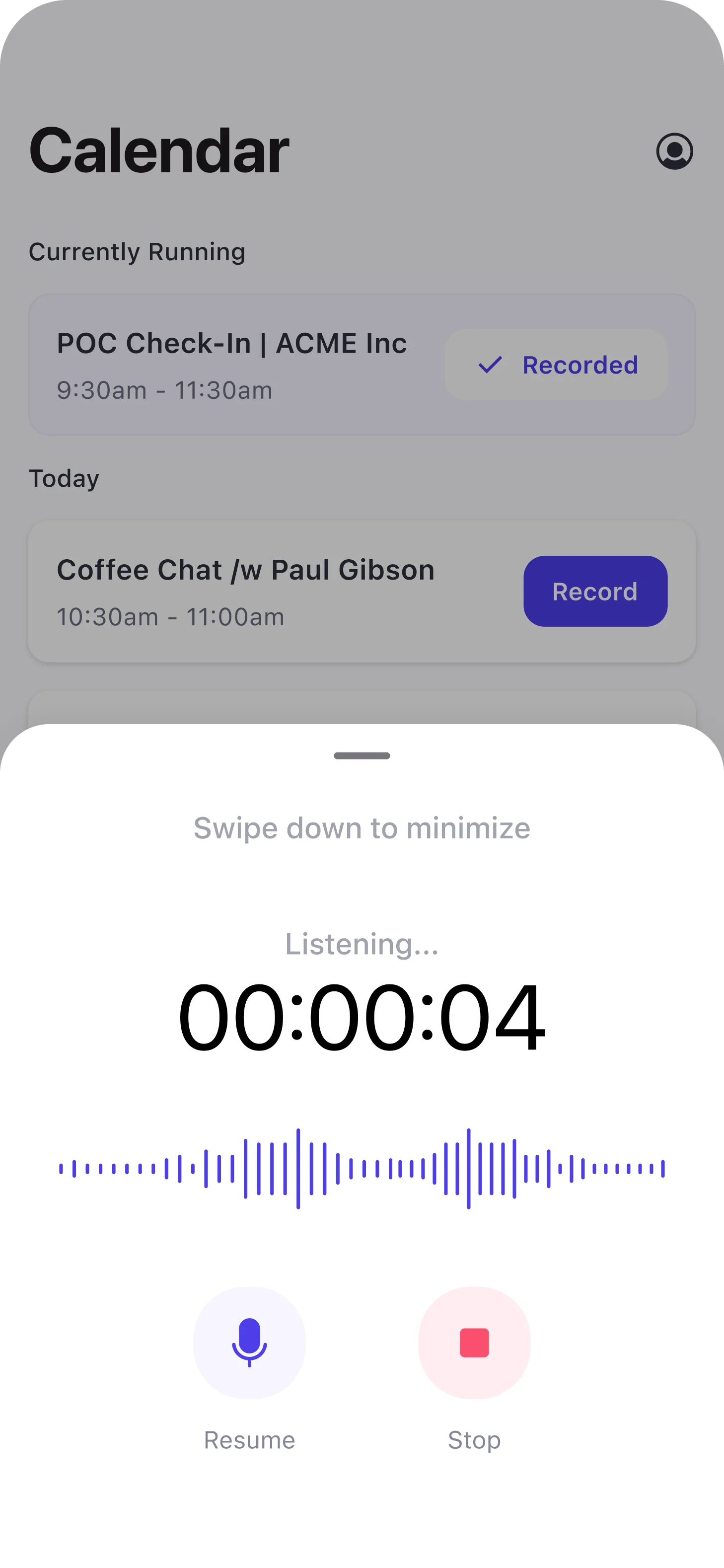
- Walk out of the visit, sit in the car, and open Weflow Mobile Copilot.
- Pick the visit from the calendar in the app, or just start dictating if the visit was never on your calendar.
- Speak your voice note, using the checklist in the next section.
- Stop, and Weflow processes the note the same way it processes a recorded meeting.
- The summary, proposed field updates and drafted follow-up email arrive within 30 to 60 seconds.
- Fields set to write automatically go straight to Salesforce, and fields set to review wait for you to accept, edit or reject them.
That's it. You talk for a minute and skip the evening session at the hotel.
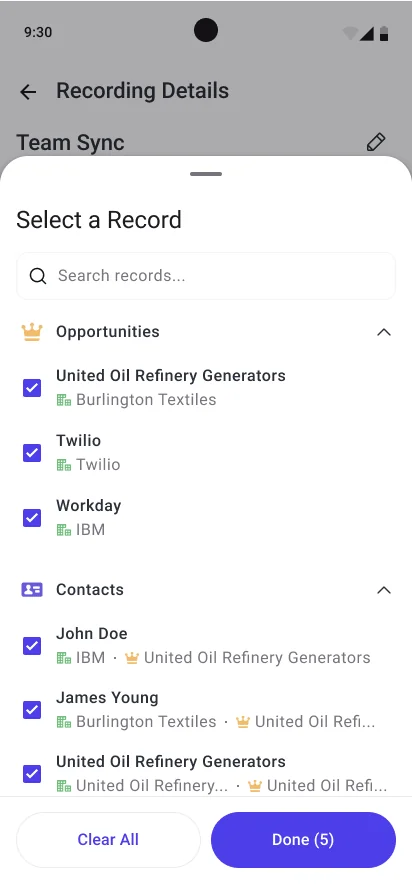
The recording details screen shows which Salesforce opportunities and contacts the note links to. You can see it sits on the right deal before you drive off.
What Weflow writes to the opportunity after you dictate
One voice note gives you five outputs, and most of them land directly in Salesforce. This is the difference you'll notice first. You get filled fields on your deal, not a transcript parked in another tool.
| What you get | Where it lands in Salesforce | What you do with it |
|---|---|---|
| A logged visit | An activity on the account and opportunity, even if the visit wasn't on your calendar | Nothing. It counts your customer time for you. |
| A summary of the visit | The Salesforce Event, so it shows on the opportunity timeline | Read it on the record, or point your manager to it. |
| Field updates | The opportunity fields your admin mapped: amount, close date, next step, competitors and more | Let automatic fields write, and review the rest. |
| A coaching scorecard | Weflow, alongside your recorded calls | Use it to see which methodology elements you covered. |
| A follow-up email draft | Weflow, ready to copy | Paste it into your mail client, add recipients, send. |
Back to the distributor. Before you leave the parking lot, the opportunity shows:
- the budget you heard, in the Amount field
- the date the buyer gave you, in Close Date
- the competitor, as a picklist value
- a summary of the visit on the timeline
The fields you'd have typed at 9pm are already done.
Microsoft's Sales agent also takes voice notes on mobile, and it works differently. It saves the note to a record and changes a field only when you ask for that specific change and confirm it. It doesn't record meetings.
What to say into your phone so Salesforce fields fill
Weflow can't prompt you while you dictate, so anything you leave out stays out. A short checklist, said in the same order every time, solves that.
A spoken checklist mapped to your Salesforce fields
Each item on this list feeds a field type that AI Field Updates can write. That covers picklists, numbers, dates, multi-selects and text. Memorize the order once, and every voice note covers the same ground.
| Say this | Field it fills (example) | Field type |
|---|---|---|
| Who you met and their role | A stakeholder notes field, plus the summary | Text |
| The budget or deal size | Amount | Number |
| The pain or need they described | A pain or need field, such as your methodology's pain element | Text |
| Where the deal stands | Stage | Picklist |
| The next step you agreed | Next Step | Text |
| When they want to close | Close Date | Date |
| Competitors they mentioned | Competitors | Multi-select picklist |
| How they'll decide, and who signs | A decision process field | Text |
Your admin decides which fields map for your team, so your list may be shorter or longer than this one.
Weflow can't write relationship lookup fields, such as linking a Contact record. Who you met goes into text fields and the summary.
How to say picklist, date and amount values out loud
Before writing a picklist or multi-select, Weflow reads the field's allowed values and matches against them. It never writes a value the field won't accept. You get the cleanest writes when you speak in your team's own terms:
- Use your team's picklist words. Say "they're in negotiation" rather than "we're kind of close".
- Give dates as dates. Say "close date is the 30th of June", not "end of quarter-ish".
- Give amounts as numbers. Say "budget is 120,000 dollars a year", not "low six figures".
- Name competitors by company name, the way they appear in your picklist.
- Keep each checklist item to its own sentence, so one answer doesn't blur into the next.
Will Weflow overwrite what you already typed in Salesforce?
A field set to review won't change until you accept the suggestion. Each field is set either to write automatically or to wait for your review. In review, you see the current value beside the suggestion and keep what you typed.
Automatic mode is different. It writes what the latest voice note or call produced over the field's existing content.
| Automatic | Review | |
|---|---|---|
| When it writes | Straight after processing, with no confirmation | Only after you accept or edit the suggestion |
| What you see | The updated field in Salesforce | The current value beside the suggested one |
| What happens to what you typed | The latest note replaces it | You keep it, change it, or take the suggestion |
| Fields it suits | Unambiguous facts, such as a website or address | Interpretive and forecast fields: pain, champion, amount, close date, stage, next step |
Your admin sets this on the prompt behind each field, with an Auto-update Salesforce option. The setting is per field, not per team. Your address field can update itself while your pain field waits for you.

What you typed earlier survives in two ways:
- Review mode. You remove what shouldn't change and sync only the rest.
- A prompt instruction. The prompt tells Weflow to leave the field alone when the note adds nothing new, so a voice note that never mentioned budget doesn't wipe your budget.
Required fields stay locked either way.
We recommend review for single-value fields like amount and close date. They change your forecast the moment they change, and one misheard sentence can overwrite them. A quick check after the note takes seconds and protects the number.
How Weflow catches what your voice note left out
Weflow catches gaps afterwards, not while you're talking. Your voice note holds what you remembered, not what was said, so the missing pieces are the ones you didn't think to mention.
Weflow AI Playbooks read every email, meeting, transcript and CRM field on your opportunity. They rerun when new activity lands, and otherwise every three hours. Each methodology element gets marked fully established, partially established with a note on what's missing, or never discussed.
From there, the loop looks like this:
- The playbook marks an element, say budget, as never discussed.
- A scheduled agent built in Agent Builder checks your opportunity against the playbook and messages you by email or Slack about what's still missing.
- You cover it in your next voice note, or type it into the field yourself.
Forgetting the budget on one visit doesn't sink the deal. It just shows up as a gap to close.
When to record the visit, dictate afterwards, or use a dialer
Record when the customer agrees, dictate when they don't, and use a dialer for phone calls. Recording captures what was actually said, so it beats a voice note whenever it's on the table. When the customer agrees, you start the recording from the visit in your calendar and put the phone down.
| Situation | Best route | Why |
|---|---|---|
| The customer is fine with a recording | Record in Mobile Copilot | You capture what was said, not what you remembered. |
| Recording is refused or would be awkward | Dictate a voice note afterwards | You still get structured fields instead of nothing. |
| The conversation carried on after you stopped | Record, then add a voice note | The note covers the part that happened off the record. |
| The visit was never on your calendar | Dictate a voice note | It still lands as an activity on the deal. |
| A customer call from your mobile number | A dialer or softphone that Weflow connects to | Neither iOS nor Android lets any app record native carrier calls, and Weflow doesn't capture them. |
If most of your customer work is phone calls on your own mobile number, Mobile Copilot won't fix that. You need a dialer or softphone, so those calls run through something Weflow can receive.
A few more things you can't do from the phone:
- You can't re-map which Salesforce record an email logs to. Emails you send from your phone are captured and matched automatically.
- You can't submit a forecast from the phone. Forecasts go in through the web app.
- The follow-up email is drafted, not sent, and you add recipients by hand.
Recording on a phone isn't rare anymore. Gong, Chorus and Salesloft all record in-person meetings on mobile. Our focus is the step after capture. Weflow treats a voice note exactly like a recording, so even the visit you couldn't record fills your Salesforce fields.
What Weflow Mobile Copilot costs and how IT sets it up
Weflow Mobile Copilot comes with the Weflow Conversation Intelligence seat. You don't buy a separate license or a device.
The seat gives you:
- Weflow Mobile Copilot on iOS and Android
- The Weflow desktop app
- Ask Weflow AI Pro
- The Agent Builder free tier, with 25 agent actions a month
- AI summaries, AI Field Updates, scorecards and follow-up drafts on every recording and voice note
Your IT team gets an easy setup:
- iOS 17 or later, and Android
- Distribution through the public Apple App Store and Google Play
- Deployment through any MDM, with no private build and no account pre-configuration
- Login with your Salesforce SSO
Weflow Conversation Intelligence costs $39 per user per month, billed annually, with a 10-user minimum. Mobile Copilot also comes in the Revenue AI Foundation bundle at $49 per user per month.
If you'd rather see one visit's worth of effort for yourself, walk through the product yourself, no call required.
FAQ: logging customer visits by voice note with Weflow Mobile Copilot
Does a visit that wasn't on my calendar still get logged?
Yes. A voice note in Weflow Mobile Copilot lands as an activity even when there's no calendar event behind it. That counts customer time that calendar-based time-in-meetings misses, so your customer-facing time stops looking smaller than it is.
Which opportunity does my voice note attach to if the account has two open deals?
You pick the right one. When a field is set to review, you can reassign the voice note to a different opportunity. Weflow then re-analyzes the note for the deal you selected before anything writes.
Can my manager see my customer visits in Salesforce?
Yes. Weflow writes the visit and its summary to the Salesforce Event, and it shows on the opportunity timeline for anyone with access to the record. For most reps, that means fewer "what happened at the visit?" messages.
Does Weflow send the follow-up email for me?
No. Weflow drafts the follow-up from your voice note within 30 to 60 seconds. You copy it into your mail client, add the recipients and send it yourself.
Do I need the customer's consent for a voice note?
A voice note records only your own voice, after the visit, so the customer isn't on it. Recording the live meeting is a different matter, and it follows your company's recording policy.
Where is my voice note audio stored, and how long is it kept?
Weflow keeps the audio in its own storage, in the region that matches your Salesforce instance, with EU and UK options. By default, we keep recordings for as long as your company subscribes. Your company can also choose to delete them on a set schedule, such as every 30 days.
The summary and field values live in your own Salesforce org. Weflow is SOC 2 Type II certified and GDPR compliant. We run Zero Data Retention for AI processing and never use customer data to train AI models.


