AI Field Updates vs AI Playbooks in Weflow: When a Field Should Follow the Last Call or the Whole Deal
Decide when Weflow AI Field Updates vs AI Playbooks should own MEDDIC, stage, close date, and amount.


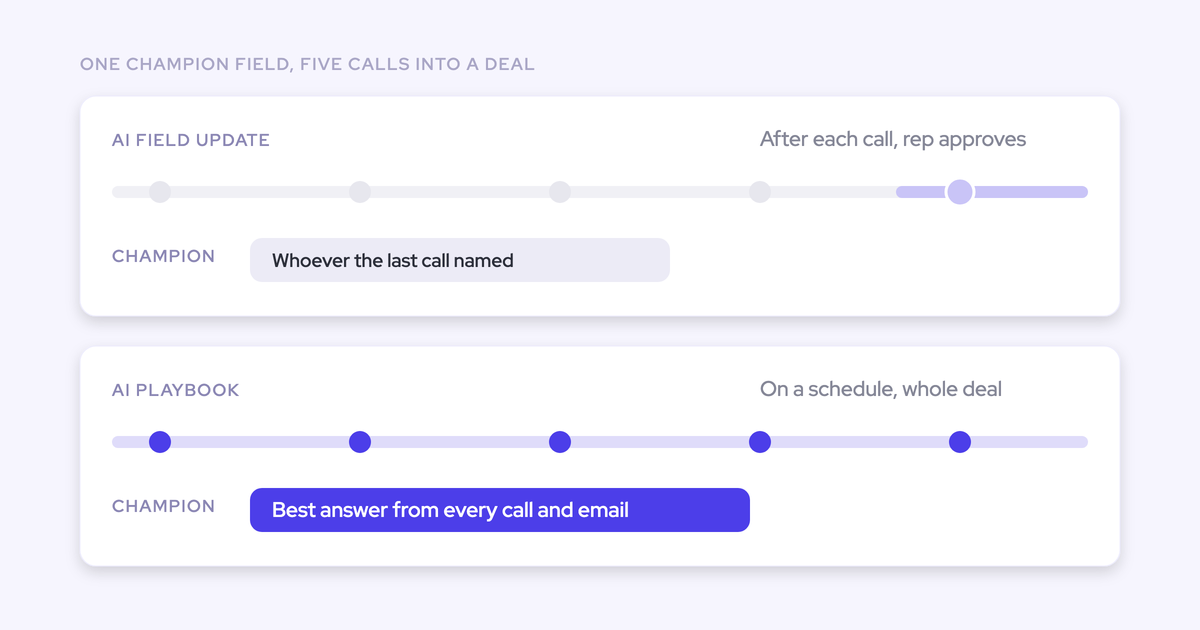

You've got the admin console open and a field list in front of you: about five fields your reps own, and fifteen or more you want AI to fill. Weflow gives you two ways to write each of those fields, and both can target the same Salesforce field. So for every field, you have to decide which one owns it.
The short answer is to give every field exactly one owner:
- Cumulative qualification fields (champion, metrics, decision process and the rest of MEDDIC) go to an AI Playbook, which writes them automatically.
- Single-value fields that move the forecast (next step, close date, stage, amount) go to an AI Field Update with rep review.
- Unambiguous fields such as an address or a website go to an AI Field Update that writes automatically.
Weflow is the Revenue AI Orchestration platform for sales, customer success, and RevOps teams. It's built for Salesforce teams, and both mechanisms are part of Weflow deal execution: methodology and commercial fields filled from what actually happened on the deal, in the Salesforce fields your deal review already reads.
Below you'll find the reasoning behind each assignment and the playbook limits to plan for before go-live. Two of those limits matter on day one. Your existing pipeline starts blank, and playbook scores stay in Weflow.
How AI Field Updates and AI Playbooks each write to Salesforce
The two mechanisms differ on scope, and neither is the better one in general. An AI Field Update reflects one call. An AI Playbook keeps the whole opportunity at its current best answer.
| AI Field Updates | AI Playbooks | |
|---|---|---|
| Trigger | A recorded call ends | New activity on the opportunity, and otherwise every three hours, for opportunities created or changed after setup |
| What it reads | That one call's transcript | Every email, meeting, transcript, related record and field on the opportunity |
| Write behavior on methodology text fields | Appends to the existing text instead of replacing it | Keeps each element at the current best answer across the deal |
| Write behavior on single-value fields | Overwrites the current value | Built for methodology elements, not single-value commercial fields |
| Field types | Text, picklist, multi-select, number and date, including Stage; no lookups | The Salesforce fields you map to each element of your framework |
| Review vs auto | Set per field | Writes automatically; reps can override, and Weflow checks the override for plausibility |
| Refresh | Once, after each recorded call | Automatic for opportunities created or changed after setup; older opportunities need a manual Generate AI Playbooks run |
| What lands in Salesforce | The field value | Element content in your fields; playbook scores and deal warnings stay in Weflow |
AI Field Updates write after one call, field by field
An AI Field Update is a prompt mapped to one Salesforce field. When a recorded call ends, Weflow runs that prompt against the transcript and proposes or writes the answer within 30 to 60 seconds.
What happens next depends on the field. On a methodology text field, the new content gets appended, so a note your rep typed last week survives. On a single-value field like amount or close date, the new value can only replace the old one.
That's why you set auto-write or review per field rather than per team. Field updates cover these field types:
- Picklists and multi-selects, matched against the values the field allows, so Weflow never writes a value the field won't accept
- Number and date fields
- Text fields on Account, Contact, Opportunity and Lead, plus custom objects once Weflow support sets them up
- The opportunity Stage itself
- Not relationship lookups, which are the one excluded field type

AI Playbooks read the whole opportunity and keep the best answer
An AI Playbook is bound to the record instead of a single field. It reads every email, meeting, transcript, related record and field on the opportunity, then runs two passes:
- The first pass fills each element of your framework from the deal's evidence.
- The second pass judges how well each element is actually established, including text a rep typed by hand.
The second pass is what catches filler. A MEDDIC field filled with something just to clear a validation rule gets marked "not assessed", not complete.
Each element then shows one of three states:
- Fully established
- Partially established, with a note on what's missing
- Never discussed
Weflow writes the element content back to your team's Salesforce fields and returns a next-step recommendation. A rep can override any element, and Weflow evaluates that override for plausibility against the deal.
This is where a playbook parts ways with a call summary or a coaching score. Those see one conversation, while the playbook sees the whole deal.
Four questions that decide which route owns each field
Four questions route any field on your list, including house-framework fields our routing table doesn't name:
- Does the value build up across the deal, or hold one value? If it builds up, it goes to a playbook. If it holds one value, it goes to a field update.
- Does the evidence live in calls, or is it spread across email and meetings? If it's spread out, use a playbook, because a field update only fires after a recorded call.
- Would one wrong value move the forecast? If yes, keep a rep in the loop.
- Is there one obvious answer, or does it need judgement? An obvious answer can auto-write from day one. Judgement stays on review until the output has earned your trust.
The first two questions carry most of the weight, because per-call writing breaks down on long cycles.
The evidence problem is just as real.
In a team where only about half of opportunities ever have a recorded call, a per-call extractor never runs on the other half.
The Weflow routing table for MEDDIC and commercial fields
Every field gets one owner. This is the rule Janis Zech, our co-founder and CEO, gives teams setting this up:
- Cumulative qualification fields go to a playbook that keeps them current automatically.
- Single-value commercial fields go to a field update the rep confirms after the call.
- Each field gets exactly one owner, so the two routes don't overwrite each other.
| Field | Owner | Write mode | Why |
|---|---|---|---|
| MEDDIC qualification fields: metrics, economic buyer, decision criteria, decision process, identify pain, champion | AI Playbook | Automatic | Builds up across the deal, and the evidence is spread across calls and email |
| Next step | AI Field Update | Rep review | Holds one value that changes after almost every call |
| Close date | AI Field Update | Rep review | Holds one value, and a misheard date moves the deal across quarters |
| Stage | AI Field Update | Rep review | Holds one value that drives the weighted forecast |
| Amount | AI Field Update | Rep review | Holds one value that can only be overwritten |
| Address, website | AI Field Update | Automatic | Has one obvious answer and carries little forecast risk |
For SPICED or a house framework, run each field through the four questions. Qualification elements usually land with the playbook. Anything with one value that the forecast reads lands on a reviewed field update.
When a playbook, a reviewed update or an auto-write fits
Give cumulative MEDDIC fields to an AI Playbook
Qualification evidence rarely sits on one call. The budget signal turns up in an email, the champion on a call, and the compelling event in a meeting note.
You can let field updates fill MEDDIC per call, and because they append, they won't wipe anything. The field just turns into a running log of calls instead of an answer. An AI Playbook reads all the evidence together and keeps each element at its current best answer, which is what a manager needs in a deal review.
The judging pass is the other reason. A methodology field rarely fails by being empty. It fails because someone typed filler to get past a validation rule, and that filler looks complete to any field-level check. The playbook marks that filler as not assessed.
Doesn't fit when: your team records with another tool, or you need the methodology score itself in Salesforce reporting today.
Keep stage, close date and amount on reviewed field updates
Next step, close date, stage and amount each hold one value. When a field update writes one of them, it replaces what was there. One misheard sentence can then move your forecast.
A rep confirming the suggestion after the call takes seconds, and that check protects the number.
AI Field Updates can write Stage itself, moving a deal once the exit criteria in your prompt are met on the call. That's useful, and it's the reason Stage belongs on review: a wrong extraction there moves a deal in your forecast. Validation rules still apply. A stage change a rule blocks stays blocked until the fields the rule depends on are filled.
Doesn't fit when: you put every field on review. A review step on every value brings back the chore that left the fields empty in the first place, so save review for the fields where a wrong value costs you.
Let addresses and other unambiguous fields auto-update after calls
A billing address or a website has one obvious answer. Those fields can write automatically from day one.
Interpretive fields earn automation once you've watched their output. Teams tell us they'll accept imperfect AI on fields nobody fills today.
The same teams won't accept AI silently overwriting what a rep wrote. Auto-write is safe on fields that are unambiguous or that append, and riskier everywhere else.
Doesn't fit when: the field holds one value that the forecast reads.
Give every field one owner so the routes never collide
Both routes can write to the same Salesforce field, so you need to decide ownership before you map anything. What a collision does depends on the field type:
| Field type | What a collision does |
|---|---|
| Methodology text field | Content piles up from two sources, and the field stops reading as one answer |
| Picklist | Whichever route wrote last wins |
| Date, such as close date | Whichever route wrote last wins |
| Number, such as amount | Whichever route wrote last wins |
The fix is prevention. If a field is mapped in a playbook, leave it out of every field-update template, and the other way round. Playbooks and field-update templates are both assigned per team, so run this check for each team.
Weflow limits to plan for before you go live
Existing opportunities stay blank until you run Generate AI Playbooks
AI Playbooks evaluate automatically only for opportunities created or changed after you configured them. That means the pipeline you most want scored on day one starts blank.
To fix this, select those opportunities in a list and run Generate AI Playbooks on them in bulk. It isn't part of the setup flow, so add it to your go-live checklist.
Playbooks also evaluate one record at a time, either an opportunity or an account. There's no single pass that scores a whole team's pipeline. Older deals that nobody changes need regenerating to stay current, so make regeneration part of your deal review cadence for those.
Playbook scores stay in Weflow while element text reaches Salesforce
Element content reaches the Salesforce fields you mapped. Playbook scores and deal warnings are Weflow fields, marked with a W in the interface, and they don't reach Salesforce reports or BI.
| Output | Where it lands |
|---|---|
| Playbook element content | The Salesforce fields you mapped |
| AI Field Update values | The Salesforce field the prompt is mapped to |
| Per-call coaching scorecards | Salesforce, if you've set up the corresponding fields there |
| Playbook score | Weflow only (W field) |
| Deal warnings | Weflow only (W field) |
Playbooks don't cite sources, so check evidence in Ask Weflow AI
A playbook element is synthesized from several calls, emails and fields at once. It shows up as a filled element with a completeness state and a note on what's missing, without a quote or a link to the source.
When you want the evidence, ask Ask Weflow AI about the deal. Its answers list the sources it read, and you choose which sources it can use: Salesforce records, recordings, pipeline views, and web search if you turn it on.

Playbooks only read transcripts that Weflow Conversation Intelligence recorded
AI Playbooks read the transcripts of meetings Weflow Conversation Intelligence recorded. If your team records with Gong or Momentum, the playbook builds its results from the CRM record, emails and meeting metadata only.
Those other tools keep their transcripts in their own systems. Weflow surfaces the fields they write to Salesforce in its deal views and sidebar, so the methodology you see there is theirs, not one Weflow generated.
Field updates don't mark which values came from the web
Web search is a per-prompt toggle, and it's off by default. When you turn it on, the comparison view shows the previous value beside the new one and marks what changed, but not where the value came from.
To keep a field on conversation data only, write that restriction into its prompt. There's no separate flag for it.
When to keep your current setup for now
If your team records with another tool, playbooks won't read those conversations. If you need the methodology score inside Salesforce dashboards today, playbooks won't put it there, so stay with what you have until either of those changes.
Roll out the routing in the Weflow admin console
Configure the routes one at a time, and check what lands in Salesforce before you widen automation. Everything here sits in the AI section of the admin console, next to Context and Sources, where you tell Weflow what your objects and fields mean.
Set up AI Playbooks for your cumulative qualification fields
- Pick a framework from our catalog of about thirty methodology templates, or build your house framework element by element. A house framework is encoded exactly like a standard one, with your own prompt behind each element.
- Assign the playbook to the teams that sell that way.
- Map each element to the existing Salesforce field your deal review reads.
- Select your existing open opportunities in a list and run Generate AI Playbooks.
- Open a handful of deals and read the three states. Any element a rep filled with filler should show as not assessed.
Set up AI Field Updates field by field, starting on review
- Build a field-update template for each team. The update pop-up only appears for users whose team has a template assigned.
- Map only the fields this route owns, and leave every playbook field out.
- Pick a prompt from our library of 250+ pre-built prompts, or write your own, up to 2,000 characters.
- For picklists and multi-selects, Weflow matches its output against the field's allowed values. Still write the values you expect into the prompt.
- Set next step, close date, stage, amount and any interpretive field to review. Set address and website to auto-update.
- Check the validation rules and stage gates your fields depend on. Remember that lookups are excluded, and ask Weflow support to set up any custom objects.
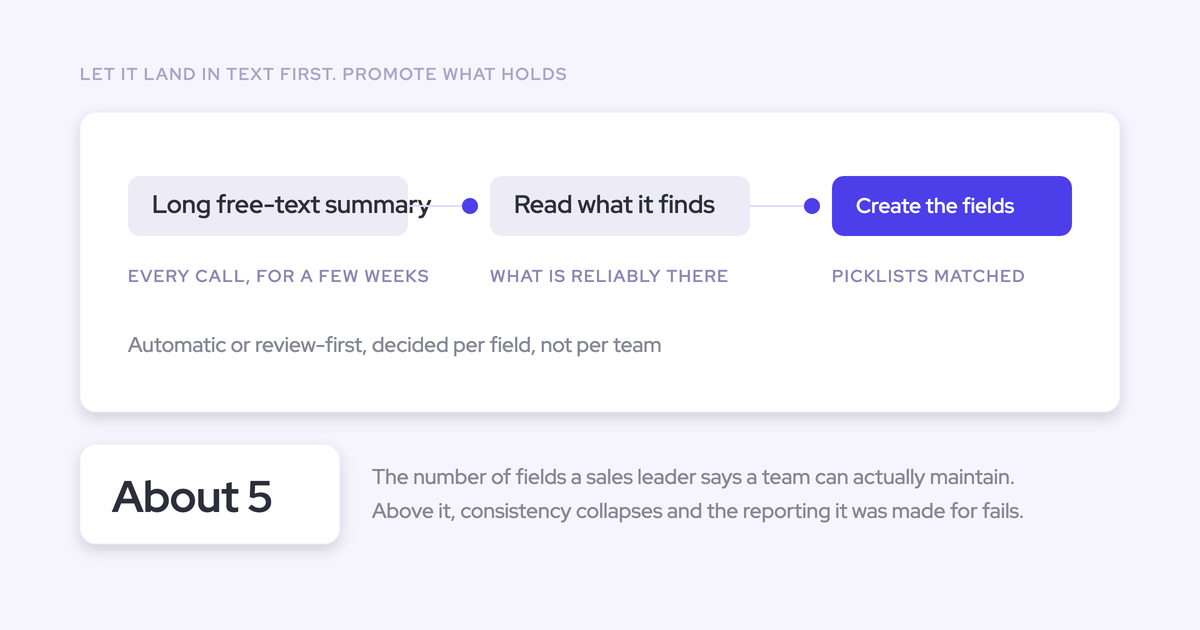
- Watch the output for a few weeks, then promote interpretive fields to auto-update once they've earned it.
Step four matters more than most teams expect.
"Prompt quality plays a big role, right, if you have multi pick lists and you don't incorporate that into the prompts. It just doesn't really work. But if you do the right prompt engineering and you have the right setup and tool, it's really powerful."
— Janis Zech, Co-founder and CEO, Weflow
Write prompt exclusions so fields reject plausible wrong values
A methodology field gets filled with something plausible and wrong unless the prompt says what doesn't count. One prospect described the failure exactly:
"If the metrics comes back and says they have 50,000 staff, that is a metric, but it's not relevant to what we're looking at in our sales process."
The fix is to put your team's real definition into the prompt, including the exclusions nobody has written down yet.
| Field | Exclusion to write |
|---|---|
| Champion | Exclude your own company's employees; only a person at the customer counts |
| Metrics | Exclude company facts such as headcount; only a measure of the value the customer expects counts |
| Any field where the customer's words should win | State that only conversation data counts, or which source wins when web search is on |
Then set up the prompt around the exclusion:
- Write the exclusion into the prompt text.
- Attach up to three PDFs as context, such as your methodology definition or a product sheet.
- Leave web search off unless the field needs public data.
- Start from the prompt library and keep prompts simple, since over-specified prompts tend to perform worse.
- Run the field on review until the output holds up.
See how Weflow captures activity, updates Salesforce fields from calls, and rolls up your forecast. Book a 30-minute demo.
FAQ: AI Field Updates vs AI Playbooks in Weflow
Will an AI Field Update wipe what a rep typed into a MEDDIC field?
No. On methodology text fields, an AI Field Update appends to the existing text instead of replacing it, so the rep's note stays. On single-value fields such as amount or close date, a new value replaces the old one. That's why we recommend keeping those fields on review.
What happens if an AI Field Update and an AI Playbook target the same field?
The two routes collide, so give every field one owner up front. On a single-value field, whichever route wrote last wins. On a text field, content piles up from two sources. Leave every playbook field out of your field-update templates, and the other way round.
How often does an AI Playbook refresh its values?
For opportunities created or changed after setup, an AI Playbook reruns when new activity lands, and otherwise every three hours. Opportunities that predate the playbook stay empty until you run Generate AI Playbooks on them. Older deals that nobody changes need regenerating to stay current.
Can an AI Field Update change the opportunity stage?
Yes. An AI Field Update can move Stage once the exit criteria written into its prompt are met on the call. Keep Stage on rep review, because a wrong extraction moves the forecast. Validation rules still apply, so a blocked stage change stays blocked until the fields the rule depends on are filled.
Does this work on deals with no recorded calls?
AI Playbooks still evaluate those deals, because they read the emails, meetings and CRM fields on the opportunity. AI Field Updates need a recorded call to run. For email-heavy teams, that's the main reason to route qualification fields to a playbook.
How do validation rules, lookups and custom objects affect AI Field Updates?
Validation rules still apply to every AI Field Update write, including stage gates. Relationship lookup fields are the one field type field updates can't write. Custom objects are supported once Weflow support sets them up.
Can new business and customer success run different frameworks in Weflow?
Yes. AI Playbooks are assigned per team, so new business can run MEDDIC while another team runs BANT or a house framework. Field-update templates are also per team and can write to different objects, so customer success can capture its own criteria on post-sale calls.
Should managers read the coaching scorecard or the playbook in deal review?
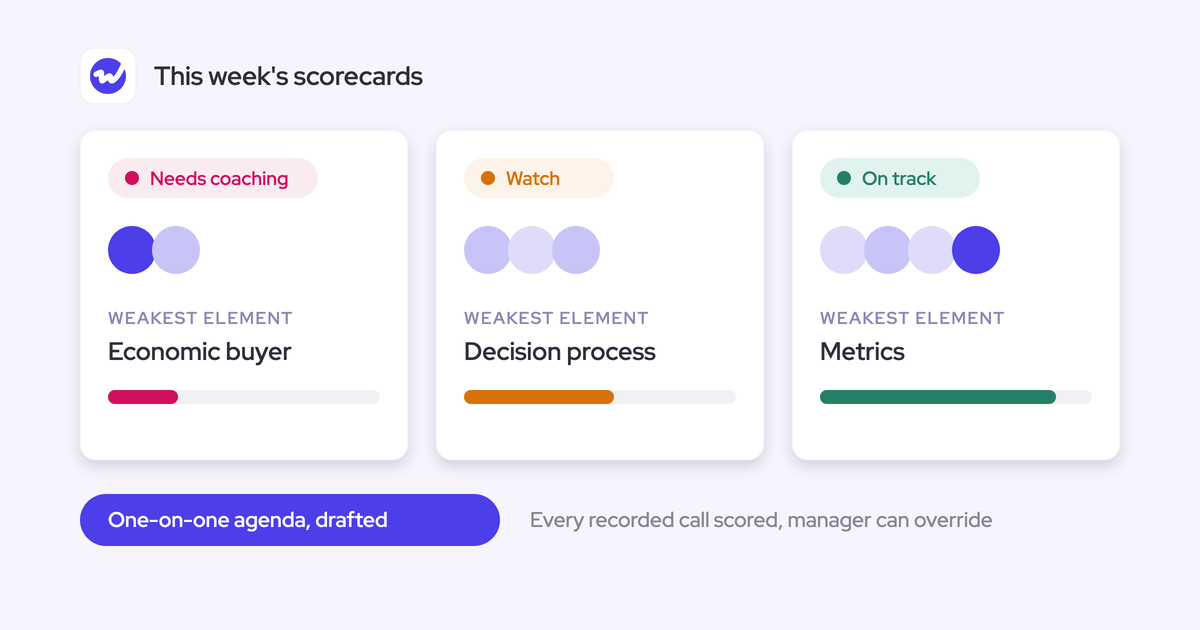
Use the playbook for deal review. The coaching scorecard scores one call against your methodology and tells you how a rep ran that conversation. The AI Playbook scores the deal across every call, email and field on it, which answers whether the deal is qualified.
Do AI Playbook runs cost extra or use credits?
No. Weflow prices by seat with no usage-based charges, and we cover the token cost of playbook evaluations. AI Playbooks are part of Weflow Deal Intelligence, which is included in Revenue AI Business at $59 per user per month and Revenue AI Enterprise at $79 per user per month, billed annually.