How to Write Call Outcomes to Custom Salesforce Objects With Weflow AI Field Updates
Learn how to write call outcomes from transcripts to custom Salesforce objects with Weflow AI Field Updates


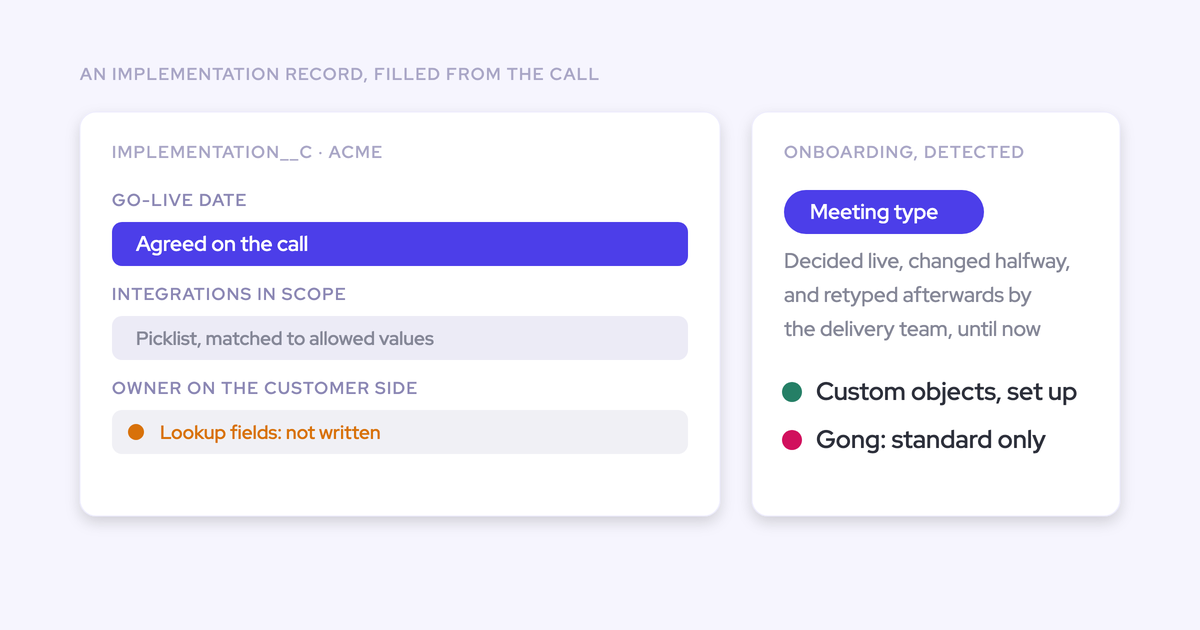

You can use Weflow AI Field Updates to update supported fields on an existing custom Salesforce record from a customer call. Custom-object setup requires Weflow support, and lookup-field writes aren’t supported.
Field updates, record creation, and call association are separate operations. This guide follows one onboarding call through extraction, human review, and a verified write to an existing implementation record. You keep your Salesforce schema.
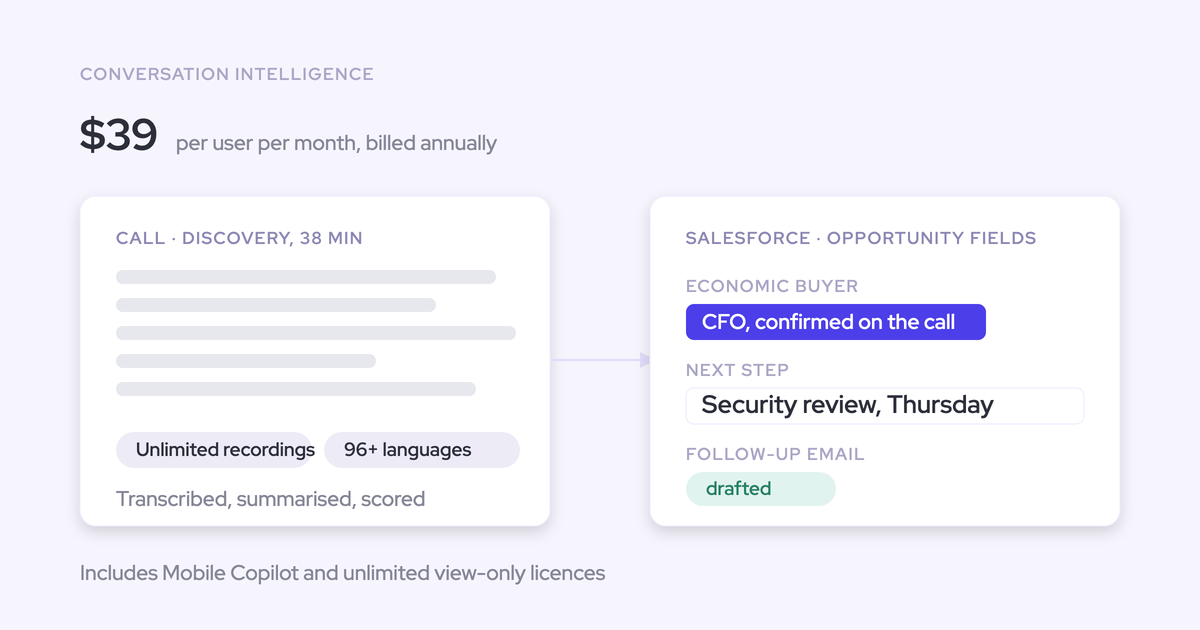
Weflow is the Revenue AI Orchestration platform for sales, customer success, and RevOps teams. Weflow Conversation Intelligence turns the implementation decisions discussed on calls into structured Salesforce data. Here’s how we recommend testing that workflow before your delivery team starts using it.
Prepare Salesforce for a custom-object field-update test
Start with one existing implementation record in a Salesforce sandbox and a small set of destination fields. Your acceptance test should prove that the right values reach the right record without changing unrelated commercial data.
Have these prerequisites ready:
- Owners: A Salesforce admin, a Weflow admin, and an onboarding reviewer who understands the implementation decisions.
- Access: Weflow Conversation Intelligence, Salesforce authentication for the test user, and a sandbox connection.
- Integration: The required Weflow managed package, enabled Salesforce REST API access, and appropriate object and field write permissions.
- Schema inventory: Object and field labels, API names, field definitions, validation rules, and dependencies.
- Test data: An existing implementation record with saved starting values, plus related records you can inspect for unintended changes.
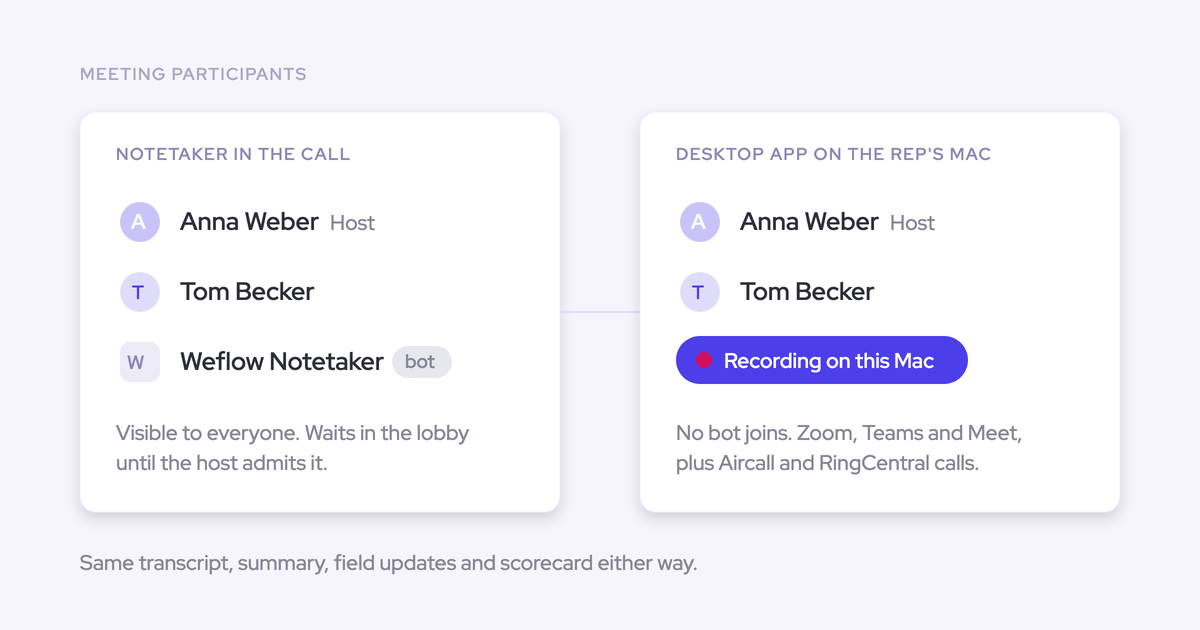
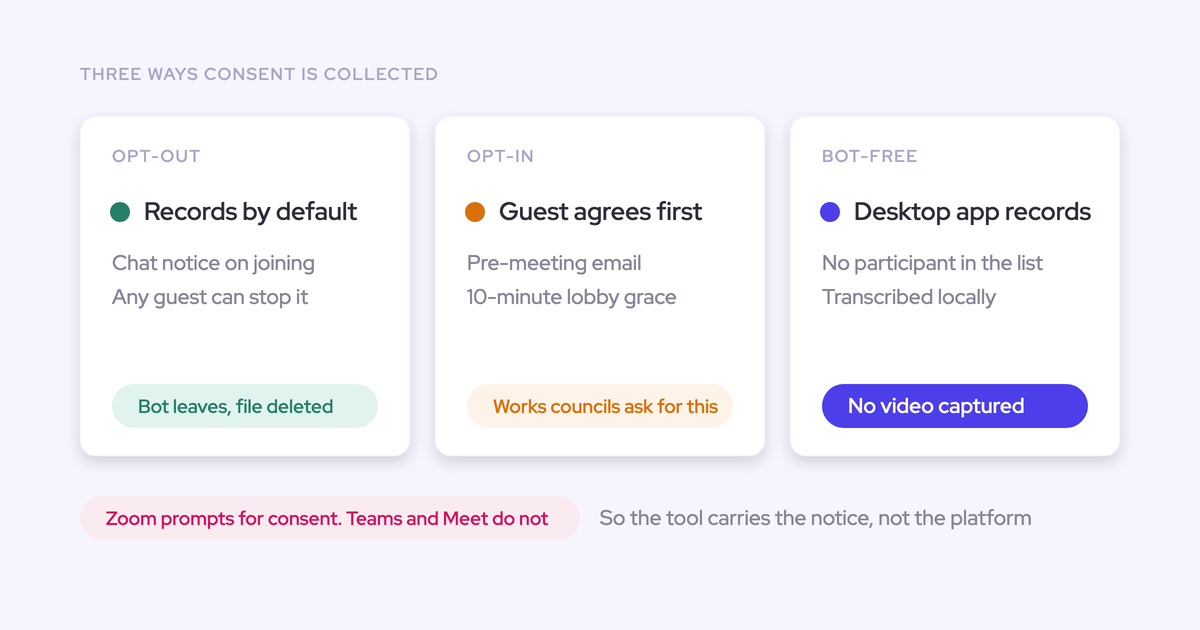
- Recording consent: An approved recording method and a consent process appropriate for the participants.
- Success criteria: Expected outcomes for each field, including information that must remain unchanged.
For our worked example, the onboarding team tracks a customer’s import configuration on an implementation object. We’ll use these example API names throughout; use the corresponding fields in your own schema.
| Item | Example | Purpose |
|---|---|---|
| Custom object | Implementation__c | Tracks what the delivery team configures for the customer. |
| Existing record | Implementation test record | Receives the reviewed field updates. |
| Configured setup | Configured_Setup__c | Records the setup actually implemented. |
| Open items | Open_Items__c | Records unresolved implementation questions. |
| Next steps | Next_Steps__c | Records explicit follow-up actions and owners. |
The test should catch meaning errors, not just empty fields. A proposal that the customer later rejects must not become the recorded implementation.
Write with Weflow AI Field Updates
Use a team-specific template to extract data, review the proposed values, and reconcile the approved changes against Salesforce. Keep the first test in your sandbox.
1. Confirm custom-object write setup with Weflow support
Our support team configures custom-object field updates. Send us your object and field inventory before processing the test call so the write configuration matches your implementation workflow.
- Provide the custom object’s label, API name, and destination field definitions.
- Identify the existing sandbox record that should receive the updates.
- Supply the onboarding team and test user who will review the proposed changes.
- Have your Salesforce admin document the access and validation rules that apply to the test.
Keep the setup handoff specific:
| Requirement | Owner | Configuration scope | Acceptance check |
|---|---|---|---|
| Custom-object writes | Weflow support | Configure the destination object and supported fields. | The test produces updates for the implementation fields. |
| Destination record | RevOps and Weflow support | Establish the intended existing record for the test. | The proposed write targets the implementation test record. |
| Salesforce access | Salesforce admin | Apply the necessary API, object, field, and record access. | The intended user can complete the write. |
| Template assignment | Weflow admin | Assign the field-update template to the onboarding team. | The test user receives the field-update review. |
Weflow’s AI field mapping interface includes standard-object and custom-object tabs. The mapping establishes the destination; the prompt defines what belongs there.
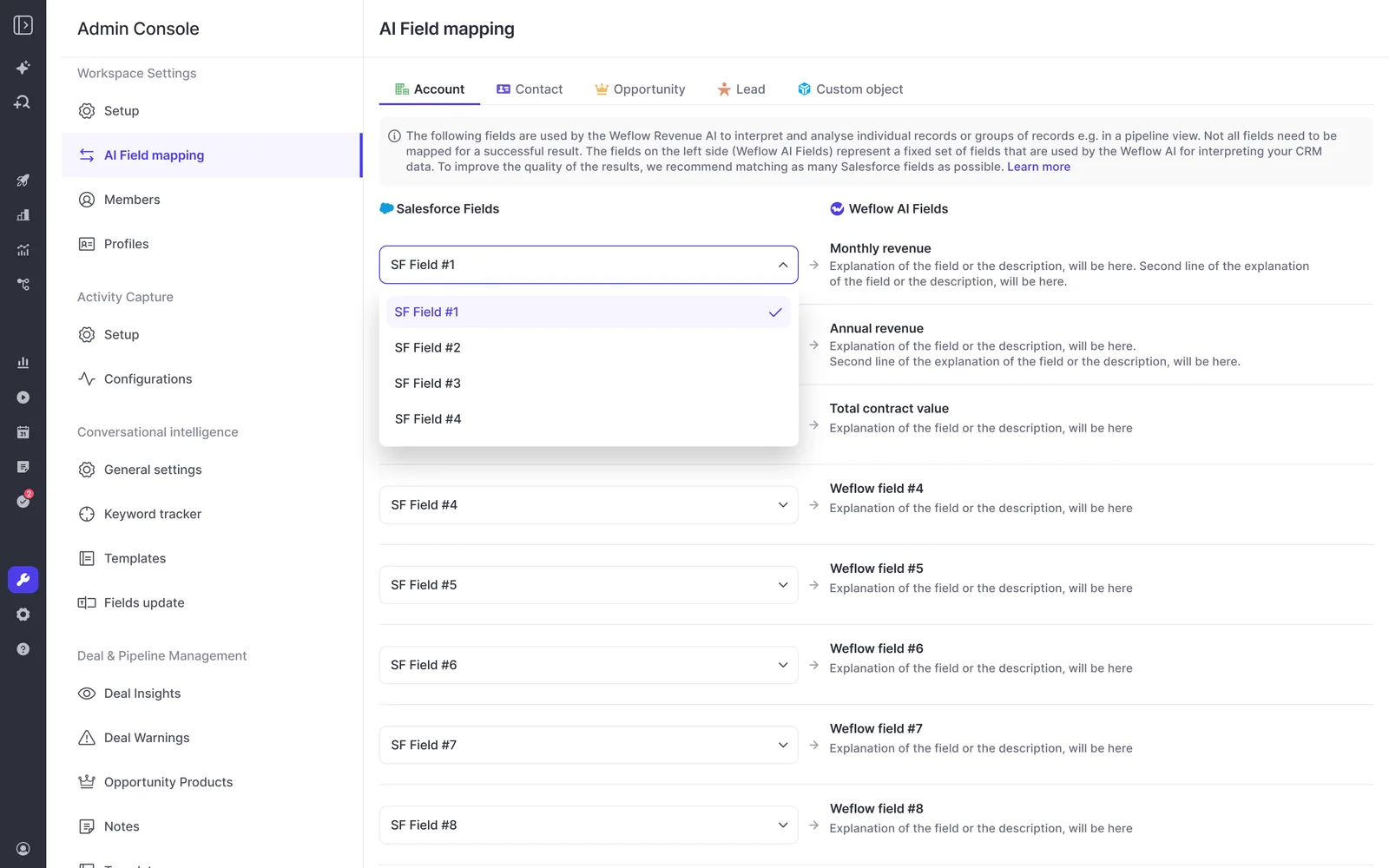
Done when: The sandbox configuration targets the implementation test record and its intended fields. Don’t process the call while its destination remains unresolved.
2. Define your implementation object and field context
Give Weflow AI the operating definitions behind your schema. A label such as “Configured setup” needs more context than its API name provides.
- Open the admin console’s AI section, then Context and Sources.
- Locate the implementation object by label and API name.
- Use Object Context to describe what the record represents.
- Use Field Context to explain each destination field.
For Implementation__c, use an object definition such as:
This record tracks the customer’s implementation. It describes the setup the delivery team has completed, unresolved configuration questions, and agreed follow-up work.
Define Configured_Setup__c more narrowly:
Record configuration that the participants explicitly say they completed. Exclude proposals, future plans, and settings they considered but rejected.
Object context explains meaning; it doesn’t enable writes or grant Salesforce access.
Done when: The object and field definitions distinguish completed work from discussion about future work.
3. Configure your onboarding team’s field-update template
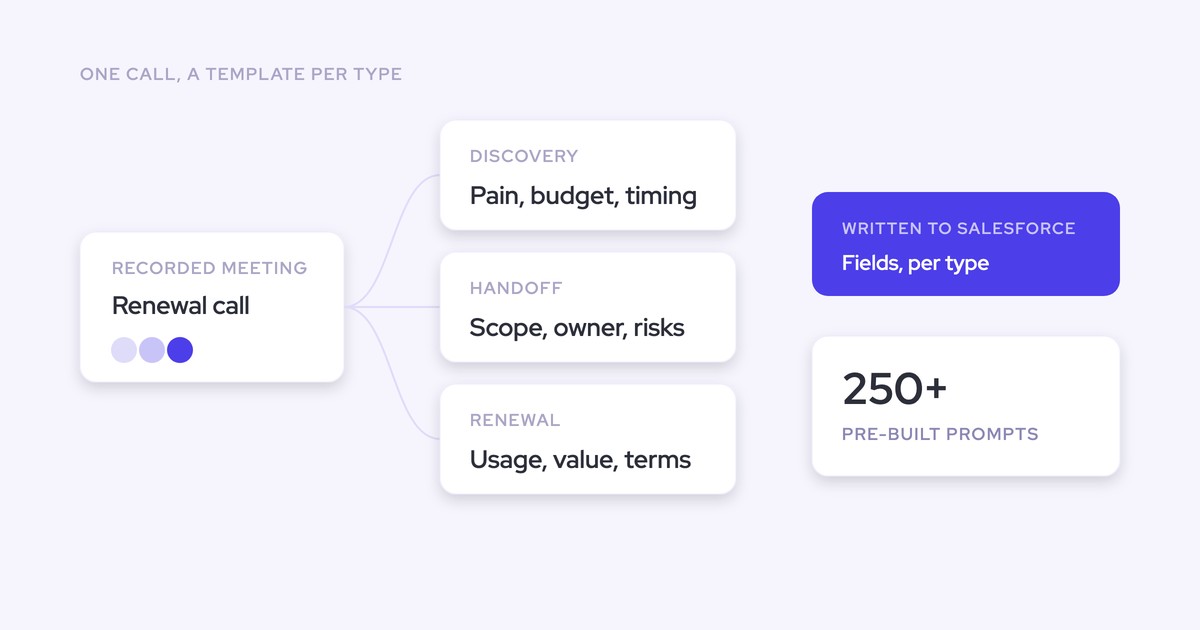
Use an onboarding template rather than asking a sales qualification template to interpret an implementation call. Weflow supports different summary and field-update templates per team, with outputs targeting different CRM objects.
- Configure prompts for the implementation fields in your custom-object setup.
- Define the evidence each prompt should accept and exclude.
- Assign the template to the onboarding team.
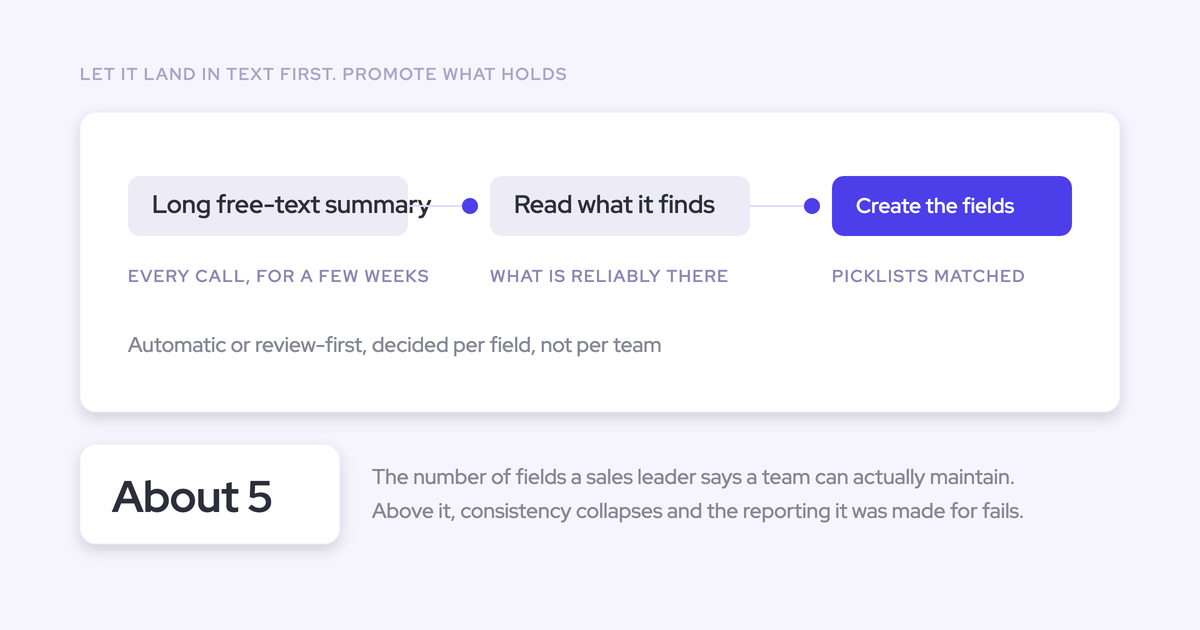
- Keep human review in the initial workflow.
The prompt needs your team’s definition of a valid outcome. Here’s the specification for our example:
| Destination field | Qualifying evidence | Exclude | Expected output |
|---|---|---|---|
Configured_Setup__c | Explicit confirmation that the team applied a setting. | Abandoned options and unimplemented plans. | A concise description of the completed configuration. |
Open_Items__c | A question or blocker that remains unresolved at the end. | Issues the participants resolved during the call. | The remaining issue and any stated dependency. |
Next_Steps__c | An explicit commitment to perform an action. | Suggested actions nobody accepted; invented owners or deadlines. | The action, owner, and deadline when stated. |
Keep the instructions short. A useful extraction rule is:
Use the final confirmed outcome from this call. If participants change their decision, exclude the earlier option. Don’t infer completion from agreement to do something later.
Done when: The onboarding test user has the assigned template, and each prompt defines both what counts and what doesn’t.
4. Capture and process your onboarding test call
Record a controlled call whose expected outcomes you already know. Weflow processes the conversation after recording ends and generates the proposed field updates.
- Use your approved recording and consent process.
- Discuss an initial configuration, then explicitly change it.
- Confirm what the delivery team actually implemented.
- Leave one question unresolved and assign a follow-up action.
- End the recording and inspect the processed transcript and proposed updates.
In a hypothetical test call, the customer initially requests a weekly import. Later, the team switches to a nightly import and explicitly confirms that the delivery team configured it.
In this hypothetical scenario, the finance mapping remains unresolved. The delivery team commits to sending a sample import file, but nobody agrees to a deadline.
| Call outcome | Expected extraction |
|---|---|
| Weekly import gives way to an implemented nightly import. | Nightly import configured. |
| Finance mapping remains open. | Finance mapping unresolved. |
| Delivery team agrees to send a sample file. | Delivery team to send sample import file; no invented deadline. |
Done when: The transcript contains the decision change, completion statement, and unresolved item. The proposed values should reflect those distinctions.
5. Review and sync the proposed custom-object field changes
Review the destination before reviewing the wording. A correct implementation outcome written to an unrelated renewal opportunity still creates bad data.
Weflow AI Field Updates show the current Salesforce value beside the suggested value. You can accept, edit, or reject each proposed change before syncing.
- Inspect the destination object and record. Stop if the proposed write targets the wrong record.
- Compare each suggestion with the relevant transcript passage.
- Preserve existing information that the new call doesn’t supersede.
- Accept or edit supported outcomes, reject unsupported ones, and sync the approved changes.
Your review might look like this:
| Destination field | Current value | Proposed value | Reviewer decision |
|---|---|---|---|
| Configured setup | Weekly import planned. | Nightly import configured. | Accept. The call explicitly confirms completion. |
| Open items | Finance mapping unresolved. | Finance mapping unresolved. | Reject the redundant change; retain the current value. |
| Next steps | Empty. | Delivery team to send sample import file. | Accept. The owner and action match the call. |
Done when: Every approved value has supporting evidence, and you’ve submitted the changes to the intended implementation record.
6. Verify every expected write on the custom record
Close the test in Salesforce, not in the extraction review. A correct suggestion doesn’t prove that Salesforce saved the value.
Open the implementation test record after syncing and complete a reconciliation:
| Field | Approved outcome | Salesforce value to inspect |
|---|---|---|
| Configured setup | Record the completed nightly import. | Contains “Nightly import configured,” with no conflicting statement that weekly import remains the plan. |
| Open items | Make no change. | Still contains “Finance mapping unresolved.” |
| Next steps | Record the delivery team’s commitment. | Contains the sample-file action without an invented deadline. |
Then inspect the surrounding records:
- Compare the destination record’s identity with the record selected for the test.
- Inspect unrelated opportunity fields for unintended changes.
- Review the recording’s associations separately from the calendar Event’s association.
- Inspect the transcript and summary on the Salesforce recording record.
- Record the observed values, reviewer, and test result in your rollout log.
Weflow recordings and Salesforce Events are separate records. Moving a recording inside the Weflow app changes the recording association, but leaves the Event where it was.
Done when: Salesforce holds every approved outcome, unchanged fields remain intact, and the recording and activity associations match your intended model.
7. Repeat validation before expanding your production rollout
Move from sandbox sign-off to an admin-controlled production test, then a limited delivery-team pilot. Each stage should prove the write under the permissions people will actually use.
- Sign off the sandbox test. Save the prompts, mappings, starting values, reviewed outputs, and observed Salesforce results.
- Assign the production setup work. Our support team handles custom-object configuration; your admins own Salesforce access and team setup.
- Test against a production test record. Run the same onboarding scenario and reconcile the resulting values.
- Start a limited pilot. Keep review enabled and inspect every expected write during the pilot.
- Expand after the pilot passes. Include changed decisions, unresolved issues, populated fields, and the permission profiles your delivery team uses.
In an org with Private org-wide defaults, Weflow’s integration user needs Modify All Records on Account, Opportunity, and Contact for the documented activity-update workflow. Read, Edit, and View All alone don’t cover those updates.
That requirement concerns those standard objects. Your custom-object test must also exercise its own sharing and field access.
Done when: Production tests reproduce the expected implementation values under the pilot users’ access, without unwanted changes to related records.
Troubleshoot custom-object field updates before rollout
Locate the failure before processing more calls. Template assignment, extraction, record targeting, and Salesforce persistence are different parts of the workflow.
| Symptom | Check | Corrective action | Recovery boundary |
|---|---|---|---|
| No field-update review appears. | The user’s team and assigned template. | Assign the appropriate field-update template to the team. | Use a new controlled call to test the corrected assignment. |
| The output includes an abandoned decision. | The transcript and prompt exclusions. | Specify that the final confirmed outcome takes precedence. | Edit or reject the suggestion before syncing. |
| The output invents completion or a deadline. | Whether the call explicitly supports the value. | Require explicit evidence in the prompt. | Don’t approve unsupported detail. |
| The destination is an unrelated opportunity. | The proposed field destination, recording link, and Event association. | Stop the write and correct the relevant configuration or association. | A recording correction inside Weflow doesn’t move the Event. |
| An approved value doesn’t appear in Salesforce. | Object access, field permissions, sharing, validation rules, and dependencies. | Correct the blocking configuration and run a fresh test. | Recover the missed value manually from the retained call content. |
| Some related records receive summaries and others don’t. | The integration user’s access to each destination object. | Test each destination under the applicable sharing model. | A successful write to one object doesn’t prove access to another. |
Failed Salesforce writes from AI summaries or field updates can’t currently be replayed. The call content remains available on the recording record, but recovering a missed write requires manual entry.
If you find a failed write:
- Pause the affected rollout.
- Identify the calls and records processed under the faulty configuration.
- Recover supported outcomes from the retained call content and enter the missing values manually.
- Correct the configuration, run a new test call, and reconcile its writes before resuming.
See how Weflow captures activity, updates Salesforce fields from calls, and rolls up your forecast. Book a 30-minute demo.
FAQs about Weflow AI Field Updates for custom objects
The workflow above updates supported fields on an existing custom record. These distinctions matter when you extend it beyond the first onboarding test.
Can one call update multiple custom Salesforce records?
Weflow supports custom-object field updates and can link a recording to several Salesforce records. The workflow here targets one existing implementation record.
Will Weflow overwrite existing custom-field values?
Existing-value behavior depends on the field. Weflow adds to existing methodology text, such as MEDDIC or SPICED content, rather than replacing it. A single-value field requires a replacement when its value changes.
For implementation text, review the current and proposed values together. Keep earlier detail that still applies, and remove a superseded plan only when the call supports that change.
Can Weflow update custom-object fields without human approval?
Weflow offers manual review and automatic AI Field Updates. The prompt editor includes an Auto-update Salesforce option; the screen below shows an Opportunity template.

We recommend keeping review in your initial custom-object rollout. Before removing it from a field’s workflow, establish that:
- The extraction distinguishes completed work from proposed work.
- Existing-value behavior preserves information you still need.
- The destination and write succeed under production permissions.
Where does Weflow store onboarding call data?
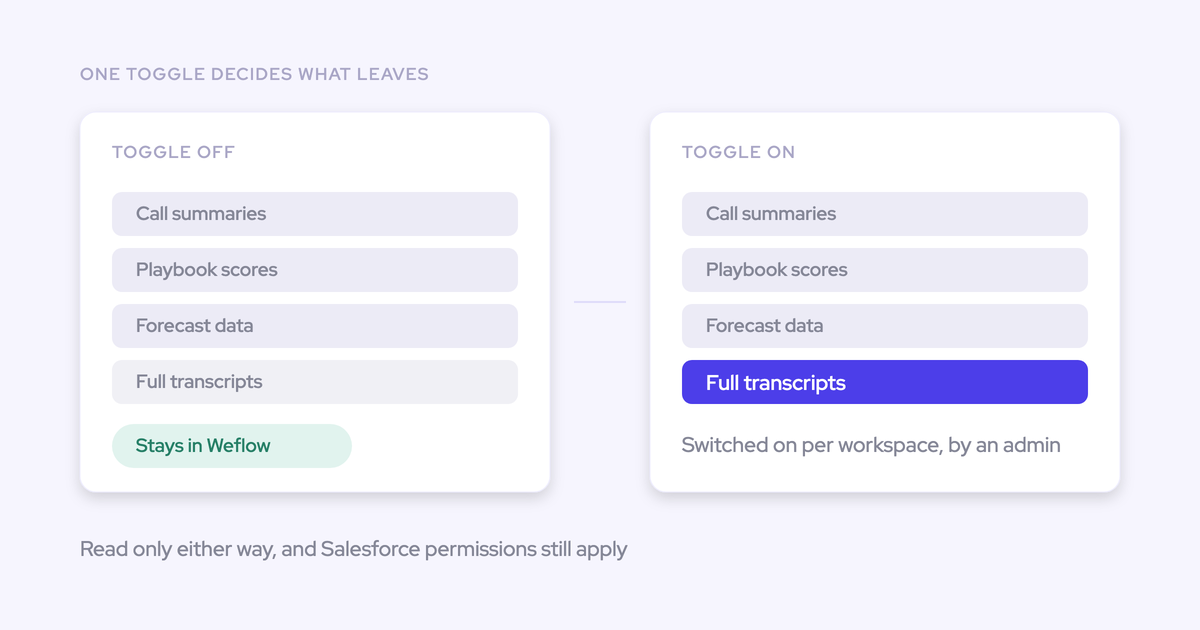
Weflow writes transcripts, summaries, and structured field values into Salesforce. Recording media stays in Weflow rather than consuming Salesforce storage.
| Artifact | Location |
|---|---|
| Recording media | Weflow stores and serves the recording. |
| Full transcript | The Salesforce Weflow_Recording__c record holds the transcript. |
| Call summary | The Salesforce recording record holds the summary; Weflow also writes the summary to the related Event. |
| Structured implementation outcomes | The configured fields on your existing custom Salesforce record. |
Who can access onboarding transcripts in Salesforce?
The Salesforce recording object contains the full conversation, so transcript access deserves its own permission review. Integration-user write access and end-user read access serve different purposes.
- Review which profiles and permission sets can read the recording object and its fields.
- Test visibility as a delivery user, a manager, and a user who shouldn’t see the transcript.
- Keep sensitive information behind actual Salesforce access controls, not just hidden list views or Lightning components.
Weflow inherits Salesforce permissions and role hierarchy. It doesn’t inherit visibility restrictions that exist only in list views or Lightning component presentation.
What does Weflow Conversation Intelligence cost?
Weflow Conversation Intelligence costs $39 per user per month, billed annually, with a 10-user minimum. It includes unlimited recordings, transcripts, and free view-only licenses.
We don’t charge implementation fees. Weflow also offers a 14-day free trial with guided onboarding.
Use the evaluation to prove one complete path: an onboarding decision, a reviewed field update, and the correct value saved on your implementation record.