Why MEDDIC fields stay blank in Gong (and how to fill them)
Learn why MEDDIC fields stay blank in Gong and how to fill them with AI field updates or better setup


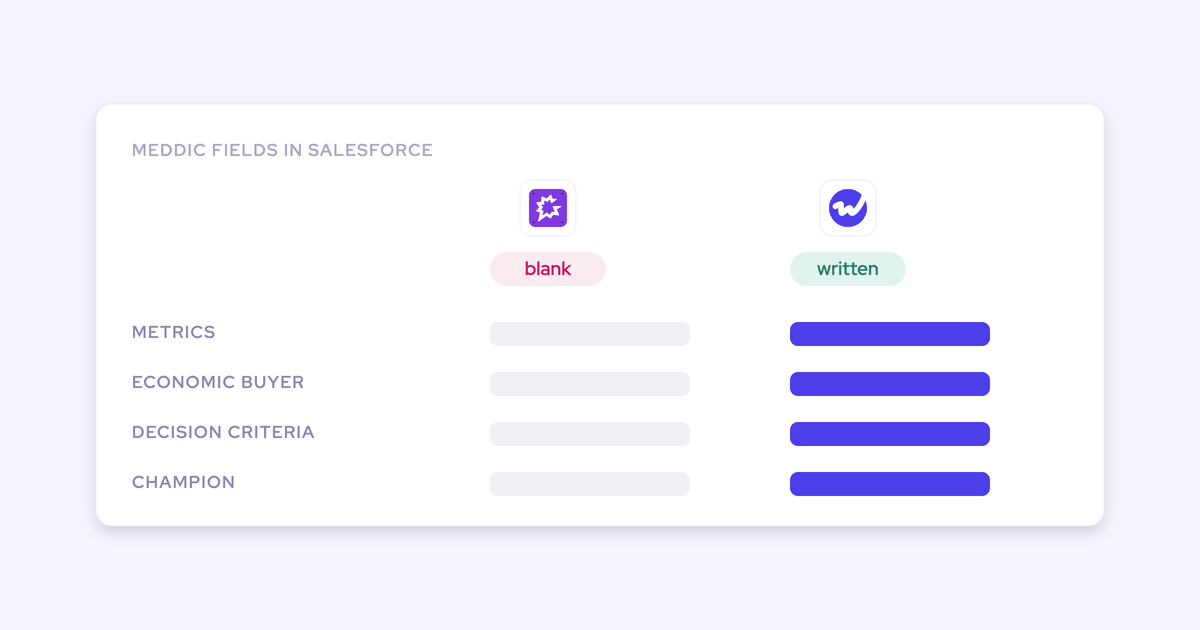

Open any opportunity in your pipeline and look at the MEDDIC fields. Blank. Now open the same deal in Gong and the qualification is right there: the AI heard the economic buyer, the metrics, the decision process.
Nothing is wrong with your reps and nothing is wrong with your methodology. The qualification happened. It's sitting in your recorded calls instead of your Salesforce fields, which is why deal execution still runs on rep optimism instead of on what was actually said.
That makes this a documentation and extraction problem, not a coaching or discipline problem. Which matters, because chasing reps harder is the wrong medicine and you've already tried it once. Here's exactly why the fields stay empty, and every realistic way to fill them, including the ones that cost nothing.
Your MEDDIC fields are empty, but the qualification happened
Methodology adherence looks like a coaching problem and is almost always a documentation problem. The conversations are happening. The evidence lives in call recordings and email threads where nobody can report on it.
Here's what the empty field looks like from the top of the house versus what actually happened:
| What leadership reads into the blank field | What actually happened |
| The rep didn't qualify the deal | The rep asked, the buyer answered, and it's in minute 14 of the discovery call |
| The methodology isn't being followed | The methodology is being followed and never written down |
| We need more training and more mandated fields | You need the field populated from the conversation, not another rollout |
The last row is where most teams lose a year. Leadership sees empty fields, concludes the framework isn't landing, and responds with more training and more required fields. Reps get more resistant, the fields get filled worse, and the loop tightens.
Meanwhile the fields your whole process depends on, MEDDIC, next step, close date, the procurement contact, are the exact fields reps fill in last and worst. Usually the night before the forecast call, from memory. So the CRM says the deal has a champion and the champion left two months ago.
Why Gong doesn't write MEDDIC fields into Salesforce
Two independent causes stack here, and only one of them is about the tool. The first is where Gong puts the insight it finds. The second is how your fields are labeled in the first place.
Gong keeps call insight in its own data layer
Gong doesn't auto-populate MEDDIC or other methodology fields in Salesforce from call transcripts. It surfaces the qualification, then leaves the CRM field update as a manual step the rep does after reviewing Gong's insight.
Which means it happens last, or it doesn't happen.
Credit where it's due: Gong genuinely hears the qualification. The deal board is the screen managers like most, and buyers tell us so unprompted.
The gap isn't the hearing. It's the write. Gong is a conversation platform that holds its own data layer, so the intelligence maps into Gong's structure rather than into your Salesforce fields.
| What the deal review needs | Where it actually sits |
| Economic buyer named on the Opportunity | Heard on the call, starred in Gong's deal board, blank in the Salesforce field |
| Decision criteria in the notes field your team tracks against | Three paragraphs of a transcript nobody re-reads |
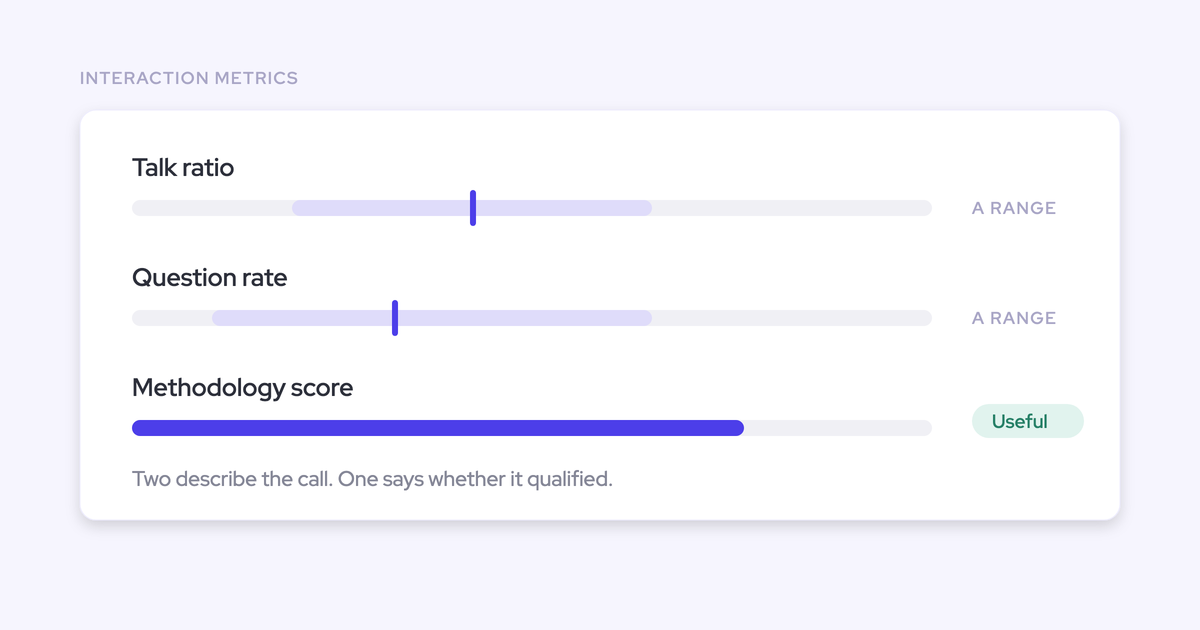
| A methodology score you can filter a pipeline by | Not produced by trackers; teams build the weighted score separately in Salesforce with RevOps and IT |
So you end up with two versions of the truth. The score lives in one interface, the review happens against fields in another, and the second one is empty.
There's a further wrinkle worth knowing before you lean on Gong's field writing at all. Where its AI does write to Salesforce, it's standard objects only, and there's no control over what happens when Wednesday's call contradicts Monday's. The field ends up holding whichever answer arrived last, with nothing marking it as uncertain. For a field a report or a routing rule reads, that's worse than blank.
The field label asks a question no rep says out loud
The second cause is quieter and it's the one that makes leadership meetings go differently: your fields are named in framework language that nobody says on a real call.
No rep opens with "let's cover the metrics portion of discovery." They ask about pains, challenges, what it's costing today. The information exists in human words while the field labeled "Metrics" or "Economic Impact" stays blank.
They're empty because so many times I think the field title is wrong. Therefore, because the field title is wrong, the rep doesn't actually ask the right question in such a way that it captures that information.
— Richard Harris, sales advisor, trainer, and founder of The Harris Consulting Group
Harris makes a second point that lands hard on MEDDIC specifically: when you ask a rep for "metrics," whose metrics do you mean? Theirs or yours? A field designed to feed your forecast produces discovery that feels like an interrogation, and the buyer never says the thing that would fill it.
| What the rep actually asks | What the field is called |
| "What's this costing you today?" | Metrics |
| "Who else needs to be comfortable with this?" | Economic Buyer |
| "How did you buy the last tool like this?" | Decision Process |
Fix the labels and you fix half of it for free. The answer still has to get typed somewhere.
Four ways to fill MEDDIC fields from your calls
You have four realistic paths. They differ in cost, in who does the work, and in whether they remove the manual write or just re-mandate it.
| Path | What it fixes | What it costs | Where it breaks down |
| Rewrite the field labels and the discovery questions in plain language | The rep asks the question, so the answer exists in the conversation and sometimes lands in the field | An admin hour and one team meeting | Still depends on someone typing it afterwards |
| Re-mandate manual entry, with weekly inspection | Nothing new; it enforces what you already asked for | Manager time every week, plus rep goodwill | You've run this play. Fields get filled the night before the forecast call, from memory |
| Build extraction yourself on Gong trackers with RevOps and IT | Keyword-level signals on methodology topics, plus a weighted score you designed | A build project, then permanent ownership of it | Trackers detect that a topic was mentioned; they don't write MEDDIC values into your fields, and the score has to be engineered and maintained in Salesforce |
| AI field updates from the transcript | Removes the manual write; the field gets its value from what was actually said | A per-seat tool and prompt configuration during onboarding | Accuracy tracks prompt quality, and custom objects need vendor-side setup |
Start with path one regardless of what else you do. It costs nothing and it's the only fix that improves the conversation itself rather than the paperwork about it.
Path two is the one to stop doing. Path three is honest work if you have RevOps and IT capacity and want the score weighted against your own win, slip and loss data, which is a genuinely good reason to build.
Path four is where we sit. Weflow is the Revenue AI Orchestration platform for sales, customer success, and RevOps teams, and AI Field Updates is the part that does this specific job: extract structured values from the call transcript and write them into the specific Salesforce fields your deal review already reads off. Blacklane runs at 96% of MEDDIC fields populated in Salesforce this way.
Not into a scorecard in our portal. Into the notes-and-checkbox fields your team built when you rolled the methodology out, which is exactly the question buyers put to us:
How to set up Weflow AI Field Updates for MEDDIC
This is a configuration exercise, not a change management program. Technical setup runs 30 to 45 minutes with a Salesforce admin and your Google Workspace or Microsoft admin. Full time to value, including template tuning and rollout, is one to three weeks.
Prerequisites:
- The MEDDIC fields you already track in Salesforce, on the Opportunity or a custom object
- Salesforce admin access, plus Google Workspace or Microsoft admin for calendar and email
- Calls recorded on Zoom, Teams, or Google Meet
Then:
- Start from the fields the deal review reads off. Don't create a new scorecard. List the existing text, notes, picklist and checkbox fields per MEDDIC element, because those are the ones your managers already look at.
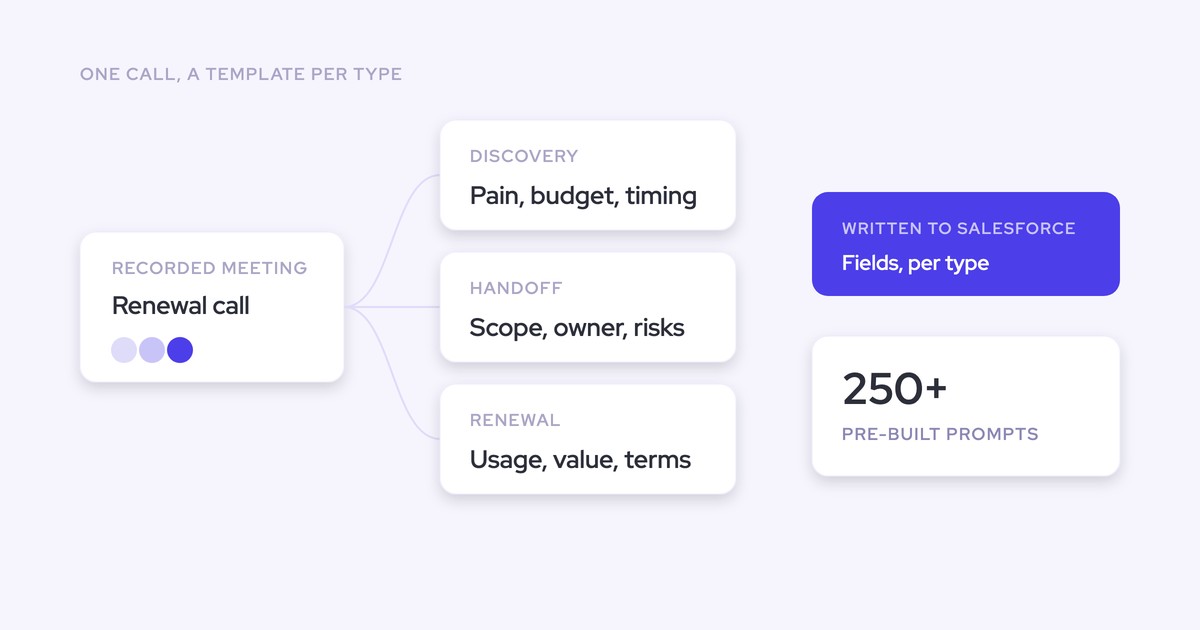
- Map each field to its prompt. In the admin console you pair a Salesforce field with the prompt that extracts it. Weflow ships more than 250 pre-built prompts and around 30 methodology templates covering MEDDIC, MEDDPICC, SPICED, BANT and Challenger, so you're editing prompts rather than writing them from scratch.
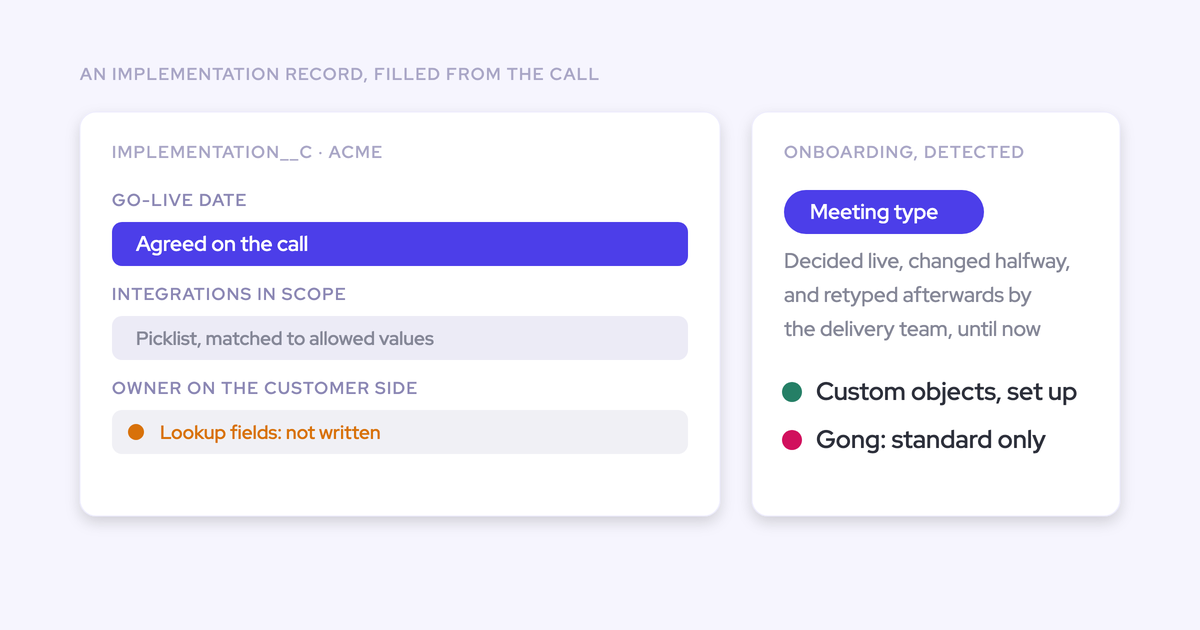
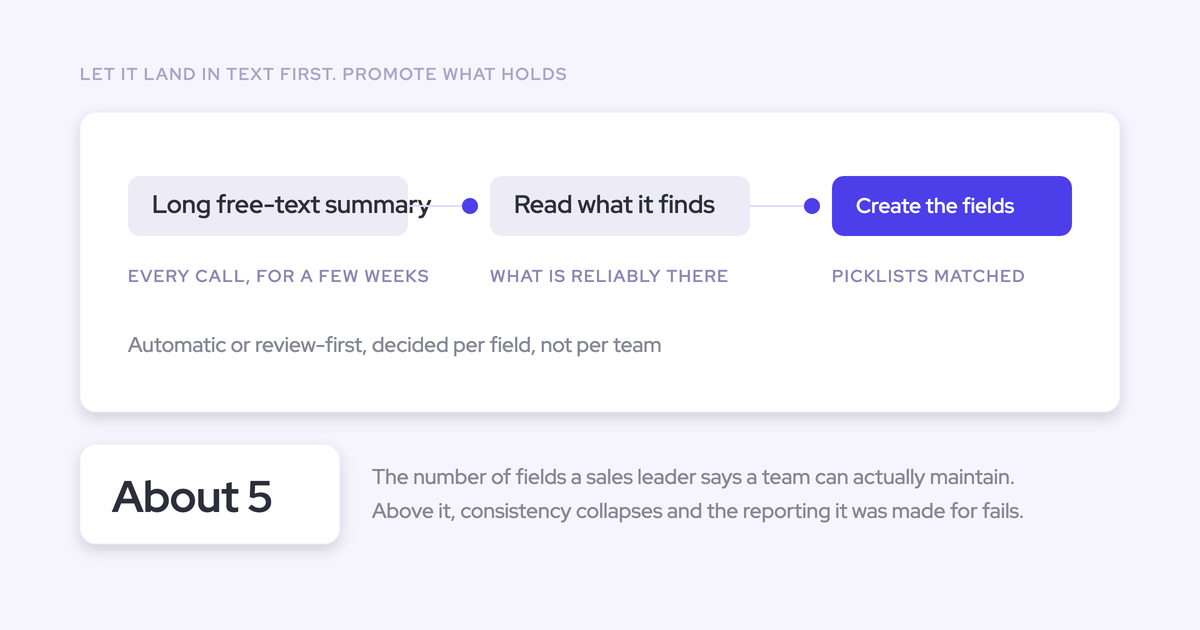
- Tune the prompts to the field type. This is where accuracy comes from. Picklists and multi-picklists only work when the allowed values are engineered into the prompt, and a model can also compute a derived value, like an amount from the seat count and seat price discussed on the call.
- Assign templates per team. Enterprise on MEDDIC, the down-market team on BANT, customer success on its own structure writing to a different object. The template only appears for users whose team has one assigned.
- Keep the review loop on. AI Field Updates arrive as suggestions with the current value beside the proposed one. The rep accepts, edits, rejects, or reassigns to the right deal, and nothing changes in Salesforce without confirmation. Required fields stay locked.
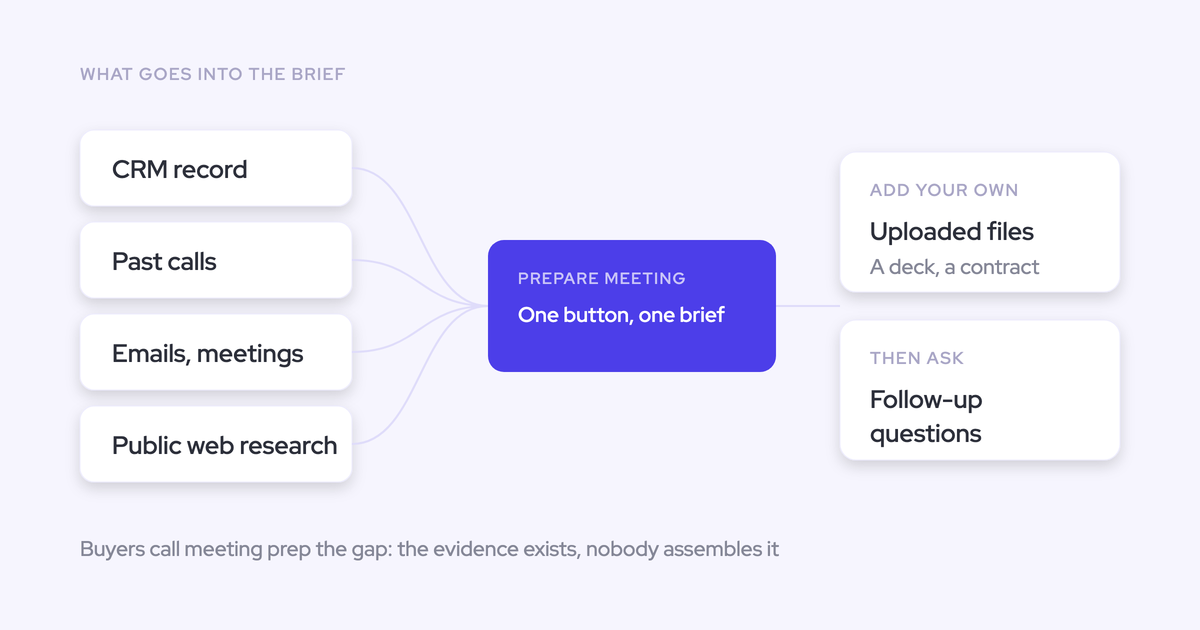
- Add opportunity-level playbook scoring. Per-call output only ever sees one conversation. AI Playbooks read every email, meeting, transcript and CRM field on the deal, refresh on a schedule, write the result back to the corresponding Salesforce fields, and return a next-step recommendation.
Two honest notes inside those steps. Custom objects are supported but need setup by Weflow support rather than self-serve. And prompt quality drives field accuracy, so that's where onboarding effort actually goes.
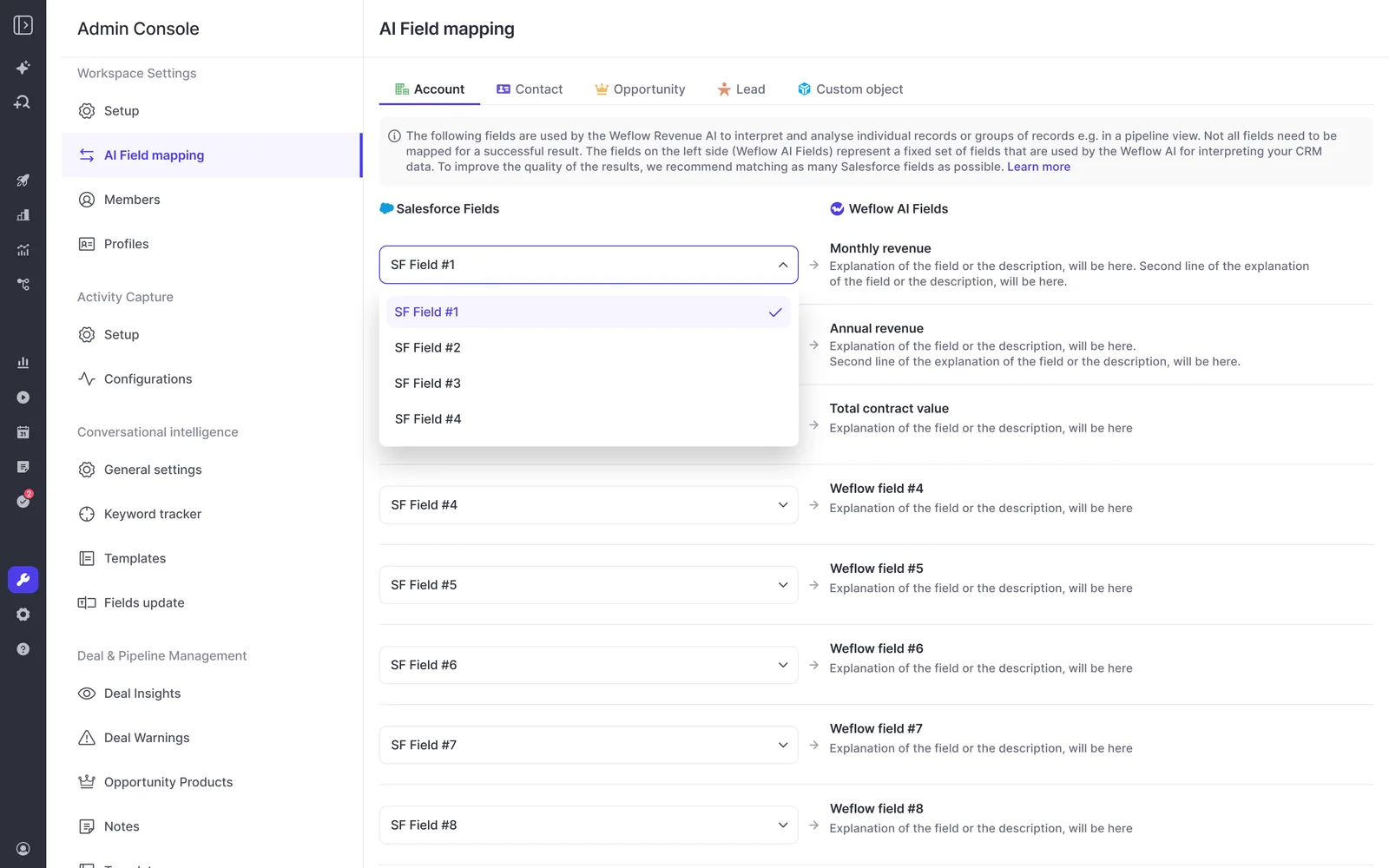
What it looks like in practice on a decision criteria field: a rep would type "they want SSO and good support." The transcript has the buyer saying they're comparing on SSO, on European data residency because of their own procurement, and on whether the vendor implements it themselves. The extracted field carries all three, because a MEDDIC entry needs several sentences of substance nobody types and every transcript already contains.
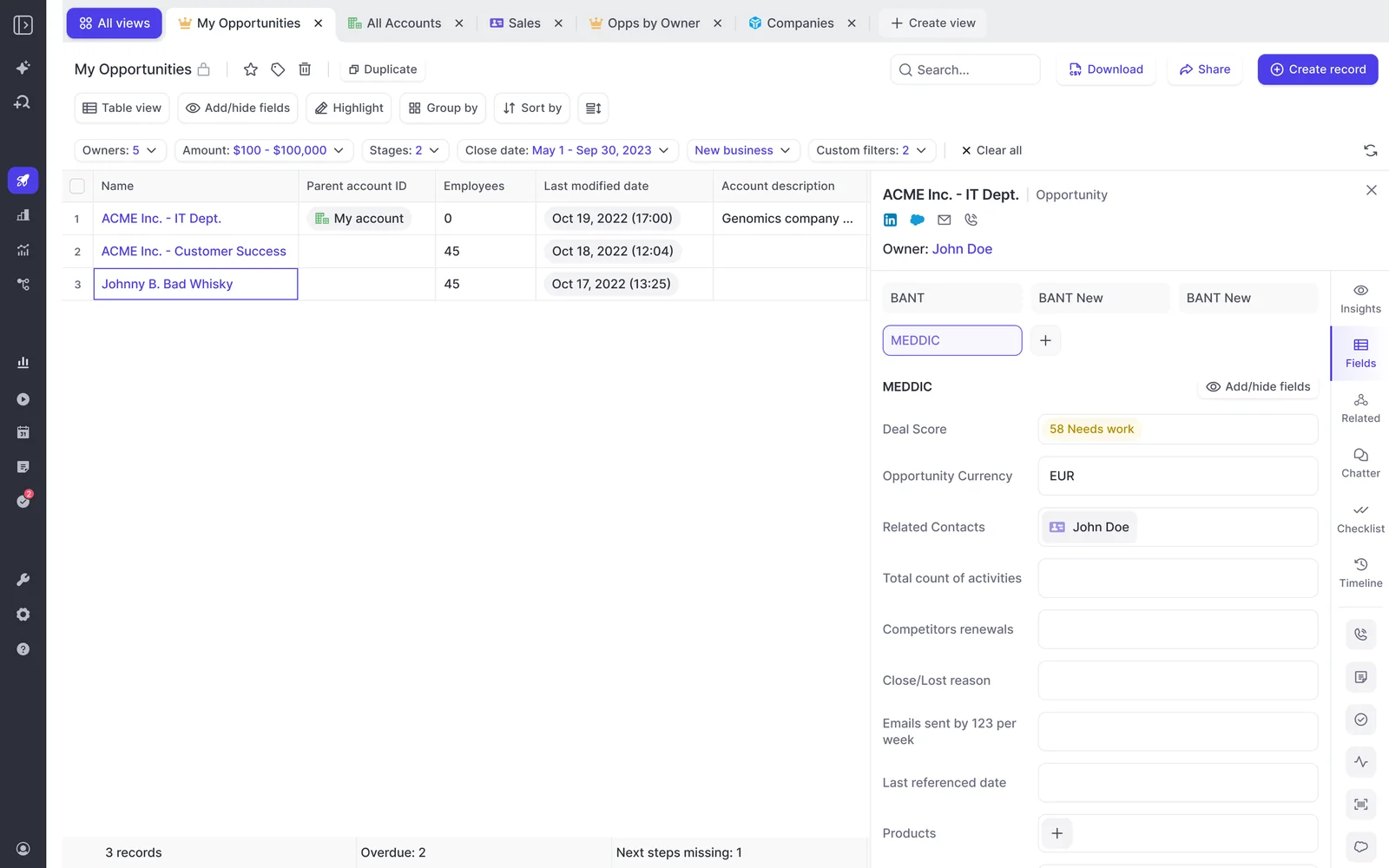
Because the whole picture assembles at the opportunity level, the qualification becomes something you can filter a pipeline by rather than a per-call score nobody opens.
What automating MEDDIC fields won't fix
Filling the fields is necessary and not sufficient. Automation fixes the documentation. It doesn't fix the operating system around it, and if you buy it expecting otherwise you'll be disappointed in a quarter.
Reps still need to reason about their own deals
A tool that silently fills everything removes the reflection the methodology existed to force. That's a real tension, not a marketing objection, and the practitioners furthest ahead on this feel it directly.
In an agentic workflow, like I said, you don't have to fill out anything. The score automatically comes from conversations and activities logged in Salesforce, and your champion's a three or it's a two. But there is that deal inspection thing where there are questions, and I do want them to reflect.
— Julien Cerutti, VP of Global Revenue Strategy at Meltwater
The working design is auto-fill plus a human loop. The machine computes from the evidence, the rep still answers the question, and the gap between the two is the coaching moment.
That's why AI Field Updates are suggestions rather than silent writes, and why a rep can override a playbook field, with the override itself evaluated for plausibility against the deal. The rep confronts what they don't know. They just don't retype a conversation they already had.
Managers still need to coach to the filled fields
A methodology becomes real when three things are true at once: the data on what was discussed exists, a manager looks at it, and the coaching is built around what it shows. Remove any one and the framework stays a slide.
If it's not taught well, whether it's any philosophy, to be honest with you, or methodology, the problem is the leadership's not coaching to it.
— Richard Harris, sales advisor, trainer, and founder of The Harris Consulting Group
Say the hard version out loud: if managers aren't inspecting to the methodology, automating the fields just automates the paperwork. You'll have complete data and the same forecast.
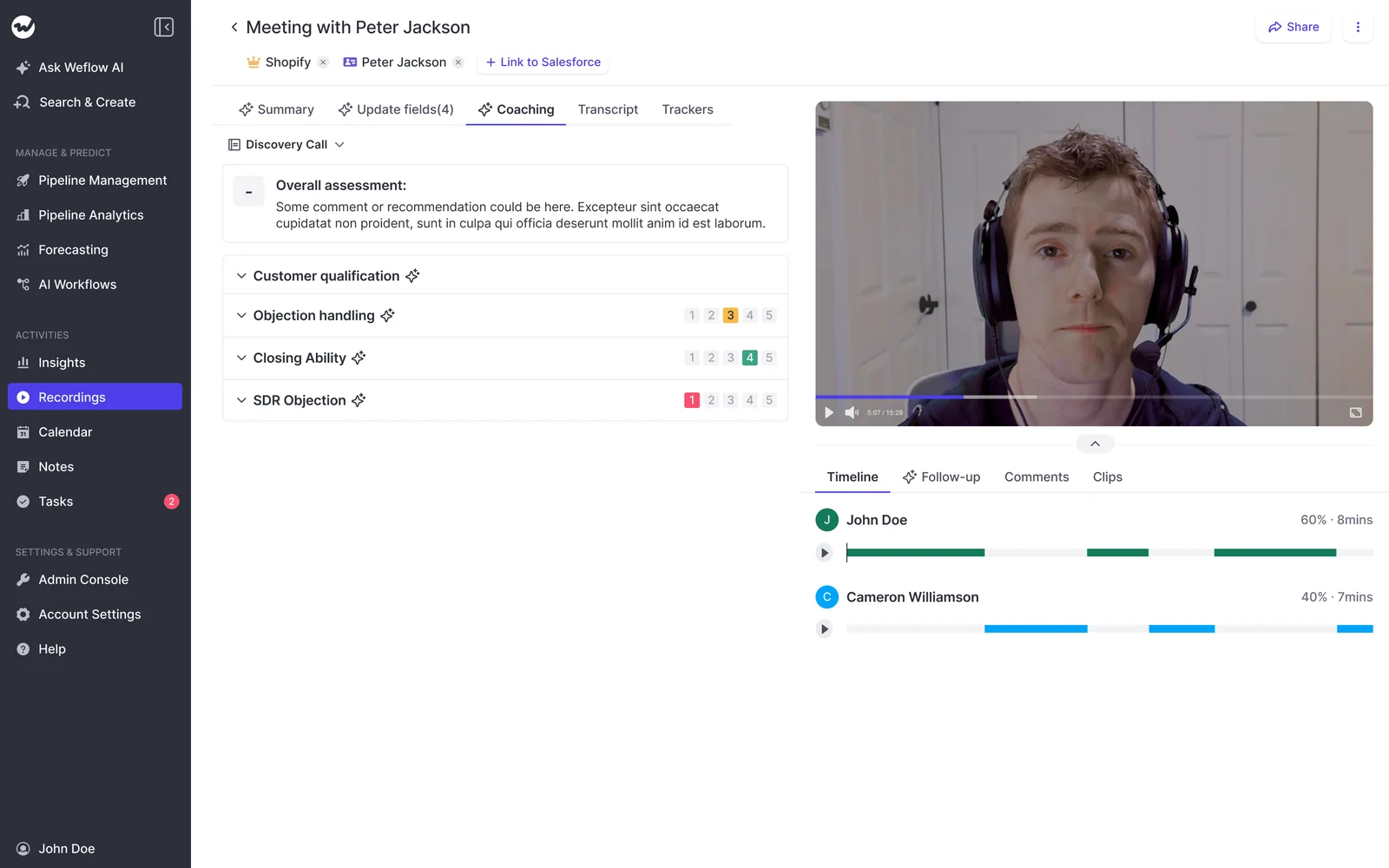
What automation does change is that the inspection becomes possible at all. Every recorded meeting gets scored against your configured framework, which turns adherence into a trend per rep rather than an anecdote from whichever three calls a manager had time to open, and a manager can override any score.
Should you keep Gong or replace it?
You don't have to rip out Gong to fix this. It's a genuine choice, and there's a real case for each side.
Gong's conversation analytics are the deepest in the category, its interface is more polished than most alternatives including ours, and it will summarize a methodology across every call on an account rather than call by call. If your managers lean on the deal board daily, that's not nothing.
| Keep Gong, add field extraction alongside | Consolidate |
| Managers keep the deal board and analytics they already use daily | One platform covering capture, conversation intelligence, field updates and deal scoring, on one renewal |
| No change management on the tool your team likes | Coverage you can extend past the sales team, because per-seat cost stops deciding who gets it |
| Watch for two recorders on the same call, and for two tools writing the same meeting into Salesforce as two separate events, which breaks meetings-per-rep reporting | Migration runs about a week: recordings, metadata and transcripts re-imported through the Gong API, transcripts reused where possible and retranscribed where not |
| Two budgets, and the methodology insight still lives in two places | Your existing tracker set carries over, so keyword reporting doesn't restart from zero |
The archive is not the hostage people assume. Weflow imports existing libraries from Gong, Chorus and others with an API key, re-links recordings to the right Salesforce records, and reprocesses libraries in the thousands, so the historical calls are searchable and scoreable under the new system.
The durable argument isn't price or features though. It's where the data lands.
I've used Gong before. I'm a previous Gong user. I know they're weak and also you can never leave them because you don't own any of the data. And also they take you away from the Salesforce interface and you have to work within their interface.
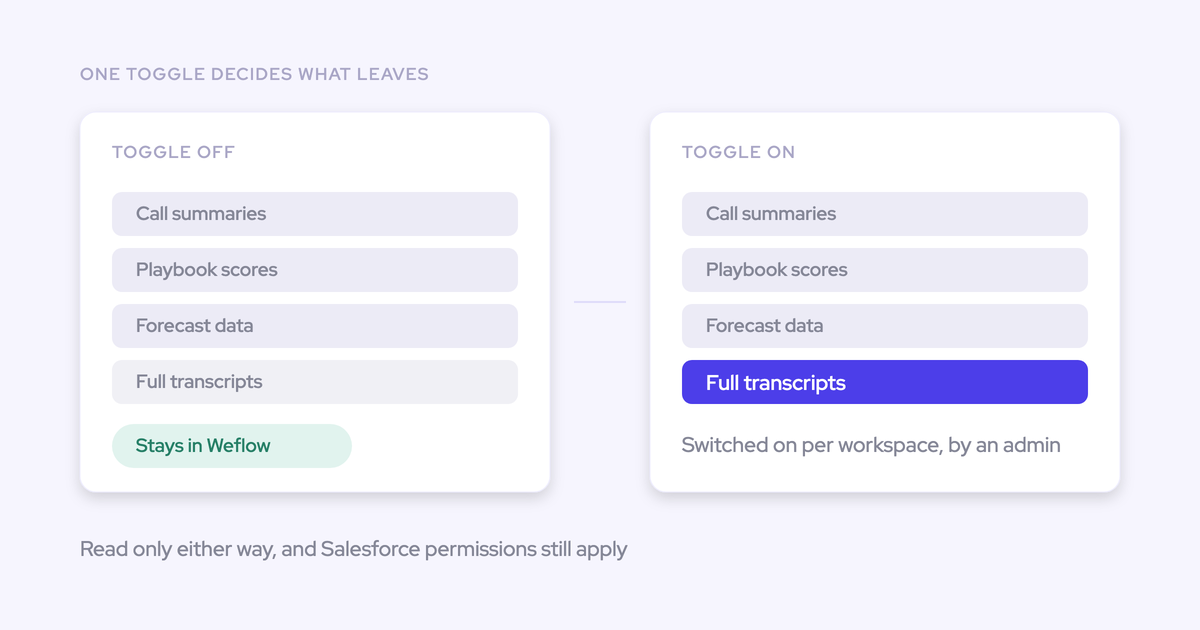
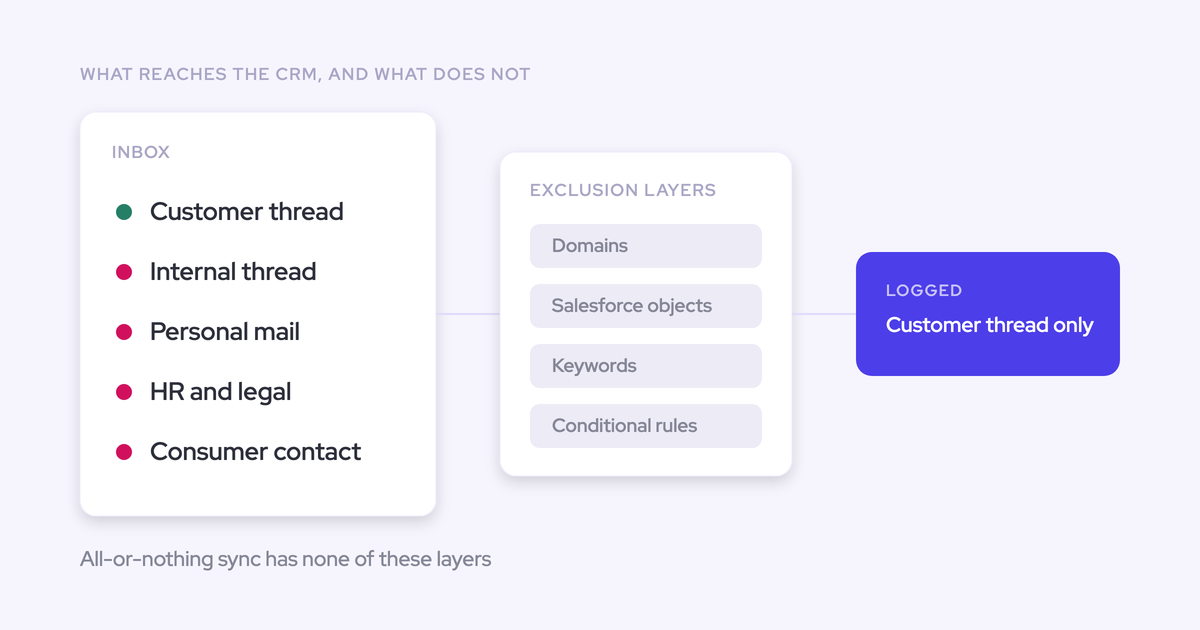
Everything Weflow captures and generates, including the MEDDIC field writes, lands in native Salesforce objects you own. Which means it's reportable by your own dashboards, usable by your own automations and agents, and still yours the day you decide to leave any vendor, including us.
FAQ: filling MEDDIC fields from call transcripts
What does Weflow cost compared to Gong?
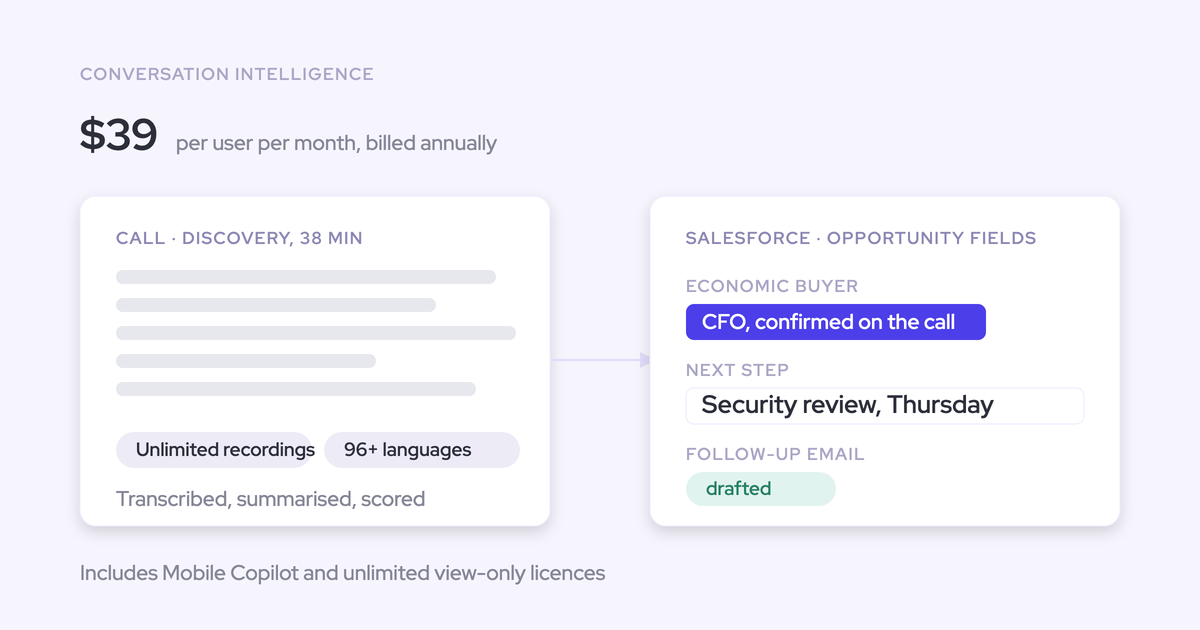
Weflow Conversation Intelligence is $39 per user per month billed annually, and Revenue AI Foundation, which adds Activity & Contact Capture, is $49. There's no platform fee, no implementation fee and no usage-based AI charges, with a 10-user minimum and unlimited view-only licenses.
Gong's Foundation tier starts around $1,600 per seat per year, plus a $5,000 annual platform access fee before any module, with coaching and forecasting sold as add-ons on top and AI now priced partly on consumption. The structural difference matters more than the headline: per-product, per-team bundling is what keeps a 260-seat rollout affordable when only the leadership group needs forecasting.
Who maps the fields, and how long until it's accurate?
Your admin maps them, working from more than 250 pre-built prompts and around 30 methodology templates rather than a blank page. Technical setup is 30 to 45 minutes; one to three weeks gets you to full value including template tuning. Accuracy depends on prompt quality per field, which is the main thing onboarding is for, and custom objects are configured with Weflow support.
Can a rep or admin review changes before they sync?
Yes. AI Field Updates show the current Salesforce value next to the suggested one, and the user accepts, edits, rejects, or reassigns the update to a different deal before anything writes. Nothing changes in Salesforce without confirmation, and required fields stay locked. Fully automatic mode exists if you want it later.
Can we run BANT, MEDDPICC, or a custom framework?
Yes, including a proprietary in-house framework. Because a methodology here is a set of prompts mapped to fields rather than a hardcoded model, you name the fields and write the prompts. Different teams can run different frameworks at the same time, so enterprise on MEDDIC and the down-market team on BANT is a normal setup, not a workaround.
Can I see MEDDIC per opportunity, not just per call?
Yes, and this is the distinction that matters. Per-call scoring measures the rep. AI Playbooks score the whole opportunity by reading every email, meeting, transcript and CRM field on the deal, refresh on a schedule, and write back to the Salesforce fields. That's what makes it a forecast signal: a deal called for this quarter with no identified economic buyer becomes a specific, filterable risk.
What happens to our Gong recordings if we switch?
They come with you. Weflow imports recordings, metadata and transcripts through the Gong API and re-links them to the right Salesforce records, running its own lookup matching where the association isn't in the source API. Reprocessing means the historical library is searchable and scoreable under your new templates, not just archived.
Do reps have to install anything or change their workflow?
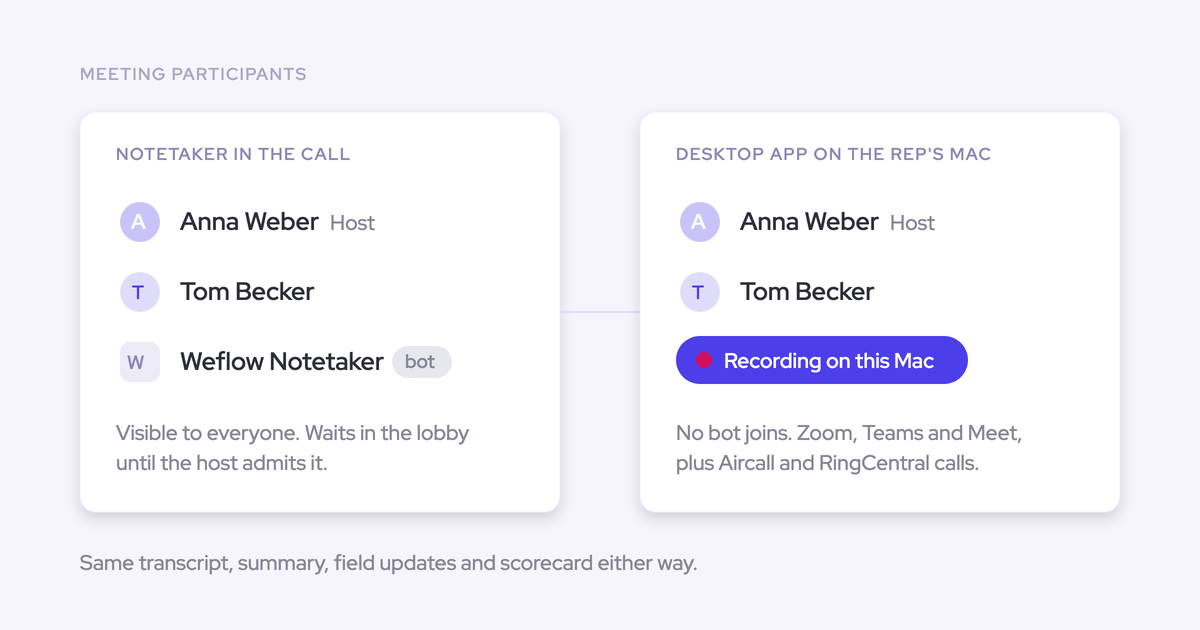
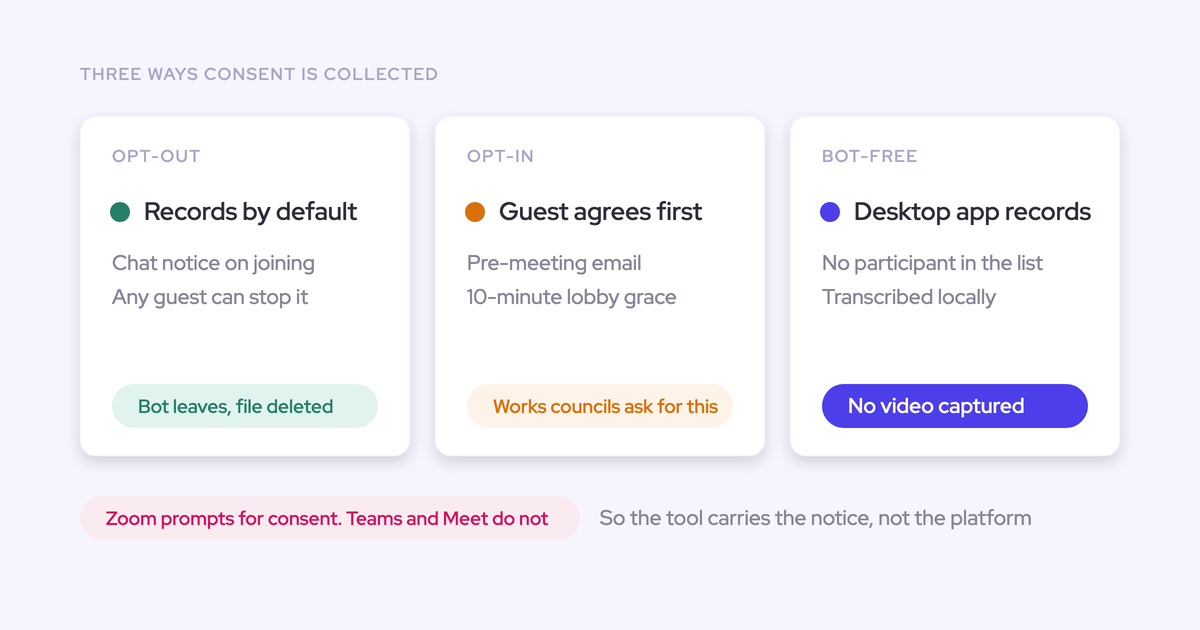
No install is required. Calendar and email access is granted server-side by your admin, and the notetaker joins Zoom, Teams and Google Meet calls. The Chrome extension and the Outlook or Gmail add-in are optional.
Within 30 to 60 seconds of the call ending the rep gets the recording, the summary, a drafted follow-up email and the proposed field updates to review. The summary is written onto the Salesforce Event with a link to the recording, so it shows up on the opportunity timeline and there's no second place to work.