Best Fireflies Alternatives for Sales Teams on Salesforce (2026)
Compare Fireflies alternatives for Salesforce sales teams and see which auto-writes calls and email.


Fireflies is a good notetaker. It's cheap to start, it records on almost any platform, and half your company probably uses it already. The trouble starts when RevOps tries to make it feed Salesforce.
RevOps leaders describe the same gap to us on sales calls:
We have like Fireflies recordings from like a note taker perspective, but truly nothing embedded within Salesforce right now
The gap has three parts:
- Fireflies Autofill CRM writes fields only after a rep reviews each meeting and sends the values.
- The automatic sync writes a summary note, not fields.
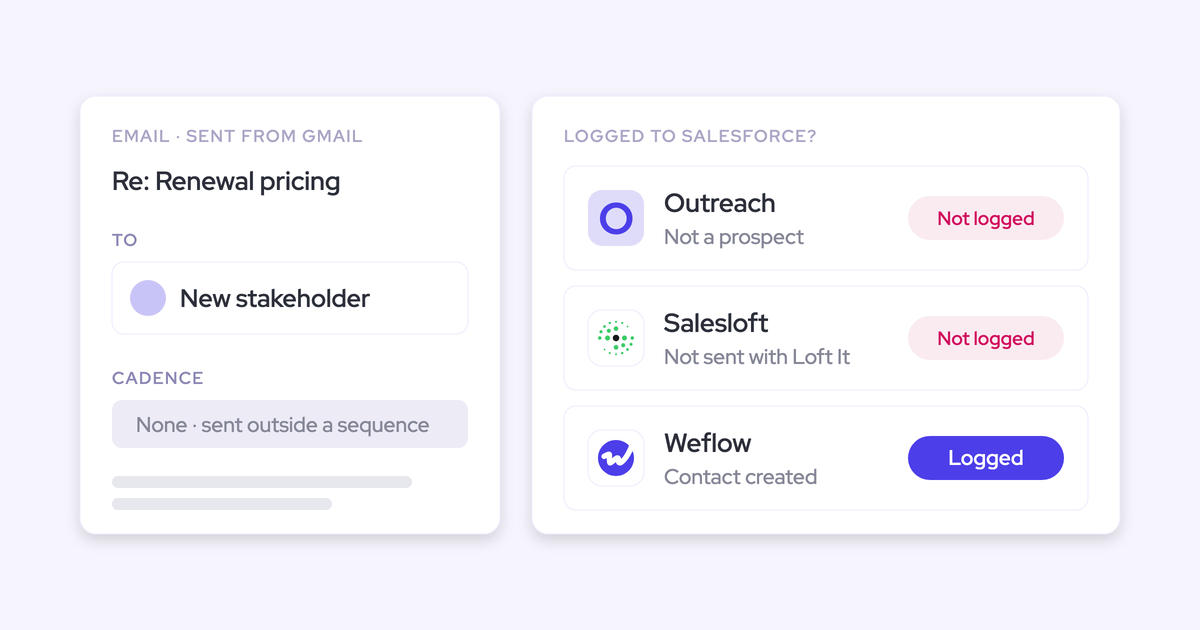
- No email reaches the CRM at all.
So we judge every alternative on one test. What lands in Salesforce, in which field type, on which record, without a rep clicking anything, and is email part of it?
On that test, Weflow, a revenue AI orchestration platform built for Salesforce teams, fits Salesforce orgs of 10 or more seats that want calls and email written into fields and records automatically. It does this with Weflow Conversation Intelligence and AI Field Updates, plus Weflow Activity & Contact Capture for email. Fathom, Avoma and Attention suit other team shapes. Some teams should stay on Fireflies, and we'll say which ones.
This article compares four alternatives to Fireflies on the same nine capabilities. It's a focused comparison, not a survey of the whole market.
What Fireflies does well, and why Salesforce teams leave
Fireflies is a strong horizontal notetaker that sells one product to sales, recruiting, marketing, healthcare and podcasting. Salesforce is one destination among the 13+ CRMs it supports. That design explains both what it does well and where it stops for a revenue team.
Here's what Fireflies does today on the nine capabilities we use for every tool in this article.
| Capability | What Fireflies does |
|---|---|
| CRM field updates from conversations | Autofill CRM extracts values into configured standard or custom Contact, Account and Opportunity fields. A rep has to review and send each meeting from inside Fireflies. |
| Salesforce integration | Matches meetings to Contacts, Leads and open Opportunities, then writes notes, Events, Tasks and Autofill values. It writes to standard objects only. |
| Automatic email capture | Not offered. Fireflies logs no email to Salesforce or any CRM. Its Gmail and Outlook connection only labels mail and drafts replies. |
| Recording without a bot joining | The Mac and Windows desktop app captures Zoom, Meet, Teams and phone calls from system audio. It keeps no recording file and labels speakers Speaker 1 and Speaker 2. |
| Coaching scorecards | Editable AI Skill templates grade a rep's call against the team's criteria after each meeting, including BANT, MEDDIC and SPICED. |
| Integrations with other tools | Lists more than 100 apps across conferencing, dialers, CRMs, project management, storage and automation tools such as Zapier. |
| Access from AI assistants (MCP) | Runs its own MCP server, listed in Claude's connector directory and usable from ChatGPT, for transcripts, summaries and analytics. |
| Raw data access outside the tool | Public GraphQL API on every plan, webhooks, and native delivery to Snowflake. |
| Pricing | Published: Free, Pro at $10, Business at $19 and Enterprise at $39 per seat per month billed annually, plus AI credits. |
Where Fireflies is genuinely the stronger notetaker
If you leave Fireflies, these are the things you give up. They're real, and a few of them decide the choice for some teams.
- Fireflies supports 13+ CRMs as separate integrations, including HubSpot, Dynamics 365, Pipedrive and Zoho.
- It records on more conferencing platforms, including Webex, GoToMeeting, Lifesize and Jitsi, and pulls recordings from dialers such as Aircall, RingCentral and Zoom Phone.
- Its integrations directory lists more than 100 apps.
- Its own MCP server lets Claude and ChatGPT query meeting data directly.
- A public API on every plan and native Snowflake delivery give data teams the raw transcripts.
- Pro at $10 per seat is a low entry price for company-wide notetaking.
- Fireflies works well across every function, so marketing, CS and recruiting all get value from the same tool.
Where Fireflies stops short inside your Salesforce org
Most of what RevOps sees in Salesforce isn't misconfiguration. These are design choices in a horizontal tool, and no setting changes them.
| What you see in Salesforce | Why Fireflies does it |
|---|---|
| Opportunity fields still empty after the call | Autofill CRM never writes on its own. A rep opens the meeting in Fireflies, reviews one record type at a time, picks the opportunities and clicks Autofill. A meeting nobody reviews leaves Salesforce unchanged. |
| A summary note in Notes & Attachments instead of fields | The automatic integration logs a note with the summary, outline, action items and a transcript link. You can't report or score on it. |
| No rep email on the record | Fireflies logs no email to any CRM. You need a separate capture tool for that. |
| The same note on the renewal and the expansion | Opportunity logging is a single toggle. Fireflies attaches the note to every open opportunity linked to the matched contact. |
| No contact roles on the opportunity | None of the Salesforce configuration options touch Opportunity Contact Roles. |
| New Contacts or Leads nobody asked for | Creating records is the default. The "existing records only" option stays off until an admin turns it on. |
| Customer meetings logged on [email protected] | Internal meetings, and meetings captured with the Chrome extension or Add to Live, log under a placeholder record. |
| Gaps in coverage you can't size | Each rep connects their own calendar, one per account, so coverage depends on every rep staying connected. |
| An AI bill that moves | Autofill CRM uses one AI credit per meeting, from a pool shared by the whole team. |
If you suspected this before you started searching, you're in good company. One prospect asked us early in an evaluation:
Have you built something customized with Fireflies to do that? Because usually the syncing to Salesforce is not that granular from what I've understood so far.
How to judge any Fireflies alternative on Salesforce
Use one test on every vendor call. Ask what lands in Salesforce, in which field type, on which record, without a rep clicking, and whether email is included. These are the questions that turn that test into answers you can compare.
| Criterion | What to ask the vendor | Where Fireflies lands today |
|---|---|---|
| Field types written | Can you write picklists, numbers, dates and multi-selects, or only text? | Configured Contact, Account and Opportunity fields, standard or custom |
| Who triggers the write | Is review set per field or per meeting? Can a field write itself? | A rep reviews and sends every meeting |
| Which record and opportunity | How do you choose between two open opportunities on one contact? | The note goes to every open opportunity on the contact |
| Email capture | Do emails land on the same Salesforce record as the call? | Not offered |
| Coverage setup | Is capture connected at the tenant level or one rep at a time? | Each rep connects their own calendar |
| Salesforce setup | Do validation rules, field dependencies and permission sets still apply? | Writes to standard objects only |
| Cost model | Is AI in the seat, or billed in credits? | Seats plus a shared AI credit pool |
| Coexistence path | What do non-sales users keep if sales moves? | Fireflies is the incumbent, so this is your question to ask |
Set your accuracy bar honestly. Your real comparison is an AI-filled field against an empty one, not against perfection. One buyer put it plainly:
If it is only 90% accurate, then I will take it, I will work with it.
The sharper question is what happens when the AI is confidently wrong. A number in a metrics field can pass validation and still tell a manager nothing. Ask each vendor how they stop that.
How Weflow, Fathom, Avoma and Attention compare to Fireflies
On these nine capabilities, Weflow is the one tool that writes calls and email into Salesforce fields and records without a rep click.
| Capability | Weflow | Fireflies | Fathom | Avoma | Attention |
|---|---|---|---|---|---|
| CRM field updates from conversations | Every field type except lookups, on standard and custom objects. Auto-write or review set per field | Configured Contact, Account and Opportunity fields after a rep reviews each meeting | Business plan: summary sections into Opportunity text fields, overwritten each meeting | Smart Topic notes written automatically into mapped Opportunity and Account fields, no review step | Prompt per mapped field, automatic sync recommended. Prose written when nothing is found |
| Salesforce integration | Real-time two-way REST API that inherits validation rules, permissions and hierarchy | Notes, Events, Tasks and Autofill values on standard objects | Contact match through contact roles. Summaries as Tasks, no Leads, one connection per team | Two-way sync set per field, Events for meetings, deal edits written back | Two-way OAuth sync in real time. Connecting user needs Modify All Data |
| Automatic email capture | Server-side through Google Workspace or Microsoft 365, any device, no rep action | Not offered | Not offered | Gmail and Outlook sync with the Revenue Intelligence add-on | Imported into Attention's own store. Reaches the CRM only through a workflow you build |
| Recording without a bot joining | Windows and Mac desktop app with video. Rep starts each recording, no automated consent flow | Mac and Windows app from system audio. No file kept, generic speaker labels | Mac desktop app only. Bot-free video in limited beta on Zoom | Cloud recording on Zoom, Webex, Teams and Meet, plus a desktop app | Apple Silicon Macs only. Weaker speaker labels, stops if the network drops |
| Coaching scorecards | Every call scored on MEDDIC, MEDDPICC, Challenger and more, rolled up per call, deal and rep | AI Skill templates grade each call against team criteria | Business plan: admin-built scorecards per meeting type | Admin-built AI scorecards with auto-scoring rules | Natural-language criteria, weights, tests on past calls, pre-built frameworks |
| Integrations with other tools | Salesforce, Google, Microsoft, Zoom, WebEx, Slack, Outreach dialer. No native warehouse connector | More than 100 apps | 30 listed integrations, no dialer, sequencing or warehouse tool | 26 native integrations, plus Zapier | Calendars, Zoom Phone, Aircall, Slack, and workflow steps in a wide range of apps |
| Access from AI assistants (MCP) | Read-only connector with a transcript toggle, including forecast calls and pipeline metrics | Own MCP server for transcripts, summaries and analytics | Official connector on every plan, scoped to the user's meetings | Own connector with 11 read and 3 write tools, plan-gated | Read-write server with 68 tools and raw transcripts |
| Raw data access outside the tool | REST API bulk export of transcripts, scores and signals as JSON or CSV | GraphQL API, webhooks, native Snowflake delivery | Public API with webhooks on every plan, keys per user | REST API and webhooks on Organization plan and above | Raw transcripts via MCP and API keys, workflows to Snowflake or any API |
| Pricing | Published per seat, AI included. Agent Builder is the only metered product | Published per seat, plus AI credits | Published, free for individuals | Published per recorder seat, plus per-seat add-ons | Publishes no price |
Each entry below gives the detail behind its column, starting with Weflow.
Weflow writes calls and email into Salesforce automatically
Weflow is the Revenue AI Orchestration platform for sales, customer success, and RevOps teams. For a team leaving Fireflies, the part that matters is how it delivers. It's built for Salesforce teams, and everything it captures from calls, email and meetings lands in your Salesforce as fields and records your reports already read.
Three modular products do the work:
- Weflow Conversation Intelligence records calls and writes what was said into Salesforce fields.
- Weflow Activity & Contact Capture logs email, meetings and contacts to the right records.
- Weflow Deal Intelligence & Forecasting adds deal health and forecasting when you're ready for it.
| Capability | What Weflow does |
|---|---|
| CRM field updates from conversations | Writes call values into every Salesforce field type except relationship lookups, including picklists, numbers, dates, multi-selects and methodology fields. You set each field to write automatically or wait for review. Custom objects need setup by our support team. |
| Salesforce integration | A real-time, two-way integration on the Salesforce REST API, live for five years. It inherits custom objects, validation rules, field dependencies, permission sets and role hierarchy, and writes back in about 200 milliseconds. |
| Automatic email capture | Captures inbound and outbound email server-side through a central app in Google Workspace or Microsoft 365, on any device, with no rep action. It logs only mail that matches a Salesforce record. It doesn't capture personal accounts or mail sent from a separate deliverability subdomain. |
| Recording without a bot joining | The desktop app for Windows, Apple Silicon Macs and Intel Macs records Zoom, Google Meet and Microsoft Teams, including video. The recording goes through the same field-update and scorecard pipeline. The rep starts each recording, and the automated consent flow doesn't run for desktop recordings. |
| Coaching scorecards | Scores every recorded call against configurable templates such as MEDDIC, MEDDPICC and Challenger, with manager override. Scores roll up per call, per opportunity and per rep over time. |
| Integrations with other tools | Connects to Salesforce, Gmail, Google Calendar, Outlook, Zoom, Teams, Meet, WebEx, Slack and the Outreach dialer. The API feeds BI tools such as Tableau and Looker. There's no native Snowflake, Databricks or BigQuery connector, so teams use the API. |
| Access from AI assistants (MCP) | An official read-only MCP connector gives Claude, ChatGPT and other assistants playbooks, call summaries, transcripts, forecast calls and pipeline metrics. An admin switches it on per workspace, with a separate transcript toggle. Per-rep breakdowns cap at 25 owners. |
| Raw data access outside the tool | The REST API bulk-exports transcripts, metadata, scores and signals as JSON or CSV. Recordings export to your own storage. |
| Pricing | Published per-seat pricing with AI included in the seat. Agent Builder is the only metered product. Full numbers are in the pricing section below. |
How Weflow AI Field Updates fill picklists, dates and numbers
Weflow AI Field Updates take values from the call and write them into the Salesforce fields your reports and forecast read, without a rep opening a second tool. Here's how that works:
- Every field type except lookups. Picklists, numbers, dates and multi-selects, on standard and custom objects. Custom objects need setup by our support team.
- Review is set per field. A website field can write itself while a champion field waits for a rep to approve it.
- Picklists stay valid. Weflow reads a picklist's allowed values before writing, so it never writes a value the field doesn't accept.
- Methodology fields grow. When a MEDDIC or SPICED field already has content, Weflow adds to it instead of overwriting it with the latest call.
- Cumulative fields stay current. AI Playbooks run on a schedule across every email, call and field on the deal, and keep a field at the current best answer, not the most recent one.

Side by side, the difference from Fireflies is who does the work after the call.
| What happens | Fireflies Autofill CRM | Weflow AI Field Updates |
|---|---|---|
| Trigger | A rep reviews and sends each meeting | Auto-write or review, chosen per field |
| Where review happens | The Fireflies meeting notepad, one record type at a time | A pop-up after the call, only for fields set to review |
| Objects | Contact, Account and Opportunity | Standard and custom objects, custom set up by support |
| Fields nobody reviewed | Salesforce stays unchanged | Auto-write fields still update |
| Fields across the whole deal | Each meeting extracted on its own | AI Playbooks keep cumulative fields current |
| Cost per extraction | One AI credit per meeting | Included in the seat |
HolidayCheck chose Weflow over Gong and runs automated Salesforce field updates alongside activity capture and conversation intelligence. The reason the writes behave is the integration underneath them:
Everything we do has a bi-directional Salesforce integration that is real time and API based, that respects all your validation, field dependencies, permission sets. And that is actually quite different to for example Gong or Attention, that typically have to do field mapping.
Janis Zech, Co-founder and CEO of Weflow
How Weflow Activity & Contact Capture logs every email
Fireflies leaves email out entirely, so most teams that keep it end up buying a second capture tool. Weflow Activity & Contact Capture closes that gap, and it's the foundation the field updates stand on.
Capture runs server-side at the mail tenant level, so it covers every enrolled rep on every device without a plugin. Here's what that gives you:
- An admin installs one central app in Microsoft Entra or Google Workspace. Reps don't connect anything.
- Mail from a phone, a browser or a desktop client is captured the same way.
- Weflow logs an email only when it matches an existing Salesforce record, so you get no placeholder records and no orphan Contacts.
- Internal-only threads are never logged.
- If an account is created after a rep emailed people there, Weflow logs those earlier emails to it automatically.
- Calls and email land on the same Salesforce record, so the question "what happened with this customer" has one answer.
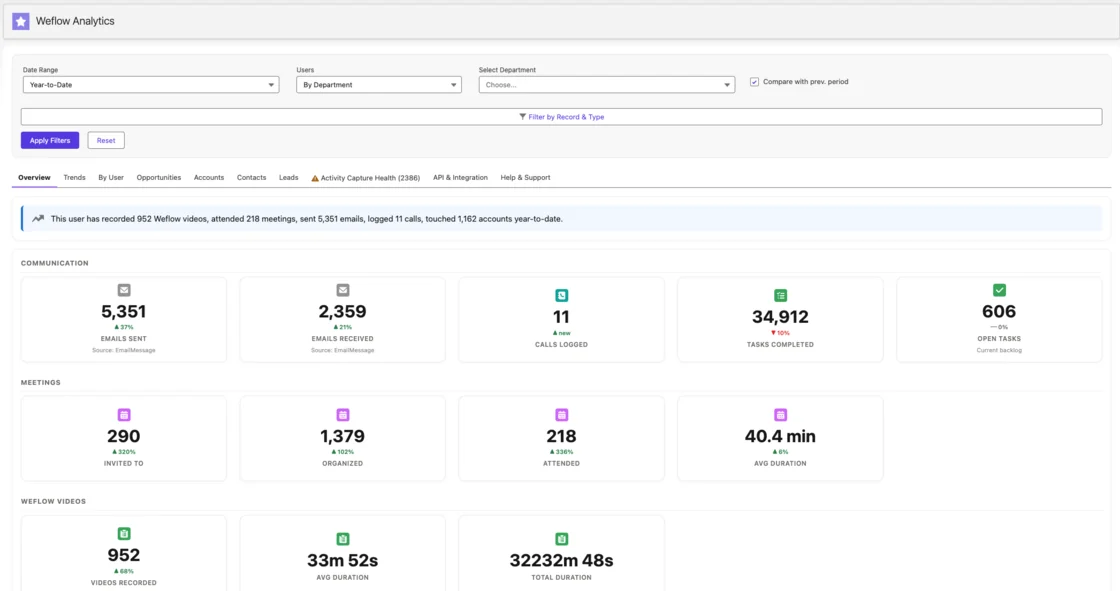
Argus Media chose Weflow Activity & Contact Capture and Weflow Conversation Intelligence together, replacing manual CRM data entry with automatic sync of emails, meetings, contacts and conversations into Salesforce.
When Weflow is the wrong pick for your team
Weflow doesn't fit every team leaving Fireflies. It's the wrong pick if any of these describe you:
- You run HubSpot or several CRMs. Weflow works only with Salesforce.
- Your team has fewer than 10 seats. Our standard minimum is 10 users per product or bundle.
- You can't commit to a 12-month term. We don't offer shorter terms.
- You need an automated consent flow on bot-free recordings. With the desktop app, the rep obtains consent.
- Your reps live on a VoIP dialer. Phone calls are captured through the desktop app, when the rep starts the recording, or through the Outreach dialer integration.
- You need native delivery into Snowflake, Databricks or BigQuery. Weflow moves data there through the API.
- Non-sales functions such as HR interviews or product research are your main recording users. Weflow Conversation Intelligence is built for revenue conversations.
Fathom summarizes meetings into Salesforce text fields
Fathom is one of the most widely used AI notetakers. Hundreds of thousands of companies use it, and it was HubSpot's Most Used App of the Year for 2025. Superhuman, the AI productivity company, bought Fathom in September 2026 to fold meeting notes into its email, calendar and documents suite.
In Salesforce, Fathom writes summary text rather than structured fields.
| Capability | What Fathom does |
|---|---|
| CRM field updates from conversations | On the Business plan, writes headed sections of its AI deal summary into Salesforce Opportunity text fields an admin maps. Each new meeting overwrites the field. It can't fill picklists, numbers, dates or checkboxes. |
| Salesforce integration | Matches meetings to Contacts, Accounts and open Opportunities through contact roles, and writes summaries and action items as Tasks. It never writes to Leads, and each team gets one Salesforce connection. |
| Automatic email capture | Not offered. Fathom captures meetings only. |
| Recording without a bot joining | Bot-free capture runs from the Mac desktop app only. Bot-free video is a limited beta on Zoom. |
| Coaching scorecards | On the Business plan, admins build AI scorecards per meeting type, and the AI scores every internal-hosted call of that type. |
| Integrations with other tools | Lists 30 integrations, including Salesforce, HubSpot, Zoom, Meet, Teams, Slack, Notion, Zapier, Make, Claude and ChatGPT. No dialer, sequencing tool or warehouse. |
| Access from AI assistants (MCP) | An official connector for Claude and ChatGPT on every plan, limited to the meetings the connecting user can see. |
| Raw data access outside the tool | A public API with webhooks on every plan. Keys belong to individual users, so a key reads only its owner's visible calls. |
| Pricing | Free for individuals. Premium $16, Team $15 and Business $25 per user per month billed annually, Enterprise on quote. |
Where Fathom works well for small and HubSpot teams
- A free plan with unlimited recordings, and paid team plans from $15 per user.
- Mass adoption, so reps often arrive already knowing it.
- A strong fit for HubSpot-heavy teams, where each summary section can write to its own deal field.
- Bot-free capture on Mac, with a summary that builds live during the call.
- An MCP connector and a public API on every plan.
Where Fathom's Salesforce sync stops at summary text
- It writes only to long or single-line text fields, and each meeting overwrites the last value. No picklists, numbers or dates.
- It reaches Opportunities only through the contact roles of an attendee's Contact. If no Contact matches, it writes nothing.
- It captures no email.
- Bot-free capture runs on Mac only.
- Its roadmap runs through Superhuman's email, documents and agents, with nothing announced on deeper Salesforce field writes.
One buyer told us how that played out for them:
we tried the fathom Salesforce integration. It breaks half the time. It's not great. It's kind of clunky.
Avoma adds email sync and forecasting to meeting notes
Avoma is meeting-first conversation intelligence. It started with recording, transcribing and summarizing, then added Salesforce sync, coaching, email sync and roll-up forecasting on top. On a feature list it looks close to a full revenue platform. In practice its center of gravity stays on the meeting, and it sells mainly to smaller teams.
| Capability | What Avoma does |
|---|---|
| CRM field updates from conversations | Writes Smart Topic notes automatically into admin-mapped Salesforce or HubSpot fields on Opportunity and Account, with no review step before the sync. |
| Salesforce integration | Two-way sync set per field. Creates Events for calendar meetings, writes notes to Notes, Events or Tasks, and writes deal edits made in Avoma back to Salesforce. |
| Automatic email capture | Syncs Gmail and Outlook email for members with the Revenue Intelligence add-on, through an org-wide connection or each member's inbox. |
| Recording without a bot joining | Records through Zoom and Webex cloud recording on hosted meetings, Teams and Meet cloud recording, and a desktop app. |
| Coaching scorecards | Admins build AI scorecards with rating-scale or yes-or-no questions and rules that decide which calls get scored. |
| Integrations with other tools | Lists 26 native integrations across conferencing, six CRMs, dialers and sales engagement tools, plus Zapier. |
| Access from AI assistants (MCP) | Its own MCP connector for Claude and ChatGPT reads meetings, transcripts and scorecards. It needs the Organization or Enterprise plan or the API Access add-on. |
| Raw data access outside the tool | A REST API and webhooks, limited to 60 requests a minute, on the Organization plan and above. |
| Pricing | Published per recorder seat: Startup $19, Organization $29, Enterprise $39 billed annually, with add-ons at $29 a seat each. |
Where Avoma fits smaller teams that want published prices
- Published per-seat pricing, free viewer seats and no setup fee.
- Email sync through one org-wide Google Workspace or Microsoft 365 connection.
- A roll-up forecasting add-on with forecast submissions and change history.
- Broad dialer and conferencing coverage, including Aircall, Dialpad, RingCentral, Outreach and Salesloft.
- Its own MCP connector, with a few write tools.
Where Avoma's field mapping and add-ons hold you back
- Field mapping works only on Opportunity and Account, with no custom objects.
- There's no review step before a field write, so every mapped value lands on its own.
- Add-ons stack per seat. Two-way field updates, email sync and forecasting all sit in the Revenue Intelligence add-on.
- The API and MCP connector are gated by plan.
Attention turns calls into agent workflows for strong RevOps
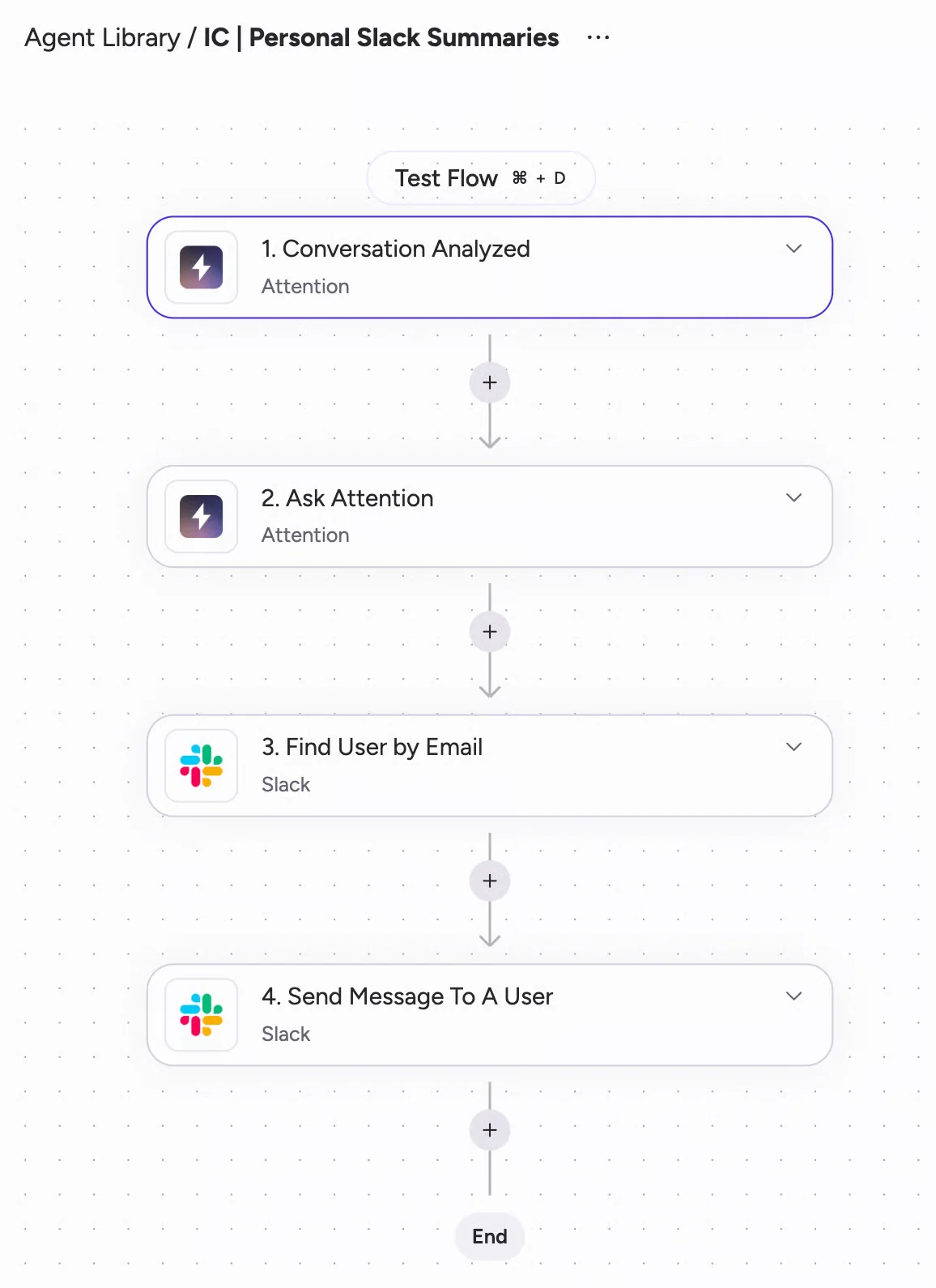
Attention is conversation-first automation. It positions itself around AI agents that work the pipeline, with recording as the data those agents run on. If your goal is automating the work that comes out of sales calls, Attention has a compelling story. It pays off most for teams with RevOps capacity to write prompts and build workflows.
| Capability | What Attention does |
|---|---|
| CRM field updates from conversations | Extracts values into any mapped Salesforce or HubSpot field with a written prompt per field. Automatic sync is the recommended default. New fields are mapped by hand and fill only on future calls. |
| Salesforce integration | An OAuth app with two-way sync and real-time writes after each call. The connecting Salesforce user must hold Modify All Data. |
| Automatic email capture | Captures Gmail and Microsoft 365 email for each user who connects a mailbox, into Attention's own store. It doesn't log those emails to the CRM unless you build a workflow on the New Email Imported trigger. |
| Recording without a bot joining | An opt-in desktop app on Apple Silicon Macs only, with no Windows or Intel build and no Teams in a browser. Desktop recordings have weaker speaker labels and stop if the network drops. |
| Coaching scorecards | Scores calls against natural-language criteria with optional weights and a test against a past call. Ships pre-built MEDDIC, BANT and SPICED frameworks. |
| Integrations with other tools | Connects Google, Outlook and Zoom calendars, imports Zoom Phone and Aircall calls, works both ways with Slack, and acts inside Gmail, Sheets, Salesforce, HubSpot, Notion, Snowflake and more. |
| Access from AI assistants (MCP) | A read-write MCP server with 68 tools that returns raw transcripts and runs analysis across up to 25 calls. Rate-limited, with no consumption charge. |
| Raw data access outside the tool | Raw transcripts, scorecard results and AI insights through MCP and API keys. Workflows can send data to Snowflake or any API. |
| Pricing | Attention publishes no pricing. |
Where Attention leads on agents, workflows and MCP access
- The most open MCP surface of any tool here: read and write, with raw transcripts and full-text transcript search.
- A workflow builder with routers, loops, HTTP requests and custom Node.js or TypeScript steps.
- Pre-built scorecard frameworks, plus a test-your-prompt control on criteria and CRM fields.
- AI-drafted scorecards, field configurations, call tags and email templates when you connect a CRM.
Where Attention leaves email and permissions to you
- Emails stay in Attention's store unless you build a workflow that writes them to the CRM.
- The connecting Salesforce user needs Modify All Data, which overrides sharing rules and record-level access.
- Fields are mapped by hand and fill only on future calls, so every Salesforce schema change needs a second task in Attention.
- When nothing is found for a field, Attention writes prose explaining the absence into it, which reports then read as data.
- The desktop app runs on Apple Silicon Macs only.
- No pricing is published.
What Fireflies and each alternative cost per seat
Seat prices don't compare until you add what costs extra: credits, add-ons, plan gates and minimums. All prices below are list prices billed annually.
| Pricing detail | Weflow | Fireflies | Fathom | Avoma | Attention |
|---|---|---|---|---|---|
| Pricing model | Per seat, AI included | Per seat plus AI credits | Per seat, no usage credits | Per recorder seat plus per-seat add-ons | Negotiated contract |
| List prices | Activity & Contact Capture $19, Conversation Intelligence $39, Deal Intelligence & Forecasting $39. Revenue AI Foundation $49, Revenue AI Business $59, Revenue AI Enterprise $79 | Free, Pro $10, Business $19, Enterprise $39 | Free, Premium $16, Team $15, Business $25, Enterprise on quote | Startup $19, Organization $29, Enterprise $39 | No published price |
| What sales features require | Revenue AI Foundation covers capture plus calls. Forecasting adds about $10 per user later | Autofill CRM and Deal Intelligence need Business or Enterprise | Field mapping, Deal View and scorecards need Business | Field updates, email sync and forecasting need the Revenue Intelligence add-on | No published price |
| AI usage | Included, with no caps or metering | One-time team pool of 20 to 50 credits, then monthly packs from $5 for 50 to $600 for 10,000 | No usage credits on the core product | No usage credits | Rate limits, no published consumption charge |
| What costs extra | Agent Builder above the free 25 actions: $299 a month for 500, $999 for 2,500 | Credits, with auto-upgrade to the next pack when the pool runs out | Higher plans for CRM depth | Revenue Intelligence and Conversation Intelligence at $29 a seat each, optional $1,000 onboarding | No published price |
| Minimums and terms | 10 users per product or bundle, 12 months, no mid-term seat reduction | Enterprise on annual contracts only | Two-user minimum on team plans | 10-seat minimum on Enterprise | No published terms |
| Published pricing | Yes | Yes | Yes | Yes | No |
At list price, a Fireflies Business seat is cheaper than any Weflow bundle. What you're buying is different, though. Revenue AI Foundation includes email capture, so you don't pay for a second capture tool next to it.
For seat math, take a team of about 62 seats. Revenue AI Foundation lands around $36K a year, and the full Revenue AI Enterprise platform around $58K. Volume discounts start to matter at roughly 30 to 40 seats.
Credit metering is the part finance notices. A Fireflies credit pool doesn't grow with seats, unused purchased credits don't roll over, and most AI features cost a variable amount per query. When the pool runs out, auto-upgrade charges the team unless an admin switches it off. That makes the invoice move with adoption, which is the opposite of what you want while you're asking reps to use the AI more. Weflow keeps AI inside the seat and meters only Agent Builder, so the number finance approves is the number you pay.
Which Fireflies alternative fits your Salesforce team
Match the tool to your situation. Staying on Fireflies is a legitimate answer for several of these.
| If your team… | Pick |
|---|---|
| Runs Salesforce with 10+ seats and needs call data in fields plus email on the record | Weflow |
| Runs HubSpot or several CRMs | Stay on Fireflies, or Fathom for HubSpot-heavy teams |
| Has fewer than 10 seats | Fathom, Avoma Startup, or stay on Fireflies |
| Records mostly for non-sales functions | Stay on Fireflies |
| Only needs notes and summaries | Stay on Fireflies, or Fathom |
| Needs native Snowflake delivery of transcripts | Stay on Fireflies |
| Has strong RevOps that wants agents, workflows and open MCP access | Attention |
| Is a small team that wants published prices, email sync and add-on forecasting | Avoma |
How to replace Fireflies without a company-wide fight
You can move the sales org without forcing the whole company off Fireflies. That matters because Fireflies is usually protected by familiarity, not by a contract, and often by the team that chose it:
It's like corporate type. They're the ones that picked it, we're the ones that are supposed to use it.
Keep one recorder company-wide with a lightweight license
Weflow sells a lightweight Conversation Intelligence license for people who aren't Salesforce users. It gives them the AI notetaker without the rest of the platform. That's what lets a whole company move to one recorder while only customer-facing teams carry full seats.
If you'd rather not move everyone, both tools can run side by side. Only one Weflow notetaker joins a meeting for your company, however many Weflow users attend. Fireflies joins as a separate participant that the host admits or declines. Internal meetings aren't recorded by Weflow unless a user switches recording on for that meeting.
What happens to your Fireflies transcript history
Your Fireflies history stays in Fireflies. Weflow can work on top of it only if those transcripts are synced into Salesforce in a structured form, because Weflow reads your CRM through the API.
AI Playbooks are the boundary. They read the transcripts of meetings Weflow recorded. For deals recorded with another tool, playbook results build from the Salesforce record, emails and meeting metadata.
From the day you switch, every new call goes through Weflow's field updates, scorecards and playbooks.
Roll Weflow out to a team already tired of tools
Tool fatigue is the honest starting point. An admin preparing a rollout told us:
We just got another new tool called Attention, and I know that in our team there is some resistance to more tools.
This is the sequence we use with customers:
- Run the technical setup with your Salesforce admin and your Google Workspace or Microsoft admin. It takes 30 to 45 minutes, and email capture starts for every enrolled user without rep action.
- Start with a pilot group, and set interpretive fields like champion or stage to review while unambiguous fields write themselves.
- Make sure every pilot rep signs in to Weflow once. The notetaker won't join meetings for a licensed user who has never signed in, even though their email capture already runs.
- Tune the AI templates during the pilot. Full time-to-value usually takes one to three weeks, and most of it is business logic, not setup.
- Frame the wider rollout around what it switches off: Fireflies for the sales team, the separate capture tool, and the manual field updates after every call.
See how Weflow captures activity, updates Salesforce fields from calls, and rolls up your forecast. Book a 30-minute demo.
Questions RevOps leaders ask us about leaving Fireflies
How accurate are AI field updates, and what if they're wrong?
Most teams accept around 90% accuracy, because the honest alternative is an empty field. You decide per field whether Weflow writes automatically or waits for review, and required fields stay locked.
We recommend keeping stage changes under review, because that's where a wrong extraction has consequences. Accuracy depends on prompt quality, so Weflow ships more than 250 pre-built prompts for methodologies such as MEDDIC, MEDDPICC, SPICED and BANT.
Does Weflow respect Salesforce validation rules and required fields?
Yes. Weflow writes through the Salesforce REST API, so validation rules, field dependencies, permission sets and role hierarchy all still apply.
A stage change blocked by a rule stays blocked until the fields it depends on are filled. Weflow can fill those gating fields from the call too.
Can Weflow write to custom objects and our record types?
Weflow AI Field Updates write to standard and custom objects. Custom objects need setup by our support team, and lookup fields can't be written.
Each team can run its own templates and write to different objects, so sales, onboarding and CS each keep their own structure. Weflow Deal Intelligence & Forecasting supports multiple opportunity record types, each with its own stage path and roll-up. A new Salesforce field takes up to 8 hours to appear in Weflow.
How does Weflow pick the opportunity when several are open?
Weflow maps each activity to the right opportunity, account, contact or lead instead of attaching it to every open deal. When a field update goes to review, the rep can reassign it to a different deal, and the AI reanalyzes the call against that deal before anything syncs.
Do reps have to connect their own calendar and mailbox?
No. Email and calendar capture run at the tenant level through a central app in Microsoft Entra or Google Workspace, so an admin connects it once.
For recording, each rep signs in to Weflow once. After that, the notetaker joins their external meetings.
How do recording consent and meeting lobbies work in Weflow?
The Weflow notetaker carries a consent flow: opt-in, opt-out or none, a notice in the meeting chat with a link that stops the recording, and an optional pre-meeting email.
The notetaker joins as a participant, so on Teams and Meet it has to be admitted from the lobby. It leaves after about ten minutes if nobody admits it, and the rep can send it back in from the Weflow calendar while the call runs.
The desktop app has no automated consent flow. When a rep records with it, the rep obtains consent from the participants.
What security certifications does Weflow hold?
Weflow is SOC 2 Type II certified and GDPR compliant. AI processing runs under Zero Data Retention, and we never use customer data to train AI models.
Where does Weflow store call data, and can it stay in the EU?
Weflow is a German company hosted in Frankfurt. We spin up your instance in the region where your Salesforce is hosted, choosing from Frankfurt, New York or Sydney, and you can override that to keep data in the EU or UK.
Fireflies' standard private storage sits in US West. Storing elsewhere means bring-your-own storage on Enterprise, and processing stays on Fireflies' US servers.
What are Weflow's minimum seats and contract terms?
Weflow's standard minimum is 10 users per product or bundle, on a 12-month term. There's no contractual right to reduce seats mid-term, but you can reassign a seat when someone leaves.
Can Claude or ChatGPT reach Weflow data like Fireflies' MCP server?
Yes. Weflow's official read-only MCP connector gives Claude, ChatGPT and other assistants playbooks, call summaries, transcripts, forecast calls and pipeline metrics. An admin switches it on per workspace, with a separate toggle for full transcripts. The REST API covers anything else.
Forecast calls live in Weflow rather than in Salesforce, so the connector is worth running alongside your Salesforce one. Fireflies' MCP server and its Snowflake delivery are genuine strengths, and Weflow's connector reads data but doesn't write it.
Does Weflow work if we're on HubSpot or several CRMs?
No. Weflow works only with Salesforce. If you run HubSpot or several CRMs, stay on Fireflies, or look at Fathom if your team is HubSpot-heavy.