Best conversation intelligence software for Salesforce: what each tool actually writes back to your CRM
Learn which conversation intelligence tools for Salesforce write back to your CRM, and who owns the data.


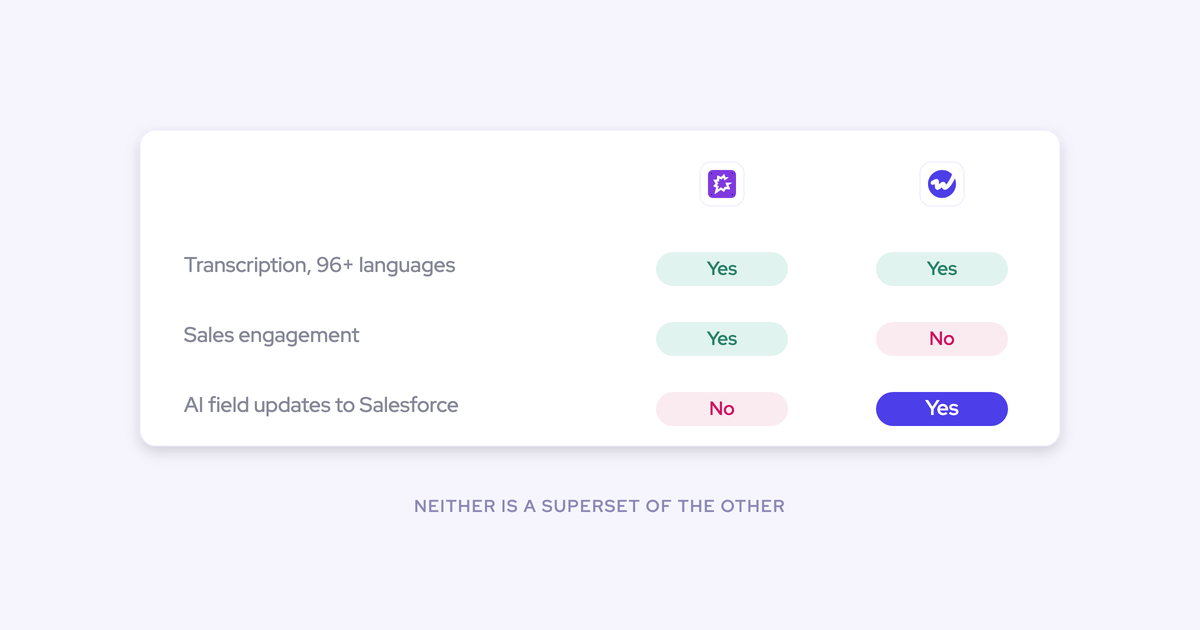

Every tool on this list transcribes well. That's why the demo tells you nothing, and why ranking conversation intelligence on recording quality in 2026 is a waste of your evaluation cycle.
What still separates these tools is what happens after the call: what lands in your Salesforce org, in which object, and whether it's still there when the contract ends. That's what this roundup ranks on. Eight tools, each one's genuine strength named, then the honest read on where its data goes.
Fair warning: we sell one of these. Weflow is the Revenue AI Orchestration platform for sales, customer success, and RevOps teams, and our entry here runs on Conversation Intelligence + AI Field Updates. So we've been specific about where Gong is better than us, and specific about the motions Weflow doesn't cover. Read it to build a two or three tool shortlist you'll trial against your own org, which is what you were going to do anyway.
Why transcription no longer separates conversation intelligence tools
Transcription stopped being a differentiator years ago. Accuracy is high across the category, language coverage is broad, and the cost of producing a transcript has collapsed.
Gong's price level is a fossil of that older world. When Gong started, transcription was genuinely expensive, so the seat price reflected a cost base that no longer exists. Anyone building the same capability today builds it cheaper.
So the interesting question moved one step downstream, to what the tool does with the transcript.
Most conversation intelligence vendors treat the Salesforce integration as an afterthought rather than the starting point. That's not a slur, it's their history: they were built as recording and analytics products, and the CRM was a place to post a link.
The result is the pattern you've probably already lived. Recordings look great in the vendor's UI. The opportunity in Salesforce is still empty.
"We have Fathom. We just don't grab insights from that and put it in there."
That's the gap this list is ranked on. Not the transcript, the write-back and the ownership.
Best conversation intelligence for Salesforce at a glance
| Tool | What it writes into Salesforce | Who owns the conversation data at contract end | Standalone and entry price | AI field updates | Recording coverage |
| Weflow | Summary and full transcript into two native Salesforce objects, onto the existing meeting activity, plus any standard or custom field except lookup relationships | You. The records are native Salesforce records and survive cancellation | Yes. Weflow Conversation Intelligence at $39 per user per month, annual, 10-seat minimum | MEDDIC, MEDDPICC, SPICED, BANT and custom fields from the transcript, 250+ pre-built prompts, current-vs-suggested review before write | Zoom, Teams, Google Meet, WebEx, plus in-person via Mobile Copilot. No VoIP or SMS |
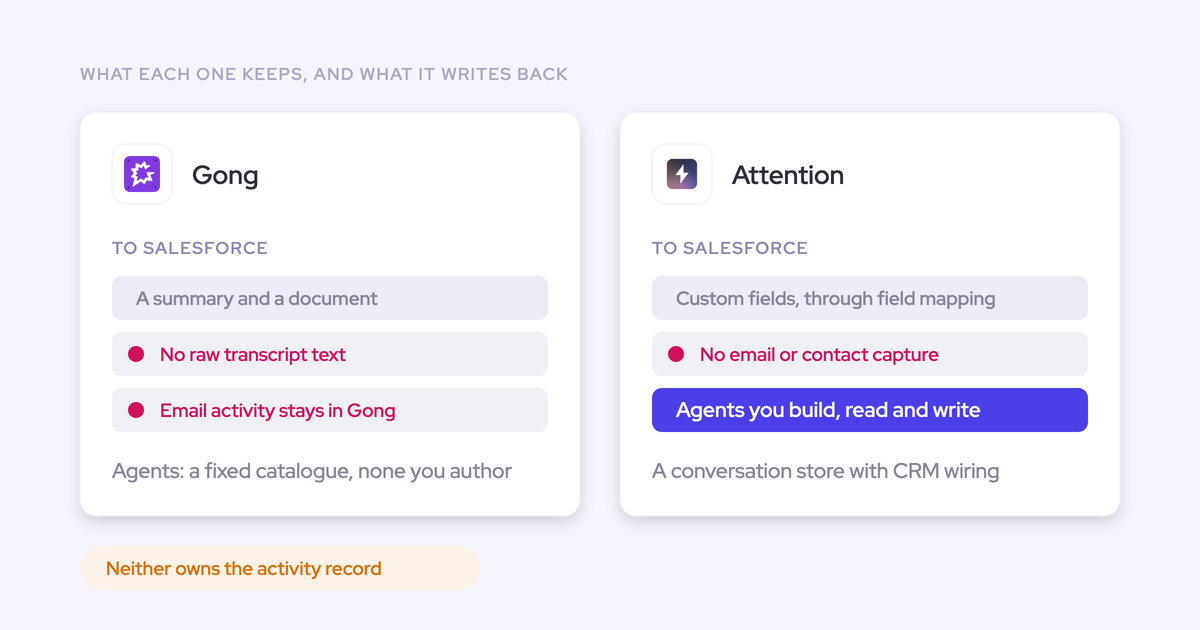
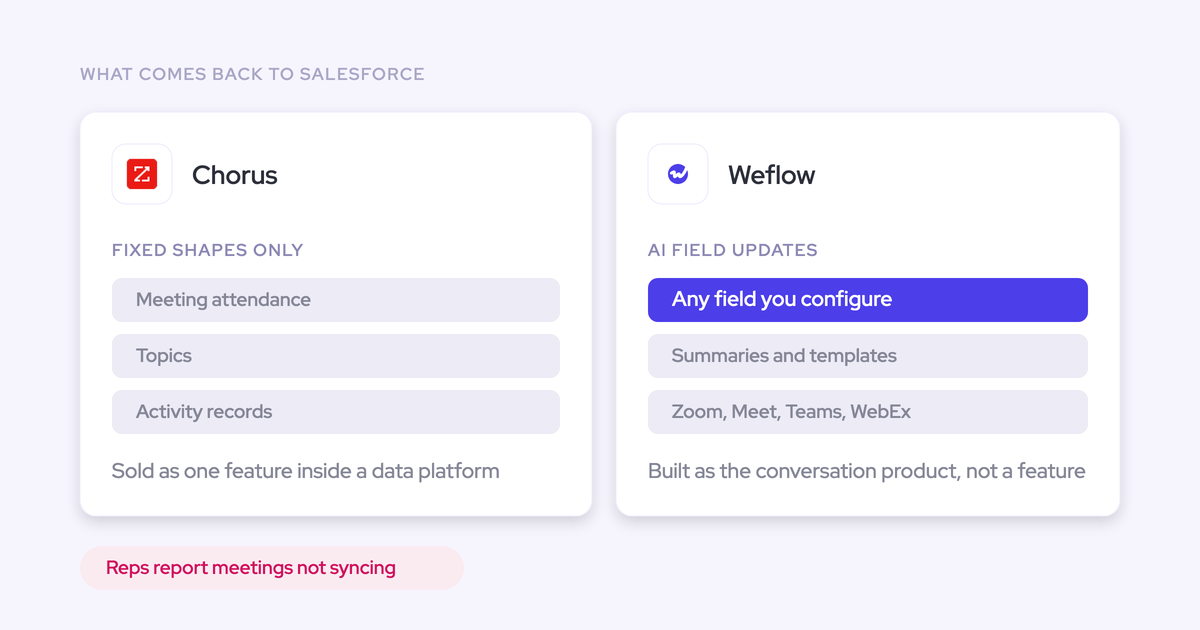
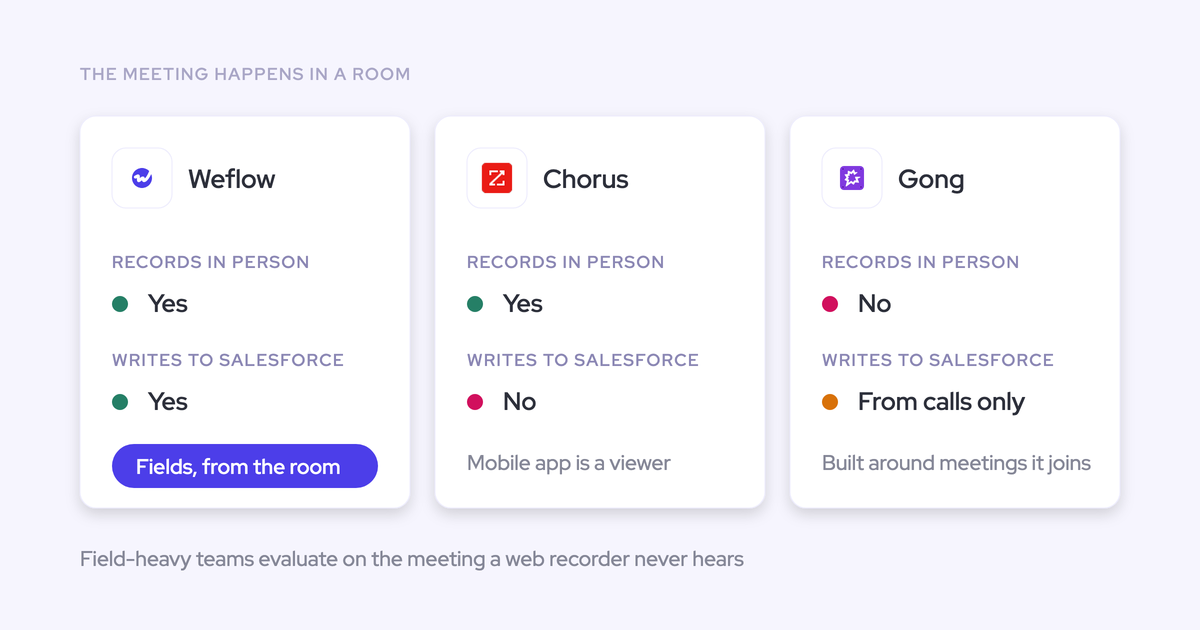
| Gong | Logs activity to Salesforce, but stores calls in its own Revenue Graph, not native objects, so Flows can't read them. AI write-back is standard objects only | Gong. The call archive doesn't stay in Salesforce when the contract ends | No. Foundation seat from $1,600 per seat per year plus a $5,000 per year platform access fee | Surfaces insights, leaves the field update manual. Methodology fields stay blank unless a rep types them | Meetings, calls, mobile app, trackers, plus a separate sales engagement product |
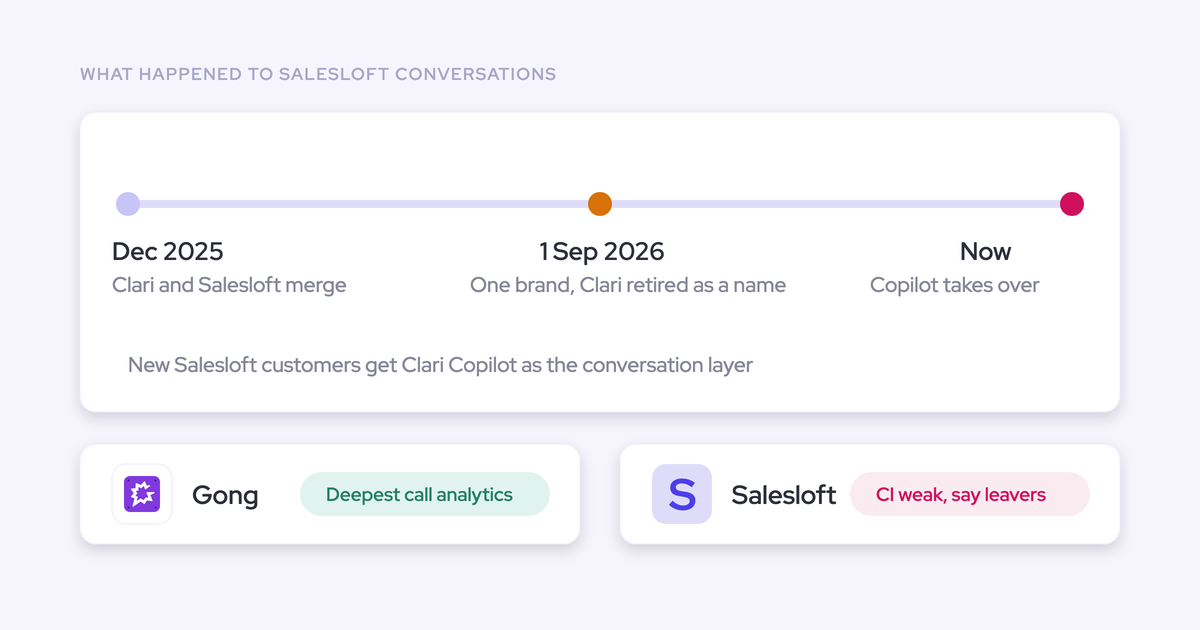
| Clari Copilot | Recording and transcription that stays in Clari; buyers describe the CI as transcription-level, and it doesn't feed Clari's own forecasting product | Clari | Sold inside the Clari platform, quote-based | Not the product's center of gravity | Meeting recording and transcription |
| Einstein Conversation Insights | Native to Salesforce, so the data sits inside your org by default. Check exactly which objects, because Einstein Activity Capture stores activity outside the core database | You, subject to that storage check | Through your Salesforce edition and add-ons. | Basic insight rather than methodology field population | Within the Salesforce stack |
| Fireflies | Notes and summaries out to the CRM; the transcript library accumulates in Fireflies | Fireflies | Yes | None to speak of | Broad meeting coverage |
| Fathom | A Salesforce integration buyers describe as clunky and unreliable, with weak field mapping | Fathom | Yes | Weak. Field mapping is the reported failure point | Broad meeting coverage, rep-loved for notes |
| Momentum | Agent-driven CRM updates inside Salesforce's own Agentforce path; field updates are basic | Salesforce, since Momentum is now owned by Salesforce | No. Not sold standalone | Basic. Methodology scoring and custom objects stay manual | Third-party video channels including Zoom and Google Meet, plus Slack |
| Attention | Writes back, but field updates are basic and coaching depth is limited | Attention | No. CI isn't available on its own | Basic | Meeting recording and analysis |
How this was built: published pricing and product documentation where vendors publish it, what buyers tell us on switch and evaluation calls, and hands-on behavior in real Salesforce orgs. Where a vendor doesn't publish pricing, the cell says quote-based rather than guessing a number.
How to evaluate conversation intelligence for a Salesforce team
Five criteria decide this purchase for a Salesforce-first team, and all five are testable in a two-week trial. None of them are answerable from a marketing page, which is the point.
What the tool writes into Salesforce
The dividing line is structured fields versus a summary link. Everything else in the CI feature grid is downstream of that.
The specific checks, run against your own org:
- Does it write to the one meeting activity that already exists, or does it create a second one?
- Does it link every participant to the right contacts and leads, including people who were never in Salesforce?
- Does it relate the activity to the account and the correct opportunity?
- Can it populate structured fields you already report on, including custom fields and custom objects, not just drop text in a notes box?
The duplicate-meeting one catches more tools than you'd expect, and it quietly wrecks every activity count you build afterwards.
"If you record a meeting, it's not another meeting. It's the same meeting."
If a team already tracks MEDDPICC in named Salesforce fields with a checkbox beside each criterion, ask the blunt version of the question: can you publish into those fields, or only into a scorecard of your own? A score that lives in the vendor's UI sits where nobody looks during the deal review.
Who owns the conversation data at contract end
A tool that holds its own data layer makes your CRM a mirror. That's fine while everyone works in the vendor's UI, and it's expensive the day you stop.
Two consequences follow, and both matter before renewal:
- Data that isn't stored as a record in the core Salesforce database can't trigger a Flow, can't be read inside a Flow, and can't be exported to your warehouse.
- Any agent or model your team builds on Salesforce is missing the conversation layer entirely, because it never landed there.
Ask each vendor which object the transcript lands in, then ask what happens to the archive if you cancel. Get it in writing.
Whether reps get a second place to work
The adoption risk isn't the tool, it's the second daily destination. Buyers say this to us almost word for word:
So test where the output surfaces during a rep's actual day. On the Salesforce record page, in the inbox, in Slack, or only inside the vendor's app.
Pricing model and how widely you can deploy
Seat price, platform fees and metered AI decide coverage, and coverage decides whether the data is worth anything. Partial coverage leaves the post-sale funnel dark, because CSMs and account managers are always the ones cut from the license count.
Three questions to ask on the pricing call:
- Is there a platform or foundation fee before the first seat?
- Is AI usage included in the seat, or metered separately as adoption grows?
- Can I put reps on one product and leadership on another, or does everyone pay the top price?
Whether your existing call archive survives a switch
The archive, not the product, is what keeps teams on an incumbent. Years of recordings, the onboarding library, the objection-handling playlists.
Ask whether the vendor imports and reprocesses the existing library, rather than just accepting an export you'll never search. If the answer is no, the switch resets your team's memory, and that cost usually beats the license saving.
The 8 best conversation intelligence tools for Salesforce teams
Each entry follows the same shape: what it is, quick specs, what it genuinely does well, where it lands or fails to land structured Salesforce data, and who should buy it.
1. Weflow: writes structured Salesforce fields from every call
Weflow's product is the write-back. The recording is the input.
Quick specs:
- Pricing: Weflow Conversation Intelligence standalone at $39 per user per month, annual, 10-seat minimum. Revenue AI Foundation (Activity & Contact Capture + Conversation Intelligence) at $49. No platform fee, no implementation fee, no usage metering.
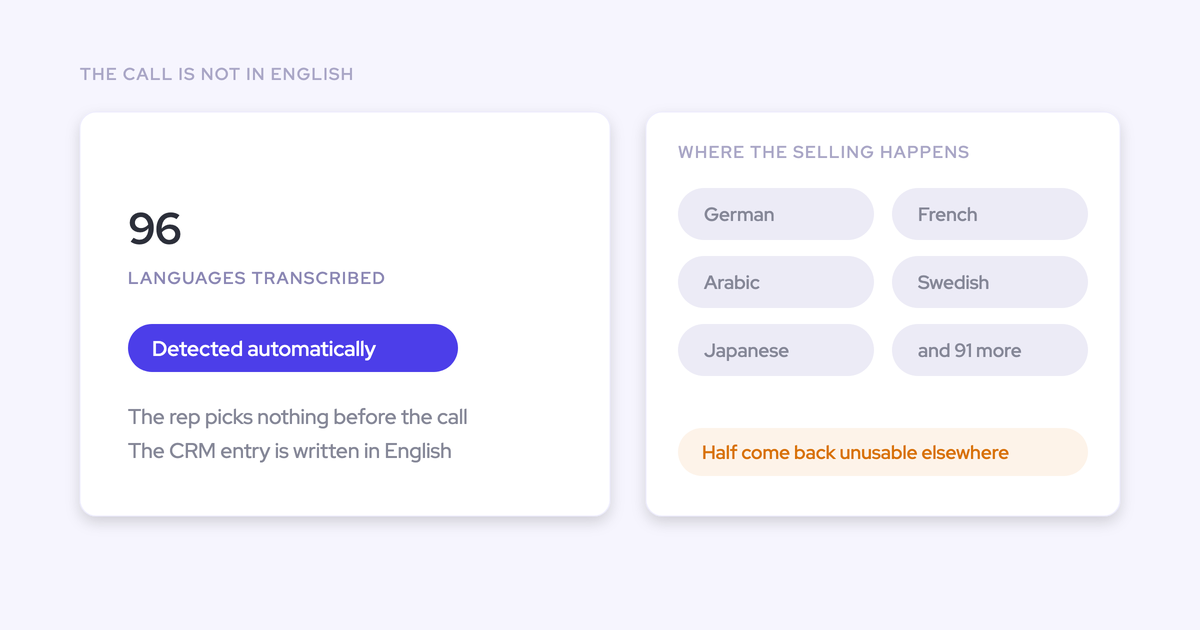
- Coverage: Zoom, Microsoft Teams, Google Meet, WebEx, plus Mobile Copilot for in-person meetings. 96 languages with automatic detection.
- Standalone: Yes, and unlimited view-only licenses are included.
- Salesforce: Salesforce only. Login is Salesforce OAuth, so there's no second identity for IT to manage.
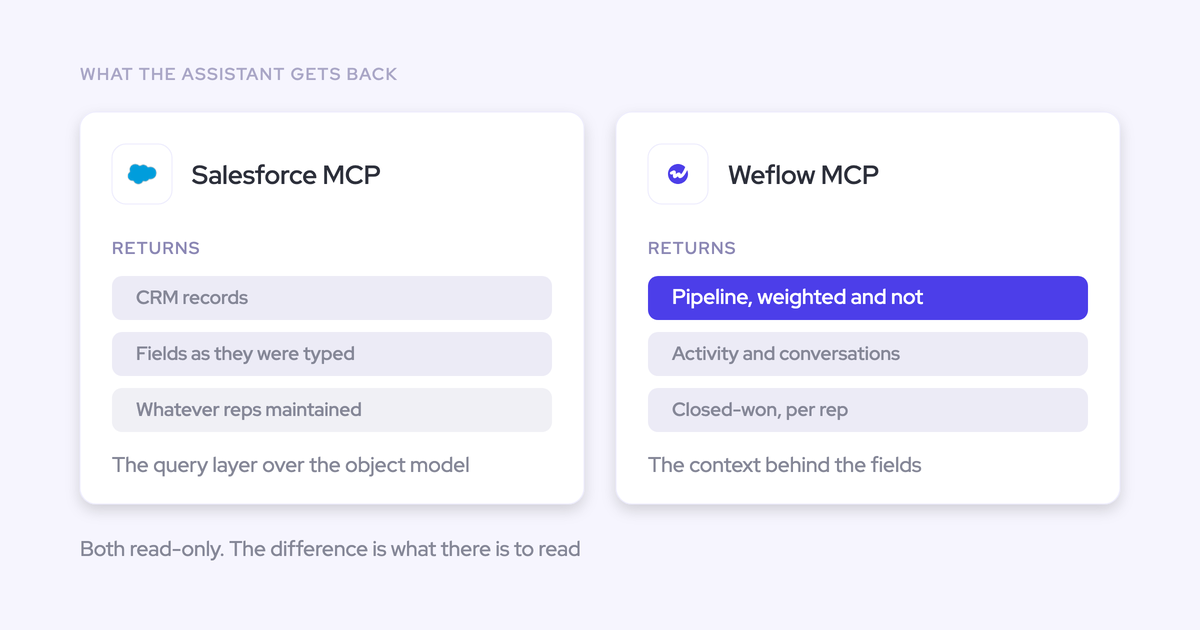
Conversation data lands in two native Salesforce objects: one holding the summary and the full transcript, one for indexing. Because it's a Salesforce record and not a row in our cloud, it's reportable, permissioned, queryable alongside everything else, and it stays after the subscription ends.
The structured extraction is the part buyers underestimate until they see it. Sales meeting outcome, customer needs, competitive mentions, stakeholders, next steps, all pulled from the call and written where your reports already read.

AI Field Updates are the wedge against the rest of this list. Weflow maps your Salesforce fields to prompt workflows, extracts the values from the transcript, then shows the rep the current value beside the suggested one so they accept, edit or reject each one and write them all back in a click.
That works on MEDDIC, MEDDPICC, SPICED, BANT and whatever custom methodology you've built, with 250+ pre-built prompts to start from and unlimited templates. It respects validation rules, field dependencies, permissions and role hierarchy, and it writes to custom objects, not just standard ones.
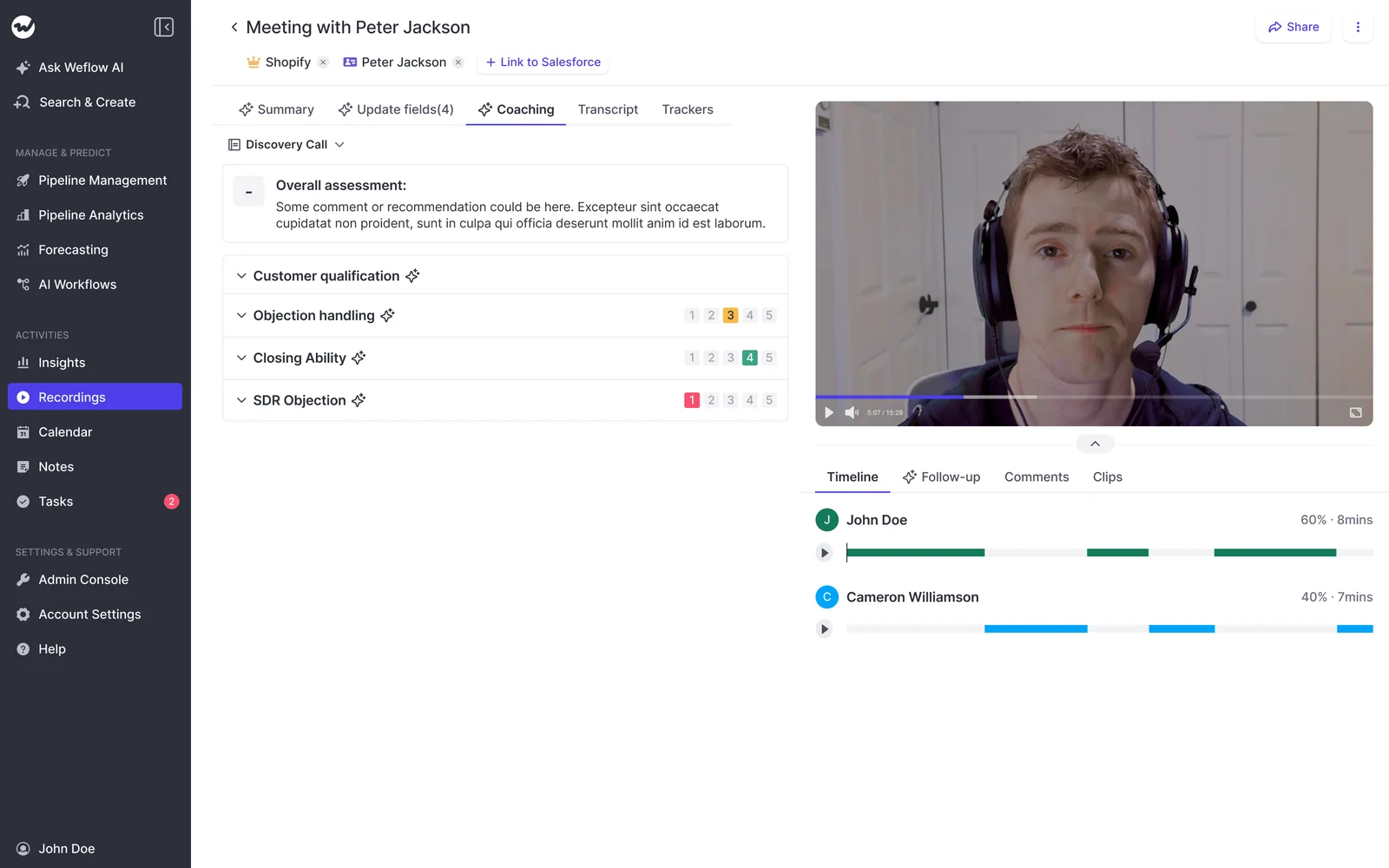
Coaching sits on the same data: scorecards with 1 to 5 ratings against categories you define, applied conditionally by stage, plus a rep-level view for coaching over time.
On switching: Weflow imports and reprocesses existing recording libraries at the scale of thousands of recordings, so the historical calls stay searchable and scoreable under the new system.
Now the limits, because you'll find them in week two anyway:
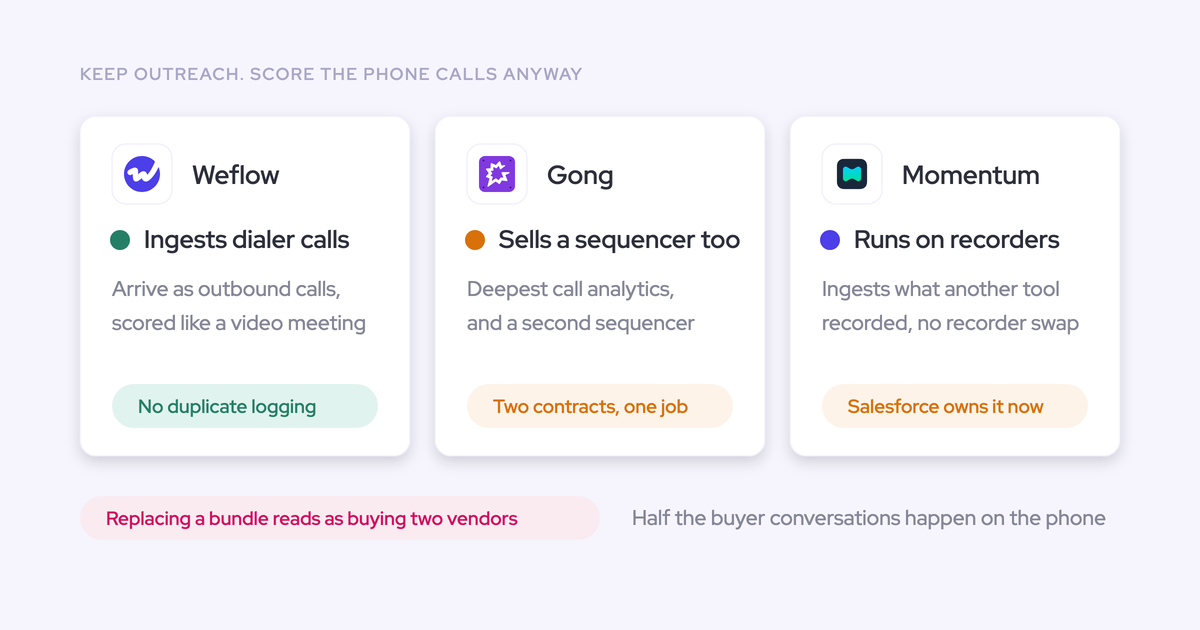
- Meetings only. No VoIP or phone-call capture, and no SMS. A phone-heavy motion is not fully covered by Weflow.
- Privacy control is coarse. There's no per-call private flag. Call visibility follows position in the Salesforce role hierarchy, and sharing one call outside that means tagging an individual user.
- No individual scoring on multi-rep calls, and no live in-call coaching. Coaching and scoring happen after the call.
- Salesforce only. No HubSpot, Dynamics or Pipedrive. And Weflow is not FedRAMP certified, so US federal contractors with that requirement should stop here.
Buy it if: your calls happen on video, you want methodology fields populated in your own Salesforce objects, and you want the archive to still be yours in three years.
2. Gong: deepest analytics, data held in its Revenue Graph
Gong invented this category and still leads on pure conversation analytics. Anyone telling you otherwise hasn't used it.
Quick specs:
- Pricing: Foundation seat from $1,600 per seat per year, plus a $5,000 per year platform access fee. Gong Enable Essentials and Gong Forecast Essentials are around $300 per seat per year each; the fuller Gong Engage and Gong Forecast tiers around $800 each. AI now carries consumption pricing on top of seats.
- Coverage: meetings and calls, mobile app, keyword and smart trackers, 96+ languages, plus a sales engagement product Weflow doesn't have.
- Standalone: No. Foundation comes first, then modules.
The capability we'd genuinely miss: Gong can give you a methodology summary across every call on an account, not just call by call. For a manager inspecting a nine-month cycle, that account-level view is the right unit of analysis, and any tool that only summarizes single calls will feel like a step down.
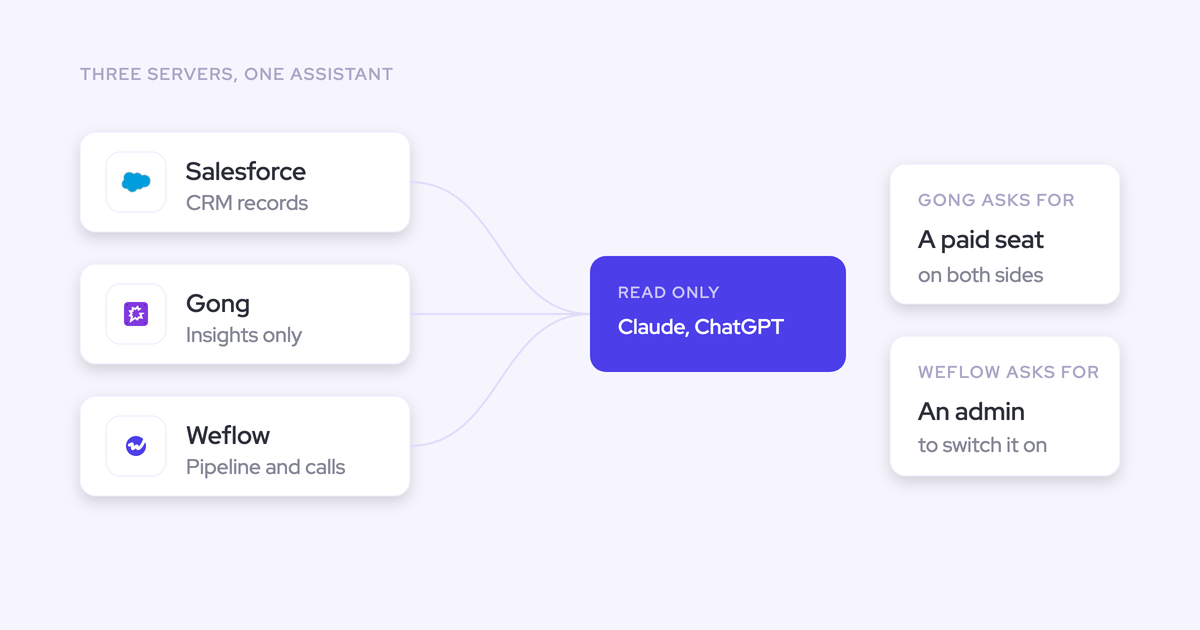
The structural trade-offs for a Salesforce team are all downstream of one choice: Gong stores captured calls in its proprietary Revenue Graph rather than native Salesforce objects. That data can't trigger Salesforce Flows, and it doesn't remain in your org if the contract ends.
Then the field updates. Gong surfaces the insight and leaves the CRM update to the rep, so methodology fields get filled by hand after the fact, or not at all. Its AI write-back covers standard objects only, and there's no setting for what happens when Wednesday's call contradicts Monday's, so the field holds whichever answer arrived last.
The pricing stack has one more consequence worth naming. Because the Foundation seat has to be bought before any module, teams routinely can't afford to deploy Gong to everyone, and customer success is the team that gets left out.
Buy it if: analytics depth is your first criterion, you have the budget to cover every customer-facing team anyway, and you're comfortable with the call archive living in Gong.
3. Clari Copilot: recording that stays separate from the forecast
Clari's real strength is enterprise forecasting maturity, and it's not close. Roll-ups at a thousand-plus reps, the pipeline waterfall, the pacing view, and the comparison of where this quarter stands against the same day in previous quarters. That last one is the hardest thing on this page to replace.
Quick specs:
- Pricing: quote-based, sold inside the Clari platform.
- Coverage: meeting recording and transcription.
- Standalone: a platform decision, not a point purchase.
The conversation intelligence is the weaker half, and buyers say so plainly.
"Clari's conversation intelligence feels like it's more of a transcription rather than anything else."
The bigger disappointment is that owning both products from one vendor doesn't get you one data layer. Clari's forecasting and its conversation intelligence don't talk to each other, so call content doesn't inform the forecast, and teams end up piping transcripts into a separate AI workspace to extract structure and hand it back to the CRM.
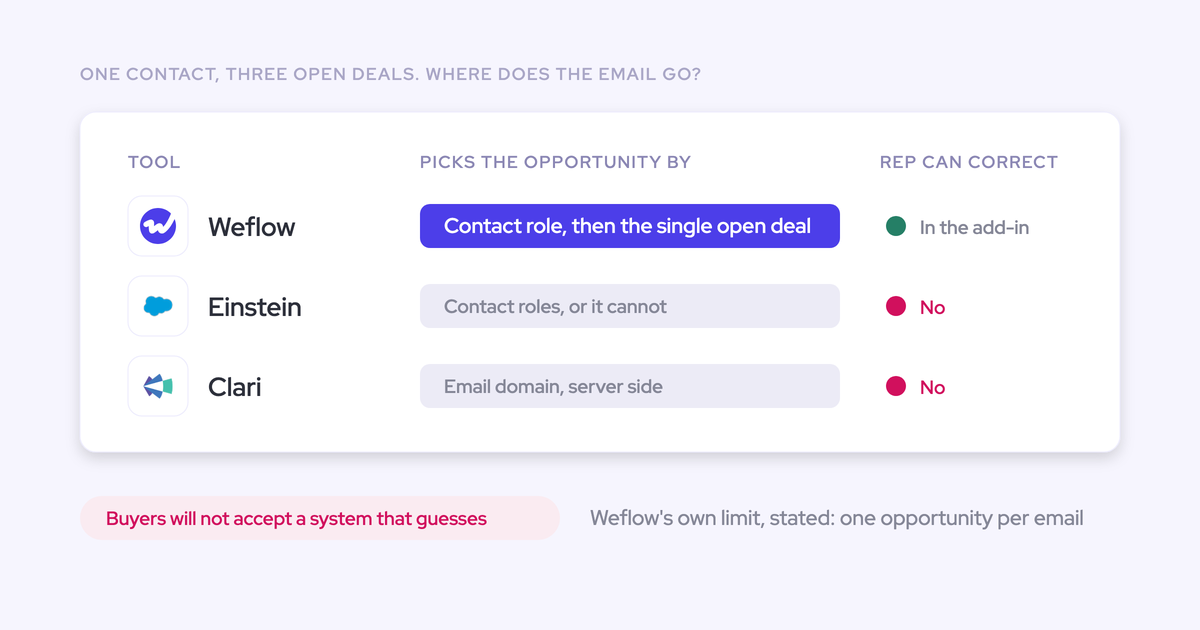
Clari's activity capture maps server-side on the email domain, which misattributes activity as soon as an account carries several open opportunities. One buyer put it in five words: Clari can't distinguish when one account has many opportunities open at the same time.
Buy it if: you're buying it for the forecast. Don't buy it expecting the CI to be the reason.
4. Einstein Conversation Insights: the Salesforce-native default
Price the native path first. Einstein Conversation Insights is Salesforce's own answer to conversation intelligence, it belongs in the same bake-off as everyone here, and starting with a call to your Salesforce AE about what you already own costs you nothing.
Quick specs:
- Pricing: through your Salesforce edition and add-ons.
- Coverage: inside the Salesforce stack.
- Standalone: not a separate vendor decision.
The advantage is obvious: no new vendor, no new security review, no second identity to manage.
One caution from the sibling product, and it's the reason "native" deserves a check rather than an assumption. Einstein Activity Capture doesn't store activities as records in the core Salesforce database, so that data can't be queried, can't be used in flows and can't be exported. Ask the same question of Einstein Conversation Insights, in writing, before you assume native means owned.
Buy it if: you need basic conversation insight, you're not running a methodology in named Salesforce fields, and adding a vendor is the expensive part of your situation.
5. Fireflies: an affordable notetaker that keeps transcripts in Fireflies
Fireflies is good at what it is: low-cost, reliable recording and transcription with decent search. For a small team that needs notes and nothing else, it's hard to argue with.
Quick specs:
- Pricing: the cheapest serious option here, sold standalone.
- Coverage: broad meeting coverage.
- Standalone: yes.
The problem shows up on the anniversary. A year of calls and transcripts has accumulated inside Fireflies rather than in the CRM, which is the exact pattern you're trying to escape if you're reading this article.
One useful nuance if you already run it: as long as the transcripts are synced into Salesforce in a structured form, Weflow can read that history through the CRM, because it works off Salesforce rather than needing to have recorded the call itself. So keeping Fireflies as the recorder and buying the capture and intelligence layers separately is a real option.
Buy it if: you want notes, cheap, and you have no CRM ambition for the conversation data.
6. Fathom: free recording with a fragile Salesforce sync
That's why it spreads inside companies without anyone buying it.
Quick specs:
- Pricing: free tier plus low paid tiers.
- Coverage: broad meeting coverage.
- Standalone: yes.
The Salesforce integration is where it stops being a candidate for a RevOps purchase.
"We tried the Fathom Salesforce integration. It breaks half the time. It's not great. It's kind of clunky. It's not great at the context layer. It's not great at the coaching piece, it's not great at mapping the fields back to Salesforce."
Teams switching off Fathom generally have to download the existing recordings themselves before they can be imported and reprocessed elsewhere, so plan that as a task rather than a checkbox.
Buy it if: you want free recording for individuals. Don't build reporting on it.
7. Momentum: conversation intelligence inside Salesforce's Agentforce path
Momentum's conversation intelligence is genuinely strong, and it's now owned by Salesforce, which acquired it to feed Agentforce 360 and Slack with unstructured conversation data from third-party video channels like Zoom and Google Meet.
Quick specs:
- Pricing: part of the Salesforce platform decision.
- Coverage: third-party video channels plus Slack.
- Standalone: no.
What you get is an agent story: a Deal Execution Agent that auto-fills CRM data, a Coaching Agent that analyzes calls for moments like objection handling, and an agent that answers plain-language pipeline questions. What you don't get is an independent point solution, because evaluating Momentum now means evaluating Salesforce's native path.
On our criterion, field updates remain basic, so methodology scoring and custom objects stay manual. And because it isn't sold on its own, a team that wanted one capability ends up making a whole-platform decision.
Buy it if: you've already decided your AI roadmap is Agentforce. Then it's the same argument as any Agentforce component, and consumption pricing is the thing to model carefully.
8. Attention: AI-native conversation intelligence without a standalone option
Attention is a strong AI-native conversation intelligence product and deserves a place on an analytics-led shortlist. It was built after the AI shift rather than retrofitted for it, and it shows.
Quick specs:
- Pricing: generally above the Salesforce-native options and above Weflow.
- Coverage: meeting recording and analysis.
- Standalone: no.
Where it loses on this list's criterion: AI field updates are basic, coaching depth is limited, and conversation intelligence can't be bought on its own. If your requirement is "populate our MEDDPICC fields and score every call against our rubric," you'll hit the ceiling early.
Buy it if: analytics quality is the priority, budget isn't tight, and you're willing to take the platform rather than the module.
Which conversation intelligence tool fits your Salesforce team
| Your situation | Shortlist |
| Analytics depth is the first criterion, including methodology summaries across individual calls on an account | Gong, then Weflow |
| You need structured Salesforce fields populated from calls, in your own objects, owned by you | Weflow |
| You've already committed to Salesforce and Agentforce as the AI platform | Einstein Conversation Insights or Momentum |
| You want cheap recording and have no CRM ambition for the data | Fathom or Fireflies |
| Your motion is phone-heavy, with dialer calls doing the work | Not Weflow, which is meetings only. Gong or a telephony-native option |
| Clari runs your forecast and leadership isn't moving off it | Keep Clari for the forecast, add Weflow CI layer that writes into Salesforce, and run one capture engine, not two |
| You're asking whether CI, activity capture and deal intelligence can come from one platform that writes to Salesforce | Weflow. That's the Weflow-shaped question, and the bundles are priced for it |
| A CFO won't sign a second forecasting contract mid-term | Start with the capability you don't own today, capture and CI, and expand at renewal rather than fighting the signature |
How to trial conversation intelligence against your own Salesforce data
Nobody buys this on a demo. The demo always looks the same and the failure always shows up later, so run the evaluation as a test rather than a viewing.
- Write your requirements down before the first call. Which objects, which fields, which methodology, which teams, what reporting you need to build yourself.
- Take two or three vendors and share the same list with all of them. A vendor who can't be tested against a written list in a fortnight doesn't make the shortlist.
- Run about two weeks with a defined group of reps and your own Salesforce data. Not sample data, not the vendor's org.
- Test the write-back specifically, using the checks below.
- Get the exit answer in writing. Which object holds the transcript, and what happens to the archive if you cancel.
- Ask about migration before you sign, not after. Whether the vendor imports and reprocesses your existing library changes the total cost of the switch.
The checks that actually separate the tools:
- One meeting activity per meeting, not a duplicate sitting beside the one your calendar sync already created.
- Every participant linked to the right contact or lead, with new contacts created against existing accounts rather than orphaned.
- The activity related to the correct opportunity, and the ambiguous case tested deliberately: an account with two open deals and the same contacts on both.
- Real structured field population, including a custom field and a custom object, with the rep able to see and correct what's about to be written.
- Field behavior on contradiction: what the tool does when a later call disagrees with an earlier one.
One caveat worth planning around. A CI pilot with reps who have never been recorded turns into a referendum on being tracked rather than a test of the product.
Recording is a leadership decision about how the team runs, supported by enablement. Activity capture, by contrast, trials cleanly, because it asks nothing of the rep and can show months of real activity from day one.
Walk through the product yourself, no call required.
FAQ: choosing conversation intelligence software for Salesforce
Does conversation data stay in Salesforce if I cancel?
It depends entirely on where the tool writes. Data written into native Salesforce objects is your record and survives the subscription, while data held in a vendor's own cloud leaves with the contract.
Weflow writes the summary and full transcript into two native Salesforce objects, so they stay. Gong stores calls in its proprietary Revenue Graph, so the archive doesn't remain in your org when you leave.
Can I keep my Gong or Fathom recordings when switching?
Yes, where the new vendor imports and reprocesses the archive rather than just accepting a dump of files. Weflow does this at libraries in the thousands of recordings, so the historical calls stay searchable and scoreable under the new system.
Practical note: with Fathom you'll usually need to download the recordings yourself first, so build that into the timeline.
Which conversation intelligence tools can be bought standalone?
Weflow Conversation Intelligence sells standalone at $39 per user per month, annual, with a 10-seat minimum, and Fireflies and Fathom are standalone by design.
Gong requires the Foundation seat plus the $5,000 per year platform access fee before any module. Momentum and Attention aren't sold standalone, so evaluating either means a platform decision.
Is AI usage metered or included in the seat price?
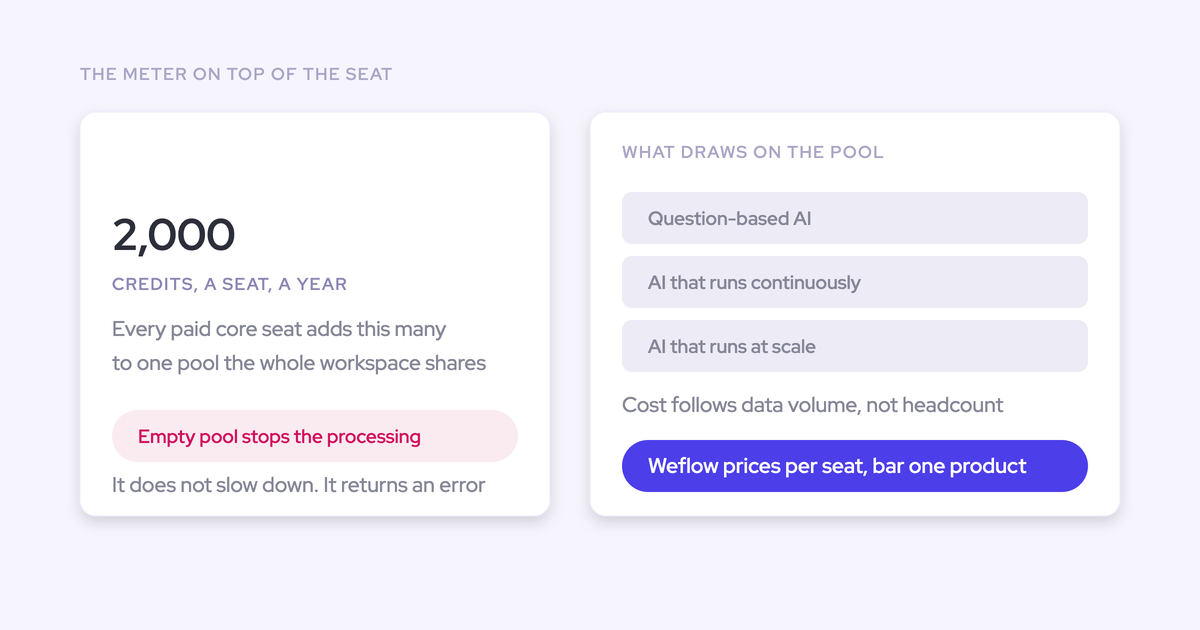
Weflow is seat-based with AI bundled in: unlimited recordings, transcripts, AI templates and Ask Weflow AI prompts, no metering and no platform fee. Agent Builder is the one workspace-level line, with a Free tier of 25 agent actions per month included in every plan, then $299 per month for 500 actions and $999 per month for 2,500.
Gong has introduced consumption pricing for AI on top of its per-seat pricing, which means the AI line moves with usage. Teams respond by rationing access, which is the opposite of what you bought the platform for.
How do these tools handle EU consent and data residency?
For an EU team, four things decide it: documented residency, per-session consent, no model training on your data including sub-processors, and a signed DPA. In Germany and Austria the works council is where a recording rollout actually stops, and it stops on documentation rather than features.
Weflow is a German company hosted in Frankfurt, spins up a customer instance in the region where that customer's Salesforce is hosted, and can be overridden to keep data in the EU or UK. Consent flows are configurable, including a pre-meeting opt-in and opt-out email on Microsoft Teams and an in-call message whose removal link permanently deletes the recording data.
On paper: SOC 2 Type II, GDPR, HIPAA and CCPA, Zero Data Retention for AI processing, no customer data used to train models, a DPA with EU Standard Contractual Clauses, a public sub-processor list with advance notice, and 48-hour breach notification. ISO 27001 is in progress, not certified, and Weflow is not FedRAMP.
What happens when one account has multiple open opportunities?
This is where automated mapping breaks across the whole category, and it's the common case rather than the edge case for anyone selling multiple product lines or running new business, renewal and upsell as separate opportunities.
No algorithm can decide which of two open deals a conversation belongs to when the same contacts sit on both, so tools fall back to the account and your opportunity-level reporting stays empty. Einstein Activity Capture follows opportunity contact roles, which most orgs don't maintain. Clari's capture matches on email domain, which misattributes.
Weflow's answer is a hybrid: capture stays automatic, and the rep sees the suggested mapping in the browser or Outlook extension and can correct it. Evaluate every vendor on the ambiguous case, not the clean one.