Best Granola Alternatives for Sales Teams on Salesforce (2026)
Compare 5 Granola alternatives for Salesforce teams on bot-free recording, field writes and consent.


Granola often reaches a sales team without anyone deciding to buy it. Reps install it themselves because no bot joins the call and IT never has to approve it. Now RevOps has to standardize on one recorder that reps will keep using.
A Granola replacement on Salesforce keeps that bot-free experience, then does 3 things Granola never did for a Salesforce team:
- write each conversation into structured Salesforce fields and records
- capture every meeting, not only the ones a rep remembers to start
- run under a consent policy the company owns
Weflow is the Revenue AI Orchestration platform for sales, customer success, and RevOps teams. Weflow is built for Salesforce teams. Of the 6 tools here, it is the one with bot-free capture on both Windows and Mac plus automatic structured field writes, both in one seat of Conversation Intelligence + AI Field Updates.
No tool does all 3 cleanly: Weflow's desktop recordings leave consent to the rep, as Granola does. If you run HubSpot or Attio, or have under 10 seats, keep Granola. Teams that may record nothing at all need a transcript-only tool.
How the 5 alternatives stack up against Granola on Salesforce
Weflow, Fathom, Fireflies, Attention and Momentum differ from Granola on 8 capabilities that decide a Granola replacement. We'd weigh Salesforce field writes and consent most, because those are where Granola leaves a Salesforce team short.
| Capability | Weflow | Granola | Fathom | Fireflies | Attention | Momentum |
|---|---|---|---|---|---|---|
| Records without a bot | Desktop app for Windows and Mac, Zoom, Meet and Teams, video kept; rep starts each recording | Desktop app for macOS and Windows, any meeting app; no audio kept | Mac desktop app only; bot-free video a limited Zoom beta | Desktop app for Mac and Windows; no recording kept, generic speaker labels | Apple Silicon Macs only; Meet high-quality mode shows an extra attendee | Zoom cloud recording; bot on Google Meet; no desktop app documented |
| Writes Salesforce fields from calls | Every field type except relationship lookups; automatic or review per field | No field values; one Markdown block a Zap has to parse | Text fields only, from summary headings, overwritten each meeting; Business plan | Contact, Account and Opportunity fields after a rep reviews and sends each meeting | Any mapped field, prompt per field; automatic sync recommended | Fields including lookups; save mode per extraction |
| Stores calls as Salesforce records | Summary on the Event; summary and transcript in a Weflow object; emails as EmailMessage or Task with Weflow Activity & Contact Capture | Zapier creates Opportunity, Contact or Task records; transcripts stay in Granola | Summary as a logged-call Task; standard objects only | Note, Event and Tasks; transcripts and recordings stay in Fireflies by default | Values in mapped fields; no documented native call records | Events once Event mapping is on; recordings stay in its Call Library |
| Recording consent | Notetaker: opt-in, opt-out or manual, chat notice, CSV log; desktop app has no consent flow | Chat notice and watermark, enforced only on Enterprise; consent left to the user | Email 24 hours before scheduled external meetings only | Pre-meeting email with opt-out link; no-bot notices on by default | Pre-meeting consent page in 5 languages; desktop chat notice a beta on request | Branded pre-meeting consent page, switched on by Momentum |
| Integrations | Salesforce, Gmail, Google Calendar, Outlook, Zoom, Teams, Meet, Slack, Outreach dialer | Slack, Notion, HubSpot, Attio, Affinity, Gmail, Google Calendar; the rest through Zapier | 30 listed, including Salesforce, HubSpot and Zapier; no dialer or BI tool | More than 100 apps | Calendars, Zoom Phone, Aircall, Slack; workflow steps in CRMs and Snowflake | Gong and 4 other recorders, 7 dialers, Slack or Teams |
| AI assistant access (MCP) | Read-only MCP connector; transcript access set per workspace | Own MCP server on every plan, limited on Basic | Official connector on every plan, user's own meetings | Own MCP server in Claude's connector directory | Read-write MCP server with 68 tools | None of its own; through Salesforce's Hosted MCP Server |
| Raw data access (API, export, warehouse) | REST API bulk export in JSON or CSV; video to your own storage | API and webhooks on Business and Enterprise; per-user CSV export | Public API and webhooks on every plan; per-user keys | GraphQL API, webhooks and Snowflake delivery | MCP, API keys, Snowflake through workflows | API off by default, switched on through support |
| Pricing | $39 per user per month, 10-user minimum, annual | Basic free, Business $14, Enterprise $35 | Free; Premium $16, Team $15, Business $25, annual | Pro $10, Business $19, Enterprise $39, plus AI credits | No public pricing | Included in Salesforce Max at $550; standalone from $69 |
| Best for | Salesforce teams of 10+ seats wanting bot-free capture and structured field writes in one seat | Individuals and small teams on HubSpot, Attio or Affinity | Free or low-cost reach with a per-meeting bot choice | The closest bot-free match on Mac and Windows | Agent and MCP depth on Apple Silicon Macs | Teams on Salesforce sales editions or running Gong |
Why Salesforce teams end up replacing Granola
Salesforce teams replace Granola when the notes reps like have to become Salesforce data, cover every meeting and satisfy legal. A personal notepad was never built for those jobs.
Why reps picked Granola in the first place
Reps picked Granola because it gets them good notes without changing the call. Granola is a bot-free AI notepad: its desktop app for macOS and Windows transcribes from the laptop's microphone and system audio.
Nothing joins the meeting on Zoom, Google Meet, Microsoft Teams or any other app. Granola writes up the rep's notes from the transcript, what they typed and the calendar event, and each AI-written point traces back to its source.
With no bot to admit, a rep can install Granola the same day without IT approval. Granola even sells itself as a tool beside Gong.
A habit protects Granola, not a contract, so your replacement has to feel as frictionless to the rep as Granola does.
Where Granola leaves a Salesforce team short
Granola leaves a Salesforce team short in 5 operational ways, and each one lands on RevOps.
- Deal fields stay empty, because Granola has no generally available Salesforce integration. Notes arrive through a Zap your team builds, or an early-access Enterprise connector that needs a click per note, as one Markdown block with no field values.
- Coverage depends on each rep's habit. Granola captures a meeting only when the rep opens or starts its note. Notes are private by default, hidden from managers and admins, so nobody sees the gaps.
- Consent rests with whoever is recording. Below Enterprise each user switches the notices on for themselves, and neither notice asks participants to agree. Some legal teams read that as a compliance exposure.
- Transcripts sit in a second silo: Granola's own store, beside Gong or Fathom and outside Salesforce, with no audio to check a disputed line against. Every extra copy of revenue data makes your system of record harder to defend.
- Customer data stays in the United States. Granola stores all of it on AWS there, with no EU or UK data residency.
What Granola costs and which teams should keep it
Granola costs $35 per user per month for a Salesforce team, because Salesforce comes only on the Enterprise plan. The $14 Business plan covers HubSpot, Attio, Affinity, Notion and Zapier, not Salesforce.
Granola bills per workspace, so every member is on the same plan and each active member is a paid seat. You can't put only your Salesforce users on Enterprise.
We recommend keeping Granola if you are an individual or small team, especially on HubSpot, Attio or Affinity, and want a bot-free notepad first. Granola's own integrations cover those CRMs.
What to test before you pick a Granola replacement
A Granola replacement for a Salesforce team has to pass 4 tests:
- bot-free capture that still covers every meeting
- consent the company owns, not each rep
- structured Salesforce field writes
- transcripts and summaries that land in Salesforce
Keep the bot out of the call without leaving coverage to each rep
A replacement passes the bot-free test when it records without a bot on Windows and Mac, across Zoom, Google Meet and Microsoft Teams. Those recordings feed the same Salesforce pipeline as a bot recording, and the tool covers every external meeting without relying on each rep.
Check Windows first, because that is where most alternatives narrow. Fireflies matches Granola on both operating systems, and the others stop earlier:
- Fathom's bot-free app runs on Mac only.
- Attention's runs on Apple Silicon Macs only.
- Momentum documents bot-free capture only on Zoom.
The rep starts every bot-free recording, so coverage drifts back to each rep's habit. Weflow answers that with 2 capture modes in one seat:
- The Weflow desktop app records Zoom, Meet and Teams with no bot on Windows and Mac. Its recordings get the same field updates, summaries and scorecards as a notetaker recording.
- The Weflow notetaker joins every external meeting from the calendar, for teams that need coverage.
The desktop app's join prompt covers Zoom and Meet, not Teams, so on Teams the rep presses Record meeting.
Know who owns recording consent once the bot is gone
A replacement passes the consent test when company policy sets consent, not each rep's opt-in, and legal can download a record. Agree this test with legal before you trial anything, because the bot your reps resist is often what legal wants.
A visible recorder asks and logs the answer, while counsel can read an invisible one as compliance exposure. European buyers tend to treat that visibility as the safeguard, and a German works council may reject audio and video recording altogether.
When you remove the bot, you remove the consent mechanism that rides on it. Weflow's consent controls run on the Weflow notetaker:
- opt-in, opt-out or manual modes
- a chat notice with a link that stops the recording
- an optional pre-meeting email
- a downloadable CSV consent log
The Weflow desktop app carries none of these, so the rep obtains consent. Where legal requires a visible recorder, run the Weflow notetaker.
Among the alternatives, Fireflies turns its no-bot notices on by default. Attention's desktop chat notice is a beta it enables on request, and Granola's notices only inform.
Check which Salesforce fields it fills, and who approves them
A replacement passes the field test when it writes structured values to picklists, numbers, dates, multi-selects and methodology fields. You also want automatic or review set per field, and protection for what a rep already typed.
We'd trial this test hardest. Conversation intelligence tools all transcribe well now, so the Salesforce integration is where they differ.
It is great if you have the recordings. The real challenge is turning that transcript into structured data back in your CRM. - Philipp Stelzer, CPO & Co-founder, Weflow
The tools differ most in how deep their writes go:
- Granola writes no fields.
- Fathom writes text only, from summary headings, and overwrites it each meeting.
- Fireflies waits for a rep to review and send each meeting.
- Attention writes any mapped field and recommends automatic sync.
- Momentum offers a save mode per extraction, including write-only-when-empty, and writes lookups such as a MEDDPICC champion.
Weflow's AI Field Updates write every field type except relationship lookups, including MEDDIC fields. Your admin sets automatic or review per field, and in review the rep sees the current value beside the suggestion before it syncs.

Find out where transcripts and summaries end up
A replacement passes the storage test when the summary lands on the existing Salesforce Event, the transcript lands in Salesforce, and an API or MCP route covers the rest. Calls stored beside their deals let you and your AI assistant read both in one place.
Granola, Fireflies by default and Momentum's Call Library keep transcripts in their own stores. Fathom logs summaries as Tasks on standard objects, and Attention documents no native Salesforce activity records for calls.
Weflow writes the summary onto the Salesforce Event with a link to the recording. It stores the summary and full transcript in the Weflow_Recording__c object in your own org. Video stays out of Salesforce, and you export it through the API to your own storage.
Weflow's MCP connector is read-only. If you also want emails stored as EmailMessage or Task records, you need Weflow Activity & Contact Capture, a separate product from Weflow Conversation Intelligence.
Weflow records without a bot and turns calls into Salesforce fields in one seat
Weflow gives a team leaving Granola bot-free capture for reps and structured Salesforce field writes under one Weflow Conversation Intelligence seat. The same seat adds a notetaker for the meetings that need coverage or consent.
How Weflow keeps reps bot-free and still fills Salesforce
Weflow Conversation Intelligence keeps reps bot-free and fills Salesforce through 5 capabilities:
- The desktop app records Zoom, Google Meet and Microsoft Teams with no bot on Windows and on Apple Silicon and Intel Macs. It keeps the video and runs each recording through the same field updates, summaries, follow-up emails and scorecards as the notetaker.
- The Weflow notetaker is scheduled onto every external meeting from the calendar connection, so coverage doesn't depend on a rep remembering.
- AI Field Updates write picklists, numbers, dates, multi-selects and MEDDIC fields, each field set to automatic or review. They reach standard objects, and custom objects once Weflow support sets them up.
- Weflow writes the summary onto the Salesforce Event within 30 to 60 seconds of the meeting, and stores the summary and transcript in Salesforce.
- The notetaker's consent settings give the company opt-in, opt-out or manual modes, a chat notice with a stop link, a pre-meeting email and a CSV log.
Both capture modes run on one seat, so you can put one team on the desktop app and another on the notetaker, each with its own field-update template.

Where Weflow is the wrong fit
Weflow is not a fit for every team. Here's are its limitations:
- Weflow can't produce notes without recording audio. Teams whose works council or customers forbid recording should keep a transcript-only tool.
- Weflow works only with Salesforce (for now), with a 10-user minimum and annual terms. Granola is a better fit for small teams or when you're not using Salesforce.
- Weflow desktop recordings carry no consent flow, so the rep obtains consent, as with Granola. Use the Weflow notetaker where you need a consent record.
- The desktop app records only when the rep starts it. Its join prompt covers Zoom and Google Meet; on Microsoft Teams the rep presses Record meeting.
- AI Field Updates can't write relationship lookup fields, so a champion can't point at a contact record.
What Weflow Conversation Intelligence costs and who it suits
Weflow Conversation Intelligence has transparent pricing: $39 per user per month, billed annually on a 12-month contract with a 10-user minimum.
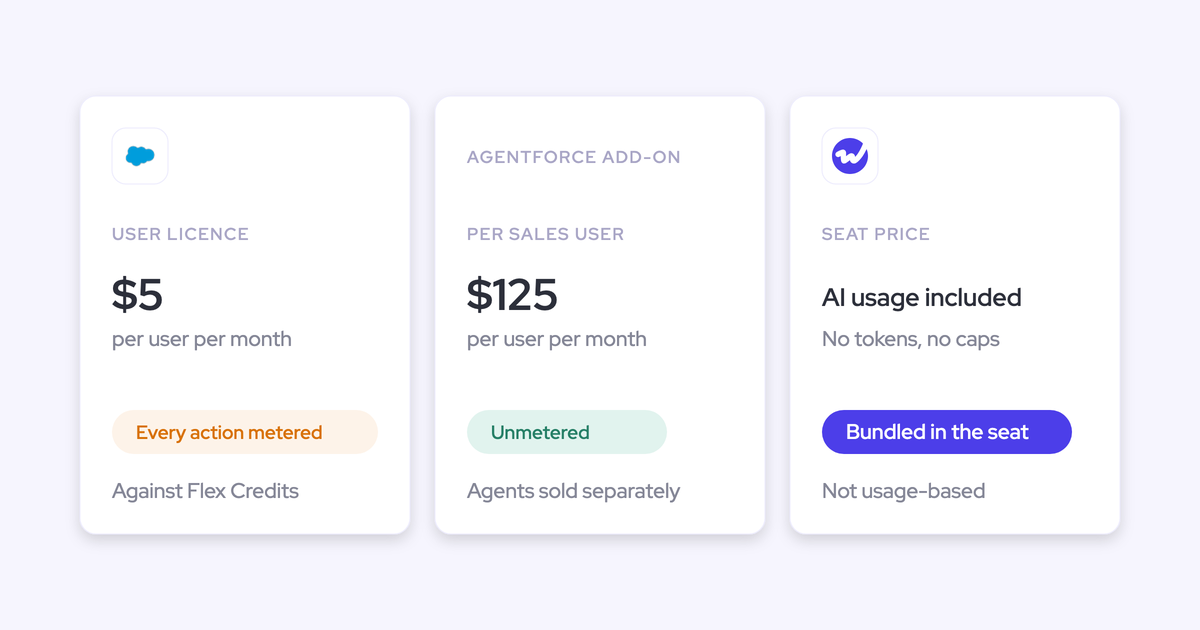
Weflow prices per seat, so AI summaries and AI Field Updates are included rather than billed by usage. The Weflow desktop app comes at no extra charge.
If you also want email captured into Salesforce, take the Revenue AI Foundation bundle, which adds Weflow Activity & Contact Capture, at $49.
Weflow suits Salesforce teams of 10 or more seats that want bot-free capture and structured field updates in one seat. The notetaker adds a company consent policy where they need one.
Fathom gives reps a free notetaker but writes only text fields to Salesforce
Fathom is the free, widely used option of the 6. For a Salesforce team, its limit is that its field writes are text only.
Why so many reps already use Fathom
Many reps already use Fathom because it costs them nothing. Fathom gives the individual product away free, with unlimited recordings, to win team deals.
Hundreds of thousands of companies use this mass-market AI notetaker, which Superhuman, the company formerly called Grammarly, has owned since September 2026.
Each user picks per meeting between a bot that joins and bot-free capture from the Mac desktop app. By default, Fathom pushes each summary into the CRM as soon as it's ready, with no click from the rep.
Where Fathom falls short on Salesforce
Fathom falls short for a Salesforce team on capture, fields, records and consent.
- Fathom's bot-free capture runs on Mac only, and bot-free video is a limited beta on Zoom, so Windows reps stay on the bot.
- Field writes go only into text fields, only from H3 or H4 summary headings, and each new meeting overwrites the field. Picklists, numbers, dates and checkboxes stay empty.
- Fathom logs each summary as a logged-call Task on the matched Contact, and writes only to Contact, Account, Opportunity and Task, never to Leads or custom objects.
- Consent requests go out by email 24 hours before scheduled external meetings, and same-day or impromptu meetings get nothing.
What Fathom costs and who it suits
Fathom is free for individuals, with per-seat team plans and no usage credits on the core product. Billed annually, Premium is $16 per user per month, Team $15 and Business $25.
Budget for Business if you want the Salesforce field writes, because they start on that plan.
Fathom suits teams that want a low-cost notetaker with a per-meeting choice between bot and no bot, and can live with text-only fields.
Fireflies matches Granola's bot-free capture on Mac and Windows but waits on reps to update Salesforce
Fireflies is the closest like-for-like for Granola's bot-free capture. It stops at Salesforce, where its field writes wait for a rep.
What Fireflies does well beyond bot-free capture
Beyond bot-free capture, Fireflies does well on default notices, integrations and data access. Fireflies is a horizontal AI meeting notetaker sold across every function, with a Fireflies for Sales bundle on top.
The Fireflies desktop app for Mac and Windows captures Zoom, Google Meet, Microsoft Teams and phone calls from system audio with no bot. In no-bot mode, an audio message, a chat message on Mac and a camera badge are on by default.
Fireflies also offers:
- integrations with more than 100 apps
- delivery of each meeting's transcript and summary to your own Snowflake account
- its own MCP server, listed in Claude's connector directory
Where Fireflies falls short on Salesforce
Fireflies stops short for a Salesforce team in 4 places.
- No-bot mode keeps no audio or video file and labels speakers only as Speaker 1 and Speaker 2.
- Autofill CRM needs Business or above and uses 1 AI credit per meeting. It never writes on its own: a rep opens each meeting, reviews the values and clicks Autofill, and a meeting nobody reviews leaves Salesforce unchanged.
- The automatic Salesforce sync writes each meeting as a summary note, with optional Events and Tasks, rather than to fields, and only to standard objects.
- Transcripts and recordings stay in Fireflies' own store by default, and teams running it beside Salesforce hold a year or more of calls there.
Weigh the Autofill review step most, because a review on every meeting brings back the chore that left your deal fields empty.
What Fireflies costs and who it suits
Fireflies charges per seat plus AI credits. Billed annually, Pro is $10 per seat per month, Business $19 and Enterprise $39, and Autofill CRM needs Business or Enterprise.
If you want a predictable bill, have an admin switch auto-upgrade off. Otherwise, when a paying team runs out of credits, Fireflies moves it to the next credit package automatically.
Fireflies suits teams that want the closest bot-free match to Granola on Mac and Windows, with default notices and wide integrations.
Attention leads on AI agents and MCP access but records bot-free only on Apple Silicon Macs
Attention is the agent-first option of the 6. Its bot-free app runs only on Apple Silicon Macs.
What Attention does well for a sales team
Attention does well on AI agents, automatic CRM sync and MCP access. It is an AI-native conversation intelligence tool that positions itself around AI agents working the pipeline, with recording as the data layer underneath.
- Automatic CRM sync, set once in a workflow, writes extracted values after every call with no user action, and it is the setting Attention recommends.
- The read-write MCP server, with 68 tools across 15 groups, returns raw transcripts and runs analysis across up to 25 calls or a whole deal. It is the deepest MCP access of the 6.
- A pre-meeting consent page lets participants consent in 5 languages.
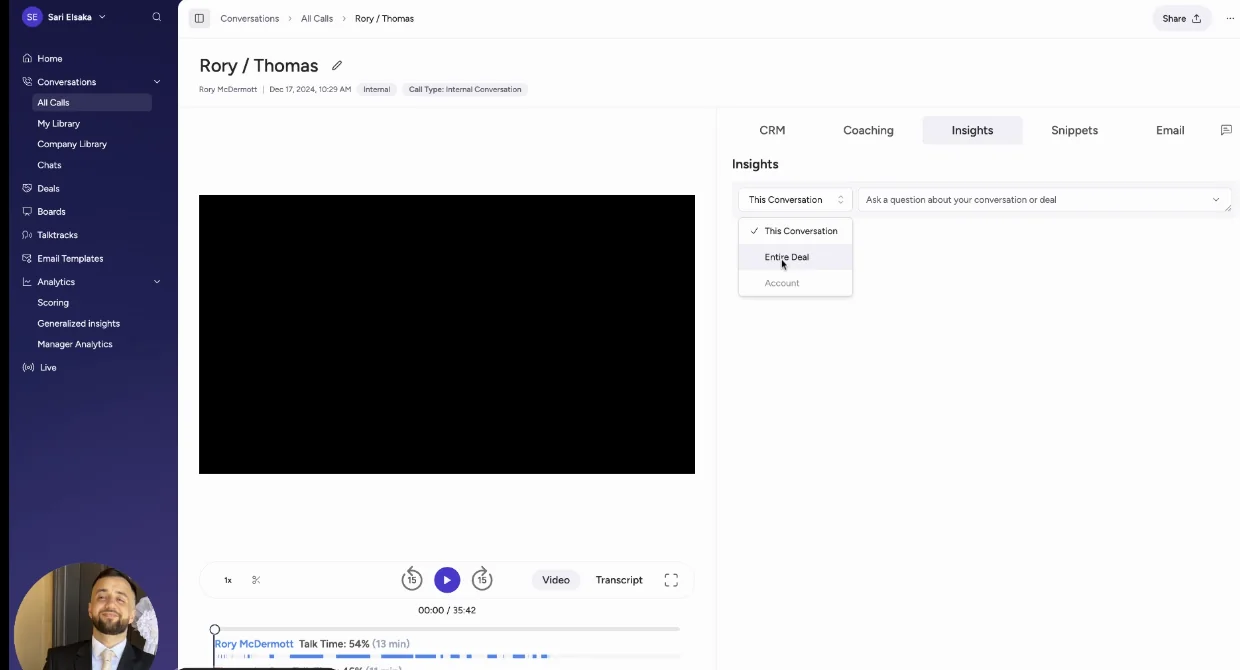
For manual review, Attention's call page has a CRM tab that lists each extracted field with a checkbox, and Update Records pushes the selected ones.
Where Attention falls short for a team leaving Granola
Attention falls short for a team leaving Granola in 5 places, across its bot-free mode and its Salesforce footprint.
- The desktop app runs only on Apple Silicon Macs, with no Windows or Intel build, and doesn't support Microsoft Teams joined in a browser.
- High-quality mode on Google Meet shows every participant an extra attendee carrying the rep's name.
- The chat notice for desktop recordings is a beta that Attention switches on per organization on request.
- Desktop recordings have weaker speaker labels than bot recordings and stop when the network drops.
- Call outcomes reach Salesforce only as values in mapped fields, because Attention documents no native Salesforce activity records for calls.
How Attention prices and who it suits
Attention has no public pricing. Its price is a negotiated contract, and you get it by booking a demo.
MCP usage is governed by rate limits rather than consumption charges. Attention suits teams on Apple Silicon Macs that want agent-heavy conversation intelligence, automatic field sync and read-write MCP access.
Momentum writes even lookup fields to Salesforce but sends a bot into Google Meet
Momentum has the most granular Salesforce write controls of the 6. It documents bot-free capture only on Zoom, and sends a bot into Google Meet.
What Momentum does well for a Salesforce-centric team
Momentum does well on Salesforce write controls and on fitting a Salesforce-centric stack. Salesforce now owns this capture and conversation layer and positions it as the data foundation beneath Agentforce Sales, so for a Salesforce-centric team it counts as consolidation.
Each Autopilot extraction has its own save mode:
- write automatically
- confirm after review in Slack or the web app
- write only when the field is empty
Momentum writes lookup fields, so a MEDDPICC champion points at the contact record. It collects consent before the meeting on a branded page linked from the calendar event. It can also run on top of Gong, using the transcripts Gong already produces.
Where Momentum falls short for a team leaving Granola
Momentum falls short for a team leaving Granola in 4 places, starting with bot-free capture, which it documents on Zoom alone.
- On Zoom, Momentum avoids a bot through Zoom's cloud recording, which needs a Zoom Business, Education or Enterprise license. On Google Meet a bot joins, and Momentum documents no desktop app.
- Recordings and transcripts stay in Momentum's Call Library.
- Call logs reach Salesforce Events only after an admin switches on Event mapping, and only for calls from then on. Switch it on at setup, so no calls go unlogged.
- Momentum has no MCP server of its own, so assistants reach its data through Salesforce's Hosted MCP Server, and its API stays off until support switches it on.
What Momentum costs and who it suits
Momentum is bought mainly through Salesforce's sales editions, with standalone plans still listed on momentum.io. Through Salesforce, its price depends on the edition:
- The Max edition includes it at $550 per user per month.
- Core at $195 and Advanced at $395 are announced to include it, and Salesforce still marks both as coming soon.
- On Starter Suite and Pro Suite it is a paid add-on priced by quote.
Standalone, Business is $69 and Transformation $99 per user per month, plus a $30 Conversation Intelligence add-on.
Momentum suits teams already on Salesforce's sales editions or running Gong underneath.
How to pick the right Granola alternative, or decide to keep Granola
The right Granola alternative depends on your CRM, your team size, your legal stance, how far your reps tolerate a bot, and which fields you need filled. Start with your CRM and team size, because those rule tools out before anything else does.
- Choose Weflow if you run Salesforce with 10 or more seats and need bot-free capture on Windows and Mac plus automatic structured field writes. The Weflow notetaker covers teams where coverage or legal demands it.
- Keep Granola if you run HubSpot, Attio or Affinity, or have fewer than 10 seats, and a bot-free notepad with traceable notes is what your reps need.
- Choose Fireflies if you want the closest bot-free like-for-like on Mac and Windows with notices on by default, and you can accept reps reviewing each meeting's field values before they send.
- Choose Momentum if you're on Salesforce's sales editions or running Gong underneath, and lookup writes and a save mode per extraction matter more than bot-free capture beyond Zoom.
- Choose Attention if your reps are on Apple Silicon Macs and agent workflows and read-write MCP access matter most.
- Choose Fathom if free or low-cost reach and a per-meeting bot choice matter more than structured fields.
- Choose a transcript-only tool that records no audio if a works council or your customers forbid recording, because Weflow can't produce notes without audio.
If your Salesforce team is split between reps who refuse bots and a legal team that wants a visible recorder, one Weflow seat covers both. Put the Weflow notetaker on coverage and legal, and the Weflow desktop app on the reps.
How to move your reps from Granola to Weflow without losing them
You move reps from Granola to Weflow without losing them by adding to their day before you take anything away. Start by deciding which teams record which way.

- Decide the capture mode by team, because that choice decides who carries consent. Put the Weflow notetaker on teams where coverage or legal requires it, and the Weflow desktop app on reps who refuse bots.
- Set the Weflow notetaker's consent mode to opt-in, opt-out or manual. Then write the consent rule desktop-app users follow, since the desktop app has no consent flow.
- Pick the fields and set each one to automatic or review. Start interpretive fields such as pain or champion on review and automate unambiguous ones such as a website, so the extraction earns trust before writing on its own.
- Get every rep to sign in to Weflow once and install the desktop app with the same account. The notetaker skips meetings for a licensed user who has never signed in, and the admin view doesn't make that obvious.
- Start with a pilot group of reps who try new tools fast, while Granola still runs. The pilot proves the setup and field quality before the wider rollout, and nobody loses a tool they rely on in the meantime.
- Settle Granola history before you switch Granola off. Granola has no admin or company-wide export, so each rep exports their own notes, summaries and transcripts as a CSV. Granola kept no audio, and Weflow imports past calls only as audio or video files, so the history stays in those exports. Switch Granola off once the pilot holds.
See how Weflow captures activity, updates Salesforce fields from calls, and rolls up your forecast. Book a 30-minute demo.
Questions RevOps teams ask us about replacing Granola
Does Granola integrate with Salesforce?
Granola has no generally available Salesforce integration. Notes reach Salesforce through a Zapier workflow your team builds, or through an early-access connector on the Enterprise plan that needs a click on each note. Neither route writes field values such as next step or close date.
Which Granola alternatives record without a bot on Windows?
Weflow and Fireflies both record without a bot on Windows as well as Mac. The Weflow desktop app keeps the video and feeds Salesforce field updates, and the Fireflies desktop app keeps no recording.
Fathom's bot-free capture runs on Mac only, Attention's on Apple Silicon Macs only, and Momentum documents bot-free capture only on Zoom.
Who is responsible for recording consent when no bot joins the call?
When no bot joins, the rep who is recording is responsible for consent, in Granola and in the Weflow desktop app alike. Weflow's company-level consent modes, chat notice and downloadable consent log run on the Weflow notetaker, so send meetings that need a consent record to the notetaker.
Can we bring our Granola notes into Weflow?
You can't import Granola notes into Weflow. Granola keeps no audio, and Weflow builds transcripts, summaries and field updates only from audio or video files.
Before you switch Granola off, have each rep export their own Granola notes, summaries and transcripts as a CSV, because there is no admin or company-wide export.
Is there a Granola alternative that records no audio at all?
Of these tools, Fireflies' no-bot desktop mode keeps no audio or video file, and Fathom's desktop app can capture a transcript only.
Weflow can't take meeting notes without recording audio, because every transcript, summary and field update is built from the audio. A team whose works council forbids any recording should keep a transcript-only tool rather than adopt Weflow.
Can Claude or ChatGPT reach the call data in these tools?
Claude and ChatGPT can reach call data in all 6 tools, by different routes. Weflow's MCP connector is read-only and serves summaries, transcripts and forecast data.
Granola, Fathom and Fireflies run their own MCP servers or connectors. Attention's MCP server is read and write with 68 tools, and assistants reach Momentum's data through Salesforce's Hosted MCP Server.