Weflow vs Granola for Recording Consent, Data Residency and AI Data Handling (2026)
Weflow vs Granola on recording consent, EU data residency and AI training, for teams facing legal review


Granola transcribes a meeting from the rep's own laptop, so no bot joins and nobody on the other side of the call is asked to agree. Reps love it for that, and legal flags it for the same reason: counsel, especially in Europe, reads capture nobody was asked about as compliance exposure. When that flag lands, you own the replacement in RevOps, and it has to pass legal and still feed Salesforce.
For a Salesforce team whose legal review turns on consent, residency and training, Weflow's notetaker is the one we'd put in front of legal. Granola notifies participants but asks no one to consent, stores all data in the US, and below Enterprise may train its own models on anonymized data unless each user opts out. Weflow's notetaker lets any participant decline and logs every decision, hosts data in your region, and never trains on customer data.
Weflow is the Revenue AI Orchestration platform for sales, customer success, and RevOps teams. Built for Salesforce teams, it runs consent through Weflow Conversation Intelligence and writes each transcript into your Salesforce org.
One limit matters for the decision. When a rep records with the Weflow desktop app instead of the notetaker, no consent flow runs, so consent falls to the rep, exactly as it does with Granola.
Weflow and Granola side by side on the 7 points legal reviews
Weflow and Granola differ most on consent, AI training and where data sits. The gap narrows on integrations, assistant access and price.
| What legal reviews | Weflow | Granola |
|---|---|---|
| Recording consent management | Weflow notetaker: opt-in, opt-out or none, chat notice with a stop link, pre-meeting email, downloadable consent log | Notices, no consent request: a chat message and a video watermark, enforced only on Enterprise |
| AI data handling | Zero Data Retention and no training on customer data, both by default; primarily Google Gemini | May train its own models on anonymized data unless each user opts out; opted out by default on Enterprise |
| Data residency | Frankfurt, New York or Sydney, matched to the Salesforce org, with an EU or UK override | All data on AWS in the US, no regional hosting |
| Integrations with other tools | Salesforce, Gmail, Google Calendar, Outlook, Zoom, Google Meet, Microsoft Teams, Slack and the Outreach dialer; writes to Salesforce automatically | Slack, Notion, HubSpot, Attio, Affinity and Zapier; Salesforce through Zapier or an Enterprise early-access connector |
| Access from AI assistants (MCP) | Read-only connector, switched on per workspace by an admin, with a separate transcript toggle | MCP server on every plan, each connection acting as one user; Enterprise admins set scopes |
| Raw data access outside the tool | REST bulk export as JSON or CSV, BI connectors, audit log, video to your own storage | API and webhooks on Business and Enterprise; CSV export of each user's own notes only |
| Pricing | Public per-seat pricing: $39 for Conversation Intelligence, AI usage included | Public per-seat pricing: legal's controls sit on the $35 Enterprise seat |
| Best for | Salesforce teams of 10 or more seats whose legal review requires logged consent, regional hosting and no model training | Individuals and small teams wanting bot-free notes with no stored audio, including HubSpot, Attio and Affinity users |
We'd take the first three rows to legal first, because consent, AI training and residency are what a legal review turns on. Weflow's answers on those three are:
- A consent flow in the notetaker, where any participant can decline through the chat link or the pre-meeting email, and every outcome lands in a downloadable log.
- Hosting in Frankfurt, New York or Sydney, matched to your Salesforce org.
- Zero Data Retention and no training on customer data, both on by default.
Granola's answers are its 2 notices, which tell participants about transcription without asking them to agree, all data on AWS in the US, and a training opt-out each user has to make outside Enterprise. Granola's strengths are real too: no bot in any meeting app, no stored audio, and a lower entry price.
Why legal teams end up weighing Granola against Weflow
Legal teams weigh the two because Granola usually arrives first: reps adopt it without IT approval, and legal finds it later. Granola records from the rep's own computer, so nothing joins the meeting for anyone to admit. A rep can install it and record external meetings the same day, long before security has signed anything off.
Legal's objection is about what the other side of the call sees. Granola's notices are optional, so a guest may see no sign of transcription. Some legal teams prefer a visible recorder for that reason: a bot that asks participants to accept, and logs that they did, is the approval. Companies heading for a formal security posture such as FedRAMP rule a background recorder out entirely.
Where you sell decides how hard this lands. US buyers tend to want the recorder invisible, while European buyers work under GDPR consent and treat visibility as the safeguard.
"GDPR compliant" on a trust page won't close a European review either. Legal wants to see where recordings are held, where retention is set, how a deletion request runs and where the consent log is read, so plan to show each of those in the product.
Your own reps add the last pressure. Whenever a CRM-connected recorder fails to join a meeting, they fall back on a standalone notetaker to grab a transcript, and that transcript never reaches Salesforce. Unless the replacement covers those moments, reps drift back to the habit.
How each tool tells participants they are being recorded
Granola tells participants through optional notices. Weflow's notetaker asks them, lets any of them decline and logs the outcome.
Granola posts notices users switch on, and asks no one to agree
Granola tells participants it's transcribing through 2 optional notices, and neither asks anyone to agree:
- A chat message posts once transcription starts and another participant joins: on Google Meet through a Chrome extension, on Zoom and Microsoft Teams on macOS and Windows, and in Slack huddles on macOS.
- A watermark badge sits on the user's own video, and appears only when the Granola virtual camera is selected in the meeting app.
On Basic and Business, each user switches these notices on for themselves, and only Enterprise admins can enforce them. No bot joins, so other participants see no extra attendee. With the notices off, nothing in the meeting shows it's being transcribed.
Granola makes the person using it responsible for getting participants' consent. For your legal memo, that means Granola's consent position depends on every rep switching the notices on and getting consent on every call.
Weflow's notetaker lets any participant decline and logs every outcome
Weflow's notetaker joins the call as a participant and runs consent in the mode an admin sets:
- Opt-out records by default, tells guests in the meeting chat and lets them object. Most customers pick it because the recording rate stays high, and it fits most external selling.
- Opt-in requires every participant to accept before recording starts. It fits calls with a single guest, but breaks down in larger groups, because one person forgetting to accept kills the recording.
- None leaves the decision to the seller in the room.
The notetaker posts a notice in the Zoom, Google Meet or Microsoft Teams chat, with a link that lets any participant stop the recording. You customize the notice's wording and language.
An optional pre-meeting email lets external guests decline before the call. We'd switch it on for Microsoft Teams and Google Meet especially, because neither has a built-in consent prompt.
When a participant opts out, the notetaker leaves and Weflow deletes the recording, transcript and notes, internal-only notes included. A host can also remove the notetaker mid-call and keep everything up to that point.
Every outcome goes into a consent log you download as a CSV. Per meeting, the log shows whether someone opted out, the notetaker wasn't admitted, or an error occurred.
You set consent beside team assignment in the Conversation Intelligence settings: the Consent and Logging tab sits next to the Users tab, where you add whole teams.

Weflow's consent flow has three limits that belong in your legal memo:
- Consent runs per team, not per region, so a team selling into several jurisdictions gets one consent behavior across all of them. Different rules mean separate teams with separate configurations, and you can exclude a single customer by adding their domain to the notetaker exclusion list.
- Late joiners on Microsoft Teams can miss the chat notice, because Microsoft Teams chat settings can hide chat history from people who arrive after the notetaker. The notetaker stays visible in the participant list, and the pre-meeting email reaches guests before the call.
- The consent log records what happened to each meeting, but not who removed the notetaker.
Without a bot in the call, consent falls to the rep in both tools
Without a bot, both tools leave consent to the rep. The Weflow desktop app for Windows and macOS records a meeting with no notetaker in the call, capturing system audio and microphone, plus video where there is one.
Desktop recordings get the same processing as notetaker recordings: field updates, summaries, chapters, follow-up emails and scorecards. No consent flow runs for them, though. Nothing joins the meeting to post a notice or to leave when someone objects, so the rep is responsible for getting consent, just as with Granola.
We recommend allowing the desktop app only for teams and markets where legal accepts consent managed by the rep, because there consent is only as reliable as each rep, the same position legal flagged in Granola. Where legal needs consent the product runs and logs, keep those teams on the notetaker.
What each tool's AI does with your meeting data
Weflow keeps Zero Data Retention and never trains on customer data, both by default. Granola may train its own models on anonymized data unless users opt out.
Granola may train its own models unless users opt out
By default, Granola may use anonymized customer data to train its own models. Outside Enterprise, each user has to opt out individually, so on Business the training decision sits with every rep and legal can't enforce it. Enterprise workspaces are opted out by default, and admins enforce it.
Granola's service providers are contractually barred from training on customer data, so your question to Granola is about its own models.
Granola Chat is the second gap to check. Conversations that use Claude Fable 5 fall outside zero data retention, and Anthropic keeps their input and output logs for 30 days. Claude Fable 5 is selectable on Business, and off on Enterprise until an admin enables it.
Weflow keeps zero data retention and never trains on customer data
Weflow keeps Zero Data Retention for AI processing and never uses customer data to train models. Both are defaults: no user opts out and no admin switches anything on.
Weflow runs on third-party foundation models rather than its own, primarily Google Gemini. When legal asks which model provider sees the data, you get a vendor name and a contractual answer.
Weflow also provides a Data Processing Agreement with EU Standard Contractual Clauses, and keeps a public sub-processor list with advance notice of changes. That notice gives you time to object to a new sub-processor before it takes effect.
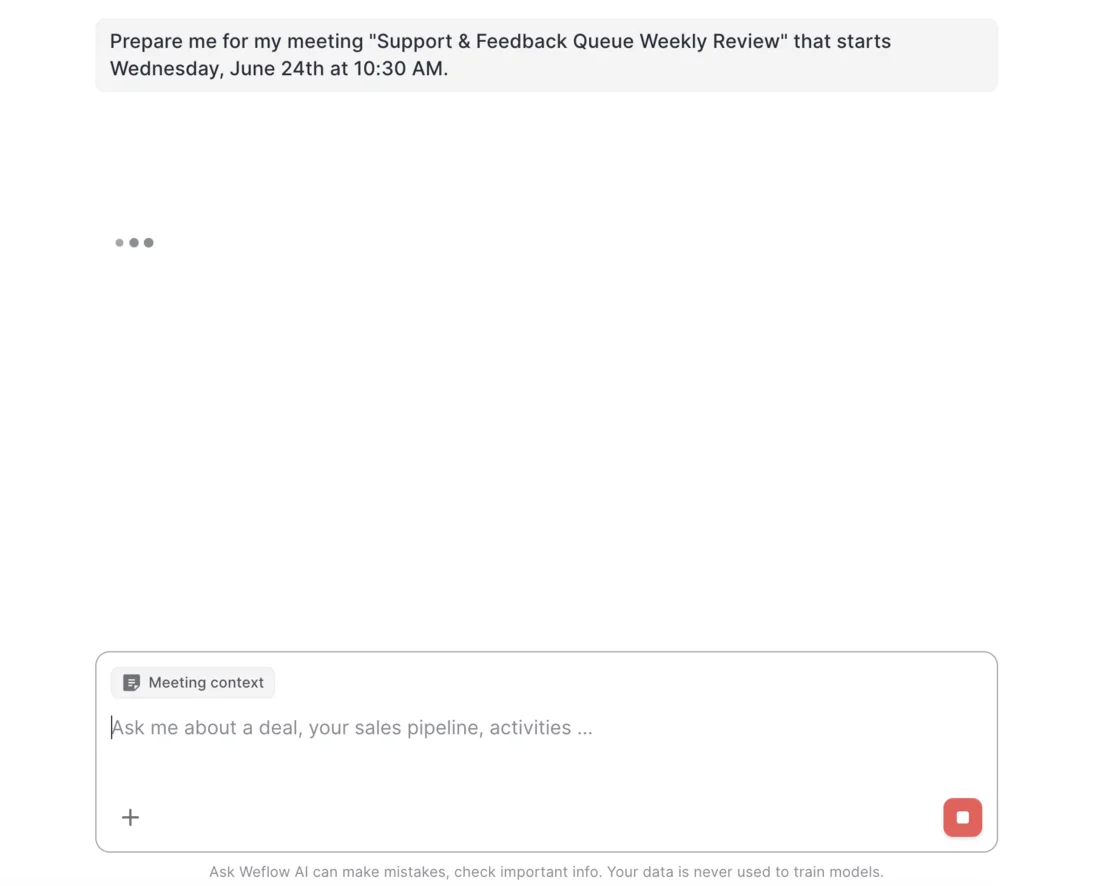
Reps see the commitment where they work: Ask Weflow AI shows a footer in the chat noting that customer data is never used to train models.
Where your conversation data lives, and for how long
Granola keeps all data on US servers, while Weflow hosts in the region of your Salesforce org and writes transcripts into Salesforce itself. Retention differs too: Granola keeps transcripts until someone sets auto-deletion, and Weflow keeps recordings for your subscription unless you set a shorter window.
Granola keeps all data on US servers
Granola stores all customer data on AWS in the United States, with no EU, UK or other regional option. Data is encrypted at rest and in transit, and Granola caches notes on each user's device for offline use.
For a European team, that puts transcripts outside the EU, with Granola's standard DPA and Standard Contractual Clauses as the legal basis.
Granola stores no audio or video at all, only the transcript and notes. It keeps transcripts until someone sets auto-deletion: each user picks a period from 1 day to 1 year, and notes stay when transcripts go. Only Enterprise admins can impose one period on the whole workspace.
Weflow hosts in your region and writes transcripts into your Salesforce
Weflow stores your data in the region where your Salesforce org sits, so an org hosted in Europe keeps its Weflow data in Europe. You can override the match to keep data in the EU or UK.
Weflow is a German company hosted in Frankfurt, with regions in Frankfurt, New York and Sydney, so residency is a configuration choice rather than a migration project.
Weflow splits conversation data between 2 places:
- In your Salesforce org, the summary and full transcript go to a native recording object, alongside an indexing object, so you can report on, permission and query them like any other record.
- In Weflow's storage, video recordings sit in your chosen region, scoped to your tenant ID, and encrypted with TLS 1.2+ in transit and AES-256 at rest. Video never goes into Salesforce, and you can export it through the API to your own cloud storage.
By default, Weflow keeps recordings for as long as you subscribe. Where legal wants a shorter window, you can have Weflow delete all recordings after a set period, such as every 30 days.
How meeting data reaches Salesforce, AI assistants and your warehouse
Weflow writes every recorded call into Salesforce automatically and opens it through a read-only MCP connector and a bulk API. Granola sends notes only when a user acts, and exports per user.
Weflow writes to Salesforce on its own, Granola waits for a click
Weflow writes each recorded call into Salesforce without a rep doing anything. When the call ends, the summary and transcript land on the recording object, and AI field updates write to Salesforce.
Native integrations cover Salesforce, Gmail, Google Calendar, Outlook, Zoom, Google Meet, Microsoft Teams and Slack, and calls from Outreach's dialer arrive as recordings with a transcript, summary and coaching. Weflow isn't an integration platform with a catalogue of connectors, and it works only with Salesforce.
Granola connects natively to Slack, Notion, HubSpot, Attio and Affinity, with Zapier on Business. Its native Salesforce connector is Enterprise-only, in early access behind a waitlist, and needs someone to click Add to Salesforce on each note. Without it, your team builds a Zapier workflow that fires when a note is filed into a folder or pushed by hand.
Either way, Granola never sends a note on its own, so Salesforce is only as complete as each rep's filing habit. The Zapier trigger also carries no structured field values such as budget, next step or close date, so any field update has to parse the summary inside Zapier.
Both tools run an MCP server, with different admin controls
Both tools run an MCP server, and Weflow's read-only connector carries the controls legal asks about. An admin switches it on per workspace, and a separate toggle decides whether assistants read full transcripts or only AI summaries. The admin console lists every connected user with their email and connection date.
Through the connector, Claude or ChatGPT reach Weflow playbooks, call summaries, transcripts and forecast calls, plus per-rep pipeline metrics such as win rate and coverage. The per-rep breakdown is capped at 25 owners, and the connector returns no captured email content and no Salesforce field values.
Granola's MCP server works on every plan, with free users limited to their own notes from the last 30 days. Each connection acts as one user through OAuth, with no service-account access. Enterprise admins choose which scopes members get, and can switch transcripts off for everyone.
Getting raw transcripts out through the API and exports
Weflow lets you pull data out at company level. The REST API bulk-exports transcripts, metadata, scores and signals as JSON or CSV, and BI connectors feed Tableau and Looker. An exportable audit log records field write-backs and configuration changes, and video exports through the API to your own storage.
Weflow has no native Snowflake, Databricks or BigQuery connector, so you load a warehouse through the API.
Granola's public API and webhooks cover notes, summaries and transcripts on Business and Enterprise. Admins can create workspace keys that keep working after their creator leaves.
Granola's export is narrower: each user exports only their own notes, summaries and transcripts as a CSV, with no admin or company-wide export. When a rep leaves, their private notes are out of the company's reach.
What each tool costs once legal's controls are switched on
Both tools publish per-seat prices. Granola puts legal's controls on its $35 Enterprise seat, while Weflow sells Conversation Intelligence as one $39 seat with AI usage included.
Granola puts its compliance controls on the Enterprise plan
Granola bills per workspace: every member is on the same plan and each active member is a paid seat, so you can't mix Business and free seats in one workspace. Basic is free, Business is $14 per user per month and Enterprise is $35 per user per month.
Business is billed monthly only, and annual billing exists only on Enterprise contracts.
The controls legal asks for are Enterprise-only:
- Enforced notices
- The workspace-wide training opt-out
- Workspace-wide retention
- Salesforce
SSO arrives only on Enterprise workspaces with at least 50 active members or a 50-seat commitment. When you price Granola for legal, price the $35 seat.
Weflow Conversation Intelligence is one per-seat price, billed annually
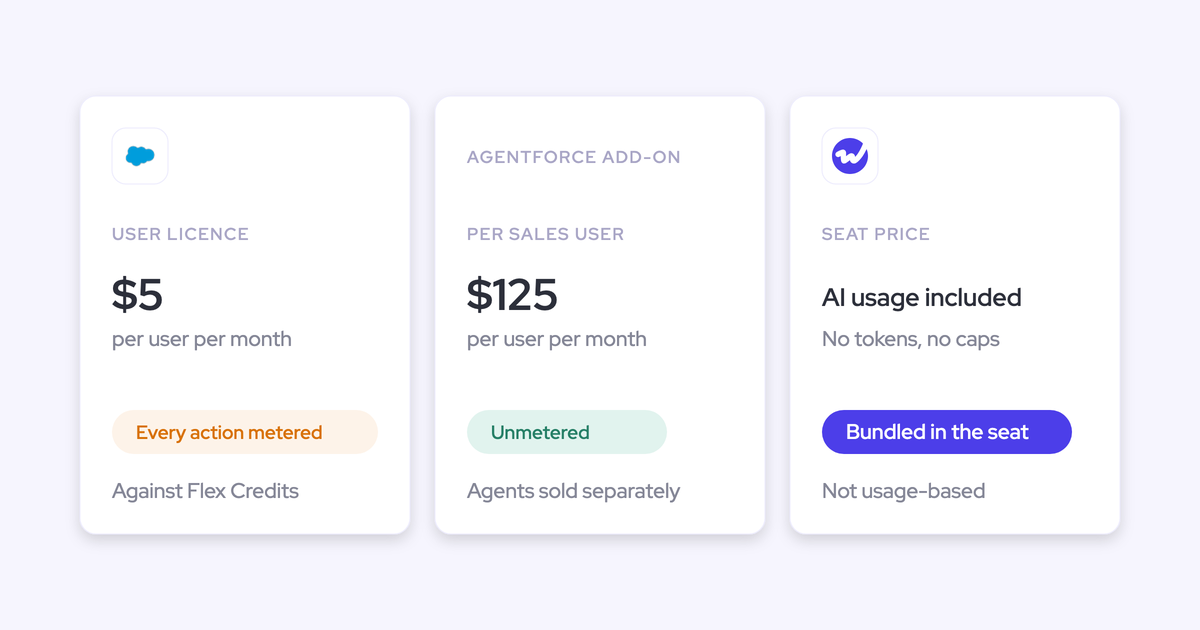
Weflow Conversation Intelligence costs $39 per user per month, billed annually, and the desktop app comes with that seat at no extra charge. AI usage is bundled into the seat rather than metered: Ask Weflow AI, AI summaries and AI field updates come with it, and Agent Builder is the only consumption-priced product.
The Revenue AI Foundation bundle pairs Weflow Activity & Contact Capture with Weflow Conversation Intelligence for $49 per user per month. Weflow requires at least 10 users per product or bundle and a 12-month contract, with no shorter term.
Where Granola is the stronger choice
Granola is the stronger choice in 5 situations, and in some of them Weflow is the wrong fit:
- No bot in any meeting app, Zoom, Google Meet and Microsoft Teams included. That suits teams whose customers object to any extra attendee, as long as legal accepts consent handled by the rep.
- No stored audio or video, only the transcript and notes. That suits German-speaking markets where a works council approves only transcript-only tools that never join the call.
- A Legal Holds API on Enterprise, which stops the deletion of notes, transcripts and attachments for named custodians or a whole workspace. That suits companies whose eDiscovery system places holds directly.
- A free plan and a $14 Business seat, which suit individuals and small teams below Weflow's 10-user minimum.
- Native connections to HubSpot, Attio and Affinity, which suit teams that don't run Salesforce, since Weflow works only with Salesforce.
Weflow also has a hard limit: it can't take meeting notes without recording audio, because the transcript and everything built on it come from the audio. If your works council accepts only bot-free capture with no stored audio, we recommend staying on Granola.
Moving a team from Granola to Weflow
You move a team by keeping Granola's history as a text archive, setting Weflow up for legal, and running both tools until reps trust the new one. Granola history doesn't become Weflow recordings, for 2 reasons: Granola stores no audio, and Weflow imports past calls only as audio or video files, never as text transcripts.
If you want that archive, each rep exports it, because Granola exports only a user's own notes, summaries and transcripts as a CSV. On Enterprise, export stays off until an admin switches it on, so get the exports done before anyone leaves the Granola workspace.
Then set Weflow up in this order:
- Set consent per team. Pick opt-out, opt-in or none for each team, and split teams where markets need different rules, because Weflow doesn't vary consent by region.
- Confirm the region. Check that your Weflow instance matches your Salesforce org's region, and apply the EU or UK override if legal needs it.
- Set retention. Keep recordings for the subscription, or have Weflow delete them after a set period such as 30 days, to match the window legal approved.
- Assign seats, and make sure each user signs in once. The notetaker won't join meetings for a licensed user who has never signed in, and the admin view doesn't make that obvious.
- Set the desktop-app policy. Allow the app only for teams where legal accepts consent managed by the rep.
Run both tools side by side first, and switch Granola off once reps see their calls landing in Salesforce. We recommend starting additive because reps hold on to a familiar notetaker out of habit, and letting them see the overlap works better than opening with replacement.
Which tool to pick for your legal review
Let your legal review's requirements decide, because the recorder has to pass that review before your reps can use it at all.
Choose Granola if:
- Your legal review accepts consent managed by each rep, and your customers object to any bot in the call.
- Your works council approves only capture with no bot and no stored audio or video.
- Your team has fewer than 10 seats, or runs on HubSpot, Attio or Affinity rather than Salesforce.
- You need a Legal Holds API that your eDiscovery system can call.
Choose Weflow if:
- Your legal review requires consent the product runs, with any participant able to decline and every outcome logged.
- Your conversation data has to stay in the EU, the UK or your Salesforce org's region.
- Legal needs a guarantee of no model training on customer data that doesn't depend on each user opting out.
- You run Salesforce with 10 or more seats and want transcripts landing there as records without a rep clicking.
Legal will want to see the consent log and retention settings in the product itself. See how Weflow captures activity, updates Salesforce fields from calls, and rolls up your forecast. Book a 30-minute demo.
Questions legal and RevOps teams ask about Weflow and Granola
Is Granola GDPR compliant?
Yes. Granola complies with GDPR and UK GDPR through a standard DPA with Standard Contractual Clauses. The issues legal raises are elsewhere: Granola's notices ask no one to consent, all its data sits in the US, and outside Enterprise each user must opt out of model training.
Can consent differ by region in Weflow?
No. Weflow applies opt-in, opt-out or none per team configuration, not by the region an account sits in, so different regional rules need separate teams with separate configurations. You can exclude a single customer by adding their domain to the notetaker exclusion list.
What happens to notes when a guest opts out?
When a guest opts out of a Weflow recording, the notetaker leaves and Weflow deletes the recording, transcript and notes, internal-only notes included. Nothing is kept, so a rep who wants a record of that call takes notes by hand or dictates a voice note in the mobile app afterwards.
Can Weflow record without a bot?
Yes. The Weflow desktop app for Windows and macOS records system audio and microphone with no notetaker in the call, and the recording gets the same processing as a notetaker recording. No consent flow runs for those recordings, so the rep is responsible for consent.
Can Claude read full transcripts?
Through Weflow's MCP connector, Claude reads full transcripts only if an admin turns on the separate transcript toggle. With it off, assistants see AI summaries but never the verbatim transcript. Through Granola's MCP server, Enterprise admins can switch transcripts off for everyone.
Which model does Weflow use?
Weflow runs on third-party foundation models, primarily Google Gemini, rather than a model of its own. Weflow never uses customer data to train them, and keeps Zero Data Retention for AI processing.