Best Tools That Record Sales Calls Without a Bot Joining the Meeting (2026)
Compare botless sales call recording tools in 2026: platforms, limits, consent flows, and Weflow.


Going botless is a trade, not an upgrade. When no bot joins the call, you also lose the participant that posts the recording notice and the mechanism that makes recording the default. Every one of the six tools below records without a bot only under certain conditions, and most vendor pages leave those conditions out.
Here's the short answer, per tool:
- Gong records without a bot only on Zoom, through Zoom's native recording.
- Fathom runs bot-free only on Mac, and bot-free video is a limited beta on Zoom.
- Attention runs its desktop app on Apple Silicon Macs only, with no Teams in a browser.
- Avoma offers cloud-recording routes that depend on host role, platform licences and admin setup, plus a desktop app.
- Jiminny records from Apple Silicon Mac and Windows, but a minimised meeting window records audio only.
- The Weflow desktop app records Zoom, Google Meet and Microsoft Teams, including video, on Windows, Apple Silicon Mac and Intel Mac, in the native client or the browser.
Our recommendation: keep the bot as the default on every external meeting and use botless capture for the meetings the bot can't reach. We judge every tool below against that setup.
Botless call recorders compared: where each one actually works
"Without a bot" means something different for every tool. The table lists the condition behind each answer.
| Capability | Weflow | Gong | Fathom | Attention | Avoma | Jiminny |
|---|---|---|---|---|---|---|
| Recording without a bot | Desktop app on Windows, Apple Silicon and Intel Mac; Zoom, Meet, Teams in client or browser; rep starts it | Zoom only, via Zoom native recording; bot joins on Meet, Teams, Webex | Mac desktop app only; Windows stays on the bot; bot-free video is a Zoom beta | Apple Silicon Mac app only; no Teams in a browser, no Meet in Edge | Zoom and Webex host cloud recording, Teams and Meet cloud recording, desktop app (mic and system audio) | Desktop app on Apple Silicon Mac (macOS 13) and Windows 10+; minimised window records audio only |
| Video meetings | Bot on Zoom, Teams, Meet, Webex; desktop app records video on Zoom, Meet, Teams | Bot on Zoom, Meet, Teams, Webex and seven more providers | Zoom, Meet, Teams, Slack Huddles | Bot on Zoom, Meet, Teams; desktop app on Zoom, Meet, Teams desktop client | Bot on Zoom, Meet, Teams and four more; Webex through cloud recording only | Bot on Zoom, Meet, Teams from the calendar |
| In-person meetings | Weflow Mobile Copilot on iOS and Android, plus voice notes | Mobile app records audio on iOS and Android | Not offered; iOS app on a waitlist | Not offered; no mobile app | Mobile app audio, or upload afterwards | Mobile app, including offline; needs the Recorder role |
| Phone and dialer calls | Outreach dialer calls pulled in; desktop app records softphones like Aircall or RingCentral when the rep starts it | Imports from about 30 telephony systems; own Twilio dialer | Not offered; live online meetings only | Imports Zoom Phone and Aircall recordings | Dialer connections incl. Aircall, RingCentral, Zoom Phone, Outreach, Salesloft | Own dialer (Jiminny Voice) plus about 20 third-party dialers |
| Consent | Opt-in, opt-out or none on the bot; none on desktop recordings; not by region | Consent profiles per team and region: consent page, audio prompt, pre-call email | Email 24 hours before scheduled external meetings; nothing for same-day calls | Pre-meeting consent page and email; desktop chat notice in beta, on request | Invite disclaimer, reminders, accept or decline mode; desktop consent is the user's job | Email 10 minutes before; strict opt-in needs its Outlook add-in |
| Transcription and languages | 96 languages, auto-detected | 70+ languages, most auto-detected | 38 languages; summaries translated into six | 100+ languages; primary language set per user | 60+ languages and dialects; multi-language on request | 60+ languages, auto-detected per call |
| Integrations | Salesforce only; Gmail, Outlook, calendars, Zoom, Teams, Meet, Slack, Outreach | About 450 marketplace integrations and partners | 30 integrations; no dialers, sequencing or BI tools | Calendars, Zoom Phone, Aircall, Slack; workflow steps into CRMs and Snowflake | 26 native integrations plus Zapier | Salesforce, HubSpot and other CRMs, about 20 dialers, Zapier |
| AI assistant access (MCP) | Read-only connector: playbooks, summaries, transcripts, forecast calls | Three read-only tools; insights, not transcripts; metered credits | Connector for Claude and ChatGPT on every plan, user-scoped | 68 read-write tools, raw transcripts, rate limits and no credits | 11 read and 3 write tools; Organization plan or API add-on | Read-only connector on Scale and Grow tiers |
| Raw data access | REST API bulk export in JSON or CSV; transcript and summary in your Salesforce | API capped at 10,000 calls a day; Data Cloud export sold separately | API and webhooks on every plan; user-level keys | Raw transcripts through MCP and API keys; workflows to Snowflake | REST API and webhooks, Organization plan and up | REST API with an admin-only organisation key |
| Pricing | $39/user/month for Weflow Conversation Intelligence, desktop app included | Not published; per-user licence plus platform fee | Free tier; paid plans $15 to $25/user/month annually | Not published | $19 to $39 per recorder seat/month annually; add-ons extra | Not published; flat per-seat fee, no credits |
Each tool section below covers the full conditions, including what each tool gives up.
What changes when no bot joins your sales calls
Vendors take the bot out of the meeting in one of two ways. You either import the meeting platform's own recording, or you capture the call locally on the rep's laptop. Neither route is invisible and compliant for free.
Platform-native recording still shows the platform's own notice
Importing a native Zoom, Teams or Meet cloud recording removes the bot from the attendee list, but the platform still announces that it's recording. Your customer sees a recording notice either way. The only difference is whose name is on it.
This is the route Gong and Avoma use:
- Gong retrieves Zoom's native recording. This is Gong's only botless route.
- Avoma pulls Zoom and Webex cloud recordings on meetings the user hosts, Teams cloud recordings after a Microsoft 365 admin grants consent, and Meet cloud recordings on supported Google Workspace editions.
The catch is setup and host role. Avoma's Zoom route needs a paid Zoom account and only works when your rep hosts. Its Teams route needs a Teams cloud recording licence for every recorded user. So a meeting the customer booked on their own bridge, the one you most wanted to capture, often falls outside this route.
Desktop capture is invisible, but the rep starts it and owns consent
Local desktop capture records what's playing on the rep's machine, and nothing appears in the call. Weflow, Attention, Fathom, Avoma and Jiminny all offer it. Because nothing joins, nothing posts a notice, and in most of these tools the rep starts or confirms each recording.
That moves two jobs onto the rep:
- Consent. Weflow's consent flow doesn't run on desktop recordings. Avoma makes users acknowledge that consent is their own responsibility before the first local recording.
- Coverage. If the rep doesn't press record, the call doesn't exist.
The meeting platform also shapes consent. Zoom has a built-in recording consent prompt. Teams and Google Meet don't, so on those platforms consent has to come from outside the meeting mechanics: an email beforehand or a message in the chat. That's why every tool behaves differently on Zoom than on Teams.
Why your legal team may still prefer the visible bot
For some counsel, the consent prompt is the product. We had a buyer whose legal team was happy with Gong on Zoom because Zoom asked participants whether they agreed to be recorded and logged the answer. The same team rejected a background desktop recorder outright as a compliance exposure. For a company heading toward FedRAMP, that recorder was a flat no.
That runs against how botless recording is usually sold, and you need to hear it before you walk into the legal review. A few buyers go further and can't record prospect calls at all.
Expectations also split by region:
- US buyers mostly want the recorder to be invisible.
- European buyers work under GDPR consent and treat visibility as the safeguard.
In Germany and Austria, the works council often decides this before legal does. One DACH prospect told us plainly:
"With your notetaker with a video part, we have a works council, we would not get through the door with that."
So the same botless feature reads as polish to a US seller and as risk to a European one.
| Question | Platform-native import | Local desktop capture |
|---|---|---|
| What does the other side see? | The platform's own recording notice | Nothing, in standard capture |
| Who starts it? | The host, or the platform's recording rules | Usually the rep, per call |
| Who owns consent? | The platform notice carries it | The rep |
| What setup does it need? | Host role, paid platform licences, admin consent | An app install and OS permissions on each laptop |
| Which tools use it? | Gong (Zoom), Avoma (Zoom, Webex, Teams, Meet) | Weflow, Attention, Fathom, Avoma, Jiminny |
Four checks to run on any botless recorder
Every vendor page says "bot-free", so judge each recorder on the conditions behind the label.
Check which OS, meeting platform and browser it records
Fleet coverage decides whether botless works for your whole team or only for the reps on new Macs.
- Check that it runs on Windows, Apple Silicon Mac and Intel Mac. If you have a mixed fleet and the app is Mac-only, your Windows reps stay on the bot, and you end up running two capture methods side by side.
- Check Zoom, Meet and Teams separately, in both the native client and the browser. A company that joins Teams in the browser gets nothing from a desktop app that only reads the Teams client.
- Check whether it captures video or audio only, and on which platforms video is a beta.
- Check what happens when the window is minimised, the screen locks or the network drops. These are the conditions under which a call silently never exists.
- Check which macOS permissions it needs. An MDM-managed fleet has to pre-allow them, or every rep sees the prompts on their own.
Check who carries recording consent without a bot
Ask each vendor what happens to consent on a botless recording specifically, because the answer for the bot doesn't carry over. Gong is the strongest tool in this set on this check.
- Check whether a pre-meeting email goes out, how far ahead, and whether it covers same-day and ad-hoc meetings.
- Check whether a consent page exists and whether it can be enforced, so a skipped page means no recording.
- Check whether a chat notice posts when a desktop recording starts, and on which platforms.
- Check whether any of this is beta or switched on only on request.
- Check whether consent rules can vary by team or region, if you sell into both the US and Europe.
Check what the recording becomes in your Salesforce
A botless recording is worthless if it lands as a loose summary or a duplicate meeting. Conversation tools all transcribe well now, so trial the Salesforce integration rather than the transcript. One buyer put the requirement this way:
"I don't want separate tools collecting data and duplicating meetings inside Salesforce. If I want to question the state of a deal, all the information should be in one place, no matter how many activity capture or conversation recording tools I use."
- Check that a desktop recording goes through the same pipeline as a bot recording: same field updates, same scorecards, same summary.
- Check whether it writes structured fields or drops a summary into a Task. Fathom, for example, logs the summary as a logged-call Task on the Contact.
- Check speaker labels. Attention states that labels on standard desktop recordings are less accurate than on bot recordings, which weakens talk ratios and anything that depends on who said what.
- Check whether the recording creates a second meeting record next to the one your activity capture already logged, which double-counts meetings per rep.
- Check which record type it lands on and whether it shows on the right activity timeline, account and opportunity.
Check whether it covers the bot's gaps or replaces the bot
Most botless modes are rep-started, so if botless replaces the bot, coverage drops. Your sales leader will notice first. One of them told us:
"One thing we want to avoid is the ability to not use the system."
- Check that the bot and the desktop app can run side by side, with the bot still auto-scheduled on external meetings.
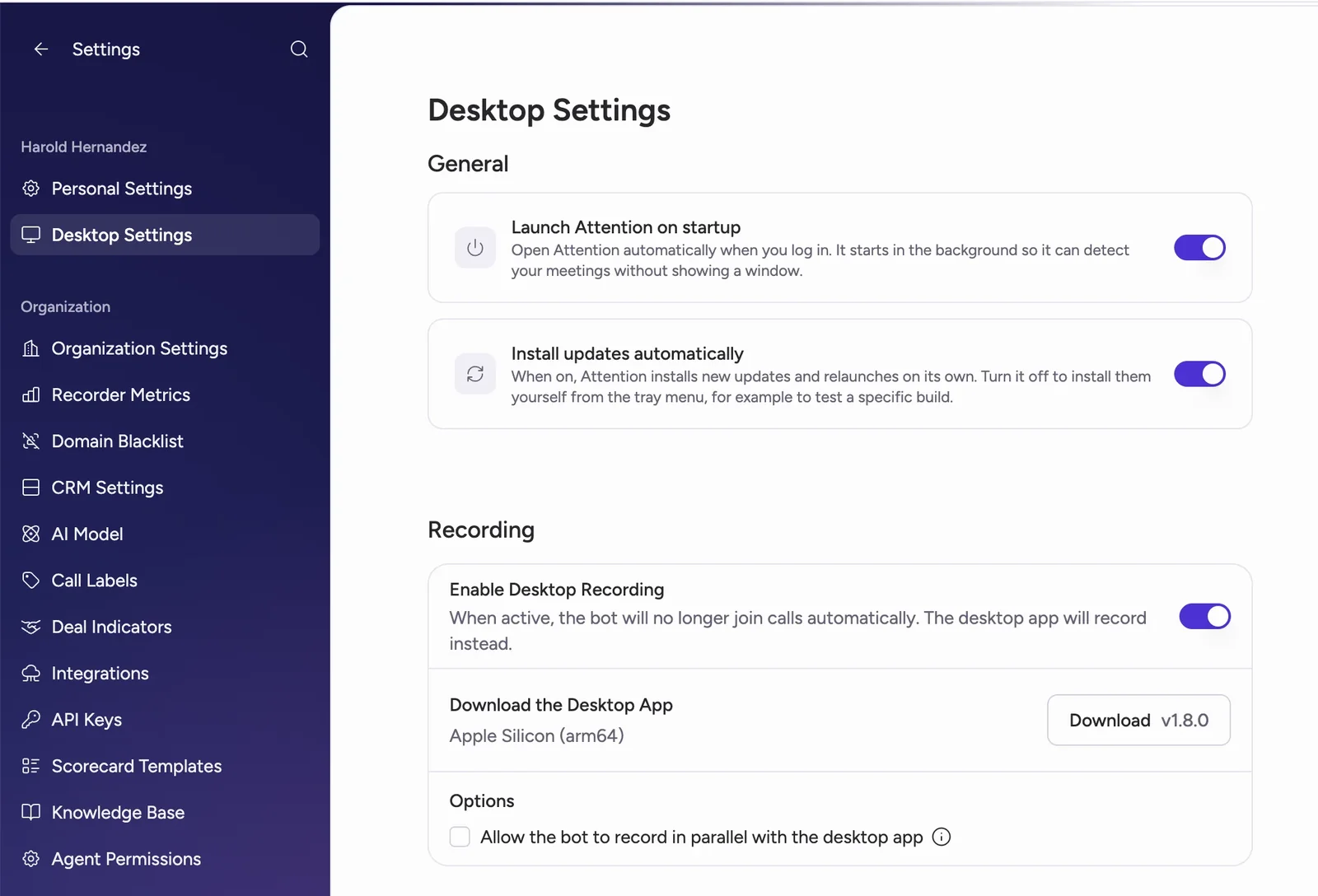
- Check whether switching on the desktop app turns off the bot. In Attention, it does, unless you enable the parallel option.
- Check for ad-hoc recording of meetings with no calendar link or a link that changed at the last minute.
- Check softphone capture and in-person capture, the two places a meeting bot never reaches.
Weflow: desktop recording on Windows and Mac, same Salesforce pipeline
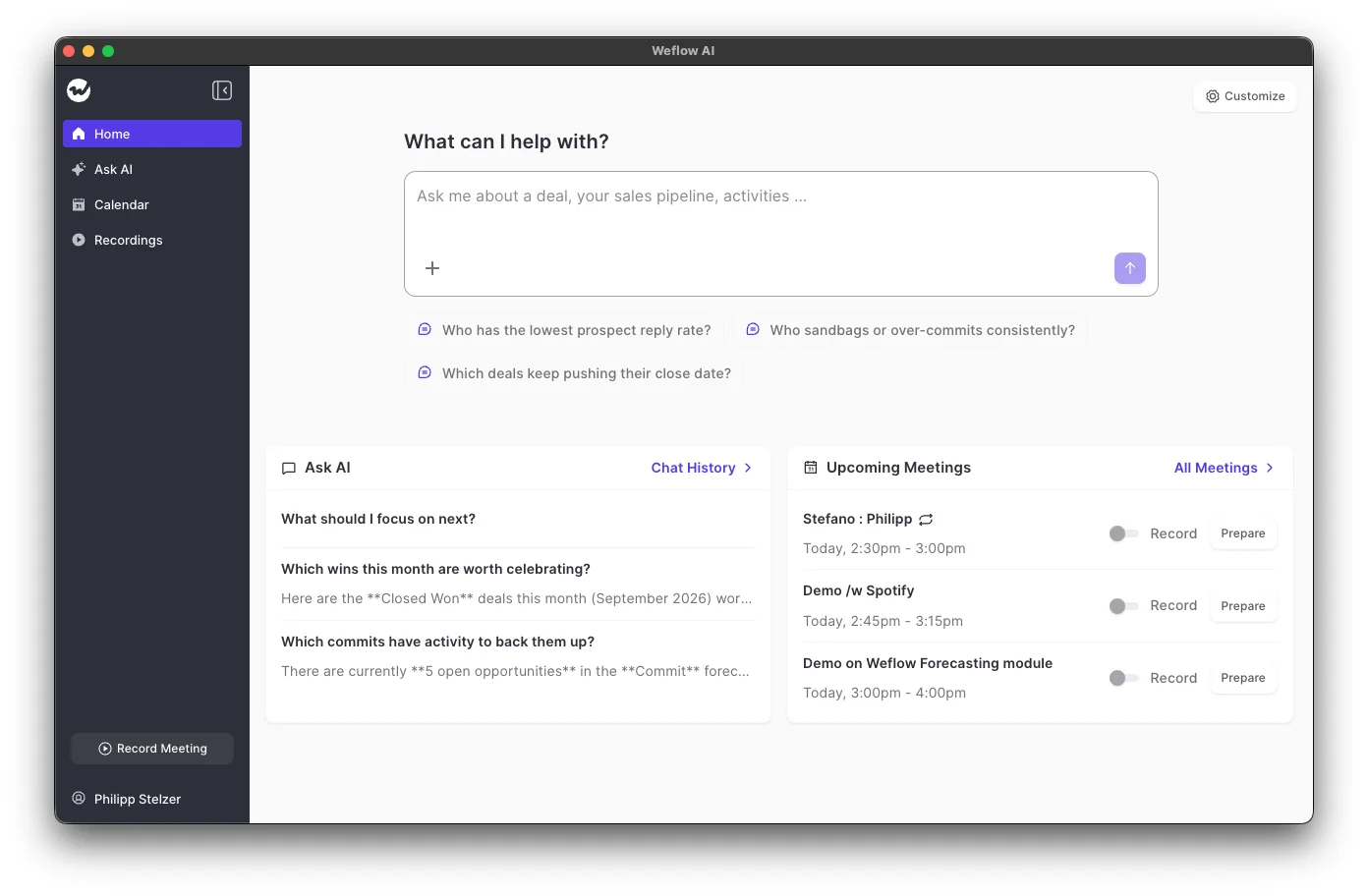
Weflow is the Revenue AI Orchestration platform for sales, customer success, and RevOps teams. We built it for Salesforce teams, and the desktop app is part of Weflow Conversation Intelligence. Its job is to fill the gaps the auto-scheduled bot can't reach, across your whole fleet. Every recording feeds the same Salesforce output.
| Capability | How Weflow handles it |
|---|---|
| Recording without a bot | The desktop app runs on Windows, Apple Silicon Mac and Intel Mac and records Zoom, Google Meet and Microsoft Teams in the client or the browser, including video. The rep presses Record meeting, or accepts a prompt when joining Zoom or Meet. |
| Video meetings | The notetaker auto-schedules onto every external meeting on Zoom, Teams, Meet and Webex. It leaves the lobby after about ten minutes if nobody admits it, and Webex is switched on per workspace. |
| In-person meetings | Weflow Mobile Copilot on iOS and Android records the meeting, or takes a voice note afterwards that goes through the same processing as a call. |
| Phone and dialer calls | Weflow pulls Outreach dialer calls in automatically. The desktop app records any softphone whose audio runs through the computer, rep-started. Calls on a rep's own mobile carrier line aren't captured. |
| Consent | The notetaker offers opt-in, opt-out or none, a chat notice with a stop link, an optional pre-meeting email and a downloadable consent log. Desktop recordings sit outside this flow, and consent sits with the rep. |
| Transcription and languages | 96 languages with automatic detection. Follow-up emails come out in the meeting's language, and Salesforce summaries in your workspace language. |
| Integrations | Salesforce only, with Gmail, Outlook, Google Calendar, Zoom, Teams, Meet, Slack and the Outreach dialer. There's no native warehouse connector; teams use the API. |
| AI assistant access (MCP) | An official read-only connector gives Claude, ChatGPT and other assistants playbooks, call summaries, transcripts and forecast calls. Transcript access has its own admin toggle. |
| Raw data access | The REST API bulk-exports transcripts, metadata, scores and signals as JSON or CSV. Video exports to your own storage, and transcript and summary sit on a recording record in your Salesforce. |
| Pricing | $39 per user per month for Weflow Conversation Intelligence, billed annually, with the desktop app and Weflow Mobile Copilot included. 10-user minimum. |
Where the Weflow desktop app beats the other botless recorders
- Weflow covers the whole fleet. The desktop app runs on Windows, Apple Silicon Mac and Intel Mac, so you don't split your team between two capture methods.
- Weflow records video on Zoom, Google Meet and Microsoft Teams, in the native client or the browser. The app records whatever runs on the machine, so a Teams call in Chrome gets captured like one in the Teams client.
- A desktop recording goes through the same pipeline as a bot recording: AI field updates to Salesforce, summaries and chapters, follow-up emails, scorecards, search and Ask Weflow AI.
- Weflow records softphone calls with no telephony integration. Aircall, RingCentral or any dialer whose audio runs through the computer is captured from system audio, so changing dialers doesn't break capture.
- The ad-hoc Record meeting button captures meetings that were never on the calendar, whose link changed, or that run on a platform the notetaker can't join.
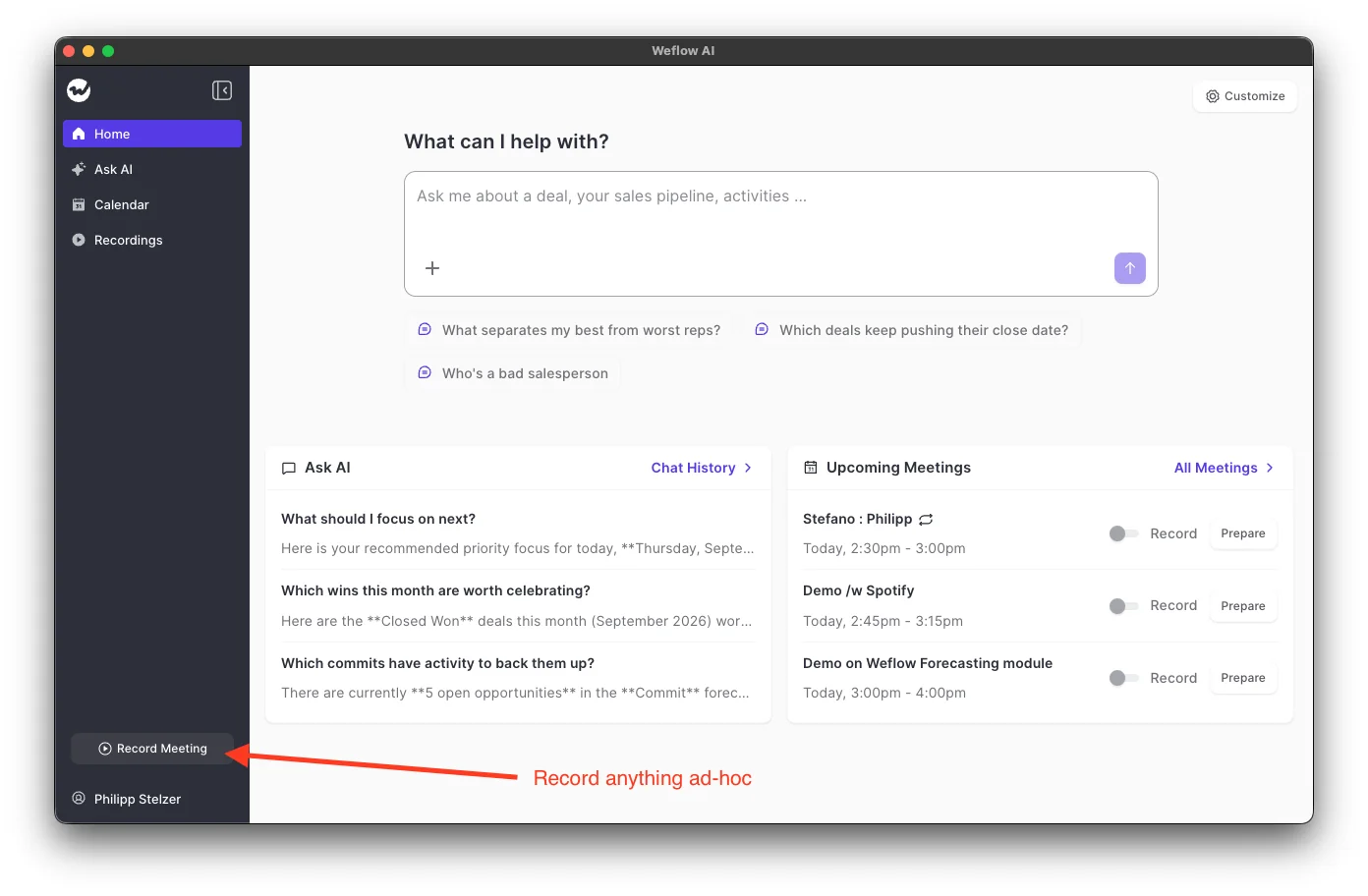
- The desktop app sits beside the bot rather than replacing it. The notetaker stays auto-scheduled on every external meeting, and when it gets stuck in a lobby, the rep can send it back in mid-call from the Weflow calendar.
- The field updates your team configured for bot recordings run on desktop recordings too. The prompt that fills Stage or a MEDDPICC field doesn't care how the call was captured.

- Weflow Mobile Copilot covers the meetings with no laptop in the room. Reps record in-person meetings on iOS or Android, or dictate a voice note in the car afterwards, and both produce the same field updates.
Best for: Salesforce teams on mixed Windows and Mac fleets who want botless recording as a gap-filler beside an auto-scheduled bot, with softphone and in-person capture, and every recording feeding the same field updates.
Where Weflow falls short, and who should look elsewhere
- Desktop recording is rep-started. The auto-prompt covers Zoom and Google Meet, not Microsoft Teams, where the rep presses Record meeting.
- Weflow's consent flow doesn't run on desktop recordings. The rep is responsible for getting consent from participants.
- Consent doesn't vary by the region an account sits in. It's configured per team as opt-in, opt-out or none.
- Weflow has no live in-call assistant. Summaries, field updates and scores arrive after the call.
- Weflow doesn't capture calls made on a rep's own mobile carrier line.
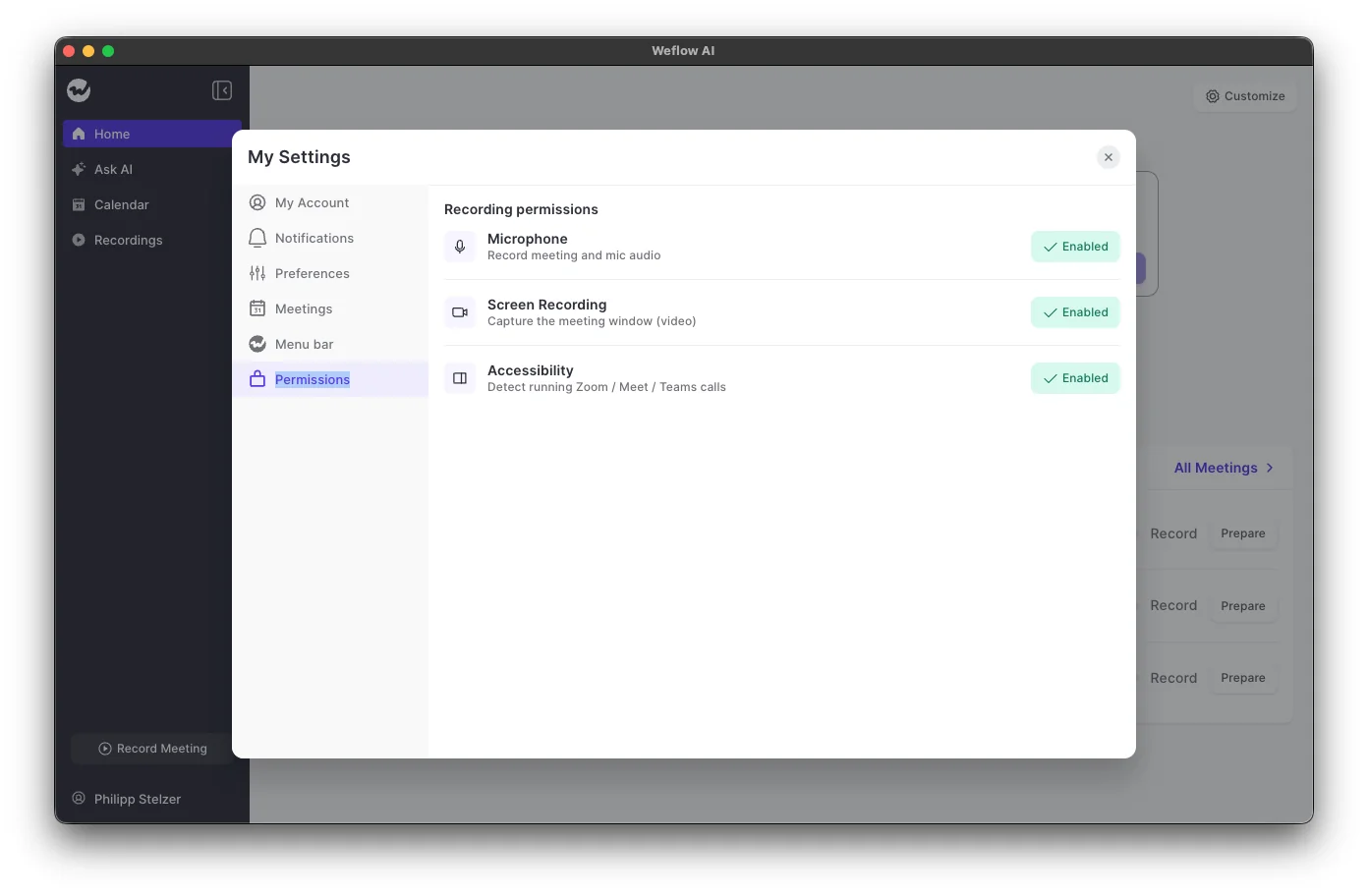
- On macOS, the app needs three permissions: Microphone, Screen recording and Accessibility. MDM-managed fleets have to pre-allow them.
- Weflow works with Salesforce only, with a 10-user minimum.
Look elsewhere if your legal team requires an enforced consent page on every call, if you run HubSpot, or if you want live battlecards during the call.
Gong: botless only on Zoom, with the strongest consent tooling
Gong is the conversation intelligence platform that created the category. It records and analyses calls in its own cloud and is sold as a Gong Foundation core licence with applications on top. It qualifies for this list only on Zoom.
| Capability | How Gong handles it |
|---|---|
| Recording without a bot | Zoom only. Zoom records the call natively and Gong retrieves it, with better audio and speaker identification than the bot. |
| Video meetings | The bot records Zoom, Meet, Teams, Webex and seven more providers, including GoToMeeting, Amazon Chime and RingCentral. Waiting rooms mean the host has to admit it. |
| In-person meetings | The mobile app on iOS and Android records audio, which Gong uploads and analyses. Available on any plan. |
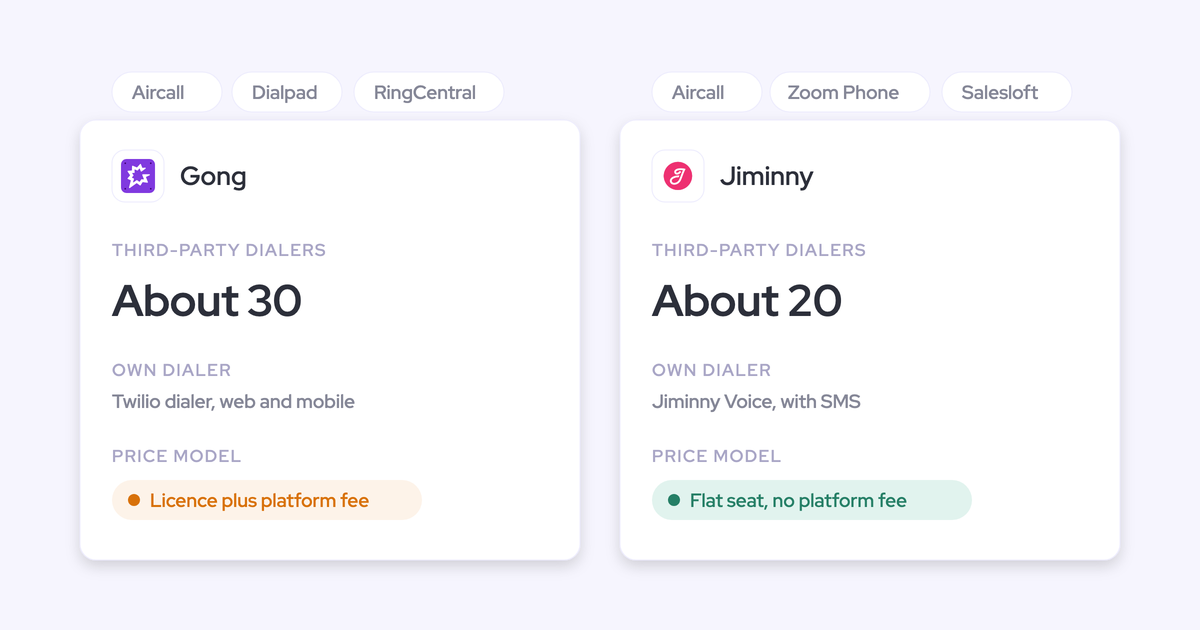
| Phone and dialer calls | Gong imports calls from about 30 telephony systems, including Aircall, Dialpad, Five9, RingCentral, Talkdesk and Zoom Phone, and has its own Twilio dialer. |
| Consent | Consent profiles set rules per team and region, combining a consent page (enabled or enforced), an audio prompt and a pre-call email sent 10 to 20 minutes before. |
| Transcription and languages | 70+ languages, with automatic detection on most calls and reprocessing when a language is wrong. |
| Integrations | About 450 integrations and partner solutions in the Gong Collective. |
| AI assistant access (MCP) | Three tools (ask_account, ask_deal, generate_brief), read-only, returning AI insights rather than transcripts. Each request draws metered credits. |
| Raw data access | The API returns transcripts, trackers and scorecards, capped at 3 calls a second and 10,000 a day. Data Cloud warehouse export is a separate purchase of about $5,000 a year. |
| Pricing | Not published. Per-user licence plus a platform fee that scales with users, with AI credits pooled at 2,000 per paid seat per year. |
Where Gong's native Zoom recording and consent profiles win
- Gong's native Zoom route is botless, and Gong says it gets better audio and speaker identification than the bot.
- Gong's consent profiles are the strongest consent tooling in this set. You can run a consent page for EU buyers and a lighter notice for the US, and let participants refuse recording and still join the call.
- The Gong app for Zoom gives reps a live transcript and a talk-ratio alert during the call, on meetings recorded with native Zoom recording.
- Gong covers phones well, importing from about 30 telephony systems, and its mobile app records in-person meetings on any plan.
Best for: teams already on Gong who mostly meet on Zoom, and teams whose legal function needs per-region consent rules on every call.
Where Gong still needs its bot in the meeting
- On Google Meet, Microsoft Teams, Webex and every other platform, the Gong bot has to join and be admitted.
- Partner-hosted and customer-hosted calls stay a blind spot when the bot can't get in. One Gong customer described it this way:
"We have a lot of calls that are happening with partners. It's a call we want to record, but they set it up on their end. We've had a blind spot with Gong."
- Ad hoc recordings bypass Gong's exclude lists. If someone adds the Gong assistant by hand, an excluded domain gets recorded anyway.
- Gong publishes no prices, and every application sits on top of the mandatory Gong Foundation licence.
- The MCP server and API-based AI workflows draw metered credits from a pool shared across the company.
- The MCP server returns Gong's insights, never the raw transcripts.
Fathom: free bot-free capture for Mac users
Fathom is a mass-market AI notetaker used by more than 300,000 companies, and Superhuman acquired it in September 2026. It records online meetings with or without a bot and pushes summaries into CRMs, with deeper CRM features on its Business plan.
| Capability | How Fathom handles it |
|---|---|
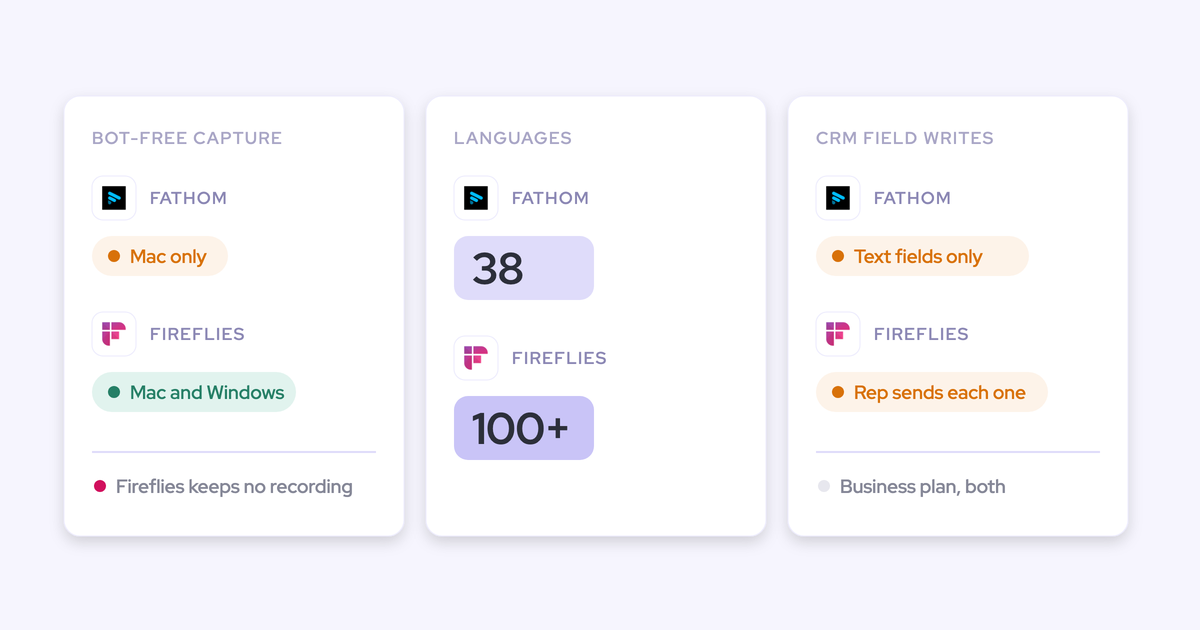
| Recording without a bot | The Mac desktop app captures video and audio, audio and transcript, or transcript only. Windows stays on the bot, and bot-free video is a limited beta on Zoom. |
| Video meetings | Zoom, Google Meet, Microsoft Teams and Slack Huddles. |
| In-person meetings | Not offered. The iOS app for in-person meetings is on a waitlist. |
| Phone and dialer calls | Not offered. Fathom records live online meetings only and can't analyse uploaded recordings. |
| Consent | A consent email goes out 24 hours before scheduled external meetings. Same-day and impromptu meetings get nothing, and on Zoom it only sends when the Fathom user hosts. |
| Transcription and languages | 38 languages, with summaries translated into Spanish, Portuguese, German, French, Italian and Dutch. |
| Integrations | 30 integrations including Salesforce, HubSpot, Slack, Zapier, Make, Claude and ChatGPT. No dialer, sequencing tool or BI tool. |
| AI assistant access (MCP) | An official connector for Claude and ChatGPT on every plan, limited to the meetings the connecting user can see. |
| Raw data access | A public API and webhooks on every plan. Keys belong to individual users, so a key reads only its owner's visible calls. |
| Pricing | Free for individuals. Premium $16, Team $15 and Business $25 per user per month billed annually, Enterprise on quote, two-user minimum on team plans. |
Where Fathom's bot-free desktop app is strongest
- Fathom is the cheapest way to start: a free tier with unlimited recordings, published prices, and no platform fee or usage credits.
- Each user picks bot or bot-free per meeting, and can choose a transcript-only mode.
- Bot-free calls show a summary that builds live during the meeting.
- The MCP connector for Claude and ChatGPT comes with every plan.
- Teams leaving Gong are offered the Business plan free for the rest of their current contract, plus data migration.
Best for: individuals and small teams on Macs, often HubSpot-heavy, who want the lowest-cost bot-free notes and a live summary.
Where Fathom's bot-free mode stops on Windows, video and consent
- Windows users stay on the bot, so a mixed fleet runs two capture methods.
- Bot-free video is a limited Zoom beta.
- There's no in-person or phone capture.
- The consent email only covers meetings scheduled 24 hours or more ahead.
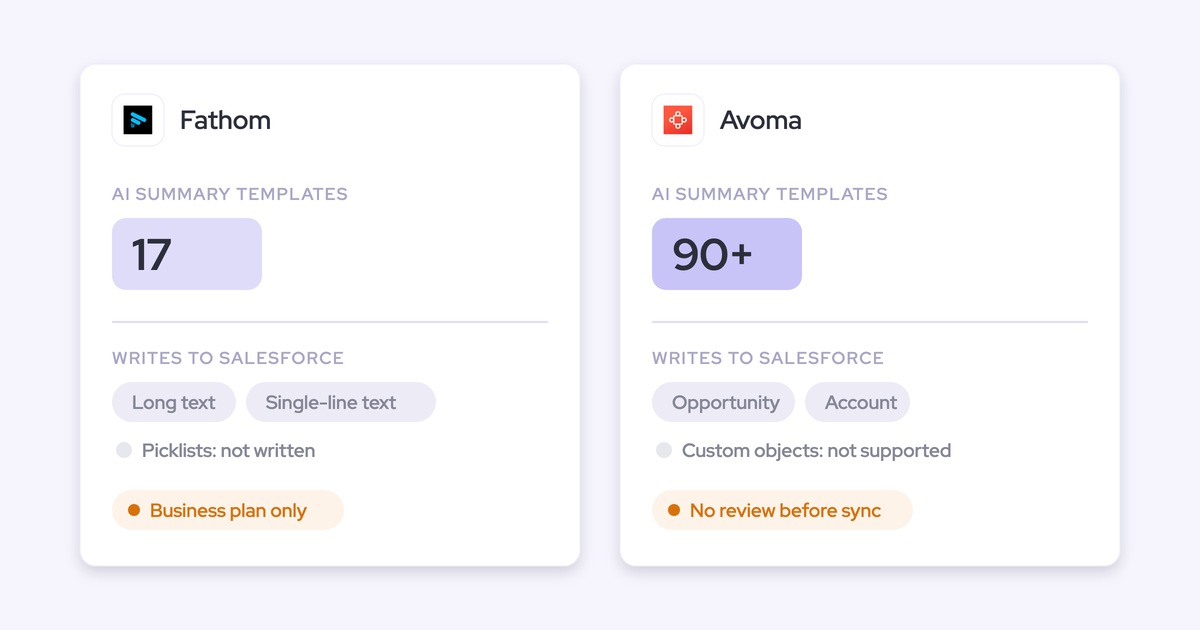
- Salesforce gets the summary as a logged-call Task. Writing summary sections into specific CRM fields starts at the Business plan, and CRM sync on Free, Premium and Team is capped at three users per email domain.
- Fathom's roadmap now runs through Superhuman's email, documents and agents, with nothing announced on deeper Salesforce field writes.
Attention: Apple Silicon desktop app with live battlecards
Attention is an AI-native conversation intelligence tool that records sales calls and uses the conversation to drive scorecards, CRM field updates and agents. It records with a bot by default, and its desktop app is the botless alternative. The Attention settings screen below shows the trade in one place: turning on desktop recording stops the bot joining, and the download is for Apple Silicon only.
| Capability | How Attention handles it |
|---|---|
| Recording without a bot | The desktop app runs on Apple Silicon Macs only. It records Zoom, Meet in Chrome, Safari and Chromium browsers, and the Teams desktop app. It doesn't support Teams in a browser or Meet in Edge. |
| Video meetings | The bot records Zoom, Meet and Teams by default. The desktop app covers the same platforms from a Mac. |
| In-person meetings | Not offered. Attention has no mobile app. |
| Phone and dialer calls | Attention imports Zoom Phone calls after Zoom records them and syncs Aircall recordings. Its API also imports recordings from other tools. |
| Consent | A pre-meeting consent page in five languages, an admin consent-mode switch and a pre-call email. The chat notice for desktop recordings is in beta and switched on per organisation on request. |
| Transcription and languages | 100+ languages with automatic speaker labels, and a primary language set per user. |
| Integrations | Google, Outlook and Zoom calendars, Zoom Phone, Aircall and two-way Slack, plus workflow steps into Salesforce, HubSpot, Notion, Snowflake and more. |
| AI assistant access (MCP) | 68 read-write tools across 15 groups, returning raw transcripts and running analysis across up to 25 calls. Rate limits apply, with no consumption charge. |
| Raw data access | Raw transcripts, scorecards and insights through MCP and API keys. Workflows can send data to Snowflake or any API. |
| Pricing | Not published. |
Where Attention's desktop app and MCP server lead
- Since its June 2026 release, Attention's desktop app shows live talk-track and battlecard prompts and a live transcript during the call. Nobody else here does that on a botless call.
- Attention's MCP server is the widest in the set: 68 read-write tools, raw transcripts with full-text search, and no credits.
- You can keep the bot joining in parallel with the desktop app as a safety net while a team tries local recording.
- The desktop app never starts recording silently. It asks the rep and shows an indicator while it records.
Best for: Apple Silicon Mac teams that want live prompts during calls and the deepest assistant access to their call data.
Where Attention's desktop recording loses coverage and speaker labels
- There's no Windows or Intel Mac build, so any non-Apple-Silicon rep stays on the bot.
- Teams in a browser and Meet in Edge aren't supported.
- Standard desktop capture records one mixed audio stream, and Attention states its speaker labels are less accurate than on bot recordings.
- A network drop ends the recording, and the part of the call during the outage is lost. A minimised window can't be captured, and closing the lid ends the recording.
- High-quality mode on Google Meet shows every participant a companion attendee in the rep's name, so the call isn't invisible anymore.
- The desktop consent chat message is in beta and enabled by Attention on request. The consent page only reaches people who join through an Attention meeting link.
- Ad-hoc desktop recordings made outside the calendar window get no deal or opportunity assigned.
- Attention has no mobile app and no published pricing.
Avoma: several botless routes at SMB prices
Avoma is a meeting-first conversation intelligence tool that records, transcribes and summarises calls, with Salesforce sync, coaching and deal features added on top. It sells mainly to small businesses. It has more botless routes than any other tool here, and each one comes with conditions.
| Capability | How Avoma handles it |
|---|---|
| Recording without a bot | Zoom and Webex cloud recording on meetings the user hosts, Teams and Meet cloud recording after admin setup, and a desktop app capturing microphone and system audio. |
| Video meetings | The bot records Zoom, Meet, Teams, BlueJeans, GoToMeeting, Lifesize and UberConference. Webex is recorded only through Webex cloud recording by the organiser. |
| In-person meetings | The mobile app records audio, or you upload a file afterwards. Avoma warns speaker identification is harder without separate audio channels. |
| Phone and dialer calls | Dialer connections including HubSpot Sales Dialer, Outreach, Zoom Phone, Salesloft, Aircall, RingCentral, Copper and Kixie. |
| Consent | A calendar-invite disclaimer, reminder emails, a spoken and chat notice from the bot, and an accept-or-decline mode, with four enforcement levels set org-wide. |
| Transcription and languages | 60+ languages and dialects. Multi-language support is switched on through Avoma support. |
| Integrations | 26 native integrations across conferencing, CRMs, dialers and chat, plus Zapier. |
| AI assistant access (MCP) | A connector for Claude and ChatGPT with 11 read and 3 write tools, on the Organization or Enterprise plan or with the API Access add-on. |
| Raw data access | A REST API and webhooks limited to 60 requests a minute, on the Organization plan and above. |
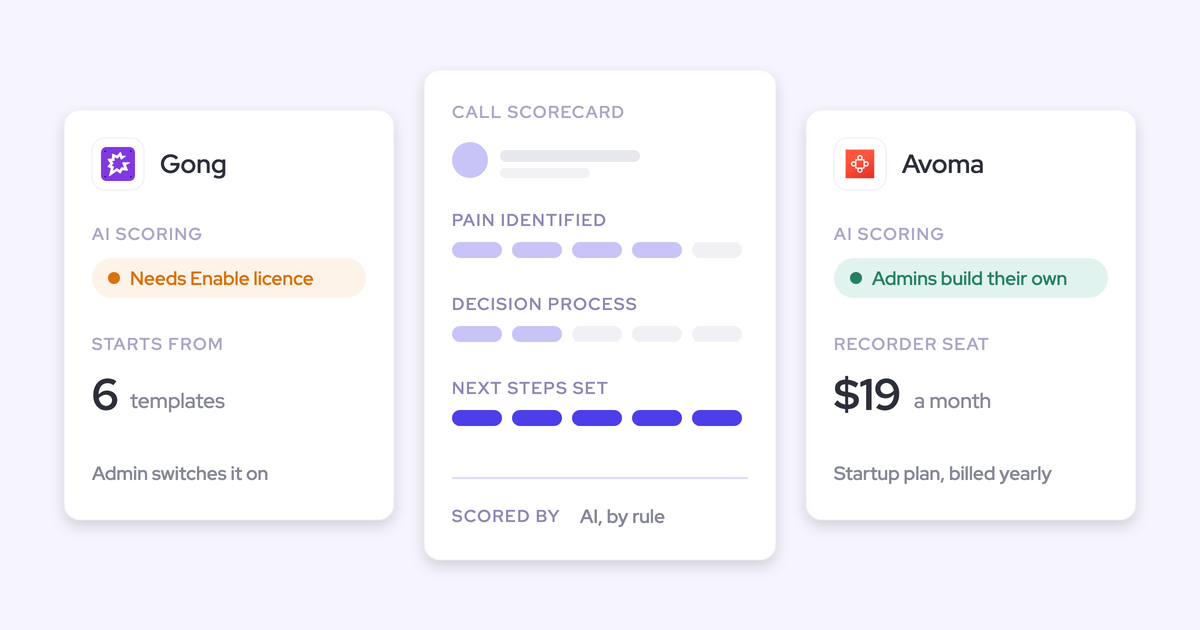
| Pricing | Startup $19, Organization $29 and Enterprise $39 per recorder seat per month billed annually. Revenue Intelligence and Conversation Intelligence add-ons cost $29 a seat each. |
Where Avoma's cloud-recording and desktop routes help
- Avoma gives you a botless route on all four major platforms: Zoom and Webex host cloud recording, Teams and Meet cloud recording, and the desktop app.
- It covers in-person meetings through the mobile app and phones through a long dialer list.
- Prices are published, viewer seats are free and unlimited, and there are no usage credits or transcription hours.
Best for: SMB teams that want several botless routes at a low published per-seat price.
Where Avoma's botless routes depend on hosts, licences and add-ons
- The Zoom and Webex cloud routes only work on meetings your user hosts and need paid platform accounts. On Zoom meetings your rep only attends, the bot is the only option.
- The Teams route needs a Microsoft 365 admin's consent and a Teams cloud recording licence for every recorded user.
- Before the first desktop recording, users acknowledge that getting every participant's consent is their own responsibility. Avoma doesn't check it.
- Two-way CRM field updates sit in the paid Revenue Intelligence add-on.
- Avoma's product and pricing centre on small businesses rather than larger Salesforce orgs.
Jiminny: coaching-first desktop and mobile recording
Jiminny is coaching-first conversation intelligence for mid-market teams on HubSpot or Salesforce. It records meetings, dialer calls and in-person meetings, scores and coaches reps, and writes call activity into the CRM.
| Capability | How Jiminny handles it |
|---|---|
| Recording without a bot | The desktop app runs on macOS 13 on Apple Silicon and on Windows 10 or later. It records what's on screen, so a minimised meeting window records audio only. |
| Video meetings | A bot joins scheduled Zoom, Meet and Teams customer meetings from the calendar when at least one attendee has accepted. |
| In-person meetings | The iOS and Android app records in-person meetings, including offline, for users with the Recorder role. |
| Phone and dialer calls | Its own dialer and SMS (Jiminny Voice), plus about 20 third-party dialers such as Aircall, Dialpad, RingCentral, Zoom Phone and Salesloft. |
| Consent | An email ten minutes before so guests can decline, or a strict opt-in mode through a consent page, which needs meetings created with its Outlook add-in. |
| Transcription and languages | 60+ languages with automatic detection per call. |
| Integrations | Salesforce, HubSpot, Dynamics 365 and other CRMs, about 20 dialers, Google and Microsoft 365 mailboxes and calendars, and Zapier. |
| AI assistant access (MCP) | A read-only connector for Claude and ChatGPT on the Scale and Grow tiers, scoped to what each user can see. |
| Raw data access | A REST API opened with an organisation-level key that only admins can generate. |
| Pricing | Not published. Flat per-seat fee per tier with no platform fee or credits; Jiminny Voice minutes above 1,350 per 30 days cost 2 cents each. |
Where Jiminny's desktop, dialer and mobile coverage helps
- Jiminny's desktop app runs on both Apple Silicon Mac and Windows, which covers more of a fleet than the Mac-only apps.
- Its own dialer plus about 20 third-party dialers make it strong for phone-heavy teams.
- The mobile app records in-person meetings, even offline.
- It works with both HubSpot and Salesforce.
- It imports past recordings from Gong, Chorus, Avoma, Clari Copilot and Fathom, so a switch doesn't reset your call history.
Best for: coaching-first mid-market teams on HubSpot or Salesforce with a dialer motion.
Where Jiminny's botless recording and Salesforce logging stop
- A minimised meeting window records audio only, so video depends on the rep keeping the call on screen. Intel Macs aren't listed.
- Strict opt-in consent needs meetings created with the Outlook add-in, which supports Teams with Office 365 only.
- Jiminny doesn't log emails to Salesforce. Synced emails stay inside Jiminny.
- Jiminny publishes no prices.
What each botless recorder costs, and what you pay extra for
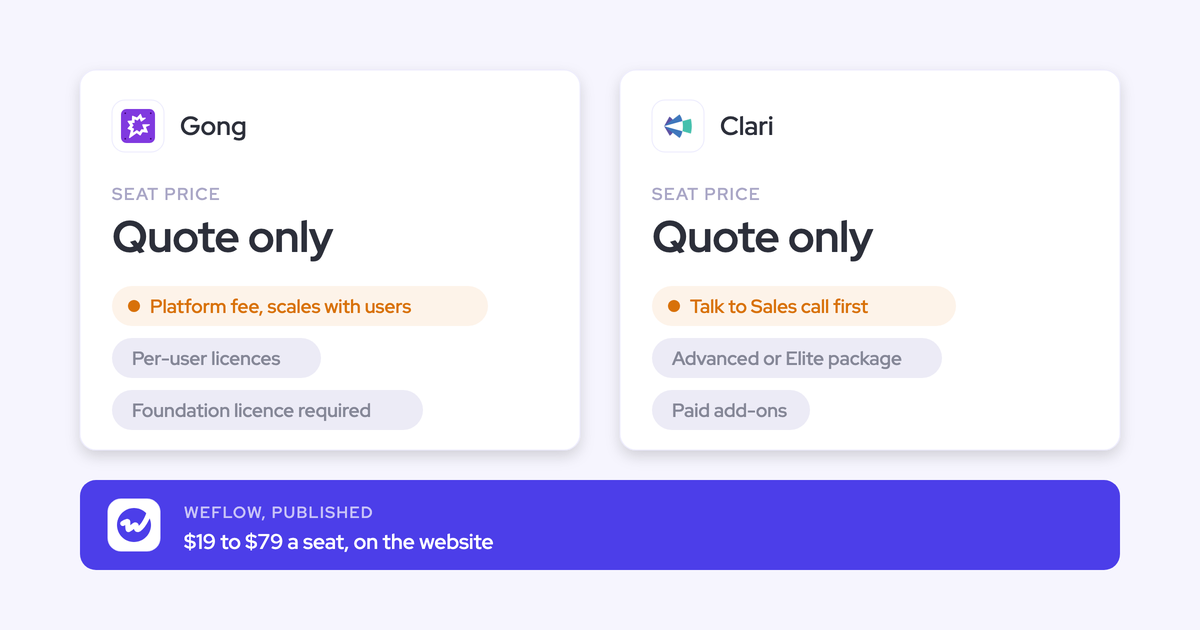
Some vendors include botless capture in the seat, and others gate it behind plans or add-ons. Three of the six publish no price at all.
| Tool | Pricing model | Published list price | What costs extra | Minimums and terms |
|---|---|---|---|---|
| Weflow | Per seat, AI included | $39/user/month for Weflow Conversation Intelligence; $49 for Weflow Revenue AI Foundation with Weflow Activity & Contact Capture | Nothing for the desktop app or Weflow Mobile Copilot, both included in the seat; Agent Builder beyond 25 free actions a month | Annual billing, 12-month term, 10-user minimum |
| Gong | Per-user licence plus platform fee, AI credits on top | Not published | Applications on top of Gong Foundation; credits for trackers, MCP and API workflows; Data Cloud export | Not published |
| Fathom | Per seat, free tier | Premium $16, Team $15, Business $25 per user/month annually | CRM field writes, scorecards and custom templates start at Business | Two-user minimum on team plans |
| Attention | Custom contract | Not published | Not published | Not published |
| Avoma | Per recorder seat plus add-ons | Startup $19, Organization $29, Enterprise $39 per seat/month annually | Revenue Intelligence and Conversation Intelligence add-ons at $29 each; API on Organization and up; optional $1,000 onboarding | 10-seat minimum on Enterprise; 14-day trial |
| Jiminny | Flat per seat per tier | Not published | Jiminny Voice minutes over 1,350 per 30 days at 2 cents each | 14-day free trial |
Watch the AI line, not only the seat. Gong meters its MCP server, API-based AI workflows and question-based trackers against a credit pool shared across the company. The more you wire Gong into your other tools, the faster that pool drains.
Weflow includes Ask Weflow AI, summaries and AI field updates in the seat. Agent Builder is the only consumption-priced product, so nobody has to ration the everyday AI.
Which botless recorder fits your fleet, platform and CRM
Your shortlist follows four things: your laptops, your meeting platform, your CRM, and how your legal team treats consent.
| If your team… | Shortlist… |
|---|---|
| Runs a mixed Windows and Mac fleet, including Intel Macs | Weflow; Jiminny if you don't need Intel Macs |
| Is all Apple Silicon and wants live coaching prompts during calls | Attention |
| Meets mostly on Zoom and already runs Gong | Gong's native Zoom recording |
| Has a legal team that requires an enforced consent page on every call | Gong, with the bot and consent profiles |
| Runs HubSpot as its CRM | Fathom, Jiminny or Avoma |
| Is an SMB on a tight budget | Fathom's free and Team plans, or Avoma |
| Runs a softphone-heavy or partner-heavy motion | Weflow for any softphone on the laptop; Jiminny or Gong for dialer integrations |
| Holds a lot of in-person and field meetings | Weflow Mobile Copilot, Gong, Avoma or Jiminny mobile apps |
| Sells in DACH under works-council constraints | A tool that can prove where data is processed and that it never trains on it, with a per-session notice; weigh visible consent against invisibility |
Keep the bot as your default and record the gaps botless
If you replace the bot with rep-started recording, you give up coverage and consent in exchange for invisibility. Your sales leader loses the mandatory coverage they asked for, and your legal team loses the notice it relies on.
Coverage is what decides whether conversation data is something you can report on or a collection of anecdotes. With the notetaker auto-scheduled from the calendar, our Weflow Conversation Intelligence customers typically record 50 to 70 percent of their meetings. That number collapses when reps have to remember to start anything.
The setup that holds up with both your sales leader and your legal team has three layers:
- An auto-scheduled bot on every external meeting. Recorded is the default state, and the consent flow runs on every call it joins.
- Botless desktop capture for the gaps. Use it for lobbies nobody opens, partner-hosted and customer-hosted calls, softphone calls, and meetings with no link.
- Mobile capture for in-person meetings. Record at the table, or dictate a voice note afterwards.
All three should land in the same Salesforce output, so a call recorded by the desktop app gets the same field updates as one recorded by the bot.
We built Weflow this way. The notetaker stays auto-scheduled, the desktop app covers the gaps on Windows and Mac, Weflow Mobile Copilot covers the room, and every route runs through one pipeline. Desktop recordings are still rep-started and carry no product consent flow, so the rep owns consent on those calls.
See how Weflow captures activity, updates Salesforce fields from calls, and rolls up your forecast. Book a 30-minute demo.
What changed in botless call recording in 2026
- April 2026: Attention let individual users choose consent-required bot joining without an organisation-wide setting.
- Late May 2026: Gong emailed customers their credit allocations for metered AI, covering trackers, the MCP server and API workflows.
- 12 June 2026: Attention's desktop app added live talk-track and battlecard prompts, real-time transcription and calendar details on desktop recordings.
- July 2026: Attention shipped a pre-meeting consent page in five languages, an organisation-wide consent switch, and an admin setting for chat compliance messages on desktop recordings, which Attention still switches on per organisation on request.
- August 2026: Attention's desktop app reached version 1.8.0, still built for Apple Silicon only.
- 14 September 2026: Superhuman acquired Fathom. The product and logins didn't change, and Fathom's roadmap now runs through Superhuman's suite.
- 2026: The Weflow desktop app brought botless recording to Windows, Apple Silicon Mac and Intel Mac, on Zoom, Google Meet and Microsoft Teams.
How we compared these six botless recorders
We assessed each tool against the same ten capabilities, using vendor help documentation and pricing pages as they stood in September 2026. Where a vendor documents a condition, such as a beta, a host-only route or a single operating system, we put it in the table.
Weflow is our product, and we've placed it first. We've also listed its limits in the same detail as everyone else's, and the consent check favours Gong because Gong is stronger there.
We left out bot-only notetakers, because the scope here is recording without a bot joining the meeting.
Botless call recording FAQ
Who is responsible for consent when a desktop app records a call?
On a botless desktop recording, the rep carries consent. Weflow's consent flow doesn't run on desktop recordings, and Avoma makes users acknowledge consent is their own responsibility. Attention's desktop chat notice is in beta and enabled on request. None of this is legal advice, so take the rules for your participants' countries to your legal team.
Does the other side see anything when a desktop app records?
With local desktop capture, the other participants see nothing in the call. Platform-native imports, like Gong's Zoom route or Avoma's cloud recordings, show the meeting platform's own recording notice. One exception on the desktop side: Attention's high-quality mode on Google Meet shows everyone a companion attendee in the rep's name.
Will recording coverage drop if reps have to start recordings?
Yes, if botless replaces the bot. Coverage then depends on every rep remembering every call. Keeping the bot auto-scheduled on external meetings protects the default, and the desktop app picks up the meetings the bot can't join.
What macOS permissions does the Weflow desktop app need for MDM?
On macOS, the Weflow desktop app needs Microphone, Screen recording and Accessibility, each granted separately. Screen recording is what captures meeting video and system audio, so it's needed even for calls you only want transcribed. On Windows, most permissions are granted automatically. On an MDM-managed Mac fleet, pre-allow all three, or every rep sees the prompts on their own.
Does the Weflow desktop app record Microsoft Teams in the browser?
Yes. The Weflow desktop app records whatever runs on the machine, so Teams in the native client or in the browser is captured, including video. The automatic prompt appears for Zoom and Google Meet, not Teams, so on Teams the rep presses Record meeting.
Do AI field updates and scorecards work on Weflow desktop recordings?
Yes. A Weflow desktop recording enters the same pipeline as a notetaker recording. It gets AI field updates to Salesforce, summaries and chapters, follow-up emails, scorecards, search and Ask Weflow AI.
Does a botless recording create a second meeting in Salesforce?
Duplicates happen when an activity capture tool and a conversation tool each write the same meeting to Salesforce as their own record, which inflates meetings per rep. Weflow writes the transcript and summary to a recording record in your Salesforce and writes call outcomes into the fields you mapped. Your data stays in your Salesforce, reportable next to everything else.
Can a desktop app record Aircall or RingCentral softphone calls?
The Weflow desktop app records any softphone whose audio runs through the computer, including Aircall and RingCentral, with no telephony integration. The call gets the same transcript, summary, field updates and scorecard as a meeting. The rep starts the recording, and calls on a rep's own mobile carrier line aren't captured.
Is the Weflow desktop app an extra licence?
No. The desktop app is included with a Weflow Conversation Intelligence seat, standalone at $39 per user per month or inside a bundle such as Weflow Revenue AI Foundation. It doesn't come with Weflow Activity & Contact Capture alone or Weflow Deal Intelligence & Forecasting alone. Contracts run 12 months with a 10-user minimum.
Can we bring our existing Gong recordings with us?
Yes. Weflow migrates your Gong call history at no charge, with the metadata that restores each call's link to its Salesforce account, and reprocesses it so it's searchable and scoreable. Jiminny imports from Gong and several other tools through their APIs, and Attention's API imports recordings from other recorders. Avoma takes uploads one file at a time, with bulk imports arranged through its support team.
What will a works council in Germany or Austria ask about botless recording?
Works councils ask for documentation of what's captured, where it's processed and who can hear it, a consent notice on every recorded session, and proof that no conversation data trains a model, including at sub-processors. Weflow runs Zero Data Retention for AI processing and never uses customer data to train models. Weflow's consent flow doesn't run on desktop recordings and doesn't vary by region. Where recording is off the table, a Weflow Mobile Copilot voice note captures the rep's own account of the meeting afterwards.
Does the Weflow desktop app pass a typical security review?
Weflow is SOC 2 Type II certified and GDPR compliant, runs Zero Data Retention for AI processing, and never uses customer data to train models. We're a German company hosted in Frankfurt. We spin up your instance in the region where your Salesforce is hosted, and you can override that to keep data in the EU or UK.
Does Weflow work alongside Outreach and other sales engagement tools?
Yes. Weflow pulls calls from the Outreach dialer in automatically and processes them like any other recording, with transcript, summary and coaching. Weflow doesn't do sales engagement itself: there's no sequencing, no cadences and no dialer, so it runs next to your engagement platform rather than replacing it.